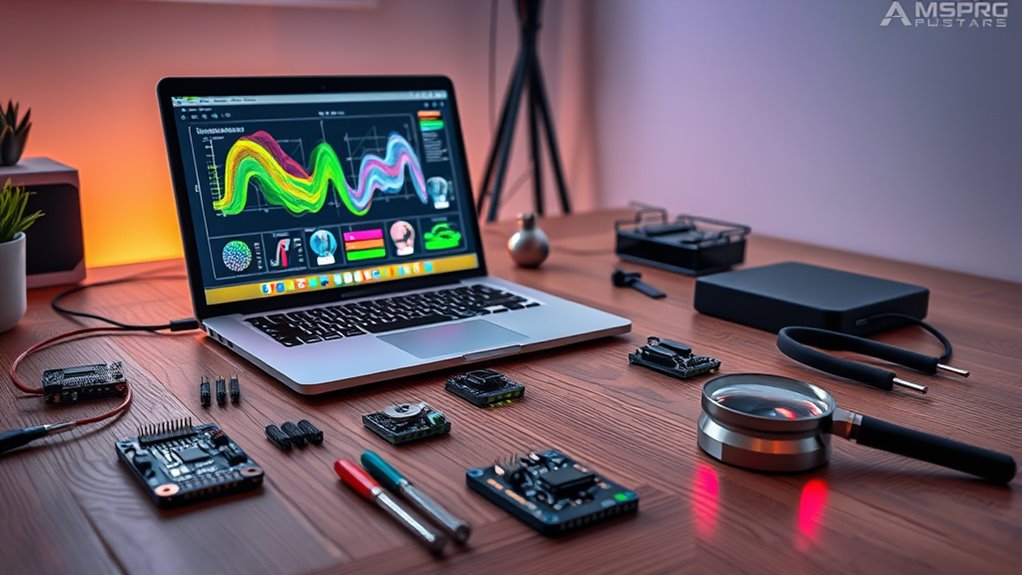

AI vision sensor kits are essential tools for building intelligent systems that see and interpret their environment. The best options balance performance, ease of use, and flexibility, but tradeoffs often include cost, complexity, and compatibility. The SunFounder AI Fusion Lab Kit stands out as the overall best for its comprehensive features, while the HUSKYLENS 2 Plus offers quick setup for edge AI applications. The challenge lies in choosing between high-end, feature-rich kits and more straightforward, beginner-friendly options. Keep reading for a detailed comparison to help you find the right kit for your needs.

Get audio and creator gear delivered free — and shop member deals
- Fast, free delivery on millions of items
- Access to Prime Big Deal Days deals on October 6–7
- Prime Video, Amazon Music and more included
Complete the kit


Key Takeaways
- The top picks excel in either ease of use, advanced features, or price, but rarely all three.
- Compatibility with popular platforms like Raspberry Pi and Arduino is a key factor for versatility.
- Edge AI capabilities are increasingly integrated, offering real-time processing without cloud dependency.
- Build quality and included accessories significantly impact long-term value and usability.
- Choosing the right kit depends heavily on your project scope, experience level, and budget.
| SunFounder AI Fusion Lab Kit for Raspberry Pi 5/4/3B+/Zero 2W |  | Best Overall for Educational AI Development | Supported Raspberry Pi Models: Pi 5, Pi 4B, Pi 3B+, Pi 3B, Zero 2W | Includes: Pan-Tilt HAT, 10-axis (10DOF) module, camera, high-quality components | Features: Multi-LLMs support, AI vision tracking, voice AI interaction, structured tutorials | VIEW ON AMAZON | See Our Full Breakdown |
| HUSKYLENS 2 Plus Kit – Edge AI Vision Sensor with Wide-Angle Camera & WiFi for Arduino, ESP32, Raspberry Pi |  | Best for Real-Time Robotics and Environment Sensing | Processor: 1.6GHz dual-core | AI Accelerator: 6 TOPS | Camera Field of View: 116.6° wide-angle | VIEW ON AMAZON | See Our Full Breakdown |
| Yahboom K210 Vision Sensor Module for AI Smart Camera with 32GB TF Card and Adjustable Bracket |  | Best for Versatile Image Recognition and Customization | AI Chip: K210 | Camera: 2 Megapixels OV2640 | Display: 2.0-inch LCD touch screen | VIEW ON AMAZON | See Our Full Breakdown |
| HuskyLens AI Camera Sensor with Silicone Case for LattePanda, Raspberry Pi, or Micro:bit |  | Best for Easy, On-Device Recognition with Minimal Setup | Sensor Type: AI machine vision | Display: 2.0 inch IPS screen | Chip: Kendryte K210 | VIEW ON AMAZON | See Our Full Breakdown |
| K210 Vision Camera Module for Arduino Raspberry Pi Jetson Nano ESP32 Touch Control AI USB Camera Open Source Robot Maker Python |  | Best for Advanced, Open-Source AI Vision Projects | Processor: Kendryte K210 AI chip | Display: 2-inch LCD capacitive touch screen | Camera Resolution: 2 Megapixels | VIEW ON AMAZON | See Our Full Breakdown |
| Smart Robot Car Kit for Raspberry Pi 5/4B with AI Vision HD Camera, 6-Way IR & Ultrasonic Sensors |  | Best All-in-One DIY Robotics Kit for AI Vision Enthusiasts | Compatibility: Raspberry Pi 3B+/4B/5 | Camera: 480P USB camera | Driver Board: PWR.A53 | VIEW ON AMAZON | See Our Full Breakdown |
| ai vision sensor kit | Features | Connectivity | Display |
|---|---|---|---|
| SunFounder AI Fusion Lab Kit f | Multi-LLMs support, AI vision tracking, voice AI interaction, structured tutorials | — | — |
| HUSKYLENS 2 Plus Kit | — | WiFi, USB, UART, I2C | — |
| Yahboom K210 Vision Sensor Mod | Face, barcode, color recognition, object detection | — | 2.0-inch LCD touch screen |
| HuskyLens AI Camera Sensor wit | — | — | 2.0 inch IPS screen |
| K210 Vision Camera Module for | Color, road sign, face, QR code recognition | Serial, I2C | 2-inch LCD capacitive touch screen |
| Smart Robot Car Kit for Raspbe | — | WiFi, Bluetooth | — |
More Details on Our Top Picks
SunFounder AI Fusion Lab Kit for Raspberry Pi 5/4/3B+/Zero 2W
This all-in-one kit shines for its versatility across multiple Raspberry Pi models and support for large language models, making it ideal for learners aiming to explore full-stack AI projects. Compared to the HuskyLens, which is more plug-and-play, the SunFounder kit demands some hands-on setup but offers broader project scope, including voice, vision, and sensor integration. The inclusion of guided tutorials and community support makes it especially appealing for beginners willing to invest time in learning. Its main tradeoff is that the Raspberry Pi device itself is not included, requiring additional purchase, and some technical familiarity is needed for assembly and coding. This kit makes the most sense for students or hobbyists who want a comprehensive, expandable platform for multi-modal AI experiments.
Pros:- Supports multiple Raspberry Pi models and large language models
- Includes a variety of hardware components for multi-modal AI projects
- Provides structured video lessons and active community support
Cons:- Requires separate purchase of Raspberry Pi hardware
- Demands some technical knowledge for setup and programming
Best for: Beginners and educators seeking a structured, multi-sensor AI development platform with Raspberry Pi compatibility
Not ideal for: Advanced developers looking for an out-of-the-box solution without assembly or programming, or those needing an all-in-one device
- Supported Raspberry Pi Models:Pi 5, Pi 4B, Pi 3B+, Pi 3B, Zero 2W
- Includes:Pan-Tilt HAT, 10-axis (10DOF) module, camera, high-quality components
- Features:Multi-LLMs support, AI vision tracking, voice AI interaction, structured tutorials
Our verdict“This kit is perfect for learners wanting a versatile, educational AI platform built around Raspberry Pi, despite requiring some assembly and setup.”
HUSKYLENS 2 Plus Kit – Edge AI Vision Sensor with Wide-Angle Camera & WiFi for Arduino, ESP32, Raspberry Pi
The HUSKYLENS 2 Plus stands out for its powerful edge AI processing and wide-angle camera, making it well-suited for robotics and dynamic environment monitoring. Unlike the HuskyLens, which emphasizes simplicity, this kit’s dual-core processor and support for custom YOLO models provide more advanced recognition capabilities — perfect for robotics projects requiring real-time object detection and gesture tracking. Its effective distance of around 1.5 meters limits long-range applications, but its real-time wireless transmission and intuitive touchscreen interface make deployment straightforward in close-range settings. This model trades some ease of use for greater processing power and flexibility, making it ideal for STEM students or hobbyists delving into autonomous robotics and AI sensing.
Pros:- Powerful edge AI processing with support for custom YOLO models
- Wide-angle camera minimizes blind spots and enhances environmental data capture
- Supports real-time wireless and wired video transmission with low latency
- User-friendly touchscreen for quick setup
Cons:- Requires familiarity with microcontrollers and AI model training
- Limited to approximately 1.5 meters effective distance, unsuitable for long-range tasks
Best for: Robotics enthusiasts and STEM students working on real-time object detection and environment interaction
Not ideal for: Beginners or hobbyists seeking simple plug-and-play sensors without the need for model training or microcontroller integration
- Processor:1.6GHz dual-core
- AI Accelerator:6 TOPS
- Camera Field of View:116.6° wide-angle
- Effective Distance:0.1~1.5m
- Connectivity:WiFi, USB, UART, I2C
- Algorithms:20+ including face, gesture, posture tracking
Our verdict“This sensor is best suited for robotics projects demanding real-time detection and environment understanding, at the cost of a steeper learning curve.”
Yahboom K210 Vision Sensor Module for AI Smart Camera with 32GB TF Card and Adjustable Bracket
The Yahboom K210 module offers a compelling balance of processing power and flexibility, with an efficient AI chip and a compact 2MP camera. Its support for MicroPython and compatibility with various controllers makes it ideal for projects like face recognition, barcode scanning, and object detection. Compared to HuskyLens, which emphasizes simplicity, the Yahboom K210 provides deeper customization options through open-source code, appealing to those wanting control over their AI models. However, its reliance on programming skills and limited hardware specifications mean it’s more suitable for users comfortable with coding and development. This makes it a good fit for advanced hobbyists or students exploring AI customization beyond basic recognition tasks.
Pros:- Powerful AI processing with support for complex recognition tasks
- Open-source code enables extensive customization
- Compatible with multiple controllers for versatile applications
- Includes 32GB storage for larger datasets
Cons:- Requires programming knowledge for advanced use
- Limited detailed hardware specifications may hinder troubleshooting
Best for: Intermediate to advanced hobbyists and students seeking customizable AI vision solutions
Not ideal for: Beginners or casual makers who prefer plug-and-play sensors without programming
- AI Chip:K210
- Camera:2 Megapixels OV2640
- Display:2.0-inch LCD touch screen
- Storage:32GB TF Card included
- Compatibility:Raspberry Pi Pico, Arduino, STM32, BBC-V2, MSPM0
- Features:Face, barcode, color recognition, object detection
Our verdict“This module is ideal for those who want a flexible, customizable AI vision sensor with robust processing power, assuming they are comfortable with coding.”
HuskyLens AI Camera Sensor with Silicone Case for LattePanda, Raspberry Pi, or Micro:bit
HuskyLens emphasizes simplicity and immediate usability, thanks to its one-click learning and built-in screen for on-device parameter adjustments. Its Kendryte K210 chip delivers fast neural network performance, making it suitable for quick deployment in projects like face and object recognition. Compared to the K210 Vision Camera Module, HuskyLens sacrifices some customization depth for ease of use, which makes it perfect for educators or hobbyists who want quick results without extensive programming. The limited specifications and reliance on compatible hardware mean it’s less suited for complex or long-range applications, but it clearly excels in rapid prototyping and educational settings where ease outweighs advanced features.
Pros:- One-click learning simplifies setup
- Built-in 2-inch screen allows on-device adjustments
- Fast performance thanks to Kendryte K210 chip
- Supports multiple recognition modes
Cons:- Limited hardware specifications and customization options
- Requires compatible hardware like Raspberry Pi or Micro:bit
Best for: Educators, hobbyists, or beginners seeking quick, reliable AI recognition with minimal setup
Not ideal for: Advanced developers requiring deep customization or integration into complex robotics systems
- Sensor Type:AI machine vision
- Display:2.0 inch IPS screen
- Chip:Kendryte K210
- Includes:Silicone case
Our verdict“This camera sensor suits users prioritizing ease of use and quick deployment over customization or high-end performance.”
K210 Vision Camera Module for Arduino Raspberry Pi Jetson Nano ESP32 Touch Control AI USB Camera Open Source Robot Maker Python
The K210 Vision Camera Module offers a high-performance Kendryte K210 chip combined with a 2MP camera and a 2-inch LCD touch screen, making it a versatile choice for complex AI and robotics applications. Unlike HuskyLens or Yahboom, which focus on simplicity or customization, this module aims at users who want extensive control and extensive AI features like road sign recognition, QR codes, and vision line following. It supports multiple controllers, including Raspberry Pi and Jetson Nano, and comes with extensive tutorials, making it suitable for advanced hobbyists and researchers. Its main tradeoff is that it demands a certain level of technical skill for setup and development, and its hardware specs are more limited in resolution compared to high-end camera modules, which may matter for high-resolution needs.
Pros:- High-performance AI processing with Kendryte K210
- Open-source code with extensive tutorials
- Compatible with popular controllers like Arduino and Raspberry Pi
- Supports a wide range of vision recognition features
Cons:- Requires technical knowledge for setup and development
- Limited 2MP resolution may not satisfy high-resolution requirements
Best for: Advanced hobbyists, researchers, or developers seeking open-source, multi-functional AI vision modules
Not ideal for: Beginners or casual makers who need simple plug-and-play solutions without coding or configuration
- Processor:Kendryte K210 AI chip
- Display:2-inch LCD capacitive touch screen
- Camera Resolution:2 Megapixels
- Connectivity:Serial, I2C
- Supported Controllers:Arduino, Raspberry Pi, Jetson Nano, ESP32
- Features:Color, road sign, face, QR code recognition
Our verdict“This open-source module is best suited for those with technical skills aiming to build customizable, multi-feature AI vision projects.”
Smart Robot Car Kit for Raspberry Pi 5/4B with AI Vision HD Camera, 6-Way IR & Ultrasonic Sensors
This kit stands out for its comprehensive package that combines a Raspberry Pi-compatible robot car with a 480P USB camera, multiple sensors, and AI-ready software. Compared with the HUSKYLENS 2 Plus, which offers a more dedicated vision sensor, this kit provides a broader robotics platform with live FPV streaming and extensive expansion options. The main tradeoff is its 480P camera, which limits resolution for more detailed vision tasks—better suited for basic recognition and tracking rather than fine image analysis. The inclusion of pre-installed Python programs makes it accessible for learners, but assembly and programming are still required, which could challenge complete beginners. Overall, this kit offers a strong blend of hardware and software for those wanting a versatile, expandable robot platform with integrated AI capabilities.
Pros:- All-in-one package including camera, sensors, battery, and accessories, simplifying setup
- Supports AI features like face recognition, color tracking, and QR code scanning out of the box
- Wireless control via WiFi/Bluetooth with live FPV video streaming enhances user interaction
- Expandable GPIO pins for 40+ additional sensors allow extensive customization
Cons:- Requires assembly and familiarity with programming, which can be daunting for absolute beginners
- 480P camera resolution limits detailed vision applications, such as fine object recognition
- Dependent on Raspberry Pi compatibility, so users must ensure their mainboard supports this kit
Best for: Hobbyists and educators seeking a complete, expandable robotics project with AI features and live streaming.
Not ideal for: Users needing high-resolution vision processing or ready-to-run commercial solutions without assembly or coding requirements.
- Compatibility:Raspberry Pi 3B+/4B/5
- Camera:480P USB camera
- Driver Board:PWR.A53
- Sensors:6-channel infrared, ultrasonic
- Battery:2200mAh lithium with overcharge protection
- Standby Time:Up to 7.5 hours
- Connectivity:WiFi, Bluetooth
- App Support:Android/iOS/PC
- Programming Languages:Python, C
Our verdict“This kit is ideal for educators, hobbyists, and students who want an affordable, expandable robotics platform with basic AI vision capabilities and enjoy hands-on building.”
How We Picked
Our evaluation focused on performance, compatibility, ease of setup, build quality, and value for money. We prioritized kits that support popular platforms like Raspberry Pi, Arduino, and Jetson Nano, ensuring versatility for various projects. Ease of use was assessed through included documentation, setup time, and user interface. We also considered the expandability and future-proof features, such as support for AI models and additional sensors. The ranking reflects a balance between comprehensive capabilities and accessibility for hobbyists and professionals alike.| ai vision sensor kit | Features | Connectivity |
|---|---|---|
| SunFounder AI Fusion Lab Kit f | Multi-LLMs support, AI vision tracking, voice AI interaction, structured tutorials | — |
| HUSKYLENS 2 Plus Kit | — | WiFi, USB, UART, I2C |
| Yahboom K210 Vision Sensor Mod | Face, barcode, color recognition, object detection | — |
| HuskyLens AI Camera Sensor wit | — | — |
| K210 Vision Camera Module for | Color, road sign, face, QR code recognition | Serial, I2C |
| Smart Robot Car Kit for Raspbe | — | WiFi, Bluetooth |
Factors to Consider When Choosing Ai Vision Sensor Kits
When selecting an ai vision sensor kit, it’s important to consider not just the features but also how well it fits your specific project needs. Beyond technical specs, factors like ease of integration, software support, and future expandability can make a significant difference. Understanding these broader considerations helps prevent common pitfalls, such as buying a kit that’s too complex or incompatible with your existing setup.Platform Compatibility and Ecosystem
Ensure the kit supports your primary development platform, whether it’s Raspberry Pi, Arduino, or Jetson Nano. Compatibility affects not only hardware integration but also software resources and community support. A kit that aligns with your existing tools reduces setup time and learning curves, making your project more manageable from the start.
Ease of Use and Setup
Look for kits with clear documentation, pre-installed software, and straightforward assembly. Beginner-friendly options often include tutorials and plug-and-play features, which can save hours of frustration. However, high-end kits with more complex setups might require a steeper learning curve but offer greater customization and power for advanced users.
Processing Power and AI Capabilities
The core reason for choosing an AI vision kit is its processing ability. Consider whether the kit has dedicated AI hardware or supports AI frameworks like TensorFlow or OpenCV. Kits with onboard AI acceleration enable real-time processing, essential for applications like autonomous vehicles or surveillance.
Build Quality and Expandability
Durability and quality matter, especially if you plan to use the kit in rugged environments or for long-term projects. Additionally, check for expansion ports, compatibility with supplementary sensors, or upgrade paths, which can extend the life and versatility of your investment.
Price and Long-Term Value
High upfront cost isn’t always a guarantee of better performance. Balance your budget against the features you need. Sometimes, investing slightly more in a kit with better support and future-proofing can save money and time down the line.
Frequently Asked Questions
Can I upgrade a beginner ai vision kit later?
Many beginner-friendly kits are designed with some level of expandability in mind, such as additional sensors or software updates. However, upgrading core components like the AI processor or camera module may be limited by the hardware design. To future-proof your investment, consider kits that support expansion and have active developer communities, making upgrades more feasible over time.
What is the most important feature for real-time AI processing?
The most critical factor is dedicated AI hardware or accelerators integrated into the kit, such as a Coral Edge TPU or NVIDIA Jetson module. These components drastically reduce latency, allowing for real-time analysis. Without dedicated processing, even powerful general-purpose processors may struggle to deliver the performance needed for time-sensitive applications.
Are open-source kits better than proprietary options?
Open-source kits often provide greater flexibility, community support, and customization options, which can be a significant advantage for developers who want to tailor their systems. However, they might lack the polish or comprehensive documentation of proprietary products. Your choice should depend on your technical comfort level and project requirements.
How do I choose a kit if I’m new to AI and robotics?
For newcomers, selecting a kit with a user-friendly interface, extensive tutorials, and strong community support is vital. Kits like the HUSKYLENS 2 Plus are designed for quick deployment, helping beginners gain confidence while learning core concepts. As skills grow, you can transition to more advanced, customizable options.
Is a higher price always better for ai vision sensor kits?
Not necessarily. While higher-priced kits often include more powerful hardware and better support, they may also be more complex than a beginner needs. The key is to match the kit’s capabilities with your project scope and skill level. Sometimes, a mid-range kit offers the best balance of features and usability for most users.
Conclusion
For hobbyists or newcomers aiming for quick results and ease of use, the HUSKYLENS 2 Plus offers a straightforward entry point. Those seeking a versatile, high-performance setup might prefer the SunFounder AI Fusion Lab Kit with its comprehensive features. For projects demanding advanced AI capabilities, the Jetson Nano-based kits or premium modules are ideal. Budget-conscious buyers should consider the value-packed options, while professionals or serious developers should prioritize kits with upgrade paths and robust hardware. Ultimately, your choice depends on your project complexity, experience, and long-term goals.
Evergreen bestsellers Picks
bestsellers
As an affiliate, we earn on qualifying purchases.