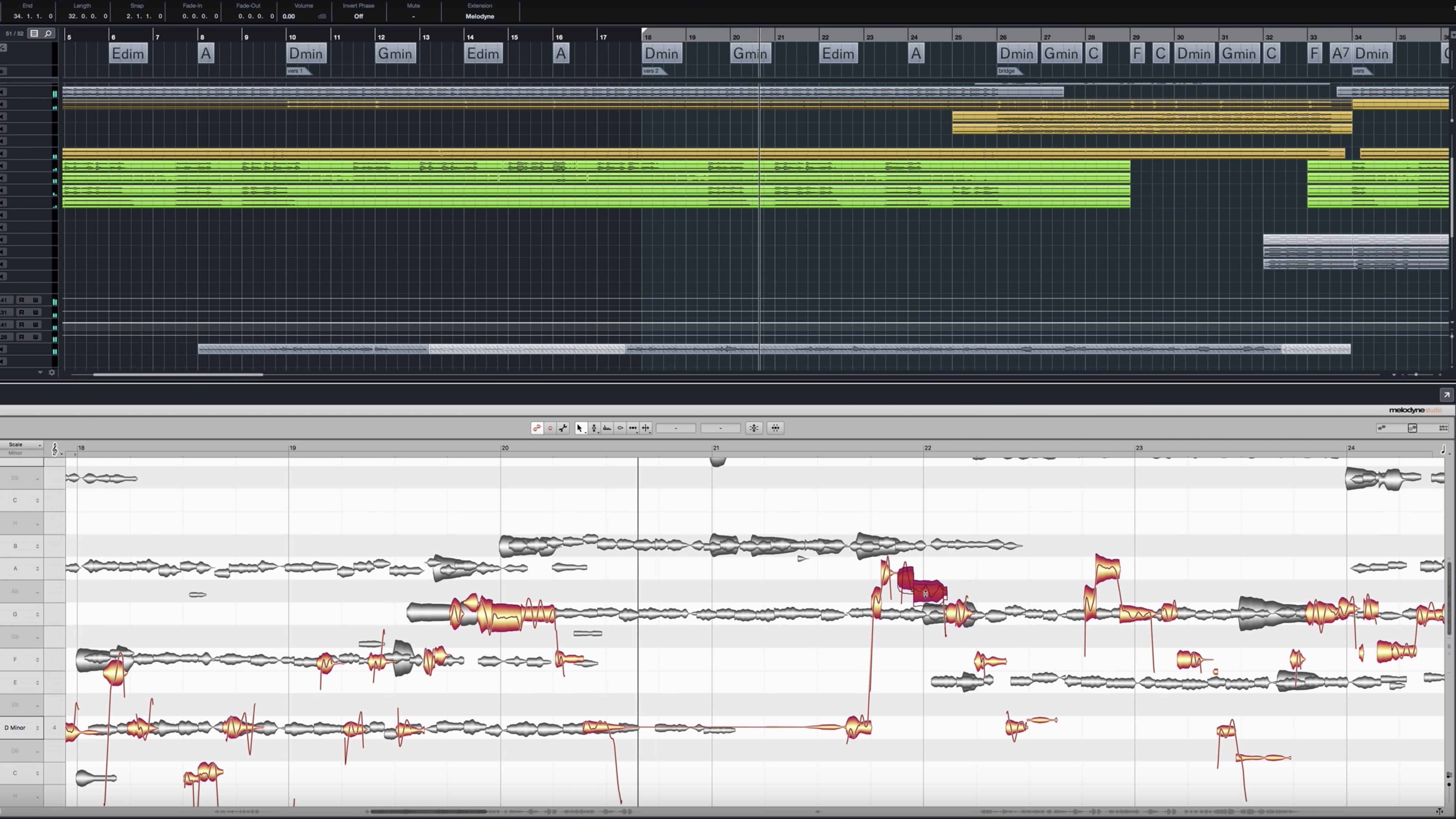

With the new ARA integration, the interaction between Cubase and Melodyne is manageable, faster and compelling. With Cubase, yet another major DAW has integrated the ARA Audio Random Access interface extension. This makes using Melodyne in Cubase much easier. ARA allows you to just open the desired audio events directly in Melodyne – almost as though Melodyne were one of Cubase’s own editors. Melodyne matches when you transfer, reduce, increase, repeat or mute audio events in Cubase. ARAs integration clarifies the consequent arranging of Melodyne-edited content. Use of Melodyne with ARA in Cubase requires Cubase Version 10.0.30 and Melodyne Version 4.2.2.

Get audio and creator gear delivered free — and shop member deals
- Fast, free delivery on millions of items
- Access to Prime Big Deal Days deals on October 6–7
- Prime Video, Amazon Music and more included
Melodyne update is available here, Cubase Version 10.0.30 is available here.
Inserting Melodyne
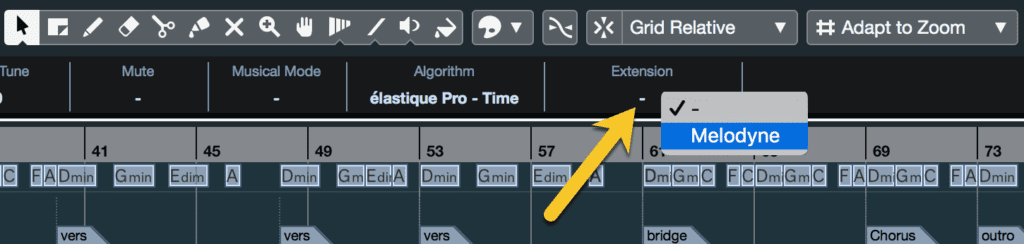
With ARA, Melodyne is no longer inserted as a plug-in in the channel strip; instead audio events are equipped with it directly. This can be done by right-clicking on the event (and selecting “Melodyne” under “Extensions” from the context menu) or, even more swiftly, via the Infoline. You can do this event by event or select multiple events and equip them all with Melodyne simultaneously.
As soon as you do this, Melodyne obtains access to all the audio data (of all the events) and can display their musical contents as audio notes and let you begin editing them immediately; the intermediate step that existed previously (when the material in question had to be ‘played through’ to Melodyne) has been eliminated.
However, since the data transferred by Cubase is limited to what lies between the boundaries of the event at the moment you first equip it with Melodyne, it is advisable to do this sooner rather than later. It is especially important to do it before narrowing the event boundaries in Cubase, as otherwise, you will be unable to widen them again subsequently.
Learn more about how to use Melodyne with Cubase you can go here.
As an affiliate, we earn on qualifying purchases.
Fall Picks
fall essentials
As an affiliate, we earn on qualifying purchases.