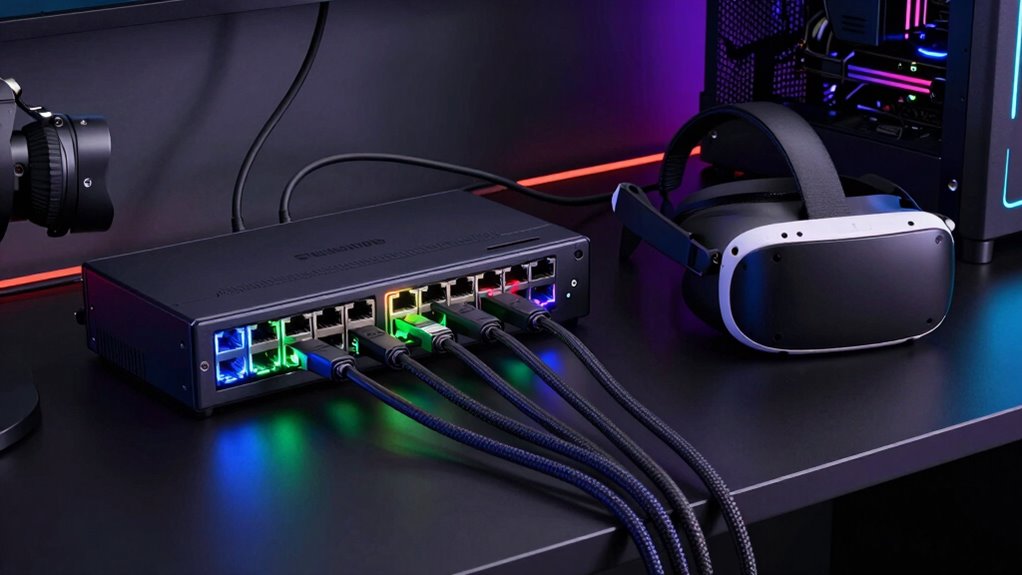

When building a reliable VR setup, a solid Ethernet switch is essential for stable, low-latency connections. The NETGEAR GS308 stands out as the best overall for its balance of performance and simplicity. The TP-Link TL-SG105S-M2 offers multi-gigabit speeds, making it ideal for high-bandwidth VR streams, while the TP-Link TL-SG116 is perfect for expanding connections in larger setups. The main tradeoffs here involve speed capabilities, port count, and manageability, which can affect both cost and complexity. Continue reading to see how these options compare and find the best fit for your VR environment.
Play games included with Prime
Start a Prime free trial and play with Amazon Luna on your devices.
Start playingAs an affiliate, we earn on qualifying purchases.
Complete the kit


Key Takeaways
- The number of ports directly influences how many devices you can connect simultaneously, with 8-port models being the most versatile for typical VR setups.
- Managed switches like the TP-Link Easy Smart models provide better control and future-proofing, but often come at a higher cost compared to unmanaged options.
- Multi-gigabit switches, such as the TP-Link TL-SG105S-M2, are increasingly relevant for VR setups requiring high data throughput, though they may be more expensive.
- Build quality and ventilation matter for long-term reliability, especially in a VR gaming environment where devices run for extended periods.
- Value isn’t just about price; features like plug-and-play setup, shielded ports, and wall-mount options can significantly enhance usability and durability.
| NETGEAR 8-Port Gigabit Ethernet Unmanaged Network Switch (GS308) |  | Best Overall for Simple VR Network Expansion | Number of Ports: 8 | Compatible Devices: Computers, servers, networking hardware | Voltage: 12 volts DC | VIEW ON AMAZON | See Our Full Breakdown |
| TP-Link 8 Port Gigabit Ethernet Network Switch – Unmanaged, Fanless, Metal Housing |  | Best Value for Reliable, Silent VR Networking | Ports: 8 RJ45 | Speed: 10/100/1000 Mbps | Design: Fanless, metal housing | VIEW ON AMAZON | See Our Full Breakdown |
| NETGEAR 5-Port Gigabit Ethernet Unmanaged Network Switch (GS305) |  | Best Compact for Small VR Setups | Number of Ports: 5 | Compatible Devices: Desktop | Voltage: 100-240 volts | VIEW ON AMAZON | See Our Full Breakdown |
| TP-Link 8 Port Gigabit Switch – Easy Smart Managed, Plug & Play, Desktop/Wall-Mount, Metal with Shielded Ports |  | Best Managed for Network Flexibility and Security | Ports: 8 Gigabit Ethernet | Management: Web interface or software | VLAN Support: Yes, up to 32 VLANs | VIEW ON AMAZON | See Our Full Breakdown |
| TP-Link TL-SG105S-M2 5-Port Multi-Gigabit 2.5G Unmanaged Ethernet Switch |  | Best for High-Speed Home VR Networks | Ports: 5 x 2.5-Gigabit | Switching Capacity: 25 Gbps | Operation: Auto-negotiation for 100Mb/1G/2.5G | VIEW ON AMAZON | See Our Full Breakdown |
| TP-Link TL-SG105 5 Port Gigabit Unmanaged Ethernet Switch |  | Best Overall for Simple VR Setups | Number of Ports: 5 | Compatible Devices: Computer, Gaming Console, Printer, TV | Voltage: 230 volts | VIEW ON AMAZON | See Our Full Breakdown |
| TP-Link TL-SG116 16 Port Gigabit Unmanaged Ethernet Switch |  | Best for Expanding Larger VR Networks | Ports: 16 | Speed: Gigabit (10/100/1000Mbps) | Energy-efficient technology: Yes | VIEW ON AMAZON | See Our Full Breakdown |
| NETGEAR 5-Port Gigabit Ethernet Easy Smart Managed Network Switch (GS305E) |  | Best Managed Switch for Advanced VR Users | Number of Ports: 5 | Managed: Yes, Easy Smart | Port Speed: 1.0Gbps | VIEW ON AMAZON | See Our Full Breakdown |
| TP-Link LS1005G Litewave 5 Port Gigabit Ethernet Unmanaged Switch |  | Best Compact Choice for Minimalist VR Setups | Number of Ports: 5 | Port Speed: 10/100/1000Mbps | Uplink Ports: 1 | VIEW ON AMAZON | See Our Full Breakdown |
| ethernet switch for vr setup | Number of Ports | Design |
|---|---|---|
| NETGEAR 8-Port Gigabit Etherne | 8 | — |
| TP-Link 8 Port Gigabit Etherne | — | Fanless, metal housing |
| NETGEAR 5-Port Gigabit Etherne | 5 | — |
| TP-Link 8 Port Gigabit Switch | — | — |
| TP-Link TL-SG105S-M2 5-Port Mu | — | Fanless, metal casing |
| TP-Link TL-SG105 5 Port Gigabi | 5 | — |
| TP-Link TL-SG116 16 Port Gigab | — | Fanless, metal case |
| NETGEAR 5-Port Gigabit Etherne | 5 | Fanless, Metal |
| TP-Link LS1005G Litewave 5 Por | 5 | Fanless |
More Details on Our Top Picks
NETGEAR 8-Port Gigabit Ethernet Unmanaged Network Switch (GS308)
The NETGEAR GS308 stands out as the best choice for users who want a straightforward, reliable switch for their VR setup. Its plug-and-play design makes installation effortless, and the fanless operation ensures a quiet environment—essential when VR immerses you in a noise-free zone. Compared to the TP-Link TL-SG105S-M2, it offers slightly more ports and a more compact form factor, but lacks advanced management features. While it doesn’t support features like VLAN or QoS, this simplicity helps keep costs down and usability high. This switch is ideal for VR enthusiasts seeking a dependable, low-maintenance solution without the complexity of managed switches.
Pros:- Easy plug-and-play setup with no configuration needed
- Fanless, silent operation perfect for quiet environments
- Compact metal case with versatile mounting options
Cons:- Limited to unmanaged switch features, no VLAN or QoS
- Designed primarily for small networks, not scalable for larger setups
Best for: Small home VR setups where ease of use and silence matter most
Not ideal for: Users needing advanced network features or PoE support for additional peripherals
- Number of Ports:8
- Compatible Devices:Computers, servers, networking hardware
- Voltage:12 volts DC
- Interface:RJ45
- Data Transfer Rate:1 Gbps
- Color:Yellow
Our verdict“This is best suited for users who prioritize simplicity and quiet operation in a small-scale VR environment.”
TP-Link 8 Port Gigabit Ethernet Network Switch – Unmanaged, Fanless, Metal Housing
The TP-Link TL-SG108 offers a compelling balance of affordability and performance, making it a strong contender for VR setups that need steady wired connections. Its fanless, shielded metal design ensures durability and silent operation, similar to the NETGEAR GS308. Unlike the GS308, it supports a broader range of speeds (10/100/1000 Mbps), which may be beneficial if older devices are involved. However, it skips advanced features like VLAN or QoS, focusing on straightforward connectivity. This model makes sense for users who want a dependable, budget-friendly switch that requires minimal setup, but it may fall short in larger or more complex network environments.
Pros:- Easy plug-and-play setup with no configuration required
- Silent operation due to fanless design
- Sturdy metal housing with shielded ports for durability
Cons:- Lacks advanced management or VLAN features
- No PoE support, limiting device options
Best for: Home users or small offices seeking reliable, plug-and-play network expansion without extra features
Not ideal for: Those needing advanced traffic management or PoE for powering devices
- Ports:8 RJ45
- Speed:10/100/1000 Mbps
- Design:Fanless, metal housing
- Flow Control:IEEE 802.3x
- Protection:Lifetime protection, shielded ports
- Energy Efficiency:Yes
Our verdict“This switch is well-suited for those prioritizing straightforward, silent connectivity at an affordable price in a small-scale VR setup.”
NETGEAR 5-Port Gigabit Ethernet Unmanaged Network Switch (GS305)
The NETGEAR GS305 is a perfect fit for minimalistic VR stations with limited space. Its 5 ports cater well to small configurations, and its plug-and-play setup ensures quick deployment. Compared with the larger 8-port GS308, it offers a smaller footprint and lower cost, but sacrifices port count. Its silent, energy-efficient operation makes it suitable for quiet environments, yet it lacks features like VLAN or QoS, which are unnecessary for most small VR setups. This switch makes the most sense for users who need a simple, space-saving solution with dependable gigabit performance.
Pros:- Easy plug-and-play with no configuration needed
- Silent, energy-efficient design
- Compact with versatile mounting options
Cons:- Limited to unmanaged switch functionality
- Fewer ports than larger switches, less future-proof
Best for: Single-user VR stations with limited device needs
Not ideal for: Environments requiring advanced network management or more ports
- Number of Ports:5
- Compatible Devices:Desktop
- Voltage:100-240 volts
- Interface:RJ45
- Data Transfer Rate:1000 Mbps
- Color:Purple
Our verdict“This switch fits small VR setups needing a simple, space-efficient gigabit connection hub.”
TP-Link 8 Port Gigabit Switch – Easy Smart Managed, Plug & Play, Desktop/Wall-Mount, Metal with Shielded Ports
This TP-Link TL-SG108S-M2 introduces managed features that are beneficial for more complex VR setups or small networks requiring control over traffic. Its web-based management supports VLAN, QoS, and Layer 2 features, offering more customization than unmanaged switches like the GS308 or GS305. The sturdy metal design and flexible mounting options lend to a professional setup. The tradeoff is increased complexity, which might be unnecessary for basic VR needs. This switch makes sense for those who want to fine-tune their network for optimal VR performance and security.
Pros:- Supports VLAN, QoS, and Layer 2 features for refined traffic management
- Easy to configure via web interface or software
- Sturdy metal construction with flexible mounting options
Cons:- More complex setup process compared to unmanaged switches
- No PoE support, limiting peripheral options
Best for: Small business or tech-savvy home users needing advanced control over their VR network
Not ideal for: Users seeking a simple, no-fuss plug-and-play solution without management features
- Ports:8 Gigabit Ethernet
- Management:Web interface or software
- VLAN Support:Yes, up to 32 VLANs
- IGMP Snooping:Yes
- QoS:Yes
- Warranty:3 years
Our verdict“Ideal for users who require a manageable, customizable switch to optimize VR network performance and security.”
TP-Link TL-SG105S-M2 5-Port Multi-Gigabit 2.5G Unmanaged Ethernet Switch
The TP-Link TL-SG105S-M2 pushes the limits of typical unmanaged switches with its 2.5-Gigabit ports, making it perfect for high-speed VR data transfer. Compared to the GS305, it offers significantly faster connections, reducing bottlenecks in data-heavy VR applications. Its auto-negotiation ensures compatibility with a range of devices, and the fanless design keeps noise levels low. The tradeoff is that, like the others in this roundup, it lacks management features, which might limit future network expansion or customization. This pick makes the most sense for VR users who demand the highest wired throughput in a small, silent package.
Pros:- Supports 2.5G speeds for faster data transfer
- Fanless, silent operation
- Easy to install with durable metal casing
Cons:- Limited to unmanaged switch functionality
- No included power adapter
Best for: Home VR users with high data transfer needs and limited network complexity
Not ideal for: Large networks or those requiring managed features like VLAN or QoS
- Ports:5 x 2.5-Gigabit
- Switching Capacity:25 Gbps
- Operation:Auto-negotiation for 100Mb/1G/2.5G
- Design:Fanless, metal casing
- Dimensions:5.45 x 4.96 x 3.98 inches
- Color:Black
Our verdict“This switch excels in high-speed VR environments where maximum wired throughput is essential without management complexity.”
TP-Link TL-SG105 5 Port Gigabit Unmanaged Ethernet Switch
The TP-Link TL-SG105 stands out as the most balanced choice for most VR enthusiasts seeking straightforward network expansion. Its 5 ports cover essential devices like VR headsets, PCs, and consoles without overwhelming the space or budget. Unlike the NETGEAR GS305E, which offers management features, the TL-SG105’s plug-and-play setup ensures effortless integration, making it ideal for users who want reliable performance without complexity. The metal casing adds robustness, while traffic prioritization helps maintain smooth data flow. However, its limited port count restricts future scalability for larger setups. Best for small-scale VR setups where simplicity and durability matter most.
Pros:- Easy plug-and-play setup without software installation
- Energy-efficient design reduces power consumption
- Durable metal casing suitable for various environments
- Supports traffic prioritization for high-quality data transmission
Cons:- Limited to 5 ports, restricting scalability
- No advanced management features for network control
Best for: Small home VR setups requiring reliable, straightforward expansion
Not ideal for: Larger VR rigs or setups that anticipate future expansion beyond 5 devices
- Number of Ports:5
- Compatible Devices:Computer, Gaming Console, Printer, TV
- Voltage:230 volts
- Ports Data Transfer Rate:5000 megabits per second
- Switch Type:Plug and Play
- Case Material:Metal
Our verdict“This switch is best suited for users wanting a simple, reliable solution for small VR setups with minimal fuss.”
TP-Link TL-SG116 16 Port Gigabit Unmanaged Ethernet Switch
The TP-Link TL-SG116 offers a significant upgrade in capacity with 16 ports, ideal for more extensive VR setups that include multiple sensors, PCs, and accessories. Comparing to the TP-Link TL-SG105, which is perfect for small setups, the 116’s larger port count accommodates growing VR environments without requiring additional switches. Its fanless design ensures silent operation, and energy-efficient tech keeps power use low. Nevertheless, it lacks advanced management features, which might matter for those wanting more network control. The absence of PoE support and no included power supply could be drawbacks for some users. This model makes the most sense for users with expanding VR configurations needing extra ports and quiet operation.
Pros:- Large 16-port capacity supports extensive device connections
- Fanless, quiet operation suitable for quiet environments
- Energy-efficient with reliable gigabit transfer speeds
- Robust metal case for durability
Cons:- No advanced management features
- No PoE support, limiting device powering options
- Lack of included power supply information
Best for: VR enthusiasts with multiple devices and future expansion plans
Not ideal for: Small setups or users seeking managed network features
- Ports:16
- Speed:Gigabit (10/100/1000Mbps)
- Energy-efficient technology:Yes
- Design:Fanless, metal case
- Operating Temperature:0°C – 40°C
Our verdict“This switch is ideal for larger VR setups that need high capacity and silent operation without management complexity.”
NETGEAR 5-Port Gigabit Ethernet Easy Smart Managed Network Switch (GS305E)
The NETGEAR GS305E offers more control for users who want to fine-tune their VR network. Its easy smart managed features include VLAN setup, QoS, and port monitoring, making it suitable for those who need some level of network management without the complexity of enterprise gear. Compared with the unmanaged TP-Link LS1005G, this switch provides a clearer interface and more options for optimizing VR data flow. However, its 5-port limit may constrain larger setups, and it’s primarily designed for regional use, which could be a concern for global users. Its fanless design keeps noise minimal. This pick is best for tech-savvy users who want manageable, quiet network expansion for their VR environment.
Pros:- Easy to configure with intuitive management interface
- Silent operation due to fanless design
- Energy-efficient, reducing power consumption
- Flexible mounting options for versatile placement
Cons:- Limited to regional U.S. & CA markets
- Only 5 ports may limit scalability for larger setups
Best for: Small business or advanced home VR users needing manageable network features
Not ideal for: Very large VR networks or users seeking unmanaged simplicity
- Number of Ports:5
- Managed:Yes, Easy Smart
- Port Speed:1.0Gbps
- Design:Fanless, Metal
- Mounting Options:Desktop or wall-mount
Our verdict“This manageable switch suits users who want control and quiet operation in small to medium VR environments.”
TP-Link LS1005G Litewave 5 Port Gigabit Ethernet Unmanaged Switch
The TP-Link LS1005G is a compact, lightweight option that fits easily into tight spaces, ideal for simple home VR systems. Its fanless, unmanaged design prioritizes quiet operation and straightforward setup, making it perfect for users who want minimal fuss and don’t need advanced features. Compared with the TP-Link TL-SG105, which offers a slightly larger form factor, the LS1005G’s small size excels in cluttered or space-constrained environments. However, being unmanaged, it lacks traffic control and network optimization options, which could impact performance in more complex VR setups. Its limited port number restricts scalability. This switch is best for small, minimalist VR setups where simplicity and size matter most.
Pros:- Extremely compact and lightweight design
- Energy-efficient technology reduces power consumption
- Easy plug-and-play setup
- Fanless operation for silent performance
Cons:- Limited to 5 ports, restricting expansion
- No management features for traffic control or QoS
Best for: Single-room VR setups or users with minimal device connections
Not ideal for: Growing VR environments requiring advanced management or more ports
- Number of Ports:5
- Port Speed:10/100/1000Mbps
- Uplink Ports:1
- Dimensions:2.8 x 3.5 x 0.9 inches
- Energy Efficiency:Yes
- Design:Fanless
Our verdict“This switch is perfect for simple, space-constrained VR setups that value ease of use over advanced features.”
How We Picked
The products in this roundup were selected based on their performance, build quality, ease of use, and suitability for VR setups. Priority was given to switches offering stable, high-speed connections with low latency, as VR applications demand real-time data transfer. We also considered the number of ports to accommodate different setup sizes, along with manageability features that can help optimize network performance. Price and value were key factors as well, ensuring options cater to a range of budgets without sacrificing core functionality. The ranking reflects a balance between these criteria, highlighting the best overall, best value, and specialized options for various user needs.| ethernet switch for vr setup | Design |
|---|---|
| NETGEAR 8-Port Gigabit Etherne | — |
| TP-Link 8 Port Gigabit Etherne | Fanless, metal housing |
| NETGEAR 5-Port Gigabit Etherne | — |
| TP-Link 8 Port Gigabit Switch | — |
| TP-Link TL-SG105S-M2 5-Port Mu | Fanless, metal casing |
| TP-Link TL-SG105 5 Port Gigabi | — |
| TP-Link TL-SG116 16 Port Gigab | Fanless, metal case |
| NETGEAR 5-Port Gigabit Etherne | Fanless, Metal |
| TP-Link LS1005G Litewave 5 Por | Fanless |
Factors to Consider When Choosing Ethernet Switch For Vr Setup
Choosing the right Ethernet switch for a VR setup involves understanding key factors that influence network stability, speed, and future-proofing. It’s tempting to focus solely on port count or price, but a well-rounded approach ensures your VR experience remains smooth and reliable. Below are the most important considerations to keep in mind before making your decision.Number of Ports
The number of ports determines how many devices you can connect, including VR headsets, PCs, and routers. For most single-user setups, 5 to 8 ports are sufficient, but larger setups or future expansions might require more. Overestimating can lead to unnecessary costs, while underestimating may limit your flexibility later on. Consider both your current needs and potential growth when choosing a port count.
Speed and Bandwidth
For VR, low latency and high data transfer speeds are critical. Gigabit switches are standard, but multi-gigabit options (2.5G or 10G) are increasingly beneficial for demanding streams and multiple high-bandwidth devices. Keep in mind that the switch’s speed must match or exceed your other network components to avoid bottlenecks. Investing in faster switches can future-proof your setup but often at a higher cost.
Managed vs. Unmanaged
Unmanaged switches are simple plug-and-play devices suitable for straightforward setups, offering ease of use and lower cost. Managed switches, on the other hand, give you greater control over network traffic, quality of service (QoS), and security. For VR setups with multiple devices or complex configurations, managed switches can help optimize performance, but they introduce additional complexity and expense.
Build Quality and Features
Durability matters, especially in a gaming or VR environment where devices can be on for hours. Look for switches with sturdy metal housings and good ventilation. Features like shielded ports reduce electromagnetic interference, improving stability. Wall-mount options and fanless designs contribute to cleaner setups and quieter operation, which can enhance immersion.
Price and Future-Proofing
While budget options can suffice for basic setups, investing a bit more in higher-quality switches can pay off long-term. Consider future needs, such as adding more devices or upgrading to multi-gigabit speeds. Sometimes, paying extra for a switch with advanced features or higher port capacity prevents costly upgrades down the line. Balance your current budget against potential future demands to make a sustainable choice.
Frequently Asked Questions
Can I use a regular unmanaged switch for my VR setup?
Yes, a standard unmanaged switch often suffices for basic VR setups with few devices. However, if you plan to expand or require higher speeds, investing in a managed switch or a multi-gigabit model might provide a more reliable and future-proof connection. Also, unmanaged switches lack QoS features that can help prioritize VR data streams, which could affect latency and stability in complex setups.
Is a multi-gigabit switch necessary for VR gaming?
While not strictly necessary for all VR users, a multi-gigabit switch can significantly improve data transfer rates, especially if your VR setup involves high-resolution streams or multiple devices demanding bandwidth. If you’re gaming in a room with other network-heavy activities or plan to upgrade your hardware, investing in a 2.5G or higher switch can help maintain a smooth, lag-free experience.
Should I prioritize managed or unmanaged switches for VR?
For most casual or single-user VR setups, unmanaged switches are sufficient and easier to set up. However, if you have a complex setup with multiple devices, or want to optimize network performance, managed switches offer tools like QoS controls to prioritize VR traffic. This can reduce latency and improve overall stability, making them worth the extra investment for serious enthusiasts.
How important is switch build quality in a VR environment?
Build quality is quite important because a durable, well-ventilated switch can handle extended periods of use without overheating or failing. Metal housings and shielded ports help prevent interference, which can cause lag or disconnections in VR. Investing in a sturdy switch ensures consistent performance and reduces the need for replacements or troubleshooting down the line.
What should I consider if I want to upgrade my VR network in the future?
Focus on switches that support higher speeds like 2.5G or 10G, have enough ports for expansion, and offer manageability features such as QoS. Planning for future bandwidth needs now can prevent costly upgrades later. Also, look for switches with good build quality and flexibility, such as wall-mount options or fanless designs, to adapt to evolving setup configurations.
Conclusion
For casual VR users or those starting out, a simple unmanaged switch like the TP-Link LS1005G offers reliable performance at a low price. Enthusiasts who want better control and future-proofing should consider the TP-Link TL-SG105S-M2 for multi-gigabit speeds. The NETGEAR GS308 strikes a balance as the best overall choice for its combination of performance, durability, and ease of use. Those seeking premium features or larger setups will benefit from managed options like the TP-Link Easy Smart Switches. Ultimately, your choice depends on your current needs and long-term plans, but investing in quality can significantly improve your VR experience.
As an affiliate, we earn on qualifying purchases.Fall Picks
fall essentials