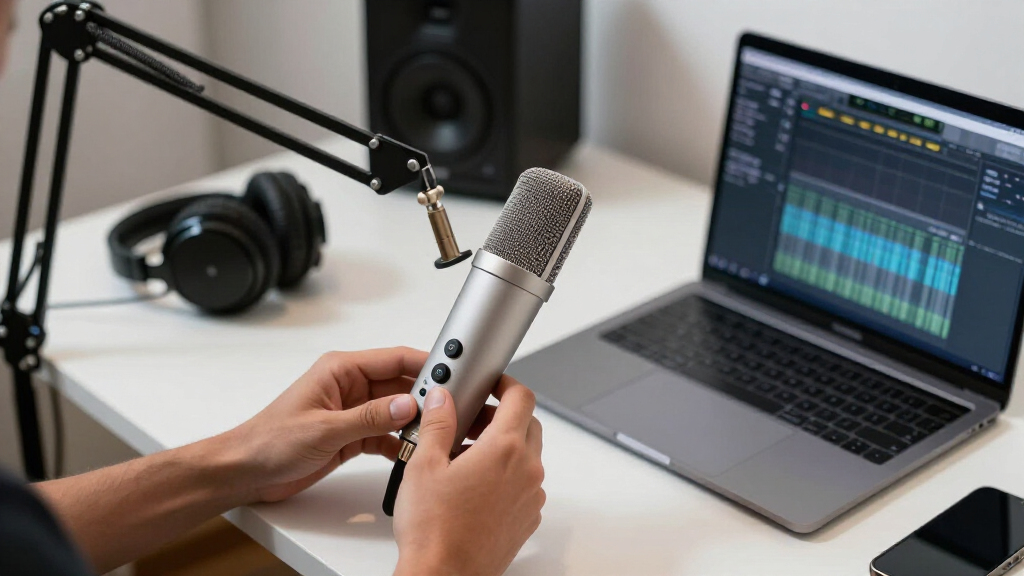

Choosing the right USB microphone as a creator involves balancing sound quality, ease of use, and budget. The Blue Yeti Nano stands out as the best overall for its versatility and clear audio, while the FIFINE K669B offers excellent value for new streamers. Creators face tradeoffs between affordability and professional sound, as well as between simple plug-and-play devices and more feature-rich microphones. Continue reading for a detailed breakdown of the top options and what makes each one unique.

Get audio and creator gear delivered free — and shop member deals
- Fast, free delivery on millions of items
- Access to Prime Big Deal Days deals on October 6–7
- Prime Video, Amazon Music and more included
Complete the kit



Key Takeaways
- The best overall pick, Blue Yeti Nano, balances quality, versatility, and price for most creators.
- Budget-friendly options like FIFINE K669B deliver surprisingly good sound but lack advanced features.
- Premium mics like the Blue Yeti X offer professional-grade audio but come at a higher cost and complexity.
- Compact designs such as the HyperX SoloCast are ideal for space-constrained setups and on-the-go creators.
- Build quality and ease of setup are critical factors that often determine long-term satisfaction with a USB microphone.


More Details on Our Top Picks
Samson Meteor Mic USB Condenser Podcasting and Recording Microphone
The Samson Meteor Mic stands out for its large 25mm diaphragm, delivering high-resolution audio that rivals pricier studio mics. It’s a plug-and-play device compatible with both Mac and PC, and its built-in headphone jack offers latency-free monitoring, making it ideal for creators who want professional sound without complex setup. Compared to the Blue Yeti Nano, it feels more substantial and provides richer audio quality, especially for vocals and podcasts. However, its USB-only design limits flexibility if you prefer XLR connections for future upgrades. It’s perfect for solo content creators, podcasters, or streamers who prioritize sound quality and ease of use. Those needing XLR options or mobile device compatibility should look elsewhere.
Pros:- Large 25mm diaphragm for detailed, clear audio
- Plug-and-play USB connection with no drivers needed
- Compatible with Mac, PC, and iOS devices with adapters
- Includes headphone jack for real-time monitoring
Cons:- Requires adapters for iPhone or iPad use
- No XLR connectivity limits future upgrade options
Best for: Content creators seeking high-quality, studio-like sound on a desktop setup
Not ideal for: Mobile creators or those planning to use XLR interfaces for expanded control
- Diaphragm Size:25mm
- Resolution:16-bit, 44.1/48 kHz
- Connectivity:USB
- Compatibility:Mac, PC, iPhone, iPad (with adapter)
- Headphone Jack:1/8-inch stereo
Our verdict“This mic is well-suited for creators who prioritize high-quality sound and straightforward setup on a desktop.”
Logitech Blue Yeti Nano USB Microphone for Creators, Gaming, Streaming, Podcasting, Blackout
The Blue Yeti Nano offers a compact design packed with features that cater to varied recording needs, including dual capsule technology and multiple pickup patterns. Its onboard controls and Blue VO!CE software enable quick adjustments, making it ideal for streamers and gamers who want flexibility without sacrificing quality. Compared to the Samson Meteor Mic, it’s more versatile in pickup patterns, but its smaller size and simpler build may feel less premium. Its USB connection simplifies setup, yet it lacks XLR options, which might limit professional upgrade paths. This model makes sense for creators who value quick setup, software enhancements, and multiple recording modes in a compact package.
Pros:- Multiple pickup patterns for varied recording scenarios
- Onboard controls and Blue VO!CE software for sound customization
- Compact, ergonomic design ideal for desktop use
- High-quality broadcast sound
Cons:- Limited to USB connectivity, no XLR option
- Design may be too small for some users’ preferences
Best for: Streamers, gamers, and podcasters needing versatile, easy-to-use audio tools
Not ideal for: Creators requiring XLR connectivity or studio-grade sound for serious music production
- Pickup Patterns:Cardioid and Omni
- Connectivity:USB
- Software:Blue VO!CE
- Color:Blackout
- Compatibility:PC and Mac
Our verdict“This mic is perfect for creators who want versatile, quality sound with simple controls and software features.”
FIFINE AmpliTank K688CT Podcast Microphone Kit, USB/XLR Dynamic Vocal Microphone with Boom Arm
The FIFINE AmpliTank K688CT combines USB and XLR connectivity, offering flexibility that surpasses many single-connection mics like the Samson Meteor. Its dynamic cardioid capsule is suited for environments with background noise, making it ideal for streaming and voice-over work. The included boom arm, shock mount, and windscreen make it a comprehensive setup, though some features are limited when using XLR, such as mute controls. It’s a better choice for users who want a single mic for both casual and semi-professional recording, but those solely relying on USB might miss advanced features or the XLR’s potential for studio-quality sound. This kit is well-suited for hobbyists progressing toward semi-professional production.
Pros:- Dual USB and XLR connections for maximum flexibility
- Sturdy boom arm reduces vibrations and noise
- Includes shock mount, windscreen, and mute controls
- Dynamic capsule reduces background noise
Cons:- Some features only available in USB mode
- Function keys disabled when using XLR
Best for: Podcasters and streamers who want a flexible, all-in-one microphone kit
Not ideal for: Mobile creators or those only using USB without interest in XLR possibilities
- Connectivity:USB and XLR
- Microphone Type:Dynamic
- Polar Pattern:Cardioid
- Maximum SPL:130dB
- Included Accessories:Boom arm, windscreen, shock mount
Our verdict“This kit suits creators looking for a versatile microphone capable of both USB convenience and XLR upgrade potential.”
FIFINE K669B USB Microphone Condenser Recording Mic for Vocals, Meetings, Streaming, YouTube
The FIFINE K669B provides a reliable, easy-to-use USB condenser microphone for creators on a budget. Its durable metal build and cardioid pattern help reduce background noise, making it suitable for streaming, meetings, and casual content. While it offers solid sound quality comparable to more expensive models, it lacks XLR options, limiting upgrade potential. Its compatibility is limited to USB Type-A and C connections, which might be inconvenient for some users. For those who prioritize straightforward setup and decent audio without extra bells and whistles, it’s a compelling choice. However, serious studio work or mobile use may require more advanced equipment.
Pros:- Easy to set up with plug-and-play USB connection
- Rugged metal construction for durability
- Clear sound with noise reduction
- Volume control knob for personalized audio
Cons:- Limited to USB connection, no XLR support
- Incompatibility with Xbox or mobile devices without adapters
Best for: Beginners or budget-conscious streamers who need decent sound quality quickly
Not ideal for: Producers or mobile creators who need XLR or mobile device compatibility
- Connectivity Technology:USB
- Connector Type:USB Type-A, USB Type-C
- Polar Pattern:Unidirectional
- Frequency Response:20Hz-20kHz
- Microphone Form Factor:Desktop
- Weight:5.6 ounces
Our verdict“This mic is a practical entry-level option for new creators seeking a simple, reliable recording solution.”
FIFINE T669 Studio Condenser USB Microphone for Recording, Podcasting, Voice Overs, Streaming
The FIFINE T669 kit offers a complete solution for home studio creators, with a wide frequency response and included accessories like a boom arm, shock mount, and pop filter. Its plug-and-play USB connection simplifies setup, while the adjustable arm allows precise positioning. This setup delivers high-quality sound with minimal ambient noise, making it suitable for voiceovers, podcasts, and streaming. Compared to the Samson Meteor, it provides more accessories and flexibility, but its larger size and cable length may be less convenient for mobile or space-limited setups. It’s a solid choice for users who want a professional-looking, all-in-one recording environment for home use.
Pros:- Complete package with boom arm, shock mount, and pop filter
- Wide frequency response for versatile recording
- High-quality sound with minimal ambient noise
- Durable build and adjustable setup
Cons:- Incompatible with Xbox or mobile devices
- Setup instructions can be complex for beginners
Best for: Home studio owners, voiceover artists, and podcasters seeking an all-in-one setup
Not ideal for: Mobile content creators or those needing XLR connection for studio upgrades
- Connectivity:USB
- Frequency Response:Wide
- Included Accessories:Boom arm, shock mount, pop filter
- Maximum Reach of Boom Arm:30 inches
- Cable Length:8.2 feet
Our verdict“This microphone kit offers a robust, all-in-one solution for dedicated home studio creators.”
HyperX SoloCast 2 Gaming USB Condenser Microphone
The HyperX SoloCast 2 stands out for its plug-and-play simplicity, making it ideal for creators who want quick, reliable audio without fuss. Its built-in pop filter and shock mount help minimize unwanted noise, while the adjustable tilt stand offers flexible positioning. Compared with the Blue Yeti, it lacks multiple pickup patterns, limiting its versatility for different recording scenarios. However, its straightforward design and customizable filters make it perfect for streamers and gamers who prioritize ease over advanced features. The absence of wireless options and reliance on a cardioid pattern means it’s less suited for multi-directional recording or professional studio setups.
Pros:- Simple plug-and-play setup with USB-C to USB-A connection
- Built-in pop filter and shock mount reduce noise and vibrations
- Adjustable tilt stand for flexible positioning
- Customizable sound filters for tailored audio
Cons:- Limited to front-focused cardioid pattern, reducing versatility
- Requires optional software for advanced audio customization
- No wireless connectivity options
Best for: Beginners and streamers seeking an easy, no-fuss microphone for gaming and streaming sessions
Not ideal for: Professional podcasters or multi-mic setups that need broader pickup patterns or wireless connectivity
- Connection:USB-C to USB-A
- Sampling Rate:96kHz
- Bit Depth:24-bit
- Polar Pattern:Cardioid
- Built-in Features:Pop filter, shock mount, tilt stand
- Compatibility:PC
Our verdict“This microphone is ideal for creators who prioritize ease of use and focused sound quality over advanced features.”
Logitech for Creators Blue Snowball iCE USB Microphone – White (Renewed)
The Blue Snowball iCE excels at delivering crisp, clear audio for streaming and casual podcasting, making it a favorite among beginners. Its retro design adds visual flair, and the included adjustable desktop stand simplifies placement. Compared with the Blue Yeti, it offers fewer pickup pattern options, limiting recording versatility, but it’s lighter and more compact for desktop setups. While it’s certified for Skype and Discord, many users find it benefits from additional sound processing for professional-level audio. Its USB connection means it’s straightforward to set up, but the design might feel too nostalgic for creators who prefer a more modern aesthetic.
Pros:- Delivers clear, crisp audio quality suitable for streaming and calls
- Stylish retro design adds personality to desktop setups
- Includes adjustable desktop stand for easy placement
- Certified for Skype and Discord
Cons:- Limited to USB connectivity, no XLR option
- Design may not suit creators preferring a modern look
- Additional sound processing might be necessary for best results
Best for: Content creators seeking an affordable, stylish microphone for casual streaming and voice calls
Not ideal for: Professional recording environments or multi-directional recording needs requiring multiple patterns
- Type:USB condenser microphone
- Color:White
- Pickup Pattern:Cardioid
- Includes:Adjustable desktop stand
- Certifications:Skype and Discord
Our verdict“This mic is perfect for beginners who want a stylish, straightforward device for casual voice recording and streaming.”
Logitech for Creators Blue Snowball iCE USB Microphone – White
Similar to the renewed Snowball iCE, this version offers reliable, clear sound with its cardioid pattern, making it suitable for streaming and general voice work. While it shares the same retro aesthetic and includes an adjustable stand, it’s less versatile than the Blue Yeti with only a single pickup pattern. Its USB connection keeps setup simple, but some creators might find the design too nostalgic or limited for more professional projects. Compared to higher-end options, this mic provides decent quality at a very accessible price point, though it’s less adaptable for multi-mic configurations or studio-quality recordings.
Pros:- Reliable, clear audio suitable for streaming and voice chatting
- Retro aesthetic adds visual appeal
- Includes adjustable desktop stand
- Certified for Skype and Discord
Cons:- Limited to USB connectivity, no XLR option
- Design may be too retro for some preferences
- Less versatile than multi-pattern microphones like the Blue Yeti
Best for: Budget-conscious creators who want a stylish, straightforward microphone for casual use
Not ideal for: Advanced content creators needing multiple pickup patterns or XLR connectivity
- Type:Condenser Microphone
- Pickup Pattern:Cardioid
- Color:White
- Includes:Adjustable desktop stand
- Certification:Skype and Discord
Our verdict“This microphone offers a good balance of style and simplicity for creators on a budget looking for decent voice quality.”
Tonor TC-777 Podcast Microphone, USB Condenser Mic with Tripod Stand and Pop Filter
The Tonor TC-777 offers a comprehensive kit for podcasters and streamers, with a cardioid pattern that captures clear voice audio. It distinguishes itself by including a shock mount, pop filter, and adjustable tripod stand, making it well-suited for varied recording environments. Compared to the Blue Snowball, the TC-777 provides more accessories for a full setup, but it’s less sleek and more bulky, which may be a downside for tight desktop spaces. It’s compatible with Windows, Mac, PS4, and PS5, but not Xbox, limiting its versatility for console gamers. Its USB connection is straightforward, but it lacks multiple pattern options or XLR support, restricting professional expansion.
Pros:- Includes shock mount, pop filter, and adjustable tripod for versatile use
- Clear voice capture with cardioid pattern
- Plug-and-play setup across multiple devices including PS4 and PS5
- Affordable all-in-one kit for beginners
Cons:- Limited to USB and no XLR support for future upgrades
- Bulkier design may occupy more desk space
- Not compatible with Xbox consoles
Best for: Podcasters and streamers who want a complete, ready-to-use microphone for multiple devices and gaming consoles
Not ideal for: Creators needing multi-pattern recording or professional studio-grade equipment
- Pickup Pattern:Cardioid
- Connectivity:USB 2.0
- Compatibility:Windows, Mac, PS4, PS5
- Included Accessories:Tripod stand, shock mount, pop filter
- Color:Black
Our verdict“This kit suits creators seeking an all-in-one, easy-to-use microphone for multi-device recording and casual podcasting.”
Logitech Blue Yeti USB Microphone for PC, Mac, Gaming, Recording, Streaming, Podcasting, Studio and Computer – Blackout
The Blue Yeti remains a favorite for creators who need maximum flexibility. Its four selectable pickup patterns—cardioid, omni, bidirectional, and stereo—make it adaptable for everything from solo voiceovers to multi-person interviews. Compared with the SoloCast 2, it offers much broader recording options, but its size and weight can be cumbersome for small desks. The onboard controls and Blue VO!CE effects provide a level of customization that appeals to serious streamers. However, some users find the software effects unnecessary or overly complex, and the higher price reflects its professional-grade features. While it’s not as compact as other options, its versatility makes it suitable for diverse content creation scenarios.
Pros:- Four selectable pickup patterns for maximum versatility
- Onboard controls for gain, mute, and pattern switching
- Blue VO!CE software adds professional audio effects
- Solid build quality and easy USB setup
Cons:- Bulky size may be unsuitable for small desks
- Some find the software effects unnecessary or confusing
- Higher price point compared to simpler microphones
Best for: Advanced creators who need multi-pattern recording and customizable audio effects for professional-quality content
Not ideal for: Creators with limited desk space or seeking a simple, single-pattern microphone for casual use
- Pickup Patterns:Cardioid, Omni, Bidirectional, Stereo
- Connectivity:USB
- Software:Blue VO!CE effects
- Controls:Headphone volume, pattern selection, mute, mic gain
- Design:Adjustable desktop stand, pivoting microphone
Our verdict“This microphone is best suited for creators who require a multi-pattern, feature-rich device for professional-grade streaming and recording.”
Logitech Blue Yeti Nano Premium USB Microphone for Recording and Streaming – Shadow Gray (Renewed)
The Logitech Blue Yeti Nano stands out for delivering professional-grade audio in a surprisingly small and stylish package. Its plug-and-play USB setup makes it ideal for creators who want quick, reliable connectivity without fuss, especially when compared to bulkier options like the Blue Yeti or the HyperX SoloCast. While it offers clear sound quality suitable for streaming and recording, the absence of a built-in pop filter means users may need additional accessories for optimal voice clarity. Its limited connectivity—only USB—can be restrictive for those looking to expand their setup with XLR gear or multiple mics, but this keeps it straightforward for beginners and casual users. Compared with the Blue Snowball iCE, the Nano’s compact form factor and slightly more refined audio make it a better choice for creators prioritizing style and space, though it sacrifices some versatility. If you need a sleek, easy-to-use microphone that fits neatly on a desk while providing high-quality sound, this pick makes the most sense for streamers and content creators who value simplicity without sacrificing audio clarity.Pros:- High-quality audio output suitable for streaming and recording
- Compact and stylish design that fits easily on any desk
- Simple plug-and-play USB setup for quick deployment
Cons:- Limited to USB connection—no XLR or multi-mic options
- No built-in pop filter, which may require extra accessories for clear voice capture
- Sound quality may not satisfy professional studio standards for advanced users
Best for: Creators who want a compact, stylish microphone that offers professional sound for streaming and recording without complicated setup
Not ideal for: Users needing XLR connectivity, or those who want an integrated pop filter or more advanced sound customization
- Type:Condenser
- Connectivity:USB
- Polar Pattern:Cardioid
- Frequency Response:20Hz – 20kHz
- Sample Rate:48kHz
- Dimensions:4.7 x 2.4 x 2.2 inches
- Weight:0.96 lbs
- Compatibility:Windows, Mac
Our verdict“This microphone is ideal for creators seeking a reliable, space-saving option that delivers clear sound for streaming and casual recording.”
How We Picked
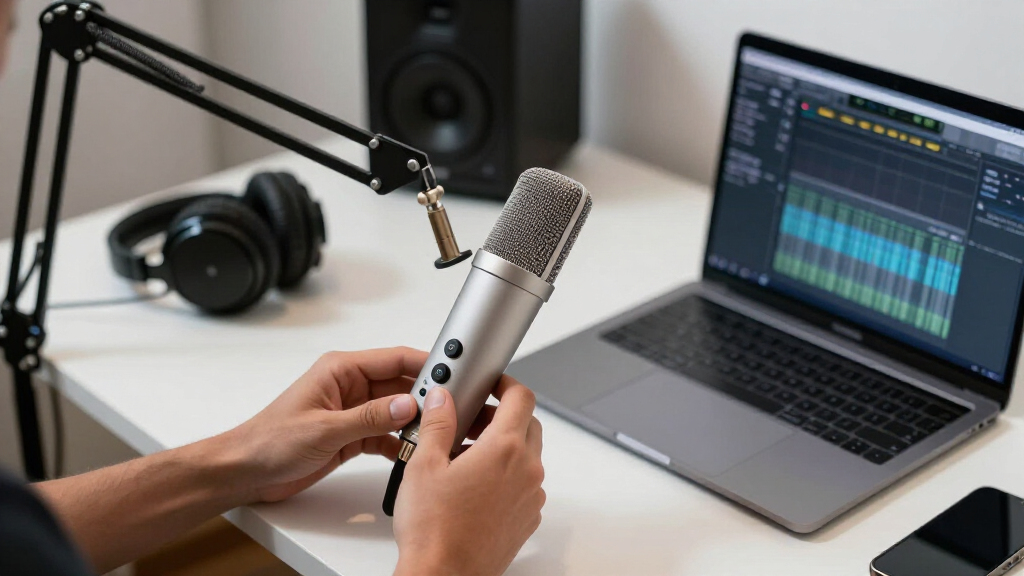
Our evaluation focused on performance, usability, build quality, and value. We prioritized microphones that offer clear, professional sound suitable for streaming, podcasting, and recording. Ease of setup and compatibility were also key, ensuring that creators of all experience levels could use these mics without hassle. We ranked products based on how well they balance these factors, highlighting those with the best overall performance and value for different creator needs.Factors to Consider When Choosing USB Microphones For Creators
When selecting a USB microphone for creation work, understanding the core factors can help you make a smarter choice. The right mic depends on your specific needs, budget, and environment. Beyond specifications, consider how easy it is to use, maintain, and upgrade your setup. This guide breaks down the key considerations to help you avoid common pitfalls and choose a microphone that grows with your skills and projects.Sound Quality and Pickup Pattern
Sound clarity is the most critical element for creators. Look for microphones with condenser capsules that capture detailed audio. Pickup pattern matters too; cardioid mics focus on your voice and minimize background noise, ideal for solo recording. Omnidirectional patterns might be better for group podcasts but can pick up more ambient noise, which might be undesirable in less controlled environments.
Ease of Use and Compatibility
Most USB mics are plug-and-play, but some models require additional drivers or software. Ensure your chosen microphone is compatible with your operating system and streaming or editing software. Ease of use extends to physical setup—consider if the mic has a stable stand, adjustable gain, and simple controls. This reduces setup time and frustration, especially for beginners.
Build Quality and Durability
A well-built microphone withstands frequent use and transport. Cheaper plastics may save money but often sacrifice longevity. Look for models with metal bodies or reinforced components if you plan to move your mic often. The durability of the stand or mounting options also influences long-term satisfaction and flexibility in your setup.
Budget and Value
While higher-priced mics tend to offer better sound and build quality, there are many budget options that deliver surprisingly good results. Balance your budget against your needs; investing more can be worthwhile if you’re aiming for professional-level audio. Conversely, if you’re just starting or recording casual content, a lower-cost model may suffice, provided it meets your quality standards.
Additional Features and Futureproofing
Some microphones include features like zero-latency headphone monitoring, gain control, or adjustable polar patterns. These can add convenience and improve your recording experience. Consider whether these extras match your workflow and whether they justify a higher price. Also, think about the mic’s upgrade path—will it remain useful as your skills or setup evolve?
Frequently Asked Questions
Is it worth investing in a more expensive USB microphone?
Investing in a pricier USB microphone often delivers better sound quality, durability, and extra features that can enhance your production. For professional or semi-professional work, the improvement in audio clarity and build can justify the cost. However, if you’re just starting out, a more affordable model may meet your needs without a large upfront investment. Consider how much audio quality impacts your content quality and future plans before choosing based on price alone.
Can I use a USB microphone for live streaming and podcasting without additional equipment?
Yes, most USB microphones are designed for direct connection to your computer or laptop, making them ideal for streaming and podcasting without extra gear. However, the quality of your audio will depend on the microphone’s capabilities. For a more professional sound, ensure the mic has features like gain control and headphone monitoring. Keep in mind that room acoustics and background noise can also affect your recordings, so consider your environment when choosing a mic.
Are condenser microphones better than dynamic ones for creators?
Condenser microphones generally provide more detailed and sensitive sound capturing, making them well-suited for studio-style recording, vocals, and voiceovers. Dynamic microphones are more rugged and better at rejecting background noise, which can be advantageous in noisy environments. For creators working in controlled spaces, condensers like those in this roundup typically offer superior clarity, but dynamic mics can be more forgiving if your environment isn’t acoustically ideal.
What should I consider if I want a microphone for both streaming and recording?
Look for a versatile microphone that offers good sound quality, adjustable gain, and easy connectivity. Features like headphone monitoring and multiple polar patterns are beneficial, as they give you flexibility in different scenarios. Compatibility with your setup and ease of use are also key, especially if you switch between streaming, recording, or gaming. Balance your budget against these features to find a microphone that adapts to your evolving needs.
How important is build quality for a USB microphone used daily?
Build quality impacts the durability and longevity of your microphone, especially if you move it frequently or use it in various locations. A sturdy, well-constructed mic reduces the risk of damage and ensures consistent performance over time. While cheaper models might look similar initially, investing in a solidly built microphone can save money and frustration in the long run, making it a worthwhile consideration for daily use.
Conclusion
For most creators, the Blue Yeti Nano offers a great balance of quality, features, and value, making it the best overall choice. Those on a budget should consider the FIFINE K669B, which provides surprisingly good audio without breaking the bank. If you’re after a premium, professional-grade microphone, the Blue Yeti X delivers top-tier sound and build quality. Beginners will benefit from simple, plug-and-play options like the HyperX SoloCast, while more advanced users might prioritize features like multiple polar patterns and headphone monitoring. Your ideal pick depends on your specific setup, budget, and content goals, but this lineup covers the key options for 2026.
Fall Picks
fall essentials
As an affiliate, we earn on qualifying purchases.