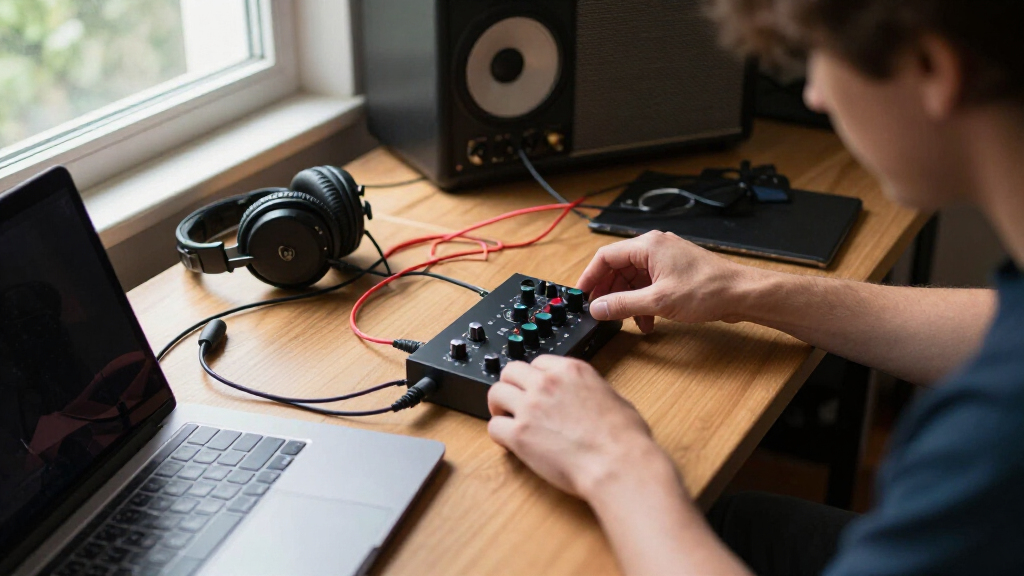

The best audio interface for musicians should match the number of sources they record, provide dependable monitoring, and fit their preferred computer or mobile workflow. I rank the Focusrite Scarlett 2i2 4th Gen as the best overall because its two capable inputs, approachable controls, and established software support suit more recording situations than the alternatives here. The M-AUDIO M-Track Duo is my value pick, while the Apogee Symphony Desktop Elite is the premium choice for demanding recording and mixing work. The main tradeoffs involve input capacity, driver reliability, portability, streaming tools, and whether premium conversion will improve the rest of your signal chain. Continue reading for the full comparison and buyer-specific recommendations.

Get audio and creator gear delivered free with Prime
- Fast, free delivery on millions of items
- Prime Video, Amazon Music and more included
- Member-only deals all year
Complete the kit


Key Takeaways
- The Focusrite Scarlett 2i2 4th Gen leads the roundup because two microphone-capable inputs make it more flexible than the Scarlett Solo models without pushing into specialist-studio pricing.
- The M-AUDIO M-Track Duo offers the strongest value for musicians who need two inputs, while the cheaper M-Track Solo makes more sense only when basic one-person recording is enough.
- The Apogee Symphony Desktop Elite has the highest performance ceiling, but its premium workflow and conversion are harder to justify when microphones, monitoring, or room acoustics remain the weaker links.
- The Universal Audio Volt 2 and MAONO P2 Hybrid serve different specialist needs: the Volt 2 favors tonal character and MIDI-equipped studios, while the P2 Hybrid better fits phone, tablet, and creator setups.
- Brand support separated the leaders from the generic interfaces; published 24-bit/192kHz capability did not outweigh uncertain drivers, documentation, warranty coverage, and long-term software updates.
| ESI Neva Duo |  | Best for Two-Mic Recording | Bit depth: 24-bit | Maximum sample rate: 192kHz | Microphone inputs: Dual XLR | VIEW LATEST PRICE | See Our Full Breakdown |
| M-AUDIO M-Track Solo USB Audio Interface |  | Best Budget Pick | Maximum sample rate: 48kHz | Primary input: 1 combo XLR/line input | Secondary input: 1 line/instrument input | VIEW LATEST PRICE | See Our Full Breakdown |
| MAONO PS22 Lite USB Audio Interface |  | Best for Cross-Platform Streaming Musicians | Bit depth: 24-bit | Maximum sample rate: 192kHz | Number of channels: 2 | VIEW LATEST PRICE | See Our Full Breakdown |
| Focusrite Scarlett Solo 4th Gen USB-C Audio Interface |  | Best Overall for Solo Musicians | Connectivity: USB-C | Dynamic range: 120dB | Microphone inputs: 1 | VIEW LATEST PRICE | See Our Full Breakdown |
| Synido 2×2 USB-C Audio Interface |  | Best Monitoring Flexibility | Bit depth: 24-bit | Maximum sample rate: 48kHz | Interface format: 2×2 | VIEW LATEST PRICE | See Our Full Breakdown |
| Focusrite Scarlett Solo 3rd Gen USB-C Audio Interface |  | Best for Solo Singer-Songwriters | Connectivity: USB-C | Maximum sample rate: 192kHz | Bit depth: 24-bit | VIEW LATEST PRICE | See Our Full Breakdown |
| PIYONE 2×2 USB-C Audio Interface |  | Best Budget Pick for Loopback | Recording resolution: 24-bit/192kHz | Input count: 2 | Input type: XLR/TRS combo | VIEW LATEST PRICE | See Our Full Breakdown |
| M-Audio M-Track Duo USB Audio Interface |  | Best Value for Two-Source Recording | Maximum sample rate: 48kHz | Input count: 2 | Input type: XLR/line/instrument combo | VIEW LATEST PRICE | See Our Full Breakdown |
| Universal Audio Volt 2 USB Audio Interface |  | Best for Vintage-Style Tone | Bit depth: 24-bit | Maximum sample rate: 192kHz | Preamp processing: Vintage preamp emulation | VIEW LATEST PRICE | See Our Full Breakdown |
| Apogee Symphony Desktop Elite USB-C Audio Interface |  | Best Premium Recording and Mixing Hub | Connectivity: USB-C | Maximum sample rate: 192kHz | Channel count: 10 | VIEW LATEST PRICE | See Our Full Breakdown |
| MAONO P2 Hybrid USB Audio Interface |  | Best for Multi-Device Musicians | Maximum sample rate: 192kHz | Audio resolution: 24-bit | Channels: 2 | VIEW LATEST PRICE | See Our Full Breakdown |
| Focusrite Scarlett 2i2 4th Gen USB-C Audio Interface |  | Best Overall | Generation: 4th Gen | Connectivity: USB-C | Inputs: 2 combo mic/line/instrument inputs | VIEW LATEST PRICE | See Our Full Breakdown |
| audio interface for musician | Maximum sample rate | Connectivity | Included software |
|---|---|---|---|
| ESI Neva Duo | 192kHz | — | Music production software; titles unspecified |
| M-AUDIO M-Track Solo USB Audio | 48kHz | — | MPC Beats |
| MAONO PS22 Lite USB Audio Inte | 192kHz | USB | — |
| Focusrite Scarlett Solo 4th Ge | — | USB-C | Pro Tools Intro+, Ableton Live Lite, Cubase LE, Hitmaker Expansion |
| Synido 2×2 USB-C Audio Interfa | 48kHz | — | — |
| Focusrite Scarlett Solo 3rd Ge | 192kHz | USB-C | Pro Tools Intro+, Ableton Live Lite, Cubase LE, and Hitmaker Expansion |
| PIYONE 2×2 USB-C Audio Interfa | — | USB-C | — |
| M-Audio M-Track Duo USB Audio | 48kHz | — | MPC Beats |
| Universal Audio Volt 2 USB Aud | 192kHz | — | — |
| Apogee Symphony Desktop Elite | 192kHz | USB-C | — |
| MAONO P2 Hybrid USB Audio Inte | 192kHz | USB-C | — |
| Focusrite Scarlett 2i2 4th Gen | — | USB-C | Pro Tools Intro+, Ableton Live Lite, Hitmaker Expansion |
More Details on Our Top Picks
ESI Neva Duo
I rank the ESI Neva Duo as the strongest choice here for musicians who regularly record two microphones, such as vocal duos or acoustic performers. Its dual XLR inputs with 48V phantom power provide more mic flexibility than the Focusrite Scarlett Solo 4th Gen or M-AUDIO M-Track Solo, while 24-bit/192kHz recording gives buyers more resolution than either 48kHz budget model. Direct monitoring also helps performers hear themselves without distracting software delay. The tradeoff is a less clearly defined software package than Focusrite supplies, and two inputs still will not cover a full drum kit or live band. I place it below the Scarlett Solo for single-performer recording because the Focusrite has a stated 120dB dynamic range and Air mode, but the Neva Duo is the more practical two-microphone interface.
Pros:- Dual XLR inputs accommodate two microphone sources
- 24-bit/192kHz recording supports high-resolution production
- 48V phantom power supports compatible condenser microphones
- Real-time monitoring helps performers avoid distracting software latency
Cons:- Two-input capacity is too limited for most full-band sessions
- Included software is advertised, but specific titles are not identified in the supplied data
- Older computers may deliver less reliable low-latency USB performance
Best for: Vocal duos, acoustic pairs, and solo musicians who want two phantom-powered microphone inputs at 192kHz
Not ideal for: Bands recording more than two sources at once, or beginners who want a clearly documented collection of named recording applications
- Bit depth:24-bit
- Maximum sample rate:192kHz
- Microphone inputs:Dual XLR
- Phantom power:48V
- Computer compatibility:PC and Mac
- Connection:USB
- Monitoring:Real-time monitoring
- Included software:Music production software; titles unspecified
Our verdict“I recommend the ESI Neva Duo to musicians who value two microphone inputs and high-resolution capture more than a well-defined software bundle.”
M-AUDIO M-Track Solo USB Audio Interface
The M-AUDIO M-Track Solo earns my value position because it covers the basic musician workflow without charging for 192kHz capability many home demos do not need. A singer-guitarist can connect a microphone through the combo input and an instrument through the second input, while the USB/Direct monitoring switch provides delay-free cueing. Compared with the ESI Neva Duo, its 48kHz ceiling leaves less headroom for buyers seeking high-resolution production, and only one input accepts XLR microphones. It also uses RCA main outputs and a 1/8-inch headphone jack, which may require different cables than studio-focused gear. Still, the Crystal preamp, condenser-mic phantom power, and included MPC Beats software make it the easiest low-cost route into recording songs, livestreams, or practice takes on a Mac or PC.
Pros:- Separate microphone and instrument inputs suit a basic singer-guitarist setup
- Direct monitoring allows delay-free performance cueing
- Crystal preamp and phantom power support condenser microphones
- MPC Beats software provides a ready-made starting point for production
Cons:- Only one input accepts an XLR microphone
- 48kHz maximum sample rate trails the 192kHz ESI and MAONO models
- RCA monitor outputs are less studio-oriented than balanced connections
Best for: Budget-conscious singer-guitarists making demos, practice recordings, podcasts, or simple livestreams on a Mac or PC
Not ideal for: Musicians who need two microphone preamps, balanced studio-monitor outputs, or sample rates above 48kHz
- Maximum sample rate:48kHz
- Primary input:1 combo XLR/line input
- Secondary input:1 line/instrument input
- Phantom power:Supported
- Headphone output:1/8-inch
- Main outputs:Stereo RCA
- Monitoring:USB/Direct switch
- Computer compatibility:Mac and PC
- Included software:MPC Beats
Our verdict“I would choose the M-Track Solo for an affordable first recording setup, provided one microphone input and 48kHz audio are enough.”
MAONO PS22 Lite USB Audio Interface
I give the MAONO PS22 Lite the cross-platform role because its listed support spans Windows, macOS, ChromeOS, Android, and iOS, making it useful for musicians who create on both computers and mobile devices. Its 24-bit/192kHz two-channel design matches the ESI Neva Duo on headline resolution, yet MAONO places more emphasis on livestream routing and compatibility with OBS, Twitch, TikTok, and Discord. That makes it better suited to performers broadcasting sessions rather than simply tracking songs. At 0.43kg, it is portable, though the M-AUDIO M-Track Solo remains the more straightforward budget recording choice. The PS22 Lite also depends on external software for its more advanced routing, and it offers no built-in effects or processing. I see its broad device support as the deciding benefit, while its two-channel limit rules out larger ensembles.
Pros:- Broad operating-system support covers computers, phones, and tablets
- 24-bit/192kHz capture supports high-resolution recording
- Inputs accommodate microphones, guitar, bass, computers, and smartphones
- Compact 0.43kg body is practical for portable streaming rigs
Cons:- Advanced routing and virtual channels require external software
- Two channels cannot capture larger groups simultaneously
- No built-in effects or advanced audio processing
Best for: Musicians who stream performances from computers and mobile devices while also recording microphones, guitar, or bass
Not ideal for: Ensembles needing more than two channels, or performers who want onboard effects without relying on routing software
- Bit depth:24-bit
- Maximum sample rate:192kHz
- Number of channels:2
- Connectivity:USB
- Supported operating systems:Android, ChromeOS, Windows, iOS, macOS
- Audio sources:Microphone, guitar, bass, computer, smartphone
- Headphone impedance:32 ohms
- Dimensions:6.29 x 5.19 x 2 inches
- Weight:0.43kg
Our verdict“I recommend the PS22 Lite to mobile-minded streaming musicians who need broad platform support more than onboard processing or extra channels.”
Focusrite Scarlett Solo 4th Gen USB-C Audio Interface
The Focusrite Scarlett Solo 4th Gen takes my top position for individual musicians because its design focuses on the two sources a songwriter most often records: one vocal microphone and one instrument. Its 120dB dynamic range gives quiet passages and louder performances more usable space than the specifications supplied for the other models, while Air mode can add presence to vocals and guitars. The software package is also more clearly developed than the ESI Neva Duo bundle, covering recording, mixing, and mastering through several named applications and plugins. Flexibility is the compromise: unlike the ESI, it cannot accept two XLR microphones, and the MAONO PS22 Lite supports a wider range of mobile operating systems. Casual voice-only users may also spend less on the M-Track Solo. For focused song production, however, I find its sound quality, compact format, and mature software package the best-balanced combination.
Pros:- 120dB dynamic range provides ample room for detailed musical recordings
- Air mode adds presence to vocal and guitar tracks
- Bundled recording, mixing, and mastering tools add long-term value
- Compact USB-C format suits small desks and portable songwriting setups
Cons:- Only one microphone input limits duet and stereo-miking sessions
- Less flexible for mobile operating systems than the MAONO PS22 Lite
- Its feature set may exceed the needs of casual voice-only users
Best for: Solo singers, guitarists, and songwriters who want strong recording quality plus a useful production-software package
Not ideal for: Vocal duos, stereo microphone users, or bands that need two or more microphone preamps at the same time
- Connectivity:USB-C
- Dynamic range:120dB
- Microphone inputs:1
- Instrument inputs:1
- Tone mode:Air mode
- Form factor:Compact desktop interface
- Primary recording sources:Vocals and guitar
- Included software:Pro Tools Intro+, Ableton Live Lite, Cubase LE, Hitmaker Expansion
Our verdict“I rate the Scarlett Solo 4th Gen as the best all-around interface for a solo musician recording one voice and one instrument.”
Synido 2×2 USB-C Audio Interface
I assign the Synido 2×2 the monitoring-focused slot because its three listening modes give musicians more ways to manage live input and computer playback while recording, streaming, or podcasting. That control can be more useful during overdubs than the simpler direct-monitor switch on the M-AUDIO M-Track Solo. The Synido also provides XLR, 6.35mm, and line-level connections, plus 48V phantom power for compatible condenser microphones. Its compact 300g chassis makes it easier to carry than the 0.43kg MAONO PS22 Lite. Resolution is where the value proposition weakens: 24-bit/48kHz capture is suitable for finished music, but the ESI Neva Duo and PS22 Lite reach 192kHz. A third-party driver may also add setup work, and USB-C-only connectivity can require an adapter. I would choose it for flexible cue monitoring, not maximum sample rate.
Pros:- Three monitoring modes support varied recording and streaming workflows
- XLR, 6.35mm, and line inputs accommodate common music sources
- 48V phantom power supports compatible condenser microphones
- Compact 300g construction is easy to carry
Cons:- 48kHz maximum sample rate falls behind the 192kHz ESI and MAONO interfaces
- A third-party driver may be needed for the best compatibility
- USB-C connection may require an adapter on older computers
Best for: Solo musicians and streamers who frequently balance live inputs against computer playback and want a lightweight interface
Not ideal for: High-resolution studio buyers seeking 192kHz recording, or users who want driver-free compatibility across every computer
- Bit depth:24-bit
- Maximum sample rate:48kHz
- Interface format:2×2
- Connection:USB-C
- Input types:XLR, 6.35mm, line in
- Phantom power:48V
- Monitoring modes:3
- Dimensions:14 x 11.5 x 4.5cm
- Weight:300g
Our verdict“I would pick the Synido 2×2 when monitoring control and portability matter more than 192kHz capture or universal plug-and-play operation.”
Focusrite Scarlett Solo 3rd Gen USB-C Audio Interface
I rank the Focusrite Scarlett Solo 3rd Gen as the strongest match for musicians who record one microphone and one instrument at home. Its Air mode can add presence to vocals or acoustic guitar, while 24-bit/192kHz conversion leaves ample detail for editing and mixing. Compared with the M-Audio M-Track Duo, the Scarlett offers higher maximum resolution and a broader software package, but the M-Track supplies two flexible combo inputs. The newer Focusrite Scarlett Solo 4th Gen is the more current choice, yet this model remains appealing when discounted. Its fixed input layout limits stereo microphones, drum tracking, and expanding collaborations. I would choose it for a focused vocal-and-guitar setup, but musicians expecting their studio to grow should start with a dual-combo-input model.
Pros:- 24-bit/192kHz recording provides detailed source audio
- Air mode adds presence to vocals and acoustic instruments
- Compact metal design suits small desks and mobile rigs
- Strong production-software bundle supports a complete starter workflow
Cons:- Only one microphone input restricts stereo and multi-performer recording
- Limited output routing leaves little room for expanding a studio
- Some computers and mobile devices require a USB adapter
Best for: Solo vocalists, guitarists, and singer-songwriters recording one microphone and one instrument at a time
Not ideal for: Bands, stereo-recording setups, or growing studios that need more than one microphone input
- Connectivity:USB-C
- Maximum sample rate:192kHz
- Bit depth:24-bit
- Microphone inputs:1
- Instrument inputs:1
- Main outputs:2 balanced outputs
- Preamp mode:Switchable Air mode
- Included software:Pro Tools Intro+, Ableton Live Lite, Cubase LE, and Hitmaker Expansion
Our verdict“This is my pick for solo musicians who value a simple recording path, polished vocals, and useful bundled software over input flexibility.”
PIYONE 2×2 USB-C Audio Interface
The PIYONE 2×2 earns its place by pairing two flexible combo inputs with built-in loopback, a useful mix for musicians who stream performances or record computer audio alongside microphones. Unlike the Focusrite Scarlett Solo 3rd Gen, it can accept two microphones, instruments, or line sources without forcing a fixed input arrangement. It also reaches 24-bit/192kHz and offers direct monitoring, so performers can hear themselves without distracting software delay. I rank it below established studio models because the supplied product data identifies no comparable production-software bundle, and its two-channel ceiling still rules out full drum kits or live-band sessions. The 3.5mm headphone connection may also be less convenient for owners of studio headphones with quarter-inch plugs. It makes the most sense when routing flexibility at a modest scale matters more than a familiar recording brand.
Pros:- Loopback supports livestreaming and recording computer audio
- Two combo inputs accept microphones, instruments, and line-level sources
- 24-bit/192kHz resolution matches pricier interfaces on paper
- Direct monitoring provides delay-free performance feedback
Cons:- Two-channel capacity cannot handle larger ensembles or multi-microphone drums
- 3.5mm headphone jack may require an adapter for studio headphones
- No external power supply or production-software bundle is listed
Best for: Budget-conscious musicians who livestream, capture computer playback, or record two sources at once
Not ideal for: Bands needing more than two simultaneous channels or producers who want a substantial bundled software suite
- Recording resolution:24-bit/192kHz
- Input count:2
- Input type:XLR/TRS combo
- Phantom power:48V
- Connectivity:USB-C
- Loopback:Yes
- Monitoring:Zero-latency direct monitoring
- Headphone connection:3.5mm
Our verdict“I would choose this for an affordable two-source streaming rig where loopback matters more than expansion or bundled software.”
M-Audio M-Track Duo USB Audio Interface
I give the M-Audio M-Track Duo the value role because its two combo inputs accommodate vocals, guitars, keyboards, or a two-person session without the fixed routing of the Focusrite Scarlett Solo 3rd Gen. The USB/Direct monitoring switch also keeps tracking straightforward when software latency would disrupt a performance. Its compromise is recording resolution: the 48kHz ceiling is adequate for music releases, demos, and online content, but the PIYONE 2×2 and Universal Audio Volt 2 offer 192kHz capability and broader feature ambitions. Controls and routing remain basic, with no loopback, onboard effects, or processing listed. MPC Beats adds a usable production starting point, though the bundle is leaner than Focusrite’s selection. For musicians who need two practical inputs at a restrained price, I find its added input flexibility more valuable than chasing higher sample-rate numbers.
Pros:- Two combo inputs handle microphones, instruments, and line sources
- Phantom power supports compatible condenser microphones
- Direct-monitoring switch provides delay-free tracking
- MPC Beats gives new producers an immediate music-making platform
Cons:- 48kHz maximum resolution trails the 192kHz interfaces in this lineup
- Basic routing offers no listed loopback or onboard processing
- Computer-dependent USB operation limits standalone use
Best for: Duos, solo multi-instrumentalists, and home recordists who need two versatile inputs without premium controls
Not ideal for: High-resolution studio workflows, livestreamers needing loopback, or sessions requiring more than two inputs
- Maximum sample rate:48kHz
- Input count:2
- Input type:XLR/line/instrument combo
- Phantom power:Yes
- Main outputs:Stereo 1/4-inch outputs
- Headphone output:1/4-inch
- Monitoring control:USB/Direct switch
- Included software:MPC Beats
Our verdict“This is my value choice for musicians who need two adaptable inputs and simple monitoring without paying for high-end conversion or processing.”
Universal Audio Volt 2 USB Audio Interface
The Universal Audio Volt 2 is my tone-focused choice for musicians who want character while recording, rather than adding every color later with plug-ins. Its vintage preamp emulation distinguishes it from the more neutral M-Audio M-Track Duo, while 24-bit/192kHz conversion and support for computers, iPads, and iPhones suit both studio and mobile production. Compared with the Apogee Symphony Desktop Elite, the Volt 2 offers a more approachable route into this style of workflow, but it lacks Apogee’s touchscreen, ten-channel architecture, and wider processing package. Portability comes with strings: the listed external power requirement adds another component, Lightning-based Apple devices need a separate camera adapter, and there is no built-in battery. I rank it highly for musicians seeking an immediate tonal identity, though clean-capture purists may prefer an interface without preamp coloration.
Pros:- Vintage preamp emulation adds character during recording
- 24-bit/192kHz conversion supports detailed production work
- Compatibility spans macOS, Windows, iPad, and iPhone
- Works with Universal Audio plug-ins and Luna workflows
Cons:- Listed external power requirement makes mobile setups less tidy
- Lightning-equipped Apple devices need a separate camera adapter
- No built-in battery for fully self-contained portable recording
Best for: Singer-songwriters and producers who want vintage-flavored input tone across desktop and Apple mobile recording setups
Not ideal for: Musicians seeking battery-powered portability or a strictly transparent recording path without tonal emulation
- Bit depth:24-bit
- Maximum sample rate:192kHz
- Preamp processing:Vintage preamp emulation
- Desktop compatibility:macOS and Windows
- Mobile compatibility:iPad and iPhone
- Power requirement:External Volt power supply listed
- Lightning-device requirement:Apple Lightning to USB Camera Adapter
- Software ecosystem:Compatible with UAD plug-ins and Luna DAW
Our verdict“I recommend the Volt 2 to musicians who prioritize vintage-flavored tracking and cross-platform flexibility over battery-powered portability.”
Apogee Symphony Desktop Elite USB-C Audio Interface
I reserve the premium role for the Apogee Symphony Desktop Elite, which targets musicians who treat conversion, monitoring, and input processing as long-term studio investments. Its ultra-low-distortion audio path, powerful preamps, vintage emulations, and DSP/native plug-ins provide far more production control than the Focusrite Scarlett Solo 3rd Gen or M-Audio M-Track Duo. The touchscreen also puts adjustments at the hardware level, reducing dependence on a mouse during tracking. That added depth brings the lineup’s steepest cost and a heavier learning curve; beginners paying mainly to record a vocal and guitar would leave much of it unused. Although ten channels create broader routing possibilities, this is still a compact desktop system rather than the obvious choice for recording a full band through many analog microphones. I rank it for serious studio refinement, not entry-level simplicity or bargain value.
Pros:- Flagship-grade conversion and low distortion support critical recording and mixing
- Touchscreen gives fast access to hardware controls
- Vintage preamp emulations add flexible tonal choices while tracking
- DSP and native plug-ins support processing with zero-latency monitoring
Cons:- Premium price is difficult to justify for basic two-source recording
- Deeper control and processing options create a steeper setup curve
- Platform support is limited to the listed Mac, Windows, and iPad Pro systems
Best for: Professional musicians, producers, and mixing engineers building a compact studio around premium conversion and onboard processing
Not ideal for: Beginners, cost-sensitive home recordists, or bands needing many simultaneous analog microphone inputs
- Connectivity:USB-C
- Maximum sample rate:192kHz
- Channel count:10
- Supported systems:Mac, Windows, and iPad Pro
- Control software:Apogee Control 2
- Hardware control:Integrated touchscreen
- Monitoring:Zero-latency monitoring
- Weight:1.9 pounds
Our verdict“This is my premium pick for musicians who will use its refined conversion, tactile control, and processing depth across both recording and mixing.”
MAONO P2 Hybrid USB Audio Interface
I rank the MAONO P2 as the most flexible choice for musicians who move between a computer, phone, and tablet. Its dual XLR inputs and 24-bit/192kHz recording support two-microphone sessions or simultaneous vocal-and-instrument tracking, while independent mute controls and real-time monitoring suit livestreamed performances. Compared with the Focusrite Scarlett 2i2 4th Gen, the P2 places more emphasis on cross-device creation than streamlined studio recording. That flexibility comes with a busier workflow: new musicians may need more time to learn its routing and software setup, and the two-channel ceiling rules out full-band recording. I would choose it over the MAONO PS22 Lite for a more adaptable mobile setup, but the Scarlett 2i2 remains the stronger pick for musicians who value automatic gain management and quieter preamps.
Pros:- Records at up to 24-bit/192kHz for detailed music production
- Dual XLR inputs accommodate two microphones or a compact vocal-and-instrument setup
- Works across computers, smartphones, and tablets
- Independent mute controls and real-time monitoring support live performance workflows
Cons:- Routing and software options may feel complicated to first-time interface buyers
- Two-channel design cannot capture a multi-microphone band session
- Some capabilities depend on compatible recording or streaming software
Best for: Solo musicians and two-person acts recording or streaming through a mix of computers, smartphones, and tablets
Not ideal for: Bands recording three or more sources at once, or beginners seeking a stripped-down plug-and-record workflow
- Maximum sample rate:192kHz
- Audio resolution:24-bit
- Channels:2
- Microphone inputs:Dual XLR
- Connectivity:USB-C
- Operating systems:Android, ChromeOS, Windows, iOS, macOS
- Dimensions:6.42 x 8.27 x 3.23 inches
- Weight:0.5 kg
Our verdict“I recommend the MAONO P2 to mobile musicians who prize device flexibility over the simpler studio workflow of the Scarlett 2i2.”
Focusrite Scarlett 2i2 4th Gen USB-C Audio Interface
The Focusrite Scarlett 2i2 4th Gen takes my top spot because it balances recording quality, musician-friendly automation, and room for two simultaneous sources. Its 120dB dynamic range gives quiet passages and louder performances more usable detail, while Auto Gain and Clip Safe reduce the risk of spoiled takes when levels change. It is a more focused studio tool than the MAONO P2, trading broad phone-and-tablet flexibility for simpler gain control and low-noise preamps. Air mode also adds presence to vocals or guitars without forcing a new player to understand complex processing. The compromises are clear: two inputs will not handle a miked drum kit, older computers may require an adapter, and the large software package can distract beginners. Compared with the Scarlett Solo 4th Gen, however, the second input makes this model far more useful for duos and stereo recording.
Pros:- 120dB dynamic range preserves detail across quiet and loud performances
- Auto Gain and Clip Safe make level setting faster and reduce ruined takes
- Two combo inputs support duos, stereo sources, or vocal-and-instrument recording
- Air mode adds optional presence to vocals and guitars
Cons:- Two-input limit is restrictive for drums and larger ensembles
- Older computers may require a USB adapter
- The extensive software package can overwhelm musicians who want a minimal setup
Best for: Solo musicians, singer-guitarists, and duos who want polished two-channel recordings with automated level protection
Not ideal for: Bands needing more than two simultaneous inputs or owners of older computers who want adapter-free connectivity
- Generation:4th Gen
- Connectivity:USB-C
- Inputs:2 combo mic/line/instrument inputs
- Outputs:2 balanced line outputs
- Dynamic range:120dB
- Preamp type:Ultra-low-noise microphone preamps
- Gain features:Auto Gain and Clip Safe
- Included software:Pro Tools Intro+, Ableton Live Lite, Hitmaker Expansion
Our verdict“I would pick the Scarlett 2i2 4th Gen for most solo musicians and duos who want reliable sound quality without managing every recording level manually.”
How We Picked
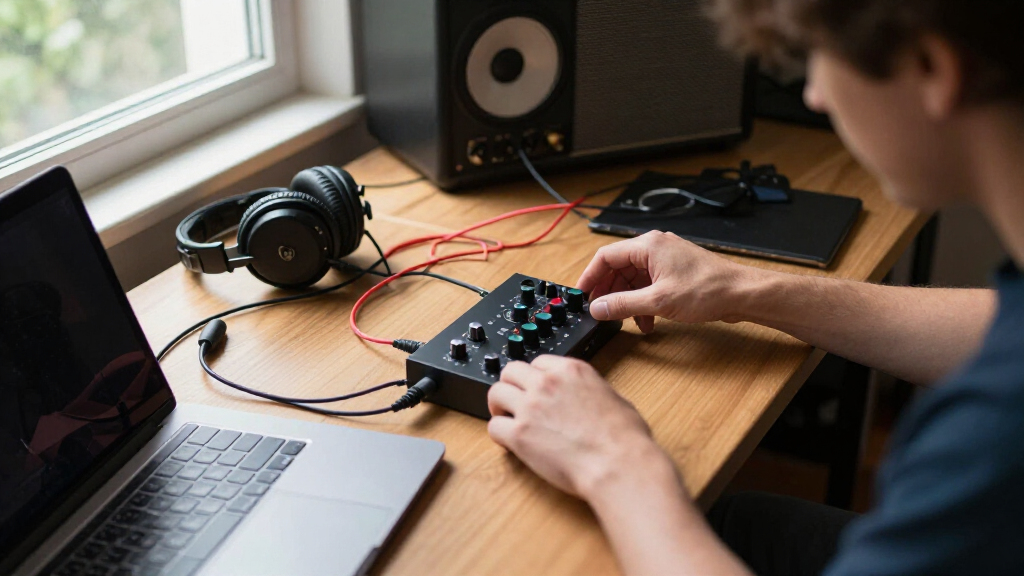
I based the ranking on published specifications, connection layouts, platform compatibility, included software, manufacturer support, and each model’s intended market position. I gave the most weight to recording flexibility, low-friction operation, monitoring and driver support, and value across several years of ownership. A high sample-rate figure earned little credit by itself because preamp behavior, latency, control layout, and software stability have a larger effect on everyday music production. I also penalized interfaces whose branding or support path is unclear, even when their feature lists appear generous.
The resulting order favors products that solve common musician needs before rewarding specialist features. The Scarlett 2i2 4th Gen takes the overall spot, followed by the Universal Audio Volt 2 for MIDI and tonal character, the Apogee Symphony Desktop Elite for premium studios, and the Scarlett Solo 4th Gen for solo performers. The middle group gives the ESI Neva Duo a software-bundle role, the M-Track Duo the value role, the MAONO P2 Hybrid the mobile-creator role, and the Scarlett Solo 3rd Gen the discounted legacy role. The MAONO PS22 Lite targets streaming newcomers, the M-Track Solo is the basic beginner pick, the generic 2×2 model is the low-cost loopback option, and the unbranded silver interface ranks as the lowest-confidence wildcard because ownership support is difficult to judge.
| audio interface for musician | Included software | Connectivity |
|---|---|---|
| ESI Neva Duo | Music production software; titles unspecified | — |
| M-AUDIO M-Track Solo USB Audio | MPC Beats | — |
| MAONO PS22 Lite USB Audio Inte | — | USB |
| Focusrite Scarlett Solo 4th Ge | Pro Tools Intro+, Ableton Live Lite, Cubase LE, Hitmaker Expansion | USB-C |
| Synido 2×2 USB-C Audio Interfa | — | — |
| Focusrite Scarlett Solo 3rd Ge | Pro Tools Intro+, Ableton Live Lite, Cubase LE, and Hitmaker Expansion | USB-C |
| PIYONE 2×2 USB-C Audio Interfa | — | USB-C |
| M-Audio M-Track Duo USB Audio | MPC Beats | — |
| Universal Audio Volt 2 USB Aud | — | — |
| Apogee Symphony Desktop Elite | — | USB-C |
| MAONO P2 Hybrid USB Audio Inte | — | USB-C |
| Focusrite Scarlett 2i2 4th Gen | Pro Tools Intro+, Ableton Live Lite, Hitmaker Expansion | USB-C |
Factors to Consider When Choosing Audio Interface For Musicians
I would choose an interface by working backward from the sessions it must handle, not by comparing sample-rate numbers alone. Input count, monitoring, software stability, and connection needs shape daily use far more than an ambitious specification printed on the box. The following factors help separate an affordable fit from a purchase that will feel restrictive or needlessly elaborate.
Match the Inputs to Real Recording Sessions
Start by counting the sources you need to record at the same time rather than the instruments you own. A singer-songwriter may be comfortable with one microphone input and one instrument input, provided the interface can capture both simultaneously. Two microphone-capable channels are better for stereo keyboards, acoustic-guitar pairs, interviews, rehearsals, or collaborations, which is why the Scarlett 2i2 and M-Track Duo have broader reach than the Solo models. Combo sockets can accept several connector types, but they do not automatically provide extra recording channels. A drummer or live band will outgrow every two-input option in this roundup and should start with a larger multichannel interface. I would pay for one realistic step of expansion, not a bank of unused inputs that adds cost and desk clutter.
Treat Drivers and Latency as Core Features
Published resolution tells only part of the story because almost every current interface can exceed the needs of a typical release. The practical issue is whether the system delivers stable low-latency monitoring at a buffer size your computer can sustain. Direct monitoring removes the distracting delay by routing the input straight to the headphones, though that path may not include software effects such as amp simulation or vocal reverb. Musicians who perform through plug-ins need stronger driver performance than players who monitor the dry signal. Established manufacturers also tend to provide clearer setup tools and longer software support when operating systems change. I would rank driver confidence above 192kHz capability, especially for an interface expected to remain useful across multiple computers.
Buy Workflow Features Only When They Solve a Real Need
Loopback is valuable when a performance must combine microphones or instruments with audio from a computer, such as backing tracks, remote lessons, or live broadcasts. It has much less value for a musician who records directly into a DAW and rarely streams. Five-pin MIDI ports can simplify a studio built around keyboards, drum machines, or older controllers, although USB MIDI often handles modern equipment without using the interface. Phone and tablet support also requires more than a USB-C-shaped connector; power demands, adapters, and operating-system compatibility can decide whether the setup works reliably. The MAONO P2 Hybrid emphasizes mobile and creator flexibility, while the Volt 2 better serves a conventional studio with external MIDI gear. I would choose the workflow I use every week rather than collecting functions that may never leave the settings menu.
Know When Premium Conversion Will Pay Off
A premium interface can provide cleaner conversion, refined monitoring control, stronger internal processing, and a faster mixing workflow. Those gains matter most when the rest of the setup includes capable microphones, accurate monitors, and a treated room. If room reflections or noisy equipment dominate a recording, upgrading from an entry-level interface to the Apogee will not remove those problems. The Symphony Desktop Elite makes sense for musicians who need high-grade recording and monitoring in a compact workstation, especially when time and repeatability have financial value. For a home songwriter, the same budget may produce a larger improvement when divided among acoustic treatment, headphones, microphones, and stands. I would pay the premium when conversion and control are genuine bottlenecks, not simply because the specification sheet is longer.
Calculate the Cost of the Complete Setup
The interface is only one part of a usable recording system. Cables, a microphone stand, headphones, pop protection, instrument DI needs, and powered USB adapters can turn a cheap purchase into a less attractive package. Bundled software may offset some expense, but I would check whether the licenses are permanent, compatible with my operating system, and useful for my style of music. USB-C describes the connector, not automatically the protocol speed, power arrangement, or cable compatibility. Microphone users should also verify phantom power and adequate gain, while guitarists need an input intended for high-impedance instruments. Warranty service, documentation, resale value, and future driver updates form part of the real ownership cost, which is why an older branded model can be safer than an anonymous interface with better headline numbers.
Frequently Asked Questions
Should a solo musician buy a one-input or two-input audio interface?
I would choose based on simultaneous recording plans rather than the number of performers. A one-microphone interface can be enough for overdubbed vocals, guitar, or spoken content, and it usually costs less and takes up less space. Two microphone-capable inputs support stereo recording, two singers, acoustic instrument pairs, and spontaneous collaboration without replacing the hardware. That makes the Scarlett 2i2 or M-Track Duo safer long-term purchases for musicians whose sessions may expand. The Scarlett Solo models remain sensible when compactness and simple solo tracking matter more than growth.
Does 24-bit/192kHz recording make one interface better than another?
No, a 192kHz maximum does not by itself identify the better interface. Most music projects work well at 24-bit with a moderate sample rate, leaving more computer power for instruments and effects. Preamp noise, converter design, driver stability, monitoring latency, and microphone placement usually have more audible or practical impact. High sample rates also create larger files and increase processing demand without guaranteeing a better finished mix. I would treat 24-bit capability as useful but rank workflow and reliability above the maximum sample rate.
Should I choose the Focusrite Scarlett 2i2 4th Gen or Universal Audio Volt 2?
I would choose the Scarlett 2i2 4th Gen for the broadest everyday fit, especially when straightforward setup, gain management, and a widely used recording platform matter. The Volt 2 is better for musicians who want MIDI connections and a vintage-style preamp mode that can add character while tracking. Both support two-source sessions, so the decision rests more on workflow than basic channel count. The Scarlett has the advantage for buyers seeking a neutral, approachable all-rounder, while the Volt better complements hardware synthesizers and character-focused production. Neither choice replaces good microphones or room treatment, but their control and connectivity priorities differ.
Is the Focusrite Scarlett Solo 3rd Gen still worth buying in 2026?
The Scarlett Solo 3rd Gen remains reasonable when it carries a meaningful discount and its one-microphone layout matches the intended sessions. It retains a familiar recording format and comes from a product family with an established user base. The 4th Gen model is the better long-term choice when the price gap is small because its newer workflow and current product status provide more room for ownership longevity. Neither Solo version is right for recording two microphones at once. I would buy the 3rd Gen as a discounted legacy pick, not at a price close to the newer Solo or two-input alternatives.
Which features matter for recording on a phone or streaming with backing tracks?
For phone or tablet recording, I would verify explicit mobile compatibility, power requirements, and adapter needs before buying. A USB-C socket alone does not confirm that a device will work from the phone’s available power. Streamers who mix live inputs with music, calls, or DAW playback should prioritize loopback or a dedicated routing workflow. The MAONO P2 Hybrid is aimed more directly at phone and creator use, while the generic 2×2 loopback model offers a budget route with greater uncertainty around support. For performance-focused streaming, reliable routing matters more than maximum sample rate.
Conclusion
For most musicians, I recommend the Focusrite Scarlett 2i2 4th Gen as the best overall choice because its two-input layout balances solo recording, collaboration, and room to grow. The M-AUDIO M-Track Duo is the best value when two-source recording matters more than polished software extras, while the M-Track Solo is my best beginner pick for basic demos. Musicians building a high-grade compact studio should choose the Apogee Symphony Desktop Elite as the premium option, provided their microphones, monitoring, and room can expose its advantages.
For narrower needs, the Universal Audio Volt 2 suits MIDI hardware and character-focused tracking, while the Focusrite Scarlett Solo 4th Gen fits singer-songwriters who rarely need a second microphone. The MAONO P2 Hybrid is the mobile and phone-oriented pick, and the MAONO PS22 Lite better targets entry-level streaming. I would choose the ESI Neva Duo when its dual-input package and included software match the budget, or the Scarlett Solo 3rd Gen when a steep discount outweighs buying the newer generation. The generic loopback model has a place in low-cost streaming experiments, but the unbranded silver interface is the hardest recommendation because support and long-term compatibility remain less predictable.