
The best homelab mini PCs balance enough processing power and memory for your services with compact, manageable hardware. My best overall pick is the MINISFORUM NAB6 Lite, whose Core i5-12600H gives it more headroom for several concurrent workloads than the lower-powered options here. The GEEKOM A7 stands out for its 32GB of RAM, while the Beelink MINI S12 is a simpler fit for light, low-demand services. The main tradeoffs are compute capacity versus power and heat, and included memory and storage versus room to expand. Read on for the full breakdown and guidance on matching a mini PC to your homelab plans.

Get audio and creator gear delivered free with Prime
- Fast, free delivery on millions of items
- Prime Video, Amazon Music and more included
- Member-only deals all year
Complete the kit


Key Takeaways
- The NAB6 Lite leads for mixed workloads: its Core i5-12600H is the strongest listed processor, giving it more compute headroom than the Ryzen 3 and Ryzen 5 systems.
- The GEEKOM A7 is the memory leader: 32GB of RAM makes it the clearest fit for running more memory-hungry virtual machines or containers without an immediate memory upgrade.
- Two similar configurations can have different utility: the BOSGAME E5 with 16GB RAM and a 512GB NVMe SSD is a more ready-to-use choice than the 8GB RAM, 256GB version.
- The Beelink MINI S12 suits lighter services: its Intel N100 and 16GB RAM offer a modest starting point, but buyers planning several demanding workloads should favor a higher-performance CPU.
- Several models overlap closely: the Beelink SER5 appears twice, and the BOSGAME E5 has two memory and storage configurations, so choosing a configuration matters as much as choosing a brand.
| GMKtec M5 Ultra Mini PC, Ryzen 7 7730U, 16GB RAM, 256GB SSD |  | Best for CPU-Heavy Virtualization | Processor: AMD Ryzen 7 7730U, 8 cores / 16 threads | Processor speed: 2.0 GHz base, up to 4.5 GHz | Memory: 16GB DDR4 (1x16GB), expandable to 64GB | VIEW LATEST PRICE | See Our Full Breakdown |
| MINISFORUM NAB6 Lite Mini PC with Intel Core i5-12600H, 16GB RAM, 500GB SSD |  | Best for Multi-Display Lab Management | Processor: Intel Core i5-12600H, 12 cores / 16 threads, up to 4.5 GHz | Graphics: Integrated Intel graphics | Memory: 16GB DDR4 | VIEW LATEST PRICE | See Our Full Breakdown |
| KAMRUI Mini PC with AMD Ryzen 5 3501U, 8GB RAM and 256GB SSD |  | Best for a Low-Cost Network Lab Starter | Processor: AMD Ryzen 5 3501U | Graphics: Integrated AMD Radeon Vega 8 | Memory: 8GB DDR4; upgradeable to 32GB | VIEW LATEST PRICE | See Our Full Breakdown |
| BOSGAME E5 Mini PC with AMD Ryzen 3 5300U, 16GB DDR4 RAM, 512GB NVMe SSD |  | Best for a 2.5GbE Entry Server | Processor: AMD Ryzen 3 5300U, 4 cores / 8 threads, up to 3.8GHz | Graphics: Integrated AMD Radeon Graphics | Memory: 16GB DDR4-3200; upgradeable to 64GB | VIEW LATEST PRICE | See Our Full Breakdown |
| Beelink SER5 Mini PC, AMD Ryzen 5 5500U, 16GB DDR4, 480GB NVMe SSD |  | Best for a Balanced Home Server | Processor: AMD Ryzen 5 5500U, 6 cores / 12 threads | Processor speed: 2.1 GHz base, up to 4.0 GHz | Memory: 16GB dual-channel DDR4 SO-DIMM, expandable to 64GB | VIEW LATEST PRICE | See Our Full Breakdown |
| BOSGAME E5 Mini PC with AMD Ryzen 3 5300U, 8GB RAM and 256GB SSD |  | Best for Dual-Network Labs | Processor: AMD Ryzen 3 5300U, 4 cores / 8 threads, up to 3.8 GHz | Memory: 8GB DDR4 dual-channel, expandable to 64GB | Storage: 256GB M.2 2280 SSD; additional M.2 PCIe 3.0 slot supports up to 2TB | VIEW LATEST PRICE | See Our Full Breakdown |
| BOSGAME E5 Plus Mini PC with AMD Ryzen 3 5400U, 8GB RAM, 256GB SSD |  | Best Compact Expandable Dual-NIC Pick | Processor: AMD Ryzen 3 5400U, 4 cores / 8 threads, 2.6GHz base, up to 4.0GHz | Memory: 8GB DDR4; two SODIMM slots, expandable to 64GB | Storage: 256GB M.2 2280 SATA SSD; additional M.2 2280 NVMe PCIe 3.0 x4 slot | VIEW LATEST PRICE | See Our Full Breakdown |
| Beelink MINI S12 Mini PC, Intel N100, 16GB DDR4 RAM, 500GB SSD |  | Best Beginner Homelab Node | Processor: Intel N100, 4 cores / 4 threads, up to 3.4GHz | Memory: 16GB DDR4, 2400MHz; maximum 16GB | Storage: 500GB SSD | VIEW LATEST PRICE | See Our Full Breakdown |
| Beelink SER3 Mini PC, AMD Ryzen 3 3200U, 8GB DDR4 RAM, 256GB NVMe SSD |  | Best for a Basic Storage Server | Processor: AMD Ryzen 3 3200U, 2.6GHz, up to 3.5GHz | Memory: 8GB DDR4 | Storage: 256GB NVMe SSD | VIEW LATEST PRICE | See Our Full Breakdown |
| GEEKOM A7 Mini PC with AMD Ryzen 7 7730U, 32GB RAM, 500GB SSD |  | Best for a Demanding Virtualization Host | Processor: AMD Ryzen 7 7730U, 8 cores / 16 threads, up to 4.5GHz | Memory: 32GB, expandable to 64GB | Storage: 500GB PCIe Gen4 x4 SSD, expandable to 4TB | VIEW LATEST PRICE | See Our Full Breakdown |
| Getorli Mini PC with AMD Ryzen 5 3500U, 16GB RAM, 512GB NVMe SSD, Dual HDMI, Wi-Fi 6 |  | Best for a Ready-to-Run Starter Lab | Processor: AMD Ryzen 5 3500U, 4 cores and 8 threads | Memory: 16GB DDR4 2400MHz, expandable to 32GB | Storage: 512GB NVMe SSD | VIEW LATEST PRICE | See Our Full Breakdown |
| KAMRUI E1 Mini PC with AMD Ryzen 5 3500U |  | Best for a Low-Commitment Lab Node | Processor: AMD Ryzen 5 3500U, 4 cores and 8 threads; up to 3.7GHz | Memory: 8GB DDR4, upgradeable to 16GB | Storage: 256GB M.2 SSD, expandable up to 2TB | VIEW LATEST PRICE | See Our Full Breakdown |
| Beelink EQR5 Mini PC, AMD Ryzen 3 7330U, 16GB DDR4 RAM, 500GB SSD |  | Best for a Compact Dual-Network Lab | Processor: AMD Ryzen 3 7330U, 4 cores and 8 threads; boost up to 4.3GHz | Memory: 16GB DDR4, dual slots, expandable to 64GB | Storage: 500GB M.2 PCIe 3.0 x4 SSD | VIEW LATEST PRICE | See Our Full Breakdown |
| Beelink SER5 Mini PC with AMD Ryzen 5 5500U | 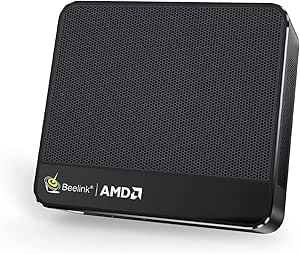 | Best for CPU-Heavy Virtualization | Processor: AMD Ryzen 5 5500U, 6 cores and 12 threads; up to 4.0GHz | Memory: 16GB DDR4, upgradeable to 64GB | Storage: 480GB M.2 2280 NVMe SSD | VIEW LATEST PRICE | See Our Full Breakdown |
| BOSGAME E7 Mini PC with Intel Core 3 100U, 16GB DDR4 RAM, and 512GB PCIe SSD |  | Best for a Multi-Display, Dual-LAN Lab | Processor: Intel Core 3 100U, 6 cores and 8 threads; up to 4.7GHz | Processor TDP: 15W | Memory: 16GB DDR4 3200MHz; two slots; listed maximum conflicts between 32GB and 64GB | VIEW LATEST PRICE | See Our Full Breakdown |
| homelab mini PC | Processor | Memory | Storage | Networking |
|---|---|---|---|---|
| GMKtec M5 Ultra Mini PC | AMD Ryzen 7 7730U, 8 cores / 16 threads | 16GB DDR4 (1x16GB), expandable to 64GB | 256GB M.2 2280 PCIe 3.0 SSD; dual slots support up to 4TB | Dual 2.5Gb RJ45 LAN, Wi-Fi 6E, Bluetooth 5.2 |
| MINISFORUM NAB6 Lite Mini PC w | Intel Core i5-12600H, 12 cores / 16 threads, up to 4.5 GHz | 16GB DDR4 | 500GB PCIe 4.0 M.2 2280 SSD; expandable up to 2TB | Dual 2.5Gb Ethernet, Wi-Fi 6, Bluetooth 5.2 |
| KAMRUI Mini PC with AMD Ryzen | AMD Ryzen 5 3501U | 8GB DDR4; upgradeable to 32GB | 256GB SSD; dual M.2 2280 slots support up to 4TB | 2 Gigabit Ethernet ports |
| BOSGAME E5 Mini PC with AMD Ry | AMD Ryzen 3 5300U, 4 cores / 8 threads, up to 3.8GHz | 16GB DDR4-3200; upgradeable to 64GB | 512GB M.2 2280 NVMe PCIe 3.0 SSD | Dual 2.5GbE RJ45 LAN, Wi-Fi 5, Bluetooth |
| Beelink SER5 Mini PC | AMD Ryzen 5 5500U, 6 cores / 12 threads | 16GB dual-channel DDR4 SO-DIMM, expandable to 64GB | 480GB M.2 NVMe 2280 SSD, supports up to 2TB | 2.5Gb Ethernet, Wi-Fi 6, Bluetooth 5.2 |
| BOSGAME E5 Mini PC with AMD Ry | AMD Ryzen 3 5300U, 4 cores / 8 threads, up to 3.8 GHz | 8GB DDR4 dual-channel, expandable to 64GB | 256GB M.2 2280 SSD; additional M.2 PCIe 3.0 slot supports up to 2TB | 2 x 2.5GbE LAN |
| BOSGAME E5 Plus Mini PC with A | AMD Ryzen 3 5400U, 4 cores / 8 threads, 2.6GHz base, up to 4.0GHz | 8GB DDR4; two SODIMM slots, expandable to 64GB | 256GB M.2 2280 SATA SSD; additional M.2 2280 NVMe PCIe 3.0 x4 slot | Two 2.5GbE ports, Wi-Fi 5, Bluetooth 5.0 |
| Beelink MINI S12 Mini PC | Intel N100, 4 cores / 4 threads, up to 3.4GHz | 16GB DDR4, 2400MHz; maximum 16GB | 500GB SSD | 2.5G Ethernet, Wi-Fi 6 dual-band, Bluetooth 5.2 |
| Beelink SER3 Mini PC | AMD Ryzen 3 3200U, 2.6GHz, up to 3.5GHz | 8GB DDR4 | 256GB NVMe SSD | Gigabit Ethernet, Wi-Fi 5, Bluetooth 5.0 |
| GEEKOM A7 Mini PC with AMD Ryz | AMD Ryzen 7 7730U, 8 cores / 16 threads, up to 4.5GHz | 32GB, expandable to 64GB | 500GB PCIe Gen4 x4 SSD, expandable to 4TB | — |
| Getorli Mini PC with AMD Ryzen | AMD Ryzen 5 3500U, 4 cores and 8 threads | 16GB DDR4 2400MHz, expandable to 32GB | 512GB NVMe SSD | Wi-Fi 6, Bluetooth 5.3, Ethernet |
| KAMRUI E1 Mini PC with AMD Ryz | AMD Ryzen 5 3500U, 4 cores and 8 threads; up to 3.7GHz | 8GB DDR4, upgradeable to 16GB | 256GB M.2 SSD, expandable up to 2TB | Gigabit Ethernet |
| Beelink EQR5 Mini PC | AMD Ryzen 3 7330U, 4 cores and 8 threads; boost up to 4.3GHz | 16GB DDR4, dual slots, expandable to 64GB | 500GB M.2 PCIe 3.0 x4 SSD | Dual Gigabit Ethernet, Wi-Fi 6, Bluetooth 5.2 |
| Beelink SER5 Mini PC with AMD | AMD Ryzen 5 5500U, 6 cores and 12 threads; up to 4.0GHz | 16GB DDR4, upgradeable to 64GB | 480GB M.2 2280 NVMe SSD | 2.5G Ethernet, dual-band Wi-Fi 802.11ac, Bluetooth |
| BOSGAME E7 Mini PC with Intel | Intel Core 3 100U, 6 cores and 8 threads; up to 4.7GHz | 16GB DDR4 3200MHz; two slots; listed maximum conflicts between 32GB and 64GB | 512GB M.2 PCIe SSD; listed expansion up to 4TB | Dual Gigabit Ethernet, Wi-Fi 6, Bluetooth 5.2 |
More Details on Our Top Picks
GMKtec M5 Ultra Mini PC, Ryzen 7 7730U, 16GB RAM, 256GB SSD
The Ryzen 7 7730U’s 8 cores and 16 threads give this GMKtec a strong case for running several lightly loaded virtual machines or container services at once. Its dual 2.5Gb Ethernet also makes it more flexible for a router, firewall, or segmented lab network than the Beelink SER5, which has one 2.5GbE port. Memory can grow to 64GB and the two M.2 slots support up to 4TB, so the small included 256GB SSD need not define the system’s longer-term capacity. The main catch is that it arrives with 16GB in a single module, limiting the out-of-box memory setup for heavier multitasking. I’d choose it over the lower-powered BOSGAME E5 for CPU-intensive services, but factor in a RAM upgrade if the lab will host many VMs.
Pros:- 8-core, 16-thread processor suits multiple concurrent services.
- Dual 2.5GbE ports support flexible network and firewall roles.
- Memory expands to 64GB and dual M.2 slots support up to 4TB.
- Wi-Fi 6E and three-display support add useful connectivity.
Cons:- 16GB of RAM comes in a single module, so the initial memory setup is limited.
- The included 256GB SSD may fill quickly with VM images and logs.
- Integrated graphics are not suited to graphics-heavy workloads.
Best for: Homelab builders running several CPU-oriented containers or virtual machines who want dual 2.5GbE and room to expand memory and storage.
Not ideal for: Buyers who want a ready-to-run, high-capacity VM host without upgrading; the single 16GB module and 256GB SSD are modest starting points.
- Processor:AMD Ryzen 7 7730U, 8 cores / 16 threads
- Processor speed:2.0 GHz base, up to 4.5 GHz
- Memory:16GB DDR4 (1x16GB), expandable to 64GB
- Storage:256GB M.2 2280 PCIe 3.0 SSD; dual slots support up to 4TB
- Networking:Dual 2.5Gb RJ45 LAN, Wi-Fi 6E, Bluetooth 5.2
- Display support:Up to three displays; HDMI 2.0 and DisplayPort support 4K at 60Hz
- Operating system:Windows 11 Pro
- Power consumption:35 watts
Our verdict“Choose the GMKtec M5 Ultra if CPU capacity and dual 2.5GbE matter more than having generous memory and storage out of the box.”
MINISFORUM NAB6 Lite Mini PC with Intel Core i5-12600H, 16GB RAM, 500GB SSD
The NAB6 Lite is the display and connectivity specialist in this group: its four video outputs can support up to four 4K displays, while dual 2.5Gb Ethernet leaves room for separate network roles. That makes it a natural fit for a desk-side lab console paired with a router, NAS, or other network gear. Its Core i5-12600H has 12 cores and 16 threads, giving it more parallel processing capacity on paper than the GMKtec M5 Ultra’s 8-core Ryzen 7 7730U. Both rely on integrated graphics, though, so neither is a sensible pick for GPU-heavy compute. The NAB6 Lite includes a larger 500GB PCIe 4.0 SSD than the GMKtec, but the provided memory details are sparse, and reaching dual-channel memory requires replacing the included module. Pick it for screen and port flexibility, not a turnkey memory configuration.
Pros:- 12-core, 16-thread Core i5-12600H offers substantial parallel processing capacity.
- Four display outputs support up to four 4K screens.
- Dual 2.5Gb Ethernet ports suit network lab and firewall layouts.
- 500GB PCIe 4.0 SSD and upgradeable storage provide a useful starting point.
Cons:- Integrated Intel graphics limit graphics-intensive compute and rendering.
- Dual-channel memory requires replacing the included memory module.
- Maximum supported memory capacity is not specified in the supplied product data.
Best for: Homelab operators who want one mini PC to drive a multi-monitor management station while also handling network services.
Not ideal for: Buyers focused on GPU workloads or those who want a fully specified, dual-channel memory configuration without changing the included module.
- Processor:Intel Core i5-12600H, 12 cores / 16 threads, up to 4.5 GHz
- Graphics:Integrated Intel graphics
- Memory:16GB DDR4
- Storage:500GB PCIe 4.0 M.2 2280 SSD; expandable up to 2TB
- Display outputs:2 HDMI and 2 USB-C; supports up to four displays
- Networking:Dual 2.5Gb Ethernet, Wi-Fi 6, Bluetooth 5.2
- Cooling:Dual heat pipes, dual air vents, active solid-state heat sink
- Form factor:Mini PC
Our verdict“Choose the NAB6 Lite if your homelab needs a powerful multi-display console with dual 2.5GbE, and skip it if graphics or memory configuration is the priority.”
KAMRUI Mini PC with AMD Ryzen 5 3501U, 8GB RAM and 256GB SSD
The KAMRUI’s appeal is its two Gigabit Ethernet ports and upgrade-friendly layout, not raw performance. Those ports provide a practical foundation for a small router, firewall, or network-monitoring setup, while the two SO-DIMM slots and dual M.2 slots leave room to build beyond its 8GB RAM and 256GB SSD. Compared with the BOSGAME E5, it offers Gigabit rather than 2.5GbE networking, so large local transfers will be slower; in return, its supplied connections include HDMI, DisplayPort, and USB-C for up to three 4K displays. The Ryzen 5 3501U and Vega 8 graphics are a more modest platform than the newer, higher-core options such as the GMKtec M5 Ultra. I’d treat it as an entry point for lighter services, with a memory upgrade high on the list for virtualization.
Pros:- Two Gigabit Ethernet ports support basic router and firewall configurations.
- Two SO-DIMM slots allow memory expansion to 32GB.
- Dual M.2 slots support storage expansion up to 4TB.
- HDMI, DisplayPort, and USB-C enable up to three 4K displays.
Cons:- The 8GB of included RAM is restrictive for virtualization and multitasking.
- Gigabit Ethernet is slower than the 2.5GbE ports on the BOSGAME E5 and GMKtec M5 Ultra.
- Ryzen 5 3501U is a modest choice for sustained, compute-heavy workloads.
Best for: First-time homelab builders setting up a light firewall, basic network services, or a small media and monitoring node they plan to upgrade.
Not ideal for: Users running multiple demanding virtual machines or moving large files across a fast LAN; its 8GB starting memory and Gigabit Ethernet are limiting.
- Processor:AMD Ryzen 5 3501U
- Graphics:Integrated AMD Radeon Vega 8
- Memory:8GB DDR4; upgradeable to 32GB
- Memory slots:2 SO-DIMM DDR4 slots
- Storage:256GB SSD; dual M.2 2280 slots support up to 4TB
- Networking:2 Gigabit Ethernet ports
- Video outputs:HDMI 2.0, DisplayPort 1.4, USB-C; up to three 4K displays
- Power consumption:28W
- Cooling:Air cooling with dual copper heat pipes and low-noise fan
Our verdict“Choose this KAMRUI as an upgradeable starter for light network services, but look to a 2.5GbE model for faster networking or heavier workloads.”
BOSGAME E5 Mini PC with AMD Ryzen 3 5300U, 16GB DDR4 RAM, 512GB NVMe SSD
The BOSGAME E5 suits a focused homelab role: dual 2.5GbE, 16GB of RAM, and a 512GB NVMe SSD make a more capable starting package for network services than the KAMRUI’s 8GB and Gigabit ports. The Ryzen 3 5300U is a 4-core, 8-thread processor, so it is a better match for a firewall, a few containers, or general home-server duties than a large collection of virtual machines. It also supports up to 64GB of memory and a second NVMe drive, leaving a clear path to expand. The GMKtec M5 Ultra brings more CPU cores for heavier concurrent tasks, while this E5 starts with more SSD capacity than the GMKtec. Its Wi-Fi 5 is older than the Wi-Fi 6E on that model, and its integrated graphics are not aimed at demanding rendering or gaming.
Pros:- Dual 2.5GbE ports suit firewall, router, and home-server roles.
- 16GB DDR4 and a 512GB NVMe SSD provide a practical starting configuration.
- Memory expands to 64GB, with a second M.2 slot available for storage.
- Supports up to three independent 4K displays at 60Hz.
Cons:- Four CPU cores are less suited to numerous concurrent virtual machines than the GMKtec M5 Ultra’s eight cores.
- Wi-Fi 5 is older than the Wi-Fi 6E offered by the GMKtec M5 Ultra.
- Integrated Radeon graphics are not intended for demanding 3D rendering or intensive gaming.
Best for: Home network builders who want a compact 2.5GbE firewall or light server with a useful 16GB RAM and 512GB SSD starting configuration.
Not ideal for: Users hosting many virtual machines, running intensive 3D workloads, or needing newer Wi-Fi; the four-core CPU, integrated graphics, and Wi-Fi 5 set limits.
- Processor:AMD Ryzen 3 5300U, 4 cores / 8 threads, up to 3.8GHz
- Graphics:Integrated AMD Radeon Graphics
- Memory:16GB DDR4-3200; upgradeable to 64GB
- Storage:512GB M.2 2280 NVMe PCIe 3.0 SSD
- Storage expansion:Two M.2 2280 NVMe PCIe 3.0 slots
- Networking:Dual 2.5GbE RJ45 LAN, Wi-Fi 5, Bluetooth
- Display support:Up to three independent 4K displays at 60Hz
- Operating system:Windows 11 Pro
- Dimensions:6.42 x 6.42 x 4.02 inches
Our verdict“Pick the BOSGAME E5 for a straightforward dual-2.5GbE home server or firewall, but choose a higher-core model for heavier virtualization.”
Beelink SER5 Mini PC, AMD Ryzen 5 5500U, 16GB DDR4, 480GB NVMe SSD
The Beelink SER5 is a balanced choice for a homelab that mixes everyday desktop use with a few services: its 6-core, 12-thread Ryzen 5 5500U sits between the four-core BOSGAME E5 and eight-core GMKtec M5 Ultra in the lineup. It also arrives with dual-channel 16GB RAM, avoiding the single-module starting point of the GMKtec, plus a 480GB NVMe SSD. For storage growth, it supports an M.2 drive and a separate 2.5-inch drive, though that additional drive is not included. Its single 2.5Gb Ethernet port is the key compromise beside the dual-port GMKtec and BOSGAME models: it works well as a general server, but offers less flexibility for routing or network segmentation. Wi-Fi 6, a VESA mount, and multiple display connections make it easier to place and repurpose as a compact workstation.
Pros:- 6-core, 12-thread processor balances everyday work and several light services.
- 16GB dual-channel memory is a stronger starting configuration than the single-module GMKtec M5 Ultra.
- M.2 storage plus a 2.5-inch drive bay provide two expansion paths.
- Wi-Fi 6, 2.5Gb Ethernet, and an included VESA mount add placement flexibility.
Cons:- One 2.5Gb Ethernet port offers less network flexibility than the dual-port GMKtec M5 Ultra and BOSGAME E5.
- The 2.5-inch HDD or SSD for the additional bay is not included.
- Integrated graphics share system memory and are not a substitute for dedicated graphics.
Best for: Homelab owners who want a general-purpose mini server or desktop with balanced CPU capacity, dual-channel memory, and flexible storage expansion.
Not ideal for: Buyers building a two-interface router or firewall, or anyone who needs a second internal drive included; it has one 2.5GbE port and the 2.5-inch drive is sold separately.
- Processor:AMD Ryzen 5 5500U, 6 cores / 12 threads
- Processor speed:2.1 GHz base, up to 4.0 GHz
- Memory:16GB dual-channel DDR4 SO-DIMM, expandable to 64GB
- Storage:480GB M.2 NVMe 2280 SSD, supports up to 2TB
- Additional storage:2.5-inch 7mm HDD/SSD bay, supports up to 2TB
- Networking:2.5Gb Ethernet, Wi-Fi 6, Bluetooth 5.2
- Video output:HDMI, DisplayPort, USB-C; supports 4K at 60Hz
- Power consumption:57 watts
- Included accessories:VESA mount and screws, user manual, HDMI cable, power adapter
Our verdict“Choose the Beelink SER5 for a well-rounded single-port home server or desktop, and prefer a dual-2.5GbE model for router or firewall duties.”
BOSGAME E5 Mini PC with AMD Ryzen 3 5300U, 8GB RAM and 256GB SSD
The BOSGAME E5 earns its place through a feature that matters more in a homelab than a second display output: two 2.5GbE ports. They give me room to separate network roles or connect faster local storage without adding a network adapter. Its Ryzen 3 5300U and upgradeable memory can handle a modest collection of services, while the extra M.2 slot leaves a path to add storage beyond the included 256GB SSD. Compared with the Beelink MINI S12, it has less memory and storage out of the box, but its dual Ethernet and 64GB memory ceiling make it more adaptable as a server. The tradeoff is that I would budget for a memory and storage upgrade sooner, and the single-year full warranty is shorter than some alternatives’ coverage.
Pros:- Two 2.5GbE ports support flexible network and server setups.
- Memory can be expanded to 64GB.
- An additional M.2 PCIe 3.0 slot supports up to 2TB of added storage.
- Quiet operation under 25 dB and an included VESA mount suit a discreet installation.
Cons:- The included 8GB RAM is restrictive for virtualization until upgraded.
- The 256GB SSD may fill quickly with VM images and logs.
- Its four-core Ryzen 3 is a modest choice for CPU-heavy workloads.
Best for: Homelab builders who want dual 2.5GbE for routing, network segmentation, or a small server and are comfortable upgrading RAM and storage.
Not ideal for: Buyers who want a ready-to-run host with ample memory and storage, or who need stronger processing capacity for many virtual machines.
- Processor:AMD Ryzen 3 5300U, 4 cores / 8 threads, up to 3.8 GHz
- Memory:8GB DDR4 dual-channel, expandable to 64GB
- Storage:256GB M.2 2280 SSD; additional M.2 PCIe 3.0 slot supports up to 2TB
- Networking:2 x 2.5GbE LAN
- Display support:Up to three 4K displays at 60Hz
- Operating system:Windows 11 Pro; supports Ubuntu Linux
- Power and noise:25 watts; under 25 dB
- Mount:VESA mount included
Our verdict“Choose the E5 if dual 2.5GbE and upgrade paths matter more than having generous memory and storage from the start.”
BOSGAME E5 Plus Mini PC with AMD Ryzen 3 5400U, 8GB RAM, 256GB SSD
The BOSGAME E5 Plus pairs a compact footprint with the homelab-friendly combination of dual 2.5GbE and upgradeable internals. Its Ryzen 3 5400U boosts up to 4.0GHz, and two SODIMM slots let me raise memory beyond the included 8GB when a basic host grows into a multi-service machine. Compared with the BOSGAME E5, this Plus model lists a lower 15-watt power figure and Wi-Fi 5, but both offer two 2.5GbE ports and room for added storage. The E5 Plus’s included 256GB drive is SATA, so I would use the separate NVMe slot for faster or larger lab storage rather than assume the supplied disk is the final setup. Its chief drawback is the same lean starting configuration: a serious virtualized workload calls for upgrades.
Pros:- Dual 2.5GbE ports suit network appliances and small server roles.
- Two SODIMM slots support memory expansion to 64GB.
- A separate M.2 NVMe PCIe 3.0 x4 slot provides a faster storage upgrade path.
- Compact chassis supports up to three 4K displays and includes USB-C video.
Cons:- Only 8GB RAM is included, limiting simultaneous virtual machines before an upgrade.
- The included 256GB drive is SATA rather than NVMe.
- Wi-Fi 5 is an older wireless standard, though wired networking is the stronger homelab feature.
Best for: Space-conscious homelab owners who want two 2.5GbE interfaces, a low-power listed configuration, and room to add RAM and NVMe storage.
Not ideal for: Anyone seeking a high-capacity, high-memory host out of the box or prioritizing newer wireless networking over wired connections.
- Processor:AMD Ryzen 3 5400U, 4 cores / 8 threads, 2.6GHz base, up to 4.0GHz
- Memory:8GB DDR4; two SODIMM slots, expandable to 64GB
- Storage:256GB M.2 2280 SATA SSD; additional M.2 2280 NVMe PCIe 3.0 x4 slot
- Networking:Two 2.5GbE ports, Wi-Fi 5, Bluetooth 5.0
- Video outputs:HDMI 2.0, DisplayPort, USB-C; up to 4K at 60Hz per output
- Ports:USB-C with data, DisplayPort video and PD 3.0; 2 x USB 3.2 Gen 2 Type-A; 2 x USB 2.0
- Power:15 watts
- Dimensions and weight:5.04 x 5 x 1.69 inches; 14.4 ounces
Our verdict“Pick the E5 Plus for a compact dual-2.5GbE node that you plan to expand, not for a fully provisioned server straight from the box.”
Beelink MINI S12 Mini PC, Intel N100, 16GB DDR4 RAM, 500GB SSD
For a first homelab, the Beelink MINI S12 is easier to put to work than the upgrade-first BOSGAME models: it arrives with 16GB RAM and a 500GB SSD, plus Wake on LAN, PXE boot, RTC wake, and auto power-on. Those features help with basic services, lightweight containers, and learning network boot or remote recovery without an immediate parts order. Its single 2.5G Ethernet port is useful, but the four-core, four-thread Intel N100 and fixed 16GB memory ceiling put a firm limit on growth. The BOSGAME E5 is a better fit if I need dual Ethernet or more memory headroom; the MINI S12 is the more straightforward starter node. I would skip it for a dense VM host or workloads that need several independent network interfaces.
Pros:- 16GB RAM and a 500GB SSD provide a more useful starting configuration than the 8GB/256GB BOSGAME options.
- Wake on LAN, PXE boot, RTC wake, and auto power-on support unattended operation.
- 2.5G Ethernet and Wi-Fi 6 offer flexible connectivity.
- VESA mount and compact dimensions make it easy to place behind a display or in a small rack area.
Cons:- Memory is capped at 16GB, limiting growth for virtual machines and memory-heavy services.
- The N100 has four threads, less parallel capacity than the Ryzen 3 systems in this lineup.
- Only one Ethernet port is provided, unlike both BOSGAME E5 models.
Best for: New homelab users who want a ready-to-configure, low-complexity node for lightweight services, containers, and network-boot experiments.
Not ideal for: Users planning many virtual machines, memory-intensive services, or network segmentation across two physical Ethernet ports.
- Processor:Intel N100, 4 cores / 4 threads, up to 3.4GHz
- Memory:16GB DDR4, 2400MHz; maximum 16GB
- Storage:500GB SSD
- Networking:2.5G Ethernet, Wi-Fi 6 dual-band, Bluetooth 5.2
- Display support:Two 4K displays at up to 3840 x 2160 at 60Hz
- Ports:4 x USB 3.2 Gen 2, 2 x HDMI, RJ45 2.5G LAN, audio jack
- Management features:Wake on LAN, PXE boot, RTC wake, auto power on
- Dimensions:115 x 102 x 41 mm
Our verdict“Choose the MINI S12 as a convenient first node for lightweight homelab services, but not as a long-term high-density virtualization host.”
Beelink SER3 Mini PC, AMD Ryzen 3 3200U, 8GB DDR4 RAM, 256GB NVMe SSD
The Beelink SER3 stands out for adding a 2.5-inch drive bay alongside its M.2 slot, giving a homelab builder a straightforward way to separate the operating system from extra data storage. Four USB 3.2 Gen 2 ports also make it practical to attach peripherals or external drives. Its Ryzen 3 3200U and 8GB RAM suit a basic file server or a small set of services, not a cluster of demanding VMs. Compared with the Beelink MINI S12, the SER3 offers more internal storage flexibility, while the MINI S12 supplies twice the memory and faster Ethernet. The SER3’s Gigabit Ethernet is the main constraint for network-heavy transfers, and its operating system is not specified, so I would plan my own installation.
Pros:- M.2 and 2.5-inch drive slots allow flexible internal storage expansion up to 2TB.
- Four USB 3.2 Gen 2 ports provide ample connections for drives and peripherals.
- Dual HDMI supports two 4K displays at 60Hz for local setup and administration.
- Included VESA mount enables discreet placement behind a monitor.
Cons:- 8GB RAM is a restrictive starting point for virtualization.
- Gigabit Ethernet is slower than the 2.5GbE ports on the BOSGAME E5 models and Beelink MINI S12.
- Operating system is not specified, so the buyer must plan installation and setup.
Best for: Homelab users building a modest file server or utility node who value internal M.2 and 2.5-inch storage options.
Not ideal for: People running several VMs, moving large amounts of data over the network, or seeking a clearly specified preinstalled operating system.
- Processor:AMD Ryzen 3 3200U, 2.6GHz, up to 3.5GHz
- Memory:8GB DDR4
- Storage:256GB NVMe SSD
- Expandable storage:M.2 2280 and 2.5-inch drive slots; up to 2TB
- Graphics:Integrated AMD Radeon Vega 3
- Networking:Gigabit Ethernet, Wi-Fi 5, Bluetooth 5.0
- Video output:2 HDMI ports; dual 4K at 60Hz
- Dimensions:4.9 x 4.4 x 1.7 inches
Our verdict“Pick the SER3 for a small storage-focused node with internal drive flexibility, provided Gigabit networking and limited included RAM fit your workload.”
GEEKOM A7 Mini PC with AMD Ryzen 7 7730U, 32GB RAM, 500GB SSD
The GEEKOM A7 is the performance pick here: its 8-core, 16-thread Ryzen 7 7730U and 32GB of RAM give me much more room for concurrent services and virtual machines than the four-core BOSGAME and Beelink options. The 500GB PCIe Gen4 SSD also provides a stronger starting point for VM images, while memory can expand to 64GB and storage to 4TB. That capacity makes it the most capable host in this batch, but its advantage is processing headroom, not networking: it has one listed 2.5G LAN connection, whereas the BOSGAME E5 models offer dual 2.5GbE. Integrated Radeon graphics also make this a poor choice for GPU-heavy workloads. I would verify the operating-system setup before buying, since Linux and Ubuntu support are listed but Windows is not.
Pros:- Eight cores and 16 threads provide substantially more parallel processing capacity than the Ryzen 3 and Intel N100 systems here.
- 32GB RAM is a stronger starting point for virtualization and can expand to 64GB.
- 500GB PCIe Gen4 SSD with listed expansion up to 4TB supports a larger local VM and container library.
- Wi-Fi 6E, 2.5G LAN, dual HDMI, and dual USB-C provide broad connectivity.
Cons:- Only one 2.5G LAN port is listed, limiting wired network separation compared with the BOSGAME E5 models.
- Integrated graphics are not suited to demanding 3D rendering or high-end gaming workloads.
- Linux and Ubuntu are the listed operating-system support; Windows setup may require extra work.
Best for: Homelab operators who want to run multiple CPU-heavy services or virtual machines on one compact host and can manage their own Linux setup.
Not ideal for: Buyers who need dual physical Ethernet ports, discrete graphics, or a clearly specified Windows installation.
- Processor:AMD Ryzen 7 7730U, 8 cores / 16 threads, up to 4.5GHz
- Memory:32GB, expandable to 64GB
- Storage:500GB PCIe Gen4 x4 SSD, expandable to 4TB
- Graphics:AMD Radeon integrated graphics
- Connectivity:2.5G LAN, Wi-Fi 6E, 2 x USB-C, 2 x HDMI 2.0, 5 x USB 3.2
- Operating system support:Linux and Ubuntu support listed
- Power:15W TDP, adjustable from 10W to 30W
- Dimensions and weight:5.47 x 5.2 x 1.71 inches; 1.5 pounds
Our verdict“Choose the A7 when CPU and memory headroom for several virtual machines matter more than dual Ethernet or discrete graphics.”
Getorli Mini PC with AMD Ryzen 5 3500U, 16GB RAM, 512GB NVMe SSD, Dual HDMI, Wi-Fi 6
The Getorli is a straightforward pick for a small home lab that needs a usable memory and storage baseline from the start. Its 16GB RAM and 512GB NVMe SSD give a few lightweight services, a desktop environment, or a modest VM more breathing room than the KAMRUI E1, which starts with 8GB and 256GB. The Ryzen 5 3500U has four cores and eight threads, so it suits basic virtualization and always-on utilities, not a dense stack of demanding VMs. Dual HDMI is handy if you also want a local management display, while Wi-Fi 6 and Ethernet offer flexible networking. The tradeoff is its older processor platform and fan cooling; compared with the newer Beelink EQR5, it offers less headroom for expansion and networking features.
Pros:- 16GB RAM provides a useful starting point for light virtualization and multitasking
- 512GB NVMe SSD offers room for a small collection of services and quick storage access
- Memory can be expanded to 32GB
- Dual HDMI supports up to two 4K displays
Cons:- Four-core Ryzen 5 3500U offers limited headroom for larger VM workloads
- Fan cooling adds a moving part and potential noise in an always-on setup
- Ethernet is listed without a speed or multi-port configuration
Best for: Homelab newcomers who want 16GB RAM and an NVMe drive ready for lightweight services, testing, or a few modest VMs.
Not ideal for: Buyers planning several resource-heavy virtual machines or a lab that depends on multiple fast wired network interfaces.
- Processor:AMD Ryzen 5 3500U, 4 cores and 8 threads
- Memory:16GB DDR4 2400MHz, expandable to 32GB
- Storage:512GB NVMe SSD
- Video outputs:2 HDMI; supports up to two 4K displays
- Networking:Wi-Fi 6, Bluetooth 5.3, Ethernet
- USB ports:2 USB 2.0, 2 USB 3.0, 1 USB-C 2.0, 1 USB-C 3.2
- Operating system:Windows 11 Pro
- Cooling:Fan
Our verdict“Choose the Getorli for a simple starter lab with a stronger out-of-box memory and storage setup than the KAMRUI E1, but skip it for heavier virtualization.”
KAMRUI E1 Mini PC with AMD Ryzen 5 3500U
The KAMRUI E1 makes the most sense as a small, upgradeable node for a lab that starts with basic tasks rather than a full virtualization stack. Its Ryzen 5 3500U matches the Getorli’s four-core, eight-thread processor, but the E1 ships with only 8GB RAM and a 256GB SSD. That keeps the initial setup lean, though buyers should plan to upgrade memory for multiple services or VMs. Its connection selection is unusually flexible for this group: HDMI, DisplayPort, USB-C, Gigabit Ethernet, and six USB 3.2 ports make it practical for a bench setup with peripherals. The included VESA mount can keep it out of the way. Compared with the Getorli, it gives up ready-to-use memory and storage capacity for more display and USB options; driver-install guidance in the listing also calls for extra care during setup.
Pros:- Six USB 3.2 ports simplify connecting lab peripherals and external devices
- HDMI, DisplayPort, and USB-C provide flexible display connections
- Memory is upgradeable to 16GB and storage can expand up to 2TB
- Gigabit Ethernet and included VESA mount suit a tidy fixed installation
Cons:- Ships with 8GB RAM, which can constrain multitasking and virtualization
- 256GB SSD leaves less room for VM images and service data than the Getorli’s 512GB drive
- Listing advises contacting customer service before installing drivers
Best for: Tinkerers building a lightweight node who are comfortable adding memory and storage as their services grow.
Not ideal for: Buyers who want to run several VMs immediately without upgrading the included 8GB of RAM.
- Processor:AMD Ryzen 5 3500U, 4 cores and 8 threads; up to 3.7GHz
- Memory:8GB DDR4, upgradeable to 16GB
- Storage:256GB M.2 SSD, expandable up to 2TB
- Display support:Dual 4K at 60Hz
- Ports:6 USB 3.2, 1 USB-C, HDMI 2.0, DisplayPort 1.4, 3.5mm audio
- Networking:Gigabit Ethernet
- Operating system:Windows 11 Pro
- Included accessories:Power adapter, VESA mount, HDMI cable, user manual
Our verdict“Pick the KAMRUI E1 for an expandable, well-connected light-duty node if you are willing to upgrade its modest starting memory.”
Beelink EQR5 Mini PC, AMD Ryzen 3 7330U, 16GB DDR4 RAM, 500GB SSD
The EQR5 earns its place for homelab builders who want networking flexibility in a small enclosure. Its defining feature is dual Gigabit Ethernet, which can support separate network connections for uses such as a router lab, isolated test network, or service host. The Ryzen 3 7330U and 16GB of RAM are a stronger starting combination than the KAMRUI E1’s 8GB setup, and the EQR5 allows memory expansion to 64GB. Storage can also grow substantially, though its second SSD is not included. It supports two 4K displays and lists a 32 dB fan noise level, making it suitable for a desk-side lab. Compared with the Beelink SER5, it has fewer CPU cores and threads; the SER5 is the better fit when compute capacity matters more than dual LAN.
Pros:- Dual Gigabit Ethernet supports separate wired network connections
- 16GB RAM can expand to 64GB across two slots
- Dual SSD support allows up to 8TB total storage with additional drives
- Compact dimensions and dual 4K display support suit a small desk-side setup
Cons:- Four-core, eight-thread processor has less compute capacity than the six-core Beelink SER5
- Secondary SSD is not included
- Integrated graphics are not suited to demanding graphics workloads
Best for: Homelab users building a compact router, firewall, or network-segmentation setup who want dual wired connections and room to expand.
Not ideal for: Users who need the strongest CPU performance in this group or expect two SSDs to be included.
- Processor:AMD Ryzen 3 7330U, 4 cores and 8 threads; boost up to 4.3GHz
- Memory:16GB DDR4, dual slots, expandable to 64GB
- Storage:500GB M.2 PCIe 3.0 x4 SSD
- Storage expansion:Dual SSD support, up to 8TB total with 2 × 4TB drives
- Networking:Dual Gigabit Ethernet, Wi-Fi 6, Bluetooth 5.2
- Display support:Dual 4K at 60Hz
- Dimensions:4.96 × 4.96 × 1.65 inches
- Cooling:Fan cooling; specified noise level 32 dB
Our verdict“Choose the EQR5 when dual Gigabit Ethernet and expansion matter more than the Beelink SER5’s extra CPU cores.”
Beelink SER5 Mini PC with AMD Ryzen 5 5500U
For a homelab where several services or virtual machines need to run at once, the SER5 stands out for its six-core, 12-thread Ryzen 5 5500U. That gives it more concurrent-workload headroom than the four-core Ryzen 3 7330U in the Beelink EQR5, although the EQR5 counters with dual Gigabit Ethernet and more clearly specified storage expansion. The SER5 comes with 16GB RAM and a 480GB NVMe SSD, and its memory can grow to 64GB, which makes it a flexible base for a larger lab. A 2.5G Ethernet port is useful for faster wired transfers, but the listing specifies only one Ethernet connection, so it is less suited to network-separation projects than the EQR5. Its operating system is not specified, and the fan-cooled design may not suit a noise-sensitive room.
Pros:- Six-core, 12-thread processor offers more concurrent workload capacity than the Beelink EQR5
- Memory is upgradeable to 64GB
- 2.5G Ethernet supports faster wired networking than Gigabit Ethernet
- Dual-display support includes 4K at 60Hz
Cons:- Only one Ethernet port is listed, unlike the EQR5’s dual Gigabit Ethernet
- Operating system is not specified
- Fan cooling may add noise in a quiet room
Best for: Homelab users prioritizing more CPU threads and expandable memory for multiple services or virtual machines.
Not ideal for: Buyers who need dual wired network ports, silent cooling, or a clearly specified preinstalled operating system.
- Processor:AMD Ryzen 5 5500U, 6 cores and 12 threads; up to 4.0GHz
- Memory:16GB DDR4, upgradeable to 64GB
- Storage:480GB M.2 2280 NVMe SSD
- Graphics:Integrated AMD Radeon Graphics, 7 cores at 1800MHz
- Networking:2.5G Ethernet, dual-band Wi-Fi 802.11ac, Bluetooth
- Display support:Dual display; up to 4K at 60Hz
- Ports:3 USB 3.2, 1 USB 2.0, 1 HDMI, 1 USB-C, audio jack, DC jack
- Warranty:3 years; lifetime technical support
Our verdict“Choose the SER5 for a more CPU-capable virtualization host, but pick the EQR5 instead if dual wired networking is central to your lab.”
BOSGAME E7 Mini PC with Intel Core 3 100U, 16GB DDR4 RAM, and 512GB PCIe SSD
The BOSGAME E7 is the most display- and network-oriented option here: dual Gigabit Ethernet and outputs for up to three 4K displays give it a useful role as a compact monitoring station, network test box, or multi-purpose host. Its Intel Core 3 100U is listed with six cores and eight threads, while 16GB of DDR4 and a 512GB PCIe SSD provide a sensible starting configuration. It also lists support for Windows 11, Ubuntu, and Linux, a practical advantage for buyers choosing their own server environment. Compared with the Beelink EQR5, it adds a third display output but lacks the EQR5’s specified dual-SSD arrangement. The main buying uncertainty is memory capacity: the listing gives conflicting maximums of 32GB and 64GB, and it omits dimensions.
Pros:- Dual Gigabit Ethernet suits network testing and separate wired connections
- HDMI, DisplayPort, and USB-C support up to three 4K displays
- 16GB DDR4 and 512GB PCIe SSD provide a capable starting configuration
- Listing names Windows 11, Ubuntu, and Linux support
Cons:- Maximum memory is inconsistent in the listing, with both 32GB and 64GB stated
- No dimensions or weight are provided
- Maximum storage is listed as up to 4TB via M.2, less explicit expansion capacity than the EQR5’s dual-SSD configuration
Best for: Homelab builders who want dual wired network connections and a multi-display management setup in one compact PC.
Not ideal for: Buyers who need a confirmed maximum RAM capacity, published physical dimensions, or a detailed cooling specification.
- Processor:Intel Core 3 100U, 6 cores and 8 threads; up to 4.7GHz
- Processor TDP:15W
- Memory:16GB DDR4 3200MHz; two slots; listed maximum conflicts between 32GB and 64GB
- Storage:512GB M.2 PCIe SSD; listed expansion up to 4TB
- Video outputs:HDMI, DisplayPort, and USB-C; up to three displays at 3840 × 2160
- Networking:Dual Gigabit Ethernet, Wi-Fi 6, Bluetooth 5.2
- Operating system support:Windows 11, Ubuntu, Linux
- Warranty:1-year machine warranty and 3-year parts warranty
Our verdict“Pick the BOSGAME E7 for dual-LAN service and three-display flexibility, but verify its memory limit before planning a RAM-heavy lab.”
How We Picked
I ranked these 15 systems around the jobs a homelab actually asks of a mini PC: running containers, hosting lightweight services, handling virtual machines, and staying manageable as a compact always-on node. I gave weight to listed processor capability, installed memory, and SSD capacity because those determine how much a system can handle before a buyer needs to upgrade. A stronger CPU helps with concurrent tasks, while more RAM can matter more than CPU speed when several virtual machines stay active at once.
The ranking favors balanced, capable configurations over low-spec entry points, then accounts for the use cases where a simpler machine can make more sense. The NAB6 Lite ranks highest for its Core i5-12600H, while the GEEKOM A7 earns a distinct role for its 32GB RAM. Configurations with 8GB RAM or smaller SSDs rank lower for general-purpose labs, though they can still suit a single-purpose node. The supplied specifications do not establish power consumption, networking options, upgrade limits, or long-term reliability, so I treat those as items for buyers to verify rather than making unsupported claims.
Factors to Consider When Choosing Best Homelab Mini PCs
Choosing a homelab mini PC starts with the services you plan to run, not the longest spec list. A machine that comfortably hosts one lightweight service may struggle when several virtual machines share its memory and processor. I would also check the details that are not clear from a basic configuration name before making a final choice.
Match CPU Headroom to Workload Concurrency
List what needs to run at the same time, rather than counting only the total number of services. A few quiet containers place different demands on a system than multiple virtual machines, software builds, or media tasks running together. The NAB6 Lite’s Core i5-12600H is the strongest listed processor here, making it a more natural candidate for mixed or changing workloads than the Ryzen 3 and N100 models. A more powerful CPU can help when jobs overlap, but it may be unnecessary for a DNS resolver, lightweight monitoring, or a single small application. Avoid choosing only by processor family name: confirm the exact chip and check whether your planned software benefits from CPU features such as hardware video encoding or virtualization support.
Size Memory for the Hypervisor, Not Just the First Service
Memory is often the limit that appears first when a homelab grows from one service to several virtual machines. The GEEKOM A7 starts with 32GB, while many systems in this lineup ship with 16GB and several have only 8GB. An 8GB configuration can suit a focused, lightweight node, but it leaves less room for the host operating system, file cache, and additional guests. Before buying, check whether RAM is replaceable, how many memory slots are available, and what the supported capacity is; those details are not given for every model here. If expansion is difficult or uncertain, paying for more installed memory can be more useful than selecting a faster CPU you cannot fully use.
Treat SSD Capacity as a Workload and Backup Decision
SSD space must hold more than the operating system: virtual machine disks, container images, logs, snapshots, and application data all add up. The listed drives range from 256GB to 512GB, with the 16GB/512GB BOSGAME E5 offering a more comfortable starting point than its 8GB/256GB counterpart. A larger internal drive can reduce early maintenance, but it is not a backup plan; important data still needs another destination. Check the drive interface, whether a second drive can be installed, and how easy it is to replace the original SSD. If your lab stores large media or backup sets, a small internal SSD paired with separate storage may be a better layout than paying for capacity you will not use.
Verify Networking and Ports Before Choosing a Role
A mini PC can have enough compute power and still be a poor router, firewall, or storage node if its connections do not fit the job. The supplied configurations identify dual HDMI and Wi-Fi 6 for the Getorli model, but do not provide a consistent account of Ethernet speed, port count, or expansion across the lineup. For a network appliance, check the number and type of Ethernet ports and whether the operating system supports the network adapters. For a storage server, assess the available USB and storage connections alongside your drive plan. Wi-Fi can help with setup, but a wired connection is generally the more practical choice for a fixed server; confirm that your intended placement allows one.
Plan for Heat, Noise, and Always-On Use
A homelab mini PC may run day and night, so physical size alone does not tell you how comfortable it will be to keep nearby. Higher-performance processors can provide more headroom, but sustained workloads also make cooling, fan behavior, and placement more relevant. The specifications provided here do not establish idle power draw, sustained performance, or noise, so look for independent measurements if those factors matter to your room or electricity use. A low-demand node such as the N100-based MINI S12 may fit a modest service role, but do not assume a processor label alone proves low operating cost. Leave room for airflow, and avoid hiding a continuously loaded system in a closed cabinet.
Check Upgradeability and Support Before Committing
Homelabs tend to change: a starter node may later need more RAM, a larger SSD, or a new network role. Compare the cost and effort of upgrading an 8GB/256GB model against buying a better-equipped configuration at the outset. Confirm which parts are replaceable, whether opening the case affects support, and how firmware or driver updates are handled. These points are not settled by the listed CPU and memory figures, so they deserve a quick check against the exact model and configuration. For a first server, predictable setup and a clear upgrade path can be more valuable than a small spec advantage that leaves you with a hard-to-expand system.
Frequently Asked Questions
Which of these mini PCs is the best starting point for running several virtual machines?
I would start with the MINISFORUM NAB6 Lite if processor headroom is the priority, because its Core i5-12600H is the strongest listed CPU in this roundup. The GEEKOM A7 is a compelling alternative when memory capacity matters more, since it includes 32GB RAM. Neither specification alone tells you how many virtual machines will run well; that depends on each guest’s memory allocation, workload, and storage needs. Check whether the RAM and SSD can be expanded before you choose, especially if your lab plan is likely to grow.
Is 8GB of RAM enough for a homelab mini PC?
It can be enough for a narrow role such as a lightweight service or a small, dedicated node, but it leaves limited room for a hypervisor and several active guests. Several models here come with 8GB, including configurations of the BOSGAME E5 and E5 Plus. If you expect to experiment with virtual machines, 16GB is a more flexible starting point, while the GEEKOM A7’s 32GB suits heavier memory use. Confirm that memory can be upgraded before choosing an 8GB configuration.
Should I choose the 16GB/512GB BOSGAME E5 over its 8GB/256GB version?
For a general-purpose homelab, I would favor the 16GB RAM and 512GB SSD configuration because both upgrades reduce common early limits: memory pressure and space for guest disks or application data. The 8GB/256GB version can still fit a single-purpose machine or a project with modest storage needs. The processor is the same Ryzen 3 5300U, so the difference is chiefly the included memory and drive capacity. Before deciding, check whether the lower configuration can be upgraded easily and compare that effort with buying the higher configuration now.
Can the Intel N100 Beelink MINI S12 handle a serious homelab?
The Beelink MINI S12 is better matched to lighter services than a lab built around several demanding virtual machines. Its 16GB RAM gives it more memory than the 8GB options, but its Intel N100 is a more modest processor than the Core i5-12600H in the NAB6 Lite. A small set of network, monitoring, or home-automation services may suit it, depending on their software and workload. For a mixed lab that will expand, choose a stronger processor or plan to divide tasks across multiple nodes.
What should I check before using one of these mini PCs as a router or storage server?
Do not choose from CPU and memory alone. For a router, confirm the Ethernet port count, link speeds, and compatibility with your intended firewall software; for storage, check drive connections, expansion options, and the storage layout you can support. The listed details identify Wi-Fi 6 and dual HDMI on the Getorli model, but do not provide a complete, consistent port inventory across all 15 systems. Also plan separate backups for important data and verify that the machine can maintain suitable cooling under continuous use. These checks can matter more than a modest processor difference for either role.
Conclusion
For the best overall balance of compute headroom and general-purpose lab use, I recommend the MINISFORUM NAB6 Lite. The GEEKOM A7 is my best premium pick for buyers who want 32GB RAM from the start, while the BOSGAME E5 with 16GB RAM and a 512GB SSD is the best value-oriented configuration for a more capable everyday node. Beginners with modest plans can start with the Beelink MINI S12, though I would pick a stronger model if several virtual machines are on the roadmap. For light, single-purpose use, the 8GB configurations may be sufficient; for a growing lab, prioritize upgradeable memory, suitable networking, and room for storage expansion before choosing.