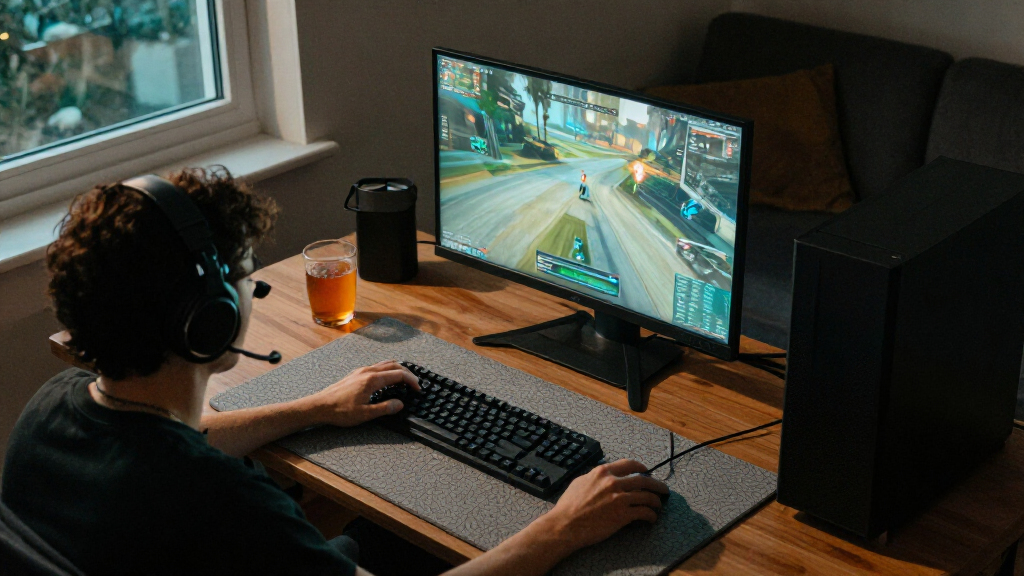
The best Steam gaming PC for most players is the Stormcraft Falcon, pairing a Ryzen 7 7800X3D and RTX 5070 with 32GB of memory for demanding games and multitasking. For a more balanced midrange setup, the MSI Codex Z2 adds an RTX 5070, 32GB RAM, and a 2TB SSD, while the MSI Vision ZS is the premium pick for buyers prioritizing a newer X3D processor. The main tradeoffs are graphics performance, storage and memory capacity, and whether a desktop’s size and upgrade path suit your setup. Older or entry-level graphics cards can still handle lighter Steam games, but they leave less room for demanding new releases. Continue reading for the full comparison and advice on matching a PC to your library.

Get audio and creator gear delivered free with Prime
- Fast, free delivery on millions of items
- Prime Video, Amazon Music and more included
- Member-only deals all year
Complete the kit


Key Takeaways
- The strongest all-around spec balance belongs to the Stormcraft Falcon: its RTX 5070, Ryzen 7 7800X3D, and 32GB RAM suit demanding games without relying on an entry-level graphics card.
- The MSI Codex Z2 stands out for storage among the RTX 5070 systems, combining 32GB RAM with a 2TB SSD for a larger installed library.
- The RTX 5060 Ti PCs occupy the middle ground: the CyberPowerPC Gamer Master and Skytech Shadow 5 share a Ryzen 7 8700F, 16GB RAM, and 1TB SSD, so compare their full configurations and support details rather than expecting a major spec difference.
- Several lower-tier graphics options require realistic expectations. The RTX 3050, RTX 3060 Ti, GTX 1070, and RX 580 machines suit different levels of gaming ambition; older or less capable models offer less headroom for demanding new titles.
- The Steam Machine is the compact specialist, not a direct desktop replacement. Its 512GB capacity and included controller favor a small, controller-led setup, while conventional gaming towers offer more flexibility for upgrades and varied PC use.
| Stormcraft Falcon Prebuilt RTX 5070 Gaming PC with Ryzen 7 7800X3D, 32GB DDR5, 1TB SSD |  | Best for High-Refresh 1440p Gaming | Operating system: Windows 11 Home | Processor: AMD Ryzen 7 7800X3D | Graphics: NVIDIA GeForce RTX 5070, 12GB | VIEW LATEST PRICE | See Our Full Breakdown |
| CyberPowerPC Gamer Master Gaming Desktop, AMD Ryzen 7 8700F, GeForce RTX 5060 Ti 8GB, 16GB DDR5, 1TB SSD |  | Best for a Straightforward Midrange Setup | Operating system: Windows 11 Home | Processor: AMD Ryzen 7 8700F, 8 cores, 4.1 GHz | Graphics: NVIDIA GeForce RTX 5060 Ti, 8GB | VIEW LATEST PRICE | See Our Full Breakdown |
| Prebuilt Gaming PC with Ryzen 7 4700LE, Radeon RX 580 8GB, 16GB DDR4 RAM, 512GB SSD, WiFi 6 |  | Best for Entry-Level 1080p Steam Gaming | Operating system: Windows | Processor: AMD Ryzen 7 4700LE, 8 cores and 16 threads, up to 4.2 GHz | Graphics: AMD Radeon RX 580, 8GB GDDR5 | VIEW LATEST PRICE | See Our Full Breakdown |
| Skytech Shadow 5 Gaming PC with AMD Ryzen 7 8700F, RTX 5060 Ti 8GB, 16GB DDR5 RAM, and 1TB SSD |  | Best for Faster Memory in the Midrange | Operating system: Windows 11 Home 64-bit | Processor: AMD Ryzen 7 8700F, 4.1 GHz, up to 5 GHz | Graphics: NVIDIA GeForce RTX 5060 Ti, 8GB GDDR7; brand may vary | VIEW LATEST PRICE | See Our Full Breakdown |
| Byte Depot Gamer Xtreme Gaming Desktop PC with Intel Core i7, 32GB RAM, 1TB SSD, and GeForce RTX 3050 |  | Best for Memory-Heavy Everyday Use | Operating system: Windows 11 Pro | Processor: Intel Core i7 quad-core, 3.4 GHz base, up to 3.9 GHz Turbo Boost | Graphics: NVIDIA GeForce RTX 3050 with GDDR6 memory | VIEW LATEST PRICE | See Our Full Breakdown |
| Olialia Gaming Desktop PC with RTX 3060 Ti and AMD Ryzen 5 5500 |  | Best for Balanced 1080p Gaming | Graphics: NVIDIA GeForce RTX 3060 Ti | Processor: AMD Ryzen 5 5500, 6 cores and 12 threads | Processor speed: 3.6 GHz base, up to 4.2 GHz | VIEW LATEST PRICE | See Our Full Breakdown |
| MSI Vision ZS Gaming Desktop with Ryzen 7 9800X3D and RTX 5070 |  | Best Premium Gaming Performance | Processor: AMD Ryzen 7 9800X3D, 8 cores, 4.7 GHz base, up to 5.2 GHz | Graphics: NVIDIA GeForce RTX 5070 with 12GB GDDR7 | Memory: 32GB DDR5 at 6000 MHz; listed maximum 96GB | VIEW LATEST PRICE | See Our Full Breakdown |
| ASUS TUF Gaming Desktop T500 (2025) – Intel Core i5-13420H, NVIDIA RTX 3050, 16GB DDR5, 512GB PCIe 4 SSD, Windows 11 Pro |  | Best Compact Windows Desktop | Processor: Intel Core i5-13420H | Graphics: NVIDIA GeForce RTX 3050 | Memory: 16GB DDR5 | VIEW LATEST PRICE | See Our Full Breakdown |
| Volt X3 V1.2 Gaming Desktop PC, Ryzen 5 2600, GTX 1070 8GB, 16GB DDR4 RAM, 512GB NVMe SSD, White |  | Best for a Budget-Conscious 1080p Setup | Processor: AMD Ryzen 5 2600, 6 cores and 12 threads, up to 3.9GHz | Graphics: NVIDIA GTX 1070 with 8GB GDDR5 | Memory: 16GB DDR4 3200MHz, dual-channel 2 x 8GB | VIEW LATEST PRICE | See Our Full Breakdown |
| Valve Steam Machine 512GB Mini PC with Controller |  | Best SteamOS Living-Room PC | Operating system: SteamOS | Processor: Modified AMD Zen 4, 6 cores and 12 threads | Graphics: Modified AMD RDNA 3, 28 CUs, with 8GB GDDR6 | VIEW LATEST PRICE | See Our Full Breakdown |
| MSI Codex Z2 Gaming Desktop, Ryzen 7 8700F, GeForce RTX 5070, 32GB DDR5, 2TB SSD |  | Best for a Generous Game Library | Processor: AMD Ryzen 7 8700F, 8 cores and 16 threads, up to 5.0 GHz | Graphics: NVIDIA GeForce RTX 5070, Blackwell architecture | Memory: 32GB DDR5, 6000 MHz; 2 slots; maximum 96GB | VIEW LATEST PRICE | See Our Full Breakdown |
| Steam gaming PC | Operating system | Processor | Graphics | Memory |
|---|---|---|---|---|
| Stormcraft Falcon Prebuilt RTX | Windows 11 Home | AMD Ryzen 7 7800X3D | NVIDIA GeForce RTX 5070, 12GB | 32GB DDR5-6000 |
| CyberPowerPC Gamer Master Gami | Windows 11 Home | AMD Ryzen 7 8700F, 8 cores, 4.1 GHz | NVIDIA GeForce RTX 5060 Ti, 8GB | 16GB DDR5-4800 |
| Prebuilt Gaming PC with Ryzen | Windows | AMD Ryzen 7 4700LE, 8 cores and 16 threads, up to 4.2 GHz | AMD Radeon RX 580, 8GB GDDR5 | 16GB DDR4-3200 |
| Skytech Shadow 5 Gaming PC wit | Windows 11 Home 64-bit | AMD Ryzen 7 8700F, 4.1 GHz, up to 5 GHz | NVIDIA GeForce RTX 5060 Ti, 8GB GDDR7; brand may vary | 16GB DDR5-6000 |
| Byte Depot Gamer Xtreme Gaming | Windows 11 Pro | Intel Core i7 quad-core, 3.4 GHz base, up to 3.9 GHz Turbo Boost | NVIDIA GeForce RTX 3050 with GDDR6 memory | 32GB |
| Olialia Gaming Desktop PC with | Windows 11 Home | AMD Ryzen 5 5500, 6 cores and 12 threads | NVIDIA GeForce RTX 3060 Ti | 16GB DDR4; listed maximum 64GB |
| MSI Vision ZS Gaming Desktop w | Windows 11 Home | AMD Ryzen 7 9800X3D, 8 cores, 4.7 GHz base, up to 5.2 GHz | NVIDIA GeForce RTX 5070 with 12GB GDDR7 | 32GB DDR5 at 6000 MHz; listed maximum 96GB |
| ASUS TUF Gaming Desktop T500 | Windows 11 Pro | Intel Core i5-13420H | NVIDIA GeForce RTX 3050 | 16GB DDR5 |
| Volt X3 V1.2 Gaming Desktop PC | Windows 11 Pro 25H2 | AMD Ryzen 5 2600, 6 cores and 12 threads, up to 3.9GHz | NVIDIA GTX 1070 with 8GB GDDR5 | 16GB DDR4 3200MHz, dual-channel 2 x 8GB |
| Valve Steam Machine 512GB Mini | SteamOS | Modified AMD Zen 4, 6 cores and 12 threads | Modified AMD RDNA 3, 28 CUs, with 8GB GDDR6 | 16GB DDR5; listed maximum 16GB |
| MSI Codex Z2 Gaming Desktop | Windows 11 Home | AMD Ryzen 7 8700F, 8 cores and 16 threads, up to 5.0 GHz | NVIDIA GeForce RTX 5070, Blackwell architecture | 32GB DDR5, 6000 MHz; 2 slots; maximum 96GB |
More Details on Our Top Picks
Stormcraft Falcon Prebuilt RTX 5070 Gaming PC with Ryzen 7 7800X3D, 32GB DDR5, 1TB SSD
The Stormcraft Falcon is the strongest fit here for players who want a fast gaming system without stepping up to the roundup’s RTX 5070 Ti-class alternatives. Its Ryzen 7 7800X3D and RTX 5070 pair a gaming-focused processor with a current-generation GPU, giving Steam games room to run at high frame rates at 1440p and use upscaling for more demanding 4K play. Compared with the CyberPowerPC Gamer Master and Skytech Shadow 5, it adds 32GB of faster DDR5 memory and a 360mm liquid cooler, better suited to heavy multitasking and sustained sessions. That performance comes with a larger tower, higher power needs, and a 1TB drive that can fill quickly if your library is extensive. I’d choose it for performance headroom, not a compact or low-power setup.
Pros:- Ryzen 7 7800X3D and RTX 5070 combination suits high-frame-rate 1440p play.
- 32GB DDR5-6000 memory provides more multitasking headroom than the 16GB CyberPowerPC and Skytech systems.
- 360mm liquid cooler is designed for sustained performance under load.
- Wi-Fi 6E, Bluetooth 5.3, and included keyboard and mouse simplify setup.
Cons:- Large 18.5-inch-long tower may be awkward in compact desk spaces.
- 850W power supply and high-performance components make this a less power-conscious choice.
- The 1TB SSD may require expansion for a large modern game library.
Best for: Steam players targeting high-refresh 1440p gaming who also want 32GB of memory for streaming, creation, or heavy multitasking.
Not ideal for: Buyers with limited desk space, modest gaming needs, or a preference for a lower-power system.
- Operating system:Windows 11 Home
- Processor:AMD Ryzen 7 7800X3D
- Graphics:NVIDIA GeForce RTX 5070, 12GB
- Memory:32GB DDR5-6000
- Storage:1TB NVMe SSD
- Cooling:360mm all-in-one liquid cooler
- Power supply:850W, 80 Plus Gold
- Wireless:Wi-Fi 6E and Bluetooth 5.3
- Dimensions:18.5 × 9 × 16.9 inches
Our verdict“Choose the Stormcraft Falcon for strong 1440p performance and 32GB memory, provided you have room for its tower and don’t need more than 1TB of storage out of the box.”
CyberPowerPC Gamer Master Gaming Desktop, AMD Ryzen 7 8700F, GeForce RTX 5060 Ti 8GB, 16GB DDR5, 1TB SSD
The CyberPowerPC Gamer Master makes sense for players who want a recent graphics card and a full-size 1TB SSD without moving into the Stormcraft Falcon’s higher-performance, 32GB-memory tier. Its RTX 5060 Ti and Ryzen 7 8700F provide a modern foundation for a broad Steam library, while Wi-Fi 6, Bluetooth 5.3, and a keyboard and mouse make initial setup straightforward. The main compromise is 16GB of DDR5-4800: it is adequate for many games, but offers less room for multitasking than the Stormcraft Falcon, and the slower listed memory speed is a weaker fit for buyers chasing maximum frame rates. The Skytech Shadow 5 has a similar processor and graphics class but lists faster memory; this CyberPowerPC counters with Wi-Fi 6 and a detailed port selection. I’d keep an upgrade path in mind.
Pros:- RTX 5060 Ti graphics offer a newer gaming platform than the RTX 3050 in the Byte Depot system.
- 1TB PCIe 4.0 NVMe SSD provides quick game loading and useful starting capacity.
- Wi-Fi 6, Bluetooth 5.3, Ethernet, and a broad selection of USB ports.
- Keyboard and mouse are included for a simpler first setup.
Cons:- 16GB DDR5-4800 is less memory capacity and speed than the Skytech Shadow 5 lists.
- The 8GB graphics memory may limit settings in some demanding games.
- One-year parts-and-labor warranty is shorter than the Stormcraft Falcon’s listed coverage.
Best for: Players building a modern 1080p or 1440p Steam setup who want a 1TB SSD, wireless connectivity, and included peripherals.
Not ideal for: Gamers who routinely keep demanding games, browsers, and creative apps open together, or who want 32GB memory without upgrading.
- Operating system:Windows 11 Home
- Processor:AMD Ryzen 7 8700F, 8 cores, 4.1 GHz
- Graphics:NVIDIA GeForce RTX 5060 Ti, 8GB
- Memory:16GB DDR5-4800
- Storage:1TB PCIe 4.0 NVMe SSD
- Wireless:Wi-Fi 6 and Bluetooth 5.3
- Ports:2 USB-C 3.2, 4 USB-A 3.2, 2 USB-A 2.0, HDMI, and 2 DisplayPort
- Warranty:1 year parts and labor; lifetime technical support
Our verdict“Pick the Gamer Master for a well-connected midrange Steam PC with 1TB storage, but plan a memory upgrade if you multitask heavily.”
Prebuilt Gaming PC with Ryzen 7 4700LE, Radeon RX 580 8GB, 16GB DDR4 RAM, 512GB SSD, WiFi 6
This Ryzen 7 4700LE and Radeon RX 580 tower is the entry-level choice in this group, aimed at players who mostly use Steam for esports, older releases, and less demanding games at 1080p. Its 16GB of DDR4 and eight-core processor make it more flexible for everyday multitasking than a bare-bones gaming box, but the older RX 580 is the clear limit: it has less room for modern graphics settings than the RTX 5060 Ti cards in the CyberPowerPC Gamer Master and Skytech Shadow 5. The 512GB SSD also leaves less space for a growing library than their 1TB drives. Wi-Fi 6 and a standard tower format are useful, though the A520M-A PRO platform offers fewer upgrade options than higher-end systems. I’d choose this for modest 1080p gaming, not demanding new releases.
Pros:- Dedicated Radeon RX 580 graphics are suited to lighter 1080p gaming.
- Eight-core, 16-thread processor supports gaming alongside everyday applications.
- 16GB DDR4 memory and an SSD provide a usable baseline for general tasks.
- Wi-Fi 6 supports wireless online play and downloads.
Cons:- Older RX 580 graphics have less performance headroom than the RTX 5060 Ti systems.
- 512GB storage can fill quickly with modern games.
- A520M-A PRO motherboard limits upgrade flexibility compared with newer, higher-tier platforms.
Best for: First-time PC gamers focused on esports, older Steam titles, and everyday school or office use at 1080p.
Not ideal for: Players who want high settings in current AAA games, a large installed library, or a platform with broad upgrade flexibility.
- Operating system:Windows
- Processor:AMD Ryzen 7 4700LE, 8 cores and 16 threads, up to 4.2 GHz
- Graphics:AMD Radeon RX 580, 8GB GDDR5
- Memory:16GB DDR4-3200
- Storage:512GB SSD
- Motherboard:A520M-A PRO
- Wireless:Wi-Fi 6
- Cooling:Air cooling
- Dimensions:15 × 12.75 × 17.5 inches
Our verdict“Choose this PC for a modest 1080p Steam library and everyday use, but skip it if modern AAA graphics or future upgrades are priorities.”
Skytech Shadow 5 Gaming PC with AMD Ryzen 7 8700F, RTX 5060 Ti 8GB, 16GB DDR5 RAM, and 1TB SSD
The Skytech Shadow 5 shares the Ryzen 7 8700F and RTX 5060 Ti pairing found in the CyberPowerPC Gamer Master, but its 16GB DDR5-6000 memory is listed at a higher speed than CyberPowerPC’s DDR5-4800. That makes the Skytech the more appealing of the two for buyers prioritizing memory speed, while both offer a 1TB SSD and include a keyboard and mouse. The tradeoff is less generous wireless connectivity: this model lists Wi-Fi 5, behind the Gamer Master’s Wi-Fi 6, and its graphics-card brand and some ports may vary. Air cooling with ARGB fans keeps the design simpler than the Stormcraft Falcon’s 360mm liquid setup, but it does not offer the same cooling hardware or 32GB memory. I’d favor it for a midrange gaming build where listed memory speed and case lighting matter more than newer Wi-Fi.
Pros:- Ryzen 7 8700F and RTX 5060 Ti provide a modern midrange gaming combination.
- 16GB DDR5-6000 memory is listed at a higher speed than the CyberPowerPC Gamer Master’s DDR5-4800.
- 1TB NVMe SSD gives more room for games than the 512GB RX 580 system.
- Tempered-glass case, ARGB fans, keyboard, and mouse are included.
Cons:- Wi-Fi 5 is older than the Wi-Fi 6 connectivity in the CyberPowerPC Gamer Master.
- Only 16GB memory is installed, leaving less multitasking capacity than the Stormcraft Falcon.
- Graphics-card brand and some port details may vary.
Best for: Steam gamers seeking an RTX 5060 Ti desktop with 1TB storage and faster listed DDR5 memory, plus a glass-sided RGB case.
Not ideal for: Buyers who need Wi-Fi 6, fixed component and port specifications, or 32GB memory from the outset.
- Operating system:Windows 11 Home 64-bit
- Processor:AMD Ryzen 7 8700F, 4.1 GHz, up to 5 GHz
- Graphics:NVIDIA GeForce RTX 5060 Ti, 8GB GDDR7; brand may vary
- Memory:16GB DDR5-6000
- Storage:1TB NVMe M.2 SSD
- Wireless:Wi-Fi 5 (802.11ac)
- Cooling:Air cooler with ARGB fans
- Dimensions:16.6 × 8.3 × 18.4 inches
- Warranty:1 year parts and labor
Our verdict“Choose the Shadow 5 over the similar Gamer Master if faster listed memory and ARGB lighting matter more to you than Wi-Fi 6 and fixed component details.”
Byte Depot Gamer Xtreme Gaming Desktop PC with Intel Core i7, 32GB RAM, 1TB SSD, and GeForce RTX 3050
The Byte Depot Gamer Xtreme stands apart from the RTX 5060 Ti systems by pairing a more modest RTX 3050 with 32GB of memory and Windows 11 Pro. That balance can suit a Steam user who also keeps many applications open, but the graphics card is a weaker choice for demanding games than the CyberPowerPC Gamer Master or Skytech Shadow 5. Its listed quad-core Core i7 also gives less CPU headroom than their eight-core Ryzen 7 processors, so the 32GB capacity should not be mistaken for a high-performance gaming platform. Storage is listed as both SATA and M.2 NVMe in the product details, making drive type unclear. Wi-Fi 6, Bluetooth 5.2, and Gigabit LAN help with connectivity, but I’d pick this for general multitasking and lighter gaming rather than high-frame-rate play.
Pros:- 32GB memory supports many open applications and heavier everyday multitasking.
- Windows 11 Pro and Wi-Fi 6, Bluetooth 5.2, and Gigabit LAN provide a useful work-and-play setup.
- RTX 3050 offers dedicated graphics for lighter gaming.
- Keyboard and mouse are included.
Cons:- RTX 3050 has less gaming headroom than the RTX 5060 Ti in the CyberPowerPC Gamer Master and Skytech Shadow 5.
- Listed quad-core processor is less suited to demanding gaming and multitasking than those systems’ eight-core Ryzen 7 CPUs.
- Product details conflict on whether the 1TB SSD uses SATA or M.2 NVMe.
Best for: Multitaskers who want 32GB memory, Windows 11 Pro, and a desktop for everyday work plus lighter Steam games.
Not ideal for: Players focused on demanding current games, high-refresh gaming, or a clearly specified fast storage drive.
- Operating system:Windows 11 Pro
- Processor:Intel Core i7 quad-core, 3.4 GHz base, up to 3.9 GHz Turbo Boost
- Graphics:NVIDIA GeForce RTX 3050 with GDDR6 memory
- Memory:32GB
- Storage:1TB SSD; described as both SATA and M.2 NVMe
- Connectivity:Wi-Fi 6, Bluetooth 5.2, and Gigabit LAN
- Video outputs:1 HDMI and 1 DisplayPort
- Warranty:1 year parts and labor
Our verdict“Pick the Byte Depot for 32GB memory and Windows 11 Pro in a general-purpose PC, but choose a 5060 Ti system for gaming performance.”
Olialia Gaming Desktop PC with RTX 3060 Ti and AMD Ryzen 5 5500
I’d shortlist the Olialia for a Steam library centered on 1080p gaming, where its RTX 3060 Ti gives it a graphics advantage over the ASUS TUF T500 and its RTX 3050. The six-core Ryzen 5 5500 and 16GB of RAM make it a more conventional desktop gaming setup than the compact Valve Steam Machine, while Windows 11 supports a broad range of PC launchers and games. Six adjustable RGB fans and dust filters are appealing if airflow and a glass-panel look matter to you, though the lighting is a styling benefit rather than a performance guarantee. The main compromises are the 512GB SSD, which can fill quickly with larger games, and 16GB of memory out of the box. I’d choose it over the ASUS for its stronger listed graphics card, but not over the RTX 5070-class MSI Vision ZS if you want a higher-end system.
Pros:- RTX 3060 Ti graphics provide a stronger listed GPU than the ASUS TUF T500’s RTX 3050.
- Six-core, 12-thread Ryzen 5 5500 suits gaming and general multitasking.
- Six adjustable RGB fans, dust filters, and a CPU cooler support an airflow-focused case design.
- Windows 11 Home, Wi-Fi 6, and HDMI, DisplayPort, and VGA outputs are included.
Cons:- The 512GB SSD leaves limited room for a large installed game library.
- 16GB of RAM may prompt an upgrade for heavier multitasking, although the listed maximum is 64GB.
- Its 600W power supply is a factor to check before planning a substantial graphics-card upgrade.
Best for: Steam players who want a Windows desktop with an RTX 3060 Ti for 1080p gaming and are comfortable adding storage or memory later.
Not ideal for: Players who want a large game library installed at once or stronger listed components than the RTX 5070 systems in this roundup.
- Graphics:NVIDIA GeForce RTX 3060 Ti
- Processor:AMD Ryzen 5 5500, 6 cores and 12 threads
- Processor speed:3.6 GHz base, up to 4.2 GHz
- Memory:16GB DDR4; listed maximum 64GB
- Storage:512GB SSD
- Operating system:Windows 11 Home
- Power supply:600W
- Connectivity:Wi-Fi 6 and Ethernet
- Warranty:1 year
Our verdict“Choose the Olialia for a Windows-based 1080p Steam PC with an RTX 3060 Ti, provided you can live with its modest starting storage.”
MSI Vision ZS Gaming Desktop with Ryzen 7 9800X3D and RTX 5070
Among these five, I’d put the MSI Vision ZS at the premium end for buyers who want a fast gaming processor, a current-generation graphics card, and room for a substantial Steam library. Its Ryzen 7 9800X3D, RTX 5070, 32GB of DDR5, and 2TB NVMe SSD are a more powerful and better-equipped combination on paper than the Olialia’s Ryzen 5, RTX 3060 Ti, and 512GB drive. That extra memory and storage also reduce the need to plan an immediate upgrade. The 360mm liquid cooler is designed for sustained workloads, while Wi-Fi 6E and VR support broaden its setup options. This is a large, heavy tower, though, and the listed AM4 socket alongside the 9800X3D warrants checking before making upgrade plans. I’d skip it if you prefer a compact, easy-to-move Steam machine like Valve’s.
Pros:- Ryzen 7 9800X3D and RTX 5070 form the strongest listed gaming-focused pairing in this five-product batch.
- 32GB DDR5 memory provides more headroom than the 16GB configurations in the Olialia and ASUS TUF T500.
- A 2TB NVMe SSD offers substantially more game-library space than the 512GB drives in several alternatives.
- 360mm AIO cooling, Wi-Fi 6E, and VR support suit demanding desktop setups.
Cons:- At 46.8 pounds, the tower is less convenient to relocate than the 13-pound ASUS TUF T500.
- The listed AM4 socket should be verified against the Ryzen 7 9800X3D before planning processor upgrades.
- Its larger tower footprint is a poor fit for compact desks or entertainment centers.
Best for: Steam enthusiasts who want a high-spec Windows tower for demanding games, VR, and gaming alongside video-editing workloads.
Not ideal for: Buyers with limited desk or floor space, people who move their PC often, or anyone who needs clear socket details before planning upgrades.
- Processor:AMD Ryzen 7 9800X3D, 8 cores, 4.7 GHz base, up to 5.2 GHz
- Graphics:NVIDIA GeForce RTX 5070 with 12GB GDDR7
- Memory:32GB DDR5 at 6000 MHz; listed maximum 96GB
- Storage:2TB NVMe SSD
- Cooling:360mm AIO liquid cooling
- Operating system:Windows 11 Home
- Connectivity:Wi-Fi 6E, Bluetooth, and Ethernet
- Video outputs:HDMI and DisplayPort
- Weight:46.8 pounds
Our verdict“Pick the MSI Vision ZS if you want the most fully equipped premium gaming tower here and have room for its large, heavy case.”
ASUS TUF Gaming Desktop T500 (2025) – Intel Core i5-13420H, NVIDIA RTX 3050, 16GB DDR5, 512GB PCIe 4 SSD, Windows 11 Pro
I’d choose the ASUS TUF T500 when a smaller Windows desktop matters more than getting the strongest graphics card in this group. Its listed 13-pound weight and compact dimensions make it easier to place than the 46.8-pound MSI Vision ZS, while Windows 11 Pro and a dedicated RTX 3050 keep it suited to Steam and everyday PC use. The 16GB of DDR5 and PCIe Gen4 SSD support responsive loading and multitasking, but the 512GB capacity limits how many large games you can keep installed. Its copper heat-pipe cooling and single 90mm fan are a tighter thermal setup than the Olialia’s six-fan arrangement, so I’d be cautious about extended intensive gaming sessions. The RTX 3050 also sits below the Olialia’s RTX 3060 Ti on the listed hardware, making this a space-conscious pick rather than a graphics-first choice.
Pros:- Compact listed dimensions and 13-pound weight make it easier to place or move than the MSI Vision ZS.
- Windows 11 Pro supports a conventional Windows gaming setup.
- 16GB DDR5 memory and a PCIe Gen4 SSD provide a modern memory and storage configuration.
- Tool-less side panels make maintenance and access easier.
Cons:- The RTX 3050 is a step down from the Olialia’s RTX 3060 Ti on the listed graphics hardware.
- The 512GB SSD can constrain a large Steam library.
- Cooling relies on a single 90mm fan, which may be limiting during prolonged intensive gaming.
Best for: Steam players who need a compact, relatively light Windows desktop for a smaller game rotation and general PC tasks.
Not ideal for: Gamers prioritizing stronger graphics performance, a large installed library, or long intensive sessions with more cooling headroom.
- Processor:Intel Core i5-13420H
- Graphics:NVIDIA GeForce RTX 3050
- Memory:16GB DDR5
- Storage:512GB PCIe Gen4 SSD
- Operating system:Windows 11 Pro
- Cooling:Custom copper heat pipes with 90mm fan
- Video outputs:HDMI and DisplayPort
- Dimensions:6.12 x 11.67 x 14.05 inches
- Weight:13 pounds
Our verdict“Choose the ASUS TUF T500 if compact size and Windows 11 Pro matter more to you than stronger graphics or generous storage.”
Volt X3 V1.2 Gaming Desktop PC, Ryzen 5 2600, GTX 1070 8GB, 16GB DDR4 RAM, 512GB NVMe SSD, White
The Volt X3 V1.2 makes the most sense for Steam players who want a dedicated graphics card and a straightforward 1080p-focused setup, rather than newer high-end components. Its GTX 1070 has 8GB of GDDR5, and its Ryzen 5 2600, dual-channel 16GB RAM, and 512GB NVMe SSD cover the basics for a Windows gaming desktop. Compared with the ASUS TUF T500, it offers more graphics memory on paper, but the product data specifies 1080p gaming and does not establish that it will outperform the ASUS across games. The 512GB drive is also much smaller than the MSI Vision ZS’s 2TB SSD. A small LCD for temperature and utilization monitoring, Wi-Fi, Bluetooth, and top-panel USB-C add convenience. The older listed CPU and variable graphics-card manufacturer make this a more limited, less predictable pick than the Olialia.
Pros:- Dedicated GTX 1070 includes 8GB of GDDR5 graphics memory.
- 16GB of dual-channel DDR4 memory and a 512GB NVMe SSD provide a usable starting configuration.
- LCD display shows CPU and GPU temperatures and utilization.
- Wi-Fi, Bluetooth, and top-panel USB-C are included.
Cons:- The product specifies 1080p gaming, so it is a less suitable choice for buyers targeting higher-resolution play.
- The graphics-card manufacturer may vary, leaving an important component detail uncertain.
- Its 512GB SSD offers less space than the MSI Vision ZS’s 2TB drive.
Best for: Players building a 1080p Steam setup who value a dedicated GPU, basic monitoring, and included Wi-Fi and Bluetooth.
Not ideal for: Gamers seeking newer components, a large installed library, or a clearly specified graphics-card brand and broader performance expectations.
- Processor:AMD Ryzen 5 2600, 6 cores and 12 threads, up to 3.9GHz
- Graphics:NVIDIA GTX 1070 with 8GB GDDR5
- Memory:16GB DDR4 3200MHz, dual-channel 2 x 8GB
- Storage:512GB NVMe SSD
- Operating system:Windows 11 Pro 25H2
- Cooling:120mm CPU cooler and four synchronized ARGB fans
- Connectivity:Wi-Fi and Bluetooth
- Ports:Top-panel USB-C, USB 3.0, and USB 2.0
- Warranty:1-year limited hardware warranty with technical support
Our verdict“Pick the Volt X3 for a basic 1080p Steam desktop with useful monitoring features, but skip it if newer hardware or predictable component sourcing is a priority.”
Valve Steam Machine 512GB Mini PC with Controller
The Valve Steam Machine is the clearest choice here for someone who wants a small, Steam-focused system rather than a conventional Windows gaming tower. SteamOS, a bundled controller, and a compact cube design point toward couch play, while the modified Zen 4 processor and RDNA 3 graphics are designed around its dedicated gaming role. Unlike the Olialia and ASUS TUF T500, it does not list Windows, so I’d check that your must-play games and other PC apps work with SteamOS before choosing it. Its 512GB NVMe SSD can be expanded through the microSD slot, but that is still a modest starting capacity for a large library. The 16GB RAM ceiling is another limit compared with the MSI Vision ZS’s 32GB. The listed Type F, two-pin power plug is also worth checking against your setup.
Pros:- SteamOS and an included controller suit a Steam-centered living-room setup.
- Modified AMD RDNA 3 graphics include 8GB of GDDR6 memory.
- Compact cube design is easier to place than a full-size tower such as the MSI Vision ZS.
- A microSD card slot provides an expansion option for limited internal storage.
Cons:- The 512GB NVMe SSD may require storage expansion for a large Steam library.
- Listed RAM tops out at 16GB, below the MSI Vision ZS’s 32GB.
- SteamOS may not suit buyers who depend on Windows-only games or applications.
- The Type F, two-pin power plug may not match every buyer’s local setup.
Best for: Steam users who want a compact couch-gaming system with SteamOS and an included controller, and whose games are compatible with the platform.
Not ideal for: Buyers who need Windows applications, want a large internal game library, or expect to upgrade beyond the listed 16GB RAM maximum.
- Operating system:SteamOS
- Processor:Modified AMD Zen 4, 6 cores and 12 threads
- Graphics:Modified AMD RDNA 3, 28 CUs, with 8GB GDDR6
- Memory:16GB DDR5; listed maximum 16GB
- Storage:512GB NVMe SSD
- Expansion:microSD card slot
- Wireless:802.11ax
- Video output:HDMI
- Included accessory:Controller
Our verdict“Choose the Valve Steam Machine for compact, controller-ready SteamOS gaming if your library is compatible and its storage and memory limits fit your needs.”
MSI Codex Z2 Gaming Desktop, Ryzen 7 8700F, GeForce RTX 5070, 32GB DDR5, 2TB SSD
The MSI Codex Z2 pairs an RTX 5070 with 32GB of DDR5 and a roomy 2TB NVMe SSD, making it a strong fit for Steam players who want space for a large installed library alongside capable graphics. Compared with the Stormcraft Falcon, it offers twice the listed SSD capacity, while the Falcon pairs its RTX 5070 with a Ryzen 7 7800X3D rather than this model’s Ryzen 7 8700F. That makes the MSI’s clearest advantage storage, not a claim of gaming-CPU superiority.
The eight-core processor, four-fan air cooling, and broad display connections support a flexible desktop setup. The tradeoffs are Windows 11 Home instead of Pro and only two memory slots, which limit expansion flexibility. I’d choose it over the RTX 5060 Ti systems when the stronger listed graphics tier and larger SSD matter more than upgrade options.
Pros:- GeForce RTX 5070 with Blackwell architecture
- 2TB NVMe SSD provides more room for installed games than the 1TB Stormcraft Falcon
- 32GB DDR5 memory and an eight-core, 16-thread Ryzen 7 8700F
- Four system fans and HDMI, DisplayPort, USB-C, Wi-Fi 6, and Ethernet connectivity
Cons:- Ships with Windows 11 Home rather than Windows 11 Pro
- Two memory slots constrain memory expansion flexibility
- Its Ryzen 7 8700F differs from the Ryzen 7 7800X3D in the similarly equipped Stormcraft Falcon
Best for: Steam players who keep many large games installed and want an RTX 5070 desktop with 32GB of memory out of the box.
Not ideal for: Buyers who need Windows 11 Pro, expect frequent memory upgrades, or prioritize a Ryzen 7 7800X3D configuration like the Stormcraft Falcon.
- Processor:AMD Ryzen 7 8700F, 8 cores and 16 threads, up to 5.0 GHz
- Graphics:NVIDIA GeForce RTX 5070, Blackwell architecture
- Memory:32GB DDR5, 6000 MHz; 2 slots; maximum 96GB
- Storage:2TB M.2 NVMe SSD
- Operating system:Windows 11 Home
- Cooling:Air cooling with four system fans
- Connectivity:Wi-Fi 802.11ax, Bluetooth, Ethernet, HDMI, USB Type-C, USB 3.2 Gen 1 and Gen 2, DisplayPort
- Maximum display resolution:3840 × 2160
- Dimensions and weight:16 × 8.38 × 19 inches; 21.3 pounds
Our verdict“Choose the MSI Codex Z2 if a large SSD and RTX 5070 matter more to your Steam setup than Windows Pro or extra memory slots.”
How We Picked
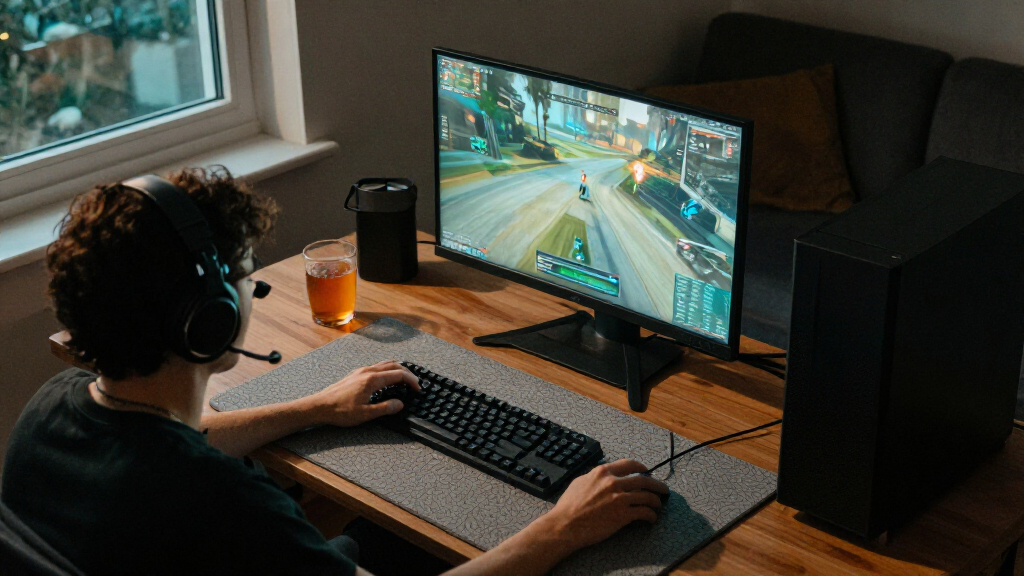
I ranked these PCs around what matters when building a Steam library: the graphics hardware’s likely gaming headroom, processor pairing, memory and storage capacity, and how well each configuration fits a particular kind of player. A capable GPU matters most for demanding 3D games, while 16GB RAM and a 1TB SSD can be workable starting points that leave less room for heavy multitasking or a large installed library. I also weighed form factor and platform fit, since a compact, controller-oriented machine serves a different purpose from a standard upgradeable desktop.
The order favors balanced configurations with stronger named graphics cards, ample memory, and useful storage, then separates close alternatives by their distinct advantages. That puts the RTX 5070 desktops ahead of the RTX 5060 Ti options for performance headroom, while the Codex Z2’s 2TB SSD gives it a clear library-capacity advantage. Systems with RTX 3050, RX 580, or GTX 1070 graphics rank lower for demanding modern games, though they may still suit lighter titles or tighter requirements. I do not treat product names alone as proof of build quality, noise, thermals, or upgrade ease; buyers should verify those details for the exact configuration before purchase.
| Steam gaming PC | Operating system |
|---|---|
| Stormcraft Falcon Prebuilt RTX | Windows 11 Home |
| CyberPowerPC Gamer Master Gami | Windows 11 Home |
| Prebuilt Gaming PC with Ryzen | Windows |
| Skytech Shadow 5 Gaming PC wit | Windows 11 Home 64-bit |
| Byte Depot Gamer Xtreme Gaming | Windows 11 Pro |
| Olialia Gaming Desktop PC with | Windows 11 Home |
| MSI Vision ZS Gaming Desktop w | Windows 11 Home |
| ASUS TUF Gaming Desktop T500 | Windows 11 Pro |
| Volt X3 V1.2 Gaming Desktop PC | Windows 11 Pro 25H2 |
| Valve Steam Machine 512GB Mini | SteamOS |
| MSI Codex Z2 Gaming Desktop | Windows 11 Home |
Factors to Consider When Choosing Best Steam Gaming PCs
Steam includes everything from lightweight indie games to demanding new releases, so there is no single spec list that fits every library. I’d start with the games you actually play and the display you plan to use, then weigh performance against storage, upgrade plans, and the space available for the PC.
Match the GPU to Your Games and Display
For demanding 3D games, the graphics card usually shapes performance more than a long list of secondary features. An RTX 5070-class system offers more headroom than the RTX 3050, RX 580, and GTX 1070 options in this roundup, but the right choice still depends on your resolution, graphics settings, and game library. Lighter indie titles and older games may run well on less powerful hardware, while newer visually demanding releases can call for stronger graphics. Avoid buying based on the word “gaming” or a processor label alone; check the exact GPU model and memory configuration. If you use a high-resolution or high-refresh-rate display, give graphics capability more weight than cosmetic extras.
Choose Memory and Storage for How You Use Steam
Installed games can consume substantial drive space, and a large library can make a modest SSD feel restrictive sooner than expected. The 2TB SSD in the MSI Codex Z2 gives it a practical capacity edge over the 1TB systems, while 512GB configurations need more frequent library management. A 1TB drive can be a sensible starting point if you uninstall games you have finished or plan to add storage later. Memory also affects how much room you have for a game, background apps, and browser tabs at once; 32GB offers more flexibility than 16GB. Check whether the memory and storage can be expanded before assuming an upgrade will be simple.
Look Beyond the Processor Name
Processor generations and product families do not map neatly to a single gaming ranking, so compare the complete CPU-and-GPU pairing. A strong processor cannot compensate for a graphics card that falls short in the games you want to play, and a powerful GPU can be held back in some situations by a weaker pairing. The Falcon’s Ryzen 7 7800X3D and RTX 5070 target a balanced performance-focused build, while the Vision ZS pairs an RTX 5070 with a newer Ryzen 7 9800X3D. For Steam gaming, check independent performance information for the specific games and settings you care about rather than choosing by CPU model number alone.
Check Upgrade Access, Cooling, and Support
A prebuilt PC is more useful over time when its case, power supply, motherboard, and cooling leave room for practical upgrades. Product listings do not always spell out these details, so confirm the exact components, available drive bays, memory slots, and warranty terms before ordering. Compact systems may save desk space but can limit component access or cooling choices compared with a conventional tower. Also check the physical dimensions and required connections against your desk and monitor setup. A low starting specification can be a reasonable choice if upgrades are supported; it is a poorer fit if key parts are difficult to replace.
Decide Whether You Need a Tower or Compact Setup
A traditional gaming desktop is the more flexible route if you want to use a keyboard and mouse, connect multiple displays, or change components later. The Valve Steam Machine with controller instead points toward a compact, living-room-friendly experience, but its 512GB capacity and distinct form factor make it less suited to buyers seeking a conventional tower. Check the software and game compatibility details for the exact Steam Machine configuration rather than assuming every PC title or accessory will work identically. A compact design also makes port selection and available expansion more consequential. Choose around where and how you play, not just the machine’s footprint.
Set a Performance Floor Before Comparing Configurations
Some PCs in this roundup use older or entry-level graphics hardware, which can make sense for lighter games but gives less flexibility as your library changes. Decide which demanding games you expect to play and what level of visual detail you will accept before comparing configurations. If that list includes recent graphics-heavy releases, prioritize the RTX 5070 or RTX 5060 Ti systems over PCs built around an RTX 3050, RX 580, or GTX 1070. If your library is mainly older games, indie releases, or less demanding multiplayer titles, a lower-tier option may cover your needs. Spending more only helps when it buys performance, capacity, or flexibility you will actually use.
Frequently Asked Questions
Is an RTX 5070 PC worth choosing over an RTX 5060 Ti PC for Steam games?
It depends on the games and display you plan to use. The RTX 5070 systems in this roundup are the stronger fit if you want more room for demanding games and higher graphics settings, while the RTX 5060 Ti PCs pair the same Ryzen 7 8700F with 16GB RAM and a 1TB SSD. The 5060 Ti models can make sense if their capabilities match your library and you do not need the extra headroom. Compare the full configuration, cooling, upgrade options, and warranty rather than choosing from the GPU name alone. If you play mostly lighter titles, the difference may matter less than storage or your preferred setup.
Can a PC with an RTX 3050, RX 580, or GTX 1070 still run Steam games?
Yes, those graphics cards can still suit many older games, indie releases, and less demanding titles, but they are not equivalent to the newer RTX 5070 and RTX 5060 Ti options here. Performance varies by game, settings, and display resolution, so check results for the specific titles you play. The RX 580 and GTX 1070 are older designs, which also makes the condition and configuration of a particular system worth checking carefully. Choose one of these lower-tier PCs when your game list is modest or you have a clear upgrade plan. For demanding new releases, a newer graphics card offers a more comfortable starting point.
Should I choose 16GB or 32GB of RAM for a Steam gaming PC?
Both capacities can work, but they suit different levels of multitasking and future flexibility. The 16GB systems in this roundup can be a reasonable fit for gaming without many heavy background apps, while 32GB models offer more room for streaming, creative software, and keeping other programs open. RAM capacity does not replace graphics performance, so do not choose a weaker GPU just to get more memory unless your actual workload needs it. Check how many memory slots are available and whether the PC uses a configuration that can be expanded. That can make a 16GB starting point more appealing if upgrades are straightforward.
Is the Valve Steam Machine a better choice than a gaming tower for my living room?
It may suit a small, controller-led setup better than a full-size tower, especially if compactness is your main requirement. The Steam Machine in this roundup includes a controller and has 512GB of storage, but its compact form and configuration differ from conventional desktop PCs. Check the exact game compatibility, operating environment, ports, and accessory support for the model before relying on it as your only gaming system. A tower is generally a better match if you want conventional PC flexibility, varied peripherals, or more straightforward component upgrades. The choice comes down to how you play and what titles you expect to run.
Is a 512GB SSD enough for a Steam library?
It can be enough if you keep only a few games installed at a time, but it leaves less room for a broad library than the 1TB and 2TB options in this roundup. Game sizes vary widely, so estimate your needs from the titles you plan to keep installed rather than assuming every game uses the same amount of space. A 512GB drive can still work for lighter games, occasional play, or a system with accessible storage expansion. Before buying, check whether there is an open drive slot and what type of storage it supports. If you dislike uninstalling games to make room, a larger SSD is the more convenient choice.
Conclusion
For most players, I recommend the Stormcraft Falcon as the best overall pick: its Ryzen 7 7800X3D, RTX 5070, and 32GB RAM make for a balanced setup aimed at demanding games. The best value depends on your performance needs: the CyberPowerPC Gamer Master and Skytech Shadow 5 offer a similar RTX 5060 Ti, Ryzen 7 8700F, 16GB RAM, and 1TB SSD combination for buyers who do not need an RTX 5070 system. For a premium configuration, choose the MSI Vision ZS for its Ryzen 7 9800X3D and RTX 5070; choose the MSI Codex Z2 instead if its 2TB SSD better suits a large library. For beginners, the CyberPowerPC Gamer Master is a straightforward starting point on paper, though I’d confirm support and upgrade details before buying. For compact, controller-led play, consider the Valve Steam Machine; for modest or older games, the lower-tier graphics systems may fit, but they are not my picks for demanding new releases.