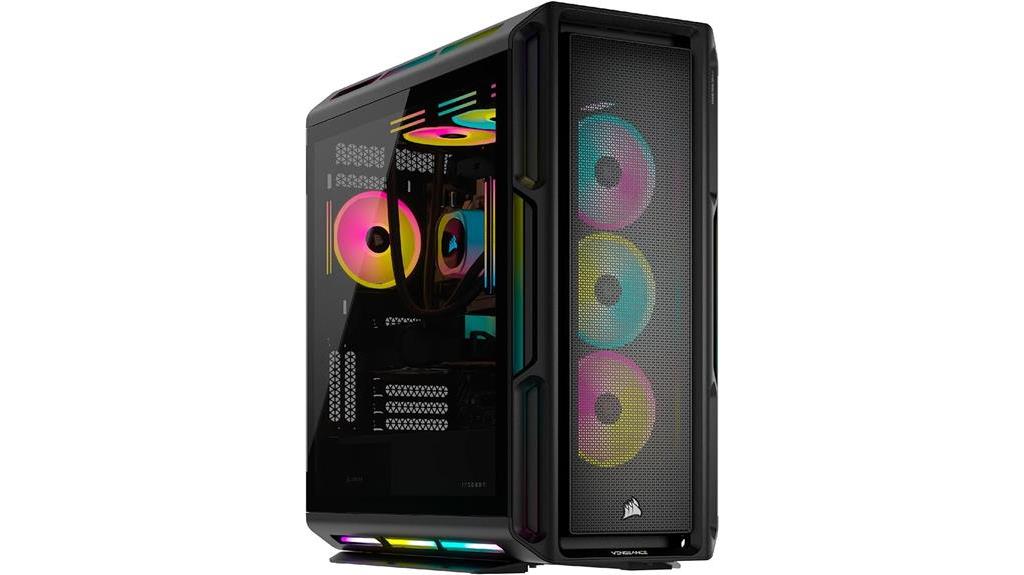
The best gaming computer for most buyers in this lineup is the MSI Vision ZS, pairing a Ryzen 7 9800X3D with an RTX 5070, 32GB of memory, and a 2TB SSD. For a stronger graphics step-up, the Skytech pairs a Ryzen 7 9850X3D with an RX 9070 XT, while the MSI Codex Z2 offers a more straightforward RTX 5070 desktop configuration. The main tradeoffs are graphics performance, memory and storage capacity, upgrade flexibility, and whether you need a portable laptop rather than a desktop. Older RTX 3060 Ti and RTX 3050 systems may suit tighter performance needs, but they sit behind the newer GPU options for buyers seeking more headroom. Read on for the full comparison and guidance on choosing the right fit.

Get audio and creator gear delivered free with Prime
- Fast, free delivery on millions of items
- Prime Video, Amazon Music and more included
- Member-only deals all year
Complete the kit


Key Takeaways
- The MSI Vision ZS is the most balanced high-performance desktop here: its Ryzen 7 9800X3D, RTX 5070, 32GB of DDR5, and 2TB SSD make a well-rounded combination without the unusually large storage configuration of the Horizon.
- The Skytech is the graphics-focused standout: its RX 9070 XT is a different GPU path from the many RTX 5070 and RTX 5060 Ti systems, making it the pick to compare for demanding graphics workloads.
- Several RTX 5060 Ti desktops share a key compromise: the KOTIN and CyberPowerPC Gamer Master pair that GPU with 16GB of memory, while the Gamer Xtreme listing does not specify memory or storage, so buyers should verify the complete configuration.
- Portability changes the choice: the ASUS ROG Strix G16 is the only laptop in the group, trading desktop-style upgrade options for a built-in screen and a setup that can move between locations.
- Older and entry-level GPU systems call for a narrower brief: the RTX 3060 Ti OMEN models and RTX 3050 ZYNEEX may suit less demanding gaming plans, but newer RTX 5070 and RX 9070 XT options offer a higher performance tier.
| KOTIN Prebuilt Gaming PC RTX 5070 12GB, Ryzen 7 9700X, 32GB DDR5, 1TB SSD |  | Best for a Feature-Rich 1440p Setup | Processor: AMD Ryzen 7 9700X, 8 cores | Graphics: NVIDIA GeForce RTX 5070, 12GB GDDR7 | Memory: 32GB DDR5 | VIEW LATEST PRICE | See Our Full Breakdown |
| Horizon Autherium Dragon RGB Gaming Desktop PC, Intel Core i9, RTX 5070 OC, 64GB RAM, 5TB Storage |  | Best for Large Game Libraries and Heavy Multitasking | Processor: Unlocked Intel Core i9, up to 5.4 GHz | Graphics: Overclocked NVIDIA GeForce RTX 5070, 12GB GDDR7 | Memory: 64GB RAM | VIEW LATEST PRICE | See Our Full Breakdown |
| MSI Codex Z2 Gaming Desktop, AMD Ryzen 7 8700F, GeForce RTX 5070, 32GB DDR5, 2TB SSD |  | Best Balanced RTX 5070 Desktop | Processor: AMD Ryzen 7 8700F, 8 cores and 16 threads, up to 5.0 GHz | Graphics: NVIDIA GeForce RTX 5070 | Memory: 32GB DDR5, 6000 MHz | VIEW LATEST PRICE | See Our Full Breakdown |
| ZYNEEX S5 Gaming Desktop PC with Ryzen 5 5500, GeForce RTX 3050, 16GB RAM, and 1TB SSD |  | Best Entry-Level 1080p Gaming Desktop | Processor: AMD Ryzen 5 5500, 6 cores and 12 threads, up to 4.2 GHz | Graphics: NVIDIA GeForce RTX 3050, 6GB GDDR6 | Memory: 16GB DDR4, 3200MHz | VIEW LATEST PRICE | See Our Full Breakdown |
| KOTIN Gaming PC Desktop, Ryzen 7 8700F, RTX 5060 Ti 8GB, 16GB DDR5, 1TB SSD |  | Best Upgrade-Friendly Midrange Pick | Processor: AMD Ryzen 7 8700F, 8 cores, up to 5 GHz | Graphics: NVIDIA GeForce RTX 5060 Ti, 8GB GDDR7 | Memory: 16GB DDR5 | VIEW LATEST PRICE | See Our Full Breakdown |
| Alienware Aurora Gaming Desktop, Intel Core Ultra 7 265KF, NVIDIA GeForce RTX 5070 |  | Best for a Refined, Feature-Rich Gaming Tower | Processor: Intel Core Ultra 7 265KF | Graphics: NVIDIA GeForce RTX 5070, 12GB GDDR7 | Memory: 32GB DDR5 | VIEW LATEST PRICE | See Our Full Breakdown |
| ASUS ROG Strix G16 (2025) 16-inch Gaming Laptop, Intel Core i7-14650HX, NVIDIA GeForce RTX 5060, 16GB DDR5, 1TB SSD |  | Best Gaming Laptop for a High-Refresh Screen | Display: 16-inch FHD+ (1920 x 1200), 165Hz, 3ms | Processor: Intel Core i7-14650HX | Graphics: NVIDIA GeForce RTX 5060 Laptop GPU, 8GB | VIEW LATEST PRICE | See Our Full Breakdown |
| MSI Vision ZS Gaming Desktop – Ryzen 7 9800X3D, RTX 5070, 32 GB DDR5, 2 TB SSD |  | Best for CPU-Heavy Gaming | Processor: AMD Ryzen 7 9800X3D, 8 cores, up to 5.2 GHz | Graphics: NVIDIA GeForce RTX 5070, 12GB GDDR7 | Memory: 32GB DDR5-6000, expandable to 96GB | VIEW LATEST PRICE | See Our Full Breakdown |
| iBUYPOWER Element Gaming Desktop, Intel Core i7-14700F, NVIDIA GeForce RTX 5070 12GB, 32GB DDR5 RAM, 1TB NVMe SSD, Windows 11 Home |  | Best Ready-to-Play Bundle | Processor: Intel Core i7-14700F, up to 5.4 GHz | Graphics: NVIDIA GeForce RTX 5070, 12GB | Memory: 32GB DDR5 RGB, 4800 MHz | VIEW LATEST PRICE | See Our Full Breakdown |
| YAWYORE Gaming Desktop PC with AMD Ryzen 7 5700X and GeForce RTX 5060 |  | Best for a Balanced Entry-Level Desktop Setup | Processor: AMD Ryzen 7 5700X, 8 cores and 16 threads, up to 4.6 GHz | Motherboard: MSI B550M-A PRO | Graphics: GeForce RTX 5060, 8GB GDDR7; brand may vary | VIEW LATEST PRICE | See Our Full Breakdown |
| HP OMEN 45L Gaming Desktop, Ryzen 7 5700X, 32GB RAM, 1TB SSD, RTX 3060 Ti |  | Best for Cooling and Multitasking | Processor: AMD Ryzen 7 5700X, 8 cores/16 threads, 3.4–4.6GHz | Graphics: NVIDIA GeForce RTX 3060 Ti, 8GB GDDR6 | Memory: 32GB DDR4 | VIEW LATEST PRICE | See Our Full Breakdown |
| CyberPowerPC Gamer Master Gaming Desktop, AMD Ryzen 7 8700F, GeForce RTX 5060 Ti 8GB, 16GB DDR5, 1TB SSD |  | Best for a Ready-to-Play Setup | Processor: AMD Ryzen 7 8700F, 8 cores, up to 4.1GHz | Chipset: AMD B850 | Graphics: NVIDIA GeForce RTX 5060 Ti, 8GB | VIEW LATEST PRICE | See Our Full Breakdown |
| CyberPowerPC Gamer Xtreme Gaming PC – Intel Core i7-14700F, NVIDIA GeForce RTX 5060 Ti 8 GB |  | Best for CPU-Heavy Gaming and Multitasking | Processor: Intel Core i7-14700F, 20 cores, 2.1GHz | Chipset: Intel B760 | Graphics: NVIDIA GeForce RTX 5060 Ti, 8GB | VIEW LATEST PRICE | See Our Full Breakdown |
| HP OMEN 45L Prebuilt Gaming PC, RTX 3060Ti, 32GB RAM 1TB SSD, Liquid Cooled |  | Best for a Feature-Rich, Wired Desktop Setup | Processor: AMD Ryzen 7 5700X, 8 cores/16 threads, up to 4.6GHz | Graphics: NVIDIA GeForce RTX 3060 Ti, 8GB GDDR6 | Memory: 32GB DDR4 | VIEW LATEST PRICE | See Our Full Breakdown |
| Skytech Gaming PC Desktop, Ryzen 7 9850X3D, RX 9070 XT, 32GB RAM, 2TB SSD |  | Best Premium Gaming Performance | Processor: AMD Ryzen 7 9850X3D, 4.7GHz, up to 5.6GHz | Graphics: AMD Radeon RX 9070 XT, 16GB GDDR6; brand may vary | Memory: 32GB DDR5, 5600MHz | VIEW LATEST PRICE | See Our Full Breakdown |
| gaming computer | Processor | Graphics | Memory | Storage |
|---|---|---|---|---|
| KOTIN Prebuilt Gaming PC RTX 5 | AMD Ryzen 7 9700X, 8 cores | NVIDIA GeForce RTX 5070, 12GB GDDR7 | 32GB DDR5 | 1TB PCIe 4.0 NVMe SSD |
| Horizon Autherium Dragon RGB G | Unlocked Intel Core i9, up to 5.4 GHz | Overclocked NVIDIA GeForce RTX 5070, 12GB GDDR7 | 64GB RAM | 1TB M.2 NVMe SSD and 4TB 7200 RPM HDD |
| MSI Codex Z2 Gaming Desktop | AMD Ryzen 7 8700F, 8 cores and 16 threads, up to 5.0 GHz | NVIDIA GeForce RTX 5070 | 32GB DDR5, 6000 MHz | 2TB M.2 NVMe SSD |
| ZYNEEX S5 Gaming Desktop PC wi | AMD Ryzen 5 5500, 6 cores and 12 threads, up to 4.2 GHz | NVIDIA GeForce RTX 3050, 6GB GDDR6 | 16GB DDR4, 3200MHz | 1TB NVMe SSD |
| KOTIN Gaming PC Desktop | AMD Ryzen 7 8700F, 8 cores, up to 5 GHz | NVIDIA GeForce RTX 5060 Ti, 8GB GDDR7 | 16GB DDR5 | 1TB PCIe Gen4 NVMe SSD |
| Alienware Aurora Gaming Deskto | Intel Core Ultra 7 265KF | NVIDIA GeForce RTX 5070, 12GB GDDR7 | 32GB DDR5 | 2TB PCIe NVMe SSD |
| ASUS ROG Strix G16 | Intel Core i7-14650HX | NVIDIA GeForce RTX 5060 Laptop GPU, 8GB | 16GB DDR5-5600 | 1TB PCIe Gen 4 SSD |
| MSI Vision ZS Gaming Desktop | AMD Ryzen 7 9800X3D, 8 cores, up to 5.2 GHz | NVIDIA GeForce RTX 5070, 12GB GDDR7 | 32GB DDR5-6000, expandable to 96GB | 2TB NVMe SSD |
| iBUYPOWER Element Gaming Deskt | Intel Core i7-14700F, up to 5.4 GHz | NVIDIA GeForce RTX 5070, 12GB | 32GB DDR5 RGB, 4800 MHz | 1TB NVMe SSD |
| YAWYORE Gaming Desktop PC with | AMD Ryzen 7 5700X, 8 cores and 16 threads, up to 4.6 GHz | GeForce RTX 5060, 8GB GDDR7; brand may vary | 32GB DDR4-3200, 2 x 16GB | 1TB M.2 NVMe PCIe SSD |
| HP OMEN 45L Gaming Desktop | AMD Ryzen 7 5700X, 8 cores/16 threads, 3.4–4.6GHz | NVIDIA GeForce RTX 3060 Ti, 8GB GDDR6 | 32GB DDR4 | 1TB PCIe NVMe M.2 SSD |
| CyberPowerPC Gamer Master Gami | AMD Ryzen 7 8700F, 8 cores, up to 4.1GHz | NVIDIA GeForce RTX 5060 Ti, 8GB | 16GB DDR5, 4800MHz | 1TB PCIe 4.0 NVMe SSD |
| CyberPowerPC Gamer Xtreme Gami | Intel Core i7-14700F, 20 cores, 2.1GHz | NVIDIA GeForce RTX 5060 Ti, 8GB | 16GB DDR5, 4800MHz | 1TB PCIe 4.0 NVMe SSD |
| HP OMEN 45L Prebuilt Gaming PC | AMD Ryzen 7 5700X, 8 cores/16 threads, up to 4.6GHz | NVIDIA GeForce RTX 3060 Ti, 8GB GDDR6 | 32GB DDR4 | 1TB PCIe NVMe M.2 SSD |
| Skytech Gaming PC Desktop | AMD Ryzen 7 9850X3D, 4.7GHz, up to 5.6GHz | AMD Radeon RX 9070 XT, 16GB GDDR6; brand may vary | 32GB DDR5, 5600MHz | 2TB Gen4 NVMe M.2 SSD |
More Details on Our Top Picks
KOTIN Prebuilt Gaming PC RTX 5070 12GB, Ryzen 7 9700X, 32GB DDR5, 1TB SSD
The KOTIN pairs an RTX 5070 with a Ryzen 7 9700X, 32GB of DDR5, and a 360mm liquid cooler, making it a strong fit for demanding 1440p gaming and heavier multitasking. Its standout extra is the 11.3-inch smart display, which can show system readings without taking up monitor space. Compared with the MSI Codex Z2, this build offers a newer 9700X and more elaborate cooling, while the MSI supplies twice the SSD capacity and uses simpler air cooling. The tradeoff is storage: 1TB fills quickly if you keep a large game library, and the screen and liquid cooler add complexity without increasing frame rates. I’d choose it for the stronger CPU and monitoring display, not for storage value.
Pros:- RTX 5070 12GB and Ryzen 7 9700X target demanding 1440p gaming.
- 32GB DDR5 supports gaming alongside streaming and other applications.
- 360mm liquid cooler and 850W 80 Plus Gold PSU are substantial supporting components.
- 11.3-inch smart display provides temperature and usage information.
Cons:- The 1TB SSD offers less included game storage than the MSI Codex Z2’s 2TB drive.
- The large liquid cooler and secondary display add complexity that may not matter to buyers focused only on gaming performance.
Best for: Players who want an RTX 5070 system with a high-end Ryzen processor, liquid cooling, and visible system monitoring for a gaming setup.
Not ideal for: Players who install many large games and want more than 1TB of storage included, or buyers who prefer a simpler air-cooled build.
- Processor:AMD Ryzen 7 9700X, 8 cores
- Graphics:NVIDIA GeForce RTX 5070, 12GB GDDR7
- Memory:32GB DDR5
- Storage:1TB PCIe 4.0 NVMe SSD
- Cooling:360mm liquid cooler
- Power supply:850W, 80 Plus Gold
- Connectivity:Wi-Fi 7, Bluetooth, Ethernet
- Operating system:Windows 11 Home
- Additional display:11.3-inch smart display
Our verdict“Choose this KOTIN for its powerful RTX 5070 and Ryzen 7 pairing plus the integrated monitoring screen, but look elsewhere if 1TB of storage is too limiting.”
Horizon Autherium Dragon RGB Gaming Desktop PC, Intel Core i9, RTX 5070 OC, 64GB RAM, 5TB Storage
The Horizon Dragon is the storage-and-memory pick in this group: 64GB RAM and a combined 5TB across an NVMe SSD and hard drive leave room for large libraries, recording, and demanding creative workloads. Its overclocked RTX 5070 12GB keeps gaming central, while the unlocked Core i9 and 360mm liquid cooler suit buyers who also run processor-heavy tasks. Compared with the KOTIN RTX 5070 desktop, the Horizon provides far more memory and storage, but its 4TB hard drive is slower than SSD storage and its CPU model is not specified beyond the Core i9 branding and boost speed. At 35 pounds and 17 × 18 × 18 inches, it also asks for more desk and moving space. I’d favor it for capacity, not compactness or an all-SSD library.
Pros:- 64GB RAM gives substantial headroom for multitasking and demanding workloads.
- 5TB combined storage includes a 1TB NVMe SSD and 4TB hard drive.
- Overclocked RTX 5070 12GB supports modern gaming features.
- 360mm liquid cooling and an 850W 80 Plus Gold PSU support the high-spec build.
Cons:- The 4TB hard drive is slower than the included NVMe SSD for game loading.
- The 35-pound, 17 × 18 × 18-inch tower takes considerable space.
- The processor is identified only as an unlocked Intel Core i9, limiting clarity about its exact model.
Best for: Gamers who keep a very large installed library and regularly stream, record, or run memory-intensive creative applications alongside games.
Not ideal for: Buyers with limited desk space, those who need a lightweight tower, or players who want every game stored on fast SSD media.
- Processor:Unlocked Intel Core i9, up to 5.4 GHz
- Graphics:Overclocked NVIDIA GeForce RTX 5070, 12GB GDDR7
- Memory:64GB RAM
- Storage:1TB M.2 NVMe SSD and 4TB 7200 RPM HDD
- Cooling:360mm liquid cooling with 11 fans
- Power supply:850W, 80 Plus Gold
- Operating system:Windows 11 Pro
- Connectivity:Wi-Fi, Bluetooth, Ethernet, USB-C, HDMI, DisplayPort
- Dimensions and weight:17 × 18 × 18 inches; 35 pounds
Our verdict“Pick the Horizon if you want abundant memory and room for a large game library, but skip it if you need a compact tower or SSD-only storage.”
MSI Codex Z2 Gaming Desktop, AMD Ryzen 7 8700F, GeForce RTX 5070, 32GB DDR5, 2TB SSD
The MSI Codex Z2 makes a straightforward case for itself: RTX 5070 graphics, 32GB of DDR5, and a 2TB NVMe SSD cover the parts most gaming buyers notice day to day. That extra SSD capacity is a practical advantage over the KOTIN RTX 5070, whose 1TB drive may require an earlier storage upgrade. MSI uses an eight-core Ryzen 7 8700F and air cooling rather than the KOTIN’s newer 9700X and 360mm liquid cooler, so it gives up some CPU and cooling ambition in exchange for a simpler setup. Four case fans help move air, and the listed 21.3-pound weight is easier to manage than the much heavier Horizon Dragon. Its main limits are the less elaborate cooling and Wi-Fi 6 rather than Wi-Fi 7.
Pros:- RTX 5070 graphics paired with 32GB DDR5 suits high-performance gaming.
- 2TB NVMe SSD provides twice the listed SSD capacity of the KOTIN RTX 5070 desktop.
- Air cooler and four system fans keep the cooling setup simpler than a large liquid-cooled build.
- USB Type-C, Wi-Fi 6, Bluetooth, HDMI, and DisplayPort provide useful connections.
Cons:- Ryzen 7 8700F is a less ambitious CPU pairing than the KOTIN’s Ryzen 7 9700X.
- Air cooling is less elaborate than the 360mm liquid systems in the KOTIN and Horizon builds.
- Memory expansion is limited to 96GB across two slots.
Best for: Gamers seeking an RTX 5070 desktop with 32GB DDR5 and enough fast SSD space for a sizable game collection.
Not ideal for: Buyers who prioritize a newer Ryzen 7 processor, liquid cooling, Wi-Fi 7, or memory capacity beyond 96GB.
- Processor:AMD Ryzen 7 8700F, 8 cores and 16 threads, up to 5.0 GHz
- Graphics:NVIDIA GeForce RTX 5070
- Memory:32GB DDR5, 6000 MHz
- Maximum memory:96GB across two slots
- Storage:2TB M.2 NVMe SSD
- Cooling:Air cooler with four system fans
- Wireless:Wi-Fi 6 and Bluetooth
- Operating system:Windows 11 Home
- Dimensions and weight:16 × 8.38 × 19 inches; 21.3 pounds
Our verdict“Choose the MSI for a balanced RTX 5070 system with a roomy 2TB SSD, but favor the KOTIN if you want a newer Ryzen 7 and liquid cooling.”
ZYNEEX S5 Gaming Desktop PC with Ryzen 5 5500, GeForce RTX 3050, 16GB RAM, and 1TB SSD
The ZYNEEX S5 is the clear entry-level choice here, with a Ryzen 5 5500, RTX 3050 6GB, 16GB of DDR4, and a 1TB NVMe SSD. That combination is aimed at 1080p gaming, not the higher-resolution performance sought by the RTX 5070 systems such as the MSI Codex Z2. It still gives a first-time desktop buyer a dedicated graphics card, fast storage, Wi-Fi, and several video outputs in a ready-made tower. The compromise is meaningful: its listed maximum display resolution is 1920 × 1080, and the 16GB of memory leaves less room for demanding games and simultaneous applications than the 32GB configurations elsewhere in this roundup. I’d shortlist it for modest 1080p needs, but not as a high-end or long-term performance build.
Pros:- RTX 3050 6GB provides dedicated graphics for entry-level 1080p gaming.
- 1TB NVMe SSD supports quick startup and game loading.
- Wi-Fi, Bluetooth, and HDMI, DisplayPort, and DVI outputs are included.
- Memory can be expanded up to the listed 64GB maximum.
Cons:- RTX 3050 is a substantial step down from the RTX 5070 graphics in the MSI Codex Z2 and other higher-tier picks.
- 16GB DDR4 offers less headroom than the 32GB DDR5 systems in this roundup.
- Listed maximum display resolution is 1920 × 1080.
Best for: First-time PC gamers focused on 1080p play who want a prebuilt tower with a dedicated graphics card and included fast storage.
Not ideal for: Players targeting 1440p or higher, running memory-heavy games and applications, or seeking performance comparable to the RTX 5070 desktops.
- Processor:AMD Ryzen 5 5500, 6 cores and 12 threads, up to 4.2 GHz
- Graphics:NVIDIA GeForce RTX 3050, 6GB GDDR6
- Memory:16GB DDR4, 3200MHz
- Maximum memory:64GB
- Storage:1TB NVMe SSD
- Operating system:Windows 11 Home
- Connectivity:Wi-Fi, Bluetooth, USB
- Video outputs:HDMI, DisplayPort, DVI
- Listed maximum display resolution:1920 × 1080
Our verdict“Choose the ZYNEEX for basic 1080p gaming on a prebuilt desktop, but move to an RTX 5070 model if you want higher-resolution performance and more headroom.”
KOTIN Gaming PC Desktop, Ryzen 7 8700F, RTX 5060 Ti 8GB, 16GB DDR5, 1TB SSD
This KOTIN sits between the entry-level ZYNEEX and the RTX 5070 desktops: its RTX 5060 Ti 8GB and Ryzen 7 8700F make it the more capable gaming platform, while its 16GB DDR5 and 1TB Gen4 SSD keep the initial configuration modest. Compared with the CyberPowerPC Gamer Master, which has a similar Ryzen 7 and RTX 5060 Ti pairing, KOTIN’s stated upgrade provisions stand out: four DDR5 DIMM slots and three M.2 slots give buyers room to add memory and storage. The 650W Gold PSU and Wi-Fi 7 are useful supporting features, too. The tradeoff is that 16GB RAM is the starting point, not the 32GB found in the MSI Codex Z2 and KOTIN’s RTX 5070 system. I’d pick it if planned upgrades matter more than a higher-spec out-of-box setup.
Pros:- Ryzen 7 8700F and RTX 5060 Ti 8GB target capable 1080p and 1440p gaming.
- Four DDR5 DIMM slots and three M.2 slots provide clear memory and storage expansion paths.
- Wi-Fi 7 and a 650W 80 Plus Gold power supply are useful supporting features.
- Five 120mm ARGB fans and a six-heat-pipe air cooler support case airflow.
Cons:- 16GB DDR5 is less memory than the 32GB included with the MSI Codex Z2 and KOTIN RTX 5070 desktop.
- The 8GB graphics memory and RTX 5060 Ti place it below the RTX 5070 systems for demanding gaming.
- The included 1TB SSD may fill quickly for buyers with a large game library.
Best for: Gamers who want a Ryzen 7 and RTX 5060 Ti desktop now, with multiple memory and SSD slots for later upgrades.
Not ideal for: Buyers who want 32GB RAM included, need more than 8GB of graphics memory, or aim for the stronger RTX 5070 tier.
- Processor:AMD Ryzen 7 8700F, 8 cores, up to 5 GHz
- Graphics:NVIDIA GeForce RTX 5060 Ti, 8GB GDDR7
- Memory:16GB DDR5
- Memory slots:Four DDR5 DIMM slots
- Storage:1TB PCIe Gen4 NVMe SSD
- Storage expansion:Three M.2 SSD slots
- Cooling:Air cooler with six copper heat pipes and five 120mm ARGB fans
- Power supply:650W, 80 Plus Gold
- Connectivity and OS:Wi-Fi 7, Bluetooth, Windows 11 Home
Our verdict“Choose this KOTIN if you want a midrange gaming tower with room to expand, but pick an RTX 5070 build or a 32GB configuration for stronger out-of-box headroom.”
Alienware Aurora Gaming Desktop, Intel Core Ultra 7 265KF, NVIDIA GeForce RTX 5070
The Alienware Aurora is a well-rounded choice for players who want an RTX 5070 desktop with generous memory and storage already installed. Its 32GB of DDR5 and 2TB SSD leave more room for a game library than the iBUYPOWER Element’s 1TB drive, while the Core Ultra 7 265KF supports demanding games and background tasks. AlienFX lighting and performance profiles offer more built-in customization than the YAWYORE’s simpler ARGB setup. The tradeoff is that the Aurora’s larger configuration is still a substantial 33.9-pound tower, and the 240mm heat exchanger is optional, so buyers should check the cooling configuration rather than assume it is included. I’d shortlist it for a polished, roomy desktop, not for easy relocation.
Pros:- RTX 5070 with 12GB GDDR7 for demanding graphics workloads
- 32GB DDR5 memory and a spacious 2TB PCIe NVMe SSD
- AlienFX lighting and performance profiles provide system customization
- Chassis is designed to balance airflow with quieter operation
Cons:- The tower weighs 33.9 pounds, making frequent moves inconvenient
- The 240mm heat exchanger is optional rather than a guaranteed included feature
Best for: PC gamers who want an RTX 5070 desktop with 32GB RAM, 2TB of storage, and integrated lighting and performance controls.
Not ideal for: Buyers who move their computer often or specifically want a confirmed 240mm liquid-cooling setup included.
- Processor:Intel Core Ultra 7 265KF
- Graphics:NVIDIA GeForce RTX 5070, 12GB GDDR7
- Memory:32GB DDR5
- Storage:2TB PCIe NVMe SSD
- Operating system:Windows 11 Home
- Cooling:Water cooling; optional 240mm heat exchanger
- Connectivity:Bluetooth, Wi-Fi, and Ethernet
- Weight:33.9 pounds
Our verdict“Choose the Aurora if you want a customizable RTX 5070 tower with more storage than the iBUYPOWER Element, and skip it if portability or included liquid cooling is a priority.”
ASUS ROG Strix G16 (2025) 16-inch Gaming Laptop, Intel Core i7-14650HX, NVIDIA GeForce RTX 5060, 16GB DDR5, 1TB SSD
Unlike the desktop towers in this roundup, the ASUS ROG Strix G16 brings gaming performance in a portable form, with a 16-inch 165Hz display suited to fast-moving games. Its RTX 5060 Laptop GPU and cooling system make it a more mobile alternative to the RTX 5070 desktops, including the Alienware Aurora, but the graphics hardware and 16GB of RAM leave less headroom for demanding settings and heavy multitasking. The 1920 x 1200 screen favors smooth play over the finer detail of a higher-resolution panel. Tool-free RAM and SSD access makes future upgrades less of a chore, while Wi-Fi 7 is a useful connectivity advantage. The listed two-hour battery life makes this a laptop for plugged-in gaming, not long sessions away from an outlet.
Pros:- 165Hz display with a listed 3ms response time
- Vapor chamber, tri-fan cooling, and liquid-metal thermal material
- Tool-free access to RAM and SSD simplifies upgrades
- Wi-Fi 7 and Dolby Atmos audio
Cons:- Listed battery life is only two hours
- 16GB RAM and RTX 5060 Laptop GPU offer less headroom than the RTX 5070 desktop options
- 1920 x 1200 resolution prioritizes refresh rate over sharper detail
Best for: Students and frequent travelers who want a gaming laptop with a high-refresh display and accessible memory and storage upgrades.
Not ideal for: Gamers seeking longer unplugged play, a higher-resolution screen, or desktop-class RTX 5070 graphics.
- Display:16-inch FHD+ (1920 x 1200), 165Hz, 3ms
- Processor:Intel Core i7-14650HX
- Graphics:NVIDIA GeForce RTX 5060 Laptop GPU, 8GB
- Memory:16GB DDR5-5600
- Storage:1TB PCIe Gen 4 SSD
- Wireless:Wi-Fi 7
- Battery life:Listed as 2 hours
- Weight:2.65 kg
Our verdict“Pick the ROG Strix G16 for portable, high-refresh gaming, but choose a desktop such as the Alienware Aurora for more graphics and memory headroom.”
MSI Vision ZS Gaming Desktop – Ryzen 7 9800X3D, RTX 5070, 32 GB DDR5, 2 TB SSD
The MSI Vision ZS is the pick here for buyers who put high frame rates and processor performance near the top of the list. Its Ryzen 7 9800X3D with 3D V-Cache is a distinctive gaming-focused advantage over the Alienware Aurora’s Core Ultra 7, while both desktops pair an RTX 5070 with 32GB DDR5 and a 2TB SSD. A 360mm AIO cooler is designed to handle sustained workloads, and the RAM can expand to 96GB. That substantial cooling and capacity come in a substantial package: at 46.8 pounds, it is heavier than the Alienware and iBUYPOWER towers, so moving it around is no small task. The single HDMI port may also complicate multi-display setups if your monitors rely on HDMI.
Pros:- Ryzen 7 9800X3D with 3D V-Cache is tailored to gaming workloads
- RTX 5070 with 12GB GDDR7 and VR readiness
- 32GB DDR5 memory expandable to 96GB
- 360mm AIO liquid cooler and 2TB NVMe SSD
Cons:- At 46.8 pounds, the tower is heavier than the Alienware Aurora and iBUYPOWER Element
- Only one HDMI port may require adapters or DisplayPort monitors for multi-screen setups
- Large chassis needs a suitable desk or floor space
Best for: Players building around high-refresh gaming and CPU-sensitive titles who want an RTX 5070, 2TB SSD, and room to expand memory.
Not ideal for: Buyers who need a compact or frequently moved tower, or who rely on multiple HDMI displays.
- Processor:AMD Ryzen 7 9800X3D, 8 cores, up to 5.2 GHz
- Graphics:NVIDIA GeForce RTX 5070, 12GB GDDR7
- Memory:32GB DDR5-6000, expandable to 96GB
- Storage:2TB NVMe SSD
- Cooling:360mm AIO liquid cooler
- Wireless:Wi-Fi 6E
- Video connections:1 HDMI port; DisplayPort output available
- Weight:46.8 pounds
Our verdict“Choose the MSI Vision ZS for its gaming-focused Ryzen X3D processor and upgrade headroom, provided its size and single HDMI port fit your setup.”
iBUYPOWER Element Gaming Desktop, Intel Core i7-14700F, NVIDIA GeForce RTX 5070 12GB, 32GB DDR5 RAM, 1TB NVMe SSD, Windows 11 Home
The iBUYPOWER Element pairs an RTX 5070 with an Intel Core i7-14700F, making it a flexible option for gaming, streaming, and content creation. Its 32GB DDR5 memory matches the Alienware Aurora and MSI Vision ZS, but the 1TB SSD gives it half their listed storage, so a large installed game library may call for an additional drive sooner. The Element stands apart by including a keyboard and RGB mouse, which can help buyers starting without peripherals; the other RTX 5070 desktops here don’t list those extras. Air cooling keeps the setup straightforward, though it lacks the MSI’s 360mm AIO cooler. This 36-pound tower is also a poor fit for frequent moves, and the included peripherals may not suit players who already have preferred gear.
Pros:- RTX 5070 graphics with 12GB memory
- Intel Core i7-14700F and 32GB DDR5 support gaming and multitasking
- Includes a gaming keyboard and RGB mouse
- Wi-Fi, Bluetooth, HDMI, and DisplayPort connections
Cons:- 1TB SSD provides less built-in space than the Alienware Aurora and MSI Vision ZS
- Air cooling lacks the MSI Vision ZS’s 360mm AIO liquid cooler
- 36-pound tower is cumbersome to move frequently
Best for: First-time desktop buyers who want an RTX 5070 system with 32GB RAM, Wi-Fi, and basic gaming peripherals in the box.
Not ideal for: Players with a large game library who want 2TB built in, or buyers who prefer liquid cooling and already own peripherals.
- Processor:Intel Core i7-14700F, up to 5.4 GHz
- Graphics:NVIDIA GeForce RTX 5070, 12GB
- Memory:32GB DDR5 RGB, 4800 MHz
- Storage:1TB NVMe SSD
- Cooling:Air cooling with tower CPU cooler and RGB fans
- Connectivity:Wi-Fi, Bluetooth, and Ethernet
- Included accessories:Gaming keyboard and RGB gaming mouse
- Weight:36 pounds
Our verdict“Choose the iBUYPOWER Element if you want an RTX 5070 desktop that includes starter peripherals, and favor the Alienware Aurora or MSI Vision ZS if 2TB storage matters more.”
YAWYORE Gaming Desktop PC with AMD Ryzen 7 5700X and GeForce RTX 5060
The YAWYORE takes a different route from the RTX 5070 desktops: it pairs a Ryzen 7 5700X with an RTX 5060 and 32GB of DDR4 memory. That makes it a more modest graphics option than the Alienware Aurora or iBUYPOWER Element, both of which use RTX 5070 GPUs, but its 8-core, 16-thread processor and 1TB NVMe SSD provide a capable base for gaming and everyday multitasking. The listed display resolution tops out at 1920 x 1080, which points buyers toward a conventional Full HD setup rather than a higher-resolution gaming build. The graphics card brand may vary, so the exact component source is less predictable than with named-brand desktop configurations. I’d choose it for a straightforward Full HD system, not for buyers seeking the strongest graphics option in this group.
Pros:- Ryzen 7 5700X has 8 cores and 16 threads
- 32GB DDR4 memory and a 1TB NVMe SSD
- Includes Wi-Fi and Bluetooth connectivity
- 650W 80 Plus Bronze power supply
Cons:- RTX 5060 is a lower graphics tier than the RTX 5070 in the Alienware Aurora and iBUYPOWER Element
- Graphics card brand may vary
- Listed maximum display resolution is 1920 x 1080
Best for: Buyers assembling a Full HD gaming setup who want 32GB memory, an 8-core processor, Wi-Fi, and Bluetooth in one desktop.
Not ideal for: Gamers targeting higher-resolution play or wanting a specified graphics-card manufacturer and the RTX 5070 performance tier.
- Processor:AMD Ryzen 7 5700X, 8 cores and 16 threads, up to 4.6 GHz
- Motherboard:MSI B550M-A PRO
- Graphics:GeForce RTX 5060, 8GB GDDR7; brand may vary
- Memory:32GB DDR4-3200, 2 x 16GB
- Storage:1TB M.2 NVMe PCIe SSD
- Power supply:650W, 80 Plus Bronze
- Operating system:Windows 11
- Video outputs:HDMI and DisplayPort
Our verdict“Pick the YAWYORE for a Full HD-focused desktop with ample memory, but step up to an RTX 5070 option if higher-resolution gaming is your goal.”
HP OMEN 45L Gaming Desktop, Ryzen 7 5700X, 32GB RAM, 1TB SSD, RTX 3060 Ti
The OMEN 45L suits players who want a ready-to-go desktop with room for gaming, voice chat, and background apps. Its 32GB of DDR4 memory gives it more breathing room than the 16GB CyberPowerPC Gamer Master, while the Ryzen 7 5700X’s eight cores handle general multitasking capably. The RTX 3060 Ti is an older graphics option than the RTX 5060 Ti in the Gamer Xtreme, so I’d favor those newer CyberPowerPC models for buyers prioritizing the latest graphics generation. Here, the appeal is the supporting setup: a 240mm liquid cooler, three front fans, and an 800W Gold-rated power supply. The tradeoffs are substantial weight and Wi-Fi supplied through a USB adapter rather than built-in wireless.
Pros:- 32GB RAM supports gaming alongside chat, browsers, and other active applications.
- 240mm AIO cooler and three front fans provide active cooling.
- 800W 80 Plus Gold power supply offers a substantial foundation for the installed hardware.
- HDMI, three DisplayPort outputs, USB-C, and numerous USB-A ports accommodate varied peripherals.
Cons:- RTX 3060 Ti is an older graphics option than the RTX 5060 Ti in the Gamer Xtreme.
- Wireless networking depends on an included USB Wi-Fi adapter.
- At 49.82 pounds, it is cumbersome to reposition.
Best for: Players who keep games, chat, and other applications open together and want liquid cooling and wired-network options.
Not ideal for: Buyers seeking a newer graphics generation, built-in Wi-Fi, or a desktop that is easy to move; its RTX 3060 Ti and nearly 50-pound weight are limiting.
- Processor:AMD Ryzen 7 5700X, 8 cores/16 threads, 3.4–4.6GHz
- Graphics:NVIDIA GeForce RTX 3060 Ti, 8GB GDDR6
- Memory:32GB DDR4
- Storage:1TB PCIe NVMe M.2 SSD
- Cooling:240mm AIO liquid cooler; three 120mm front ARGB fans
- Power supply:800W, 80 Plus Gold
- Operating system:Windows 11 Home
- Networking:Gigabit Ethernet; USB Wi-Fi adapter included
Our verdict“Choose the OMEN 45L if you want 32GB of memory and liquid cooling in a gaming tower, and can accept older graphics and adapter-based Wi-Fi.”
CyberPowerPC Gamer Master Gaming Desktop, AMD Ryzen 7 8700F, GeForce RTX 5060 Ti 8GB, 16GB DDR5, 1TB SSD
The Gamer Master makes a straightforward case for buyers who want current-generation graphics without sourcing basic accessories separately. Its RTX 5060 Ti 8GB, Ryzen 7 8700F, 1TB PCIe 4.0 SSD, and included keyboard and mouse give a new PC owner a usable starting point; Wi-Fi 6 and Bluetooth 5.3 also avoid the OMEN 45L’s reliance on a USB Wi-Fi adapter. The compromise is its 16GB of DDR5, half the capacity in the OMEN, which leaves less headroom for heavy multitasking until upgraded. The listed maximum of 192GB signals memory expansion capacity, not what arrives installed. Compared with the Gamer Xtreme, it shares the same graphics class and memory capacity but uses an AMD processor rather than Intel’s 20-core i7.
Pros:- RTX 5060 Ti provides dedicated graphics with 8GB of video memory.
- Ryzen 7 8700F has eight cores for gaming and everyday multitasking.
- Wi-Fi 6 and Bluetooth 5.3 are built in.
- Keyboard and mouse are included, along with a 1TB PCIe 4.0 NVMe SSD.
Cons:- 16GB RAM gives less multitasking headroom than the 32GB in the OMEN 45L.
- RTX 5060 Ti has 8GB of video memory, which may limit workloads that need more.
- Included keyboard and mouse may not suit buyers who want particular gaming peripherals.
Best for: First-time desktop buyers who want an RTX 5060 Ti system with wireless connectivity and basic peripherals included.
Not ideal for: Players who regularly stream, edit, or keep many demanding applications open and do not plan to expand beyond the included 16GB RAM.
- Processor:AMD Ryzen 7 8700F, 8 cores, up to 4.1GHz
- Chipset:AMD B850
- Graphics:NVIDIA GeForce RTX 5060 Ti, 8GB
- Memory:16GB DDR5, 4800MHz
- Maximum memory:192GB
- Storage:1TB PCIe 4.0 NVMe SSD
- Wireless:Wi-Fi 6 and Bluetooth 5.3
- Included accessories:Keyboard and mouse
Our verdict“Pick the Gamer Master for a convenient RTX 5060 Ti starter setup, provided you are comfortable with 16GB RAM or plan to upgrade it.”
CyberPowerPC Gamer Xtreme Gaming PC – Intel Core i7-14700F, NVIDIA GeForce RTX 5060 Ti 8 GB
Among the two CyberPowerPC systems here with an RTX 5060 Ti, the Gamer Xtreme is the stronger fit for buyers whose workloads also lean on the processor. Its 20-core Intel Core i7-14700F is a step up in listed core count from the Gamer Master’s eight-core Ryzen 7 8700F, which can appeal to people who game while handling demanding background tasks. Graphics remain closely matched: both list an RTX 5060 Ti with 8GB, and both arrive with just 16GB of DDR5 and a 1TB PCIe 4.0 SSD. That means the Xtreme’s processor advantage does not remove the need to weigh a future memory upgrade. Wi-Fi 6, Bluetooth 5.3, a keyboard, and a mouse add setup convenience, but the power supply capacity is unspecified, making future component planning less clear.
Pros:- 20-core Core i7-14700F provides substantial listed CPU resources for multitasking.
- RTX 5060 Ti offers dedicated graphics with 8GB of memory.
- 1TB PCIe 4.0 NVMe SSD and DDR5 memory provide a current platform baseline.
- Wi-Fi 6, Bluetooth 5.3, keyboard, and mouse are included.
Cons:- Ships with 16GB RAM, compared with 32GB in the OMEN 45L.
- Power supply capacity is not specified, complicating upgrade planning.
- The RTX 5060 Ti has 8GB of video memory.
Best for: Gamers who also run processor-heavy applications or substantial multitasking and want an Intel 20-core CPU.
Not ideal for: Buyers who want 32GB RAM out of the box, a documented power supply capacity, or a graphics card with more than 8GB of memory.
- Processor:Intel Core i7-14700F, 20 cores, 2.1GHz
- Chipset:Intel B760
- Graphics:NVIDIA GeForce RTX 5060 Ti, 8GB
- Memory:16GB DDR5, 4800MHz
- Maximum memory:192GB
- Storage:1TB PCIe 4.0 NVMe SSD
- Wireless:Wi-Fi 6 and Bluetooth 5.3
- Warranty:1 year parts and labor; lifetime technical support
Our verdict“Choose the Gamer Xtreme over the Gamer Master if its 20-core Intel processor better matches your multitasking, while planning around 16GB RAM and an unspecified power supply.”
HP OMEN 45L Prebuilt Gaming PC, RTX 3060Ti, 32GB RAM 1TB SSD, Liquid Cooled
This OMEN 45L configuration is a fit for buyers who value a well-equipped desktop platform more than having the newest graphics generation. Its Ryzen 7 5700X, RTX 3060 Ti, and 32GB RAM form a capable base for gaming and simultaneous applications, while the 240mm liquid cooler and 800W Gold power supply give the tower a stronger cooling and power foundation than the Gamer Master’s listing provides. It also offers Gigabit Ethernet, two USB-C ports, and three DisplayPort outputs; wireless is available through the included USB adapter. The key limitation is the same generation gap found in the other OMEN entry: both trail the CyberPowerPC Gamer Xtreme’s RTX 5060 Ti in graphics generation. This listing substantially overlaps the other HP OMEN 45L, so it is not a distinct hardware alternative on the supplied specifications.
Pros:- 32GB DDR4 supports gaming and background applications.
- 240mm AIO cooler and three front ARGB fans provide active cooling.
- 800W 80 Plus Gold power supply is specified.
- Two USB-C ports, Gigabit Ethernet, HDMI, and three DisplayPort outputs offer broad connectivity.
Cons:- RTX 3060 Ti is an older graphics option than the RTX 5060 Ti in the Gamer Xtreme.
- Wireless networking uses a USB adapter rather than built-in Wi-Fi.
- The 49.82-pound tower is heavy to move.
Best for: Players who want 32GB RAM, liquid cooling, abundant display connections, and a substantial listed power supply for a desk-based setup.
Not ideal for: Buyers prioritizing newer graphics hardware, built-in wireless networking, or a lighter tower; the RTX 3060 Ti and adapter-based Wi-Fi may not suit them.
- Processor:AMD Ryzen 7 5700X, 8 cores/16 threads, up to 4.6GHz
- Graphics:NVIDIA GeForce RTX 3060 Ti, 8GB GDDR6
- Memory:32GB DDR4
- Storage:1TB PCIe NVMe M.2 SSD
- Cooling:240mm AIO liquid cooler; three 120mm front ARGB fans
- Power supply:800W, 80 Plus Gold
- Networking:Gigabit Ethernet; USB Wi-Fi adapter included
- Video outputs:1 HDMI and 3 DisplayPort
Our verdict“Pick this OMEN configuration for its 32GB RAM, cooling, and wired connections, not for the newest graphics generation or built-in Wi-Fi.”
Skytech Gaming PC Desktop, Ryzen 7 9850X3D, RX 9070 XT, 32GB RAM, 2TB SSD
The Skytech Azure is the premium performance pick in this group, pairing a Ryzen 7 9850X3D with a Radeon RX 9070 XT featuring 16GB GDDR6. That gives it a more ambitious graphics and memory configuration than the RTX 3060 Ti-based OMEN desktops, while 32GB of DDR5 and a 2TB Gen4 NVMe SSD offer more installed memory and storage than the CyberPowerPC Gamer Xtreme. A 360mm AIO cooler rounds out a system built for demanding gaming rather than compact placement. Its bigger footprint and higher-end component mix make less sense for someone seeking a modest starter PC. Buyers should also note that the wireless spec is 802.11AC, and the RX 9070 XT brand may vary, leaving less certainty about the exact card supplied.
Pros:- Ryzen 7 9850X3D and RX 9070 XT provide the most ambitious listed gaming hardware in this batch.
- RX 9070 XT includes 16GB GDDR6, twice the listed video memory of the RTX 5060 Ti options.
- 32GB DDR5 and a 2TB Gen4 NVMe SSD provide generous memory and storage.
- 360mm AIO liquid cooler with ARGB fans is included.
Cons:- The RX 9070 XT brand may vary, making the exact card less predictable.
- 802.11AC Wi-Fi is specified rather than Wi-Fi 6.
- The tower’s 17.2 x 9.1 x 17.8-inch dimensions may not suit compact desk spaces.
Best for: Enthusiasts seeking a higher-end gaming desktop with a 16GB graphics card, 32GB DDR5, and ample fast storage.
Not ideal for: Budget-focused or space-constrained buyers, and anyone who needs a specific RX 9070 XT card brand or newer specified Wi-Fi standard.
- Processor:AMD Ryzen 7 9850X3D, 4.7GHz, up to 5.6GHz
- Graphics:AMD Radeon RX 9070 XT, 16GB GDDR6; brand may vary
- Memory:32GB DDR5, 5600MHz
- Storage:2TB Gen4 NVMe M.2 SSD
- Cooling:360mm AIO liquid cooler with ARGB fans
- Operating system:Windows 11 Home 64-bit
- Wireless:802.11AC Wi-Fi
- Dimensions:17.2 x 9.1 x 17.8 inches
Our verdict“Choose the Skytech Azure if you want the strongest listed graphics configuration and 2TB storage, and can accommodate its size and variable GPU brand.”
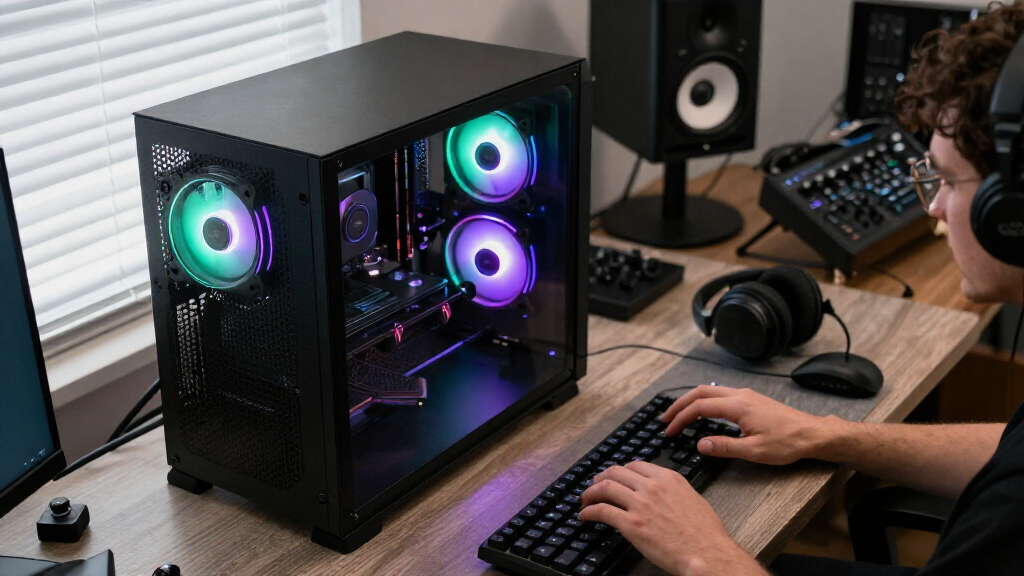
How We Picked
I compared the listed configurations by the parts that shape a gaming PC’s day-to-day usefulness: graphics hardware, processor, memory, storage, and form factor. I gave more weight to balanced configurations than to a single attention-grabbing specification; a strong GPU paired with too little memory or storage can leave buyers with extra upgrade work. I also distinguished desktops from the ASUS laptop because portability and upgrade access serve different needs.
The ranking favors systems with current, higher-tier graphics and enough memory and storage for a versatile gaming setup, while accounting for stated configuration gaps and older GPU generations. That places the MSI Vision ZS near the top for its combination of an X3D processor, RTX 5070, 32GB RAM, and 2TB SSD; the Skytech stands out for its RX 9070 XT; and RTX 5060 Ti and RTX 3060 Ti systems fall lower when their graphics tier or memory configuration gives them less headroom. I could not compare factors absent from the supplied specifications, such as cooling behavior, noise, component brands, upgrade access, warranty, and exact display or port details, so buyers should check those before ordering.
| gaming computer | Operating system |
|---|---|
| KOTIN Prebuilt Gaming PC RTX 5 | Windows 11 Home |
| Horizon Autherium Dragon RGB G | Windows 11 Pro |
| MSI Codex Z2 Gaming Desktop | Windows 11 Home |
| ZYNEEX S5 Gaming Desktop PC wi | Windows 11 Home |
| KOTIN Gaming PC Desktop | — |
| Alienware Aurora Gaming Deskto | Windows 11 Home |
| ASUS ROG Strix G16 | — |
| MSI Vision ZS Gaming Desktop | — |
| iBUYPOWER Element Gaming Deskt | — |
| YAWYORE Gaming Desktop PC with | Windows 11 |
| HP OMEN 45L Gaming Desktop | Windows 11 Home |
| CyberPowerPC Gamer Master Gami | — |
| CyberPowerPC Gamer Xtreme Gami | — |
| HP OMEN 45L Prebuilt Gaming PC | — |
| Skytech Gaming PC Desktop | Windows 11 Home 64-bit |
Factors to Consider When Choosing Best Gaming Computers
Choosing among these systems is less about finding one universally best specification and more about matching the computer to your games, display, room, and plans for future upgrades. Use these broader checks to avoid paying for capacity you will not use—or overlooking a limitation that matters after setup.
Match the GPU to Your Display and Games
Start with the games you play and the resolution and refresh rate of your monitor, rather than choosing a PC by GPU name alone. A demanding new game at a high resolution places a different load on the graphics card than competitive titles at lower settings. The RTX 5070 and RX 9070 XT systems sit above the RTX 5060, RTX 5060 Ti, and RTX 3060 Ti options in the lineup, but the best fit still depends on your target settings. Check independent game benchmarks for the titles you play, since performance can vary by game and settings. Leave some headroom if you plan to upgrade your monitor soon. Buying a more powerful GPU than your display or games can use may be a poor trade for extra memory or storage you actually need.
Read the Full Memory Configuration, Not Just the GPU
Memory capacity can shape whether a new system feels ready to use or calls for an early upgrade. Several listed systems offer 32GB, while the KOTIN and CyberPowerPC Gamer Master RTX 5060 Ti configurations list 16GB. That does not make 16GB automatically unsuitable, but buyers who keep many apps open or play memory-hungry games should check the game’s requirements and the PC’s upgrade options. Confirm whether the listed memory is one module or a matched pair; the product specifications provided here do not say. Also check the supported memory type and number of open slots before buying extra RAM. A budget for a straightforward upgrade can make a lower-memory configuration a reasonable choice, provided the motherboard allows it.
Treat Storage Capacity and Type as Separate Questions
A larger SSD can hold more installed games, but it does not automatically make every system faster in every task. The listed desktops range from 1TB SSD configurations to 2TB SSD options, while the Horizon advertises 5TB of storage without specifying the split between drive types in the supplied details. Check whether that capacity is all solid-state storage or a mix, and how many internal drive bays remain available. Modern games can take up substantial space, so a 1TB drive may fill quickly if you keep a large library installed. At the same time, replacing or adding storage later may be simpler than replacing the graphics card. Compare the expansion options and drive details before treating a large capacity number as a deciding advantage.
Choose a Laptop Only When Portability Earns Its Tradeoffs
The ASUS ROG Strix G16 is the only laptop in this roundup, so it answers a different question from the desktop systems. A laptop can save desk space and move between rooms or locations, but it ties the gaming setup to its built-in screen and keyboard. Desktops generally offer more room for component changes, though the exact upgrade path depends on the case, motherboard, and power supply. For the laptop, check screen resolution, refresh rate, ports, battery expectations, and weight; those details are not included in the listed configuration. For a desktop, check case dimensions and whether the system has the connections your monitor and accessories require. Choose portability because you need it, not because a laptop seems like a simpler substitute for a full desktop setup.
Check Upgrade Access Before You Buy for the Long Term
A prebuilt computer’s upgrade potential depends on more than its processor socket or graphics card. The power supply’s capacity and connectors, motherboard layout, cooling, and case clearance all affect which future parts will fit. These details are not supplied consistently across the product list, so verify them with the manufacturer or seller before counting on a later GPU upgrade. A system with 16GB RAM may be an easier upgrade candidate than a computer with limited slots or a cramped case, but the listing alone cannot confirm that. Also check whether standard components are used, since proprietary parts can make repairs or replacements less flexible. If you do not plan to modify the PC, prioritize a complete configuration that suits your needs from day one.
Spend on the Bottleneck You Actually Have
Paying more for a faster processor can make sense for CPU-heavy games, high-frame-rate play, and tasks beyond gaming, but it may bring less benefit if the graphics card limits performance. Conversely, buyers focused on visually demanding games should give the GPU more attention than an unusually large storage figure. The Horizon’s Core i9, 64GB RAM, and 5TB storage are ample on paper, yet its RTX 5070 OC means its headline capacity does not automatically make it the strongest gaming choice in this group. Compare complete configurations and decide which component would otherwise constrain your use. Consider a more modest system if it already meets your display and game needs. Spend extra when it buys a clear benefit you will use, not simply a bigger number in the listing.
Frequently Asked Questions
Is the MSI Vision ZS or Skytech the better choice for demanding games?
The MSI Vision ZS combines a Ryzen 7 9800X3D with an RTX 5070, 32GB RAM, and a 2TB SSD, while the Skytech pairs a Ryzen 7 9850X3D with an RX 9070 XT and the same listed memory and storage capacity. The Skytech is the graphics-led alternative, and the MSI offers a particularly clear all-around configuration with an X3D processor and NVIDIA GPU. Neither listing supplies the game-by-game benchmarks needed to declare a universal winner. Check performance tests for your games and target resolution, including any graphics features you value. Also confirm cooling, power supply, and warranty details before choosing between them.
Should I buy an RTX 3060 Ti desktop or choose a newer GPU system?
The HP OMEN 45L configurations with an RTX 3060 Ti may fit buyers whose games and display do not call for a higher graphics tier. The lineup also includes RTX 5060, RTX 5060 Ti, RTX 5070, and RX 9070 XT systems, which are the more relevant comparisons if you want extra headroom for newer or more demanding games. Do not assume a newer model name alone guarantees a particular frame rate; look up benchmarks for your exact games and settings. Consider the rest of each PC’s configuration, including memory, storage, cooling, and upgrade access. A prior-generation GPU can still be the sensible selection if it already meets your performance needs.
Is 16GB of RAM enough, or should I choose a 32GB model?
It depends on the games you play and what you run at the same time. Some systems here pair an RTX 5060 Ti with 16GB, while the MSI Vision ZS, MSI Codex Z2, and several other desktops list 32GB. The larger capacity gives more room for multitasking and memory-hungry workloads, but the supplied configurations do not establish that every buyer needs it. Check game requirements and confirm whether the 16GB system can accept an easy upgrade. Ask whether it has open slots and whether its memory is installed as a matched kit. If an upgrade would be difficult, buying 32GB up front may be the simpler choice.
When does a gaming laptop make more sense than a desktop?
The ASUS ROG Strix G16 is the only portable option in this group, so it makes sense when you need to move your gaming setup or cannot dedicate space to a tower. A desktop such as the MSI Codex Z2 or iBUYPOWER Element is a better starting point if you want a stationary setup and may change components later. The laptop’s listed RTX 5060, 16GB RAM, and 1TB SSD should be weighed alongside screen quality, weight, ports, and power needs. Those screen and mobility details are not given in the supplied product information, so verify them before purchase. Choose a laptop for mobility you will actually use, rather than assuming it will offer the same upgrade flexibility as a desktop.
What should I verify when a prebuilt listing leaves out component details?
Ask for the exact power supply model and capacity, motherboard model, cooling setup, and memory layout. Those details affect system stability, noise, repair options, and whether you can upgrade later, yet they are not consistently specified for these products. Confirm the SSD type and whether advertised total storage includes multiple drive types, especially when a listing gives a large capacity without a clear breakdown. Check the number of free memory and storage slots, case clearance, and available ports for your monitor. Also read the warranty and return terms for the exact configuration. If a seller cannot clarify a detail that matters to your setup, treat that uncertainty as part of the buying decision.
Conclusion
Best overall: I would start with the MSI Vision ZS for its Ryzen 7 9800X3D, RTX 5070, 32GB RAM, and 2TB SSD combination. Best graphics-focused premium choice: the Skytech’s RX 9070 XT makes it the standout alternative for buyers prioritizing a higher-tier graphics configuration. Best value direction: compare the RTX 5060 Ti desktops, particularly the KOTIN and CyberPowerPC Gamer Master, while accounting for their listed 16GB memory and checking upgrade access. Best for beginners: the MSI Codex Z2 is a clear, balanced starting point with an RTX 5070, 32GB RAM, and 2TB SSD. Best for portability: choose the ASUS ROG Strix G16 if you need a gaming computer that moves with you; for a more modest gaming brief, compare the ZYNEEX RTX 3050 and the OMEN RTX 3060 Ti systems against your games and display. My final choice would hinge on the GPU performance you need, then on memory, storage, and whether desktop flexibility matters more than portability.