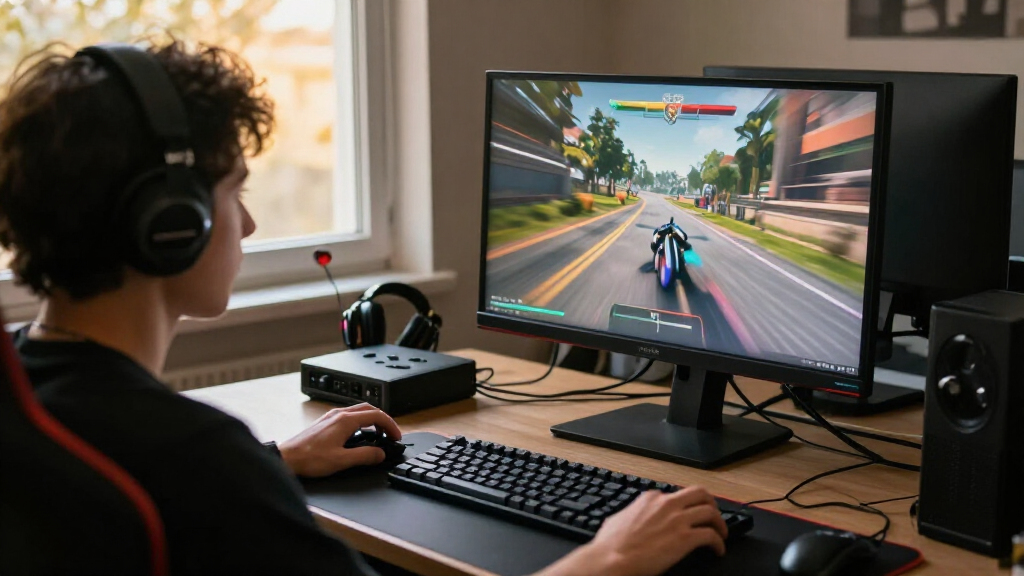
The best high refresh rate gaming monitor overall in this roundup is the LG UltraGear 27G640A-B, pairing a 27-inch QHD screen with a 300Hz refresh rate for a strong balance of clarity and speed. The Sceptre C345B-QU240T stands out for players who want a 34-inch ultrawide, while the ASUS TUF Gaming VG27AQ3A offers a more restrained QHD option at 180Hz. The central tradeoff is whether to favor higher refresh rates, sharper resolution, or a larger and wider screen—and whether your PC can drive your choice smoothly. Read on for the full breakdown, buying advice, and picks for different gaming setups.

Get audio and creator gear delivered free with Prime
- Fast, free delivery on millions of items
- Prime Video, Amazon Music and more included
- Member-only deals all year
Complete the kit


Key Takeaways
- The LG UltraGear 27G640A-B leads on speed without dropping to Full HD: its QHD resolution and 300Hz refresh rate suit players who want competitive motion clarity alongside a sharper image.
- Ultrawide models make a distinct case for immersion: the Sceptre C345B-QU240T and SANSUI 34-inch UWQHD both combine 3440 × 1440 resolution with 240Hz, but require more desk space and graphics power than standard 27-inch displays.
- Full HD remains the practical route to high refresh rates: the 24-inch Dell, ASUS, and 27-inch MSI options prioritize speed and lighter GPU demands over fine detail.
- 4K choices trade peak refresh for image detail: the MSI MAG 272URDFA E16 and ASUS TUF VG27UQ1A make more sense for players who value resolution, with the ASUS listed at 160Hz.
- Screen size and resolution should be chosen together: Full HD on a 24-inch screen is a different fit from Full HD on a 32-inch curved display, while QHD is a more natural match for many 27-inch setups.
| ASUS TUF Gaming VG27AQ3A 27-Inch QHD 180Hz Gaming Monitor |  | Best Balanced QHD Pick | Screen size: 27 inches | Resolution: 2560 x 1440 (QHD) | Refresh rate: 180Hz | VIEW LATEST PRICE | See Our Full Breakdown |
| SANSUI 32-Inch Curved 240Hz FHD Gaming Monitor |  | Best Large-Screen 240Hz Value | Screen size: 32 inches | Resolution: 1920 × 1080 (Full HD) | Refresh rate: 240Hz | VIEW LATEST PRICE | See Our Full Breakdown |
| LG UltraGear 27G640A-B 27-Inch QHD IPS 300Hz Gaming Monitor |  | Best High-Refresh QHD Pick | Screen size: 27 inches | Resolution: 2560 × 1440 (QHD) | Refresh rate: 300Hz | VIEW LATEST PRICE | See Our Full Breakdown |
| Dell SE2426HG 23.8-Inch FHD 240Hz IPS Gaming Monitor |  | Best Compact Competitive Pick | Screen size: 23.8 inches | Resolution: 1920 x 1080 (FHD) | Refresh rate: 240Hz | VIEW LATEST PRICE | See Our Full Breakdown |
| Sceptre C345B-QU240T 34-Inch Curved Ultrawide Gaming Monitor, 3440 x 1440, 240Hz |  | Best Ultrawide Immersion | Screen size: 34 inches | Resolution: 3440 x 1440 | Aspect ratio: 21:9 | VIEW LATEST PRICE | See Our Full Breakdown |
| MSI MAG 272URDFA E16 27-Inch 4K UHD Gaming Monitor |  | Best for Switching Between 4K Detail and High-Speed Play | Screen size: 27 inches | Resolution: 3840 × 2160 (4K UHD) | Panel type: Rapid IPS | VIEW LATEST PRICE | See Our Full Breakdown |
| ASUS TUF Gaming VG27UQ1A 27-Inch 4K 160Hz Gaming Monitor |  | Best for High-Refresh 4K and Console Play | Screen size: 27 inches | Resolution: 3840 × 2160 (4K UHD) | Panel type: Fast IPS | VIEW LATEST PRICE | See Our Full Breakdown |
| MSI MAG 274CF X24 27-Inch FHD 240Hz Gaming Monitor |  | Best for Straightforward 240Hz Full HD Gaming | Screen size: 27 inches | Resolution: 1920 × 1080 (Full HD) | Panel type: Rapid VA | VIEW LATEST PRICE | See Our Full Breakdown |
| ASUS TUF Gaming VG259QM5A 24.5-Inch Full HD 240Hz Fast IPS Gaming Monitor |  | Best Compact Pick for Competitive FPS | Screen size: 24.5 inches | Resolution: 1920 × 1080 (Full HD) | Panel type: Fast IPS | VIEW LATEST PRICE | See Our Full Breakdown |
| AOC Q27G41ZE 27-Inch QHD Gaming Monitor |  | Best QHD High-Refresh Value | Screen size: 27 inches | Resolution: 2560 × 1440 (QHD) | Panel type: IPS | VIEW LATEST PRICE | See Our Full Breakdown |
| SANSUI 34-Inch Curved UWQHD Gaming Monitor, 240Hz, 3440 x 1440 |  | Best Ultrawide for High-Refresh Gaming | Screen size: 34 inches | Panel type: VA LED | Resolution and aspect ratio: 3440 x 1440, 21:9 | VIEW LATEST PRICE | See Our Full Breakdown |
| high refresh rate gaming monitor | Screen size | Refresh rate | Response time | Resolution |
|---|---|---|---|---|
| ASUS TUF Gaming VG27AQ3A 27-In | 27 inches | 180Hz | 1ms | 2560 x 1440 (QHD) |
| SANSUI 32-Inch Curved 240Hz FH | 32 inches | 240Hz | 1ms MPRT | 1920 × 1080 (Full HD) |
| LG UltraGear 27G640A-B 27-Inch | 27 inches | 300Hz | 1ms GtG | 2560 × 1440 (QHD) |
| Dell SE2426HG 23.8-Inch FHD 24 | 23.8 inches | 240Hz | 0.5ms | 1920 x 1080 (FHD) |
| Sceptre C345B-QU240T 34-Inch C | 34 inches | 240Hz | 1ms | 3440 x 1440 |
| MSI MAG 272URDFA E16 27-Inch 4 | 27 inches | 4K UHD at 160Hz / Full HD at 320Hz | 0.5ms GtG (minimum) | 3840 × 2160 (4K UHD) |
| ASUS TUF Gaming VG27UQ1A 27-In | 27 inches | 160Hz | 1ms | 3840 × 2160 (4K UHD) |
| MSI MAG 274CF X24 27-Inch FHD | 27 inches | 240Hz | 0.5ms GtG (minimum) | 1920 × 1080 (Full HD) |
| ASUS TUF Gaming VG259QM5A 24.5 | 24.5 inches | 240Hz | 0.3ms GTG (minimum) | 1920 × 1080 (Full HD) |
| AOC Q27G41ZE 27-Inch QHD Gamin | 27 inches | 240Hz native, up to 260Hz overclocked | 0.3ms MPRT | 2560 × 1440 (QHD) |
| SANSUI 34-Inch Curved UWQHD Ga | 34 inches | 240Hz | 1ms MPRT | — |
More Details on Our Top Picks
ASUS TUF Gaming VG27AQ3A 27-Inch QHD 180Hz Gaming Monitor
The ASUS TUF Gaming VG27AQ3A balances resolution and refresh rate for players who want more detail than Full HD without moving to a demanding 300Hz setup. Its 27-inch QHD Fast IPS panel runs at 180Hz, while ELMB Sync and variable refresh support help keep fast motion clearer and reduce tearing. Compared with the Dell SE2426HG, it offers a larger, sharper QHD image, but the Dell reaches 240Hz and suits compact competitive setups better. The tradeoff is that 180Hz is less compelling for players chasing the highest frame rates, and the listing does not specify stand adjustments. Built-in speakers are handy for basic audio, though they are not a substitute for a dedicated headset or speakers.
Pros:- QHD resolution gives games and desktop content more detail than the Full HD options.
- 180Hz Fast IPS panel combines fluid motion with broad viewing angles.
- ELMB Sync and variable refresh support help reduce blur and tearing.
- Built-in speakers and HDMI and DisplayPort connections simplify a basic setup.
Cons:- Its 180Hz ceiling is below the 240Hz and 300Hz options in this lineup.
- Stand adjustment details are not specified, and the listed depth may need substantial desk space.
Best for: PC gamers who want a sharp 27-inch QHD image and a high refresh rate for a mix of competitive and visually rich games.
Not ideal for: Players focused on maximum competitive refresh rates, or buyers who need a clearly specified height-adjustable stand.
- Screen size:27 inches
- Resolution:2560 x 1440 (QHD)
- Refresh rate:180Hz
- Panel:Fast IPS
- Response time:1ms
- Adaptive sync:ELMB Sync, FreeSync Premium, G-SYNC Compatible, VESA AdaptiveSync
- HDR:HDR10
- Connectivity:HDMI, DisplayPort, 3.5mm audio
Our verdict“Choose the VG27AQ3A if you want a practical QHD-and-high-refresh balance rather than the lineup’s fastest motion or largest screen.”
SANSUI 32-Inch Curved 240Hz FHD Gaming Monitor
The SANSUI 32-inch curved monitor puts a high 240Hz refresh rate on a large, immersive screen, making it a fit for players who favor speed and scale over pixel density. Its 1500R curve draws the image toward the viewer, while FreeSync can help smooth frame-rate fluctuations. That makes it a different proposition from the smaller Dell SE2426HG: the Dell’s 23.8-inch Full HD panel looks sharper at a normal desk distance, while SANSUI gives games more room to fill your field of view. The compromise is noticeable: Full HD spread across 32 inches looks less crisp, especially for text and fine details. There are no built-in speakers, and its one-year warranty is shorter than the ASUS VG27AQ3A’s three years.
Pros:- 240Hz refresh rate supports fluid motion in fast-paced games.
- 1500R curve adds an enveloping feel on the large screen.
- FreeSync, flicker-free operation, and low-blue-light features are included.
- Tilt adjustment and VESA mounting offer basic positioning flexibility.
Cons:- Full HD resolution is relatively low for a 32-inch display.
- No built-in speakers are included.
- The listed one-year warranty is shorter than the ASUS TUF VG27AQ3A’s three-year warranty.
Best for: Players who want a large, curved screen and 240Hz motion for fast games, and who sit far enough back to be comfortable with Full HD at 32 inches.
Not ideal for: Desk users who prioritize crisp text and fine image detail, or buyers who want built-in speakers and a longer listed warranty.
- Screen size:32 inches
- Resolution:1920 × 1080 (Full HD)
- Refresh rate:240Hz
- Response time:1ms MPRT
- Curvature:1500R
- Contrast ratio:3500:1
- Adaptive sync:FreeSync
- Connectivity:HDMI, DisplayPort 1.4, 3.5mm audio
Our verdict“Pick this SANSUI if a big curved 240Hz screen matters more than sharp Full HD detail or integrated audio.”
LG UltraGear 27G640A-B 27-Inch QHD IPS 300Hz Gaming Monitor
The LG UltraGear 27G640A-B is the strongest fit here for players who want both QHD detail and unusually fast refresh. Its 300Hz IPS panel gives competitive games more room for smooth motion than the ASUS TUF VG27AQ3A’s 180Hz, while keeping the same 27-inch, 2560 × 1440 format. DisplayHDR 400, up to 95% DCI-P3 coverage, and a fully adjustable stand also make it more flexible for mixed gaming and everyday use. That extra speed only helps if your PC can deliver high frame rates, and reaching the maximum depends on a compatible graphics card and connection. The Sceptre C345B-QU240T offers a much wider ultrawide view, but the LG is a more straightforward fit for desk setups and games that favor a standard 16:9 image.
Pros:- 300Hz refresh rate pairs unusually high speed with QHD resolution.
- IPS panel, 1ms GtG response time, and adaptive sync support responsive gameplay.
- Height, tilt, swivel, and pivot adjustments allow flexible placement.
- USB-C, dual HDMI 2.1, and DisplayPort 1.4 provide broad connection options.
Cons:- A powerful PC and suitable connection are needed to make full use of 300Hz at QHD.
- USB-C power delivery is limited to 15W, so it is not a high-power laptop charging solution.
Best for: Competitive PC players with a capable graphics card who want QHD clarity, a very high refresh rate, and a stand they can position precisely.
Not ideal for: Gamers whose systems cannot produce high frame rates at QHD, or ultrawide fans who prefer a wider field of view over a standard 16:9 display.
- Screen size:27 inches
- Resolution:2560 × 1440 (QHD)
- Refresh rate:300Hz
- Panel:IPS LED
- Response time:1ms GtG
- HDR:VESA DisplayHDR 400, HDR10
- Adaptive sync:AMD FreeSync Premium, NVIDIA G-SYNC compatible
- Stand adjustments:Height, tilt, swivel, and pivot
- Connectivity:USB-C (15W power delivery), 2 × HDMI 2.1, DisplayPort 1.4
Our verdict“Choose the LG if your PC can drive high QHD frame rates and you want more motion headroom than the ASUS VG27AQ3A provides.”
Dell SE2426HG 23.8-Inch FHD 240Hz IPS Gaming Monitor
The Dell SE2426HG is the compact choice for players who want 240Hz motion without giving a large share of their desk to a monitor. Its 23.8-inch Full HD IPS panel is a sensible match for competitive play, where a smaller image can be easier to scan and Full HD is less demanding to render than QHD. Compared with the 32-inch SANSUI, Dell’s smaller screen keeps the same resolution from looking as stretched across the panel; compared with the LG UltraGear 27G640A-B, it gives up QHD detail and the LG’s 300Hz ceiling. FreeSync Premium and HDMI VRR help limit tearing, while the stand only tilts. Buyers seeking height adjustment or a larger, more detailed image should look to the LG instead.
Pros:- 240Hz refresh rate and 0.5ms response time target responsive gameplay.
- Compact 23.8-inch size keeps the Full HD image suited to a close desk setup.
- IPS viewing angles and 99% sRGB coverage support consistent, vivid color.
- FreeSync Premium and HDMI VRR help reduce screen tearing.
Cons:- Full HD provides less fine detail than the QHD LG UltraGear 27G640A-B.
- The stand offers tilt adjustment only.
- The listed warranty is one-year Advanced Exchange Service.
Best for: Competitive players with limited desk space who want a 240Hz IPS monitor and a manageable Full HD resolution.
Not ideal for: Buyers who want QHD detail, a larger screen, or height-adjustable positioning.
- Screen size:23.8 inches
- Resolution:1920 x 1080 (FHD)
- Refresh rate:240Hz
- Panel:IPS
- Response time:0.5ms
- Color gamut:99% sRGB
- Adaptive sync:AMD FreeSync Premium, HDMI VRR
- Connectivity:2 HDMI ports, DisplayPort 1.4
Our verdict“Choose the Dell for compact 240Hz competition; pick the LG UltraGear instead if QHD resolution and more stand adjustment matter more.”
Sceptre C345B-QU240T 34-Inch Curved Ultrawide Gaming Monitor, 3440 x 1440, 240Hz
The Sceptre C345B-QU240T is the lineup’s choice for players who want a wide, curved view without giving up a 240Hz refresh rate. Its 34-inch, 3440 × 1440 ultrawide panel offers much more horizontal space than the LG UltraGear 27G640A-B’s standard 16:9 screen, making compatible games feel more expansive and leaving room for extra desktop content. The 1500R curve helps bring the sides into view. That width comes with real demands: it needs a broad desk, and driving 3440 × 1440 at high frame rates can tax a graphics card more than the Dell SE2426HG’s Full HD resolution. The VA panel, built-in speakers, Adaptive Sync, and multiple inputs add versatility, but the listed data does not specify a height-adjustable stand.
Pros:- 3440 × 1440 ultrawide resolution provides a broad, detailed gaming workspace.
- 240Hz refresh rate and 1ms response time support fast motion.
- 1500R curvature and Adaptive Sync support an immersive, smoother presentation.
- Two HDMI ports, two DisplayPort connections, built-in speakers, and VESA compatibility add setup flexibility.
Cons:- The 34-inch width needs substantial desk space.
- Driving ultrawide QHD at high frame rates can demand more graphics performance than Full HD monitors such as the Dell SE2426HG.
- The listing does not specify stand adjustment options.
Best for: Gamers with a wide desk and capable graphics card who want an immersive ultrawide view for compatible games and a high refresh rate.
Not ideal for: Players with limited desk space, modest graphics hardware, or a preference for compact 16:9 displays and clearly listed stand adjustments.
- Screen size:34 inches
- Resolution:3440 x 1440
- Aspect ratio:21:9
- Refresh rate:240Hz
- Panel:VA
- Response time:1ms
- Curvature:1500R
- Connectivity:2 HDMI, 2 DisplayPort, audio-out
- Audio:Built-in speakers
Our verdict“Pick the Sceptre if you want a wide, curved 240Hz gaming view and have the desk space and PC performance to support it.”
MSI MAG 272URDFA E16 27-Inch 4K UHD Gaming Monitor
The Dual Mode design gives this MSI a distinct advantage for players who alternate between visually rich games and competitive shooters: choose 4K at 160Hz for sharper detail, or drop to Full HD for up to 320Hz. That flexibility is more useful than a single refresh-rate figure suggests, but the fastest mode comes with a clear resolution tradeoff. Compared with the ASUS TUF Gaming VG27UQ1A, which stays at 4K while reaching 160Hz, this model lets competitive players push refresh higher when detail matters less. Rapid IPS, FreeSync Premium, and console compatibility widen its appeal, though the listed HDMI and VGA connections are sparse for a modern gaming setup. I’d choose it for dual-purpose play, not if I wanted the simplest high-resolution configuration.
Pros:- Dual Mode offers 4K at 160Hz or Full HD at up to 320Hz.
- Rapid IPS panel pairs vivid color with a listed minimum 0.5ms GtG response time.
- FreeSync Premium helps reduce tearing during variable frame-rate gameplay.
- Console Mode supports PS5 and Xbox Series X|S compatibility.
Cons:- The 320Hz mode requires switching down to Full HD.
- Listed connectivity is limited to HDMI and VGA.
Best for: PC gamers who switch between detail-focused 4K games and competitive titles where a 320Hz Full HD mode is the priority.
Not ideal for: Players who want to keep 4K resolution at the monitor’s highest refresh rate, or need a broad range of modern connections.
- Screen size:27 inches
- Resolution:3840 × 2160 (4K UHD)
- Panel type:Rapid IPS
- Refresh rate:4K UHD at 160Hz / Full HD at 320Hz
- Response time:0.5ms GtG (minimum)
- Adaptive sync:AMD FreeSync Premium
- HDR:VESA DisplayHDR 400
- Connectivity:HDMI, VGA
Our verdict“Choose this MSI if you want one screen to alternate between high-resolution 4K gaming and a faster Full HD competitive mode.”
ASUS TUF Gaming VG27UQ1A 27-Inch 4K 160Hz Gaming Monitor
The 4K resolution at 160Hz makes this ASUS a strong fit for players who want high refresh without dropping to a lower resolution. Its Fast IPS panel and ELMB Sync target motion clarity, while G-SYNC compatibility and FreeSync Premium give PC players adaptive-sync options. Compared with the MSI MAG 272URDFA E16, the ASUS does not offer a 320Hz Full HD mode, but it keeps its headline 160Hz rate at 4K rather than asking you to choose between speed and detail. HDMI 2.1 also makes it a more clearly specified console option, supporting up to 4K at 120Hz. The tradeoffs are that console output tops out below the monitor’s PC refresh ceiling, and the supplied information does not specify stand adjustments beyond its dimensions.
Pros:- Runs 4K resolution at a 160Hz refresh rate.
- ELMB Sync and adaptive sync support smoother-looking motion.
- G-SYNC Compatible and FreeSync Premium cover major PC graphics platforms.
- HDMI 2.1 supports up to 4K at 120Hz for compatible consoles.
Cons:- Compatible consoles are specified for up to 4K at 120Hz, below the monitor’s 160Hz PC rate.
- Stand adjustment range is not specified in the provided product details.
Best for: PC gamers seeking a 27-inch 4K screen at 160Hz, plus console owners who want HDMI 2.1 and 4K 120Hz support.
Not ideal for: Competitive players who want a 300Hz-plus mode, or buyers who need confirmed height and swivel adjustments.
- Screen size:27 inches
- Resolution:3840 × 2160 (4K UHD)
- Panel type:Fast IPS
- Refresh rate:160Hz
- Response time:1ms
- Color gamut:95% DCI-P3
- Adaptive sync:NVIDIA G-SYNC Compatible, AMD FreeSync Premium
- Console support:Up to 4K at 120Hz via HDMI 2.1
Our verdict“Pick the ASUS for consistently sharp 4K play at high refresh, especially if HDMI 2.1 console support matters more than an extra-fast Full HD mode.”
MSI MAG 274CF X24 27-Inch FHD 240Hz Gaming Monitor
This MSI focuses on the essentials for fast Full HD play: a 240Hz refresh rate, Rapid VA panel, and FreeSync Premium. At 27 inches, 1920 × 1080 is less crisp than the QHD AOC Q27G41ZE, but the lower resolution can be a practical match for systems that prioritize high frame rates over fine detail. Its listed minimum 0.5ms GtG response time and AI Vision feature add motion and dark-scene tools, though HDR Ready is a modest claim rather than a reason to buy it for dramatic HDR. The AOC offers more pixels and a 260Hz overclocked mode; this MSI instead gives buyers a 240Hz Full HD setup with several connection types, including VGA. I’d favor it for accessible high-refresh PC gaming, not for image sharpness or premium HDR.
Pros:- 240Hz refresh rate supports smooth high-frame-rate gameplay.
- Rapid VA panel has a listed minimum 0.5ms GtG response time.
- FreeSync Premium can help reduce tearing when frame rates vary.
- AI Vision and a blue light filter add visibility and viewing-comfort options.
Cons:- Full HD resolution is less detailed than the QHD AOC Q27G41ZE at a similar screen size.
- HDR is listed as HDR Ready, which is a limited basis for choosing it for HDR gaming.
Best for: Players with a midrange gaming PC who want a 27-inch 240Hz display and prioritize frame rate over QHD detail.
Not ideal for: Gamers who want sharper QHD visuals, strong HDR performance, or a higher refresh ceiling than 240Hz.
- Screen size:27 inches
- Resolution:1920 × 1080 (Full HD)
- Panel type:Rapid VA
- Refresh rate:240Hz
- Response time:0.5ms GtG (minimum)
- Adaptive sync:AMD FreeSync Premium
- HDR:HDR Ready
- Connectivity:HDMI, DisplayPort, VGA
Our verdict“Choose this MSI for a direct 240Hz Full HD setup if smooth frame rates matter more to you than QHD sharpness.”
ASUS TUF Gaming VG259QM5A 24.5-Inch Full HD 240Hz Fast IPS Gaming Monitor
The 24.5-inch Full HD format suits players who want a fast screen that keeps the whole action close at hand. This ASUS combines 240Hz with Fast IPS, a listed minimum 0.3ms response time, and ELMB Sync, while FreeSync Premium and G-SYNC compatibility make it flexible across PC setups. Compared with the 27-inch MSI MAG 274CF X24, it offers a smaller viewing area but adds 99% sRGB coverage and motion-blur reduction tools. The AOC Q27G41ZE is the better fit for buyers wanting more detail at 27 inches; this ASUS makes more sense when compact framing and competitive play come first. Full HD limits sharpness for desktop work, and the listed connections are only DisplayPort and HDMI.
Pros:- 240Hz refresh rate and a listed minimum 0.3ms response time target responsive play.
- Fast IPS panel supports 99% sRGB color coverage.
- FreeSync Premium and G-SYNC compatibility support a range of gaming PCs.
- ELMB Sync is designed to reduce motion blur during fast action.
Cons:- Full HD resolution provides less detail than the QHD AOC Q27G41ZE.
- Connectivity is limited to DisplayPort and HDMI.
Best for: Competitive FPS players who prefer a compact 24.5-inch display, high frame rates, and broad adaptive-sync compatibility.
Not ideal for: Gamers who want QHD or 4K detail, a larger screen, or more varied connection options.
- Screen size:24.5 inches
- Resolution:1920 × 1080 (Full HD)
- Panel type:Fast IPS
- Refresh rate:240Hz
- Response time:0.3ms GTG (minimum)
- Color gamut:99% sRGB
- Adaptive sync:AMD FreeSync Premium, G-SYNC compatible, VESA AdaptiveSync
- Motion blur reduction:ASUS ELMB Sync
Our verdict“Choose this ASUS if competitive gaming on a compact 24.5-inch screen matters more than extra resolution or screen area.”
AOC Q27G41ZE 27-Inch QHD Gaming Monitor
The QHD resolution and 240Hz native refresh rate make this AOC a useful middle ground for buyers who want more detail than Full HD without stepping up to 4K. Its 27-inch IPS panel can also be overclocked to 260Hz, giving competitive players a little more headroom than the 240Hz ASUS TUF Gaming VG259QM5A. The ASUS remains the more compact choice, while this AOC gives games and desktop content more room and sharper detail. Adaptive-Sync, gaming presets, and Shadow Control add practical tuning options, but the glossy finish may reflect room lighting, and the stand is specified for tilt only. Its 0.3ms figure is MPRT, so I wouldn’t compare it directly with GtG response-time claims on the other monitors.
Pros:- QHD resolution adds detail over the Full HD MSI MAG 274CF X24 and ASUS VG259QM5A.
- 240Hz native refresh with an overclock option up to 260Hz.
- IPS panel and Adaptive-Sync support wide-viewing gaming with reduced tearing.
- Shadow Control and gaming presets offer useful picture adjustments.
Cons:- Glossy screen finish can reflect ambient light.
- Stand adjustment is limited to tilt in the supplied specifications.
- The 0.3ms response-time figure is MPRT and is not directly comparable to GtG claims.
Best for: PC gamers who want a 27-inch QHD display with a high native refresh rate and an optional 260Hz overclock.
Not ideal for: Players in bright or reflective rooms, or buyers who need height-adjustable stand positioning.
- Screen size:27 inches
- Resolution:2560 × 1440 (QHD)
- Panel type:IPS
- Refresh rate:240Hz native, up to 260Hz overclocked
- Response time:0.3ms MPRT
- Brightness:300 nits
- Adaptive sync:Supported
- Connectivity:1 × DisplayPort 1.4, 2 × HDMI 2.0, audio out
Our verdict“Pick the AOC if you want a sharp 27-inch QHD image with a 240Hz native rate and can accommodate its glossy screen and tilt-only stand.”
SANSUI 34-Inch Curved UWQHD Gaming Monitor, 240Hz, 3440 x 1440
The SANSUI pairs a 3440 x 1440 ultrawide canvas with a 240Hz refresh rate, giving fast-paced games room for a wider field of view without giving up a high refresh ceiling. Its 1500R curve suits a screen this wide, while the VA panel’s 3000:1 contrast can make dark scenes look more defined than they do on many IPS displays. Compared with the 34-inch Sceptre C345B-QU240T, this model also lists HDMI 2.1 and DisplayPort 1.4 connections, plus PIP/PBP modes for using multiple sources. The tradeoff is the graphics load: driving 3440 x 1440 at high frame rates takes a capable GPU. HDR400 support is modest, the stand only tilts, and there are no built-in speakers. Console VRR is limited to HDMI 2.1.
Pros:- Combines 3440 x 1440 ultrawide resolution with a 240Hz refresh rate
- 1500R curve and VA contrast suit immersive, dark-scene gaming
- Two HDMI 2.1 and two DisplayPort 1.4 inputs provide flexible connectivity
- PIP/PBP modes and VESA mounting support broaden setup options
Cons:- High resolution demands substantial GPU performance to reach high frame rates
- Stand offers tilt adjustment only, with no height or swivel adjustment listed
- No built-in speakers, and console VRR is available only through HDMI 2.1
Best for: PC gamers with a powerful graphics card who want a wide, immersive screen and high refresh rate for racing, simulation, and compatible action games.
Not ideal for: Console-focused buyers who need VRR over connections other than HDMI 2.1, or players with a lower-powered PC that may struggle to drive 3440 x 1440 at high frame rates.
- Screen size:34 inches
- Panel type:VA LED
- Resolution and aspect ratio:3440 x 1440, 21:9
- Refresh rate:240Hz
- Response time:1ms MPRT
- Curvature:1500R
- HDR and brightness:HDR400, 450 cd/m²
- Adaptive sync:FreeSync, VRR
- Ports:2 x HDMI 2.1, 2 x DisplayPort 1.4, 3.5mm audio
Our verdict“Choose this SANSUI if you want a 34-inch ultrawide that combines UWQHD detail with 240Hz and have the PC hardware to drive it.”
How We Picked
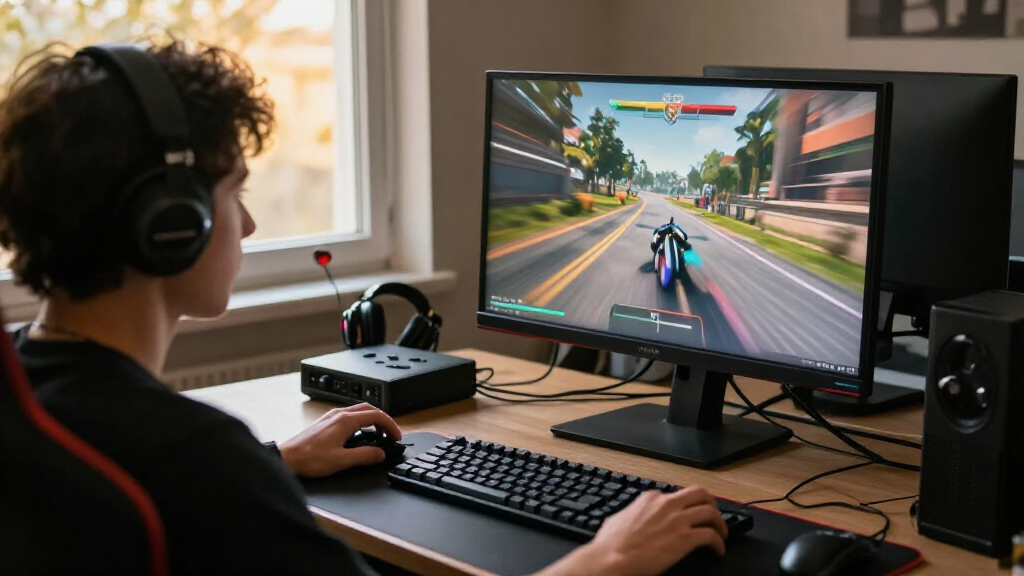
I compared these monitors around the factors that change the gaming experience most: refresh rate, resolution, screen size, and panel type. A high refresh number only helps when a gaming PC or console can deliver enough frames, so I weighed speed against the system demands of QHD, 4K, and 3440 × 1440 ultrawide displays. I also considered how each format fits its likely role, from compact competitive play to expansive single-player gaming.
The ranking favors monitors with a useful balance of motion performance and image clarity, then distinguishes specialized picks for different budgets, desk sizes, and play styles. That puts the LG 27-inch QHD 300Hz model first as the strongest all-round combination on paper, while the ultrawides and 4K screens earn separate recommendations for buyers who prioritize immersion or detail. Models with lower resolution or a more specialized size rank lower for general use, not because high refresh is unhelpful, but because their tradeoffs suit a narrower set of setups.
| high refresh rate gaming monitor | Panel type |
|---|---|
| ASUS TUF Gaming VG27AQ3A 27-In | — |
| SANSUI 32-Inch Curved 240Hz FH | — |
| LG UltraGear 27G640A-B 27-Inch | — |
| Dell SE2426HG 23.8-Inch FHD 24 | — |
| Sceptre C345B-QU240T 34-Inch C | — |
| MSI MAG 272URDFA E16 27-Inch 4 | Rapid IPS |
| ASUS TUF Gaming VG27UQ1A 27-In | Fast IPS |
| MSI MAG 274CF X24 27-Inch FHD | Rapid VA |
| ASUS TUF Gaming VG259QM5A 24.5 | Fast IPS |
| AOC Q27G41ZE 27-Inch QHD Gamin | IPS |
| SANSUI 34-Inch Curved UWQHD Ga | VA LED |
Factors to Consider When Choosing Best High Refresh Rate Gaming Monitors
A refresh-rate label is only one part of the choice. I would match the display to the games you play, the graphics card you own, the distance from your seat, and the space available on your desk before deciding which specification deserves priority.
Match Refresh Rate to the Frames Your PC Can Deliver
A 240Hz or 300Hz monitor can show more frequent updates than a 160Hz or 180Hz model, but your game must produce enough frames to make the difference useful. Competitive games are often easier to run at very high frame rates than demanding new releases, so one monitor may serve both genres differently. Check performance in the games you actually play, not just a GPU benchmark from a different title. If your system rarely reaches the display’s refresh ceiling, a higher number may bring less benefit than a clearer resolution or a more suitable screen size. Variable refresh support can also help smooth changes in frame rate, so check the specific model’s supported standards and your graphics card’s compatibility. Don’t buy a display based on its maximum refresh figure alone.
Choose Resolution for Your Screen Size and Graphics Hardware
Resolution affects both how detailed a game looks and how much work the graphics card must do. Full HD is a sensible pairing for smaller screens or systems chasing very high frame rates, while QHD often gives 27-inch displays a useful balance of sharpness and performance demand. 4K adds fine detail, but it can reduce frame rates in demanding games unless your GPU is powerful enough. Ultrawide 3440 × 1440 adds horizontal pixels beyond standard QHD, so it asks more of the system than its vertical resolution alone suggests. A common mistake is to choose a resolution first and only later discover that the PC cannot drive it at the desired settings. Treat resolution and refresh rate as a combined performance target.
Decide Whether a Standard, Curved, or Ultrawide Screen Fits Your Games
A standard 16:9 display works with a broad range of games and is usually the simplest fit for desk space and everyday use. A curved ultrawide can expand peripheral view in games that support its aspect ratio, but some titles may show side borders or handle the wider image imperfectly. Its extra width also changes how close you sit and how much room the monitor occupies. Large curved Full HD screens make the image physically bigger without adding pixels, which can make detail look less crisp than on a smaller Full HD screen. Before choosing a wide format, check the games you play and measure your desk, including space for the stand. Prioritize immersion only if the added width suits your setup and play habits.
Look Beyond the Panel Type and Headline Specifications
Panel labels can hint at tradeoffs in viewing angles, color, and motion response, but they do not tell the whole story of a particular display. Compare the stated response-time conditions carefully; the lowest figure may rely on an aggressive setting that creates visible artifacts. Ports matter too: check whether the inputs support the resolution and refresh rate you intend to use, and whether the monitor can connect to all your devices without constant cable changes. Ergonomic adjustments affect daily comfort, especially if you spend long sessions at the desk, so confirm the stand’s height, tilt, and swivel range. If those adjustments are limited, a compatible monitor arm may help, but verify mounting support first. A fast panel is less appealing if its connections or positioning do not suit your setup.
Pay for the Upgrade You Will Notice Most
It is easy to spend more for a larger refresh number or a higher resolution that your current hardware cannot fully use. For a competitive player, smooth motion and a manageable screen size may matter more than 4K detail. For story-driven games, QHD or 4K can make the image more rewarding, while a curved ultrawide may add immersion if the game supports it. Think about your next graphics-card upgrade as well as today’s system, but avoid buying for a hypothetical setup years away. A monitor is a long-term purchase, so prioritize the feature you will use across most of your games rather than the most impressive single specification. When two options meet your main needs, use connectivity, ergonomics, and desk fit to break the tie.
Frequently Asked Questions
Is a 300Hz QHD monitor a better choice than a 240Hz Full HD monitor?
It depends on which tradeoff fits your games and computer. The LG UltraGear 27G640A-B pairs QHD with 300Hz, making it the strongest listed combination of detail and speed, but your system needs to produce high frame rates at QHD to make full use of it. A 240Hz Full HD model can be easier to drive, which may suit competitive games and less powerful hardware. If your priority is sharpness at 27 inches, QHD has the stronger case; if you need to maximize attainable frames, Full HD may be more practical. Check actual performance in your most-played games before choosing.
Will my graphics card handle a 3440 × 1440 ultrawide at 240Hz?
That depends on the graphics card, game, and image settings, and the resolution is demanding because it renders substantially more pixels than standard QHD. The Sceptre and SANSUI 34-inch ultrawides offer 240Hz, but that figure describes the display’s capability rather than a guarantee that your PC will reach 240 frames per second. Competitive titles may run at very high frame rates with suitable hardware and tuned settings; graphically intensive games may not. Check benchmarks for your exact GPU and games at 3440 × 1440. If you value the wide format more than consistently reaching the maximum refresh rate, the monitor may still suit you.
Should I choose 4K or QHD for a 27-inch gaming monitor?
Choose based on whether image detail or frame-rate headroom matters more to you. The ASUS TUF VG27UQ1A offers 4K at 160Hz, while the ASUS VG27AQ3A is a QHD 180Hz option and the LG pairs QHD with 300Hz. At 27 inches, 4K can produce finer detail, but it also places more load on your GPU and may make high frame rates harder to reach. QHD is often the more balanced choice for a mix of competitive and visually demanding games. If you already have a powerful graphics card and favor image quality, 4K has a clearer purpose.
Is a 24-inch Full HD monitor still a good fit for competitive gaming?
Yes, a 24-inch Full HD screen can be a practical fit for competitive play, especially if you sit close and want a compact view that is easy to scan. The Dell SE2426HG and ASUS TUF VG259QM5A are listed as 240Hz options in this size range, while their Full HD resolution can be less demanding on a graphics card than QHD or 4K. That can help a system reach higher frame rates in supported games. The tradeoff is less fine detail and screen space than a 27-inch QHD monitor offers. Choose this format for speed and compactness, not for maximum image sharpness.
What should I check before buying a high-refresh monitor for both PC and console?
Start by checking the maximum resolution and refresh rate supported by each device over the monitor’s available inputs. A monitor’s advertised top refresh rate may not be available from every port or at every resolution, so consult the model’s specifications rather than assuming all connections behave alike. Check whether the console supports the display’s resolution and refresh modes, and whether your PC can use its higher refresh ceiling. Also consider how many devices you need connected at once and whether the monitor’s stand suits your seating position. These checks help prevent buying a display whose headline feature your preferred device cannot access.
Conclusion
For most players seeking one display to cover fast games and sharper visuals, I would start with the LG UltraGear 27G640A-B as the best overall: its 27-inch QHD format and 300Hz refresh rate make the most balanced combination in this lineup. For a best value-style pick based on practical performance, the ASUS TUF VG27AQ3A offers QHD at 180Hz without asking buyers to prioritize an extreme refresh rate; the Dell SE2426HG is a compact alternative for those who prefer 240Hz Full HD. The best premium choice for image detail is the ASUS TUF VG27UQ1A, provided your PC can handle 4K gaming, while the SANSUI 32-inch curved model or ASUS TUF VG259QM5A can suit beginners choosing between a larger screen and a smaller competitive format. For specific needs, I would pick the Sceptre C345B-QU240T for a 34-inch high-refresh ultrawide, or the MSI MAG 272URDFA E16 for a 27-inch 4K option. Choose according to the resolution and screen shape your hardware can support—not the highest refresh figure alone.