

Get audio and creator gear delivered free with Prime
- Fast, free delivery on millions of items
- Prime Video, Amazon Music and more included
- Member-only deals all year
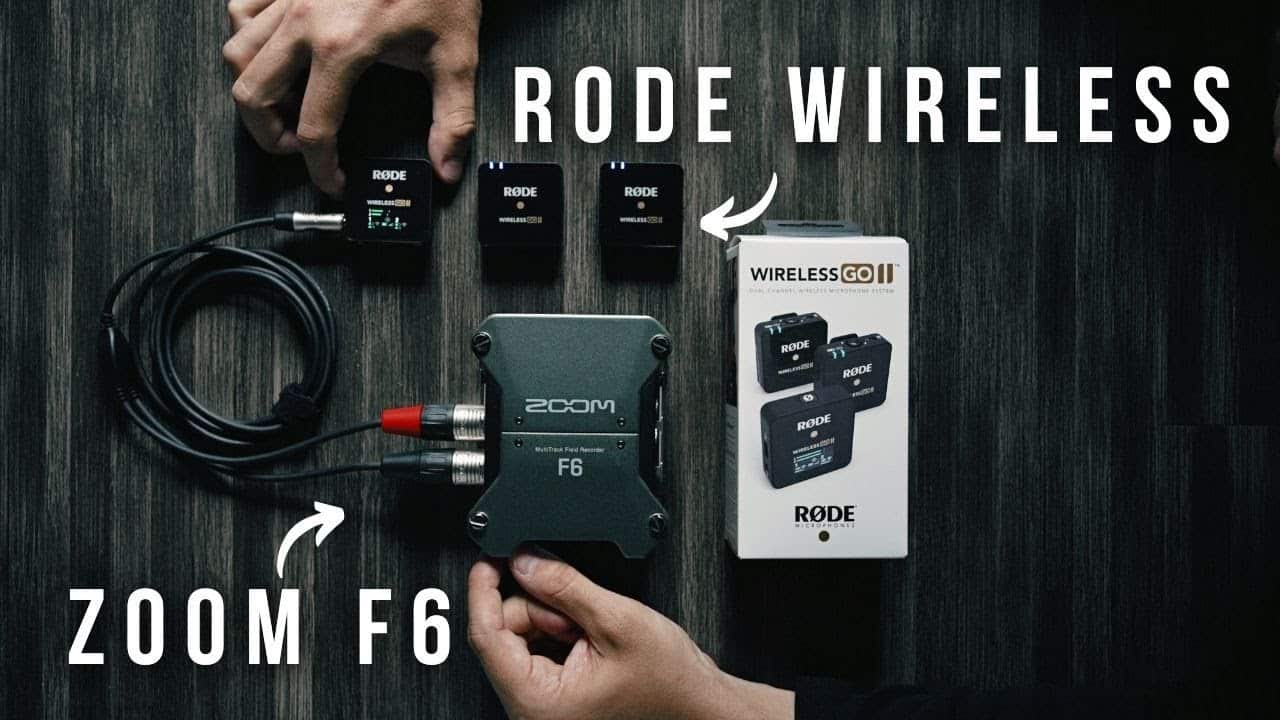
Rode Wireless Go2 with Zoom F6 Audio Recorder
Can you connect the Rode Wireless Go 2 with a Zoom F6? The answer is yes and I show you one way in this #shorts video! One way to connect the Rode Wireless Go 2 with a Zoom F6 is by using the 3.5mm TRS to dual XLR cable. This allows you to connect the receiver of the Wireless Go 2 directly into the inputs of the Zoom F6. Additionally, if you need to power the Zoom F6 for longer recordings, you can use a power bank for mix pre 6ii to keep it running for extended periods of time. These simple solutions make it easy to integrate the Rode Wireless Go 2 with the Zoom F6 for seamless audio recording.
Rode Wireless Go2 to Zoom F6 cable
As an affiliate, we earn on qualifying purchases.
As an affiliate, we earn on qualifying purchases.
Fall Picks
fall essentials
As an affiliate, we earn on qualifying purchases.