
The best keyboard for live performance overall in this lineup is the Novation Launchkey 61 MK4, thanks to its full 61-key range, hands-on controls, and performance-focused DAW integration. For players who want a self-contained instrument rather than a computer-based rig, the Yamaha PSR-SX920 stands out for its arranger features and onboard sounds, while the Arturia KeyLab Essential mk3 offers a practical middle ground for controlling software instruments. The main choice is between a standalone keyboard and a MIDI controller, followed by tradeoffs in key count, portability, and stage controls. Compact 25- and 37-key models are easier to carry but can limit two-handed playing, while 61- and 88-key options take more space. Read on for the full breakdown and help matching a keyboard to your live setup.

Get audio and creator gear delivered free with Prime
- Fast, free delivery on millions of items
- Prime Video, Amazon Music and more included
- Member-only deals all year
Complete the kit


Key Takeaways
- The Launchkey 61 MK4 is the strongest all-around controller pick for players who want a broad key range, DAW control, pads, and performance tools in one board.
- The Yamaha PSR-SX920 and PSR-SX720 are the standalone choices; they suit performers who want onboard sounds and arranger functions without relying on a laptop.
- Key count changes what you can play onstage: the MPK Mini MK3, MPK Mini IV, and APC Key 25 MK2 suit compact rigs, while the 61-key models better support full arrangements.
- The MPK Mini Plus offers a useful bridge between tiny controllers and full-size boards with 37 mini keys, a sequencer, pads, and MIDI/CV/Gate connections.
- Not every 61-key keyboard serves the same job: the Yamaha beginner portable model favors accessible onboard playing, while the PSR-SX models target more involved arranger performance.
| Akai Professional MPK Mini MK3 25-Key USB MIDI Keyboard Controller |  | Best Compact Controller | Keys: 25 velocity-sensitive keys | Connectivity: USB | Built-in arpeggiator: Yes | VIEW ON AMAZON | See Our Full Breakdown |
| Akai Professional MPK Mini IV USB-C MIDI Keyboard Controller for Beginners and Producers |  | Best Mini Controller for an All-in-One Software Bundle | Keys: 25 mini velocity-sensitive keys | Pads: 8 MPC drum pads with RGB feedback | Knobs: 8 assignable 360-degree knobs | VIEW ON AMAZON | See Our Full Breakdown |
| Arturia KeyLab Essential mk3 — 49 Key USB MIDI Keyboard Controller with Analog Lab V Software Included |  | Best for Hands-On DAW Performance | Keys: 49 velocity-sensitive keys | Pads: 8 RGB-backlit pads with velocity and pressure sensitivity | Encoders: 9 | VIEW ON AMAZON | See Our Full Breakdown |
| Alesis Recital Play 88-Key Piano Keyboard Bundle |  | Best Standalone Option for Beginner Performers | Keys: 88 touch-sensitive keys | Built-in speakers: Yes | Sounds: 480 | VIEW ON AMAZON | See Our Full Breakdown |
| M-AUDIO Keystation 49 MK3 – 49-Key USB MIDI Keyboard Controller with Assignable Controls and Software |  | Best Straightforward 49-Key Controller | Keys: 49 velocity-sensitive keys | Connectivity: USB | Assignable controls: Yes | VIEW ON AMAZON | See Our Full Breakdown |
| Yamaha 61-Key Arranger Keyboard PSRSX720+ |  | Best Standalone Arranger for Live Sets | Keys: 61 | Voices: 1,300 | Accompaniment styles: 450 | VIEW ON AMAZON | See Our Full Breakdown |
| Novation Launchkey 61 MK4 – 61-Key Semi-Weighted USB MIDI Keyboard Controller |  | Best for DAW-Based Live Performance | Keys: 61 semi-weighted waterfall keys | Connection: USB | Pad features: Velocity-sensitive pads with polyphonic aftertouch, as described in the listing | VIEW ON AMAZON | See Our Full Breakdown |
| Yamaha 61-Key Portable Keyboard for Beginners with Built-In Songs and Power Adapter |  | Best for Learning Before Gigging | Keys: 61 full-sized keys | Learning features: Built-in songs and Quiz Mode | Chord feature: Smart Chord | VIEW ON AMAZON | See Our Full Breakdown |
| Akai Professional APC Key 25 MK2 25-Key USB MIDI Keyboard Controller |  | Best Compact Ableton Controller | Keys: 25 velocity-sensitive mini keys | Pads: 40 RGB pads | Knobs: 8 assignable | VIEW ON AMAZON | See Our Full Breakdown |
| Akai Professional MPK Mini Plus – USB MIDI Keyboard Controller with 37 Mini Keys, Sequencer, and MIDI/CV/Gate I/O |  | Best for Hardware-and-DAW Hybrid Sets | Keys: 37 mini keys | Pads: 8 RGB MPC pads | Assignable knobs: 8 | VIEW ON AMAZON | See Our Full Breakdown |
| Yamaha 61-Key Arranger Keyboard with Premium Sound, Live Control Knobs and Included Content PSRSX920 |  | Best for Full-Featured Live Arranging | Keys: 61 | Skill level: Professional | Model: PSR-SX920 | VIEW ON AMAZON | See Our Full Breakdown |
| keyboards for live performance | Keys | Connectivity |
|---|---|---|
| Akai Professional MPK Mini MK3 | 25 velocity-sensitive keys | USB |
| Akai Professional MPK Mini IV | 25 mini velocity-sensitive keys | USB-C and full-size MIDI Out |
| Arturia KeyLab Essential mk3 | 49 velocity-sensitive keys | USB-C and MIDI DIN |
| Alesis Recital Play 88-Key Pia | 88 touch-sensitive keys | USB and MIDI USB |
| M-AUDIO Keystation 49 MK3 | 49 velocity-sensitive keys | USB |
| Yamaha 61-Key Arranger Keyboar | 61 | — |
| Novation Launchkey 61 MK4 | 61 semi-weighted waterfall keys | — |
| Yamaha 61-Key Portable Keyboar | 61 full-sized keys | — |
| Akai Professional APC Key 25 M | 25 velocity-sensitive mini keys | — |
| Akai Professional MPK Mini Plu | 37 mini keys | — |
| Yamaha 61-Key Arranger Keyboar | 61 | USB |
More Details on Our Top Picks
Akai Professional MPK Mini MK3 25-Key USB MIDI Keyboard Controller
The MPK Mini MK3 makes the most sense when stage space and easy transport matter more than a piano-like playing range. Its 25 velocity-sensitive keys handle short synth parts, while the MPC-style pads, assignable controls, and built-in arpeggiator let one compact unit cover beats and basic live control. Unlike the Alesis Recital Play, it has no built-in sounds or speakers: it sends MIDI to a computer or other compatible setup, so a host instrument is part of the rig. Compared with the newer MPK Mini IV, this model is a simpler choice, with fewer supplied performance and software details in the product information. The tradeoff is clear: it packs useful hands-on controls into a small footprint, but its short keyboard is limiting for two-handed parts and extended piano performances.
Pros:- Compact 25-key layout is easy to fit into a small live setup.
- MPC-style pads add hands-on access to drum and clip-triggering workflows.
- Built-in arpeggiator and programmable controls support varied MIDI performance.
- USB connectivity works with compatible Mac and Windows DAWs.
Cons:- The 25-key range restricts piano parts and wide-register playing.
- It has no built-in sounds, so live use depends on an external instrument or computer.
- The product information indicates software download and registration are needed for full setup.
Best for: Performers who trigger software instruments, play short synth lines, and need a lightweight controller for a crowded stage or travel rig.
Not ideal for: Pianists who need a broad range for two-handed playing, or performers seeking a keyboard with built-in sounds and speakers.
- Keys:25 velocity-sensitive keys
- Connectivity:USB
- Built-in arpeggiator:Yes
- Programmable:Yes
- Pads:Touch-sensitive pads
- Supported software:Any DAW compatible with Windows or Mac OS
- Platforms:Mac and Windows
- Material:Plastic
Our verdict“Choose the MPK Mini MK3 for portable, software-based sets built around short parts and pads, not for full-range keyboard playing.”
Akai Professional MPK Mini IV USB-C MIDI Keyboard Controller for Beginners and Producers
The MPK Mini IV is a stronger fit than the MPK Mini MK3 for players who want a compact controller paired with a substantial starting software package. Its RGB MPC pads, eight assignable knobs, color display, and full-size MIDI Out give performers several ways to shape a software-based set and connect to compatible MIDI gear. The included virtual instruments and pre-mapped DAW controls can reduce setup work for newer producers; by contrast, the M-AUDIO Keystation 49 MK3 gives you a longer keybed but a more straightforward control layout. The IV remains a 25-key mini keyboard, so the screen and extra controls do not solve the limited playing range. Some features may also need external power, and its many controls can take time to learn. I’d pick it over the MK3 when bundle breadth and MIDI Out matter more than simplicity.
Pros:- USB-C and full-size MIDI Out support computer-based and compatible hardware setups.
- RGB pads, eight assignable knobs, and a color display provide extensive hands-on control.
- Includes a virtual instrument suite and named music software.
- Pre-mapped DAW integration can reduce manual control setup.
Cons:- Twenty-five mini keys limit piano playing and wide two-handed parts.
- Some features may require external power.
- The larger control set may take time for beginners to learn.
Best for: Newer producers and electronic performers who want a travel-sized controller, bundled instruments, and a direct MIDI Out for compatible stage equipment.
Not ideal for: Players who need a full-range keyboard, want a simple plug-in-and-play layout, or need a setup that does not depend on external software.
- Keys:25 mini velocity-sensitive keys
- Pads:8 MPC drum pads with RGB feedback
- Knobs:8 assignable 360-degree knobs
- Display:Full-color screen
- Connectivity:USB-C and full-size MIDI Out
- Included software:Ableton Live Lite 12, Splice, and Melodics trial
- Instrument software:VST/AU virtual instrument suite and Native Instruments sound bundles
Our verdict“Pick the MPK Mini IV if you want a compact MIDI controller with a broad software bundle and MIDI Out, and can work within 25 keys.”
Arturia KeyLab Essential mk3 — 49 Key USB MIDI Keyboard Controller with Analog Lab V Software Included
The KeyLab Essential mk3 is the most control-oriented 49-key option in this group. Its nine encoders, nine faders, eight velocity- and pressure-sensitive pads, and 2.5-inch display give a performer more immediate access to mixing and instrument controls than the simpler M-AUDIO Keystation 49 MK3. Scale and Chord modes, an arpeggiator, and custom DAW scripts can help keep a set moving without relying on mouse edits, while Analog Lab V supplies a large range of sounds, including synth, orchestral, and hybrid presets. The tradeoff is that this is a MIDI controller, not a standalone keyboard with its own sound engine. Its many controls suit players who want to shape software live, but may feel like excess for someone seeking a basic keybed. The listing specifies 49 velocity-sensitive keys, though it does not provide further key-action detail.
Pros:- Nine faders and nine encoders provide extensive hands-on DAW control.
- Eight velocity- and pressure-sensitive pads expand beat and trigger options.
- Scale, Chord, and Arpeggiator modes support live idea generation and performance.
- Analog Lab V includes a broad selection of synth, orchestral, and hybrid sounds.
Cons:- It is a MIDI controller, so live sounds require compatible software or external sound sources.
- The numerous controls can add setup and learning work compared with the Keystation 49 MK3.
- The product data does not specify key action beyond velocity sensitivity.
Best for: Live performers who use a DAW, want hands-on fader and encoder control, and need 49 keys for parts wider than a mini controller allows.
Not ideal for: Players who want standalone sounds without a computer, or those who prefer a minimal controller with few controls to configure.
- Keys:49 velocity-sensitive keys
- Pads:8 RGB-backlit pads with velocity and pressure sensitivity
- Encoders:9
- Faders:9
- Display:2.5-inch LCD
- Performance features:Scale Mode, Chord Mode, and arpeggiator
- Connectivity:USB-C and MIDI DIN
- Included software:Analog Lab V, UVI Model D, The Gentleman, Loopcloud subscription, and Melodics subscription
Our verdict“Choose the KeyLab Essential mk3 for a DAW-centered live rig where faders, encoders, and software sounds matter as much as the 49-key range.”
Alesis Recital Play 88-Key Piano Keyboard Bundle
The Alesis Recital Play stands apart from the MIDI controllers here: its 88 touch-sensitive keys, built-in speakers, and range of sounds let a beginner play without first building a computer-based rig. The included stand, sustain pedal, headphones, and carry case also make it a more ready-to-go package than the M-AUDIO Keystation 49 MK3, which requires external sound software. Split, Lesson, and Record modes offer practice tools, and its 480 sounds give new players options beyond a single piano voice. For live use, though, the built-in speakers are better suited to small spaces than a loud stage; a suitable external amplification setup may be needed. It is also less focused on advanced performance control than the Arturia KeyLab Essential mk3, with no listed faders or pads. I’d choose it for beginner keys and self-contained practice, not a complex band rig.
Pros:- Full 88-key range supports broad piano parts and two-handed playing.
- Built-in speakers and 480 sounds allow use without a computer or separate sound library.
- Bundle includes a stand, sustain pedal, headphones, and carry case.
- Split, Lesson, and Record modes support practice as well as basic performance.
Cons:- Built-in speakers may not project adequately in a large or loud performance space.
- Its beginner-focused features offer less hands-on control than the Arturia KeyLab Essential mk3.
- Power adapter or batteries are not included.
Best for: Beginning keyboard players who want 88 touch-sensitive keys, onboard sounds, and a bundled setup for practice and small-room performances.
Not ideal for: Experienced performers who need advanced live controls, strong onboard projection for a large venue, or a compact controller-based DAW rig.
- Keys:88 touch-sensitive keys
- Built-in speakers:Yes
- Sounds:480
- Modes:Split, Lesson, and Record
- Effects:Reverb FX
- Connectivity:USB and MIDI USB
- Headphone jack:3.5 mm
- Weight:5.5 kg
- Included accessories:Stand, sustain pedal, headphones, and carry case
Our verdict“Choose the Recital Play for beginner performances and practice when onboard sounds and a full 88-key range matter more than advanced stage controls.”
M-AUDIO Keystation 49 MK3 – 49-Key USB MIDI Keyboard Controller with Assignable Controls and Software
The Keystation 49 MK3 is a practical middle ground for performers who have outgrown 25 keys but do not need the Arturia KeyLab Essential mk3’s bank of faders and encoders. Its 49 velocity-sensitive keys, pitch and modulation wheels, assignable controls, and sustain-pedal input cover the essentials for playing software instruments with direct expressive control. USB connectivity supports Mac, PC, and iOS devices, although iOS use requires a separately purchased Apple to USB Camera Adapter. Unlike the Alesis Recital Play, it has no built-in speakers or sounds, so a computer or other compatible sound source remains part of the live setup. The included software suite can help new players get started, but this controller’s simpler layout is the point: it leaves more room for a clear, uncomplicated rig, at the cost of fewer dedicated mixing controls than the Arturia.
Pros:- 49 velocity-sensitive keys offer a wider playing range than the Akai mini controllers.
- Pitch and modulation wheels support expressive control of software instruments.
- Sustain-pedal input and assignable controls cover common live performance needs.
- USB connectivity supports Mac, PC, and compatible iOS setups.
Cons:- No built-in sounds or speakers; it needs an external sound source.
- The control set is less extensive than the Arturia KeyLab Essential mk3.
- iOS use requires a separately purchased Apple to USB Camera Adapter.
Best for: Players moving from a mini controller to a 49-key DAW setup who want pitch and modulation wheels, sustain support, and a simple control layout.
Not ideal for: Performers who need onboard sounds and speakers, 61 or 88 keys, or extensive dedicated faders and pads for live DAW control.
- Keys:49 velocity-sensitive keys
- Connectivity:USB
- Assignable controls:Yes
- Pitch and modulation:Pitch and modulation wheels
- Sustain:Sustain-pedal input
- Compatible platforms:Mac, PC, and iOS
- Included software:MPC Beats, Ableton Live Lite, Velvet, XPand2, Mini Grand, and Touch Loops
- Power:USB-powered
Our verdict“Pick the Keystation 49 MK3 for a no-frills, 49-key software rig with essential expressive controls, and skip it if you need onboard sounds or extensive DAW controls.”
Yamaha 61-Key Arranger Keyboard PSRSX720+
The PSRSX720+ is the strongest fit here for performers who want a complete backing arrangement without relying on a laptop. Its 1,300 voices and 450 styles give solo players room to change sounds and accompaniment across a set, while Super Articulation+ voices add performance nuance beyond a basic portable keyboard. The touchscreen, two assignable knobs, and chord looper also put hands-on variation within reach during a song. Compared with the Novation Launchkey 61 MK4, this Yamaha makes sounds and accompaniment itself; the Launchkey is a controller whose performance depends on connected software or gear. That independence comes with a tradeoff: the SX720+ has a more involved interface and takes more setup space than compact controllers. Beginners seeking simple piano practice may find its extensive arranger features unnecessary.
Pros:- Large voice and style selection supports varied set lists without external sound sources.
- Super Articulation+ voices add expressive detail to selected instrument parts.
- Touchscreen and two assignable knobs provide direct access to performance controls.
- Chord looper can support arrangement changes and layered live parts.
Cons:- Its extensive features can make operation less approachable for beginners.
- The arranger format needs more setup space than compact MIDI controllers.
- Compared with a dedicated controller, it may be excessive for performers who already rely on a computer-based rig.
Best for: Solo performers and small-venue entertainers who want varied sounds, automatic accompaniment, and live controls in one standalone keyboard.
Not ideal for: Players who need a lightweight, laptop-powered controller or a simple beginner piano; its advanced arranger workflow and larger setup footprint may be more than they need.
- Keys:61
- Voices:1,300
- Accompaniment styles:450
- Assignable control knobs:2
- Touchscreen:7-inch
- Recorder tracks:16
- Included:Keyboard, music rest, and power adapter
Our verdict“Choose the PSRSX720+ if you want a self-contained arranger for full solo performances; skip it if portability and a minimal setup matter more.”
Novation Launchkey 61 MK4 – 61-Key Semi-Weighted USB MIDI Keyboard Controller
For a computer-centered stage rig, the Launchkey 61 MK4 offers a more performance-oriented control surface than a basic MIDI keyboard. Its 61 semi-weighted keys give players more range than the 25-key Akai APC Key 25 MK2, while pads, chord and scale modes, and an editable arpeggiator support clip, rhythm, and melodic work from the controller. Its stated DAW integration spans Ableton Live and several other major applications, making it a flexible choice for performers who build sets around software. The tradeoff is that it is a MIDI controller, not a standalone keyboard: its sounds and much of its live workflow depend on a computer or connected equipment. Buyers wanting onboard voices and accompaniment should look instead at the Yamaha PSRSX720+. The listing also gives conflicting pad counts, so I have not treated that number as a dependable spec.
Pros:- 61 semi-weighted keys offer a broader playing range than compact 25-key controllers.
- Chord and scale modes can make harmonic parts easier to trigger live.
- Editable arpeggiator supports rhythmic variation from the keyboard.
- DAW integration is described for several major music applications.
Cons:- Requires a computer or connected sound source for its musical output.
- Its DAW-centered workflow is less useful to performers seeking a self-contained keyboard.
- The product information gives inconsistent pad counts, making that detail hard to verify.
Best for: Keyboardists performing with a laptop and DAW who want a 61-key controller with hands-on pads and software-oriented creative tools.
Not ideal for: Performers who need a standalone instrument with built-in sounds, or who want a controller whose live operation does not depend on a computer.
- Keys:61 semi-weighted waterfall keys
- Connection:USB
- Pad features:Velocity-sensitive pads with polyphonic aftertouch, as described in the listing
- Performance modes:Chord and scale modes
- Arpeggiator:Generative arpeggiator with per-step editing
- DAW compatibility:Ableton Live, Logic, Cubase, Reason, Reaper, FL Studio, and Ardour
- Included software:Ableton Live Lite, Cubase LE, Novation Play, and other listed sound and learning software
Our verdict“Pick the Launchkey 61 MK4 for a laptop-based live set where keys and DAW controls matter more than onboard sounds.”
Yamaha 61-Key Portable Keyboard for Beginners with Built-In Songs and Power Adapter
This Yamaha is the approachable choice for a player learning songs before taking a keyboard onstage. Full-sized 61 keys and a Portable Grand Piano button keep basic practice familiar, while built-in songs, Quiz Mode, and Smart Chord add guided activities that the more performance-focused Novation Launchkey 61 MK4 does not emphasize. It is a portable keyboard with its own piano sound, rather than a MIDI controller that needs a computer for sound, and the included power adapter helps make a simple practice setup. But its learning features are not a substitute for the PSRSX720+’s broad voice library, accompaniment styles, or dedicated live controls. The product details do not identify additional connectivity, so players planning a connected stage rig should check that fit before buying. Advanced performers may outgrow its basic sound and feature set.
Pros:- Full-sized 61-key layout gives beginners a familiar practice format.
- Built-in songs and Quiz Mode add guided learning activities.
- Smart Chord can make chord-based practice more accessible.
- Portable design and included power adapter support a straightforward setup.
Cons:- Its beginner-oriented feature set is limited for advanced live arrangements.
- The product information does not specify additional connectivity options.
- Its sound selection is less developed than the PSRSX720+ arranger’s extensive voices and styles.
Best for: New players and families who want a portable, full-sized keyboard for lessons and practice, with simple learning features built in.
Not ideal for: Gigging players who need varied stage sounds, extensive live controls, or confirmed connections to external performance equipment.
- Keys:61 full-sized keys
- Learning features:Built-in songs and Quiz Mode
- Chord feature:Smart Chord
- Piano control:Portable Grand Piano button
- Included:Power adapter
- Portability:Portable keyboard design
Our verdict“Choose this Yamaha for learning and straightforward practice, not for a demanding live rig that needs broad sounds and stage controls.”
Akai Professional APC Key 25 MK2 25-Key USB MIDI Keyboard Controller
The APC Key 25 MK2 is a space-saving option for performers whose Ableton Live set is built around clip launching rather than extended keyboard parts. Its 25 velocity-sensitive mini keys, 40 RGB pads, and eight knobs put note entry and mapped controls in a compact unit; the pads’ one-to-one Ableton mapping can make triggering clips more direct than using the wider Novation Launchkey 61 MK4 as a general keyboard controller. That compactness is also the main compromise. Two octaves and mini keys can restrict full-handed playing, and unlike the Akai MPK Mini Plus, this model’s listed strengths center on Ableton clip control rather than a built-in sequencer and MIDI/CV connections. It also needs USB power and a host, so it cannot serve as a standalone instrument. Choose it for a small software rig, not for broad keyboard range.
Pros:- Compact layout is suited to crowded desks and portable performance rigs.
- Forty RGB pads provide visual feedback for Ableton clip control.
- Eight assignable knobs add hands-on control over mapped software parameters.
- Velocity-sensitive keys support expressive MIDI input.
Cons:- The 25 mini keys limit range and may feel cramped for extended keyboard parts.
- USB power and a connected host are required; it does not operate as a standalone instrument.
- No built-in display is listed for detailed performance feedback.
Best for: Ableton Live performers who need a portable clip-launching controller for a compact stage setup or secondary rig.
Not ideal for: Players who need a wide keyboard range, standalone operation, or hardware sequencing and MIDI/CV connections.
- Keys:25 velocity-sensitive mini keys
- Pads:40 RGB pads
- Knobs:8 assignable
- Connection:USB
- Supported software:Ableton Live
- Platforms:Mac and PC
- Control type:USB MIDI keyboard controller
Our verdict“Pick the APC Key 25 MK2 when compact Ableton clip control is the priority, and skip it if you need a full-range playing surface.”
Akai Professional MPK Mini Plus – USB MIDI Keyboard Controller with 37 Mini Keys, Sequencer, and MIDI/CV/Gate I/O
The MPK Mini Plus makes the most sense for performers who want a compact controller that can reach beyond a computer-based rig. Its 37 mini keys provide an extra octave over the APC Key 25 MK2, while MIDI and CV/Gate I/O open a route to external synths and modular gear. The built-in 64-step sequencer is a useful distinction for developing parts without making every idea dependent on a DAW; eight MPC pads, eight knobs, and chord and scale modes add hands-on performance options. Compared with the Launchkey 61 MK4, it is smaller and more hardware-friendly, but gives up full-sized keys and the broader playing span. It is still USB-powered and has mini keys, so this is not a substitute for a standalone 61-key arranger such as the Yamaha PSRSX720+. Its strongest case is flexible control, not a traditional stage piano feel.
Pros:- 37 mini keys offer more playing range than 25-key compact controllers.
- MIDI and CV/Gate connections support external hardware and modular setups.
- Built-in 64-step sequencer can create parts without relying entirely on a DAW.
- Eight MPC pads and eight assignable knobs provide hands-on performance control.
Cons:- Mini keys are less suitable for players who prefer a full-sized keyboard feel.
- USB power is required, and the product is a controller rather than a standalone sound source.
- Its compact range falls short of the 61-key Launchkey for extended keyboard parts.
Best for: Electronic performers and producers combining a laptop with external synths or modular equipment who want sequencing and multiple control options in a compact unit.
Not ideal for: Pianists seeking full-sized keys, players needing a self-contained keyboard with built-in instrument sounds, or anyone who requires a broad key range onstage.
- Keys:37 mini keys
- Pads:8 RGB MPC pads
- Assignable knobs:8
- Sequencer:64-step sequencer with drum and melodic parts
- Connections:USB, MIDI I/O, and CV/Gate I/O
- Performance modes:Chord and scale modes
- DAW control:Transport controls
Our verdict“Choose the MPK Mini Plus for compact hybrid sets that use sequencing and external gear; skip it if full-sized keys or onboard sounds are essential.”
Yamaha 61-Key Arranger Keyboard with Premium Sound, Live Control Knobs and Included Content PSRSX920
The Yamaha PSR-SX920 is the most self-contained performance instrument in this roundup: its accompaniment styles, multiple voices, advanced sequencer, and Chord Looper let a solo player build a fuller arrangement without relying on a computer. The 7-inch touchscreen and real-time control knobs also make it easier to reach sounds and adjust styles during a set than on compact controllers such as the Akai MPK Mini MK3, which depend on connected software for their sounds. Compared with the similarly sized Yamaha PSR-SX720+, this model is positioned as a more feature-rich arranger, though the supplied product data does not specify the exact differences between them. The tradeoff is portability: at over 15 kg, it is a substantial carry, and its extensive controls and functions may slow beginners. It suits performers who want onboard arranging tools, not players seeking a lightweight MIDI controller.
Pros:- Multiple voices and accompaniment styles support varied live arrangements from one instrument.
- Chord Looper can help a solo performer sustain harmonic backing while playing other parts.
- 7-inch touchscreen provides a larger interface for selecting sounds and navigating performance features.
- Real-time control knobs allow hands-on adjustments to voices and styles during a performance.
Cons:- At 15,536 g, it is heavy for frequent transport between rehearsals and gigs.
- The advanced feature set may take time to learn and can be more than a beginner needs.
- The product information does not clearly detail the included content or accessories.
Best for: Solo performers and working keyboardists who want onboard sounds, accompaniment styles, looping, and sequencing for live sets without depending on a laptop.
Not ideal for: Beginners seeking a simple first keyboard, or gigging players who prioritize a lightweight controller they can carry between venues.
- Keys:61
- Skill level:Professional
- Model:PSR-SX920
- Special features:Advanced sequencer, Chord Looper, multiple voices, programmable functions, recording
- Interface:7-inch TFT touchscreen
- Connectivity:USB
- Audio connector:3.5 mm jack
- Dimensions:40.04 x 16.97 x 5.47 inches
- Weight:15,536 g
Our verdict“Choose the PSR-SX920 if you want a powerful, self-contained arranger for live solo performance and can accommodate its weight and learning curve.”
How We Picked
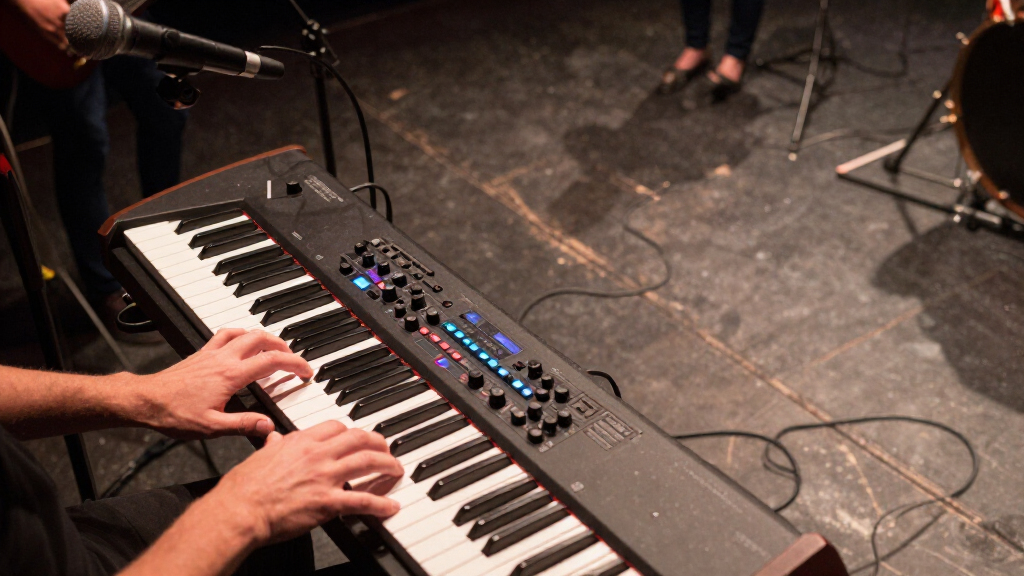
I ranked these keyboards around the demands of playing live, not the length of their feature lists. I gave greater weight to playable key range, useful controls within reach, the ability to perform without a computer, and connections that can fit common stage setups. I also considered how readily each model supports different roles, from triggering software instruments to playing self-contained arrangements, along with portability and setup complexity.
The Launchkey 61 MK4 ranks first because it combines a broad range with hands-on performance controls and DAW integration, making it adaptable across many computer-based sets. Yamaha’s PSR-SX920 and PSR-SX720 rank highly for players who need onboard sounds and arranger tools, but they are less suited to a minimalist controller rig. Smaller Akai and M-Audio controllers rank lower for general live use because their compact ranges and computer-centered designs fit narrower roles, though they can be the better choice for a small setup or a dedicated control task. The beginner Yamaha and Alesis 88-key model fill different needs: accessible standalone playing and a broad piano-style range, respectively.
| keyboards for live performance | Connectivity |
|---|---|
| Akai Professional MPK Mini MK3 | USB |
| Akai Professional MPK Mini IV | USB-C and full-size MIDI Out |
| Arturia KeyLab Essential mk3 | USB-C and MIDI DIN |
| Alesis Recital Play 88-Key Pia | USB and MIDI USB |
| M-AUDIO Keystation 49 MK3 | USB |
| Yamaha 61-Key Arranger Keyboar | — |
| Novation Launchkey 61 MK4 | — |
| Yamaha 61-Key Portable Keyboar | — |
| Akai Professional APC Key 25 M | — |
| Akai Professional MPK Mini Plu | — |
| Yamaha 61-Key Arranger Keyboar | USB |
Factors to Consider When Choosing Keyboards For Live Performance
Before choosing a board, decide what has to happen onstage and what gear will do the work. The right keyboard depends less on a headline feature than on how you play, what sounds you need, and how much equipment you want to manage between songs.
Decide Whether You Need a Standalone Keyboard or a MIDI Controller
A MIDI controller sends playing and control data to a computer or sound module; by itself, it does not provide a complete set of sounds. That setup can give you access to a wide range of software instruments, but it adds dependencies such as a laptop, audio interface, power, and a reliable way to control your set. A standalone arranger keyboard can supply sounds and accompaniment without a computer, which can simplify a self-contained performance. Do not choose a controller solely because its software bundle looks extensive: check that your actual live rig can run the sounds you plan to use. Conversely, an onboard-sound keyboard may be more instrument than you need if your whole set already runs from a computer. Match the instrument to the full signal chain, not just the keyboard itself.
Choose Key Count for Your Set, Not Just Your Carry Case
Compact 25-key boards are easy to carry and can work well for bass lines, leads, triggering clips, and one-handed parts. They become limiting when you need to play chords and melody together, switch registers quickly, or cover a wide piano passage. A 37-key model gives a little more room without the footprint of a full-size board, while 49 and 61 keys are more comfortable for many two-handed parts. An 88-key keyboard is a better match for broad piano repertoire, but its size affects transport, stand choice, and stage space. A common mistake is buying for the shortest trip from home to the venue, then discovering that the playable range restricts the set. Write down the widest passage you need to perform and select enough keys to cover it without constant octave shifts.
Check the Controls You Need to Reach Mid-Song
Knobs, faders, pads, transport controls, and dedicated performance modes matter only when they help you make a change at the right moment. If you adjust filter settings or mix levels while playing, prioritize controls that are easy to identify and reach without taking your hands away for long. If your set relies on launching clips or triggering samples, pads and dependable software mapping may matter more than extra keys. Controls can also add complexity: a larger surface is not automatically faster if you must remember custom assignments or switch modes between songs. Map your essential actions before a performance and keep the most time-sensitive functions close at hand. For a simple piano or arranger set, a direct playing experience may serve you better than a controller packed with features you rarely use.
Treat Computer Dependence as a Stage-Reliability Decision
A computer-based keyboard rig offers flexibility, but it makes the laptop, software, audio interface, and connections part of the performance system. Think through what happens if a project fails to load, a cable is disturbed, or you need to change sounds quickly between songs. Standalone models reduce some of those dependencies by keeping sounds and performance functions in the instrument, though they may offer a different workflow from a custom software setup. Before a show, test the complete chain with the same power, cables, and audio routing you will use onstage. Avoid relying on a feature simply because it works in a studio session; stage changes need to be fast and repeatable. A useful backup plan can be as simple as keeping a dependable core sound available if your more elaborate rig has a problem.
Match Key Feel and Playing Style
Key size and action affect accuracy and comfort, particularly when moving from a practice keyboard to a cramped stage setup. Mini keys help reduce the instrument’s footprint, but players accustomed to full-size keys may find them less natural for detailed two-handed passages. Semi-weighted or waterfall-style keys can feel different from a piano-style action, so consider the motions your parts demand rather than treating one feel as universally superior. Pad-based triggering and keyboard playing also place different demands on touch and response. If you cannot try the action before buying, check the product’s key format and stated action carefully, then compare it with an instrument you already know. Choosing a feel that supports your technique can matter more than gaining an extra control bank.
Plan for Connections, Setup, and Transport
List the connections your setup needs before settling on a keyboard: USB for a computer-based rig, traditional MIDI for compatible gear, and any instrument-specific connections required by your sound modules. A model with useful ports can reduce extra adapters, but only if those ports match the rest of your equipment. Also account for the keyboard’s size, its power arrangement, the stand it needs, and how quickly you can set it up and pack it away. Compact controllers are attractive for frequent transport, though a small key range may force you to reorganize parts. Larger boards can make performance easier but need more stage room and a transport plan. Check the entire setup as a working system so that one missing connection or awkward stand does not undermine the keyboard’s strengths.
Frequently Asked Questions
Should I choose a MIDI controller or a keyboard with built-in sounds for live shows?
Choose a MIDI controller if your live set already depends on a computer or sound module and you want direct control over those sounds. Choose a keyboard with onboard sounds if you want to play without a laptop or reduce the number of separate devices in your setup. A controller can offer flexible software choices, but the computer and audio chain become part of your show. A standalone arranger keeps more of the performance inside one instrument, though its workflow may differ from a custom software rig. Think through the full setup, including how you will change sounds and handle a technical problem mid-set.
Are 25 or 37 keys enough for playing live?
They can be enough for sets built around short melodic parts, bass lines, pads, samples, or one-handed playing. The MPK Mini models and APC Key 25 MK2 suit compact roles, while the MPK Mini Plus adds some range and sequencing features in a small format. A limited key span is less comfortable for two-handed piano parts, wide chords, or sets that move quickly between registers. Octave controls can help, but changing octaves during a song can interrupt your playing. If your repertoire includes broad keyboard parts, a 49- or 61-key option is usually easier to manage onstage.
Do I need 61 keys for a live performance keyboard?
No; the required range depends on the parts you play and how you arrange your set. A compact controller can work well when you trigger clips or play concise parts, while 61 keys give more room for two-handed playing without the footprint of an 88-key instrument. The Yamaha arranger models also pair a wider range with onboard performance functions, a different advantage from a controller’s software integration. If you play full piano passages, you may prefer the Alesis 88-key model despite its larger format. Choose the smallest range that lets you perform your actual material comfortably, not the smallest board that fits in a bag.
Can I use the Akai MPK Mini or APC Key 25 as my only live keyboard?
You can, if your set is designed around a compact range and a computer or other sound source. The MPK Mini MK3 and MPK Mini IV are better fits for playing short parts and controlling a software setup, while the APC Key 25 is suited to a focused control role. These 25-key options are less accommodating for full two-handed keyboard arrangements than the 61-key models in this roundup. They also depend on the rest of your rig to provide sound. Before using one as your only board, map out every song’s range and confirm that its controls cover your performance needs.
When does an arranger keyboard make more sense than a controller?
An arranger makes more sense when you want onboard sounds and accompaniment functions available directly from the instrument. The Yamaha PSR-SX720 and PSR-SX920 serve that kind of performance better than a compact MIDI controller, which must send data to another sound source. This can simplify a setup for players who prefer to perform without managing a laptop. A controller is a better fit when your sound library and workflow already live in a DAW or software-instrument setup. Decide based on whether you need a self-contained instrument or a physical interface for sounds you already own.
Conclusion
For most computer-based performers, I recommend the Novation Launchkey 61 MK4 as the best overall: its 61-key range and performance controls make it the most adaptable controller in this group. The M-Audio Keystation 49 MK3 is my best value pick for players who want a straightforward 49-key controller without needing an extensive performance surface. For a best premium standalone option, choose the Yamaha PSR-SX920; the PSR-SX720 is a strong alternative if you want arranger-style playing with a simpler fit. Beginners who want an accessible keyboard with onboard songs should look at the Yamaha 61-key portable model, while piano-focused players needing the widest range should compare the Alesis Recital Play 88-Key. For a compact production rig, the MPK Mini Plus adds more playing range and sequencing than the 25-key Akai models. Pick the board that fits your set’s key range and sound source first, then weigh portability against the controls you will actually use.
Halloween Picks
halloween
As an affiliate, we earn on qualifying purchases.