
TL;DR

Get audio and creator gear delivered free with Prime
- Fast, free delivery on millions of items
- Prime Video, Amazon Music and more included
- Member-only deals all year
A good streaming microphone prioritizes clear speech, background noise control, and easy setup. Dynamic models excel in noisy rooms, while condenser mics shine in quiet spaces. Recent tech trends include dual USB/XLR models and AI noise suppression.
Imagine sitting at your desk, ready to go live. Your microphone is the bridge to your audience, capturing your voice with clarity. But not all mics are created equal—what makes one stand out for streaming?
If you’re tired of background noise, echo, or muffled sound, this guide will cut through the jargon. You’ll learn what type of microphone suits your space, how to set it up, and what recent innovations can elevate your stream’s audio quality. Your voice deserves to be heard crystal clear, no matter your room’s acoustics.
Choose a dynamic microphone if your room is untreated or noisy, for better background noise rejection.
Opt for a USB model if you want quick setup; go for XLR if you plan to upgrade and seek higher control.
Keep your microphone close—about 5–15 cm from your mouth—and treat your room with soft furnishings to reduce echo.
Recent tech trends include dual USB/XLR mics, onboard processing, and AI noise suppression, making high-quality audio more accessible.
Don’t overlook placement, room acoustics, and monitoring—these factors often matter more than the microphone’s price or specs.
Which microphone type suits your streaming setup—dynamic or condenser?
The choice between dynamic and condenser microphones is fundamental. Dynamic microphones are like bouncers—they ignore everything but the close-up voice, making them perfect for noisy rooms or untreated spaces. Think of the Shure SM58—robust, reliable, and great at rejecting background sounds. Condenser mics, like the Audio-Technica AT2035, are more sensitive, capturing every detail and nuance of your voice, but they also pick up every room echo and keyboard click.
Imagine streaming from a cluttered basement with echo bouncing off bare concrete walls. A dynamic mic will cut through the chaos, focusing on your voice. In a quiet, well-treated room, a condenser can bring out richness and detail—making your audience feel like you’re right there with them.
Recent surveys show that more creators lean toward dynamic mics for streaming, especially at home, because they handle background noise better and require less treatment. However, if your space is acoustically friendly, a condenser can deliver studio-like clarity.
Products Worth Considering

Apple AirPods Pro 3 Wireless Earbuds with Active Noise Cancellation

Bose QuietComfort Headphones (2nd Gen), Wireless Noise-Cancelling Over-Ear Headphones, Black

Bose QuietComfort Ultra Wireless Noise-Cancelling Headphones with Spatial Audio, Black
As an affiliate, we earn on qualifying purchases.
USB or XLR: Which connection suits your streaming goals?
Picking the right connection is like choosing the right vehicle. USB microphones are plug-and-play—just connect to your computer, and you’re good to go. They’re perfect for beginners or streamers who want simplicity. For example, the Rode NT-USB Mini offers excellent sound with minimal fuss.
On the other hand, XLR microphones require an audio interface, boosting flexibility and sound quality as you grow. They allow for better preamps, hardware effects, and multiple mics at once. If you plan to upgrade or want professional-grade control, XLR is the way to go.
Here’s a quick comparison:
| Consideration | USB Microphone | XLR Microphone |
|---|---|---|
| Setup | Simple, direct to PC | Requires interface/mixer |
| Cost | Lower, all-in-one | Higher, separate gear needed |
| Upgrade potential | Limited | Highly expandable |
| Portability | High | Less portable |
| Skill level | Beginner-friendly | Intermediate to advanced |
Many new models now offer both USB and XLR options, giving you the flexibility to start simple and upgrade later.
Why your mic placement and room acoustics matter more than price
Think of your microphone as a sensitive listener—its position can make or break your sound. For clear, professional audio, keep your mic close—about 5 to 15 centimeters from your mouth. This minimizes room noise and plosive pops. For example, a streamer I know kept her mic at arm’s length, but her voice sounded distant and echoey. Moving it closer made her voice warm and direct.
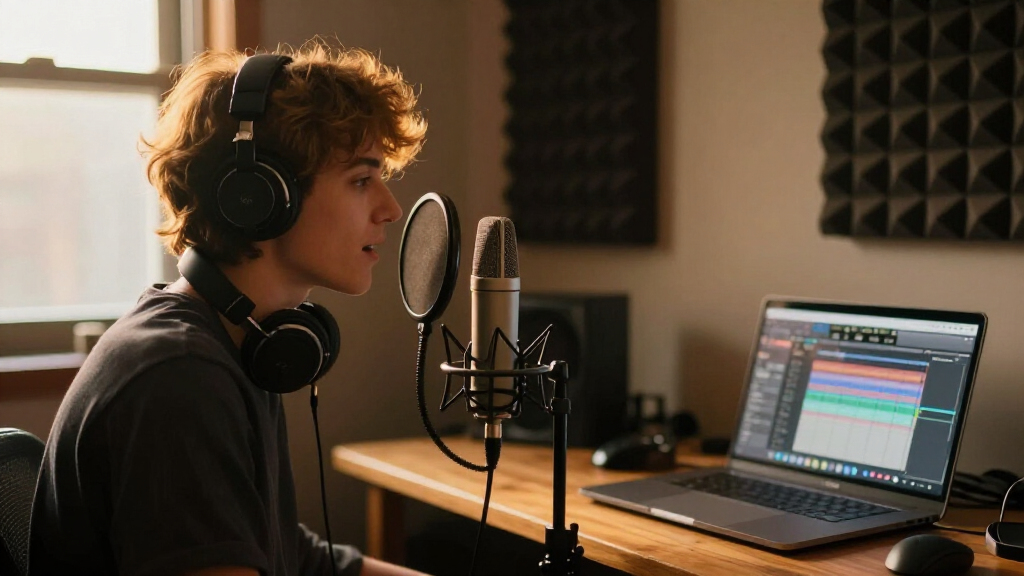
Room acoustics often matter more than the mic itself. Bare walls, hardwood floors, and empty desks bounce sound around, creating echo. Adding a thick curtain, a rug, or some bookshelves can dramatically improve clarity. Even a simple foam panel can cut down echo and make your voice sound richer. Remember, a $300 mic in a bad room sounds worse than a $100 mic in a treated space.
Use a pop filter or foam windscreen to tame plosives and breath noise. Position the mic slightly off-axis, aiming toward your mouth but avoiding direct breath hitting the capsule. These small adjustments make a huge difference.
The latest tech trends making your voice sound better without breaking the bank
Recent innovations have made high-quality streaming audio more accessible. Dynamic microphones are now more popular because they handle household noise better. Streaming-focused models like the Shure MV7 combine XLR and USB, offering flexibility for future upgrades.
Many USB mics now include onboard processing—automatic gain, noise reduction, compression, and equalization—making setups easier. For example, the Elgato Wave 3 has software that automatically adjusts your voice levels, saving hours of tweaking.
AI-based noise suppression has improved. Tools like Krisp or NVIDIA Broadcast filter out keyboard clicks, fans, and household chatter, giving you cleaner audio. But remember, good placement and room treatment still matter more than software magic.
Dual USB/XLR designs are especially popular. They let you start with a simple USB connection and upgrade to XLR later without replacing your mic. USB-C connectors are now standard, providing faster data transfer and easier setup.
Finally, features like tap-to-mute, visual status indicators, and built-in headphone monitoring simplify live control, helping you stay professional during streams.
Compare the best connection options for streaming microphones
Here’s a quick side-by-side look at USB and XLR connections:
| Feature | USB Microphones | XLR Microphones |
|---|---|---|
| Setup | Plug-and-play, no extra gear | Requires audio interface or mixer |
| Cost | Usually lower | Higher, with additional equipment |
| Upgradeability | Limited | Component upgrades possible |
| Flexibility | Less adjustable | More control with hardware |
| Portability | High | Less portable |
Choosing between them depends on your goals. USB is perfect for quick setup, while XLR offers more room for growth in quality and complexity.
Avoid these common mistakes when choosing your streaming mic
Many streamers fall into traps that hurt their sound quality. For instance, selecting a sensitive condenser mic for a noisy room means background noise gets amplified. Positioning the mic too far from your mouth causes distant, muffled audio. Using a cheap mic because it’s famous often backfires—sound quality isn’t everything.
Other pitfalls include ignoring room acoustics, neglecting headphone monitoring, or over-relying on software noise reduction, which can make your voice sound metallic or artificial. Spending your whole budget on a fancy mic and skimping on a good boom arm, headphones, or room treatment also limits your overall sound.
Remember, even the best mic can’t fix a poor setup. Proper placement, room acoustics, and correct gain settings are your best tools for professional-sounding audio.
Frequently Asked Questions
Is a dynamic or condenser microphone better for streaming?
In most cases, a dynamic microphone is better for streaming, especially in untreated rooms, because it rejects background noise and echoes. Condenser mics excel in quiet, acoustically treated spaces but can pick up every household sound, making them less practical for casual setups.
Do I need an XLR microphone for professional sound?
Not necessarily. Modern USB microphones can deliver broadcast-quality audio, especially if you’re just starting out. XLR microphones offer more upgrade options and control but require additional gear and knowledge to set up properly.
How much should I spend on a streaming microphone?
You can find good options around $100-$200 that deliver solid sound. Remember, the entire setup matters—consider a stable stand, quality headphones, and room treatment. Investing in these can often improve your sound more than an expensive mic alone.
Why does my mic pick up my keyboard and mouse clicks?
This usually happens because the mic is too far away, set to high gain, or sensitive. Moving it closer, reducing gain, and positioning it off-axis from your keyboard can significantly cut down on unwanted noise.
What’s the best way to prevent echo in my recordings?
Echo is mostly a room issue. Adding soft furnishings like rugs, curtains, or foam panels helps absorb sound. Positioning your mic closer and using directional patterns like cardioid also reduces room reflections.
Conclusion
Your microphone is the cornerstone of good streaming audio. No matter how fancy your setup, proper placement and a decent room make all the difference. Focus on your environment, choose a mic suited to your space, and use simple, effective techniques to sound professional.
Make your voice the star of your stream—clear, warm, and free of distractions. After all, your audience is tuning in for your words, not the echo bouncing around your room.