
AIThis post was created with the assistance of artificial intelligence (AI).

Before you orderOffer from Amazon
Get audio and creator gear delivered free with Prime
- Fast, free delivery on millions of items
- Prime Video, Amazon Music and more included
- Member-only deals all year
Start your free Prime trial Free trial for eligible customers · Cancel anytime
As an affiliate, we earn on qualifying purchases.
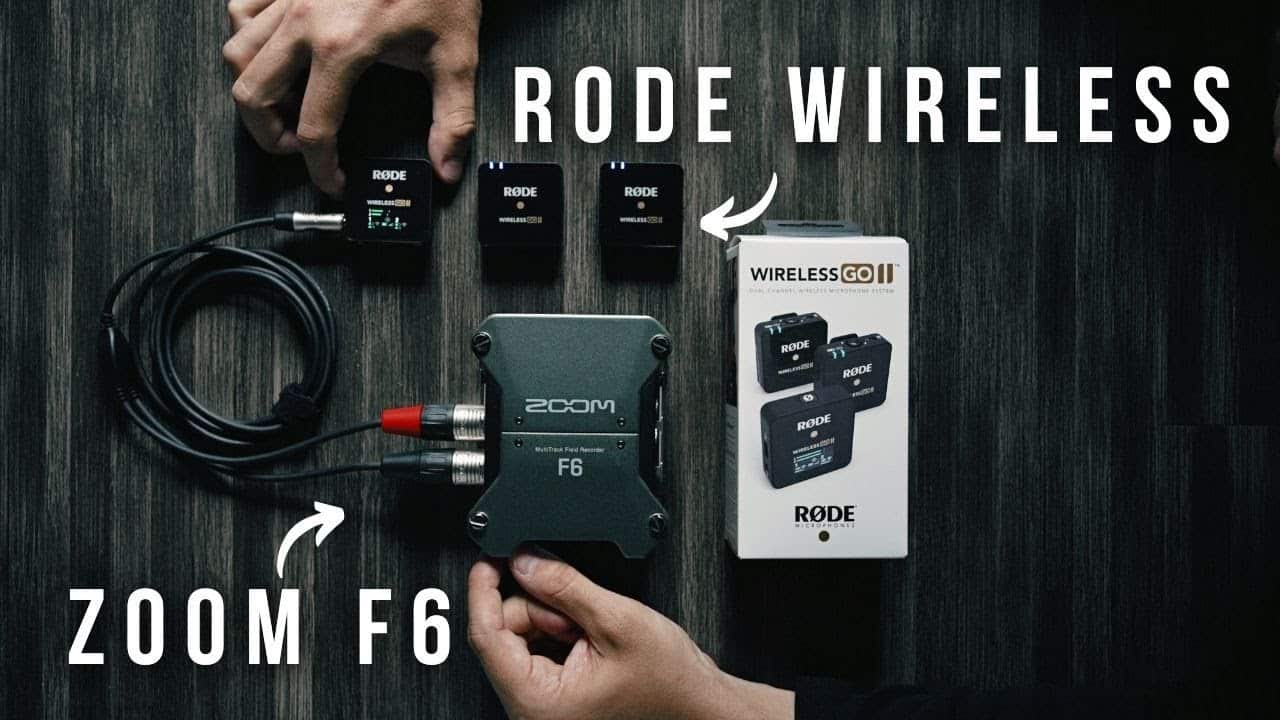
Rode Wireless Go2 with Zoom F6 Audio Recorder
Can you connect the Rode Wireless Go 2 with a Zoom F6? The answer is yes and I show you one way in this #shorts video! One way to connect the Rode Wireless Go 2 with a Zoom F6 is by using the 3.5mm TRS to dual XLR cable. This allows you to connect the receiver of the Wireless Go 2 directly into the inputs of the Zoom F6. Additionally, if you need to power the Zoom F6 for longer recordings, you can use a power bank for mix pre 6ii to keep it running for extended periods of time. These simple solutions make it easy to integrate the Rode Wireless Go 2 with the Zoom F6 for seamless audio recording.
Products Worth Considering

Bose QuietComfort Wireless Noise-Cancelling Over-Ear Headphones, Black

Sony WH-1000XM6 Wireless Noise-Canceling Over-Ear Headphones, Blue, Bundle

Logitech MX Mechanical Wireless Illuminated Keyboard, Tactile Quiet, Graphite
As an affiliate, we earn on qualifying purchases.