With the release of AudioSwift 2, the earlier reviewed AudioSwift app has been updated with some substantial new features. AudioSwift for macOS is an app that lets you use a trackpad as a MIDI controller.

Get audio and creator gear delivered free with Prime
- Fast, free delivery on millions of items
- Prime Video, Amazon Music and more included
- Member-only deals all year
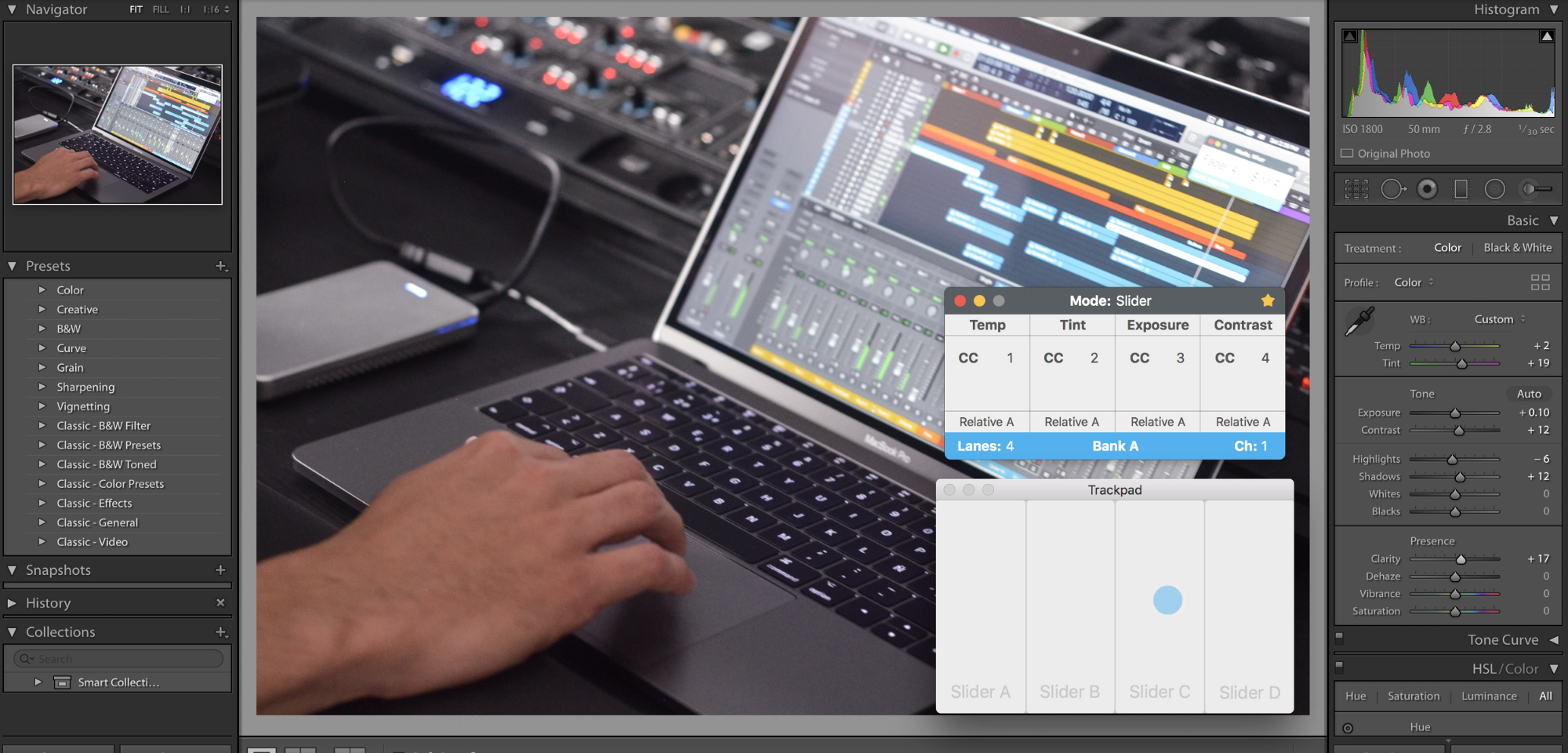
Designed for music producers and photographers, with AudioSwift you can control virtual instruments in your digital audio workstation or edit photos faster in Adobe Lightroom, all by just using simple touch gestures over the trackpad.
AudioSwift comes in five controller modes depending on what you want to control:
- Slider — divides the trackpad into four virtual sliders that send either CC or Pitch Bend MIDI messages
- XY — control many parameters at the same time using one, two or three fingers
- Mixer — designed to speed up your mixing workflow. Control two faders at the same time, panning, sends, use the trackpad as a jog wheel, and write automation
- Trigger — tap your fingers over the trackpad to make beats or launch audio clips
- Scale — play notes in a selected key
What’s new in Version 2?
- Slider Mode with 12 configurable virtual sliders
- New XY Mode design with 5 views and 30 configurable controllers
- It now works with Adobe Lightroom using a third party open source plugin
- Adds Pitch Bend with relative center position (0 pitch bend)
- Adds new Regular Format for CC messages
- Adds default CC values and automatic return to default after a finger is released
- Adds labels for Slider and XY modes
- AudioSwift’s console can now be turned on temporarily with a tap plus the shift key
- When working with two trackpads or a trackpad with a mouse, AudioSwift can now be turned on automatically by just touching the trackpad’s surface
Requires macOS 10.11 or newer:
- A Macbook, MacBook Air, and MacBook Pro with
built in multitouch trackpad, or any Mac with a Magic Trackpad 1 or 2. - Force Touch support requires a compatible trackpad.
- Touch Bar support requires macOS 10.12.2 or newer
. Fo r Lightroom, it requires macOS 10.12+, Lightroom 6+ Classic CC, and the plugin MIDI2LR installed. See its requirements.- Mixer Mode currently supported in Logic Pro, Pro Tools, Ableton Live, Cubase, Studio One and Reaper
. Trigger , Scale, XY, and Slider modes work with all DAWs just like any MIDI controller.
AudioSwift for macOS is available for free as a trial demo for 15 days. Regular price is $24, but for a limited time, it’s 50% off using coupon code GOLDENFROG50.
Halloween Picks
halloween
As an affiliate, we earn on qualifying purchases.