
AIThis post was created with the assistance of artificial intelligence (AI).

Before you orderOffer from Amazon
Get audio and creator gear delivered free with Prime
- Fast, free delivery on millions of items
- Prime Video, Amazon Music and more included
- Member-only deals all year
Start your free Prime trial Free trial for eligible customers · Cancel anytime
As an affiliate, we earn on qualifying purchases.
FL Studio – Release FL 20.6
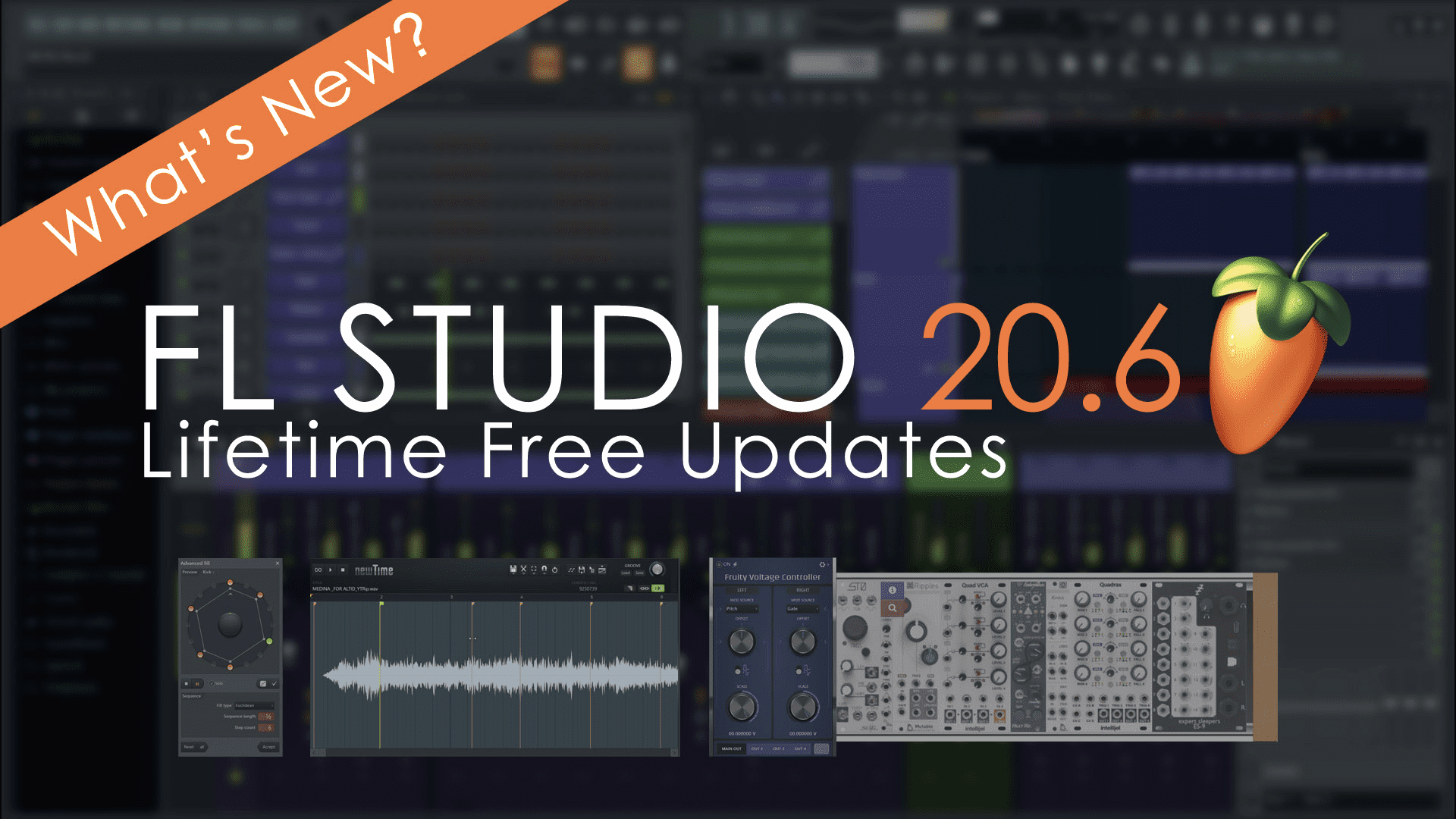
FL STUDIO 20.6 introduces new ways to create Distortion, improved audio Time Warping, Control Voltage (CV) support, split Playlist Track Rendering, SoundCloud Export, Euclidean Rhythms, and Internal MIDI Recording.

FL STUDIO 20.6 Features Overview
- Distortion – New pedal-style plugin Distructor.
- Improved audio Time Warping – NewTime editor.
- Control Voltage (CV) support – Fruity Voltage Controller
- Split Playlist Track Rendering – Export from the FILES menu
- SoundCloud Export – Option on the export dialog.
- Euclidean Rhythm Generator – Right-click Channel Button option ‘Advanced fill…’
- Internal MIDI Recording – Right-click Channel Button option ‘Burn to MIDI’
New Features
- Distortion & Amp simulation – Distructor aggregates the most popular Distortion and Filter effects into a single multi-FX guitar-pedal inspired plugin.
- Time warping – NewTime time-warping editor with audio quantization and groove shuffling is included with Producer Edition and up.
- Control Voltage support – Fruity Voltage Controller interfaces with external Control Voltage (CV) hardware using a DC-coupled Audio Interface. Included with Fruity Edition and up.
- Convert Playlist tracks to audio – The Export all playlist tracks sequentially renders each playlist track to an audio file. Selecting ‘Enable master effects’ will include the Master Mixer track effects on all the audio files. See the ‘FILE > Export > All playlist tracks’ and ‘Playlist Menu > Tools > Export all playlist tracks’.
- SoundCloud export – Audio Export now includes the ‘Upload to cloud’ option to render a song to your SoundCloud account. Check SoundCloud’s ‘For Creators’ page to connect with fellow creators or reach future fans wherever they’re listening.
- Step sequencer Euclidean rhythms – Advanced Fill Tool to explore Euclidean rhythms and new ways to get creative and break habitual beat making.
- Internal MIDI capture – Burn MIDI to (Channel Button Right-click Menu) option records notes from the Channel’s Arpeggiator, note effects or plugins that generate MIDI.
Improved Features
- Audio Clips – The Audio Clip (menu) > ‘Make unique as sample‘ popup now has ‘Don’t show this again‘ option.
- Automation Clips – Access to Articulator Settings from the Automation Clip’s menu.
- Granular synthesis – Fruity Granulizer now has a sample display, play-head and sample-start visualizations to improve plugin intuitiveness.
- DirectWave – Now supports FLAC for the Monolithic save format.
- Edison (audio editor) – Added an option to change the sample filename in the Sampler Properties dialog.
- FL Studio Mobile – Now has the multi-output capability. From the FL Studio Mobile Rack choose the FL Studio Mixer destinations.
- FLEX – Added modulation speed for the reverb-time. Added indication of available updates for installed packs (orange notice in info-bar). Now shows a message when a preset can’t be opened.
- Vocodex – Added option to use draft mode when rendering.
- MIDI Out transport filter – New ‘Transport flush options’ menu to manage the data/commands FL Studio sends when transport buttons are clicked (Play or Stop). The menu is located lower right on the plugin.
- Manage startup project – General Settings option to start with an empty project, Default template or Last used project. The ‘Theme’ selector from General settings has been replaced with a ‘Silent startup’ check box. When opening a project any missing packs are shown in the missing data window in FL Studio.
- CPU management – The Wrapper processing includes an ‘Allow smart disable’ option to bypass ‘Smart disable’ for specific plugins that is remembered for future instances of the plugin.
- Default colors – Color Selectors now include ‘Default color’ setting for the Playlist, Piano roll, Event Editor and all other components. See the lowest cell on the left column marked ‘D’.
- Convolver & Slicex – Removed KB input buttons from the window. The function now accessed from the Typing Keyboard Priority control on the Wrapper title bar.
- Performance Monitor – The FL Studio performance monitor now has a ‘Reset on transport’ checkbox.
- Manage dialog popups – General Settings ‘Manage warning messages‘ option for popup dialogs that display the ‘don’t show this in the future’ option.
- Help Menu – You can now open the What’s New text file from the Help menu.
Availability
You can download the FL Studio – Release FL 20.6 Update here.
Products Worth Considering

Logitech MX Master 4 Ergonomic Wireless Mouse with Haptic Feedback, Graphite
Apple iPad mini (A17 Pro), 128GB, Wi-Fi 6E, Space Gray

LG UltraGear 32GS60QC-B 32-inch Curved QHD Gaming Monitor (180Hz, 1ms, 1000R, AMD FreeSync, HDR10)
As an affiliate, we earn on qualifying purchases.