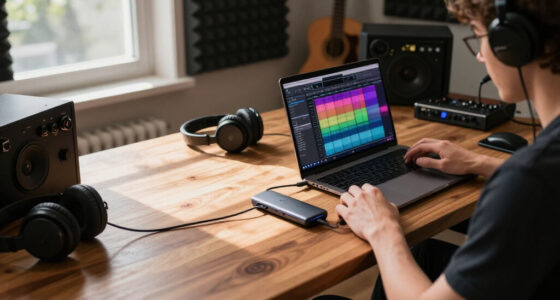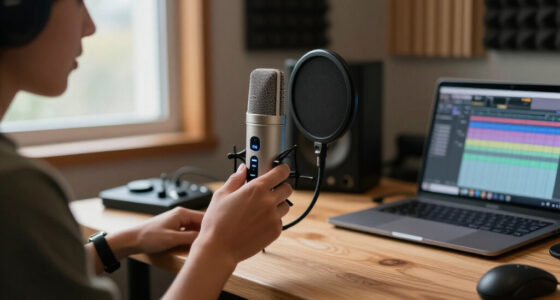

TL;DR
Wireless microphone systems transmit audio from a microphone to a receiver without a cable between them. Choose a system that is legal for your location, suits your microphone and connections, and has enough coordinated channels for your event; then test it in the actual venue, check batteries, and place antennas sensibly.
A speaker can be standing three feet from the mixer and still lose their voice to a tiny radio dropout. That’s the tradeoff at the heart of wireless microphone systems: you gain freedom to move, while radio conditions and setup become part of your sound check.

Get audio and creator gear delivered free with Prime
- Fast, free delivery on millions of items
- Prime Video, Amazon Music and more included
- Member-only deals all year
This guide explains how a wireless system sends sound, what affects range and reliability, and how to choose a setup for a presentation, performance, or video shoot. You’ll also get a practical pre-event routine to help catch the problems that are much harder to solve once the room is full.
The good news: a wireless link can deliver excellent sound. Think of it like a clear path through a busy room—your microphone, receiver, frequency choice, and venue all shape how smoothly the signal gets through.
A wireless system uses a transmitter to send audio by radio and a receiver to feed a mixer, camera, recorder, or sound system.
Choose handheld, lavalier, headset, or instrument connections based on the performer’s movement and the recording setup.
Check the exact frequency band against current local rules; regional allocations differ and can change.
Treat a frequency scan as a snapshot, and coordinate channels for simultaneous microphones.
Test the full route in the venue, keep antennas clear, check batteries, and bring a practical fallback.
What a wireless microphone system does between the mic and the mixer
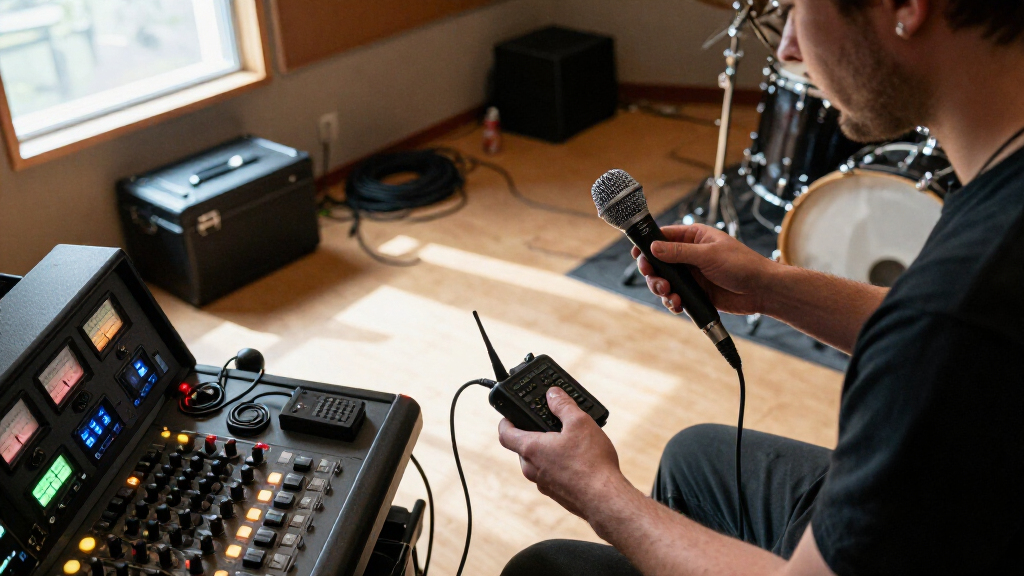
A wireless microphone system sends a microphone’s audio over radio to a receiver, which then feeds a mixer, camera, recorder, or sound system. The transmitter sends the signal; the receiver catches it and passes along the sound. That link lets you move without a cable between the microphone and receiver.
In a handheld mic, the microphone capsule and transmitter sit in one unit. A lavalier or headset usually plugs into a small bodypack clipped to clothing or a belt. For a camera shoot, the receiver may mount on the camera while the speaker wears the bodypack under a jacket.
Imagine a presenter walking from a lectern into the audience. A wired mic would tether them to the stage; a wireless setup gives them room to move, provided the transmitter can reach the receiver reliably. For a classroom teacher, a headset keeps the mic near the mouth while both hands stay free for books or a whiteboard.
Systems use either analog or digital radio transmission. Analog systems can sound very good, while digital systems convert audio into data and may offer encryption, remote controls, or consistent frequency response. The label alone doesn’t predict sound quality: the capsule, electronics, RF conditions, and setup all matter.
Products Worth Considering

Amazon Kindle Scribe (16GB) with Premium Pen, Tungsten

DJI Mic Wireless Lavalier Microphone System with 2 Transmitters, 1 Receiver, and Charging Case

Logitech MX Creative Console with 9 Customizable Keys, Graphite
As an affiliate, we earn on qualifying purchases.
Choose a mic style that fits how you move and speak
The right wireless microphone style depends on what you need to do while speaking or performing. A handheld mic is easy to pass around, a lavalier clips discreetly to clothing, and a headset stays near your mouth as you move. Each style changes how the mic meets the sound source.
For a panel discussion, handheld microphones make it simple to pass questions from one person to another. At a wedding, a lavalier can keep a celebrant’s hands free, though a rustling jacket or a necklace brushing the capsule can spoil an otherwise quiet recording. A fitness instructor who turns away from the audience may prefer a headset because the mic stays in roughly the same position.
Instrument players often connect a compatible instrument microphone or pickup to a bodypack transmitter. Camera crews may choose compact kits with small transmitters and a receiver that connects directly to the camera or phone. Check the receiver’s output and the camera’s input before buying; a connector that physically fits may still need an adapter or a different audio level.
Try the mic in the clothes and posture you’ll use on the day. A lavalier that sounds clear while you stand still at home might scrape against a scarf when you turn to greet guests. A quick movement test can reveal that before the recording starts.
Check local frequency rules before you buy or travel
Wireless microphone systems use radio-frequency bands, and the bands you may use depend on your country and can change over time. A system that works legally at home may be restricted in another country or in a particular frequency range. Check the current rules for the exact model and location before you purchase or switch it on.
The United States, for example, repurposed the 600 MHz band for mobile broadband, restricting wireless microphone use across much of that range. That example shows why an older recommendation from a friend or an online listing may no longer fit your venue. Rules vary by country, so don’t assume one region’s guidance applies everywhere.
If you’re taking a kit from Berlin to a conference in New York, check the manufacturer’s frequency range and the current local allocation before packing. A familiar model name may come in different regional versions, and the transmitter and receiver need to be compatible. Buying a used unit without checking its band can leave you with equipment you can’t legally or practically use.
For a recurring event, note the venue’s location and the exact frequency range of every wireless system. That simple record makes future setup easier when staff, equipment, or local conditions change.
Prevent dropouts with a venue-specific frequency and antenna plan
Wireless microphone reliability depends on the radio environment as much as on advertised range. Television broadcasts, mobile networks, Wi-Fi, and nearby wireless gear can all affect the available spectrum. Interference may sound like noise, create dropouts, or cut the signal altogether.
A receiver scan can help you find apparently open channels, but it records a snapshot of the space at that moment. A convention hall may be quiet during setup, then fill with other equipment as exhibitors and presenters arrive. If the channel count matters, scan and coordinate close to the event, and repeat the check if conditions change.
For multiple microphones, assign compatible frequencies so the systems don’t interfere with one another. A two-mic interview in a small room may need only a careful channel check. A theater running many microphones alongside in-ear monitors may need a specialist RF coordinator, suitable antennas, and a clear inventory of every wireless device.
Keep the receiver antennas unobstructed and place them where they can “see” the performers when practical. A diversity receiver uses two antennas or reception paths to reduce dropouts caused by reflections and dead spots. It can help when a speaker crosses a reflective stage, but it won’t fix poor frequency planning or a receiver tucked behind a metal rack.
Balance sound quality, latency, and battery life
A good wireless system can deliver sound fit for professional work, but sound quality comes from the whole audio chain. The microphone capsule, transmitter and receiver electronics, transmission format, and mixer all shape what you hear. Wireless adds radio and battery management to the job, so a strong setup depends on more than a “digital” or “analog” label.
Digital transmission adds some latency because the system processes audio as data. That delay is usually small, but it can matter when a performer hears their own voice in a monitor or when audio needs to line up tightly with video. If timing is critical, check the manufacturer’s stated latency and test the complete chain instead of relying on a spec sheet alone.
Battery life varies with battery type, transmitter power, features, and use. Rechargeable transmitters and charging docks can make weekly events less wasteful, while replaceable batteries are convenient when you need a fast swap between sessions. Either way, check the battery indicator before the audience arrives and keep charged spares within reach.
For example, a school that runs three assemblies a day might value a shared charging dock and a written charging routine. A wedding videographer working through a long outdoor ceremony may prefer easy battery swaps and a spare transmitter. The better choice depends on your schedule and how quickly you can recover if power runs low.
Use this seven-step checklist before your next event
A reliable pre-event routine checks legality, compatibility, radio conditions, and power before anyone depends on the microphone. Work through these seven steps in the venue where you plan to use the gear. A quiet sound check in the room catches problems a living-room test can’t.
- Match the mic to the job. Choose handheld, lavalier, headset, or an instrument connection based on movement and sound source.
- Confirm legal frequency use. Check the system’s exact band against current rules for the location.
- Verify compatibility. Make sure the transmitter and receiver belong to a compatible system and connect to your mixer, camera, or phone.
- Coordinate channels. Scan at the venue and plan frequencies for every microphone and other relevant wireless device.
- Place the receiver and antennas. Keep them clear of obstructions and in a useful position relative to the performers.
- Check power and signal. Confirm battery status, then listen for clean audio as the speaker walks through their full route.
- Pack a fallback. Bring charged spare batteries and, where practical, a wired microphone that can take over.
Suppose a presenter plans to walk from the stage into the back row. Don’t only test them beside the receiver: walk the full route, speaking at normal volume and turning naturally. If the signal cuts near a pillar, moving the receiver or antenna may solve the problem before showtime.
These steps also help answer practical questions. Most systems don’t need Wi-Fi to carry microphone audio, though some use a network for monitoring or control. Multiple microphones can work at once when the systems are compatible and frequencies are coordinated; the reliable channel count depends on spectrum, equipment, and venue conditions.
Frequently Asked Questions
Are wireless microphones as good as wired microphones?
They can sound equally good for many uses. Wireless systems add batteries and radio-frequency planning, while wired microphones avoid RF interference and are simpler to set up.
Do wireless microphones need Wi-Fi?
No. Most transmit audio over dedicated radio-frequency bands, not a Wi-Fi network. Some systems use Wi-Fi or Ethernet for remote control and monitoring, separate from the audio link.
How far can a wireless microphone reach?
There is no single reliable range figure for every venue. Distance depends on antennas, obstacles, interference, transmitter power, and receiver sensitivity, so treat advertised range as a best-case figure and test the intended space.
Can multiple wireless microphones work at the same time?
Yes, when the transmitters and receivers are compatible and their frequencies are coordinated. How many can run reliably depends on available spectrum, equipment, and the venue’s radio conditions.
Why does my wireless microphone keep cutting out?
Common causes include interference, blocked antennas, weak batteries, excessive distance, incompatible settings, or too many systems competing for spectrum. Check batteries and antenna placement first, then rescan and coordinate channels in the venue.
Can any wireless transmitter connect to any receiver?
No. Transmitters and receivers usually need to be compatible within a product family or system. Matching frequency range alone does not guarantee that they will work together, so check the manufacturer’s compatibility information.
Are wireless microphone systems legal everywhere?
No. Rules depend on country and frequency band, and allocations can change. Check the current requirements for the exact system and location before buying or operating it.
Conclusion
Choose wireless gear for the way you’ll use it, then check its frequency rules, connections, and channel plan before event day. Test in the actual room, with the person moving as they will on stage, and keep fresh power and a fallback mic nearby.
A clear wireless signal should feel invisible: the speaker moves, the story carries, and nobody in the room thinks about the radio path.