
ROLI Studio Player is an amazing new way to access all ROLI sounds and effects, all in one place, and make great music with them.

Get audio and creator gear delivered free with Prime
- Fast, free delivery on millions of items
- Prime Video, Amazon Music and more included
- Member-only deals all year
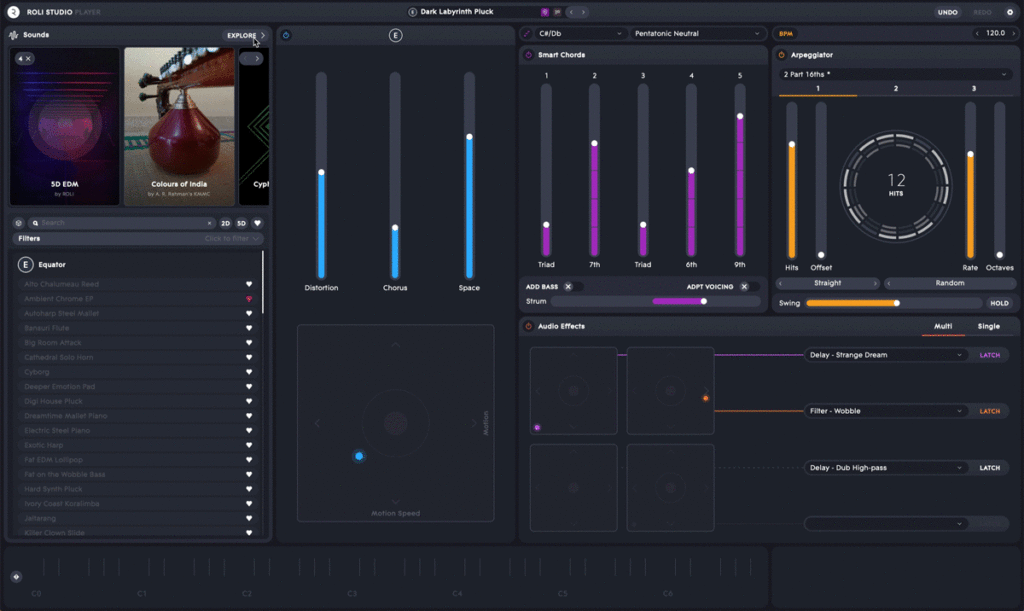
Our cutting-edge sound engines Equator, Cypher2, and Strobe2 are for the first time unified in one program that easily works with your DAW. And not only that. ROLI Studio Player introduces fun new features that help you compose and perform faster. Smart Chords helps you create complex chord progressions just by holding down a note, and the Multi-Layered Arpeggiator lets you create rhythmic patterns in seconds.
Download today, if you’re a BLOCKS or Seaboard owner, and you’ll be the first to experience these songwriting features. Plus you’ll massively simplify your workflow for accessing ROLI sounds and effects.
ROLI Studio Player is now available in a beta version, which means that the features are mostly there but are still being built and refined. It launches this summer alongside a new tiered offering for all our sounds. Between now and it’s public release we’ll be focusing on more content, deeper integration with ROLI hardware, and Windows support (right now it’s only available for Mac).
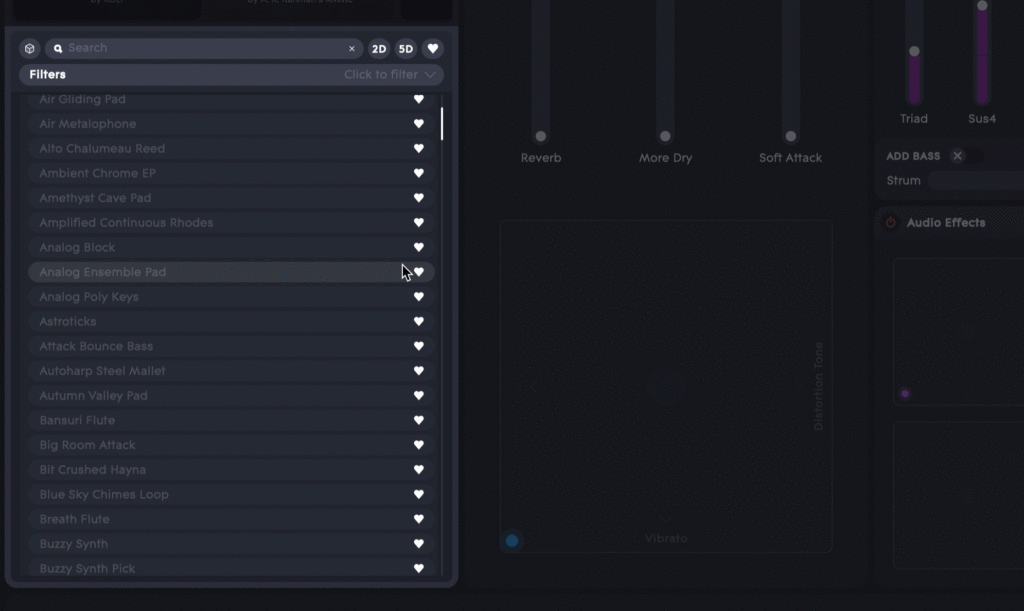
Share your ideas about how we can improve ROLI Studio Player! From bug-spotting to new feature concepts, your feedback really helps us deliver an extraordinary software suite.
To install ROLI Studio Player, you’ll first need to download ROLI Connect, the cloud-based platform that connects all ROLI hardware and software. Now let’s dive into the features of the ROLI Studio Player beta version.
Multi-Layered Arpeggiator
ROLI Studio Player also comes with a Multi-Layered Arpeggiator that’s more powerful than a standard arp — but also easy to use. It provides three independent layers of arpeggiation, so you can create complex rhythmic patterns just by pressing a few notes.
Each arpeggio is fully controllable. You can adjust standard parameters like the number of hits, their position (offset), the rate and the octave range. You can also adjust playback direction, playback type, and swing amount. Click the Hold button to continue the arpeggiation without pressing a note.

There’s a lot to explore with each individual arpeggio. But it gets really interesting when you layer them to create dynamic, interacting patterns — all in a few seconds, with only a few notes.
The helpful Visualizer in the center of the module shows you all layers of arpeggiation and all of the controls assigned to each layer.
Want to try something really fun? Combine your arp sequence with Smart Chords!
Smart Chords
ROLI Studio Player not only simplifies your access to sounds and effects. It introduces tools that help you compose more quickly.
Smart Chords turns a note into a chord progression. Play one note at a time, and you’ll generate chords that are automatically fixed in your chosen scale. You can create quick, fun, in-key chord progressions. Smart Chords can take your track in a new direction, or add more texture to your musical idea.
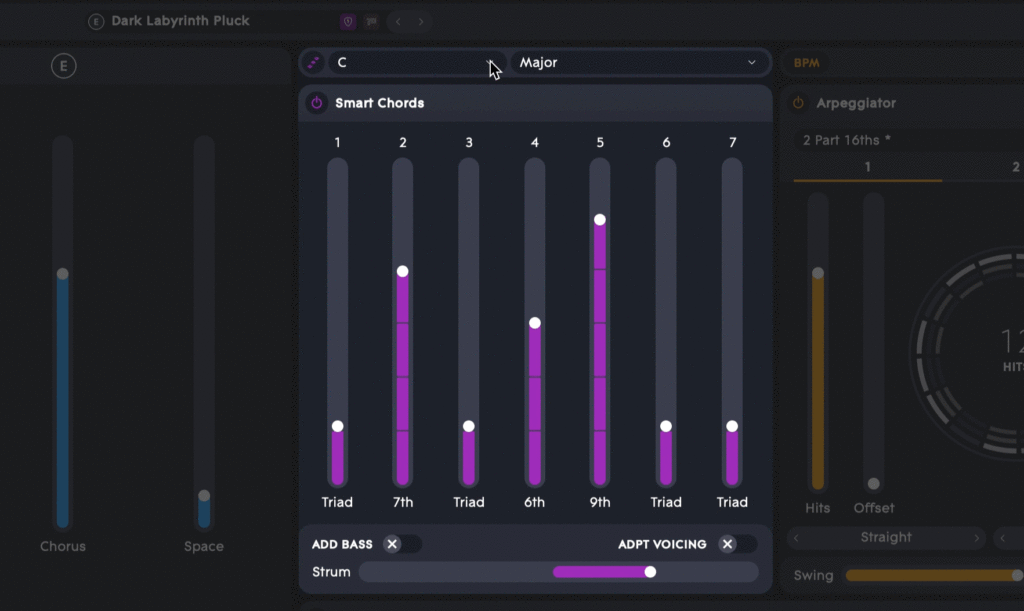
First select your scale. You’ll find all chord options at the top of the Smart Chords module (the default is C Minor). Every note you trigger will automatically shift the harmony of the chord to ensure it is bound within the scale.
All chords default to triads, or three-note chords. But you can use the faders to adjust this. You can can even change the voicings of the chords using the “Add Bass” and “Adapt Voicings” options.
We can also adjust Strum, which imitates rolled chords by adding a slight delay to each of the notes.
Audio Effects
The Audio Effects section helps you fine-tune your sounds in even more ways. There are four effects slots with corresponding XY pads. In each slot you can control delay, distortion, compression, pitch, filters, and other effects. More will be available when ROLI Studio Player is publicly released.
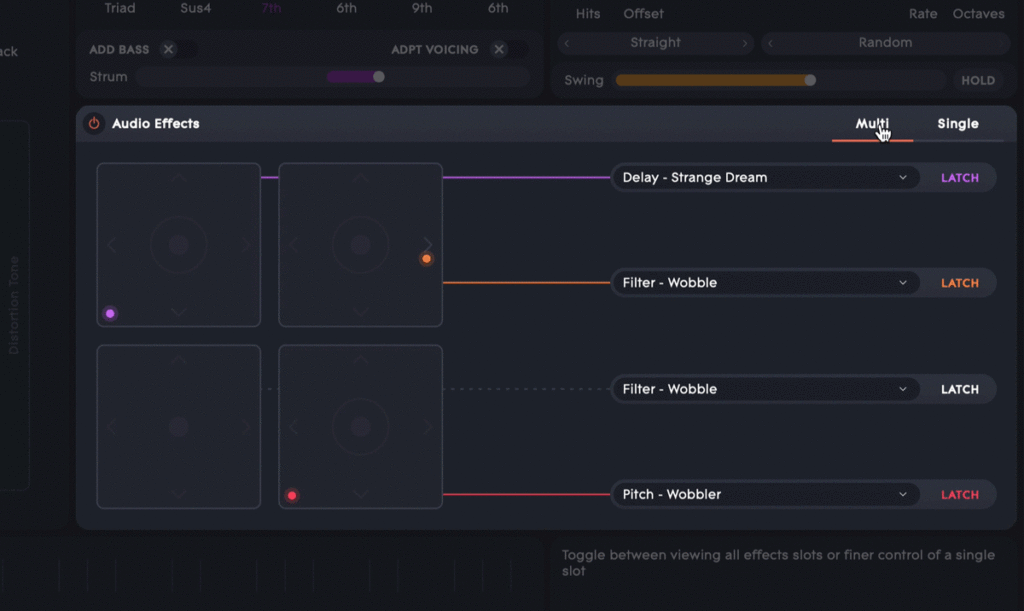
Choose your sounds from the drop-down menus. You can choose up to four at one time.
You can see all four effects pads at once in Multi view. Start with Single view, however, to see what you can do with each pad. Try mapping parameters to the X and Y axis. For example, with a filter-wobble effect you can map cutoff to the X axis and speed to the Y axis.
Activate each effect for momentary transitions, or click Latch to hold them in their XY position for as long as you’re playing a sound.
DAW Compatibility
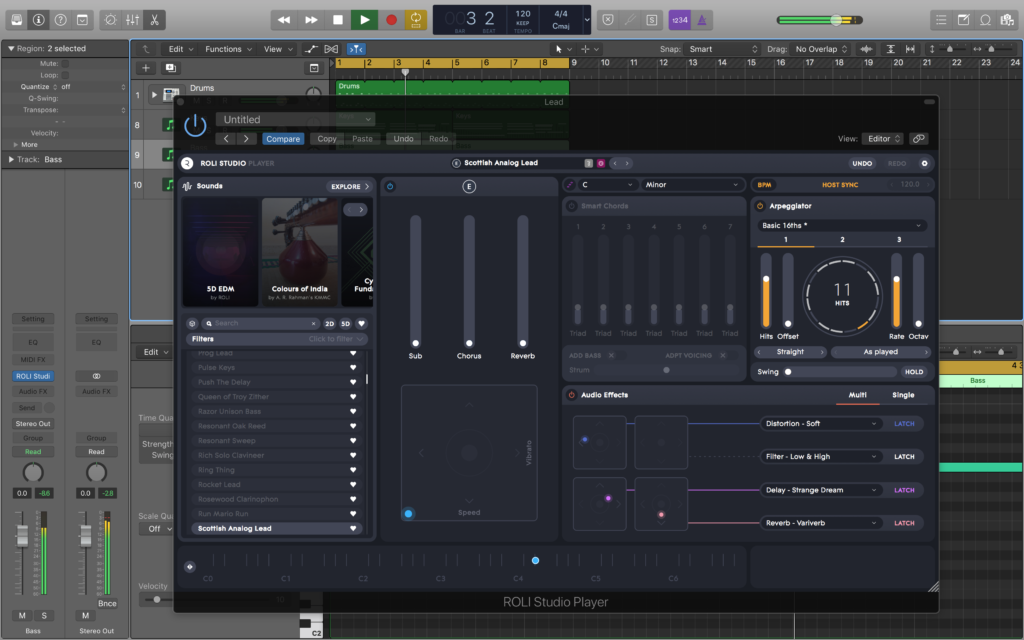
ROLI Studio Player slots simply into DAW. As a VST and AU plugin it can be hosted in Logic, GarageBand, Cubase, Bitwig, and Reaper, and other DAWs. It also works as a standalone application.
Columbus Day / Indigenous Peoples' Day Picks
long weekend sales
As an affiliate, we earn on qualifying purchases.