The best gaming accessories improve a specific part of play or make your setup easier to use, without adding features you will not need. My best overall pick is the Logitech G305 LIGHTSPEED, a wireless mouse that balances everyday versatility with gaming-focused control. The AULA F75 Pro stands out for players who want a compact mechanical keyboard, while the Redragon K585 gives keyboard-heavy players a dedicated one-handed layout. The tradeoffs range from choosing focused upgrades over an all-in-one bundle to balancing desk space, connectivity, and customization. Read on for the full breakdown, buyer guidance, and answers to common questions.

Get audio and creator gear delivered free with Prime
- Fast, free delivery on millions of items
- Prime Video, Amazon Music and more included
- Member-only deals all year
Complete the kit


Key Takeaways
- The G305 is the most versatile single upgrade: it adds wireless freedom and a familiar mouse format, while the wired G502 HERO suits players who favor extra onboard controls.
- Dedicated keypads serve different needs: the Redragon K585 offers a simpler one-handed layout, while the Tartarus V2 adds more programmable input options at the cost of a steeper learning curve.
- The AULA F75 Pro is the keyboard pick for a compact desk: its 75% layout keeps arrow and navigation keys, unlike more stripped-down formats, but it may require adjustment from a full-size board.
- Low-cost setup fixes can beat feature-heavy gear: the EURPMASK holder and KontrolFreek Precision Rings target organization and controller feel without replacing core hardware.
- Convenience bundles and visual upgrades involve compromises: the Orzly kit covers several basics at once, while the VSD macro pad and Ledagic light bars are specialized additions that suit particular workflows or spaces.
| Exquisite Gaming Call of Duty Monkey Bomb Phone and Controller Holder |  | Best Gaming Collectible Stand | Height: 8.5 in | Material: PVC | Compatibility: Most gaming controllers, smartphones, TV remotes, and eBook readers | VIEW LATEST PRICE | See Our Full Breakdown |
| KontrolFreek Precision Rings for Gaming Controllers, 6-Pack |  | Best Aim-Tuning Accessory | Quantity: 6 rings | Resistance levels: Soft, medium, and hard | Compatible devices: PlayStation 4, PS5, Xbox One, Xbox Series X & S, Switch Pro, and Scuf controllers | VIEW LATEST PRICE | See Our Full Breakdown |
| Redragon K585 Wired One-Handed RGB Gaming Keypad, 42-Key Layout |  | Best for Macro-Heavy Play | Connectivity: USB-C | Keys: 42 | Macro keys: 7 | VIEW LATEST PRICE | See Our Full Breakdown |
| Logitech G305 LIGHTSPEED Wireless Gaming Mouse – Black |  | Best Wireless Mouse Upgrade | Sensor: HERO optical | Sensitivity: 200–12,000 DPI | Wireless technology: LIGHTSPEED | VIEW LATEST PRICE | See Our Full Breakdown |
| KDD RGB Headset Stand with Detachable Controller Hook, Black |  | Best Multi-Controller Organizer | Brand: KDD | Model: KDD-728 | Color: Black | VIEW LATEST PRICE | See Our Full Breakdown |
| Paladone PlayStation Icons Light with 3 Light Modes |  | Best Gaming Room Accent | Light modes: Standard, dynamic phasing, sound-reactive | Dimensions: Approximately 12 in wide × 4 in tall | Power: USB or 3 AAA batteries | VIEW LATEST PRICE | See Our Full Breakdown |
| VSD M18 Programmable Macro Pad with 18 LCD Keys and RGB Light Ring |  | Best for Stream Control | Keys: 18 total: 15 LCD keys and 3 physical buttons | Key image formats: JPG, PNG, GIF | Connectivity: USB-C | VIEW LATEST PRICE | See Our Full Breakdown |
| Razer Tartarus V2 Gaming Keypad, 32 Programmable Keys, Black |  | Best for MMO and Key-Bound Play | Key count: 32 | Switch type: Mecha-membrane | Directional thumbpad: 8-way | VIEW LATEST PRICE | See Our Full Breakdown |
| EURPMASK Adhesive Headphone and Controller Holder |  | Best for Clearing Desk Space | Mounting: 3M adhesive | Compatible surfaces: Smooth plastic, metal, and wood | Maximum load: 500 g | VIEW LATEST PRICE | See Our Full Breakdown |
| Logitech G502 HERO Wired Gaming Mouse, Black |  | Best for Customizable Wired Control | Sensor: HERO optical sensor | Maximum sensitivity: 25,600 DPI | Connectivity: Wired | VIEW LATEST PRICE | See Our Full Breakdown |
| Orzly RX-250 4-in-1 Wired Gaming Bundle: Keyboard, Mouse, Headset, and Mouse Pad |  | Best Starter Bundle | Included items: Keyboard, mouse, headset, and mouse pad | Keyboard: Full-size QWERTY membrane, 104 keys | Keyboard features: 19-key rollover, anti-ghosting, RGB backlighting, spill-resistant drainage | VIEW LATEST PRICE | See Our Full Breakdown |
| AULA F75 Pro 75% Wireless Mechanical Keyboard with Knob |  | Best Customizable Keyboard | Layout: 75%, 81 keys, QWERTZ | Connectivity: Bluetooth 5.0, 2.4GHz wireless, and USB-C | Device support: Up to five devices | VIEW LATEST PRICE | See Our Full Breakdown |
| Ledagic IC+RGBW USB-Powered LED Light Bars with App and Remote Control, 2-Pack |  | Best Gaming Room Lighting | Pack size: Two light bars | Lighting: IC+RGB and white (RGBW) | Power: 5V USB/DC | VIEW LATEST PRICE | See Our Full Breakdown |
More Details on Our Top Picks
Exquisite Gaming Call of Duty Monkey Bomb Phone and Controller Holder
For a setup that should show off gaming fandom as well as hold gear, the Monkey Bomb stand fills a different role from the KDD RGB Headset Stand: it is a character collectible with space for a controller, phone, remote, or eBook reader, rather than a multi-controller organizer. Its 8.5-inch PVC figure and sturdy base make it suited to a desk or entertainment center where the Call of Duty design belongs on display. That broad device compatibility adds practical use, though fit is not guaranteed for every device. Compared with the KDD stand’s capacity for up to four controllers and a headset, this one is a more personal display piece with less storage utility. Its distinctive licensed design is also its main limitation: buyers who do not know or like Call of Duty may prefer a neutral stand.
Pros:- Combines an officially licensed Monkey Bomb figure with a functional device stand
- Fits a range of common controllers and handheld devices
- Sturdy base is designed to help reduce tipping
- Adds a recognizable Call of Duty display piece to a gaming area
Cons:- Fit is not guaranteed for specific device shapes and sizes
- Character styling may not suit players unfamiliar with or uninterested in Call of Duty
Best for: Call of Duty fans who want a character collectible that can hold a controller or phone between sessions
Not ideal for: Players looking to organize several controllers and a headset, or buyers who prefer understated desk accessories
- Height:8.5 in
- Material:PVC
- Compatibility:Most gaming controllers, smartphones, TV remotes, and eBook readers
- License:Officially licensed by Activision
- Stand function:Holds compatible controllers and devices
- Base:Sturdy base designed to help prevent tipping
Our verdict“Choose this if you want a Call of Duty display figure that can also hold one device, rather than a high-capacity gear organizer.”
KontrolFreek Precision Rings for Gaming Controllers, 6-Pack
The Precision Rings change how a controller thumbstick responds, making them a more targeted aiming aid than the Logitech G305 LIGHTSPEED, which improves mouse control through its sensor and wireless connection. The six-ring pack offers soft, medium, and hard resistance, so players can try different levels instead of committing to one feel. The flexible, moisture-wicking rubber is reusable and intended to recover its shape, which suits regular play. The tradeoff is that added resistance takes adjustment and may feel restrictive to players who prefer a loose stick or quick movement. Compatibility also depends on thumbstick design, despite the listed range of PlayStation, Xbox, Switch Pro, and Scuf controllers. Compared with a hardware upgrade like the G305, these rings are a smaller, controller-specific change whose benefit depends on personal preference.
Pros:- Includes soft, medium, and hard resistance levels for tuning feel
- Designed to add control and reduce aiming overshoot
- Flexible rubber is reusable and made to recover its shape
- Listed for several PlayStation, Xbox, Switch Pro, and Scuf controller families
Cons:- Added resistance can take time to get used to
- Compatibility depends on the controller’s thumbstick design
Best for: Controller players who overshoot targets and want to experiment with different levels of thumbstick resistance
Not ideal for: Players who prefer low-resistance thumbsticks, or whose controller stick design does not fit the rings
- Quantity:6 rings
- Resistance levels:Soft, medium, and hard
- Compatible devices:PlayStation 4, PS5, Xbox One, Xbox Series X & S, Switch Pro, and Scuf controllers
- Material:Rubber
- Color:Black/Purple/Green
- Model number:4005-MIX
Our verdict“Pick these rings if you want to tune controller stick resistance for steadier aiming and are willing to adjust to a firmer feel.”
Redragon K585 Wired One-Handed RGB Gaming Keypad, 42-Key Layout
Players who want game controls and macros within one hand’s reach get more dedicated customization from the Redragon K585 than from a standard full-size keyboard such as the AULA F75 Pro. Its seven programmable macro keys, four profiles, and 28 combo slots give players room to set up game-specific inputs, while hot-swappable switches let them change compatible switches without soldering. A detachable wrist rest and USB pass-through add practical desk conveniences. The compact, one-handed layout is the defining compromise: it is a gaming keypad, not a general-purpose keyboard, so it is best paired with another keyboard for typing. Its clicky blue switches can also be loud for shared rooms. Compared with the Razer Tartarus V2, the K585 offers a 42-key layout and hot-swappable switches, but buyers should choose based on layout and switch preference.
Pros:- Seven programmable macro keys with four profiles and up to 28 combo slots
- Hot-swappable support for compatible 3-pin or 5-pin switches
- Detachable wrist rest and USB pass-through add desk utility
- RGB lighting offers five modes
Cons:- One-handed layout is not a replacement for a full keyboard
- Clicky blue switches may be too loud for shared spaces
- Wired USB-C connection limits cable-free placement
Best for: PC players who want programmable game macros and a dedicated one-handed control area alongside their main keyboard
Not ideal for: Buyers seeking one keyboard for gaming and everyday typing, or players who need quiet switches
- Connectivity:USB-C
- Keys:42
- Macro keys:7
- Profiles and combo slots:4 profiles; 28 combo slots
- Switches:Clicky Blue; supports 3-pin or 5-pin switches
- Backlighting:RGB, 16.8 million colors, 5 modes
- Dimensions:10.3 × 8.5 × 2 in
- Wrist rest:Detachable
Our verdict“Choose the K585 if you want a customizable macro keypad for PC gaming and already have a separate keyboard for typing.”
Logitech G305 LIGHTSPEED Wireless Gaming Mouse – Black
The G305 LIGHTSPEED suits players who want wireless mouse control without relying on a rechargeable battery: one AA battery is rated for up to 250 hours. Its HERO optical sensor adjusts from 200 to 12,000 DPI, giving players a wide sensitivity range, while a 1 ms report rate is designed for responsive wireless play. Compared with the wired Logitech G502 HERO, the G305 removes the desk cable and has built-in receiver storage, but it trades away the wired connection in favor of battery dependence. Six programmable buttons provide room for extra commands, though the G502 HERO may better fit buyers who prefer a wired mouse. At 3.4 oz, it is relatively light for a wireless option, but players seeking a rechargeable model should look elsewhere.
Pros:- LIGHTSPEED wireless is specified with a 1 ms report rate
- HERO sensor sensitivity adjusts from 200 to 12,000 DPI
- Up to 250 hours of use from one AA battery
- Six programmable buttons and built-in receiver storage
Cons:- Requires a single AA battery rather than built-in rechargeable power
- Wireless use depends on keeping track of the USB receiver
Best for: PC and laptop gamers who want a lightweight wireless mouse with long stated battery life and programmable buttons
Not ideal for: Players who want a rechargeable mouse or prefer the uninterrupted connection of a wired model like the Logitech G502 HERO
- Sensor:HERO optical
- Sensitivity:200–12,000 DPI
- Wireless technology:LIGHTSPEED
- Report rate:1 ms
- Battery life:Up to 250 hours on one AA battery
- Weight:3.4 oz (99 g)
- Programmable buttons:6
- Receiver storage:Built-in
Our verdict“Choose the G305 if you want a light wireless gaming mouse with flexible sensitivity and do not mind AA battery power.”
KDD RGB Headset Stand with Detachable Controller Hook, Black
When a gaming desk needs to hold several controllers as well as a headset, the KDD stand offers more storage than the Exquisite Gaming Monkey Bomb holder, which is built around a single device and collectible figure. The KDD holds one headset and up to four controllers, with a detachable hook that adds flexibility as gear changes. Its rotating headphone holder and cable organizer help keep the headset and cord together, while nine RGB modes with memory add customizable lighting. The tradeoff is a larger organizing role that calls for assembly, and the available product details do not specify dimensions or materials. Compared with the Monkey Bomb stand’s themed display value, this is the more practical pick for multiple devices, though its plain black design may be less appealing to collectors.
Pros:- Stores one headset and up to four controllers
- Detachable controller hook adapts the setup to changing gear
- Rotating headset holder and cable organizer help manage desk clutter
- Nine RGB modes include memory, and the base has nonslip pads
Cons:- Requires assembly
- Product details do not clearly specify dimensions or materials
- Takes more desk space than a stand for a single controller or phone
Best for: Players with multiple controllers who want a dedicated place for a headset and charging or play accessories
Not ideal for: Minimal desk setups with only one device to store, or buyers who need verified dimensions and material details before choosing
- Brand:KDD
- Model:KDD-728
- Color:Black
- Capacity:1 headset and up to 4 controllers
- Lighting:9 RGB modes with memory
- Holder:360-degree rotating headphone holder
- Additional features:Cable organizer and detachable controller hook
- Base:Stable base with nonslip rubber pads
Our verdict“Pick the KDD if you need one stand to organize a headset and several controllers in a single gaming area.”
Paladone PlayStation Icons Light with 3 Light Modes
The PlayStation Icons Light suits players who want their setup to feel more personal without adding another control device. Its three modes give it more character than the Ledagic IC+RGBW Light Bars: choose steady illumination, phasing effects, or sound-reactive lighting. At about 12 inches wide, it works as a tabletop accent on a desk or shelf, though it takes up space without improving gameplay. USB power is convenient for a permanent setup, while three AAA batteries allow placement away from a port; the batteries are not included. The plastic body and tabletop-only design make this a decor pick, not a rugged gaming accessory, and it is not waterproof. Choose it for recognizable PlayStation styling; skip it if you need functional desk hardware.
Pros:- Three modes include sound-reactive lighting
- USB or battery power allows flexible placement
- Recognizable PlayStation symbols suit a themed setup
Cons:- Three AAA batteries are not included
- Tabletop design occupies desk or shelf space
- Not waterproof
Best for: PlayStation fans who want a sound-reactive tabletop accent for a gaming desk or shelf
Not ideal for: Players seeking a practical control upgrade, wall-mounted lighting, or an accessory for damp spaces
- Light modes:Standard, dynamic phasing, sound-reactive
- Dimensions:Approximately 12 in wide × 4 in tall
- Power:USB or 3 AAA batteries
- USB cable:Included
- Batteries:Not included
- Material:Plastic
- Mounting type:Tabletop
- Color:Multicolor
Our verdict“Pick this light to add PlayStation character and reactive effects to a tabletop setup, rather than to improve control or gameplay.”
VSD M18 Programmable Macro Pad with 18 LCD Keys and RGB Light Ring
The VSD M18 is the most stream-focused pick here: 15 customizable LCD keys and three physical buttons can trigger shortcuts or multi-step actions in apps such as OBS, Streamlabs, and Discord. Compared with the Razer Tartarus V2, it is built around labeled, customizable controls for switching scenes and running workflows, rather than a thumbpad and a larger bank of gaming keys. That makes it a more direct fit for streamers who want visual labels and app utilities, while the Tartarus is better suited to in-game movement and key-heavy play. USB-C power keeps the pad connected to a computer, and the RGB ring adds desk lighting. It supports recent Windows and macOS versions, but native plug-and-play Linux support is unavailable. Custom RGB tones also require a firmware upgrade.
Pros:- 15 LCD keys can display custom images and animations
- Programmable actions and multi-step macros suit streaming workflows
- Works with OBS, Streamlabs, Discord, and Photoshop
- Three physical buttons and an RGB ring add control and lighting options
Cons:- Native plug-and-play Linux support is unavailable
- Custom RGB tones require a firmware upgrade
Best for: PC or Mac streamers who want labeled buttons for scenes, shortcuts, and app controls
Not ideal for: Linux users who need native plug-and-play support or gamers seeking a keypad centered on movement controls
- Keys:18 total: 15 LCD keys and 3 physical buttons
- Key image formats:JPG, PNG, GIF
- Connectivity:USB-C
- Power:USB powered
- Compatible systems:Windows 11 and newer; macOS 11.0 and newer
- Compatible devices:PC, Mac
- Lighting:RGB surround light ring
- Water resistance:Water repellent
Our verdict“Choose the M18 for visual, app-specific streaming controls on a supported Windows or Mac setup.”
Razer Tartarus V2 Gaming Keypad, 32 Programmable Keys, Black
For players who want dedicated commands close to the thumb, the Razer Tartarus V2 brings 32 programmable keys and an 8-way thumbpad into a compact gaming keypad. That thumb control gives it a different purpose from the VSD M18, whose LCD keys are geared toward labeled streaming and app shortcuts. The Tartarus is the stronger fit for games with many abilities or for workflows that benefit from macros, while the M18 offers more visual guidance for choosing each command. Razer Hypershift lets players remap keys and combinations, and individually backlit keys support Chroma effects. The tradeoff is its mecha-membrane design: players seeking a fully mechanical feel should look elsewhere. It also adds a separate device to learn and configure alongside a standard keyboard.
Pros:- 32 programmable keys provide room for abilities and macros
- 8-way thumbpad offers dedicated movement control
- Hypershift supports remapped keys and key combinations
- Individually backlit keys support Chroma synchronization
Cons:- Mecha-membrane switches do not provide a fully mechanical design
- Requires setup and adaptation alongside a standard keyboard
Best for: MMO and strategy players who want programmable commands and thumb-controlled movement
Not ideal for: Players who prefer fully mechanical switches or want a simple, familiar full keyboard layout
- Key count:32
- Switch type:Mecha-membrane
- Directional thumbpad:8-way
- Programmable macros:Razer Hypershift
- Backlighting:Individually backlit keys
- Lighting colors:16.8 million
- Color:Black
Our verdict“Choose the Tartarus V2 if programmable gaming commands and thumb movement matter more to you than a fully mechanical key feel.”
EURPMASK Adhesive Headphone and Controller Holder
The EURPMASK Adhesive Holder solves a small but common setup problem: keeping a headset or controller off the desk when it is not in use. Its foldable L-shaped hook and soft rubber pads help save space and protect gear from scratches. Compared with the KDD RGB Headset Stand, this holder mounts under a desk or shelf, leaving the desktop open rather than adding a stand and lighting. The tradeoff is that placement depends on a clean, smooth plastic, metal, or wood surface, and the adhesive needs 24 hours to cure before use. It is not suitable for painted walls, and its 500 g load limit rules out heavier gear or storing multiple items. Pick it for a light headset or controller and a suitable mounting spot.
Pros:- Holds either headphones or a gaming controller
- Foldable hook saves space when not in use
- Rubber pads help guard gear against scratches
- Can mount under a desk or shelf
Cons:- Not suitable for painted walls
- Requires 24 hours of curing before use
- 500 g load limit restricts heavier gear
Best for: Players with a light headset or controller and a smooth underside of a desk or shelf
Not ideal for: People mounting to painted walls, storing heavier gear, or needing a holder they can move often
- Mounting:3M adhesive
- Compatible surfaces:Smooth plastic, metal, and wood
- Maximum load:500 g
- Design:Foldable L-shaped hook with soft rubber pads
- Installation:Clean and dry surface; allow 24 hours for adhesive to cure
- Painted walls:Not suitable
Our verdict“Choose this holder to free up desk space with a lightweight headset or controller on a compatible smooth surface.”
Logitech G502 HERO Wired Gaming Mouse, Black
The Logitech G502 HERO makes the most sense for players who want a wired mouse with extensive control over buttons and balance. Its 11 programmable buttons can put commands within reach, while five removable weights let players tune how the mouse feels in hand. The dual-mode scroll wheel switches between stepped scrolling and fast free-spinning, adding flexibility for gaming and browsing. Compared with the Logitech G305 LIGHTSPEED in this roundup, the G502 trades wireless convenience for a wired connection, extra programmable buttons, and adjustable weights. Its HERO sensor reaches 25,600 DPI, but sensitivity alone does not make it the right fit for everyone; players with simpler button needs may prefer a less feature-dense mouse. LIGHTSYNC customization also requires Logitech Gaming Software.
Pros:- 11 programmable buttons support customized control
- HERO sensor tracks up to 25,600 DPI
- Five removable weights allow balance adjustments
- Dual-mode wheel switches between stepped and fast scrolling
Cons:- Wired connection can limit placement flexibility
- LIGHTSYNC customization requires Logitech Gaming Software
Best for: Wired PC players who want many programmable commands and adjustable mouse weight
Not ideal for: Players who need wireless placement flexibility or prefer a lighter, simpler mouse
- Sensor:HERO optical sensor
- Maximum sensitivity:25,600 DPI
- Connectivity:Wired
- Programmable buttons:11
- Scroll wheel:Dual-mode hyper-fast
- Adjustable weights:Five 3.6 g weights
- Lighting:Customizable LIGHTSYNC RGB
- Switch features:Metal spring tensioning system and pivot hinges
Our verdict“Choose the G502 HERO if you want extensive wired controls and adjustable weight in one mouse.”
Orzly RX-250 4-in-1 Wired Gaming Bundle: Keyboard, Mouse, Headset, and Mouse Pad
The Orzly RX-250 is the most direct way in this lineup to outfit a gaming setup with several basics at once: it includes a keyboard, mouse, stereo headset, and mouse pad. Its 19-key rollover and anti-ghosting help register simultaneous inputs, while four DPI settings let players adjust mouse sensitivity. Compared with the standalone Logitech G305 LIGHTSPEED, the Orzly mouse gives up wireless freedom and has fewer listed adjustments, but the bundle covers more needs without assembling a setup item by item. The tradeoff is that its keyboard uses membrane switches, which may feel less responsive to players who want a mechanical board like the AULA F75 Pro. Its wired connections also limit placement flexibility. I’d choose it for an entry-level, multi-platform setup where having the essentials together matters more than premium feel.
Pros:- Combines four useful gaming accessories in one bundle
- Keyboard includes anti-ghosting and 19-key rollover
- Ambidextrous mouse offers four adjustable DPI settings
- Lists compatibility with major consoles, handhelds, Windows PCs, and Mac
Cons:- Membrane keyboard lacks the feel and switch customization of the AULA F75 Pro
- Wired connections restrict placement and add cable clutter
- Mouse provides fewer listed DPI levels than some dedicated gaming mice
Best for: New console or PC players who need a keyboard, mouse, headset, and mouse pad in one compatible wired set.
Not ideal for: Players seeking mechanical switches, wireless peripherals, or a lightweight, high-end mouse feel.
- Included items:Keyboard, mouse, headset, and mouse pad
- Keyboard:Full-size QWERTY membrane, 104 keys
- Keyboard features:19-key rollover, anti-ghosting, RGB backlighting, spill-resistant drainage
- Mouse:Ambidextrous optical, 90 g
- Mouse DPI:1200, 1600, 2400, and 3200
- Headset:Stereo with foldable microphone and in-line volume controls
- Connectivity:Wired
- Warranty:One-year replacement warranty
Our verdict“Choose the RX-250 if you want a complete wired starter setup in one bundle and can live with membrane keys.”
AULA F75 Pro 75% Wireless Mechanical Keyboard with Knob
The AULA F75 Pro is the keyboard pick for players who want mechanical feel and room to tailor their setup. Its 75% layout keeps arrow keys while freeing up desk space, and hot-swappable sockets let owners change compatible switches without soldering. Bluetooth, 2.4GHz wireless, and USB-C make it more adaptable across devices than the full-size wired keyboard in the Orzly RX-250 bundle; the Orzly, however, includes a mouse, headset, and pad as well. The AULA’s QWERTZ layout is a real fit constraint for anyone accustomed to QWERTY, and its 4000mAh battery needs recharging. RGB presets and a multifunction knob add useful control, though the feature set may be more than a player wants from a simple gaming keyboard. I’d rank it for customization and flexibility, not as an all-in-one starter kit.
Pros:- Tri-mode connectivity supports wired and wireless use
- Hot-swappable sockets accept 3-pin and 5-pin switches
- Compact 81-key layout retains arrow keys
- Supports up to five connected devices
Cons:- QWERTZ layout may require adjustment for QWERTY users
- Rechargeable battery requires periodic charging
- Water-repellent description does not indicate waterproof protection
Best for: Players who want a compact mechanical keyboard, switch customization, and the option to connect across several devices.
Not ideal for: QWERTY typists who do not want to adapt to QWERTZ, or buyers who need a full set of peripherals in one purchase.
- Layout:75%, 81 keys, QWERTZ
- Connectivity:Bluetooth 5.0, 2.4GHz wireless, and USB-C
- Device support:Up to five devices
- Switches:Linear; hot-swappable 3-pin or 5-pin
- Keycaps:Side-printed PBT
- Backlighting:RGB with 16 preset effects
- Battery:Rechargeable, 4000mAh
- Controls and features:Multifunction knob, programmable keys, N-key rollover, and Win key lock
Our verdict“Pick the F75 Pro if a customizable compact mechanical keyboard matters more to you than an all-in-one accessory bundle.”
Ledagic IC+RGBW USB-Powered LED Light Bars with App and Remote Control, 2-Pack
The Ledagic two-pack adds adjustable ambient lighting to a gaming desk or TV area, giving this roundup a room setup option rather than another input device. Its RGBW lighting includes white light, so the bars can provide a softer everyday glow as well as colorful effects. App, remote, and on-cord controls offer more ways to adjust the setup than the fixed visual styling of the Paladone PlayStation Icons Light, while the 64-plus patterns and music sensor suit players who want reactive effects. The tradeoffs are practical: these bars need a separate 5V USB power source, and their tabletop mounting offers less placement flexibility than a mounted light. They are also not water resistant, limiting where they belong. I’d choose them to shape the atmosphere around a desk or TV, rather than to improve gameplay controls.
Pros:- Combines RGB effects with adjustable white lighting
- Offers app, remote, and on-cord controls
- Music syncing, dimming, and timer functions support varied room setups
- Can draw power from a TV, computer, charger, or power bank
Cons:- Requires a separate USB power source
- Tabletop mounting limits placement options
- Not water resistant
Best for: Players decorating a desk or TV area who want both colorful effects and adjustable white ambient light.
Not ideal for: Buyers who need wall-mounted lighting, water-resistant fixtures, or a complete kit with its own power source.
- Pack size:Two light bars
- Lighting:IC+RGB and white (RGBW)
- Power:5V USB/DC
- Controls:Bluetooth app, remote control, and on-cord button
- Lighting effects:64+ patterns and 16 million colors
- Brightness:Dimmable from 1% to full brightness
- Music sync:Built-in music sensor
- Cord and timer:60-inch cord; automatic on/off scheduling
- Mounting and water resistance:Tabletop; not water resistant
Our verdict“Choose the Ledagic bars to add controllable RGB and white ambience around a gaming desk or TV.”
How We Picked
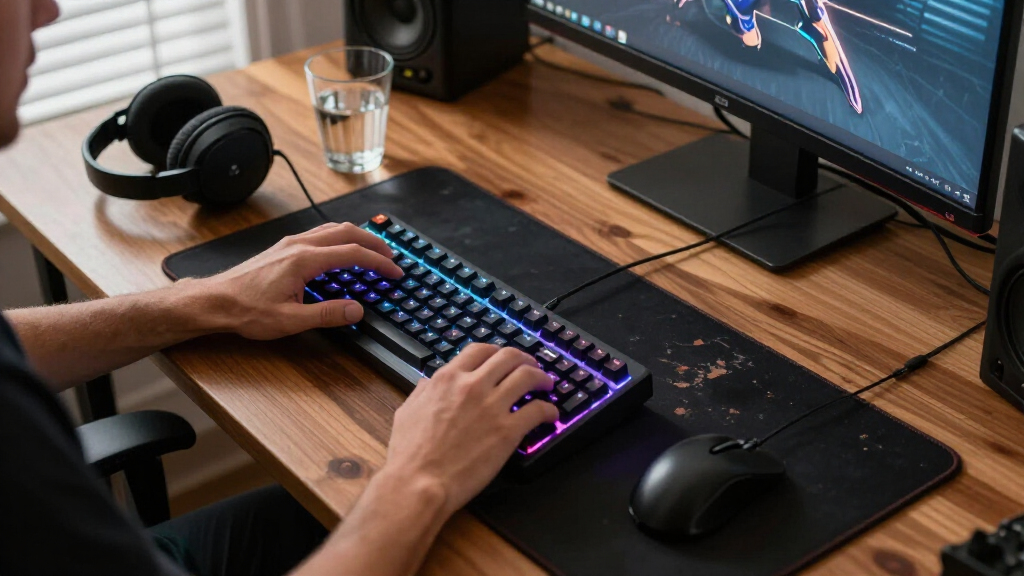
I compared these accessories by the problem they solve, how readily they fit into a typical gaming setup, and what a buyer gives up to get their main benefit. For input gear, I weighed layout, connection type, programmability, and how much the design asks a player to change established habits. For organizers and lighting, I focused on desk footprint, installation, and whether the accessory has a practical role beyond appearance. I ranked versatile upgrades ahead of narrowly focused add-ons because they suit more players; specialized products can still be the right choice when their use case matches.
The lineup includes several different kinds of purchase, so I did not treat a mouse, a headset holder, and a controller accessory as direct substitutes. The G305 earns the overall role for broad usefulness, while the AULA F75 Pro and G502 HERO address distinct keyboard and mouse preferences. Bundles rank lower for buyers who already own some of their components, and decorative or organizational accessories rank as targeted setup improvements rather than substitutes for core controls. Each recommendation has a tradeoff, including wired connections, learning curves, limited compatibility, or a narrower purpose.
Factors to Consider When Choosing Best Gaming Accessories
Start with the part of your setup that causes friction most often. A new accessory can add control, free desk space, or simplify a first build, but buying several overlapping upgrades can leave you with unused gear. These questions help separate a useful fix from an appealing extra.
Choose the problem before the product
Write down what you want to improve: aim, key access, comfort, clutter, or the look of your space. That short list helps you avoid buying an accessory because it is programmable or illuminated when those features do not address your issue. A mouse upgrade can change a core input habit, while a holder mainly changes where gear sits between sessions. If your current setup works well during play, a small organizational addition may be a better fit than replacing working hardware. Match the accessory to the moment when the problem occurs.
Check compatibility and connection details
Before choosing specialized controls, check the games and platforms you play, available ports, and any software needed for configuration. A programmable keypad or macro pad may be most useful on a computer, while a controller accessory has different platform and grip considerations. Wireless gear reduces cable clutter, but buyers should confirm its receiver, charging approach, and device support. Wired accessories avoid battery upkeep, though the cable needs room to move. Compatibility is easiest to overlook when a product promises broad customization.
Treat layout as a habit change
Compact keyboards and one-handed keypads can free space or bring controls closer, but their layouts may interrupt muscle memory at first. Decide which keys you reach for regularly before giving up a full-size layout. A 75% board keeps more navigation controls than a smaller board, yet it still takes less room than a traditional full-size keyboard. Dedicated keypads ask you to map actions and practice their placement. If you switch between work and play, think through whether the layout will serve both.
Buy a bundle only when its parts fit
An all-in-one keyboard, mouse, headset, and pad bundle can simplify a first setup, especially when you need every component at once. It can be less satisfying if you already own a good mouse or headset, since the bundle may duplicate gear rather than improve it. Consider which pieces you would choose individually and whether a weaker fit in one item would bother you. For an established setup, replacing one problem component often gives a more targeted result. For a first setup, convenience may matter more than customizing every part.
Budget for the cost of upkeep and setup
Purchase cost is only part of the commitment: software configuration, charging, cleaning, adhesive placement, and cable management all take attention. Removable holders need a suitable mounting surface, while lighting additions need power and a place where they will not obstruct the screen. Programmable controls can save repeated actions after setup, but require time to map and learn. A simpler accessory may be the better choice if you want something that works with little adjustment. Think about maintenance before adding another device to your desk.
Pay extra for fit, not feature count
More buttons, lighting modes, or customization options only help when they fit your games and routines. Pay for a premium input device when its layout, control options, or connection meaningfully improves how you play. For decorative lighting or storage, prioritize placement and build suitability over a long feature list. Beginners often benefit more from familiar controls and a straightforward setup than from extensive programming. A useful upgrade should earn its place every time you sit down.
Frequently Asked Questions
Should I choose a wireless gaming mouse or a wired one?
Choose based on how you value desk freedom, controls, and cable simplicity. The G305 is the more flexible pick for someone who wants a wireless mouse for everyday gaming and use around the desk. The wired G502 HERO may suit players who prefer its additional controls and do not mind keeping a cable managed. Check how either shape fits your hand and grip, since comfort can matter more than the connection type. If you switch between several devices, confirm compatibility before deciding.
Is a one-handed gaming keypad worth learning?
A one-handed keypad makes sense when you want more reachable game commands or room for broader mouse movement. The Redragon K585 offers a direct way into that format, while the Razer Tartarus V2 is more suited to people who want a larger set of programmable inputs. Either can take time to configure and learn, so the benefit depends on whether you will use those controls regularly. Players who rely on familiar full-keyboard positions may find the change disruptive. Try mapping only a few essential actions at first.
Is the Orzly 4-in-1 bundle a good first gaming setup?
It can be a practical starting point if you need a keyboard, mouse, headset, and mouse pad together and want to avoid sourcing each item separately. Its main advantage is coverage, not giving every component the specialized fit of a dedicated upgrade. If you already own one or more of those items, the bundle may add gear you do not need. Consider whether the included parts meet your comfort and connection preferences before choosing convenience. A focused mouse or keyboard upgrade may suit an existing setup better.
Do controller accessories change gameplay or mainly improve comfort?
They can affect feel, but the impact depends on the player and controller. KontrolFreek Precision Rings are aimed at changing stick resistance, so they are a more direct control adjustment than a decorative or storage accessory. A holder, by contrast, keeps a controller in a convenient place between sessions and does not change how it handles. Check whether a controller add-on fits your device and grip before buying. If you are happy with your current feel, a small accessory may take adjustment without adding much value.
Which accessories make sense if my main goal is a tidier desk?
Start with the item that creates the most clutter. The EURPMASK holder targets headphone and controller storage, while the KDD stand combines a headset stand with a controller hook. Light bars can change the room’s appearance, but they also add another powered item and setup step. A decorative Paladone light is a different kind of choice: it adds ambient display value rather than solving input or storage needs. Measure your available space and check mounting or power requirements before committing.
Conclusion
For the best overall mix of everyday usefulness and gaming focus, I recommend the Logitech G305 LIGHTSPEED. The Orzly RX-250 bundle is the best value in coverage for beginners who need several basics at once, while the AULA F75 Pro is my premium-leaning pick for players who want a compact mechanical keyboard with more retained keys. Choose the Redragon K585 if you are new to one-handed keypads and want a focused layout; step up to the Tartarus V2 if deeper programmable control matters. For specific needs, the G502 HERO favors wired mouse controls, KontrolFreek rings alter controller feel, and the holders, lights, and macro pad address organization, ambiance, or shortcuts. Pick the accessory that resolves your most persistent setup problem first.
Halloween Picks
halloween
As an affiliate, we earn on qualifying purchases.