For gaming streaming, the FIFINE AmpliGame AM8T is my best overall pick because it combines a USB/XLR dynamic microphone with a boom arm, while the Elgato Stream Deck MK.2 stands out for simplifying stream controls and the MAONO G1 NEO & PD200XS pairs a mixer with an XLR mic. The main tradeoff is whether you want a straightforward mic setup, hands-on audio controls, or a bundled kit that covers several needs at once. USB models are easier to set up, while XLR-ready options leave more room to expand but add equipment and setup decisions. Webcam-and-light kits suit streamers who need a complete visual setup, though they may offer less room to tailor each component. Read on for the full breakdown and a guide to choosing the right gear for your stream.

Get audio and creator gear delivered free with Prime
- Fast, free delivery on millions of items
- Prime Video, Amazon Music and more included
- Member-only deals all year
Complete the kit



Key Takeaways
- The AM8T leads for an expandable desk setup: its USB/XLR microphone and included boom arm give it a more complete starting point than the standalone AM8, while leaving an XLR path for later.
- Control surfaces solve a different problem than microphones: the Stream Deck MK.2 prioritizes programmable stream actions, while the Stream Deck+ adds audio mixing controls.
- Bundled mixers can reduce setup guesswork, but vary in flexibility: options such as the MAONO G1 NEO & PD200XS and TENLAMP G10 package multiple audio components together, while individual needs may favor a separate mic and controller.
- Not every streamer needs XLR: USB-first options such as the A6T and TC310+ can be simpler for a single-PC setup, though they offer a different upgrade path from hybrid microphones.
- Visual bundles trade component choice for convenience: the 2K and 1080P webcam kits combine camera, light, and microphone, so they make sense when a stream needs several basics rather than a specific audio upgrade.
| FIFINE AmpliGame AM8 USB/XLR Dynamic Microphone for Gaming Streaming |  | Best Flexible Standalone Microphone | Connectivity: USB, XLR | Polar pattern: Unidirectional | Frequency response: 50 Hz–16 kHz | VIEW ON AMAZON | See Our Full Breakdown |
| Elgato Stream Deck MK.2 Studio Controller, 15 Macro Keys |  | Best for One-Touch Stream Control | Number of keys: 15 | Connectivity: USB-C | Interface: USB 2.0 | VIEW ON AMAZON | See Our Full Breakdown |
| TENLAMP G10 Creator Audio Mixer Bundle with Microphone for Streaming |  | Best All-in-One Audio Starter | Channels: 2 | Connectivity: Auxiliary, Bluetooth, USB | Audio input: TRS / XLR | VIEW ON AMAZON | See Our Full Breakdown |
| Also GO Podcast Equipment Bundle, F998 Audio Mixer with BM800 Microphone | 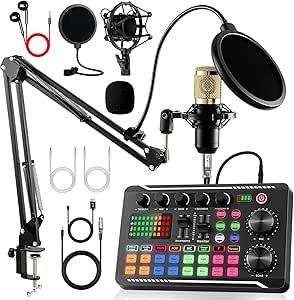 | Best Full Studio-Style Bundle | Microphone type: Studio condenser | Polar pattern: Super cardioid | Channels: 2 | VIEW ON AMAZON | See Our Full Breakdown |
| FIFINE AmpliGame AM8T XLR/USB Gaming Microphone Set, Dynamic PC Microphone with RGB Lighting and Boom Arm |  | Best Microphone Kit with Boom Arm | Connectivity: USB, XLR | Polar pattern: Unidirectional | Frequency range: 50 Hz–16 kHz | VIEW ON AMAZON | See Our Full Breakdown |
| FIFINE SC8 Gaming Audio Mixer for Live Streaming with 7.1ch Surround Sound |  | Best for Surround-Sound Control | Microphone inputs: XLR and 6.35mm; USB microphones not supported | Phantom power: 48V | Surround sound: Virtual 7.1-channel | VIEW ON AMAZON | See Our Full Breakdown |
| Elgato Stream Deck+ Audio Mixer and Studio Controller |  | Best for Custom Stream Control | Controls: LCD keys, touch strip, and dials | Connectivity: USB | Customization: Customizable interface and smart profiles | VIEW ON AMAZON | See Our Full Breakdown |
| MAONO G1 NEO & PD200XS Gaming Bundle: Audio Mixer and XLR Dynamic Microphone |  | Best Complete XLR Starter Bundle | Included equipment: MAONOCASTER G1 NEO mixer and PD200XS XLR dynamic microphone | Channels: 4 | Connectivity: AUX, Bluetooth, USB-C, XLR | VIEW ON AMAZON | See Our Full Breakdown |
| FIFINE Gaming Equipment Bundle with Dynamic XLR/USB Microphone and Streaming Audio Mixer |  | Best for Switching Between USB and XLR | Included equipment: Dynamic XLR/USB microphone and streaming audio mixer | Microphone connectivity: XLR and USB | Mixer channels: 4 | VIEW ON AMAZON | See Our Full Breakdown |
| FIFINE Ampligame SC3 Gaming Audio Mixer with Indi-Fader and Volume Control |  | Best for Hands-On Channel Mixing | Channels: 4 | Connectivity: USB with XLR microphone input | Power source: USB-C | VIEW ON AMAZON | See Our Full Breakdown |
| Live Video Streaming Kit (Deluxe) with 2K Webcam, Microphone, and LED Light for Content Creation |  | Best Complete Webcam-and-Light Kit | Webcam resolution and frame rate: 2K at 60 FPS | Webcam focus: Autofocus | Microphone type: Cardioid USB condenser | VIEW ON AMAZON | See Our Full Breakdown |
| Webcam Streaming Kit, 1080P Webcam, RGB Microphone & LED Light for PC/Mac |  | Best for Beginner All-in-One Setup | Video resolution: 1080p | Frame rate: 30 FPS | Sensor: CMOS | VIEW ON AMAZON | See Our Full Breakdown |
| TONOR Gaming Microphone Set with Boom Arm, USB Condenser Microphone for Content Creators, RGB Lighting, Tap Mute, Gain Control, Streaming Equipment, TC310+ | 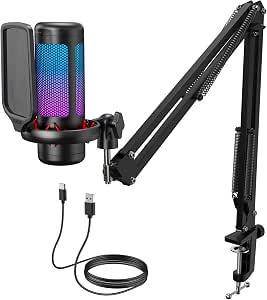 | Best for Adjustable Mic Positioning | Microphone type: Condenser | Polar pattern: Unidirectional | Connectivity: USB-A | VIEW ON AMAZON | See Our Full Breakdown |
| FIFINE AmpliGame A6T USB Gaming Microphone Kit, Condenser Mic for Streaming |  | Best Mic Kit for Included Accessories | Microphone type: Condenser | Connectivity: USB; reversible Type-C interface | Polar pattern: Unidirectional | VIEW ON AMAZON | See Our Full Breakdown |
| gaming streaming equipment for | Connectivity |
|---|---|
| FIFINE AmpliGame AM8 USB/XLR D | USB, XLR |
| Elgato Stream Deck MK.2 Studio | USB-C |
| TENLAMP G10 Creator Audio Mixe | Auxiliary, Bluetooth, USB |
| Also GO Podcast Equipment Bund | Bluetooth, USB |
| FIFINE AmpliGame AM8T XLR/USB | USB, XLR |
| FIFINE SC8 Gaming Audio Mixer | Optical AUX, 3.5mm AUX-In, USB-C |
| Elgato Stream Deck+ Audio Mixe | USB |
| MAONO G1 NEO & PD200XS Gaming | AUX, Bluetooth, USB-C, XLR |
| FIFINE Gaming Equipment Bundle | — |
| FIFINE Ampligame SC3 Gaming Au | USB with XLR microphone input |
| Live Video Streaming Kit | — |
| Webcam Streaming Kit | USB |
| TONOR Gaming Microphone Set wi | USB-A |
| FIFINE AmpliGame A6T USB Gamin | USB; reversible Type-C interface |
More Details on Our Top Picks
FIFINE AmpliGame AM8 USB/XLR Dynamic Microphone for Gaming Streaming
The FIFINE AmpliGame AM8 is a strong fit if clear voice capture matters more than getting a full recording kit in one box. Its USB and XLR connections let a streamer start with a direct computer connection and later move to an audio interface, while the unidirectional pickup pattern helps limit sound from elsewhere in the room. Compared with the bundled FIFINE AmpliGame AM8T, this version keeps the microphone’s core flexibility but does not include a boom arm. That makes it a better match for buyers who already have a stand or want to choose their own. The tradeoff is that some controls and RGB features work only over USB; XLR use also requires a separate cable and gives up the lighting features.
Pros:- USB and XLR connections support both simple and interface-based setups.
- Unidirectional pickup is suited to focusing on the speaker and reducing surrounding sound.
- Mute and volume controls make quick adjustments accessible.
- RGB lighting offers a visual accent when connected by USB.
Cons:- Boom arm and stand are not included.
- XLR cable must be supplied separately.
- RGB and some controls are unavailable over XLR.
Best for: PC streamers who want a dynamic microphone they can connect by USB now and use with an XLR interface later, and already have a mic stand.
Not ideal for: Buyers seeking a complete mic-and-arm kit or full RGB functionality through an XLR setup.
- Connectivity:USB, XLR
- Polar pattern:Unidirectional
- Frequency response:50 Hz–16 kHz
- Signal-to-noise ratio:80 dB
- Power source:Corded electric
- Enclosure material:ABS plastic, metal
Our verdict“Choose the AM8 if you want a USB-first dynamic mic with an XLR upgrade path and do not need an included boom arm.”
Elgato Stream Deck MK.2 Studio Controller, 15 Macro Keys
The Elgato Stream Deck MK.2 earns its place for streamers who want to trigger actions without hunting through menus mid-broadcast. Its 15 customizable LCD keys can show visual labels, giving each shortcut a clear purpose and confirmation. That makes it a different kind of upgrade from the FIFINE AmpliGame AM8: the microphone improves voice capture, while the Stream Deck speeds up scene, app, and workflow control. Plugin support adds flexibility across compatible tools, and the controller works with both Windows and macOS. Its limits are practical rather than audio-related: 15 keys may feel restrictive for complex setups, and USB-C connection can call for an adapter on some systems. It is a control surface, not a mixer or microphone, so it will not improve sound on its own.
Pros:- Fifteen customizable LCD keys provide clear labels and visual feedback.
- Plugin support allows shortcuts to be tailored to compatible apps and platforms.
- Supports macOS and Windows systems.
- Compact dimensions suit a desk control setup.
Cons:- Fifteen keys may not cover a large or complex command set comfortably.
- USB-C connection may require an adapter on some devices.
- Does not provide microphone or audio-mixing functions.
Best for: Streamers with recurring scene changes, app commands, or production shortcuts who want labeled physical controls on a PC or Mac.
Not ideal for: New creators who need a microphone or audio mixer more than workflow automation, or users with many commands that exceed 15 keys.
- Number of keys:15
- Connectivity:USB-C
- Interface:USB 2.0
- Dimensions:118 × 84 × 25 mm
- Weight:145 g without stand; 270 g with stand
- System requirements:macOS 10.15 or newer; Windows 10 64-bit
- Power:USB powered
Our verdict“Pick the Stream Deck MK.2 if faster, clearly labeled control of your streaming workflow matters more than adding audio hardware.”
TENLAMP G10 Creator Audio Mixer Bundle with Microphone for Streaming
The TENLAMP G10 is aimed at creators who want a mixer-and-microphone setup rather than a standalone USB mic. Its two-channel mixer, noise reduction, and voice effects offer hands-on ways to shape a stream’s audio, while USB, Bluetooth, and auxiliary connectivity give it more connection options than the FIFINE AmpliGame AM8 microphone alone. That breadth may suit someone building a basic setup for gaming, calls, or podcast-style content. The tradeoff is that its documentation-level detail is limited: the supplied data does not specify battery life or software update support, making long-session planning harder. At 4.2 pounds, it is also less of a simple plug-in mic solution than a compact control accessory. Buyers should confirm the included microphone and connection needs before committing.
Pros:- Mixer bundle combines microphone input and audio controls in one setup.
- Noise reduction and voice effects provide options for shaping sound.
- USB, Bluetooth, and auxiliary connectivity support varied devices.
- Listed outputs include 3.5 mm TRS, 6.35 mm TRS, and OTG/Type-C.
Cons:- Battery life and power details are not specified in the supplied product information.
- Software update support is not described.
- At 4.2 pounds, it is less convenient to move than a standalone microphone.
Best for: New creators who want a bundled microphone and two-channel mixer with multiple device connection options for streaming and podcast-style content.
Not ideal for: Streamers who want a lightweight, straightforward USB microphone or need clearly documented battery life and software support.
- Channels:2
- Connectivity:Auxiliary, Bluetooth, USB
- Audio input:TRS / XLR
- Output connectors:3.5 mm TRS, 6.35 mm TRS, OTG/Type-C
- Power source:Battery powered
- Noise level:70 dB
- Dimensions:10.9 × 2.28 × 7.67 in
- Weight:4.2 lb
Our verdict“Choose the G10 if you want a bundled mixer-based starting point and can work with limited published details about its power and software support.”
Also GO Podcast Equipment Bundle, F998 Audio Mixer with BM800 Microphone
The Also GO F998 bundle is the broadest supplied package here: it brings together a mixer, BM800 microphone, headphones, boom arms, shock mounts, pop filters, and cables. That makes it a more complete desk build than the TENLAMP G10, which is described as an all-in-one mixer bundle but has fewer listed accessories. Multiple modes, echo control, and noise reduction give new creators ways to shape audio without assembling each component separately. The cost of that breadth is a more involved setup; buyers unfamiliar with audio gear may need time to connect and configure everything. Its super-cardioid condenser microphone also differs from the dynamic FIFINE AM8 options, so it is better treated as a bundled recording setup than a direct substitute for a simple USB gaming mic.
Pros:- Bundle includes a microphone, mixer, headphones, arms, shock mounts, pop filters, and cables.
- Noise reduction and echo control provide sound-shaping options.
- Bluetooth and USB connectivity support multiple device types.
- Listed compatibility includes gaming consoles, laptops, and PCs.
Cons:- The included components can make setup more involved for first-time audio users.
- Corded power means the kit is not a fully wireless setup.
- The supplied information does not detail how each included accessory connects or operates.
Best for: Creators starting from scratch who want a mixer, microphone, monitoring, and common mounting and filtering accessories in one package.
Not ideal for: Streamers who want a quick, minimal USB setup or prefer the simpler dynamic-mic approach of the FIFINE AM8.
- Microphone type:Studio condenser
- Polar pattern:Super cardioid
- Channels:2
- Connectivity:Bluetooth, USB
- Connector:3.5 mm jack
- Special features:Battery indicator light, echo control, noise reduction, volume control
- Power source:Corded electric
- Dimensions:4.52 × 1.77 × 7.4 in
Our verdict“Choose the F998 bundle if you want a broad set of recording accessories in one purchase and are comfortable with a more involved setup.”
FIFINE AmpliGame AM8T XLR/USB Gaming Microphone Set, Dynamic PC Microphone with RGB Lighting and Boom Arm
The FIFINE AmpliGame AM8T takes the flexible AM8 microphone format and adds a boom arm, making it a stronger choice for a streamer who needs both a mic and a way to position it over the desk. USB and XLR connections allow a simple computer setup now and an audio interface later, much like the standalone FIFINE AmpliGame AM8. The difference is convenience: the AM8T includes the arm and also lists a headphone jack, mute function, and volume control. It still is not a complete XLR package, since an XLR cable is not included, and the arm clamp is limited to desks under two inches thick. Buyers should also expect some setup work. RGB and other feature availability can depend on connection type, so USB is the more straightforward route for the full feature set.
Pros:- Includes a boom arm for positioning the mic without buying a separate support.
- USB and XLR connections allow different setup paths.
- Mute, gain control, and headphone monitoring support convenient voice adjustments.
- Customizable RGB lighting adds a coordinated look to a streaming desk.
Cons:- XLR cable is not included.
- Boom-arm clamp is specified for desktops under two inches thick.
- Setup may take more work than using a basic standalone USB microphone.
Best for: PC streamers who need a dynamic USB/XLR microphone and included boom arm, with a desk edge thin enough for the clamp.
Not ideal for: Users with desks thicker than two inches, or buyers seeking a ready-to-connect XLR setup with the cable included.
- Connectivity:USB, XLR
- Polar pattern:Unidirectional
- Frequency range:50 Hz–16 kHz
- Signal-to-noise ratio:80 dB
- Channels:1
- Special features:Controllable RGB, headphone jack, volume control, mute function
- Weight:2.6 lb
- Dimensions:12.6 × 4.72 × 1.97 in
Our verdict“Pick the AM8T if you want the AM8-style connection flexibility plus an included boom arm and your desk fits its clamp.”
FIFINE SC8 Gaming Audio Mixer for Live Streaming with 7.1ch Surround Sound
The FIFINE SC8 is a strong fit for streamers who want more than basic microphone volume control: its virtual 7.1-channel surround, multiple audio inputs, and customizable profiles support a more adjustable gaming and broadcast mix. Unlike the FIFINE Ampligame SC3, which emphasizes hands-on channel faders and effects, the SC8 highlights surround processing and connection options such as optical AUX and USB-C. Its 48V phantom power also opens the door to compatible XLR microphones. The tradeoff is that it cannot connect to USB microphones, and the XLR cable is not included, so a buyer needs to plan around the mic they already own. Cable quality may also affect the resulting audio, making this a better choice for someone comfortable assembling an audio setup than for a plug-and-play USB mic user.
Pros:- 48V phantom power supports compatible XLR microphones.
- Optical AUX, 3.5mm AUX-In, and USB-C provide several connection paths.
- Virtual 7.1-channel surround and customizable sound profiles add audio-shaping options.
- Built-in voice effects and RGB lighting suit interactive streaming setups.
Cons:- Does not support USB microphones.
- XLR cable is not included.
- Audio results can depend on cable quality and the connected equipment.
Best for: PC streamers with an XLR or 6.35mm microphone who want virtual surround processing and several ways to route gaming audio.
Not ideal for: Streamers relying on a USB microphone or those seeking a ready-to-use mixer-and-microphone bundle.
- Microphone inputs:XLR and 6.35mm; USB microphones not supported
- Phantom power:48V
- Surround sound:Virtual 7.1-channel
- Connectivity:Optical AUX, 3.5mm AUX-In, USB-C
- Headphone impedance:32Ω
- Signal-to-noise ratio:93dB
- Built-in features:RGB lighting, voice changer, customizable sound profiles
Our verdict“Choose the SC8 if your setup centers on an XLR mic and you want surround-focused audio controls; skip it if you need USB-mic support.”
Elgato Stream Deck+ Audio Mixer and Studio Controller
The Elgato Stream Deck+ is the lineup’s most flexible control surface for creators who want to manage a whole broadcast, not just adjust mic levels. Its LCD keys, touch strip, and dials provide distinct ways to trigger actions and make adjustments, while multi-actions can bundle tasks into a single control. Compared with the Elgato Stream Deck MK.2, which centers on macro keys, the Stream Deck+ adds dials and a touch strip that suit ongoing audio or studio adjustments. Its strength depends on customization: compatible plugins and software integrations let buyers tailor the layout to tools such as OBS, Wave Link, and Discord. That flexibility brings a setup and learning curve, and the device connects by USB rather than serving as a standalone audio mixer. It makes the most sense for streamers who value programmable control over an included microphone or simple plug-and-play mixing.
Pros:- LCD keys, a touch strip, and dials offer different styles of control.
- Customizable interface and smart profiles can match different workflows.
- Multi-actions can trigger several tasks from one control.
- Plugin support connects with a broad selection of streaming and studio tools.
Cons:- New users may need time to configure and learn the controls.
- Full functionality depends on compatible software and plugins.
- Does not include a microphone or operate as a standalone audio mixer.
Best for: Established PC streamers who use compatible production software and want one configurable surface for audio, scenes, lighting, and other actions.
Not ideal for: New streamers seeking an all-in-one microphone and mixer, or anyone who wants useful mixer functions without configuring compatible software.
- Controls:LCD keys, touch strip, and dials
- Connectivity:USB
- Customization:Customizable interface and smart profiles
- Automation:Multi-actions
- Audio software compatibility:Elgato Wave Link
- Streaming and studio compatibility:OBS, Twitch, YouTube, Discord, Spotify, and other listed integrations
Our verdict“Pick the Stream Deck+ if programmable, tactile control of a software-based streaming setup matters more than getting a microphone or mixer in the box.”
MAONO G1 NEO & PD200XS Gaming Bundle: Audio Mixer and XLR Dynamic Microphone
The MAONO G1 NEO and PD200XS bundle stands out for buyers who want a mixer and dynamic microphone together, rather than choosing those pieces separately. Its four-channel mixer combines USB-C, XLR, AUX, and Bluetooth connections, giving streamers ways to bring in computer, phone, and microphone audio. That makes it more of a starter package than the FIFINE SC8, which offers virtual 7.1-channel surround but does not include a microphone. The compact mixer also adds RGB lighting and customizable sound effects for a more personalized broadcast. Compatibility has limits, though: the supplied product information says it does not work with Xbox or USB microphones, and details about software updates are limited. This bundle best suits PC and mobile creators who want a coordinated setup and are willing to check compatibility with their specific gear before buying.
Pros:- Includes both a PD200XS dynamic microphone and G1 NEO mixer.
- Four-channel mixer supports multiple audio sources.
- USB-C, XLR, AUX, and Bluetooth connectivity offer varied routing options.
- Customizable sound effects and RGB lighting add stream controls and visual flair.
Cons:- Not compatible with Xbox or USB microphones, according to the supplied product information.
- Software update support is not clearly detailed.
- Buyers who already own a suitable microphone may have less need for the bundled mic.
Best for: New PC or mobile streamers who want a dynamic microphone and mixer together, with Bluetooth and USB-C connections for multiple audio sources.
Not ideal for: Xbox streamers, people who need USB-microphone support, or buyers who prefer choosing a microphone and mixer independently.
- Included equipment:MAONOCASTER G1 NEO mixer and PD200XS XLR dynamic microphone
- Channels:4
- Connectivity:AUX, Bluetooth, USB-C, XLR
- Audio inputs:Microphone, Bluetooth, computer, smartphone
- Output connectors:3.5mm and USB-C
- Power source:Corded electric
- Dimensions:6.29 × 2 × 5.19 inches
- Weight:1.2 pounds
Our verdict“Choose this bundle for a coordinated mixer-and-dynamic-mic start on a compatible PC or mobile setup, but not for Xbox or USB-mic use.”
FIFINE Gaming Equipment Bundle with Dynamic XLR/USB Microphone and Streaming Audio Mixer
This FIFINE microphone-and-mixer bundle is aimed at streamers who want one microphone that supports both USB and XLR connections, leaving room to change how the setup is wired later. That flexibility is the main distinction from the MAONO G1 NEO and PD200XS bundle, which pairs its mixer with an XLR dynamic mic and emphasizes extra source options such as Bluetooth. Here, the combination of a four-channel mixer and dual-connection microphone suits gaming, streaming, or podcasting without requiring buyers to source those core pieces separately. The compromise is that some function keys work only over USB, so the controls do not carry over unchanged when using XLR. The bundle’s 1.48 kg weight and limited compatibility details also make it less compelling for portable or unusual console setups. It fits buyers planning a flexible desk-based rig more than those seeking a simple, lightweight one.
Pros:- Bundled dynamic microphone supports both XLR and USB connections.
- Four-channel mixer provides several controls for managing audio.
- Designed for gaming, streaming, and podcasting use.
- RGB lighting adds visual customization to a streaming desk.
Cons:- Function keys are available only when connected through USB.
- Some controls may take familiarity with audio equipment to use effectively.
- Compatibility may be limited with certain devices or configurations.
Best for: Desk-based streamers or podcasters who want a bundled dynamic microphone that can connect over USB now and XLR in a compatible setup later.
Not ideal for: Buyers who need every function key to work over XLR, want a lightweight portable kit, or have a device setup whose compatibility is uncertain.
- Included equipment:Dynamic XLR/USB microphone and streaming audio mixer
- Microphone connectivity:XLR and USB
- Mixer channels:4
- Audio inputs:XLR and USB
- Compatible devices:Gaming console, headphones, laptop, personal computer, speaker
- Weight:1.48 kg
- Lighting:RGB lighting effects
Our verdict“Choose this bundle if dual USB/XLR microphone connections and an included mixer matter more than consistent function-key access across connection types.”
FIFINE Ampligame SC3 Gaming Audio Mixer with Indi-Fader and Volume Control
The FIFINE Ampligame SC3 is the straightforward choice here for streamers who want separate, hands-on control over several audio channels. Its individual channel controls make it easier to adjust a mix while gaming or broadcasting than relying on a configurable controller such as the Elgato Stream Deck+, which depends on software setup and assigned actions. The SC3 also accepts an XLR microphone and provides 48V phantom power, alongside sound effects and voice-changing modes for a more expressive stream. Its compact footprint suits a desk where space is limited. The tradeoffs are practical: it has only one XLR mic input, the XLR cable is not included, and its features may take some learning. This is a focused mixer for one-mic creator setups, not a fit for multi-mic production or buyers who want a microphone included.
Pros:- Independent channel controls support hands-on audio adjustment.
- XLR microphone input with 48V phantom power supports compatible microphones.
- Built-in sound effects and voice-changing modes add broadcast options.
- Compact dimensions suit smaller streaming desks.
Cons:- Provides only one XLR microphone input.
- XLR cable is not included.
- Some mixing features may require familiarity with audio controls or software.
Best for: Single-mic PC streamers who want physical control of multiple audio channels, XLR microphone support, and built-in voice effects.
Not ideal for: Creators recording multiple XLR microphones or buyers who want a mixer-and-microphone bundle with a cable included.
- Channels:4
- Connectivity:USB with XLR microphone input
- Power source:USB-C
- Phantom power:48V
- Outputs:3.5mm line out and 3.5mm headphone jack
- Dimensions:4.44 × 6.45 × 1.6 inches
- Weight:0.5 kg
- Built-in features:Sound effects, voice-changing modes, RGB lighting
Our verdict“Pick the SC3 for compact, hands-on mixing with one XLR mic; choose another option if your setup needs multiple mic inputs or an included microphone.”
Live Video Streaming Kit (Deluxe) with 2K Webcam, Microphone, and LED Light for Content Creation
This kit suits streamers who want to improve video, voice, and lighting together without choosing each component separately. Its 2K webcam runs at 60 FPS and includes autofocus, giving it a sharper, smoother picture than the 1080p, 30 FPS camera in the Webcam Streaming Kit. The cardioid USB condenser microphone and touch controls add a straightforward audio setup, while the adjustable 12W light lets you change brightness and warmth to fit a desk or room. Compared with the FIFINE AmpliGame A6T, this is the more complete video-focused package; the FIFINE instead devotes its included accessories to microphone positioning and sound treatment. The tradeoff is limited detail about the microphone’s frequency response and included accessories, and the USB-based setup may call for extra adapters or gear in some configurations.
Pros:- 2K resolution at 60 FPS with autofocus supports detailed, smooth webcam footage.
- Cardioid USB condenser microphone includes touch-sensitive controls.
- 12W LED light has adjustable brightness and warm-to-cool color temperature.
- Compact design and compatibility across Android, Mac, and Windows suit varied desks and devices.
Cons:- Microphone frequency-response details are not provided, making sound characteristics harder to compare.
- Some setups may need additional accessories, and bundled extras are not specified.
- USB connection limits use where a compatible port or adapter is unavailable.
Best for: New or returning streamers who want a single kit for sharper webcam video, spoken audio, and adjustable desk lighting.
Not ideal for: Audio-first creators who need detailed microphone specifications, or console streamers who need a confirmed capture-card setup and platform-specific accessories.
- Webcam resolution and frame rate:2K at 60 FPS
- Webcam focus:Autofocus
- Microphone type:Cardioid USB condenser
- Microphone controls:Touch-sensitive
- LED light power:12W
- Light temperature:Warm to cool
- Stand:Fully adjustable
- Compatibility:Android, Mac, Windows
Our verdict“Choose this kit if you want a higher-frame-rate webcam and adjustable lighting alongside a basic streaming microphone in one package.”
Webcam Streaming Kit, 1080P Webcam, RGB Microphone & LED Light for PC/Mac
This kit is aimed at beginners who want a webcam, microphone, and light in one simple USB-based package. Its 1080p, 30 FPS webcam offers automatic brightness and color correction, which can reduce fiddling when room lighting changes. The included RGB microphone and adjustable LED light also make it a more complete starting point than the FIFINE AmpliGame A6T, which focuses on microphone hardware and does not include a webcam. The difference is that this camera uses manual focus and has a lower frame rate than the 2K 60 FPS webcam in the Live Video Streaming Kit (Deluxe). That makes this a practical choice for ordinary calls and entry-level streams, not the pick for particularly fluid or detailed footage. The light may struggle in very bright surroundings, and console streaming requires a capture card.
Pros:- Combines a 1080p webcam, RGB USB microphone, and adjustable LED light.
- Automatic exposure and white balance can adapt the image as lighting changes.
- Supports a broad range of computers and mobile devices and operating systems.
- Designed for a quick, simple setup.
Cons:- 30 FPS video is less fluid than the 60 FPS webcam in the Live Video Streaming Kit (Deluxe).
- Manual focus offers less convenience than an autofocus camera.
- The included light may not provide enough illumination in very bright environments, and consoles need a capture card.
Best for: First-time PC or laptop streamers who need a straightforward webcam, microphone, and light for basic broadcasts and video calls.
Not ideal for: Creators seeking 60 FPS video, autofocus, or direct console-streaming support without adding a capture card.
- Video resolution:1080p
- Frame rate:30 FPS
- Sensor:CMOS
- Focus:Manual
- Lens:Wide angle
- Connectivity:USB
- Microphone:RGB USB microphone
- Compatibility:Laptop, PC, smartphone, tablet; Windows, Mac OS, Linux, Android, iOS
Our verdict“Pick this as a starter kit for everyday PC streaming if bundled basics matter more than autofocus or higher-frame-rate video.”
TONOR Gaming Microphone Set with Boom Arm, USB Condenser Microphone for Content Creators, RGB Lighting, Tap Mute, Gain Control, Streaming Equipment, TC310+
The TONOR TC310+ puts microphone placement at the center of its appeal: the adjustable boom arm and sturdy clamp can move the mic closer for commentary while leaving more desk space open. That makes it a better fit for a fixed PC streaming station than the compact, multi-device Live Video Streaming Kit (Deluxe), which includes webcam and lighting but does not list a boom arm. Tap-to-mute and gain adjustment also give streamers quick access to common controls without reaching for software. Its unidirectional condenser design is intended to favor sound from the front, but it is less flexible for capturing multiple people or room ambience than a mic with broader pickup options. Compared with the FIFINE AmpliGame A6T, it offers another boom-arm-based route, but the product data lists fewer included sound-shaping accessories.
Pros:- Adjustable boom arm and clamp support flexible positioning while freeing desk space.
- Tap mute and gain controls offer quick access during live sessions.
- Multiple RGB modes and brightness control let users tailor the setup’s lighting.
- USB-A plug-and-play connection keeps the core setup simple.
Cons:- Unidirectional pickup is less suited to group recordings or capturing sound from around the room.
- USB connection and corded power limit portability.
- Listed hardware platform is PC, so broader device compatibility is not established by the product data.
Best for: Solo PC streamers who want an adjustable boom arm, on-mic mute and gain controls, and customizable RGB on a dedicated desk.
Not ideal for: Creators recording multiple speakers or ambient sound, and users who need a portable microphone or support beyond PC.
- Microphone type:Condenser
- Polar pattern:Unidirectional
- Connectivity:USB-A
- Signal-to-noise ratio:78 dB
- Controls:Tap mute and gain adjustment
- Mount:Adjustable boom arm with clamp
- Lighting:RGB with multiple modes and brightness control
- Hardware platform:PC
Our verdict“Choose the TC310+ if you stream solo from a PC and value adjustable mic placement and accessible controls over an all-in-one video kit.”
FIFINE AmpliGame A6T USB Gaming Microphone Kit, Condenser Mic for Streaming
The FIFINE AmpliGame A6T makes the most sense for a streamer who already has a webcam and wants the microphone side of the setup to arrive with useful mounting and sound-control accessories. Its boom arm, shock mount, and pop filter give it a more prepared desk setup than the TONOR TC310+, whose listed package emphasizes the arm, clamp, and onboard controls. The A6T also supports USB connection to desktop, laptop, PS4, and PS5, so it suits more than a PC-only desk configuration. Mute and volume controls help with quick adjustments, while changing RGB adds a gaming-focused visual touch. Compared with the Live Video Streaming Kit (Deluxe), it does not bundle a webcam or light, and its unidirectional pickup favors one speaker rather than a group. USB power also means it is not a battery-powered portable mic.
Pros:- Includes a boom arm, shock mount, and pop filter for a more complete microphone setup.
- Plug-and-play USB connectivity is listed for desktop, laptop, PS4, and PS5.
- Mute button and volume control make quick adjustments accessible.
- Nearly 180-degree positioning and changing RGB support flexible desk placement and appearance.
Cons:- Unidirectional pickup is not a natural fit for group conversations or room sound.
- Requires USB power and is not battery operated.
- RGB effects may distract users who prefer a subdued streaming setup.
Best for: Solo streamers who already own a camera and want a USB mic kit with a boom arm, shock mount, and pop filter for a gaming desk.
Not ideal for: Buyers who need a webcam and lighting in the same purchase, or creators recording several voices around one microphone.
- Microphone type:Condenser
- Connectivity:USB; reversible Type-C interface
- Polar pattern:Unidirectional
- Frequency range:60 Hz–18 kHz
- Signal-to-noise ratio:70 dB
- Included accessories:Boom arm, shock mount, pop filter
- Controls and lighting:Mute button, volume control, changing RGB
- Compatible devices:Desktop, laptop, computer, PS4, PS5, Mac OS, Windows
Our verdict“Pick the A6T if your camera is already sorted and you want a USB streaming microphone with mounting and pop-filter accessories included.”

How We Picked
I ranked these picks by how directly they solve common gaming-streaming needs: clear voice capture, practical control over audio or stream actions, setup complexity, desk usability, and room to adapt as a channel grows. I also weighed whether a bundle’s included parts form a coherent starting setup or whether a standalone product is more useful for a focused upgrade. USB simplicity, XLR expandability, control access, and the value of having a mic, camera, or light together all shaped the comparisons.
The order reflects each product’s role rather than treating every item as a substitute for every other one. Hybrid microphones and complete audio setups rank highly for streamers who want useful flexibility; dedicated controllers rank well for people who already have audio covered and need faster scene or sound controls. Simpler USB gear and webcam bundles suit entry-level or all-in-one needs, while specialized mixers are a better fit when their controls match a particular workflow. I did not treat extra features as automatic advantages: a more involved setup can be the wrong choice for someone who wants to plug in and go.
Factors to Consider When Choosing 14 Best Gaming Streaming Equipment For
Choose gear around the part of your stream that is currently holding you back. A better microphone will not fix awkward scene changes, and a mixer will not help much if your audience mainly needs a clearer picture. I use these factors to separate useful upgrades from bundles that may add parts you do not need.
Match the mic connection to your setup
USB is usually the easier route when you want a direct connection to a computer and do not plan to add separate audio hardware. XLR can make sense when you already own compatible equipment or expect to build a more adjustable audio chain. Hybrid USB/XLR microphones offer both routes, but having two connection types does not mean you need to use both at once. Before choosing, check what connections your computer and any existing mixer support. A common misstep is buying an XLR-capable mic first and then discovering that the rest of the setup requires extra gear. If the aim is simply cleaner voice audio for a single gaming PC, keep the chain simple unless you have a clear reason to expand.
Decide whether you need audio control or stream control
A mixer and a programmable controller may both sit beside a keyboard, but they address different tasks. Mixers focus on managing audio sources and levels; a stream controller is more about triggering scenes, sounds, or other assigned actions. If you frequently adjust voice and game audio during a session, put physical audio controls high on your list. If your sound is already set and your main friction is repeated on-screen commands, programmable keys may be more useful. Avoid buying both just because each promises convenience: first write down the actions you repeat most during a typical stream. That short list can reveal whether you need hands-on mixing, shortcuts, or neither.
Treat microphone type and placement as a pair
Microphone choice cannot be separated from how it will sit on the desk and how noisy the room is. A boom arm can free up workspace and help position a mic near your mouth, while a desktop stand may be simpler but can occupy more space. Dynamic and condenser models have different pickup characteristics, so do not choose by microphone type alone or assume one will compensate for poor placement. Keyboard noise, room reflections, and distance from the mic can all affect what viewers hear. Plan where the mic will go before buying a bundle with a stand or arm, especially if you use a compact desk. A modest mic placed well can be a better purchase than extra features that do not address the room or positioning.
Buy a bundle only when its parts solve connected needs
Bundles can make a first setup easier by grouping a microphone with a mixer, webcam, or light. They can also leave you with a component you rarely use or a bundled part that does not fit your next upgrade. Compare the package against the gear you already own and list what is genuinely missing. A webcam-and-light set is appealing when both video and lighting need attention, but it is less targeted if audio is the only problem. Audio bundles make more sense when their mixer and microphone work together for your intended connection setup. Leave room in your plan for replacing one component later instead of assuming every bundled part must stay in the system.
Set a realistic camera and lighting goal
For a gaming stream, viewers may spend more time watching gameplay than your camera feed, so a webcam upgrade should match how prominently you appear on screen. A kit combining a webcam, microphone, and LED light can help establish a basic face-camera setup, but it may not give you the freedom to select each item separately. Camera resolution is only one part of the picture; framing, light direction, and room conditions also shape the result. Before choosing a kit, check whether you have a suitable place to mount the camera and position its light without glare. If your face cam is small or used occasionally, improving audio or stream controls may make a more useful first upgrade. Choose video gear when it addresses a visible limitation, not just because a bundle includes it.
Choose for the next upgrade, not every possible upgrade
Expandability is useful when it matches a likely next step, such as adding an XLR connection or more deliberate audio control. It is less useful when it adds setup work without solving a current problem. Think about whether you expect to stream from one computer, use several audio sources, or change your workflow soon. A beginner may benefit more from a reliable, simple USB setup than from a chain with controls they have not learned to use. Someone with an established stream may value a separate controller because it can improve routine operation without replacing a working microphone. Pick one practical next step and buy toward it rather than building a complicated setup around hypothetical needs.
Frequently Asked Questions
Should I choose a USB microphone or an XLR microphone for gaming streams?
Choose USB if you want the simplest connection to a computer and do not already have separate audio equipment. XLR is a better fit when you have compatible gear or a specific plan to build a more adjustable audio chain. Hybrid models offer flexibility, but you can still use them in a simple USB setup. The key question is whether you will use the extra connection path rather than whether it is available. If you are unsure, start with the connection your current setup supports and upgrade when a real limitation appears.
Do I need an audio mixer if my microphone already has USB?
Not necessarily. A USB microphone can be enough when you mainly need to send your voice to a streaming computer and do not often change multiple audio sources. A mixer becomes more useful when you want physical access to audio levels or need to manage a more involved audio setup. It also adds another device and more controls to configure, so it is not automatically an improvement. Identify which adjustments you cannot comfortably make with your current software before buying one. If there is no recurring audio-control problem, put that purchase on hold.
Is a Stream Deck or a mixer more useful for a new streamer?
It depends on what slows you down during a stream. A programmable controller is suited to repeated actions such as changing scenes or triggering assigned commands, while a mixer is aimed at hands-on audio management. New streamers often benefit from keeping their setup straightforward until they know which tasks they repeat most. Write down the controls you reach for during a session, then choose the device that addresses those tasks. If audio levels are already stable but scene changes feel cumbersome, a controller is the more relevant category.
Should I buy a webcam kit or upgrade my microphone first?
Start with the weakest part of the experience your audience actually encounters. If your voice is difficult to hear or competes with game audio, a microphone upgrade is likely to address a more immediate problem. If voice quality is already acceptable but your face-camera image is poorly lit or framed, a webcam-and-light kit may help more. Consider how much screen space your camera occupies during streams, since a small face cam may not benefit as much from a video upgrade. Avoid buying a bundled kit solely because it includes several components; compare each part with what you already have.
Can I start with a basic setup and add equipment later?
Yes, and that is often a sensible way to keep the first setup manageable. Begin with the gear that solves your most noticeable problem, such as voice capture, stream controls, or lighting. Before adding more equipment, check that your computer has the needed connections and that the new device fits your desk and workflow. A hybrid microphone can leave an XLR option for later, but you do not need to build an expanded audio chain on day one. Add components when a specific limitation becomes clear rather than buying every possible upgrade in advance.
Conclusion
For a balanced, expandable starting point, I recommend the FIFINE AmpliGame AM8T as the best overall pick. Streamers who want a dedicated control surface should choose the Elgato Stream Deck MK.2, while those who want audio controls alongside a microphone can look to the MAONO G1 NEO & PD200XS bundle. For beginners, a straightforward USB option such as the FIFINE AmpliGame A6T keeps the setup focused; for a more complete visual starting point, the webcam-and-light kits address several needs together. The best value depends on which pieces you actually need: choose a bundle when its included components solve connected problems, and a standalone mic or controller when you only need one targeted upgrade.
Halloween Picks

Govee Outdoor Halloween Projector Light with 3D Dynamic Visuals and Nebula Effect

12-Foot Inflatable Pumpkin Halloween Archway with LED Lights

HOPOCO Halloween Pumpkin Fog Machine with 12 LED Colors & Remote Control
As an affiliate, we earn on qualifying purchases.