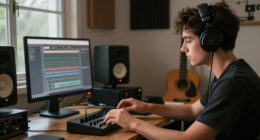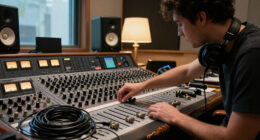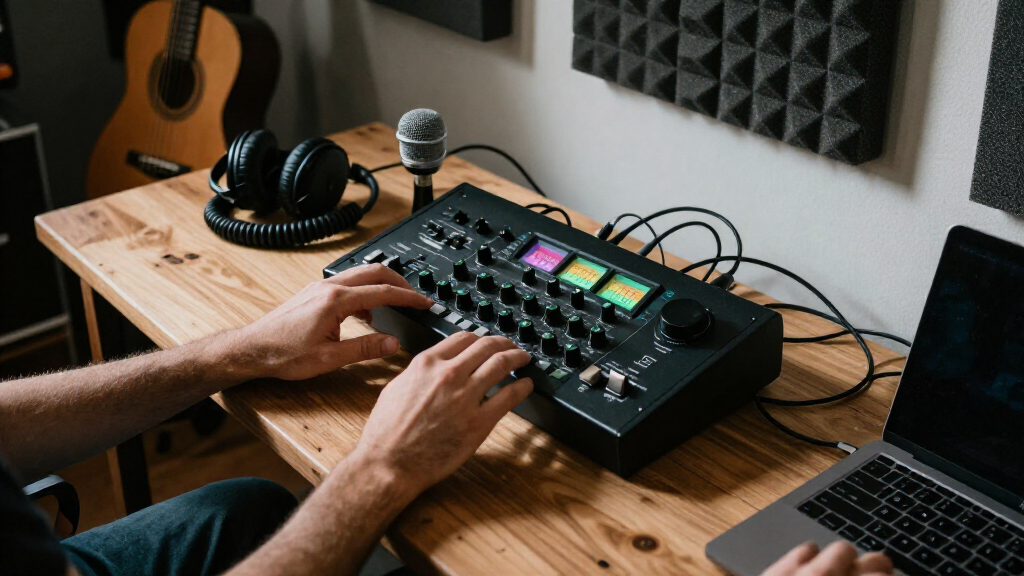

For most home studios, I’d start with the Focusrite Scarlett 2i2 4th Gen: its two inputs suit common vocal and instrument sessions without adding the complexity of a larger rack interface. The Scarlett 4i4 4th Gen gives a growing setup more input and output flexibility, while the Audient iD14 MKII is a strong fit for buyers prioritizing its two Class-A microphone preamps and monitoring options. The main tradeoff is between a simple interface that matches today’s recording needs and a more capable model that can handle additional sources later. Bundles can simplify a first setup, but their included microphone and headphones may be less useful than choosing those pieces separately. Read on for my full comparison and guidance on which option fits your home studio.

Get audio and creator gear delivered free with Prime
- Fast, free delivery on millions of items
- Prime Video, Amazon Music and more included
- Member-only deals all year
Complete the kit


Key Takeaways
- The Scarlett 2i2 4th Gen is my best overall fit for a typical home studio because two inputs cover common one or two source sessions without moving up to a larger setup.
- The Scarlett 4i4 4th Gen is the step-up pick for musicians who need more routing or room for additional gear than the 2i2 provides.
- The Scarlett Solo models and other compact 2-in, 2-out interfaces favor simple recording; they make more sense for solo vocals, guitar, or podcasting than for recording several performers at once.
- The 18i20 4th Gen stands apart for larger recording setups, but its extensive I/O can be wasted in a small studio that records one source at a time.
- Bundles vary more than their shared interface format suggests: the Solo Studio and 2i2 Studio packages offer a quick starting point, while the Audient iD14 MKII prioritizes interface features over a starter kit.
| Focusrite Scarlett 4i4 4th Gen USB-C Audio Interface |  | Best for Expanding Home Studios | Connectivity: USB-C | Mic preamps: 2 | Line inputs: 4 | VIEW LATEST PRICE | See Our Full Breakdown |
| Focusrite Scarlett Solo Studio 4th Gen USB-C Audio Interface Bundle |  | Best for First-Time Recording | Connectivity: USB | Channels: 2 | Inputs: 1 XLR mic preamp and 1 Hi-Z instrument input | VIEW LATEST PRICE | See Our Full Breakdown |
| Focusrite Scarlett Solo Studio 4th Gen USB-C Audio Interface Bundle with Microphone, Headphones, Stand, Pop Filter, and Accessories |  | Best Complete Recording Kit | Connectivity: USB-C | Channels: 2 input / 2 output | Microphone input: XLR preamp with 48V phantom power | VIEW LATEST PRICE | See Our Full Breakdown |
| BOMGE mini 2 Channel USB Audio Interface for Recording, Streaming and Podcasting |  | Best for Basic 48 kHz Setups | Connectivity: USB | Channels: 2 | Inputs: 2 combo XLR/MIC/LINE | VIEW LATEST PRICE | See Our Full Breakdown |
| Focusrite Scarlett 2i2 4th Gen USB-C Audio Interface |  | Best for Two-Microphone Recording | Connectivity: USB | Channels: 2 | Microphone preamps: 2 | VIEW LATEST PRICE | See Our Full Breakdown |
| Focusrite Scarlett Solo 3rd Gen USB-C Audio Interface |  | Best for Solo Recording | Channels: 2 | Maximum sample rate: 192 kHz | Recording resolution: 24-bit | VIEW LATEST PRICE | See Our Full Breakdown |
| M-AUDIO M-Track Solo USB Audio Interface |  | Best for Basic Podcasting | Channels: 2 | Maximum sample rate: 48 kHz | Inputs: Combo XLR/line with phantom power; line/instrument | VIEW LATEST PRICE | See Our Full Breakdown |
| Audient Audio Interface iD14 MKII, 2 Class-A Microphone Preamps (High Performance USB Audio Interface, USB-C Connector, Monitor Mix and Monitor Panning Function, 2 Headphone Outputs), Black |  | Best for Two-Mic Recording | Microphone preamps: 2 Class-A | Channels: 4 | Maximum sample rate: 96 kHz | VIEW LATEST PRICE | See Our Full Breakdown |
| Focusrite Scarlett 2i2 Studio 4th Gen USB-C Audio Interface Bundle |  | Best Complete Starter Bundle | Channels: 2 | Microphone preamps: 2 | Maximum sample rate: 192 kHz | VIEW LATEST PRICE | See Our Full Breakdown |
| Focusrite Scarlett 18i20 4th Gen USB-C Audio Interface |  | Best for Expanding Project Studios | Inputs/outputs: 18 inputs / 20 outputs | Microphone preamps: 8 | Maximum sample rate: 192 kHz | VIEW LATEST PRICE | See Our Full Breakdown |
| M-Audio M-Track Duo USB Audio Interface |  | Best for a Simple Two-Mic Setup | Inputs: 2 combo XLR/line/instrument | Maximum sample rate: 48 kHz | Preamps: Crystal preamps with phantom power | VIEW LATEST PRICE | See Our Full Breakdown |
| Focusrite Scarlett Solo 4th Gen USB-C Audio Interface |  | Best for Solo Vocal and Instrument Recording | Channels: 2 | Inputs: 1 XLR microphone; 1 Hi-Z instrument | Maximum sample rate: 192 kHz | VIEW LATEST PRICE | See Our Full Breakdown |
| AudioBox USB 96 Studio Recording Bundle |  | Best Complete Starter Bundle | Channels: 2 | Maximum sample rate: 96 kHz | Mic preamps: 2 Class-A preamps with +48V phantom power | VIEW LATEST PRICE | See Our Full Breakdown |
| 2×2 USB-C Audio Interface for PC/Mac Recording |  | Best for Adapter-Ready Plug-and-Play Setup | Channels: 2 | Inputs: 2 XLR/TRS combo | Maximum sample rate: 192 kHz | VIEW LATEST PRICE | See Our Full Breakdown |
| PIYONE Q2 2×2 USB-C Audio Interface, 24-bit/192kHz |  | Best Compact USB-C Pick | Model: Q2-Alloy Red | Channels: 2 | Inputs: 2 XLR/TRS combo | VIEW LATEST PRICE | See Our Full Breakdown |
| audio interfaces for home studio | Maximum sample rate | Channels | Connectivity | Inputs |
|---|---|---|---|---|
| Focusrite Scarlett 4i4 4th Gen | 192 kHz | — | USB-C | — |
| Focusrite Scarlett Solo Studio | 192 kHz | 2 | USB | 1 XLR mic preamp and 1 Hi-Z instrument input |
| Focusrite Scarlett Solo Studio | 192 kHz | 2 input / 2 output | USB-C | — |
| BOMGE mini 2 Channel USB Audio | 48 kHz | 2 | USB | 2 combo XLR/MIC/LINE |
| Focusrite Scarlett 2i2 4th Gen | 192 kHz | 2 | USB | — |
| Focusrite Scarlett Solo 3rd Ge | 192 kHz | 2 | USB | XLR microphone and instrument |
| M-AUDIO M-Track Solo USB Audio | 48 kHz | 2 | USB Type-B | Combo XLR/line with phantom power; line/instrument |
| Audient Audio Interface iD14 M | 96 kHz | 4 | USB-C | — |
| Focusrite Scarlett 2i2 Studio | 192 kHz | 2 | USB-C | — |
| Focusrite Scarlett 18i20 4th G | 192 kHz | — | — | — |
| M-Audio M-Track Duo USB Audio | 48 kHz | — | — | 2 combo XLR/line/instrument |
| Focusrite Scarlett Solo 4th Ge | 192 kHz | 2 | USB | 1 XLR microphone; 1 Hi-Z instrument |
| AudioBox USB 96 Studio Recordi | 96 kHz | 2 | — | Combo inputs for microphone, instrument, and line-level sources |
| 2×2 USB-C Audio Interface for | 192 kHz | 2 | — | 2 XLR/TRS combo |
| PIYONE Q2 2×2 USB-C Audio Inte | 192 kHz | 2 | USB-C | 2 XLR/TRS combo |
More Details on Our Top Picks
Focusrite Scarlett 4i4 4th Gen USB-C Audio Interface
The Scarlett 4i4 is the most flexible choice here for a home studio that needs to connect several sources at once. Its four line inputs and four line outputs give a producer room for external gear or separate monitor paths, while two mic preamps support recording two microphones. Compared with the two-channel Scarlett 2i2, it makes more sense when your setup includes synths, outboard equipment, or MIDI instruments; the 2i2 is simpler if you only record a mic and guitar. Auto Gain and Clip Safe can reduce level-setting mishaps, but they do not replace careful monitoring. Its larger connection set also means a higher learning curve, and the listed specs do not clarify the included cable or power requirements.
Pros:- Four line inputs and outputs accommodate external gear and flexible monitor routing
- Two mic preamps allow two-microphone recording
- MIDI In and Out connect compatible keyboards and hardware
- Auto Gain and Clip Safe assist with recording levels
Cons:- More connections may be unnecessary for a basic two-source setup
- The product data does not specify the included cable or power requirements
Best for: Home producers who record two microphones while keeping line-level gear or MIDI instruments connected
Not ideal for: Singer-songwriters with a simple one-mic-and-guitar setup who do not need extra line inputs or outputs
- Connectivity:USB-C
- Mic preamps:2
- Line inputs:4
- Line outputs:4
- MIDI:MIDI In and Out
- Maximum sample rate:192 kHz
- Dynamic range:120 dB
- Dimensions:5.08 × 7.09 × 2.32 in
Our verdict“Choose the Scarlett 4i4 if your home studio needs more routing and line connections than the Scarlett 2i2 provides.”
Focusrite Scarlett Solo Studio 4th Gen USB-C Audio Interface Bundle
This Scarlett Solo Studio bundle gives a new home-recording setup its core pieces in one package: a Solo interface, CM25 MkIII condenser microphone, SH-450 headphones, and recording software. That makes it a more direct starting point than the standalone Scarlett 2i2, which has two mic preamps but does not include the recording microphone or headphones described here. The Solo has one XLR mic preamp and one Hi-Z instrument input, so a singer-songwriter can record a vocal and guitar without buying those basics separately. Air mode offers a tonal option for vocals and guitars. The tradeoff is limited simultaneous recording: compared with the 2i2, it lacks a second mic preamp, so duos or two-mic recordings will outgrow it sooner.
Pros:- Includes an interface, condenser microphone, and headphones
- One mic input and one Hi-Z input suit vocal-and-instrument recording
- Supports recording up to 24-bit/192 kHz
- Air mode provides an alternative tone for vocals and guitars
Cons:- Only one XLR mic preamp limits simultaneous microphone recording
- The bundle has fewer recording inputs than the Scarlett 2i2
Best for: A new solo vocalist or guitarist who wants an interface, condenser microphone, headphones, and starter recording software together
Not ideal for: Two-person recording setups or musicians who need to record two microphones at the same time
- Connectivity:USB
- Channels:2
- Inputs:1 XLR mic preamp and 1 Hi-Z instrument input
- Bit depth:24-bit
- Maximum sample rate:192 kHz
- Dynamic range:120 dB
- Included microphone:CM25 MkIII condenser microphone
- Included headphones:SH-450
Our verdict“Pick this bundle to begin recording vocals or guitar with the main starter hardware included.”
Focusrite Scarlett Solo Studio 4th Gen USB-C Audio Interface Bundle with Microphone, Headphones, Stand, Pop Filter, and Accessories
This expanded Scarlett Solo Studio kit is aimed at buyers who want to set up a recording corner with fewer separate purchases. Alongside the Solo interface, CM25 MkIII microphone, and closed-back SH-450 headphones, it lists a mic stand, pop filter, holder, and cables. Those additions make it a more ready-to-assemble package than the other Scarlett Solo Studio bundle in this roundup, whose listed contents do not include the same set of accessories. The interface supports recording a microphone and guitar together, with zero-latency direct monitoring and loopback that can help with streaming. Its one mic preamp remains the limiting factor: the Scarlett 2i2 is a better fit for recording two mics, and the included stand has a fixed boom.
Pros:- Includes microphone, closed-back headphones, stand, pop filter, and cables
- Can record a microphone and guitar simultaneously
- Zero-latency direct monitoring supports comfortable tracking
- Loopback supports streaming workflows
Cons:- One XLR mic preamp limits multi-microphone recording
- The included mic stand has a fixed boom
- USB-C may require an adapter with USB-A devices
Best for: A first-time home vocalist or streamer who needs a microphone, headphones, stand, pop filter, and cables in one kit
Not ideal for: Musicians recording duets or multiple microphones who need more than one mic preamp
- Connectivity:USB-C
- Channels:2 input / 2 output
- Microphone input:XLR preamp with 48V phantom power
- Instrument input:1/4-inch Hi-Z
- Bit depth:24-bit
- Maximum sample rate:192 kHz
- Included microphone:CM25 MkIII cardioid condenser
- Included accessories:Headphones, mic stand, pop filter, headphone holder, XLR cables, USB-C to USB-A cable
Our verdict“Choose this kit if you want a more fully outfitted starting setup than the basic Solo bundle provides.”
BOMGE mini 2 Channel USB Audio Interface for Recording, Streaming and Podcasting
The BOMGE mini 2 Channel covers the fundamentals for a compact home setup: two combo inputs, 48V phantom power, headphone monitoring, and a direct-monitor switch. Its stated 48 kHz maximum sample rate is more modest than the 192 kHz capability listed for the Scarlett Solo and Scarlett 2i2, so it is best judged as a straightforward interface for basic recording, podcasting, or streaming rather than a higher-spec recording hub. Two combo inputs offer a practical advantage over a single-input starter interface when recording two sources. However, the product information gives less detail about its converters and workflow features than the Focusrite options, which include level-assistance tools or bundled software. Check your monitor connections before choosing: the listed outputs include RCA and stereo 1/4-inch connections.
Pros:- Two combo XLR/MIC/LINE inputs support two connected sources
- 48V phantom power supports compatible condenser microphones
- Direct monitoring switch allows listening without software-monitoring delay
- Portable design and Mac/Windows compatibility suit simple recording setups
Cons:- Maximum sample rate is 48 kHz, below the Scarlett Solo and 2i2 specifications
- Product information offers limited detail about converter performance and bundled software
- RCA and 1/4-inch output options require checking compatibility with existing monitors
Best for: A beginner podcaster or home musician who needs two inputs, phantom power, and direct monitoring for basic 48 kHz recording
Not ideal for: Producers who need recording above 48 kHz, detailed workflow features, or a better-documented software bundle
- Connectivity:USB
- Channels:2
- Inputs:2 combo XLR/MIC/LINE
- Phantom power:48V
- Maximum sample rate:48 kHz
- Monitoring:Headphone output and USB/Direct switch
- Outputs:RCA stereo and stereo 1/4-inch
- Warranty:1 year
Our verdict“Consider the BOMGE for simple two-source recording at 48 kHz if its output connections match your studio gear.”
Focusrite Scarlett 2i2 4th Gen USB-C Audio Interface
For a home studio built around two people or two microphones, the Scarlett 2i2 offers a useful middle ground: two mic preamps in a compact two-channel interface, without the extra line connections of the Scarlett 4i4. Compared with the Scarlett Solo, the second preamp lets you capture two vocalists or a voice and an instrument microphone at once. The 4i4 is the step up for producers who need more line inputs, outputs, or MIDI, but those connections may go unused in a small setup. Auto Gain and Clip Safe can help manage recording levels, while Air mode gives vocals and guitars another tonal option. The tradeoff is that its two-channel layout does not offer the routing flexibility of the 4i4.
Pros:- Two mic preamps support simultaneous two-microphone recording
- Auto Gain and Clip Safe assist with setting and managing levels
- Air mode offers a tonal option for vocals and guitars
- Includes recording software and plugins
Cons:- Fewer line inputs and outputs than the Scarlett 4i4
- No MIDI connections are listed in the product specifications
Best for: Home podcasters, duos, and singer-songwriters who need two microphone inputs but do not need extensive hardware routing
Not ideal for: Producers who want to keep several synths or line-level devices connected, or need multiple separate output paths
- Connectivity:USB
- Channels:2
- Microphone preamps:2
- Analogue gain:69 dB
- Maximum sample rate:192 kHz
- Dynamic range:120 dB
- Dimensions:4.61 × 7.09 × 1.87 in
- Weight:1.3 lb
Our verdict“Choose the Scarlett 2i2 for two-microphone recording in a compact setup that does not need the 4i4’s expanded routing.”
Focusrite Scarlett Solo 3rd Gen USB-C Audio Interface
The Scarlett Solo 3rd Gen suits a home setup built around one vocalist or one instrument at a time. Its single mic preamp and separate instrument input cover a typical vocal-and-guitar workflow, while gain metering helps catch levels that could clip before a take. Air mode offers a tonal option for vocals and guitars, and the 24-bit/192 kHz capability matches the higher-resolution recording ceiling of the Scarlett 2i2 Studio 4th Gen bundle. The difference is flexibility: that bundle adds a second preamp plus a microphone and headphones, while the Solo keeps the setup focused on gear you already own. Its main limitation is also clear: two people cannot record separate microphones at once. The bundled software requires registration and download, so this is a better fit for a deliberate solo rig than a ready-made studio kit.
Pros:- One XLR mic input and a separate instrument input support common solo recording setups.
- Air mode provides an optional presence character for vocals and guitars.
- Gain metering helps users set recording levels before clipping.
- 24-bit/192 kHz recording and included software support a capable computer-based setup.
Cons:- Only one microphone preamp limits recording to one mic source at a time.
- Bundled software requires registration and download.
Best for: Solo singer-songwriters who already own a microphone or instrument and want a compact interface with level metering.
Not ideal for: Duos, interview podcasters, or anyone who needs two microphone preamps for simultaneous recording.
- Channels:2
- Maximum sample rate:192 kHz
- Recording resolution:24-bit
- Inputs:XLR microphone and instrument
- Connectivity:USB
- Compatible systems:Mac OS, Windows OS, iOS
- Dimensions:1.71 × 5.65 × 3.77 inches
- Weight:12.32 ounces
- Warranty:3 years
Our verdict“Choose the Scarlett Solo if you record one voice or instrument at a time and do not need the second preamp included with the Scarlett 2i2 Studio bundle.”
M-AUDIO M-Track Solo USB Audio Interface
The M-Track Solo is a straightforward choice for a home studio centered on a single microphone, a guitar, or a simple streaming setup. Its combo mic input supplies phantom power for a condenser mic, and the separate line/instrument input can take a second source; the USB/Direct switch lets you monitor without the delay of a computer round trip. Compared with the Focusrite Scarlett Solo 3rd Gen, it offers a similar one-mic workflow but records at a maximum of 48 kHz rather than 192 kHz. That is a practical limit for buyers who want higher sample-rate options, though it may be sufficient for basic spoken-word and music projects. RCA monitor outputs also suit powered speakers, but the compact feature set and single preamp leave little room for expanding a multi-mic studio.
Pros:- Combo XLR input with phantom power supports condenser microphones.
- Separate line/instrument input accommodates a second source.
- USB/Direct monitoring switch helps avoid distracting input latency.
- USB-powered design and RCA monitor outputs suit a compact desktop setup.
Cons:- Maximum sample rate is 48 kHz, below the Scarlett Solo 3rd Gen’s 192 kHz capability.
- Only one microphone preamp restricts simultaneous multi-mic recording.
- RCA speaker outputs offer less connection flexibility than balanced monitor outputs.
Best for: Beginning podcasters and home musicians who need one mic input, direct monitoring, and a simple Mac or PC setup.
Not ideal for: Producers who need higher sample-rate recording, multiple mic preamps, or balanced monitor connections.
- Channels:2
- Maximum sample rate:48 kHz
- Inputs:Combo XLR/line with phantom power; line/instrument
- Outputs:RCA stereo and 1/8-inch headphone
- Connectivity:USB Type-B
- Compatible systems:Windows, macOS, iOS
- Dimensions:4.46 × 6.43 × 2.14 inches
- Weight:10.6 ounces
- Warranty:1 year manufacturer warranty
Our verdict“Pick the M-Track Solo for simple one-mic recording and direct monitoring if its 48 kHz ceiling meets your needs.”
Audient Audio Interface iD14 MKII, 2 Class-A Microphone Preamps (High Performance USB Audio Interface, USB-C Connector, Monitor Mix and Monitor Panning Function, 2 Headphone Outputs), Black
With two Class-A mic preamps and two headphone outputs, the Audient iD14 MKII is aimed at home studios that record two people or sources together and need both performers to monitor comfortably. Its all-metal desktop housing and USB-C connection make it feel geared toward a permanent studio desk, while monitor mix and panning functions help shape what performers hear. Compared with the Focusrite Scarlett Solo 3rd Gen, the iD14 MKII doubles the mic-preamp count, so it is the stronger fit for interviews, duets, or stereo recording with microphones. The Solo is a simpler match for a one-person setup. The supplied data lists a 96 kHz maximum sample rate, lower than the Solo’s 192 kHz, and does not specify analog input details beyond the two preamps; buyers should check the connection layout against their gear before choosing.
Pros:- Two Class-A microphone preamps allow two mic sources to be recorded together.
- Two headphone outputs support monitoring for both performers.
- Monitor mix and panning functions give more control over headphone listening.
- All-metal housing and USB-C connection suit a stable desktop studio.
Cons:- Listed maximum sample rate is 96 kHz, below the Scarlett Solo 3rd Gen’s 192 kHz.
- The supplied product data does not clearly detail its analog input and output layout.
- Desktop-focused design is less streamlined than a basic one-mic interface for solo recording.
Best for: Home recording partners, interview hosts, and musicians who need two mic preamps and separate headphone monitoring.
Not ideal for: Solo creators seeking the simplest low-complexity interface or users who require a documented 192 kHz maximum sample rate.
- Microphone preamps:2 Class-A
- Channels:4
- Maximum sample rate:96 kHz
- Headphone outputs:2
- Connectivity:USB-C
- Compatible systems:Mac, iOS
- Dimensions:173 × 120 × 62 mm
- Weight:907 g
- Warranty:3 years
Our verdict“Choose the iD14 MKII when two mic preamps and two headphone feeds matter more to your home sessions than a 192 kHz ceiling.”
Focusrite Scarlett 2i2 Studio 4th Gen USB-C Audio Interface Bundle
The Scarlett 2i2 Studio 4th Gen bundle gives a new home-studio owner the core recording chain in one package: a two-input interface, CM25 MkIII condenser microphone, SH-450 headphones, and software. Auto Gain and Clip Safe can simplify level setup and help protect takes from clipping, while Air mode offers a way to add presence to vocals or guitars. Compared with the Scarlett Solo 3rd Gen, this bundle has two mic preamps and includes the mic and headphones, making it more useful for duets or a first recording setup. The tradeoff is a fixed two-input ceiling: the Scarlett 18i20 is much better suited to tracking a full band or connecting a larger set of gear. The bundle also means less freedom to choose each component separately.
Pros:- Includes a two-channel interface, CM25 MkIII microphone, SH-450 headphones, and software.
- Two microphone preamps support recording two mic sources at once.
- Auto Gain and Clip Safe assist with setting and managing recording levels.
- 24-bit/192 kHz recording and 120 dB dynamic range support detailed capture.
Cons:- Two inputs limit simultaneous recording compared with the Scarlett 18i20’s larger I/O setup.
- Bundled microphone and headphones may not suit users who already have preferred gear.
Best for: New home-studio owners who need an interface, condenser microphone, headphones, and recording software in one package.
Not ideal for: Bands recording many sources at once or experienced creators who already own preferred microphones and headphones.
- Channels:2
- Microphone preamps:2
- Maximum sample rate:192 kHz
- Recording resolution:24-bit
- Dynamic range:120 dB
- Included microphone:CM25 MkIII condenser
- Included headphones:SH-450
- Connectivity:USB-C
- Warranty:3 years
Our verdict“Choose this bundle to start recording with a matched mic-and-headphone setup, provided two inputs are enough for your sessions.”
Focusrite Scarlett 18i20 4th Gen USB-C Audio Interface
For a home studio that has outgrown a two-input interface, the Scarlett 18i20 4th Gen acts as a central hub for a larger recording setup. Its eight mic preamps can capture a group or drum kit, while ADAT, S/PDIF, MIDI I/O, and Word Clock provide paths for adding external converters and hardware. Auto Gain and Clip Safe help manage levels across sessions, and the 24-bit/192 kHz converters offer a high-resolution recording ceiling. That breadth sets it apart from the Scarlett 2i2 Studio bundle, which is more approachable for a new solo creator and includes a microphone and headphones. The 18i20 asks for more desk or rack space and has more routing to manage; for one voice and a guitar, most of its inputs would go unused. It makes sense when a studio expects to grow.
Pros:- Eight microphone preamps support multi-mic sessions such as drums or group recording.
- ADAT, S/PDIF, MIDI I/O, and Word Clock provide broad expansion and hardware integration.
- Auto Gain and Clip Safe help manage levels across multiple recording inputs.
- 24-bit/192 kHz converters and 122 dB dynamic range support detailed recording.
Cons:- Its extensive I/O and routing add complexity for a simple home recording setup.
- Larger footprint and eight-pound weight make it less convenient for a compact desktop.
Best for: Home-studio owners recording full bands, drum kits, or multiple hardware sources who need room to expand their routing.
Not ideal for: Solo creators with a basic mic-and-instrument setup who would leave most of the inputs unused.
- Inputs/outputs:18 inputs / 20 outputs
- Microphone preamps:8
- Maximum sample rate:192 kHz
- Recording resolution:24-bit
- Dynamic range:122 dB
- Digital expansion:ADAT and S/PDIF
- Other connections:MIDI I/O and Word Clock
- Dimensions:17.37 × 10.21 × 1.83 inches
- Weight:8 pounds
Our verdict“Choose the Scarlett 18i20 when your home studio needs eight mic preamps and expansion connections beyond the Scarlett 2i2 Studio bundle.”
M-Audio M-Track Duo USB Audio Interface
The M-Track Duo suits a home studio that needs two flexible inputs and a straightforward monitoring path. Its combo jacks accept microphones, instruments, or line-level sources, so I can see it fitting a small vocal-and-guitar setup or a two-person recording session. The USB/Direct switch lets performers hear input without the delay of monitoring through recording software. Compared with the Focusrite Scarlett Solo 4th Gen, it offers two combo inputs rather than one mic input and one dedicated instrument input, but its stated recording resolution tops out at 48 kHz and the Scarlett lists 24-bit/192 kHz recording. The USB-powered compact design keeps the setup portable; the tradeoffs are the lower stated sample rate and a headphone output that may need a 1/4-inch adapter.
Pros:- Two combo inputs handle microphones, instruments, and line-level sources
- Direct monitoring avoids distracting tracking delay
- USB power and compact design suit a small or portable setup
- MPC Beats software is included
Cons:- Maximum stated sample rate is 48 kHz
- Some headphones need a 1/4-inch adapter
- iOS use requires an Apple Lightning to USB 3 Camera Adapter
Best for: Home recording beginners who want to capture two microphones or mixed mic and instrument sources with direct monitoring.
Not ideal for: Producers who need higher than 48 kHz recording, or headphone users who want a standard adapter-free connection.
- Inputs:2 combo XLR/line/instrument
- Maximum sample rate:48 kHz
- Preamps:Crystal preamps with phantom power
- Outputs:Stereo 1/4-inch outputs; 1/4-inch headphone output
- Monitoring:USB/Direct switch for zero-latency monitoring
- Power:USB-powered
- Included software:MPC Beats; Ableton Live Lite
Our verdict“Choose the M-Track Duo for an uncomplicated, portable two-input setup if 48 kHz recording meets your needs.”
Focusrite Scarlett Solo 4th Gen USB-C Audio Interface
The Scarlett Solo 4th Gen is the clearest fit here for someone recording one vocalist or one instrument at a time. Its separate XLR mic and Hi-Z instrument inputs give a singer-songwriter a direct way to track vocals and guitar, while 24-bit/192 kHz recording and a stated 120 dB dynamic range provide more headroom on paper than the M-Track Duo’s 48 kHz specification. The Air modes offer a tone-shaping option, and independent headphone volume makes monitoring easier to manage. Compared with the AudioBox USB 96 Studio Recording Bundle, the Solo is a smaller, interface-focused choice, while the AudioBox includes a mic, headphones, and stand and has two mic preamps. The Solo’s defining limit is capacity: it has only one microphone input, so simultaneous multi-mic recording calls for another model.
Pros:- 24-bit/192 kHz recording with a stated 120 dB dynamic range
- Separate XLR microphone and Hi-Z instrument inputs suit singer-songwriters
- Air modes add optional presence and harmonic character
- Independent headphone volume and included recording software
Cons:- Only one microphone input limits two-person mic sessions
- Only one instrument input is available
- Does not include a microphone or headphones
Best for: Solo musicians and podcasters who record one microphone plus one instrument and want a compact interface with bundled recording tools.
Not ideal for: Duos or home studios that need two microphone inputs at once, or buyers seeking a complete microphone-and-headphone bundle.
- Channels:2
- Inputs:1 XLR microphone; 1 Hi-Z instrument
- Maximum sample rate:192 kHz
- Bit depth:24-bit
- Dynamic range:120 dB
- Connectivity:USB
- Included software:Pro Tools Intro+, Ableton Live Lite, Cubase LE, Hitmaker Expansion
- Dimensions and weight:3.78 x 5.63 x 1.83 in; 14.4 oz
Our verdict“Pick the Scarlett Solo 4th Gen for polished solo tracking and software support when you do not need multiple mic inputs.”
AudioBox USB 96 Studio Recording Bundle
The AudioBox USB 96 Studio Recording Bundle removes much of the guesswork for a first home studio: the package includes the interface, M7 condenser microphone, HD7 headphones, cables, and a stand. Two Class-A mic preamps with phantom power also give it room for a two-mic session, a practical advantage over the one-mic-input Scarlett Solo 4th Gen. Hardware zero-latency monitoring helps performers hear themselves while tracking, and MIDI In/Out is useful for connecting compatible keyboards or other MIDI gear. The compromise is that its maximum sample rate is 96 kHz, below the Scarlett Solo’s stated 192 kHz, and the five-pound bundle is less appealing if portability is the priority. I’d favor it when having the basic recording pieces together matters more than chasing the highest sample rate.
Pros:- Includes interface, M7 condenser microphone, HD7 headphones, cables, and stand
- Two Class-A mic preamps support two-microphone recording
- Combo inputs accept microphones, instruments, and line-level sources
- Zero-latency monitoring, MIDI In/Out, and recording software are included
Cons:- Maximum sample rate is 96 kHz
- Five-pound bundle is less portable than compact interface-only options
- Requires a computer or compatible device for recording
Best for: First-time home studio owners who need an interface, condenser mic, headphones, stand, and cables in one package.
Not ideal for: Mobile producers prioritizing a light, compact setup or musicians who require recording above 96 kHz.
- Channels:2
- Maximum sample rate:96 kHz
- Mic preamps:2 Class-A preamps with +48V phantom power
- Inputs:Combo inputs for microphone, instrument, and line-level sources
- Monitoring:Zero-latency hardware monitoring
- MIDI:MIDI In/Out
- Included components:Interface, M7 condenser microphone, HD7 headphones, cables, and stand
- Software:Studio One Artist, Studio Magic Suite, Ableton Live Lite
Our verdict“Choose the AudioBox bundle if you are assembling a first studio and want the key recording equipment included.”
2×2 USB-C Audio Interface for PC/Mac Recording
This CIXUN 2×2 interface is aimed at a beginner who wants two combo inputs, direct monitoring, and a kit of connection adapters to get a home setup running. Its listed 24-bit/192 kHz recording matches the resolution stated for the Focusrite Scarlett Solo 4th Gen, while two XLR/TS combo inputs make it more accommodating for recording two sources at once. The 3.5 mm headphone jack avoids the separate headphone adapter noted for the M-Track Duo, and the package includes USB adapters and cables. However, the product data is inconsistent: it describes USB-C, lists several USB cable types, and gives conflicting warranty details, with 90 days in item details versus two years in the description. I’d treat it as a feature-rich entry-level option, but the unclear specifications make it harder to choose confidently than established alternatives.
Pros:- Two XLR/TS combo inputs with +48V phantom power
- Listed 24-bit/192 kHz recording capability
- Direct monitoring and HI-Z selector support vocal and instrument tracking
- Includes 3.5 mm headphone connection and several USB adapters
Cons:- Warranty information conflicts between the description and item details
- USB-C connectivity description and supplied cable list are unclear
- No named preamp model or dynamic range is provided
Best for: Budget-conscious beginners who need two combo inputs, direct monitoring, and multiple connection adapters for a computer-based studio.
Not ideal for: Buyers who rely on clear, consistent warranty and compatibility information or prefer a product with well-documented specifications.
- Channels:2
- Inputs:2 XLR/TRS combo
- Maximum sample rate:192 kHz
- Bit depth:24-bit
- Phantom power:+48V
- Monitoring:USB/Direct switch
- Headphone output:3.5 mm
- Dimensions and weight:6 x 6.5 x 1.75 in; 1.5 lb
- Warranty:Conflicting details: 90 days in item details; two years in description
Our verdict“Consider the CIXUN if its two-input feature set and included adapters fit your setup and you can confirm the connection and warranty details.”
PIYONE Q2 2×2 USB-C Audio Interface, 24-bit/192kHz
The PIYONE Q2 makes sense for a small home studio that needs two combo inputs, USB-C bus power, and direct monitoring in a compact interface. Its listed 24-bit/192 kHz capability is higher than the AudioBox USB 96 bundle’s 96 kHz ceiling, and two XLR/TRS inputs allow a microphone and instrument or two mic sources to connect together. A 3.5 mm headphone output suits common headphones without a separate adapter, while plug-and-play operation keeps setup simple. The tradeoff is thinner documentation: the description names Mac and iOS support, but the specs also list Windows, leaving compatibility unclear. Compared with the CIXUN 2×2, the Q2 has a stated two-year limited warranty, though both listings leave some questions about supported systems. It is a compact option, not the safest choice for a setup where verified compatibility is essential.
Pros:- Two XLR/TRS combo inputs support microphones and instruments
- Listed 24-bit/192 kHz recording capability
- USB-C bus power and plug-and-play operation
- Direct monitoring and a 3.5 mm headphone output
Cons:- Operating system compatibility is inconsistent across the product information
- No stated dynamic range or preamp model to help compare recording performance
- The listed 0.74 kg weight is relatively heavy for a compact interface
Best for: Mac-based home musicians who want a compact, bus-powered interface for recording two microphones or a mic and instrument.
Not ideal for: Windows or iOS users who need confirmed compatibility before choosing an interface.
- Model:Q2-Alloy Red
- Channels:2
- Inputs:2 XLR/TRS combo
- Maximum sample rate:192 kHz
- Bit depth:24-bit
- Connectivity:USB-C
- Phantom power:48V
- Headphone output:3.5 mm
- Warranty:2-year limited
Our verdict“Choose the Q2 for a compact two-input Mac setup if you verify compatibility with your specific computer and recording software.”

How We Picked
I compared these interfaces by how well their input and output counts match realistic home studio sessions, from recording one voice or instrument to capturing several sources or connecting more studio gear. I also weighed practical setup factors such as bundled microphones and headphones, monitoring controls, connector details, and whether the product description clearly supports a particular kind of recording workflow. A useful interface should fit the buyer’s current sessions without making routine recording unnecessarily complicated.
The ranking favors clear fit and useful capability over feature counts alone. That places the Scarlett 2i2 4th Gen ahead as a flexible match for many small studios, with the 4i4 and Audient iD14 MKII serving buyers who need different kinds of expansion or monitoring features. The Scarlett 18i20 earns a specialist position because its larger I/O makes sense for multi-source recording, while simpler Solo and entry-level models suit narrower needs. I treat similarly named bundles and less-documented models cautiously: buyers should confirm exactly what is included and check compatibility, controls, and connection requirements before choosing.
Factors to Consider When Choosing Audio Interfaces For Home Studios
Before choosing an interface, I’d map out the sessions I expect to record and the gear that needs to connect at the same time. That short exercise can prevent two common mistakes: buying too few inputs for a regular recording setup or paying for connections that will sit unused. These factors help narrow the options beyond a product’s headline feature list.
Count sources you need to record at once
Count simultaneous sources, not the total number of microphones or instruments you own. A singer who records vocals and guitar separately may manage with two inputs, while a group recording several microphones at once needs more. Also account for stereo instruments, since they may use two inputs even when they are a single keyboard or device. Choosing exactly the number you need today can work, but it leaves less room for live takes or additional performers. I’d buy extra inputs when those sessions are part of the plan, rather than assuming a future setup will stay solo.
Plan outputs around monitoring and routing
Inputs get most of the attention, but outputs determine how you send audio to speakers, headphones, and other studio equipment. A basic setup may need only a pair of monitor outputs and a headphone connection. Multiple headphone mixes or external effects can call for more flexible routing, depending on the interface’s actual outputs and software controls. Don’t assume that two headphone jacks provide independent mixes; check the manufacturer’s description of how each output works. Extra connections are useful when they support a real session workflow, but they add little for someone who records and monitors through one simple path.
Match the interface to your recording habits
Think about whether you record one source at a time, track a performance live, or switch between voice, instruments, and podcast guests. A small interface can be easier to place and operate on a crowded desk, while a larger unit is more suited to a fixed studio setup with several connected sources. A larger model may also ask for more space and a clearer plan for cable routing. If your sessions are mostly overdubs, a high channel count may not improve the result. Choose around the way you make recordings, not around the largest session you can imagine.
Treat bundles as a convenience, not a quality guarantee
A bundle can make a first recording session easier by bringing together an interface and basic accessories. Its value depends on whether the included microphone, headphones, stand, and other pieces suit your intended use. Check the item list carefully, especially when product names describe similar bundles with different contents. A bundled microphone may get you started, but a buyer with a specific vocal or instrument need may prefer selecting one separately. I’d favor a bundle when convenience matters more than tailoring every piece of the recording chain.
Check computer connections and software support
Confirm that the interface works with your computer’s operating system and available USB connection before ordering. A USB-C connector describes the port shape, but it does not tell you everything about included cables, power needs, or compatibility. Read the maker’s current setup guidance for driver requirements and supported recording software. This matters most for less familiar models, where a short product description may leave important setup details unclear. A quick compatibility check can save time and prevent a desk setup from depending on an adapter or software feature you did not plan for.
Spend for a capability you will use
Paying more makes sense when it brings a specific benefit to your sessions, such as additional simultaneous inputs, more flexible outputs, or monitoring features you will use regularly. It is less useful when the added capacity only looks impressive on a spec sheet. Buyers starting with a single microphone can put more thought into placement, headphones, and recording space before choosing a larger interface. A studio that records bands or several sources at once has a stronger reason to prioritize channel count from the start. My rule is to name the session that justifies the extra capability before paying for it.
Frequently Asked Questions
Should I choose a two-input interface or a model with more inputs?
Choose based on how many sources you need to record at the same time. Two inputs are enough for many solo vocal, guitar, and podcast sessions, including some stereo instrument setups. Recording a drum kit, a band, or several guests with separate microphones can require more. If you mainly overdub one part at a time, extra inputs may see little use. If live group recording is a regular goal, buying enough inputs now can avoid replacing the interface later.
Is a home studio bundle a better starting point than buying pieces separately?
A bundle is convenient if its listed microphone, headphones, and accessories match the way you plan to record. It can get a new setup running with fewer separate choices. Bundles differ, so check the exact contents rather than relying on a shared product name. If you already own a microphone or have a specific one in mind, paying for another included mic may not help. Buying separately gives you more control over each component, but asks you to research compatibility and connections.
When does a larger interface such as the Scarlett 18i20 make sense?
A larger interface makes sense when you regularly record several microphones or instruments at once, or need many connections in a fixed studio. It can also suit a setup built around multiple external devices, depending on the available inputs and outputs. For solo overdubs, the extra I/O may add space and setup complexity without changing the session. Before choosing one, write down which sources must stay connected and which need simultaneous recording. That list will show whether a larger interface solves a real problem.
What should I check before buying a lesser-known USB-C interface?
Check operating system support, included cables, power requirements, and whether the product provides the inputs and monitoring controls you need. Verify how its headphone and monitor outputs behave if you plan to use more than one listening path. Product titles can emphasize recording resolution or phantom power without explaining the full workflow. Look for clear manufacturer documentation on setup and support. If those details are hard to confirm, a model with clearer documentation may be easier to rely on in a home studio.
Do I need more than one headphone output to record with another person?
Not always, but two listening connections can make a shared recording session easier. Check whether both outputs can be used at once and whether they share the same mix or allow separate monitoring. A second headphone jack does not automatically mean you can create a separate performer mix. If you record guests or collaborators often, monitoring behavior should be part of your selection. For solo recording, one headphone output may be all you need.
Conclusion
For a typical small home studio, I’d choose the Focusrite Scarlett 2i2 4th Gen as best overall for its fit with common one and two source sessions. The best value for a simple setup is a compact option such as the M-Audio M-Track Solo or Scarlett Solo, provided its inputs and included features cover your recording needs. Beginners who want a ready-made start can look at the Scarlett Solo Studio or 2i2 Studio bundles, checking the contents and matching the package to their recording plans. For more monitoring options and two Class-A mic preamps, the Audient iD14 MKII is my premium focused pick; for a larger recording setup, the Scarlett 18i20 offers the lineup’s clearest case for extensive I/O. Choose the Scarlett 4i4 if you want a middle ground with more flexibility than a basic two-input interface.
Halloween Picks
halloween
As an affiliate, we earn on qualifying purchases.