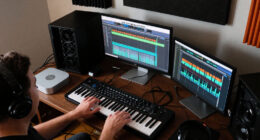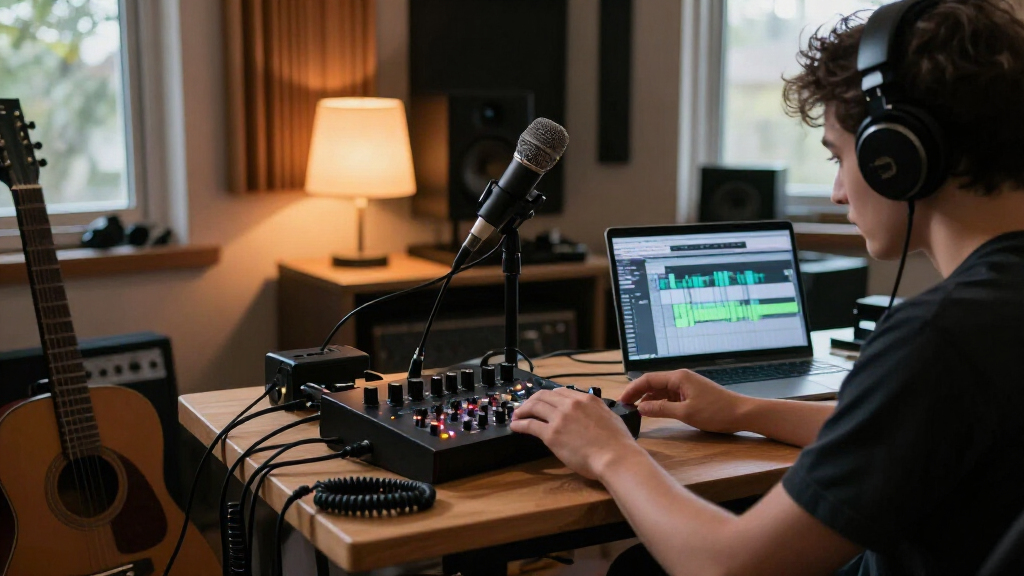
For most home studios, I’d start with the Focusrite Scarlett 2i2 4th Gen: its two inputs suit common vocal-and-instrument recording without adding unnecessary complexity. The PreSonus Quantum ES 2 is a strong alternative for creators who value a more performance-focused interface, while the Fender Quantum LT 16 makes more sense when a larger input count matters. The main choice is between a simple interface you can build around, a bundle that gets a new studio started, and a higher-capacity unit for several sources. Compatibility, input count, and included accessories can matter more than headline recording resolution. Read on for the full breakdown of these 15 desktop audio interfaces for home studios.

Get audio and creator gear delivered free with Prime
- Fast, free delivery on millions of items
- Prime Video, Amazon Music and more included
- Member-only deals all year
Complete the kit


Key Takeaways
- The Scarlett 2i2 4th Gen is the most balanced starting point: two inputs cover many home vocal and instrument sessions, while the Solo models trade that flexibility for a simpler one-source setup.
- Input count changes the buying decision more than small spec differences: the Fender Quantum LT 16 stands apart for larger recording setups, but it is more interface than a solo creator may need.
- Bundles solve setup gaps, not necessarily upgrade needs: the PreSonus AudioBox USB 96 and Fender and Focusrite studio bundles can supply several essentials, while buyers who already own a microphone and headphones may prefer a standalone interface.
- Portable and creator-oriented models prioritize different workflows: the MAONO P1 and P2 suit mobile or content-focused recording, while conventional desktop interfaces are a more direct fit for DAW-centered studio work.
- Entry-level models make the most sense for narrowly defined setups: the M-Track Solo and Scarlett Solo keep recording simple, but two-person sessions or simultaneous vocal and instrument recording call for more inputs.
| PreSonus Quantum ES 2 USB-C Audio Interface |  | Best for Dynamic Microphones | Channels: 2 | Microphone preamps: 2 MAX-HD preamps | Maximum preamp gain: +75 dB | VIEW LATEST PRICE | See Our Full Breakdown |
| PreSonus AudioBox USB 96 Studio Recording Bundle |  | Best Complete Starter Bundle | Channels: 2 | Mic preamps: 2 Class A preamps with +48 V phantom power | Maximum sample rate: 96 kHz | VIEW LATEST PRICE | See Our Full Breakdown |
| Focusrite Scarlett 2i2 4th Gen USB-C Audio Interface |  | Best Overall for a Growing Home Studio | Channels: 2 | Mic preamps: 2 | Connectivity: USB-C | VIEW LATEST PRICE | See Our Full Breakdown |
| MAONO P2 Hybrid USB Audio Interface with Dual XLR Inputs |  | Best for Hybrid Computer and Mobile Streaming | Channels: 2 | Connectivity: USB-C | Inputs: Dual XLR; microphone, guitar, PC, smartphone, and iPad | VIEW LATEST PRICE | See Our Full Breakdown |
| MAONO P1 USB Audio Interface for PC, Mobile Devices, and Guitar |  | Best Compact Interface for Mobile-Capable Setups | Channels: 2 | Connectivity: USB | Maximum sample rate: 192 kHz | VIEW LATEST PRICE | See Our Full Breakdown |
| Focusrite Scarlett Solo 4th Gen USB-C Audio Interface |  | Best Overall for Solo Recording | Connectivity: USB | Channels: 2 | Microphone inputs: 1 XLR mic preamp | VIEW LATEST PRICE | See Our Full Breakdown |
| M-Audio M-Track Solo USB Audio Interface |  | Best Budget-Friendly Starter | Audio resolution: 48 kHz | Inputs: 1 combo XLR/line input with phantom power; 1 switchable line/instrument input | Outputs: Stereo RCA; 1/8-inch headphone | VIEW LATEST PRICE | See Our Full Breakdown |
| Fender Quantum LT 16 USB-C Audio Interface |  | Best for Expanded Hybrid Studios | Inputs and outputs: 16 inputs and 8 outputs | Connection: USB-C | Microphone preamps: 8 MAX-HD preamps, up to +75 dB gain | VIEW LATEST PRICE | See Our Full Breakdown |
| Fender Quantum Creator Bundle Home Recording Kit |  | Best All-in-One Starter Bundle | Included components: Quantum LT 2 interface, M7 condenser microphone, HD7 headphones, XLR cable, desktop mic stand, Fender Studio Pro license | Connectivity: USB-C | Channels: 2 | VIEW LATEST PRICE | See Our Full Breakdown |
| Focusrite Scarlett Solo 3rd Generation USB-C Audio Interface |  | Best for Simple, Familiar Workflows | Connectivity: USB | Channels: 2 | Maximum sample rate: 192 kHz | VIEW LATEST PRICE | See Our Full Breakdown |
| Focusrite Scarlett 2i2 Studio 4th Gen USB-C Audio Interface Bundle |  | Best Overall Complete Recording Bundle | Connectivity: USB | Channels: 2 | Microphone preamps: 2 | VIEW LATEST PRICE | See Our Full Breakdown |
| Focusrite Scarlett Solo Studio 4th Gen USB-C Audio Interface Bundle |  | Best for Solo Recording Beginners | Connectivity: USB-C | Inputs: 1 XLR microphone preamp; 1 Hi-Z instrument input | Bit depth: 24-bit | VIEW LATEST PRICE | See Our Full Breakdown |
| PIYONE Q2 2×2 USB-C Audio Interface, 24-bit/192 kHz, Alloy Red |  | Best Compact Two-Input Interface | Inputs: 2 XLR/TRS combo inputs | Channels: 2 | Bit depth: 24-bit | VIEW LATEST PRICE | See Our Full Breakdown |
| Fender Quantum Complete Recording Bundle with Quantum LT 2 USB-C Interface, Microphone, Monitors, Headphones, and Software |  | Best Complete Desktop Studio Bundle | Audio interface: Fender Quantum LT 2 USB-C | Channels: 2 | Maximum sample rate: 192 kHz | VIEW LATEST PRICE | See Our Full Breakdown |
| M-Audio M-Track Duo USB Audio Interface |  | Best Simple Interface for Basic Recording | Audio resolution: 48 kHz | Inputs: 2 combo XLR/Line/Instrument inputs | Preamps: Crystal Preamps with phantom power | VIEW LATEST PRICE | See Our Full Breakdown |
| desktop audio interfaces for home studio | Maximum sample rate | Channels | Connectivity | Dimensions |
|---|---|---|---|---|
| PreSonus Quantum ES 2 USB-C Au | 192 kHz | 2 | USB-C | 6.2 × 6.9 × 1.9 in (D × W × H) |
| PreSonus AudioBox USB 96 Studi | 96 kHz | 2 | USB | — |
| Focusrite Scarlett 2i2 4th Gen | 192 kHz | 2 | USB-C | 4.61 × 7.09 × 1.87 in |
| MAONO P2 Hybrid USB Audio Inte | 192 kHz | 2 | USB-C | 6.42 × 8.27 × 3.23 in |
| MAONO P1 USB Audio Interface f | 192 kHz | 2 | USB | 5.9 × 5.98 × 3.46 in (D × W × H) |
| Focusrite Scarlett Solo 4th Ge | 192 kHz | 2 | USB | 3.78 × 5.63 × 1.83 inches |
| M-Audio M-Track Solo USB Audio | — | — | — | — |
| Fender Quantum LT 16 USB-C Aud | — | — | — | — |
| Fender Quantum Creator Bundle | 192 kHz | 2 | USB-C | 12.91 × 13.07 × 6.14 inches (D × W × H) |
| Focusrite Scarlett Solo 3rd Ge | 192 kHz | 2 | USB | 1.71 × 5.65 × 3.77 inches |
| Focusrite Scarlett 2i2 Studio | 192 kHz | 2 | USB | 4.6 × 7.1 × 1.87 in |
| Focusrite Scarlett Solo Studio | 192 kHz | — | USB-C | — |
| PIYONE Q2 2×2 USB-C Audio Inte | 192 kHz | 2 | USB-C | — |
| Fender Quantum Complete Record | 192 kHz | 2 | — | — |
| M-Audio M-Track Duo USB Audio | — | — | — | — |
More Details on Our Top Picks
PreSonus Quantum ES 2 USB-C Audio Interface
The Quantum ES 2 is a strong fit for a home studio built around vocals, guitar, or bass, especially when the microphone needs substantial gain. Its 75 dB MAX-HD preamps offer more gain headroom than the Scarlett 2i2 4th Gen’s listed 69 dB, which may help with quieter dynamic microphones. Auto Gain and LED metering also make setup more approachable without giving up manual control. The Fender co-developed instrument input is a useful distinction for players who plug a guitar or bass straight into the interface. Compared with the AudioBox USB 96 bundle, this is a more capable standalone interface for current USB-C workflows, but it doesn’t include a microphone or headphones. Its two-channel limit also rules it out for recording larger ensembles at once.
Pros:- Two MAX-HD microphone preamps provide up to 75 dB of gain.
- Fender co-developed instrument input suits direct guitar and bass recording.
- Auto Gain and LED metering help set recording levels quickly.
- Loopback and separate headphone and balanced main outputs support recording and streaming.
Cons:- Two channels limit simultaneous recording to small setups.
- Main outputs use ¼-inch TRS connections, which may not match every speaker cable setup.
- Unlike the AudioBox USB 96 bundle, it does not include a microphone or headphones.
Best for: Home vocalists and guitarists using dynamic microphones who want high preamp gain, USB-C, and straightforward level setup.
Not ideal for: New studios that need a microphone and headphones in the box, or bands that need to record more than two channels simultaneously.
- Channels:2
- Microphone preamps:2 MAX-HD preamps
- Maximum preamp gain:+75 dB
- Maximum sample rate:192 kHz
- Connectivity:USB-C
- Outputs:2 balanced ¼-inch TRS main outputs; headphone output
- Dimensions:6.2 × 6.9 × 1.9 in (D × W × H)
- Included software:Studio One Pro perpetual license
Our verdict“Choose the Quantum ES 2 if strong mic gain and direct guitar recording matter more than bundled studio accessories or extra input channels.”
PreSonus AudioBox USB 96 Studio Recording Bundle
For a first home studio, the AudioBox USB 96 bundle solves a practical problem: it supplies the interface, M7 condenser microphone, HD7 headphones, stand, cables, and software in one package. That makes it a simpler starting point than the PreSonus Quantum ES 2, which has newer USB-C connectivity and higher listed sample-rate support but requires separate recording gear. The AudioBox adds MIDI In/Out, a useful option for connecting compatible keyboards or controllers, and hardware zero-latency monitoring lets performers hear their input without relying on a software monitoring path. The tradeoff is an older USB connection and a 96 kHz ceiling, rather than the 192 kHz support on the Quantum ES 2 and Scarlett 2i2 4th Gen. Its two-channel design is still best for soloists and small recording sessions, not full-band tracking.
Pros:- Bundle includes an M7 condenser microphone, HD7 headphones, stand, cables, and recording software.
- Two Class A preamps with +48 V phantom power support condenser microphones.
- Zero-latency hardware monitoring helps performers hear their input while recording.
- MIDI In/Out supports compatible keyboards and controllers.
Cons:- Maximum sample rate is 96 kHz, below the 192 kHz support of the Quantum ES 2 and Scarlett 2i2 4th Gen.
- USB connectivity is less current than the USB-C connections on those alternatives.
- Two channels are not enough for recording a full band or several microphones at once.
Best for: First-time home-studio owners who need an interface, condenser microphone, headphones, stand, cables, and software together.
Not ideal for: Creators prioritizing USB-C, higher sample-rate support, or a standalone interface with more modern level-assist features.
- Channels:2
- Mic preamps:2 Class A preamps with +48 V phantom power
- Maximum sample rate:96 kHz
- Connectivity:USB
- Inputs:Combo inputs for microphones, instruments, and line-level sources
- Outputs:Balanced ¼-inch main outputs; headphone output
- MIDI:MIDI In/Out
- Included components:M7 condenser microphone, HD7 headphones, stand, and cables
- Power:USB bus-powered
Our verdict“Pick the AudioBox USB 96 bundle if you want the core home-recording gear in one package and can work within its USB and two-channel limits.”
Focusrite Scarlett 2i2 4th Gen USB-C Audio Interface
The Scarlett 2i2 4th Gen earns the broadest recommendation here by pairing a familiar two-input layout with practical recording aids: Auto Gain helps set levels, while Clip Safe can help keep a performance from clipping if levels rise. Its Air mode gives vocals and guitars an alternate tonal option without requiring a plugin. Compared with the PreSonus Quantum ES 2, it has less listed analogue gain—69 dB versus 75 dB—but adds Clip Safe and broad compatibility across desktop and mobile operating systems. Both support recording up to 192 kHz, so the choice comes down less to headline resolution than to workflow and gain needs. The 2i2 remains a two-channel interface, which suits a singer-songwriter or small podcast setup but not a multi-mic session. Its included software is a useful start, though buyers should check that its tools suit their preferred recording workflow.
Pros:- Auto Gain and Clip Safe support level setting and help manage unexpectedly loud takes.
- Air mode provides an alternate presence character for vocals and guitars.
- Supports recording up to 192 kHz with a listed 120 dB dynamic range.
- Independent headphone volume control and compatibility with Windows, macOS, and iOS.
Cons:- Two inputs and two channels restrict simultaneous recording.
- Listed analogue gain is 69 dB, below the Quantum ES 2’s 75 dB.
- The compact input count may require extra gear or another interface as a studio grows.
Best for: Home-studio musicians who record one or two sources at a time and want level-assist tools, Air mode, and broad device compatibility.
Not ideal for: Bands recording several microphones together, or users who need the highest listed preamp gain for quiet dynamic microphones.
- Channels:2
- Mic preamps:2
- Connectivity:USB-C
- Maximum sample rate:192 kHz
- Dynamic range:120 dB
- Analogue gain:69 dB
- Dimensions:4.61 × 7.09 × 1.87 in
- Weight:0.6 kg
- Supported operating systems:macOS, Windows, iOS
Our verdict“Choose the Scarlett 2i2 4th Gen for a versatile two-input home studio that values level-assist tools and tonal flexibility over maximum mic gain.”
MAONO P2 Hybrid USB Audio Interface with Dual XLR Inputs
The MAONO P2 Hybrid is the most workflow-specific choice in this group: its dual USB ports are designed for a setup that connects a computer and mobile device, while loopback, direct monitoring, and independent mute controls suit streaming as well as recording. That makes it a better match for a creator who switches between a desktop session and phone-based content than the more traditional Focusrite Scarlett 2i2 4th Gen. It also supports 24-bit/192 kHz recording and a wide range of operating systems. The tilted aluminum housing keeps controls accessible on a desk, though its stated dimensions make it less pocketable than the compact design suggests. Unlike the PreSonus Quantum ES 2, the P2’s supplied details do not list preamp gain above 56 dB, so users of low-output dynamic microphones should check their gain needs before choosing it. Its two-channel limit remains a constraint for larger recording setups.
Pros:- Dual USB ports support a computer-and-mobile-device workflow.
- Loopback and direct monitoring serve streaming and recording tasks.
- Independent mute and monitoring controls simplify desktop operation.
- 24-bit/192 kHz support and compatibility with a broad range of operating systems.
Cons:- Two channels limit simultaneous sources for bands and larger podcast setups.
- Listed microphone gain is 56 dB, lower than the Quantum ES 2 and MAONO P1 figures.
- ProStudio 2 routing and effects features are described for supported computer software workflows.
Best for: Home creators who record or stream across a computer and phone or tablet and want loopback, direct monitoring, and physical mute controls.
Not ideal for: Musicians needing more than two simultaneous channels or vocalists using low-output dynamic microphones who require more than the listed 56 dB of mic gain.
- Channels:2
- Connectivity:USB-C
- Inputs:Dual XLR; microphone, guitar, PC, smartphone, and iPad
- Maximum sample rate:192 kHz
- Audio resolution:24-bit
- Microphone gain:56 dB
- Housing:Aluminum alloy
- Dimensions:6.42 × 8.27 × 3.23 in
- Supported operating systems:Android, ChromeOS, Windows, iOS, macOS
Our verdict“Choose the MAONO P2 Hybrid if computer-and-mobile streaming is central to your home setup, but skip it if you need more inputs or high mic gain.”
MAONO P1 USB Audio Interface for PC, Mobile Devices, and Guitar
The MAONO P1 suits a small desk or a mobile-capable recording kit where one microphone and one instrument are enough. It combines 70 dB of gain, 48 V phantom power, direct monitoring, and loopback in a compact metal housing, giving it more flexibility for a solo creator than a basic interface focused only on microphone and instrument capture. Compared with the MAONO P2 Hybrid, the P1 lists more gain and has a smaller stated footprint, but it lacks the P2’s dual USB-port feature for a computer-and-mobile-device connection. The Scarlett 2i2 4th Gen offers Auto Gain and Clip Safe, while the P1 instead emphasizes mobile-device compatibility and hands-on monitoring controls. Its two-channel layout limits growth, and setup depends on matching the mic, cable, input, and power settings correctly. The supplied details also list USB connectivity rather than USB-C, so check cable compatibility with your devices.
Pros:- Up to 70 dB of gain supports a range of microphones without an external booster.
- 48 V phantom power supports compatible condenser microphones.
- Direct monitoring and loopback cover recording and streaming workflows.
- Compact metal housing and compatibility with computers and mobile devices.
Cons:- Two channels are insufficient for full-band tracking or larger multi-microphone podcasts.
- Setup requires matching microphone type, cable, input, and power settings.
- Unlike the P2 Hybrid, it does not list dual USB ports for simultaneous computer and mobile connections.
Best for: Solo musicians and mobile-capable creators who need a compact interface for a microphone, guitar, or computer audio, with phantom power and loopback.
Not ideal for: Home studios recording multiple microphones at once, or users who want the P2 Hybrid’s dual-USB computer-and-mobile connection.
- Channels:2
- Connectivity:USB
- Maximum sample rate:192 kHz
- Bit depth:24-bit
- Maximum gain:70 dB
- Equivalent input noise:-130 dB EIN
- Phantom power:48 V
- Dimensions:5.9 × 5.98 × 3.46 in (D × W × H)
- Materials:Metal housing
Our verdict“Pick the MAONO P1 for a compact solo setup that needs useful gain and mobile-device support, not for a studio expected to record several sources at once.”
Focusrite Scarlett Solo 4th Gen USB-C Audio Interface
The Scarlett Solo 4th Gen is my pick for a home studio centered on one vocalist or instrument at a time. Its single mic preamp and dedicated Hi-Z input make it straightforward to record a voice and guitar on separate takes, while 24-bit/192 kHz recording and a stated 120 dB dynamic range give it headroom for detailed home recordings. Air mode offers a tonal option for vocals and guitars rather than adding another input to manage. Compared with the M-Audio M-Track Solo, it supports a higher maximum sample rate and gives you a headphone output with independent volume control, but both are limited to one microphone input. Its main compromise is capacity: choose the Scarlett 2i2 4th Gen instead if you need two mic preamps for simultaneous recording. Included software helps newcomers get started, though a computer or compatible iOS device and recording software are still required.
Pros:- One XLR mic preamp and one dedicated Hi-Z instrument input suit common solo recording setups.
- 24-bit/192 kHz support and a stated 120 dB dynamic range provide strong recording specifications for a compact interface.
- Air mode offers an optional presence-focused sound for vocals and guitars.
- Included software covers recording, effects, instruments, and mastering, and the headphone output has independent volume control.
Cons:- Only one microphone input limits simultaneous vocal recording.
- Requires a computer or compatible iOS device and separate recording software to make recordings.
Best for: Solo musicians, singer-songwriters, and home vocalists who record one microphone or instrument at a time and want a compact interface with included production software.
Not ideal for: Duos, interviewers, or small ensembles that need two microphone inputs recording simultaneously; the Solo has only one mic preamp.
- Connectivity:USB
- Channels:2
- Microphone inputs:1 XLR mic preamp
- Instrument inputs:1 Hi-Z instrument input
- Maximum sample rate:192 kHz
- Dynamic range:120 dB
- Compatible operating systems:Mac OS, Windows OS, iOS
- Dimensions:3.78 × 5.63 × 1.83 inches
- Warranty:Three years
Our verdict“Choose the Scarlett Solo 4th Gen if you record one source at a time and value its Air mode, capable recording specs, and bundled software more than extra inputs.”
M-Audio M-Track Solo USB Audio Interface
The M-Track Solo keeps a basic home recording setup uncomplicated: it is USB-powered, offers a combo mic/line input with phantom power, and provides a second input switchable between line and instrument sources. Its USB/Direct balance control lets a performer hear the input alongside computer playback without relying on software monitoring, which can make tracking more comfortable. Compared with the Focusrite Scarlett Solo 4th Gen, this model is capped at 48 kHz rather than 192 kHz, but it still covers straightforward vocals, guitar, and streaming tasks. It also has an RCA stereo output, while its headphone connection is only 1/8-inch, so check your monitoring gear before buying. The tradeoff is a more limited recording specification and a compact, entry-level connection set; I would choose the Scarlett for more headroom and the M-Track for a simple, portable first setup.
Pros:- USB-powered design avoids a separate power supply and suits portable setups.
- Combo XLR/line input with phantom power supports condenser microphones.
- Switchable second input accommodates either line-level gear or an instrument.
- Zero-latency direct monitoring includes a balance control for input and computer playback.
Cons:- Maximum audio resolution is 48 kHz, below the 192 kHz support of the Scarlett Solo models in this roundup.
- The 1/8-inch headphone output may require an adapter for common studio headphones.
- Using it with iOS requires a separate Lightning to USB 3 Camera Adapter.
Best for: First-time home recordists and casual streamers who need a portable, USB-powered interface for one microphone plus a guitar, keyboard, or line-level source.
Not ideal for: Producers who want high-sample-rate recording, a full-size headphone jack, or a more expandable interface for a growing studio.
- Audio resolution:48 kHz
- Inputs:1 combo XLR/line input with phantom power; 1 switchable line/instrument input
- Outputs:Stereo RCA; 1/8-inch headphone
- Monitoring:Zero-latency direct monitoring with USB/Direct balance switch
- Power:USB-powered
- Compatible computers:Mac and PC
- iOS compatibility:Requires Lightning to USB 3 Camera Adapter
- Included software:Ableton Live Lite and MPC Beats
Our verdict“Pick the M-Track Solo for a modest, portable recording setup where direct monitoring and simple connections matter more than high-resolution recording.”
Fender Quantum LT 16 USB-C Audio Interface
The Fender Quantum LT 16 serves a different kind of home studio from compact two-channel interfaces: its 16 inputs, eight outputs, and eight MAX-HD mic preamps are aimed at recording several sources or connecting a mix of studio equipment. Eight preamps with up to +75 dB of gain give multi-mic sessions more room to grow, while MIDI I/O and DC-coupled CV-capable outputs also suit synth and modular setups. Standalone mixer and mic preamp modes add flexibility when the computer is not central to a session. Compared with the Scarlett Solo 4th Gen, this is far more capable for bands, hardware-heavy studios, and routing, but it demands more suitable cables and a real need for its connections. The rear TRS line inputs may require adapters for some gear, and the 16-in/8-out layout is excessive for someone recording only voice and guitar.
Pros:- Eight MAX-HD microphone preamps provide up to +75 dB of gain for multi-mic recording.
- Broad input and output options support microphones, line-level equipment, MIDI, and modular synth control.
- Standalone Mixer Mode and Mic Pre Mode allow use without a computer.
- Loopback routing and included Fender Studio Pro support production and streaming workflows.
Cons:- The 16-input, 8-output configuration is more than simple home recording setups typically need.
- Rear-panel line inputs use TRS connections, which may call for suitable cables or adapters.
- Its broad routing and connectivity make it a more involved fit than compact two-channel choices such as the Scarlett Solo.
Best for: Home producers recording multi-mic bands or drums, integrating MIDI and modular synths, or routing several pieces of line-level hardware through one interface.
Not ideal for: Solo podcasters and bedroom musicians with a single microphone or instrument; its large input and routing capacity adds complexity they may not use.
- Inputs and outputs:16 inputs and 8 outputs
- Connection:USB-C
- Microphone preamps:8 MAX-HD preamps, up to +75 dB gain
- Line inputs:14 total: 6 front-panel XLR/TRS combo inputs and 8 rear-panel TRS inputs
- Instrument inputs:2 Fender-designed inputs
- MIDI:5-pin MIDI I/O
- Standalone modes:Mixer Mode and Mic Pre Mode
- Software:Perpetual Fender Studio Pro license; Fender Studio app and Amp & FX Pack access
Our verdict“Choose the Quantum LT 16 when your home studio needs multiple mic preamps, hardware routing, and synth connectivity, not just a simple vocal-and-guitar interface.”
Fender Quantum Creator Bundle Home Recording Kit
The Fender Quantum Creator Bundle is for buyers who want the core pieces of a home recording setup together rather than choosing an interface, microphone, and headphones separately. It includes the Quantum LT 2, M7 condenser mic, HD7 headphones, XLR cable, desktop mic stand, and a perpetual Fender Studio Pro license. That makes it a more direct starting point than buying the interface alone, while the dedicated instrument input also accommodates guitar or bass. Its two-channel design keeps the system focused on individual vocals, instruments, and podcasts, unlike the much larger Quantum LT 16, which is built for expanded routing and multi-mic sessions. The tradeoff is limited input capacity: the bundle is not a solution for recording two microphones at once. Buyers should also make sure their room and recording workflow suit a condenser microphone before relying on the included mic as their only option.
Pros:- Includes an interface, condenser microphone, headphones, XLR cable, desktop mic stand, and software license.
- Dedicated instrument input supports direct guitar and bass recording.
- USB-C connectivity and custom low-latency drivers support responsive monitoring.
- Two-channel design suits focused home and mobile recording setups.
Cons:- The interface has only two channels, limiting simultaneous recording options.
- The included condenser microphone may not suit every room or recording setup.
- The bundled accessories are less useful to buyers who already own a microphone, headphones, and stand.
Best for: New home recordists who need an interface, condenser microphone, headphones, cable, desktop stand, and production software in one coordinated package.
Not ideal for: Bands, interviewers, or creators who need several simultaneous microphone inputs, or buyers who already own the main recording accessories in the bundle.
- Included components:Quantum LT 2 interface, M7 condenser microphone, HD7 headphones, XLR cable, desktop mic stand, Fender Studio Pro license
- Connectivity:USB-C
- Channels:2
- Maximum sample rate:192 kHz
- Audio inputs:XLR, USB, 1/4 inch
- Compatible operating systems:Windows and macOS
- Dimensions:12.91 × 13.07 × 6.14 inches (D × W × H)
- Weight:5.8 pounds
Our verdict“Choose this bundle if you are building a first home studio and need the main recording pieces in one package, but skip it if you need more than two channels.”
Focusrite Scarlett Solo 3rd Generation USB-C Audio Interface
The Scarlett Solo 3rd Generation is a compact choice for recording one vocalist or instrument at a time, with 24-bit/192 kHz converters, a mic preamp, an instrument input, and balanced outputs for studio monitors. Its switchable Air mode gives vocals and acoustic sources an alternate tonal character, while gain metering helps keep input levels in check. Compared with the Scarlett Solo 4th Gen, it covers a similar solo-recording role and includes recording software and Hitmaker Expansion, but the newer model lists a higher dynamic range and adds an independently controlled headphone output. This older-generation Solo makes more sense for a buyer whose needs are already met by its basic input arrangement than for someone expecting to record multiple performers. Like the 4th Gen and the M-Track Solo, it has only one microphone preamp; choose a two-preamp interface such as the Scarlett 2i2 if simultaneous vocals are part of the plan.
Pros:- 24-bit/192 kHz converters support high-resolution recording for a compact two-channel interface.
- Switchable Air mode offers a presence-focused option for vocals and acoustic instruments.
- High-headroom instrument input is designed for guitar and bass recording.
- Balanced outputs connect cleanly to compatible studio monitors, and software is included.
Cons:- A single microphone preamp prevents recording two microphone sources at once.
- Included software requires registration and download.
- Compared with the Scarlett Solo 4th Gen, it does not list the newer model’s 120 dB dynamic range or independent headphone volume control.
Best for: Solo vocalists, guitarists, and bassists who want a compact interface with balanced monitor outputs, Air mode, and included recording software.
Not ideal for: Users who need two mic preamps for duets or interviews, or buyers who specifically want the newer Solo 4th Gen’s stated 120 dB dynamic range and independent headphone volume control.
- Connectivity:USB
- Channels:2
- Maximum sample rate:192 kHz
- Bit depth:24-bit
- Audio inputs:XLR and instrument
- Compatible operating systems:Mac OS, Windows OS, iOS
- Dimensions:1.71 × 5.65 × 3.77 inches
- Weight:12.32 ounces
- Warranty:Three years
Our verdict“Pick the Scarlett Solo 3rd Gen for a straightforward solo recording chain with Air mode and balanced outputs, but choose a two-preamp model for simultaneous microphones.”
Focusrite Scarlett 2i2 Studio 4th Gen USB-C Audio Interface Bundle
For a home-studio buyer who wants to record vocals or instruments without piecing together a setup, this bundle makes the strongest all-around case. The two mic preamps let you capture two microphones at once, unlike the Solo Studio’s single XLR preamp, while the included CM25 MkIII mic and SH-450 headphones get a basic vocal setup in place immediately. Auto Gain and Clip Safe help reduce level-setting guesswork and protect takes from clipping, useful when recording alone. Air mode offers another option for adding presence to vocals or guitars. The tradeoff is that this remains a two-input interface, so it cannot handle a larger ensemble directly. I’d choose it over the PIYONE Q2 when the included recording gear and setup assistance matter more than a compact interface alone.
Pros:- Includes a CM25 MkIII condenser microphone, SH-450 headphones, and recording software.
- Two mic preamps support two-microphone recording.
- Auto Gain and Clip Safe help manage recording levels and avoid clipping.
- Air mode and recording support up to 192 kHz add flexibility for vocals and instruments.
Cons:- Two inputs limit recording larger ensembles or several sources at once.
- The bundle may duplicate equipment for buyers who already own a microphone and headphones.
Best for: Home-studio beginners and solo songwriters who want a microphone, headphones, and two mic inputs in one package, including the option to record two vocalists or a mic-and-instrument setup.
Not ideal for: Producers who need more than two simultaneous inputs, or buyers who already own a suitable microphone and headphones and would rather purchase an interface on its own.
- Connectivity:USB
- Channels:2
- Microphone preamps:2
- Maximum sample rate:192 kHz
- Dynamic range:120 dB
- Included microphone:CM25 MkIII condenser microphone
- Included headphones:SH-450
- Dimensions:4.6 × 7.1 × 1.87 in
Our verdict“Choose the Scarlett 2i2 Studio bundle if you want a ready-to-record home setup with two mic preamps; skip it if you need more inputs or already own the bundled gear.”
Focusrite Scarlett Solo Studio 4th Gen USB-C Audio Interface Bundle
This bundle is a focused starter choice for a singer-songwriter who records one voice and one instrument at a time. Its XLR mic preamp and separate Hi-Z instrument input make that common home-recording setup straightforward, and the CM25 MkIII mic, pop filter, cable, and SH-450 headphones mean fewer extra pieces to source than with a standalone interface. It shares the Scarlett 2i2 Studio’s 24-bit/192 kHz recording and Air mode, but gives up the second mic preamp; that matters if you want to record two vocalists or stereo microphones together. Auto Gain and Clip Safe are listed for the 2i2 Studio, not this Solo bundle, so I’d favor the 2i2 when level-setting assistance or dual-mic recording is a priority. For a single creator, the Solo keeps the setup simpler.
Pros:- Includes a condenser microphone, pop filter, XLR cable, and headphones.
- Separate XLR microphone and Hi-Z instrument inputs suit a vocal-and-guitar workflow.
- Supports 24-bit recording up to 192 kHz with a 120 dB dynamic range.
- Recording software and plugins provide a starting point for songwriting and mixing.
Cons:- Only one XLR microphone preamp is available for simultaneous recording.
- The listed features do not include the 2i2 Studio’s Auto Gain and Clip Safe level assistance.
Best for: First-time home recordists who mainly track one vocalist or one instrument alongside a vocal, and want a mic, headphones, pop filter, cable, and software together.
Not ideal for: Duo performers and home-studio users who need two microphone preamps at once; the Scarlett 2i2 Studio is better suited to those recordings.
- Connectivity:USB-C
- Inputs:1 XLR microphone preamp; 1 Hi-Z instrument input
- Bit depth:24-bit
- Maximum sample rate:192 kHz
- Dynamic range:120 dB
- Included microphone:CM25 MkIII condenser microphone
- Included headphones:SH-450
- Included software:Pro Tools Intro+, Ableton Live Lite, Cubase LE, Hitmaker Expansion
Our verdict“Pick the Scarlett Solo Studio bundle for a ready-made single-creator setup, but choose the 2i2 Studio if you need to record two microphones together.”
PIYONE Q2 2×2 USB-C Audio Interface, 24-bit/192 kHz, Alloy Red
The PIYONE Q2 is the straightforward pick for a home studio that needs two combo inputs without a bundled recording kit. Both inputs accept microphones or instruments, and 48 V phantom power supports condenser mics, giving it more simultaneous input flexibility than the M-Audio M-Track Duo’s listed feature set can confirm beyond its two combo inputs and phantom power. Its USB bus power and direct monitoring keep a small desktop rig simple, while the 3.5 mm headphone output may suit listeners using everyday headphones better than the M-Track Duo’s 1/4-inch headphone connection. The tradeoffs are a Mac-and-PC compatibility listing rather than broader OS support, and no microphone, headphones, or software bundle is specified. Compared with the Scarlett 2i2 Studio, this is the leaner interface-only choice, not a ready-to-record package.
Pros:- Two XLR/TRS combo inputs accept microphones and instruments.
- 48 V phantom power supports condenser microphones.
- USB bus power avoids a separate power supply.
- Direct zero-latency monitoring and a 3.5 mm headphone output support simple tracking.
Cons:- No microphone, headphones, or recording software is listed as included.
- Compatibility is listed for Mac and PC, with USB-C adapters potentially needed for other ports.
Best for: Home-studio musicians who already own a computer, microphones or instruments, and headphones, and want two combo inputs with bus-powered direct monitoring.
Not ideal for: Buyers seeking a complete starter kit, or anyone relying on an iOS device or a computer without a compatible USB-C connection and adapter.
- Inputs:2 XLR/TRS combo inputs
- Channels:2
- Bit depth:24-bit
- Maximum sample rate:192 kHz
- Connectivity:USB-C
- Phantom power:48 V
- Monitoring:Direct, zero-latency monitoring
- Power:USB bus-powered
Our verdict“Choose the Q2 if you already have recording gear and want a compact two-input interface; choose a Focusrite Studio bundle if you need the mic and headphones too.”
Fender Quantum Complete Recording Bundle with Quantum LT 2 USB-C Interface, Microphone, Monitors, Headphones, and Software
This is the most complete desk-ready option in this group: the bundle combines a two-channel interface, condenser microphone, headphones, and Eris 3.5 Gen 2 monitors, plus cables and a desktop stand. That monitor inclusion sets it apart from the Scarlett 2i2 Studio and Solo Studio bundles, which supply headphones but not speakers; it gives a new home studio a way to hear mixes over speakers as well as headphones. The Fender Studio Pro perpetual license and amp models add a software path for recording and guitar production, while balanced outputs and custom drivers are aimed at low-latency monitoring. The main compromise is physical scope: at 14.7 lb and with a sizeable listed package footprint, this is less convenient for a crowded desk or mobile setup. Its interface still has only two channels.
Pros:- Includes monitors as well as a microphone, headphones, interface, cables, and desktop stand.
- Fender Studio Pro perpetual license includes Fender amp models and effects.
- Balanced outputs and custom drivers support low-latency monitoring.
- 192 kHz maximum sample rate supports high-resolution recording workflows.
Cons:- The two-channel interface limits the number of sources that can be recorded at once.
- The monitors and accessories make the package heavier and less compact than an interface-only setup.
- Registration is required to claim the included Fender amp and effects pack.
Best for: New home-studio owners who need an interface, mic, headphones, nearfield monitors, accessories, and production software in one coordinated package.
Not ideal for: Mobile producers, people with limited desk space, or musicians who already own monitors and recording accessories and only need a small interface.
- Audio interface:Fender Quantum LT 2 USB-C
- Channels:2
- Maximum sample rate:192 kHz
- Microphone:M7 MkII condenser
- Headphones:HD7
- Studio monitors:Eris 3.5 Gen 2
- Included accessories:Mic cable, desktop stand, speaker cables
- Weight:14.7 lb
Our verdict“Choose this Fender bundle to outfit an empty home-studio desk with monitors and recording essentials, but skip it if you need portability or more than two inputs.”
M-Audio M-Track Duo USB Audio Interface
The M-Track Duo suits a budget-conscious home setup where the goal is to connect a microphone, guitar, or other line-level source and start recording without extra complexity. Its two combo inputs, phantom power, and USB/Direct monitoring switch cover common voice-and-instrument or two-mic tracking needs. Unlike the PIYONE Q2, it is specified for 48 kHz audio resolution, so it does not match that interface’s 24-bit/192 kHz ceiling; that difference may matter to buyers prioritizing higher session formats, though it does not change the Duo’s basic appeal for straightforward recording and streaming. MPC Beats and Ableton Live Lite add a software starting point. The connections are less convenient for some compact setups, with 1/4-inch headphone and main outputs, and iOS use requires a separate Apple adapter.
Pros:- Two combo inputs accommodate microphones, instruments, and line-level sources.
- Phantom power supports condenser microphones.
- USB/Direct switch enables zero-latency input monitoring.
- USB-powered design and included MPC Beats and Ableton Live Lite support a simple desktop setup.
Cons:- The listed audio resolution is 48 kHz, below the PIYONE Q2’s 192 kHz maximum.
- 1/4-inch headphone and main outputs may not suit every compact headphone or speaker setup.
- iOS connection requires an Apple Lightning to USB 3 Camera Adapter.
Best for: Beginning podcasters, streamers, and musicians recording one or two sources on Mac or PC who want a simple USB-powered interface with direct monitoring.
Not ideal for: Producers seeking high-sample-rate recording, a bundled microphone and headphones, or easy iOS connection without an additional adapter.
- Audio resolution:48 kHz
- Inputs:2 combo XLR/Line/Instrument inputs
- Preamps:Crystal Preamps with phantom power
- Outputs:Stereo 1/4-inch outputs and 1/4-inch headphone output
- Monitoring:USB/Direct switch for zero-latency monitoring
- Power:USB-powered
- Supported software:Ableton Live Lite, MPC Beats
Our verdict“Choose the M-Track Duo for uncomplicated Mac or PC recording with two inputs and direct monitoring, but look to the PIYONE Q2 if higher sample-rate support is a priority.”
How We Picked
I ranked these interfaces for the practical needs of a home studio: recording common sources, connecting to a computer or supported mobile device, monitoring sessions, and choosing a setup that can grow with the user. I weighed input and output flexibility, workflow fit, included gear, and how clearly each product serves a particular buyer. A bundle can be a better starting point when it removes several purchasing decisions, but it does not outrank a standalone interface simply for including more items.
The order gives priority to versatility and sensible room to grow, then separates specialist choices by their strengths. The Scarlett 2i2 4th Gen leads as a broadly useful two-input option; the Quantum ES 2 and creator-focused models follow for distinct workflows. Higher-input and complete-kit products rank well for buyers who need their specific capabilities, but lower for a basic solo setup. I also account for tradeoffs: extra inputs may add complexity, bundles can include gear a buyer already owns, and compact entry models may limit simultaneous recording.
Factors to Consider When Choosing Desktop Audio Interfaces For Home Studios
I’d choose a home-studio interface by starting with the session I expect to record, then checking what the rest of my setup already covers. These factors help avoid paying for unused connections or discovering that a simple interface cannot handle the way I want to record.
Count Sources You Need to Record at the Same Time
Count simultaneous sources, not just the instruments you own. A singer who records one microphone at a time may be well served by a single-input setup, but recording vocals over a live guitar can call for two usable inputs. A pair of inputs also helps when two people record together, though the right connectors and input types still matter. If you may record a drum kit, several microphones, or a small ensemble, a higher-input interface such as the Quantum LT 16 belongs on the shortlist. Buying far more channels than your sessions need adds cost and setup complexity; buying too few can force repeated takes or an early replacement.
Match the Interface to Your Recording Workflow
A traditional DAW workflow, podcast setup, and mobile content rig place different demands on an interface. Check how you will connect microphones, instruments, headphones, speakers, and any mobile device before choosing a model. A creator-focused interface may offer a workflow that fits streaming or phone-based recording, while a studio-oriented unit may be a more direct fit for recording and editing in a DAW. Think through monitoring, routing, and whether you need to hear a live input alongside computer playback. Don’t assume that a familiar USB connection alone guarantees compatibility with every computer, tablet, operating system, or recording app.
Decide Whether a Bundle Saves You Work
A bundle can make a first studio easier to assemble if it includes items you genuinely need, such as a microphone, headphones, or monitors. Before choosing one, list the gear already on hand and compare it with the bundle contents; duplicate accessories do not improve the recording chain. Bundled microphones and headphones can be convenient for learning, but may not match a buyer’s preferred recording style or future upgrade plans. Complete kits reduce the number of separate decisions, while a standalone interface gives more freedom to choose each component. I’d prioritize a bundle when convenience and a coordinated starting setup matter more than selecting every item individually.
Plan for Monitoring and the Room You Have
Good monitoring depends on more than the interface: headphones, speakers, room acoustics, and listening habits all shape what you hear. Check that the interface has the connections you need for your intended headphones and speakers, and think about whether you will record in a shared or noise-sensitive space. Headphones are often the practical first choice in a small room, while monitors can make editing and playback more comfortable when the room allows it. A bundle with monitors may be convenient, but it cannot correct poor placement or room reflections. Spend on a monitoring setup that fits your space rather than assuming more included equipment automatically means better decisions.
Choose for Growth Without Buying Speculative Features
It can be useful to leave room for a second microphone or another instrument, but a future possibility is not the same as a current need. Consider likely changes such as adding a co-host, recording stereo sources, or expanding to multiple microphones, and compare those needs with the interface’s actual inputs and outputs. Recording-resolution figures should not outweigh practical fit when your main limitation is source count, monitoring, or software compatibility. A larger interface can prevent a later replacement, but it also brings extra controls and connections to manage. I’d pay more for a feature tied to a realistic next step, not for a specification that has no role in my sessions.
Check Software, Power, and Everyday Setup
Before buying, confirm operating-system support, driver availability, included software terms, and the connection method required by your computer or mobile device. Some setups may need an adapter, a particular cable, or an external power source, which can affect desk space and portability. Also consider how often the interface will be unplugged: a compact unit can be easier to move, while a more connected desktop model may suit a permanent workspace. Software bundles can help a beginner get started, but they should not decide the purchase if the hardware does not fit the session. A few minutes spent checking the setup can prevent a mismatch that no audio specification will fix.
Frequently Asked Questions
Is a two-input interface enough for a home vocal-and-guitar setup?
It can be, if you plan to record one microphone and one instrument at the same time and the interface provides the appropriate inputs for both. This is one reason the Scarlett 2i2 4th Gen is a flexible general-purpose pick compared with a single-input model. Check whether the guitar input and microphone input can be used simultaneously, and whether you need to record the performance together or can overdub each part. If you expect to record more microphones, two inputs may become limiting quickly. Choose based on the largest session you realistically plan to record, not only your first one.
Should I buy a recording bundle or choose the interface and accessories separately?
A bundle is useful when it includes several items missing from your setup and you want a straightforward path to recording. It is less compelling if you already own a microphone, headphones, or monitors that meet your needs. Compare the included components with your actual recording plans rather than treating the number of items as a measure of value. A standalone interface can leave more room to choose accessories suited to your voice, instruments, and room. For a first setup, convenience may matter most; for an existing studio, filling a specific gap is usually the better goal.
Do I need a larger interface if I only record one person now?
Not automatically. A compact interface can be the better choice if you record one source at a time and value a simple desk setup. Think about whether you may soon add a co-host, record a vocal and instrument together, or capture several microphones at once. The Quantum LT 16 is aimed at a very different scale of recording than a Solo model, so its extra capacity is only useful when your sessions call for it. If your future needs are uncertain, compare the cost and complexity of extra inputs with the likelihood of needing them.
Are creator-focused interfaces a good fit for recording music in a DAW?
They can be, but the right choice depends on how you work. A creator-focused model such as the MAONO P1 or P2 may suit mobile, podcast, or content workflows, while a conventional desktop interface may feel more direct for recording instruments and microphones into a DAW. Check the input types, computer and mobile compatibility, monitoring options, and how the unit routes audio to your intended app. Do not assume that features aimed at streaming replace the connections needed for music recording. If DAW recording is the priority, begin with the musical sources and monitoring you need, then compare creator features as an extra.
What should I check before connecting an interface to a phone or tablet?
Confirm that the specific interface supports your device and recording app, and check whether you need an adapter, a different cable, or external power. A USB-C connector does not by itself confirm full compatibility or guarantee that a device can power the interface. Also check whether mobile recording supports the input routing and monitoring you expect. Models designed for computer, mobile, or hybrid use can differ in how easily they handle these tasks. Verify the complete connection path before buying, especially if mobile recording is central to your setup.
Conclusion
For an all-purpose home setup, my best overall pick is the Focusrite Scarlett 2i2 4th Gen because two inputs cover a wide range of solo recording sessions without moving into a larger interface. For best value, I’d look at the M-Audio M-Track Duo if its straightforward two-input design fits the job; beginners who want a simpler one-source setup can start with the Focusrite Scarlett Solo 4th Gen. The best premium choice for larger recording needs is the Fender Quantum LT 16, while the PreSonus Quantum ES 2 is a strong alternative for a more focused two-input workflow. For a complete starter setup, compare the PreSonus AudioBox USB 96 and the Fender and Focusrite bundles against what you already own; for mobile or creator-focused recording, consider the MAONO P1 or P2. My final choice would be the smallest setup that covers the sources I plan to record now, with extra capacity only where it supports a clear next step.