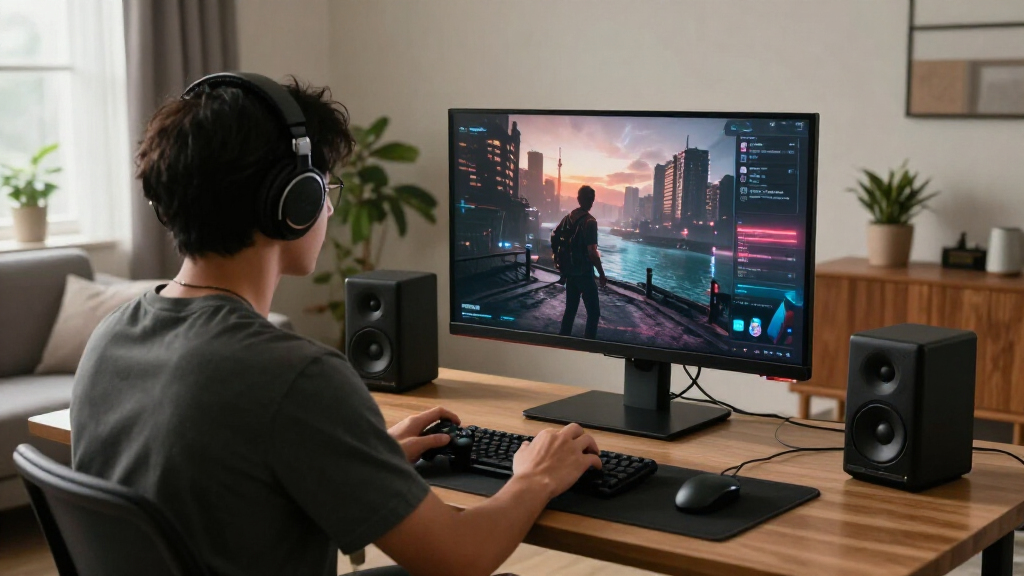
The best GTA 6 gaming setups balance graphics performance, memory, storage, and a monitor that suits your space. My best overall pick is the iBUYPOWER Element with Ryzen 9 9900X and Radeon RX 9070 GRE, whose higher-tier processor and graphics card give it the strongest performance-focused spec sheet here. The Skytech Shadow 5 with RTX 5060 Ti 16GB stands out as a more balanced alternative, while the Gigatech Apollo 7 bundle includes a monitor and accessories for a ready-to-start setup. These options differ in graphics headroom, included equipment, and how much memory or storage you get, and some entry-level configurations may call for compromises. Read on for my full comparison and guidance on choosing a setup that fits your needs.

Get audio and creator gear delivered free with Prime
- Fast, free delivery on millions of items
- Prime Video, Amazon Music and more included
- Member-only deals all year
Complete the kit


Key Takeaways
- The iBUYPOWER Element is the performance-led pick: its Ryzen 9 9900X and Radeon RX 9070 GRE put it ahead on listed core hardware, though it does not come with the monitor-focused appeal of the bundles.
- RTX 5060 Ti configurations are not interchangeable: the Skytech Shadow 5 with 16GB of graphics memory offers more listed graphics memory than the 8GB version, while the KOTIN combines an RTX 5060 Ti with 32GB system RAM.
- Several RTX 5060 PCs trade on different strengths: Skytech’s Ryzen 7 9700X configuration, CyberPowerPC’s Core i5-14400F system, and NOVATECH’s Ryzen 5 5500 build vary in processor platform and should be compared by the full configuration, not the graphics label alone.
- Bundles solve a different problem than tower-only PCs: the Gigatech Titan 3, Periphio Atlas, and Gigatech Apollo 7 include a 24-inch monitor, but their accompanying graphics and memory specs differ.
- Some low-spec listings need extra scrutiny: 8GB of system RAM and a 256GB SSD on one RTX 3060 Ti build, or 512GB storage on the STGAubron, may leave less room for upgrades and game installs.
| iBUYPOWER Element Gaming PC with AMD Ryzen 9 9900X and Radeon RX 9070 GRE 12GB |  | Best for Streaming and Heavy Multitasking | Processor: AMD Ryzen 9 9900X, 12 cores, 24 threads | Graphics: AMD Radeon RX 9070 GRE, 12GB VRAM | Memory: 16GB DDR5, 5200 MHz; maximum 128GB | VIEW LATEST PRICE | See Our Full Breakdown |
| Skytech Shadow 5 Gaming PC with AMD Ryzen 7 9700X and NVIDIA GeForce RTX 5060 |  | Best Balanced RTX 5060 Setup | Processor: AMD Ryzen 7 9700X, 3.8 GHz; up to 5.5 GHz | Graphics: NVIDIA GeForce RTX 5060, 8GB GDDR7; brand may vary | Memory: 16GB DDR5, 6000 MT/s | VIEW LATEST PRICE | See Our Full Breakdown |
| Skytech Shadow 5 Gaming PC with AMD Ryzen 7 8700F, GeForce RTX 5060 Ti 8GB, 16GB DDR5 RAM, and 1TB SSD |  | Best Air-Cooled RTX 5060 Ti Pick | Processor: AMD Ryzen 7 8700F, 4.1 GHz; up to 5 GHz | Graphics: NVIDIA GeForce RTX 5060 Ti, 8GB GDDR7; brand may vary | Memory: 16GB DDR5 6000 | VIEW LATEST PRICE | See Our Full Breakdown |
| Skytech Shadow 5 Gaming Desktop, Ryzen 7 9700X, GeForce RTX 5060 Ti 16GB, 16GB DDR5, 1TB SSD |  | Best for Graphics Memory Headroom | Processor: AMD Ryzen 7 9700X, 3.8 GHz; up to 5.5 GHz | Graphics: NVIDIA GeForce RTX 5060 Ti, 16GB GDDR7; brand may vary | Memory: 16GB DDR5 6000, non-RGB | VIEW LATEST PRICE | See Our Full Breakdown |
| NOVATECH Titan Pro Gaming Desktop PC with RTX 5060, Ryzen 5 5500, 16GB RAM, and 1TB SSD |  | Best Straightforward Windows 11 Pro Setup | Processor: AMD Ryzen 5 5500 | Graphics: NVIDIA RTX 5060 | Memory: 16GB DDR4, 3200 MHz; maximum 128GB | VIEW LATEST PRICE | See Our Full Breakdown |
| CyberPowerPC Gamer Xtreme Gaming Desktop, Intel Core i5-14400F, GeForce RTX 5060 8GB, 16GB DDR5, 1TB SSD |  | Best Balanced RTX 5060 Setup | Processor: Intel Core i5-14400F, 10 cores, 2.5 GHz listed base speed | Graphics: NVIDIA GeForce RTX 5060, 8GB | Memory: 16GB DDR5, 4800 MT/s | VIEW LATEST PRICE | See Our Full Breakdown |
| iBUYPOWER Element SE Gaming Desktop, Ryzen 5 8400F, GeForce RTX 3050 6GB, 16GB DDR5, 1TB NVMe SSD |  | Best Entry-Level Tower | Processor: AMD Ryzen 5 8400F, 6 cores, 4.2 GHz base and up to 4.7 GHz | Graphics: NVIDIA GeForce RTX 3050, 6GB | Memory: 16GB DDR5, 4800 MHz, single module | VIEW LATEST PRICE | See Our Full Breakdown |
| Gigatech Gaming Titan 3 Desktop PC Bundle with 24-Inch Monitor, Ryzen 5 5500, and RTX 5060 |  | Best Ready-to-Play Bundle | Processor: AMD Ryzen 5 5500, 6 cores, 3.6 GHz base and up to 4.2 GHz | Graphics: NVIDIA RTX 5060 | Memory: 32GB DDR4, 3200MHz | VIEW LATEST PRICE | See Our Full Breakdown |
| Gaming Desktop with AMD Ryzen 7 8700F, GeForce RTX 5060 Ti, 16GB DDR5 RAM, and 1TB NVMe SSD |  | Best for Streaming and Multitasking | Processor: AMD Ryzen 7 8700F, 4.1 GHz and up to 5 GHz | Graphics: GeForce RTX 5060 Ti, 8GB | Memory: 16GB DDR5 | VIEW LATEST PRICE | See Our Full Breakdown |
| Periphio Atlas Gaming Desktop Bundle with Ryzen 5 5500, Radeon RX 6500 XT, 16GB RAM, 1TB SSD, 24-Inch Monitor and Accessories |  | Best Full-Accessory Starter Bundle | Processor: AMD Ryzen 5 5500, 6 cores | Graphics: AMD Radeon RX 6500 XT, 4GB GDDR6 | Memory: 16GB DDR4 | VIEW LATEST PRICE | See Our Full Breakdown |
| STGAubron Gaming PC Desktop – AMD Ryzen 5 5500, RTX 3050 6GB, 16GB DDR4, 512GB SSD, Windows 11 Home |  | Best Entry-Level Plug-and-Play Setup | Processor: AMD Ryzen 5 5500, 6 cores and 12 threads, up to 4.2GHz | Graphics: NVIDIA GeForce RTX 3050, 6GB GDDR6 | Memory: 16GB DDR4 | VIEW LATEST PRICE | See Our Full Breakdown |
| Olialia Gaming PC with AMD Ryzen 5 5500 and GeForce RTX 3060 Ti |  | Best Value Graphics Upgrade | Processor: AMD Ryzen 5 5500, 6-core Zen 3 | Graphics: GeForce RTX 3060 Ti, 8GB GDDR6 | Memory: 16GB DDR4 | VIEW LATEST PRICE | See Our Full Breakdown |
| Gaming PC with GeForce RTX 3060 Ti, Ryzen 5 5500, 8GB RAM, 256GB SSD |  | Best for Planned Memory Upgrades | Processor: AMD Ryzen 5 5500, 6 cores and 12 threads, up to 4.2GHz | Graphics: GeForce RTX 3060 Ti, 8GB GDDR6 | Memory: 8GB DDR4, expandable to 64GB | VIEW LATEST PRICE | See Our Full Breakdown |
| Gigatech Gaming Apollo 7 Desktop PC Bundle with 24-Inch Monitor, Ryzen 5 5500, RTX 5050, 32GB RAM, and 2TB SSD |  | Best Complete Bundle | Processor: AMD Ryzen 5 5500, 6 cores, up to 4.2GHz | Graphics: NVIDIA RTX 5050 | Memory: 32GB DDR4, 3200MHz | VIEW LATEST PRICE | See Our Full Breakdown |
| KOTIN Gaming Desktop with Ryzen 7 8700F, RTX 5060 Ti, 32GB DDR5, and 1TB SSD |  | Best Premium Tower | Processor: AMD Ryzen 7 8700F | Graphics: GeForce RTX 5060 Ti, 8GB | Memory: 32GB DDR5, 6000MHz listed | VIEW LATEST PRICE | See Our Full Breakdown |
| GTA 6 gaming setup | Processor | Graphics | Memory | Storage |
|---|---|---|---|---|
| iBUYPOWER Element Gaming PC wi | AMD Ryzen 9 9900X, 12 cores, 24 threads | AMD Radeon RX 9070 GRE, 12GB VRAM | 16GB DDR5, 5200 MHz; maximum 128GB | 1TB NVMe SSD |
| Skytech Shadow 5 Gaming PC wit | AMD Ryzen 7 9700X, 3.8 GHz; up to 5.5 GHz | NVIDIA GeForce RTX 5060, 8GB GDDR7; brand may vary | 16GB DDR5, 6000 MT/s | 1TB NVMe M.2 SSD |
| Skytech Shadow 5 Gaming PC wit | AMD Ryzen 7 8700F, 4.1 GHz; up to 5 GHz | NVIDIA GeForce RTX 5060 Ti, 8GB GDDR7; brand may vary | 16GB DDR5 6000 | 1TB NVMe M.2 SSD |
| Skytech Shadow 5 Gaming Deskto | AMD Ryzen 7 9700X, 3.8 GHz; up to 5.5 GHz | NVIDIA GeForce RTX 5060 Ti, 16GB GDDR7; brand may vary | 16GB DDR5 6000, non-RGB | 1TB NVMe M.2 SSD |
| NOVATECH Titan Pro Gaming Desk | AMD Ryzen 5 5500 | NVIDIA RTX 5060 | 16GB DDR4, 3200 MHz; maximum 128GB | 1TB M.2 SSD |
| CyberPowerPC Gamer Xtreme Gami | Intel Core i5-14400F, 10 cores, 2.5 GHz listed base speed | NVIDIA GeForce RTX 5060, 8GB | 16GB DDR5, 4800 MT/s | 1TB PCIe 4.0 NVMe SSD |
| iBUYPOWER Element SE Gaming De | AMD Ryzen 5 8400F, 6 cores, 4.2 GHz base and up to 4.7 GHz | NVIDIA GeForce RTX 3050, 6GB | 16GB DDR5, 4800 MHz, single module | 1TB NVMe SSD |
| Gigatech Gaming Titan 3 Deskto | AMD Ryzen 5 5500, 6 cores, 3.6 GHz base and up to 4.2 GHz | NVIDIA RTX 5060 | 32GB DDR4, 3200MHz | 512GB PCIe SSD |
| Gaming Desktop with AMD Ryzen | AMD Ryzen 7 8700F, 4.1 GHz and up to 5 GHz | GeForce RTX 5060 Ti, 8GB | 16GB DDR5 | 1TB NVMe SSD |
| Periphio Atlas Gaming Desktop | AMD Ryzen 5 5500, 6 cores | AMD Radeon RX 6500 XT, 4GB GDDR6 | 16GB DDR4 | 1TB SSD |
| STGAubron Gaming PC Desktop | AMD Ryzen 5 5500, 6 cores and 12 threads, up to 4.2GHz | NVIDIA GeForce RTX 3050, 6GB GDDR6 | 16GB DDR4 | 512GB SSD |
| Olialia Gaming PC with AMD Ryz | AMD Ryzen 5 5500, 6-core Zen 3 | GeForce RTX 3060 Ti, 8GB GDDR6 | 16GB DDR4 | 512GB PCIe SSD |
| Gaming PC with GeForce RTX 306 | AMD Ryzen 5 5500, 6 cores and 12 threads, up to 4.2GHz | GeForce RTX 3060 Ti, 8GB GDDR6 | 8GB DDR4, expandable to 64GB | 256GB PCIe NVMe SSD |
| Gigatech Gaming Apollo 7 Deskt | AMD Ryzen 5 5500, 6 cores, up to 4.2GHz | NVIDIA RTX 5050 | 32GB DDR4, 3200MHz | 2TB PCIe SSD |
| KOTIN Gaming Desktop with Ryze | AMD Ryzen 7 8700F | GeForce RTX 5060 Ti, 8GB | 32GB DDR5, 6000MHz listed | 1TB PCIe Gen4 NVMe SSD |
More Details on Our Top Picks
iBUYPOWER Element Gaming PC with AMD Ryzen 9 9900X and Radeon RX 9070 GRE 12GB
The iBUYPOWER Element is the pick in this group for buyers who want a powerful processor alongside a capable graphics card, especially if gaming is only part of the workload. Its 12-core Ryzen 9 9900X gives streaming, recording, and background apps more room to run than the Ryzen 7 CPUs in the Skytech Shadow 5 options. The 12GB Radeon RX 9070 GRE also has more listed video memory than the 8GB RTX 5060 Ti in the Shadow 5, though the product details alone don’t establish which will perform better in every game or setting.
The tradeoff is the starting configuration: 16GB of RAM may call for an upgrade for demanding multitasking, even though the system supports up to 128GB. Its 360mm liquid cooler and included keyboard and mouse make the setup feel ready to start, but buyers who want a simpler air-cooled PC may prefer the Shadow 5 with Ryzen 7 8700F.
Pros:- 12-core, 24-thread Ryzen 9 processor suits gaming alongside streaming and recording.
- Radeon RX 9070 GRE includes 12GB of VRAM.
- 360mm liquid cooler has an LED performance display.
- Windows 11 Home, RGB keyboard, and mouse are included.
Cons:- 16GB of included memory may constrain demanding multitasking until upgraded.
- Wi-Fi is listed inconsistently as Wi-Fi 5 and Wi-Fi 6.
- At 36 pounds, the tower is less convenient to move than the 20-pound NOVATECH Titan Pro.
Best for: Players who plan to stream or record while gaming and want a 12-core processor, plus buyers comfortable upgrading memory later.
Not ideal for: Buyers seeking a compact, air-cooled system or a setup with more than 16GB of RAM out of the box.
- Processor:AMD Ryzen 9 9900X, 12 cores, 24 threads
- Graphics:AMD Radeon RX 9070 GRE, 12GB VRAM
- Memory:16GB DDR5, 5200 MHz; maximum 128GB
- Storage:1TB NVMe SSD
- Operating system:Windows 11 Home
- Cooling:360mm AIO liquid cooler with LED display
- Networking:Wi-Fi, Bluetooth, gigabit Ethernet
- Dimensions and weight:20 x 9.1 x 17.4 inches; 36 pounds
Our verdict“Choose this iBUYPOWER if streaming headroom and a 12GB graphics card matter more than having more than 16GB of RAM included.”
Skytech Shadow 5 Gaming PC with AMD Ryzen 7 9700X and NVIDIA GeForce RTX 5060
The Skytech Shadow 5 pairs a Ryzen 7 9700X with an RTX 5060, making it a balanced choice for buyers who want a current-generation NVIDIA graphics card without stepping up to the RTX 5060 Ti models in this group. Its 16GB of DDR5 memory runs at 6000 MT/s, and the 1TB NVMe drive provides room for the operating system and a game library to get started. A 360mm AIO cooler and included keyboard and mouse round out a straightforward prebuilt setup.
Compared with the Shadow 5 using a Ryzen 7 8700F and RTX 5060 Ti 8GB, this version has a newer-listed processor and liquid cooling, but its graphics card is the RTX 5060 rather than the Ti. That makes it a less compelling fit for buyers prioritizing the Ti model. Wi-Fi 5 and component variation are other limits: the graphics-card brand and some ports may differ by configuration.
Pros:- Ryzen 7 9700X and RTX 5060 combine a recent listed processor with NVIDIA graphics.
- 16GB DDR5 memory is specified at 6000 MT/s.
- 360mm AIO cooler includes ARGB fans.
- 1TB NVMe storage and keyboard and mouse are included.
Cons:- RTX 5060 sits below the RTX 5060 Ti configurations in the Skytech Shadow 5 lineup.
- Wi-Fi 5 is an older wireless standard than Wi-Fi 6.
- Graphics-card brand and some ports may vary by configuration.
Best for: PC gamers who want a Ryzen 7 9700X, an RTX 5060, DDR5 memory, and a ready-to-use keyboard-and-mouse bundle.
Not ideal for: Buyers prioritizing an RTX 5060 Ti or newer wireless networking, or those who need exact assurance about graphics-card brand and port layout.
- Processor:AMD Ryzen 7 9700X, 3.8 GHz; up to 5.5 GHz
- Graphics:NVIDIA GeForce RTX 5060, 8GB GDDR7; brand may vary
- Memory:16GB DDR5, 6000 MT/s
- Storage:1TB NVMe M.2 SSD
- Operating system:Windows 11 Home 64-bit
- Cooling:360mm AIO liquid CPU cooler with ARGB fans
- Wireless:Wi-Fi 5 (802.11ac)
- Included accessories:Gaming keyboard and mouse
Our verdict“Pick this Shadow 5 if you want the Ryzen 7 9700X and an RTX 5060 in a bundled setup, but choose a Ti model if that graphics tier is your priority.”
Skytech Shadow 5 Gaming PC with AMD Ryzen 7 8700F, GeForce RTX 5060 Ti 8GB, 16GB DDR5 RAM, and 1TB SSD
This Shadow 5 is the lineup’s air-cooled route to an RTX 5060 Ti. It combines the card’s listed 8GB of GDDR7 memory with a Ryzen 7 8700F, 16GB of DDR5, and a 1TB NVMe SSD. For a GTA 6 setup, that gives buyers a dedicated gaming desktop with a Ti-branded GPU and core accessories included, without the 360mm liquid cooler found in the Ryzen 7 9700X Shadow 5 models. Its simpler cooling approach may suit people who would rather avoid an AIO system.
The main comparison is with the Shadow 5 that pairs a Ryzen 7 9700X and RTX 5060 Ti 16GB: that alternative lists a newer processor model, double the graphics memory, and liquid cooling. This 8700F version is more modest on those points, but its air cooler may appeal to buyers who prefer fewer liquid-cooling components. Its 16GB system memory and Wi-Fi 5 still leave room for upgrades and a wired-network preference.
Pros:- RTX 5060 Ti has 8GB of GDDR7 graphics memory.
- Air cooling avoids the AIO cooler used in the higher-spec Shadow 5 alternatives.
- Includes 16GB DDR5 memory and a 1TB NVMe SSD.
- Windows 11 Home, keyboard, and mouse are included.
Cons:- The RTX 5060 Ti has 8GB of VRAM, compared with 16GB in the other listed Shadow 5 Ti configuration.
- Ryzen 7 8700F is a step below the Ryzen 7 9700X in the related Shadow 5 models.
- Wi-Fi 5 and 16GB of system memory may not suit buyers seeking newer connectivity or more multitasking capacity.
Best for: Buyers who want an RTX 5060 Ti desktop with a conventional air cooler and included keyboard and mouse.
Not ideal for: Players seeking the most graphics memory in this group, a Ryzen 7 9700X, or wireless networking newer than Wi-Fi 5.
- Processor:AMD Ryzen 7 8700F, 4.1 GHz; up to 5 GHz
- Graphics:NVIDIA GeForce RTX 5060 Ti, 8GB GDDR7; brand may vary
- Memory:16GB DDR5 6000
- Storage:1TB NVMe M.2 SSD
- Operating system:Windows 11 Home 64-bit
- Cooling:High-performance air cooler with ARGB fans
- Wireless:Wi-Fi 5 (802.11ac)
- Dimensions:16.6 x 8.3 x 18.4 inches
Our verdict“Choose this model for an RTX 5060 Ti and air cooling, but favor the 16GB Ti Shadow 5 if graphics memory and the Ryzen 7 9700X matter more.”
Skytech Shadow 5 Gaming Desktop, Ryzen 7 9700X, GeForce RTX 5060 Ti 16GB, 16GB DDR5, 1TB SSD
Among the Skytech systems here, this is the clearest choice for buyers focused on graphics memory: it lists an RTX 5060 Ti with 16GB GDDR7, rather than the 8GB Ti version in the Ryzen 7 8700F Shadow 5. Paired with a Ryzen 7 9700X, 16GB DDR5, and a 1TB NVMe SSD, it makes a higher-spec starting point for a GTA 6 gaming setup than the Shadow 5 with the standard RTX 5060. The 360mm AIO cooler is also suited to buyers who want liquid CPU cooling in the build.
That graphics-memory advantage does not remove the need to weigh the rest of the configuration. It still ships with only 16GB of system RAM, and the listed wireless connection is Wi-Fi 5. Component brands and some ports can vary, so buyers who need a confirmed card brand or exact connectivity should check the delivered configuration. Compared with the RX 9070 GRE iBUYPOWER, this Skytech provides a stated 16GB RTX card, while the iBUYPOWER has a 12-core processor and 12GB VRAM.
Pros:- RTX 5060 Ti is listed with 16GB GDDR7.
- Ryzen 7 9700X pairs with the graphics card.
- 360mm AIO cooler includes ARGB fans.
- 1TB NVMe SSD, Windows 11 Home, keyboard, and mouse are included.
Cons:- System memory is limited to 16GB in the listed configuration.
- Wi-Fi 5 is specified rather than a newer wireless standard.
- Graphics-card brand and some ports may vary.
Best for: Players who want a Ryzen 7 9700X paired with an RTX 5060 Ti listed with 16GB of graphics memory.
Not ideal for: Buyers who need more than 16GB of system RAM out of the box, Wi-Fi newer than Wi-Fi 5, or guaranteed component brands and port selection.
- Processor:AMD Ryzen 7 9700X, 3.8 GHz; up to 5.5 GHz
- Graphics:NVIDIA GeForce RTX 5060 Ti, 16GB GDDR7; brand may vary
- Memory:16GB DDR5 6000, non-RGB
- Storage:1TB NVMe M.2 SSD
- Cooling:360mm AIO liquid CPU cooler with ARGB fans
- Operating system:Windows 11 Home 64-bit
- Wireless:Wi-Fi 5 (802.11ac)
- Included accessories:Gaming keyboard and mouse
Our verdict“Pick this Shadow 5 if the listed 16GB RTX 5060 Ti is your priority, and plan around its 16GB of system memory and Wi-Fi 5.”
NOVATECH Titan Pro Gaming Desktop PC with RTX 5060, Ryzen 5 5500, 16GB RAM, and 1TB SSD
The NOVATECH Titan Pro takes a more basic route than the Ryzen 7 Skytech Shadow 5 models: it pairs an RTX 5060 with a Ryzen 5 5500, 16GB of DDR4, and a 1TB M.2 SSD. Its strongest practical differentiator is the included Windows 11 Pro, alongside Wi-Fi, Bluetooth, and Ethernet. That makes it a self-contained tower for buyers who want a gaming PC with everyday connectivity and no separate operating-system purchase to arrange.
Compared with the Skytech Shadow 5 using a Ryzen 7 9700X and RTX 5060, the NOVATECH has the same listed graphics-card family but a less advanced processor and DDR4 memory rather than DDR5. It also uses air cooling instead of a 360mm liquid cooler. The lighter, smaller listed dimensions may help with placement, but buyers seeking a newer-feeling platform, faster specified memory, or a Ryzen 7 should look to the Skytech models. 16GB RAM is another likely upgrade point for heavier multitasking.
Pros:- Includes an NVIDIA RTX 5060 graphics card.
- Windows 11 Pro is specified.
- Wi-Fi, Bluetooth, and Ethernet are included.
- 1TB M.2 SSD and RGB fans are included in the tower.
Cons:- Ryzen 5 5500 and DDR4 memory are a less advanced listed platform than the Ryzen 7 DDR5 Skytech options.
- 16GB of RAM may constrain heavier multitasking.
- Air cooling lacks the 360mm AIO cooler listed for the Skytech Shadow 5 configurations.
Best for: Buyers who want an RTX 5060 desktop with Windows 11 Pro, built-in wireless and Bluetooth, and an air-cooled tower.
Not ideal for: Players prioritizing a Ryzen 7 processor, DDR5 memory, or the RTX 5060 Ti configurations available in the Skytech Shadow 5 lineup.
- Processor:AMD Ryzen 5 5500
- Graphics:NVIDIA RTX 5060
- Memory:16GB DDR4, 3200 MHz; maximum 128GB
- Storage:1TB M.2 SSD
- Operating system:Windows 11 Pro
- Cooling:Air
- Connectivity:Wi-Fi, Bluetooth, Ethernet
- Dimensions and weight:15 x 9 x 17 inches; 20 pounds
Our verdict“Choose the NOVATECH if Windows 11 Pro and built-in connectivity matter more than a Ryzen 7, DDR5 memory, or an RTX 5060 Ti.”
CyberPowerPC Gamer Xtreme Gaming Desktop, Intel Core i5-14400F, GeForce RTX 5060 8GB, 16GB DDR5, 1TB SSD
I’d put the CyberPowerPC Gamer Xtreme near the front of a GTA 6 shortlist for buyers who want a current-generation graphics card without giving up everyday flexibility. Its RTX 5060 with 8GB of memory is a stronger graphics starting point than the RTX 3050 6GB in the iBUYPOWER Element SE, while the 1TB PCIe 4.0 SSD leaves more room for a large game installation than the Gigatech Titan 3’s 512GB drive. The i5-14400F and 16GB of DDR5 make this a sensible gaming-and-general-use pairing, and Wi-Fi 6 plus Bluetooth 5.3 reduce setup friction. The tradeoff is that it arrives with 16GB of RAM, so buyers who multitask heavily may want an upgrade. Its listed base processor speed is 2.5 GHz; that figure alone does not describe peak performance, but buyers should compare full processor details rather than that number in isolation.
Pros:- RTX 5060 graphics with 8GB of dedicated memory
- 1TB PCIe 4.0 NVMe SSD for game storage and quick loading
- Wi-Fi 6 and Bluetooth 5.3 built in
- Tempered side panel, RGB lighting, and keyboard and mouse included
Cons:- 16GB of RAM may call for an upgrade for demanding multitasking
- No monitor is included, so this is not a complete desk setup
- The full tower needs more desk or floor space than a compact system
Best for: PC gamers who want an RTX 5060, a 1TB SSD, and modern wireless connectivity in a single tower, and are comfortable adding RAM later if needed.
Not ideal for: Buyers who want 32GB of memory out of the box or a monitor included; the Gigatech Titan 3 supplies 32GB and a 24-inch display, though with less storage.
- Processor:Intel Core i5-14400F, 10 cores, 2.5 GHz listed base speed
- Graphics:NVIDIA GeForce RTX 5060, 8GB
- Memory:16GB DDR5, 4800 MT/s
- Storage:1TB PCIe 4.0 NVMe SSD
- Operating system:Windows 11 Home
- Connectivity:Wi-Fi 6, Bluetooth 5.3, and LAN
- Display outputs:1 HDMI and 2 DisplayPort
- Included accessories:Keyboard and mouse
Our verdict“Choose the CyberPowerPC if you want an RTX 5060 and 1TB of fast storage in a well-connected tower and can supply your own monitor.”
iBUYPOWER Element SE Gaming Desktop, Ryzen 5 8400F, GeForce RTX 3050 6GB, 16GB DDR5, 1TB NVMe SSD
The iBUYPOWER Element SE is the more restrained choice here: it gives GTA 6 buyers a desktop foundation, but its RTX 3050 6GB is a step below the RTX 5060 cards in the CyberPowerPC Gamer Xtreme and Gigatech Titan 3. That makes it a better fit for players prioritizing a complete, straightforward PC package over stronger graphics headroom. Its 1TB NVMe SSD, Windows 11, Wi-Fi, and included keyboard and mouse mean fewer basics to source separately, while the Ryzen 5 8400F offers a clear listed clock range. A notable limitation is the single 16GB memory module; the listing allows expansion, but the starting configuration is less flexible for memory bandwidth and multitasking than a dual-module kit. Air cooling is simpler than the liquid cooling in the Ryzen 7/RTX 5060 Ti desktop, though it lacks that model’s higher-tier components.
Pros:- 1TB NVMe SSD provides room for games and quick loading
- Ryzen 5 8400F has a listed boost speed up to 4.7 GHz
- Includes Windows 11 Home, Wi-Fi, keyboard, and mouse
- Memory can be expanded up to 256GB according to the listing
Cons:- RTX 3050 6GB is a lower-tier graphics option than the RTX 5060 systems in this group
- The included 16GB is a single memory module
- No monitor is included, and air cooling is less elaborate than the liquid-cooled Ryzen 7 system
Best for: First-time desktop buyers who want a ready-to-use tower with a 1TB SSD and included input devices, and whose priority is a modest entry point rather than stronger graphics capability.
Not ideal for: Players seeking more graphics headroom for demanding new releases or a monitor in the box; the CyberPowerPC Gamer Xtreme has an RTX 5060, while the Gigatech Titan 3 includes a display.
- Processor:AMD Ryzen 5 8400F, 6 cores, 4.2 GHz base and up to 4.7 GHz
- Graphics:NVIDIA GeForce RTX 3050, 6GB
- Memory:16GB DDR5, 4800 MHz, single module
- Maximum memory:256GB
- Storage:1TB NVMe SSD
- Cooling:Air cooling with tower CPU cooler and RGB fans
- Connectivity:802.11ac Wi-Fi, Ethernet, and 6 USB 3.1 ports
- Included accessories:Gaming keyboard and RGB gaming mouse
Our verdict“Pick the Element SE if you want a basic gaming tower with ample listed storage and bundled peripherals, but skip it if graphics performance is your priority.”
Gigatech Gaming Titan 3 Desktop PC Bundle with 24-Inch Monitor, Ryzen 5 5500, and RTX 5060
The Gigatech Titan 3 makes the strongest case for buyers assembling a desk setup from scratch: the 24-inch monitor, keyboard, and mouse are included, unlike the CyberPowerPC Gamer Xtreme, which supplies only the tower and input devices. Its RTX 5060 gives it a more appealing graphics starting point than the Periphio Atlas’s RX 6500 XT with 4GB of video memory, and 32GB of DDR4 gives multitaskers more room than the 16GB configurations in both. The bundle’s compromises show up in the details: its 512GB SSD may fill quickly with a large game library, and the monitor’s 75Hz refresh rate is a modest match for an RTX 5060. I’d favor it for convenience, not for the best display or storage capacity; buyers who already own peripherals may prefer a tower with a 1TB drive.
Pros:- Includes a 24-inch monitor, keyboard, and mouse
- RTX 5060 graphics paired with 32GB of DDR4 memory
- Monitor supports Adaptive-Sync and lists 1ms latency
- 11 USB ports provide room for peripherals
Cons:- 512GB SSD can constrain a library of large games
- The included monitor is limited to a 75Hz refresh rate
- Ryzen 5 5500 is a less advanced processor pairing than the Ryzen 7 options in this roundup
Best for: First-time PC gamers who need a monitor and basic peripherals in one purchase and want 32GB of memory with an RTX 5060.
Not ideal for: Players who already own a display or need substantial game-library storage; the CyberPowerPC Gamer Xtreme has a 1TB SSD, and the Titan 3’s bundled screen is limited to 75Hz.
- Processor:AMD Ryzen 5 5500, 6 cores, 3.6 GHz base and up to 4.2 GHz
- Graphics:NVIDIA RTX 5060
- Memory:32GB DDR4, 3200MHz
- Storage:512GB PCIe SSD
- Operating system:Windows 11
- Monitor:24 inches, 75Hz, 1ms listed latency, Adaptive-Sync
- Included accessories:Keyboard and mouse
- Connectivity:Wi-Fi, USB, DisplayPort, and HDMI
Our verdict“Choose the Titan 3 if you need a complete desk setup and value included gear over a larger SSD or a faster-refresh display.”
Gaming Desktop with AMD Ryzen 7 8700F, GeForce RTX 5060 Ti, 16GB DDR5 RAM, and 1TB NVMe SSD
For buyers who expect to game while streaming, recording, or running creative apps, this Ryzen 7 system has a more capable overall profile than the CyberPowerPC Gamer Xtreme: it pairs an 8-core Ryzen 7 8700F with an RTX 5060 Ti 8GB, rather than the CyberPowerPC’s Core i5 and standard RTX 5060. Liquid CPU cooling and Wi-Fi 6 add to the higher-spec feel, and a 1TB NVMe SSD matches the CyberPowerPC’s listed capacity. The limitation is its starting configuration: just 16GB of DDR5, with the listing specifying support up to 32GB, so memory-heavy workloads may prompt an upgrade sooner than on the Gigatech Titan 3 with 32GB installed. The graphics card’s 8GB of dedicated memory also places a ceiling on texture-heavy settings. It is a stronger multitasking pick, not a complete setup, since no monitor is listed.
Pros:- Ryzen 7 8700F has a listed boost speed up to 5 GHz
- RTX 5060 Ti 8GB is a higher-tier graphics pairing than the standard RTX 5060 in the CyberPowerPC Gamer Xtreme
- 1TB NVMe SSD for game and project storage
- Liquid CPU cooling, Wi-Fi 6, and Bluetooth 5.4
Cons:- Ships with 16GB of memory and supports up to 32GB according to the listing
- The graphics card has 8GB of dedicated memory
- No monitor is listed, so buyers need to provide their own display
Best for: Players who want an 8-core processor and RTX 5060 Ti for gaming alongside streaming or content work, and are willing to expand memory within the stated 32GB limit.
Not ideal for: Buyers who need 32GB or more of memory installed from the start, a monitor included, or graphics hardware with more than 8GB of dedicated memory.
- Processor:AMD Ryzen 7 8700F, 4.1 GHz and up to 5 GHz
- Graphics:GeForce RTX 5060 Ti, 8GB
- Memory:16GB DDR5
- Maximum supported memory:32GB
- Storage:1TB NVMe SSD
- Cooling:Liquid CPU cooling
- Wireless connectivity:Wi-Fi 6 and Bluetooth 5.4
- Included accessories:Mechanical RGB keyboard and mouse
Our verdict“Choose this Ryzen 7/RTX 5060 Ti tower if you plan to stream or multitask and can work within its 32GB stated memory limit.”
Periphio Atlas Gaming Desktop Bundle with Ryzen 5 5500, Radeon RX 6500 XT, 16GB RAM, 1TB SSD, 24-Inch Monitor and Accessories
The Periphio Atlas is built around convenience rather than graphics headroom: it includes a 24-inch Full HD IPS monitor plus a keyboard, mouse, speakers, headset, and mouse pad. That is a broader accessory package than the Gigatech Titan 3, which also bundles a monitor but lists only a keyboard and mouse. For a GTA 6 setup, though, the RX 6500 XT’s 4GB of video memory is the key compromise. It is a more constrained graphics choice than the Titan 3’s RTX 5060 or the CyberPowerPC Gamer Xtreme’s RTX 5060, so I’d rank this for buyers who need the whole desk kit and can accept modest graphics hardware, not those chasing demanding settings. Its 1TB SSD beats the Titan 3’s 512GB capacity, but the included screen tops out at 1920 x 1080 and the listing does not specify its refresh rate.
Pros:- Includes a 24-inch Full HD IPS monitor and a wide range of accessories
- 1TB SSD offers more listed capacity than the Gigatech Titan 3’s 512GB drive
- Ryzen 5 5500 has six cores for gaming and everyday computing
- 650W power supply and listed support for additional storage and memory upgrades
Cons:- RX 6500 XT has only 4GB of dedicated video memory
- Included monitor is limited to 1920 x 1080, with no refresh rate specified
- 16GB DDR4 is less memory than the Titan 3’s 32GB configuration
Best for: New PC gamers who need a monitor, headset, speakers, and input devices together, and plan to play at Full HD with expectations suited to an entry-level graphics card.
Not ideal for: Players prioritizing graphics capability or higher-resolution gaming; the CyberPowerPC Gamer Xtreme and Gigatech Titan 3 both list RTX 5060 graphics, while this system uses an RX 6500 XT with 4GB.
- Processor:AMD Ryzen 5 5500, 6 cores
- Graphics:AMD Radeon RX 6500 XT, 4GB GDDR6
- Memory:16GB DDR4
- Storage:1TB SSD
- Operating system:Windows 11 Home
- Monitor:24-inch Full HD IPS, 1920 x 1080
- Power supply:650W
- Included accessories:RGB keyboard, mouse, speakers, headset, and XXL mouse pad
Our verdict“Pick the Periphio Atlas if a monitor and a full set of accessories matter more than stronger graphics performance.”
STGAubron Gaming PC Desktop – AMD Ryzen 5 5500, RTX 3050 6GB, 16GB DDR4, 512GB SSD, Windows 11 Home
The STGAubron is the simplest entry point here for someone who wants a ready-to-use tower without buying input devices separately. Its RTX 3050 6GB and Ryzen 5 5500 suit lighter gaming and older titles, but this is a more restrained choice for a GTA 6 setup than the RTX 3060 Ti systems from Olialia and Gaming PC with GeForce RTX 3060 Ti. The included keyboard and mouse, Wi-Fi 6, and Bluetooth 5.2 make it easier to get started, while the 16GB of RAM is a more comfortable baseline than the latter system’s 8GB. The tradeoffs are the entry-level graphics card and a 512GB SSD that can leave little room for a growing game library. I’d choose it for a modest setup, not for demanding graphics settings.
Pros:- Bundled RGB keyboard and mouse help make it usable from the start.
- Wi-Fi 6 and Bluetooth 5.2 provide current wireless connectivity.
- 16GB of DDR4 is a more practical starting point than the 8GB in the RTX 3060 Ti Gaming PC.
- Compact tower with RGB fans fits a home or office setup.
Cons:- RTX 3050 is a step down from the RTX 3060 Ti graphics in the Olialia system.
- 512GB SSD can fill quickly with large modern games.
- Listed port information suggests limited peripheral connectivity without checking the full port layout.
Best for: First-time PC gamers who want a bundled keyboard and mouse, wireless connectivity, and a tower for lighter gaming.
Not ideal for: Players seeking stronger graphics performance for demanding GTA 6 settings or enough built-in storage for a large game library.
- Processor:AMD Ryzen 5 5500, 6 cores and 12 threads, up to 4.2GHz
- Graphics:NVIDIA GeForce RTX 3050, 6GB GDDR6
- Memory:16GB DDR4
- Storage:512GB SSD
- Operating system:Windows 11 Home 64-bit
- Connectivity:Wi-Fi 6, Bluetooth 5.2, HDMI, DisplayPort, and RJ-45
- Included accessories:RGB gaming mouse and keyboard
- Cooling:Two RGB fans
Our verdict“Choose the STGAubron if you want an entry-level gaming tower with included accessories, but skip it if GTA 6 graphics performance is your main priority.”
Olialia Gaming PC with AMD Ryzen 5 5500 and GeForce RTX 3060 Ti
The Olialia stands out for pairing a Ryzen 5 5500 with an RTX 3060 Ti 8GB, giving it a stronger graphics foundation than the STGAubron’s RTX 3050. That makes it the more appealing choice of those two for a GTA 6-focused build, while its 16GB of RAM avoids the immediate memory limitation of the similarly equipped RTX 3060 Ti system with only 8GB. The 512GB PCIe SSD is still modest for a sizable game collection, and the description does not clarify the graphics-card or power-supply brands or detail upgrade options. Seven ARGB fans and a glass-front, glass-side case favor a visible, airflow-focused setup, but they do not change the storage or component-information tradeoffs. I’d put this ahead of the lower-spec options for graphics, while reserving the KOTIN for buyers seeking a newer platform and more memory.
Pros:- RTX 3060 Ti 8GB is a stronger graphics option than the STGAubron’s RTX 3050.
- 16GB DDR4 avoids the immediate memory shortfall of the other listed Ryzen 5 5500 and RTX 3060 Ti system.
- PCIe SSD and Wi-Fi 6 with Bluetooth are included.
- Seven ARGB fans and tempered glass panels suit a display-focused desktop.
Cons:- 512GB storage may be tight for several large games.
- Graphics-card and power-supply brands are not specified.
- Upgrade options are not detailed in the supplied product information.
Best for: PC gamers prioritizing an RTX 3060 Ti and 16GB of RAM in a Windows 11 desktop for a GTA 6-oriented setup.
Not ideal for: Buyers who want a large game library installed at once or need clearly documented component brands and upgrade details.
- Processor:AMD Ryzen 5 5500, 6-core Zen 3
- Graphics:GeForce RTX 3060 Ti, 8GB GDDR6
- Memory:16GB DDR4
- Storage:512GB PCIe SSD
- Motherboard:Gigabyte A520M-KV2
- Wireless and networking:PCIe Wi-Fi 6 AX200 with Bluetooth; Gigabit Ethernet
- Power supply:600W ATX, 80 PLUS Bronze
- Cooling:Seven ARGB fans
- Operating system:Windows 11 Home
Our verdict“Pick the Olialia for its RTX 3060 Ti and 16GB memory balance, provided you can work with limited storage and sparse component details.”
Gaming PC with GeForce RTX 3060 Ti, Ryzen 5 5500, 8GB RAM, 256GB SSD
This desktop puts its emphasis on the RTX 3060 Ti 8GB, matching the Olialia on listed graphics while undercutting it on two parts that affect day-to-day readiness: it has just 8GB of RAM and a 256GB NVMe SSD. Its stated expansion to 64GB gives memory-upgrade-minded buyers a clear path, but the system is less ready for a broad game library out of the box than the Olialia’s 16GB and 512GB configuration. The six adjustable RGB fans, dual-chamber case, and Wi-Fi 6 add presentation and connectivity, while its eight USB ports offer more listed peripheral connections than the STGAubron. I’d consider it only if a RAM and storage upgrade is already part of the plan. For a setup that needs fewer immediate fixes, the Olialia or KOTIN makes more sense.
Pros:- RTX 3060 Ti 8GB provides the same listed graphics tier as the Olialia.
- Memory is specified as expandable to 64GB.
- Eight USB ports offer a detailed range of peripheral connections.
- Wi-Fi 6 and Bluetooth 5.0 are included.
Cons:- 8GB RAM is below the 16GB supplied with the Olialia and STGAubron.
- 256GB SSD leaves little room for multiple large games.
- Memory and storage upgrades add work before it becomes a more comfortable everyday gaming setup.
Best for: PC builders who specifically want an RTX 3060 Ti tower and are prepared to add RAM and storage soon.
Not ideal for: Buyers who want a ready-to-play system with comfortable memory and storage from the start.
- Processor:AMD Ryzen 5 5500, 6 cores and 12 threads, up to 4.2GHz
- Graphics:GeForce RTX 3060 Ti, 8GB GDDR6
- Memory:8GB DDR4, expandable to 64GB
- Storage:256GB PCIe NVMe SSD
- Motherboard:Gigabyte A520M-K V2
- Wireless:Wi-Fi 6 AX200 and Bluetooth 5.0
- Power supply:600W, 80 PLUS Bronze
- Cooling and case:Dual-chamber mid-tower with dual tempered-glass panels, six adjustable RGB fans, and RGB CPU cooler
- Operating system:Windows 11 Home
Our verdict“Choose this system only if you plan to upgrade its RAM and SSD; otherwise, the Olialia is the more complete RTX 3060 Ti option.”
Gigatech Gaming Apollo 7 Desktop PC Bundle with 24-Inch Monitor, Ryzen 5 5500, RTX 5050, 32GB RAM, and 2TB SSD
The Gigatech Apollo 7 is the most complete out-of-the-box setup in this group: it includes a 24-inch monitor, keyboard, and mouse, plus 32GB of RAM and a 2TB SSD. That storage capacity is a major practical advantage over the 512GB Olialia and the 256GB RTX 3060 Ti system, especially for keeping a larger game library installed. Its RTX 5050 is a different graphics option from those systems’ RTX 3060 Ti cards, and the supplied information does not establish a direct performance comparison, so I would not choose by model number alone. The included monitor is limited to 75Hz, which may disappoint buyers seeking a higher-refresh display. Compared with the STGAubron, this is a more complete desk package, but its bundled monitor makes it less flexible for someone who already owns a display.
Pros:- Includes a 24-inch monitor, keyboard, and mouse.
- 32GB DDR4 provides more memory headroom than the 16GB Olialia.
- 2TB PCIe SSD offers substantially more listed capacity than the other systems in this batch.
- Eleven USB ports and HDMI and DisplayPort outputs support a range of connections.
Cons:- The bundled monitor is limited to a 75Hz refresh rate.
- The supplied information does not state RTX 5050 video memory or enough detail for a direct performance comparison with the RTX 3060 Ti systems.
- Its Ryzen 5 5500 platform is less current than the KOTIN’s Ryzen 7 8700F and DDR5 setup.
Best for: New PC gamers who need a monitor and basic peripherals alongside generous memory and storage in one bundle.
Not ideal for: Buyers who already own a monitor or prioritize a high-refresh display over a ready-made desk setup.
- Processor:AMD Ryzen 5 5500, 6 cores, up to 4.2GHz
- Graphics:NVIDIA RTX 5050
- Memory:32GB DDR4, 3200MHz
- Storage:2TB PCIe SSD
- Monitor:24 inches, 75Hz, 1ms latency, Adaptive-Sync
- Operating system:Windows 11
- Connectivity:Wi-Fi and 11 USB ports
- Video outputs:HDMI and DisplayPort
- Included accessories:Monitor, keyboard, and mouse
Our verdict“Choose the Apollo 7 if you need the whole desk setup and value 2TB of storage, but look elsewhere if you already have a monitor or want a faster-refresh screen.”
KOTIN Gaming Desktop with Ryzen 7 8700F, RTX 5060 Ti, 32GB DDR5, and 1TB SSD
The KOTIN is the strongest pick here for buyers who want a more current tower rather than an all-in-one bundle. Its Ryzen 7 8700F, RTX 5060 Ti 8GB, and 32GB DDR5 make it a more advanced listed platform than the Ryzen 5 5500 desktops, including the Apollo 7; unlike that bundle, it does not include a monitor or input devices. The 1TB Gen4 NVMe SSD lands between the Apollo 7’s 2TB and the smaller drives in the Olialia and other RTX 3060 Ti system. Four memory slots and three M.2 slots give the KOTIN a clear upgrade path, while its 650W 80 PLUS Gold power supply is a specified component advantage over the Bronze units in the Olialia and RTX 3060 Ti tower. It costs you convenience if you need a complete desk setup, and older VGA or DVI displays need an adapter.
Pros:- Ryzen 7 8700F and 32GB DDR5 provide a newer platform than the Ryzen 5 5500 and DDR4 systems.
- RTX 5060 Ti 8GB is the listed graphics card.
- Three M.2 slots and four DDR5 memory slots offer room for future upgrades.
- 650W 80 PLUS Gold power supply and Wi-Fi 6 are specified.
Cons:- 1TB SSD has less capacity than the Apollo 7’s 2TB drive.
- Monitor, keyboard, and mouse are not listed as included.
- VGA- and DVI-only monitors require an adapter, and the display must connect to the graphics card.
Best for: Players seeking a newer Ryzen 7 and DDR5 platform, with room to expand memory and storage over time.
Not ideal for: First-time buyers who need a monitor and peripherals included, or owners of VGA- or DVI-only displays without an adapter.
- Processor:AMD Ryzen 7 8700F
- Graphics:GeForce RTX 5060 Ti, 8GB
- Memory:32GB DDR5, 6000MHz listed
- Storage:1TB PCIe Gen4 NVMe SSD
- Operating system:Windows 11 Home
- Power supply:650W, 80 PLUS Gold
- Cooling:Air cooler with six copper heat pipes and digital temperature display; five 120mm ARGB fans
- Expansion:Four DDR5 DIMM slots and three M.2 SSD slots
- Wireless and video:Wi-Fi 6, Bluetooth, HDMI, and DisplayPort
Our verdict“Pick the KOTIN for a newer, upgrade-friendly gaming tower, and choose the Apollo 7 instead if you need a monitor and accessories included.”
How We Picked
I compared the listed configurations as gaming setups rather than judging them by a single component name. The main factors were graphics hardware and graphics memory, processor class, system RAM, storage capacity, and whether a monitor or accessories were included. Since GTA 6 PC performance requirements and optimization details can change, I avoid promising a specific frame rate or resolution based on these listings alone.
The ranking favors configurations that appear more balanced for demanding modern games, then weighs how much extra value comes from memory, storage, or included equipment. That puts higher-tier graphics and processor combinations ahead of entry-level builds, while penalizing listings with unusually low RAM or storage for a gaming desktop. Bundle PCs have a distinct place for buyers starting from scratch, but an included monitor does not automatically make a system faster or better suited to demanding graphics.
| GTA 6 gaming setup | Operating system |
|---|---|
| iBUYPOWER Element Gaming PC wi | Windows 11 Home |
| Skytech Shadow 5 Gaming PC wit | Windows 11 Home 64-bit |
| Skytech Shadow 5 Gaming PC wit | Windows 11 Home 64-bit |
| Skytech Shadow 5 Gaming Deskto | Windows 11 Home 64-bit |
| NOVATECH Titan Pro Gaming Desk | Windows 11 Pro |
| CyberPowerPC Gamer Xtreme Gami | Windows 11 Home |
| iBUYPOWER Element SE Gaming De | — |
| Gigatech Gaming Titan 3 Deskto | Windows 11 |
| Gaming Desktop with AMD Ryzen | — |
| Periphio Atlas Gaming Desktop | Windows 11 Home |
| STGAubron Gaming PC Desktop | Windows 11 Home 64-bit |
| Olialia Gaming PC with AMD Ryz | Windows 11 Home |
| Gaming PC with GeForce RTX 306 | Windows 11 Home |
| Gigatech Gaming Apollo 7 Deskt | Windows 11 |
| KOTIN Gaming Desktop with Ryze | Windows 11 Home |
Factors to Consider When Choosing Best GTA 6 Gaming Setups
Choosing a GTA 6 setup means matching the whole system to how and where you plan to play, not simply picking the PC with the biggest-sounding component. I’d weigh graphics capability first, then check memory, storage, display plans, and the practical costs of upgrading.
Start With Graphics Headroom, Not a Game-Specific Promise
A PC’s graphics card will shape visual settings and resolution more directly than most other parts, but a product listing cannot guarantee how GTA 6 will run. Game requirements, patches, and optimization may change, so avoid treating any current component pairing as a confirmed performance target. Compare graphics memory as well as the GPU name: the Shadow 5 RTX 5060 Ti comes in both 8GB and 16GB configurations, a difference worth checking before ordering. Higher graphics headroom can be useful for detailed textures and future games, but it often means giving up budget for a better display or more system memory. If you are choosing between a stronger GPU and bundled accessories, prioritize the GPU when you already own a suitable monitor. For a first setup, account for the screen and peripherals as part of the total system rather than judging the tower in isolation.
Check System Memory and Upgrade Plans
System RAM affects how comfortably a PC can run a game alongside background apps, voice chat, and launchers. The listed PCs range from 8GB to 32GB, so they are not equally ready for heavier multitasking or future game demands. A low-memory configuration can still be a starting point, but only if the motherboard has accessible slots and the system supports a sensible upgrade. Do not assume that a computer is easy to expand just because its case looks spacious; confirm the exact memory layout and supported capacity with the seller. When comparing similar graphics cards, extra RAM may be more useful than a small processor difference for a buyer who keeps several apps open. Set aside room in your decision for upgrades rather than planning around a configuration that already feels tight.
Treat Storage Capacity as Part of the Gaming Experience
Large games can consume a substantial share of a drive, and an SSD that feels roomy at purchase may fill quickly after several installs. In this roundup, listed storage ranges from 256GB to 2TB, which creates a meaningful difference in how many games and media files you can keep installed. A small drive may require frequent uninstalling or a later storage addition, while a larger SSD reduces that routine. Check whether the listing specifies NVMe storage and whether there is an open M.2 slot or a straightforward route to add another drive. Do not pay for a capacity you will not use if you mainly play one game at a time, but avoid choosing the smallest drive just because the GPU looks appealing. Bundled systems with 2TB storage can be convenient for a broad library, though their other hardware still needs to fit your gaming needs.
Decide Whether a Monitor Bundle Actually Saves You Work
A bundle with a 24-inch monitor and accessories can make a first purchase simpler, especially if you do not already own a display, keyboard, or mouse. The Gigatech Titan 3, Periphio Atlas, and Gigatech Apollo 7 take this route, but their included components differ, so the word bundle does not tell you how capable the PC is. Look for the monitor’s resolution, refresh rate, connection options, and adjustability before treating it as a complete solution. A tower-only PC may be a better fit if you already have a display or want to choose a screen tailored to your preferred resolution. Also check what accessories are actually included; listings may not cover every item needed for a comfortable desk setup. Compare the bundle’s full equipment list against what you would buy separately, not just the convenience of having several boxes arrive together.
Compare the Entire Configuration, Not One Familiar Brand Name
Two PCs with the same GPU can offer different day-to-day value because the processor, RAM, storage, cooling, and upgrade options may vary. For example, the RTX 5060 appears alongside both Ryzen 5 5500 and newer or higher-tier processor configurations in this group. That does not mean the more expensive-sounding processor always makes the better gaming choice; the right balance depends on graphics demands, the monitor, and other tasks you run. Read the exact listing carefully because product families can include multiple versions, including different graphics memory or system RAM. Confirm the power supply, case ventilation, warranty terms, and return policy before buying, as these practical details are not always clear in a headline product name. A balanced PC with clear support information can be a safer purchase than a more impressive component label paired with missing details.
Set a Limit for Upgrades and Maintenance
A desktop can be upgraded over time, but upgrades bring costs and compatibility checks that buyers often overlook. Before selecting a lower-tier PC, decide whether you would actually add RAM, storage, or a stronger graphics card, then check the power supply capacity, available slots, and case clearance. A low initial configuration can be sensible if the upgrade path is clear and you plan to make changes soon. If you do not want to open the case or troubleshoot parts, spending more on a more complete configuration may be the simpler choice. Keep the system in a ventilated area and allow room for routine dust cleaning, since cramped placement can hinder airflow. The best value is the setup that meets your needs without relying on upgrades you may never make.
Frequently Asked Questions
Can any of these PCs be guaranteed to run GTA 6 well?
No listing here can guarantee GTA 6 performance without confirmed PC requirements and testing on the final PC version. The stronger graphics configurations, such as the iBUYPOWER with RX 9070 GRE and the RTX 5060 Ti systems, have more promising listed hardware than the RTX 3050 or RX 6500 XT options, but that is not a frame-rate promise. Check official requirements when they become available and compare them with the exact model configuration. Also factor in your target resolution and visual settings, since those can change the hardware needed. If you are buying ahead of a confirmed PC release, choose a system with a clearer upgrade path and avoid paying for claims a listing cannot verify.
Is an RTX 5060 Ti with 8GB enough, or should I choose the 16GB version?
The 16GB version offers more listed graphics memory, which can provide more room for demanding textures and graphics workloads than the 8GB model. That difference does not, by itself, guarantee a particular frame rate or make every game run better. Compare the rest of each PC too: the Shadow 5 16GB listing pairs its card with a Ryzen 7 9700X, while the 8GB listing names a Ryzen 7 8700F and 16GB of system RAM. If prices and other details are close, the 16GB graphics configuration is the more appealing choice for buyers seeking extra headroom. Check the exact listing before purchase, since similar model names can refer to different specifications.
Should I choose a bundle with a monitor or buy a tower and screen separately?
A bundle is most useful when you need the monitor and basic accessories and want to start with fewer separate purchases. The Titan 3, Periphio Atlas, and Apollo 7 all list a 24-inch monitor, but their PC specifications are not identical, so compare the tower before deciding. Find out the monitor’s resolution and refresh rate, and check which keyboard, mouse, cables, or other accessories are included. If you already own a display, a tower-only option may give you more choice about where to allocate your budget. Buying separately can also make it easier to select a screen that matches your preferred resolution and future plans.
Which configuration should I avoid if I do not plan to upgrade soon?
I would be cautious about the RTX 3060 Ti listing with 8GB of system RAM and a 256GB SSD if you want a ready-to-use PC with room for a game library. Those specifications leave less capacity for multitasking and installed games than the 16GB-and-1TB combinations found on several other listings. The STGAubron’s 512GB SSD also offers less listed storage than most 1TB alternatives, though that may be fine if you keep a small library. Check the exact RAM configuration and available storage before buying, because future expansion can involve extra cost and effort. If you do not want to open the PC later, favor a configuration that already meets your memory and storage needs.
What should I verify before ordering one of these desktop setups?
Confirm the exact processor, graphics card and graphics memory, RAM capacity, and SSD size on the seller’s current listing. Then check whether a monitor and accessories are included, since some products are towers and others are bundles. Look for power supply details, available upgrade slots, cooling and case information, and the warranty and return terms. Similar product names in this roundup cover different configurations, so do not rely on a model name alone. If a key specification is missing or conflicts across the listing, ask the seller to clarify it before placing an order.
Conclusion
For the strongest listed hardware, I’d choose the iBUYPOWER Element with Ryzen 9 9900X and RX 9070 GRE as my best overall pick, while recognizing that it is a tower rather than a monitor bundle. For a more balanced gaming configuration, the Skytech Shadow 5 with RTX 5060 Ti 16GB is my leading alternative; the KOTIN with RTX 5060 Ti and 32GB RAM suits buyers who prioritize more system memory. My best beginner route is the Gigatech Apollo 7 bundle if its included monitor and accessories match your needs, while the Titan 3 and Periphio Atlas offer other all-in-one starting points with different PC hardware. Buyers seeking a lower-spec entry point can compare the RTX 5060 systems, but should weigh their processor and memory closely; I would skip the 8GB RAM, 256GB SSD configuration unless I planned upgrades. Pick based on the full setup you need today, then verify the exact listing and upgrade options before buying.
Black Friday Picks

Amazon Kindle Paperwhite (16 GB, 11th Generation, 2021) – 6.8-inch Display, Adjustable Warm Light, Black
As an affiliate, we earn on qualifying purchases.