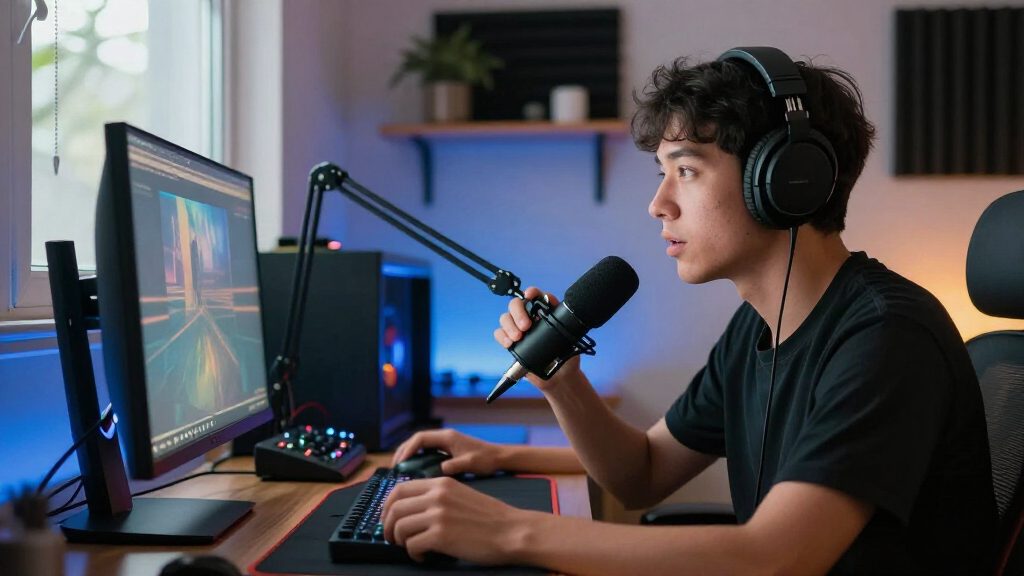

Building out the best gaming streaming equipment comes down to balancing image quality, audio clarity, and budget across four categories: webcams, microphones, mixers, and capture cards. For most streamers, the FIFINE AmpliGame AM8T stands out as the best overall pick because its USB/XLR flexibility grows with your setup, while the NexiGo N680E Pro 4K wins on camera value and the Rybozen HDMI Capture Card handles console-to-PC streaming without fuss. The main tradeoff you’ll face is audio versus video: dynamic microphones like the AM8T reject keyboard and fan noise far better than condensers, but the condenser bundles cost less and include more accessories. On the video side, true 4K webcams only pay off if your streaming software and internet upload can keep up, which is why 1080p60 models still dominate. Read on for the full breakdown of all 15 picks, including who each one suits and who should skip it.

Get audio and creator gear delivered free with Prime
- Fast, free delivery on millions of items
- Prime Video, Amazon Music and more included
- Member-only deals all year
Complete the kit



Key Takeaways
- Dynamic microphones (AM8T, K688CT, PD200XS) consistently beat condenser kits for streamers in untreated rooms because they reject keyboard clacks, fan hum, and background noise without extra processing.
- Four of the fifteen products are FIFINE, and their bundles dominate the mid-range — but the MAONO G1 NEO bundle and NexiGo N680E Pro prove worthwhile alternatives when you want a mixer included or stronger video at a similar tier.
- 4K webcams (N680E Pro, YoloCam S3, A640) only make sense if your platform and upload bandwidth support high-bitrate 1080p or higher; otherwise a 1080p60 camera like the NBPOWER with RGB fill light delivers a cleaner stream for less.
- USB/XLR dual-connectivity microphones ranked highest overall because they protect your investment — you can start plug-and-play today and move to an audio interface later without replacing the mic.
- Capture cards like the Rybozen are the cheapest upgrade with the biggest impact for console streamers, yet they’re useless for PC-only streamers — matching equipment to your platform matters more than raw specs in this category.
| NBPOWER 1080p 60 FPS Streaming Webcam with Microphone, RGB Fill Light, Autofocus, and Privacy Cover |  | Best All-in-One Webcam for Beginners | Resolution: 1080p Full HD | Frame rate: 60 FPS | Microphone: Built-in noise-canceling | VIEW LATEST PRICE | See Our Full Breakdown |
| FIFINE AmpliGame AM8T Dynamic Gaming Microphone Set with USB/XLR Connectivity |  | Best Flexible USB-to-XLR Microphone | Microphone type: Dynamic | Connectivity: USB-C and XLR | Polar pattern: Cardioid | VIEW LATEST PRICE | See Our Full Breakdown |
| NexiGo N680E Pro 4K Webcam with Ring Light |  | Best Webcam for Adjustable Lighting | Sensor: Sony 1/2.5-inch 4K CMOS | Video: 4K; 1080p at 60 fps | Autofocus: PDAF | VIEW LATEST PRICE | See Our Full Breakdown |
| YoloLiv YoloCam S3 4K Streaming Webcam |  | Best Premium Webcam for Camera Control | Sensor: 1/1.3-inch | Video resolution and frame rate: 4K at 30 fps; 1080p at 60 fps | Field of view: 82° | VIEW LATEST PRICE | See Our Full Breakdown |
| FIFINE AmpliGame KS5 Gaming Microphone and Audio Mixer Bundle |  | Best Mixer Bundle for Hands-On Audio | Microphone type: Dynamic | Microphone connections: XLR and USB | Mixer features: Mute control, headphone monitoring, volume fader, and entertainment modes | VIEW LATEST PRICE | See Our Full Breakdown |
| FIFINE AmpliTank K688CT USB/XLR Dynamic Podcast Microphone Kit |  | Best Complete Dynamic Mic Kit | Connectivity: USB, XLR | Microphone type: Dynamic | Pickup pattern: Cardioid (unidirectional) | VIEW LATEST PRICE | See Our Full Breakdown |
| wegear 4K USB-A Webcam with Sony Sensor |  | Best Compact Webcam for Smooth Motion | Sensor: 8MP Sony 1/2.55-inch CMOS | Video modes: 4K at 30fps; 1080p at 60fps | Autofocus: PDAF | VIEW LATEST PRICE | See Our Full Breakdown |
| MAONO G1 NEO Gaming Mixer and PD200XS XLR Dynamic Microphone Bundle |  | Best for Console and Effects Control | Mixer channels: 4 | Connectivity: Auxiliary, Bluetooth, USB-C, XLR | Output connectors: 3.5 mm, USB-C | VIEW LATEST PRICE | See Our Full Breakdown |
| Podcast Equipment Bundle for 2 with Audio Mixer, Voice Changer, and Condenser Microphones |  | Best Two-Person Streaming Bundle | Microphones: 2 condenser microphones | Mixer effects: 10 sound effects and 4 voice variations | Included accessories: 2 boom arms, 2 shock mounts, 2 pop filters, 2 foam covers | VIEW LATEST PRICE | See Our Full Breakdown |
| FIFINE AmpliGame AM8 USB/XLR Dynamic Microphone |  | Best Desktop Mic for USB-to-XLR Upgrades | Connectivity: USB, XLR | Microphone type: Dynamic | Pickup pattern: Unidirectional cardioid | VIEW LATEST PRICE | See Our Full Breakdown |
| Rybozen HDMI Video Capture Card with USB 3.0 |  | Best for Console Capture | Capture resolution: Up to 1080p | HDMI input: Up to 4K at 60 Hz | Output: Up to 2K at 30 Hz | VIEW LATEST PRICE | See Our Full Breakdown |
| Acer A640 4K Webcam with AI Noise-Canceling Microphone |  | Best Webcam for Image Detail | Maximum resolution: 4K at 30 fps | Supported video modes: 2K or 1080p at 60 fps | Autofocus: Phase Detection Autofocus (PDAF) | VIEW LATEST PRICE | See Our Full Breakdown |
| TONOR TC310+ USB Gaming Condenser Microphone Set with Boom Arm |  | Best for Desk Control and Positioning | Connectivity: USB-A | Compatible devices: Desktop computer, laptop, Mac OS, PS4, PS5 | Polar pattern: Unidirectional | VIEW LATEST PRICE | See Our Full Breakdown |
| FIFINE AmpliGame A6T USB Gaming Microphone Kit |  | Best Complete Mic Kit | Microphone type: USB condenser | Polar pattern: Cardioid | Compatibility: Windows, Mac OS, PS4, PS5 | VIEW LATEST PRICE | See Our Full Breakdown |
| FIFINE T669 USB Condenser Microphone Kit |  | Best Long-Reach Boom Arm | Microphone type: USB condenser | Pickup pattern: Cardioid | Compatibility: PC and laptop; incompatible with Xbox | VIEW LATEST PRICE | See Our Full Breakdown |
| gaming streaming equipment | Connectivity |
|---|---|
| NBPOWER 1080p 60 FPS Streaming | — |
| FIFINE AmpliGame AM8T Dynamic | USB-C and XLR |
| NexiGo N680E Pro 4K Webcam wit | USB-A |
| YoloLiv YoloCam S3 4K Streamin | — |
| FIFINE AmpliGame KS5 Gaming Mi | — |
| FIFINE AmpliTank K688CT USB/XL | USB, XLR |
| wegear 4K USB-A Webcam with So | — |
| MAONO G1 NEO Gaming Mixer and | Auxiliary, Bluetooth, USB-C, XLR |
| Podcast Equipment Bundle for 2 | USB, XLR, 3.5 mm audio |
| FIFINE AmpliGame AM8 USB/XLR D | USB, XLR |
| Rybozen HDMI Video Capture Car | — |
| Acer A640 4K Webcam with AI No | USB, with USB-A to USB-C adapter |
| TONOR TC310+ USB Gaming Conden | USB-A |
| FIFINE AmpliGame A6T USB Gamin | — |
| FIFINE T669 USB Condenser Micr | — |
More Details on Our Top Picks
NBPOWER 1080p 60 FPS Streaming Webcam with Microphone, RGB Fill Light, Autofocus, and Privacy Cover
The NBPOWER combines 1080p at 60 fps, autofocus, an RGB fill light, and a built-in microphone in one USB webcam, making it a straightforward starting point for a first gaming stream. Compared with the NexiGo N680E Pro, it gives up 4K capture and adjustable tri-tone lighting, but its listed setup is simple and includes a privacy cover. Its built-in mic can reduce the need for a separate audio purchase at the outset, though the product details say little about how it sounds beyond noise cancellation. That makes it a better fit for casual streams than voice-focused setups; the FIFINE AmpliGame AM8T offers dedicated microphone controls and USB/XLR flexibility. The NBPOWER’s appeal is convenience, with fewer options for upgrading or tailoring audio.
Pros:- Captures 1080p video at 60 fps
- Autofocus and RGB fill light support a simple on-camera setup
- Built-in microphone and privacy cover are included
- Plug-and-play USB connection works with Windows and Mac computers
Cons:- Requires a USB connection
- Microphone performance is not described beyond noise cancellation
- Does not offer the listed 4K capture or adjustable tri-tone light of the NexiGo N680E Pro
Best for: New PC or Mac streamers who want a webcam with basic lighting and an onboard microphone in one USB device
Not ideal for: Streamers prioritizing microphone control, XLR upgrades, or detailed camera adjustments
- Resolution:1080p Full HD
- Frame rate:60 FPS
- Microphone:Built-in noise-canceling
- Focus:Autofocus
- Lighting:RGB fill light
- Privacy:Privacy cover
- Connection:USB 2.0/3.0
- Compatibility:Windows and Mac computers
Our verdict“Choose the NBPOWER if you want a simple webcam-led starter setup, and skip it if audio quality or upgrade options are your priority.”
FIFINE AmpliGame AM8T Dynamic Gaming Microphone Set with USB/XLR Connectivity
The AM8T is the more adaptable microphone pick for streamers who want plug-and-play USB now and the option to connect by XLR to a mixer or sound card later. Its included boom arm, mute button, gain knob, and headphone monitoring make routine voice adjustments accessible without reaching for separate equipment. That gives it a clearer audio-focused role than the NBPOWER webcam, whose built-in mic is convenient but has limited performance detail. The FIFINE AmpliGame KS5 bundle adds a mixer for hands-on audio routing, while the AM8T keeps the setup centered on a single mic. The tradeoff is that an XLR cable is not included, and its desk clamp only fits surfaces under two inches thick, so some desks may need another mounting solution.
Pros:- USB-C and XLR connectivity support simple use and later audio-system upgrades
- Included boom arm and clamp position the microphone close to the speaker
- On-mic mute, gain, and headphone volume controls support quick adjustments
- Headphone jack enables real-time monitoring
Cons:- XLR cable is not included
- Desk clamp fits desktops less than two inches thick
- Does not include the dedicated mixer supplied with the FIFINE AmpliGame KS5 bundle
Best for: PC streamers who want a boom-mounted dynamic mic with USB simplicity and a path to an XLR audio setup
Not ideal for: Buyers whose desk is two inches thick or more, or who need an XLR cable included
- Microphone type:Dynamic
- Connectivity:USB-C and XLR
- Polar pattern:Cardioid
- Sensitivity:-50 dB
- Controls:Mute button, gain knob, and headphone volume control
- Monitoring:Headphone jack for real-time monitoring
- Included accessories:Boom arm stand, C-clamp, 8.2 ft USB-to-USB-C cable, and windscreen
- Desk clamp compatibility:Desktops less than 2 inches thick
Our verdict“Pick the AM8T if you want a controllable dynamic mic that can move from USB to XLR, provided its clamp fits your desk.”
NexiGo N680E Pro 4K Webcam with Ring Light
The N680E Pro pairs a 4K sensor with streaming up to 1080p at 60 fps, plus a ring light whose brightness and color temperature can be adjusted. That lighting control gives it a more flexible face-camera setup than the NBPOWER webcam and its RGB fill light, while the NexiGo also adds dual noise-reducing microphones and a built-in privacy shutter. For a gaming stream, the 80° field of view suits a solo desk setup without making the camera the centerpiece. The YoloLiv YoloCam S3 offers a larger listed sensor and manual camera controls, which may appeal to streamers shaping their image more closely; the NexiGo emphasizes convenient lighting and broad device compatibility instead. Its 4K output depends on camera software, and Switch 2 use requires a separate adapter.
Pros:- Supports 4K video and streaming at 1080p 60 fps
- Tri-tone ring light has stepless brightness control
- PDAF autofocus and dual noise-reducing microphones are built in
- Privacy shutter, flexible clip, and tripod mount add setup options
Cons:- 4K output depends on the camera software
- Switch 2 requires a separate USB-C to USB-A adapter
- USB-A connection may require an adapter on devices without that port
Best for: Streamers who want adjustable on-camera lighting, 1080p60 video, and a privacy shutter in one webcam
Not ideal for: Buyers who need 4K output independent of camera software or want a Switch 2 connection without an adapter
- Sensor:Sony 1/2.5-inch 4K CMOS
- Video:4K; 1080p at 60 fps
- Autofocus:PDAF
- Microphones:Dual noise-reducing microphones
- Lighting:Tri-tone ring light with stepless brightness control
- Field of view:80°
- Connectivity:USB-A
- Mount:Flexible clip and 1/4-inch tripod mount
- Compatibility:Windows 7–11, Mac OS 10.6+, Chrome OS 29+, and Switch 2 with USB-C to USB-A adapter
Our verdict“Choose the N680E Pro if adjustable light and an integrated privacy shutter matter more than the YoloCam S3’s larger listed sensor and manual controls.”
YoloLiv YoloCam S3 4K Streaming Webcam
The YoloCam S3 is the camera-focused choice in this group: its 1/1.3-inch sensor records uncompressed 4K at 30 fps or 1080p at 60 fps, while PDAF autofocus and AI-assisted imaging help keep the feed usable as lighting or position shifts. Manual controls and 4x digital zoom at 1080p give streamers more room to frame a desk scene than the NexiGo N680E Pro, which instead stands out for its adjustable ring light and dual microphones. The foldable magnetic mount and tripod interface suit flexible placements, and the aluminum body is designed to dissipate heat during extended streams. The tradeoffs are its USB 3.0 requirement and Windows-only availability for Picasso Resolve; the aluminum can also feel warm during use.
Pros:- Uncompressed 4K at 30 fps and 1080p at 60 fps
- Larger 1/1.3-inch sensor with PDAF autofocus and AI-assisted imaging
- Manual image controls and 4x digital zoom at 1080p
- Magnetic mount folds and includes a tripod interface
Cons:- Picasso Resolve color grading software is currently available only on Windows
- Aluminum body may feel warm during operation
- Requires USB 3.0
Best for: Established streamers who want manual camera adjustments, 4K capture, and flexible mounting for a polished face camera
Not ideal for: Streamers relying on Picasso Resolve on Mac, or those without a USB 3.0 connection
- Sensor:1/1.3-inch
- Video resolution and frame rate:4K at 30 fps; 1080p at 60 fps
- Field of view:82°
- Autofocus:PDAF
- Digital zoom:4x at 1080p
- Connection:USB 3.0
- Mount:Foldable magnetic mount with 1/4-inch-20 tripod interface
- Body material:Aluminum
- Color grading software:Picasso Resolve; currently available on Windows
Our verdict“Choose the YoloCam S3 if camera control and flexible mounting are worth more to you than the NexiGo’s built-in adjustable ring light.”
FIFINE AmpliGame KS5 Gaming Microphone and Audio Mixer Bundle
The KS5 bundles a dynamic USB/XLR microphone with a gaming mixer, giving streamers physical controls for mic and headphone levels alongside entertainment modes and RGB effects. That makes it a more hands-on audio station than the FIFINE AmpliGame AM8T, which has useful controls on the microphone but no separate mixer in the set. In USB mode, the KS5 mic provides mute, gain, monitoring, and headphone volume controls; its XLR mode drops RGB, mute, monitoring, and volume controls, so the connection choice changes what you can operate. This is a meaningful compromise for anyone planning to use an XLR chain. The KS5 makes the most sense for USB-based gaming streams that benefit from mixer controls, while a simpler mic setup may suit streamers who do not need a separate audio panel.
Pros:- Includes both a dynamic microphone and a gaming audio mixer
- Microphone supports USB and XLR connections
- Mixer provides mute control, headphone monitoring, and a volume fader
- RGB offers five effects with static or flowing modes
Cons:- RGB, mute, monitoring, and volume controls are unavailable in XLR mode
- Adds a separate mixer to the desk setup
- USB mode is needed for the microphone’s listed gain and headphone volume controls
Best for: USB-based gaming streamers who want a dynamic mic and physical mixer controls for mic and headphone levels
Not ideal for: XLR users who expect the microphone’s listed RGB, mute, monitoring, and volume controls to remain available
- Microphone type:Dynamic
- Microphone connections:XLR and USB
- Mixer features:Mute control, headphone monitoring, volume fader, and entertainment modes
- RGB lighting:Five effects; static or flowing modes
- USB mode controls:Mute button, gain knob, real-time monitoring, and headphone volume knob
- XLR mode controls:RGB, mute, monitoring, and volume controls are unavailable
Our verdict“Pick the KS5 if you want a mixer-centered USB gaming audio setup, and choose the AM8T if a boom-mounted mic with simpler controls is enough.”
FIFINE AmpliTank K688CT USB/XLR Dynamic Podcast Microphone Kit
The FIFINE AmpliTank K688CT is a strong fit for streamers who want a dynamic mic and the hardware to position it without assembling a separate shopping list. Its USB and XLR connections let a beginner start with direct computer controls, then move to an audio interface later. The included metal boom arm, shock mount, and windscreen make it a more ready-to-mount package than the FIFINE AmpliGame AM8, which is a desktop mic without those listed kit accessories. The tradeoff is desk fit: the clamp is designed for surfaces under two inches thick, and good input level depends on speaking close to the mic. USB mute, gain, and headphone controls also stop working over XLR, so an interface-based setup needs its own controls.
Pros:- USB and XLR connections support a simple start and later audio-interface use
- Cardioid pickup is suited to focusing on the streamer’s voice
- Includes a metal boom arm, shock mount, and windscreen
- USB mode provides mute, gain, and headphone monitoring controls
Cons:- The clamp only fits desks under two inches thick
- USB controls are unavailable over XLR
- Close microphone placement is needed for the best input level
Best for: New or growing PC streamers who want a close-talk dynamic mic, included boom arm, and a path from USB to XLR.
Not ideal for: Streamers with desks at least two inches thick or users who need built-in controls to remain active through an XLR interface.
- Connectivity:USB, XLR
- Microphone type:Dynamic
- Pickup pattern:Cardioid (unidirectional)
- Maximum SPL:130 dB
- Frequency range:50 Hz–16 kHz
- Signal-to-noise ratio:80 dB
- Included accessories:Metal boom arm, shock mount, windscreen
- Desk clamp capacity:Desks under 2 inches thick
Our verdict“Choose the K688CT if you want a dynamic streaming mic with its own boom arm and room to move from USB to XLR.”
wegear 4K USB-A Webcam with Sony Sensor
The wegear 4K USB-A Webcam gives streamers two useful capture choices: 4K at 30fps for more detail or 1080p at 60fps for smoother movement. That makes it more flexible for changing between a polished talking-head scene and a fast-paced gaming feed than the NBPOWER 1080p 60 FPS Streaming Webcam, whose listed resolution tops out at 1080p. Its compact foldable clip and light weight suit laptop or monitor setups, while PDAF autofocus and automatic light adjustment can reduce manual camera tweaks. The limits are practical: the built-in five-foot USB-A cable may constrain placement, and the 73-degree view is less suited to showing a wide room or multiple people. Its dual mics are convenient, though dedicated audio gear will give a streamer more control over voice sound.
Pros:- Offers 4K at 30fps and 1080p at 60fps
- PDAF autofocus and automatic light adjustment reduce manual camera adjustments
- Foldable clip supports laptop, monitor, or tripod placement
- Sliding privacy cover and dual noise-canceling microphones are built in
Cons:- The five-foot built-in cable can limit camera placement
- USB-A may require an adapter on setups without that port
- The 73-degree viewing angle is restrictive for wide scenes
Best for: Solo streamers using a laptop or monitor who want a small camera with a 4K detail option and a 1080p high-frame-rate mode.
Not ideal for: Creators who need a wide room view, long cable reach, or a dedicated microphone as their main broadcast audio source.
- Sensor:8MP Sony 1/2.55-inch CMOS
- Video modes:4K at 30fps; 1080p at 60fps
- Autofocus:PDAF
- Viewing angle:73 degrees
- Connection:USB-A
- Cable length:5 feet
- Microphones:Dual noise-canceling
- Dimensions:2.2 x 3.4 x 2 inches
Our verdict“Pick the wegear if a compact webcam with both 4K detail and 1080p 60fps capture suits your streaming setup.”
MAONO G1 NEO Gaming Mixer and PD200XS XLR Dynamic Microphone Bundle
The MAONO G1 NEO and PD200XS bundle is aimed at streamers who want to shape their broadcast audio live, with custom sound pads, voice effects, reverb, and sidechain in a four-channel mixer. Loopback and direct monitoring add useful routing and listening controls, while Bluetooth accompaniment and support for PS4 and PS5 make it more console-friendly than the two-microphone podcast bundle, which lists Xbox compatibility but is less focused on a dedicated gaming mixer. This package makes most sense when effects and source mixing are part of the stream itself. Its boundaries matter: it does not support Xbox or USB microphones, and the listed details do not specify the mic’s frequency response or the included accessories. Buyers who only need straightforward voice capture may find the FIFINE AmpliGame AM8 simpler to integrate.
Pros:- Four-channel mixer includes customizable sound pads and voice effects
- Loopback, one-click mute, and direct monitoring support live control
- Bluetooth accompaniment adds a way to mix another audio source
- Lists compatibility with computers, phones, tablets, PS4, and PS5
Cons:- Not compatible with Xbox or USB microphones
- The listed product data gives limited microphone specifications
- Warranty details are not provided in the supplied product information
Best for: PS4 or PS5 streamers who want live voice effects, sound pads, and multiple audio sources managed from a compact mixer.
Not ideal for: Xbox users, streamers relying on a USB microphone, or anyone seeking a simple mic-only setup with fully specified audio details.
- Mixer channels:4
- Connectivity:Auxiliary, Bluetooth, USB-C, XLR
- Output connectors:3.5 mm, USB-C
- Audio inputs:Microphone, Bluetooth, computer, smartphone
- Mixer features:Sound pads, voice effects, reverb, sidechain, loopback, direct monitoring
- Power:Corded electric; 5 volts
- Dimensions:6.29 x 2 x 5.19 inches
- Weight:1.2 pounds
Our verdict“Choose this bundle if you stream on a supported console and want hands-on effects and audio routing in one setup.”
Podcast Equipment Bundle for 2 with Audio Mixer, Voice Changer, and Condenser Microphones
For co-op streams, interviews, or shared recording sessions, this bundle’s main advantage is practical: it supplies two condenser microphones and two boom-arm setups, so both speakers can have a dedicated mic. That makes it a better starting point for a duo than the FIFINE AmpliTank K688CT, which is a single-microphone kit. The mixer adds noise reduction, ten sound effects, four voice variations, and an instrument input, giving creators more options than a basic two-mic package. The tradeoff is complexity: the kit includes several cables and accessories, and first use may require a full charge; its driver may also need manual attention. The product data does not specify individual mic pickup patterns or detailed mixer routing, so buyers seeking precise control should check those details before building a more elaborate broadcast chain.
Pros:- Includes two condenser microphones and two boom arms for separate speakers
- Mixer provides noise reduction, sound effects, and voice variations
- Instrument input supports guitar, bass, and other instruments
- Lists compatibility across computers, phones, and PS4 and Xbox
Cons:- The multi-part kit and mixer add setup complexity
- First use may require fully charging the device
- The driver may not download automatically
Best for: Two-person streamers, co-hosts, and gaming duos who need two microphones and arms in one recording bundle.
Not ideal for: Solo streamers who want a compact plug-and-play mic, or audio hobbyists who need clearly specified pickup patterns and routing details.
- Microphones:2 condenser microphones
- Mixer effects:10 sound effects and 4 voice variations
- Included accessories:2 boom arms, 2 shock mounts, 2 pop filters, 2 foam covers
- Cables:2 XLR cables, USB cable, 2 audio cables
- Connectivity:USB, XLR, 3.5 mm audio
- Instrument input:Guitar, bass, and other instruments
- Compatibility:Windows, iOS, Android, Mac OS, Chrome OS, PCs, smartphones, PS4, Xbox
Our verdict“Choose this bundle when two people need dedicated microphones and arms for a shared gaming stream or recording.”
FIFINE AmpliGame AM8 USB/XLR Dynamic Microphone
The FIFINE AmpliGame AM8 suits streamers who want a straightforward dynamic microphone now and an XLR upgrade path later. In USB mode, tap-to-mute, headphone monitoring, and gain and volume controls keep routine adjustments within reach; the cardioid pattern is designed to focus on a close voice rather than sound from every direction. Compared with the FIFINE AmpliTank K688CT, this model has built-in stand threads but does not list a boom arm or shock mount in the package, so it is a less complete mounting kit. The AM8 also adds RGB lighting for a more visible gaming-desk look. Those USB features and lighting are inactive over XLR, and an XLR cable is not included. Choose it for desk simplicity, but budget for mounting hardware separately if needed.
Pros:- USB and XLR connections support different stages of a streaming setup
- USB mode includes tap-to-mute, gain, volume, and headphone monitoring controls
- Cardioid pickup is suited to focusing on a close voice
- Built-in 3/8-inch and 5/8-inch threads fit many microphone stands
Cons:- XLR cable is not included
- RGB lighting and function keys are inactive in XLR mode
- A boom arm and shock mount are not listed among the included items
Best for: PC streamers who want a desktop dynamic mic with USB controls today and the option to connect by XLR later.
Not ideal for: Buyers who need a complete boom-arm kit in the box or expect RGB and mute controls to work through an XLR interface.
- Connectivity:USB, XLR
- Microphone type:Dynamic
- Pickup pattern:Unidirectional cardioid
- Frequency response:50 Hz–16 kHz
- Signal-to-noise ratio:80 dB
- USB features:Tap-to-mute, headphone monitoring, volume and gain controls, RGB lighting
- Stand threads:3/8-inch and 5/8-inch
- Enclosure material:ABS plastic and metal
Our verdict“Pick the AM8 if you want accessible USB controls, a desktop dynamic mic, and an XLR option for a later setup upgrade.”
Rybozen HDMI Video Capture Card with USB 3.0
The Rybozen is the pick here for bringing console or camera footage into a streaming setup while keeping gameplay on a separate display. Its HDMI loop-out passes the signal through for play, while USB 3.0 sends a capture feed of up to 1080p to a computer. That makes it more useful for console capture than the Acer A640, which is a webcam and cannot capture an HDMI source. The tradeoff is resolution: the Rybozen accepts 4K at 60 Hz, but its capture tops out at 1080p and it cannot handle 4K at 120 or 144 Hz. The 3.5 mm commentary input is handy for a compatible headset, though that connection requirement narrows the audio options. Its compact, driver-free setup suits streamers who want a straightforward capture path.
Pros:- HDMI loop-out lets gameplay continue on a separate display.
- USB 3.0 connection requires no driver or external power.
- Accepts HDMI input up to 4K at 60 Hz and 1080p at 120 or 144 Hz.
- 3.5 mm TRS input supports headset commentary.
Cons:- Capture resolution is limited to 1080p.
- Does not support 4K input at 120 or 144 Hz.
- Commentary input requires a compatible 3.5 mm TRS headset.
Best for: Console streamers who want HDMI passthrough and a simple 1080p capture feed for a computer.
Not ideal for: Creators who need 4K capture, high-refresh 4K passthrough, or a microphone connection beyond 3.5 mm TRS.
- Capture resolution:Up to 1080p
- HDMI input:Up to 4K at 60 Hz
- Output:Up to 2K at 30 Hz
- Interface:USB 3.0
- HDMI loop-out:Yes
- Microphone input:3.5 mm TRS
- Operating systems:Windows, Mac OS, Linux
- Dimensions:3 x 2 x 1 inches
Our verdict“Choose the Rybozen if you need a compact HDMI capture card with passthrough and can stream at 1080p.”
Acer A640 4K Webcam with AI Noise-Canceling Microphone
The Acer A640 suits streamers who want a detailed webcam image without adding a separate camera and microphone at the outset. It records at 4K at 30 fps, or at 1080p or 2K at 60 fps when smoother motion matters more than maximum resolution. PDAF autofocus and automatic low-light correction can help keep a face clear as lighting or position changes. Compared with the Rybozen capture card, the A640 is a direct webcam for the streamer, not a way to bring console HDMI footage into a PC. Its AI noise-canceling microphone and physical shutter add useful built-in features, but the microphone must be selected in system and app settings for best results. There are no built-in speakers, so this camera does not replace a full video-call setup.
Pros:- 4K at 30 fps supports detailed camera framing.
- 1080p and 2K modes offer 60 fps for smoother motion.
- PDAF autofocus and low-light correction adapt the image to changing conditions.
- Physical privacy shutter and AI noise-canceling microphone are built in.
Cons:- Does not capture HDMI video from a console or camera.
- No built-in speakers.
- Microphone needs to be selected in system and app settings for best performance.
Best for: PC streamers who want a high-detail webcam, autofocus, and an integrated microphone for face camera and chat.
Not ideal for: Console creators who need HDMI capture, or streamers who need built-in speakers or a microphone with no setup adjustments.
- Maximum resolution:4K at 30 fps
- Supported video modes:2K or 1080p at 60 fps
- Autofocus:Phase Detection Autofocus (PDAF)
- Image sensor:Sony 1/2.8-inch sensor
- Microphone:AI noise cancellation
- Connectivity:USB, with USB-A to USB-C adapter
- Privacy feature:Physical sliding shutter
- Built-in speakers:No
Our verdict“Pick the Acer A640 if webcam image detail and autofocus matter more than HDMI capture or built-in speakers.”
TONOR TC310+ USB Gaming Condenser Microphone Set with Boom Arm
The TONOR TC310+ puts a boom arm, mute button, gain adjustment, and RGB controls into one USB microphone set. Its one-tap mute and adjustable gain give streamers direct control during a live session, while the included arm makes it easier to position the mic near the voice and away from the keyboard. Compared with the FIFINE AmpliGame A6T, this set emphasizes gain and lighting controls; the A6T instead includes a shock mount and pop filter. The TONOR’s unidirectional pickup is suited to a single speaker, but its listed 78 dB signal-to-noise ratio and lack of stated noise-reduction accessories mean mic placement still matters. Check the desk before buying: the clamp fits surfaces only up to 2.36 inches thick, and the USB-C connector must be fully seated for reliable connection.
Pros:- Boom arm and desk clamp allow flexible microphone positioning.
- One-tap mute and gain controls are accessible during streams.
- RGB effects include brightness control.
- USB setup supports computers and compatible PS4 and PS5 consoles.
Cons:- Desk clamp fits surfaces no thicker than 2.36 inches.
- USB-C connector must be fully connected for the microphone to work.
- The listed kit does not include a shock mount or pop filter.
Best for: Single-person streamers who want an included boom arm with easy mute, gain, and RGB controls.
Not ideal for: Users with desks thicker than 2.36 inches or buyers who specifically need a listed shock mount and pop filter in the kit.
- Connectivity:USB-A
- Compatible devices:Desktop computer, laptop, Mac OS, PS4, PS5
- Polar pattern:Unidirectional
- Audio sensitivity:10 dB
- Signal-to-noise ratio:78 dB
- Controls:One-tap mute, gain, RGB effects, brightness
- Boom arm clamp capacity:Desks up to 2.36 inches thick
- Materials:Acrylonitrile butadiene styrene and alloy steel
Our verdict“Choose the TONOR TC310+ if you want quick mic controls and an adjustable arm in one USB kit.”
FIFINE AmpliGame A6T USB Gaming Microphone Kit
The FIFINE AmpliGame A6T is a strong fit for streamers who want a ready-to-position microphone with several practical accessories in the box. A cardioid pickup pattern, shock mount, and pop filter help focus the setup on one speaker and reduce handling noise and plosive sounds. Its touch mute and volume control keep basic adjustments within reach. Compared with the TONOR TC310+, the A6T includes more voice-focused accessories, while the TONOR highlights adjustable gain and configurable RGB brightness. The A6T’s USB connection works with Windows, Mac, PS4, and PS5, but it does not offer the XLR option found on some other roundup microphones. Its clamp also has a tighter desk limit at 2 inches, and repositioning the arm requires loosening the screw.
Pros:- Includes boom arm, shock mount, and pop filter.
- Cardioid pickup focuses on sound from the front.
- Touch mute and volume controls are easy to reach.
- Compatible with Windows, Mac, PS4, and PS5.
Cons:- C-clamp fits desks up to 2 inches thick.
- Adjusting the boom arm requires loosening the clamp screw.
- USB-only connection does not provide an XLR upgrade path.
Best for: New streamers on PC, Mac, or PlayStation who want a USB mic, boom arm, shock mount, and pop filter together.
Not ideal for: Users with desks thicker than 2 inches or creators who need XLR connectivity and frequent quick arm repositioning.
- Microphone type:USB condenser
- Polar pattern:Cardioid
- Compatibility:Windows, Mac OS, PS4, PS5
- Connection:USB-C to USB-A/C
- Cable length:8.2 ft (2.5 m)
- Boom arm rotation:Nearly 180° up and down
- Maximum desk thickness:2 inches
- Included accessories:Shock mount, pop filter, boom arm stand with adapter, USB cable, C-clamp
Our verdict“Choose the A6T if you want an accessory-rich USB microphone kit for a desk-based streaming setup.”
FIFINE T669 USB Condenser Microphone Kit
The FIFINE T669 is the better fit when microphone placement is the main concern: its arm has up to 30 inches of reach, plus a shock mount and double-layer pop filter. The cardioid capsule captures sound from the front, which can help keep some surrounding noise out when the mic is positioned close to the speaker. Compared with the FIFINE AmpliGame A6T, the T669 specifies a longer reach and wider arm movement, while the A6T adds gaming-focused RGB, touch mute, and volume controls. The T669 is a simpler recording and streaming setup, with no listed gaming controls and no Xbox compatibility. It connects by USB to a PC or laptop, so console users should check their platform before choosing it. Its long arm helps clear desk space, but requires room to extend.
Pros:- Boom arm reaches up to 30 inches for flexible placement.
- Cardioid capsule focuses on sound from the front.
- Includes shock mount and double-layer pop filter.
- USB setup supports PC and laptop use.
Cons:- Incompatible with Xbox.
- Requires a PC or laptop with USB connectivity.
- Long arm may be awkward on a crowded or shallow desk.
Best for: PC and laptop streamers who need a long-reach boom arm and included shock mount and pop filter.
Not ideal for: Xbox users, console-only streamers, or desk setups without space to extend a 30-inch arm.
- Microphone type:USB condenser
- Pickup pattern:Cardioid
- Compatibility:PC and laptop; incompatible with Xbox
- Boom arm rotation:180° up and down
- Boom arm extension:135° forward and backward
- Horizontal arm length:13 inches
- Reach:30 inches
- Included accessories:Boom arm, C-clamp, desktop mount, shock mount, double pop filter, USB-B to USB-A/C cable
Our verdict“Pick the T669 if your PC streaming setup needs a long-reach mic arm and basic voice accessories.”
How We Picked
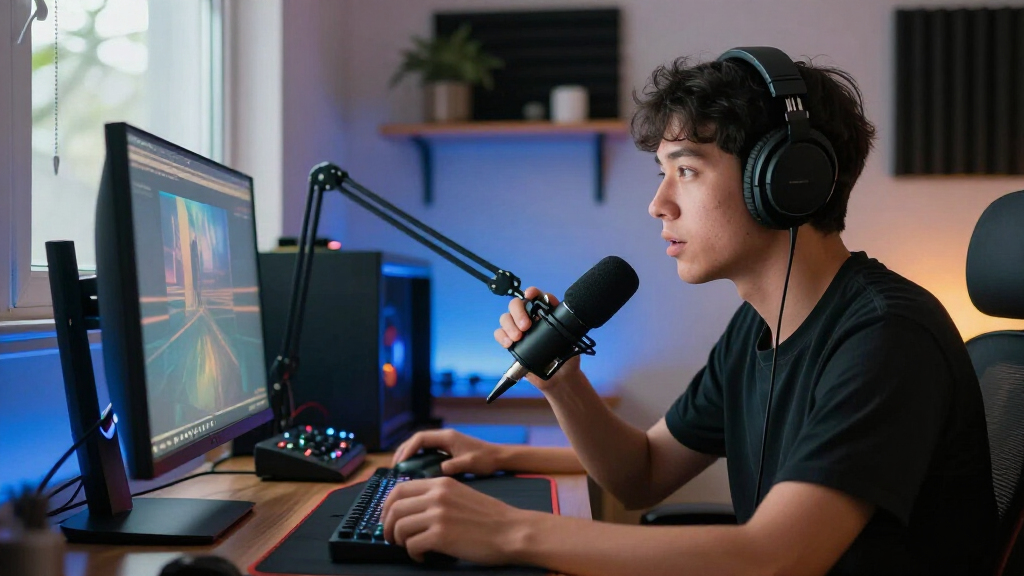
I evaluated each product through the lens of a working gaming streamer, not a home theater enthusiast. For microphones, the deciding factors were noise rejection (dynamic versus condenser), connectivity flexibility (USB-only versus USB/XLR), and whether bundled accessories like boom arms and shock mounts actually improve stream audio or just pad the box. For webcams, I prioritized real-world streaming performance — autofocus reliability, low-light behavior, and frame rate consistency at 1080p — over headline 4K resolution that many streaming platforms can’t fully use. For mixers and bundles, I looked at whether the controls (faders, mute buttons, voice effects) translate into practical on-stream adjustments rather than gimmicks.
The ranking logic favors longevity and upgrade paths: products that let you start simple and scale later (dual-mode mics, mixers with XLR inputs) placed above closed-ended kits. Value was judged by what each product lets you do, not by its accessory count — a $60 condenser kit with a flimsy arm ranks below a leaner dynamic mic that sounds cleaner. Finally, I weighed fit: beginner picks needed to work out of the box with no audio knowledge, while premium picks had to justify their cost with features a growing channel would actually use.
| gaming streaming equipment | Connectivity |
|---|---|
| NBPOWER 1080p 60 FPS Streaming | — |
| FIFINE AmpliGame AM8T Dynamic | USB-C and XLR |
| NexiGo N680E Pro 4K Webcam wit | USB-A |
| YoloLiv YoloCam S3 4K Streamin | — |
| FIFINE AmpliGame KS5 Gaming Mi | — |
| FIFINE AmpliTank K688CT USB/XL | USB, XLR |
| wegear 4K USB-A Webcam with So | — |
| MAONO G1 NEO Gaming Mixer and | Auxiliary, Bluetooth, USB-C, XLR |
| Podcast Equipment Bundle for 2 | USB, XLR, 3.5 mm audio |
| FIFINE AmpliGame AM8 USB/XLR D | USB, XLR |
| Rybozen HDMI Video Capture Car | — |
| Acer A640 4K Webcam with AI No | USB, with USB-A to USB-C adapter |
| TONOR TC310+ USB Gaming Conden | USB-A |
| FIFINE AmpliGame A6T USB Gamin | — |
| FIFINE T669 USB Condenser Micr | — |
Factors to Consider When Choosing Best Gaming Streaming Equipment
Before picking individual products, it helps to understand the bigger picture: your room, your platform, and your growth plans shape which equipment actually matters. These are the factors that separated smart purchases from wasted money across this entire comparison.Dynamic vs. Condenser: The Microphone Decision That Matters Most
This single choice affects your stream more than any camera upgrade. Condenser microphones (the TONOR TC310+, FIFINE A6T and T669) capture rich, detailed sound but also absorb every keystroke, chair squeak, and household noise — fine for a quiet, carpeted room, punishing in a bedroom next to a mechanical keyboard. Dynamic microphones (AM8T, K688CT, PD200XS) require you to speak close to the mic but reject most background noise, which is why they dominate this roundup’s upper ranks. A common mistake is assuming condenser means “better quality” because studios use them; studios also have treated walls. If you can’t control your environment, buy dynamic. If your room is quiet and you want a fuller, broadcast-adjacent tone for cheap, condenser bundles are a legitimate choice.
Resolution vs. Frame Rate: What Streaming Platforms Actually Use
Webcam marketing pushes 4K hard, but the reality is that Twitch still caps most streams below true 4K, and YouTube’s high-resolution options demand serious upload bandwidth. A 1080p60 webcam often looks smoother and more professional on stream than a 4K camera bottlenecked at 30fps. Where 4K does help is headroom: sharper downscaling to 1080p and better cropping for overlay layouts. Check your actual upload speed before paying for resolution you can’t push — a 10 Mbps connection will never deliver what a 4K sensor captures. The smarter upgrade order for most streamers is lighting first, then frame rate, then resolution last.
USB/XLR Dual Connectivity Protects Your Investment
Beginners routinely buy a USB-only microphone, then outgrow it within a year when they want hardware gain control, physical mute buttons, or better preamps. Dual USB/XLR microphones solve this: plug in via USB today, and when you add a mixer like the MAONO G1 NEO or FIFINE KS5 later, the same mic connects via XLR without a replacement purchase. This is why the AM8T and K688CT rank above similarly-priced USB-only alternatives in this comparison. The tradeoff is slight — XLR mode requires an interface or mixer, adding cost and a cable — but the path forward is worth it if you see streaming as more than a three-month experiment. USB-only remains fine for casual streamers who value simplicity above scalability.
Mixers and Bundles: Real Controls or Gimmicks?
Bundles like the FIFINE KS5, MAONO G1 NEO, and the two-person podcast kit promise an all-in-one upgrade, but the value depends on whether the controls matter to you. Useful mixer features include on-the-fly volume faders, one-touch mute, and monitoring — things you’ll actually adjust mid-game. Lower-value features include voice changers and sound pads, which are fun for a week and then ignored unless your content leans on them. A real mistake is buying a mixer bundle for a single-person stream; two-mic podcast kits only make sense for co-streamed or couch content. Match the bundle to your format, not to the accessory count.
Platform Fit: Capture Cards Aren’t for Everyone
A capture card like the Rybozen HDMI with USB 3.0 is only necessary if you’re streaming from a console, a second PC, or a camera feed — PC gamers already capture gameplay internally with zero hardware. Console streamers should verify pass-through resolution and latency before buying, since a card that passes 4K to your monitor while capturing 1080p60 is the sweet spot. USB 3.0 matters here: older USB 2.0 cards drop frames and introduce lag that ruins both your gameplay and your stream. If you stream exclusively from a single gaming PC, skip capture cards entirely and put that budget into audio — the improvement is far more noticeable to viewers.
Common Buying Mistakes That Waste Budget
The most expensive mistake in this category is upgrading video before audio: viewers tolerate an average camera but click away from harsh, echoey, or clipping audio within seconds. The second is buying accessories you don’t need — many budget mic kits include cheap headphones and plastic tripods that end up in a drawer while the core product is fine on its own. Third is ignoring your room: no microphone, at any price, fixes an echoey untreated space; a rug and curtains often do more than a $200 upgrade. Finally, don’t buy everything at once. Start with a microphone and lighting, confirm your stream’s weak point with honest recordings, then spend where it actually shows.
Frequently Asked Questions
Should I buy a 4K webcam if I’m streaming on Twitch?
For most Twitch streamers, no — the platform’s bitrate limits mean your 4K camera gets compressed well below its potential, and a stable 1080p60 stream usually looks better than a stuttering high-resolution one. Where 4K earns its keep is downscaling headroom and cropping flexibility for overlay layouts, plus future-proofing if YouTube streaming is part of your plan. The NexiGo N680E Pro and Acer A640 make sense if your upload bandwidth exceeds 15 Mbps and you want the sharpest possible face cam. If your connection is average, the NBPOWER 1080p60 delivers a cleaner real-world result for less money, and you can redirect the savings into your microphone, which viewers notice more.
Is a USB/XLR microphone worth it if I’m just starting out?
It depends on how seriously you take streaming, but the value case is strong. A dual-mode mic like the FIFINE AM8T or AmpliTank K688CT works plug-and-play over USB on day one, so you lose nothing as a beginner. The payoff arrives when you want hardware gain control, a physical mute button, or cleaner preamps: instead of replacing the mic, you add a mixer like the MAONO G1 NEO and connect via XLR. USB-only mics such as the A6T or TONOR TC310+ remain perfectly fine for casual streamers who want simplicity. The honest question to ask yourself is whether you’ll still be streaming in a year — if yes, dual connectivity saves you a full replacement purchase.
Do I need a mixer, or is that only for podcasters?
Mixers aren’t required, but they solve problems gamers feel constantly: your game audio drowning your voice, fumbling for software mute mid-match, and needing instant volume changes when a teammate shouts. A gaming mixer bundle like the FIFINE KS5 or MAONO G1 NEO puts those controls at your fingertips, and the G1 NEO’s XLR input also future-proofs your microphone choice. Where mixers stop making sense is for single-input streamers already happy with software mixing — OBS handles the job adequately if you rarely adjust levels live. Two-person kits like the podcast bundle only pay off for co-streamed content. If you currently alt-tab to fix audio more than once per session, a mixer will genuinely improve your stream.
Will a condenser microphone really pick up my keyboard and room noise?
Yes, and it’s the most common disappointment among new streamers. Condensers like the TONOR TC310+ and FIFINE T669 are designed with high sensitivity to capture detail, which works beautifully in a quiet, soft-furnished room and works against you next to a mechanical keyboard and PC fans. Dynamic microphones like the AM8T and PD200XS use tighter pickup patterns that mostly ignore sounds beyond a few inches away, letting noise-suppression software clean up the rest. You can partially rescue a condenser with gain discipline, a close position, and software filtering, but you can’t fully change its physics. If your streaming room doubles as anything else, choose dynamic; if it’s genuinely quiet, condensers offer richer tone per dollar.
Do I need a capture card to stream console gameplay?
If you stream from a PlayStation, Xbox, or Switch and want overlays, alerts, and scene control through OBS on your PC, then yes — a card like the Rybozen HDMI with USB 3.0 is the standard solution. Confirm two things before buying any card: pass-through resolution (so your TV or monitor still gets full quality while you play) and USB 3.0 support, since USB 2.0 cards drop frames under motion. Console-only streamers who use the built-in Twitch or YouTube apps can skip the card entirely, though they lose overlays and chat integration. PC gamers should also skip it — software capture handles gameplay natively with lower latency and zero extra hardware.
Conclusion
Mapping this lineup to real buyers: for best overall, the FIFINE AmpliGame AM8T wins because dynamic noise rejection plus USB/XLR flexibility covers nearly every streaming situation and scales with your growth. For best value, the FIFINE T669 and TONOR TC310+ deliver surprisingly capable condenser audio with full accessory kits for entry-level money, provided your room is quiet. For best premium, the MAONO G1 NEO bundle pairs a pro-grade dynamic mic with a genuine XLR mixer, while the NexiGo N680E Pro 4K takes the premium video slot for streamers with bandwidth to match. Beginners should start with the plug-and-play FIFINE A6T or the NBPOWER 1080p60 webcam — both work in minutes with no audio knowledge. For specific needs: console streamers need the Rybozen capture card, co-streamers should look at the two-person podcast bundle, and untreated-room streamers should prioritize the dynamic AmpliTank K688CT over any condenser. Whatever your budget, upgrade audio first, video second — your viewers will hear the difference long before they see it.
Halloween Picks
halloween
As an affiliate, we earn on qualifying purchases.