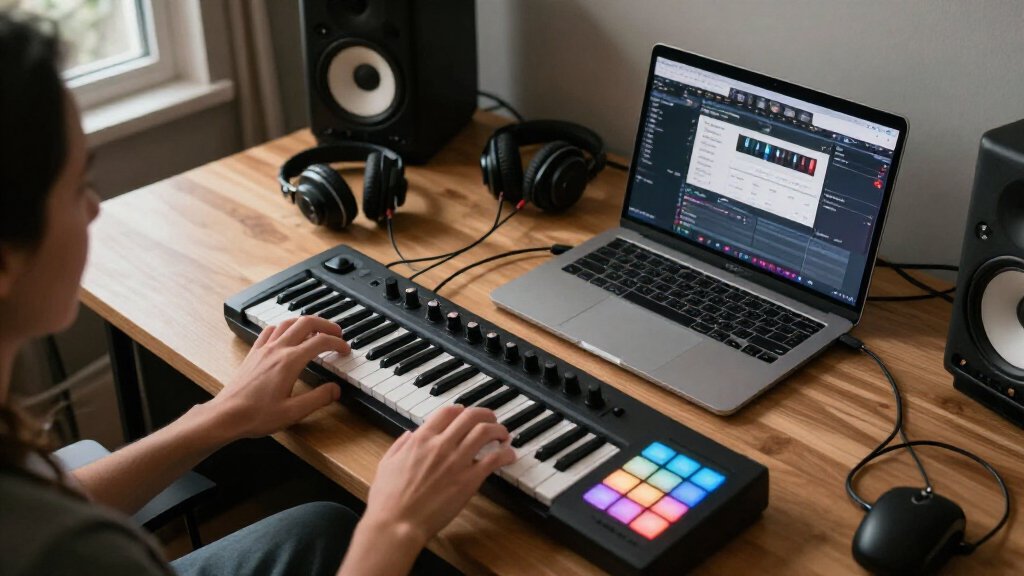
Shopping for Black Friday MIDI keyboards means weighing key count, portability, controls, and software fit—not just looking for a compact controller. I’d put the Novation Launchkey 61 MK4 first for its broad playing range, while the Akai MPK Mini IV suits tight desks and beat-focused workflows, and the MIDIPLUS X8 III offers a full 88-key layout. Smaller 25- and 32-key models are easier to carry, but can feel limiting for two-handed parts; larger keyboards give you more room while taking up more space. Bluetooth can reduce cable clutter, though USB remains a straightforward choice for a studio setup. Read on for the full breakdown and a guide to choosing the right fit.

Get audio and creator gear delivered free with Prime
- Fast, free delivery on millions of items
- Prime Video, Amazon Music and more included
- Member-only deals all year
Complete the kit


Key Takeaways
- The roundup’s clearest split is between portability and playing range: 25-key options are easier to fit on a crowded desk, while 61- and 88-key models give more room for full parts.
- The Novation Launchkey 61 MK4 stands out as the broad-use pick because its 61-key format balances playing range with a smaller footprint than an 88-key controller.
- The Akai MPK Mini IV and Donner DMK 25 Pro add drum pads to compact layouts, making them more suited to beat programming than controllers focused mainly on keys.
- Bluetooth appears across several small controllers, including the MIDIPLUS AKM320BT, M-VAVE K5, and Rockville M25; buyers should treat wireless convenience as a setup preference, not a replacement for checking their device and software connections.
- The MIDIPLUS X8 III and X8 Pro are the full-range choices, but their larger form factor is a real tradeoff for anyone without a dedicated keyboard stand or desk space.
| MIDIPLUS AKM320BT 32-Key Bluetooth MIDI Keyboard Controller |  | Best for Battery-Powered Wireless Setup | Keys: 32 velocity-sensitive mini keys, F3–C6 | Connectivity: Bluetooth MIDI, USB MIDI, DIN MIDI out with adaptor | Controls: Pitch and modulation wheels, octave and transpose buttons, volume slider | VIEW LATEST PRICE | See Our Full Breakdown |
| DaierTek 25-Key Portable Bluetooth and USB MIDI Keyboard Controller |  | Best for Wireless Pad-and-Knob Control | Keys: 25 velocity-sensitive keys | Pads: Eight RGB backlit, velocity-sensitive pads with aftertouch | Knobs: Eight assignable encoders | VIEW LATEST PRICE | See Our Full Breakdown |
| EROK 37-Key MIDI Keyboard Controller with Drum Pads and Arpeggiator |  | Best for Built-In Sequencing | Keys: 37 velocity-sensitive mini keys | Drum pads: 16 RGB backlit velocity-sensitive pads | Rotary encoders: Eight assignable | VIEW LATEST PRICE | See Our Full Breakdown |
| Novation Launchkey 61 MK4 USB MIDI Keyboard Controller |  | Best for DAW-Focused Playing | Keys: 61 semi-weighted keys | Pads: 16 pads with polyphonic aftertouch | Controls: Nine faders, pitch wheel, and modulation wheel | VIEW LATEST PRICE | See Our Full Breakdown |
| Akai Professional MPK Mini IV 25-Key USB-C MIDI Keyboard Controller, Black |  | Best Compact Production Controller | Keys: 25 velocity-sensitive mini keys | Pads: Eight velocity- and pressure-sensitive RGB MPC pads | Encoders: Eight assignable 360-degree encoders | VIEW LATEST PRICE | See Our Full Breakdown |
| MIDIPLUS X6 III 61-Key MIDI Keyboard Controller |  | Best for Full-Range Playing on a Budget | Keys: 61 | Key type: Full-size, velocity-sensitive | Controls: 4 knobs, 6 buttons, pitch and modulation touch strips | VIEW LATEST PRICE | See Our Full Breakdown |
| Donner N-32 32-Key USB MIDI Controller |  | Best for Beginners and Lessons | Keys: 32 velocity-sensitive keys | Connectivity: USB Type-C | Controls: Sequencer, chord arpeggiator, octave, pitch shifter, sustain pedal support | VIEW LATEST PRICE | See Our Full Breakdown |
| Garvee 49-Key USB MIDI Keyboard Controller with OLED Display and 8 Drum Pads |  | Best for Keys-and-Pads Control | Keys: 49 full-size, touch-responsive keys | Drum pads: 8 velocity-sensitive pads | Display: OLED | VIEW LATEST PRICE | See Our Full Breakdown |
| midiplus AK490 49-Key MIDI Keyboard Controller |  | Best for a Straightforward Traditional Layout | Keys: 49 | Key type: Velocity-sensitive, piano-style | Controls: Pitch wheel, modulation wheel, octave up/down buttons | VIEW LATEST PRICE | See Our Full Breakdown |
| M-VAVE K5 25-Key Bluetooth MIDI Keyboard Controller |  | Best for Wireless Portable Production | Keys: 25 velocity-sensitive mini keys | Drum pads: 8 RGB backlit velocity-sensitive pads | Knobs: 8 assignable rotary encoders | VIEW LATEST PRICE | See Our Full Breakdown |
| Donner DMK 25 Pro 25-Key USB-C MIDI Keyboard Controller with 8 Drum Pads |  | Best for Guided Mobile Production | Keys: 25 | Drum pads: 8 | Connectivity: USB-C | VIEW LATEST PRICE | See Our Full Breakdown |
| Akai Professional MPK Mini Plus 37-Key USB MIDI Keyboard Controller |  | Best for Hardware-Connected Compact Studios | Keys: 37 velocity-sensitive Gen 2 mini keys | Pads: 8 RGB MPC pads | Assignable knobs: 8 | VIEW LATEST PRICE | See Our Full Breakdown |
| MIDIPLUS X8 III 88-Key MIDI Keyboard Controller |  | Best Straightforward Full-Range Controller | Keys: 88 full-size, velocity-sensitive | Controls: 4 knobs, 6 buttons, pitch and modulation touch strips | Connectivity: USB Type-B, MIDI OUT | VIEW LATEST PRICE | See Our Full Breakdown |
| Rockville M25 25-Key USB and Bluetooth MIDI Keyboard Controller |  | Best for Cable-Free Portable Sessions | Keys: 25 full-size, velocity-sensitive | Connectivity: Bluetooth, USB-C | Battery life: Listed as 7–8 hours in one section and up to 10 hours in another | VIEW LATEST PRICE | See Our Full Breakdown |
| midiplus X8 Pro 88-Key USB MIDI Keyboard Controller |  | Best Full-Range Controller with Built-In Tones | Keys: 88 full-size semi-weighted, velocity-sensitive | Controllers: 9 editable knobs, 8 editable bottom controllers, 5 editable transport controllers | Drum pads: 8 velocity-sensitive pads | VIEW LATEST PRICE | See Our Full Breakdown |
| Black Friday MIDI keyboard | Keys | Connectivity | Compatibility | Controls |
|---|---|---|---|---|
| MIDIPLUS AKM320BT 32-Key Bluet | 32 velocity-sensitive mini keys, F3–C6 | Bluetooth MIDI, USB MIDI, DIN MIDI out with adaptor | PC, Mac, and iOS | Pitch and modulation wheels, octave and transpose buttons, volume slider |
| DaierTek 25-Key Portable Bluet | 25 velocity-sensitive keys | Bluetooth MIDI and USB MIDI | Windows, Mac OS, Android, and iOS | — |
| EROK 37-Key MIDI Keyboard Cont | 37 velocity-sensitive mini keys | USB Type-C, MIDI output, and audio output | Windows, Mac OS, Android, and iOS | — |
| Novation Launchkey 61 MK4 USB | 61 semi-weighted keys | USB-C, USB, and MIDI | — | Nine faders, pitch wheel, and modulation wheel |
| Akai Professional MPK Mini IV | 25 velocity-sensitive mini keys | USB-C and full-size MIDI Out | Mac, Windows, and mobile setups | — |
| MIDIPLUS X6 III 61-Key MIDI Ke | 61 | — | Windows and Mac | 4 knobs, 6 buttons, pitch and modulation touch strips |
| Donner N-32 32-Key USB MIDI Co | 32 velocity-sensitive keys | USB Type-C | Android, iOS, Mac, Windows | Sequencer, chord arpeggiator, octave, pitch shifter, sustain pedal support |
| Garvee 49-Key USB MIDI Keyboar | 49 full-size, touch-responsive keys | USB MIDI | Mac OS X 10.7+, Windows 7/8 and above, iOS | Semitone transpose, arpeggiator, DAW playback and track controls |
| midiplus AK490 49-Key MIDI Key | 49 | USB; MIDI out DIN jack | Mac OS X, Windows XP and later | Pitch wheel, modulation wheel, octave up/down buttons |
| M-VAVE K5 25-Key Bluetooth MID | 25 velocity-sensitive mini keys | Bluetooth and USB | — | — |
| Donner DMK 25 Pro 25-Key USB-C | 25 | USB-C | — | — |
| Akai Professional MPK Mini Plu | 37 velocity-sensitive Gen 2 mini keys | USB, MIDI I/O, CV/Gate | — | — |
| MIDIPLUS X8 III 88-Key MIDI Ke | 88 full-size, velocity-sensitive | USB Type-B, MIDI OUT | — | 4 knobs, 6 buttons, pitch and modulation touch strips |
| Rockville M25 25-Key USB and B | 25 full-size, velocity-sensitive | Bluetooth, USB-C | — | 8 RGB drum pads, 8 rotary knobs, 4 sliders, joystick |
| midiplus X8 Pro 88-Key USB MID | 88 full-size semi-weighted, velocity-sensitive | USB, MIDI In, MIDI Out, damper pedal, expression pedal, 2 balanced outputs, stereo headphone output | Windows 7, Windows 10, Mac OS X | — |
More Details on Our Top Picks
MIDIPLUS AKM320BT 32-Key Bluetooth MIDI Keyboard Controller
For a Black Friday shortlist focused on flexible placement, the MIDIPLUS AKM320BT stands out with Bluetooth MIDI and the option to run on two AA batteries, so it can work without a USB power connection. Its pitch and modulation wheels, octave controls, and volume slider give it more familiar hands-on control than the DaierTek’s touch strips, while the 32 mini keys provide a little more range than that 25-key option. The tradeoff is a simpler playing surface: it has no drum pads or assignable knobs for beat-making and parameter control. Its DIN MIDI out also needs an adaptor, and the sustain pedal is sold separately. I’d rank it ahead of controllers that depend on a computer for power when mobility matters, but behind the Akai MPK Mini IV for pad-focused production.
Pros:- Bluetooth and USB MIDI support flexible wired or wireless setups
- Can run from USB power or two AA batteries
- Pitch and modulation wheels offer direct, familiar performance control
- 32 velocity-sensitive mini keys provide more range than a 25-key controller
Cons:- Mini keys and a 32-key range limit two-handed playing
- DIN MIDI out requires an adaptor
- Sustain pedal is not included
Best for: Mobile musicians who want Bluetooth MIDI, battery power, and physical pitch and modulation wheels for a compact setup.
Not ideal for: Beat-makers who need performance pads and assignable knobs, or players who want a larger, full-size keybed.
- Keys:32 velocity-sensitive mini keys, F3–C6
- Connectivity:Bluetooth MIDI, USB MIDI, DIN MIDI out with adaptor
- Controls:Pitch and modulation wheels, octave and transpose buttons, volume slider
- Power:USB bus powered or two AA batteries
- Sustain input:Yes; pedal not included
- USB connector:Type-B
- Compatibility:PC, Mac, and iOS
Our verdict“Choose the AKM320BT if battery-powered Bluetooth MIDI and physical wheels matter more than pads, knobs, or a full-size keybed.”
DaierTek 25-Key Portable Bluetooth and USB MIDI Keyboard Controller
The DaierTek packs a broad set of production controls into a 25-key portable layout: eight velocity-sensitive RGB pads, eight assignable encoders, and two touch strips sit alongside Bluetooth and USB MIDI. That makes it a stronger fit for programming beats and shaping software instruments than the more keyboard-centered MIDIPLUS AKM320BT, which has wheels and a few basic controls but no pads or encoders. A built-in battery rated for about 16 hours supports sessions away from a USB power source, while smart chord, scale, and arpeggio functions can help sketch ideas. The tradeoff is that it makes no sound by itself, and wireless setup depends on compatible apps or, on Windows, a MIDI driver. Its 25 keys also leave less playing range than the AKM320BT’s 32.
Pros:- Bluetooth and USB MIDI provide wired and wireless connection options
- Built-in 2,000 mAh battery is rated for about 16 hours of operation
- Eight velocity-sensitive pads and eight assignable encoders support beat and software control
- Arpeggio, smart chord, and smart scale functions aid idea creation
Cons:- Requires a DAW or music software and produces no sound on its own
- Bluetooth setup may require a compatible app or a Windows MIDI driver
- 25-key range is narrower than the MIDIPLUS AKM320BT
Best for: Laptop and mobile producers who want wireless control, drum pads, and assignable knobs in a compact battery-powered controller.
Not ideal for: Players who need a broad keyboard range, standalone sounds, or a setup that works without compatible music software.
- Keys:25 velocity-sensitive keys
- Pads:Eight RGB backlit, velocity-sensitive pads with aftertouch
- Knobs:Eight assignable encoders
- Performance controls:Mini display and two capacitive pitch-bend and modulation touch strips
- Connectivity:Bluetooth MIDI and USB MIDI
- Battery:Built-in 2,000 mAh battery; about 16 hours of operation
- Compatibility:Windows, Mac OS, Android, and iOS
- Creative functions:Arpeggio, smart chord, and smart scale
Our verdict“Pick the DaierTek for portable wireless beat-making and software control, but skip it if you want more keys or a standalone instrument.”
EROK 37-Key MIDI Keyboard Controller with Drum Pads and Arpeggiator
The EROK makes a case for itself through sequencing and performance controls, not just key count. Its 37 velocity-sensitive mini keys are joined by 16 RGB pads, eight assignable encoders, and a sequencer that can store up to 64 steps across eight preset sets. Compared with the DaierTek, it gives beat-makers twice as many pads and adds a dedicated step-sequencing feature; compared with the Akai MPK Mini IV, it offers more keys and a stated sequencer but takes a larger, USB-powered approach. The USB-C connection and pedal inputs add flexibility in a studio setup. There are workflow limits: the sequencer cannot run while arpeggiator or note repeat is active, and Windows wireless use requires Bluetooth 5.0 plus BLE MIDI drivers. I’d favor it for hands-on pattern building, not the simplest plug-in-and-play setup.
Pros:- 37 velocity-sensitive mini keys offer more range than 25-key options
- Sixteen RGB pads and eight assignable encoders support hands-on production
- Sequencer stores up to 64 steps and eight preset sets
- USB-C, MIDI output, and sustain and expression pedal inputs broaden connection options
Cons:- Sequencer cannot be used while arpeggiator or note repeat is enabled
- Windows wireless use requires Bluetooth 5.0 support and additional BLE MIDI drivers
- USB-powered design is less independent of a computer or power source than battery-powered options
Best for: Producers who want a compact controller with 37 mini keys, a large pad bank, and step sequencing for beat and pattern creation.
Not ideal for: Windows users seeking straightforward wireless setup, or players who need sequencing, arpeggiator, and note repeat available at once.
- Keys:37 velocity-sensitive mini keys
- Drum pads:16 RGB backlit velocity-sensitive pads
- Rotary encoders:Eight assignable
- Sequencer:Up to 64 steps; saves eight preset sets
- Display:1.54-inch
- Connectivity:USB Type-C, MIDI output, and audio output
- Pedal inputs:Sustain and expression
- Compatibility:Windows, Mac OS, Android, and iOS
Our verdict“Choose the EROK if its 16 pads and step sequencer matter more than easy Windows wireless setup or simultaneous creative modes.”
Novation Launchkey 61 MK4 USB MIDI Keyboard Controller
For buyers who want a controller to anchor a computer-based studio, the Launchkey 61 MK4 offers the broadest keyboard range in this five-product group and the most extensive stated DAW control. Its 61 semi-weighted keys suit fuller parts better than the mini-keybed Akai MPK Mini IV or EROK, while nine faders and 16 pads put mixing and clip control within reach. The pads add polyphonic aftertouch, and the OLED chord display, scale and chord modes, and arpeggiator support a more guided creative workflow. This is a substantial step up in size and commitment from portable Bluetooth models, and it is not a self-contained instrument: its controller features need a compatible computer or MIDI setup. I’d choose it over the smaller options for desk-based composition, but not for travel-first use.
Pros:- 61 semi-weighted keys provide more playing range than the compact mini-key options
- Sixteen pads feature polyphonic aftertouch for expressive control
- Nine faders support hands-on mixing and DAW operation
- OLED display, scale and chord modes, and arpeggiator offer useful creative guidance
Cons:- Requires a compatible computer or MIDI setup to use its controller functions
- Larger 61-key format is less suited to compact mobile setups
- USB-C and USB connectivity do not provide the Bluetooth and battery flexibility of the MIDIPLUS AKM320BT
Best for: Computer-based producers and keyboard players who want a 61-key range, tactile DAW controls, and expressive pads in a studio controller.
Not ideal for: Traveling musicians, buyers seeking battery-powered Bluetooth operation, or players who need a standalone keyboard instrument.
- Keys:61 semi-weighted keys
- Pads:16 pads with polyphonic aftertouch
- Controls:Nine faders, pitch wheel, and modulation wheel
- Display:OLED
- Connectivity:USB-C, USB, and MIDI
- Compatible software:Ableton Live, Logic, Cubase, Reason, Reaper, FL Studio, and Ardour
- Platforms:Mac and Windows
- Included software and content:Ableton Live Lite, Cubase LE, Novation Play, sounds, and Melodics lessons
Our verdict“Pick the Launchkey 61 MK4 for a DAW-centered studio where playing range and direct mixer control outweigh portability.”
Akai Professional MPK Mini IV 25-Key USB-C MIDI Keyboard Controller, Black
The MPK Mini IV is the clearest choice here for a compact, pad-centered production rig that stays connected by cable. Its 25 velocity-sensitive mini keys are paired with eight pressure-sensitive RGB MPC pads, eight assignable encoders, a full-color screen, and DAW controls. Compared with the DaierTek, it gives up Bluetooth and a built-in battery but adds full-size MIDI Out, which can connect it to compatible hardware without relying solely on a computer. Its chord and scale modes and arpeggiator help turn a small keybed into a practical sketching tool, and the included virtual instruments and production software give new users material to work with. The tradeoff is clear: USB-C supplies power, and the mini keys limit playing range. I’d choose the EROK instead for more keys and pads.
Pros:- Compact 25-key layout suits space-limited and portable production setups
- Eight velocity- and pressure-sensitive RGB MPC pads support expressive triggering
- USB-C and full-size MIDI Out connect to computer and compatible hardware setups
- Chord and scale modes, arpeggiator, DAW controls, and included software support production
Cons:- Mini keys and a 25-key range restrict playing comfort and range
- Requires USB connection for power
- Lacks the Bluetooth and built-in battery offered by the DaierTek
Best for: Producers with limited desk or bag space who want expressive pads, software controls, and full-size MIDI Out in a compact controller.
Not ideal for: Players who prefer full-size keys, need battery-powered wireless operation, or want a wider range for two-handed keyboard parts.
- Keys:25 velocity-sensitive mini keys
- Pads:Eight velocity- and pressure-sensitive RGB MPC pads
- Encoders:Eight assignable 360-degree encoders
- Display:Full-color screen
- Connectivity:USB-C and full-size MIDI Out
- Power:USB powered
- Creative features:Arpeggiator, chord and scale modes, and DAW controls
- Compatibility:Mac, Windows, and mobile setups
Our verdict“Choose the MPK Mini IV for a compact wired production setup with expressive pads and hardware MIDI Out, not for wireless or full-range playing.”
MIDIPLUS X6 III 61-Key MIDI Keyboard Controller
For Black Friday shoppers who want a broad keyboard range without moving up to an 88-key controller, the MIDIPLUS X6 III is the most flexible fit here. Its 61 full-size velocity-sensitive keys support two-handed parts more comfortably than the Donner N-32 or M-VAVE K5, both of which use smaller, shorter keybeds. Four knobs, six buttons, and pitch and modulation touch strips add hands-on DAW control, while Smart Scale can help players stay within a chosen scale. MIDI OUT and sustain and expression pedal ports give it more connection options than simpler USB-focused picks. The tradeoff is its 4 kg weight and nearly meter-long body, which make it less suited to a small desk or bag. The USB Type-B connection is also less convenient than newer USB-C designs, and pedals must be bought separately.
Pros:- 61 full-size, velocity-sensitive keys provide room for two-handed parts
- Four knobs, six buttons, and pitch and modulation strips offer hands-on control
- Smart Scale, octave, transpose, channel, and bank settings support varied workflows
- MIDI OUT and sustain and expression pedal ports allow additional connections
Cons:- Nearly meter-long body and 4 kg weight are less convenient for portable setups
- USB Type-B is an older-style connection compared with USB-C options
- Sustain and expression pedals are not included
Best for: Home producers and keyboard players who want full-size keys, a wide range, and physical DAW controls without choosing an 88-key board
Not ideal for: Traveling musicians or small-desk users who need a compact keyboard, and players who expect sustain or expression pedals in the box
- Keys:61
- Key type:Full-size, velocity-sensitive
- Controls:4 knobs, 6 buttons, pitch and modulation touch strips
- Features:Smart Scale, octave and transpose settings, MIDI channel and bank settings
- Ports:MIDI OUT, USB Type-B, sustain pedal, expression pedal
- Compatibility:Windows and Mac
- Dimensions:947 x 193 x 87 mm
- Weight:4 kg
- Included components:USB cable and user manual
Our verdict“Choose the X6 III if full-size 61-key playing and extra control connections matter more than portability.”
Donner N-32 32-Key USB MIDI Controller
The Donner N-32 earns its place as a starter keyboard that gives beginners more guidance and built-in ideas than the more performance-oriented MIDIPLUS AK490. Its 40 keyboard lessons, display, sequencer, and chord arpeggiator can make practice and early beat-making feel less like starting from a blank screen. The 32 velocity-sensitive keys are more expressive than a basic non-velocity mini board, while the light-up joystick handles pitch bend and modulation in one compact control. Four customizable banks also give new users room to save useful setups. The compromises are the scaled-down keys, which may frustrate players learning piano technique, and the fact that the controller makes no sound on its own: a compatible DAW or instrument app is still needed. USB Type-C supports computer and mobile connections, but this is not a substitute for a standalone practice keyboard.
Pros:- 40 keyboard lessons offer a structured starting point for learners
- Sequencer and chord arpeggiator help generate ideas without extensive setup
- Velocity-sensitive keys and a light-up pitch and modulation joystick add expressive control
- USB Type-C supports compatible Android, iOS, Mac, and Windows devices
Cons:- Scaled-down keys are less suitable for piano technique and larger hands
- Requires DAW or instrument software to produce sound
- Compact 32-key range limits two-handed parts and broad melodic passages
Best for: New producers and learners who want guided lessons, chord tools, and a small controller for a DAW or mobile music app
Not ideal for: Piano learners who need full-size keys or anyone seeking a standalone keyboard that produces sound without software
- Keys:32 velocity-sensitive keys
- Connectivity:USB Type-C
- Controls:Sequencer, chord arpeggiator, octave, pitch shifter, sustain pedal support
- Customizable banks:4
- Compatibility:Android, iOS, Mac, Windows
- Teaching courses:40
- Material:Plastic
- Included components:MIDI keyboard, Type-C cable, manual, music production software
Our verdict“Pick the N-32 for a compact, lesson-friendly start in software music making, not for full-size piano practice.”
Garvee 49-Key USB MIDI Keyboard Controller with OLED Display and 8 Drum Pads
The Garvee is the strongest match in this group for producers who want one controller to cover melodies, drum hits, and basic DAW transport. Its 49 full-size, touch-responsive keys give it a more familiar playing surface than the Donner N-32, while eight velocity-sensitive pads make finger-drumming and triggering clips easier without reaching for a mouse. The OLED display adds parameter feedback, a practical advantage when adjusting controls, and the arpeggiator and semitone transpose provide quick ways to shape parts. Compared with the midiplus AK490, Garvee brings pads and a display rather than a more traditional layout with pitch and modulation wheels. Its main caveat for mobile buyers is that iOS use requires a separately sold adapter. The listed specs also provide fewer details about assignable controls than some rivals, so buyers seeking a highly configurable control surface may prefer another model.
Pros:- 49 full-size, touch-responsive keys provide a more familiar playing feel than mini-key alternatives
- Eight velocity-sensitive pads support drum programming and clip triggering
- OLED display provides feedback while working with parameters
- Arpeggiator, semitone transpose, DAW controls, and sustain pedal jack broaden its use
Cons:- iOS connection requires an adapter sold separately
- USB connectivity makes it less convenient for cable-free mobile use than the M-VAVE K5
- Listed control details are less extensive than those of some more configurable controllers
Best for: DAW-based beatmakers who want full-size keys, drum pads, a display, and basic transport controls in one USB controller
Not ideal for: iOS producers who want a ready-to-connect setup, or users who prioritize clearly specified, extensive assignable controls
- Keys:49 full-size, touch-responsive keys
- Drum pads:8 velocity-sensitive pads
- Display:OLED
- Controls:Semitone transpose, arpeggiator, DAW playback and track controls
- Connectivity:USB MIDI
- Pedal jack:Sustain pedal port
- Compatibility:Mac OS X 10.7+, Windows 7/8 and above, iOS
- iOS adapter:Sold separately
- Weight:3.1 pounds
Our verdict“Choose the Garvee if you want a full-size 49-key controller with pads and a display for a wired DAW setup.”
midiplus AK490 49-Key MIDI Keyboard Controller
The AK490 suits players who want a familiar keyboard-controller layout without the extra pads, display, and lesson features found elsewhere in this group. Its 49 velocity-sensitive piano-style keys, pitch and modulation wheels, octave buttons, and sustain input keep the controls close to what many keyboardists expect. Compared with the Garvee, it gives up drum pads and an OLED display, but adds a more conventional pair of wheels for expressive pitch and modulation changes. USB connection and a MIDI OUT DIN jack also give it a useful blend of computer and MIDI hardware connectivity. That simpler design may appeal to a player building a focused setup, though its feature set is less suited to beatmakers who want pads or expanded DAW controls. The sustain pedal is not included, and the listed computer support is older, so buyers should check that it fits their current system.
Pros:- 49 velocity-sensitive piano-style keys suit melodic and chord playing
- Pitch and modulation wheels offer familiar expressive control
- Octave buttons and sustain input provide practical performance options
- USB and MIDI OUT DIN connections support computer and external MIDI setups
Cons:- Sustain pedal is not included
- No drum pads or display compared with the Garvee
- Listed compatibility covers Mac OS X and Windows XP or later, so current-system support may need checking
Best for: Keyboardists who want a familiar 49-key controller with pitch and modulation wheels, octave controls, and MIDI OUT
Not ideal for: Beatmakers who need drum pads and display feedback, or buyers who want a pedal included and clearly listed support for newer systems
- Keys:49
- Key type:Velocity-sensitive, piano-style
- Controls:Pitch wheel, modulation wheel, octave up/down buttons
- Connectivity:USB; MIDI out DIN jack
- Sustain input:Sustain switch jack
- Compatibility:Mac OS X, Windows XP and later
- Weight:7.3 pounds
- Included components:USB cable and user manual
Our verdict“Choose the AK490 if you prefer a traditional keyboard layout and MIDI OUT over pads and modern workflow extras.”
M-VAVE K5 25-Key Bluetooth MIDI Keyboard Controller
The K5 is the most travel-minded pick in this five-product group: Bluetooth and USB connectivity, a built-in battery rated for about 16 hours, and a compact 25-key layout make it easier to use away from a fixed studio desk than the Garvee or MIDIPLUS X6 III. It also packs in more hands-on control than its small footprint suggests, with eight RGB velocity-sensitive pads, eight assignable knobs, and two capacitive pitch-bend strips. That makes it a better fit for mobile beat-making and software control than the simpler, lesson-focused Donner N-32. The clear cost of that portability is the mini-key range: 25 keys can feel cramped and restrict two-handed playing. Its short range also makes it less useful as a primary keyboard for broad arrangements. Buyers choosing it for travel should weigh the wireless convenience against that limited playing surface.
Pros:- Bluetooth and USB connections support wireless or wired setups
- Built-in 2,000 mAh battery is rated for approximately 16 hours of use
- Eight velocity-sensitive RGB pads and eight assignable knobs add control beyond the keys
- Supports Windows, Mac, Android, and iOS, with a range of listed DAWs
Cons:- 25 mini keys offer limited range and can feel cramped for extended playing
- Not a strong fit as a primary keyboard for two-handed parts
- Small keybed is less suitable for players who prioritize piano-style technique
Best for: Mobile producers who want Bluetooth operation, a rechargeable battery, pads, and assignable controls for compatible DAWs and devices
Not ideal for: Piano-focused players, anyone needing a wide two-handed keyboard range, or musicians who prefer full-size keys
- Keys:25 velocity-sensitive mini keys
- Drum pads:8 RGB backlit velocity-sensitive pads
- Knobs:8 assignable rotary encoders
- Touch strips:2 capacitive pitch-bend strips
- Connectivity:Bluetooth and USB
- Battery:2,000 mAh; approximately 16 hours of use
- Compatible operating systems:Windows, Mac, Android, iOS
- Supported software:Ableton Live, FL Studio, Cubase, Logic Pro X, Bitwig, Reason, Studio One, GarageBand
- Included components:Software suite, USB cable, user manual
Our verdict“Pick the K5 when wireless portability and hands-on controls matter more than key size and range.”
Donner DMK 25 Pro 25-Key USB-C MIDI Keyboard Controller with 8 Drum Pads
The Donner DMK 25 Pro suits a compact Black Friday setup for beginners who want more than keys and pads: its 16 smart scales, chord and arpeggio functions, note repeat, and teaching courses offer practical help while learning to build parts. USB-C and support for computers, phones, and tablets make it more flexible for mobile sessions than the Akai Professional MPK Mini Plus, which has 37 keys and hardware connections for studio gear but is oriented toward a larger, computer-based setup. The Donner’s smaller 25-key range is easier to carry, though it leaves less room for two-handed playing. Its OLED display and eight pads add useful control, but it cannot make sound on its own: you need DAW software, and some mobile devices may need a separately purchased adapter.
Pros:- Portable 25-key format with eight drum pads
- Smart scales, chord, arpeggio, and note-repeat functions support varied playing
- USB-C connection and compatibility with computers and mobile devices
- Includes DAW software and 40 teaching courses
Cons:- Requires a DAW or other sound-producing software
- Some Lightning or Micro USB devices may need a separately purchased adapter
- The 25-key range limits comfortable two-handed parts
Best for: New producers who want guided scale and chord tools in a compact controller for computer or mobile DAW sessions.
Not ideal for: Players who need a broad key range, standalone sound, or direct mobile connection without checking adapter requirements.
- Keys:25
- Drum pads:8
- Connectivity:USB-C
- Display:OLED
- Smart scales:16
- Performance controls:Arpeggio, note repeat, chord functions, pitch/mod touch bar, 4 wheels, 6 transport controllers
- Compatible platforms:Android, Mac, Windows, iOS
- Included software:Cubase LE, Cubasis, WaveLab LE
Our verdict“Choose the Donner DMK 25 Pro if you want a compact controller with learning aids and mobile compatibility, and are comfortable producing sound through software.”
Akai Professional MPK Mini Plus 37-Key USB MIDI Keyboard Controller
For a Black Friday buyer whose small controller needs to reach beyond a laptop, the Akai Professional MPK Mini Plus offers a useful middle ground: 37 velocity-sensitive mini keys give more melodic room than the 25-key Donner DMK 25 Pro, while MIDI I/O and CV/Gate open paths to external and modular gear. Its 64-step sequencer can handle drum, melody, and chord ideas without relying on DAW transport alone, and eight RGB pads plus assignable knobs keep performance and editing close at hand. That hardware flexibility makes it a stronger studio hub than the Donner, but it is less suited to players who want full-size keys or mobile-device compatibility. The mini keybed can feel cramped, and USB operation still depends on a computer and compatible software.
Pros:- 37 velocity-sensitive mini keys provide more playing range than a 25-key controller
- MIDI I/O and CV/Gate support external and modular equipment
- Built-in 64-step sequencer handles drum, melody, and chord tracks
- Eight RGB pads, eight assignable knobs, and DAW transport controls
Cons:- Mini keys may feel cramped to players accustomed to full-size keys
- USB use requires a computer and compatible DAW software
- Mac and Windows are the specified platforms
Best for: Compact-studio producers who want a controller that can sequence ideas and connect to MIDI or CV/Gate hardware.
Not ideal for: Pianists who prefer full-size keys, or mobile-first players seeking a controller specified for phone and tablet use.
- Keys:37 velocity-sensitive Gen 2 mini keys
- Pads:8 RGB MPC pads
- Assignable knobs:8
- Connectivity:USB, MIDI I/O, CV/Gate
- Sequencer:Built-in 64-step sequencer
- Additional controls:Arpeggiator, Chords and Scales modes, DAW transport controls, digital display
- Compatible platforms:Mac, Windows
- Included software:MPC Beats
Our verdict“Pick the MPK Mini Plus if you want a compact controller that can sequence and connect to studio hardware, rather than a full-size or mobile-first keyboard.”
MIDIPLUS X8 III 88-Key MIDI Keyboard Controller
The MIDIPLUS X8 III is the no-frills full-range choice in this group: its 88 full-size, velocity-sensitive keys suit piano parts and wide two-handed arrangements far better than the 37-key Akai MPK Mini Plus. It also includes pitch and modulation touch strips, four knobs, six buttons, Smart Scale, and Mackie Control and HUI support, so it can manage software sessions without loading the panel with drum pads or a built-in sequencer. That simpler control set may appeal to players focused on keys, but it gives beatmakers fewer hands-on performance tools than the midiplus X8 Pro, which adds pads and more editable controls. The X8 III connects by USB or MIDI OUT; it does not produce sound by itself, and its sustain and expression pedals must be supplied separately.
Pros:- Full-size 88-key velocity-sensitive range supports broad piano parts
- Pitch and modulation touch strips, knobs, and buttons provide direct control
- Smart Scale and Mackie Control and HUI support
- USB and MIDI OUT connectivity, plus sustain and expression pedal ports
Cons:- Sustain and expression pedals are sold separately
- Requires software or external MIDI equipment to produce sound
- Fewer performance controls than the pad-equipped midiplus X8 Pro
Best for: Piano-focused producers who need a full 88-key range and basic hands-on DAW control in a controller.
Not ideal for: Beatmakers seeking built-in pads and extensive assignable controls, or players who need included pedals or standalone tones.
- Keys:88 full-size, velocity-sensitive
- Controls:4 knobs, 6 buttons, pitch and modulation touch strips
- Connectivity:USB Type-B, MIDI OUT
- Pedal connections:Sustain and expression pedal ports
- Supported protocols:Mackie Control, HUI
- Supported systems:Windows, Mac
- Dimensions:1325 x 193 x 87 mm
- Weight:5.6 kg
Our verdict“Choose the X8 III if full-size piano range matters more than built-in pads, standalone tones, or a large bank of editable controls.”
Rockville M25 25-Key USB and Bluetooth MIDI Keyboard Controller
The Rockville M25 is the portable pick for buyers who would rather avoid a cable tether: Bluetooth, a rechargeable battery, and 25 full-size velocity-sensitive keys make it distinct from the USB-C-only Donner DMK 25 Pro, whose keys are mini-sized. Eight pads, eight knobs, four sliders, a joystick, and an OLED display give the Rockville a broad control surface for a compact keyboard, while its sustain-pedal input can suit more expressive playing. The tradeoff is build confidence: the listed construction is plastic, and the battery-life information conflicts, with one section stating seven to eight hours and another claiming up to ten. It still needs compatible software or a device for sound, so it is not a standalone instrument. Buyers choosing between these compact models should weigh wireless convenience against the Donner’s teaching features.
Pros:- Full-size velocity-sensitive keys in a compact 25-key layout
- Bluetooth and USB-C connection options
- Eight RGB pads, eight knobs, four sliders, and a joystick
- Rechargeable battery and sustain-pedal input support portable playing
Cons:- Plastic construction may be less reassuring for frequent travel
- Battery-life listings conflict between seven to eight hours and up to ten hours
- Requires compatible software or another sound source
Best for: Mobile producers who want full-size keys, wireless connection, and multiple assignable controls in a compact controller.
Not ideal for: Buyers who need verified battery runtime, a sturdier material, or an instrument that makes sound without software.
- Keys:25 full-size, velocity-sensitive
- Connectivity:Bluetooth, USB-C
- Battery life:Listed as 7–8 hours in one section and up to 10 hours in another
- Controls:8 RGB drum pads, 8 rotary knobs, 4 sliders, joystick
- Features:Arpeggiator, OLED display, sustain pedal input
- Compatible devices:PC, Mac, iOS, Android
- Compatible software:Ableton Live, Logic Pro, GarageBand, FL Studio
- Material:Plastic
Our verdict“Pick the Rockville M25 for wireless portability and full-size keys, but skip it if consistent battery-life information or standalone sound is a priority.”
midiplus X8 Pro 88-Key USB MIDI Keyboard Controller
The midiplus X8 Pro combines the full playing range of the MIDIPLUS X8 III with a broader production toolkit: semi-weighted keys, eight velocity-sensitive pads, editable knobs and controllers, and 128 GM tones. Those built-in tones set it apart from the X8 III, which is a more straightforward controller and requires external software or MIDI equipment for sound. The X8 Pro also lists MIDI and audio connections alongside USB, giving it more ways to fit into a studio setup. For a Black Friday buyer weighing one large keyboard against a compact controller like the Akai MPK Mini Plus, the X8 Pro makes more sense for piano-range parts and desk-based production, not travel. Its 15-pound weight and specified older Windows and Mac compatibility are meaningful limits, and the provided data does not establish that the GM tones replace a full software setup.
Pros:- 88 full-size semi-weighted, velocity-sensitive keys
- Eight velocity-sensitive pads and editable knobs, controllers, and transport controls
- 128 built-in GM tones add an onboard sound option
- USB, MIDI, pedal, balanced output, and headphone connections
Cons:- At 15 pounds, it is less convenient to move than compact options such as the Akai MPK Mini Plus
- Specified compatibility is limited to Windows 7, Windows 10, and Mac OS X
- Its full-size footprint is better suited to a stationary setup than portable use
Best for: Home-studio producers who want 88 semi-weighted keys, drum pads, editable controls, and built-in GM tones in one unit.
Not ideal for: Traveling musicians or buyers who need clearly stated support for newer operating systems and a lightweight controller.
- Keys:88 full-size semi-weighted, velocity-sensitive
- Controllers:9 editable knobs, 8 editable bottom controllers, 5 editable transport controllers
- Drum pads:8 velocity-sensitive pads
- Built-in tones:128 GM standard tones
- Velocity curves:8 adjustable groups
- Connectivity:USB, MIDI In, MIDI Out, damper pedal, expression pedal, 2 balanced outputs, stereo headphone output
- Compatibility:Windows 7, Windows 10, Mac OS X
- Weight:15 pounds
Our verdict“Choose the X8 Pro if you want a full-range, semi-weighted controller with pads and onboard GM tones for a home studio, not a travel rig.”
How We Picked
I ranked these keyboards around the decisions that matter when shopping during Black Friday: usable key range, control layout, connection options, portability, and fit for a particular workflow. I gave more weight to a controller’s usefulness in a real setup than to a long feature list. Models with pads, an arpeggiator, or an OLED display earn attention when those controls serve a clear purpose, but extra controls do not automatically make a keyboard a better choice.
The order reflects distinct buyer needs rather than a claim that one size suits everyone. The Launchkey 61 MK4 leads as a balanced choice, while compact Akai and Donner options rank for desk space and hands-on beat making; the 88-key MIDIPLUS models serve players who prioritize range over portability. Since the supplied product details do not establish bundle contents, exact software compatibility, key action, or Black Friday terms, I avoid treating those as verified advantages. Buyers should confirm those details for their own setup before choosing.
Factors to Consider When Choosing Black Friday MIDI Keyboards
Black Friday can make a keyboard seem like a bargain before you’ve checked whether it fits your playing habits and setup. I’d start with the parts that are expensive or inconvenient to work around later: key range, space, connection type, and the controls your workflow actually uses.
Choose Key Count Around What You Play
A 25-key controller can be enough for entering bass lines, chords, and short melodies, especially if you work mainly with a mouse and arrange one part at a time. It becomes restrictive when you want to play left- and right-hand parts together or move across a wide range without changing octaves. A 37- or 49-key model is a useful middle ground for many desk-based setups, while 61 keys offer more room for performance. An 88-key controller makes sense when you want a piano-length range, but it can dominate a small room. Before buying, measure the spot where the keyboard will live and think about whether it needs a stand, too.
Treat Portability and Wireless as Separate Questions
Compact dimensions help only if the keyboard is easy to connect to the gear you actually use. Bluetooth models can reduce cable clutter and may suit mobile or flexible setups, but connection support can vary between computers, tablets, and music apps. Check the manufacturer’s connection requirements for your intended device rather than assuming that Bluetooth means universal compatibility. USB is often the simpler route for a fixed workstation, where a cable is not much of a burden. If you plan to travel with a controller, include its power needs, protective case, and any adapters in your decision—not just the number of keys.
Pay for Controls You Will Use
Drum pads, an arpeggiator, and an OLED display can make common tasks more direct, but they also take up panel space and may add controls you rarely touch. Pads are most useful if you regularly trigger drums or samples from the keyboard; they matter less if you program rhythms another way. An arpeggiator can help create repeating note patterns, but it does not replace learning the timing and harmony of a part. Before paying extra for a feature-rich layout, list the actions you want to perform without reaching for a mouse. A simpler controller may be the better fit if you mostly need keys to enter notes.
Check Compatibility Before Comparing Bundles
A MIDI keyboard sends performance data; it does not necessarily make sound on its own. Confirm that your computer or mobile device can connect to it, that your music software accepts MIDI input, and that any included software is useful to you. Product names and listings may emphasize USB-C, Bluetooth, or bundled tools, but those details do not guarantee that every adapter, cable, or app is included. Check the exact listing and the manufacturer’s compatibility notes before ordering. This is especially helpful during Black Friday, when bundles and model variations can be easy to confuse.
Think About Key Feel and Playing Position
Key count gets the headline, but the feel of the keys affects whether a controller is comfortable for long sessions. Do not assume that two models with the same number of keys have the same action, size, or response. If possible, check detailed specifications or try the key style in person, especially if you are moving from a piano or another controller. Also consider whether you will play seated at a desk, standing at a keyboard stand, or moving between setups. A full-range model can be a poor purchase if its weight and placement make you avoid using it.
Set a Black Friday Budget Around the Whole Setup
The keyboard is only one part of the cost and space equation. You may need a stand, sustain pedal, cables, adapters, headphones, or a protective case, depending on the way you work and what the listing includes. A lower-cost controller can become less attractive if essential accessories are sold separately, while a larger model may require furniture or a stand you have not planned for. Compare the exact product and bundle contents rather than relying on a model name alone. I’d spend more when the added range or controls solve a regular need, not simply because a seasonal offer makes an upgrade tempting.
Frequently Asked Questions
Is a 25-key MIDI keyboard too small as my only controller?
It can work as your only controller if you mainly enter notes in short phrases, program beats, or have limited desk space. The tradeoff is frequent octave changes and less room for playing two-handed parts. If you expect to perform longer melodies or chords across a wider range, a 37-, 49-, or 61-key layout may stay useful for longer. A compact option such as the Akai MPK Mini IV or Donner DMK 25 Pro also makes sense as a secondary controller even if you later add a larger keyboard. Choose based on what you will play, not only how easy the keyboard is to store.
Should I choose Bluetooth or USB for a MIDI keyboard?
Choose Bluetooth if reducing cables or connecting in a flexible mobile setup is a real priority, and verify that your device and music software support the keyboard’s connection method. USB is usually a simpler fit for a stationary studio, where a cable gives you a direct connection without relying on wireless support. Bluetooth does not tell you whether a particular tablet, computer, or app will work with a specific model. Check the manufacturer’s compatibility information and confirm whether the required cable or adapter is included. If you are uncertain, a wired connection is generally the easier setup to troubleshoot.
Is 61 keys enough, or should I get an 88-key MIDI controller?
For many production tasks, 61 keys provide ample room for melodies, chords, and a good range of performance without taking up as much space as an 88-key model. Choose 88 keys if you want a piano-length range, regularly play parts that span several octaves, or prefer not to shift octaves while performing. The MIDIPLUS X8 III and X8 Pro represent the full-range end of this roundup, but the larger layout needs more room and a suitable place to sit or stand. If you mostly make music at a compact desk, the added range may be less useful than a keyboard you can keep set up comfortably.
Do drum pads matter if I already have a MIDI keyboard?
Pads are useful when you like finger-drumming, triggering samples, or controlling drum sounds without switching to a mouse. They are not a requirement for making beats; many producers sequence drums in their software or use another controller. Models such as the Akai MPK Mini IV and Donner DMK 25 Pro put pads alongside compact key layouts, which can suit a hands-on workflow. If your sessions focus on playing melodic parts, extra pads may take up space without changing how you work. Decide whether you will use them often enough to choose a pad-equipped model over a simpler keyboard.
What should I verify before buying a MIDI keyboard during Black Friday?
Check the exact model name, key count, connection method, compatibility notes, and what the box includes. Seasonal listings may distinguish between models or bundles that look similar, so do not assume that a cable, stand, pedal, or software package comes with the keyboard. Confirm the return policy and warranty terms, particularly if you cannot test the key feel before ordering. Also measure your setup and account for any accessories you need to buy separately. A deal is only useful if the keyboard fits your software, workspace, and playing needs.
Conclusion
For most buyers seeking one controller that balances playing range and a manageable footprint, I’d choose the Novation Launchkey 61 MK4 as the best overall pick. The best value depends on whether you prioritize a basic compact controller or built-in beat controls: compare the Donner N-32 with the Donner DMK 25 Pro for those different needs, and verify current listing details. For a premium, full-range setup, look to the MIDIPLUS X8 III or X8 Pro and make sure you have space for an 88-key board. Beginners with a small desk may prefer a compact model such as the Akai MPK Mini IV, while beat-focused players should favor a layout with pads. If wireless convenience is your specific need, compare the Bluetooth options and check device compatibility before choosing.