When searching for the best Netgear Orbi mesh Wi-Fi systems, the Orbi 970 Series stands out as the definitive premium choice for large homes requiring Wi-Fi 7 speeds and low latency. For those seeking a balance of performance and cost, the Orbi 770 Series offers a compelling tri-band Wi-Fi 7 solution, while the Orbi 360 Series serves as an accessible entry point for smaller spaces. The primary tradeoff in this category lies between coverage area and network congestion; higher-end quad-band models mitigate interference better than tri-band counterparts but command a higher price. This guide breaks down fifteen distinct models to help you match your specific floor plan and device load with the right hardware.

Get audio and creator gear delivered free with Prime
- Fast, free delivery on millions of items
- Prime Video, Amazon Music and more included
- Member-only deals all year
Complete the kit


Key Takeaways
- Wi-Fi 7 models like the Orbi 970 and 770 series offer MLO (Multi-Link Operation), which reduces latency for gaming and video calls compared to older Wi-Fi 6/6E units.
- Quad-band systems (e.g., Orbi 963, 970) dedicate a separate band for backhaul, ensuring satellite speeds do not drop significantly when multiple devices connect.
- The Orbi 360 and 370 series are ideal for apartments under 3,000 sq ft, as their dual-band architecture is sufficient for fewer devices and less wall penetration.
- Wi-Fi 6E models provide a 6GHz band for high-speed devices but lack the advanced aggregation features of Wi-Fi 7, making them a smart mid-cycle upgrade for existing 6E clients.
- Satellite placement matters more than raw specs; even the best Orbi system will suffer if a satellite is placed behind a concrete wall or metal appliance.
| NETGEAR Orbi 360 Series WiFi 7 Mesh System, Up to 6,000 sq ft., 3 Pack |  | Best for Straightforward WiFi 7 Coverage | WiFi standard: WiFi 7 (802.11be) | System configuration: Router and two satellites | Bands: Dual-band | VIEW LATEST PRICE | See Our Full Breakdown |
| NETGEAR Orbi RBK863SB Tri-Band WiFi 6 Mesh System with Router and Two Satellites |  | Best WiFi 6 Pick for Large Homes | Model: RBK863SB | WiFi standard: WiFi 6 (802.11ax) | Network type: Tri-band mesh | VIEW LATEST PRICE | See Our Full Breakdown |
| NETGEAR Orbi RBK862S Tri-Band WiFi 6 Mesh System with Router and Satellite |  | Best Two-Unit WiFi 6 System | Model: RBK862S | WiFi standard: WiFi 6 (802.11ax) | Bands: Tri-band | VIEW LATEST PRICE | See Our Full Breakdown |
| NETGEAR Orbi 970 Series WiFi 7 Mesh System, 3-Pack | 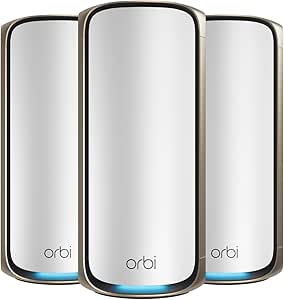 | Best Premium WiFi 7 System | WiFi standard: WiFi 7 | Bands: Quad-band | System configuration: Router and two satellites | VIEW LATEST PRICE | See Our Full Breakdown |
| NETGEAR Orbi 770 Series WiFi 7 Tri-Band Mesh System, 3-Pack |  | Best Balanced WiFi 7 Upgrade | WiFi standard: WiFi 7 | Bands: Tri-band | System configuration: Router and two satellites | VIEW LATEST PRICE | See Our Full Breakdown |
| NETGEAR Orbi RBKE963 Quad-Band WiFi 6E Mesh System with Router and 2 Satellite Extenders |  | Best for WiFi 6E and Dedicated Backhaul | Model: RBKE963 | System configuration: 1 router and 2 satellite extenders | Wi-Fi generation: WiFi 6E | VIEW LATEST PRICE | See Our Full Breakdown |
| NETGEAR Orbi 970 Series Quad-Band WiFi 7 Mesh System, Router and 2 Satellites (RBE973S) | | Best Premium WiFi 7 System | Model: RBE973S | System configuration: 1 router and 2 satellite extenders | Wi-Fi generation: WiFi 7 | VIEW LATEST PRICE | See Our Full Breakdown |
| NETGEAR Orbi 370 Series WiFi 7 Mesh System, 3-Pack |  | Best Entry Point to WiFi 7 | Wi-Fi generation: WiFi 7 (802.11be) | System configuration: Router and 2 satellites | Frequency band: Dual-band | VIEW LATEST PRICE | See Our Full Breakdown |
| NETGEAR Orbi 870 Series WiFi 7 Mesh System, 3-Pack |  | Best for Large, Device-Heavy Homes | Wi-Fi generation: WiFi 7 | Frequency band class: Tri-band | System configuration: 1 router and 2 satellites | VIEW LATEST PRICE | See Our Full Breakdown |
| NETGEAR Orbi Pro WiFi 6 Tri-Band Mesh System with Router and 3 Satellites (SXK80B4) |  | Best for Business and Home Offices | Model: SXK80B4-100NAS | System components: 1 router, 3 satellites, and 4 wall mounts | Wi-Fi generation: WiFi 6 (802.11ax) | VIEW LATEST PRICE | See Our Full Breakdown |
| NETGEAR Orbi RBK663 Tri-Band WiFi 6 Mesh System |  | Best Balanced Performance | WiFi Generation: WiFi 6 (802.11ax) | Maximum Speed: 3.8 Gbps | Coverage Area: Up to 6,600 sq. ft. | VIEW LATEST PRICE | See Our Full Breakdown |
| NETGEAR Orbi RBK653 Tri-Band WiFi 6 Mesh System |  | Best Value Entry-Level Mesh | WiFi Generation: WiFi 6 (802.11ax) | Maximum Speed: 3 Gbps | Coverage Area: Up to 6,000 sq. ft. | VIEW LATEST PRICE | See Our Full Breakdown |
| NETGEAR Orbi 770 Series Tri-Band WiFi 7 Mesh System (RBE773, Renewed) | | Best Future-Proof Value | WiFi Generation: WiFi 7 | Maximum Speed: 11 Gbps | Coverage Area: Up to 8,000 sq. ft. | VIEW LATEST PRICE | See Our Full Breakdown |
| NETGEAR Orbi RBK763S Tri-Band Wi-Fi 6 Mesh System |  | Best for Large Homes | WiFi Generation: WiFi 6 (802.11ax) | Maximum Speed: 5.4 Gbps (AX5400) | Coverage Area: Up to 7,500 sq. ft. | VIEW LATEST PRICE | See Our Full Breakdown |
| NETGEAR Orbi Quad-Band WiFi 6E Mesh System (RBKE963B) |  | Best Premium Performance | WiFi Generation: WiFi 6E | Maximum Speed: 10.8 Gbps | Coverage Area: Up to 9,000 sq. ft. | VIEW LATEST PRICE | See Our Full Breakdown |
| Netgear Orbi mesh Wi-Fi system | Device capacity | Security | System configuration |
|---|---|---|---|
| NETGEAR Orbi 360 Series WiFi 7 | Up to 70 devices | WPA2, WPA3, Advanced Router Protection, automatic firmware updates, 30-day NETGEAR Armor trial | Router and two satellites |
| NETGEAR Orbi RBK863SB Tri-Band | Up to 100 devices | WPA3; one-year NETGEAR Armor subscription | Router and two satellites |
| NETGEAR Orbi RBK862S Tri-Band | Up to 100 devices | WPA2-PSK, WPA3, one-year NETGEAR Armor subscription | Router and one satellite |
| NETGEAR Orbi 970 Series WiFi 7 | Up to 200 devices | Advanced Router Protection, automatic firmware updates, 30-day NETGEAR Armor trial | Router and two satellites |
| NETGEAR Orbi 770 Series WiFi 7 | Up to 100 devices | WPA3, Advanced Router Protection, automatic firmware updates, 30-day NETGEAR Armor trial | Router and two satellites |
| NETGEAR Orbi RBKE963 Quad-Band | — | — | 1 router and 2 satellite extenders |
| NETGEAR Orbi 970 Series Quad-B | — | — | 1 router and 2 satellite extenders |
| NETGEAR Orbi 370 Series WiFi 7 | — | — | Router and 2 satellites |
| NETGEAR Orbi 870 Series WiFi 7 | Up to 150 devices | — | 1 router and 2 satellites |
| NETGEAR Orbi Pro WiFi 6 Tri-Ba | Up to 100 devices | — | — |
| NETGEAR Orbi RBK663 Tri-Band W | 75 devices | WPA3, NETGEAR Armor (30-day trial) | — |
| NETGEAR Orbi RBK653 Tri-Band W | 40 devices | WPA3, NETGEAR Armor (30-day trial) | — |
| NETGEAR Orbi 770 Series Tri-Ba | — | WPA3, Automatic Updates | — |
| NETGEAR Orbi RBK763S Tri-Band | 75 devices | WPA2/WPA3 | — |
| NETGEAR Orbi Quad-Band WiFi 6E | 200 devices | WPA3 | — |
More Details on Our Top Picks
NETGEAR Orbi 360 Series WiFi 7 Mesh System, Up to 6,000 sq ft., 3 Pack
I’d choose the Orbi 360 for a household that wants a three-unit WiFi 7 mesh without stepping up to the Orbi 770’s larger coverage and higher stated capacity. Its router and two satellites are rated for up to 6,000 sq. ft. and 70 devices, a useful fit for a moderately large home with plenty of connected gear. Dual-band WiFi 7 and Enhanced Backhaul are designed to keep traffic moving between the units, while the 2.5 Gbps port gives it room for faster internet service than a basic gigabit connection.
The tradeoff is scale: the Orbi 770 reaches up to 8,000 sq. ft., supports 100 devices, and lists speeds up to 11 Gbps. The 360’s stated maximum is 5 Gbps, and its dual-band design has fewer bands than the tri-band 770. I’d skip it for a very large home or a household chasing the highest capacity; Armor protection is also a 30-day trial, not an ongoing included subscription.
Pros:- WiFi 7 mesh with a router and two satellites
- Rated to cover up to 6,000 sq. ft. and support up to 70 devices
- 2.5 Gbps port supports compatible multi-gig internet service
- App-guided setup and automatic firmware updates
Cons:- Dual-band design and 5 Gbps stated maximum are less capable on paper than the tri-band Orbi 770
- Rated coverage and device capacity are lower than several three-unit Orbi alternatives
- NETGEAR Armor is offered as a 30-day trial, with a separate subscription required afterward
Best for: Households seeking WiFi 7 and three-unit coverage for a moderately large home, with an internet plan up to 2.5 Gbps.
Not ideal for: Owners of very large homes or homes with more than 70 active devices who would benefit from the Orbi 770’s greater stated coverage and capacity.
- WiFi standard:WiFi 7 (802.11be)
- System configuration:Router and two satellites
- Bands:Dual-band
- Maximum data rate:Up to 5 Gbps
- Device capacity:Up to 70 devices
- LAN port bandwidth:2,500 Mbps
- Security:WPA2, WPA3, Advanced Router Protection, automatic firmware updates, 30-day NETGEAR Armor trial
Our verdict“Choose the Orbi 360 if you want a WiFi 7 router-and-two-satellite system for a moderately large home without needing the Orbi 770’s greater stated capacity.”
NETGEAR Orbi RBK863SB Tri-Band WiFi 6 Mesh System with Router and Two Satellites
The Orbi RBK863SB suits buyers who value extensive coverage and a dedicated mesh backhaul more than having the newest WiFi generation. Its router and two satellites are rated for up to 8,000 sq. ft. and 100 connected devices, while tri-band WiFi 6 gives satellite traffic its own band rather than making it compete as directly with client devices. That can help a spread-out household keep connections usable across multiple rooms and floors. The included one-year NETGEAR Armor subscription is a longer initial security offer than the 30-day trial listed for the Orbi 770.
Compared with that WiFi 7 model, the RBK863SB is an older standard with a lower stated maximum of 6 Gbps, though it offers a 10 Gbps internet port. That port only helps when the internet service and connected equipment can use it. I’d choose this over the smaller RBK862S when coverage is the priority, but it is more system than a compact home needs, and Armor’s included term is limited to one year.
Pros:- Router and two satellites are rated for up to 8,000 sq. ft. of coverage
- Tri-band WiFi 6 includes dedicated backhaul
- Supports up to 100 connected devices
- Includes a 10 Gbps internet port and one-year NETGEAR Armor subscription
Cons:- Uses WiFi 6 rather than the WiFi 7 standard found in the Orbi 770 and Orbi 970
- The 10 Gbps internet port needs compatible service and equipment to reach its potential
- NETGEAR Armor is included for one year, not indefinitely
Best for: Owners of large, multi-floor homes who want tri-band WiFi 6, dedicated backhaul, and capacity for many connected devices.
Not ideal for: Buyers prioritizing WiFi 7 features, or households with a smaller floor plan that will not make use of its rated coverage.
- Model:RBK863SB
- WiFi standard:WiFi 6 (802.11ax)
- Network type:Tri-band mesh
- System configuration:Router and two satellites
- Maximum data rate:Up to 6 Gbps
- Device capacity:Up to 100 devices
- Internet port:10 Gbps
- Security:WPA3; one-year NETGEAR Armor subscription
Our verdict“Pick the RBK863SB if broad coverage and tri-band WiFi 6 matter more to your large home than moving to WiFi 7.”
NETGEAR Orbi RBK862S Tri-Band WiFi 6 Mesh System with Router and Satellite
The RBK862S is the more focused choice for buyers who need strong mesh coverage but do not need three Orbi units. Its router and one satellite are rated for up to 5,400 sq. ft., and tri-band WiFi 6 with dedicated backhaul helps preserve a separate route for communication between the units. It also supports up to 100 devices and includes a 10 Gbps internet port, so its two-unit configuration does not mean a bare-bones feature set.
Compared with the RBK863SB, this kit has one fewer satellite and a lower coverage rating, making it a better match for a smaller or less segmented floor plan. The RBK863SB is the stronger fit if you need to place coverage farther across a large home. Both are WiFi 6 systems, so buyers seeking newer WiFi 7 capabilities should look instead at the Orbi 360 or 770. I’d also factor in that Armor is included for one year and the product is specified for U.S. use only.
Pros:- Two-unit router-and-satellite kit is rated for up to 5,400 sq. ft.
- Tri-band WiFi 6 includes dedicated backhaul
- Supports up to 100 connected devices
- Includes a 10 Gbps internet port and one-year NETGEAR Armor subscription
Cons:- One satellite provides less reach and placement flexibility than the RBK863SB’s two-satellite kit
- WiFi 6 is an older generation than the WiFi 7 Orbi 360 and 770
- Specified for U.S. use only, and the Armor subscription lasts one year
Best for: Households with a moderate-to-large floor plan that need one satellite, tri-band WiFi 6, and support for many connected devices.
Not ideal for: Owners of large or multi-floor homes who need two satellites to spread coverage, or buyers specifically seeking WiFi 7.
- Model:RBK862S
- WiFi standard:WiFi 6 (802.11ax)
- Bands:Tri-band
- System configuration:Router and one satellite
- Maximum WiFi speed:Up to 6 Gbps
- Device capacity:Up to 100 devices
- Internet port:10 Gbps
- Security:WPA2-PSK, WPA3, one-year NETGEAR Armor subscription
Our verdict“Choose the RBK862S if one satellite can cover your home and you want tri-band WiFi 6 without adding a third mesh unit.”
NETGEAR Orbi 970 Series WiFi 7 Mesh System, 3-Pack
For a very large home with demanding wired and wireless needs, the Orbi 970 is the most expansive option in this group. Its router and two satellites are rated for up to 10,000 sq. ft. and 200 devices, while quad-band WiFi 7 and dedicated backhaul are aimed at moving heavy traffic across the mesh. The port selection stands apart too: a 10 Gig internet port plus 10 Gig and 2.5 Gig LAN ports gives fast local equipment more wired options than the Orbi 770’s listed 2.5 Gbps LAN bandwidth.
That headroom comes with a clear caveat: its stated maximum of 27 Gbps and plans up to 10 Gbps matter most when your internet service and devices can use them. The Orbi 770 is a more restrained WiFi 7 alternative, rated for 8,000 sq. ft. and 100 devices. I’d skip the 970 for a typical home with modest broadband needs; its Armor trial lasts 30 days, and coverage still depends on layout, materials, and satellite placement.
Pros:- Router and two satellites are rated for up to 10,000 sq. ft. and 200 devices
- Quad-band WiFi 7 with dedicated satellite backhaul
- 10 Gig internet port plus 10 Gig and 2.5 Gig LAN ports
- Compatible with WiFi 6, WiFi 5, and older WiFi devices
Cons:- Its 27 Gbps stated maximum and multi-gig ports need compatible service and devices to be useful
- NETGEAR Armor requires a separate subscription after the 30-day trial
- Coverage varies with building layout, materials, and satellite placement
Best for: Owners of very large homes with many connected devices, multi-gig internet, and wired equipment that can use high-speed LAN ports.
Not ideal for: Households with ordinary broadband or smaller layouts that will not benefit from its expanded coverage, device capacity, and multi-gig ports.
- WiFi standard:WiFi 7
- Bands:Quad-band
- System configuration:Router and two satellites
- Maximum speed:Up to 27 Gbps
- Device capacity:Up to 200 devices
- Ports:10 Gig internet; 10 Gig and 2.5 Gig LAN
- Expandable coverage:Up to 3,300 sq. ft. per additional Orbi 970 Series satellite
- Security:Advanced Router Protection, automatic firmware updates, 30-day NETGEAR Armor trial
Our verdict“Choose the Orbi 970 when a very large home and multi-gig wired setup can make use of its greater capacity over the Orbi 770.”
NETGEAR Orbi 770 Series WiFi 7 Tri-Band Mesh System, 3-Pack
The Orbi 770 makes the strongest case for WiFi 7 when you want a three-unit system with more capacity than the Orbi 360 but do not need the Orbi 970’s high-end specifications. Its tri-band mesh is rated for up to 8,000 sq. ft. and 100 devices, with a stated maximum of 11 Gbps. That combination gives a busy home room to grow while keeping older WiFi 6 and WiFi 5 devices compatible. The Orbi app handles setup and management, and automatic updates and WPA3 security are included.
Compared with the Orbi 970, the 770 has lower rated coverage and capacity, and its internet plans are listed up to 2.5 Gbps rather than 10 Gbps. For most households, that is a sensible boundary rather than a flaw: it avoids paying for capabilities a standard broadband plan cannot use. But the 2.5 Gbps port limit and 30-day Armor trial are real constraints for multi-gig users and buyers seeking continuing paid security features as part of the package.
Pros:- Tri-band WiFi 7 mesh with router and two satellites
- Rated for up to 8,000 sq. ft. and 100 devices
- Compatible with WiFi 6 and WiFi 5 devices
- Orbi app setup, WPA3, and automatic firmware updates
Cons:- 2.5 Gbps port bandwidth is below the Orbi 970’s 10 Gig networking options
- Rated coverage and device capacity are lower than the Orbi 970
- NETGEAR Armor requires a separate subscription after its 30-day trial
Best for: Families upgrading to WiFi 7 who need three-unit coverage for a large home and do not require the Orbi 970’s 10 Gbps networking.
Not ideal for: Owners of very large homes or multi-gig setups beyond 2.5 Gbps who can make use of the Orbi 970’s added capacity and faster ports.
- WiFi standard:WiFi 7
- Bands:Tri-band
- System configuration:Router and two satellites
- Maximum data rate:Up to 11 Gbps
- Device capacity:Up to 100 devices
- LAN port bandwidth:2,500 Mbps
- Security:WPA3, Advanced Router Protection, automatic firmware updates, 30-day NETGEAR Armor trial
Our verdict“Pick the Orbi 770 for a capable tri-band WiFi 7 upgrade that covers a large home without the Orbi 970’s higher-end networking focus.”
NETGEAR Orbi RBKE963 Quad-Band WiFi 6E Mesh System with Router and 2 Satellite Extenders
The RBKE963 is a strong fit for a large home where several people use the network at once and some devices can take advantage of WiFi 6E. Its quad-band design includes a dedicated backhaul, helping the router and satellites communicate without relying on the same wireless capacity used by client devices. Compared with the Orbi 970 Series RBE973S, it lacks WiFi 7 and has a lower stated maximum speed, but its 9,000-square-foot coverage and support for up to 200 devices still suit demanding households. The 6 GHz band benefits only compatible devices, and the 10 Gigabit internet port pays off only with matching service. I’d choose it over newer WiFi 7 systems when 6E compatibility and a dedicated backhaul matter more than the latest generation.
Pros:- Quad-band design with a dedicated backhaul helps preserve capacity between router and satellites.
- Rated to cover up to 9,000 sq. ft. and support up to 200 devices.
- WiFi 6E adds a 6 GHz band for compatible devices.
- Includes a 10 Gigabit Ethernet internet port and automatic firmware updates.
Cons:- The 6 GHz band benefits only devices that support WiFi 6E.
- The 10 Gigabit port requires compatible internet service to reach its full potential.
- Its WiFi 6E generation is older than the WiFi 7 Orbi 970 and 870 systems.
Best for: Owners of large homes with WiFi 6E phones or computers, many connected devices, and internet service suited to a 10 Gigabit port.
Not ideal for: Buyers whose devices do not support WiFi 6E or whose internet plan cannot make use of the 10 Gigabit port; they may get more value from a less advanced Orbi system.
- Model:RBKE963
- System configuration:1 router and 2 satellite extenders
- Wi-Fi generation:WiFi 6E
- Frequency band class:Quad-band
- Maximum data transfer rate:Up to 10.8 Gbps
- Coverage:Up to 9,000 sq. ft.
- Maximum connected devices:200
- Internet port:10 Gigabit Ethernet
Our verdict“Choose the RBKE963 for broad WiFi 6E coverage and dedicated backhaul, but pick a WiFi 7 Orbi if newer client support is your priority.”
NETGEAR Orbi 970 Series Quad-Band WiFi 7 Mesh System, Router and 2 Satellites (RBE973S)
For buyers seeking the most capable system in this group, the Orbi 970 Series RBE973S pairs WiFi 7 with quad-band networking and a dedicated backhaul. Its stated 27 Gbps maximum speed and coverage up to 10,000 square feet put it ahead of the WiFi 6E RBKE963 on generation and headline capacity, while both systems support up to 200 devices. That extra capability is most useful in a large, busy home with newer WiFi 7 clients; older devices remain compatible, but cannot use WiFi 7 features. Compared with the more restrained Orbi 870 Series, the 970 is the premium choice for maximum coverage and speed, not the sensible pick for every household. It is U.S.-only, and real coverage depends on the home and satellite placement.
Pros:- WiFi 7 and quad-band connectivity with a dedicated backhaul.
- Three-unit system rated for coverage up to 10,000 sq. ft.
- Supports up to 200 devices and lists a maximum speed of up to 27 Gbps.
- Includes a 10 Gbps internet port, automatic firmware updates, and a one-year NETGEAR Armor subscription.
Cons:- Made for use in the U.S. only.
- The claimed coverage and speed depend on home layout, placement, and network conditions.
- The premium feature set can be unnecessary for smaller homes or networks without WiFi 7 clients.
Best for: Households with a large floor plan, many simultaneous users, and WiFi 7 devices that can benefit from a high-capacity mesh.
Not ideal for: Buyers in smaller homes, outside the U.S., or with mostly older devices who do not need the 970 Series’ added capacity.
- Model:RBE973S
- System configuration:1 router and 2 satellite extenders
- Wi-Fi generation:WiFi 7
- Frequency band:Quad-band
- Maximum speed:Up to 27 Gbps
- Coverage:Up to 10,000 sq. ft.
- Maximum device capacity:200 devices
- Internet port:10 Gbps
- Included security subscription:1-year NETGEAR Armor
Our verdict“Pick the RBE973S when you want Orbi’s highest stated WiFi 7 capacity for a large U.S. home and can make use of it.”
NETGEAR Orbi 370 Series WiFi 7 Mesh System, 3-Pack
The Orbi 370 Series brings WiFi 7 to a three-unit mesh without chasing the larger coverage and device limits of the Orbi 870 or 970. It is rated for up to 6,000 square feet and 70 devices, with a stated maximum speed of 5 Gbps. That makes it a more fitting match for a typical home than the 870’s 9,000-square-foot, 150-device capacity, while the Orbi 970 is aimed at buyers wanting quad-band performance and far higher headline speed. The dual-band design is the tradeoff: it does not have the 870 and 970’s tri-band or quad-band capacity for heavy concurrent use. App-guided setup, compatibility with WiFi 5 and 6 devices, and satellite expansion help make it approachable, though Armor becomes a separate subscription after its 30-day trial.
Pros:- WiFi 7 system with a router and two satellites.
- Rated for coverage up to 6,000 sq. ft. and support for up to 70 devices.
- Works with WiFi 5 and WiFi 6 devices and can be expanded with additional satellites.
- Orbi app supports setup, device management, and guest WiFi.
Cons:- Dual-band design offers less band capacity than the tri-band Orbi 870 and quad-band Orbi 970.
- NETGEAR Armor requires a separate subscription after the 30-day trial.
- Made for use in the United States, and actual coverage varies with the home and satellite placement.
Best for: Households upgrading to WiFi 7 that need three-node coverage for a medium-to-large home, but do not need capacity for 150 or more devices.
Not ideal for: Owners of very large homes or device-heavy networks who would benefit from the broader coverage and higher capacity of the Orbi 870 or 970.
- Wi-Fi generation:WiFi 7 (802.11be)
- System configuration:Router and 2 satellites
- Frequency band:Dual-band
- Maximum data transfer rate:Up to 5 Gbps
- Coverage:Up to 6,000 sq. ft.
- Maximum connected devices:Up to 70
- LAN port bandwidth:2.5 Gbps
- Security protocols:WPA3, WPA2-PSK
- Management:Orbi app
Our verdict“Choose the Orbi 370 if you want a manageable three-node WiFi 7 upgrade and do not need the capacity of the Orbi 870 or 970.”
NETGEAR Orbi 870 Series WiFi 7 Mesh System, 3-Pack
The Orbi 870 Series occupies a useful middle ground: it adds WiFi 7 and tri-band connectivity, while its three-unit setup is rated for up to 9,000 square feet and 150 devices. Compared with the Orbi 370, it offers much more stated coverage and device capacity; compared with the quad-band Orbi 970, it has lower headline speed and a smaller device limit. Its 10 Gig internet port and 2.5 Gig LAN ports also give wired equipment room to use faster connections, assuming the modem and service support them. WiFi 5 and WiFi 6 devices remain compatible, so a household can upgrade gradually. The tradeoffs are that coverage varies by layout, NETGEAR Armor requires a subscription after its 30-day trial, and this model is intended for the U.S.
Pros:- WiFi 7 tri-band mesh rated for up to 9,000 sq. ft.
- Supports up to 150 devices and works with WiFi 5, WiFi 6, and WiFi 7 clients.
- Includes a 10 Gig internet port and 2.5 Gig LAN ports.
- Additional satellites can extend coverage.
Cons:- NETGEAR Armor requires a separate subscription after the 30-day trial.
- Coverage depends on home construction, layout, and satellite placement.
- Made for use in the U.S. only.
Best for: Families or home-office households with a large floor plan, up to 150 connected devices, and a mix of WiFi 7 and older clients.
Not ideal for: Small homes or buyers outside the U.S.; those seeking maximum quad-band capacity should compare it with the Orbi 970.
- Wi-Fi generation:WiFi 7
- Frequency band class:Tri-band
- System configuration:1 router and 2 satellites
- Maximum data transfer rate:Up to 21 Gbps
- Coverage:Up to 9,000 sq. ft.
- Device capacity:Up to 150 devices
- Internet port:10 Gig
- LAN ports:2.5 Gig
- Security protocol:WPA3
Our verdict“Choose the Orbi 870 for WiFi 7 coverage and device capacity beyond the Orbi 370, without stepping up to the Orbi 970’s quad-band tier.”
NETGEAR Orbi Pro WiFi 6 Tri-Band Mesh System with Router and 3 Satellites (SXK80B4)
The Orbi Pro SXK80B4 is the specialist option here: its appeal is business-oriented network control, not the newest WiFi generation. Support for VLAN and QoS gives offices tools to separate network traffic and prioritize selected workloads, while four included units provide more placement flexibility than the three-unit consumer systems in this roundup. It supports up to 100 devices and lists AX6000 throughput of up to 6 Gbps, but its WiFi 6 platform is older than the WiFi 7 Orbi 370, 870, and 970. Coverage data is inconsistent: the title says up to 12,000 square feet, while the description and specs say 6,000. I would not choose it based on the larger figure; confirm coverage needs and treat the lower figure as the safer reference. Its business controls make it a better fit for managed networks than most homes.
Pros:- Includes one router and three satellites for flexible coverage placement.
- VLAN and QoS support suit business and segmented network needs.
- Tri-band WiFi 6 lists throughput up to 6 Gbps and supports up to 100 devices.
- Supports WPA2 and WPA3 and includes four wall mounts.
Cons:- WiFi 6 is an older generation than the WiFi 7 systems in this roundup.
- Coverage claims conflict: the title says up to 12,000 sq. ft., while the description and specs say 6,000.
- The supplied band details specify only 2.4 GHz, leaving other band frequencies unclear.
Best for: Small businesses and home offices that need VLAN and QoS controls, multiple satellite placements, and support for WiFi 5 devices.
Not ideal for: Buyers prioritizing WiFi 7, or anyone choosing a system mainly for a guaranteed 12,000-square-foot coverage claim, since the supplied coverage figures conflict.
- Model:SXK80B4-100NAS
- System components:1 router, 3 satellites, and 4 wall mounts
- Wi-Fi generation:WiFi 6 (802.11ax)
- Frequency band:Tri-band
- Maximum data transfer rate:Up to 6 Gbps
- Device capacity:Up to 100 devices
- Network features:VLAN, QoS, WPS
- Security protocols:WPA2, WPA3
- Warranty:5 years
Our verdict“Choose the SXK80B4 for business-style VLAN and QoS controls with four included units, but verify coverage rather than relying on its conflicting figures.”
NETGEAR Orbi RBK663 Tri-Band WiFi 6 Mesh System
This system strikes a pragmatic balance between modern WiFi 6 speeds and practical connectivity needs. With a combined throughput of 3.8 Gbps across three bands, it handles heavy streaming and gaming without the congestion issues found in older dual-band setups. Compared to the RBK653, this model offers significantly higher device capacity, supporting up to 75 devices versus 40, making it the superior choice for smart-home enthusiasts who have filled their homes with connected bulbs, cameras, and assistants.
However, the seven Gigabit Ethernet ports are a standout feature for those who prefer wired backhaul or need to connect desktops, consoles, and smart TVs directly. The tradeoff here is that it requires a separate modem, adding a small layer of complexity to the setup compared to gateway-integrated solutions, but the stability it provides is worth the extra step for serious users.
Pros:- Supports up to 75 devices simultaneously without significant lag
- Includes seven Gigabit Ethernet ports for extensive wired connectivity
- Tri-band architecture reduces congestion for high-speed WiFi 6 devices
- Easy management via the Orbi app with automatic security updates
Cons:- Requires a separate modem or ISP gateway for internet access
- US-only compatibility limits international use
- Physical footprint is larger than compact mesh alternatives
Best for: Smart home enthusiasts and families with many connected devices who need reliable wired connections for gaming consoles and desktop PCs.
Not ideal for: Users with very small apartments or those seeking a budget-friendly entry point, as the capacity is overkill for fewer than 20 devices.
- WiFi Generation:WiFi 6 (802.11ax)
- Maximum Speed:3.8 Gbps
- Coverage Area:Up to 6,600 sq. ft.
- Device Capacity:75 devices
- Included Units:1 Router, 2 Satellites
- Ethernet Ports:7 Gigabit LAN
- Security:WPA3, NETGEAR Armor (30-day trial)
Our verdict“This is the go-to choice for households that need to balance high wireless speed with a substantial number of wired Ethernet connections.”
NETGEAR Orbi RBK653 Tri-Band WiFi 6 Mesh System
For buyers who want the stability of a tri-band mesh without paying for higher-end throughput, the RBK653 serves as an accessible entry point. It delivers AX3000 speeds (up to 3 Gbps), which is sufficient for most streaming and browsing tasks, though it lacks the headroom of the RBK663 for intense multi-user gaming. The key differentiator here is the device limit: it supports up to 40 devices, half the capacity of its sibling, making it better suited for moderate smart-home setups rather than dense IoT environments.
While it shares the same app-based management and security features as the more expensive models, the port configuration is more limited, with fewer LAN ports on the router. This makes it a great fit for users who rely primarily on wireless connections and don’t need to hardwire multiple desktops or media players. It’s a sensible downgrade if you don’t need the extra bandwidth, but be aware that expanding coverage beyond the included satellites requires purchasing additional units separately.
Pros:- Cost-effective tri-band WiFi 6 performance
- Simple app-based setup and management
- Reliable coverage up to 6,000 sq. ft.
Cons:- Lower device capacity (40 devices) compared to higher-end Orbi models
- Fewer Ethernet ports on the router and satellites
- US-only compatibility
Best for: Budget-conscious households with moderate device counts (under 40) who prioritize easy setup over maximum bandwidth.
Not ideal for: Power users with gigabit+ internet plans or smart homes exceeding 40 connected devices, who will hit the system’s capacity limits quickly.
- WiFi Generation:WiFi 6 (802.11ax)
- Maximum Speed:3 Gbps
- Coverage Area:Up to 6,000 sq. ft.
- Device Capacity:40 devices
- Included Units:1 Router, 2 Satellites
- Ethernet Ports:3 on Router, 2 per Satellite
- Security:WPA3, NETGEAR Armor (30-day trial)
Our verdict“A solid, affordable mesh system for average homes that don’t require high-end bandwidth or extensive wired connectivity.”
NETGEAR Orbi 770 Series Tri-Band WiFi 7 Mesh System (RBE773, Renewed)
This renewed WiFi 7 system offers a compelling way to access next-generation speeds without the premium price tag of a brand-new unit. With advertised speeds up to 11 Gbps and a 2.5 Gig internet port, it is significantly faster than the WiFi 6 models like the RBK663. This makes it an excellent choice for users with multi-gigabit fiber plans who want to future-proof their network infrastructure while saving money on the hardware itself.
However, buying renewed means accepting that the unit is not new, which may involve minor cosmetic wear or a shorter effective warranty period compared to retail stock. Additionally, because WiFi 7 is still emerging, the full benefits of features like Multi-Link Operation will only be realized when paired with compatible WiFi 7 devices. If you have older phones and laptops, you won’t see an immediate speed boost over the RBK653, but you will have a robust foundation for the next decade of upgrades.
Pros:- WiFi 7 technology with speeds up to 11 Gbps
- 2.5 Gig internet port supports multi-gigabit connections
- Significant cost savings compared to new WiFi 7 units
Cons:- Renewed condition may show cosmetic wear
- Full benefits require compatible WiFi 7 client devices
- US-only compatibility
Best for: Tech-savvy buyers with multi-gigabit internet plans who want WiFi 7 capabilities at a reduced cost and don’t mind renewed condition.
Not ideal for: Users who prioritize pristine new condition and full manufacturer warranty coverage, or those with basic internet plans under 500 Mbps.
- WiFi Generation:WiFi 7
- Maximum Speed:11 Gbps
- Coverage Area:Up to 8,000 sq. ft.
- Internet Port:2.5 Gigabit
- Condition:Renewed
- Included Units:1 Router, 2 Satellites
- Security:WPA3, Automatic Updates
Our verdict“An intelligent pick for enthusiasts who want cutting-edge WiFi 7 specs and multi-gig ports without paying the new-product premium.”
NETGEAR Orbi RBK763S Tri-Band Wi-Fi 6 Mesh System
The RBK763S is engineered for expansive living spaces, offering coverage up to 7,500 square feet with a robust AX5400 speed rating. This places it squarely between the entry-level RBK653 and the mid-range RBK663, but with a wider wireless reach per unit. It supports up to 75 devices, matching the capacity of the RBK663, which makes it suitable for large families or homes with thick walls where signal penetration is a challenge.
While it lacks the 2.5 Gig port found in the newer RBE773 or the 10 Gig port in the RBKE963B, its Gigabit Ethernet connectivity is sufficient for most current internet plans. The tradeoff is that it is a WiFi 6 system, so you miss out on the 6 GHz band found in 6E models. However, for many users, the extended range and high device capacity of this WiFi 6 tri-band system provide a more practical and cost-effective solution than paying for bands their devices don’t yet use.
Pros:- Extensive coverage up to 7,500 sq. ft.
- High device capacity of 75 units
- Strong AX5400 tri-band performance
Cons:- No multi-gig Ethernet ports
- Lacks 6 GHz band found in 6E/7 models
- US-only compatibility
Best for: Owners of large homes (up to 7,500 sq ft) who need strong signal penetration and high device capacity without needing multi-gig ports.
Not ideal for: Users with small apartments or those who have already invested heavily in WiFi 6E/7 devices that require the 6 GHz band.
- WiFi Generation:WiFi 6 (802.11ax)
- Maximum Speed:5.4 Gbps (AX5400)
- Coverage Area:Up to 7,500 sq. ft.
- Device Capacity:75 devices
- Included Units:1 Router, 2 Satellites
- Ethernet Ports:Gigabit Ethernet
- Security:WPA2/WPA3
Our verdict“The ideal choice for large households that need maximum range and capacity from a proven WiFi 6 platform.”
NETGEAR Orbi Quad-Band WiFi 6E Mesh System (RBKE963B)
The RBKE963B represents the pinnacle of WiFi 6E mesh technology, featuring a dedicated 6 GHz band and a 10 Gig internet port. This system is designed for power users who demand the absolute highest speeds and lowest latency, with advertised throughputs up to 10.8 Gbps. Unlike the RBK763S or RBK663, which are limited by their Gigabit ports, the RBKE963B can fully utilize multi-gigabit fiber connections, ensuring that your internet service isn’t bottlenecked by your router.
The inclusion of four bands allows for a dedicated wireless backhaul that keeps mesh traffic separate from user traffic, resulting in more consistent performance across all satellites. However, the 6 GHz band has a shorter range and requires compatible client devices to benefit from the extra speed. If your smartphone or laptop doesn’t support WiFi 6E, you won’t see a performance gain on those devices, though the overall network stability will still be superior to lower-tier models.
Pros:- Dedicated 6 GHz band and quad-band architecture
- 10 Gig internet port for multi-gigabit service
- Supports up to 200 devices with high efficiency
Cons:- 6 GHz band has limited range and requires compatible devices
- Premium pricing reflects high-end specs
- US-only compatibility
Best for: Enthusiasts with multi-gig internet plans and modern WiFi 6E devices who need maximum speed and low latency for gaming or large file transfers.
Not ideal for: Users with standard 100-500 Mbps plans or older devices that cannot connect to the 6 GHz band, as they won’t fully utilize the hardware’s capabilities.
- WiFi Generation:WiFi 6E
- Maximum Speed:10.8 Gbps
- Coverage Area:Up to 9,000 sq. ft.
- Device Capacity:200 devices
- Internet Port:10 Gigabit
- Included Units:1 Router, 2 Satellites
- Security:WPA3
Our verdict“The ultimate choice for households with multi-gig internet and WiFi 6E devices seeking uncompromised wireless performance.”

How We Picked
I evaluated these fifteen systems by analyzing their backhaul architecture, coverage claims, and device capacity. The ranking logic prioritizes models that maintain consistent speeds at the edge of their coverage zone, a common failure point in mesh networks. I compared tri-band versus quad-band designs to determine where dedicated backhaul channels provide tangible benefits over shared bands. Additionally, I weighed the cost of entry against the longevity of the Wi-Fi standard, favoring Wi-Fi 7 models for future-proofing while acknowledging the value proposition of Wi-Fi 6 and 6E units for budget-conscious buyers.
Build quality and software ecosystem integration were also secondary factors. I considered how each system handles firmware updates and whether it supports advanced features like QoS and parental controls without requiring a subscription. The final ordering reflects a hierarchy of performance per square foot, with premium quad-band Wi-Fi 7 systems at the top, followed by high-value tri-band Wi-Fi 7 options, and finally, reliable legacy Wi-Fi 6/6E choices for specific use cases.
Factors to Consider When Choosing Best Netgear Orbi Mesh Wi-Fi Systems
Choosing the right Orbi system requires looking beyond marketing terms like ‘speed’ to understand how the hardware interacts with your home’s physical structure and your digital habits.Wi-Fi Standards: Why Wi-Fi 7 Matters Now
Wi-Fi 7 is not just a faster version of Wi-Fi 6; it introduces Multi-Link Operation (MLO), which allows devices to transmit and receive data on multiple bands simultaneously. This reduces latency and increases throughput stability, which is critical for competitive gaming and 8K streaming. If your devices are older (Wi-Fi 5 or 6), you will not see immediate speed boosts, but you will benefit from better network congestion management as neighbors upgrade their routers. Investing in Wi-Fi 7 now prevents the need for a hardware swap in the next two years as client devices catch up.
Backhaul Architecture: Tri-Band vs. Quad-Band
The most significant performance differentiator is the backhaul channel, the wireless path between the router and satellites. Tri-band systems use one of the three bands for backhaul, which means that band is unavailable for your devices, reducing available bandwidth. Quad-band systems dedicate an entire band solely to backhaul, leaving the other three for device connections. For homes with dense concrete walls or many connected devices, quad-band architecture prevents the speed drops that plague tri-band setups when the backhaul is under load.
Coverage Area vs. Device Density
Netgear’s square footage estimates assume an open floor plan with minimal obstructions. In reality, walls, floors, and appliances significantly attenuate signals. A 6,000 sq ft claim might only be realistic for a single-story home with wood framing. If you have a multi-story home with brick or concrete, you need more satellites than the coverage math suggests. Furthermore, if you have over 50 smart home devices, prioritize systems with higher device capacity specs rather than just raw throughput, as handling many low-bandwidth connections requires robust CPU resources in the router.
The Cost of Ownership: Subscription Traps
Many mesh systems offer free basic apps but lock advanced features like parental controls, security filtering, and detailed analytics behind a recurring subscription. Netgear’s Armor security suite is a popular add-on. Before buying, determine if you require these features. If you are comfortable using a separate DNS service like NextDNS for filtering, you can save on subscription costs. However, if you want integrated, easy-to-use family controls, factor the annual subscription fee into the total cost of ownership for the system you choose.
Scalability and Mixed Generation Support
Mesh systems are modular, but mixing generations can limit performance. For instance, adding an older Wi-Fi 6 satellite to a Wi-Fi 7 router may force the entire network to operate at the lower standard for compatibility or create inefficient handoffs. It is best to stick to a homogeneous system from the start. If you plan to expand coverage later, buy a 3-pack instead of a 2-pack if your home is large, or ensure the specific model supports seamless addition of satellites without requiring a factory reset of the main router.
Frequently Asked Questions
Do I really need Wi-Fi 7 if I only have Wi-Fi 6 devices?
You will not see increased speeds on your current Wi-Fi 6 devices because they cannot utilize the new Wi-Fi 7 features like 320MHz channels or MLO. However, Wi-Fi 7 routers are backward compatible and often feature more powerful processors that handle network traffic more efficiently. If you plan to buy new phones, laptops, or game consoles in the next 12-24 months, a Wi-Fi 7 system is a smart investment. If your devices are all older and you have no upgrade plans, a high-quality Wi-Fi 6E system is a more cost-effective choice.
How many Orbi satellites do I actually need for my home?
Start by mapping your home’s dead zones and main usage areas. A general rule is one satellite per 1,500 to 2,000 square feet in a typical home, but this number increases with thick walls or multiple stories. Do not place a satellite at the edge of the router’s range; it must be within a strong signal zone to maintain backhaul quality. If you have a 3,000 sq ft home with brick walls, a 3-pack is usually necessary to ensure seamless roaming, whereas a 2-pack might suffice for an open-concept apartment.
Is the Orbi Pro line better for home use than consumer Orbi?
The Orbi Pro series is designed for small offices and commercial environments, featuring VLAN support, PoE options, and enterprise-grade security features that are often overkill for residential users. For a home, the consumer Orbi line offers a more user-friendly app, simpler setup, and features like guest network management that are tailored for families. Unless you need to segment your home network into separate VLANs for smart home devices versus personal devices, the consumer models provide better value and ease of use.
Can I mix different Orbi models in one mesh network?
Netgear generally supports mixing models within the same generation (e.g., Wi-Fi 6 with Wi-Fi 6), but performance will be capped by the slowest device in the chain. Mixing generations (e.g., Wi-Fi 6 with Wi-Fi 7) is risky and often unsupported or results in degraded performance due to protocol mismatches. It is strongly recommended to buy a complete kit (router plus satellites) from the same series to guarantee compatibility and optimal backhaul speeds. If you need to expand later, buy the exact same model number for your satellites.
Does Orbi work with my existing cable modem or ISP gateway?
Yes, Orbi systems are compatible with most cable modems and fiber ONTs. You will need to put your ISP-provided gateway into bridge mode to avoid double NAT issues, which can interfere with gaming and port forwarding. If your ISP uses a combined modem-router device that does not support bridge mode, you may need to request a modem-only replacement from your provider. Double NAT can cause connectivity issues, so ensuring the Orbi router handles the routing is critical for a stable network.
Conclusion
Selecting the best Netgear Orbi mesh Wi-Fi systems depends on your specific infrastructure and device ecosystem. For most large homes seeking the highest performance and future-proofing, the Orbi 970 Series is the superior choice due to its quad-band Wi-Fi 7 architecture. If you want Wi-Fi 7 benefits without the premium price tag, the Orbi 770 Series offers a balanced tri-band solution that handles moderate device loads efficiently. Beginners or those in smaller apartments should consider the Orbi 360 Series for its simplicity and adequate coverage. For gamers and heavy streamers who need low latency today, the Orbi 963 Series remains a strong Wi-Fi 6E contender. Ultimately, match the backhaul capability to your wall density and device count to ensure your network performs as advertised.