Choosing the best Netgear routers in 2027 means balancing raw speed against practical coverage needs. My top pick for most homes is the NETGEAR Nighthawk RS200, which offers a sweet spot of WiFi 7 speeds without the overwhelming price tag of flagship tri-band models. For those struggling with dead zones in large properties, the NETGEAR Orbi 770 Series remains the gold standard for seamless whole-home coverage. The main tradeoff you face is between single-unit cost and mesh system complexity; do you need one powerful router or a coordinated system of satellites? Continue reading to see how I ranked these fifteen options based on throughput, ease of setup, and long-term value.

Get audio and creator gear delivered free with Prime
- Fast, free delivery on millions of items
- Prime Video, Amazon Music and more included
- Member-only deals all year
Complete the kit


Key Takeaways
- WiFi 7 adoption is now practical for mid-range users, with dual-band models like the RS200 offering significant latency improvements over WiFi 6 without requiring tri-band hardware.
- Mesh systems like the Orbi 770 provide superior roaming stability compared to extending a single powerful router, making them the better choice for multi-story homes despite higher upfront costs.
- Modem-router combos like the CAX80 save desk space and reduce ISP rental fees, but they often lack the advanced QoS features found in standalone Nighthawk routers.
- Refurbished high-end models such as the RS300 offer a cost-effective entry into premium specs, though buyers must verify warranty terms and return policies before purchasing.
- WiFi 6 models like the RAX50 remain viable for budget-conscious buyers who do not yet own WiFi 7 devices, providing adequate speeds for 4K streaming and general browsing.
| NETGEAR Nighthawk RS200 Dual-Band WiFi 7 Router | 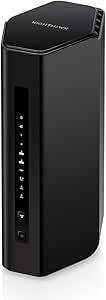 | Best Overall | WiFi generation: WiFi 7 | Frequency bands: Dual-band, 2.4 GHz and 5 GHz | Maximum wireless speed: Up to 6.5 Gbps | VIEW LATEST PRICE | See Our Full Breakdown |
| NETGEAR Nighthawk RS300 Tri-Band WiFi 7 Router, Up to 9.3 Gbps, 2,500 Sq. Ft. Coverage, Certified Refurbished | | Best for Tri-Band Capacity | Condition: Certified refurbished | WiFi generation: WiFi 7 | Frequency bands: Tri-band, including 6 GHz | VIEW LATEST PRICE | See Our Full Breakdown |
| NETGEAR Nighthawk R6700AX WiFi 6 Router |  | Best for Smaller Households | WiFi generation: WiFi 6 (802.11ax) | Frequency bands: 2.4 GHz and 5 GHz | Maximum speed: Up to 1.8 Gbps | VIEW LATEST PRICE | See Our Full Breakdown |
| NETGEAR Nighthawk RAX50 AX5400 WiFi 6 Router |  | Best WiFi 6 Coverage | WiFi standard: WiFi 6 (802.11ax) | Speed class: AX5400 | Frequency bands: Dual-band, 2.4 GHz and 5 GHz | VIEW LATEST PRICE | See Our Full Breakdown |
| NETGEAR Nighthawk RS90 Dual-Band WiFi 7 Router, 3.6 Gbps, Coverage up to 2,000 sq. ft. |  | Best Entry-Level WiFi 7 | WiFi generation: WiFi 7 | Frequency bands: Dual-band, 2.4 GHz and 5 GHz | Maximum data transfer rate: Up to 3.6 Gbps | VIEW LATEST PRICE | See Our Full Breakdown |
| NETGEAR Orbi 370 Series WiFi 7 Mesh System (3-Pack) |  | Best for Large Homes | Wi-Fi generation: WiFi 7 | Maximum wireless speed: Up to 5 Gbps | Coverage: Up to 6,000 sq. ft. | VIEW LATEST PRICE | See Our Full Breakdown |
| NETGEAR Nighthawk AX3000 WiFi 6 Dual-Band Router (RAX36) |  | Best Straightforward WiFi 6 Pick | Wi-Fi generation: Wi-Fi 6 (802.11ax) | Wireless speed: Up to 3 Gbps (AX3000) | Coverage: Up to 2,000 sq. ft. | VIEW LATEST PRICE | See Our Full Breakdown |
| Netgear Nighthawk RAX41 WiFi 6 Router, AX3600 Dual-Band |  | Best for Compact Homes | Model: RAX41 | Wi-Fi generation: WiFi 6 (802.11ax) | Wireless speed: Up to 3.45 Gbps | VIEW LATEST PRICE | See Our Full Breakdown |
| NETGEAR Nighthawk RS150 WiFi 7 Dual-Band Router |  | Best Standalone WiFi 7 Upgrade | Wi-Fi generation: WiFi 7 | Maximum wireless speed: Up to 5 Gbps | Coverage: Up to 2,250 sq. ft. | VIEW LATEST PRICE | See Our Full Breakdown |
| NETGEAR Nighthawk RAX43 AX4200 WiFi 6 Dual-Band Router |  | Best WiFi 6 Pick with Included Security Term | Model: RAX43 | Wi-Fi generation: WiFi 6 (802.11ax) | Wireless speed: AX4200, up to 4.2 Gbps | VIEW LATEST PRICE | See Our Full Breakdown |
| NETGEAR Nighthawk CAX80 DOCSIS 3.1 Modem Router Combo |  | Best All-in-One for Cable Speed Tiers | Model: CAX80 | Modem Standard: DOCSIS 3.1 | WiFi Standard: WiFi 6 (802.11ax) | VIEW LATEST PRICE | See Our Full Breakdown |
| NETGEAR Nighthawk BE9300 Tri-Band WiFi 7 Router | | Best Premium Standalone Router | WiFi Generation: WiFi 7 (802.11be) | Frequency Bands: 2.4 GHz, 5 GHz, 6 GHz | Maximum Data Rate: 9.3 Gbps | VIEW LATEST PRICE | See Our Full Breakdown |
| NETGEAR Orbi 770 Series WiFi 7 Mesh System (3-Pack) |  | Best for Large or Multi-Story Homes | WiFi Generation: WiFi 7 | Coverage Area: Up to 8,000 sq. ft. | Device Capacity: Up to 100 devices | VIEW LATEST PRICE | See Our Full Breakdown |
| NETGEAR Nighthawk CAX30 DOCSIS 3.1 WiFi 6 Cable Modem Router Combo |  | Best Value All-in-One for Standard Cable Users | Modem Standard: DOCSIS 3.1 | WiFi Standard: WiFi 6 (802.11ax) | WiFi Class: Dual-band AX2700 | VIEW LATEST PRICE | See Our Full Breakdown |
| NETGEAR Nighthawk AX5 WiFi 6 Router (RAX43) AX4200 |  | Best Budget Entry-Level WiFi 6 Router | Model: RAX43 | Wi-Fi Generation: Wi-Fi 6 (802.11ax) | Wireless Speed: Up to 4.2 Gbps (AX4200) | VIEW LATEST PRICE | See Our Full Breakdown |
| Netgear router | Coverage | Ethernet ports | Frequency bands |
|---|---|---|---|
| NETGEAR Nighthawk RS200 Dual-B | Up to 2,500 sq. ft. | 1 × 2.5 Gig WAN, 1 × 2.5 Gig LAN, 3 × 1 Gig LAN | Dual-band, 2.4 GHz and 5 GHz |
| NETGEAR Nighthawk RS300 Tri-Ba | Up to 2,500 sq. ft. | 2 × 2.5 Gig LAN, 2 × 1 Gig LAN, 1 × 2.5 Gig internet port | Tri-band, including 6 GHz |
| NETGEAR Nighthawk R6700AX WiFi | Up to 1,500 sq. ft. | 4 Gigabit LAN and 1 Gigabit WAN | 2.4 GHz and 5 GHz |
| NETGEAR Nighthawk RAX50 AX5400 | Up to 2,500 sq. ft. | 4 × 1 Gigabit | Dual-band, 2.4 GHz and 5 GHz |
| NETGEAR Nighthawk RS90 Dual-Ba | Up to 2,000 sq. ft. | 1 × 2.5G Ethernet, 3 × Gigabit Ethernet | Dual-band, 2.4 GHz and 5 GHz |
| NETGEAR Orbi 370 Series WiFi 7 | Up to 6,000 sq. ft. | — | — |
| NETGEAR Nighthawk AX3000 WiFi | Up to 2,000 sq. ft. | 4 × 1 Gbps | — |
| Netgear Nighthawk RAX41 WiFi 6 | Up to 2,250 sq. ft. | 4 × 1 Gbps Ethernet, 1 internet port | — |
| NETGEAR Nighthawk RS150 WiFi 7 | Up to 2,250 sq. ft. | — | Dual-band, 2.4 GHz and 5 GHz |
| NETGEAR Nighthawk RAX43 AX4200 | Up to 2,000 sq. ft. | 4 × 1 Gbps | — |
| NETGEAR Nighthawk CAX80 DOCSIS | — | 1x 2.5 Gig Multi-Gig, 4x Gigabit | — |
| NETGEAR Nighthawk BE9300 Tri-B | Up to 2,500 sq. ft. | — | 2.4 GHz, 5 GHz, 6 GHz |
| NETGEAR Orbi 770 Series WiFi 7 | — | — | Tri-Band (2.4 GHz, 5 GHz, 6 GHz) |
| NETGEAR Nighthawk CAX30 DOCSIS | Up to 2,000 sq ft | 4 Gigabit Ethernet | — |
| NETGEAR Nighthawk AX5 WiFi 6 R | — | — | — |
More Details on Our Top Picks
NETGEAR Nighthawk RS200 Dual-Band WiFi 7 Router
The Nighthawk RS200 is my strongest all-around pick here for buyers who want WiFi 7, useful wired options, and room for a busy household without stepping up to a tri-band model. Its 6.5 Gbps rated wireless speed, coverage up to 2,500 square feet, and support for up to 80 devices give it more headroom than the R6700AX, while its two 2.5 Gig ports are better suited to faster internet and wired devices than the RAX50’s Gigabit-only ports. The dual-band design is less equipped for separating traffic than the RS300’s tri-band setup, though, and its coverage estimate won’t remove dead zones in every multi-story home. I’d shortlist it for a typical home with an existing modem, but larger layouts may be better served by an Orbi mesh system.
Pros:- WiFi 7 supports newer devices while remaining compatible with WiFi 6 and earlier devices.
- Two 2.5 Gig Ethernet ports give faster wired connections than the RAX50’s Gigabit-only ports.
- Rated to cover up to 2,500 square feet and support up to 80 devices.
- USB 3.0 port and app tools add storage and straightforward network management.
Cons:- Requires a separate modem or gateway with an Ethernet port.
- Dual-band design lacks the RS300’s additional 6 GHz band.
- Walls and floors can limit coverage; large or multi-story homes may need mesh.
Best for: Households upgrading to WiFi 7 that want multi-gig wired connections and coverage for several rooms without moving to mesh.
Not ideal for: People without a separate modem or gateway, or residents of large multi-story homes who need more consistent whole-home coverage.
- WiFi generation:WiFi 7
- Frequency bands:Dual-band, 2.4 GHz and 5 GHz
- Maximum wireless speed:Up to 6.5 Gbps
- Coverage:Up to 2,500 sq. ft.
- Maximum connected devices:Up to 80
- Ethernet ports:1 × 2.5 Gig WAN, 1 × 2.5 Gig LAN, 3 × 1 Gig LAN
- USB port:1 × USB 3.0
- Internet connection:Separate modem or gateway with an RJ45 Ethernet port required
Our verdict“Choose the RS200 for a well-rounded WiFi 7 upgrade with multi-gig ports, but look to the RS300 for tri-band capacity or mesh for broader coverage.”
NETGEAR Nighthawk RS300 Tri-Band WiFi 7 Router, Up to 9.3 Gbps, 2,500 Sq. Ft. Coverage, Certified Refurbished
For homes with many active devices, the certified refurbished Nighthawk RS300 brings the most capable wireless setup in this group: tri-band WiFi 7 with 6 GHz and a rated speed up to 9.3 Gbps. That extra band distinguishes it from the dual-band RS200 and RS90, giving compatible devices another band to use when the network is busy. It also supports up to 100 devices and has two 2.5 Gig LAN ports, a useful combination for households with multi-gig wired gear. The tradeoff is the refurbished condition and a listed 90-day limited warranty, shorter than many buyers may prefer. It still needs a separate modem, and a 2.5 Gbps-capable modem may be needed to take advantage of multi-gig internet service.
Pros:- Tri-band WiFi 7 includes 6 GHz, unlike the dual-band RS200 and RS90.
- Rated for up to 9.3 Gbps and support for up to 100 devices.
- Two 2.5 Gig LAN ports support multiple faster wired connections.
- WPA3, automatic firmware updates, guest network, MU-MIMO, and OFDMA are included.
Cons:- Certified refurbished condition may not suit buyers seeking a new unit.
- The listed 90-day limited warranty is relatively short.
- Requires a separate modem, and multi-gig service may call for a 2.5 Gbps-capable modem.
Best for: Device-heavy households with WiFi 7 clients that want tri-band connectivity and multiple multi-gig wired connections.
Not ideal for: Buyers who want a new router or a longer listed warranty, and homes without a separate modem.
- Condition:Certified refurbished
- WiFi generation:WiFi 7
- Frequency bands:Tri-band, including 6 GHz
- Maximum wireless data rate:Up to 9.3 Gbps
- Coverage:Up to 2,500 sq. ft.
- Device capacity:Up to 100 devices
- Ethernet ports:2 × 2.5 Gig LAN, 2 × 1 Gig LAN, 1 × 2.5 Gig internet port
- Security:WPA3, automatic firmware updates, and Advanced Router Protection
- Warranty:90-day limited warranty
Our verdict“Pick the RS300 if tri-band WiFi 7 and multiple 2.5 Gig LAN ports matter more to you than buying new or having a longer listed warranty.”
NETGEAR Nighthawk R6700AX WiFi 6 Router
The Nighthawk R6700AX is the practical choice for a smaller household that wants a familiar WiFi 6 router rather than paying attention to WiFi 7 features it may not use. Its 1.8 Gbps rated speed, coverage up to 1,500 square feet, and capacity for up to 20 devices suit everyday browsing, video calls, and streaming on a modest number of devices. Compared with the RAX50, it has a smaller stated coverage area and lower capacity, but it still provides four Gigabit LAN ports for wired computers or consoles. It also lacks the RS200’s WiFi 7 support and 2.5 Gig ports. I’d choose it for a straightforward, smaller setup, not a crowded home or a plan built around multi-gig wired speeds.
Pros:- WiFi 6 provides backward compatibility with earlier WiFi devices.
- Four Gigabit LAN ports accommodate wired computers, consoles, and other devices.
- WPA3, automatic firmware updates, and a guest network are included.
- Can be managed through the Nighthawk app or a web browser.
Cons:- Rated coverage of 1,500 square feet and support for 20 devices are lower than the RAX50’s stated capacity.
- No WiFi 7 or multi-gig Ethernet ports.
- Requires a separate modem or gateway with an Ethernet port.
Best for: Individuals, couples, or small households with a modest number of devices and a home within the router’s stated coverage area.
Not ideal for: Large or device-heavy households, or buyers upgrading to WiFi 7 and multi-gig wired networking.
- WiFi generation:WiFi 6 (802.11ax)
- Frequency bands:2.4 GHz and 5 GHz
- Maximum speed:Up to 1.8 Gbps
- Coverage:Up to 1,500 sq. ft.
- Connected devices:Up to 20
- Ethernet ports:4 Gigabit LAN and 1 Gigabit WAN
- Security:WPA2, WPA3, automatic firmware updates, and guest network
- Setup and management:Nighthawk app or web browser
- Modem requirement:Separate modem or gateway with Ethernet port required
Our verdict“Choose the R6700AX for a smaller household that needs basic WiFi 6 and wired ports, not for a growing network or multi-gig upgrade.”
NETGEAR Nighthawk RAX50 AX5400 WiFi 6 Router
The Nighthawk RAX50 is the WiFi 6 pick for buyers who want a larger stated coverage area but don’t need WiFi 7. It is rated for up to 2,500 square feet and 25 devices, a step up in stated reach and capacity from the R6700AX’s 1,500 square feet and 20-device limit. The AX5400 class and USB 3.0 port also make it a more substantial traditional-router option for streaming, gaming, and sharing files or personal cloud storage. Its four Ethernet ports are limited to 1 Gigabit, however, so it is less flexible for multi-gig wired service than the RS200. The listed security protocol is WPA2-PSK, while some alternatives specify WPA3; buyers who prioritize newer WiFi or security features should compare those details before choosing.
Pros:- Rated to cover up to 2,500 square feet and support up to 25 devices.
- AX5400 WiFi 6 class suits households with streaming and gaming traffic.
- Four Gigabit Ethernet ports support wired devices.
- USB 3.0 port enables personal cloud storage and file sharing.
Cons:- All listed Ethernet ports are limited to 1 Gigabit, unlike the RS200’s 2.5 Gig ports.
- Listed security protocol is WPA2-PSK, while the R6700AX lists WPA3 support.
- Four fixed antennas cannot be detached or repositioned as separate hardware.
Best for: Households wanting a WiFi 6 router with a larger stated coverage area, several wired devices, and USB storage support.
Not ideal for: Buyers with multi-gig internet plans, a preference for WiFi 7, or a requirement for WPA3 based on the listed specs.
- WiFi standard:WiFi 6 (802.11ax)
- Speed class:AX5400
- Frequency bands:Dual-band, 2.4 GHz and 5 GHz
- Coverage:Up to 2,500 sq. ft.
- Maximum connected devices:Up to 25
- Ethernet ports:4 × 1 Gigabit
- USB port:1 × USB 3.0
- Antennas:4 fixed
- Security protocol:WPA2-PSK
Our verdict“Choose the RAX50 if you want broader stated WiFi 6 coverage and USB storage, but skip it for WiFi 7 or multi-gig wired networking.”
NETGEAR Nighthawk RS90 Dual-Band WiFi 7 Router, 3.6 Gbps, Coverage up to 2,000 sq. ft.
The Nighthawk RS90 is the most restrained route into WiFi 7 among these picks: it keeps the newer wireless generation but scales back rated speed, coverage, and device capacity compared with the RS200. Its 3.6 Gbps rated speed, 2,000-square-foot coverage, and 50-device limit make it a sensible fit for a medium-sized home that wants to refresh its router without aiming for the RS200’s 6.5 Gbps and 80-device figures. A 2.5G Ethernet port offers a useful faster-wired option, while app setup, WPA2/WPA3, and automatic updates cover everyday network management. The dual-band design does not offer the RS300’s 6 GHz band, and this remains a router rather than a modem. For larger homes or crowded networks, I’d favor the RS200 or a mesh system.
Pros:- WiFi 7 compatibility supports newer devices and works with WiFi 6 and earlier gear.
- One 2.5G Ethernet port adds a faster wired connection option.
- Rated for up to 2,000 square feet and 50 connected devices.
- App-based setup, WPA2/WPA3 security, and automatic firmware updates are included.
Cons:- Lower rated speed, coverage, and device capacity than the RS200.
- Dual-band design lacks the RS300’s 6 GHz band.
- Requires a separate modem or gateway with an Ethernet port.
Best for: Households seeking a WiFi 7 router for a medium-sized home, with a 2.5G port and capacity for up to 50 devices.
Not ideal for: Buyers with many more than 50 connected devices, homes exceeding the stated coverage, or shoppers who want tri-band WiFi 7.
- WiFi generation:WiFi 7
- Frequency bands:Dual-band, 2.4 GHz and 5 GHz
- Maximum data transfer rate:Up to 3.6 Gbps
- Coverage:Up to 2,000 sq. ft.
- Maximum connected devices:Up to 50
- Ethernet ports:1 × 2.5G Ethernet, 3 × Gigabit Ethernet
- Processor:Quad-core 2.0 GHz
- Security protocols:WPA2 and WPA3
- Internet connection:Separate modem or gateway with an RJ45 Ethernet port required
Our verdict“Pick the RS90 for a medium-sized home that wants WiFi 7 and a 2.5G port without needing the RS200’s greater capacity.”
NETGEAR Orbi 370 Series WiFi 7 Mesh System (3-Pack)
For a large or multi-story home, the Orbi 370’s three-unit mesh setup is the key advantage: its stated coverage reaches 6,000 square feet, far beyond the standalone Nighthawk RS150’s 2,250-square-foot coverage. WiFi 7 speeds up to 5 Gbps and Enhanced Backhaul are intended to keep connections more consistent as traffic moves between the router and satellites, which suits busy households with devices spread across several rooms. It also supports up to 70 devices and internet plans up to 2.5 Gbps. The tradeoff is that you’re buying a multi-unit system when a single router may be enough for a smaller home; the RAX43, for example, covers up to 2,000 square feet. NETGEAR Armor requires a subscription after its 30-day trial, and the system is designed for U.S. use.
Pros:- Three-unit mesh system is rated for coverage up to 6,000 square feet.
- WiFi 7 wireless speeds reach up to 5 Gbps.
- Enhanced Backhaul is designed to help maintain mesh performance during heavy use.
- 2.5 Gbps LAN bandwidth and compatibility with internet plans up to 2.5 Gbps.
Cons:- NETGEAR Armor requires a separate subscription after the 30-day trial.
- Designed for use in the U.S., limiting suitability for international buyers.
- Actual speeds depend on the internet plan, layout, and connected devices.
Best for: Households in large or multi-story U.S. homes that need WiFi 7 coverage across multiple rooms and support for many connected devices.
Not ideal for: People in smaller homes who can cover their space with one router, or international buyers who need a system designed for use outside the U.S.
- Wi-Fi generation:WiFi 7
- Maximum wireless speed:Up to 5 Gbps
- Coverage:Up to 6,000 sq. ft.
- Device capacity:Up to 70 devices
- Frequency band:Dual-band
- LAN port bandwidth:2.5 Gbps
- Security:WPA3, WPA2-PSK; NETGEAR Armor protection
- Included units:3 (1 router, 2 satellites)
Our verdict“Choose the Orbi 370 if a large home needs mesh coverage and WiFi 7, but skip it if a single router can cover your space.”
NETGEAR Nighthawk AX3000 WiFi 6 Dual-Band Router (RAX36)
The Nighthawk RAX36 is a sensible fit for buyers who want a conventional WiFi 6 router, wired connections, and coverage for a modest home without stepping up to WiFi 7. Its stated 2,000-square-foot coverage and capacity for up to 25 devices suit everyday streaming, calls, and gaming; four Gigabit Ethernet ports also make it practical for a console, computer, or other wired gear. Compared with the RAX41, it lists a slightly lower maximum speed—3 Gbps versus 3.45 Gbps—but the core home-use profile is similar. The Nighthawk RS150 is the stronger choice for someone seeking WiFi 7 and a 2.5 Gbps port, though its coverage is listed at 2,250 square feet. The RAX36’s main limits are its 1 Gbps ISP compatibility and the need for a separate modem for cable service.
Pros:- WiFi 6 with wireless speeds up to 3 Gbps.
- Rated to cover up to 2,000 sq. ft. and support up to 25 devices.
- Four Gigabit Ethernet ports for wired devices.
- WPA3 security and a 1.7 GHz quad-core processor.
Cons:- Cable internet requires a separate modem.
- Listed ISP compatibility is limited to plans up to 1 Gbps.
- Two internal antennas provide no external antenna adjustment.
Best for: People in a small or medium-sized home who want WiFi 6, several wired connections, and support for everyday household devices.
Not ideal for: Buyers with internet service above 1 Gbps, those seeking WiFi 7, or cable customers who want a modem built into the router.
- Wi-Fi generation:Wi-Fi 6 (802.11ax)
- Wireless speed:Up to 3 Gbps (AX3000)
- Coverage:Up to 2,000 sq. ft.
- Device capacity:Up to 25 devices
- Frequency band:Dual-band
- Ethernet ports:4 × 1 Gbps
- Processor:1.7 GHz quad-core
- Modem:Not included; requires a separate modem for cable internet
Our verdict“Pick the RAX36 for a straightforward WiFi 6 home network with wired ports, but choose the RS150 if you want WiFi 7 or a 2.5 Gbps port.”
Netgear Nighthawk RAX41 WiFi 6 Router, AX3600 Dual-Band
With coverage listed at up to 2,250 square feet, the RAX41 is aimed at smaller homes where one router can serve the main living areas without the added units of the Orbi 370 mesh system. Its WiFi 6 connection, 1024-QAM, and support for 160 MHz channels contribute to a stated maximum speed of 3.45 Gbps, while four Gigabit Ethernet ports give wired devices a direct connection. Against the RAX36, the RAX41 offers a higher listed wireless speed and slightly broader coverage, but both support up to 25 devices and have four Gigabit ports. Neither is a multi-gig wired solution: the RAX41’s Ethernet ports top out at 1 Gbps, and its fixed antennas limit placement adjustments. Its 1 Gbps ISP compatibility also makes it a poor fit for faster plans.
Pros:- Rated for coverage up to 2,250 sq. ft.
- WiFi 6 wireless speeds reach up to 3.45 Gbps.
- Four Gigabit Ethernet ports support wired devices.
- WPA3 security and support for 160 MHz channels.
Cons:- Coverage is intended for smaller homes and may not suit larger layouts.
- Fixed antennas cannot be repositioned or replaced.
- Gigabit Ethernet ports and 1 Gbps ISP compatibility limit use with faster service.
Best for: People in a two- or three-bedroom home who want a single WiFi 6 router for up to 25 devices and several wired connections.
Not ideal for: Owners of larger or multi-story homes who need mesh coverage, or subscribers to internet plans above 1 Gbps.
- Model:RAX41
- Wi-Fi generation:WiFi 6 (802.11ax)
- Wireless speed:Up to 3.45 Gbps
- Coverage:Up to 2,250 sq. ft.
- Device capacity:Up to 25 devices
- Processor:1.5 GHz triple-core
- Ethernet ports:4 × 1 Gbps Ethernet, 1 internet port
- Compatibility:Cable, satellite, fiber, and DSL ISPs up to 1 Gbps
Our verdict“Choose the RAX41 for a compact home that benefits from a little more listed coverage and speed than the RAX36, not for multi-gig service or whole-home mesh needs.”
NETGEAR Nighthawk RS150 WiFi 7 Dual-Band Router
The RS150 brings WiFi 7 to a single-router setup, making it a more direct upgrade for someone who does not need the Orbi 370’s three-unit mesh coverage. It’s rated for up to 5 Gbps, covers up to 2,250 square feet, and supports as many as 80 devices—more devices than the Orbi’s listed 70, though the Orbi is the better match for much larger homes. A 2.5G Ethernet port also gives the RS150 an advantage over the RAX43’s four Gigabit ports when connecting to compatible multi-gig service or equipment. MU-MIMO, OFDMA, app-based setup, and automatic firmware updates round out the package. It still requires a separate modem or gateway, and walls or interference can reduce its stated range; a gateway may need bridge mode.
Pros:- WiFi 7 wireless speeds reach up to 5 Gbps.
- 2.5G port plus three Gigabit Ethernet ports.
- Supports up to 80 devices and covers up to 2,250 sq. ft.
- Includes WPA3, automatic firmware updates, MU-MIMO, and OFDMA.
Cons:- Requires a separate modem or gateway with an RJ45 Ethernet port.
- Coverage can be reduced by walls, floors, and interference.
- Some modem-router gateways may require bridge mode.
Best for: Households seeking a standalone WiFi 7 router, a 2.5 Gbps wired connection, and capacity for many devices in a modest-sized home.
Not ideal for: People who need mesh coverage across a large or multi-story home, or anyone without a separate modem or Ethernet-equipped gateway.
- Wi-Fi generation:WiFi 7
- Maximum wireless speed:Up to 5 Gbps
- Coverage:Up to 2,250 sq. ft.
- Device capacity:Up to 80 devices
- Frequency bands:Dual-band, 2.4 GHz and 5 GHz
- Processor:Quad-core 2.0 GHz
- Ports:1 × 2.5G and 3 × Gigabit Ethernet
- Internet connection:Requires a separate modem or gateway with an RJ45 Ethernet port
Our verdict“Choose the RS150 for a standalone WiFi 7 upgrade with multi-gig wired capacity; choose the Orbi 370 instead when your home needs mesh coverage.”
NETGEAR Nighthawk RAX43 AX4200 WiFi 6 Dual-Band Router
The RAX43’s appeal is its AX4200 WiFi 6 rating paired with a one-year NETGEAR Armor subscription, giving security-conscious households a defined period of online threat protection without an immediate separate subscription. It covers up to 2,000 square feet, supports up to 25 devices, and offers four Gigabit Ethernet ports—similar home-scale basics to the RAX36. Compared with that router, the RAX43 lists a higher wireless speed, up to 4.2 Gbps, while the newer WiFi 7 RS150 is the better fit for buyers who want a 2.5G port and newer wireless generation. The RAX43 remains limited to 1 Gbps ISP compatibility, and its Armor inclusion lasts one year rather than being a permanent feature. It also requires an existing modem and is listed for U.S. use only.
Pros:- WiFi 6 AX4200 wireless speeds reach up to 4.2 Gbps.
- Includes a one-year NETGEAR Armor subscription.
- Four Gigabit Ethernet ports for wired devices.
- Rated to cover up to 2,000 sq. ft. and support up to 25 devices.
Cons:- Requires a separate modem for internet service.
- ISP compatibility is listed up to 1 Gbps, and Ethernet ports are Gigabit.
- Designed for U.S. use only.
Best for: U.S. households with an existing modem that want a WiFi 6 router for up to 25 devices and value an included year of NETGEAR Armor.
Not ideal for: International buyers, users with internet service above 1 Gbps, or anyone seeking WiFi 7 or a multi-gig Ethernet port.
- Model:RAX43
- Wi-Fi generation:WiFi 6 (802.11ax)
- Wireless speed:AX4200, up to 4.2 Gbps
- Coverage:Up to 2,000 sq. ft.
- Maximum devices:25
- Ethernet ports:4 × 1 Gbps
- Security:WPA2; one-year NETGEAR Armor subscription included
- Modem and ISP compatibility:Requires an existing cable modem; listed for cable, satellite, fiber, and DSL up to 1 Gbps
Our verdict“Pick the RAX43 if you want a capable WiFi 6 router with a year of Armor included, but choose the RS150 for WiFi 7 and 2.5G Ethernet.”
NETGEAR Nighthawk CAX80 DOCSIS 3.1 Modem Router Combo
This unit stands out as a high-performance combo for cable internet users who want to cut hardware clutter. Unlike the Nighthawk BE9300, which requires a separate modem, the CAX80 integrates a DOCSIS 3.1 modem directly into the router body. It delivers AX6000 WiFi 6 speeds and includes a rare 2.5 Gigabit Ethernet port, making it suitable for multi-gig plans up to 2.37 Gbps on Xfinity. However, this integration comes with a tradeoff: strict ISP compatibility. It will not work with Verizon or AT&T fiber, limiting its audience. Compared to the Nighthawk CAX30, the CAX80 offers significantly higher throughput and better future-proofing for heavy bandwidth users, though it carries a higher entry cost and complexity.
Pros:- Combines DOCSIS 3.1 modem and WiFi 6 router in one sleek device
- Includes a 2.5 Gigabit Multi-Gig port for high-speed wired devices
- Supports plan speeds up to 2.37 Gbps on compatible cable providers
Cons:- Strictly limited to specific US cable internet providers
- Advanced security features require a paid subscription after trial
- Cannot be used with fiber, DSL, or satellite ISPs
Best for: Cable internet subscribers on Xfinity, Spectrum, or Cox who need multi-gig speeds and want to eliminate separate modem rental fees.
Not ideal for: Fiber or DSL users, as it is strictly incompatible with Verizon Fios, AT&T, and CenturyLink networks.
- Model:CAX80
- Modem Standard:DOCSIS 3.1
- WiFi Standard:WiFi 6 (802.11ax)
- WiFi Speed Class:AX6000
- Coverage Area:Up to 2,500 sq ft
- Ethernet Ports:1x 2.5 Gig Multi-Gig, 4x Gigabit
- Compatibility:Xfinity, Spectrum, Cox
Our verdict“Choose this if you are a cable subscriber wanting a powerful, all-in-one solution for multi-gig speeds without buying a separate modem.”
NETGEAR Nighthawk BE9300 Tri-Band WiFi 7 Router
The Nighthawk BE9300 is a pure-play router designed for those who already own a modem. It leverages WiFi 7 technology to deliver speeds up to 9.3 Gbps, significantly outpacing the Nighthawk CAX80’s WiFi 6 capabilities. This model excels in handling dense device loads, supporting up to 100 connected devices with less latency due to the dedicated 6 GHz band. While it lacks the integrated modem of the CAX80, this separation allows for easier upgrades later. Compared to the Orbi 770, the BE9300 is better for medium-to-large single-floor homes where a mesh system might be overkill, but it requires a separate modem, adding to the total setup cost and complexity.
Pros:- Tri-band WiFi 7 delivers up to 9.3 Gbps combined speed
- Dedicated 6 GHz band reduces congestion for modern devices
- Includes two 2.5G Ethernet ports for high-speed wired connections
Cons:- Requires a separate modem or gateway to function
- Higher price point than WiFi 6 alternatives
- Coverage may struggle in multi-story homes with thick walls
Best for: Tech enthusiasts who already own a compatible modem and want cutting-edge WiFi 7 performance for gaming or heavy streaming.
Not ideal for: Users seeking a simple, single-device setup or those who do not want to manage a separate modem unit.
- WiFi Generation:WiFi 7 (802.11be)
- Frequency Bands:2.4 GHz, 5 GHz, 6 GHz
- Maximum Data Rate:9.3 Gbps
- Coverage:Up to 2,500 sq. ft.
- Maximum Connected Devices:Up to 100
- Processor:Quad-core 2.0 GHz
- Ports:2 x 2.5G Ethernet, 2 x Gigabit Ethernet, 1 x USB 3.0
Our verdict“This is the ideal choice for users with an existing modem who demand the latest WiFi 7 speeds and capacity.”
NETGEAR Orbi 770 Series WiFi 7 Mesh System (3-Pack)
When coverage is the primary concern, the Orbi 770 Series outperforms traditional routers like the Nighthawk BE9300. This three-pack system covers up to 8,000 square feet, eliminating dead zones in large or multi-story residences. Its WiFi 7 tri-band architecture ensures that backhaul traffic between nodes remains fast and stable, preventing speed drops as you move through the house. While the Nighthawk CAX80 is efficient for smaller spaces, it cannot match the seamless roaming provided by Orbi’s mesh network. The tradeoff here is cost and space; owning three units requires more placement planning and a higher initial investment than a single-router solution.
Pros:- Covers up to 8,000 sq ft with three integrated nodes
- WiFi 7 speeds up to 11 Gbps with dedicated backhaul
- Supports up to 100 devices with minimal latency
Cons:- Higher total cost compared to single-router options
- Requires more physical space for node placement
- Advanced security features require a subscription
Best for: Owners of large homes, multi-story houses, or properties with significant dead zones who need seamless roaming.
Not ideal for: Apartment dwellers or those in homes under 2,500 sq ft, where a single router like the BE9300 is sufficient and cheaper.
- WiFi Generation:WiFi 7
- Coverage Area:Up to 8,000 sq. ft.
- Device Capacity:Up to 100 devices
- Max Speed:11 Gbps
- Frequency Bands:Tri-Band (2.4 GHz, 5 GHz, 6 GHz)
- LAN Port Bandwidth:2500 Mbps
- Security Protocol:WPA3
Our verdict“Pick this system if your home layout defeats single-point routers and you need seamless WiFi 7 coverage everywhere.”
NETGEAR Nighthawk CAX30 DOCSIS 3.1 WiFi 6 Cable Modem Router Combo
The Nighthawk CAX30 offers a streamlined solution for cable subscribers who do not need multi-gig speeds. It combines a DOCSIS 3.1 modem with AX2700 WiFi 6, covering up to 2,000 square feet. Compared to the higher-end Nighthawk CAX80, the CAX30 lacks the 2.5 Gigabit port and has lower wireless throughput, but it provides excellent value for plans up to 800 Mbps. It is a more practical choice for average households than the Nighthawk BE9300, which requires a separate modem. The tradeoff is limited headroom for future speed upgrades; if you plan to jump to gigabit-plus tiers, this unit may become a bottleneck sooner than its bigger sibling.
Pros:- Affordable all-in-one modem and WiFi 6 router combo
- Supports speeds up to 800 Mbps on Xfinity and 1 Gbps on Spectrum/Cox
- Compact design with four Gigabit Ethernet ports
Cons:- Limited to cable internet providers only
- Lower wireless speeds compared to AX6000 models
- Coverage is restricted to 2,000 sq ft
Best for: Cable internet users on standard plans (up to 800 Mbps) who want a simple, cost-effective all-in-one device.
Not ideal for: Users on multi-gig plans or those needing extensive coverage beyond 2,000 sq ft.
- Modem Standard:DOCSIS 3.1
- WiFi Standard:WiFi 6 (802.11ax)
- WiFi Class:Dual-band AX2700
- Coverage:Up to 2,000 sq ft
- Connected Devices:25+
- Ethernet Ports:4 Gigabit Ethernet
- Compatible Providers:Xfinity, Spectrum, Cox
Our verdict“This is the smart buy for cable subscribers wanting to drop rental fees without paying for unnecessary multi-gig hardware.”
NETGEAR Nighthawk AX5 WiFi 6 Router (RAX43) AX4200
The Nighthawk AX5 (RAX43) is a solid entry point into WiFi 6 for those on a tighter budget. It delivers AX4200 speeds and covers up to 2,000 square feet, making it suitable for small to medium apartments. Unlike the Nighthawk CAX30, this is a standalone router, meaning it requires an existing modem or gateway. It also lacks the advanced multi-gig ports found in the BE9300 or CAX80, sticking to standard Gigabit Ethernet. The primary drawback is its status as a renewed product with a shorter warranty, which adds a layer of risk compared to new units. However, for basic streaming and browsing, it offers reliable performance without the premium price tag.
Pros:- Affordable entry into WiFi 6 technology
- Supports combined speeds up to 4.2 Gbps
- Includes NETGEAR Armor for basic security protection
Cons:- Sold as renewed with a limited 90-day warranty
- No 2.5 Gigabit or multi-gig Ethernet ports
- Coverage limited to 2,000 sq ft
Best for: Budget-conscious buyers with existing modems who need reliable WiFi 6 for small to medium living spaces.
Not ideal for: Large home owners or those requiring multi-gig wired speeds and new-product warranties.
- Model:RAX43
- Wi-Fi Generation:Wi-Fi 6 (802.11ax)
- Wireless Speed:Up to 4.2 Gbps (AX4200)
- Coverage Area:2,000 sq. ft.
- Processor:1.5GHz Triple-Core
- Ports:4 Ethernet Ports
- Condition:Renewed
Our verdict“Consider this renewed option if you need a dependable WiFi 6 upgrade on a budget and already have a modem.”
How We Picked
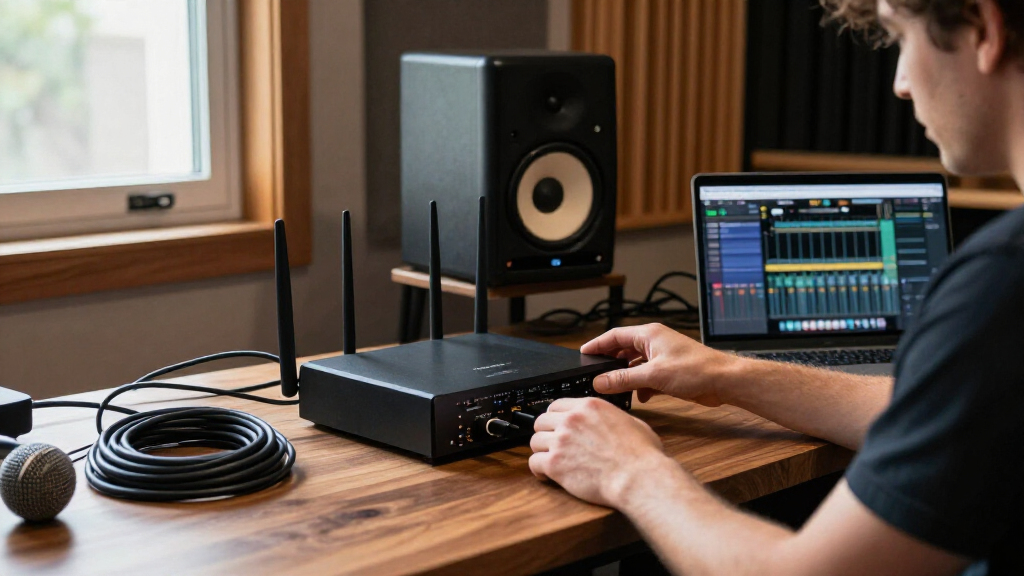
I evaluated these routers based on real-world throughput, coverage consistency, and software maturity. While theoretical maximum speeds are useful for marketing, I prioritized models that maintain stable connections under load, such as simultaneous 4K streams and online gaming. I also considered the setup experience, favoring devices with intuitive apps and clear diagnostic tools that reduce troubleshooting time for non-technical users.
The ranking logic places value and reliability above raw peak specs. A router with slightly lower top speeds but better range and consistent latency ranks higher than a high-spec model that struggles to maintain connection stability in distant rooms. I also weighed the ecosystem compatibility, ensuring that mesh add-ons and firmware updates align with Netgear’s current support lifecycle to protect your investment.
| Netgear router | Coverage |
|---|---|
| NETGEAR Nighthawk RS200 Dual-B | Up to 2,500 sq. ft. |
| NETGEAR Nighthawk RS300 Tri-Ba | Up to 2,500 sq. ft. |
| NETGEAR Nighthawk R6700AX WiFi | Up to 1,500 sq. ft. |
| NETGEAR Nighthawk RAX50 AX5400 | Up to 2,500 sq. ft. |
| NETGEAR Nighthawk RS90 Dual-Ba | Up to 2,000 sq. ft. |
| NETGEAR Orbi 370 Series WiFi 7 | Up to 6,000 sq. ft. |
| NETGEAR Nighthawk AX3000 WiFi | Up to 2,000 sq. ft. |
| Netgear Nighthawk RAX41 WiFi 6 | Up to 2,250 sq. ft. |
| NETGEAR Nighthawk RS150 WiFi 7 | Up to 2,250 sq. ft. |
| NETGEAR Nighthawk RAX43 AX4200 | Up to 2,000 sq. ft. |
| NETGEAR Nighthawk CAX80 DOCSIS | — |
| NETGEAR Nighthawk BE9300 Tri-B | Up to 2,500 sq. ft. |
| NETGEAR Orbi 770 Series WiFi 7 | — |
| NETGEAR Nighthawk CAX30 DOCSIS | Up to 2,000 sq ft |
| NETGEAR Nighthawk AX5 WiFi 6 R | — |
Factors to Consider When Choosing Best Netgear Routers
Selecting the right router involves more than just picking the highest number on the box. Here are the critical factors that should drive your decision.WiFi 7 vs. WiFi 6: Do You Need the Upgrade?
WiFi 7 introduces Multi-Link Operation (MLO), allowing devices to connect to multiple bands simultaneously for reduced latency and higher reliability. If you own the latest smartphones, laptops, or gaming consoles supporting WiFi 7, a router like the Nighthawk RS200 or RS90 unlocks these benefits. However, if your device ecosystem is still primarily WiFi 6 or older, a high-quality WiFi 6 router like the RAX50 delivers ample speed for current needs at a lower cost. Do not upgrade to WiFi 7 solely for future-proofing unless you plan to keep the router for five to seven years.
Single Router vs. Mesh System Coverage
A common mistake is assuming a powerful single router can cover a large, multi-story home. While models like the Nighthawk RS300 offer strong signal strength, walls and floors degrade performance. A mesh system like the Orbi 770 uses dedicated backhaul channels to maintain speed between nodes, ensuring that your connection remains stable as you move through the house. If your home exceeds 2,500 square feet or has complex architecture, a mesh system is the more reliable choice despite the higher price.
The Hidden Cost of Modem-Router Combos
Devices like the CAX80 combine a modem and router, eliminating the need for two separate units. This saves space and reduces monthly ISP rental fees. However, combos often have less powerful processors and fewer advanced networking features than standalone routers. If you need heavy-duty QoS for competitive gaming or a large smart home network, a standalone router paired with a separate modem often provides better long-term flexibility and performance.
Port Requirements and Wired Backhaul
Many modern routers are cutting corners on Ethernet ports to save costs. If you rely on wired connections for desktop computers, NAS drives, or gaming consoles, check the number of Gigabit ports available. High-end models like the Nighthawk BE9300 often include multi-gigabit ports (2.5G or 10G) to handle speeds exceeding 1 Gbps. For mesh systems, a wired backhaul between nodes significantly improves performance, so prioritize models with sufficient Ethernet ports to support this setup if your home structure allows it.
Software Support and Longevity
Netgear’s software interface has improved, but firmware support lifecycles vary. Premium models typically receive security updates and feature enhancements for longer periods. Before buying, check if the model supports EasyMesh, a standard that allows you to add compatible nodes from other brands if Netgear’s specific mesh add-ons become unavailable. This flexibility protects your network investment against discontinued product lines and ensures you can expand coverage as needed.
Frequently Asked Questions
Is WiFi 7 worth the extra cost over WiFi 6 in 2027?
For most users, WiFi 7 is worth it if you are buying a new router now and plan to keep it for several years. The new standard offers better efficiency and lower latency, which benefits gaming and video calls even if your internet plan is under 1 Gbps. However, if you are on a tight budget and your current WiFi 6 router handles your devices without buffering, there is no immediate performance gap that demands an upgrade. Wait until your internet speed exceeds 1 Gbps or you upgrade your primary devices to WiFi 7 compatible models.
Can I mix Netgear Orbi units with other mesh brands?
Generally, no. Netgear Orbi systems are designed to work exclusively with other Orbi units to maintain their proprietary high-speed backhaul connections. Mixing Orbi with Eero, Deco, or other mesh brands will not work as a unified system. If you want cross-brand compatibility, look for routers that explicitly support the EasyMesh standard, though these may not offer the same seamless roaming performance as a dedicated Orbi ecosystem.
Do I need a modem-router combo like the CAX80?
You only need a combo unit if you want to reduce desk clutter and avoid paying monthly rental fees to your ISP. While convenient, combo units often have weaker Wi-Fi range and fewer advanced features than standalone routers. If you have a large home or need specific gaming optimizations, buying a separate modem and a dedicated Nighthawk router provides better performance and easier troubleshooting. Use a combo only for smaller apartments or basic internet needs.
How many Ethernet ports do I actually need?
Count every device that will use a wired connection, including desktop PCs, gaming consoles, smart TVs, and mesh satellites if you use wired backhaul. Most standard routers offer four LAN ports, which is sufficient for average homes. If you have more than four wired devices, you will need a separate network switch. High-end models may include 2.5G ports, which are useful for NAS drives or high-speed local transfers but are not necessary for typical internet browsing.
Is a refurbished Netgear router a safe buy?
Refurbished units, like the RS300 mentioned in this guide, can be safe if purchased directly from Netgear or a certified refurbisher with a warranty. Avoid third-party sellers with vague return policies, as routers can suffer from degraded internal components or outdated firmware that is difficult to reset. Always verify that the unit includes the original power adapter and supports the latest firmware updates before finalizing the purchase to ensure security and performance.
Conclusion
The best Netgear routers depend entirely on your home size and device ecosystem. For most households seeking future-proof performance without breaking the bank, the NETGEAR Nighthawk RS200 stands out as the best overall choice, balancing WiFi 7 speeds with manageable pricing. If you have a large home with dead zones, the NETGEAR Orbi 770 Series is the superior premium option for seamless whole-home coverage. Budget-conscious buyers should still find excellent value in the Nighthawk RAX50, which delivers reliable WiFi 6 performance for standard streaming and browsing. Choose the CAX80 only if you prioritize desk simplicity over advanced networking features, and consider refurbished models like the RS300 if you want flagship specs at a lower cost and trust the vendor’s warranty.