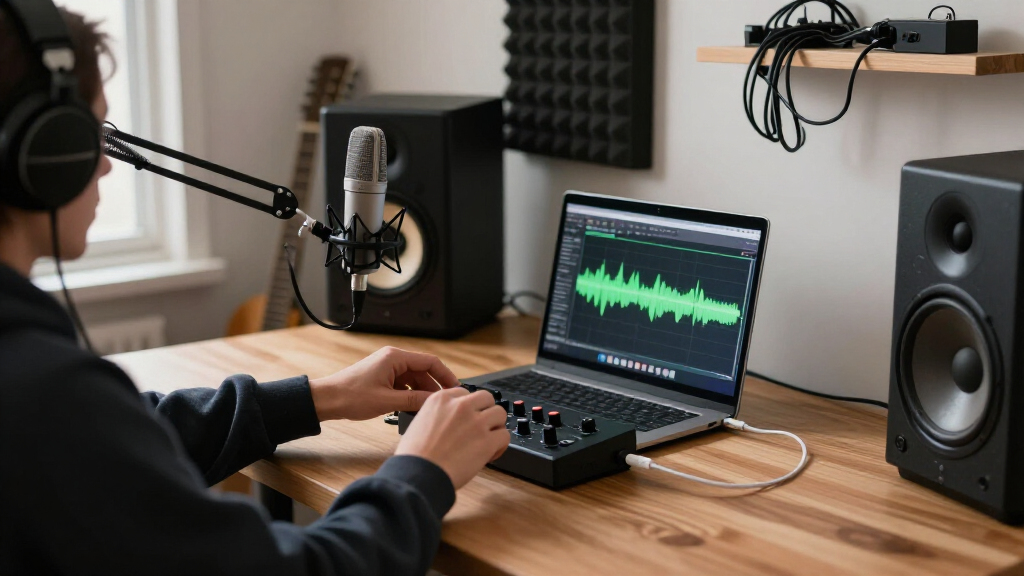

For most home studios, I’d start with the Focusrite Scarlett Solo 4th Gen for a straightforward solo setup, while the PreSonus AudioBox 96 Studio Recording Package makes more sense if you need recording accessories in one bundle. The Universal Audio Volt 1 is another standout for buyers who value its recording features and software ecosystem. The main tradeoffs are how many inputs you need, whether you want a portable or desktop setup, and how much software or recording gear comes with the interface. More inputs can help with multiple microphones or instruments, but add little for a singer recording one source at a time. Read on for my breakdown of all 15 options and how I’d match each to a home studio.

Get audio and creator gear delivered free with Prime
- Fast, free delivery on millions of items
- Prime Video, Amazon Music and more included
- Member-only deals all year
Complete the kit


Key Takeaways
The Scarlett Solo 4th Gen is the most balanced solo-recording choice in this lineup; the Scarlett Solo 3rd Gen may suit buyers who do not need the newer generation’s features.
The AudioBox 96 Studio Recording Package stands apart because it bundles recording gear, while the AudioBox 96 interface alone leaves accessory choices to you.
The Volt 1 is the premium-leaning option here, but buyers should weigh its feature set and software against less costly, simpler interfaces such as the M-Track Solo.
The MAONO P2 and P1 target mobile and creator workflows more directly than traditional desktop recording, so they suit different setups from the Fender AudioBox GO.
Several compact 2×2 options promise high-resolution recording, but input count, controls, connectivity, and software support matter more to most home studios than the headline sample-rate figure.
| MAONO P2 Hybrid USB Audio Interface with Dual XLR for PC, Phone, iPad, and Guitar |  | Best for Hybrid Streaming and Recording | Inputs: Dual XLR microphone; guitar/instrument | Channels: 2 | Connection: USB-C, USB-A/C, MFi-certified mobile connectivity | VIEW LATEST PRICE | See Our Full Breakdown |
| Fender AudioBox GO 2×2 USB-C Audio Interface with Fender Studio App and Amp & FX Pack |  | Best Compact Guitar-and-Vocal Pick | Inputs/outputs: 2×2 | Connection: Bus-powered USB-C | Audio quality: 24-bit/96 kHz | VIEW LATEST PRICE | See Our Full Breakdown |
| PreSonus AudioBox USB 96 25th Anniversary Studio Recording Package |  | Best Complete Starter Bundle | Interface: PreSonus AudioBox USB 96 audio/MIDI interface | Preamps: Two Class-A microphone preamps | Inputs: Combo input jacks | VIEW LATEST PRICE | See Our Full Breakdown |
| M-Audio M-Track Duo USB Audio Interface |  | Best for Straightforward Two-Source Recording | Inputs: 2 x combo XLR/line/instrument | Audio resolution: 48 kHz | Phantom power: Yes | VIEW LATEST PRICE | See Our Full Breakdown |
| PreSonus AudioBox 96 25th Anniversary USB Audio Interface |  | Best for MIDI-Equipped Home Studios | Connection: USB 2.0, bus-powered | Channels: 2 | Mic preamps: Two Class-A | VIEW LATEST PRICE | See Our Full Breakdown |
| XTUGA Q-12 USB Audio Interface for PC |  | Best for Basic Two-Mic Setups | Channels: 2 | Audio resolution: 16-bit/48 kHz | Maximum sample rate: 48 kHz | VIEW LATEST PRICE | See Our Full Breakdown |
| Kmise USB Audio Interface with 48V Phantom Power (USB 3.0 Type-A) |  | Best Compact Starter | Interface connection: USB 3.0 Type-A | Recording resolution: 24-bit/192 kHz | Inputs: Microphone input, instrument input | VIEW LATEST PRICE | See Our Full Breakdown |
| Focusrite Scarlett Solo 3rd Gen USB-C Audio Interface |  | Best for Singer-Songwriters | Generation: 3rd Gen | Connectivity: USB-C, bus-powered | Recording resolution: 24-bit/192 kHz | VIEW LATEST PRICE | See Our Full Breakdown |
| Focusrite Scarlett Solo 4th Gen USB-C Audio Interface |  | Best for Clean, Detailed Solo Recording | Generation: 4th Gen | Connection: USB-C | Dynamic range: 120 dB | VIEW LATEST PRICE | See Our Full Breakdown |
| MAONO P1 USB-C Audio Interface with 70dB Gain |  | Best for Streaming and Mobile Creators | Connection: USB-C audio interface with dual USB ports | Gain: Up to 70 dB | Audio quality: 24-bit/192 kHz | VIEW LATEST PRICE | See Our Full Breakdown |
| CIXUN 2×2 USB-C Audio Interface for PC and Mac |  | Best for High-Gain Mic Setups | Channels: 2 input, 2 output | Inputs: 2 XLR/TRS combo jacks | Recording resolution: 24-bit/192 kHz | VIEW LATEST PRICE | See Our Full Breakdown |
| Universal Audio Volt 1 USB Audio Interface |  | Best for a Solo Recording Chain | Inputs/outputs: 1 input / 2 outputs | Recording resolution: 24-bit/192 kHz | Preamp mode: Vintage mode derived from UA 610 tube preamp | VIEW LATEST PRICE | See Our Full Breakdown |
| PIYONE Q28 2×2 24-bit/192kHz USB-C Audio Interface with XLR/TRS Combo Inputs (Alloy Red) |  | Best for a Dim Desk Setup | Channels: 2 in / 2 out | Inputs: 2 XLR/TRS combo jacks | Recording resolution: 24-bit/192 kHz | VIEW LATEST PRICE | See Our Full Breakdown |
| M-Audio M-Track Solo USB Audio Interface |  | Best for Basic Podcasting | Audio resolution: 48 kHz | Inputs: 1 combo XLR/line input and 1 Line/Instrument input | Outputs: 1/8-inch headphone output and stereo RCA outputs | VIEW LATEST PRICE | See Our Full Breakdown |
| Jolgoo 2×2 USB Audio Interface with 24-Bit/192 kHz Recording and Phantom Power |  | Best for a No-Frills Two-Mic Setup | Inputs: 2 XLR/line combo inputs | Recording resolution: 24-bit/192 kHz | Phantom power: +48V | VIEW LATEST PRICE | See Our Full Breakdown |
| USB audio interfaces for home studio | Inputs | Compatibility | Phantom power |
|---|---|---|---|
| MAONO P2 Hybrid USB Audio Inte | Dual XLR microphone; guitar/instrument | — | — |
| Fender AudioBox GO 2×2 USB-C A | — | macOS, Windows | — |
| PreSonus AudioBox USB 96 25th | Combo input jacks | — | — |
| M-Audio M-Track Duo USB Audio | 2 x combo XLR/line/instrument | Mac, PC | Yes |
| PreSonus AudioBox 96 25th Anni | Two combo mic/instrument/line | — | +48V global |
| XTUGA Q-12 USB Audio Interface | XLR, 3.5 mm microphone jack | — | Switchable 48V |
| Kmise USB Audio Interface with | Microphone input, instrument input | Mac, PC, mobile devices | 48V |
| Focusrite Scarlett Solo 3rd Ge | — | — | — |
| Focusrite Scarlett Solo 4th Ge | — | — | — |
| MAONO P1 USB-C Audio Interface | — | — | — |
| CIXUN 2×2 USB-C Audio Interfac | 2 XLR/TRS combo jacks | PC, Mac, and mobile devices | 48V |
| Universal Audio Volt 1 USB Aud | — | Windows, macOS, iPad, and iPhone | — |
| PIYONE Q28 2×2 24-bit/192kHz U | 2 XLR/TRS combo jacks | PC, Mac, and iOS | 48V |
| M-Audio M-Track Solo USB Audio | 1 combo XLR/line input and 1 Line/Instrument input | Mac and PC | Supported |
| Jolgoo 2×2 USB Audio Interface | 2 XLR/line combo inputs | Windows, macOS, iOS, and Android | +48V |
More Details on Our Top Picks
MAONO P2 Hybrid USB Audio Interface with Dual XLR for PC, Phone, iPad, and Guitar
The MAONO P2 is the most flexible pick here for a home studio that also records or streams from a phone or tablet. Its dual XLR inputs and up to 56 dB of gain suit two-mic conversations, while USB-C and mobile connectivity let a creator bring a computer and mobile device into the same workflow. Compared with the Fender AudioBox GO, it offers a second XLR mic input and a higher listed maximum sample rate; the Fender is the more compact, straightforward guitar-and-vocal option. Independent mute, headphone, and monitor controls are useful during live sessions, but the P2’s routing options may take more setup for a first-time user. Its two channels still cap how many sources can be recorded at once, and mobile connections may need compatible adapters.
Pros:- Two XLR inputs support two-microphone sessions
- USB-C and MFi-certified mobile connectivity support computer and mobile workflows
- Independent mute, headphone, and monitor controls help manage live recording
- 24-bit/192 kHz recording specification and 56 dB gain
Cons:- Two-channel capacity limits larger ensembles and multi-microphone setups
- Routing features may take time to learn
- Some mobile configurations may require compatible devices or adapters
Best for: Home podcasters and streamers who need two microphones and want to include a phone or tablet in their recording setup
Not ideal for: Beginners seeking the simplest plug-in recording setup, or musicians who need to record more than two channels at once
- Inputs:Dual XLR microphone; guitar/instrument
- Channels:2
- Connection:USB-C, USB-A/C, MFi-certified mobile connectivity
- Audio quality:24-bit/192 kHz
- Maximum gain:56 dB
- Operating systems:Android, ChromeOS, Windows, iOS, macOS
- Housing:Aluminum alloy
Our verdict“Choose the MAONO P2 if your home studio needs two mic inputs and a flexible computer-to-mobile workflow.”
Fender AudioBox GO 2×2 USB-C Audio Interface with Fender Studio App and Amp & FX Pack
The Fender AudioBox GO makes sense for a small home desk where one microphone and one guitar or bass cover most sessions. The dedicated instrument input keeps guitar setup direct, and zero-latency headphone monitoring with mix control helps a player hear both the input and playback while tracking. It is simpler to place and carry than the PreSonus AudioBox USB 96 package, which adds a microphone, headphones, stand, and MIDI interface but takes up more space and bundles more gear. The Fender’s 24-bit/96 kHz converters, phantom power, and balanced outputs cover common home-recording needs. Its two-input layout is restrictive for two-mic interviews, and the included Studio Pro access is a six-month trial, so ongoing access to that software requires a paid subscription.
Pros:- Dedicated guitar and bass input simplifies instrument recording
- Bus-powered USB-C design suits compact and mobile setups
- Zero-latency headphone monitoring includes a mix control
- Fender Amp & FX Pack and Studio Pro trial add recording tools
Cons:- Two-input configuration limits simultaneous multi-mic recording
- Studio Pro trial lasts six months, after which continued use requires a paid subscription
Best for: Guitarists or singer-songwriters recording one mic and one instrument at a time who want a compact, bus-powered interface
Not ideal for: Two-microphone podcasters or bands recording several sources simultaneously
- Inputs/outputs:2×2
- Connection:Bus-powered USB-C
- Audio quality:24-bit/96 kHz
- Microphone input:XLR combo with switchable +48V phantom power
- Instrument input:Dedicated TS guitar/bass input
- Main outputs:Two balanced ¼-inch TRS
- Compatibility:macOS, Windows
- Included software:Fender Studio app, Amp & FX Pack, six-month Fender Studio Pro trial
Our verdict“Pick the AudioBox GO for a compact guitar-and-vocal setup with direct monitoring and bundled Fender tools.”
PreSonus AudioBox USB 96 25th Anniversary Studio Recording Package
The PreSonus package is the most ready-to-record option in this group: it supplies an AudioBox USB 96 interface alongside an M7 condenser microphone, HD7 headphones, cables, and a desktop stand. That helps a new home-studio owner get a basic vocal or podcast setup together without sourcing each piece separately. Compared with the Fender AudioBox GO, this bundle gives up some portability and the Fender’s dedicated guitar input in favor of a broader starter kit with two Class-A preamps and recording software. The two combo inputs allow a mic-and-instrument setup or two mic sources, but the product data does not specify recording resolution, so buyers who prioritize documented converter specs may prefer the standalone PreSonus AudioBox 96. The included desktop stand and headphones are convenient, though the package remains limited to two inputs.
Pros:- Bundle includes a condenser microphone, headphones, cables, and desktop stand
- Two Class-A microphone preamps support dual-mic recording
- Combo inputs accommodate microphone and instrument sources
- Recording software is included
Cons:- Recording resolution is not specified in the provided product data
- Two inputs limit simultaneous recording for bands or larger podcast panels
- Bundled accessories make it less compact than the Fender AudioBox GO
Best for: First-time home-studio owners who need an interface, a vocal microphone, headphones, and basic recording software in one package
Not ideal for: Mobile musicians prioritizing a compact rig, or spec-focused buyers who need a clearly stated recording resolution
- Interface:PreSonus AudioBox USB 96 audio/MIDI interface
- Preamps:Two Class-A microphone preamps
- Inputs:Combo input jacks
- Microphone:M7 large-diaphragm condenser microphone
- Headphones:HD7 headphones
- Included accessories:Cables and desktop microphone stand
- Software:Studio One Artist, Studio Magic Suite, Ableton Live Lite
Our verdict“Choose this package if you want the core gear for a first home vocal or podcast setup in one box.”
M-Audio M-Track Duo USB Audio Interface
The M-Track Duo is a plain, practical fit for a home studio that needs two inputs for voice, guitar, or a small podcast setup. Its combo XLR/line/instrument inputs keep source options open, and the USB/Direct switch offers low-latency monitoring without depending on software playback. Against the PreSonus AudioBox 96, it has a simpler feature set and the listed resolution is 48 kHz; the PreSonus adds MIDI I/O and specifies 24-bit/96 kHz recording. The M-Track Duo may suit someone who only needs the basics, but its product details do not mention MIDI or bundled cables, and the two-input ceiling rules out larger sessions. Phantom power and stereo outputs make it more capable than a single-input interface, while the modest published spec set leaves fewer details for buyers comparing recording formats.
Pros:- Two combo inputs accept microphones, line sources, and instruments
- Phantom power supports condenser microphones
- USB/Direct switch enables zero-latency monitoring
- Stereo ¼-inch outputs and headphone output support a basic monitor setup
Cons:- Listed audio resolution is 48 kHz
- No MIDI I/O is specified
- Two inputs limit multi-mic and band recording
Best for: Home podcasters and solo musicians who need two flexible inputs, direct monitoring, and a simple Mac or PC setup
Not ideal for: Producers who need MIDI connections, higher stated sample-rate support, or more than two simultaneous inputs
- Inputs:2 x combo XLR/line/instrument
- Audio resolution:48 kHz
- Phantom power:Yes
- Headphone output:¼-inch
- Line outputs:Stereo ¼-inch
- Monitoring:USB/Direct switch for zero-latency monitoring
- Compatibility:Mac, PC
- Included software:MPC Beats
Our verdict“Pick the M-Track Duo for uncomplicated two-source home recording where direct monitoring matters more than expanded connectivity.”
PreSonus AudioBox 96 25th Anniversary USB Audio Interface
The standalone PreSonus AudioBox 96 suits a home studio that needs two mic preamps and a way to connect external MIDI gear. Its MIDI I/O gives it an advantage over the M-Audio M-Track Duo for keyboard and controller setups, while its stated 24-bit/96 kHz recording is more specific than the M-Audio’s listed 48 kHz resolution. The steel chassis and USB bus power also make it a reasonable choice for moving between a desk and a rehearsal space. The tradeoff is an older USB 2.0 connection and global phantom power, which switches both mic inputs together rather than independently. Unlike the AudioBox USB 96 recording package, this listing does not include a microphone or headphones, so a buyer starting from scratch will need to add those separately.
Pros:- Two Class-A preamps and combo inputs support mic, instrument, and line sources
- MIDI I/O connects compatible keyboards and controllers
- Bus-powered steel chassis suits portable use
- Zero-latency mixer control supports direct monitoring
Cons:- Two-channel capacity does not suit larger multi-mic sessions
- Global phantom power offers no per-input switching
- USB 2.0 is an older connection standard than the Fender AudioBox GO’s USB-C
Best for: Home musicians using MIDI keyboards or controllers alongside two microphones or instruments
Not ideal for: Buyers who need more than two recording channels, per-input phantom power, or a complete starter bundle
- Connection:USB 2.0, bus-powered
- Channels:2
- Mic preamps:Two Class-A
- Inputs:Two combo mic/instrument/line
- Outputs:Balanced ¼-inch TRS and headphone output
- MIDI:MIDI I/O
- Audio resolution:24-bit/96 kHz
- Phantom power:+48V global
Our verdict“Choose the AudioBox 96 if MIDI connectivity and two mic preamps matter more than USB-C or a bundled microphone kit.”
XTUGA Q-12 USB Audio Interface for PC
The XTUGA Q-12 suits a home setup that needs both an XLR connection and a 3.5 mm microphone jack without a separate power adapter. That mix gives it more flexibility with microphone types than the Focusrite Scarlett Solo 3rd Gen, which is aimed at a mic-and-instrument workflow. The tradeoff is recording headroom: the Q-12 tops out at 16-bit/48 kHz, below the 24-bit/192 kHz options in this roundup. Switchable 48V phantom power supports condenser microphones, and USB plug-and-play operation keeps the setup simple. I’d choose it for straightforward voice recording, karaoke, or streaming with a computer, but skip it if you want more detailed compatibility information or plan to expand into a higher-resolution production workflow.
Pros:- XLR and 3.5 mm microphone inputs accommodate different microphone types
- Switchable 48V phantom power supports condenser microphones
- USB-powered operation avoids a separate power adapter
- Works with several named recording applications, including Audacity and Ableton Live
Cons:- 16-bit/48 kHz recording offers less resolution than the 24-bit interfaces in this roundup
- Limited to two channels
- Compatibility details beyond computer operating systems are not provided
Best for: Computer users who want a simple interface for voice recording or streaming and need both XLR and 3.5 mm microphone inputs
Not ideal for: Home producers who want 24-bit recording, detailed compatibility guidance, or room to grow beyond a basic two-channel setup
- Channels:2
- Audio resolution:16-bit/48 kHz
- Maximum sample rate:48 kHz
- Inputs:XLR, 3.5 mm microphone jack
- Phantom power:Switchable 48V
- Connectivity:USB
- Dimensions:5.98 × 4.92 × 1.97 in
- Weight:0.31 kg
Our verdict“Choose the Q-12 for a basic computer recording setup that benefits from both XLR and 3.5 mm microphone inputs.”
Kmise USB Audio Interface with 48V Phantom Power (USB 3.0 Type-A)
The Kmise USB interface packs mic and instrument inputs, headphone monitoring, and speaker output into a compact setup for recording vocals or guitar. Its stated 24-bit/192 kHz recording specification matches the resolution offered by the Focusrite Scarlett Solo 3rd Gen, while the Kmise also lists compatibility with mobile devices. That flexibility is appealing for a beginner moving between a computer and a phone, though its USB Type-A connection may call for an adapter on newer USB-C-only gear. The product description also says it supports low-latency monitoring and 48V phantom power, but gives less detail about its preamps and workflow than Focusrite does. I’d pick it for a small, simple recording rig; larger multitrack projects will outgrow its stated input setup.
Pros:- 24-bit/192 kHz recording specification
- Mic and instrument inputs support common vocal and guitar recording
- 48V phantom power supports condenser microphones
- Headphone and speaker outputs provide monitoring options
Cons:- USB Type-A may require an adapter for USB-C-only devices
- The listed input setup may constrain larger multitrack sessions
- No bundled recording software is specified
Best for: New home recordists who want a compact mic-and-instrument interface for vocals or guitar on a computer or mobile device
Not ideal for: Producers who need several simultaneous inputs, a USB-C-only connection, or detailed information about preamp performance
- Interface connection:USB 3.0 Type-A
- Recording resolution:24-bit/192 kHz
- Inputs:Microphone input, instrument input
- Outputs:Headphone output, speaker output
- Phantom power:48V
- Monitoring:Low-latency monitoring
- Compatibility:Mac, PC, mobile devices
- Use cases:Recording, podcasting, streaming, vocals, guitar
Our verdict“The Kmise is a compact entry point for vocal and guitar recording when mobile compatibility matters and a USB-A connection fits your setup.”
Focusrite Scarlett Solo 3rd Gen USB-C Audio Interface
The Scarlett Solo 3rd Gen is a focused choice for a home studio built around one vocalist or one instrument at a time. Its switchable Air mode can add presence to vocals and acoustic instruments, while the high-headroom instrument input is designed to accept guitar or bass without clipping. Compared with the XTUGA Q-12, the Solo trades the extra 3.5 mm microphone option for a more clearly defined mic-and-instrument workflow and 24-bit/192 kHz recording. It is bus-powered over USB-C, so it can travel between desks without an external supply. The limitation is capacity: one mic preamp means it is poorly suited to recording two vocalists or a stereo source together. The included software also gives a beginner a clearer starting kit than the Kmise listing provides.
Pros:- 24-bit/192 kHz recording
- Switchable Air mode can add presence to vocals and acoustic instruments
- High-headroom instrument input is designed for guitar or bass
- Bus-powered USB-C connection and bundled recording software
Cons:- One mic preamp limits simultaneous microphone recording
- A single-channel recording workflow may not suit stereo sources or small ensembles
Best for: Singer-songwriters recording one vocal microphone and one guitar or bass in a computer-based home studio
Not ideal for: Bands, co-hosted podcasts, or stereo recording setups that need multiple microphone preamps at once
- Generation:3rd Gen
- Connectivity:USB-C, bus-powered
- Recording resolution:24-bit/192 kHz
- Mic preamps:1, with switchable Air mode
- Instrument inputs:2 high-headroom inputs
- Outputs:2 low-noise balanced outputs
- Included software:Pro Tools Intro+, Ableton Live Lite, Cubase LE, Hitmaker Expansion
- Warranty:3 years
Our verdict“Choose the Scarlett Solo 3rd Gen if your home studio centers on recording one singer-songwriter at a time.”
Focusrite Scarlett Solo 4th Gen USB-C Audio Interface
For a solo home-studio setup where clean capture matters, the Scarlett Solo 4th Gen centers its pitch on a 120 dB dynamic range and converters drawn from Focusrite’s flagship interfaces. Its Air mode adds presence and harmonic drive, giving vocalists and guitarists a way to shape their source at the input stage. Compared with the Scarlett Solo 3rd Gen, this model highlights dynamic range rather than specifying the earlier model’s high-headroom instrument inputs, warranty, and broader listed connection details. Both are compact solo-focused options with software bundles, but the supplied product data does not state the 4th Gen’s preamp count, sample rate, or power arrangement. That makes it harder to judge fit beyond its stated vocal-and-guitar focus. I’d shortlist it for a simple solo rig, while buyers needing multiple mic channels should look elsewhere.
Pros:- Stated 120 dB dynamic range
- Air mode adds presence and harmonic drive
- USB-C connection
- Included recording, mixing, and mastering software
Cons:- Input count and preamp details are not specified in the supplied product information
- Sample-rate and power details are not provided
- Solo-oriented vocal and guitar focus may not fit multi-microphone sessions
Best for: Solo vocalists and guitarists who want a compact interface with a stated 120 dB dynamic range and bundled production software
Not ideal for: Home studios recording multiple microphones at once or buyers who need confirmed input counts and sample-rate details before choosing
- Generation:4th Gen
- Connection:USB-C
- Dynamic range:120 dB
- Air mode:Adds presence and harmonic drive
- Included software:Pro Tools Intro+, Ableton Live Lite, Cubase LE, Hitmaker Expansion
- Primary uses:Vocals and guitar
Our verdict“Pick the Scarlett Solo 4th Gen for a straightforward solo recording setup if its stated dynamic range matters more than confirmed input specifications.”
MAONO P1 USB-C Audio Interface with 70dB Gain
The MAONO P1 is the most routing-focused pick here, aimed at creators who move between a home desk and phones, tablets, or cameras. Its up to 70 dB of gain is useful for gain-hungry dynamic microphones, while direct monitoring, loopback, mute controls, and Stream Mode support a broadcast-style workflow. That gives it a different job from the Scarlett Solo 3rd Gen, which is framed around a singer-songwriter recording a mic and instrument. The P1 also offers dual USB ports and companion software for flexible routing, but some of that flexibility depends on MAONO ProStudio2. Mobile connections may need a compatible USB-C or MFi path. Its compact metal body and tilted layout suit a crowded desk, though buyers seeking a traditional music-recording interface should weigh the creator-specific controls against their needs.
Pros:- Up to 70 dB gain supports gain-hungry dynamic microphones
- Loopback, Stream Mode, mute controls, and direct monitoring suit streaming
- Dual USB connectivity supports a range of device setups
- Zinc-alloy housing and tilted design fit compact desk setups
Cons:- Advanced routing and effects depend on MAONO ProStudio2
- Mobile recording may require compatible USB-C or MFi connections
- Creator-focused controls may be less useful for a simple instrument-recording workflow
Best for: Podcasters and streamers using dynamic microphones who want loopback, hands-on mute controls, and computer or mobile connectivity
Not ideal for: Musicians seeking a conventional instrument-first interface or users who want advanced routing without companion software
- Connection:USB-C audio interface with dual USB ports
- Gain:Up to 70 dB
- Audio quality:24-bit/192 kHz
- Equivalent input noise:-130 dB EIN
- Monitoring:Low-latency direct monitoring with independent headphone and monitor controls
- Features:Auto-Gain, mute controls, Stream Mode, loopback, ASIO support, LED indicators
- Software:MAONO ProStudio2
- Housing:Zinc-alloy metal
Our verdict“Choose the MAONO P1 for a streaming or podcast desk that needs strong mic gain, loopback, and flexible device connections.”
CIXUN 2×2 USB-C Audio Interface for PC and Mac
The CIXUN is a flexible fit for a small home studio where two sources need to be recorded at once. Its two combo inputs, 48V phantom power, and Hi-Z support cover a condenser mic plus guitar or two microphones; its stated up to 100 dB of gain may also suit quieter sources. Compared with the single-input Universal Audio Volt 1, it offers more simultaneous recording capacity, though the Volt includes a Vintage preamp mode and a substantial software bundle. CIXUN also lists PC, Mac, and mobile compatibility, but the exact mobile device requirements are unspecified. Direct monitoring helps keep performance feedback immediate, while the compact, bus-powered design suits a desk or a portable setup. Choose it for input flexibility; skip it if you need more than two inputs or clearly documented mobile support.
Pros:- Two combo inputs support microphones and line-level sources
- Hi-Z input and 48V phantom power cover guitar and condenser mic setups
- Direct monitoring supports real-time listening while recording
- Includes USB adapters and cables for several connection types
Cons:- Two input channels limit larger recording sessions
- Exact mobile device compatibility is not specified
Best for: Home musicians recording two sources at once, such as vocals and guitar, who want phantom power and an instrument input.
Not ideal for: Buyers who need more than two inputs or need confirmed compatibility with a particular phone or tablet.
- Channels:2 input, 2 output
- Inputs:2 XLR/TRS combo jacks
- Recording resolution:24-bit/192 kHz
- Maximum input gain:Up to 100 dB
- Phantom power:48V
- Connectivity:USB; bus-powered
- Compatibility:PC, Mac, and mobile devices
- Dimensions and weight:6 × 6.5 × 1.75 in; 1.5 lb
- Warranty:2 years
Our verdict“Choose the CIXUN if you need two inputs and high stated gain in a compact interface, and can verify mobile compatibility separately.”
Universal Audio Volt 1 USB Audio Interface
The Volt 1 suits a home studio built around one performer and one input at a time. Its Vintage Mic Preamp mode gives singers and guitarists a character option at capture, while the included LUNA DAW and UAD plug-ins provide a more developed software starting point than the M-Audio M-Track Solo’s MPC Beats bundle. The tradeoff is capacity: unlike the two-input CIXUN, the Volt 1 cannot record two independent sources simultaneously. Its 24-bit/192 kHz recording capability matches the high-resolution claims of several compact options here, but the stronger distinction is the preamp mode and included tools. It works with computers and Apple mobile devices, though mobile use may require an external power supply and an adapter for iPhone. I’d shortlist it for a focused vocal, guitar, or livestream setup, not a small band.
Pros:- Vintage Mic Preamp mode offers an alternate input character
- Includes LUNA DAW and a suite of UAD plug-ins
- Records at up to 24-bit/192 kHz
- Supports Windows, macOS, iPad, and iPhone
Cons:- Only one input limits simultaneous recording
- Mobile use may require external power and an adapter
Best for: Solo singers, guitarists, and podcasters who want one input plus bundled recording software and plug-ins.
Not ideal for: Musicians recording vocals and instruments simultaneously, or mobile users unwilling to provide extra power and adapters.
- Inputs/outputs:1 input / 2 outputs
- Recording resolution:24-bit/192 kHz
- Preamp mode:Vintage mode derived from UA 610 tube preamp
- Connectivity:USB
- Compatibility:Windows, macOS, iPad, and iPhone
- Included software:LUNA DAW, Teletronix LA-2A, UA 1176, Pultec EQs, PolyMAX Synth, Century Tube Channel Strip, Oxide Tape Recorder
- iOS requirement:iOS 14 or later
Our verdict“Pick the Volt 1 for a solo setup where its Vintage mode and included software matter more than having a second input.”
PIYONE Q28 2×2 24-bit/192kHz USB-C Audio Interface with XLR/TRS Combo Inputs (Alloy Red)
The PIYONE Q28 is a straightforward two-input choice for a home recording desk where visible controls and quick setup count. Its illuminated gain knobs are easy to read in low light, and its class-compliant, bus-powered USB-C connection avoids a separate power supply or driver setup according to the product details. Like the Jolgoo 2×2, it pairs two combo inputs with 48V phantom power and direct monitoring; PIYONE adds specified loopback and monitor mix functions, which may help with streaming or balancing playback against a live signal. The tradeoffs are practical: the fixed LED rings cannot be switched off, and the headphone output is 3.5 mm rather than a larger jack. It covers common home recording needs, but buyers sensitive to bright indicators or seeking a higher-output headphone connection should compare alternatives.
Pros:- Two combo inputs with 48V phantom power and Hi-Z support
- Bus-powered, class-compliant USB-C connection
- Direct monitoring, loopback, and monitor mix are specified
- Illuminated gain controls are visible in dim rooms
Cons:- Fixed LED rings cannot be turned off
- 3.5 mm headphone output may not suit users who need a larger headphone jack
Best for: Home musicians and streamers who want a simple USB-C 2×2 interface with visible controls and loopback.
Not ideal for: People who record in a dark room and dislike fixed lights, or who need a 1/4-inch headphone output.
- Channels:2 in / 2 out
- Inputs:2 XLR/TRS combo jacks
- Recording resolution:24-bit/192 kHz
- Phantom power:48V
- Connectivity and power:USB-C; bus-powered
- Headphone output:3.5 mm
- Monitoring features:Direct Monitor, Loopback, Monitor Mix
- Compatibility:PC, Mac, and iOS
- Color:Alloy Red
Our verdict“Choose the Q28 if its visible controls and loopback suit your desk workflow and the fixed lighting will not bother you.”
M-Audio M-Track Solo USB Audio Interface
The M-Track Solo is the simplest fit here for a home podcast or livestream built around one microphone and a second line or instrument source. Its combo XLR/line input and separate Line/Instrument input give it more source flexibility than the one-input Universal Audio Volt 1, though M-Audio specifies 48 kHz recording rather than the 192 kHz ceiling listed for the Volt and several two-input alternatives. The Crystal preamp and phantom power cover a condenser mic, while the USB/Direct switch provides zero-latency monitoring without adding a software step. Stereo RCA outputs and a 1/8-inch headphone jack match modest desk setups, but may be less convenient if your monitors or headphones use different connections. MPC Beats is included, though the provided details don’t list MIDI connectivity. This is the practical basic pick, not the one to grow into a multi-source studio.
Pros:- Combo mic/line input plus a separate Line/Instrument input
- Phantom power supports condenser microphones
- USB/Direct switch enables zero-latency monitoring
- Includes MPC Beats software
Cons:- Specified audio resolution is 48 kHz
- RCA monitor outputs and 1/8-inch headphone output may not match all studio gear
- MIDI connectivity is not specified
Best for: New podcasters or livestreamers recording one microphone alongside a line-level or instrument source on a Mac or PC.
Not ideal for: Home studio musicians who want high-resolution recording, MIDI connections, or more flexible monitor and headphone outputs.
- Audio resolution:48 kHz
- Inputs:1 combo XLR/line input and 1 Line/Instrument input
- Outputs:1/8-inch headphone output and stereo RCA outputs
- Preamp:Crystal Preamp
- Monitoring:USB/Direct switch for zero-latency monitoring
- Phantom power:Supported
- Included software:MPC Beats
- Compatibility:Mac and PC
Our verdict“Choose the M-Track Solo for a basic podcast or stream setup if its 48 kHz recording and compact output options fit your gear.”
Jolgoo 2×2 USB Audio Interface with 24-Bit/192 kHz Recording and Phantom Power
Jolgoo makes sense for a small home studio that needs two independently controlled combo inputs and a simple monitoring path. Both inputs support +48V phantom power, so two condenser microphones are possible, while the metal housing and USB power keep the stated setup self-contained. The PIYONE Q28 also provides two inputs and direct monitoring, but its listed loopback and monitor mix give it more specified routing options; Jolgoo’s appeal is a plainer feature set with USB-C and USB-A cables included. Its 24-bit/192 kHz recording figure is ample on paper, yet the product data doesn’t name any bundled software or detail device-specific mobile requirements. That makes it less informative for a first-time buyer than the M-Audio M-Track Solo, which identifies its software and connections. Pick Jolgoo for basic two-source recording, after checking compatibility with your particular device.
Pros:- Two combo inputs have independent gain controls
- 48V phantom power supports condenser microphones
- Direct and headphone monitoring are included
- Metal housing and both USB-C and USB-A cables are specified
Cons:- Bundled recording software is not specified
- Device-specific compatibility requirements are not detailed
Best for: Home musicians who need two mic or line inputs with separate gain controls and already have recording software.
Not ideal for: Beginners seeking a clearly specified software bundle or buyers who need confirmed setup details for a particular phone or tablet.
- Inputs:2 XLR/line combo inputs
- Recording resolution:24-bit/192 kHz
- Phantom power:+48V
- Outputs:Stereo line outputs
- Monitoring:Zero-latency direct monitoring and headphone monitoring
- Power:USB-powered
- Compatibility:Windows, macOS, iOS, and Android
- Included cables:USB-C and USB-A
- Build:Metal housing
Our verdict“Choose Jolgoo for straightforward two-input recording if you already have software and can confirm it works with your device.”
How We Picked
I ranked these USB audio interfaces for home studios by how clearly they meet common recording needs: connecting a microphone or instrument, monitoring a recording, and working with a computer or mobile device. I gave more weight to useful input and output options, straightforward controls, and a sensible fit for a defined buyer than to specification claims that may not change everyday recording. I also considered whether an option includes software or recording accessories and whether its design suits a stationary studio, a portable setup, or streaming.
The order reflects versatility and fit, not a single feature race. A focused solo interface can rank ahead of a 2×2 model when it offers a better match for one-person recording, while a bundle earns attention when it saves a beginner from sourcing compatible gear separately. Models with less clearly differentiated roles sit lower because buyers need a concrete reason to choose them over established or more purpose-built options. Each pick has tradeoffs, so the right choice depends on your sources, workflow, and plans to expand.
Factors to Consider When Choosing USB Audio Interfaces For Home Studios
Before choosing an interface, I’d map out the recording setup you actually expect to use. A simple signal-flow plan can prevent common mismatches, such as buying extra inputs you will never use or choosing a mobile-focused device for a computer-only studio. These broader questions matter across the category and can narrow the field faster than comparing spec sheets.
Count Sources You Need to Record at the Same Time
Count simultaneous sources, not just the total number of instruments you own. A singer who records one microphone at a time may do well with a solo-focused interface, while recording a microphone and guitar together calls for suitable separate inputs. A two-input model can also help capture two microphones at once, but check whether both inputs support the connection type you need. Buyers often mistake playback channels for recording inputs, so read the input layout carefully. If you expect to record a full drum kit or a band live, a compact 2×2 interface may be too limiting. Leave room for a realistic next step, but avoid paying for channels that will stay unused.
Check the Inputs Against Your Microphones and Instruments
Microphones and instruments do not all connect in the same way. A condenser microphone may need phantom power, while an electric guitar or bass usually benefits from an instrument-ready input. Combo jacks can accept more than one connector type, but the interface still needs the right input mode and gain range for the source. A frequent mistake is to assume that every XLR input is equally suited to every microphone. Think about whether you record quiet sources, use a low-output microphone, or need to switch between a mic and guitar often. Clear controls for gain and input selection can save setup time in a small home studio.
Match the Connection to Your Computer or Mobile Workflow
USB-C and USB-A describe connector shapes; they do not, on their own, tell you whether an interface will fit every device or workflow. Check compatibility with your computer, tablet, or phone, including any required adapters, drivers, and power arrangements. Mobile recording can add practical needs such as a compact footprint and a way to monitor without complicated cabling. A device designed with phone or streaming use in mind may offer controls that a conventional desktop interface does not. If you record only at a desk, those extras may add little value. Confirm how the interface handles your intended setup before treating a connector label as a compatibility guarantee.
Prioritize Monitoring and Controls You Will Use Often
Direct monitoring lets you hear an input while recording without relying entirely on software playback, which can help keep vocal performances comfortable. A headphone output and clear level controls are useful even in a basic setup, but their placement matters if the interface will sit beside a keyboard or microphone stand. Consider whether you need separate control over the recorded signal and computer playback. Confusing monitoring can lead to doubled audio or distracting delay, so learn how the interface routes sound before a session. Extra knobs and effects can help a streaming workflow, yet may complicate a recording setup that only needs a clean input and reliable headphones. Choose controls that match how you work rather than assuming more controls mean a better fit.
Judge Bundled Software and Accessories by What You Lack
A bundled recording package can be useful when you are starting without a microphone, headphones, or recording software. It can also save setup effort by giving you a coordinated starting point. The tradeoff is that included accessories may not match your preferences or future needs, and a bundle can obscure the quality of the interface itself. If you already own suitable gear, compare the interface-only option and choose software based on compatibility with your existing workflow. Check whether the software is a full application or a limited set of tools, and whether it supports your operating system. Pay extra for a package only when its contents fill a real gap in your studio.
Plan for Room Noise, Expansion, and Everyday Reliability
An interface cannot remove room echo, computer fans, or outside noise from a recording, so treat the room and microphone placement as part of the setup. In many home studios, improving the recording position makes a more audible difference than chasing a higher sample-rate figure. Look at build and control layout if the interface will travel or get frequent use, and consider whether it can sit securely on your desk. Think ahead about whether you may add a second microphone, external monitors, or another source. A modest amount of expansion can be useful, but buying a much larger system than your room and workflow support can create needless complexity. Favor dependable everyday operation over specifications that do not address your main recording constraint.
Frequently Asked Questions
Is a 2×2 interface worth choosing if I usually record one microphone?
It depends on whether you expect to record a second source at the same time. A 2×2 model can let you capture a microphone and instrument together or record two microphones, which helps with interviews and some music sessions. If you only record one source and do not plan to expand, a simpler solo interface can be easier to place and operate. Check that the second input supports the source you want; two connectors do not always mean identical input capabilities. Choose based on simultaneous recording needs rather than the appeal of having spare inputs.
Should I choose the AudioBox 96 package or buy an interface on its own?
The package makes sense if you are starting without the core recording accessories and want a coordinated way to begin. Buying an interface alone is more sensible if you already have a microphone, headphones, and software that suit your work. Bundled gear can reduce the time spent matching components, but may limit your choice of accessory models. Compare the package contents with your actual setup before deciding. The interface-only AudioBox 96 keeps the rest of the system in your hands.
Do I need a newer generation interface for a home studio?
Not automatically. A newer generation may bring changes in recording features, controls, or included software, but the older model can still suit a straightforward setup if its inputs and connections meet your needs. Compare the specific differences that affect your workflow, such as whether you record instruments and microphones together or need particular monitoring features. Avoid replacing a working interface just because a newer version exists. For a first purchase, choose the model whose capabilities and support best fit your current computer and recording plan.
Is a phone-focused interface a good choice for recording music at a desk?
It can be, but the best fit depends on whether your sessions mainly happen on a phone or computer. Phone-focused models may offer convenient routing or creator controls for mobile recording and streaming. A traditional desktop interface may be simpler if you work in a computer-based music program and need a conventional mic or instrument setup. Check the connection, power requirements, and monitoring behavior with the device you plan to use. Choose for your main recording workflow, since features aimed at a different workflow may go unused.
Will a higher sample-rate specification make my home recordings sound better?
A high sample-rate figure alone does not guarantee a more convincing recording. Microphone placement, room sound, performance, and gain setup often matter more to the result than the maximum number on an interface specification. A higher setting can also create larger files and place more demands on the computer, depending on the recording setup. Choose a sample rate that your software and project workflow support comfortably. I’d compare the interface’s inputs, monitoring, and compatibility before treating its maximum rate as a deciding factor.
Conclusion
For a balanced home setup focused on solo recording, I’d choose the Focusrite Scarlett Solo 4th Gen as the best overall pick; the Scarlett Solo 3rd Gen remains a focused alternative if its feature set covers your needs. For best value, consider the M-Audio M-Track Duo when you want two inputs for a simple recording workflow, or the M-Track Solo if one input is enough. Beginners who need recording accessories should look at the PreSonus AudioBox 96 Studio Recording Package. For a premium-leaning option, the Universal Audio Volt 1 is the standout to compare against the more basic interfaces. Choose the MAONO P2 or P1 for a mobile or creator-centered setup, and the Fender AudioBox GO when compact size and its software bundle better match your workflow.
Fall Picks
fall essentials
As an affiliate, we earn on qualifying purchases.