For streamers, the fastest upgrade from a headset mic is a USB microphone — plug it in, and your voice immediately sounds fuller and more professional without an audio interface. My top pick overall is the RØDE PodMic USB, a dynamic mic that rejects keyboard clatter and room echo better than any condenser in this lineup while offering XLR for future growth. If budget rules, the FIFINE K669B delivers shockingly solid vocal clarity under $30, and the Sennheiser Profile is the refined choice for creators who want premium condenser sound with clean onboard controls. The main tradeoff you’ll face in this category is condenser detail versus dynamic noise rejection: condensers like the Blue Yeti capture every nuance (including your fan and mechanical keyboard), while dynamics like the AM8 stay focused on your voice in untreated rooms. Read on for the full ranked breakdown, including which cheap RGB mics actually hold up and which to skip.

Get audio and creator gear delivered free with Prime
- Fast, free delivery on millions of items
- Prime Video, Amazon Music and more included
- Member-only deals all year
Complete the kit



Key Takeaways
- Dynamic USB mics (RØDE PodMic USB, FIFINE AM8) beat condensers for streamers in untreated rooms because they reject keyboard noise and echo — this was the single biggest quality differentiator in the lineup.
- FIFINE dominates the budget tier with five entries, but only the K669B and AM8 match their price with genuine streaming performance; the A6V and A6T are more about RGB aesthetics than audio quality.
- The classic Blue Yeti still offers four pickup patterns for versatility, but its sensitivity makes it a poor fit for loud setups — the Yeti Nano’s tighter focus is the smarter pick for most solo streamers.
- At the premium end, the Sennheiser Profile justifies its price with onboard gain, mute, and headphone monitoring built into the mic itself, while the RØDE NT-USB Mini wins on compactness rather than features.
- Four of the fifteen mics (PodMic USB, AM8, and others) include XLR output, meaning you can start on USB today and upgrade to an interface later without replacing the microphone.
| RØDE NT-USB Mini Studio-Quality USB Condenser Microphone |  | Best Premium Sound Quality | Type: USB condenser microphone | Signal Processing: Noise gate, compressor, Aural Exciter, Big Bottom (via software) | Monitoring: Built-in studio-grade headphone amplifier | VIEW LATEST PRICE | See Our Full Breakdown |
| FIFINE AmpliGame A6V USB Gaming Microphone with RGB Lighting |  | Best Value Gaming Kit | Connectivity: USB (detachable USB-C cable) | Sampling Rate: 192kHz | Frequency Range: 60Hz–18kHz | VIEW LATEST PRICE | See Our Full Breakdown |
| Gaming Microphone for PC, PS4/5, and Laptop – USB Condenser Mic with RGB Lights, Mute Button, Pop Filter |  | Best for Console Streamers on a Budget | Polar Pattern: Cardioid | Diaphragm: 25mm condenser | Sampling Rate: 192kHz | VIEW LATEST PRICE | See Our Full Breakdown |
| MAONO A04 USB Microphone, 192kHz/24Bit Condenser Mic Kit for PC Podcast |  | Best Full Streaming Studio Kit | Capsule: 16mm condenser, cardioid | Resolution: 192kHz/24Bit | Frequency Range: 30Hz–16kHz | VIEW LATEST PRICE | See Our Full Breakdown |
| FIFINE K683A USB Desktop PC Microphone for Recording and Streaming |  | Best Plug-and-Play Simplicity | Microphone Type: Cardioid condenser, large diaphragm | Connectivity: USB-B to USB-A/C cable | Compatibility: PS4, Mac, Windows PC | VIEW LATEST PRICE | See Our Full Breakdown |
| Tonor TC-777 Podcast Microphone, USB Condenser Mic with Tripod Stand and Pop Filter |  | Best Budget Starter Kit | Pickup Pattern: Cardioid | Connectivity: USB 2.0 | Compatibility: Windows, Mac, PS4, PS5 | VIEW LATEST PRICE | See Our Full Breakdown |
| Razer Seiren V3 Mini USB Microphone, Supercardioid Condenser Mic, Black |  | Best for Noise Rejection on a Budget | Type: Condenser Microphone | Pickup Pattern: Supercardioid | Connectivity: USB | VIEW LATEST PRICE | See Our Full Breakdown |
| RØDE PodMic USB Dynamic Broadcast Microphone with XLR and USB Connectivity |  | Best Premium Future-Proof Pick | Connectivity: USB Type-C and XLR | Polar Pattern: Unidirectional | Special Feature: XLR/USB outputs, internal DSP | VIEW LATEST PRICE | See Our Full Breakdown |
| ZealSound Podcast Microphone for PC, Noise Cancellation USB Mic with Gain, Volume Adjustment & Mute Button, Monitoring & Echo, for YouTube, TikTok, Podcasting, Streaming, iPhone, iPad, Android, Mac |  | Best for Mobile and Multi-Device Streaming | Frequency Response: 40Hz–18kHz | Sampling Rate: 46kHz | Sensitivity: –45dB ±3dB | VIEW LATEST PRICE | See Our Full Breakdown |
| FIFINE K669B USB Microphone, Condenser Recording Mic for Vocals and Meetings |  | Best Ultra-Cheap Plug-and-Play | Connectivity: USB-A | Cable Length: 5.9 feet | Design: Metal body | VIEW LATEST PRICE | See Our Full Breakdown |
| Logitech for Creators Blue Yeti Nano USB Microphone – Blackout |  | Best Compact Condenser | Connectivity: USB | Polar Patterns: Cardioid, Omnidirectional | Form Factor: Desktop condenser | VIEW LATEST PRICE | See Our Full Breakdown |
| FIFINE AmpliGame A6T USB Gaming Microphone Kit |  | Best Complete Starter Kit | Polar Pattern: Cardioid | Interface: USB-C to USB-A/C | Compatibility: Windows, Mac OS, PS4, PS5 | VIEW LATEST PRICE | See Our Full Breakdown |
| Sennheiser Profile USB Cardioid Condenser Microphone with Table Stand |  | Best Sound Quality | Microphone Type: Cardioid condenser | Connectivity: USB-C | Controls: Mute, gain, mix, volume | VIEW LATEST PRICE | See Our Full Breakdown |
| FIFINE AmpliGame AM8 USB/XLR Dynamic Microphone |  | Best Upgrade Path | Microphone Type: Dynamic, cardioid | Connections: USB and XLR | Frequency Response: 50Hz – 16kHz | VIEW LATEST PRICE | See Our Full Breakdown |
| Logitech Blue Yeti USB Microphone – Blackout |  | Most Versatile | Pickup Patterns: Cardioid, Omni, Bidirectional, Stereo | Connectivity: USB | Controls: Headphone volume, pattern selection, mute, mic gain | VIEW LATEST PRICE | See Our Full Breakdown |
| USB microphones for streaming | Connectivity | Compatibility |
|---|---|---|
| RØDE NT-USB Mini Studio-Qualit | USB | PC and Mac |
| FIFINE AmpliGame A6V USB Gamin | USB (detachable USB-C cable) | Desktop/laptop, PS4/PS5 |
| Gaming Microphone for PC | USB | — |
| MAONO A04 USB Microphone | USB / USB Type-C | PC, Mac, PS4, PS5, mobile phones |
| FIFINE K683A USB Desktop PC Mi | USB-B to USB-A/C cable | PS4, Mac, Windows PC |
| Tonor TC-777 Podcast Microphon | USB 2.0 | Windows, Mac, PS4, PS5 |
| Razer Seiren V3 Mini USB Micro | USB | — |
| RØDE PodMic USB Dynamic Broadc | USB Type-C and XLR | — |
| ZealSound Podcast Microphone f | USB-C, Lightning adapters included | — |
| FIFINE K669B USB Microphone | USB-A | PC, Mac, PS4, PS5 |
| Logitech for Creators Blue Yet | USB | PC and Mac |
| FIFINE AmpliGame A6T USB Gamin | — | Windows, Mac OS, PS4, PS5 |
| Sennheiser Profile USB Cardioi | USB-C | PC and Mac |
| FIFINE AmpliGame AM8 USB/XLR D | — | — |
| Logitech Blue Yeti USB Microph | USB | PC and Mac |
More Details on Our Top Picks
RØDE NT-USB Mini Studio-Quality USB Condenser Microphone
This option stands out for buyers who care more about audio fidelity than flashy gamer aesthetics. The NT-USB Mini delivers a tuned, warm condenser sound that punches above its compact size, and its built-in digital signal processing suite — noise gate, compressor, Aural Exciter, Big Bottom — puts broadcast-style polish within reach without external software. Compared with the MAONO A04, which also targets quality-focused streamers, the RØDE offers a tighter, more refined sonic signature and a far smaller desk footprint. The tradeoff is price: you pay a premium for the RØDE badge and gain fewer bundled accessories — no boom arm, no shock mount in the box. Effects also require RØDE’s companion app rather than living on the mic itself, and USB-only connectivity means no upgrade path to XLR like the RØDE PodMic USB offers.
Pros:- Warm, tailored studio-grade condenser sound in a compact body
- Onboard DSP with noise gate, compressor, Aural Exciter and Big Bottom
- Studio-grade headphone amplifier for zero-latency monitoring
- Small footprint suits tight streaming desks
- Seamless PC and Mac compatibility
Cons:- Premium price with no boom arm or shock mount included
- DSP effects require companion software to access
- USB-only — no XLR upgrade path unlike the RØDE PodMic USB
Best for: Streamers and podcasters with a bigger budget who prioritize polished vocal sound over RGB flair and bundled gear
Not ideal for: Budget-conscious buyers or gamers who want an all-in-one kit with boom arm and lighting — the bare-bones package and premium price don’t fit that brief
- Type:USB condenser microphone
- Signal Processing:Noise gate, compressor, Aural Exciter, Big Bottom (via software)
- Monitoring:Built-in studio-grade headphone amplifier
- Connectivity:USB
- Compatibility:PC and Mac
- Form Factor:Compact desktop microphone
Our verdict“The pick for streamers who want the cleanest, most professional voice quality per cubic inch and are willing to pay for it.”
FIFINE AmpliGame A6V USB Gaming Microphone with RGB Lighting
This model is better suited to streamers who want a complete, camera-ready desk setup without a big spend. The A6V arrives with a shock mount, pop filter, and tripod in the box — accessories the pricier RØDE NT-USB Mini leaves out — and adds tap-to-mute plus a gain knob right on the body, which the cheaper Tonor TC-777 doesn’t offer. The 192kHz sampling rate and RGB ring give it genuine streaming credibility for Twitch or YouTube. Tradeoffs are real though: the frequency range tops out at 18kHz with a 70dB signal-to-noise ratio, so it sounds good rather than great next to dedicated audio brands, and there’s no on-device RGB customization beyond cycling presets. Console players on PS4/PS5 are well covered, but the desk-bound USB cable and ABS-heavy build remind you this is a value pick, not a premium one.
Pros:- Complete kit with shock mount, pop filter, and tripod included
- Tap-to-mute and gain knob built into the mic body
- 192kHz sampling for detailed streaming audio
- Plug-and-play with PC, laptops, and PS4/PS5
Cons:- 70dB signal-to-noise ratio trails premium condensers
- RGB customization limited to cycling preset colors
- Plastic-heavy construction compared to all-metal rivals
Best for: New streamers on a budget who want a full accessory kit, on-mic controls, and RGB aesthetic in one affordable package
Not ideal for: Audio-first podcasters — its noise floor and plastic-heavy build lag behind condensers like the MAONO A04 for recorded voice work
- Connectivity:USB (detachable USB-C cable)
- Sampling Rate:192kHz
- Frequency Range:60Hz–18kHz
- Signal-to-Noise Ratio:70 dB
- Controls:Tap-to-mute, gain knob
- Lighting:RGB with cycling colors
- Compatibility:Desktop/laptop, PS4/PS5
- Included:Shock mount, pop filter, tripod stand
Our verdict“The best bang-for-buck package for gamers who want everything in the box and RGB style for their first streaming setup.”
Gaming Microphone for PC, PS4/5, and Laptop – USB Condenser Mic with RGB Lights, Mute Button, Pop Filter
This pick makes the most sense for console-first streamers who need a no-fuss mic that works across PS4, PS5, and PC without drivers or dongles. Its 25mm cardioid capsule with 192kHz sampling keeps voice pickup focused and clean, and the solid carbon steel base means it won’t wobble mid-rage-game — a stability advantage over the lightweight tripod that ships with the FIFINE K683A. The 3.5mm headphone jack for real-time monitoring is a welcome touch at this price. The compromises: no gain control on the mic itself, so you’re adjusting levels in software, and the frequency range and noise performance sit in budget territory. The RGB “Symphony Lights” look great on camera but can’t be dimmed or disabled, which will annoy anyone recording without a gaming aesthetic.
Pros:- Cross-platform plug-and-play with PS4/PS5, PC, and laptops
- Sturdy carbon steel base stays put during intense sessions
- One-touch mute with visual indicator
- 3.5mm headphone jack for zero-latency monitoring
Cons:- No onboard gain control — levels must be set in software
- RGB lighting can’t be dimmed or turned off
- Bulkier footprint than compact options like the NT-USB Mini
Best for: Console gamers streaming from PS4/PS5 or PC who want stable hardware, one-touch mute, and headphone monitoring for minimal money
Not ideal for: Minimalist desks or professional podcasters — the always-on RGB lighting and lack of onboard gain control limit flexibility
- Polar Pattern:Cardioid
- Diaphragm:25mm condenser
- Sampling Rate:192kHz
- Connectivity:USB
- Monitoring:3.5mm headphone jack
- Base Material:Carbon steel
- Cable Length:180cm
Our verdict“A sensible cheap pick for console streamers who value stability and monitoring over fine-grained audio control.”
MAONO A04 USB Microphone, 192kHz/24Bit Condenser Mic Kit for PC Podcast
This option stands out for streamers who want to build a broadcast-style desk in one purchase. Unlike the bare RØDE NT-USB Mini, the A04 ships with a boom arm, shock mount, and pop filter, giving you proper mic positioning from day one — something the desk-tripod kits like the FIFINE K683A can’t match for on-camera framing. The 16mm capsule and 192kHz/24Bit chipset produce clear, warm vocals suited to long streaming sessions. That said, the bundled boom arm is functional rather than silky, with limited articulation, and the whole kit weighs over 1.3kg with a chunky footprint. Xbox owners are out of luck entirely. Audio purists will also notice the 30Hz–16kHz frequency range and 70dB signal-to-noise ratio put it a notch below premium condensers, but for the price the value equation is hard to argue with.
Pros:- Everything included: boom arm, shock mount, and pop filter
- 192kHz/24Bit high-resolution capture with 16mm capsule
- Broad compatibility across PC, Mac, PS4/PS5, and mobile
- Plug-and-play setup with no drivers needed
Cons:- Incompatible with Xbox consoles
- Bundled boom arm has limited articulation and adjustability
- Large, heavy setup dominates small desks
Best for: Streamers and podcasters setting up a dedicated recording space who want boom arm, shock mount, and pop filter bundled together
Not ideal for: Xbox console streamers — it simply won’t connect — or anyone with a very small desk given the kit’s size and weight
- Capsule:16mm condenser, cardioid
- Resolution:192kHz/24Bit
- Frequency Range:30Hz–16kHz
- Signal-to-Noise Ratio:70 dB
- Connectivity:USB / USB Type-C
- Compatibility:PC, Mac, PS4, PS5, mobile phones
- Included:Boom arm, shock mount, pop filter
- Weight:1.35 kg
Our verdict“The smartest one-box purchase for streamers ready to graduate from desk tripods to a proper boom-arm broadcast setup.”
FIFINE K683A USB Desktop PC Microphone for Recording and Streaming
This model is better suited to buyers who want audio-first simplicity with zero learning curve. No RGB, no software, no arm assembly — the K683A plugs in via USB-A or USB-C, and you’re live in under a minute, which makes it a calmer alternative to the gamer-styled FIFINE AmpliGame A6V if your stream doesn’t need lighting effects. The cardioid large-diaphragm capsule produces clean, focused voice capture with low background noise, and the detachable pop filter plus onboard gain knob cover the essentials well. Compared with the Tonor TC-777, a similarly simple budget option, the K683A’s headphone monitoring jack and gain control give it a genuine edge. Be aware of its quirks: cardioid pickup demands speaking directly into the grille, so head movement during gameplay noticeably drops volume, and the foldable tripod is basic with no boom-arm upgrade path in the box.
Pros:- True plug-and-play across Windows, Mac, and PS4 via USB-A or USB-C
- Clean cardioid capture with minimal background noise
- Onboard gain knob and built-in headphone monitoring jack
- Detachable pop filter and sturdy foldable tripod included
Cons:- Strict cardioid pickup requires speaking directly into the mic
- Foldable tripod only — no boom arm option included
- Incompatible with Xbox consoles
Best for: Casual streamers, home-office workers, and podcast newcomers who want clean vocal audio with an absolute-minimum setup
Not ideal for: Animated, high-energy streamers — the strict cardioid pattern punishes head movement, and Xbox users are left unsupported
- Microphone Type:Cardioid condenser, large diaphragm
- Connectivity:USB-B to USB-A/C cable
- Compatibility:PS4, Mac, Windows PC
- Controls:Adjustable gain knob
- Monitoring:Built-in headphone jack
- Included:Pop filter, foldable tripod stand, cables, screw adapter
Our verdict“The easiest quality upgrade for streamers who want set-it-and-forget-it vocal clarity without gaming aesthetics or setup hassle.”
Tonor TC-777 Podcast Microphone, USB Condenser Mic with Tripod Stand and Pop Filter
For streamers who want a complete desk setup under a modest budget, the Tonor TC-777 bundles everything a beginner forgets to buy: a tripod stand, shock mount, and pop filter come in the box. Compared with the FIFINE K669B, which is similarly priced but ships with fewer accessories, this kit means fewer add-on purchases before your first stream. The cardioid pickup pattern does a reasonable job rejecting keyboard clatter and room noise, though not to the level of the Razer Seiren V3 Mini’s tighter supercardioid design. Its biggest limitation is the fixed USB-only connection and the flimsy tripod, which wobbles if you bump the desk mid-stream. Console support for PS4 and PS5 is a nice bonus that many budget mics skip, but Xbox players are out of luck.
Pros:- Complete accessory bundle including shock mount and pop filter
- Genuine plug-and-play setup with no drivers
- Works with PS4 and PS5 alongside PC and Mac
- Cardioid pattern keeps background noise reasonably controlled
Cons:- Included tripod stand feels flimsy and transfers desk vibrations
- USB-only with no XLR upgrade path
Best for: First-time streamers and podcasters who want an all-in-one starter kit without buying accessories separately
Not ideal for: Streamers planning to upgrade to an audio interface later, since there’s no XLR path, or anyone on Xbox
- Pickup Pattern:Cardioid
- Connectivity:USB 2.0
- Compatibility:Windows, Mac, PS4, PS5
- Included Accessories:Tripod stand, shock mount, pop filter, manual
- Cable Length:1.9 meters
- Setup:Plug-and-play, no drivers required
Our verdict“Buy this if you’re starting from zero and want everything in one box; skip it if you already own a boom arm or plan to go XLR.”
Razer Seiren V3 Mini USB Microphone, Supercardioid Condenser Mic, Black
What separates the Seiren V3 Mini from cheaper rivals like the Tonor TC-777 is its supercardioid pickup pattern, which narrows the capture zone in front of the mic and pulls your voice forward while pushing mechanical keyboard noise further back. The tap-to-mute sensor with LED indicator is a feature usually reserved for pricier models like the FIFINE AmpliGame line, and it saves awkward fumbling for a mute button mid-match. Customization through Razer Synapse lets you tune gain and EQ, though that software is Windows-centric and adds bloat if you only need basic streaming. The compact body is easy to position on a crowded desk, but the short built-in stand means most buyers will want a boom arm for proper mic technique.
Pros:- Supercardioid pattern offers tighter noise rejection than typical budget cardioids
- Tap-to-mute with LED indicator is fast and unobtrusive
- High sensitivity captures detailed vocals
- Plug-and-play with optional Synapse customization
Cons:- Included stand is short and limits positioning options
- Best features are tied to Windows-only Razer Synapse software
Best for: PC gamers with loud mechanical keyboards who need tight noise rejection and quick muting during streams
Not ideal for: Mac-first streamers, since Synapse customization is limited outside Windows, or anyone wanting XLR flexibility
- Type:Condenser Microphone
- Pickup Pattern:Supercardioid
- Connectivity:USB
- Color:Black
- Features:Tap-to-mute, LED indicator, shock absorber, tiltable stand
- Software:Razer Synapse customization
- Setup:Plug-and-play, no drivers needed
Our verdict“This pick makes the most sense for PC streamers whose biggest enemy is background noise rather than budget constraints.”
RØDE PodMic USB Dynamic Broadcast Microphone with XLR and USB Connectivity
The dual USB-C and XLR outputs are what justify the PodMic USB’s premium position in this lineup. Unlike every other mic here, including the versatile ZealSound K66, this one grows with you: start on USB today, then plug into an interface or mixer when your setup gets serious. Its dynamic capsule behaves like broadcast hardware rather than a desk condenser, meaning it tolerates untreated rooms far better than the Tonor TC-777 or FIFINE K669B. Internal DSP adds built-in processing so your voice lands in the stream already polished. The tradeoffs are real, though — it’s heavier than any USB-only rival, needs to sit close to your mouth for best results, and its control set can overwhelm someone who just wants to plug in and go.
Pros:- Dual USB-C and XLR outputs protect your investment as your setup evolves
- Internal DSP delivers processed, broadcast-style sound without plugins
- Dynamic capsule handles untreated rooms better than condenser rivals
- Includes pop filter and shock mounting
Cons:- Heavier and demands closer mic technique than condenser alternatives
- More complex setup than simple plug-and-play models
Best for: Streamers and podcasters who want broadcast-grade sound now and a path to XLR mixers and interfaces later
Not ideal for: Absolute beginners who want one-cable simplicity, since the setup and positioning demands are steeper than plug-and-play condensers
- Connectivity:USB Type-C and XLR
- Polar Pattern:Unidirectional
- Special Feature:XLR/USB outputs, internal DSP
- Compatible Devices:Audio interface, mixer, PC, iOS and Android
- Form Factor:Handheld
- Signal-to-Noise Ratio:60 dB
- Power Source:XLR or USB
Our verdict“If you see streaming as a long-term investment rather than a hobby trial, this is the only mic here that won’t need replacing.”
Where the ZealSound K66 stands apart is device coverage: with USB-C and included Lightning adapters, it plugs directly into iPhones, iPads, and Android phones — something the FIFINE K669B and most budget rivals flatly can’t do. For creators streaming to TikTok or recording mobile video, that flexibility is the whole point. The onboard control panel is genuinely useful: zero-latency headphone monitoring, gain, volume, and a hardware mute button mean you can hear yourself and adjust on the fly without opening software. Its noise reduction mode works but takes practice to tune correctly, and the echo effect feels gimmicky for serious streamers. Compared with the Razer Seiren V3 Mini, you give up some pickup focus but gain far broader compatibility and hands-on control.
Pros:- Works with iPhone, iPad, Android, PC, Mac, PS4, and PS5 out of the box
- Zero-latency headphone monitoring built in
- Physical gain, volume, and mute controls on the mic body
- Included USB-C and Lightning adapters for mobile
Cons:- Noise reduction mode has a learning curve to operate effectively
- USB-only with no XLR path for professional rigs
- Wired connection limits placement flexibility
Best for: Creators who stream or record across phones, tablets, consoles, and computers and want physical controls with real-time monitoring
Not ideal for: Streamers settled on a single PC setup who prioritize pure audio quality over device flexibility, or anyone needing XLR
- Frequency Response:40Hz–18kHz
- Sampling Rate:46kHz
- Sensitivity:–45dB ±3dB
- Connectivity:USB-C, Lightning adapters included
- Device Compatibility:Windows, Mac, iPhone, iPad, Android, PS4, PS5
- Controls:Gain, volume, mute, monitoring, echo
Our verdict“Buy this if your streaming spans multiple devices and platforms; a single-purpose PC streamer gets more from the Razer or Tonor.”
FIFINE K669B USB Microphone, Condenser Recording Mic for Vocals and Meetings
The K669B is the lowest-commitment entry point in this roundup — a metal-bodied condenser that costs less than most boom arms alone. Compared with the Tonor TC-777, you sacrifice the bundled shock mount and pop filter but gain a solid metal build and a handy on-mic volume knob that many budget mics omit entirely. The cardioid pattern delivers surprisingly clean voice pickup for Discord, meetings, and casual streaming, though it won’t match the focused rejection of the Razer Seiren V3 Mini in noisy rooms. The fixed USB-A cable and lack of phone support narrow its use cases, and some apps fight with it until you disable automatic volume adjustment in settings. As a low-risk first mic or a backup, the value is hard to argue with.
Pros:- Very low price with durable full-metal construction
- Convenient physical volume knob on the mic itself
- True plug-and-play on PC, Mac, PS4, and PS5
- No phantom power required
Cons:- No included pop filter or shock mount, unlike the Tonor kit
- Fixed USB-A cable with no phone or Xbox support
- May need auto-gain disabled in some apps to sound right
Best for: Budget-conscious buyers, remote workers, and casual streamers who want acceptable sound for the absolute minimum spend
Not ideal for: Mobile creators or Xbox users — it works with neither phones nor Xbox — or anyone wanting bundled accessories
- Connectivity:USB-A
- Cable Length:5.9 feet
- Design:Metal body
- Compatibility:PC, Mac, PS4, PS5
- Power Supply:USB-powered, no phantom power required
- Controls:On-mic volume knob
Our verdict“If you just need a working mic for meetings and light streaming at the lowest possible price, this is the pick; anyone serious about audio should spend up.”
Logitech for Creators Blue Yeti Nano USB Microphone – Blackout
The Yeti Nano shrinks the classic Yeti formula into a desktop-friendly body without giving up the features streamers actually use. You still get cardioid and omnidirectional pickup patterns, onboard controls, and Blue VO!CE vocal effects, which means podcast guests and solo streamers can both find a use case. Compared with the full-size Logitech Blue Yeti, the Nano drops the bidirectional and stereo patterns, so two-person face-to-face recording is off the table — that’s the real cost of the smaller footprint. Sound quality leans brighter and slightly thinner than its bigger sibling, which some voices flatter and others don’t. This pick makes the most sense for streamers who want Yeti-name reliability on a crowded desk where the original would dominate the space.
Pros:- Cardioid and omnidirectional patterns cover most streaming and podcasting scenarios
- Blue VO!CE effects add noise suppression and broadcast-style voice processing
- Compact footprint fits tight desk setups
- Plug-and-play on both PC and Mac with no drivers needed
Cons:- Only two pickup patterns versus four on the full-size Yeti
- No XLR path if you later upgrade to an audio interface
- Requires constant USB power — no standalone operation
Best for: Streamers and podcasters with limited desk space who want multi-pattern flexibility without the full-size Yeti’s bulk
Not ideal for: Creators who record interviews or duets in front of one mic — the missing bidirectional pattern forces you to buy a second microphone
- Connectivity:USB
- Polar Patterns:Cardioid, Omnidirectional
- Form Factor:Desktop condenser
- Controls:Onboard mute, gain, headphone volume
- Software:Blue VO!CE effects
- Compatibility:PC and Mac
- Signal-to-Noise Ratio:80 dB
Our verdict“Choose this over the standard Yeti if desk space matters more to you than recording flexibility.”
FIFINE AmpliGame A6T USB Gaming Microphone Kit
Most budget USB microphones make you buy the supporting cast separately — the Tonor TC-777 includes a tripod and pop filter, but nothing more. The AmpliGame A6T goes further: the box contains a boom arm, shock mount, pop filter, and C-clamp, so a new streamer is fully equipped on day one for roughly what competitors charge for the mic alone. The adjustable RGB lighting reads well on camera and syncs with a typical battle-station aesthetic. Tradeoffs exist: the cardioid-only pattern is less flexible than the Yeti Nano’s two modes, and the boom arm demands clear desk edge space — apartment streamers with shallow desks may struggle. Sound quality is solidly good rather than exceptional, sitting a step below the Sennheiser Profile in natural voice reproduction but ahead of most kit bundles at this price.
Pros:- Boom arm, shock mount, and pop filter included — no extra purchases needed
- Plug-and-play with Windows, Mac, PS4, and PS5
- Long 8.2 ft cable gives flexible desk placement
- RGB gradient lighting adds on-camera visual appeal
Cons:- Cardioid-only pattern limits multi-person recording
- Boom arm and C-clamp require substantial desk space
- No upgrade path to XLR
Best for: First-time Twitch or YouTube streamers who want every accessory included in one affordable package
Not ideal for: Minimalists and professional podcasters — the RGB lighting is decorative dead weight and the sound won’t satisfy trained ears
- Polar Pattern:Cardioid
- Interface:USB-C to USB-A/C
- Compatibility:Windows, Mac OS, PS4, PS5
- Lighting:RGB gradient
- Cable Length:8.2 ft (2.5 m)
- Included Accessories:Shock mount, pop filter, boom arm stand, C-clamp
Our verdict“The most sensible single purchase for a new streamer who needs the whole setup, not just the mic.”
Sennheiser Profile USB Cardioid Condenser Microphone with Table Stand
Where the FIFINE AmpliGame A6T sells quantity — accessories, lighting, an arm — the Sennheiser Profile sells the microphone itself. The German-engineered capsule produces a warm, natural voice tone that lands closer to broadcast quality than anything else in this price bracket, and the dedicated knobs for gain, mix, and volume make mid-stream adjustments instant and silent compared with fumbling through software menus. The metal housing feels like it belongs beside the RØDE NT-USB Mini, though the Profile’s larger table stand and full control surface give it an ergonomic advantage. The compromises are real: no pop filter or shock mount ships in the box, so plosives and desk thumps become your problem to solve. Cardioid-only recording also rules out the multi-pattern flexibility of the Blue Yeti. This model is better suited to creators who prioritize how they sound over how the setup looks.
Pros:- Warm, natural voice reproduction from a German-engineered capsule
- Physical knobs for gain, mix, volume, and mute adjust instantly mid-stream
- Durable all-metal housing
- Built-in headphone jack for zero-latency monitoring
Cons:- No pop filter or shock mount included
- Cardioid-only pattern limits recording scenarios
- No XLR option for future interface upgrades
Best for: Streamers and podcasters who want the most natural, broadcast-leaning voice quality under $100 without software fuss
Not ideal for: Buyers expecting an all-in-one kit — you’ll need to budget extra for a pop filter and shock mount
- Microphone Type:Cardioid condenser
- Connectivity:USB-C
- Controls:Mute, gain, mix, volume
- Housing:Metal
- Includes:Table stand
- Cable Length:1.2 meters
- Compatibility:PC and Mac
Our verdict“The pick for creators who’d rather sound premium than look flashy — just budget for the missing accessories.”
FIFINE AmpliGame AM8 USB/XLR Dynamic Microphone
The AmpliGame AM8 is the only mic in this batch built to grow with you. Its dual USB and XLR outputs mean you can start plug-and-play today and plug into an audio interface later without replacing the microphone — a flexibility shared only with the pricier RØDE PodMic USB in this roundup. The dynamic capsule also changes the equation for noisy rooms: unlike condensers such as the Sennheiser Profile or Yeti Nano, it rejects keyboard clatter and background hum rather than faithfully recording them. The catch is that XLR mode lobotomizes the fun features — RGB lighting and function keys go dark — and FIFINE doesn’t include an XLR cable, so the upgrade path has hidden costs. Dynamic mics also demand close, consistent mic technique, which won’t suit streamers who lean back and gesture.
Pros:- USB and XLR outputs protect your investment as your setup grows
- Dynamic capsule rejects keyboard noise and room echo far better than condensers
- Built-in mute, adjustable gain, and headphone monitoring
- RGB lighting with memory function retains your settings
Cons:- RGB and function keys are inactive over XLR
- XLR cable not included, adding cost to the upgrade path
- Requires close mic technique for best results
Best for: Streamers in untreated, noisy rooms who plan to upgrade to an XLR interface down the road
Not ideal for: Creators who want a set-and-forget desk mic — dynamics require close speaking distance and consistent positioning
- Microphone Type:Dynamic, cardioid
- Connections:USB and XLR
- Frequency Response:50Hz – 16kHz
- Mute Control:Yes
- RGB Lighting:Yes, with memory function
- Included Accessories:Windscreen, 3/8” and 5/8” metal threads
Our verdict“The smartest buy for noisy-room streamers who see an audio interface in their future.”
Logitech Blue Yeti USB Microphone – Blackout
The Blue Yeti remains the default streaming microphone for good reason: four pickup patterns — cardioid, omni, bidirectional, and stereo — let one mic handle solo streams, interviews, room audio, and music in a way no other pick here can match. The Yeti Nano covers only two of those modes, and the FIFINE AM8 offers just one, which is exactly why this original keeps its slot despite its age. Onboard gain, mute, pattern selection, and headphone volume mean you never touch software mid-broadcast, and Blue VO!CE adds broadcast-style processing for free. The price is physical: this is a large, heavy microphone that eats desk real estate, and its condenser capsule happily captures every fan and keystroke in an untreated room. It also lacks any XLR escape hatch if your ambitions outgrow USB.
Pros:- Four pickup patterns handle solo, interview, room, and stereo recording
- Full onboard controls for gain, mute, pattern, and monitoring
- Blue VO!CE software adds noise gate, suppression, and voice effects
- Plug-and-play on both Mac and PC
Cons:- Large and heavy footprint demands serious desk space or an arm
- Condenser capsule picks up room noise and keyboard sounds
- USB-only with no XLR upgrade path
Best for: Multi-purpose creators who stream, record interviews, and capture music with one microphone
Not ideal for: Streamers in echoey or noisy rooms with small desks — the sensitive condenser and bulky body both work against them
- Pickup Patterns:Cardioid, Omni, Bidirectional, Stereo
- Connectivity:USB
- Controls:Headphone volume, pattern selection, mute, mic gain
- Software:Blue VO!CE effects
- Design:Adjustable desktop stand, pivoting microphone
- Compatibility:PC and Mac
- Color:Blackout
Our verdict“Still the do-everything choice if you need one mic for many jobs — just make sure your desk and room can handle it.”
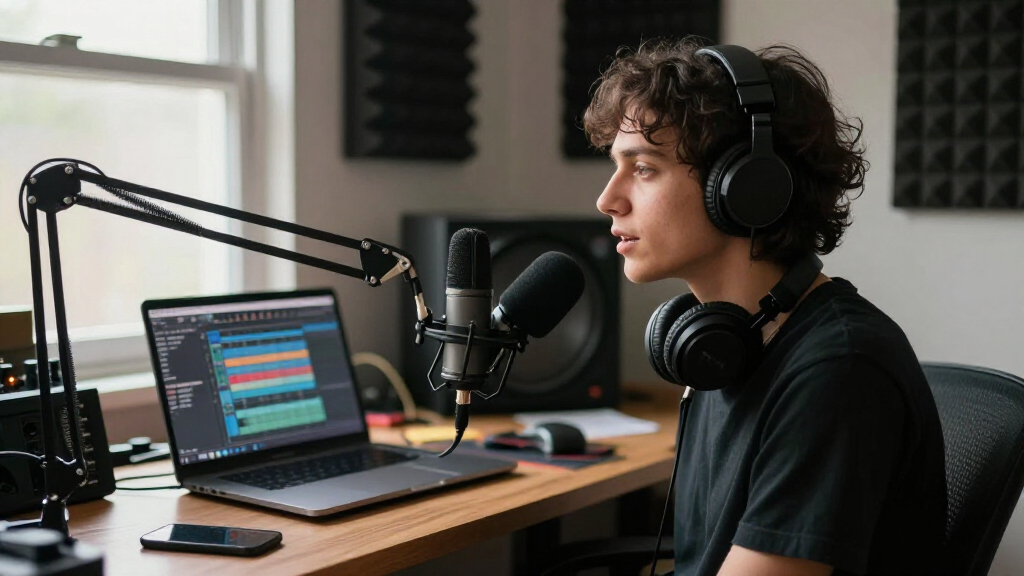
How We Picked
I ranked these microphones through one specific lens: how they sound on a live stream, not in a treated studio. That meant weighing voice clarity at typical desk distance, rejection of keyboard clicks and mouse clicks, and how each mic handles the echo of an ordinary bedroom or office. Feature sets mattered too — tap-to-mute, headphone monitoring with zero latency, onboard gain control, and boom-arm compatibility all separate mics that are genuinely built for streaming from podcast mics that happen to have a USB cable.
I also factored in value per dollar and upgrade paths. A $30 mic that sounds 80% as good as a $150 one ranks highly for beginners, while premium picks had to justify their price with build quality and long-term flexibility — hence why XLR/USB hybrid models like the RØDE PodMic USB and FIFINE AM8 rank so well. Mics that lean on RGB lighting rather than audio performance were ranked strictly on sound, which is why some visually impressive budget options sit lower than plainer competitors.
Factors to Consider When Choosing USB Microphones For Streaming
Before you pick a mic from the list above, it helps to understand what actually drives streaming audio quality. Most buyers overspend on the microphone itself and underspend on everything around it — here’s how to avoid that mistake.Condenser vs. Dynamic: The Decision That Matters Most
This is the fork in the road for every streamer. Condenser mics (Blue Yeti, NT-USB Mini, Sennheiser Profile) capture fine detail and airiness but also grab every sound in the room — fans, family members, mechanical keyboards, and bare-wall echo. Dynamic mics (PodMic USB, AM8) sound slightly less airy but stay locked onto your voice, which is why radio stations use them. A cheap dynamic in an echoey bedroom will sound better than an expensive condenser in the same room. If you stream in a shared or untreated space, lean dynamic; if you have a quiet, softened room and want maximum vocal detail, a condenser pays off. Don’t let anyone tell you condensers are simply ‘better’ — that’s only true under ideal conditions most streamers don’t have.
Onboard Controls Are Not a Gimmick
A mute function you can hit mid-stream without alt-tabbing is worth more than a slight bump in sound quality. Mics with a tap-to-mute sensor or physical mute button (Razer Seiren V3 Mini, FIFINE A6T) let you cough, answer a door, or mute a troll instantly. Likewise, a headphone jack on the mic itself gives you zero-latency monitoring — without it, you’ll hear your own voice delayed through your computer, which is disorienting enough that many streamers simply never monitor their audio, then discover problems after the stream ends. Onboard gain control matters too: software gain adjustment in OBS or Discord adds noise at high levels, while a physical dial keeps your signal clean. If you’re choosing between two similarly priced mics, the one with these three controls will serve you better long-term.
The Stand, Arm, and Shock Mount Situation
Most USB mics ship with a flimsy desk tripod, and that’s the hidden cost in this category. A tripod sitting on your desk picks up every vibration you transmit through the desk surface — typing, bumping, foot tapping. Nearly every mic in this roundup is boom-arm compatible, and a $25 arm with a shock mount improves perceived audio quality more than spending $100 more on the microphone. Check the mount threading (almost all use 5/8-inch or 3/8-inch standards) before buying accessories. Some bundles, like the MAONO A04 kit, include an arm and shock mount, which explains why budget kits sometimes beat standalone mics on total cost. Budget for mounting hardware from day one rather than treating it as an optional upgrade.
When to Pay More — and When It’s Wasted Money
The honest price curve in USB mics is steep up to about $100 and nearly flat after that. Between $25 and $100, each step up buys noticeable clarity (K669B to AM8, for example). Above $150, you’re paying for build quality, brand support, and XLR flexibility rather than dramatically better USB sound — the Sennheiser Profile sounds excellent, but your viewers on Twitch won’t hear a huge gap versus a well-positioned AM8. Where premium spend genuinely pays off is hybrid USB/XLR models: the PodMic USB costs more upfront but won’t be obsolete when you outgrow USB. If you’re brand new and unsure you’ll stream consistently, start cheap and upgrade later; the used market for microphones is strong, so a $30 experiment rarely wastes money.
Software, Compatibility, and Console Caveats
Plug-and-play works everywhere, but ‘USB microphone’ doesn’t mean universal compatibility. Some mics (ZealSound) support phones and tablets directly; others are desktop-only. PlayStation and console streaming is a common trap: not all USB mics are recognized by consoles, so if you stream from a PS5 rather than a PC, verify compatibility before buying — generic no-name mics are the riskiest here. On PC, check whether the manufacturer offers real software support: RØDE Connect, Logitech G HUB, and Razer Synapse add noise gates, EQ, and firmware updates that extend a mic’s useful life. Also confirm sample-rate specs honestly — a 192kHz/24-bit claim (like MAONO’s) sounds impressive but matters little for streaming, where platforms compress your audio anyway; placement and room treatment do far more.
Common Mistakes That Ruin Good Microphones
The most frequent error is speaking too far from the mic: condensers work best at 6–10 inches, dynamics often need to be 2–4 inches from your mouth. The second is ignoring the room — a $200 mic in an echoey bedroom sounds worse than a $40 mic with a blanket fort behind you. Third, gain staging: set your mic’s gain so your normal speaking voice peaks around two-thirds of the meter, then add compression in OBS, not before. Fourth, never place a mic between your keyboard and mouth if you can avoid it; off-axis placement or a dynamic pattern kills key clicks far better than any noise gate. Fix these four habits and even the cheapest mic in this roundup will sound professional.
Frequently Asked Questions
Do I need a dynamic or condenser mic if I stream with a mechanical keyboard?
If a mechanical keyboard is on your desk during streams, a dynamic microphone is the clear winner. Dynamics like the RØDE PodMic USB and FIFINE AM8 have tight pickup patterns that ignore off-axis sounds, meaning keyboard clatter barely registers even without a noise gate. Condensers like the Blue Yeti capture the whole desk surface and will make every keystroke audible to viewers. You can partially rescue a condenser with careful placement (mic off to the side, keyboard behind it), a noise gate in OBS, and switch membrane keys — but if the keyboard stays, buy dynamic and save yourself the workaround stack.
Is a USB mic with XLR output worth the extra money if I only stream casually now?
It depends on how certain you are about sticking with streaming. Hybrid mics like the PodMic USB and AM8 cost $30–80 more than pure USB equivalents, and while streaming on USB they sound identical to a dedicated USB model. The value appears later: if you eventually want an audio interface, better preamps, or a dual-mic setup, you keep the mic and just add hardware — no repurchase. For a casual streamer six months in, that’s money that could go toward a boom arm, acoustic panels, or lighting instead. My rule: if you’re streaming 3+ times a week or podcasting too, buy the hybrid; if it’s a weekend experiment, start with a plain USB mic.
Why is there such a big price gap between a $30 FIFINE and a $170 Sennheiser — will viewers notice?
On a compressed Twitch or YouTube stream, most casual viewers will not hear a dramatic difference — and that’s an honest, important answer. The gap buys you better build quality, cleaner self-noise, smoother onboard controls, warranty support, and software ecosystems, plus a more natural tone at the extremes. The budget mic gets you 80% of the sound; the premium mic polishes the last 20% that dedicated listeners and audio-savvy viewers pick up. Where premium mics genuinely separate themselves is consistency: they hold their tone across long sessions and resist plosives and handling noise better. If audience retention is your metric, improve your room and mic placement first — the $170 upgrade should come after those.
Do RGB lighting and bundled accessories on gaming mics add value or just cost?
Both, honestly, and the ratio varies by product. RGB on mics like the FIFINE A6V or Razer Seiren V3 Mini costs very little and adds on-camera visual appeal — if your mic is in frame, matching lighting can genuinely improve production value. The trap is paying for lighting instead of audio: some budget RGB mics use the same capsule as their $25 non-RGB siblings with a $20 lighting markup. Bundles are the opposite story — kits like the MAONO A04 that include a boom arm, shock mount, and pop filter often cost less than buying those pieces separately, making them better value than a bare mic at the same price. Evaluate RGB mics on their audio specs first, then treat the lighting as a free bonus, never the reason to buy.
Can I use one of these USB mics for streaming from a PS5 or Xbox instead of a PC?
Console compatibility is patchy, so check before buying. The PlayStation 5 generally recognizes standard USB audio class microphones, which covers most name-brand options here — RØDE, Blue, and Razer models are commonly reported working — but you won’t get manufacturer software features like EQ or firmware tools on console. Xbox is stricter and rejects many USB mics entirely, so if Xbox streaming is your plan, research that specific model and console pairing before purchasing. Generic unbranded mics (like the no-name PS4/PS5 listing in this roundup) are the riskiest since support varies by production batch. Also remember that on console you’ll need the mic’s own headphone jack for monitoring, since there’s no OBS to check levels with.
Conclusion
After comparing all fifteen, the choice comes down to your room, your keyboard, and your commitment level. Best overall goes to the RØDE PodMic USB — its noise rejection, broadcast tone, and XLR upgrade path make it the mic that grows with you. Best value is a split: the FIFINE K669B for the tightest budgets and the FIFINE AM8 for anyone who can stretch slightly, since its dynamic capsule rivals mics twice its price. Best premium is the Sennheiser Profile for creators with a quiet room who want polished condenser sound and elegant onboard controls. Best for beginners is the Tonor TC-777 or FIFINE K669B — cheap enough to test the waters, clear enough to sound credible on day one.
For specific needs: console streamers should lean toward the Razer Seiren V3 Mini or verified RØDE options; streamers who want the mic in frame with matching aesthetics get the most from the FIFINE A6T; and dual PC/podcast creators will get the most long-term use from the AM8 or PodMic USB’s hybrid connectivity. Whatever you pick, pair it with a boom arm and mind your distance from the capsule — those two habits matter as much as the microphone itself.
Halloween Picks
halloween
As an affiliate, we earn on qualifying purchases.