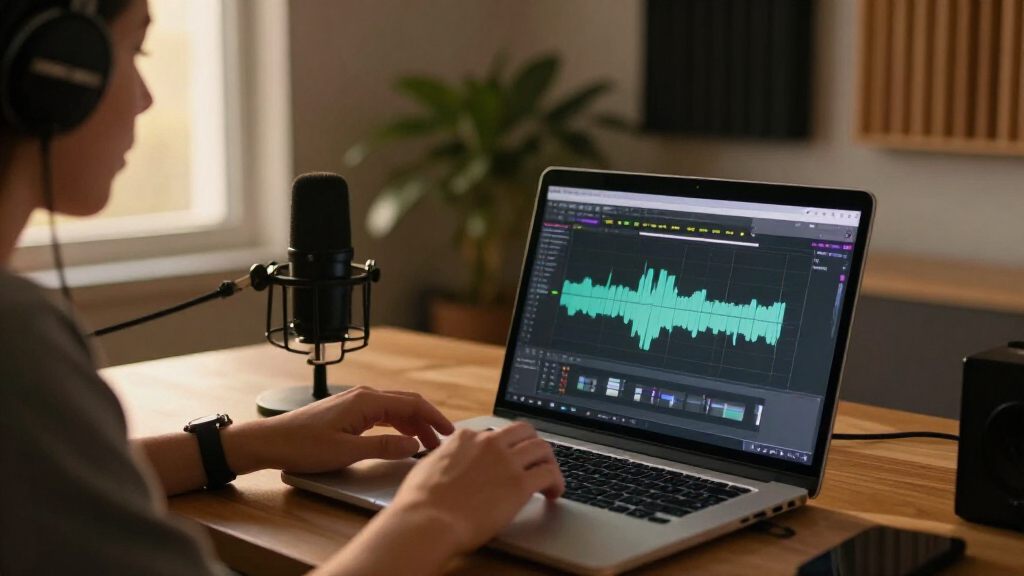
Choosing wireless headphones for podcast editing means balancing convenient listening with the accuracy and connection stability needed to catch edits, breaths, room noise, and timing problems. My leading pick is the AIAIAI TMA-2 Studio Wireless for its under-10-ms W+ Link connection, while the Edifier STAX Spirit S5 stands out for its planar drivers, codec support, and long battery life. For a more familiar studio-style option with flexible pairing, the Audio-Technica ATH-M50xBT2 is a strong middle ground.

Get audio and creator gear delivered free with Prime
- Fast, free delivery on millions of items
- Prime Video, Amazon Music and more included
- Member-only deals all year
Those strengths point to the main tradeoff: wireless convenience is not the same as a dependable editing reference. A low-latency link can make monitoring feel more immediate, but a wired connection is still the safer choice when precise timing matters. The five picks below differ in how they handle latency, sound character, battery life, portability, and wired fallback, so I rank them by usefulness for podcast editing rather than by feature count alone.
Complete the kit


Key Takeaways
- AIAIAI TMA-2 Studio Wireless is the clearest fit for monitoring movement and timing wirelessly, with W+ Link latency listed under 10 ms and a transmitter included.
- Edifier STAX Spirit S5 offers the most advanced listed codec support and planar magnetic drivers, but its aptX Adaptive latency figure is 89 ms, not the low-latency claim of the AIAIAI.
- Audio-Technica ATH-M50xBT2 is the balanced everyday pick: it combines app EQ, multipoint Bluetooth, a supplied audio cable, and up to 50 hours of battery life.
- ATH-M20xBT and OneOdio A70 prioritize long listening time and practical wired options, but their supplied information gives less reason to treat them as precision editing references.
- For final timing and mix checks, I would use a wired connection where supported and verify the episode on other playback systems; wireless headphones are most useful for flexible monitoring and review.
| AIAIAI TMA-2 Studio Wireless Over-Ear Headphones |  | Best for low-latency wireless editing | Connectivity: W+ Link, Bluetooth 5.3, detachable cable | Wireless latency: Under 10 ms via W+ Link | Playback time: More than 20 hours | VIEW LATEST PRICE | See Our Full Breakdown |
| Audio-Technica ATH-M50xBT2 Wireless Over-Ear Headphones, Black |  | Best all-rounder for editing and everyday listening | Driver size: 45 mm | Battery life: Up to 50 hours | Rapid charge: Up to 3 hours of use from a 10-minute charge | VIEW LATEST PRICE | See Our Full Breakdown |
| Edifier STAX Spirit S5 Wireless Planar Magnetic Headphones |  | Best premium pick for detailed listening and codec flexibility | Driver type: Planar magnetic | Bluetooth: 5.4 | Audio codecs: LDAC, LHDC, aptX HD, aptX Adaptive, aptX Lossless | VIEW LATEST PRICE | See Our Full Breakdown |
| Audio-Technica ATH-M20xBT Wireless Over-Ear Headphones with Mic, White |  | Best for long battery life and simple wired fallback | Driver size: 40 mm | Battery life: Up to 60 hours | Rapid charging: Up to 3 hours of use from a 10-minute charge | VIEW LATEST PRICE | See Our Full Breakdown |
| OneOdio A70 Bluetooth Over-Ear Headphones, Black |  | Best value-minded wired-and-wireless utility pick | Driver size: 40 mm neodymium | Wireless playback: Up to 72 hours | Wired connections: 3.5 mm and 6.35 mm | VIEW LATEST PRICE | See Our Full Breakdown |
| wireless headphones for podcast editing | Warranty | Weight | Driver size |
|---|---|---|---|
| AIAIAI TMA-2 Studio Wireless O | 2 years | 227 g | — |
| Audio-Technica ATH-M50xBT2 Wir | One-year limited end-user warranty | — | 45 mm |
| Edifier STAX Spirit S5 Wireles | 1 year | 347 g | — |
| Audio-Technica ATH-M20xBT Wire | One-year limited end-user warranty | 261 g | 40 mm |
| OneOdio A70 Bluetooth Over-Ear | 24 months | 8.96 ounces | 40 mm neodymium |
More Details on Our Top Picks
AIAIAI TMA-2 Studio Wireless Over-Ear Headphones
The AIAIAI TMA-2 Studio Wireless takes the top spot because its W+ Link connection has a specific editing-relevant advantage: latency is listed at under 10 ms. That makes it the strongest candidate here for monitoring playback wirelessly while trimming pauses, checking dialogue entrances, or reviewing a rough cut. The included transmitter is part of the story; this is not simply a Bluetooth headphone with a vague low-latency promise.
Its role differs from the Edifier STAX Spirit S5, which offers broader high-resolution codec support and much longer stated battery life but lists 89 ms for aptX Adaptive latency. For timing-sensitive wireless work, the AIAIAI’s stated W+ Link figure is the more directly relevant specification. It also weighs 227 g, lighter than the Edifier’s 347 g, which may suit editors who wear headphones for repeated review sessions.
The app EQ gives listeners a way to adjust the profile, while memory foam cushions and a padded headband support longer wear. I would treat EQ as a listening adjustment rather than proof that the headphones can be calibrated as a reference. Playback lasts more than 20 hours, enough for many editing days, though that is less than the 50 to 80 hours listed for several alternatives.
There are practical limits. The supplied details list a detachable cable but no headphone jack specification, so buyers should confirm the cable connection suits their interface or computer before relying on wired monitoring. The over-ear form is also less compact than a small portable pair. Still, compared with the other four, this is the most purpose-built option when wireless response time is the priority.
Pros:- W+ Link latency is listed under 10 ms, the clearest real-time monitoring figure in this lineup.
- Includes a W+ Link transmitter, Bluetooth 5.3, and a detachable cable for flexible setup options.
- At 227 g, it is lighter than the Edifier STAX Spirit S5 among the listed weights.
- App EQ and memory foam cushions support sound-profile adjustment and extended listening.
Cons:- More than 20 hours of playback is shorter than the runtimes listed for the other four picks.
- The supplied specifications do not list a standard headphone jack, so wired compatibility should be checked.
- Its over-ear design is less compact to carry than a smaller on-ear option.
Best for: Editors who want a dedicated low-latency wireless link for dialogue review and timing checks, and whose setup can use the included W+ Link transmitter.
Not ideal for: Anyone who needs the longest battery runtime, a clearly specified standard headphone jack, or a compact travel-first design.
- Connectivity:W+ Link, Bluetooth 5.3, detachable cable
- Wireless latency:Under 10 ms via W+ Link
- Playback time:More than 20 hours
- Driver type:Dynamic
- Fit:Over-ear
- Weight:227 g
- Included items:W+ Link transmitter, protective pouch, cable
- Warranty:2 years
Our verdict“I rank the AIAIAI first for its specifically stated under-10-ms wireless link, though I would still use a confirmed wired path for critical final checks.”
Audio-Technica ATH-M50xBT2 Wireless Over-Ear Headphones, Black
The Audio-Technica ATH-M50xBT2 is my most balanced recommendation for editors who want one wireless pair for podcast work, calls, and general listening. Its 45 mm drivers and dedicated amplifier are described as producing clear sound with deep bass, while the A-T Connect app EQ offers some control over the listening profile. That is a useful mix of familiarity and flexibility, though the supplied details do not claim a neutral reference response.
Compared with the top-ranked AIAIAI TMA-2 Studio Wireless, the ATH-M50xBT2 does not list a specific under-10-ms wireless connection. Its low-latency mode may help with synchronized playback, but the product information gives no numerical latency figure. In return, it has up to 50 hours of battery life and multipoint pairing, so it makes more sense as an everyday headset that can also support editing rather than a dedicated low-delay monitoring system.
The included audio cable is valuable for podcast production: it gives the buyer a wired listening option when Bluetooth delay is undesirable, and it avoids making wireless performance the only way to monitor. I would check that the cable and connector suit the editing device, and I would not assume the wired mode guarantees a perfectly neutral sound. Beamforming microphones and multipoint pairing also make this model convenient for moving between a computer and phone, although headphone microphone quality is secondary when recording a polished podcast track.
Its drawbacks are mostly about workflow. A full charge takes 3.5 hours, and EQ changes require the app rather than a direct adjustment on the headphones. Compared with the ATH-M20xBT, this model provides a more substantial driver-and-app feature set, while the M20xBT lists longer battery life. I would choose the BT2 when versatility matters more than maximum runtime.
Pros:- Up to 50 hours of battery life, with rapid charging that adds up to three hours from a 10-minute charge.
- Supplied audio cable enables wired monitoring when Bluetooth delay is a concern.
- Multipoint pairing connects to two Bluetooth devices at once.
- App EQ, 45 mm drivers, and beamforming microphones add flexibility beyond basic playback.
Cons:- Low-latency mode is listed without a numerical latency figure.
- A full charge takes 3.5 hours.
- EQ adjustments require the A-T Connect app.
Best for: Podcast editors who want a versatile wireless headphone with a supplied audio cable, multipoint pairing, app EQ, and long battery life.
Not ideal for: Editors who require a specified very-low-latency wireless link or want to adjust EQ without using an app.
- Driver size:45 mm
- Battery life:Up to 50 hours
- Rapid charge:Up to 3 hours of use from a 10-minute charge
- Multipoint:Connects to two Bluetooth devices
- Microphones:Dual microphones with beamforming technology
- Charging:USB-C
- Included accessories:USB charging cable, audio cable, pouch
- Warranty:One-year limited end-user warranty
Our verdict“I would choose the ATH-M50xBT2 as the most flexible everyday editing companion, but not as the lineup’s clearest choice for ultra-low-latency wireless monitoring.”
Edifier STAX Spirit S5 Wireless Planar Magnetic Headphones
The Edifier STAX Spirit S5 is the standout for buyers drawn to planar magnetic drivers and a broad selection of wireless codecs. Support for LDAC, LHDC, aptX HD, aptX Adaptive, and aptX Lossless gives compatible devices several ways to send higher-resolution audio. For podcast editing, that range can be useful when moving between sources, but codec support should not be confused with guaranteed speech accuracy or a flat tuning.
Its main comparison is with the AIAIAI TMA-2 Studio Wireless. The Edifier has a much longer stated runtime—up to 80 hours versus more than 20—and adds USB-C and AUX connections. But the AIAIAI supplies the more compelling figure for editing while wireless: under 10 ms through W+ Link, compared with the Edifier’s listed 89 ms end-to-end latency with aptX Adaptive. That makes the STAX S5 a better fit for detailed listening and flexible everyday playback than for someone who specifically needs the lowest stated wireless delay.
Planar magnetic drivers are designed for low distortion and fast response, which may appeal to listeners who want to inspect dialogue details and editing artifacts. The supplied material does not establish that the model is neutral, so I would use it alongside a second reference rather than treat the driver type as a guarantee of mix translation. Its AUX and USB-C connections also give the setup more options than Bluetooth alone, though buyers should check how those modes work with their editing device.
At 347 g, it is the heaviest model here with a listed weight, and closed-back over-ear cups can feel warm over long sessions. Lambskin earpads, an adjustable headband, foldable construction, and a carry case help with comfort and storage, but they do not erase the weight tradeoff. Compared with the ATH-M50xBT2, the STAX S5 prioritizes codec breadth and planar design over a more conventional, lighter everyday profile.
Pros:- Planar magnetic drivers are designed for low distortion and fast response.
- Supports LDAC, LHDC, aptX HD, aptX Adaptive, and aptX Lossless.
- Up to 80 hours of playback, with a 10-minute charge providing up to 11 hours.
- Bluetooth, USB-C, and AUX connections plus a foldable design and carry case.
Cons:- The listed 89 ms latency applies to aptX Adaptive and is higher than the AIAIAI’s stated W+ Link figure.
- At 347 g, it is heavier than the other models with listed weights.
- Closed-back over-ear cups may feel warm during extended editing sessions.
Best for: Listeners who want planar magnetic drivers, broad codec support, multiple connection types, and long stretches between charges.
Not ideal for: Editors who need the lowest documented wireless latency, prefer a lighter headset, or avoid lambskin earpads.
- Driver type:Planar magnetic
- Bluetooth:5.4
- Audio codecs:LDAC, LHDC, aptX HD, aptX Adaptive, aptX Lossless
- Connections:Bluetooth, USB-C, AUX
- Bluetooth multipoint:Connects to two Bluetooth audio devices simultaneously
- Maximum playback:Up to 80 hours
- Latency:89 ms end-to-end with aptX Adaptive
- Weight:347 g
- Warranty:1 year
Our verdict“I recommend the STAX Spirit S5 for codec flexibility and long listening sessions, not for editors whose first requirement is minimal wireless delay.”
Audio-Technica ATH-M20xBT Wireless Over-Ear Headphones with Mic, White
The Audio-Technica ATH-M20xBT earns its place as a straightforward option for editors who value long runtime and the ability to switch to a cable. Its 40 mm drivers are tuned for enhanced bass, and the product description highlights sound isolation for listening on the go. That emphasis may suit location review or general listening, but bass enhancement is not the same as a neutral profile for judging voice balance.
Compared with the ATH-M50xBT2, the M20xBT offers a longer stated battery life—up to 60 hours versus up to 50—and includes a 1.2 m cable. The BT2, however, lists larger 45 mm drivers, app EQ, and beamforming microphones, giving it more adjustment and call flexibility. Neither model provides a numerical wireless latency figure in the supplied details, so I would use the cable for timing-sensitive checks rather than relying on Bluetooth alone.
Multipoint pairing is useful when an editor alternates between a workstation and phone, while low-latency mode may help with synchronized audio and video playback. The product information does not give a latency value for that mode, so I would not assume it matches the AIAIAI’s under-10-ms W+ Link performance. USB-C rapid charging adds up to three hours of use from a 10-minute charge, which helps when the battery runs low during a session.
This pick is less compelling for someone building a critical monitoring setup from scratch. Its bass-enhanced tuning and lack of listed app EQ give fewer stated tools for shaping or evaluating sound than the ATH-M50xBT2. Still, it offers a useful combination of long battery life, wireless convenience, and wired listening in a simple package. I would treat it as a practical editing and review headphone, then cross-check final mixes elsewhere.
Pros:- Up to 60 hours of battery life and rapid charging for up to three hours of use from a 10-minute charge.
- Included 1.2 m cable supports wired listening.
- Multipoint pairing connects to two Bluetooth devices.
- Low-latency mode and built-in microphone add flexibility for video and calls.
Cons:- Enhanced-bass tuning may be less useful for judging voice balance than a more neutral profile.
- No numerical latency figure is supplied for low-latency mode.
- The supplied details do not list app EQ for fine-tuning the sound.
Best for: Editors who want a simple wireless pair with long battery life, multipoint Bluetooth, and an included cable for wired review.
Not ideal for: Buyers seeking a stated low-latency wireless link, app-based EQ, or a clearly neutral sound profile for critical mix decisions.
- Driver size:40 mm
- Battery life:Up to 60 hours
- Rapid charging:Up to 3 hours of use from a 10-minute charge
- Connectivity:Bluetooth with multipoint pairing for two devices
- Low-latency mode:Yes; numerical latency not specified
- Included cable:1.2 m
- Weight:261 g
- Color:White
- Warranty:One-year limited end-user warranty
Our verdict“I see the ATH-M20xBT as a practical long-runtime choice for editing and review, with wired checks doing more of the precision work.”
OneOdio A70 Bluetooth Over-Ear Headphones, Black
The OneOdio A70 is the most connection-focused practical pick in this group. It comes with both 3.5 mm and 6.35 mm audio cables, so it can connect to common consumer devices and larger audio equipment without making the buyer source both cable types separately. For podcast editors, that wired flexibility may matter more than its Bluetooth features when checking timing or working at a desk.
Against the ATH-M20xBT, the A70 lists a slightly longer maximum wireless runtime—up to 72 hours compared with 60—and gives more explicit cable options. The M20xBT, by contrast, lists multipoint pairing and a low-latency mode, which can make it more convenient for switching devices and watching synchronized video. The A70’s supplied information does not state wireless latency or multipoint support, so I would approach its Bluetooth mode as convenient playback rather than a defined low-delay editing link.
Its 40 mm neodymium drivers, built-in microphone, foldable and rotatable construction, and memory cotton and protein leather cushions make it a flexible general-purpose headset. A jack lock is a useful practical detail because it helps keep a wired connection secure during desk use. The ability to share audio with additional headphones may also help when reviewing a cut with another person, although the supplied details do not describe the full sharing setup.
The tradeoff is that the A70’s editing-specific evidence is limited. The driver information does not establish a neutral response, and the product data does not give charging time or a latency figure. Its over-ear build may also feel bulky compared with the 227 g AIAIAI TMA-2 Studio Wireless, whose dedicated link is better specified for real-time monitoring. I would pick the A70 for flexible wired connectivity and long stated playback, not as the most precise wireless choice.
Pros:- Includes both 3.5 mm and 6.35 mm cables for flexible wired connections.
- Up to 72 hours of stated wireless playback.
- Foldable, rotatable design and cushioned ear pads support storage and comfort.
- Jack lock helps secure the wired connection; audio sharing is also supported.
Cons:- Wireless latency is not specified in the supplied product details.
- Charging time is not clearly provided.
- The over-ear construction may feel bulky compared with the lighter AIAIAI model.
Best for: Editors who want a foldable headset with long stated playback and supplied 3.5 mm and 6.35 mm cables for different wired setups.
Not ideal for: Buyers who need a documented low-latency wireless connection, a stated charging time, or clear evidence of a neutral editing response.
- Driver size:40 mm neodymium
- Wireless playback:Up to 72 hours
- Wired connections:3.5 mm and 6.35 mm
- Microphone:Built-in HD microphone with noise reduction
- Design:Foldable and rotatable
- Ear cushion materials:Memory cotton and protein leather
- Weight:8.96 ounces
- Warranty:24 months
Our verdict“I recommend the A70 for its bundled wired connections and long stated runtime, while leaving critical wireless timing work to a better-specified option.”
How We Picked
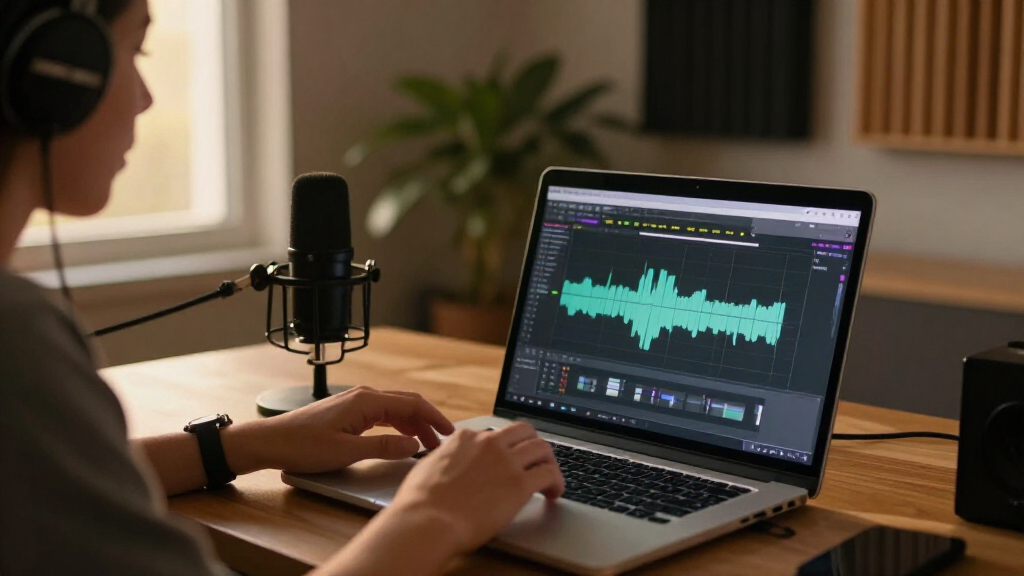
I ranked these headphones around the demands of editing spoken-word audio, not general travel listening. For this job, a useful pair should let a listener follow dialogue clearly, hear unwanted sounds, stay comfortable through repeated passes, and connect reliably to an editing device. I also looked for evidence that the wireless link is suitable for monitoring in real time, while keeping separate what the supplied specifications actually say from what they do not establish.
Latency and wired fallback mattered because a delay between playback and what an editor hears can complicate timing decisions. The AIAIAI is the only model here with a specific under-10-ms wireless figure through its W+ Link system. The other products list Bluetooth or low-latency modes without a comparable numerical result in the supplied information. A cable can help avoid Bluetooth delay, but a wired mode does not by itself certify neutral studio sound.
I weighed sound-related design and adjustment with restraint. Planar magnetic drivers, larger dynamic drivers, codec support, and app EQ describe different listening tools, but none of those details alone proves a headphone is flat or suitable as a sole mixing reference. A podcast editor may value clear speech and the ability to check edits more than deep bass or high-resolution codec support. I treated those features as useful distinctions, not guarantees of accuracy.
Comfort, battery life, and everyday setup shaped the order as well. Long sessions make weight, cushion material, and fit relevant, while multipoint pairing can help someone switch between a computer and phone. Battery figures describe convenience, not sound quality. My ranking gives the highest positions to options with the strongest editing-specific advantages, then distinguishes practical all-rounders and long-battery alternatives from picks whose supplied details leave more uncertainty about critical monitoring.
These recommendations rely on the product information supplied for this roundup. I do not treat manufacturer figures as proof of real-world performance, and I do not imply hands-on testing. For demanding edits, I would still check the final audio with wired monitoring when possible, then listen on speakers or another pair of headphones before publishing.
Factors to Consider When Choosing Wireless Headphones For Podcast Editing
For podcast editing, I would choose headphones by workflow rather than by wireless feature count. The best fit depends on whether you need low-delay monitoring while editing, a reliable cable connection for timing checks, comfort for long sessions, or a single pair that also works for calls and everyday listening.
Treat wireless latency as an editing feature
When editing spoken-word audio, even a modest delay can make it harder to connect a cut or playback point with what you hear in real time. Among these five models, the AIAIAI TMA-2 Studio Wireless is the only one with a listed wireless latency figure under 10 ms through W+ Link. The Edifier STAX Spirit S5 lists 89 ms with aptX Adaptive, while the Audio-Technica models mention low-latency modes without a numerical result in the supplied details. One figure cannot tell every buyer how a complete setup will behave, but it does make the AIAIAI the clearest wireless choice for responsive monitoring.
Bluetooth delay can also vary with the transmitting device, software, codec, and connection mode. I would check that the editing computer supports the connection method you plan to use, and I would not assume that a codec described as high resolution is also low latency. If timing precision matters more than mobility, use a cable where the headphones and interface support one. That is why the ATH-M50xBT2, ATH-M20xBT, and OneOdio A70 remain useful contenders even without a specific low-delay wireless figure: each supplies a wired listening route.
Do not mistake driver type or codec support for accuracy
The Edifier’s planar magnetic drivers and extensive codec list make it the most technically distinctive option here. The ATH-M50xBT2 uses 45 mm drivers and a dedicated amplifier; both Audio-Technica picks use drivers tuned with enhanced bass in their descriptions, and the OneOdio A70 uses 40 mm neodymium drivers. These details describe design and supported formats, but they do not establish a flat frequency response, low distortion across the full range, or accurate translation to speakers.
For speech editing, I would pay attention to whether consonants sound clear, breaths and mouth noises remain audible, and low-frequency rumble is easy to identify without making every voice sound unnaturally thin. App EQ, available on the AIAIAI and ATH-M50xBT2, can tailor listening, but heavy adjustment can also hide issues. Use one consistent profile for review and check the finished episode on another playback system. High-resolution codec support is most useful when both the source and receiving device support the same codec; it is not a substitute for a dependable editing chain.
Choose a wired fallback that fits your equipment
A cable can remove Bluetooth as a source of monitoring delay, but compatibility matters. The OneOdio A70 arrives with both 3.5 mm and 6.35 mm cables, making it the most explicit choice for editors moving between consumer devices and equipment with a larger headphone output. The ATH-M50xBT2 includes an audio cable, and the ATH-M20xBT includes a 1.2 m cable. Edifier lists AUX and USB-C connections, while the AIAIAI lists a detachable cable; the connection details should be checked against the actual computer, interface, or adapter.
Do not assume every cable connection works the same way in every operating mode. Confirm whether the headphones can play while powered off, whether controls or EQ remain available in wired use, and whether the cable length reaches your desk comfortably. For routine cutting, convenience may win. For a final timing check or a sensitive edit, a known, direct connection is a safer choice than trusting a wireless mode whose latency is not specified.
Balance comfort against runtime
Battery life is useful when a session runs long or you regularly move away from your desk, but a large runtime does not make a headphone more accurate. The STAX Spirit S5 lists up to 80 hours, the OneOdio A70 up to 72, the ATH-M20xBT up to 60, and the ATH-M50xBT2 up to 50. The AIAIAI lists more than 20 hours, yet its W+ Link latency figure gives it a different editing advantage. I would treat stated runtimes as planning estimates rather than a promise of the same result at every volume and connection setting.
Fit can matter more than a battery specification during a long edit. The AIAIAI weighs 227 g, the ATH-M20xBT 261 g, and the Edifier 347 g; the OneOdio is listed at 8.96 ounces. Cushion material, headband pressure, heat, and glasses fit are personal, so I would prioritize a return policy and a comfortable fit where available. Closed-back over-ear models can help keep sound contained, but warmth and pressure may become tiring during long sessions.
Match pairing and controls to your daily setup
Multipoint Bluetooth is convenient if you switch between an editing computer and a phone for calls or reference audio. The Edifier STAX Spirit S5, ATH-M50xBT2, and ATH-M20xBT list connection to two Bluetooth devices. The AIAIAI adds its dedicated W+ Link transmitter alongside Bluetooth, while the A70’s supplied details emphasize wired connections and audio sharing rather than multipoint. These features help manage devices, but they do not improve the sound of the exported podcast.
Also look at where adjustments happen. The AIAIAI and ATH-M50xBT2 offer app EQ, which is useful when an editor wants to make a deliberate profile change. The ATH-M20xBT’s supplied description does not list app EQ, and the OneOdio information offers less detail about sound adjustment. If you plan to edit from a desktop, check whether the companion app works with your phone or computer workflow and whether its settings persist across wired and wireless modes.
Use headphones as one part of quality control
No option in this roundup should be treated as the only judge of a finished podcast. Headphones can help identify edits, clicks, breaths, noise, and uneven dialogue, but the supplied product descriptions do not establish any model as a calibrated mastering reference. My approach would be to edit with a stable connection, listen at a moderate level, and replay the final export on another headphone or speaker setup. That helps reveal whether a voice is too boomy, too sharp, or difficult to hear outside the editing desk.
If you record a remote interview, the built-in microphones on these headphones are not automatically the right choice for the production track. The M50xBT2 and M20xBT list microphones, and the Edifier and OneOdio also include microphone features, but the roundup is about listening and editing. A separate microphone and an appropriate recording setup are usually a better way to capture the voice. Choose the headphones for monitoring, then judge recording equipment on its own requirements.
Frequently Asked Questions
Can I edit a podcast over Bluetooth?
Yes, Bluetooth can work for rough editing, dialogue review, and general listening, but latency depends on the headphones, transmitter, codec, and software. Of these picks, the AIAIAI TMA-2 Studio Wireless has the clearest listed wireless figure at under 10 ms through W+ Link. For timing-sensitive cuts or final checks, I would use a compatible wired connection when available, then compare the export on another playback system.
Which model is the best choice for the lowest stated wireless latency?
The AIAIAI TMA-2 Studio Wireless is the strongest choice in this comparison because its W+ Link latency is listed under 10 ms and a transmitter is included. The Edifier STAX Spirit S5 lists 89 ms with aptX Adaptive, while the two Audio-Technica models mention low-latency modes without giving a numerical figure. Check that your computer can use W+ Link before choosing it for that specific advantage.
Are planar magnetic headphones better for podcast editing?
Planar magnetic drivers, used in the Edifier STAX Spirit S5, are designed for low distortion and fast response, which may appeal to detail-focused listeners. That driver type alone does not prove the headphone has a neutral response or is a better editing reference than a dynamic model. I would compare voice clarity, comfort, connection stability, and wired options, then cross-check the finished mix on another system.
Should I use a cable for podcast editing?
A cable is a sensible choice when you want to avoid Bluetooth latency during precise timing work. The ATH-M50xBT2 and ATH-M20xBT include audio cables, the OneOdio A70 includes 3.5 mm and 6.35 mm cables, and the Edifier lists AUX and USB-C connections. Confirm the connector and operating mode work with your interface or computer, since wired playback does not automatically make a headphone neutral or calibrated.
Do I need a headphone microphone to edit a podcast?
No. A headphone microphone can be useful for calls, but it is separate from the listening qualities needed to edit a podcast. Several models here list built-in microphones, yet the key buying questions are monitoring delay, speech clarity, comfort, and connection options. For recording a polished voice track, I would choose a dedicated microphone and recording setup rather than assuming a headset mic is suitable.
Conclusion
For the editor who wants the most direct wireless monitoring advantage, I recommend the AIAIAI TMA-2 Studio Wireless because its W+ Link latency is listed under 10 ms. If I wanted a flexible daily pair with an included audio cable, app EQ, and multipoint Bluetooth, I would choose the Audio-Technica ATH-M50xBT2. The Edifier STAX Spirit S5 suits listeners who value planar drivers, codec variety, and long playback, while accepting its weight and the stated aptX Adaptive latency.
For long runtimes and a simpler setup, the ATH-M20xBT is a practical choice, especially if its cable and multipoint features fit the workflow. The OneOdio A70 makes more sense for someone who wants both 3.5 mm and 6.35 mm cables included and likes a foldable design. Whichever pair I chose, I would treat wireless headphones as a convenient editing tool, use a dependable wired connection for sensitive timing checks where possible, and listen to the final podcast on more than one system before release.