For most buyers seeking wireless studio monitor headphones, I’d start with the Audio-Technica ATH-M50XBT2 for its familiar studio lineage and flexible Bluetooth use. The OneOdio Studio Max 2 stands out for low-latency wireless monitoring, while the PUPGSIS 2.4GHz is aimed at buyers who want a dedicated wireless connection alongside Bluetooth and wired listening. The tradeoff is that wireless convenience can bring latency and connection limits that matter during recording, even when headphones sound suitable for casual listening. This roundup compares all six options by how well their connection modes, monitoring features, and practical versatility fit studio work. Read on for the full breakdown and a pick matched to your setup.

Get audio and creator gear delivered free with Prime
- Fast, free delivery on millions of items
- Prime Video, Amazon Music and more included
- Member-only deals all year
Complete the kit


Key Takeaways
- ATH-M50XBT2 is the most studio-oriented familiar name in this group, but Bluetooth still may not suit latency-sensitive recording.
- Studio Max 2 prioritizes responsive wireless monitoring with a stated 9 ms latency, giving it a different role from Bluetooth-first options.
- PUPGSIS pairs 2.4GHz wireless with Bluetooth and wired listening, a useful mix for buyers who move between monitoring and everyday playback.
- ATH-M20xBT and OneOdio A70 are simpler entry points for casual home recording, though neither is as specifically differentiated for low-latency wireless use.
- Studio Max 1 and Studio Max 2 target DJ and studio flexibility; choose between them by the connection and feature details you need rather than assuming the newer-sounding model fits every setup.
| PUPGSIS 2.4GHz Wireless DJ Headphones, 20ms Low Latency Studio Headphones, Bluetooth/Wired, Black |  | Best for Flexible Wireless Monitoring | Connectivity: 2.4GHz wireless, Bluetooth 5.3, AUX wired | Driver size: 50mm | Frequency response: 20Hz–40kHz | VIEW LATEST PRICE | See Our Full Breakdown |
| OneOdio A70 Bluetooth Over-Ear Headphones, Black | 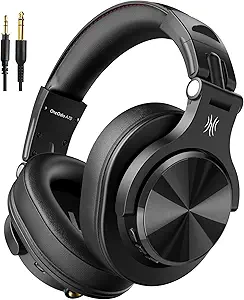 | Best for Long Bluetooth Sessions | Connectivity: Bluetooth and wired | Wireless playtime: Up to 72 hours | Driver size and type: 40mm neodymium | VIEW LATEST PRICE | See Our Full Breakdown |
| Audio-Technica ATH-M20xBT Wireless Over-Ear Headphones, Black |  | Best for Midrange-Focused Listening | Connectivity: Wireless | Driver size: 40mm | Driver construction: Rare earth magnets with copper-clad aluminum wire voice coils | VIEW LATEST PRICE | See Our Full Breakdown |
| OneOdio Studio Max 2 Wireless DJ Headphones with LDAC and 9ms Latency |  | Best for Low-Latency Wireless DJ Work | Connectivity: 2.4G wireless, Bluetooth 6.0, wired | Latency: 9ms | Audio codec: LDAC | VIEW LATEST PRICE | See Our Full Breakdown |
| Audio-Technica ATH-M50XBT2 Wireless Headphones, Black |  | Best for Studio-Style Sound and Device Switching | Driver size: 45mm | Battery life: Up to 50 hours | Rapid charge: 10 minutes provides up to three hours of use | VIEW LATEST PRICE | See Our Full Breakdown |
| OneOdio Studio Max 1 Wireless DJ & Wired Studio Headphones |  | Best for Long Sessions and Flexible Setups | Connectivity: Bluetooth 5.3, 2.4GHz dongle, 3.5mm and 6.35mm wired | Latency: 20ms | Battery life: Up to 120 hours Bluetooth; up to 50 hours dongle mode | VIEW LATEST PRICE | See Our Full Breakdown |
| wireless studio monitor headphone | Connectivity | Battery life | Design | Driver size |
|---|---|---|---|---|
| PUPGSIS 2.4GHz Wireless DJ Hea | 2.4GHz wireless, Bluetooth 5.3, AUX wired | Up to 60 hours Bluetooth; 30 hours 2.4GHz | Over-ear, foldable, 180° rotating ear cups | 50mm |
| OneOdio A70 Bluetooth Over-Ear | Bluetooth and wired | — | Over-ear, foldable, rotatable | — |
| Audio-Technica ATH-M20xBT Wire | Wireless | — | Circumaural over-ear | 40mm |
| OneOdio Studio Max 2 Wireless | 2.4G wireless, Bluetooth 6.0, wired | Up to 120 hours | — | — |
| Audio-Technica ATH-M50XBT2 Wir | — | Up to 50 hours | — | 45mm |
| OneOdio Studio Max 1 Wireless | Bluetooth 5.3, 2.4GHz dongle, 3.5mm and 6.35mm wired | Up to 120 hours Bluetooth; up to 50 hours dongle mode | Foldable, adjustable metal headband, 180° rotating ear cups | — |
More Details on Our Top Picks
PUPGSIS 2.4GHz Wireless DJ Headphones, 20ms Low Latency Studio Headphones, Bluetooth/Wired, Black
The PUPGSIS makes the most sense for a home producer or DJ who wants wireless freedom without giving up a cable option. Its 20ms 2.4GHz mode is aimed at responsive monitoring, while Bluetooth and AUX give it more ways to connect than the Bluetooth-only details listed for the Audio-Technica ATH-M20xBT. The 50mm drivers and rotating ear cups also suit DJ cueing and general listening.
The tradeoff is that low-latency use depends on the USB dongle, and its stated battery life falls to 30 hours in 2.4GHz mode from 60 hours over Bluetooth. Protein-leather cushions may also feel warm during long sessions. I’d choose this for connection flexibility; the OneOdio Studio Max 2 offers a lower stated latency for buyers prioritizing responsiveness.
Pros:- 2.4GHz wireless mode is specified at 20ms latency for responsive monitoring.
- Offers 2.4GHz, Bluetooth 5.3, and wired AUX connections.
- Up to 60 hours of Bluetooth playback and 30 hours in 2.4GHz mode.
- 180° rotating ear cups support single-ear DJ monitoring.
Cons:- The 2.4GHz connection requires a USB dongle.
- Battery life is substantially shorter in 2.4GHz mode than in Bluetooth mode.
- Protein-leather cushions may retain heat during extended sessions.
Best for: Home DJs and producers who want dongle-based low-latency monitoring, Bluetooth for casual listening, and a wired fallback.
Not ideal for: People who need the lowest stated wireless latency or expect to monitor wirelessly for long stretches without recharging.
- Connectivity:2.4GHz wireless, Bluetooth 5.3, AUX wired
- Driver size:50mm
- Frequency response:20Hz–40kHz
- Latency:20ms in 2.4GHz mode
- Battery life:Up to 60 hours Bluetooth; 30 hours 2.4GHz
- Ports:3.5mm and 6.35mm
- Design:Over-ear, foldable, 180° rotating ear cups
- Total harmonic distortion:<0.5%
Our verdict“Choose the PUPGSIS if you want several connection options and practical DJ features, and can work with its dongle-dependent wireless monitoring.”
OneOdio A70 Bluetooth Over-Ear Headphones, Black
The OneOdio A70 is a practical pick for listeners who want long stretches of Bluetooth playback and the option to plug in when needed. Its stated 72-hour wireless playtime exceeds the listed battery life of the Audio-Technica ATH-M50XBT2, while the included 3.5mm-to-6.35mm and 3.5mm-to-3.5mm cables make wired use straightforward. That flexibility suits shared workspaces where headphones may move between a laptop, audio gear, and calls.
For studio monitoring, its role is more general-purpose than the PUPGSIS: the A70 has no stated low-latency wireless mode, and its audio-sharing feature requires a wired connection and compatible headphones. The 40mm drivers and foldable build keep the package conventional and portable, but buyers seeking specialized wireless DJ response should look at the OneOdio Studio Max 2 instead.
Pros:- Up to 72 hours of stated wireless playtime.
- Includes 3.5mm-to-6.35mm and 3.5mm-to-3.5mm cables for wired use.
- Foldable, rotatable design supports storage and portability.
- Built-in microphone supports hands-free calls.
Cons:- No low-latency wireless mode is specified.
- Audio sharing requires a wired connection and compatible headphones.
- Active noise cancellation is not specified.
Best for: Listeners and home creators who value extended Bluetooth playback, supplied wired cables, and occasional calls or shared listening.
Not ideal for: DJs or editors who need a stated low-latency wireless mode for monitoring timing-sensitive audio.
- Connectivity:Bluetooth and wired
- Wireless playtime:Up to 72 hours
- Driver size and type:40mm neodymium
- Included cables:3.5mm to 6.35mm; 3.5mm to 3.5mm
- Microphone:Built-in HD microphone
- Design:Over-ear, foldable, rotatable
- Additional features:Audio sharing and aux jack lock
Our verdict“Pick the A70 for long Bluetooth listening and included cable options, but choose a low-latency model for wireless studio monitoring.”
Audio-Technica ATH-M20xBT Wireless Over-Ear Headphones, Black
The Audio-Technica ATH-M20xBT stands out in this group for its stated emphasis on midrange definition and circumaural isolation. That makes it a sensible fit for listeners who want voices and instrument parts to remain clear around everyday background noise. Its collapsible design also makes it easier to pack than the over-ear OneOdio Studio Max 2, whose listed feature set puts more emphasis on DJ connections and fast wireless response.
The supplied information is less complete here: it identifies wireless connectivity but gives no battery-life figure, codec, or latency specification. That makes it harder to judge for long sessions or timing-sensitive wireless monitoring than the PUPGSIS, which states its 2.4GHz latency and battery figures. I’d shortlist the M20xBT for portable listening and midrange clarity, but not when a defined monitoring connection is the deciding factor.
Pros:- 40mm drivers use rare earth magnets and copper-clad aluminum wire voice coils.
- Product description highlights detailed sound and midrange definition.
- Circumaural design is intended to provide sound isolation.
- Collapsible construction saves space when packed.
Cons:- No wireless latency figure is provided for monitoring decisions.
- Battery life is not specified in the supplied product details.
- The listed information does not describe a multi-mode wireless and wired connection setup.
Best for: Portable listeners and creators who prioritize clear midrange reproduction and over-ear isolation in a collapsible wireless headphone.
Not ideal for: Buyers who need confirmed low-latency wireless monitoring or published battery-life details before choosing.
- Connectivity:Wireless
- Driver size:40mm
- Driver construction:Rare earth magnets with copper-clad aluminum wire voice coils
- Design:Circumaural over-ear
- Portability:Collapsible
- Color:Black
Our verdict“Choose the ATH-M20xBT for portable listening with a stated midrange focus, but favor the PUPGSIS if wireless monitoring latency matters.”
OneOdio Studio Max 2 Wireless DJ Headphones with LDAC and 9ms Latency
The OneOdio Studio Max 2 is the most purpose-built wireless monitoring option in this lineup. Its stated 9ms latency is lower than the PUPGSIS’s 20ms figure, which gives timing-sensitive DJ cueing and video editing a stronger case on paper. It also combines 2.4G, Bluetooth 6.0, and wired connections, with both 3.5mm and 6.35mm jacks for common audio setups.
LDAC support and 45mm drivers add an option for detailed playback with compatible devices, while the 120-hour battery claim reduces charging interruptions. Those advanced features depend on the source device, and the memory-foam over-ear cups may run warm in lengthy sessions. Compared with the simpler OneOdio A70, the Studio Max 2 is better equipped for monitoring; buyers who mainly want casual Bluetooth listening may not need its extra modes.
Pros:- Specified 9ms latency targets responsive wireless monitoring.
- Combines 2.4G wireless, Bluetooth 6.0, and wired connectivity.
- Includes 3.5mm and 6.35mm audio jacks.
- Up to 120 hours of battery life, with a stated five-minute charge providing nine hours of playback.
Cons:- LDAC playback depends on a compatible source device.
- Memory-foam over-ear cups may feel warm during lengthy sessions.
- Active noise cancellation is not specified.
Best for: DJs, video editors, and home studio users who need a stated low-latency wireless mode plus wired compatibility with common audio gear.
Not ideal for: Casual listeners who do not need 2.4G monitoring or LDAC, or users who find over-ear cushions uncomfortable in long sessions.
- Connectivity:2.4G wireless, Bluetooth 6.0, wired
- Latency:9ms
- Audio codec:LDAC
- Drivers:45mm High-Flux
- Frequency response:20Hz–40kHz
- Battery life:Up to 120 hours
- Fast charging:Five minutes provides nine hours of playback
- Audio jacks:3.5mm and 6.35mm
- Earcups:180° swivel with memory foam
Our verdict“Choose the Studio Max 2 when low-latency wireless monitoring and multiple studio connection options matter more than a simpler feature set.”
Audio-Technica ATH-M50XBT2 Wireless Headphones, Black
The Audio-Technica ATH-M50XBT2 suits buyers who want the sound profile associated in the product description with the wired ATH-M50x, plus wireless listening and convenient device switching. Its 45mm drivers and dedicated amplifier are described as delivering deep, accurate bass and clear detail. Multipoint pairing helps when a creator moves between a computer and phone, while the dual beamforming microphones support calls.
Its role differs from the OneOdio Studio Max 2: the M50XBT2 offers useful everyday Bluetooth features, but the supplied details do not list 2.4GHz connectivity or a low-latency figure for live monitoring. Battery life is stated at up to 50 hours, shorter than the OneOdio A70’s 72 hours. No wired-listening cable is mentioned, so I’d check the connection requirements before treating it as a studio replacement.
Pros:- 45mm drivers and dedicated amplifier are specified for deep bass and clarity.
- Multipoint pairing connects two Bluetooth devices.
- Up to 50 hours of stated battery life.
- Dual microphones with beamforming technology support calls.
Cons:- No 2.4GHz connection or wireless latency figure is specified.
- No wired-listening cable is mentioned in the supplied product details.
- Stated battery life is shorter than the OneOdio A70’s 72 hours.
Best for: Creators who want studio-style sound for wireless listening, frequent switching between two Bluetooth devices, and clear call microphones.
Not ideal for: DJs who need a specified 2.4GHz low-latency mode or buyers who require a confirmed wired cable in the box.
- Driver size:45mm
- Battery life:Up to 50 hours
- Rapid charge:10 minutes provides up to three hours of use
- Bluetooth:Multipoint pairing with two devices
- Microphone:Dual mics with beamforming technology
- Amplifier:Dedicated amplifier
- Color:Black
Our verdict“Pick the ATH-M50XBT2 for studio-style wireless listening and two-device convenience, but choose a 2.4GHz model for latency-sensitive monitoring.”
OneOdio Studio Max 1 Wireless DJ & Wired Studio Headphones
The Studio Max 1 is the lineup’s flexible workhorse for listeners who want wireless convenience alongside connections suited to studio and DJ gear. Its 3.5mm and 6.35mm wired options make it easier to connect to different equipment than a Bluetooth-only setup, while the included screw-in adapter supports the larger jack. For cueing or gaming, the supplied 2.4GHz dongle is specified for 20ms latency; the Studio Max 2 claims 9ms, making that newer model the stronger pick when minimizing delay matters most. The Max 1 counters with up to 120 hours of Bluetooth playback and quick charging, which can reduce interruptions during travel or long work stretches. Its foldable frame and rotating cups add flexibility, but the feature-rich design may feel bulkier than simpler options, and protein leather cushions may wear with heavy use.
Pros:- 2.4GHz dongle is specified for 20ms latency, useful for responsive DJ cueing and gaming.
- Up to 120 hours of Bluetooth playback, with a five-minute charge stated to provide five hours.
- Bluetooth, 2.4GHz dongle, 3.5mm, and 6.35mm connection options suit varied setups.
- Foldable design and 180° rotating ear cups support storage and DJ monitoring.
Cons:- The Studio Max 2 lists lower 9ms latency for users who are especially sensitive to delay.
- Feature-rich construction may be bulkier than basic wireless headphones.
- Protein leather ear cushions may wear with heavy use.
Best for: DJs and home studio users who need long wireless sessions, low-latency dongle playback, and wired connections for different audio equipment.
Not ideal for: Buyers who prioritize the lowest listed wireless latency or a lightweight, simple headphone; the Studio Max 2 lists 9ms latency, and this model has a feature-rich, potentially bulkier design.
- Connectivity:Bluetooth 5.3, 2.4GHz dongle, 3.5mm and 6.35mm wired
- Latency:20ms
- Battery life:Up to 120 hours Bluetooth; up to 50 hours dongle mode
- Quick charge:5 minutes provides 5 hours of playback
- Drivers:50mm with oxygen-free copper-clad coils
- Audio formats and certifications:Hi-Res Audio, LDAC, LC3 decoding
- Microphone:Dual-mic environmental noise cancellation
- Design:Foldable, adjustable metal headband, 180° rotating ear cups
- Included accessories:Travel case, 1/4-inch to 1/8-inch screw-in adapter
Our verdict“Choose the Studio Max 1 if long battery life and multiple wired and wireless connections matter more than the Studio Max 2’s lower stated latency.”
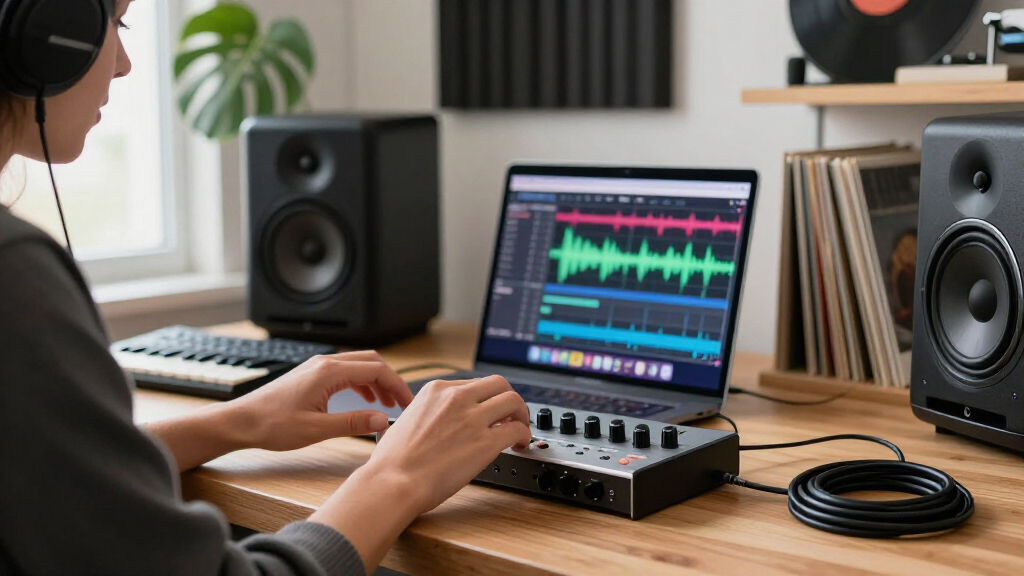
How We Picked
I ranked these headphones by how directly their features address the needs behind wireless studio monitoring: a dependable way to connect, useful wired fallback, low-latency options, and a design suited to long listening sessions. A wireless model can be convenient for editing or reference listening yet still introduce delay during live tracking, so I gave connection type and stated latency particular weight. I also considered versatility for switching between studio tasks and everyday playback, plus whether the product’s stated role is clear enough to guide a buyer.
The order reflects those priorities, not a claim that every Bluetooth model is a precise mixing reference. The Studio Max 2 and PUPGSIS 2.4GHz earn attention for wireless monitoring features; the ATH-M50XBT2 leads for buyers who want an established studio headphone line with wireless convenience. The remaining models offer simpler or more specialized alternatives, with tradeoffs in latency-focused capability or clarity of fit for studio work. I treat manufacturer latency figures and codec support as specifications, not proof of sound accuracy.
| wireless studio monitor headphone | Battery life | Design | Microphone |
|---|---|---|---|
| PUPGSIS 2.4GHz Wireless DJ Hea | Up to 60 hours Bluetooth; 30 hours 2.4GHz | Over-ear, foldable, 180° rotating ear cups | — |
| OneOdio A70 Bluetooth Over-Ear | — | Over-ear, foldable, rotatable | Built-in HD microphone |
| Audio-Technica ATH-M20xBT Wire | — | Circumaural over-ear | — |
| OneOdio Studio Max 2 Wireless | Up to 120 hours | — | — |
| Audio-Technica ATH-M50XBT2 Wir | Up to 50 hours | — | Dual mics with beamforming technology |
| OneOdio Studio Max 1 Wireless | Up to 120 hours Bluetooth; up to 50 hours dongle mode | Foldable, adjustable metal headband, 180° rotating ear cups | Dual-mic environmental noise cancellation |
Factors to Consider When Choosing Wireless Studio Monitor Headphones
Before choosing a pair, decide what “wireless studio” means in your workflow. Editing and reference listening have different demands from recording a singer while monitoring a live input. These broader checks can help you avoid paying for features that do not solve your actual studio problem.
Match latency to the task
Latency matters most when you hear a live source while performing, because delayed monitoring can throw off timing and feel distracting. Editing already-recorded tracks is usually more forgiving, so a Bluetooth connection may be convenient for that work. Check whether the headphones offer a dedicated wireless link, a stated latency figure, or a wired mode, and confirm your audio interface can use the same connection. A low number on a product page does not tell the whole story if the transmitter, computer, or software adds delay. For live tracking, a direct wired connection is often the safer fallback. Choose based on the signal path you will actually use, not the wireless specification alone.
Treat wireless as one part of the signal chain
Headphones cannot make a wireless setup work by themselves; the source device and any transmitter must support the same connection method. Bluetooth codecs such as LDAC need compatible source hardware, and codec support does not automatically mean low latency or neutral sound. Dedicated 2.4GHz systems may require a matching transmitter, so check what is included and which devices it accepts. Consider nearby routers and other wireless gear if your room is already crowded with radio connections. A wired mode can keep the headphones useful when a battery runs low or a source lacks wireless support. Map every connection from interface to earcup before buying.
Separate tracking headphones from mixing references
A headphone marketed for studio or DJ use is not automatically a reliable reference for final mix decisions. Closed-back designs can help limit sound leakage into a microphone, while open-back models often serve a different listening purpose. For critical balance and stereo decisions, check independent frequency-response measurements and compare mixes on speakers or other familiar systems. Bluetooth processing and active features can also change what you hear, so learn which mode is active during a session. If one pair must cover both tracking and casual listening, prioritize a consistent wired mode as well as comfort. Avoid assuming a wireless label guarantees a flat response.
Plan for comfort across a full session
Clamping force, earcup depth, headband pressure, and heat buildup can matter more than a small feature difference during a long editing session. Product dimensions and weight can narrow the options, but fit is personal, so check the return policy and try the headphones with your usual glasses if relevant. Replaceable earpads can extend useful life, while a folding hinge may help with travel but adds a part that can wear. Look for parts availability if the headphones will see daily studio use. A secure fit is valuable for moving around, though excessive pressure can become tiring. Give comfort equal weight to sound and connectivity.
Decide which extras deserve a premium
Codec support, multiple connection modes, and dedicated transmitters can be worthwhile when they solve a specific compatibility or latency problem. They add little if your sessions are mostly wired or if your computer cannot use the feature. Compare battery needs with your recording schedule and check whether wired listening works with the battery depleted. Consider how many devices you switch between, since quick pairing can save hassle but does not improve monitoring accuracy. Durability, spare cables, and serviceable pads may deliver more long-term value than a longer feature list. Pay for the workflow benefit you can name.
Frequently Asked Questions
Can Bluetooth headphones work for recording vocals?
They can work for playback and some recording setups, but Bluetooth delay may make live self-monitoring feel out of sync. Many interfaces provide direct monitoring through a wired headphone output, which avoids sending the live signal over Bluetooth. If you want to record with headphones on, check whether the model has a wired mode and whether the cable connection works while the battery is depleted. Dedicated low-latency wireless systems may reduce delay, but the full setup still needs compatible transmitting hardware. For critical tracking, test the complete chain before committing to a session.
Is a low latency specification enough to choose a wireless pair?
No; the stated figure is only useful if it applies to the mode and equipment you will use. The transmitter, source, interface, and software can all affect the delay you hear. Confirm whether the figure is measured for a dedicated 2.4GHz link or a Bluetooth codec, and check that the required transmitter is included or compatible. Also think about interference and whether a wired fallback is available. A specification can narrow the shortlist, but it cannot replace checking the signal path.
Are wireless studio monitor headphones suitable for mixing?
They can support editing, arrangement, and reference listening, but wireless connectivity alone says nothing about tonal accuracy. Bluetooth codecs and headphone tuning can influence frequency balance, so check independent measurements where possible and listen to familiar reference tracks. Use more than one playback system before making final mix decisions. If the headphones include a wired mode, compare it with wireless to learn whether the sound changes. Buyers doing critical mix work should prioritize a consistent reference response over extra wireless features.
Should I choose 2.4GHz wireless or Bluetooth for studio work?
A dedicated 2.4GHz system is often designed for a more responsive link, while Bluetooth tends to offer easier pairing with phones and computers. The right choice depends on the task: low delay may matter during live monitoring, while casual editing and listening may suit Bluetooth well. Check the transmitter requirements, supported devices, and whether the room has competing wireless equipment. Bluetooth codecs also require compatible source hardware to deliver their intended behavior. A headphone with both modes can be flexible, but only if each mode fits your setup.
What should I prioritize if these will be my first studio headphones?
Start with a wired fallback, comfortable fit, and clear compatibility with your interface or computer. Those basics keep the headphones useful even if wireless monitoring proves too delayed for tracking. Then decide whether you need a closed-back design to reduce microphone bleed or mainly want headphones for editing and general listening. Avoid choosing by codec names or latency figures before confirming that your equipment supports them. For a first pair, a straightforward connection and dependable fit usually matter more than advanced wireless features you may not use.
Conclusion
For the broadest studio-minded choice, I’d pick the Audio-Technica ATH-M50XBT2, while keeping its Bluetooth limits in mind for live tracking. The OneOdio A70 is my value-oriented, approachable option for buyers who want Bluetooth and wired use without centering their setup on specialized low-latency wireless. Beginners comparing familiar, straightforward choices can look at the ATH-M20xBT, especially if everyday wireless listening matters alongside studio practice. For a premium-leaning wireless feature set, the OneOdio Studio Max 2 brings LDAC and a stated 9 ms latency; the PUPGSIS is a distinct pick for those who want 2.4GHz plus Bluetooth. Choose the Studio Max 1 if its DJ and wired studio mix matches your routine, and favor wired monitoring whenever timing during recording matters most.
Halloween Picks
halloween
As an affiliate, we earn on qualifying purchases.