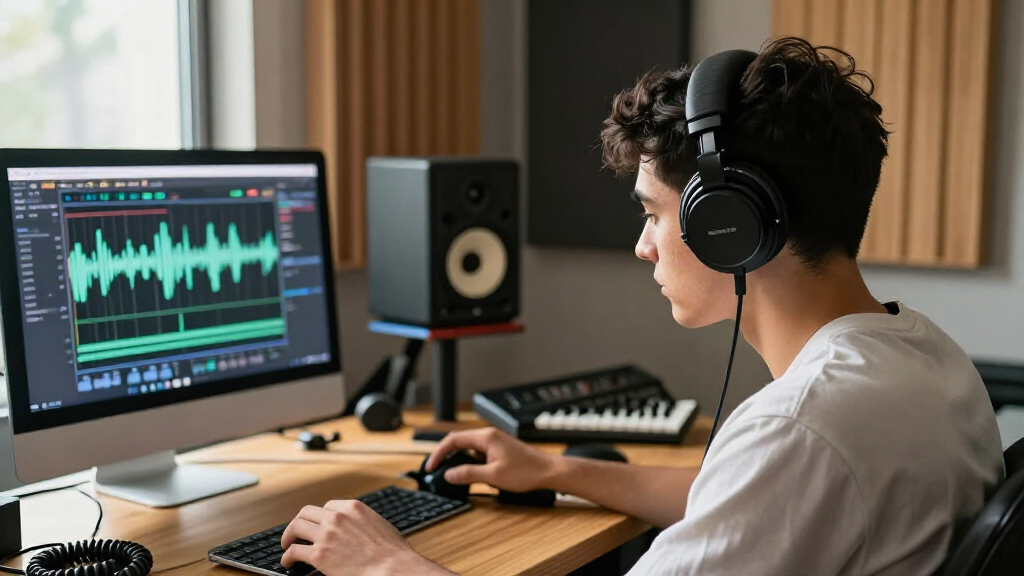

Wireless studio headphones can free you from a cable during editing and casual listening, but Bluetooth latency and sound processing can make them less suitable for critical monitoring. I’d put the Audio-Technica ATH-M50xBT2 first for its balance of studio-oriented design and wireless flexibility, while the AIAIAI TMA-2 Studio Wireless suits buyers who value a modular setup and the OneOdio Studio Max 1 offers a DJ-focused alternative. The main tradeoff is convenience versus a dependable, low-latency wired signal. Fit, connection options, and the kind of work you do matter as much as the word “studio” on the box. Read on for how all seven options differ and which buyer each one suits.

Get audio and creator gear delivered free with Prime
- Fast, free delivery on millions of items
- Prime Video, Amazon Music and more included
- Member-only deals all year
Complete the kit


Key Takeaways
- The ATH-M50xBT2 is the most balanced pick: it pairs a studio-focused design with wireless listening, making it a stronger all-rounder than models aimed mainly at DJ use or entry-level flexibility.
- The TMA-2 Studio Wireless is the premium-minded choice: its modular approach appeals to buyers who want a more configurable setup, though that focus may be unnecessary for straightforward home listening.
- The OneOdio Studio Max 1 and PUPGSIS PG-MXPRO lean toward DJ-style use: their appeal is greatest for hands-on monitoring and cueing, not for buyers seeking the simplest everyday wireless headset.
- The ATH-M20xBT and OneOdio A70 target more accessible use cases: they make more sense for casual production and general listening than paying extra for more specialized studio features.
- Wireless does not replace a wired monitoring path: latency, codec support, and device compatibility can affect production work, so a wired connection remains useful across this lineup.
| OneOdio Studio Max 1 Wireless DJ and Wired Studio Headphones |  | Best for Long Sessions and Flexible Monitoring | Driver size: 50 mm | Bluetooth version: 5.2 in specs; 5.3 in description | Wireless range: 10 meters | VIEW LATEST PRICE | See Our Full Breakdown |
| OneOdio A70 Bluetooth Over-Ear Headphones |  | Best Value-Style Pick for Everyday Studio Use | Driver size: 40 mm | Bluetooth version: 5.3 | Wireless range: 10 meters | VIEW LATEST PRICE | See Our Full Breakdown |
| Audio-Technica ATH-M20xBT Wireless Over-Ear Headphones, Black |  | Best for Straightforward Wireless Studio Listening | Driver size: 40 mm | Bluetooth version: 5 | Wireless range: 10 meters | VIEW LATEST PRICE | See Our Full Breakdown |
| AIAIAI TMA-2 Studio Wireless Over-Ear Headphones |  | Best for Low-Latency Wireless Monitoring | Wireless connection: W+ Link and Bluetooth 5.3 | W+ Link latency: Under 10 ms | Playback time: Over 20 hours | VIEW LATEST PRICE | See Our Full Breakdown |
| Audio-Technica ATH-M50xBT2 Wireless Over-Ear Headphones, Black |  | Best for Detailed Listening and Clearer Calls | Driver size: 45 mm | Battery life: Up to 50 hours | Rapid charging: 10 minutes provides up to 3 hours of use | VIEW LATEST PRICE | See Our Full Breakdown |
| Lewitt LW6 Wireless Studio Headphones |  | Best for Low-Latency Studio Monitoring | Audio: Uncompressed PCM wireless audio | Latency: Under 6 ms | Wireless range: Up to 5 m (16 ft) | VIEW LATEST PRICE | See Our Full Breakdown |
| PUPGSIS PG-MXPRO Wireless DJ Headphones |  | Best for Flexible DJ Connectivity | Connectivity: 2.4 GHz wireless, Bluetooth 5.3, AUX | Latency: 20 ms in 2.4 GHz mode | Drivers: 50 mm dynamic | VIEW LATEST PRICE | See Our Full Breakdown |
| wireless studio headphone | Battery life | Driver size | Wireless range |
|---|---|---|---|
| OneOdio Studio Max 1 Wireless | Up to 120 hours in Bluetooth mode; 50 hours with dongle | 50 mm | 10 meters |
| OneOdio A70 Bluetooth Over-Ear | — | 40 mm | 10 meters |
| Audio-Technica ATH-M20xBT Wire | Up to 60 hours | 40 mm | 10 meters |
| AIAIAI TMA-2 Studio Wireless O | — | — | — |
| Audio-Technica ATH-M50xBT2 Wir | Up to 50 hours | 45 mm | — |
| Lewitt LW6 Wireless Studio Hea | Up to 21 hours | — | Up to 5 m (16 ft) |
| PUPGSIS PG-MXPRO Wireless DJ H | Up to 60 hours in Bluetooth mode; up to 30 hours in 2.4 GHz mode | — | — |
More Details on Our Top Picks
OneOdio Studio Max 1 Wireless DJ and Wired Studio Headphones
The Studio Max 1 is the most connection-flexible pick here: I can use Bluetooth, the included low-latency transmitter, or a cable with either a 3.5 mm or 6.35 mm plug. That range suits a home setup that shifts between casual listening and DJ or studio gear. Its up to 120 hours of Bluetooth playback is far beyond the ATH-M50xBT2’s 50 hours, while rotating ear cups support single-ear monitoring. The tradeoff is that the supplied information gives different Bluetooth versions—5.3 in the description and 5.2 in the specs—and does not provide noise-cancellation performance details. It is also a feature-heavy choice compared with the simpler ATH-M20xBT. I’d shortlist it for extended sessions and varied connections, but verify the version details if Bluetooth compatibility is a priority.
Pros:- Supports Bluetooth, a low-latency transmitter, and wired listening
- Up to 120 hours of stated Bluetooth playback
- Rotating ear cups allow single-ear monitoring
- Includes a travel case and 6.35 mm adapter
Cons:- Bluetooth version is listed as both 5.2 and 5.3
- No noise-cancellation performance details are supplied
- Battery life with the transmitter is stated as 50 hours, shorter than Bluetooth mode
Best for: DJs and home-studio listeners who need both wireless playback and 3.5 mm or 6.35 mm wired connections, plus long stated battery life.
Not ideal for: Buyers who need clearly documented noise cancellation or a consistent Bluetooth-version specification.
- Driver size:50 mm
- Bluetooth version:5.2 in specs; 5.3 in description
- Wireless range:10 meters
- Latency:20 ms
- Battery life:Up to 120 hours in Bluetooth mode; 50 hours with dongle
- Connectivity:Bluetooth, M1 transmitter, and wired
- Headphone jacks:3.5 mm and 6.35 mm
- Audio support:Hi-Res Audio, LDAC, and LC3
Our verdict“Choose the Studio Max 1 if long playback and flexible DJ-style connections matter more than unambiguous specifications.”
OneOdio A70 Bluetooth Over-Ear Headphones
The A70 covers the basics for a listener who wants one pair for a home studio and daily use: Bluetooth, 3.5 mm and 6.35 mm wired options, a built-in microphone, and a foldable design. Its up to 72 hours of playtime exceeds the ATH-M20xBT’s 60 hours, and its audio-sharing feature gives it a social-use angle the Audio-Technica models do not list. The tradeoff is less clearly specified battery information: the source data refers to a 72-hour charge time, so the stated playtime should be treated cautiously. No active noise cancellation is listed either. Compared with the Studio Max 1, the A70 is a simpler, more portable option, but it lacks the supplied transmitter and the longer stated Bluetooth runtime.
Pros:- Supports Bluetooth and both 3.5 mm and 6.35 mm wired connections
- Foldable, rotatable design is convenient for storage and transport
- Audio sharing lets another compatible pair join playback
- Built-in microphone supports calls
Cons:- Battery information is unclear despite the stated 72-hour playtime
- No active noise cancellation is listed
- Does not include a dedicated low-latency transmitter like the Studio Max 1
Best for: Students and home listeners who want foldable headphones for wired studio gear, Bluetooth listening, and occasional shared playback.
Not ideal for: Buyers who need a dedicated low-latency transmitter, documented active noise cancellation, or clearly stated battery details.
- Driver size:40 mm
- Bluetooth version:5.3
- Wireless range:10 meters
- Stated wireless playtime:Up to 72 hours
- Connectivity:Bluetooth and wired
- Headphone jacks:3.5 mm and 6.35 mm
- Microphone:Built-in HD microphone with noise reduction
- Design:Foldable and rotatable
Our verdict“Pick the A70 for foldable, connection-flexible everyday listening, but look elsewhere if precise battery documentation or low-latency wireless monitoring is central.”
Audio-Technica ATH-M20xBT Wireless Over-Ear Headphones, Black
The ATH-M20xBT is a restrained choice for listeners who want familiar wired-and-wireless operation rather than a long list of DJ-focused extras. Its up to 60 hours of battery life, multipoint pairing, and included 1.2 m cable make it practical for switching between a computer and phone while keeping a wired option available. Low-latency mode also helps with video and gaming, though the product data does not give a latency figure. Compared with the OneOdio A70, it offers clearer battery and charging specifications but gives up the A70’s 6.35 mm jack and audio sharing. It also falls short of the Studio Max 1’s stated runtime and transmitter-based setup. There is no noise control, and a full charge takes up to three hours.
Pros:- Up to 60 hours of stated battery life
- Multipoint pairing connects to two devices
- Includes a 1.2 m cable for wired listening
- Low-latency mode supports video and gaming
Cons:- No noise-control feature is listed
- Full charging takes up to three hours
- Wired connection is 3.5 mm only, unlike the OneOdio A70
Best for: Listeners who want a simple wireless pair for computer work, video, and wired listening, with multipoint support for two devices.
Not ideal for: DJs who need a 6.35 mm connection or a dedicated low-latency transmitter, and listeners seeking noise cancellation.
- Driver size:40 mm
- Bluetooth version:5
- Wireless range:10 meters
- Battery life:Up to 60 hours
- Battery charge time:3 hours
- Rapid charging:10 minutes provides up to 3 hours of use
- Wired connection:1.2 m cable with 3.5 mm plug
- Impedance:36 ohm
Our verdict“Choose the ATH-M20xBT for uncomplicated multipoint listening and wired backup, not for DJ connections or noise isolation.”
AIAIAI TMA-2 Studio Wireless Over-Ear Headphones
The TMA-2 Studio Wireless is the clearest fit for monitoring over a wireless link: its included W+ Link transmitter is specified at under 10 ms latency, below the Studio Max 1’s stated 20 ms. That difference can make timing feel more immediate when monitoring or syncing audio, while Bluetooth remains available for everyday listening and calls. App-based EQ and sound isolation add useful control, and the detachable cable preserves a wired fallback. The main compromise is endurance: playback is listed at over 20 hours, well below the ATH-M20xBT’s 60 hours and the Studio Max 1’s stated 120. The specs also conflict with the description, which mentions a detachable cable while the product data says no headphone jack. I’d confirm the wired connection details before buying.
Pros:- W+ Link transmitter is specified at under 10 ms latency
- Bluetooth supports everyday listening and calls
- App-based EQ allows sound adjustment
- Includes memory foam cushions, a cable, and a protective pouch
Cons:- Playback is listed at over 20 hours, shorter than the other featured models
- Product details say no headphone jack despite the description mentioning a detachable cable
- Sound isolation is listed, but no active noise cancellation is specified
Best for: Producers and creators who prioritize low-latency wireless monitoring and want app-based EQ with a wired fallback.
Not ideal for: Listeners who need long battery life or require a clearly specified standard headphone jack for wired use.
- Wireless connection:W+ Link and Bluetooth 5.3
- W+ Link latency:Under 10 ms
- Playback time:Over 20 hours
- Driver type:Dynamic
- Impedance:32 ohm
- Noise control:Sound isolation
- Weight:227 g
- Included items:Cable, protective pouch, and W+ Link transmitter
Our verdict“Choose the TMA-2 if low-latency wireless monitoring outweighs battery runtime and you can confirm its wired connection requirements.”
Audio-Technica ATH-M50xBT2 Wireless Over-Ear Headphones, Black
The ATH-M50xBT2 makes the strongest case for listeners who want wireless convenience without giving up a more substantial driver setup: its 45 mm drivers are paired with a sound profile described as clear, with deep and accurate bass. Multipoint pairing and beamforming microphones also make it more office-friendly than the Studio Max 1, whose call-noise-reduction details are less specific. Battery life reaches up to 50 hours, shorter than the ATH-M20xBT’s 60 and far below the Studio Max 1’s stated 120, but a 10-minute charge adds up to three hours of use. App-based EQ gives listeners room to adjust the sound. The drawbacks are a 3.5-hour full charge and no listed dedicated low-latency transmitter like the AIAIAI TMA-2’s W+ Link.
Pros:- 45 mm drivers are described as delivering clear sound and deep, accurate bass
- Multipoint pairing connects to two Bluetooth devices at once
- Beamforming microphones support clearer calls
- A 10-minute charge provides up to three hours of use
Cons:- Full battery charging takes 3.5 hours
- Up to 50 hours of battery life is less than the ATH-M20xBT’s stated 60 hours
- No dedicated low-latency wireless transmitter is listed
Best for: Listeners who want app-adjustable sound, two-device Bluetooth pairing, and beamforming microphones for calls alongside wired playback.
Not ideal for: Buyers whose priority is the longest battery runtime or sub-10 ms wireless monitoring through a dedicated transmitter.
- Driver size:45 mm
- Battery life:Up to 50 hours
- Rapid charging:10 minutes provides up to 3 hours of use
- Multipoint pairing:Connects to two Bluetooth devices at once
- Microphones:Dual mics with beamforming technology
- Battery charge time:3.5 hours
- Included accessories:USB charging cable, 1.2 m audio cable, and pouch
- Warranty:One-year limited end-user warranty
Our verdict“Choose the ATH-M50xBT2 for adjustable listening and stronger call features, rather than maximum runtime or transmitter-based monitoring.”
Lewitt LW6 Wireless Studio Headphones
The LW6 is the more studio-focused choice here: uncompressed PCM wireless audio and latency under 6 ms are aimed at monitoring and critical listening, not just convenient music playback. Its supplied RealSound transmitter and app tools—including custom EQ and virtual studio monitors—give it a more dedicated workflow than the PUPGSIS PG-MXPRO, which offers more connection types and longer stated Bluetooth runtime but has 20 ms latency in 2.4 GHz mode. The tradeoff is freedom of movement: the LW6’s range is limited to 5 m (16 ft), so it suits a fixed workstation better than a room-spanning setup. Battery life reaches 21 hours, and loudness protection adds a useful listening safeguard. I’d favor it for wireless studio work, while noting that the available customer feedback is very limited.
Pros:- Uncompressed PCM wireless audio is suited to critical listening.
- Latency under 6 ms supports responsive monitoring.
- App offers custom EQ, virtual studio monitors, and loudness protection.
- Up to 21 hours of battery life with an 80-minute charge time.
Cons:- Wireless range is limited to 5 m (16 ft).
- Only one customer review is reported, leaving little buyer feedback to judge.
- The 21-hour runtime is shorter than the PG-MXPRO’s stated Bluetooth playback time.
Best for: Home-studio engineers and producers who want low-latency wireless monitoring near a desk and will use app-based EQ or virtual monitors.
Not ideal for: Performers or listeners who need to move well beyond a 5 m range, or buyers who want extensive customer feedback before choosing.
- Audio:Uncompressed PCM wireless audio
- Latency:Under 6 ms
- Wireless range:Up to 5 m (16 ft)
- Battery life:Up to 21 hours
- Battery charge time:80 minutes
- Controls:App and push button
- Included items:Wireless headphones, RealSound transmitter, USB-C and analog cables, adapters, transport pouch
- Warranty:2 years
Our verdict“Choose the LW6 if low-latency wireless monitoring and studio-focused app tools matter more than range or longer playback time.”
PUPGSIS PG-MXPRO Wireless DJ Headphones
The PG-MXPRO makes the most sense for DJs or creators who want three ways to connect: 2.4 GHz, Bluetooth 5.3, and AUX. Its rotating ear cups and foldable design also suit monitoring and transport, while the included 3.5 mm cable and 6.35 mm adapter make wired use practical with common studio and DJ gear. Against the Lewitt LW6, it offers much longer stated playback in Bluetooth mode—up to 60 hours—but its 20 ms 2.4 GHz latency is higher than the Lewitt’s under-6-ms figure, and runtime falls to 30 hours in that mode. The 50 mm drivers and broad stated frequency response are useful on paper, but the supplied data does not establish a reference-grade tuning profile. No active noise cancellation is specified, so I’d choose it for flexible monitoring rather than isolation.
Pros:- 2.4 GHz, Bluetooth 5.3, and AUX support a wide range of setups.
- Up to 60 hours of stated Bluetooth playback.
- Includes both 3.5 mm and 6.35 mm connection options.
- 180° rotating ear cups and foldable construction suit monitoring and storage.
Cons:- 2.4 GHz latency is 20 ms, higher than the Lewitt LW6’s under-6-ms figure.
- Battery life drops to up to 30 hours when using 2.4 GHz wireless.
- Active noise cancellation is not specified.
Best for: DJs and home creators who switch between wireless devices and wired mixers or interfaces, and value rotating ear cups and long Bluetooth playback.
Not ideal for: Engineers who need the lowest stated wireless latency for close-timing monitoring, or listeners who require specified active noise cancellation.
- Connectivity:2.4 GHz wireless, Bluetooth 5.3, AUX
- Latency:20 ms in 2.4 GHz mode
- Drivers:50 mm dynamic
- Frequency response:20 Hz–40 kHz
- Total harmonic distortion:<0.5%
- Battery life:Up to 60 hours in Bluetooth mode; up to 30 hours in 2.4 GHz mode
- Ports:3.5 mm and 6.35 mm
- Ear cups:180° rotating
- Warranty:1 year
Our verdict“Pick the PG-MXPRO for adaptable DJ and studio connections, but choose a lower-latency model if timing-sensitive wireless monitoring is your priority.”

How We Picked
I compared the seven models around the decisions that matter for wireless studio use: whether a wired connection is available for low-latency work, how clearly each product’s design serves production or DJ tasks, and how practical it appears for everyday listening. I also weighed fit and portability, build and replaceability where relevant, and whether the product’s feature set suits its likely buyer rather than simply sounding impressive on a spec list.
The ranking favors versatility for actual studio routines over wireless convenience alone. That puts the ATH-M50xBT2 at the top as a balanced option, with the modular TMA-2 and DJ-oriented Studio Max 1 earning distinct places for specific needs. More entry-level or less clearly specialized options rank lower because they make most sense when their simpler use case matches the buyer; no wireless model is treated as a substitute for checking latency and wired monitoring compatibility.
| wireless studio headphone | Battery life |
|---|---|
| OneOdio Studio Max 1 Wireless | Up to 120 hours in Bluetooth mode; 50 hours with dongle |
| OneOdio A70 Bluetooth Over-Ear | — |
| Audio-Technica ATH-M20xBT Wire | Up to 60 hours |
| AIAIAI TMA-2 Studio Wireless O | — |
| Audio-Technica ATH-M50xBT2 Wir | Up to 50 hours |
| Lewitt LW6 Wireless Studio Hea | Up to 21 hours |
| PUPGSIS PG-MXPRO Wireless DJ H | Up to 60 hours in Bluetooth mode; up to 30 hours in 2.4 GHz mode |
Factors to Consider When Choosing Wireless Studio Headphones
Choosing wireless headphones for studio work is less about finding one model that does everything and more about deciding where wireless helps—and where it gets in the way. These factors can keep a convenient listening headset from being mistaken for a reliable reference tool.
Decide Which Tasks Must Be Low Latency
Wireless is handy for listening away from a desk, checking a mix from another spot in the room, or taking calls between sessions. Recording, playing virtual instruments, and editing to tight timing can expose Bluetooth delay, even when the headphones sound good. A wired mode can help, but check whether it works while the headphones are powered off and whether active processing changes the sound. Avoid assuming that a “studio” label means wireless monitoring will stay synchronized with your session. If your work depends on precise timing, keep a wired reference option available.
Treat Bluetooth Sound as a Listening Mode, Not a Guarantee
Bluetooth codecs and device support shape what signal reaches the headphones, and not every phone or computer supports the same formats. Some wireless designs also apply processing that differs from their wired response. That can make casual listening pleasant while complicating comparisons between a mix and other playback systems. Check compatibility with your source device instead of choosing by a codec name alone. For final balance decisions, compare against wired playback or another trusted reference. A dependable workflow matters more than a long feature list.
Choose the Fit for Your Session Length
Headphones that feel comfortable for a short audition may become tiring during a long editing session. Clamping force, earcup depth, heat, and the ability to adjust the headband all affect whether you can work without frequent breaks. Over-ear designs often provide more isolation than compact options, but they can also feel warmer and take up more space in a bag. If possible, check return terms and wear them for a full work block before committing. A slightly less portable fit can be the better studio choice when comfort is a priority.
Match the Design to Production or DJ Work
Studio editing and DJ cueing place different demands on a headphone. A DJ may value a swiveling or flexible earcup arrangement and isolation in a loud room, while an editor may prioritize a stable fit and consistent listening position. A feature that helps one task can add bulk or complexity for another. Think through your most common session before paying for specialized controls or a DJ-oriented shape. If you split time between both, favor a model with a practical wired option and a fit that remains comfortable for extended listening.
Check Repairability and Long-Term Ownership
Wireless headphones combine wear-prone parts with a battery that will age, so serviceability can matter more than a small feature difference. Look for replaceable cables, pads, and other parts, and check whether the brand makes them available where you live. A modular design may suit someone who expects to maintain or adapt a setup, but it can be needless complexity for a simple desk headset. Also think about what happens if the battery no longer holds a charge. A purchase that can be maintained may serve a studio routine longer than one chosen only for initial convenience.
Plan for Isolation and Your Listening Environment
Closed-back headphones can reduce sound leakage and help when recording near a microphone, but isolation is not the same as accurate monitoring. A quiet home studio and a busy shared room call for different levels of passive isolation. Noise cancellation can change perceived sound and is not a substitute for a controlled monitoring environment. Consider whether you need to hear the room for safety or communication, too. Choose the amount of isolation that fits your space, then verify mixes on speakers or other playback systems rather than relying on headphones alone.
Frequently Asked Questions
Can wireless studio headphones be used for recording vocals?
They can be useful for playback between takes, but Bluetooth delay may make live monitoring distracting or throw timing off. Use a wired connection when monitoring your own voice or recording to a click, and confirm that the headphones support wired listening in the mode you need. Also check how much sound leaks from the earcups, since leakage can reach a sensitive microphone. For tracking, a wired studio headphone is often the simpler and more predictable choice.
Are these headphones suitable for mixing a finished track?
They can support editing and mix checks, but wireless processing, codec behavior, and headphone voicing can all affect judgments. A wired connection may reduce some variables, though it does not make a headphone automatically neutral. Use familiar reference tracks and check the mix on speakers or other playback devices before calling it finished. Among this lineup, the ATH-M50xBT2 is the most balanced starting point, but no single pair should be your only reference.
Should I choose DJ headphones or studio headphones for home production?
Start with the work you do most often rather than the category printed in the product name. DJ-focused options such as the OneOdio Studio Max 1 and PUPGSIS PG-MXPRO make more sense if cueing, isolation, or flexible handling is central to your routine. For long editing sessions, a more general studio-oriented fit and a dependable wired path may matter more than DJ conveniences. If you rarely perform or cue tracks, paying for a specialized shape may not improve your workflow.
Is a modular wireless headphone worth choosing over a simpler model?
A modular design is most useful if you value replaceable components, customization, or the ability to adapt the headphones over time. It may also suit a studio where parts see regular wear and need to be maintained. The tradeoff is that modularity can add decisions and may not solve latency or sound-reference concerns. If you want a straightforward pair for music and occasional editing, the simpler ATH-M20xBT or OneOdio A70 may be easier to live with. Choose modularity for a real maintenance or fit need, not just because it sounds premium.
What should I check before buying wireless headphones for my computer?
Confirm the computer supports the headphone’s Bluetooth connection and any advertised codec, then check whether the model can also connect by cable. Think about whether you need a microphone for calls, how the headphones handle switching between devices, and whether your recording software allows a separate input and output without timing problems. Bluetooth audio can introduce delay in games, instruments, and video editing, so test your actual workflow rather than relying on a general compatibility claim. A wired backup is helpful when a session needs predictable timing.
Conclusion
For most buyers, I’d choose the Audio-Technica ATH-M50xBT2 as the best overall because it balances studio-oriented use with wireless convenience. The OneOdio A70 is the best value-minded pick for everyday listening and lighter production needs, while the AIAIAI TMA-2 Studio Wireless is the best premium choice for buyers who want a modular setup. Beginners can start with the Audio-Technica ATH-M20xBT if they want a simpler path into wireless listening without a DJ-specific design. For DJ-style use, compare the OneOdio Studio Max 1 and PUPGSIS PG-MXPRO around your cueing and fit needs; the Lewitt LW6 is another option to examine if its particular feature set matches your workflow. Whichever you choose, keep a wired connection available for timing-sensitive work and treat headphones as one part of your monitoring setup.