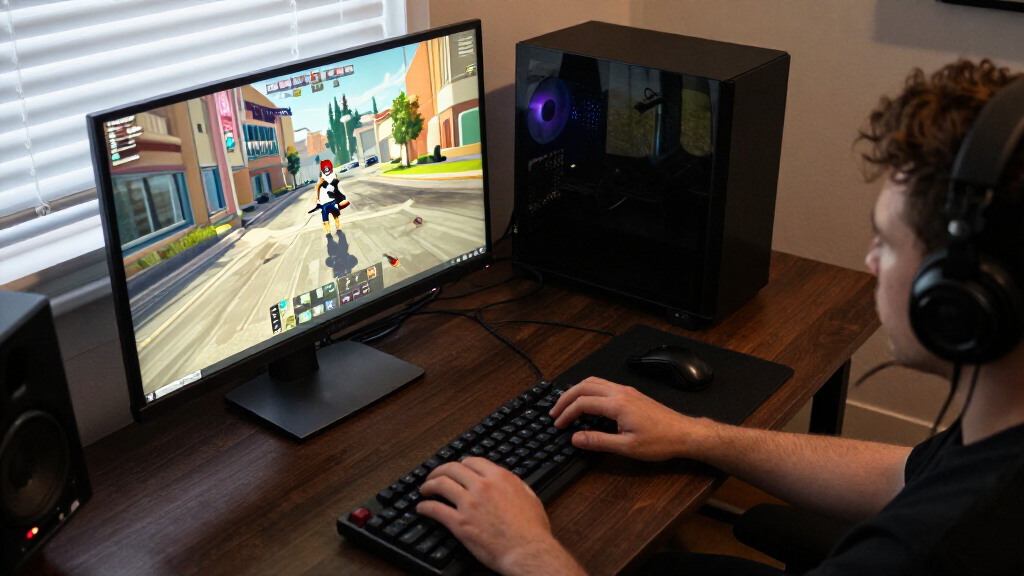

For a balanced GTA 6 gaming PC, I’d put the Skytech Gaming Azure 3 first for its RTX 5060 Ti and Core i5-14400F pairing. The CyberPowerPC Gamer Master is a strong alternative for buyers who want an RTX 5060 Ti with a Ryzen 7 8700F, while the iBUYPOWER Slate MESH offers 32GB of memory for heavier multitasking. These systems differ in graphics performance, processor strengths, memory capacity, and the details of their configurations, so the right choice depends on your resolution and how long you plan to keep the PC. GTA 6 PC requirements and performance targets may change, so no listed configuration guarantees a particular frame rate. Read on for my ranking, the tradeoffs behind each pick, and what to check before buying.

Get audio and creator gear delivered free with Prime
- Fast, free delivery on millions of items
- Prime Video, Amazon Music and more included
- Member-only deals all year
Complete the kit


Key Takeaways
- The two RTX 5060 Ti systems lead this lineup: Skytech’s Azure 3 and CyberPowerPC’s Gamer Master pair the stronger listed graphics option with modern processors, giving them the clearest performance-first case.
- The RTX 5060 PCs are the middle ground: Several picks use this GPU, so differences in CPU, memory type, and supplied RAM matter more than the graphics name alone.
- More system memory does not automatically mean more gaming performance: The iBUYPOWER Slate MESH and YAWYORE list 32GB, but their RTX 4060 and RTX 5060 still shape graphics capability.
- The older RTX 3060 Ti and Ryzen 5 5500 pairing is a budget-oriented outlier: It may suit buyers focused on current games, but its older platform makes future upgrade planning more relevant.
- Product names are not enough to compare prebuilts: The CyberPowerPC GXiVR8040A19 and NOVATECH Titan Pro lack full component detail in the supplied descriptions, so buyers should verify the exact configuration before choosing.
| CyberPowerPC Gamer Master Gaming Desktop, Ryzen 7 8700F, GeForce RTX 5060 Ti 8GB, 16GB DDR5, 1TB SSD |  | Best for GPU-First Gaming | Processor: AMD Ryzen 7 8700F, 8 cores, 4.1 GHz | Graphics: NVIDIA GeForce RTX 5060 Ti, 8GB | Memory: 16GB DDR5, 4800 MT/s | VIEW LATEST PRICE | See Our Full Breakdown |
| CyberPowerPC Gamer Xtreme Gaming Desktop, Intel Core i5-14400F, GeForce RTX 5060 8GB, 16GB DDR5, 1TB SSD |  | Best for Mainstream Buyers | Processor: Intel Core i5-14400F, 10 cores, 2.5 GHz | Graphics: NVIDIA GeForce RTX 5060, 8GB | Memory: 16GB DDR5, 4800 MT/s | VIEW LATEST PRICE | See Our Full Breakdown |
| iBUYPOWER Slate MESH Gaming Desktop, Intel Core i7-14700F, GeForce RTX 4060 8GB, 32GB DDR5 RAM, 1TB NVMe SSD, Windows 11 Home |  | Best for Memory-Heavy Multitasking | Processor: Intel Core i7-14700F, 20 cores, up to 5.4 GHz | Graphics: NVIDIA GeForce RTX 4060, 8GB | Memory: 32GB DDR5 RGB, 5200 MHz | VIEW LATEST PRICE | See Our Full Breakdown |
| Olialia Gaming Desktop PC with RTX 3060 Ti and AMD Ryzen 5 5500 |  | Best for Existing-Generation GPU Buyers | Processor: AMD Ryzen 5 5500, 6 cores, 12 threads | Graphics: NVIDIA GeForce RTX 3060 Ti | Memory: 16GB DDR4 | VIEW LATEST PRICE | See Our Full Breakdown |
| CyberPowerPC Gamer Xtreme Gaming Desktop PC (GXiVR8040A19) |  | Best for CPU-Heavy Gaming and Multitasking | Processor: Intel Core i7-14700F, 20 cores, 2.1 GHz | Graphics: NVIDIA GeForce RTX 5060 Ti, 8GB | Memory: 16GB DDR5, 4800 MHz | VIEW LATEST PRICE | See Our Full Breakdown |
| YAWYORE Gaming PC Desktop with AMD Ryzen 7 5700X, GeForce RTX 5060, 32GB DDR4 RAM, 1TB NVMe SSD |  | Best for Multitasking | Processor: AMD Ryzen 7 5700X, 8 cores, 16 threads, up to 4.6GHz | Graphics: GeForce RTX 5060, 8GB GDDR7 | Memory: 32GB DDR4 3200MHz (2 x 16GB) | VIEW LATEST PRICE | See Our Full Breakdown |
| Skytech Gaming Azure 3 Gaming PC with Intel Core i5-14400F and GeForce RTX 5060 Ti 8GB |  | Best for GPU-First Gaming | Processor: Intel Core i5-14400F, up to 4.7GHz | Graphics: NVIDIA GeForce RTX 5060 Ti, 8GB GDDR7; brand may vary | Memory: 16GB DDR4 3200MHz | VIEW LATEST PRICE | See Our Full Breakdown |
| LXZ Gaming Desktop PC with AMD Ryzen 7 8700F and GeForce RTX 5060 |  | Best for a Newer Platform | Processor: AMD Ryzen 7 8700F, 8 cores, 4.1GHz base, up to 5.0GHz | Graphics: GeForce RTX 5060, 8GB GDDR7 | Memory: 16GB DDR5 4800MHz; maximum listed capacity 256GB | VIEW LATEST PRICE | See Our Full Breakdown |
| NOVATECH Titan Pro Prebuilt Gaming PC (RTX 5060, Ryzen 5, 16GB RAM, 1TB SSD) |  | Best for a Straightforward Setup | Processor: AMD Ryzen 5 5500 | Graphics: NVIDIA GeForce RTX 5060 | Memory: 16GB DDR4 3200MHz; two RAM slots | VIEW LATEST PRICE | See Our Full Breakdown |
| gaming PCs for GTA 6 | Processor | Graphics | Memory | Storage |
|---|---|---|---|---|
| CyberPowerPC Gamer Master Gami | AMD Ryzen 7 8700F, 8 cores, 4.1 GHz | NVIDIA GeForce RTX 5060 Ti, 8GB | 16GB DDR5, 4800 MT/s | 1TB PCIe 4.0 NVMe SSD |
| CyberPowerPC Gamer Xtreme Gami | Intel Core i5-14400F, 10 cores, 2.5 GHz | NVIDIA GeForce RTX 5060, 8GB | 16GB DDR5, 4800 MT/s | 1TB PCIe 4.0 NVMe SSD |
| iBUYPOWER Slate MESH Gaming De | Intel Core i7-14700F, 20 cores, up to 5.4 GHz | NVIDIA GeForce RTX 4060, 8GB | 32GB DDR5 RGB, 5200 MHz | 1TB NVMe SSD |
| Olialia Gaming Desktop PC with | AMD Ryzen 5 5500, 6 cores, 12 threads | NVIDIA GeForce RTX 3060 Ti | 16GB DDR4 | 512GB SSD |
| CyberPowerPC Gamer Xtreme Gami | Intel Core i7-14700F, 20 cores, 2.1 GHz | NVIDIA GeForce RTX 5060 Ti, 8GB | 16GB DDR5, 4800 MHz | 1TB PCIe 4.0 NVMe SSD |
| YAWYORE Gaming PC Desktop with | AMD Ryzen 7 5700X, 8 cores, 16 threads, up to 4.6GHz | GeForce RTX 5060, 8GB GDDR7 | 32GB DDR4 3200MHz (2 x 16GB) | 1TB M.2 NVMe PCIe SSD |
| Skytech Gaming Azure 3 Gaming | Intel Core i5-14400F, up to 4.7GHz | NVIDIA GeForce RTX 5060 Ti, 8GB GDDR7; brand may vary | 16GB DDR4 3200MHz | 1TB NVMe M.2 SSD |
| LXZ Gaming Desktop PC with AMD | AMD Ryzen 7 8700F, 8 cores, 4.1GHz base, up to 5.0GHz | GeForce RTX 5060, 8GB GDDR7 | 16GB DDR5 4800MHz; maximum listed capacity 256GB | 1TB NVMe SSD |
| NOVATECH Titan Pro Prebuilt Ga | AMD Ryzen 5 5500 | NVIDIA GeForce RTX 5060 | 16GB DDR4 3200MHz; two RAM slots | 1TB M.2 SSD |
More Details on Our Top Picks
CyberPowerPC Gamer Master Gaming Desktop, Ryzen 7 8700F, GeForce RTX 5060 Ti 8GB, 16GB DDR5, 1TB SSD
The RTX 5060 Ti gives this Gamer Master a stronger graphics starting point than the RTX 5060 in the CyberPowerPC Gamer Xtreme with Core i5-14400F, making it the more appealing of the two for buyers prioritizing visual performance in GTA 6. Its Ryzen 7 8700F also brings eight cores for gaming alongside background tasks, while the 1TB NVMe SSD leaves more room for a game installation than the Olialia’s 512GB drive. The main compromise is 16GB of RAM; the iBUYPOWER Slate MESH arrives with 32GB, which gives it more headroom for multitasking. The 5060 Ti’s 8GB of graphics memory is another limit to keep in mind for demanding settings. I’d choose this tower for its graphics tier, not as a no-upgrade-needed system.
Pros:- RTX 5060 Ti is a stronger graphics tier than the RTX 5060 in the CyberPowerPC Gamer Xtreme i5 model.
- Eight-core Ryzen 7 8700F can handle gaming and general multitasking.
- 1TB PCIe 4.0 NVMe SSD provides useful space for games and quick storage access.
- Wi-Fi 6, Bluetooth 5.3, and included keyboard and mouse simplify setup.
Cons:- 16GB DDR5 is less memory than the iBUYPOWER Slate MESH’s 32GB configuration.
- The RTX 5060 Ti has 8GB of graphics memory, which may constrain demanding graphics settings.
- The included keyboard and mouse may be basic for buyers with specific gaming preferences.
Best for: GTA 6 players who want an RTX 5060 Ti and a roomy 1TB SSD, and are comfortable adding memory later if needed.
Not ideal for: Buyers who want 32GB of memory out of the box or a graphics card with more than 8GB of video memory.
- Processor:AMD Ryzen 7 8700F, 8 cores, 4.1 GHz
- Graphics:NVIDIA GeForce RTX 5060 Ti, 8GB
- Memory:16GB DDR5, 4800 MT/s
- Storage:1TB PCIe 4.0 NVMe SSD
- Operating system:Windows 11 Home
- Connectivity:Wi-Fi 6, Bluetooth 5.3, Ethernet
- Video outputs:1 HDMI, 2 DisplayPort
- Included accessories:Keyboard and mouse
Our verdict“Pick the Gamer Master if you want an RTX 5060 Ti and 1TB SSD, and accept that its 16GB of RAM may need an upgrade.”
CyberPowerPC Gamer Xtreme Gaming Desktop, Intel Core i5-14400F, GeForce RTX 5060 8GB, 16GB DDR5, 1TB SSD
This Gamer Xtreme is the more restrained CyberPowerPC choice: it pairs a 10-core Core i5-14400F with an RTX 5060 rather than the 5060 Ti found in the Gamer Master. That makes the Gamer Master the better fit for buyers who want the stronger listed graphics tier, while this model keeps the rest of the package practical with 16GB DDR5 and a 1TB NVMe SSD. For GTA 6, the 8GB graphics memory is a notable constraint to weigh against your resolution and graphics ambitions; the specs alone do not establish game performance. The iBUYPOWER Slate MESH offers 32GB of memory, but uses the older RTX 4060. This CyberPowerPC balances newer listed graphics hardware with a simple ready-to-use setup, though its 16GB RAM leaves less room for heavy multitasking.
Pros:- 10-core Core i5-14400F provides ample listed core capacity for gaming and background tasks.
- RTX 5060 is a newer graphics tier than the RTX 4060 in the iBUYPOWER Slate MESH.
- 1TB PCIe 4.0 NVMe SSD offers more space than the Olialia’s 512GB SSD.
- Wi-Fi 6, Bluetooth 5.3, keyboard, and mouse are included.
Cons:- RTX 5060 has 8GB of graphics memory, as does the Gamer Master’s higher-tier RTX 5060 Ti.
- 16GB DDR5 is half the capacity provided by the iBUYPOWER Slate MESH.
- The listed USB ports are USB-A only, with no USB-C port specified.
Best for: Players seeking a straightforward Windows gaming desktop with a current-generation RTX 5060, 1TB storage, and bundled peripherals.
Not ideal for: Buyers seeking the strongest graphics option in this group or 32GB of memory without an upgrade.
- Processor:Intel Core i5-14400F, 10 cores, 2.5 GHz
- Graphics:NVIDIA GeForce RTX 5060, 8GB
- Memory:16GB DDR5, 4800 MT/s
- Storage:1TB PCIe 4.0 NVMe SSD
- Operating system:Windows 11 Home
- Wireless:Wi-Fi 6, Bluetooth 5.3
- Video outputs:1 HDMI, 2 DisplayPort
- Dimensions:18.11 x 9.25 x 19.61 inches
Our verdict“Choose this Gamer Xtreme for a practical RTX 5060 desktop with 1TB storage, but look to the Gamer Master if graphics tier matters more.”
iBUYPOWER Slate MESH Gaming Desktop, Intel Core i7-14700F, GeForce RTX 4060 8GB, 32GB DDR5 RAM, 1TB NVMe SSD, Windows 11 Home
The Slate MESH stands apart from both CyberPowerPC RTX 5060 systems by shipping with 32GB of DDR5, twice their listed memory. That makes it a better fit for players who keep several apps open alongside a game, though it does not make this the graphics leader: its RTX 4060 8GB is an older listed tier than the RTX 5060 in the CyberPowerPC Gamer Xtreme. The Core i7-14700F’s 20 cores also provide substantial processor capacity for workloads beyond gaming, but GTA 6 buyers should weigh that against the graphics card rather than treating the CPU count as a guarantee of game performance. Its air cooling and 802.11ac Wi-Fi are less modern on paper than the Gamer Master’s Wi-Fi 6. I’d favor it for memory and multitasking, not for the newest graphics hardware.
Pros:- 32GB DDR5 provides twice the listed memory of the CyberPowerPC Gamer Master and Gamer Xtreme.
- 20-core Core i7-14700F offers substantial processor capacity for multitasking.
- 1TB NVMe SSD and Windows 11 Home are included.
- Tempered-glass RGB case, tower CPU cooler, keyboard, and RGB mouse come with the system.
Cons:- RTX 4060 8GB is a lower listed graphics tier than the RTX 5060 in the CyberPowerPC Gamer Xtreme.
- 802.11ac Wi-Fi is an older wireless specification than the Wi-Fi 6 in both CyberPowerPC options.
- Cooling is air-based, and no liquid-cooling system is listed.
Best for: Players who multitask, stream, or run other memory-hungry applications and prefer 32GB RAM from the start.
Not ideal for: GTA 6 buyers whose priority is a newer listed GPU tier, or who want Wi-Fi 6 and more advanced cooling.
- Processor:Intel Core i7-14700F, 20 cores, up to 5.4 GHz
- Graphics:NVIDIA GeForce RTX 4060, 8GB
- Memory:32GB DDR5 RGB, 5200 MHz
- Storage:1TB NVMe SSD
- Cooling:Air cooling with tower CPU cooler and RGB fans
- Wireless:802.11ac Wi-Fi
- Operating system:Windows 11 Home
- Dimensions:20.1 x 8.66 x 19.4 inches
Our verdict“Choose the Slate MESH for its 32GB memory and multitasking capacity, but favor a CyberPowerPC RTX 5060 model if graphics hardware is your priority.”
Olialia Gaming Desktop PC with RTX 3060 Ti and AMD Ryzen 5 5500
The Olialia is the lineup’s option for buyers focused on an RTX 3060 Ti system rather than the newer RTX 5060 and 5060 Ti combinations in the CyberPowerPC desktops. Its Ryzen 5 5500, 16GB DDR4, and 512GB SSD make for a less expansive setup than the Gamer Master’s eight-core Ryzen 7, DDR5 memory, and 1TB drive. The six adjustable RGB fans and dual glass panels give the case a feature-rich presentation, but they do not make up for limited storage if GTA 6 sits alongside a large game library. The smaller SSD is the clearest day-to-day compromise, and the listed DDR4 platform contrasts with the DDR5 systems elsewhere in this group. I’d consider it for buyers specifically choosing this GPU tier and willing to manage storage carefully.
Pros:- RTX 3060 Ti offers a distinct alternative to the RTX 5060-series cards in the CyberPowerPC models.
- Six adjustable RGB case fans and a ventilated case are listed.
- Wi-Fi 6 and Windows 11 Home are included.
- The 600W power supply and mid-tower format are specified.
Cons:- 512GB SSD is half the listed capacity of the 1TB drives in the CyberPowerPC options.
- 16GB DDR4 is a less expansive memory configuration than the 32GB DDR5 in the iBUYPOWER Slate MESH.
- The Ryzen 5 5500 has six cores, fewer than the listed Ryzen 7 and Core i7 alternatives.
Best for: Players who want an RTX 3060 Ti desktop with Wi-Fi 6 and a fan-rich case, and have a modest initial storage need.
Not ideal for: Buyers building a large installed game library or seeking the newer listed RTX 5060-series GPUs and DDR5 memory.
- Processor:AMD Ryzen 5 5500, 6 cores, 12 threads
- Graphics:NVIDIA GeForce RTX 3060 Ti
- Memory:16GB DDR4
- Storage:512GB SSD
- Cooling:Six adjustable RGB case fans and RGB CPU cooler
- Connectivity:Ethernet, Wi-Fi 6
- Power supply:600W
- Warranty:1-year manufacturer warranty
Our verdict“Pick the Olialia if you specifically want its RTX 3060 Ti setup and can work around the smaller SSD and DDR4 memory.”
CyberPowerPC Gamer Xtreme Gaming Desktop PC (GXiVR8040A19)
This Gamer Xtreme combines a 20-core Core i7-14700F with an RTX 5060 Ti, giving it a different balance from the Ryzen 7 Gamer Master: both list an RTX 5060 Ti with 8GB, but this model offers a higher-core-count Intel processor and a white RGB tower. Compared with the iBUYPOWER Slate MESH, it has the newer listed graphics tier but only 16GB of RAM, rather than 32GB. For GTA 6 buyers, that means choosing between the graphics hardware and the Slate’s memory headroom, not assuming the i7 alone settles the decision. Its 1TB NVMe SSD and Wi-Fi 6 are practical inclusions, while the 8GB graphics memory and 16GB system memory are meaningful limits to weigh. The included keyboard and mouse help with setup, but may not suit players seeking specialized peripherals.
Pros:- 20-core Core i7-14700F pairs with an RTX 5060 Ti 8GB.
- 1TB PCIe 4.0 NVMe SSD provides more listed capacity than the Olialia’s 512GB drive.
- Wi-Fi 6, Bluetooth 5.3, and a USB-C 3.2 port are included.
- White tempered-glass tower with RGB lighting gives it a distinct look from the black Gamer Master.
Cons:- 16GB DDR5 is less than the iBUYPOWER Slate MESH’s 32GB configuration.
- RTX 5060 Ti has 8GB of graphics memory.
- Included keyboard and mouse may not meet the needs of players wanting specialized peripherals.
Best for: Players who want an RTX 5060 Ti paired with a 20-core Intel processor for gaming and processor-heavy multitasking.
Not ideal for: Buyers who want 32GB RAM included, more than 8GB of graphics memory, or a competitive-grade keyboard and mouse.
- Processor:Intel Core i7-14700F, 20 cores, 2.1 GHz
- Graphics:NVIDIA GeForce RTX 5060 Ti, 8GB
- Memory:16GB DDR5, 4800 MHz
- Storage:1TB PCIe 4.0 NVMe SSD
- Operating system:Windows 11 Home
- Connectivity:Wi-Fi 6, Bluetooth 5.3, LAN
- Video outputs:1 HDMI, 2 DisplayPort
- Included accessories:Keyboard and mouse
Our verdict“Choose this white Gamer Xtreme for its Core i7 and RTX 5060 Ti pairing, provided you are comfortable with 16GB RAM and 8GB graphics memory.”
YAWYORE Gaming PC Desktop with AMD Ryzen 7 5700X, GeForce RTX 5060, 32GB DDR4 RAM, 1TB NVMe SSD
I’d choose the YAWYORE for a GTA 6 setup where gaming shares time with streaming, chat, or other demanding apps: its Ryzen 7 5700X and 32GB of RAM give it more multitasking headroom than the 16GB LXZ Gaming Desktop. The RTX 5060 with 8GB GDDR7 supports DLSS 4 and ray tracing, though the graphics card’s 8GB capacity makes it a less reassuring choice for pushing demanding visual settings than a system with a stronger GPU. Its 1TB NVMe SSD provides space for a sizable game install and quick loading, while built-in Wi-Fi and Bluetooth simplify setup. Compared with the newer DDR5-equipped LXZ, this YAWYORE uses DDR4, and its 650W Bronze-rated PSU is a modest supporting component. The liquid cooler and ARGB fans add a distinctive look, but I’d check the variable GPU brand before buying.
Pros:- 32GB DDR4 memory provides more multitasking capacity than the 16GB LXZ and Skytech configurations.
- Ryzen 7 5700X has 8 cores and 16 threads for gaming alongside background tasks.
- 1TB NVMe SSD offers fast storage for games and everyday use.
- Built-in Wi-Fi, Bluetooth, liquid cooling, and ARGB fans are included.
Cons:- RTX 5060 has 8GB of graphics memory, which may limit demanding settings in future games.
- 650W power supply is 80 Plus Bronze certified rather than a higher-efficiency rating.
- DDR4 is an older memory generation than the LXZ’s DDR5, and the graphics card brand may vary.
Best for: GTA 6 players who keep streaming, voice chat, or several apps open and want 32GB of memory without configuring an upgrade.
Not ideal for: Buyers prioritizing newer DDR5 memory, a more efficient power supply, or a guaranteed graphics-card manufacturer.
- Processor:AMD Ryzen 7 5700X, 8 cores, 16 threads, up to 4.6GHz
- Graphics:GeForce RTX 5060, 8GB GDDR7
- Memory:32GB DDR4 3200MHz (2 x 16GB)
- Storage:1TB M.2 NVMe PCIe SSD
- Motherboard:MSI B550M-A PRO
- Power supply:650W, 80 Plus Bronze
- Operating system:Windows 11
- Connectivity:Wi-Fi, Bluetooth, HDMI, DisplayPort, USB, USB-C
- Cooling:Liquid cooler with ARGB fans
Our verdict“Choose the YAWYORE if 32GB of memory for gaming and multitasking matters more to you than DDR5 or a specified GPU brand.”
Skytech Gaming Azure 3 Gaming PC with Intel Core i5-14400F and GeForce RTX 5060 Ti 8GB
The Skytech Azure 3 puts more emphasis on graphics than the standard RTX 5060 systems in this group. Its RTX 5060 Ti with 8GB GDDR7 gives it a graphics-tier advantage over the YAWYORE and NOVATECH, making it the pick I’d favor when GTA 6 visuals matter more than bundled memory or extras. The Core i5-14400F is paired with 16GB DDR4 and a 1TB NVMe SSD; that memory is less generous than the YAWYORE’s 32GB, so buyers who stream or multitask heavily may want to plan an upgrade. Skytech includes a keyboard and mouse, which makes this a more ready-to-start option than the LXZ. The tradeoffs are Wi-Fi 5, air cooling, and a GPU brand that may vary. Its 8GB graphics memory also remains a limit for especially demanding settings.
Pros:- RTX 5060 Ti is a step above the RTX 5060 in the other three reviewed PCs.
- Core i5-14400F and 1TB NVMe SSD provide a capable foundation for gaming and quick loading.
- Tempered-glass case and ARGB fans give the system a visible gaming aesthetic.
- Keyboard and mouse are included.
Cons:- 16GB DDR4 is less memory than the YAWYORE’s 32GB and may prompt an upgrade for heavier multitasking.
- Wi-Fi 5 is an older wireless standard than newer Wi-Fi generations.
- Graphics card brand and some ports may vary; the 8GB GPU memory may constrain demanding settings.
Best for: Players who want the strongest listed graphics card among these four PCs and value a keyboard-and-mouse bundle.
Not ideal for: GTA 6 players who need 32GB of memory out of the box, want a specified GPU brand, or prioritize newer Wi-Fi.
- Processor:Intel Core i5-14400F, up to 4.7GHz
- Graphics:NVIDIA GeForce RTX 5060 Ti, 8GB GDDR7; brand may vary
- Memory:16GB DDR4 3200MHz
- Storage:1TB NVMe M.2 SSD
- Operating system:Windows 11 Home 64-bit
- Wireless:Wi-Fi 5 (802.11ac) and Bluetooth
- Cooling:Air cooler and ARGB fans
- Case:Black Skytech Azure tower with tempered glass
- Included accessories:Gaming keyboard and mouse
Our verdict“Pick the Skytech Azure 3 if you want the lineup’s RTX 5060 Ti and can accept 16GB of DDR4 and variable component details.”
LXZ Gaming Desktop PC with AMD Ryzen 7 8700F and GeForce RTX 5060
The LXZ stands apart from the YAWYORE by pairing its Ryzen 7 8700F with DDR5 memory, giving buyers a newer platform rather than the YAWYORE’s older DDR4 setup. That distinction may appeal if you want a more current starting point and room to expand: the listing supports up to 256GB of memory, though it arrives with just 16GB. For GTA 6, its RTX 5060 has the same 8GB graphics-memory capacity as the YAWYORE and NOVATECH, so the newer CPU and DDR5 do not make it a higher graphics tier than Skytech’s RTX 5060 Ti. Six RGB fans, a tempered-glass panel, and outputs for up to four monitors add flexibility, but the supplied dimensions of 10 x 2 x 50 inches look unusual enough to verify before arranging a desk space. Buyers should also factor in a possible memory upgrade.
Pros:- Ryzen 7 8700F and DDR5 distinguish it from the older-platform YAWYORE.
- Memory is listed as upgradeable up to 256GB.
- 1TB NVMe SSD and six RGB fans are included.
- Three DisplayPort outputs and one HDMI output support up to four monitors.
Cons:- Ships with 16GB of memory, less than the YAWYORE’s 32GB.
- RTX 5060 has 8GB of graphics memory and sits below the Skytech’s RTX 5060 Ti tier.
- Listed dimensions of 10 x 2 x 50 inches warrant checking against the intended space.
Best for: Buyers who want an 8-core Ryzen 7000-series processor, DDR5 memory, and a stated high memory-upgrade ceiling.
Not ideal for: Players who want 32GB of RAM immediately, prefer a clearly specified tower footprint, or want a faster GPU tier than the RTX 5060.
- Processor:AMD Ryzen 7 8700F, 8 cores, 4.1GHz base, up to 5.0GHz
- Graphics:GeForce RTX 5060, 8GB GDDR7
- Memory:16GB DDR5 4800MHz; maximum listed capacity 256GB
- Storage:1TB NVMe SSD
- Operating system:Windows 11
- Cooling:Air cooling with six RGB fans
- Power supply:650W
- Video outputs:Three DisplayPort and one HDMI
- Dimensions:10 x 2 x 50 inches, as listed
Our verdict“Choose the LXZ if a newer Ryzen-and-DDR5 platform and future memory expansion matter more than having 32GB installed now.”
NOVATECH Titan Pro Prebuilt Gaming PC (RTX 5060, Ryzen 5, 16GB RAM, 1TB SSD)
The NOVATECH Titan Pro is the simplest configuration here: a Ryzen 5 5500, RTX 5060, 16GB DDR4, and 1TB SSD, with Windows 11 Pro and everyday wired and wireless connections. That makes it a more basic alternative to the YAWYORE, which doubles the memory and steps up to a Ryzen 7 5700X, and to the LXZ, which uses a newer Ryzen 7 and DDR5. Its RTX 5060 gives it a dedicated gaming GPU, but the listing’s claims about 1440p gaming and 4K streaming do not establish how GTA 6 will perform at particular settings. The 16GB of RAM and two-slot memory limit leave less room for convenient expansion than the LXZ’s stated upgrade capacity. I’d treat this as a straightforward entry point, not the lineup’s strongest long-term choice; its one-year warranty and four expansion slots are also worth weighing.
Pros:- RTX 5060 provides dedicated graphics for a GTA 6-focused PC.
- 1TB M.2 SSD supplies space for games and responsive storage.
- Windows 11 Pro and Wi-Fi, Bluetooth, and Ethernet are included.
- Compact listed tower dimensions of 15 x 9 x 17 inches.
Cons:- Ryzen 5 5500 is a less powerful CPU configuration than the Ryzen 7 processors in the YAWYORE and LXZ.
- 16GB DDR4 and only two RAM slots limit memory capacity and upgrade convenience.
- Four expansion slots and a one-year warranty may not suit buyers planning extensive upgrades.
Best for: Players seeking a basic Windows 11 Pro gaming tower with an RTX 5060, built-in wireless connectivity, and a 1TB SSD.
Not ideal for: Buyers who want an 8-core processor, 32GB RAM out of the box, DDR5, or more flexible memory expansion.
- Processor:AMD Ryzen 5 5500
- Graphics:NVIDIA GeForce RTX 5060
- Memory:16GB DDR4 3200MHz; two RAM slots
- Storage:1TB M.2 SSD
- Operating system:Windows 11 Pro
- Connectivity:Wi-Fi, Bluetooth, Ethernet, HDMI, DisplayPort, USB
- Cooling:Air cooling
- Dimensions and weight:15 x 9 x 17 inches; 20 pounds
- Warranty:One year
Our verdict“Choose the NOVATECH if you want a basic RTX 5060 tower with Windows 11 Pro, but skip it if CPU headroom or flexible upgrades are priorities.”
How We Picked
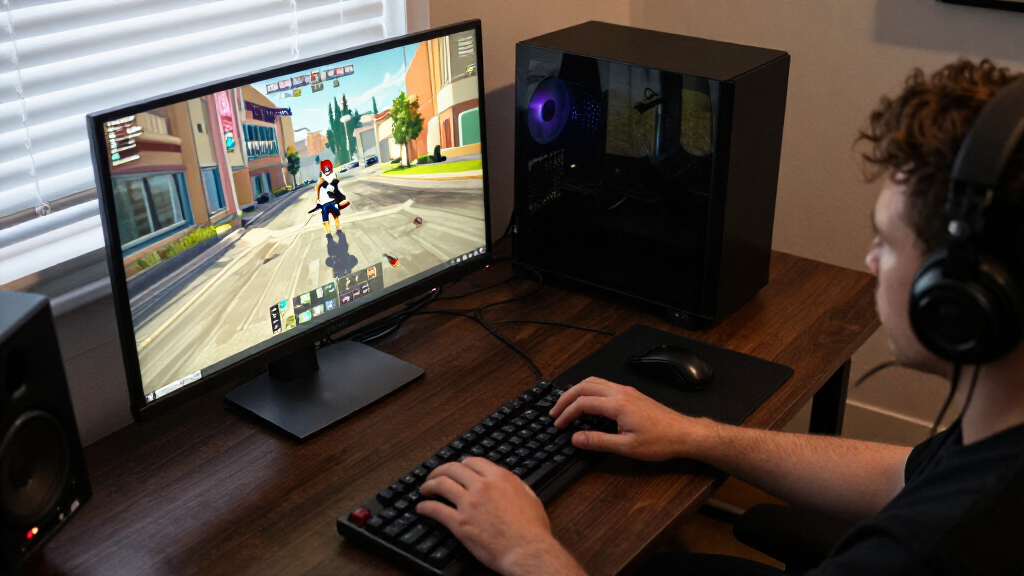
I ranked these systems around the demands a buyer is likely to prioritize for GTA 6: the listed graphics card, processor, memory capacity and type, storage, and the balance among those parts. Graphics hardware carries the greatest weight for gaming, while the CPU and memory help determine whether the rest of the build keeps pace. I also considered whether the listed specifications give a clear picture of the PC or leave important questions for the buyer to resolve.
The RTX 5060 Ti systems rank ahead because they offer the strongest stated graphics tier in this group, with the Skytech Azure 3 taking the lead on its i5-14400F pairing and the CyberPowerPC Gamer Master close behind with a Ryzen 7 8700F. Systems with an RTX 5060 follow, separated by processor and memory configuration; the RTX 4060 and RTX 3060 Ti options rank lower for buyers seeking more headroom in a demanding new game. Models with incomplete specifications cannot earn a confident performance position, so I treat configuration verification as part of their tradeoff. I do not assume a specific GTA 6 frame rate or performance target where the supplied details do not support one.
| gaming PCs for GTA 6 | Operating system | Connectivity | Cooling |
|---|---|---|---|
| CyberPowerPC Gamer Master Gami | Windows 11 Home | Wi-Fi 6, Bluetooth 5.3, Ethernet | — |
| CyberPowerPC Gamer Xtreme Gami | Windows 11 Home | — | — |
| iBUYPOWER Slate MESH Gaming De | Windows 11 Home | — | Air cooling with tower CPU cooler and RGB fans |
| Olialia Gaming Desktop PC with | — | Ethernet, Wi-Fi 6 | Six adjustable RGB case fans and RGB CPU cooler |
| CyberPowerPC Gamer Xtreme Gami | Windows 11 Home | Wi-Fi 6, Bluetooth 5.3, LAN | — |
| YAWYORE Gaming PC Desktop with | Windows 11 | Wi-Fi, Bluetooth, HDMI, DisplayPort, USB, USB-C | Liquid cooler with ARGB fans |
| Skytech Gaming Azure 3 Gaming | Windows 11 Home 64-bit | — | Air cooler and ARGB fans |
| LXZ Gaming Desktop PC with AMD | Windows 11 | — | Air cooling with six RGB fans |
| NOVATECH Titan Pro Prebuilt Ga | Windows 11 Pro | Wi-Fi, Bluetooth, Ethernet, HDMI, DisplayPort, USB | Air cooling |
Factors to Consider When Choosing Best Gaming PCs For GTA 6
Choosing a PC for a game that has not yet established its final PC requirements calls for more than comparing product names. I’d focus on the parts that affect game performance, then check whether the configuration can adapt if your needs change.
Match the GPU to Your Resolution
Start with the resolution and visual settings you actually want, not with the most powerful-looking processor name. Higher resolutions and demanding settings typically put more pressure on the graphics card, so a stronger GPU can matter more than a CPU upgrade for gaming. This makes the RTX 5060 Ti systems attractive for buyers seeking more graphics headroom than the RTX 5060 options provide. A newer GPU name still does not guarantee a specific GTA 6 result; final requirements and game optimization will matter. If you play at a lower resolution or are comfortable reducing settings, a less expensive graphics tier may be a sensible compromise. Check independent performance information for the exact configuration once the game’s PC version and benchmarks are available.
Treat Minimum Requirements and Desired Performance as Different Targets
A PC that can launch a game is not necessarily one that can deliver the resolution, frame rate, or image quality you want. Before buying, decide whether you value smoother motion, detailed graphics, or a mix of both. Those goals can point to different component priorities, even within this roundup’s RTX 5060 and RTX 5060 Ti systems. Avoid relying on claims that a particular PC is “future-proof”; game updates and new releases can change what feels comfortable. Leave room in your budget for a monitor that suits the PC, since a high-resolution display can expose the limits of a graphics card sooner. If GTA 6 performance is your main reason for upgrading, wait for PC-specific requirements and credible benchmarks when possible.
Read the Full Configuration, Not Just the Product Name
Prebuilt listings can share a family name while differing in graphics cards, memory, cooling, and other parts. Confirm the exact GPU model and VRAM, CPU, installed memory, storage capacity, and operating system for the specific listing you plan to buy. This matters especially for entries such as the CyberPowerPC GXiVR8040A19 and NOVATECH Titan Pro, whose supplied descriptions do not provide enough component detail for a close performance comparison. Look for the exact model or configuration identifier and save a copy of the listing details. If the seller cannot confirm key parts, compare it with a better-documented PC instead. Clear specifications make it easier to judge both present-day performance and future upgrade options.
Choose Memory for Your Whole PC, Not a Single Spec
Sixteen gigabytes is listed on several systems here, while the iBUYPOWER Slate MESH and YAWYORE include 32GB. More memory can help when you keep browsers, voice chat, or other apps open alongside a game, but it does not substitute for a stronger graphics card. Also check whether memory is DDR4 or DDR5, how many slots are occupied, and whether the system can be upgraded without replacing existing modules. The YAWYORE’s 32GB DDR4 configuration and the Slate MESH’s 32GB DDR5 setup illustrate why capacity alone is not the whole story. If a system has 16GB, find out whether adding memory later is straightforward and whether doing so affects warranty terms. Choose a balanced configuration rather than paying extra for memory while overlooking the GPU.
Check Cooling, Case Space, and Upgrade Access
A specification sheet rarely tells the full story about long gaming sessions or future maintenance. Look for case ventilation, the number of accessible fan mounts, CPU cooling details, and clearance for a longer graphics card. Compact or tightly packed cases can limit upgrade choices and make cable access harder, while a roomier chassis may be easier to maintain. Ask whether the power supply has enough capacity and the right connectors for a future GPU upgrade; a graphics card upgrade can require more than opening an empty slot. Confirm that the PC’s dimensions fit your desk or gaming area before ordering. These checks can make a less flashy build more practical over several years.
Weigh Platform Age Against Upgrade Plans
A lower-tier or older-platform system can be a reasonable fit if you plan to play current games and keep the original parts. If you expect to upgrade the processor or graphics card later, the motherboard generation, socket, power supply, and case cooling may matter as much as the starting configuration. The Olialia pairing of a Ryzen 5 5500 and RTX 3060 Ti stands apart from the newer RTX 5060 options, so buyers should pay particular attention to platform support and upgrade limits. Ask which motherboard model is installed and check its supported processors before assuming a CPU upgrade will be simple. A prebuilt may use components that differ from retail versions, so generic upgrade advice may not apply. Choose based on the changes you realistically plan to make, rather than on a vague promise of future flexibility.
Frequently Asked Questions
Which PC in this roundup gives me the strongest listed graphics option for GTA 6?
The Skytech Gaming Azure 3 and CyberPowerPC Gamer Master are the two listed systems with an RTX 5060 Ti, the strongest graphics tier named in this group. The Azure 3 pairs it with an Intel Core i5-14400F, while the Gamer Master uses a Ryzen 7 8700F. I rank the Skytech first for its clearly stated combination, but either could be the better fit depending on configuration details and your preference for Intel or AMD. Neither specification guarantees a particular GTA 6 frame rate. Check final PC requirements and game-specific benchmarks before treating either as a confirmed performance match.
Is 16GB of RAM enough, or should I choose a 32GB PC?
It depends on the game’s final requirements and what else you run while playing. This roundup includes several 16GB PCs and two 32GB examples, but the amount of RAM alone does not establish which will perform better in GTA 6. The graphics card and overall system balance remain key, and the iBUYPOWER’s RTX 4060 does not become a stronger gaming GPU just because it has 32GB. If you choose a 16GB system, check whether memory can be added later and whether the motherboard has open slots. A 32GB configuration may suit heavier multitasking, but compare the full parts list before paying for capacity you may not need.
Should I buy an RTX 5060 PC now or wait for GTA 6 PC requirements?
If GTA 6 is the main reason for your purchase, waiting for official PC requirements and credible game benchmarks is the safer way to match a system to your target settings. The listed RTX 5060 and RTX 5060 Ti machines offer different graphics tiers, but no supplied information confirms how either will perform in the finished PC version. If you need a PC for games you play now, choose based on those games and treat GTA 6 performance as unconfirmed. Waiting can also reveal whether your preferred resolution calls for more graphics capability. Avoid buying solely on a promise that a particular GPU will run an unreleased PC game at a specific setting.
How should I compare the RTX 5060 systems when they use different processors and memory?
Compare the exact graphics card first, then look at the processor and memory as parts of the full system. The RTX 5060 appears alongside different CPUs and both DDR4 and DDR5 memory in this lineup, so the model name alone does not describe the whole build. A stronger processor or a larger memory kit may help with certain workloads, but it does not replace the GPU’s role in graphics-heavy gaming. Also verify storage, cooling, motherboard, and power supply, since those affect everyday use and upgrade options. If two listings are still hard to distinguish, favor the one with clearer specifications and a more suitable upgrade path.
What should I verify before buying the CyberPowerPC GXiVR8040A19 or NOVATECH Titan Pro?
The supplied descriptions for these models do not include enough detail to compare them confidently with the better-documented systems. Confirm the exact graphics card, processor model, RAM capacity and type, SSD size, motherboard, power supply, and cooling setup on the seller’s page. Product names can cover multiple configurations, so make sure the details match the exact model identifier in your cart. Check the return policy and warranty terms as well, especially if the listing leaves component choices unclear. If you cannot get confirmation of the core parts, a clearly specified alternative is easier to judge for GTA 6 plans.
Conclusion
For the strongest all-around stated graphics pairing, I recommend the Skytech Gaming Azure 3 as best overall, with its RTX 5060 Ti and Core i5-14400F. The CyberPowerPC Gamer Master is my other performance-focused choice if you prefer its Ryzen 7 8700F configuration, while the RTX 5060 systems are the value-oriented middle ground for buyers who do not need the highest graphics tier listed here. For beginners, I’d favor a clearly documented prebuilt such as the Skytech or Gamer Master over a listing with missing component details. If you often multitask, the iBUYPOWER Slate MESH or YAWYORE may suit you better because each lists 32GB of memory, though their GPUs differ. Pick the Olialia only if its older RTX 3060 Ti platform fits your needs and you have checked the upgrade limits; for the GXiVR8040A19 or NOVATECH Titan Pro, confirm every key part before deciding. For any of these PCs, wait for GTA 6 PC requirements and reliable benchmarks before expecting a particular performance level.