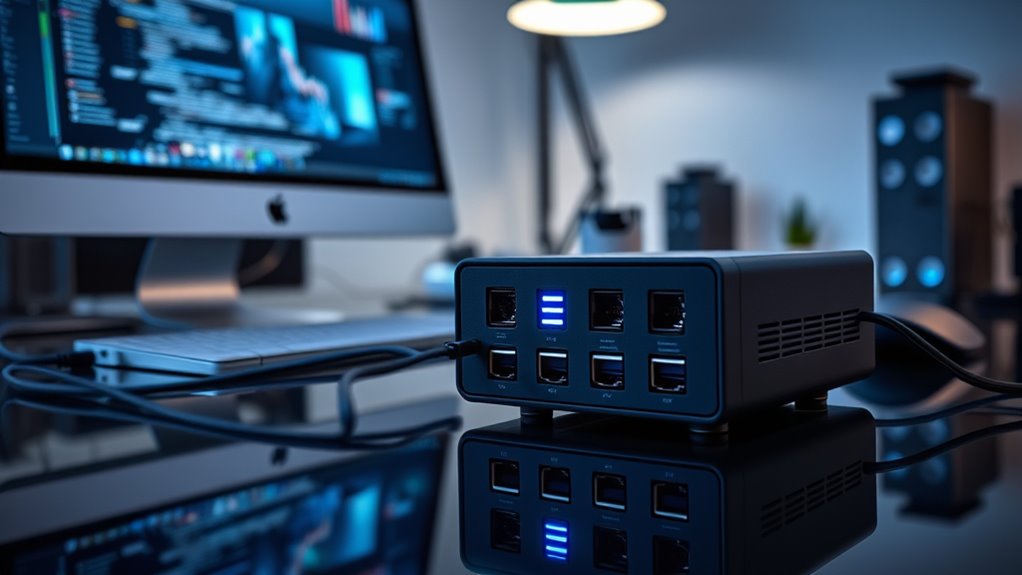

Searching for the best 10GbE NAS for Mac in 2026? This category offers a range of options from portable all-flash units to large enterprise-capable storage. The key tradeoffs involve balancing speed, capacity, ease of use, and price. The top pick, QNAP TBS-h574TX-i5U, stands out for its versatility and performance, but it comes at a higher cost. Meanwhile, budget-friendly options like the UGREEN DXP4800 Plus provide solid features for small teams. Continue reading for a detailed breakdown to find the best fit for your Mac setup.

Get audio and creator gear delivered free with Prime
- Fast, free delivery on millions of items
- Prime Video, Amazon Music and more included
- Member-only deals all year
Complete the kit



Key Takeaways
- The top-performing models balance high-speed connectivity with robust build quality, making them suitable for demanding workflows.
- Many options are diskless, which requires buyers to invest in compatible drives; this can save costs but adds setup complexity.
- Portability varies significantly—some NAS units are designed for on-the-go use, while others are meant for fixed, rack-mounted setups.
- Price often correlates with performance and capacity, but some mid-range options offer excellent value for small teams or prosumers.
- Compatibility and ease of integration with macOS are consistent across the best picks, but checking specific network features is still essential.
| QNAP TBS-h574TX-i5U 5-Bay Portable Thunderbolt 4 All-Flash NASbook |  | Best for Creatives on the Go | Processor: Intel Core i5-1235U 10-core/12-thread | Memory: 16GB RAM | Storage Bays: 5-Bay | VIEW ON AMAZON | See Our Full Breakdown |
| UGREEN DXP4800 Plus 4-Bay NAS for Families, Creators & Small Teams |  | Best for Small Teams Needing Massive Storage | Storage Capacity: Up to 144TB | Number of Bays: 4 | Transfer Speed: 10Gbps | VIEW ON AMAZON | See Our Full Breakdown |
| Asustor Lockerstor 10 Pro AS7110T 10 Bay NAS for Enterprise (Diskless) |  | Best for Enterprise-Grade Storage | Processor: Intel Xeon E-2224 | Memory: 8GB DDR4 (expandable to 64GB) | Drive Bays: 10 | VIEW ON AMAZON | See Our Full Breakdown |
| QNAP TBS-h574TX-i3-12G-US 5-Bay High-Performance All-Flash NAS with Intel Core i3, Thunderbolt 4, and 10GbE |  | Best for Media Professionals and Small Studios | Processor: Intel Core i3-1320PE | RAM: 12GB DDR4 | Storage Bays: 5 NVMe SSD | VIEW ON AMAZON | See Our Full Breakdown |
| QNAP TBS-h574TX-i5-16G-US 5-Bay High-Performance All-Flash NAS with Intel Core i5, Thunderbolt 4, and 10GbE |  | Best for Video Production and Media Editing | Processor: Intel Core i5-1340PE, 12 cores | RAM: 16GB DDR4 | Storage Interface: 5 x E1.S NVMe SSD slots | VIEW ON AMAZON | See Our Full Breakdown |
| TERRAMASTER F6-425 Pro NAS Server, Intel Core i3-1315U, 8GB DDR5, Diskless |  | Best for Content Creators and Small Teams on a Budget | Processor: Intel Core i3-1315U | Memory: 8GB DDR5 | Network Ports: 2 x 10GbE | VIEW ON AMAZON | See Our Full Breakdown |
| OWC Thunderbolt 5 Dual 10GbE Network Dock 11-Port Connectivity Solution |  | Best for High-Speed Connectivity and Multi-Display Setups | Host Interface: Thunderbolt 5, Thunderbolt 4, USB4 | Ethernet Ports: 2 x 10GbE, 1 x 2.5GbE | Display Support: Up to three 8K @ 60Hz | VIEW ON AMAZON | See Our Full Breakdown |
| UGREEN NAS DXP4800 GT 4-Bay for Creators, Tech Enthusiasts, and Office Teams |  | Best for Large Storage and Virtualization Needs | Processor: AMD Ryzen Embedded R2514 | RAM: 8GB DDR4, expandable to 64GB | Storage Capacity: Up to 144TB | VIEW ON AMAZON | See Our Full Breakdown |
| 10gbe nas for mac | Processor |
|---|---|
| QNAP TBS-h574TX-i5U 5-Bay Port | Intel Core i5-1235U 10-core/12-thread |
| UGREEN DXP4800 Plus 4-Bay NAS | — |
| Asustor Lockerstor 10 Pro AS71 | Intel Xeon E-2224 |
| QNAP TBS-h574TX-i3-12G-US 5-Ba | Intel Core i3-1320PE |
| QNAP TBS-h574TX-i5-16G-US 5-Ba | Intel Core i5-1340PE, 12 cores |
| TERRAMASTER F6-425 Pro NAS Ser | Intel Core i3-1315U |
| OWC Thunderbolt 5 Dual 10GbE N | — |
| UGREEN NAS DXP4800 GT 4-Bay fo | AMD Ryzen Embedded R2514 |
More Details on Our Top Picks
QNAP TBS-h574TX-i5U 5-Bay Portable Thunderbolt 4 All-Flash NASbook
This portable NASbook stands out for its combination of Thunderbolt 4 and high-speed Ethernet, making it ideal for on-location video editing and media workflows. Compared with the QNAP TBS-h574TX-i3-12G-US, the i5 model offers more processing power for demanding tasks, though at a higher cost and with potentially more setup complexity. Its hot-swappable NVMe bays enable seamless workflow adjustments, while the Intel Core i5 processor supports high-resolution editing without lag. However, this device’s internal storage capacity is limited without external drives, and its price may be prohibitive for casual users unfamiliar with technical configuration. This pick makes the most sense for professional creatives needing portable, high-performance editing capabilities with reliable data protection.
Pros:- Thunderbolt 4 and 10GbE connectivity for rapid data transfer
- Hot-swappable NVMe bays support flexible workflow management
- Powerful Intel Core i5 processor handles demanding media tasks
- Supports 4K/8K editing with high-resolution media
Cons:- Expensive relative to simpler NAS options
- Requires technical knowledge for optimal configuration
- Limited internal storage without additional drives
Best for: Professional video editors and media creators who need portable, high-speed editing on location
Not ideal for: Casual users or those seeking a budget-friendly, plug-and-play NAS solution without technical setup
- Processor:Intel Core i5-1235U 10-core/12-thread
- Memory:16GB RAM
- Storage Bays:5-Bay
- Connectivity:Thunderbolt 4, 10GbE, 2.5GbE, USB 3.2 Gen 2, HDMI
- Graphics:Intel Iris Xe
- Form Factor:Portable NAS
- Supported Media:4K/8K editing
Our verdict“This portable NASbook is best suited for media professionals who prioritize speed, portability, and high-end editing features, despite its higher cost and setup complexity.”
UGREEN DXP4800 Plus 4-Bay NAS for Families, Creators & Small Teams
The UGREEN DXP4800 Plus offers a compelling combination of large storage capacity and versatile features, making it ideal for small offices, families, and creative teams. Compared with the Asustor Lockerstor 10 Pro, it provides a significantly higher maximum capacity—up to 144TB—while supporting advanced features like Docker and virtual machines for resourceful users. Its 10Gbps transfer speed and broad device compatibility ensure smooth data sharing across platforms. Yet, this NAS does not include hard drives, adding to total cost, and it relies solely on wired Ethernet, limiting flexibility in environments where Wi-Fi is preferred. Its high capacity and feature set make it a strong contender for those needing extensive storage on a budget, provided they are ready to handle network setup and drive purchases.
Pros:- Massive storage capacity up to 144TB
- Fast 10GbE transfer speeds
- Supports Docker containers and virtual machines
- Secure remote access with encryption
Cons:- Hard drives are sold separately, increasing initial cost
- No Wi-Fi support, relies on wired Ethernet
- Network performance depends on setup quality
Best for: Small businesses, large families, and creators needing vast storage with robust remote access
Not ideal for: Users seeking a simple, plug-and-play setup or wireless connectivity options
- Storage Capacity:Up to 144TB
- Number of Bays:4
- Transfer Speed:10Gbps
- Compatibility:Windows, macOS, Linux, iOS, Android
- Hard Drives Included:No
- Warranty:2 years
Our verdict“This NAS suits small teams or families that need enormous storage, advanced features, and wired network reliability, despite requiring additional drives and setup effort.”
Asustor Lockerstor 10 Pro AS7110T 10 Bay NAS for Enterprise (Diskless)
The Asustor Lockerstor 10 Pro is engineered for demanding enterprise environments, offering up to 180TB capacity and support for virtualization. Its Intel Xeon processor provides significant processing power compared to consumer models like the QNAP TBS-h574TX-i3-12G-US, making it suitable for resource-intensive tasks. With multiple high-speed ports and expandability, it’s ideal for data centers or large creative teams. Its diskless setup requires purchasing drives separately, which may be a barrier for small businesses or less technical users. Additionally, its complexity and higher price point limit appeal to casual or home users. Nonetheless, for organizations needing scalable, high-performance storage, this NAS provides unmatched capacity and flexibility.
Pros:- Supports up to 180TB storage with 10 bays
- Powerful Intel Xeon processor for intensive workloads
- Multiple high-speed network ports including 10GbE
- Supports virtualization and Docker applications
Cons:- Requires separate purchase of drives
- Complex setup suitable for experienced users
- High cost for small-scale deployment
Best for: Large enterprises or data centers requiring scalable, high-capacity storage with virtualization support
Not ideal for: Small offices or home users seeking an easy-to-configure, plug-and-play NAS
- Processor:Intel Xeon E-2224
- Memory:8GB DDR4 (expandable to 64GB)
- Drive Bays:10
- Maximum Capacity:180TB
- SSD Support:2 x M.2 NVMe
- Network Ports:10GbE, 2.5GbE, USB 3.2
Our verdict“This enterprise-grade NAS is best for organizations that need maximum capacity, processing power, and virtualization support, despite its complexity and price.”
QNAP TBS-h574TX-i3-12G-US 5-Bay High-Performance All-Flash NAS with Intel Core i3, Thunderbolt 4, and 10GbE
The QNAP TBS-h574TX-i3-12G-US combines high performance with a compact design, making it ideal for media professionals working in small studios or on location. Its Intel Core i3 processor offers enough power for 4K media playback and real-time transcoding, surpassing less capable models like the UGREEN DXP4800 Plus, which lacks Thunderbolt and enterprise-grade connectivity. The inclusion of Thunderbolt 4 and 10GbE ensures rapid file transfers, while its 5 NVMe SSD bays support fast caching for media workflows. Its non-expandable RAM of 12GB might limit future upgrades, and the diskless configuration necessitates additional drives, adding to the total expense. This device suits creatives who need a sleek, powerful, and portable media editing station.
Pros:- Thunderbolt 4 and 10GbE for swift data movement
- Powerful Intel Core i3 processor for media tasks
- Supports 4K media playback and real-time transcoding
- Compact, modern design
Cons:- Limited to 12GB RAM, not expandable
- Diskless setup requires additional drives
- Only 5 NVMe SSD bays, limiting large-scale storage
Best for: Media professionals and small studios needing fast, portable editing and transcoding capabilities
Not ideal for: Users requiring large-scale storage or expandable RAM for future growth
- Processor:Intel Core i3-1320PE
- RAM:12GB DDR4
- Storage Bays:5 NVMe SSD
- Network Connectivity:Thunderbolt 4, 10GbE, 2.5GbE
- Video Output:HDMI 1.4b (4K @30Hz)
- Dimensions:15.98 x 11.18 x 2.8 inches
- Use Cases:Video editing, multimedia
Our verdict“This NAS is best for media creators seeking a portable, high-performance editing hub, despite its limited RAM and storage capacity for future expansion.”
QNAP TBS-h574TX-i5-16G-US 5-Bay High-Performance All-Flash NAS with Intel Core i5, Thunderbolt 4, and 10GbE
This compact NAS excels at high-speed data transfer thanks to its Thunderbolt 4 and 10GbE connectivity, making it ideal for video editing workflows. Compared to the UGREEN DXP4800, it offers faster Thunderbolt performance but is less expandable and more complex to set up. Its Intel Core i5 processor handles demanding media tasks, though the non-expandable 16GB RAM limits future upgrades. The support for multiple NVMe SSDs ensures swift read/write speeds, yet the system’s small form factor restricts storage expansion without additional hardware. This pick is perfect for small studios or freelance editors who prioritize real-time editing and quick transfers over future-proofing or large storage capacity. However, users seeking massive, expandable storage arrays or easy upgrades may find this limiting.Pros:- High-speed Thunderbolt 4 and 10GbE for rapid data transfer
- Powerful Intel Core i5 CPU suited for editing workflows
- Supports multiple NVMe SSDs for high-performance storage
- Compact size ideal for small studios
Cons:- Non-expandable RAM limits future upgrades
- Requires additional purchase of storage drives
- Setup can be complex for less technical users
Best for: Video editors and media professionals needing fast, reliable file transfer for small studio setups
Not ideal for: Users seeking large-scale storage expansion or simple plug-and-play solutions without technical setup
- Processor:Intel Core i5-1340PE, 12 cores
- RAM:16GB DDR4
- Storage Interface:5 x E1.S NVMe SSD slots
- Network Connectivity:10GbE, Thunderbolt 4
- Video Output:HDMI
- Operating System:QuTS hero
Our verdict“This device is best suited for media professionals prioritizing speed and mobility over storage flexibility.”
TERRAMASTER F6-425 Pro NAS Server, Intel Core i3-1315U, 8GB DDR5, Diskless
The TERRAMASTER F6-425 Pro offers a compelling balance of affordability and performance with dual 10GbE ports and multiple M.2 NVMe slots, making it suitable for creators handling large files or streaming media. Compared to the UGREEN NAS, it provides slightly better networking and expansion options but at a moderate price. Its Intel Core i3-1315U CPU handles multitasking efficiently, yet the 8GB DDR5 RAM may be limiting as workloads grow. The support for AI-native TOS 7 OS is a plus for advanced features, though the moderate user ratings suggest some setup or reliability issues. This makes it a good choice for small teams or creators who want high-speed data transfer without a hefty investment, but less so for those needing extensive or enterprise-level features.Pros:- Dual 10GbE ports enable fast, simultaneous data transfers
- Supports AI-native TOS 7 OS for advanced features
- Multiple M.2 NVMe slots for caching and performance
- Flexible RAID and online expansion options
Cons:- Setup may require technical knowledge
- No included drives, additional purchase needed
Best for: Small content teams or creators needing reliable, fast network access and moderate storage expansion
Not ideal for: Power users requiring extensive virtualization or very high RAM capacity for heavy multitasking
- Processor:Intel Core i3-1315U
- Memory:8GB DDR5
- Network Ports:2 x 10GbE
- Additional Ports:2 x TB4
- Supported OS:TOS 7 AI OS
- Warranty:2 Years
Our verdict“This NAS is well-suited for small-scale creators and teams seeking robust network performance without enterprise costs.”
OWC Thunderbolt 5 Dual 10GbE Network Dock 11-Port Connectivity Solution
The OWC Thunderbolt 5 Dock stands out for its extensive connectivity, supporting dual 10GbE ports alongside multiple Thunderbolt 5 and USB ports, making it ideal for power users with demanding peripheral needs. Unlike the other NAS-focused devices, this dock emphasizes versatility for connecting multiple displays and high-speed peripherals simultaneously, which is essential for professional workflows. It supports up to three 8K displays and delivers up to 90W power, simplifying desk setups for Mac users. However, it’s not a storage device and requires a compatible system with the latest OS. This makes it perfect for creative professionals who need a robust hub for peripherals and networking, but not suitable as the primary storage solution.Pros:- Thunderbolt 5 and USB-C connectivity support multiple devices
- Supports up to three 8K displays for intensive visual workflows
- Dual 10GbE ports for flexible networking
- Power delivery up to 90W reduces cable clutter
Cons:- Premium price for a dock, not a storage device
- Compatibility depends on system OS and hardware
- Setup complexity with multiple ports and configurations
Best for: Mac creatives and professionals needing a comprehensive dock with high-speed networking and multiple display support
Not ideal for: Users seeking a dedicated storage solution or simple NAS without extensive peripheral connectivity
- Host Interface:Thunderbolt 5, Thunderbolt 4, USB4
- Ethernet Ports:2 x 10GbE, 1 x 2.5GbE
- Display Support:Up to three 8K @ 60Hz
- Power Delivery:90W
- Additional Ports:3 x Thunderbolt 5, 1 x USB-C, 3 x USB-A
- Power Supply:90W external
Our verdict“Ideal for Mac users who need a high-performance hub for peripherals and networking in one sleek package.”
UGREEN NAS DXP4800 GT 4-Bay for Creators, Tech Enthusiasts, and Office Teams
The UGREEN DXP4800 GT offers substantial storage capacity with up to 144TB and dual 10GbE ports for high-speed data transfer, making it suitable for media processing, backups, and virtual machines. Compared with the smaller, more speed-focused QNAP TBS-h574TX, it emphasizes large-scale storage with flexible drive options and expandability. The AMD Ryzen Embedded R2514 CPU handles virtualization and media tasks efficiently, but the setup complexity and non-ECC RAM may concern those handling critical data. Its built-in surveillance support and extensive I/O make it a versatile workhorse for larger teams or enterprises needing significant storage and multitasking capabilities, though the initial cost and complexity might deter casual users.Pros:- Dual 10GbE ports support link aggregation for maximum throughput
- Supports up to 144TB storage with flexible drive options
- Expandable RAM for future-proofing
- Built-in surveillance center and virtualization support
Cons:- Drives are not included, increasing initial cost
- Setup may be challenging for less experienced users
- Pre-installed RAM is non-ECC, risking data integrity for critical tasks
Best for: Media-heavy offices or virtual machine users requiring large, expandable storage with high network throughput
Not ideal for: Beginners or users with limited technical skills seeking simple, plug-and-play NAS solutions
- Processor:AMD Ryzen Embedded R2514
- RAM:8GB DDR4, expandable to 64GB
- Storage Capacity:Up to 144TB
- Network:Dual 10GbE ports
- Drive Bays:4x SATA, 2x U.2 NVMe, 2 M.2 SSD
- Connectivity:USB 3.2, HDMI, SD card slot
Our verdict“This NAS is tailored for tech-savvy professionals needing large, flexible storage and advanced multitasking features.”

How We Picked
Our selection process focused on performance, usability, and build quality, specifically tailored for Mac users requiring 10GbE connectivity. We prioritized products that support macOS seamlessly, offer reliable high-speed data transfer, and provide a range of capacities from compact to enterprise-level. Ease of setup and management was also key, especially for users new to NAS. Cost-effectiveness was considered, but we favored models that deliver real value through performance and features. The ranking reflects a balance between high-end features and accessibility for different user needs.| 10gbe nas for mac | Processor |
|---|---|
| QNAP TBS-h574TX-i5U 5-Bay Port | Intel Core i5-1235U 10-core/12-thread |
| UGREEN DXP4800 Plus 4-Bay NAS | — |
| Asustor Lockerstor 10 Pro AS71 | Intel Xeon E-2224 |
| QNAP TBS-h574TX-i3-12G-US 5-Ba | Intel Core i3-1320PE |
| QNAP TBS-h574TX-i5-16G-US 5-Ba | Intel Core i5-1340PE, 12 cores |
| TERRAMASTER F6-425 Pro NAS Ser | Intel Core i3-1315U |
| OWC Thunderbolt 5 Dual 10GbE N | — |
| UGREEN NAS DXP4800 GT 4-Bay fo | AMD Ryzen Embedded R2514 |
Factors to Consider When Choosing 10gbe Nas For Mac
Choosing a 10GbE NAS for Mac involves understanding several key factors that impact performance, usability, and future-proofing. It’s important to consider your current and anticipated storage needs, network environment, and whether you prioritize speed, capacity, or ease of use. Making an informed decision helps avoid common pitfalls, such as underestimating power requirements or overpaying for features you won’t use. This guide covers essential considerations to help you select the best NAS for your specific workflow and setup.Performance and Speed
High-speed data transfer is the primary reason to opt for 10GbE NAS in a Mac environment. Look for models with robust processors and optimized network interfaces to handle large file transfers smoothly. All-flash models provide the fastest response times, ideal for editing 4K video or working with large databases. Remember that network switches and cabling also impact performance—invest in quality Cat6a or higher cables for maximum throughput.
Capacity and Scalability
Assess your current storage needs and future growth plans carefully. Many NAS units are diskless, requiring you to select compatible drives; this allows customization but adds setup complexity. Consider models with enough bays to meet your immediate needs, plus some room to expand without replacing the entire unit. For enterprise or heavy-duty use, larger capacity models with hot-swappable drives can save time and reduce downtime.
Ease of Use and Compatibility
For Mac users, seamless compatibility with macOS is essential. Look for NAS with apps or native support for Time Machine, AFP, or SMB protocols. User-friendly interfaces and straightforward setup processes save time and reduce frustration, especially if you’re not an IT expert. Features like remote access, mobile apps, and automatic backups enhance usability, making your investment more versatile.
Build Quality and Reliability
Durability and consistent performance matter, especially for professional workflows. Metal enclosures tend to be more durable than plastic, and reliable brands offer better support and firmware updates. For critical data, consider models with RAID options and redundant power supplies to prevent data loss or downtime. Noise and power efficiency are also factors for office or home environments where constant operation is expected.
Price and Value
Balance your budget against desired features. Premium models with enterprise features cost more but offer greater performance and longevity. Mid-range options often provide excellent value for prosumers or small teams, offering a good mix of speed, capacity, and features without breaking the bank. Avoid paying for unnecessary extras—focus on what truly benefits your workflow to maximize ROI.
Frequently Asked Questions
Will a 10GbE NAS work with my existing Mac setup?
Most modern Macs with Thunderbolt 3 or 4 and Ethernet ports can connect seamlessly to a 10GbE NAS, provided you have the correct adapters or cables. Many NAS units are compatible with macOS via standard network protocols, and some even offer native apps for easier integration. Double-check the NAS specifications to ensure compatibility with your macOS version and network hardware for a smooth experience.
Is it better to buy a diskless NAS or one with drives included?
Choosing a diskless NAS allows you to select drives tailored to your needs, often providing better performance and capacity. It also offers flexibility for future upgrades. However, it requires additional effort to set up, including purchasing compatible drives separately. Pre-installed drives simplify the process but limit customization and may cost more upfront, so consider your technical comfort level and future needs.
How important is the processor in a 10GbE NAS for Mac?
The processor impacts how well the NAS handles multiple tasks, large file transfers, and simultaneous users. For demanding workflows like 4K editing or virtualization, a more powerful CPU ensures smoother operation. Less intensive use, such as backups or media streaming, can often get by with lower-power processors. Evaluate your workload to choose a processor that balances performance with cost.
Do I need enterprise-grade features on my NAS for Mac use?
Enterprise features like hot-swappable drives, redundant power, and advanced RAID levels are beneficial for critical data or heavier workloads. For most prosumers and small businesses, these features improve reliability and uptime but add to the cost. If your data is highly valuable or your workflow demands maximum uptime, investing in enterprise-grade hardware makes sense. Otherwise, mid-range models usually suffice.
What should I consider about network cabling and switches?
To maximize 10GbE performance, use high-quality Cat6a or Cat7 cables and ensure your network switch supports 10GbE speeds. Inadequate cabling or switches can bottleneck your connection, reducing transfer speeds significantly. Planning your network infrastructure before purchasing your NAS can prevent costly upgrades later. Compatibility and quality are key to getting the full benefit of your 10GbE setup.
Conclusion
For Mac users seeking the best overall performance with a balance of features and ease of use, the QNAP TBS-h574TX-i5U stands out. Budget-conscious buyers or small teams will appreciate the UGREEN DXP4800 Plus for its value and simplicity. For those needing enterprise-grade reliability, the Asustor Lockerstor 10 Pro offers scalable capacity with robust features. Beginners or users with straightforward needs should consider simpler, more accessible models, while professionals working with large files or demanding workflows should prioritize high-end, all-flash solutions. Your choice depends on your specific needs and budget, but this lineup covers the essential options for 10GbE NAS in 2026.
As an affiliate, we earn on qualifying purchases.Fall Picks
fall essentials