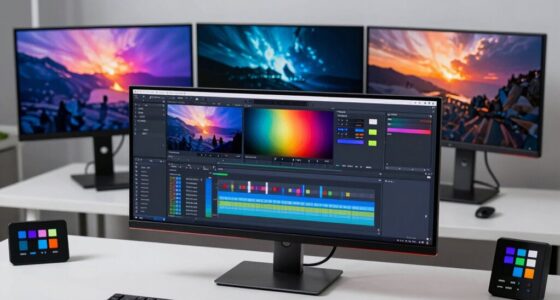
Finding the right 4k monitor for video editing involves balancing color accuracy, screen size, connectivity, and price. The ASUS ProArt PA279CV stands out as the best overall choice thanks to its accurate color reproduction and versatile features. For those prioritizing larger screens, the LG 32 Inch 4K UHD UltraFine offers immersive visuals with HDR support. Meanwhile, the Samsung ViewFinity S7 series caters to professionals who need eye care and high resolution. Each option presents tradeoffs like price versus features or size versus portability. Continue reading for a detailed comparison to find your ideal fit.

Get audio and creator gear delivered free with Prime
- Fast, free delivery on millions of items
- Prime Video, Amazon Music and more included
- Member-only deals all year
Complete the kit


Key Takeaways
- Color accuracy and factory calibration are paramount for professional-grade video editing, making the ASUS ProArt models top contenders.
- Larger screens like the LG 32-inch provide immersive editing experiences but come at a higher cost and desk space requirement.
- Connectivity options like USB-C, HDMI, and DisplayPort significantly impact workflow flexibility, especially for Mac users.
- High refresh rates (e.g., 120Hz) are less critical for editing but can benefit previewing motion-heavy content.
- Price varies widely, with premium models offering better color and build, while budget options deliver solid performance at a lower cost.
| ASUS ProArt PA279CV 27-Inch 4K UHD USB-C Professional Monitor |  | Best Overall for Color Accuracy and Versatile Connectivity | Display Size: 27 inches | Resolution: 4K UHD (3840 x 2160) | Panel Type: IPS | VIEW ON AMAZON | See Our Full Breakdown |
| LG 32 Inch 4K UHD UltraFine Monitor with HDR10, DCI-P3, Adjustable Stand, HDMI & DisplayPort |  | Best for Vivid Visuals and Multimedia Flexibility | Display Size: 32 inches | Resolution: 3840 x 2160 (4K UHD) | Refresh Rate: 60Hz | VIEW ON AMAZON | See Our Full Breakdown |
| CUNPU 27-inch 4K 70Hz IPS Ultra-Slim Bezel Monitor |  | Best Budget 4K with Multitasking Features | Display Size: 27 inches | Resolution: 3840 x 2160 (4K UHD) | Refresh Rate: 70 Hz | VIEW ON AMAZON | See Our Full Breakdown |
| ASUS ProArt PA279CRV 27 Inch 4K UHD USB-C HDR Professional Monitor for Mac |  | Best for Creative Professionals with Extensive Adjustments | Display Size: 27 inches | Resolution: 4K UHD (3840 x 2160) | Panel Type: IPS | VIEW ON AMAZON | See Our Full Breakdown |
| LG UltraFine U7 27-inch UHD 4K IPS Monitor 27U711-B Bundle |  | Best for Seamless Multi-Monitor Setups | Size: 27 inches | Resolution: 3840 × 2160 (UHD 4K) | Panel Type: IPS | VIEW ON AMAZON | See Our Full Breakdown |
| Dell S32 Series 32″ 4K Monitor (3840 x 2160), 120Hz, AMD FreeSync Premium, 99% sRGB, Ash White |  | Best Overall for Large, Vivid Displays | Display Size: 32 inches | Resolution: 3840 x 2160 (4K) | Refresh Rate: 120Hz | VIEW ON AMAZON | See Our Full Breakdown |
| Samsung 27″ ViewFinity S7 (S70H) High-Resolution Monitor |  | Best for Compact, High-Detail Work | Screen Size: 27 inches | Resolution: 3840×2160 (4K UHD) | HDR: HDR10 | VIEW ON AMAZON | See Our Full Breakdown |
| Samsung 27-Inch ViewFinity S7 (S70D) Series 4K UHD Monitor with HDR10 and Eye Care | 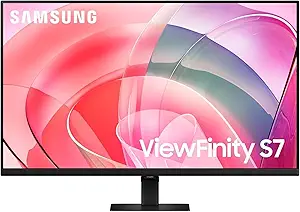 | Best for Color-Accurate Creative Work and Eye Comfort | Display Size: 27 inches | Resolution: 3840×2160 (4K UHD) | HDR: HDR10 | VIEW ON AMAZON | See Our Full Breakdown |
| LG 27UP850K-W 27-inch 4K UHD IPS Monitor with HDR and USB-C |  | Best for Versatile Connectivity and Ergonomics | Display Size: 27 inches | Resolution: 3840 x 2160 (4K UHD) | HDR: VESA DisplayHDR 400 | VIEW ON AMAZON | See Our Full Breakdown |
| Dell UltraSharp U3225QE 27-Inch 4K IPS Monitor |  | Best for Accurate Color and Ergonomics | Size: 27 inches | Resolution: 3840 x 2160 (4K) | Panel: IPS | VIEW ON AMAZON | See Our Full Breakdown |
| LG 27US500-W Ultrafine Monitor 27-Inch 4K UHD HDR10 IPS Borderless Design |  | Best Overall for Versatile Creative Use | Display Size: 27 inches | Resolution: 3840×2160 (4K UHD) | Contrast Ratio: 1000:1 | VIEW ON AMAZON | See Our Full Breakdown |
| ASUS VY27UQ 27-Inch 4K UHD IPS Monitor with HDMI, DisplayPort, Speakers |  | Best for Multimedia and Creative Use with Eye Care Features | Display Size: 27 inches | Resolution: 3840 x 2160 (4K UHD) | Panel Type: IPS | VIEW ON AMAZON | See Our Full Breakdown |
| MSI PRO MP273U 27-Inch 4K UHD IPS Monitor with HDR, Adaptive-Sync, HDMI, DisplayPort |  | Best for Professional Photo and Video Editing | Screen Size: 27 inches | Resolution: 3840 x 2160 (4K UHD) | Color Gamut: 95% Adobe RGB, 99% DCI-P3 | VIEW ON AMAZON | See Our Full Breakdown |
| Dell 27 Monitor S2725QC 4K UHD IPS with 120Hz Refresh Rate and FreeSync Premium |  | Best for Versatile Use with Gaming and Productivity | Display Size: 27 inches | Resolution: 3840 x 2160 (4K UHD) | Refresh Rate: 120Hz | VIEW ON AMAZON | See Our Full Breakdown |
| 4k monitors for video editing | Resolution | Display Size | Connectivity | HDR |
|---|---|---|---|---|
| ASUS ProArt PA279CV 27-Inch 4K | 4K UHD (3840 x 2160) | 27 inches | DisplayPort over USB-C with 65W Power Delivery, DisplayPort, HDMI, USB 3.1 | — |
| LG 32 Inch 4K UHD UltraFine Mo | 3840 x 2160 (4K UHD) | 32 inches | HDMI, DisplayPort | HDR10 |
| CUNPU 27-inch 4K 70Hz IPS Ultr | 3840 x 2160 (4K UHD) | 27 inches | DisplayPort 1.4, HDMI 2.0 | — |
| ASUS ProArt PA279CRV 27 Inch 4 | 4K UHD (3840 x 2160) | 27 inches | DisplayPort, USB-C with 96W Power Delivery, HDMI, USB hub | — |
| LG UltraFine U7 27-inch UHD 4K | 3840 × 2160 (UHD 4K) | — | — | HDR10 |
| Dell S32 Series 32" 4K Monitor | 3840 x 2160 (4K) | 32 inches | — | — |
| Samsung 27" ViewFinity S7 | 3840×2160 (4K UHD) | — | HDMI, DisplayPort | HDR10 |
| Samsung 27-Inch ViewFinity S7 | 3840×2160 (4K UHD) | 27 inches | — | HDR10 |
| LG 27UP850K-W 27-inch 4K UHD I | 3840 x 2160 (4K UHD) | 27 inches | USB-C, HDMI, DisplayPort, USB 3.0 | VESA DisplayHDR 400 |
| Dell UltraSharp U3225QE 27-Inc | 3840 x 2160 (4K) | — | 2x DisplayPort, HDMI | — |
| LG 27US500-W Ultrafine Monitor | 3840×2160 (4K UHD) | 27 inches | — | HDR10 |
| ASUS VY27UQ 27-Inch 4K UHD IPS | 3840 x 2160 (4K UHD) | 27 inches | DisplayPort, HDMI | — |
| MSI PRO MP273U 27-Inch 4K UHD | 3840 x 2160 (4K UHD) | — | — | Supported |
| Dell 27 Monitor S2725QC 4K UHD | 3840 x 2160 (4K UHD) | 27 inches | USB-C (up to 65W) | — |
More Details on Our Top Picks
ASUS ProArt PA279CV 27-Inch 4K UHD USB-C Professional Monitor
The ASUS ProArt PA279CV stands out for its exceptional color accuracy, with factory calibration and a 100% sRGB and Rec. 709 coverage, making it ideal for professional video editing. Compared to the LG UltraFine U7, it offers more comprehensive factory calibration and a longer warranty, but it lists a display size of 23.8 inches in specs, which may confuse buyers. Its USB-C with 65W Power Delivery simplifies workspace setup, and the calibration ensures consistent color reproduction. However, the inconsistent display size description and lack of specific pricing can be drawbacks for budget-conscious users.
Pros:- High color accuracy with factory calibration
- Versatile connectivity including USB-C with Power Delivery
- Extended 5-year warranty and included Adobe Creative Cloud subscription
Cons:- Display size listed as 23.8 inches, inconsistent with actual 27-inch model
- No specific price information provided
- Potential confusion due to mixed specifications
Best for: Professional video editors who need precise color accuracy and reliable connectivity.
Not ideal for: Budget-conscious beginners who may find the premium price and confusing specs off-putting.
- Display Size:27 inches
- Resolution:4K UHD (3840 x 2160)
- Panel Type:IPS
- Response Time:5.0 ms
- Color Gamut:100% sRGB, 100% Rec. 709
- Connectivity:DisplayPort over USB-C with 65W Power Delivery, DisplayPort, HDMI, USB 3.1
- Warranty:5 years
Our verdict“This monitor is best suited for professionals demanding precise color work and reliable performance, despite some specification ambiguities.”
LG 32 Inch 4K UHD UltraFine Monitor with HDR10, DCI-P3, Adjustable Stand, HDMI & DisplayPort
The LG 32 Inch UltraFine offers a larger 32-inch screen with vibrant HDR10 support and a wide 90% DCI-P3 color gamut, making it an excellent choice for immersive editing and multimedia use. Unlike the CUNPU 27-inch, it provides an adjustable stand for ergonomic comfort, and its built-in stereo speakers enhance multimedia experience. Its 60Hz refresh rate limits high-end gaming, but for editing, this is sufficient. Connectivity options are straightforward, but it only offers HDMI and DisplayPort, lacking a built-in USB hub, which could be inconvenient for some users.
Pros:- Vivid 4K HDR visuals with wide color coverage
- Adjustable stand for ergonomic comfort
- Built-in stereo speakers for multimedia enjoyment
Cons:- 60Hz refresh rate may not satisfy high-refresh-rate demands
- Limited connectivity options (no USB hub)
- No mention of built-in calibration or color accuracy specs
Best for: Content creators who prioritize larger screens and vibrant color reproduction for multimedia projects.
Not ideal for: High-end gamers or users needing higher refresh rates for fast-paced editing or gaming.
- Display Size:32 inches
- Resolution:3840 x 2160 (4K UHD)
- Refresh Rate:60Hz
- HDR:HDR10
- Color Gamut:90% DCI-P3
- Connectivity:HDMI, DisplayPort
- Stand Adjustments:Height, Tilt, Pivot
- Built-in Speakers:Yes
Our verdict“Ideal for multimedia professionals seeking a larger, vibrant display with flexible ergonomics, but not suited for high-refresh-rate gaming.”
CUNPU 27-inch 4K 70Hz IPS Ultra-Slim Bezel Monitor
The CUNPU 27-inch 4K offers a sharp 8-million pixel display with 100% DCI-P3 coverage and a wide 178° viewing angle. Its 70Hz refresh rate is modest but sufficient for editing workflows, and the support for PIP/PBP modes enhances multitasking. Compared to the ASUS ProArt, it lacks extensive calibration details but provides versatile input options, including DisplayPort and HDMI. Its matte finish and IPS panel deliver vibrant images, but the absence of built-in speakers and limited stand adjustability may be drawbacks for some users looking for an all-in-one package.
Pros:- High-resolution 4K display with vibrant colors
- Wide viewing angles and IPS quality
- Supports PIP and PBP modes for multitasking
Cons:- Limited to 70Hz refresh rate for gaming
- No built-in speakers or detailed calibration info
- Stand adjustability not specified
Best for: Budget-conscious editors and multitaskers who need a high-resolution screen with flexible input options.
Not ideal for: Gamers or users requiring high refresh rates or built-in speakers for multimedia use.
- Display Size:27 inches
- Resolution:3840 x 2160 (4K UHD)
- Refresh Rate:70 Hz
- Contrast Ratio:1200:1
- Brightness:300 nits
- Color Gamut:100% DCI-P3
- Viewing Angle:178°
- Connectivity:DisplayPort 1.4, HDMI 2.0
Our verdict“A cost-effective 4K monitor offering multitasking features, suitable for budget-conscious professionals, but not for high-refresh-rate gaming or multimedia with sound.”
ASUS ProArt PA279CRV 27 Inch 4K UHD USB-C HDR Professional Monitor for Mac
The ASUS ProArt PA279CRV is tailored for creative professionals needing precise color accuracy and extensive ergonomic options. With 99% DCI-P3 and Adobe RGB coverage, plus Delta E < 2 calibration, it surpasses many competitors for color fidelity—making it a prime choice over the LG UltraFine U7. The inclusion of USB-C with 96W Power Delivery and a full ergonomic stand with tilt, swivel, pivot, and height adjustments makes it highly adaptable for Mac users and desktop setups. Its premium price reflects its professional-grade features, but the lack of detailed info on built-in speakers or additional features might be a concern for some.
Pros:- High color accuracy with 99% DCI-P3 and Adobe RGB
- USB-C with 96W Power Delivery for flexible connectivity
- Full ergonomic stand with multiple adjustments
Cons:- Premium price may be prohibitive for some users
- Limited information on built-in speakers or enhanced features
- Focuses heavily on color accuracy, possibly overkill for basic editing
Best for: Creative professionals working on color-sensitive projects who need maximum flexibility and calibration accuracy.
Not ideal for: Casual users or those on a tight budget who won’t utilize the professional-grade calibration features.
- Display Size:27 inches
- Resolution:4K UHD (3840 x 2160)
- Panel Type:IPS
- Color Coverage:99% DCI-P3, 99% Adobe RGB
- Color Accuracy:Delta E < 2
- Connectivity:DisplayPort, USB-C with 96W Power Delivery, HDMI, USB hub
- Warranty:5 years
Our verdict“Best suited for demanding creative professionals needing top-tier color precision and ergonomic flexibility, despite higher cost.”
LG UltraFine U7 27-inch UHD 4K IPS Monitor 27U711-B Bundle
The LG UltraFine U7 combines a sharp 27-inch 4K IPS panel with a borderless design that’s ideal for multi-monitor configurations. Its HDR10 support and 90% DCI-P3 coverage deliver vibrant visuals suitable for content creation and professional editing. Compared with the ASUS ProArt, it offers a sleek, borderless aesthetic and includes accessories like HDMI and cleaning kits, making it attractive for multi-screen setups. However, its premium price may deter budget buyers, and it requires compatible hardware to fully leverage its 4K capabilities. Its 178° viewing angles and color accuracy make it a strong choice for those seeking immersive workspace expansion.
Pros:- High-resolution 4K display with accurate, vibrant colors
- Borderless, three-sided design maximizes workspace
- Includes useful accessories like HDMI cable and cleaning kit
Cons:- Premium price may be a barrier
- Requires compatible hardware to utilize full 4K features
- No mention of built-in speakers or calibration details
Best for: Content creators and professionals who want an elegant, borderless display for multi-monitor workflows.
Not ideal for: Users seeking high refresh rates or built-in speakers; more suited for static editing setups than gaming.
- Size:27 inches
- Resolution:3840 × 2160 (UHD 4K)
- Panel Type:IPS
- Color Coverage:90% DCI-P3
- HDR:HDR10
- Viewing Angles:178°
- Design:Borderless, three-sided
Our verdict“Excellent for multi-monitor setups and professional editing requiring seamless visuals, though at a higher cost and with hardware considerations.”
Dell S32 Series 32″ 4K Monitor (3840 x 2160), 120Hz, AMD FreeSync Premium, 99% sRGB, Ash White
This Dell S32 Series stands out for its expansive 32-inch screen, making it ideal for detailed video editing where screen real estate enhances workflow. Its 4K resolution coupled with 99% sRGB coverage delivers vibrant, accurate colors, essential for professional color grading. The 120Hz refresh rate and AMD FreeSync Premium provide smooth playback for motion-heavy editing, surpassing many competitors with standard 60Hz screens. Eye comfort technology minimizes fatigue during long sessions, and the sleek Ash White finish adds modern appeal. Compared to smaller monitors like the Samsung S70H, the larger size can be a real advantage but also requires more desk space. The built-in speakers are basic, and the price may be a stretch for some budgets.
Pros:- Large 32-inch display enhances multitasking and detailed editing
- Vivid 4K resolution with 99% sRGB for color accuracy
- 120Hz refresh rate with FreeSync Premium for smooth motion
Cons:- Requires ample desk space due to size
- Built-in speakers are underwhelming for audio needs
- Price may be higher than smaller or less feature-rich monitors
Best for: Video editors who need a large, color-accurate display with smooth performance for detailed work and multitasking.
Not ideal for: Users with limited desk space or those seeking a budget-friendly option, since its size and features come at a higher cost.
- Display Size:32 inches
- Resolution:3840 x 2160 (4K)
- Refresh Rate:120Hz
- Response Time:0.03ms
- Color Coverage:99% sRGB, 95% DCI-P3
- Contrast Ratio:1500:1
Our verdict“This monitor is best suited for professionals who prioritize size, vibrant visuals, and smooth playback, and have the space and budget to support it.”
Samsung 27″ ViewFinity S7 (S70H) High-Resolution Monitor
The Samsung ViewFinity S7 (S70H) offers a sharp 27-inch 4K UHD display with HDR10 support, perfect for editors who want high detail without the bulk of larger screens. Its wide 178° viewing angle ensures consistent image quality from different positions, a step up from smaller screens with narrower angles. The monitor’s multiple connectivity options, including HDMI and DisplayPort, make it versatile for various devices, while eye comfort technology reduces strain during long editing sessions. Unlike the Dell S32, it’s smaller but still packs high resolution and excellent color fidelity. A notable tradeoff is the lack of built-in speakers, which can be inconvenient for quick audio checks. Its premium price might be a barrier for some.
Pros:- High-resolution 4K UHD with HDR10 for vibrant visuals
- Wide 178° viewing angle ensures consistent image quality
- Multiple connectivity options for flexible setups
Cons:- No built-in speakers, requiring external audio devices
- High cost relative to features offered
- Limited to 27 inches, less suitable for large workspace needs
Best for: Creative professionals who need a compact yet detailed display with excellent color and contrast, often working in multi-monitor setups.
Not ideal for: Those requiring larger screens for detailed timeline editing or multitasking, as its 27-inch size could limit workspace.
- Screen Size:27 inches
- Resolution:3840×2160 (4K UHD)
- HDR:HDR10
- Viewing Angle:178°
- Connectivity:HDMI, DisplayPort
- Color Coverage:Not specified but high quality
Our verdict“Ideal for professionals seeking a compact yet highly detailed monitor with excellent color accuracy and viewing angles.”
Samsung 27-Inch ViewFinity S7 (S70D) Series 4K UHD Monitor with HDR10 and Eye Care
The Samsung S70D excels with its 27-inch 4K UHD resolution, HDR10 support, and TÜV-certified eye care technology, making it a prime choice for creatives who spend hours editing. Its multiple connectivity options, including USB-A and USB-B ports, add versatility, and the easy tool-free stand simplifies setup. Compared to the Dell S32, it offers more professional features like multiple ports and TÜV certification but at a possibly higher price point. It lacks detailed stand adjustment options, which could be an issue for precise ergonomic setups, and it does not mention onboard speakers. This monitor balances color accuracy, comfort, and connectivity, making it suitable for serious editing workflows.
Pros:- Bright 4K UHD display with HDR10 for vivid colors
- TÜV-certified eye care technology reduces eye strain
- Multiple ports including USB-A and USB-B for flexible connectivity
Cons:- Higher price point may be prohibitive for some
- Limited stand adjustment features
- No built-in speakers for audio
Best for: Video editors and digital artists who prioritize color fidelity, eye comfort, and versatile connectivity in a mid-sized monitor.
Not ideal for: Budget-conscious buyers or those needing extensive stand adjustability or integrated audio features.
- Display Size:27 inches
- Resolution:3840×2160 (4K UHD)
- HDR:HDR10
- Ports:HDMI, DisplayPort, USB-A, USB-B
- Eye Care Certification:TÜV
- Additional Features:Easy tool-free setup
Our verdict“Best suited for professionals who need precise color and eye comfort with versatile connectivity options, and are willing to invest a bit more.”
LG 27UP850K-W 27-inch 4K UHD IPS Monitor with HDR and USB-C
The LG 27UP850K-W offers a vibrant 4K UHD IPS panel with HDR 400 support, providing rich colors with 95% DCI-P3 coverage. Its multiple connectivity options, especially USB-C with power delivery, make it a flexible choice for creators and professionals alike. The ergonomic stand with height, tilt, and pivot adjustments allows for comfortable long-term use, setting it apart from more fixed-position monitors like the Samsung S70H. Built-in stereo speakers with Waves MaxxAudio provide decent audio, a plus over models lacking sound. While it may be more expensive, its multi-feature set and adaptability justify the cost for users who need both professional visuals and flexible setup options.
Pros:- Vivid 4K UHD display with HDR 400 and 95% DCI-P3
- USB-C with power delivery simplifies cable management
- Ergonomic stand with height, tilt, pivot adjustments
Cons:- Higher cost relative to basic monitors
- Some users may find smart features complex
- Limited to 27 inches, which may not suit all workspace sizes
Best for: Creative professionals who value high color accuracy, flexible connectivity, and ergonomic comfort for extended editing sessions.
Not ideal for: Budget buyers or those with limited desk space, as its advanced features and size come at a higher price and footprint.
- Display Size:27 inches
- Resolution:3840 x 2160 (4K UHD)
- HDR:VESA DisplayHDR 400
- Connectivity:USB-C, HDMI, DisplayPort, USB 3.0
- Color Gamut:95% DCI-P3
- Special Features:Ergonomic adjustments, built-in speakers
Our verdict“Best for professionals seeking a versatile, color-accurate display with ergonomic flexibility and integrated audio at a premium price.”
Dell UltraSharp U3225QE 27-Inch 4K IPS Monitor
The Dell UltraSharp U3225QE delivers a reliable 27-inch 4K IPS panel with a contrast ratio of 2000:1, making it suitable for precise color work and detailed editing. Its response time of 5ms is adequate for most editing tasks, and multiple connectivity options including dual DisplayPort and HDMI support versatile device integration. The adjustable height, swivel, and pivot features are excellent for ergonomic setups, surpassing many budget monitors that lack such flexibility. However, the energy efficiency rating of F signals higher power consumption, and absence of built-in speakers might be a drawback for some users. Compared with the LG 27UP850K-W, it offers comparable color accuracy but with a focus on stability and ergonomic adjustments.
Pros:- High-quality IPS panel with accurate colors
- Adjustable height, swivel, and pivot for ergonomic comfort
- Multiple connectivity options including dual DisplayPort
Cons:- High energy consumption with F rating
- No mention of integrated speakers
- Response time of 5ms may be less ideal for fast-paced motion editing
Best for: Color-sensitive editing professionals who need adjustable ergonomics and reliable image quality for detailed workflows.
Not ideal for: Budget-conscious editors who prefer lower-cost options without extensive ergonomic features or who do not need high contrast ratios.
- Size:27 inches
- Resolution:3840 x 2160 (4K)
- Panel:IPS
- Contrast Ratio:2000:1
- Response Time:5 ms
- Connectivity:2x DisplayPort, HDMI
Our verdict“This monitor is ideal for color-critical workflows requiring precise ergonomics and reliable image quality, with some energy efficiency tradeoffs.”
LG 27US500-W Ultrafine Monitor 27-Inch 4K UHD HDR10 IPS Borderless Design
This monitor stands out for its vibrant 4K UHD display with wide color coverage, making it ideal for detailed video editing and color grading. Compared with the MSI PRO MP273U, the LG offers a more attractive borderless design and adjustable stand, but it lacks built-in speakers and has fewer connectivity options. Its HDR10 support enhances contrast, providing richer visuals essential for professional editing. The ergonomic stand improves comfort during long sessions, although the absence of internal speakers and limited ports mean you’ll likely need external audio and additional adapters for some workflows.
Pros:- Vivid 4K UHD display with wide color spectrum
- Adjustable ergonomic stand for long editing sessions
- Borderless design enhances viewing experience
- Supports HDR10 for better contrast and color depth
Cons:- No built-in speakers for audio needs
- Limited connectivity options
- Price not specified
Best for: Creative professionals who prioritize color accuracy, adjustable ergonomics, and a sleek aesthetic for versatile editing tasks.
Not ideal for: Video editors who rely heavily on built-in speakers or need extensive connectivity options beyond HDMI and DisplayPort.
- Display Size:27 inches
- Resolution:3840×2160 (4K UHD)
- Contrast Ratio:1000:1
- Color Gamut:90% DCI-P3
- HDR:HDR10
- Panel Type:IPS
Our verdict“This monitor suits creative professionals seeking a stunning, adjustable display with excellent color reproduction, but it may require external peripherals for optimal workflow.”
ASUS VY27UQ 27-Inch 4K UHD IPS Monitor with HDMI, DisplayPort, Speakers
The ASUS VY27UQ makes this list for its sharp 4K visuals combined with HDR-10 support and comprehensive connectivity, including HDMI and DisplayPort, making it suitable for multimedia editing and casual professional tasks. Unlike the LG 27US500-W, it offers built-in speakers, which benefit users who need audio output without external gear. Its eye care technology, including blue light filters and flicker-free operation, helps reduce strain during prolonged editing sessions. However, the stand’s adjustability isn’t highlighted, which could be a drawback for those seeking ergonomic flexibility, and the speaker quality remains unverified, limiting its appeal for audio-critical workflows.
Pros:- High-resolution 4K display with HDR-10 support
- Built-in speakers for convenience
- Comprehensive connectivity including HDMI and DisplayPort
- Eye care features reduce eye strain
Cons:- Lack of adjustable stand or ergonomic features
- Unspecified quality of built-in speakers
- Price not specified
Best for: Content creators and multimedia editors who want a well-rounded 4K display with built-in audio and eye care features.
Not ideal for: Professional video editors needing advanced ergonomic adjustments or USB-C connectivity for streamlined setups.
- Display Size:27 inches
- Resolution:3840 x 2160 (4K UHD)
- Panel Type:IPS
- HDR Support:HDR-10
- Connectivity:DisplayPort, HDMI
- Speakers:Yes
Our verdict“This monitor offers a balanced mix of visual quality and convenience features, making it suitable for multimedia creators who want integrated audio and eye comfort.”
MSI PRO MP273U 27-Inch 4K UHD IPS Monitor with HDR, Adaptive-Sync, HDMI, DisplayPort
The MSI PRO MP273U is tailored for professionals needing precise color accuracy, boasting 95% Adobe RGB and 99% DCI-P3 coverage, surpassing many competitors like the ASUS VY27UQ in color fidelity. Its HDR support and flicker-free tech make it suitable for extended editing sessions. The 4ms response time and wide viewing angles enhance detail and consistency across the screen. Yet, its 60Hz refresh rate limits its use for fast-paced editing or gaming, and the absence of built-in speakers or USB-C connectivity might be inconvenient for some users. It’s a focused choice for color-critical tasks rather than multimedia or gaming.
Pros:- Excellent color accuracy with wide gamut coverage
- High-resolution 4K display for detailed editing
- HDR support enhances contrast and detail
- Eye-care features for long editing sessions
Cons:- Limited to 60Hz, not suitable for gaming
- No USB-C port for modern device connectivity
- No built-in speakers
Best for: Professional editors and photographers requiring high color accuracy for detailed work.
Not ideal for: Gamers or users needing high refresh rates or multi-device connectivity from a single monitor.
- Screen Size:27 inches
- Resolution:3840 x 2160 (4K UHD)
- Color Gamut:95% Adobe RGB, 99% DCI-P3
- HDR:Supported
- Response Time:4ms
- Viewing Angle:178 degrees
Our verdict“This monitor excels for precise color work, making it a top choice for professionals focused on visual fidelity over refresh rate or multimedia features.”
Dell 27 Monitor S2725QC 4K UHD IPS with 120Hz Refresh Rate and FreeSync Premium
The Dell S2725QC offers a compelling balance of detailed 4K visuals and a fast 120Hz refresh rate, setting it apart from the others like the MSI PRO MP273U which is limited to 60Hz. This makes it more adaptable for editing, casual gaming, and fast-moving video content. Its 99% sRGB coverage and HDR readiness deliver vibrant colors and contrast, while the single USB-C port simplifies connectivity—especially for users with compatible laptops. The low blue light mode enhances comfort during long editing sessions. The main drawback is the lack of detailed ergonomic adjustments, which might be a concern for those with specific viewing preferences or extended work hours.
Pros:- Vivid 4K visuals with 99% sRGB coverage
- Fast 120Hz refresh rate with FreeSync Premium
- Single USB-C for simple, clutter-free connections
- Low blue light mode for eye comfort
Cons:- Limited ergonomic adjustment options
- Unspecified quality of built-in speakers
- Price not specified
Best for: Video editors who want a versatile display that combines high-resolution editing with smooth motion and easy connectivity.
Not ideal for: Users who need extensive ergonomic adjustments or built-in audio solutions for multimedia editing.
- Display Size:27 inches
- Resolution:3840 x 2160 (4K UHD)
- Refresh Rate:120Hz
- Response Time:4ms
- Color Coverage:99% sRGB
- Connectivity:USB-C (up to 65W)
Our verdict“Ideal for editors seeking a high-refresh-rate 4K monitor that handles both detailed work and casual gaming with ease and simplicity.”
How We Picked
The monitors were evaluated based on key factors that matter most for video editing: color accuracy, panel type, resolution, connectivity, build quality, and price. We prioritized models with high sRGB and Adobe RGB coverage, as these ensure true-to-life colors crucial for editing. Screen size and resolution were also considered to accommodate diverse workspace needs. Additional features like HDR support, USB-C compatibility, and ergonomic adjustments were factored in to gauge versatility. The ranking reflects a balance of performance, value, and user-centric features, ensuring options suit different budgets and professional requirements.Factors to Consider When Choosing 4k Monitors For Video Editing
When selecting a 4k monitor for video editing, understanding a few core factors can prevent costly mistakes and lead to a more satisfying purchase. Beyond just resolution, color accuracy and panel type directly impact your ability to produce precise edits. Connectivity options are essential for seamless workflow, especially if you work across multiple devices or platforms. Size and ergonomics influence comfort during long editing sessions, while price often reflects the feature set and build quality. Considering these factors together helps tailor your choice to your specific editing needs and workspace constraints.Color Accuracy and Coverage
For professional video editing, a monitor’s color fidelity is non-negotiable. Look for models with high sRGB, Adobe RGB, or DCI-P3 coverage, which ensure your colors are true to life. Factory calibration is a bonus, reducing the need for manual adjustments. Remember, a higher color gamut often correlates with better editing precision, especially for HDR content. Skipping this can lead to color mismatches when exporting or viewing content on other devices.
Panel Type and Screen Size
IPS panels dominate for video editing because of their superior color accuracy and wide viewing angles. Avoid TN panels unless budget constraints are tight, as they typically deliver poorer color reproduction. Screen size also matters — larger monitors (27 inches and above) offer more workspace but require more desk space and can be more expensive. Consider your workflow and available space to find a balance between size and practicality.
Connectivity and Compatibility
Ensure the monitor supports your devices with appropriate ports like USB-C, HDMI, and DisplayPort. USB-C is especially valuable for Mac users or those who want a single-cable setup for video, data, and power. Check if the monitor supports features like daisy chaining or USB hubs that can streamline your workflow. Compatibility with your editing hardware can prevent frustrating connectivity issues down the line.
Ergonomics and Build Quality
Long editing sessions demand adjustable stands, tilt, swivel, and height adjustments to prevent discomfort and fatigue. A sturdy build and VESA mount compatibility add flexibility for custom setups. Good ergonomics can significantly improve your productivity and reduce strain. Don’t overlook these features, especially if you plan to use your monitor extensively.
Price and Future-Proofing
Higher-priced monitors generally offer better color accuracy, build quality, and additional features like HDR or higher refresh rates. However, assess whether these extras are necessary for your workflow — for many editing tasks, basic high-quality IPS panels suffice. Investing in a future-proof model with higher resolution, better color coverage, and modern connectivity can save money long-term by avoiding frequent upgrades.
Frequently Asked Questions
Is 4K resolution necessary for professional video editing?
While not strictly mandatory, 4K resolution provides a more detailed workspace, allowing for precise editing and better preview of your content. It ensures you see finer details, especially when working on high-resolution footage, which can improve overall editing accuracy. However, it also demands more powerful hardware and can be more expensive. For many professionals, the benefits outweigh the costs, making 4K a standard choice for modern editing setups.
How important is color calibration for a video editing monitor?
Color calibration is vital because it guarantees that the colors you see on screen match the final output and other viewing devices. Factory calibration ensures a high level of accuracy right out of the box, saving time and effort. If color fidelity is critical for your work, consider models with high color gamut coverage and calibration reports. Skipping calibration or choosing poorly calibrated monitors can lead to inconsistencies and rework.
Should I prioritize screen size or pixel density?
Both matter, but for detailed editing, higher pixel density (pixels per inch) offers sharper images, which is essential for pixel-perfect work. Larger screens provide more workspace, making it easier to manage complex timelines and multiple panels. Ideally, aim for a size that balances both factors—around 27 inches with 4K resolution is a popular sweet spot. Larger monitors with lower pixel density can make images look less sharp, which might hinder precise editing.
Is HDR support necessary for video editing?
HDR support can be beneficial if you work with HDR footage or want to preview your content in high dynamic range. It enables more realistic and vibrant visuals, which is useful for color grading and mastering. However, to fully utilize HDR, your editing software and hardware must support it, and calibration becomes even more critical. If your workflow doesn’t involve HDR content, a monitor without HDR will still serve most editing needs well.
What connectivity options should I look for in a video editing monitor?
USB-C is highly recommended for its versatility, especially if you use a MacBook or a laptop with limited ports. HDMI and DisplayPort are also standard and widely compatible with various devices. Consider a monitor with multiple ports to connect external drives, calibrators, or additional displays. Future-proofing your setup with the latest interfaces can help extend your monitor’s usefulness and compatibility, avoiding the need for adapters or upgrades soon after purchase.
Conclusion
For most professional video editors, the ASUS ProArt PA279CV offers the best balance of color accuracy, connectivity, and value, making it the top overall pick. Budget-conscious users will appreciate the CUNPU 27-inch 4K IPS as a reliable entry point. Those seeking a large, immersive display should consider the LG 32 Inch UltraFine, while premium users wanting the highest calibration and build quality might lean toward the Samsung ViewFinity S7. Beginners should focus on models with good factory calibration and ergonomic features. For specialized tasks like HDR grading, prioritize monitors with high color gamut and HDR support to ensure your workflow remains precise and efficient.Fall Picks
fall essentials
As an affiliate, we earn on qualifying purchases.