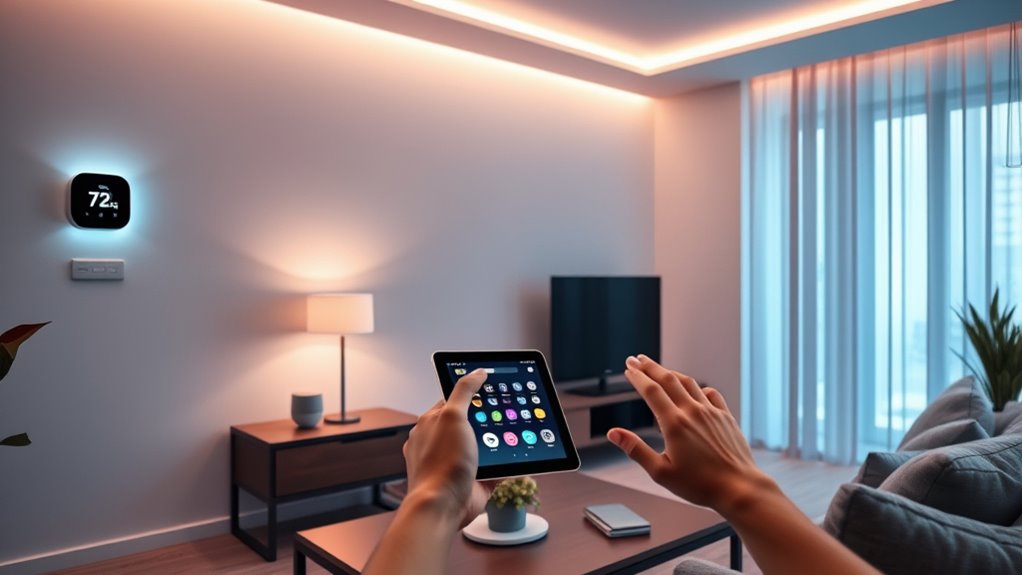

For an affordable smart home setup, I’d start with the Amazon Smart Thermostat as my best overall pick for adding connected climate control, while the Linkind Matter Smart Plug stands out for households that want broader platform flexibility. The Kasa Smart Plug Ultra Mini is a practical alternative when a compact outlet and familiar voice assistant support matter more. The main tradeoffs are compatibility, the number of outlets included, and whether you want one simple control or a device that serves as a hub for routines and voice commands. Read on for the full breakdown of where each of these 13 devices fits—and what you give up with each choice.

Get audio and creator gear delivered free with Prime
- Fast, free delivery on millions of items
- Prime Video, Amazon Music and more included
- Member-only deals all year
Complete the kit



Key Takeaways
- The lineup covers different jobs: the thermostat changes climate control, the Echo devices add voice and routines, and most other picks control individual appliances.
- Matter support sets amazon.com/dp/B0C36WXGP1?tag=strongmocha04-20&ascsubtag=dc-217775″ target=”_blank” rel=”nofollow sponsored noopener”>Linkind apart for buyers who want more choice across smart home platforms; many other plugs are tied more closely to Alexa, Google Assistant, or a single ecosystem.
- Multi-packs suit several rooms, but a four-pack is only useful if you have enough compatible outlets and devices to automate.
- Compact plugs are easier to fit around neighboring sockets: the amazon.com/dp/B0BFCBKXWL?tag=strongmocha04-20&ascsubtag=dc-217775″ target=”_blank” rel=”nofollow sponsored noopener”>amazon.com/dp/B0CL9D9HM4?tag=strongmocha04-20&ascsubtag=dc-217775″ target=”_blank” rel=”nofollow sponsored noopener”>amazon.com/dp/B01EZV35QU?tag=strongmocha04-20&ascsubtag=dc-217775″ target=”_blank” rel=”nofollow sponsored noopener”>Kasa Ultra Mini and GHome Mini are better suited to crowded outlet strips than bulkier designs.
- More features can mean more setup decisions: energy monitoring and a smart thermostat offer more control, while a basic plug or Echo Dot keeps the initial setup simpler.
| Amazon Smart Thermostat |  | Best for Alexa-Connected Climate Control | Model: S6ED3R | Dimensions: 3.56 × 3.56 × 0.84 in | Weight: 3.86 oz | VIEW ON AMAZON | See Our Full Breakdown |
| Compact Smart Plug with Voice Control and Energy Monitoring (2-Pack) |  | Best Value for Energy Tracking | Pack size: 2 plugs | App: Smart Life | Voice assistants: Amazon Alexa and Google Assistant | VIEW ON AMAZON | See Our Full Breakdown |
| GHome Smart Wi-Fi Plug with Alexa and Google Assistant Support | 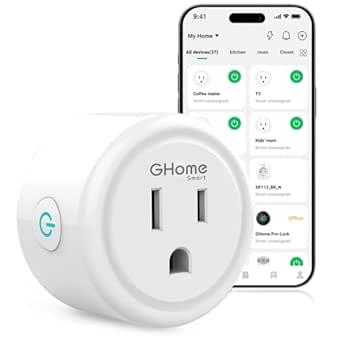 | Best for Shared Household Control | Model: WP3 | Connectivity: Bluetooth and Wi-Fi | Wi-Fi requirement: 2.4 GHz | VIEW ON AMAZON | See Our Full Breakdown |
| GHome Smart Plug Mini, Wi-Fi Smart Outlet, 4-Pack | 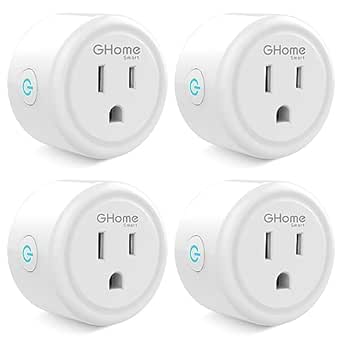 | Best for Outfitting Multiple Rooms | Pack size: 4 plugs | Model: WP3 | Voltage and amperage: 120 V, 10 A | VIEW ON AMAZON | See Our Full Breakdown |
| Kasa Smart Wi-Fi Light Switch HS200, Single Pole | 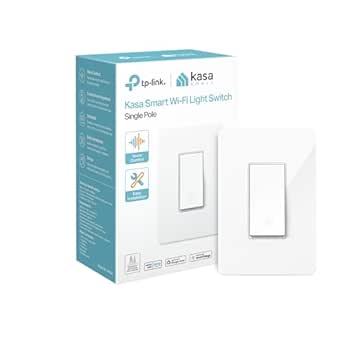 | Best for Built-In Light Control | Model: HS200 | Switch type: Single pole, one-way | Wiring: Neutral wire required | VIEW ON AMAZON | See Our Full Breakdown |
| Amazon Basics Smart Plug, Alexa-Compatible, 4-Pack | 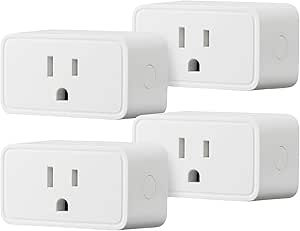 | Best for Alexa-Only Homes | Compatibility: Amazon Alexa only | Connectivity: 2.4 GHz Wi-Fi | Hub required: No | VIEW ON AMAZON | See Our Full Breakdown |
| EIGHTREE WiFi Smart Plug, 15A, 4-Pack | 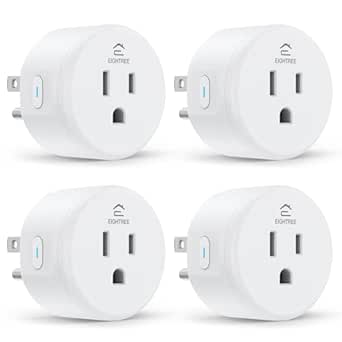 | Best for Assistant Flexibility | Model: ET01 | Pack size: 4 plugs | Operating voltage: 120 V | VIEW ON AMAZON | See Our Full Breakdown |
| Amazon Echo Spot (newest model), Smart Alarm Clock with Alexa, Glacier White |  | Best Smart Alarm Clock | Display: Touchscreen | Voice assistant: Alexa | Sound: Rich sound with clear vocals and deep bass | VIEW ON AMAZON | See Our Full Breakdown |
| Amazon Smart Plug, Works with Alexa |  | Best Single Plug for Alexa | Compatibility: Alexa only | Wi-Fi: 2.4 GHz, 802.11 b/g/n; does not support 5 GHz | Input: 120 VAC, 60 Hz, 15 A maximum | VIEW ON AMAZON | See Our Full Breakdown |
| Kasa Smart Plug Ultra Mini 15A, Wi-Fi Outlet, Works with Alexa & Google, No Hub Required, UL Certified, 2 Pack |  | Best Compact Two-Pack | Maximum load: 15 A | Connectivity: 2.4 GHz Wi-Fi | Pack size: 2 plugs | VIEW ON AMAZON | See Our Full Breakdown |
| Linkind Matter Smart Plug, 4-Pack |  | Best for Cross-Platform Homes | Quantity: 4 plugs | Connectivity: 2.4 GHz Wi-Fi; IPv6 required | Matter platforms: Apple Home, Alexa, Google Home, SmartThings | VIEW ON AMAZON | See Our Full Breakdown |
| Smart Plug, MOOEGG 2.4GHz WiFi Smart Outlet, Works with Alexa & Google Home, 10A, No Hub Required |  | Best for Simple Alexa and Google Setups | Connectivity: 2.4 GHz Wi-Fi | Smart assistants: Alexa, Google Home | Hub: No hub required | VIEW ON AMAZON | See Our Full Breakdown |
| Amazon Echo Dot (5th Gen) – Vibrant Sound, Alexa-Enabled Smart Speaker, Designed for Bedrooms, Dining Rooms, and Offices, Deep Sea Blue |  | Best Smart Home Starter Hub | Dimensions: 3.9 × 3.9 × 3.5 inches | Weight: 10.7 oz (304 g) | Driver: 1.6-inch full range | VIEW ON AMAZON | See Our Full Breakdown |
| affordable smart home device | Connectivity | Dimensions | Certifications |
|---|---|---|---|
| Amazon Smart Thermostat | — | 3.56 × 3.56 × 0.84 in | ENERGY STAR and ECOLOGO Gold |
| Compact Smart Plug with Voice | — | — | FCC and ETL |
| GHome Smart Wi-Fi Plug with Al | Bluetooth and Wi-Fi | 2.1 × 2.1 × 1.1 in | ETL and FCC |
| GHome Smart Plug Mini | 2.4 GHz Wi-Fi and Bluetooth | 2 × 2 × 1 in | ETL and FCC |
| Kasa Smart Wi-Fi Light Switch | 2.4 GHz Wi-Fi | — | — |
| Amazon Basics Smart Plug | 2.4 GHz Wi-Fi | 2.7 × 2.1 × 1.5 in | — |
| EIGHTREE WiFi Smart Plug | 2.4 GHz Wi-Fi | — | ETL, FCC |
| Amazon Echo Spot | — | — | — |
| Amazon Smart Plug | — | 3.2 × 1.5 × 2.2 in | — |
| Kasa Smart Plug Ultra Mini 15A | 2.4 GHz Wi-Fi | — | — |
| Linkind Matter Smart Plug | 2.4 GHz Wi-Fi; IPv6 required | — | FCC, ETL |
| Smart Plug | 2.4 GHz Wi-Fi | 0.7 × 2 × 2.28 inches | ETL, FCC, RoHS |
| Amazon Echo Dot | — | 3.9 × 3.9 × 3.5 inches | — |
More Details on Our Top Picks
Amazon Smart Thermostat
Among these five picks, this is the one that can manage whole-home heating and cooling, while the smart plugs and Kasa switch automate individual devices or lights. Alexa app schedules, vacation mode, and routines can help reduce unnecessary heating or cooling when household patterns change. Its ENERGY STAR certification and energy dashboard add useful context for people who want to keep an eye on climate use. The tradeoff is installation and compatibility: it needs a C-wire or separately sold adapter, works with most 24V HVAC systems, and cannot control 110–240V electric baseboard heat. It also uses 2.4 GHz Wi-Fi, and voice control requires a compatible Alexa device. This makes more sense for an Alexa household with compatible HVAC than for someone seeking a quick plug-in automation.
Pros:- Remote temperature control and schedules through the Alexa app
- Alexa routines can adjust temperatures using compatible devices
- ENERGY STAR certified and includes an energy dashboard
- Ring app control and physical touch buttons offer additional control options
Cons:- Requires a C-wire or separately sold power adapter
- Does not support 110–240V systems such as electric baseboard heat
- Supports only 2.4 GHz Wi-Fi, and voice control needs a separate compatible Alexa device
Best for: Alexa households with compatible 24V central heating or cooling that want scheduling and remote climate control
Not ideal for: Renters or homes with electric baseboard heat, no C-wire or adapter, or no compatible Alexa device for voice control
- Model:S6ED3R
- Dimensions:3.56 × 3.56 × 0.84 in
- Weight:3.86 oz
- HVAC compatibility:Most 24V systems, including forced air, heat pump, and radiant boiler
- Power:C-wire or separately sold power adapter
- Wi-Fi:2.4 GHz, 802.11 b/g/n; no 5 GHz
- Controls:Alexa app, Ring app, compatible Alexa voice control, and three touch buttons
- Certifications:ENERGY STAR and ECOLOGO Gold
Our verdict“Choose this thermostat if your home has compatible 24V HVAC and you want Alexa-linked climate schedules; skip it if wiring or system compatibility is uncertain.”
Compact Smart Plug with Voice Control and Energy Monitoring (2-Pack)
Energy monitoring gives this two-pack a distinct job among the outlet options: it can show connected devices’ energy use, while the GHome Smart Wi-Fi Plug offers group control and family sharing. Alexa and Google Assistant support make scheduled or voice-operated devices easy to manage through the Smart Life app, and its compact design is suited to crowded outlet areas. For someone who wants to check how much a particular appliance draws, that monitoring is more useful than the basic remote and timer controls on the GHome Smart Plug Mini four-pack. The limits are the Wi-Fi dependency and narrow connectivity band: these plugs need 2.4 GHz Wi-Fi and can be affected by network reliability. The supplied information does not state a wattage limit, so buyers should check appliance requirements before connecting higher-load equipment.
Pros:- Energy monitoring provides visibility into connected devices’ use
- Works with Alexa and Google Assistant
- Compact form is designed for tight outlet spaces
- App control, schedules, and timers are available through Smart Life
Cons:- Requires a 2.4 GHz Wi-Fi network and depends on its stability
- Product data does not specify a maximum wattage
- The two-pack offers fewer outlets than GHome’s four-pack
Best for: People who want energy-use monitoring for a few everyday devices and already use Alexa or Google Assistant
Not ideal for: Buyers who need 5 GHz support, hub-based reliability, or a clearly specified high-wattage outlet for demanding appliances
- Pack size:2 plugs
- App:Smart Life
- Voice assistants:Amazon Alexa and Google Assistant
- Wi-Fi:2.4 GHz only
- Energy monitoring:Yes
- Scheduling:Timers and schedules
- Material:Fire-resistant
- Certifications:FCC and ETL
Our verdict“Pick this two-pack if energy monitoring matters more than outlet count, and check device load limits before use.”
GHome Smart Wi-Fi Plug with Alexa and Google Assistant Support
Family sharing and grouped control make this GHome plug a flexible single-outlet choice for households that want several people to manage routines. It works with Alexa and Google Assistant, and its GHome, Smart Life, and Tuya app compatibility offers more app options than the Compact Smart Plug two-pack, which specifies Smart Life. Bluetooth is also listed alongside Wi-Fi connectivity. Setup takes an extra step: the plug must first be connected through the GHome app before linking Alexa or Google Home. It supports 120 V devices up to 1200 W, giving buyers a stated load ceiling to check against an appliance. Compared with the GHome four-pack, this model is better suited to trying one outlet or filling a specific gap, though it provides less coverage for multi-room routines.
Pros:- Supports Alexa and Google Assistant voice control
- Offers schedules, timers, remote control, grouping, and family sharing
- Works with GHome, Smart Life, and Tuya apps
- Bluetooth and Wi-Fi connectivity are listed
Cons:- Requires 2.4 GHz Wi-Fi
- Must be set up in the GHome app before linking a voice assistant
- Single plug provides less coverage than GHome’s four-pack
Best for: Households that want one remotely controlled outlet with family access, grouped control, and Alexa or Google Assistant support
Not ideal for: Buyers outfitting several rooms at once, or anyone who wants to skip app-first setup or use 5 GHz Wi-Fi
- Model:WP3
- Connectivity:Bluetooth and Wi-Fi
- Wi-Fi requirement:2.4 GHz
- Voice assistants:Amazon Alexa and Google Assistant
- Compatible apps:GHome, Smart Life, and Tuya
- Operating voltage:120 V
- Maximum wattage:1200 W
- Dimensions:2.1 × 2.1 × 1.1 in
- Certifications:ETL and FCC
Our verdict“Choose this plug for flexible app and household sharing features at one outlet, or the GHome four-pack if you need broader coverage.”
GHome Smart Plug Mini, Wi-Fi Smart Outlet, 4-Pack
Four outlets in one pack make this the most direct way to automate several lamps or small appliances at once among these five products. The GHome app provides remote, group, schedule, and auto-off controls, with Alexa and Google Assistant support for voice operation. Compared with the single GHome Smart Wi-Fi Plug, this set covers more locations without requiring separate plug purchases, while sharing the same stated 1200 W maximum per plug. Its cost in convenience is setup and network dependence: each plug needs 2.4 GHz Wi-Fi, and the GHome app must be configured before linking a voice assistant. Bluetooth is listed as connectivity, but the product data still specifies 2.4 GHz Wi-Fi. It is a practical multi-room pick if the home network and app setup fit the buyer’s routine.
Pros:- Four plugs cover multiple outlets and rooms
- Supports Alexa and Google Assistant
- App includes group control, remote access, schedules, and auto-off timers
- Compact dimensions and no hub requirement
Cons:- Requires 2.4 GHz Wi-Fi and does not support 5 GHz
- GHome app setup is required before voice-assistant linking
- Maximum power is 1200 W per plug
Best for: People setting up schedules for lamps or other compatible appliances in several rooms who use Alexa or Google Assistant
Not ideal for: Homes without 2.4 GHz Wi-Fi, buyers who need a high-load outlet above 1200 W, or those seeking setup without the GHome app
- Pack size:4 plugs
- Model:WP3
- Voltage and amperage:120 V, 10 A
- Maximum power:1200 W
- Connectivity:2.4 GHz Wi-Fi and Bluetooth
- Voice assistants:Amazon Alexa and Google Assistant
- Dimensions:2 × 2 × 1 in
- Material:Polycarbonate
- Certifications:ETL and FCC
Our verdict“Choose this four-pack to automate several compatible household devices together, provided 2.4 GHz Wi-Fi and app-first setup work for you.”
Kasa Smart Wi-Fi Light Switch HS200, Single Pole
The HS200 brings smart control to a wall switch rather than occupying an outlet, which makes it a different kind of upgrade from the GHome smart plugs. It replaces a standard single-pole switch and supports app control, Alexa and Google Assistant, schedules, timers, countdowns, and away mode. That setup can make fixed ceiling lights easier to automate than using a plug, but it requires compatible wiring and installation. A neutral wire is mandatory, and this is a single-pole, one-way switch, so it will not suit every lighting circuit. Its 600 W maximum also calls for checking the connected load. Like the plugs in this roundup, it relies on 2.4 GHz Wi-Fi; unlike them, the 100–120 VAC switch is a more involved fit for renters or anyone unable to replace existing wall hardware.
Pros:- Controls hardwired lights without using a plug outlet
- Works with Alexa and Google Assistant
- Includes schedules, timers, countdowns, and away mode
- UL certified and has a two-year warranty
Cons:- Requires a neutral wire and compatible single-pole wiring
- Installation replaces the existing wall switch
- Requires 2.4 GHz Wi-Fi and supports up to 600 W
Best for: Homeowners with a neutral wire who want app and voice control for a fixed light controlled by one wall switch
Not ideal for: Renters, homes without a neutral wire, multi-way lighting circuits, or fixtures that exceed the 600 W limit
- Model:HS200
- Switch type:Single pole, one-way
- Wiring:Neutral wire required
- Connectivity:2.4 GHz Wi-Fi
- Operating voltage:100–120 VAC, 50/60 Hz
- Maximum wattage:600 W
- Dimensions without panel:4.13 × 1.71 × 1.74 in
- Compatibility:Amazon Alexa, Google Assistant, Android, and iOS
- Certification and warranty:UL certified; 2 years
Our verdict“Choose the HS200 for a fixed single-pole light and compatible wiring; use a smart plug instead when you need simpler control of a plug-in device.”
Amazon Basics Smart Plug, Alexa-Compatible, 4-Pack
The Amazon Basics Smart Plug 4-Pack is a straightforward way to schedule lamps and other plug-in devices across several rooms using Alexa. Its key advantage over the EIGHTREE WiFi Smart Plug is setup and control within the Alexa app, without adding Smart Life to the mix. You can set routines or schedules, including around sunrise and sunset, and the plugs connect directly to Wi-Fi without a hub. The tradeoff is a narrow ecosystem: these plugs do not support Google Assistant or other platforms, while EIGHTREE does. A 2.4 GHz network is also required. This makes the set a practical fit for households already using Alexa, but a poor match for buyers who want flexibility across assistants or smart home systems.
Pros:- Controls devices remotely and supports schedules and Alexa routines
- Works through the Alexa app without a separate third-party app
- No smart home hub required
- Compact design leaves adjacent outlet space available
Cons:- Compatible with Alexa only
- Requires a 2.4 GHz Wi-Fi network
Best for: Alexa households that want to automate lamps and small appliances in several rooms without installing a hub or another control app
Not ideal for: Households using Google Assistant or SmartThings, since these plugs work with Alexa only
- Compatibility:Amazon Alexa only
- Connectivity:2.4 GHz Wi-Fi
- Hub required:No
- Pack size:4 plugs
- Plug type:Type B
- Amperage:15 A
- Dimensions:2.7 × 2.1 × 1.5 in
- Warranty:1-year limited
Our verdict“Choose this four-pack if Alexa is already your household’s smart home platform and you want simple schedules across multiple rooms.”
EIGHTREE WiFi Smart Plug, 15A, 4-Pack
The EIGHTREE WiFi Smart Plug 4-Pack suits buyers who want room to choose a voice assistant: it supports Alexa, Google Assistant, and SmartThings, unlike the Alexa-only Amazon Basics and Amazon Smart Plug options. Its schedules, timers, countdowns, and cycle settings also offer more ways to automate devices than a basic on/off routine. The catch is setup: voice assistants are connected through the Smart Life app, adding a step that Amazon’s plugs avoid. It also needs a 2.4 GHz Wi-Fi network and a hub is not required. For a multi-platform home, that extra app can be a worthwhile exchange for wider compatibility; for an Alexa-only household, the simpler Amazon Basics set may be easier to manage.
Pros:- Supports Alexa, Google Assistant, and SmartThings
- Offers schedules, timers, countdowns, cycles, and random schedules
- No hub required
- Two-year warranty
Cons:- Requires the Smart Life app to set up voice assistants
- Works with 2.4 GHz Wi-Fi only
Best for: Households using Google Assistant or SmartThings, or buyers who want a four-pack that can work across multiple supported platforms
Not ideal for: Alexa-only households that prefer to manage setup and routines entirely in the Alexa app
- Model:ET01
- Pack size:4 plugs
- Operating voltage:120 V
- Wattage:1800 W
- Connectivity:2.4 GHz Wi-Fi
- Compatible platforms:Alexa, Google Assistant, SmartThings
- Functions:Scheduling, timer, countdown, cycles, random schedules
- Certifications:ETL, FCC
- Warranty:2 years
Our verdict“Pick EIGHTREE if support for several smart home platforms matters more to you than keeping setup inside one app.”
Amazon Echo Spot (newest model), Smart Alarm Clock with Alexa, Glacier White
The Amazon Echo Spot is the only pick here that combines Alexa control with a touchscreen alarm clock, so it earns a place for bedside utility rather than outlet automation alone. Its display can show customizable clock faces, while built-in Alexa can control compatible devices such as the Amazon Basics Smart Plug and play music. The listed eero mesh Wi-Fi extender feature may also appeal to buyers with compatible eero setups. Compared with an Echo Dot, the Spot adds a visual clock interface, but its small screen is not suited to viewing lots of information. It needs Wi-Fi for full functionality and works only with compatible devices. Choose it when a bedside display and voice control serve a daily purpose; skip it if you only need a low-complexity way to automate outlets.
Pros:- Touchscreen with customizable clock faces and colors
- Built-in Alexa for compatible smart home control and entertainment
- Combines alarm clock functions with an eero mesh Wi-Fi extender feature
- Uses 36% recycled materials
Cons:- Small screen may not suit buyers who want to view more information at once
- Full functionality requires Wi-Fi
- Smart home control is limited to compatible devices
Best for: Alexa users who want a bedside alarm clock with a touchscreen and a control point for compatible smart home devices
Not ideal for: Buyers who need broad smart home compatibility, a larger screen, or a device that remains useful without Wi-Fi
- Display:Touchscreen
- Voice assistant:Alexa
- Sound:Rich sound with clear vocals and deep bass
- Wi-Fi feature:eero built-in mesh Wi-Fi extender, up to 1,000 sq. ft.
- Materials:36% recycled materials
- Privacy features:Microphone off button and in-app controls
- Color:Glacier White
Our verdict“Choose the Echo Spot if you want an Alexa bedside clock and visual controls; choose an Echo Dot if a screen is not useful to you.”
Amazon Smart Plug, Works with Alexa
The Amazon Smart Plug makes sense when you want one outlet to join Alexa routines, without buying a multi-pack or adding a hub. It supports voice commands, schedules, and routines, and can reconnect to Alexa after power or Wi-Fi outages. That reconnect feature gives it an advantage over the Amazon Basics Smart Plug 4-Pack if keeping one frequently used device available after an interruption matters more than covering several rooms. The tradeoff is limited scope: this is a single indoor plug, and compatibility is Alexa only. It also uses 2.4 GHz Wi-Fi, not 5 GHz. Its compact design leaves the second outlet available, but buyers outfitting multiple rooms may find a four-pack more practical.
Pros:- Supports Alexa voice commands, schedules, and routines
- Automatically reconnects to Alexa after power or Wi-Fi outages
- No smart home hub required
- Compact design leaves the second outlet available
Cons:- Works with Alexa only
- Supports 2.4 GHz Wi-Fi only
- Indoor use only
Best for: Alexa users who want to automate one indoor lamp or appliance and value automatic reconnection after outages
Not ideal for: Buyers setting up several rooms or using Google Assistant, SmartThings, or another non-Alexa platform
- Compatibility:Alexa only
- Wi-Fi:2.4 GHz, 802.11 b/g/n; does not support 5 GHz
- Input:120 VAC, 60 Hz, 15 A maximum
- Maximum output:15 A
- Use:Indoor
- Dimensions:3.2 × 1.5 × 2.2 in
- Weight:3.1 oz
- Warranty:1-year limited
Our verdict“Choose this single plug for one Alexa-controlled indoor device, especially if automatic recovery after outages matters to you.”
Kasa Smart Plug Ultra Mini 15A, Wi-Fi Outlet, Works with Alexa & Google, No Hub Required, UL Certified, 2 Pack
The Kasa Smart Plug Ultra Mini 2-Pack pairs a compact design with support for Alexa, Google Assistant, and SmartThings, making it a flexible option for two nearby devices. Its schedules, timers, and away mode can automate lights or electronics without a hub; the UL certification is another useful detail for buyers weighing plug safety. Compared with the four-plug EIGHTREE WiFi Smart Plug, Kasa provides fewer outlets but can suit buyers prioritizing a two-pack and a stated UL certification. Both require 2.4 GHz Wi-Fi, and Kasa’s 15 A maximum load rules it out for appliances that exceed that limit. It is a focused choice for small electronics and lamps, not a plug for every high-power device in the home.
Pros:- Supports Alexa, Google Assistant, and Samsung SmartThings
- Compact design is intended not to block adjacent outlets
- Includes scheduling, timers, and away mode
- UL certified
Cons:- Requires 2.4 GHz Wi-Fi and does not support 5 GHz
- 15 A maximum load limits suitability for higher-power appliances
Best for: Buyers who need two compact plugs for lamps or electronics and want Alexa, Google Assistant, or SmartThings compatibility
Not ideal for: People who need plugs for appliances that exceed the 15 A maximum load or whose Wi-Fi network only supports 5 GHz
- Maximum load:15 A
- Connectivity:2.4 GHz Wi-Fi
- Pack size:2 plugs
- Certification:UL certified
- Compatibility:Alexa, Google Assistant, Samsung SmartThings
- Functions:Scheduling, timers, away mode
- Operating temperature:32°F to 104°F
Our verdict“Choose Kasa if two compact, UL-certified plugs with broad assistant support fit your needs and your devices stay within the 15 A limit.”
Linkind Matter Smart Plug, 4-Pack
The Linkind Matter Smart Plug is the flexible pick for a home that mixes Apple Home, Alexa, Google Home, or SmartThings. Its Matter support can make one set of plugs easier to manage across compatible platforms, while local network operation can keep control available when the internet is down. Compared with the MOOEGG Smart Plug, Linkind offers broader platform compatibility and a higher 15A rating, but setup has more prerequisites: most platforms need a Matter-compatible hub, plus 2.4 GHz Wi-Fi and IPv6. Scheduling, timers, and remote control cover everyday automation, and overload protection adds a useful safeguard. Choose it when platform flexibility matters; skip it if you want a straightforward, hub-free plug or do not know whether your network supports IPv6.
Pros:- Works with Apple Home, Alexa, Google Home, and SmartThings through Matter
- Local network control can remain available without internet access
- 15A rating supports loads up to 1800 W
- Short-circuit and overload protection
Cons:- Most platform setups require a Matter-compatible hub
- Requires both 2.4 GHz Wi-Fi and an IPv6 network
- Local operation does not remove the network and hub setup requirements
Best for: Households using multiple smart home platforms that already have a compatible Matter hub and want to automate several outlets.
Not ideal for: Buyers seeking a simple hub-free setup or whose Wi-Fi network lacks IPv6 support.
- Quantity:4 plugs
- Connectivity:2.4 GHz Wi-Fi; IPv6 required
- Matter platforms:Apple Home, Alexa, Google Home, SmartThings
- Maximum power:1800 W
- Amperage:15 A
- Plug type:Type A
- Protection:Short-circuit and overload protection
- Certifications:FCC, ETL
Our verdict“Choose Linkind if you want a four-plug set that can serve several Matter-enabled ecosystems and are prepared for the hub and network requirements.”
Smart Plug, MOOEGG 2.4GHz WiFi Smart Outlet, Works with Alexa & Google Home, 10A, No Hub Required
The MOOEGG Smart Plug keeps its pitch simple: connect over 2.4 GHz Wi-Fi, use Alexa or Google Home, and set schedules or timers in the app. With no hub required, it has fewer setup dependencies than the Matter-based Linkind plug, which needs a compatible hub for most platforms. Its compact dimensions may help it fit standard outlets without taking up as much space as a bulky adapter, and group control can make a few lamps or small appliances easier to manage together. The tradeoff is a 10A limit, below Linkind’s 15A rating, and compatibility focused on Alexa and Google rather than a broader range of ecosystems. It also relies on 2.4 GHz Wi-Fi and smartphone app setup, so it suits a basic indoor automation setup better than a mixed-platform home.
Pros:- Works with Alexa and Google Home without a separate hub
- Scheduling, timers, and group control support everyday routines
- Compact listed dimensions of 0.7 × 2 × 2.28 inches
- ETL, FCC, and RoHS certifications
Cons:- 10A rating is lower than the 15A Linkind plug
- Supports 2.4 GHz Wi-Fi only
- Full functionality requires a smartphone app and the plug is intended for indoor use
Best for: Alexa or Google Home users who want to automate indoor lamps and other compatible devices without adding a hub.
Not ideal for: Smart home users who need Matter or Apple Home compatibility, 5 GHz Wi-Fi, or a plug rated above 10A.
- Connectivity:2.4 GHz Wi-Fi
- Smart assistants:Alexa, Google Home
- Hub:No hub required
- Amperage:10 A
- Voltage:240 V
- Plug type:Type B
- Dimensions:0.7 × 2 × 2.28 inches
- Certifications:ETL, FCC, RoHS
Our verdict“Pick MOOEGG for straightforward Alexa or Google routines on indoor devices within its 10A limit, especially if you want to avoid a separate hub.”
Amazon Echo Dot (5th Gen) – Vibrant Sound, Alexa-Enabled Smart Speaker, Designed for Bedrooms, Dining Rooms, and Offices, Deep Sea Blue
The Echo Dot (5th Gen) is the most versatile starting point here: it pairs Alexa voice control with a compact speaker for music and smart home commands. Unlike the Linkind and MOOEGG plugs, it does not automate an outlet by itself; it gives compatible devices a voice interface and can anchor an Alexa-centered setup. Its dual-band Wi-Fi and Matter compatibility make it a broader smart home companion than a single-purpose plug, while the built-in eero feature can extend a compatible eero network. That extension requires an eero router and is capped at 100 Mbps, so it is a useful extra rather than a reason to buy it as a full router replacement. Choose this model if you also want room audio; skip it if your goal is simply to switch appliances on a schedule.
Pros:- Alexa voice control and smart home device management in one speaker
- 1.6-inch full-range driver and stated 62 Hz–19 kHz audio bandwidth
- Matter support and dual-band 2.4/5 GHz Wi-Fi
- Mic-off button and multiple privacy controls
Cons:- Eero Wi-Fi extension requires a compatible eero router and supports speeds up to 100 Mbps
- Some features require additional app setup
- Less direct for appliance scheduling than either smart plug in this roundup
Best for: Alexa users who want a compact speaker for a bedroom or office and a voice-control point for compatible smart home devices.
Not ideal for: Buyers who only need outlet automation, or who expect Wi-Fi extension without a compatible eero router.
- Dimensions:3.9 × 3.9 × 3.5 inches
- Weight:10.7 oz (304 g)
- Driver:1.6-inch full range
- Audio bandwidth:62 Hz–19 kHz
- Wi-Fi:Dual-band 802.11a/b/g/n/ac, 2.4 and 5 GHz
- Smart home compatibility:Wi-Fi, Bluetooth, Matter
- Eero Built-in:Up to 1,000 sq. ft.; speeds up to 100 Mbps with compatible eero router
- Privacy controls:Mic-off button and multiple privacy controls
Our verdict“Choose the Echo Dot if you want Alexa voice control and room audio as the center of a smart home setup, rather than a plug that automates an outlet directly.”
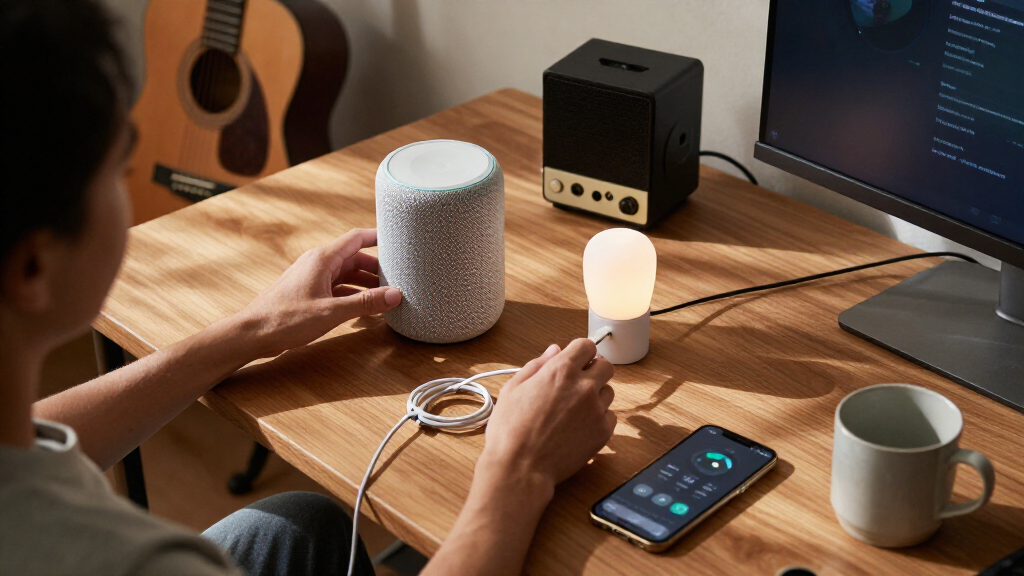
How We Picked
I compared these devices by the everyday problem they solve, their setup demands, their compatibility, and how much flexibility they give a buyer as a smart home grows. For plugs, I weighed outlet capacity and pack size alongside voice assistant support, Matter compatibility, energy monitoring, and compactness. For the thermostat and Echo devices, I focused on whether their added functions justify choosing them over a simpler plug-based setup.
The ranking reflects how useful each device is to a broad range of buyers seeking affordable smart home devices, while accounting for meaningful limitations. That puts the Amazon Smart Thermostat first for its impact on a home routine, but it will not suit renters or homes with incompatible heating systems. The Linkind Matter plug and compact Kasa model rank strongly for flexibility and fit; basic plugs remain sensible when the buyer needs straightforward on-and-off control. Every pick has a tradeoff, from ecosystem limits and setup requirements to outlet ratings and the risk of buying more units than needed.
| affordable smart home device | Certifications |
|---|---|
| Amazon Smart Thermostat | ENERGY STAR and ECOLOGO Gold |
| Compact Smart Plug with Voice | FCC and ETL |
| GHome Smart Wi-Fi Plug with Al | ETL and FCC |
| GHome Smart Plug Mini | ETL and FCC |
| Kasa Smart Wi-Fi Light Switch | — |
| Amazon Basics Smart Plug | — |
| EIGHTREE WiFi Smart Plug | ETL, FCC |
| Amazon Echo Spot | — |
| Amazon Smart Plug | — |
| Kasa Smart Plug Ultra Mini 15A | — |
| Linkind Matter Smart Plug | FCC, ETL |
| Smart Plug | ETL, FCC, RoHS |
| Amazon Echo Dot | — |
Factors to Consider When Choosing Affordable Smart Home Devices
Before choosing a device, I’d map the job to the home rather than buy a multi-pack by default. A plug can automate a lamp, but it cannot replace a wall switch or adjust a heating system. These checks help avoid a device that fits the product description but not your wiring, platform, or routine.
Match the device to the job
Start with the action you want automated: switching a lamp, controlling a wall fixture, changing the temperature, or setting an alarm. A smart plug works well for equipment that resumes its previous state when power returns, but it may not control devices with electronic buttons that need a fresh press. A wall switch can control built-in lighting without occupying an outlet, though installation and wiring compatibility matter. A thermostat affects a larger home system, so check the system type and compatibility before buying. Echo speakers add voice control and routines, but they do not make every device in the home compatible. Choosing by the task prevents paying for functions you will not use.
Check your platform and network before checkout
Smart home devices can depend on Alexa, Google Assistant, Matter, or a specific app, and those labels do not mean every setup works the same way. Check which assistant and phone platform you already use, then confirm that the device supports the features you expect through that platform. Matter can broaden device choice across compatible ecosystems, but it still depends on compatible controllers and network setup. Many Wi-Fi plugs use the 2.4 GHz band, so a network configured only for 5 GHz can complicate setup. A device that works with a voice assistant may still offer some settings only in its own app. Confirming the setup path first can save time and avoid buying a second hub or controller unexpectedly.
Buy for the outlet and appliance, not just the plug shape
Compare the plug’s dimensions with the space around the outlet, especially if another socket, a cabinet, or a power strip sits nearby. Compact designs help preserve adjacent sockets, while larger models can block them. Check the device’s rated load against the appliance you plan to control; plugs intended for lamps are not automatically suitable for every high-draw appliance. Pay attention to whether an appliance should lose power abruptly, since some equipment needs a safe shutdown. A multi-pack saves effort only when each unit has a clear job and each outlet can accommodate it. These practical checks matter more than choosing the largest bundle.
Decide whether monitoring and routines are worth managing
Energy monitoring can show how much power a connected appliance uses, which helps identify usage patterns, but the data is useful only if you plan to review it. Schedules and voice routines can automate recurring tasks, though they add setup choices and depend on the device remaining connected. A basic plug is often the easier starting point when you only need a lamp to turn on at a set time. For a thermostat, consider how often you want remote changes and whether household members will use schedules consistently. Start with one or two routines that solve a real annoyance before extending automation across the home. This keeps a low-cost setup manageable instead of turning it into another system to maintain.
Spend more only when the added role matters
A speaker or thermostat can cost more effort to place and configure than a plug, but each adds a different kind of control. An Echo Spot combines an alarm-clock role with Alexa, while the Echo Dot focuses on speaker and voice-assistant functions in a small room. A thermostat can affect a household-wide routine, making compatibility and installation more significant than they are for a plug. If you only need to switch one lamp remotely, those added roles may be unnecessary. If you want voice interaction or climate scheduling, paying for a device with that role can reduce reliance on separate controls. Compare the cost of complexity in time and setup as well as the device itself.
Frequently Asked Questions
Can I mix smart plugs from different brands in one home?
Usually, yes, if each plug supports the platform or app you plan to use. The practical issue is that different brands may require separate apps for setup, schedules, or energy data, even when voice control works through one assistant. Matter support can make cross-platform use easier, but compatibility still depends on your controller and network. I’d check whether the features you need—such as timers or monitoring—are available through your preferred app. Mixing brands can work well, but keeping the number of apps manageable makes the system easier to maintain.
Should I choose a four-pack or buy one smart plug first?
Buy a single unit first if you are unsure about app setup, outlet fit, or whether the appliance behaves properly when power is restored. A multi-pack makes more sense when you already have several lamps or small appliances in mind and have checked the plug dimensions. Avoid assigning a plug to equipment that needs a careful shutdown or has a high electrical load unless its rating and use are appropriate. Testing one device can reveal whether the platform and routines fit your household. Once that is clear, adding several matching plugs is simpler.
Do Matter smart plugs need a separate hub?
Matter devices do not all work without a controller; they need a compatible device or hub in the chosen ecosystem to onboard and manage them. The exact requirement depends on your phone, speaker, or smart home platform. Check the plug’s supported ecosystems and the controller requirements before purchase, especially if you do not already own a smart speaker or hub. A Matter label can improve platform choice, but it does not remove network or setup requirements. If you want the simplest path, choose a plug that directly supports the assistant and app you already use.
Is a smart plug enough to automate a room, or do I need an Echo device?
A smart plug can automate a connected appliance with schedules or app controls, so an Echo device is not required for basic automation. An Echo adds hands-free voice commands and can make routines easier to trigger, but it is another device to place and configure. Some plugs already work with Alexa or Google Assistant, so check whether your existing phone or speaker can provide the voice control you want. If your main goal is a timed lamp, begin with the plug. Choose an Echo when voice interaction, alarms, or speaker playback also matter.
What should I check before replacing a thermostat with a smart model?
Confirm that the thermostat supports your heating and cooling system, wiring, and any control accessories before ordering. Compatibility varies by home, so use the manufacturer’s compatibility guidance and inspect the existing wiring rather than assuming that a familiar thermostat shape will fit. Consider who will configure schedules and whether everyone in the household needs access to the controls. A smart thermostat can offer more useful home-wide control than a plug, but installation is a more involved decision. If the wiring or system type is unclear, get qualified help before removing the current thermostat.
Conclusion
For the broadest household impact, I’d choose the Amazon Smart Thermostat as best overall, provided the heating system is compatible. The Linkind Matter Smart Plug is my best value for buyers who want a multi-pack with wider platform flexibility, while the Kasa Smart Plug Ultra Mini makes more sense when tight outlet spacing is the main concern. Beginners who already use Alexa can start with the Amazon Smart Plug for a straightforward first automation. For specific needs, the Compact Smart Plug with Energy Monitoring adds usage insight, the Kasa HS200 suits a compatible wall-switch installation, and the Echo Spot is the pick for a smart bedside clock. Choose the device that solves one clear problem first, then expand only when you know what your home needs next.
Halloween Picks
halloween
As an affiliate, we earn on qualifying purchases.