
Choosing a smart home setup on a budget doesn’t mean sacrificing functionality. The Home Assistant Green stands out as a powerful, local-control hub for those who prioritize privacy and expandability. Meanwhile, the Amazon Smart Thermostat offers a straightforward way to cut energy costs with minimal installation fuss. For simple device control, the GHome WiFi Smart Plug provides voice commands and scheduling at a low price. To build a deeper understanding, practical guides like the Smart Home on a Budget book and the Home Assistant automation guide help users maximize value without costly upgrades. Here’s how I’ve ranked these options based on affordability, ease of use, and versatility for budget-conscious buyers.

Get audio and creator gear delivered free with Prime
- Fast, free delivery on millions of items
- Prime Video, Amazon Music and more included
- Member-only deals all year
Complete the kit



Key Takeaways
- The amazon.com/dp/B0CXVKSG19?tag=strongmocha04-20&ascsubtag=dc-960601″ target=”_blank” rel=”nofollow sponsored noopener”>Home Assistant Green offers a centralized control hub with local data storage, ideal for privacy-focused users willing to handle initial setup challenges.
- Smart thermostats like the Amazon model can significantly reduce energy bills with DIY installation, making them a smart investment for budget buyers.
- Smart plugs such as GHome enable voice-controlled device management without extensive setup or hardware costs.
- Guides and books provide valuable tips for low-cost automation but lack hardware, so buyers should pair them with affordable devices.
- Overall, combining simple devices like plugs and thermostats with educational resources can deliver a comprehensive smart home experience on a tight budget.




More Details on Our Top Picks
Home Assistant Green Smart Home Hub with Advanced Automation
The Home Assistant Green stands out for its support of multiple protocols like Z-Wave, Zigbee, and Thread, making it the most expandable option here. Its fanless design and low power draw are perfect for quiet, energy-efficient operation. The pre-installed Home Assistant software simplifies setup, especially for those comfortable with DIY tech projects. Compared with other hubs, it provides superior privacy since all data stays local, but it does require an Ethernet connection for initial setup, which can be a hurdle for some. Its limited USB expansion options mean it’s best for users who want a centralized hub rather than a feature-packed device with built-in Wi-Fi.
Pros:- Supports multiple smart home protocols for flexibility
- Local data storage enhances privacy
- Fanless and energy-efficient operation
- Pre-installed with Home Assistant software for quick setup
Cons:- Requires Ethernet for initial setup
- Limited USB expansion options
- No built-in Wi-Fi connectivity
Best for: Tech-savvy users wanting a customizable, privacy-focused control center
Not ideal for: Those seeking a plug-and-play, Wi-Fi-based hub with minimal setup
- Processor:Quad-core
- Storage:32GB
- RAM:4GB
- Power Consumption:a few watts
- Connectivity:USB expandability for Z-Wave, Zigbee, Thread
Our verdict“This hub is best suited for budget buyers comfortable with DIY setup and wanting a flexible, privacy-conscious control point.”
Smart Home on a Budget: Transform Your Home Into an Intelligent Living Space Without Breaking the Bank
This book is a practical guide for anyone looking to upgrade their home without overspending. It offers straightforward tips and strategies for integrating affordable smart devices and automating common tasks. While it doesn’t recommend specific products, it helps readers identify budget-friendly solutions and make smarter choices about their upgrades. Compared with hardware-focused options, this resource is ideal for beginners or those who want to understand the principles behind cost-effective automation. However, advanced users seeking technical details or specific product recommendations will find it less useful for direct hardware acquisition.
Pros:- Provides actionable, budget-friendly automation strategies
- Easy-to-follow for beginners
- Helps save money while upgrading home tech
- Encourages DIY solutions and creative automation
Cons:- Does not include specific hardware or product suggestions
- Limited technical depth for advanced users
Best for: Beginners and budget-conscious homeowners seeking automation ideas
Not ideal for: Experienced enthusiasts looking for detailed hardware options
Our verdict“This book is a valuable resource for budget-conscious beginners aiming to understand and implement affordable smart home upgrades.”
Amazon Smart Thermostat, Works with Alexa and Ring, C-wire Required
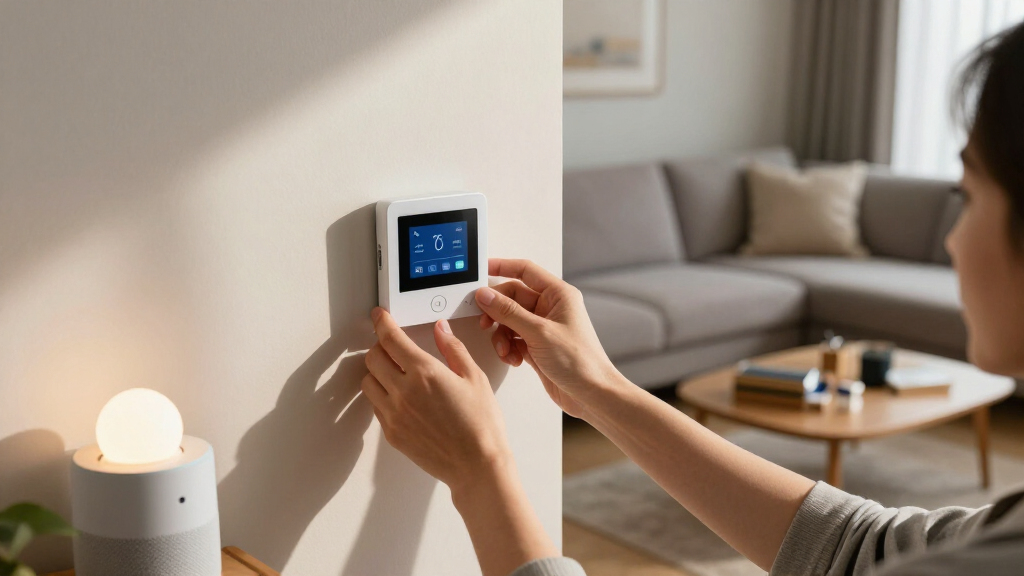
The Amazon Smart Thermostat offers an easy, DIY installation process with clear app guidance. It’s a straightforward way to reduce heating and cooling costs, especially for those already using Alexa or Ring devices. Its energy savings estimate of around $90 per year makes it a compelling buy for budget-conscious households. The need for a C-wire can be a barrier for some, limiting compatibility with older systems. Compared with more complex or feature-rich thermostats, this model keeps things simple and affordable, but it’s limited to Alexa and Ring ecosystems, which could restrict future device compatibility.
Pros:- Simple DIY installation with app guidance
- Integrates seamlessly with Alexa and Ring
- Potential to save around $90 annually on energy bills
- Remote control and scheduling features
Cons:- Requires a C-wire for installation
- Limited to Alexa and Ring devices
- Basic feature set compared to more expensive thermostats
Best for: Homeowners wanting easy energy savings with voice control
Not ideal for: Those without a C-wire or who prefer broader compatibility
- Compatibility:Works with Alexa and Ring
- C-wire required:Yes
- Energy savings:Estimated $90/year
- Installation:DIY with app guidance
Our verdict“This thermostat makes energy savings accessible for budget buyers comfortable with DIY installation and Alexa integration.”
GHome WiFi Smart Plug – Compatible with Alexa and Google Assistant
The GHome WiFi Smart Plug provides an affordable way to control devices remotely via app, voice, or scheduling. It supports 2.4GHz WiFi, making setup straightforward, especially for those already familiar with WiFi devices. Its compatibility with both Alexa and Google Assistant adds flexibility, and the push-button operation makes manual control easy. However, it only supports 2.4GHz WiFi, so users with dual-band networks need to ensure compatibility. Its limited wattage and indoor-only design mean it’s best for lamps, small appliances, or electronics, not heavy-duty devices.
Pros:- Supports voice commands with Alexa and Google Assistant
- Remote control and scheduling via app
- Easy setup with stable WiFi connection
- Affordable price point
Cons:- Limited to 2.4GHz WiFi networks
- Cannot connect directly to smart speakers without app setup
- Indoor use only
Best for: Budget buyers wanting simple voice control for appliances
Not ideal for: Users needing high wattage support or outdoor use
- Operation Mode:ON-OFF-ON
- Current Rating:10 A
- Operating Voltage:120 volts
- Control Method:App, Remote, Touch, Voice
- Connectivity Protocol:Wi-Fi
Our verdict“This smart plug delivers reliable, affordable device control for budget buyers who want voice automation without complexity.”
Building Smart Home Automation Solutions with Home Assistant
This book provides a detailed roadmap for configuring and managing smart home systems using Home Assistant. It’s a practical resource for those interested in customizing their automation setup, with tips on integrating hardware and software. Compared to hardware-only options, it’s less about specific products and more about teaching users how to build and optimize their own system on a budget. It’s best suited for those willing to invest time into learning, rather than complete beginners seeking plug-and-play solutions. For budget-conscious DIYers, this guide can help stretch limited hardware investments into a cohesive automation system.
Pros:- Comprehensive guidance on setting up and managing systems
- Practical tips for cost-effective automation
- Encourages DIY solutions for savings
Cons:- No specific hardware included
- Requires prior knowledge of smart home systems
Best for: Enthusiasts and DIYers seeking affordable customization
Not ideal for: Casual users expecting ready-to-use solutions
Our verdict“This book is a valuable resource for budget-conscious DIY enthusiasts willing to learn and configure their own smart home solutions.”
How We Picked
Our selection process focused on affordability, ease of installation, and core functionality suitable for budget-minded buyers. We prioritized products that offer good value without sacrificing essential features, favoring devices with broad compatibility and straightforward setup. Where possible, we included educational resources to help users maximize their investments. Each product was assessed for its balance of price, performance, and user-friendliness, ensuring that even newcomers can create a capable smart home system without overspending.
Factors to Consider When Choosing Affordable Smart Home Solutions For Budget Buyers
When selecting affordable smart home solutions, the key is balancing cost, ease of use, and functionality. You want devices that integrate well, are simple to install, and deliver noticeable benefits without draining your budget. Understanding the roles of hubs, thermostats, plugs, and educational resources can help you prioritize what matters most for your home and your wallet. Here’s what to consider when building your smart home on a budget.Choosing the Right Core Devices
Focus on essential devices that deliver immediate benefits, such as a smart thermostat for energy savings or smart plugs to control appliances. These tend to be affordable and easy to install, offering quick wins for budget-conscious buyers. Consider whether you want a central hub for expandability or if simple, standalone devices meet your needs. Each approach has tradeoffs: hubs like the Home Assistant Green offer greater flexibility and privacy but require more setup, while standalone devices are straightforward but less expandable.
Balancing Cost and Compatibility
Compatibility often determines your overall experience. Devices that support common protocols like Wi-Fi, Zigbee, or Z-Wave tend to be more versatile and future-proof. For example, the GHome Smart Plug supports multiple voice assistants, making it a cost-effective way to automate existing appliances. Thermostats like the Amazon model are budget-friendly but require existing wiring (C-wire), which can add to installation costs. Prioritize devices that fit your existing setup to avoid unexpected expenses.
Leveraging Educational Resources
Guides and books tailored to budget automation can significantly extend your investment. They help you understand how to optimize device placement, create routines, and troubleshoot issues without spending on professional installation. While they don’t replace hardware, they empower you to make smarter choices and avoid unnecessary upgrades, stretching your dollar further. Combining these resources with affordable devices creates a DIY-friendly, cost-efficient smart home system.
Frequently Asked Questions
What’s the main benefit of a local-control hub like the Home Assistant Green?
A local-control hub provides enhanced privacy by keeping your data within your home network, reduces reliance on cloud services, and often offers more customization options. It’s ideal for tech-savvy users who want a flexible, expandable control point without ongoing subscription fees. The main tradeoff is the initial setup complexity, especially if you’re not familiar with network configurations or smart home protocols.
Can I automate my home using only affordable devices like smart plugs and thermostats?
Yes, combining budget-friendly devices like smart plugs and thermostats can create a functional automation setup, especially when paired with educational resources. These devices cover basic needs such as remote control, scheduling, and energy savings. However, for more sophisticated automation or larger integrations, you might need additional hardware or more advanced products, which could increase costs.
Are smart thermostats worth it for budget buyers?
Smart thermostats can be a smart investment since they help reduce heating and cooling costs over time. The Amazon Smart Thermostat is particularly appealing due to its easy DIY installation and compatibility with Alexa. The main consideration is whether your existing wiring supports it (C-wire required) and if you already use Alexa or Ring devices, which makes integration smoother and more affordable.
What should I look for in a smart plug for budget automation?
Look for a smart plug that supports voice control via common assistants like Alexa or Google, offers scheduling, and has a straightforward setup process. The GHome Smart Plug excels here, providing reliable Wi-Fi connection and compatibility at a low cost. Keep in mind that it only supports 2.4GHz Wi-Fi, so ensure your network matches these requirements for seamless operation.
Are books and guides effective for building a budget smart home?
Absolutely. Educational resources like the recommended books provide valuable strategies for choosing affordable devices, maximizing automation features, and avoiding unnecessary expenses. They’re especially helpful for beginners and DIY enthusiasts who want to make the most of their limited budget. While they don’t include hardware, they empower you to make smarter, cost-effective choices for your smart home setup.
Conclusion
For budget buyers who enjoy DIY projects and want maximum customization, investing in a versatile hub like the Home Assistant Green combined with educational resources can offer the most flexibility and privacy. Those seeking quick energy savings should consider the Amazon Smart Thermostat, especially if they already use Alexa. If simple device control with voice commands is your priority, the GHome WiFi Smart Plug provides an affordable, straightforward solution. Overall, combining a mix of these affordable devices and resources allows you to build a capable smart home without overspending, tailored to your comfort level and technical skill.
Fall Picks
fall essentials
As an affiliate, we earn on qualifying purchases.