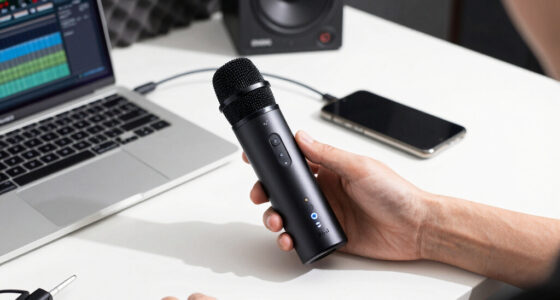
The best AI voice recorder overall in this lineup is the Plaud Note Pro, a dedicated meeting and call recorder built around transcription and summaries. The EVISTR stands out for buyers who want 128GB of local storage, while the Plaud NotePin S offers a wearable format for hands-free capture. The main tradeoffs are how recordings are captured, how AI features are accessed, and whether storage and transcription depend on an app or service. Language support and noise handling also vary across models. Read on for the full comparison and help matching a recorder to your routine.

Get audio and creator gear delivered free with Prime
- Fast, free delivery on millions of items
- Prime Video, Amazon Music and more included
- Member-only deals all year
Complete the kit


Key Takeaways
- The Plaud Note Pro is the strongest fit for meeting-focused buyers, while the NotePin S takes a different approach with wearable, hands-free recording.
- The EVISTR prioritizes storage capacity with 128GB, making it a distinct choice from the several 64GB recorders in this lineup.
- Many of the generic AI recorder listings share similar claims, including transcription, noise cancellation, and support for 152 languages; app workflow and exact model differences deserve closer scrutiny than headline feature counts.
- The FoCase Note sets itself apart with listed support for 112 languages plus translation, a useful combination for multilingual notes, though buyers should check the workflow they need.
- Color variants of the Pocket AI Voice Recorder appear as separate entries, but color alone does not change recording capability; compare the underlying functions and service terms instead.


| ai voice recorder | Storage | Battery life | Connectivity | Dimensions |
|---|---|---|---|---|
| AI Voice Recorder with Transcr | 64 GB | Up to 30 hours | — | — |
| AI Voice Recorder with Transcr | 64 GB | 35 hours | Bluetooth 5.3 | — |
| AI Voice Recorder with Transcr | 64 GB | 35 hours | Bluetooth | 0.15 in D × 4 in W × 7 in H |
| AI Voice Recorder with Transcr | 64 GB | 35 hours | Bluetooth | 0.15 in D × 4 in W × 7 in H |
| Pocket AI Voice Recorder | 64 GB | Up to 4 days | Bluetooth | 1.77 in D × 3.2 in W × 7.4 in H |
| Plaud Note Pro AI Voice Record | 64 GB | Up to 30 hours | Bluetooth 5; compatible with laptops, computers, smartphones, and tablets | 2.13 × 3.37 × 0.12 inches |
| Pocket AI Voice Recorder | 64 GB | Up to 4 days | Bluetooth | 1.77 × 3.2 × 7.4 inches |
| FoCase Note AI Voice Recorder | 64 GB | 22 hours | — | 2.44 × 2.44 × 0.28 inches |
| Pocket AI Voice Recorder | 64 GB | Up to 4 days | Bluetooth | 1.77 × 3.2 × 7.4 inches |
| AI Voice Recorder with GPT-5.2 | 64 GB | — | Bluetooth | 3.35 × 2.13 × 0.13 inches |
| EVISTR Digital Voice Recorder | 128 GB | 33 hours | USB Type-C | 0.39 in D × 1.25 in W × 4 in H |
| Comulytic Note Pro AI Voice Re | 64 GB | 45 hours | Wi-Fi, Bluetooth | — |
| Plaud NotePin S Wearable AI Vo | 64 GB | 20 hours | Bluetooth 5 | 0.83 in D × 2.01 in W × 0.43 in H |
| Plaud Note Pro AI Voice Record | — | 30–50 hours | Cross-device sync via app | — |
| AI Voice Recorder | 64 GB | — | — | 3.39 in D × 0.12 in W × 2.13 in H |
More Details on Our Top Picks
AI Voice Recorder with Transcription & Summarization
One-touch recording and a 30-hour battery make this a straightforward choice for people who want to capture long lectures, interviews, or meeting days without frequent charging. Its stated support for translation in more than 90 languages adds useful flexibility, though it covers fewer languages than the 152-language models from B0HBWL1392 and B0HC1ZXG3Q. The built-in microphones and 64 GB storage suit routine recording, while USB-C file transfer keeps the workflow relatively simple. The tradeoff is that it has no Wi-Fi, and cloud storage and advanced features depend on an app. Compared with B0HL68X9GL, this model is a better fit for buyers who value uncomplicated operation over the other model’s stated GPT-4 technology and cloud sync.
Pros:- One-touch operation makes starting a recording simple.
- Up to 30 hours of battery life supports extended sessions.
- 64 GB of storage accommodates a substantial set of recordings.
- Translation is described as supporting more than 90 languages.
Cons:- No Wi-Fi; file transfer uses USB-C.
- Cloud storage and advanced features require an app.
- Its 64 GB capacity may require ongoing file management for heavy users.
Best for: Students and professionals who want one-touch recording, long battery life, and translation for common multilingual sessions.
Not ideal for: People who need wireless file transfer, broad language coverage, or cloud features without relying on an app.
- Storage:64 GB
- Battery life:Up to 30 hours
- Microphone:Built-in dual microphones with noise reduction
- USB interface:USB Type-C
- Headphone jack:3.5 mm
- Compatible device:Earphone
- Language support:Real-time translation in over 90 languages
Our verdict“Choose this recorder for uncomplicated long-session capture, but pick a 152-language model if broader language support matters more.”
AI Voice Recorder with Transcription and Noise Cancellation, 64GB, Supports 152 Languages, App Control, Silver
Noise suppression and 152-language support give this recorder a distinct edge for people capturing speech in busy or multilingual settings. The listed hybrid microphone system and claimed 90%+ background-noise suppression address a problem that the simpler B0HH99NZCM description does not specify at the same level. A 35-hour battery and 64 GB storage also make it suited to long sessions without frequent charging. The tradeoff is a more app-dependent setup: full functionality requires the companion app, and premium features require a subscription after 12 months. Bluetooth 5.3 is listed, but Wi-Fi is not, so buyers should not assume wireless cloud transfer works independently of the app. Compared with B0HC1ZXG3Q, this version lists included accessories and cloud backup, while sharing the same stated language count and battery life.
Pros:- Supports transcription across 152 languages.
- Lists 90%+ background-noise suppression and a hybrid microphone system.
- Up to 35 hours of battery life suits long recording days.
- 64 GB storage and listed cloud backup support ongoing file access.
Cons:- Premium features require a subscription after 12 months.
- Full functionality depends on the companion app.
- The product data does not specify waterproofing or rugged protection.
Best for: Travelers, multilingual teams, and students recording speech in noisy rooms who are comfortable using an app for AI tools.
Not ideal for: Buyers who want a standalone workflow, avoid recurring subscriptions, or need a recorder described as rugged or waterproof.
- Storage:64 GB
- Battery life:35 hours
- Languages supported:152
- Microphone technology:Hybrid Pro Microphone System
- Noise reduction:90%+ background-noise suppression
- Connectivity:Bluetooth 5.3
- Included accessories:Note, case, metal ring, magnetic charging cable
Our verdict“Pick this model for noise-conscious, multilingual recording if its app requirements and later subscription fit your workflow.”
AI Voice Recorder with Transcription and Noise Cancellation, 64GB, Supports 152 Languages
At a listed 29 g, this is the clearest lightweight pick among the 152-language options in this batch. It pairs that portability with 35 hours of battery life, 64 GB storage, and noise-canceling dual microphones, making it a practical match for lectures, meetings, and calls that run long. Like B0HBWL1392, it supports 152 languages and names a Hybrid Pro microphone system; unlike that model, its supplied details give dimensions and weight but do not mention cloud backup or included accessories. That makes the buying choice less about claimed language breadth and more about carry and workflow: this model is explicitly light, but full app control requires a smartphone. Its listed 2.5 mm headphone jack is also a less common connection than the 3.5 mm jack on B0HH99NZCM.
Pros:- Listed weight of 29 g favors lightweight carry.
- Supports transcription in 152 languages.
- Up to 35 hours of battery life supports extended recording.
- Noise-canceling dual microphones are suited to speech capture in varied settings.
Cons:- A smartphone is required for full app control.
- Cloud backup depends on the app, and the product data gives no Wi-Fi specification.
- The listed 2.5 mm headphone jack may not suit accessories built for 3.5 mm.
Best for: Commuters, students, and mobile professionals who want a lightweight recorder for long sessions and multilingual transcription.
Not ideal for: People who need independent app-free control, a common 3.5 mm headphone connection, or clearly specified cloud backup.
- Storage:64 GB
- Battery life:35 hours
- Languages supported:152
- Microphone technology:Hybrid Pro system with noise cancellation
- Dimensions:0.15 in D × 4 in W × 7 in H
- Weight:29 g
- Connectivity:Bluetooth
- Audio format:MP3
- Headphone jack:2.5 mm
Our verdict“Choose this model if low weight and 152-language support matter more than a standalone workflow or clearly documented cloud syncing.”
AI Voice Recorder with Transcription and Noise Cancellation, 64GB, Supports 152 Languages, APP Control for Lectures and Meetings
Cloud sync and automatic backups set this model apart from B0HC1ZXG3Q, whose supplied details emphasize portability and audio connections instead. It also lists GPT-4-powered transcription and summarization, 152-language support, noise cancellation, and a 35-hour battery, so it targets users who want captured speech organized into usable notes. The core recording package resembles B0HBWL1392: both specify 64 GB storage, Bluetooth, and the same broad language support. This model’s appeal rests more on its stated cloud workflow and AI tooling than on a clear hardware distinction. The tradeoff is reliance on an app for full functionality, which may complicate setup for less technical users. No rugged or waterproof rating is supplied, so I would not choose it for demanding field conditions.
Pros:- Lists GPT-4 technology for transcription and summarization.
- Supports 152 languages.
- Automatic cloud backups and secure cloud storage are described.
- 35-hour battery life and 64 GB storage support extended use.
Cons:- Full functionality requires an app that may add setup complexity.
- No waterproof or rugged rating is provided.
- The listed feature set does not specify Wi-Fi connectivity.
Best for: Teams and professionals who want multilingual meeting capture with app-based transcription and automatic cloud backups.
Not ideal for: Users who prefer a standalone recorder, want documented rugged protection, or need detailed battery and connectivity behavior beyond Bluetooth.
- Storage:64 GB
- Battery life:35 hours
- Languages supported:152
- AI features:GPT-4 transcription and summarization
- Microphone technology:Hybrid Pro Microphone System
- Noise cancellation:Yes
- Connectivity:Bluetooth
- Dimensions:0.15 in D × 4 in W × 7 in H
- Weight:29 g
Our verdict“Choose this model for an app-centered meeting workflow with stated cloud backups, not for app-free or rugged recording.”
Pocket AI Voice Recorder, Auto Transcription, AI Note Taker, Sierra Blue
One-tap recording and MagSafe attachment make this pocket recorder the most phone-oriented option in the batch. It supports iOS and Android, with a stated four-day battery life, so it suits people who want quick capture during a busy day rather than a recorder centered on traditional headphone connections. Compared with B0HBWL1392, it does not list a 152-language count or a noise-suppression figure, so buyers focused on multilingual transcription or loud environments have clearer evidence from that model. The Sierra Blue recorder instead emphasizes automatic organization, AI summaries, and phone attachment. Its reliance on Bluetooth means it is less suitable when the phone is unavailable or wireless pairing is inconvenient, and the optional subscription may add ongoing cost for premium features.
Pros:- One-tap recording supports quick capture of meetings and ideas.
- MagSafe compatibility makes attachment to supported phones convenient.
- Listed battery life is up to four days.
- Supports both iOS and Android devices.
Cons:- Bluetooth connection is required for operation.
- Premium features require an optional subscription.
- The product data does not specify supported languages or noise-cancellation performance.
Best for: Phone-first professionals and students who want quick meeting or idea capture, MagSafe attachment, and compatibility with iOS or Android.
Not ideal for: Buyers who need documented noise cancellation, a specified language range, or dependable operation without a Bluetooth-connected smartphone.
- Storage:64 GB
- Battery life:Up to 4 days
- Connectivity:Bluetooth
- Microphone:Built-in
- Compatible devices:Smartphone; supports iOS and Android
- Audio format:RealAudio
- Dimensions:1.77 in D × 3.2 in W × 7.4 in H
- Battery type:Nonstandard battery
Our verdict“Pick this recorder for phone-attached, quick-start note capture, but choose a 152-language model if multilingual transcription is a priority.”
Plaud Note Pro AI Voice Recorder Transcribe & Summarize for Meetings Calls
The Plaud Note Pro is the strongest fit here for professionals who want a slim recorder built around meeting and call workflows. Its real-time transcription, summaries, and cross-device sync make recordings more useful after the conversation than a basic audio file, while the 0.95-inch AMOLED display gives it a visible control surface the Pocket AI Voice Recorder listings don’t specify. At 30 g and just 0.12 inches thick, it is easier to carry discreetly than the FoCase Note, which is wider and relies on a 9V battery according to its specs. The tradeoff is a setup that asks users to learn its app and device workflow, plus 64 GB of storage and no headphone jack for direct monitoring. I’d choose it for organized work notes, not for buyers seeking the simplest standalone recorder.
Pros:- Slim 30 g body and AMOLED display make it compact while keeping recording controls visible.
- AI transcription, summaries, and note-taking add value beyond storing audio.
- Up to 30 hours of recording supports long workdays without frequent charging.
- Encryption and stated privacy compliance suit users handling work conversations.
Cons:- App and device setup may feel involved for users who want a standalone recorder.
- No headphone jack for direct audio monitoring.
- 64 GB capacity may constrain users who keep large archives of recordings.
Best for: Professionals and teams who record meetings or calls and want transcription, summaries, and cross-device access in a very slim device.
Not ideal for: Buyers who want a plug-and-record device with little app setup, direct headphone monitoring, or more than 64 GB of built-in storage.
- Storage:64 GB
- Battery life:Up to 30 hours
- Recording time:Up to 30 hours
- Display:0.95-inch screen
- Weight:30 g
- Dimensions:2.13 × 3.37 × 0.12 inches
- Microphone modes:Mono and stereo
- Connectivity:Bluetooth 5; compatible with laptops, computers, smartphones, and tablets
Our verdict“Choose the Plaud Note Pro for polished, app-connected meeting workflows; skip it if you want a simpler recorder or direct headphone monitoring.”
Pocket AI Voice Recorder, Auto Transcription, AI Note Taker, Space Grey
This Space Grey Pocket AI recorder is aimed at people who want to start capturing a thought or conversation with one-tap recording, then use AI to transcribe and summarize it. Its MagSafe compatibility gives it a phone-centered role that differs from the Plaud Note Pro, which adds a small display and lists compatibility with computers and tablets as well as phones. The claimed four-day battery life is appealing for frequent, on-the-go capture, though the product data does not give a recording-hours figure for a direct comparison with the Plaud’s 30-hour specification. Its main compromise is reliance on a smartphone and Bluetooth, plus optional subscription costs for premium features. The listed dimensions also look unusually tall for a pocket device, so I’d confirm the form factor before buying. This is a better match for iPhone users than people seeking a self-contained recorder.
Pros:- One-tap recording helps capture a conversation or idea without navigating a lengthy setup.
- MagSafe compatibility supports hands-free attachment to an iPhone.
- AI transcription and summaries can turn recordings into more usable notes.
- Claimed four-day battery life suits frequent mobile use.
Cons:- Premium AI features require an optional subscription.
- Smartphone and Bluetooth dependence makes it less suitable as a standalone recorder.
- The listed dimensions are unusual for a pocket device and merit checking before purchase.
Best for: iPhone users who want quick, phone-attached capture of meetings, calls, and passing ideas with AI organization.
Not ideal for: Buyers who need broad computer compatibility, a clearly documented recording-hours limit, or AI features without an optional subscription.
- Storage:64 GB
- Battery life:Up to 4 days
- Recording format:RealAudio
- Microphone:Built-in
- Connectivity:Bluetooth
- Compatible devices:Smartphones
- Dimensions:1.77 × 3.2 × 7.4 inches
- Battery:One included battery
Our verdict“Pick this Space Grey model for convenient iPhone-centered capture, but choose the Plaud Note Pro if you need a display and broader listed device compatibility.”
FoCase Note AI Voice Recorder with Transcription, Summarization, Translation & APP Control, 64GB, Supports 112 Languages
The FoCase Note earns its place for users who need AI workflows across languages: it supports 112 languages for transcription and translation, with summaries and customizable templates for turning recordings into structured notes. That makes it a more language-focused choice than the Plaud Note Pro, whose supplied product details emphasize meeting capture and syncing rather than a stated language count. Its dual noise-canceling microphones and compact magnetic design suit lectures, calls, and hands-free placement. The tradeoff is an odd power specification: the listing describes a 22-hour battery life but also calls for a 9V battery, so buyers should verify the power arrangement before relying on it for regular work. It has no headphone jack, and its 64 GB capacity is shared by recordings. I’d favor it for multilingual transcription needs, not for buyers seeking the clearest battery setup.
Pros:- Supports transcription and translation in 112 languages.
- Dual noise-canceling microphones are designed to reduce unwanted background sound.
- Magnetic compact body can be placed hands-free for calls, lectures, and meetings.
- AI summaries and customizable templates help organize captured material.
Cons:- Power details are unclear: the listing gives 22 hours of battery life and also specifies a 9V battery.
- No headphone jack for direct audio monitoring.
- 64 GB storage may be limiting for users keeping extensive recordings.
Best for: Students, researchers, and multilingual professionals who need transcription or translation across a wide range of languages.
Not ideal for: Frequent recorders who need a clearly specified rechargeable power system, direct headphone monitoring, or a larger audio archive.
- Storage:64 GB
- Battery life:22 hours
- Digital recording time:Up to 1,000 hours
- Supported languages:112
- Microphones:Dual noise-canceling microphones with VCS technology
- Weight:28 g
- Dimensions:2.44 × 2.44 × 0.28 inches
- Interface:USB Type-C
Our verdict“Choose the FoCase Note when broad language support matters most, but verify its battery arrangement before making it a regular work recorder.”
Pocket AI Voice Recorder, Auto Transcription, AI Note Taker, Baby Pink
The Baby Pink Pocket AI recorder offers the same core proposition as the Space Grey Pocket model: one-tap capture, AI transcription, summaries, and automatic organization in a smartphone-oriented device. Its distinct appeal is the color option, while its stated four-day battery life makes it attractive for people who capture notes throughout the week. Compared with the Plaud Note Pro, the Pocket model’s supplied specs don’t list a display, laptop compatibility, or a recording-hours figure, so it reads as a more phone-dependent accessory than a broadly connected meeting recorder. Premium features also require an optional subscription. The listing says it works with smartphones and supports MagSafe, but does not specify a screen or built-in speaker for checking recordings on the device. I’d choose this version for its color and easy capture, not for users who want more on-device feedback.
Pros:- One-tap recording makes spontaneous ideas and conversations quick to capture.
- AI transcription, summaries, and automatic organization reduce manual sorting.
- Claimed four-day battery life supports repeated mobile use between charges.
- MagSafe compatibility allows hands-free attachment to compatible iPhones.
Cons:- Premium features require an optional subscription.
- Smartphone-focused compatibility limits its usefulness as a standalone recorder.
- The supplied details do not mention a built-in display or speaker for on-device playback.
Best for: Smartphone users who want quick AI-assisted note capture and prefer a Baby Pink device for everyday carry.
Not ideal for: Buyers who need a screen or speaker on the recorder, computer compatibility, or access to premium AI features without an optional subscription.
- Storage:64 GB
- Battery life:Up to 4 days
- Recording format:RealAudio
- Microphone:Built-in
- Connectivity:Bluetooth
- Compatible devices:Smartphones
- Dimensions:1.77 × 3.2 × 7.4 inches
- Battery count:One
Our verdict“Choose the Baby Pink Pocket model for phone-based capture and a color-specific design; choose the Plaud Note Pro for a screen and broader stated compatibility.”
AI Voice Recorder with GPT-5.2 Transcriber, Pearl Gray
This RECOLX recorder is a practical pick for users who want a portable device with 30 hours of recording and speech-to-text support for 112 languages. Its USB-C file export gives it a useful workflow advantage over the FoCase Note, whose listed interface is USB Type-C but whose description puts more emphasis on language tools and magnetic placement. Automatic summaries and multiple AI modes help turn recordings into notes, while noise reduction and high-sensitivity microphones are intended to help in meeting and interview settings. The supplied product data does not explain how its named GPT-5.2 transcription works or provide a storage expansion option, so I’d avoid buying based on the model name alone. It also lacks a headphone jack and is listed as smartphone-compatible. Compared with the Plaud Note Pro, it has a stated language count but fewer details about display and cross-device sync.
Pros:- Up to 30 hours of recording supports long days of meetings, lectures, or interviews.
- Speech-to-text support covers 112 languages.
- USB-C export provides a direct route for moving files off the recorder.
- Automatic summaries and multiple AI modes can reduce time spent organizing notes.
Cons:- No headphone jack for direct listening or monitoring.
- 64 GB storage may be restrictive for users who retain many recordings.
- The supplied details do not clarify the GPT-5.2 transcription workflow or list compatibility beyond smartphones.
Best for: Mobile professionals, interviewers, and students who need long recording sessions and multilingual transcription with USB-C export.
Not ideal for: People who need direct headphone monitoring, documented laptop or tablet compatibility, or more than 64 GB of stated storage.
- Brand:RECOLX
- Model:JYDH-100
- Storage:64 GB
- Digital recording time:Up to 30 hours
- Transcription languages:112
- Connectivity:Bluetooth
- Compatible devices:Smartphones
- Dimensions:3.35 × 2.13 × 0.13 inches
- Warranty:18 months
Our verdict“Choose the RECOLX for stated 112-language transcription and USB-C export, but favor the Plaud Note Pro if you want a specified display and broader device compatibility.”
EVISTR Digital Voice Recorder 128GB with AI Transcription and Summarization
The EVISTR is the strongest fit here for buyers who want room for long recording archives without relying on a slim wearable’s smaller storage. Its 128GB capacity exceeds the 64GB available on the Comulytic Note Pro and both Plaud models listed here, while 33-hour battery life suits extended note-taking between charges. Noise reduction, voice activation, and password protection add practical controls for lectures or work notes. The tradeoff is a more traditional recorder workflow: transfers require a wired OTG connection, with no Bluetooth option, whereas the Comulytic supports Wi-Fi and Bluetooth. Its built-in microphone is mono, so buyers prioritizing multiple-microphone capture or a discreet wearable form should look at the Comulytic or Plaud NotePin S instead. I’d choose this EVISTR for storage and straightforward standalone recording, not wireless convenience.
Pros:- 128GB storage accommodates a larger archive than the 64GB Comulytic Note Pro and Plaud NotePin S.
- Noise reduction and voice activation can help with routine lecture and meeting capture.
- Password encryption and a lock feature add protection for stored recordings.
- Up to 33 hours of battery life supports long sessions between charges.
Cons:- Data transfer requires a wired OTG connection rather than Bluetooth or Wi-Fi.
- The built-in microphone is mono, limiting capture flexibility compared with multi-mic options.
- The conventional recorder form is less discreet than the wearable Plaud NotePin S.
Best for: Students, interviewers, and professionals who keep large recording archives and prefer a dedicated recorder with password protection.
Not ideal for: People who want wireless transfers, stereo capture, or a recorder that doubles as a discreet wearable.
- Storage:128 GB
- Audio formats:MP3, WAV
- Microphone:Built-in mono
- Battery life:33 hours
- Connectivity:USB Type-C
- Voice activation:Yes
- Noise reduction:Yes
- Dimensions:0.39 in D × 1.25 in W × 4 in H
- Weight:2.24 oz
Our verdict“Choose the EVISTR if large local storage and recording controls matter more than wireless transfer or multi-microphone capture.”
Comulytic Note Pro AI Voice Recorder, AI Meeting Recorder and Note Taker
The Comulytic Note Pro is aimed at people who want a compact recorder to feed an app-based meeting workflow, rather than simply save audio for later. Its triple-mic array with AI noise reduction gives it a more meeting-focused capture setup than the EVISTR’s built-in mono microphone, and Wi-Fi plus Bluetooth make it easier to connect than EVISTR’s wired-transfer approach. It also claims 45 hours of battery life, the longest stated figure among these five products. That convenience depends on connectivity: cloud features require internet access, and advanced AI tools may need a premium plan. Its 64GB storage is half the EVISTR’s, and there is no headphone jack for direct monitoring. I’d favor it over the Plaud NotePin S for longer stated battery life and a visible display, but not for offline-first use.
Pros:- Triple-mic array with AI noise reduction is suited to capturing meeting speech.
- Wi-Fi and Bluetooth provide more flexible connectivity than the EVISTR’s wired transfer.
- Stated 45-hour battery life supports long stretches of recording.
- AES-encrypted storage and CCPA compliance address data-handling concerns.
Cons:- Cloud features require an internet connection, limiting usefulness in offline settings.
- Advanced AI features may require premium plans.
- 64GB storage is lower than the EVISTR’s 128GB, and there is no headphone jack.
Best for: Consultants, students, and journalists who record frequent meetings and want wireless syncing and cloud-based transcription.
Not ideal for: Privacy-focused or offline-first users, and anyone who needs a headphone jack or extensive built-in storage.
- Storage:64 GB
- Battery life:45 hours
- Recording time:2,700 minutes
- Microphone:Triple-mic array with AI noise reduction
- Connectivity:Wi-Fi, Bluetooth
- Display:0.78 inches
- Thickness:3 mm
- Encryption:AES-encrypted; CCPA-compliant
Our verdict“Pick the Comulytic for connected meeting capture and long stated battery life, provided you accept cloud dependence and plan limits.”
Plaud NotePin S Wearable AI Voice Recorder, Transcribe & Summarize, Black
The Plaud NotePin S makes the most sense when keeping a recorder accessible matters more than maximizing storage or battery life. Its 17.28-gram wearable design and multiple wearing options distinguish it from the pocket-style EVISTR and the ultra-slim but non-wearable Comulytic. The device supports transcription and summaries across 112 languages, while its 64GB storage is adequate for a moderate recording library. Its stated 20-hour battery life is shorter than the Comulytic’s 45 hours and the EVISTR’s 33, so frequent or all-day recording may call for more charging discipline. Full functionality also depends on the app and internet access, and there is no headphone jack. I’d choose this over the Plaud Note Pro when hands-free placement is the priority, but the Note Pro has a longer stated battery range and a display.
Pros:- Lightweight 17.28-gram body supports discreet wearable use.
- Multiple wearing options suit varied work settings.
- Transcription and summarization support 112 languages.
- 64GB storage provides room for a substantial set of recordings.
Cons:- 20-hour battery life is shorter than the Comulytic Note Pro’s stated 45 hours and EVISTR’s 33 hours.
- Full functionality requires the app and an internet connection.
- No headphone jack, and storage is lower than the EVISTR’s 128GB.
Best for: Mobile professionals and teams who want a lightweight recorder they can wear during interviews, site visits, or meetings.
Not ideal for: People who record for long stretches without charging, prefer standalone operation, or need headphone monitoring.
- Storage:64 GB
- Battery life:20 hours
- Digital recording time:1,200 minutes
- Microphone modes:Mono, stereo
- Connectivity:Bluetooth 5
- Weight:17.28 g
- Dimensions:0.83 in D × 2.01 in W × 0.43 in H
- Audio format:MP3
Our verdict“Choose the NotePin S if wearable convenience is more valuable to you than maximum battery life or offline simplicity.”
Plaud Note Pro AI Voice Recorder with Transcription & Summarization
The Plaud Note Pro is the feature-led choice for people who want AI assistance to continue after transcription, with instant summaries, mind maps, and interactive querying called out in its product information. Its four MEMS microphones and VPU create a more advanced capture setup than the EVISTR’s mono microphone, while its 0.12-inch profile and AMOLED display make it a different proposition from the wearable Plaud NotePin S. The stated battery range of 30–50 hours could suit frequent meeting use, though it is presented as a range rather than a single runtime. The main tradeoff is complexity: higher transcription minutes require a subscription, and the product data gives limited detail on compatibility with non-Apple devices. Compared with the simpler EVISTR, this Plaud is better suited to an app-centered professional workflow, not buyers seeking basic recording controls.
Pros:- Four MEMS microphones and a VPU provide a more involved capture system than the EVISTR’s mono mic.
- Summaries, mind maps, and interactive querying extend the workflow beyond transcription.
- Slim 0.12-inch body and AMOLED display combine portability with on-device information.
- Stated battery range reaches up to 50 hours.
Cons:- Higher transcription-minute limits require a subscription.
- The feature set may be more involved than casual users need.
- Product information provides limited detail about compatibility with non-Apple devices.
Best for: Meeting-heavy professionals who want summaries, mind maps, and AI querying in a slim recorder-and-app workflow.
Not ideal for: Casual users who need only audio capture, buyers unwilling to pay for higher transcription limits, or those needing clear non-Apple compatibility details.
- Transcription languages:112
- Display:AMOLED
- Battery life:30–50 hours
- Weight:1.06 oz
- Thickness:0.12 in
- Microphones:Four MEMS microphones and VPU
- Connectivity:Cross-device sync via app
- Security standards:ISO 27001/27701, SOC 2, HIPAA, GDPR, EN18031
Our verdict“Choose the Plaud Note Pro if you will use its richer AI tools regularly and are comfortable with subscription limits and app-based syncing.”
AI Voice Recorder, AI Note Taker, Unlimited Transcription, Lite
The EurekaMind Lite stands out for its 29-gram, wallet-friendly form and app-oriented note workflow, making it a plausible option for people who want a recorder close at hand without carrying a conventional handheld unit. Its listed features include automatic transcription, speaker recognition, dual recording modes, and secure data protection. That differs from the EVISTR, which emphasizes local capacity and direct recorder controls, and from the Plaud Note Pro, whose product data spells out more detailed microphone and display hardware. EurekaMind lists 64GB storage, but provides less hardware detail overall, including no stated battery-life figure or connectivity specification. Full functionality requires a compatible smartphone, and some tools may need premium upgrades. I’d consider it for compact everyday capture, but choose the EVISTR for a clearer standalone hardware profile or the Plaud Note Pro for a more specified AI feature set.
Pros:- Slim 29-gram design can fit in a wallet or phone holder.
- Automatic transcription and speaker recognition can make meeting notes easier to organize.
- Dual recording modes provide more than one capture approach.
- Product description states that data protection is included.
Cons:- A compatible smartphone is required for full functionality.
- Some features may require premium upgrades.
- 64GB storage is below the EVISTR’s 128GB, and no battery-life figure is provided.
Best for: On-the-go professionals who want a slim device for smartphone-linked meeting notes and speaker-organized transcripts.
Not ideal for: Buyers who need a standalone recorder, a stated battery runtime, or detailed hardware and connectivity specifications before choosing.
- Storage:64 GB
- Dimensions:3.39 in D × 0.12 in W × 2.13 in H
- Weight:29 g
- Microphone operation mode:Speech recognition
- Batteries required:1
- Battery type:Nonstandard battery, included
Our verdict“Choose the EurekaMind Lite for compact, smartphone-linked note capture, but favor a better-documented recorder if standalone use matters.”

How We Picked
I compared these 15 options by how well their stated features serve real recording jobs: meetings and calls, lectures, quick personal notes, and hands-free capture. I gave weight to the recording format and controls, listed storage, transcription and summary functions, language support, noise handling, and whether a product appears designed around a dedicated app. Those details affect how reliably a buyer can capture audio and turn it into usable notes, not just how long a feature list looks.
The ranking favors clear use-case fit and meaningful distinctions over repeated claims. The Plaud Note Pro leads for its meeting-and-call focus, while the EVISTR earns attention for its larger listed storage and the NotePin S for wearable capture. Generic 64GB models remain relevant, but similar specifications and unclear differences make it harder to rank one above another without verified distinctions. I also treat subscription terms, supported devices, and transcription limits as factors buyers should confirm before choosing, since the product names alone do not settle them.
Factors to Consider When Choosing Ai Voice Recorders
AI recorders vary less by the promise of transcription than by the path from recording to a useful, searchable note. I would choose based on where you record, how you plan to retrieve audio, and what happens when the AI service is unavailable or has usage limits.
Match the recorder to where you capture audio
A recorder built for calls may handle a different capture setup from one intended to sit on a lecture desk or clip onto clothing. Before choosing, decide whether you need to record in-person conversations, phone calls, or both; do not assume a device supports every source just because it is marketed for meetings. A wearable model can keep your hands free, but placement and clothing noise may affect whether voices are clear. A pocket recorder is easier to place near a speaker, though it may be less convenient to use discreetly or continuously. Think about the room, distance, and movement involved in your routine. If the capture method does not fit, better AI summaries cannot recover words the microphone missed.
Check the full transcription workflow, not just the language count
A large supported-language number does not tell you how well a recorder handles accents, technical vocabulary, or conversations that switch languages. Check whether the languages you need are available for both transcription and translation, since those can be separate functions. Find out where transcripts appear, how they can be edited, and whether you can export them in formats that fit your work. For recurring use, inspect any service limits or account requirements before relying on the device for every meeting. A polished summary is useful only if you can verify it against the original audio. For important interviews or decisions, plan to keep the recording available for corrections.
Treat storage and cloud access as separate needs
Built-in storage answers how much audio can remain on the device, but it does not by itself tell you how recordings move to a phone or computer. A model with more local capacity may suit long sessions or people who prefer to retain files on-device. App-based tools can make transcripts easier to search and share, but they may add account, connectivity, or data-handling questions. Check whether audio and text can be exported before deleting or replacing a recording. Also consider how quickly you can find a specific session after months of use. Choosing storage by capacity alone can leave you with plenty of audio space but an awkward archive.
Decide whether noise cancellation fits your recording setting
Noise cancellation can help in busy environments, but it is not a substitute for putting the recorder near the people speaking. In a quiet lecture room, microphone placement and distance may matter more than a noise-control label. In a cafe or shared office, ask whether the device offers a way to review and correct imperfect transcripts rather than expecting clean results every time. A recorder can also reduce background sound in ways that affect quieter speakers, so test the workflow on a short sample if possible. Think about the typical room, not the noisiest scenario in the product description. For interviews or meetings where missed wording matters, retain the original audio alongside the transcript.
Compare app dependence, privacy, and ongoing use
AI features often rely on an app or an online service, so check which tasks work directly on the recorder and which require a connected account. Read the product’s data and retention terms before recording private meetings, personal conversations, or sensitive work. Confirm whether transcription allowances are limited and whether continued access depends on a plan; a device description may not make those details clear. Consider how you will back up and delete files, especially when several people share a recording. A simple recorder with fewer connected features may be preferable when local control matters most. The right choice depends on your comfort with the service workflow as much as on the hardware.
Pay for a form factor or feature you will use often
Premium or specialized models make sense when their design solves a recurring problem, such as recording calls or capturing notes while moving. If most of your recordings happen at a desk, a wearable design may add little practical value. Likewise, paying attention to storage makes sense for long sessions, but not if you routinely transfer and delete files. Color variants should not influence a decision unless the underlying model specifications also differ. Compare the intended workflow, supported devices, and service terms before treating similar product names as equivalent. A useful purchase is the one that removes friction from your regular recording routine, not the one with the longest feature list.
Frequently Asked Questions
Can an AI voice recorder replace taking notes during a meeting?
It can reduce the need to write every detail, but it should not be treated as a complete replacement for judgment or review. Transcription can mishear names, specialist terms, and overlapping speech, while summaries may omit context that matters later. I would use the recording to capture the discussion and make a brief note of decisions or follow-up items in the moment. Check important passages against the audio before sharing or acting on them. Also confirm that everyone involved is comfortable with the recording and that your workplace permits it.
Are the 152-language recorders automatically better for multilingual conversations?
No; a high language count does not guarantee accurate transcription for every language, accent, or mixed-language conversation. Some products may support a language for transcription but not translation, or may handle language switching unevenly. Check the exact languages and functions you need rather than comparing counts alone. If the recorder will be used for important conversations, look for a way to edit transcripts and retain the original audio. A short trial recording can reveal more about your specific speech patterns than a headline number.
Should I choose a recorder with more local storage or one centered on an app?
Choose based on how you manage recordings after capture. More local storage can help if you record long sessions, keep files on the device, or transfer them in batches. An app-centered workflow may make transcripts easier to search, organize, and share, but it can involve account access, connectivity, or service limits. Confirm that recordings and transcripts can be exported before committing to a workflow. If confidentiality matters, review how audio is stored and processed, not only the amount of built-in memory.
Is a wearable AI recorder a good choice for interviews and meetings?
A wearable recorder is useful when you need hands-free capture or move around while speaking, which is why the NotePin S has a distinct role in this lineup. Its placement may be less suitable when several people sit at different distances or when clothing rubs against the microphone. For a group meeting, a recorder placed centrally can be easier to position near multiple speakers. Think about whether the conversation is one-to-one, mobile, or shared around a table. The best form factor is the one that keeps voices clear without disrupting how the conversation happens.
What should I verify before buying an AI voice recorder for work?
Check whether the recorder captures your specific audio source, works with your phone or computer, and lets you export both audio and transcripts. Review the transcription limits, account requirements, and any ongoing service terms, since these can shape long-term use. For workplace recordings, read the privacy and data-retention details and follow your organization’s recording rules. Confirm how the device handles multiple speakers and whether you can correct a transcript after processing. These checks matter more than a broad AI label when recordings will inform decisions or become part of a work record.
Conclusion
For a meeting-centered recorder, I would start with the Plaud Note Pro as the best overall pick; its stated focus on calls, meetings, transcription, and summaries gives it a clear role. The EVISTR is my storage-led value choice for buyers who prioritize 128GB and AI transcription, while the NotePin S is the best premium-style fit for hands-free wearable capture. For beginners, a straightforward pocket recorder with automatic transcription is the more approachable starting point, but I would confirm app requirements and transcription limits first. For multilingual workflows, compare the FoCase Note’s listed translation support with the exact languages you need; for high-capacity local recording, consider the EVISTR. If you are comparing the similar 64GB models, choose by verified app workflow and service terms rather than small title variations.