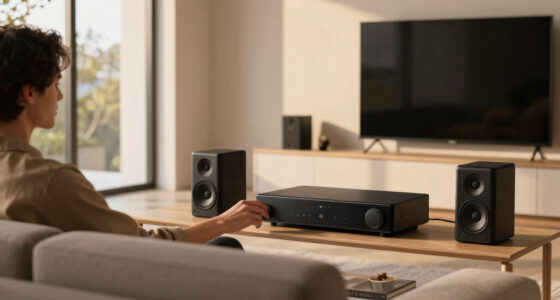
Looking for a truly premium USB audio interface in 2026? The best options combine high-quality sound, robust build, and versatile connectivity. The Focusrite Scarlett 2i2 4th Gen stands out for its excellent balance of performance and affordability, making it ideal for serious home studios. The Universal Audio Volt 476p offers boutique sound quality and professional features, but at a higher price point. Meanwhile, the MOTU M2 delivers exceptional audio clarity and ultra-low latency for demanding users. These choices exemplify the main tradeoffs: premium sound versus price, and versatility versus simplicity. Keep reading for a detailed breakdown of the top picks and what to consider when choosing your perfect interface.

Get audio and creator gear delivered free with Prime
- Fast, free delivery on millions of items
- Prime Video, Amazon Music and more included
- Member-only deals all year
Complete the kit



Key Takeaways
- High-quality preamps and AD/DA conversion are the primary drivers of a premium experience.
- The best options balance advanced features with user-friendly interfaces for different skill levels.
- Connectivity variety, including multiple inputs and outputs, remains essential for professional flexibility.
- Build quality and durability are key for long-term reliability, especially in mobile or studio environments.
- Price differences often reflect feature sets; investing more typically grants better sound fidelity and future-proofing.
| M-AUDIO M-Track Duo USB Audio Interface |  | Best for Portable, On-the-Go Recording | Audio Resolution: 48kHz | Inputs: 2 combo XLR/Line/Instrument with phantom power | Outputs: Stereo 1/4″ main and headphone outputs | VIEW ON AMAZON | See Our Full Breakdown |
| PreSonus AudioBox 96 25th Anniversary USB Audio Interface |  | Best for Budget-Conscious Musicians and Producers | Channels: 2 | Connectivity: USB 2.0 | Sample Rate: 24-bit/96 kHz | VIEW ON AMAZON | See Our Full Breakdown |
| MAONO P1 USB Audio Interface with 70dB Gain for PC, Phone, iPad & Guitar |  | Best for Multi-Device Content Creators | Connectivity: Dual USB ports with MFi certification | Gain: 70dB | Audio Quality: 24-bit/192kHz | VIEW ON AMAZON | See Our Full Breakdown |
| Focusrite Scarlett 2i2 4th Gen USB-C Audio Interface |  | Best for Serious Musicians and Producers | Connectivity: USB-C | Dynamic Range: 120dB | Included Software: Pro Tools Intro+, Ableton Live Lite, Cubase LE | VIEW ON AMAZON | See Our Full Breakdown |
| Shure MVX2U XLR-to-USB Audio Interface with Headphone Jack |  | Best for Simple, Reliable Microphone Recording | Connectivity: XLR to USB | Gain: 60dB | Phantom Power: 48V | VIEW ON AMAZON | See Our Full Breakdown |
| Universal Audio Volt 476p USB Audio Interface |  | Best for Professionals Seeking Classic Analog Sound | Compatibility: MacOS, Windows, iPad, iPhone (iOS 14+) | Power: Requires external Volt power supply | Connectivity: USB | VIEW ON AMAZON | See Our Full Breakdown |
| PIYONE 2×2 24-bit/192kHz USB C Audio Interface for Studio Quality Recording |  | Best for High-Resolution Studio-Grade Recording | Compatible Devices: Guitar, PC, Mac, iOS | Connectivity Technology: USB | Number of Channels: 2 | VIEW ON AMAZON | See Our Full Breakdown |
| XTUGA USB Audio Interface for PC, 2-Channel Recording Studio Audio Interface with XLR and 3.5mm Microphone Jack, Ultra-low Latency Plug & Play |  | Best for Beginners and Home Recorders on a Budget | Supported Software: Audacity, Ableton Live, FL Studio, Pro Tools | Maximum Sample Rate: 48 KHz | Audio Input: XLR, 3.5mm microphone jack | VIEW ON AMAZON | See Our Full Breakdown |
| Mackie Onyx Artist 1-2 USB Audio Interface |  | Best for Mobile, High-Resolution Recording on the Go | Inputs: 2 | Outputs: 2 | Resolution: 24-bit/192kHz | VIEW ON AMAZON | See Our Full Breakdown |
| Yamaha URX22C 2-in/2-out USB-C Audio/MIDI Interface with 32-bit/192kHz Support, DSP Effects, Steinberg Software |  | Best for Advanced Users Needing Integrated DSP and MIDI | Connectivity: USB | Number of Channels: 2 | Supported Software: Cubase AI, Steinberg Plus | VIEW ON AMAZON | See Our Full Breakdown |
| MOTU M2 USB-C Audio Interface |  | Best Overall for High-Resolution Versatility | Connectivity: USB-C | Compatibility: macOS, Windows, iOS | Number of Preamps: 2 | VIEW ON AMAZON | See Our Full Breakdown |
| Behringer U-PHORIA UMC404HD Audiophile 4×4 USB Audio/MIDI Interface with Midas Mic Preamps |  | Best for Multi-Input Professional Recording | Inputs: 4 | Outputs: 4 | MIDI I/O: 1x | VIEW ON AMAZON | See Our Full Breakdown |
| MAONO P2 Hybrid USB Audio Interface Dual XLR for PC, Phone, iPad, Guitar |  | Best for Mobile Creators and Streaming Enthusiasts | Connectivity: Dual USB with MFi certification | Microphone Compatibility: Most condenser and dynamic mics | Audio Quality: 24-bit/192kHz | VIEW ON AMAZON | See Our Full Breakdown |
| audio interface usb premium | Connectivity |
|---|---|
| M-AUDIO M-Track Duo USB Audio | — |
| PreSonus AudioBox 96 25th Anni | USB 2.0 |
| MAONO P1 USB Audio Interface w | Dual USB ports with MFi certification |
| Focusrite Scarlett 2i2 4th Gen | USB-C |
| Shure MVX2U XLR-to-USB Audio I | XLR to USB |
| Universal Audio Volt 476p USB | USB |
| PIYONE 2×2 24-bit/192kHz USB C | — |
| XTUGA USB Audio Interface for | — |
| Mackie Onyx Artist 1-2 USB Aud | — |
| Yamaha URX22C 2-in/2-out USB-C | USB |
| MOTU M2 USB-C Audio Interface | USB-C |
| Behringer U-PHORIA UMC404HD Au | USB 2.0 |
| MAONO P2 Hybrid USB Audio Inte | Dual USB with MFi certification |
More Details on Our Top Picks
M-AUDIO M-Track Duo USB Audio Interface
The M-Audio M-Track Duo stands out for its compact, lightweight design, making it ideal for musicians or podcasters who record outside a studio setting. Its 48kHz resolution is adequate for casual and semi-professional uses, but compared to the Focusrite Scarlett 2i2, which offers a 120dB dynamic range and more refined preamps, the M-Track Duo sacrifices some fidelity for portability. Its two combo inputs with phantom power are versatile but may limit complex multi-mic setups, and some users might find that it needs additional adapters for certain connections. Zero-latency monitoring and compatibility with most DAWs enhance its usability, yet its simplicity can be a drawback for advanced users needing more inputs or features. Overall, this makes the most sense for mobile creators who prioritize ease of use and portability over extensive connectivity.
Pros:- Lightweight and portable for mobile recording
- High-quality crystal preamps with phantom power
- Zero-latency direct monitoring with USB/Direct switch
Cons:- Limited to 2 inputs, restricting complex setups
- Requires compatible headphones for optimal performance
Best for: Musicians and podcasters who need a portable, reliable interface for on-the-go recording
Not ideal for: Producers working on larger multi-mic recording sessions or needing extensive I/O options
- Audio Resolution:48kHz
- Inputs:2 combo XLR/Line/Instrument with phantom power
- Outputs:Stereo 1/4″ main and headphone outputs
- Power:USB powered
- Software Included:MPC Beats, ProTools First | M-Audio Edition
Our verdict“This interface is perfect for creators who prioritize portability without sacrificing decent sound quality.”
PreSonus AudioBox 96 25th Anniversary USB Audio Interface
The PreSonus AudioBox 96 offers a compelling balance of quality and affordability, featuring high-grade Class-A mic preamps and 24-bit/96kHz recording. Compared with the Focusrite Scarlett 2i2, which includes more industry-standard software, the AudioBox 96’s software bundle is more comprehensive, making it a great value for beginners. Its two combo inputs and MIDI I/O provide enough flexibility for solo musicians and small studios but may fall short for larger recording setups. Being bus-powered enhances its portability, yet some users might find its slightly lower maximum sample rate limiting for more demanding audio production. It’s best suited for those who want reliable, studio-grade sound without a hefty price tag, especially on the move.
Pros:- High-quality Class-A mic preamps
- Portable and bus-powered via USB 2.0
- Includes substantial recording software
Cons:- Limited to 2 channels, not suitable for complex setups
- USB 2.0 connection may lack speed for high-channel-count projects
Best for: Home studio owners and mobile musicians seeking professional sound without high costs
Not ideal for: Producers working on large multi-track projects or live sound engineers needing extensive I/O
- Channels:2
- Connectivity:USB 2.0
- Sample Rate:24-bit/96 kHz
- Inputs:2 mic/line combo, 2 instrument
- Outputs:Balanced ¼” TRS, headphone
- Phantom Power:Yes
Our verdict“A reliable, cost-effective interface for musicians and producers who value quality and portability.”
MAONO P1 USB Audio Interface with 70dB Gain for PC, Phone, iPad & Guitar
The MAONO P1 excels in versatility, offering dual USB ports with MFi certification, making it suitable for recording on various devices like PC, phone, and iPad. Its impressive 70dB gain and 24-bit/192kHz audio quality ensure clear, professional recordings, surpassing many basic interfaces in fidelity. However, compared to dedicated studio interfaces like the Focusrite Scarlett 2i2, it introduces complexity with software routing, which might overwhelm beginners. Its robust build and multiple platform support make it ideal for streamers, podcasters, and mobile musicians, but the reliance on external mics and instruments means it’s not a plug-and-play solution for casual users. It’s best for those willing to navigate some extra setup for high-quality multi-device recording.
Pros:- Hybrid connectivity for multiple devices
- High-quality 24-bit/192kHz audio
- Auto-Gain and independent mute controls
Cons:- Complex setup for users unfamiliar with audio software
- Limited to USB-C and USB-A connections without wireless options
Best for: Content creators and streamers working across multiple platforms and devices
Not ideal for: Beginners unfamiliar with audio routing software or those needing a simple plug-and-play interface
- Connectivity:Dual USB ports with MFi certification
- Gain:70dB
- Audio Quality:24-bit/192kHz
- Housing:Zinc-alloy metal
Our verdict“This interface is well-suited for tech-savvy creators seeking high audio quality across multiple devices.”
Focusrite Scarlett 2i2 4th Gen USB-C Audio Interface
The Focusrite Scarlett 2i2 4th Gen offers a significant upgrade in clarity and dynamic range, with 120dB of headroom and Air mode for enhanced tonal shaping, making it ideal for professional-quality recordings. Compared to the PreSonus AudioBox 96, which provides good value, the Scarlett’s superior preamp technology and easier-to-use features like Auto Gain give it an edge in user-friendliness and sound fidelity. Its two inputs are enough for most solo or duo recordings but limit larger multi-mic setups. The USB-C connection modernizes its compatibility, although some older computers may require adapters. This makes it best for serious musicians and producers who want studio-grade sound and straightforward operation.
Pros:- Exceptional 120dB dynamic range
- Features Auto Gain and Clip Safe for easy recording
- Includes professional software and plugins
Cons:- Limited to two inputs, not suited for larger sessions
- Requires USB-C port, may need adapters for older systems
Best for: Experienced musicians and producers needing high-fidelity recording with minimal fuss
Not ideal for: Beginners or users needing multiple inputs for large projects, or those with older computers lacking USB-C ports
- Connectivity:USB-C
- Dynamic Range:120dB
- Included Software:Pro Tools Intro+, Ableton Live Lite, Cubase LE
Our verdict“Ideal for dedicated musicians and producers seeking professional-grade audio quality with user-friendly features.”
Shure MVX2U XLR-to-USB Audio Interface with Headphone Jack
The Shure MVX2U provides a straightforward, plug-and-play solution for anyone needing reliable microphone recording, especially for streaming or podcasting. Its compatibility with any XLR mic and 48V phantom power makes it a versatile choice, and the zero-latency headphone output offers real-time monitoring. Compared to multi-input interfaces like the M-Audio M-Track Duo, the MVX2U focuses solely on microphone input, which simplifies setup but limits versatility. Its USB-C connection ensures fast data transfer, but users with older hardware may need adapters. This interface is best suited for users who prioritize simplicity and quality in microphone recordings over multi-instrument or multi-channel options.
Pros:- Easy plug-and-play setup
- Universal microphone compatibility with phantom power
- Zero-latency monitoring
Cons:- Limited to XLR microphone input, no instrument or line inputs
- Dependent on external mics for full use
Best for: Streamers, podcasters, and solo content creators needing a reliable, easy-to-use mic interface
Not ideal for: Musicians or producers requiring multiple inputs or instrument recording capability
- Connectivity:XLR to USB
- Gain:60dB
- Phantom Power:48V
- Headphone Jack:3.5mm
Our verdict“This microphone-centric interface is perfect for streamers and podcasters seeking simplicity and reliability.”
Universal Audio Volt 476p USB Audio Interface
The Universal Audio Volt 476p stands out for delivering exceptional analog warmth with its vintage preamp modes and integrated compressor, making it ideal for those who prioritize studio-level sound quality. Compared to the Mackie Onyx Artist 1-2, it offers more authentic analog character and hardware features, though it requires an external power supply, which adds inconvenience for mobile setups. This model is perfect for professional producers or serious hobbyists who want a tactile, high-fidelity experience and don’t mind the extra setup complexity. Its compatibility spans MacOS, Windows, and iOS devices, but the need for additional adapters for iPads might be a barrier for some users. The inclusion of classic analog components and compression tools makes it a compelling choice for those aiming for a vintage yet professional sound, but portability and simplicity are sacrificed by its power requirements.
Pros:- High-quality analog preamps with vintage mode
- Includes analog compressor for professional sound shaping
- Compatible with MacOS, Windows, and iOS
Cons:- Requires external power supply, reducing portability
- Needs Apple Lightning to USB Camera Adapter for iPads
Best for: Professional musicians and audio engineers seeking authentic analog warmth and versatile device compatibility.
Not ideal for: Mobile users or beginners who need a plug-and-play, lightweight interface without external power requirements.
- Compatibility:MacOS, Windows, iPad, iPhone (iOS 14+)
- Power:Requires external Volt power supply
- Connectivity:USB
- Includes:Analog compressor, vintage preamp modes
Our verdict“This interface is best suited for professionals who value authentic analog sound over portability.”
PIYONE 2×2 24-bit/192kHz USB C Audio Interface for Studio Quality Recording
The PIYONE 2×2 offers serious studio quality with 24-bit/192kHz resolution, making it a step above basic interfaces like the XTUGA Q-12. Its dual XLR/TRS combo inputs and phantom power cater to both microphones and instruments, supporting professional-grade recordings. The sleek illuminated controls and compact design enhance usability and portability for on-the-go recording. However, with only 2 channels, it limits multi-track recording and may not meet the needs of larger or more complex setups. Its reliance on a USB-C connection could also pose compatibility issues without adapters, and it doesn’t include bundled software. This pick is ideal for serious hobbyists or small project studios that prioritize top-tier audio fidelity and a portable form factor, but not for extensive multi-mic or multi-instrument setups.
Pros:- High-resolution 24-bit/192kHz audio quality
- Versatile combo inputs with phantom power
- Compact, illuminated controls for easy operation
Cons:- Limited to 2 channels, restricting multi-tracking
- May need adapters for some devices due to USB-C only
Best for: Home studio owners and mobile musicians demanding high-resolution audio and a sleek, portable design.
Not ideal for: Pro studios requiring multi-channel setups or users needing bundled editing software.
- Compatible Devices:Guitar, PC, Mac, iOS
- Connectivity Technology:USB
- Number of Channels:2
- Maximum Sample Rate:192 KHz
- Input Type:XLR/TRS combo
Our verdict“This interface suits users who need high-quality, portable recording with a focus on stereo tracks.”
XTUGA USB Audio Interface for PC, 2-Channel Recording Studio Audio Interface with XLR and 3.5mm Microphone Jack, Ultra-low Latency Plug & Play
The XTUGA Q-12 provides a straightforward, plug-and-play solution for newcomers and casual musicians, with a modest 16-bit/48kHz resolution. Its dual inputs with phantom power support condenser mics, and ultra-low latency performance makes it suitable for simple recording tasks. Compared to higher-end options like the Yamaha URX22C, it lacks advanced features and higher bit-depth, but it excels in ease of use and affordability. Its basic build quality and limited feature set make it less ideal for professional environments, yet perfect for students or hobbyists just starting out. The 48kHz max sample rate might be a limiting factor for those seeking studio-grade fidelity, but for quick demos and beginner projects, it performs reliably.
Pros:- Supports 16-bit/48kHz for clear sound
- Supports phantom power for condenser mics
- Plug-and-play with low latency
Cons:- Limited to 2 channels, not future-proof for complex setups
- Basic build quality may affect durability
Best for: Beginners and students seeking an affordable, easy-to-use interface for basic recording needs.
Not ideal for: Advanced users or those needing higher resolution or multi-channel recording capabilities.
- Supported Software:Audacity, Ableton Live, FL Studio, Pro Tools
- Maximum Sample Rate:48 KHz
- Audio Input:XLR, 3.5mm microphone jack
- Dimensions:5.98″D x 4.92″W x 1.97″H
- Weight:0.31 kg
Our verdict“This interface is a solid choice for beginners focused on simple, straightforward recording tasks.”
Mackie Onyx Artist 1-2 USB Audio Interface
The Mackie Onyx Artist 1-2 offers a compelling balance of high-res 24-bit/192kHz recording quality and portability, making it a prime choice for mobile musicians. Its boutique-quality Onyx preamp ensures excellent fidelity, surpassing the basic performance of interfaces like the XTUGA Q-12. Its bus-powered design simplifies setup for on-the-road recording, and zero-latency direct monitoring adds to its appeal for live tracking. Nonetheless, it’s limited to 2 inputs and 2 outputs, which restricts expansion for larger projects. The absence of onboard DSP effects or advanced features might deter users who want integrated processing. Overall, it’s an ideal companion for musicians and podcasters who need reliable, high-quality recording in a compact, bus-powered package.
Pros:- High-resolution 24-bit/192kHz recording quality
- Boutique Onyx mic preamp with excellent clarity
- Bus-powered for mobile use
Cons:- Limited to 2 inputs and 2 outputs
- No onboard DSP or effects for processing
Best for: Mobile recording artists and podcasters needing high-quality, portable audio interfaces.
Not ideal for: Larger studios or users requiring more than 2 inputs and 2 outputs for multi-mic setups.
- Inputs:2
- Outputs:2
- Resolution:24-bit/192kHz
- Power:Bus-powered
Our verdict“This interface is ideal for mobile professionals who need high-quality, portable recording with minimal fuss.”
Yamaha URX22C 2-in/2-out USB-C Audio/MIDI Interface with 32-bit/192kHz Support, DSP Effects, Steinberg Software
The Yamaha URX22C combines high-quality 192kHz/32-bit audio with versatile MIDI I/O, appealing to users who want both audio and MIDI in one sleek package. Its built-in DSP effects facilitate real-time processing, which can streamline production workflows, especially when paired with Steinberg’s bundled software. Compared to simpler interfaces like the PIYONE 2×2, it offers more features but also a steeper learning curve, making it less suitable for beginners. Its durable full-metal housing and comprehensive connectivity support more complex projects, but its limited 2-channel capacity could be restrictive for larger recording setups. If you need an all-in-one solution for professional-level audio and MIDI, this model provides a compelling package, though it demands some familiarity with audio processing.
Pros:- Supports 192kHz/32-bit high-resolution audio
- Includes DSP effects for monitoring and mixing
- Full-metal durable housing
Cons:- Limited to 2 channels, less suitable for multi-mic setups
- Steep learning curve for newcomers
Best for: Intermediate to advanced musicians and producers who want integrated DSP effects and MIDI capabilities.
Not ideal for: Beginners or users with simple stereo recording needs who might find the feature set overwhelming.
- Connectivity:USB
- Number of Channels:2
- Supported Software:Cubase AI, Steinberg Plus
- Maximum Sample Rate:192 KHz
- Housing Material:Full-metal
Our verdict“This interface is well-suited for producers needing integrated MIDI and processing features, provided they are comfortable with advanced functions.”
MOTU M2 USB-C Audio Interface
The MOTU M2 stands out for delivering professional-grade audio quality with 24-bit/192kHz resolution, making it a top choice for serious home studios and mobile musicians. It offers broad compatibility with macOS, Windows, and iOS, similar to the Focusrite Scarlett 2i2 4th Gen, but with a more streamlined setup and impressive sound clarity. Unlike the Behringer U-PHORIA UMC404HD, which boasts more inputs and outputs, the M2 is limited to 2-in/2-out, making it less suited for multi-instrument recording but perfect for solo artists and podcasters who prioritize sound fidelity over connectivity. Its main drawback is the absence of bundled software, which could be a disappointment for beginners. Overall, the M2 is ideal for users seeking high-resolution audio with simple, reliable operation.
Pros:- Exceptional 24-bit/192kHz audio resolution for studio-quality recordings
- Broad compatibility across macOS, Windows, and iOS devices
- Includes over 6GB of free content for creative inspiration
Cons:- Limited to 2 inputs and 2 outputs, restricting multichannel setups
- No bundled software, which may increase initial setup costs
Best for: Producers and musicians wanting premium sound quality in a compact, versatile package.
Not ideal for: Multi-instrument bands or producers needing extensive I/O options in one device.
- Connectivity:USB-C
- Compatibility:macOS, Windows, iOS
- Number of Preamps:2
- Audio Quality:24-bit/192kHz
- Inputs/Outputs:2-in/2-out
- Free Content:6+GB
Our verdict“Ideal for solo artists or content creators prioritizing high-quality audio in a compact form.”
Behringer U-PHORIA UMC404HD Audiophile 4×4 USB Audio/MIDI Interface with Midas Mic Preamps
The Behringer U-PHORIA UMC404HD shines with its four MIDAS-designed mic preamps and 4-in/4-out capability, making it a strong choice for multi-mic recording scenarios or small band setups. Compared to the MOTU M2, which offers higher resolution but fewer inputs, this interface balances quality with expanded connectivity, thanks to its four inputs and four outputs. However, it relies on USB 2.0, which may introduce slightly higher latency than newer USB-C models, and it requires compatible recording software to unlock its full potential. Its impact-resistant metal chassis also adds durability for mobile or studio use. This model makes the most sense for users who need multiple channels and robust construction over ultra-high-resolution audio or modern connectivity options.
Pros:- Four MIDAS-designed mic preamps deliver professional sound
- Four inputs and outputs support complex recording setups
- Rugged metal chassis for durable, on-the-go use
Cons:- Limited to USB 2.0, which can affect latency and transfer speeds
- Requires compatible software for full feature access
Best for: Small studios or live recording setups requiring multiple microphone inputs and durability.
Not ideal for: High-resolution audio purists or mobile streamers needing USB-C compatibility and minimal latency.
- Inputs:4
- Outputs:4
- MIDI I/O:1x
- Resolution:24-bit/192 kHz
- Preamplifiers:4 MIDAS-designed
- Connectivity:USB 2.0
Our verdict“Best suited for small studios or live recording environments needing multiple channels and rugged build quality.”
MAONO P2 Hybrid USB Audio Interface Dual XLR for PC, Phone, iPad, Guitar
The MAONO P2 offers a flexible, portable solution with dual XLR inputs, making it ideal for streamers, podcasters, and mobile musicians. Its compatibility with a wide range of devices—including PC, Mac, iPhone, Android, and cameras—sets it apart from more traditional interfaces like the Focusrite Scarlett 2i2. The built-in features for real-time monitoring and streaming make it particularly appealing for content creators who need quick setup and reliable performance on the go. However, its advanced features, such as ASIO support and VST effects, require some technical know-how, which might be a barrier for complete beginners. This interface excels in scenarios demanding mobility and versatility but falls short if you need extensive software bundle or multiple simultaneous inputs beyond two.
Pros:- Versatile connectivity for multiple devices and platforms
- High-quality 24-bit/192kHz audio for professional sounding recordings
- Compact, rugged design with ergonomic tilt for easy use
Cons:- Requires some technical knowledge to optimize advanced features
- Limited to input/output, no video or extra channels
Best for: Mobile content creators, streamers, and podcasters who need versatile compatibility and portability.
Not ideal for: Studio engineers or musicians needing more than two inputs or dedicated video support.
- Connectivity:Dual USB with MFi certification
- Microphone Compatibility:Most condenser and dynamic mics
- Audio Quality:24-bit/192kHz
- Maximum Gain:56dB
- EIN:-130dB
- Physical Dimensions:15° tilt, aluminum-alloy housing
Our verdict“Perfect for mobile creators and streamers seeking a compact, multi-device capable audio interface.”

How We Picked
This selection process focused on performance, build quality, usability, and value. We evaluated each interface’s audio fidelity, preamp quality, latency, and compatibility with different devices and software. Ease of use and setup were also critical, especially for users transitioning from beginner to professional levels. Price-to-performance ratio was a key factor in ranking, alongside durability and feature set. The goal was to identify options that stand out in a competitive market for those demanding a truly premium experience, ensuring each product offers distinct advantages and tradeoffs for different types of users.| audio interface usb premium | Connectivity |
|---|---|
| M-AUDIO M-Track Duo USB Audio | — |
| PreSonus AudioBox 96 25th Anni | USB 2.0 |
| MAONO P1 USB Audio Interface w | Dual USB ports with MFi certification |
| Focusrite Scarlett 2i2 4th Gen | USB-C |
| Shure MVX2U XLR-to-USB Audio I | XLR to USB |
| Universal Audio Volt 476p USB | USB |
| PIYONE 2×2 24-bit/192kHz USB C | — |
| XTUGA USB Audio Interface for | — |
| Mackie Onyx Artist 1-2 USB Aud | — |
| Yamaha URX22C 2-in/2-out USB-C | USB |
| MOTU M2 USB-C Audio Interface | USB-C |
| Behringer U-PHORIA UMC404HD Au | USB 2.0 |
| MAONO P2 Hybrid USB Audio Inte | Dual USB with MFi certification |
Factors to Consider When Choosing Audio Interface Usb Premium
Choosing a premium USB audio interface involves balancing several factors that influence your recording quality, workflow, and future-proofing. Beyond specs, consider how the device integrates into your existing setup and your specific use case—whether it’s professional music production, podcasting, or live streaming. The right choice depends on understanding your priorities and potential tradeoffs, especially when investing at a higher price point.Audio Quality and Preamps
At the core, a premium interface’s value lies in its audio fidelity. High-quality analog-to-digital conversion and premium preamps deliver cleaner, more accurate sound. When evaluating options, check for support of high sample rates (at least 192kHz) and low total harmonic distortion (THD). Remember, investing in better preamps can significantly improve recordings, especially with microphones that require clean gain. However, higher quality often comes with increased cost, so weigh whether your projects truly demand studio-grade sound or if mid-tier features suffice.
Connectivity and Inputs/Outputs
Flexibility in connectivity is vital, especially if you plan to expand your setup. Look for interfaces with multiple XLR/TRS combo jacks, MIDI support, and digital I/O options. The number of inputs and outputs directly impacts your ability to record multiple sources simultaneously. Also, consider compatibility with various devices—USB-C, Thunderbolt, or USB-A—based on your hardware ecosystem. Be aware that more complex interfaces might require additional setup or drivers, which can complicate use for beginners.
Build Quality and Durability
Premium interfaces should be built with sturdy materials that withstand regular use, especially if you’re mobile or perform live. Metal chassis and high-quality knobs and jacks help prevent wear and tear over years of use. Additionally, good internal shielding reduces electromagnetic interference, ensuring cleaner recordings. However, some highly durable models can be bulkier or heavier, which might be a concern if portability is a priority. Balance your need for durability with your workspace constraints.
Software and Compatibility
Many premium interfaces come bundled with software suites that enhance functionality, such as digital audio workstations (DAWs), plugins, or control apps. Check compatibility with your operating system and existing software ecosystem—Windows, macOS, or iOS. Some brands, like Universal Audio, include DSP effects that can offload processing from your computer, adding value. Be cautious, though, as not all bundled software is equally useful; prioritize interfaces that include tools you will actually use to justify the investment.
Price and Future-Proofing
While premium interfaces are more expensive, think about long-term value. Features like higher sample rates, better preamps, and more versatile connectivity can make your setup more adaptable as your skills grow. However, avoid paying extra for features you won’t need immediately, as this can inflate costs unnecessarily. Consider whether the interface supports future upgrades or additional gear—this can extend its usefulness and save money over time.
Frequently Asked Questions
For beginners, a premium interface can seem appealing, but it isn’t always necessary. Mid-range models often provide excellent sound quality and reliable features at a more accessible price. Investing in a very high-end unit might be more beneficial once your skills and needs mature, as initial investments in simpler gear allow for learning without overspending. Focus on ease of use and compatibility first, then upgrade as your projects and technical requirements grow.
The most critical aspect is the audio quality, especially the preamps and analog-to-digital converters. Clear, noise-free recordings depend heavily on these components. Beyond that, connectivity options and low latency are vital for a smooth workflow. A well-designed interface that balances these features ensures your recordings sound professional without frustrating delays or compatibility issues.
Should I prioritize Thunderbolt or USB-C connectivity for a premium interface?
Both Thunderbolt and USB-C can support high data transfer rates necessary for professional-quality audio. Thunderbolt generally offers lower latency and higher bandwidth, making it ideal for demanding applications. However, USB-C is more widely compatible and often more affordable, with many high-quality options available. Your choice depends on your existing hardware and whether you prioritize maximum performance or broader device compatibility.
Yes, a high-quality interface significantly enhances sound fidelity by providing cleaner recordings, better preamps, and accurate conversion. This results in more professional-sounding mixes and recordings, especially if you’re working with high-quality microphones and monitors. However, remember that other factors like room acoustics and microphones also influence final sound quality, so an interface is just one piece of the puzzle.
Is it worth paying extra for bundled software with a premium interface?
Bundled software can add value, especially if it includes professional plugins, DAWs, or control apps that improve your workflow. However, always evaluate whether the included software suits your needs, as some bundles may offer limited or redundant tools. If you already own preferred software or plan to use third-party plugins, prioritize the hardware quality over bundled extras. The real benefit is a seamless, integrated experience that complements your recording setup.
Conclusion
For those starting a home studio or seeking reliable, high-quality recordings, the Focusrite Scarlett 2i2 4th Gen offers an excellent blend of performance and affordability. If you demand boutique sound quality and are willing to invest more, the Universal Audio Volt 476p delivers unmatched clarity and features. The MOTU M2 is perfect for professionals needing ultra-low latency and superior audio fidelity. Budget-conscious users can consider mid-tier options, but for truly premium results, investing in one of these top-tier models provides the best long-term value tailored to different needs and experience levels.