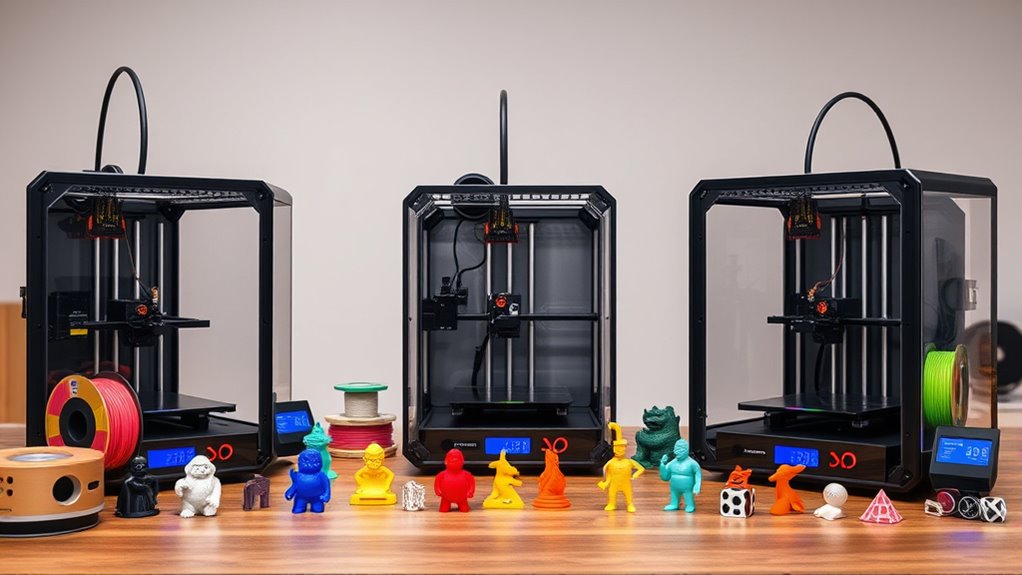

Finding a reliable budget 3d printer in 2026 involves balancing affordability with performance. The best overall pick is the FLASHFORGE Adventurer 5M Pro, known for its auto-printing system and ease of use. The ELEGOO Neptune 3 Pro stands out for quick assembly and auto-leveling, making it ideal for newcomers. However, budget options often require tradeoffs such as slower speeds, smaller build volumes, or fewer advanced features. Continue reading for a detailed breakdown that helps clarify which model best fits your specific needs and budget constraints.
Complete the kit


Key Takeaways
- The top picks balance ease of use, build quality, and value, with auto-leveling becoming a key feature for beginners.
- High-speed printing remains rare in budget models but is available in select options like the FLASHFORGE AD5X.
- Multi-color and multi-material capabilities are limited among budget printers, often requiring compromises or upgrades.
- Build volume varies significantly, so consider your project size needs before choosing.
- Auto calibration features are increasingly common, simplifying setup but sometimes increasing initial cost.
| FLASHFORGE Adventurer 5M Pro 3D Printer with Auto Printing System |  | Best Overall for Speed and Professional Use | Speed: 600mm/s | Structure: CoreXY | Nozzle Sizes: 0.25/0.4/0.6/0.8mm | VIEW ON AMAZON | See Our Full Breakdown |
| ELEGOO Neptune 3 Pro 3D Printer, Auto Leveling, Quick Assembly |  | Best for Beginners and Quick Setup | Build Volume: 225x225x280 mm | Noise Level: 47dB | Supported Filaments: PLA, TPU, PETG, ABS | VIEW ON AMAZON | See Our Full Breakdown |
| FlashForge AD5M 3D Printer with Full Auto Calibration, Max 600mm/s Speed, All-Metal CoreXY Structure |  | Best for High-Speed, Multi-Nozzle Flexibility | Speed: Up to 600mm/s | Build Volume: 220x220x220mm | Nozzle Diameters: 0.25/0.4/0.6/0.8 mm | VIEW ON AMAZON | See Our Full Breakdown |
| ANYCUBIC Kobra X Fast 3D Printer, Native 4-Color, High Speed, Auto Leveling |  | Best for Creative Multicolor Printing with Safety Features | Print Size: 260mm x 260mm x 260mm | Auto-Leveling: LeviQ 3.0, 49-point | Noise Level: 45dB | VIEW ON AMAZON | See Our Full Breakdown |
| Creality SPARKX i7 3D Printer with Multi-Color Printing and AI Monitoring |  | Best for Multi-Color, Large Projects, and AI Integration | Build Volume: 260×260×255 mm | Features: AI camera, automatic calibration | Lighting: RGB lighting | VIEW ON AMAZON | See Our Full Breakdown |
| Bambu Lab P1S Combo 3D Printer with AMS Multi-Color System |  | Best for Multi-Color and High-Speed Printing | Max Colors: Up to 16 (with AMS) | Print Speed: 500 mm/s | Acceleration: 20000 mm/s² | VIEW ON AMAZON | See Our Full Breakdown |
| Bambu Lab A1 3D Printer – Ready-to-Use FDM Printer for Beginners and Kids |  | Best for Beginners and Educational Use | Acceleration: 10,000 mm/s² | Calibration: Full-auto | Multi-Color Support: Yes (requires AMS lite) | VIEW ON AMAZON | See Our Full Breakdown |
| Creality K2 SE 3D Printer with Auto Leveling and High-Speed Printing | 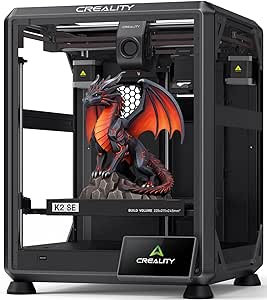 | Best for Speed and Stability in a Budget-Friendly Frame | Print Size: 220×215×245mm | Item Weight: 27.5 pounds | Item Dimensions: 13.98 x 13.96 x 18.98 inches | VIEW ON AMAZON | See Our Full Breakdown |
| Creality Ender 3 V3 SE 3D Printer |  | Best for Value and User-Friendly Assembly | Print Speed: 250mm/s | Print Size: 8.66 x 8.66 x 9.84 inches | Auto Leveling: CR Touch | VIEW ON AMAZON | See Our Full Breakdown |
| FLASHFORGE Adventurer 5M 3D Printer |  | Best for Speed and Ease of Use in a Compact Frame | Print Speed: up to 600mm/s | Build Volume: 220x220x220mm | Bed Leveling: Full-auto one-click | VIEW ON AMAZON | See Our Full Breakdown |
| FLASHFORGE AD5X Multi-Color 3D Printer |  | Best for Rapid Prototyping and Multi-Color Printing | Build Volume: 220x220x220mm | Max Print Speed: 600mm/s | Acceleration: 20,000mm/s² | VIEW ON AMAZON | See Our Full Breakdown |
| FLASHFORGE Adventurer 5M 3D Printer with Fully Auto Leveling, Max 600mm/s High Speed Printing, 280°C Direct Extruder, CoreXY All Metal Structure |  | Best for Fast, Reliable Prototyping with Minimal Calibration | Build Volume: 220x220x220mm | Max Speed: 600mm/s | Acceleration: 20,000mm/s² | VIEW ON AMAZON | See Our Full Breakdown |
| Creality Ender 3 V3 SE Beginner-Friendly 3D Printer with Auto Leveling |  | Best for Beginners Seeking Reliable, Quiet Operation | Product Dimensions: 15 x 19.6 x 15 inches | Item Weight: 19.8 pounds | Print Speed: 250mm/s | VIEW ON AMAZON | See Our Full Breakdown |
More Details on Our Top Picks
FLASHFORGE Adventurer 5M Pro 3D Printer with Auto Printing System
The FLASHFORGE Adventurer 5M Pro stands out for its remarkable high-speed printing, reaching up to 600mm/s, which is well above typical budget models like the ELEGOO Neptune 3 Pro. Its enclosed, fully-filtrated chamber combined with auto-leveling and a quick-swap nozzle system makes it ideal for professional environments or educational labs where efficiency and quality matter. However, the advanced features and robust build come with a higher price point, which might deter casual hobbyists. Compared to the ELEGOO Neptune 3 Pro, it offers faster speeds and more automation but may require a steeper learning curve. The built-in camera and real-time control elevate user experience, especially for remote monitoring. The main tradeoff is the complexity; beginners might find the interface overwhelming without prior experience. The high speed and enclosed design make it suitable for users needing reliable, high-quality output in a professional setting.
Pros:- Exceptional printing speed up to 600mm/s for quick turnaround
- Enclosed chamber with dual filtration for a cleaner environment
- Auto leveling and quick-swap nozzles for convenience
- Built-in camera and mobile control for real-time monitoring
Cons:- Higher price may limit affordability for casual users
- Complex features could be challenging for beginners
Best for: Professionals or educators needing fast, reliable, multi-material printing with monitoring capabilities
Not ideal for: Casual hobbyists or users with limited budgets who prioritize simplicity and lower cost
- Speed:600mm/s
- Structure:CoreXY
- Nozzle Sizes:0.25/0.4/0.6/0.8mm
- Max Nozzle Temperature:280°C
- Heated Bed Temperature:110°C
- Enclosure:Fully enclosed chamber
Our verdict“This printer is best suited for experienced users or institutions needing high-speed, multi-material printing with automation features.”
ELEGOO Neptune 3 Pro 3D Printer, Auto Leveling, Quick Assembly
The ELEGOO Neptune 3 Pro offers a solid entry point for newcomers, especially with its straightforward auto bed leveling and quick assembly process. Its build volume of 225x225x280 mm strikes a balance for hobbyists without overwhelming space needs. Unlike the FLASHFORGE Adventurer 5M Pro, it prioritizes ease of use over ultra-high speeds, and its moderate customer rating suggests room for improvement in user experience. Its quiet operation at 47dB and support for multiple filament types make it versatile enough for home and educational use. However, the lack of advanced features like a touchscreen or remote monitoring means it’s less suited for users seeking high automation or remote control. Compared to the FLASHFORGE Adventurer 5M Pro, it sacrifices speed and some automation for a more beginner-friendly, budget-conscious design. It’s a reliable choice for those starting out or on a tighter budget who want simplicity and solid performance.
Pros:- Auto bed leveling simplifies setup and improves first-layer quality
- Quick assembly saves time and reduces frustration
- Supports multiple filament types, including PLA, TPU, PETG, and ABS
- Quiet operation suitable for home environments
Cons:- Moderate customer ratings suggest some user experience issues
- Limited advanced features like a touchscreen or remote control
Best for: Beginners or hobbyists needing a straightforward, reliable printer with auto leveling and quick assembly
Not ideal for: Advanced users or those wanting high-speed printing and remote monitoring features
- Build Volume:225x225x280 mm
- Noise Level:47dB
- Supported Filaments:PLA, TPU, PETG, ABS
- Auto Bed Leveling:36-point
- Dimensions:23 x 9 x 19 inches
- Item Weight:22 pounds
Our verdict“Ideal for beginners or casual users seeking an easy, quick-to-assemble printer with reliable auto leveling.”
FlashForge AD5M 3D Printer with Full Auto Calibration, Max 600mm/s Speed, All-Metal CoreXY Structure
The FlashForge AD5M pushes the envelope for budget models by combining very high speeds, up to 600mm/s, with automatic calibration and multi-nozzle options. Its all-metal CoreXY structure ensures stability at these speeds, making it suitable for rapid prototyping or production environments on a budget. Compared to the ELEGOO Neptune 3 Pro, the AD5M offers faster speeds and more automation, but it’s somewhat heavier and has a smaller build volume. The flexible double-sided PEI steel build plate simplifies print removal, while remote monitoring via the Flash Maker app adds convenience. The main tradeoff is its weight and complexity: the advanced features may be overwhelming for beginners, and its price could be higher than simpler models. This makes it a good fit for users who need speed and multi-material capability without stepping into premium territory.
Pros:- Very high print speed up to 600mm/s for rapid production
- Fully automatic one-click calibration saves setup time
- Versatile with multiple nozzle diameters for different projects
- Remote control and monitoring via app for convenience
Cons:- Relatively heavy at 22 pounds, less portable
- Limited build volume compared to larger printers
Best for: Enthusiasts or small businesses needing fast, multi-nozzle printing with automation
Not ideal for: Beginners or users with limited space, due to its weight and complexity
- Speed:Up to 600mm/s
- Build Volume:220x220x220mm
- Nozzle Diameters:0.25/0.4/0.6/0.8 mm
- Structure:All-Metal CoreXY
- Automatic Calibration:Yes
- Build Plate:Double-sided PEI steel
Our verdict“Best suited for users who prioritize speed and multi-nozzle flexibility over simplicity or larger build size.”
ANYCUBIC Kobra X Fast 3D Printer, Native 4-Color, High Speed, Auto Leveling
The ANYCUBIC Kobra X excels in offering vibrant, multi-color printing with an impressive 4-color native capability, making it ideal for creative projects. Its auto-leveling system, LeviQ 3.0, with 49-point precision, simplifies setup, while the quiet operation at 45dB makes it well-suited for home use. Unlike the FlashForge Adventurer 5M Pro, which focuses on speed and automation, the Kobra X emphasizes colorful, eye-catching results with safety features like AI monitoring and real-time camera feedback. The large 260x260x260mm build volume allows for bigger projects but may be more challenging to manage for beginners. The main tradeoff involves its limited to 4-color (not full-color) printing and some initial learning curve for advanced safety features. It fits users wanting creative freedom without sacrificing safety or ease of use.
Pros:- Native 4-color printing for vibrant, detailed results
- Auto-leveling with high accuracy simplifies setup
- Quiet operation suitable for home environments
- AI camera and safety monitoring enhance reliability
Cons:- Limited to 4-color printing, not full-color
- Some initial setup learning required for safety features
Best for: Home users or artists needing vibrant multicolor prints with auto leveling and safety features
Not ideal for: Users seeking full-color, multi-material printing or larger build volumes
- Print Size:260mm x 260mm x 260mm
- Auto-Leveling:LeviQ 3.0, 49-point
- Noise Level:45dB
- Color Printing:Native 4-color
- Camera:720P AI monitoring
- Safety Features:AI safety monitoring
Our verdict“This printer is perfect for creative users wanting vibrant, multicolor prints with auto leveling and safety monitoring.”
Creality SPARKX i7 3D Printer with Multi-Color Printing and AI Monitoring
The Creality SPARKX i7 combines multi-color printing with AI-powered monitoring and a sizable build volume of 260×260×255mm, making it a versatile choice for detailed or functional parts. Its automatic bed leveling and calibration simplify setup, similar to the ELEGOO Neptune 3 Pro, but with added RGB lighting and a night mode that enhance usability and aesthetics. While its customer ratings suggest some mixed reviews, the AI camera and remote monitoring help improve success rates, especially for complex multi-color prints. Compared with the ANYCUBIC Kobra X, it offers slightly larger volume and more advanced features, but potentially at the cost of increased complexity. The main tradeoffs are the learning curve and the absence of detailed specs on speed. This machine suits users who want multi-color capability, large build volume, and integrated monitoring in a budget-friendly package.
Pros:- Automatic bed leveling and calibration streamline setup
- Supports multi-color printing for complex designs
- AI-powered remote monitoring increases print success
- Large build volume for bigger projects
Cons:- Mixed customer reviews suggest some reliability issues
- Potential learning curve due to advanced features
Best for: Creative professionals or hobbyists aiming for detailed, multi-color projects with AI monitoring
Not ideal for: Beginners or those preferring simple, plug-and-play machines without complex features
- Build Volume:260×260×255 mm
- Features:AI camera, automatic calibration
- Lighting:RGB lighting
- Dimensions:16.6 x 17.9 x 18.5 inches
- Weight:20.1 pounds
- Color Capability:Multi-color
Our verdict“Best suited for users who want multi-color, large-scale prints with AI monitoring and automation features.”
Bambu Lab P1S Combo 3D Printer with AMS Multi-Color System
The Bambu Lab P1S Combo stands out for its ability to handle up to 16 colors using the AMS, which makes it ideal for complex multi-color projects. Its maximum print speed of 500mm/s and acceleration of 20000 mm/s² enable rapid production, surpassing many budget options like the Creality Ender 3 V3 in speed. The fully enclosed design helps improve print quality with advanced filaments, although it limits compatibility with carbon or glass fiber reinforced materials, unlike some high-end models. Its quick 15-minute setup and automatic bed leveling make it accessible for users who want fast, reliable results without extensive calibration. The main tradeoff is that it relies heavily on the AMS for multi-color functions, adding extra cost and complexity for those who only need basic color printing. In short, this printer makes the most sense for hobbyists or small studios seeking speed and multi-color versatility in a ready-to-use package.
Pros:- Supports multi-color printing with up to 16 colors via AMS
- Very fast print speeds up to 500mm/s for rapid prototyping
- Enclosed design enhances performance with advanced filaments
- Quick 15-minute setup with automatic bed leveling
Cons:- Requires AMS connection for multi-color capabilities, increasing complexity and cost
- Not suitable for carbon or glass fiber reinforced filaments
Best for: Hobbyists or small studios aiming for multi-color, fast printing with minimal setup
Not ideal for: Users needing to print with carbon fiber or glass fiber reinforced filaments, as compatibility is limited
- Max Colors:Up to 16 (with AMS)
- Print Speed:500 mm/s
- Acceleration:20000 mm/s²
- Design:Fully enclosed
- Bed Leveling:Automatic
- Setup Time:15 minutes
Our verdict“Ideal for users prioritizing multi-color, high-speed printing in a ready-to-use, enclosed system.”
Bambu Lab A1 3D Printer – Ready-to-Use FDM Printer for Beginners and Kids
The Bambu Lab A1 is tailored for newcomers, featuring full-auto calibration, active flow rate compensation, and a quiet operation thanks to active motor noise canceling. Its acceleration of 10,000 mm/s² allows for quick, detailed prints, making it suitable for small projects and educational settings. While the Creality Ender 3 V3 offers a larger build volume, the A1 focuses on simplicity and ease of use, with a touchscreen interface that makes operation straightforward. The quick swap nozzle and automatic calibration remove much of the manual setup, but it supports multi-color printing only when paired with the separate AMS lite, which might be an extra step for beginners. Designed with safety and ease in mind, this model is perfect for learners but limited in build size and advanced features.
Pros:- Full-auto calibration simplifies setup for novices
- Quiet operation suitable for home or classroom environments
- High-speed detail with 10,000 mm/s² acceleration
- Easy maintenance with quick swap nozzle
Cons:- Multi-color printing requires additional AMS lite purchase
- Limited build volume compared to more advanced models
Best for: Beginners, families, and educational institutions seeking an easy-to-use, quiet printer
Not ideal for: Experienced users requiring large build volumes or advanced filament options without additional accessories
- Acceleration:10,000 mm/s²
- Calibration:Full-auto
- Multi-Color Support:Yes (requires AMS lite)
- Nozzle:1-Clip quick swap
- Interface:Touchscreen
- Noise Reduction:Active motor noise canceling
Our verdict“Best suited for beginners and educational settings that value simplicity and quiet operation over large build capacity.”
Creality K2 SE 3D Printer with Auto Leveling and High-Speed Printing
The Creality K2 SE offers a compelling blend of high-speed printing—up to 500mm/s—and stability thanks to its solid metal frame. Its automatic bed leveling simplifies setup for users who want quick results, while the support for multi-color printing via the optional CFS system adds versatility. Compared with the Ender 3 V3, it provides a more robust construction for more precise prints at faster speeds, although some reviews suggest a mixed user experience which hints at possible reliability issues. Its relatively high weight and complex features might mean a steeper learning curve, especially for beginners. This model strikes a balance between speed, stability, and multi-color support, making it attractive for small workshops or serious hobbyists who want a budget-friendly yet capable machine.
Pros:- High-speed printing up to 500mm/s for rapid prototyping
- Sturdy metal frame ensures stability and precision
- Automatic bed leveling reduces setup time
- Supports multi-color printing with optional CFS system
Cons:- Customer reviews indicate mixed reliability and performance
- Complex features may require some troubleshooting or learning
Best for: Intermediate users or small workshops needing high-speed, stable printing with multi-color options
Not ideal for: Complete beginners who prefer simpler, more straightforward machines or those on a tight budget for basic prints
- Print Size:220×215×245mm
- Item Weight:27.5 pounds
- Item Dimensions:13.98 x 13.96 x 18.98 inches
Our verdict“A solid choice for hobbyists and small businesses seeking speed, stability, and multi-color capability at an affordable price.”
Creality Ender 3 V3 SE 3D Printer
The Ender 3 V3 SE is a popular choice for newcomers thanks to its quick 20-minute assembly and auto leveling with the CR Touch sensor. Its print speed of 250mm/s balances quality and efficiency, although it isn’t as fast as some premium or specialized models. The Sprite direct extruder offers reliable filament feeding, and the dual Z-axis enhances stability, especially for taller prints. Unlike the K2 SE, its open-frame design means it needs a well-ventilated space, and the limited build volume could restrict larger projects. While it offers excellent value for beginners, advanced users might find its features limiting compared to higher-end models with more speed or multi-color capabilities.
Pros:- Quick, 20-minute assembly process
- Auto leveling with CR Touch sensor simplifies calibration
- Reliable extruder compatible with various filaments
- Good value for entry-level users
Cons:- Limited build volume restricts larger projects
- Speed and features are basic compared to more advanced models
Best for: Beginners and hobbyists who want a straightforward, affordable machine with quick setup
Not ideal for: Users needing large build volumes or high-speed production for professional purposes
- Print Speed:250mm/s
- Print Size:8.66 x 8.66 x 9.84 inches
- Auto Leveling:CR Touch
- Extruder:Sprite full metal dual-gear
Our verdict“Best for beginners who want a simple, reliable, and affordable 3D printer with easy setup.”
FLASHFORGE Adventurer 5M 3D Printer
The FLASHFORGE Adventurer 5M excels in ultra-fast printing, reaching speeds up to 600mm/s, making it ideal for quick prototypes and small-volume production. Its full-auto one-click bed leveling ensures consistent first layers, a feature that outperforms the manual calibration process of models like the Ender 3 V3. The open-frame design allows for rapid heat dissipation but requires a well-ventilated environment, especially when printing with materials like PETG or ABS. The detachable 280°C direct extruder nozzle and dual-sided PEI plate support a range of filaments, including carbon fiber, though the latter needs a separate 0.6mm nozzle. While setup is straightforward, the high speeds can sometimes compromise fine detail, so it’s best for users prioritizing speed over ultra-fine resolution.
Pros:- Ultra-fast printing at up to 600mm/s
- Full-auto one-click bed leveling for hassle-free setup
- Filament run-out sensor and power loss recovery for reliability
- Removable PEI steel plate supports various filaments
Cons:- Open-frame design demands a ventilated workspace
- Carbon fiber filament use requires additional nozzle setup
Best for: Small businesses or hobbyists needing quick turnaround with minimal calibration effort
Not ideal for: Users requiring large build volumes or highly detailed, high-precision prints
- Print Speed:up to 600mm/s
- Build Volume:220x220x220mm
- Bed Leveling:Full-auto one-click
- Max Nozzle Temperature:280°C
Our verdict“Perfect for users who prioritize speed and ease of use over maximum build size or ultra-fine detail.”
FLASHFORGE AD5X Multi-Color 3D Printer
The FLASHFORGE AD5X stands out for its impressive speed of up to 600mm/s and support for four colors simultaneously, making it ideal for rapid prototyping that requires vibrant, multi-material models. Compared with the Adventurer 5M, it offers more color options but may introduce complexity in multi-color management, leading to potential material waste or calibration challenges. Its 1-click auto leveling simplifies setup, which is a significant advantage over manual calibration-heavy models, though multi-color printing might require extra attention to filament handling. The versatile nozzle sizes from 0.25mm to 0.8mm facilitate both detailed and quick prints, but the additional nozzles beyond the pre-installed 0.4mm are optional upgrades, adding to the overall cost. This printer makes the most sense for users who prioritize speed and multi-color capability over ultimate print quality or ease of use for beginners.Pros:- Supports multi-color printing with up to 4 colors simultaneously
- High-speed CoreXY design (600mm/s) for rapid prototyping
- 1-click auto leveling simplifies initial setup
- Versatile nozzle options from 0.25mm to 0.8mm
Cons:- Additional nozzle sizes beyond the pre-installed 0.4mm are optional upgrades
- Multi-color printing may increase complexity or material waste
Best for: Designers or engineers needing fast, multi-color prototypes and batch production.
Not ideal for: Hobbyists seeking simple, straightforward printing with minimal setup; multi-color printing complexity might be overwhelming.
- Build Volume:220x220x220mm
- Max Print Speed:600mm/s
- Acceleration:20,000mm/s²
- Max Extruder Temperature:300°C
- Motion System:CoreXY
- Multi-Color Support:Up to 4 colors
Our verdict“This printer is best suited for professionals or makers who value speed and multi-color capabilities over beginner-friendly simplicity.”
FLASHFORGE Adventurer 5M 3D Printer with Fully Auto Leveling, Max 600mm/s High Speed Printing, 280°C Direct Extruder, CoreXY All Metal Structure
The FLASHFORGE Adventurer 5M excels in delivering very fast print speeds—up to 600mm/s—with fully automatic bed leveling, which makes it a strong choice for users who want quick setup and reliable results, similar to the Ender 3 V3 SE but with significantly enhanced speed and automation. Its 280°C direct drive extruder and quick 3-second nozzle swaps improve workflow efficiency, especially compared to the manual calibration needed on many budget printers. The dual-sided PEI build platform supports easy removal and adhesion, although the lack of an enclosed chamber limits its use with temperature-sensitive filaments or high-detail models. Compared to the AD5X, the 5M’s fully automatic leveling reduces setup time and user error, but the high-speed printing might compromise detailed surface quality if not carefully managed. This model makes the most sense for those who prioritize speed, automation, and ease of use in a semi-automated system.Pros:- Fully automatic bed leveling eliminates manual calibration
- Very fast print speeds up to 600mm/s for rapid prototyping
- Quick 3-second nozzle changes and swappable options
- Remote monitoring via mobile app enhances workflow
Cons:- High-speed printing may reduce the surface quality of detailed models
- No enclosed chamber limits filament choices and temperature control
Best for: Prototypers and professionals who need fast, reliable prints with minimal calibration fuss.
Not ideal for: Hobbyists or beginners who are concerned about maximum detail and print quality over speed and automation.
- Build Volume:220x220x220mm
- Max Speed:600mm/s
- Acceleration:20,000mm/s²
- Max Extruder Temp:280°C
- Structure:CoreXY all metal
- Bed Leveling:Fully automatic
Our verdict“This printer is ideal for users seeking speed and automation, especially in a professional or fast-paced prototyping environment.”
Creality Ender 3 V3 SE Beginner-Friendly 3D Printer with Auto Leveling
The Creality Ender 3 V3 SE makes a compelling case for newcomers thanks to its straightforward assembly, auto leveling, and quiet operation, which surpasses the complexity of the FlashForge models that emphasize speed and multi-color features. Its reliable direct drive extruder and dual Z-axis screws provide steady prints, though the 250mm/s maximum speed is modest compared to the 600mm/s offered by the FlashForge options, which might be a limitation for those needing rapid turnaround. The silent 32-bit mainboard and flexible build plate reduce noise and improve ease of use, but some users report occasional calibration hiccups, especially with initial Z-offset or bed leveling. As a beginner-oriented machine, it sacrifices some speed and advanced features for straightforward operation and consistent results, making it less suitable for high-speed prototyping but perfect for learning and small projects.Pros:- Auto leveling with CR Touch reduces manual calibration
- Quiet operation thanks to a 32-bit silent mainboard
- Reliable extrusion with upgraded direct drive extruder
- Easy assembly and user-friendly interface
Cons:- Limited maximum print speed (250mm/s) compared to high-end models
- Some users experience calibration issues, especially with initial setup
Best for: Hobbyists new to 3D printing who want a reliable, quiet machine with minimal setup fuss.
Not ideal for: Advanced users or professionals requiring high-speed printing or multi-color capabilities, as this model’s strengths lie in simplicity and reliability.
- Product Dimensions:15 x 19.6 x 15 inches
- Item Weight:19.8 pounds
- Print Speed:250mm/s
- Auto Leveling:CR Touch
- Extruder:Sprite Direct Drive
- Operation Noise:Silent
Our verdict“This printer is best suited for beginners or hobbyists seeking a quiet, dependable machine with simple setup for small or educational projects.”
How We Picked
This lineup was curated based on a combination of performance, usability, build quality, and value for money. We prioritized models with reliable print quality, straightforward assembly, and features that ease common frustrations like calibration and filament handling. Cost-effectiveness was a key factor, but we also looked for models that offer features typically found in higher-end printers, such as auto-leveling or multi-color options, to ensure real value. The ranking reflects a balance between beginner-friendly features and more advanced capabilities for users willing to invest slightly more for better performance.Factors to Consider When Choosing Budget 3d Printers
Choosing a budget 3d printer involves understanding which features deliver the best value for your specific use case. While price is a primary concern, investing in the right features can improve your experience and reduce frustration. Here are key factors to consider to help you make an informed decision beyond just the sticker price.Print Quality and Resolution
In budget 3d printers, print quality can vary widely. Look for models with a layer resolution of at least 100 microns for decent detail, but be aware that some lower-cost options may produce rougher surfaces. Higher resolution often requires better components and calibration, so check reviews to see if a model maintains consistent quality over time. Remember, even budget printers can deliver impressive results if they have good print heads and stable frames.
Ease of Use and Setup
For beginners, features like auto-leveling, touchscreens, and straightforward assembly make a significant difference. Auto calibration reduces setup time and minimizes user error, saving frustration. A simple interface and clear instructions also matter, especially if you’re new to 3D printing. Avoid models that require complex calibration or frequent maintenance unless you’re willing to learn troubleshooting.
Build Volume
The size of your projects depends on the build volume. Budget printers typically offer smaller spaces, often around 150x150x150 mm. Consider what you plan to print—if larger models are needed, look for options with bigger beds, though they may cost more. Be cautious of models with a large advertised volume but limited actual usable space due to design constraints.
Speed and Reliability
Printing speed can be a tradeoff in budget models—faster speeds may compromise quality or cause mechanical issues. Some printers advertise high speeds, but the real-world performance often favors slower, more reliable operation. Consistency and reliability are more important than raw speed for most hobbyists and beginners, so prioritize models known for stable operation.
Material Compatibility and Upgradability
Most budget 3d printers are compatible with PLA, but if you want to experiment with other materials like ABS or PETG, check the printer’s specifications. Upgradability can extend a printer’s lifespan, so consider models with accessible components or optional upgrades, such as better extruders or heated beds. This can be especially valuable if you plan to grow your skills or take on more complex projects.
Frequently Asked Questions
Is a more expensive budget 3D printer worth the extra investment?
In many cases, spending a bit more on a budget 3D printer can significantly improve your experience. Higher-priced models often feature better build quality, more reliable components, and advanced features like auto-leveling or multi-material support. These upgrades can reduce frustration, improve print quality, and extend the lifespan of your device, making the extra cost worthwhile if your budget allows.
Can I produce professional-quality prints with a budget 3D printer?
While budget printers can produce impressive results for hobbyist and prototype work, achieving professional-grade quality often requires higher-end models with finer resolution and more precise components. However, with careful calibration and proper filament choices, budget printers can handle many projects that look quite good for personal or small business use. Managing expectations is key—these printers are best for learning and casual projects.
How important is auto-leveling in budget 3D printers?
Auto-leveling is a feature that can dramatically simplify setup, especially for beginners. It ensures the print bed is perfectly leveled, leading to better first layers and more consistent prints. While not strictly necessary, models with auto-leveling tend to reduce trial-and-error and improve overall success rates. If you’re new to 3D printing, prioritizing auto-leveling can save time and frustration.
What should I know about filament compatibility in budget 3D printers?
Most budget models are designed primarily for PLA, which is easy to use and forgiving. If you want to experiment with other materials like ABS or TPU, check whether the printer’s hotend and heated bed support these filaments. Compatibility issues are common in lower-cost printers, so verify specifications or consider models that explicitly support a range of filament types if versatility is important to you.
Are multi-color printing features worth the extra cost in a budget 3D printer?
Multi-color or multi-material capabilities are usually limited or require upgrades in budget models. If multi-color printing is a priority, look for models that support multi-material systems or dual extrusion, but be prepared for a higher initial cost and more complex operation. For most hobbyists, single-color printing with post-processing often suffices and keeps costs lower.
Conclusion
For most casual users or hobbyists starting out, the Creality Ender 3 V3 SE offers a balanced mix of ease of use, upgradeability, and affordability, making it ideal for beginners. Those seeking the best overall experience with minimal setup should consider the FLASHFORGE Adventurer 5M Pro for its auto-printing system and reliable performance. If your focus is on multi-color or multi-material printing and you’re willing to invest a bit more, options like the Bambu Lab P1S Combo or Bambu Lab A1 stand out. Budget-conscious buyers should prioritize models with auto-leveling and good community support, while more advanced users might find value in slightly higher-priced options offering better speed and build size. Ultimately, your choice depends on your specific project needs, technical comfort, and willingness to upgrade over time.