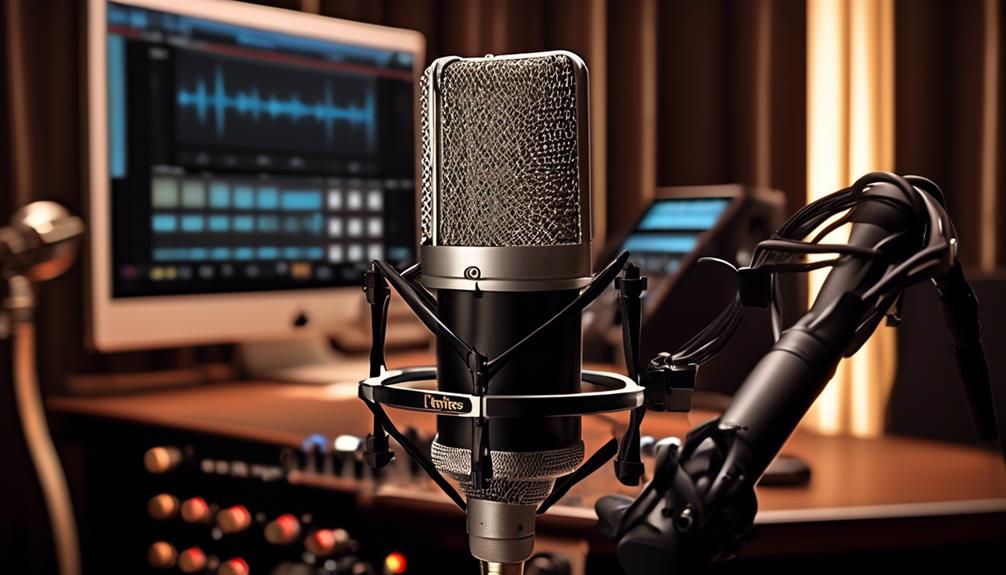

Finding a reliable budget condenser mic requires balancing audio clarity with practical features like connectivity and build quality. The Audio-Technica AT2020 stands out as the best overall choice for those willing to invest in an interface, offering studio-grade XLR performance that outclasses most USB competitors. For streamers and gamers who need plug-and-play simplicity, the Logitech Blue Yeti remains a versatile standard with multiple polar patterns and robust construction. Meanwhile, the FIFINE K669B offers exceptional value for beginners who want decent sound without complex setups. The main tradeoff in this category is between the ease of USB integration and the superior signal quality of XLR connections. Continue reading for a detailed breakdown of how these thirteen models compare in sound, usability, and value.

Get audio and creator gear delivered free with Prime
- Fast, free delivery on millions of items
- Prime Video, Amazon Music and more included
- Member-only deals all year
Complete the kit



Key Takeaways
- XLR microphones like the Audio-Technica AT2020 offer higher audio fidelity but require an audio interface, whereas USB models prioritize convenience.
- Gaming-focused mics from brands like FIFINE and COCONISE often include accessories like boom arms and RGB lighting, which add value but may compromise on pure audio performance.
- The Maono A04 Gen2 bridges the gap with dual XLR/USB connectivity, allowing users to upgrade their setup later without replacing the microphone.
- Noise cancellation features in budget USB mics are often software-based or limited hardware filters, not a substitute for proper room acoustic treatment.
- Build materials vary widely; metal bodies on models like the Logitech Blue Yeti offer better durability than plastic housings found in lower-cost alternatives.
| Mackie EM-91C Large-Diaphragm Condenser Microphone |  | Best XLR Entry Point | Type: Large-Diaphragm Condenser | Polar Pattern: Cardioid | Connectivity: XLR | VIEW ON AMAZON | See Our Full Breakdown |
| COCONISE USB Gaming Microphone with RGB Lights, Mute Button, and Pop Filter |  | Best Streamer Aesthetic | Connectivity: USB | Polar Pattern: Cardioid | Frequency Response: 20-2000 Hz | VIEW ON AMAZON | See Our Full Breakdown |
| FIFINE Gaming PC USB Microphone with Boom Arm, Pop Filter, RGB Lighting, Mute Button |  | Best Complete Kit | Connection Type: USB-C to USB-A/C | Polar Pattern: Cardioid | Included Mount: Boom Arm with C-Clamp | VIEW ON AMAZON | See Our Full Breakdown |
| ZealSound K66 USB Podcast Microphone with Noise Cancellation, Gain Control, and Zero-Latency Monitoring |  | Best for Noisy Environments | Connection Type: USB (with Lightning/USB-C adapters) | Pickup Pattern: Cardioid | Frequency Response: 40Hz–18kHz | VIEW ON AMAZON | See Our Full Breakdown |
| Logitech Blue Yeti USB Microphone, Blackout |  | Best Overall Versatility | Microphone Type: Tri-Capsule Condenser | Pickup Patterns: Cardioid, Omni, Bi, Stereo | Frequency Response: 20 Hz–20 kHz | VIEW ON AMAZON | See Our Full Breakdown |
| FIFINE K669B USB Microphone |  | Best Value for Simplicity | Connectivity: USB (Type-A/C) | Polar Pattern: Cardioid | Frequency Response: 20 Hz – 20 kHz | VIEW ON AMAZON | See Our Full Breakdown |
| FIFINE T669 Studio Condenser USB Microphone Kit |  | Best Complete Starter Kit | Connectivity: USB | Polar Pattern: Cardioid | Frequency Response: 20 Hz – 20 kHz | VIEW ON AMAZON | See Our Full Breakdown |
| Maono A04 Gen2 XLR/USB Condenser Microphone Kit |  | Best for Future-Proofing | Connectivity: USB, XLR | Polar Pattern: Cardioid | Frequency Response: 30 Hz – 16 kHz | VIEW ON AMAZON | See Our Full Breakdown |
| Audio-Technica AT2020 Cardioid Condenser XLR Microphone |  | Best Professional Standard | Connectivity: XLR | Polar Pattern: Cardioid | Frequency Response: 20 Hz – 20 kHz | VIEW ON AMAZON | See Our Full Breakdown |
| TONOR TC-777 Podcast Microphone | 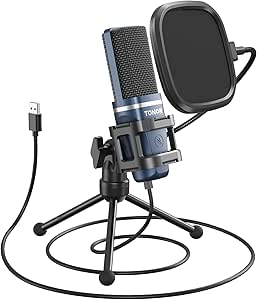 | Best Budget USB Kit | Connectivity: USB | Polar Pattern: Cardioid | Frequency Response: 20 Hz – 20 kHz | VIEW ON AMAZON | See Our Full Breakdown |
| FIFINE AmpliGame A6V USB Gaming Microphone |  | Best for Gamers and Streamers | Connectivity: USB-C (detachable) | Polar Pattern: Bidirectional | Sample Rate: 192 kHz | VIEW ON AMAZON | See Our Full Breakdown |
| MAONO A04 USB Microphone Kit |  | Best Complete Podcasting Kit | Connectivity: USB-A/USB-C to USB-B | Polar Pattern: Cardioid | Sample Rate: 192 kHz / 24-bit | VIEW ON AMAZON | See Our Full Breakdown |
| MRSDY USB Gaming Microphone |  | Best for Zero-Latency Monitoring | Connectivity: USB Type-A | Polar Pattern: Unidirectional | Monitoring: 3.5 mm Headphone Jack | VIEW ON AMAZON | See Our Full Breakdown |
| budget condenser mic | Polar Pattern | Connectivity | Frequency Response |
|---|---|---|---|
| Mackie EM-91C Large-Diaphragm | Cardioid | XLR | — |
| COCONISE USB Gaming Microphone | Cardioid | USB | 20-2000 Hz |
| FIFINE Gaming PC USB Microphon | Cardioid | — | — |
| ZealSound K66 USB Podcast Micr | — | — | 40Hz–18kHz |
| Logitech Blue Yeti USB Microph | — | — | 20 Hz–20 kHz |
| FIFINE K669B USB Microphone | Cardioid | USB (Type-A/C) | 20 Hz – 20 kHz |
| FIFINE T669 Studio Condenser U | Cardioid | USB | 20 Hz – 20 kHz |
| Maono A04 Gen2 XLR/USB Condens | Cardioid | USB, XLR | 30 Hz – 16 kHz |
| Audio-Technica AT2020 Cardioid | Cardioid | XLR | 20 Hz – 20 kHz |
| TONOR TC-777 Podcast Microphon | Cardioid | USB | 20 Hz – 20 kHz |
| FIFINE AmpliGame A6V USB Gamin | Bidirectional | USB-C (detachable) | — |
| MAONO A04 USB Microphone Kit | Cardioid | USB-A/USB-C to USB-B | — |
| MRSDY USB Gaming Microphone | Unidirectional | USB Type-A | Up to 20 kHz |
More Details on Our Top Picks
Mackie EM-91C Large-Diaphragm Condenser Microphone
This microphone stands out for its stainless steel durability and large-diaphragm sound, offering a more professional tone than typical USB options. Compared to the COCONISE USB Gaming Microphone, the Mackie requires an audio interface, adding complexity but providing superior audio fidelity for vocals and instruments. It is not plug-and-play, so phantom power is mandatory. If you already own an interface, this mic delivers studio-grade clarity without the digital compression artifacts common in budget USB mics. The included shock mount and XLR cable make it a complete starter kit for XLR systems, though the single-channel limitation means it cannot record stereo sources directly.Pros:- Rugged stainless steel construction resists daily wear
- Large-diaphragm capsule captures rich, detailed vocals
- Includes shock mount and XLR cable for immediate use
Cons:- Requires external phantom power and audio interface
- Single-channel design limits stereo recording capabilities
Best for: Home studio owners with an existing XLR audio interface who prioritize vocal quality over convenience.
Not ideal for: Gamers or beginners without an audio interface, as the XLR connection and phantom power requirement add cost and complexity.
- Type:Large-Diaphragm Condenser
- Polar Pattern:Cardioid
- Connectivity:XLR
- Build Material:Stainless Steel
- Weight:0.2 kg
- Included Accessories:Shock mount, XLR cable
- Power Requirement:Phantom Power (48V)
Our verdict“Choose this if you have an interface and want professional XLR sound without the premium price tag.”
COCONISE USB Gaming Microphone with RGB Lights, Mute Button, and Pop Filter
This model targets streamers who value visual feedback and stability. The weighted carbon steel base prevents tipping during intense gaming, a clear advantage over lightweight competitors. Unlike the FIFINE Gaming PC USB Microphone, which relies on a boom arm, this unit sits on a desk, saving desk space but offering less positioning flexibility. The RGB mute indicator is a practical feature, turning off lights to confirm silence. However, the 2000 Hz frequency ceiling limits high-end detail, making it less suitable for music recording compared to the Logitech Blue Yeti. It is strictly for voice content like streaming and calls.Pros:- Weighted base prevents tipping during active use
- RGB light turns off when muted for clear visual status
- Detachable metal pop filter reduces plosives effectively
Cons:- Frequency response capped at 2000 Hz limits audio fidelity
- Fixed USB cable length may require extension cords
Best for: Twitch streamers and gamers who want a stable, desk-mounted mic with visual mute cues and RGB flair.
Not ideal for: Musicians or podcasters needing full-frequency audio, as the 2000 Hz response cuts off important high-end detail.
- Connectivity:USB
- Polar Pattern:Cardioid
- Frequency Response:20-2000 Hz
- Base Material:Weighted Carbon Steel
- Monitoring:3.5mm Headphone Jack
- Pop Filter:Detachable Metal
- Cable Length:180 cm
Our verdict“Ideal for gamers who prioritize desk stability and visual mute confirmation over audio depth.”
FIFINE Gaming PC USB Microphone with Boom Arm, Pop Filter, RGB Lighting, Mute Button
This kit wins on versatility, bundling a boom arm, pop filter, and shock mount right out of the box. This is a significant advantage over the COCONISE USB Gaming Microphone, which uses a fixed desk stand. The boom arm allows precise positioning, keeping the mic out of the camera frame while maintaining optimal distance. However, the build quality of the accessories is lighter than premium kits, and the RGB lighting can be distracting for professional video calls. It is a plug-and-play solution for Windows and Mac, but the USB-C cable requirement may confuse users with older ports. It offers great value for those who need mounting flexibility immediately.Pros:- Includes boom arm for flexible positioning and desk clearance
- Plug-and-play compatibility with PC, Mac, PS4, and PS5
- Complete kit with pop filter and shock mount included
Cons:- Accessory build quality feels lighter than premium kits
- RGB lighting may be distracting for professional settings
Best for: Content creators who need immediate mounting flexibility and a complete accessory set without buying extras.
Not ideal for: Users with limited desk space or those who dislike bright RGB lights in their recording environment.
- Connection Type:USB-C to USB-A/C
- Polar Pattern:Cardioid
- Included Mount:Boom Arm with C-Clamp
- Compatibility:Windows, Mac, PS4, PS5
- Cable Length:8.2 ft (2.5m)
- Lighting:RGB Gradient
- Accessories:Pop Filter, Shock Mount
Our verdict“Best choice for beginners who want a ready-to-mount setup without sourcing separate accessories.”
ZealSound K66 USB Podcast Microphone with Noise Cancellation, Gain Control, and Zero-Latency Monitoring
The intelligent noise reduction is the standout feature here, making it superior to the Logitech Blue Yeti in untreated rooms or busy households. The zero-latency monitoring allows real-time voice checking via the headphone jack, a critical tool for podcasters. Unlike the Mackie EM-91C, this is fully USB-powered and compatible with iOS and Android via included adapters, offering unmatched device flexibility. The physical gain and echo controls provide manual adjustment without software. However, the plastic construction feels less durable than metal alternatives, and the noise reduction toggle requires a button press-and-hold, which is less intuitive than a switch.Pros:- Effective noise reduction mode for untreated rooms
- Wide compatibility with PC, Mac, consoles, and mobile devices
- Real-time zero-latency headphone monitoring
Cons:- Plastic body lacks the premium durability of metal mics
- Noise reduction activation requires button press-and-hold
Best for: Podcasters and remote workers in noisy environments who need mobile device compatibility and active noise suppression.
Not ideal for: Audiophiles seeking pristine, unprocessed sound, as the noise reduction mode can sometimes alter vocal tone.
- Connection Type:USB (with Lightning/USB-C adapters)
- Pickup Pattern:Cardioid
- Frequency Response:40Hz–18kHz
- Key Feature:Intelligent Noise Reduction
- Monitoring:Zero-Latency Headphone Jack
- Compatibility:PC, Mac, PS4, PS5, iOS, Android
- Controls:Gain, Volume, Echo, Mute
Our verdict“Go for this if you record in noisy spaces and need a mic that works across computers and phones.”
Logitech Blue Yeti USB Microphone, Blackout
The Blue Yeti remains the benchmark for multi-pattern flexibility, offering Cardioid, Omnidirectional, Bidirectional, and Stereo modes. This versatility sets it apart from the single-pattern FIFINE Gaming PC USB Microphone. The tri-capsule array delivers rich, full-range audio suitable for music, ASMR, and group interviews. Onboard controls for gain, mute, and pattern selection are intuitive and tactile. While it is more expensive than the ZealSound K66, the metal construction and 100 dB signal-to-noise ratio justify the cost for serious creators. The main drawback is the large footprint and the need for G HUB software to unlock advanced effects, which may frustrate minimalists.Pros:- Four pickup patterns for diverse recording scenarios
- High-fidelity tri-capsule array with 100 dB SNR
- Robust metal construction with tactile onboard controls
Cons:- Large footprint requires significant desk space
- Full functionality requires Logitech G HUB software installation
Best for: Professional podcasters and musicians who need multiple pickup patterns and high-fidelity recording in one unit.
Not ideal for: Gamers with small desks, as the wide base and heavy build take up significant space compared to slim alternatives.
- Microphone Type:Tri-Capsule Condenser
- Pickup Patterns:Cardioid, Omni, Bi, Stereo
- Frequency Response:20 Hz–20 kHz
- Signal-to-Noise Ratio:100 dB
- Enclosure Material:Metal
- Compatibility:PC, Mac
- Software:Logitech G HUB / Blue VO!CE
Our verdict“The definitive choice for creators who need professional audio quality and pattern flexibility without an interface.”
FIFINE K669B USB Microphone
This FIFINE K669B stands out for its plug-and-play simplicity, making it an excellent entry point for users who want to avoid complex audio interfaces. Compared to the Audio-Technica AT2020, which demands phantom power and external hardware, the K669B works instantly via USB on PCs and consoles. The built-in volume knob is a practical feature for quick muting during calls, though the metal body adds noticeable weight. While the cardioid pattern effectively isolates voice, the lack of a shock mount means desk vibrations may transfer to the audio, a drawback not present in kits like the FIFINE T669. It is a no-frills solution for basic recording.Pros:- True plug-and-play USB connectivity with no drivers required.
- Durable metal chassis resists wear better than plastic alternatives.
- On-mic volume control allows instant privacy muting.
Cons:- No shock mount included, leading to potential desk noise.
- Lacks zero-latency headphone monitoring.
- Incompatible with Xbox consoles and mobile devices.
Best for: Beginners and remote workers who need immediate usability without extra equipment.
Not ideal for: Podcasters needing vibration isolation or Xbox users, as compatibility is limited.
- Connectivity:USB (Type-A/C)
- Polar Pattern:Cardioid
- Frequency Response:20 Hz – 20 kHz
- Signal-to-Noise Ratio:78 dB
- Enclosure Material:Metal
- Compatibility:PC, Mac, PS4/PS5
Our verdict“A reliable, no-nonsense USB mic for those prioritizing ease of setup over advanced features.”
FIFINE T669 Studio Condenser USB Microphone Kit
The FIFINE T669 bundle removes the guesswork of accessory sourcing by including a sturdy boom arm and shock mount right in the box. Unlike the standalone FIFINE K669B, this kit addresses vibration issues immediately, offering a more professional setup for streaming or podcasting. The cardioid pattern and included pop filter help minimize plosives, though the sound signature remains similar to other budget USB condensers. While it offers great value compared to buying components separately, the USB-only connection limits future growth compared to hybrid models like the Maono A04 Gen2. This is a strong choice for those who want a ready-to-use studio station.Pros:- Includes boom arm, shock mount, and pop filter for a complete setup.
- Robust steel arm prevents mic sag over time.
- Plug-and-play USB functionality works across major platforms.
Cons:- No XLR option for future interface upgrades.
- Boom arm clamp may damage delicate desk surfaces.
- Lacks hardware gain control on the mic itself.
Best for: Streamers and podcasters who want a complete desktop setup without buying extras.
Not ideal for: Users with limited desk space, as the boom arm requires significant mounting area.
- Connectivity:USB
- Polar Pattern:Cardioid
- Frequency Response:20 Hz – 20 kHz
- Included Accessories:Boom Arm, Shock Mount, Pop Filter
- Material:Metal
- Compatibility:PC, Mac, PS4/PS5
Our verdict“The best choice for users seeking an all-in-one streaming solution with minimal setup friction.”
Maono A04 Gen2 XLR/USB Condenser Microphone Kit
The Maono A04 Gen2 distinguishes itself with dual XLR and USB connectivity, allowing users to start simple and later upgrade to a dedicated audio interface. This flexibility offers a clear advantage over USB-only options like the TONOR TC-777, which locks users into digital connections. The 192kHz/24-bit resolution is impressive for this price bracket, and the included software provides useful EQ and noise reduction tools. However, the 70 dB signal-to-noise ratio is slightly lower than the Audio-Technica AT2020, meaning it may pick up more hiss in very quiet environments. It is the smart pick for creators planning to expand their studio.Pros:- Switch between USB and XLR connections as needs evolve.
- High-resolution audio capture at 192kHz/24-bit.
- Comprehensive kit includes shock mount and boom arm.
Cons:- XLR cable is sold separately, adding hidden cost.
- Software dependency for full feature set can be cumbersome.
- Higher self-noise compared to higher-end XLR mics.
Best for: Creators who want to start with USB but plan to use an XLR interface later.
Not ideal for: Users needing instant plug-and-play with no software installation, as the companion app is central to its features.
- Connectivity:USB, XLR
- Polar Pattern:Cardioid
- Frequency Response:30 Hz – 16 kHz
- Signal-to-Noise Ratio:70 dB
- Bit Depth/Sample Rate:24-bit / 192kHz
- Included Accessories:Shock Mount, Boom Arm, Pop Filter
Our verdict“A versatile hybrid mic that grows with your studio, bridging the gap between beginner and pro setups.”
Audio-Technica AT2020 Cardioid Condenser XLR Microphone
The Audio-Technica AT2020 remains the benchmark for entry-level professional recording, offering a wide dynamic range that budget USB mics like the FIFINE K669B simply cannot match. Its custom low-mass diaphragm captures transient details with clarity, making it suitable for vocals and acoustic instruments. However, this performance comes with a barrier to entry: it requires phantom power and an XLR interface, unlike the plug-and-play TONOR TC-777. While the build quality is exceptional, the lack of bundled accessories means the total cost of ownership is higher. This mic is for those who prioritize audio fidelity over convenience.Pros:- Industry-standard sound quality with detailed transient response.
- Handles high sound pressure levels without distortion.
- Extremely durable metal construction built for studio use.
Cons:- Requires phantom power and an external audio interface.
- Sold as a standalone mic with no mounting accessories.
- Higher total setup cost compared to USB kits.
Best for: Serious hobbyists and musicians who already own or plan to buy an audio interface.
Not ideal for: Casual gamers or remote workers who need a simple USB connection without extra hardware.
- Connectivity:XLR
- Polar Pattern:Cardioid
- Frequency Response:20 Hz – 20 kHz
- Signal-to-Noise Ratio:74 dB
- Sensitivity:-37 dB
- Impedance:200 ohms
- Power Requirement:48V Phantom Power
Our verdict“The definitive choice for those seeking professional-grade audio who are ready to invest in a full recording chain.”
TONOR TC-777 Podcast Microphone
The TONOR TC-777 offers a remarkably low barrier to entry for podcasting, bundling a tripod stand and pop filter at an aggressive price point. It competes directly with the FIFINE K669B but adds the convenience of a one-click mute button, which is essential for live streams. The PVC construction feels less premium than the metal bodies of the Maono A04 or Audio-Technica models, raising concerns about long-term durability. Despite the lighter build, the 80 dB signal-to-noise ratio is competitive, providing clear voice capture for basic needs. It is a functional, disposable-grade option for tight budgets.Pros:- Includes tripod, shock mount, and pop filter in the box.
- Dedicated mute button for quick privacy during streams.
- Lightweight and portable design for easy transport.
Cons:- Plastic construction feels cheap and less durable.
- Tripod stand can be unstable on uneven surfaces.
- No headphone jack for zero-latency monitoring.
Best for: Students and casual gamers looking for the cheapest functional USB mic with basic accessories.
Not ideal for: Professionals concerned with longevity, as the plastic body and tripod may not withstand heavy daily use.
- Connectivity:USB
- Polar Pattern:Cardioid
- Frequency Response:20 Hz – 20 kHz
- Signal-to-Noise Ratio:80 dB
- Enclosure Material:PVC
- Included Accessories:Tripod, Shock Mount, Pop Filter
Our verdict“A functional, budget-friendly USB mic kit for casual users who prioritize features over build quality.”
FIFINE AmpliGame A6V USB Gaming Microphone
This microphone stands out for its gamer-centric design, featuring a prominent tap-to-mute button with an RGB status light that provides instant visual feedback during live broadcasts. Unlike the MAONO A04, which focuses on a traditional studio aesthetic, the A6V integrates seamlessly into a gaming setup with its modern look and included tripod stand. The 192 kHz sampling rate ensures crisp voice capture, though the bidirectional pattern means you must be careful about side noise if your room isn’t treated. It is the superior choice for streamers who prioritize quick controls and aesthetics over pure vocal isolation, making it a strong alternative to bulkier podcasting kits.Pros:- Tap-to-mute button with clear RGB visual feedback
- High-resolution 192 kHz audio for crisp voice clarity
- Includes shock mount, pop filter, and tripod stand
- Plug-and-play compatibility with PC, Mac, and consoles
Cons:- Bidirectional pattern is less effective at rejecting side noise
- RGB lighting may be distracting in professional recording contexts
Best for: Streamers and gamers who want integrated RGB lighting and quick mute controls on their desk.
Not ideal for: Podcasters working in untreated rooms, as the bidirectional pattern may capture unwanted side noise.
- Connectivity:USB-C (detachable)
- Polar Pattern:Bidirectional
- Sample Rate:192 kHz
- Frequency Range:60 Hz – 18 kHz
- SNR:70 dB
- Compatibility:PC, Mac, PS4, PS5
- Included Accessories:Shock Mount, Pop Filter, Tripod
Our verdict“A visually appealing, feature-rich mic that prioritizes streamer convenience and desk aesthetics.”
MAONO A04 USB Microphone Kit
The MAONO A04 earns its spot by offering a professional-grade all-metal build and a robust scissor arm stand, a significant upgrade over the basic tripods found on entry-level mics like the MRSDY USB Gaming Microphone. Its 16mm electret capsule delivers a warmer, fuller tone suitable for voiceovers, while the cardioid pattern effectively isolates your voice from room noise. Although it lacks the flashy RGB features of gaming-focused models, this kit prioritizes audio fidelity and ergonomic flexibility. The included boom arm allows for precise positioning, making it a better long-term investment for content creators who value studio-like ergonomics and solid construction over gaming aesthetics.Pros:- Includes a heavy-duty adjustable scissor arm stand
- All-metal enclosure provides durability and reduced resonance
- Cardioid pattern offers excellent noise rejection for speech
- 192kHz/24-bit resolution for high-quality audio capture
Cons:- Bulky footprint due to the large boom arm stand
- No integrated headphone monitoring jack on the mic body
Best for: Podcasters and voiceover artists who need a sturdy boom arm and professional metal construction.
Not ideal for: Gamers who prefer a compact footprint and integrated RGB lighting over a large mechanical arm stand.
- Connectivity:USB-A/USB-C to USB-B
- Polar Pattern:Cardioid
- Sample Rate:192 kHz / 24-bit
- Frequency Range:30 Hz – 16 kHz
- SNR:70 dB
- Build Material:All-Metal
- Included Accessories:Boom Arm, Shock Mount, Pop Filter
Our verdict“The most complete hardware package for podcasters who want a professional desk setup without buying separate arms.”
MRSDY USB Gaming Microphone
This option distinguishes itself with a 3.5 mm headphone jack for real-time monitoring, a feature often missing in budget alternatives like the FIFINE AmpliGame A6V. This allows users to hear exactly what is being recorded without delay, helping to catch audio issues instantly. The unidirectional pattern combined with built-in noise reduction makes it surprisingly effective in less-than-ideal acoustic environments. While the plastic and metal enclosure feels less premium than the all-metal MAONO A04, the inclusion of zero-latency monitoring makes it a practical choice for users who need to troubleshoot their audio on the fly without leaving their recording software.Pros:- 3.5 mm headphone jack for zero-latency monitoring
- Built-in noise reduction helps clarify voice in noisy rooms
- Quick mute button with visual status indicators
- Lightweight and compact desktop footprint
Cons:- Mixed plastic and metal build feels less durable
- RGB lighting modes are preset and not customizable
Best for: Users who need real-time audio feedback via direct headphone monitoring to manage levels and noise.
Not ideal for: Audiophiles seeking a premium build quality, as the mixed plastic/metal chassis feels less robust.
- Connectivity:USB Type-A
- Polar Pattern:Unidirectional
- Monitoring:3.5 mm Headphone Jack
- SNR:78 dB
- Frequency Response:Up to 20 kHz
- Build Material:Plastic and Metal
- Special Features:Noise Reduction, Gain Knob
Our verdict“A practical, feature-packed mic that prioritizes real-time monitoring capabilities over premium build materials.”
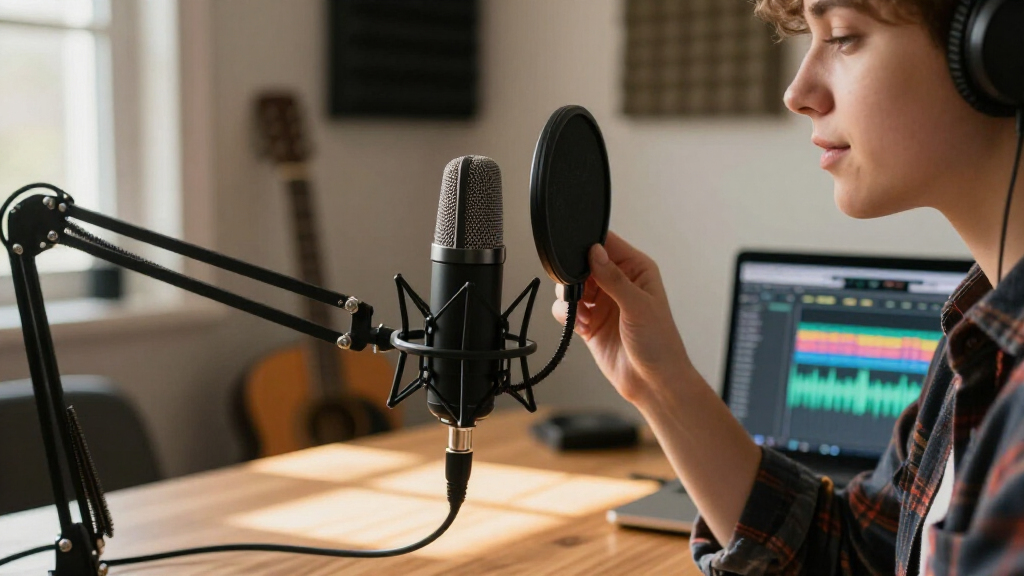
How We Picked
I evaluated these thirteen microphones by prioritizing audio clarity and ease of use within a strict budget constraint. The primary distinction made was between USB and XLR connectivity, as this dictates the entire setup complexity and cost. I favored models that provided a clear, flat frequency response suitable for both voice and light instrument recording, avoiding mics that overly colored the sound without user control. Value proposition was also a key metric; I looked for bundles that included essential accessories like pop filters or shock mounts, which save buyers from immediate additional costs. Finally, I considered durability and build quality, preferring metal constructions over plastic where possible, to ensure the microphone survives frequent use in home studios or streaming setups.
| budget condenser mic | Polar Pattern |
|---|---|
| Mackie EM-91C Large-Diaphragm | Cardioid |
| COCONISE USB Gaming Microphone | Cardioid |
| FIFINE Gaming PC USB Microphon | Cardioid |
| ZealSound K66 USB Podcast Micr | — |
| Logitech Blue Yeti USB Microph | — |
| FIFINE K669B USB Microphone | Cardioid |
| FIFINE T669 Studio Condenser U | Cardioid |
| Maono A04 Gen2 XLR/USB Condens | Cardioid |
| Audio-Technica AT2020 Cardioid | Cardioid |
| TONOR TC-777 Podcast Microphon | Cardioid |
| FIFINE AmpliGame A6V USB Gamin | Bidirectional |
| MAONO A04 USB Microphone Kit | Cardioid |
| MRSDY USB Gaming Microphone | Unidirectional |
Factors to Consider When Choosing Budget Condenser Mic
Choosing the right budget condenser mic involves understanding your technical constraints and recording environment. This guide breaks down the critical factors that influence performance and usability.USB vs. XLR Connectivity
The most significant decision is whether to choose a USB microphone or an XLR microphone. USB mics connect directly to computers, making them ideal for beginners and streamers who want a simple setup. However, they rely on the computer’s internal audio processing, which can introduce noise or latency. XLR mics require an external audio interface, adding to the initial cost but providing better preamps and signal quality. If you plan to upgrade your studio gear later, an XLR mic offers a clearer path forward. For immediate usability without extra gear, USB is the logical choice.
Polar Patterns and Recording Environment
Most budget condenser mics feature a cardioid polar pattern, which captures sound from the front while rejecting noise from the sides and rear. This is vital for untreated rooms where background noise is a concern. Some higher-end models, like the Logitech Blue Yeti, offer multiple polar patterns including stereo and omnidirectional. While versatile, these extra patterns are rarely used by single-person streamers or podcasters. Prioritize a tight cardioid pattern if your room is noisy, as it helps isolate your voice more effectively than software noise gates.
Build Quality and Accessories
Budget constraints often lead to compromises in build materials. Look for metal housings rather than plastic, as they provide better durability and less handling noise. Many kits include a boom arm and pop filter, which are essential for professional-sounding audio. A pop filter reduces plosive sounds like ‘p’ and ‘b’, while a boom arm keeps the mic off your desk to minimize keyboard vibrations. Buying a bundle can be more cost-effective than purchasing these accessories separately, but ensure the included shock mount is sturdy enough to hold the mic securely.
Software Integration and Monitoring
Consider how the microphone integrates with your recording software. Some USB mics offer zero-latency monitoring, allowing you to hear your voice in real-time without delay. This feature is critical for podcasters and vocalists who need to track their performance accurately. Additionally, check if the mic comes with proprietary software for EQ or gain control, or if it relies on standard OS drivers. Mics with onboard gain knobs provide more immediate control over input levels than those requiring software adjustments, which can be cumbersome during live streams.
Frequently Asked Questions
Do I need an audio interface for a budget condenser mic?
It depends on the connection type. USB condenser mics have built-in preamps and analog-to-digital converters, so they connect directly to your computer without extra hardware. XLR condenser mics, such as the Audio-Technica AT2020, require an external audio interface to convert the signal for your computer. If you are on a tight budget, a USB mic is more cost-effective. However, if you already own an interface or plan to upgrade your studio equipment later, an XLR mic often provides better sound quality and longevity.Are RGB lights on gaming microphones a gimmick?
For most users, RGB lighting is purely aesthetic and has no impact on audio performance. While it adds a visual element to streaming setups, it can also add cost and complexity to the software driver. Some users find the lighting distracting or prefer a more professional look. If your priority is pure audio quality, you might find that mics without RGB features offer better value per dollar. However, if you enjoy customizing your battlestation, the added cost for lighting is a worthwhile personal preference.How important is noise cancellation in a budget mic?
Hardware noise cancellation in budget mics is often limited to basic low-pass filters that cut out high-frequency hiss. It rarely eliminates low-frequency rumble or background chatter effectively. Better results come from using a cardioid polar pattern and positioning the mic close to your mouth. Software solutions like OBS noise gates or NVIDIA Broadcast are often more effective than the built-in hardware filters found on mics like the ZealSound K66. Focus on room treatment and mic placement first before relying on hardware noise cancellation.Can a budget condenser mic record instruments well?
Yes, but with limitations. Large-diaphragm condenser mics generally handle vocals and acoustic instruments like guitars better than dynamic mics or small-diaphragm condensers. Models like the Maono A04 Gen2 or Audio-Technica AT2020 are suitable for recording acoustic guitar or piano in a quiet environment. However, they may struggle with high sound pressure levels (SPL) from loud instruments like drums or electric amps without proper padding or distance. For simple vocal and acoustic recordings, these budget options are quite capable.What is the difference between a shock mount and a pop filter?
A pop filter is a mesh screen placed between the mic and your mouth to reduce plosive sounds (like ‘p’ and ‘b’) that cause audio distortion. A shock mount is a suspension system that holds the mic in a frame of elastic bands, isolating it from physical vibrations like desk bumps or keyboard typing. Both are essential for clean audio. Many budget kits include a basic pop filter but may lack a proper shock mount, leading to handling noise. If a kit lacks a shock mount, consider purchasing one separately if you plan to use a boom arm.Conclusion
Choosing the right budget condenser mic comes down to your specific workflow and technical comfort level. For the best overall audio quality, the Audio-Technica AT2020 is the superior choice, provided you are willing to invest in an audio interface. If you need a versatile, all-in-one solution for streaming and gaming, the Logitech Blue Yeti offers unmatched flexibility with its multiple polar patterns and robust build. For beginners seeking value, the FIFINE K669B provides a solid entry point into USB recording without overwhelming features. Those who want a hybrid approach should look at the Maono A04 Gen2 for its dual connectivity options. Ultimately, prioritize your recording environment and connectivity needs over flashy features like RGB lights to get the best performance for your money.
Halloween Picks
halloween
As an affiliate, we earn on qualifying purchases.