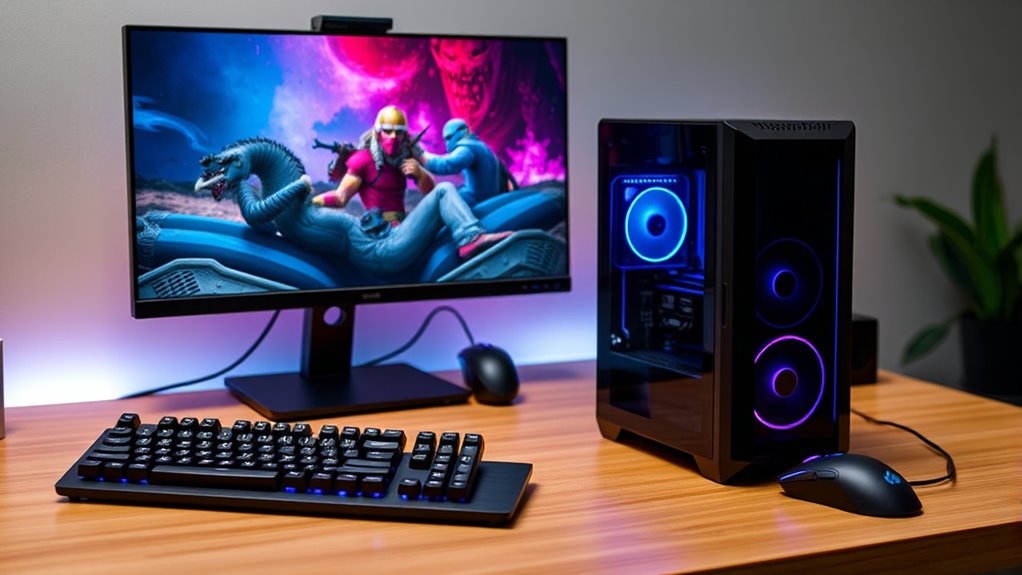

For a budget gaming PC build, I’d start with the Gaming PC with RTX 3060 Ti and Ryzen 7 5700X: its graphics card and processor make a stronger pairing for demanding games than the RX 580 and entry-level options here. The Olialia RTX 3060 Ti with Ryzen 5 5500 is a more value-minded route to dedicated graphics, while the Skytech Crystal with RTX 5060 Ti and 32GB DDR5 suits buyers willing to spend more for newer components and extra memory. The lineup’s main tradeoffs are gaming performance versus overall system age, storage and memory capacity, and room for future upgrades. A desktop without a dedicated graphics card may suit basic use, but it is a different proposition from a gaming-focused build. Read on for the full comparison and guidance on which compromises make sense for your games.

Get audio and creator gear delivered free with Prime
- Fast, free delivery on millions of items
- Prime Video, Amazon Music and more included
- Member-only deals all year
Complete the kit


Key Takeaways
- The Ryzen 7 5700X and RTX 3060 Ti pairing leads this roundup on balance: it avoids the weaker CPU pairing of the Ryzen 5 5500 RTX 3060 Ti option while keeping a dedicated gaming GPU.
- The Skytech Crystal is the premium pick, not the default budget choice. Its Ryzen 7 7700, RTX 5060 Ti, and 32GB DDR5 set it apart, but buyers should weigh that newer platform against their actual performance needs.
- RX 580 systems are a step down from the RTX 3060 Ti and RTX 5060 Ti choices. They can suit modest gaming needs, but buyers should check game requirements and avoid expecting the same headroom.
- Several Ryzen 5 4500 and RX 6500 XT configurations look similar on paper. The LXZ and WIWB choices call for close checking of included memory, storage, connectivity, and upgrade details rather than assuming their core parts tell the whole story.
- Integrated-graphics desktops are not equivalent to dedicated-GPU gaming PCs. The OKAMUS system and Ryzen 5 5600GT-based options need careful scrutiny of graphics capability; the OKAMUS’s 8GB RAM and 256GB SSD also leave less room for games.
| Olialia Gaming Desktop PC with RTX 3060 Ti and AMD Ryzen 5 5500 |  | Best Overall Budget Gaming PC Build | Graphics: NVIDIA GeForce RTX 3060 Ti | Processor: AMD Ryzen 5 5500, 6 cores and 12 threads | Processor speed: 3.6 GHz base, up to 4.2 GHz | VIEW ON AMAZON | See Our Full Breakdown |
| Gaming PC Desktop Computer with Ryzen 5 5500 and RX 580 8GB |  | Best Value for 1080p Gaming and Storage | Processor: AMD Ryzen 5 5500, up to 4.2 GHz | Graphics: AMD Radeon RX 580, 8GB | Memory: 16GB | VIEW ON AMAZON | See Our Full Breakdown |
| STGAubron Gaming Desktop PC with Intel Core i7, Radeon RX 580 8GB, 16GB RAM, and 1TB SSD |  | Best Starter Bundle | Processor: Intel Core i7, up to 3.9 GHz; exact model unspecified | Graphics: AMD Radeon RX 580, 8GB GDDR5 | Memory: 16GB DDR3 SDRAM; maximum 32GB | VIEW ON AMAZON | See Our Full Breakdown |
| Gaming PC with RTX 3060 Ti and AMD Ryzen 7 5700X |  | Best for Multitasking and Gaming | Graphics: NVIDIA GeForce RTX 3060 Ti, 8GB | Processor: AMD Ryzen 7 5700X, 8 cores | Processor speed: 3.4 GHz base, up to 4.6 GHz | VIEW ON AMAZON | See Our Full Breakdown |
| KOTIN Gaming PC Desktop, Ryzen 7 8700F, RTX 5060 Ti 8GB, 16GB DDR5, 1TB SSD |  | Best Premium-Performance Pick | Processor: AMD Ryzen 7 8700F, 4.1 GHz, up to 5 GHz | Graphics: NVIDIA GeForce RTX 5060 Ti, 8GB GDDR7 | Memory: 16GB DDR5 | VIEW ON AMAZON | See Our Full Breakdown |
| ZYNEEX S5 Gaming Desktop PC with Ryzen 5 5500 and RTX 3050 |  | Best Ready-to-Play 1080p Pick | Processor: AMD Ryzen 5 5500, 6 cores and 12 threads, up to 4.2 GHz | Graphics: GeForce RTX 3050, 6GB GDDR6 | Memory: 16GB DDR4, 3200 MHz | VIEW ON AMAZON | See Our Full Breakdown |
| Skytech Gaming Crystal Gaming PC with AMD Ryzen 7 7700, NVIDIA RTX 5060 Ti, 32GB DDR5 RAM, 1TB SSD, Wi-Fi, Windows 11 |  | Best Premium Headroom | Processor: AMD Ryzen 7 7700, 3.8 GHz, up to 5.3 GHz | Graphics: NVIDIA RTX 5060 Ti, 8GB GDDR7 | Memory: 32GB DDR5, 5600 | VIEW ON AMAZON | See Our Full Breakdown |
| LXZ Gaming PC Desktop Computer Ryzen 5 4500 RX 6500XT 16GB RAM 512GB SSD |  | Best Compact-Storage Starter | Processor: AMD Ryzen 5 4500, 6 cores and 12 threads | Processor speed: 3.6 GHz, up to 4.1 GHz | Graphics: Radeon RX 6500 XT, 4GB | VIEW ON AMAZON | See Our Full Breakdown |
| OKAMUS Pre-Built Desktop PC with Intel Core i5, 8 GB RAM, 256 GB M.2 SSD, Integrated Graphics, Wi-Fi 6, and Windows 11 |  | Best for Everyday Use, Not Gaming | Processor: Intel Core i5, up to 3.6 GHz | Graphics: Integrated graphics; no dedicated GPU | Memory: 8GB DDR3, 1600 MHz | VIEW ON AMAZON | See Our Full Breakdown |
| STGAubron Gaming PC Desktop, Core i5, RX 590 8G, 16GB RAM, 1TB SSD |  | Best for Bundled Accessories | Processor: Intel Core i5, 3.2 GHz, 4 cores | Graphics: Radeon RX 590, 8GB | Memory: 16GB DDR3 SDRAM | VIEW ON AMAZON | See Our Full Breakdown |
| YAWYORE Gaming Desktop PC with AMD Ryzen 5 5600GT, 16GB RAM, and 1TB SSD |  | Best for Storage and Everyday Use | Processor: AMD Ryzen 5 5600GT, 6 cores and 12 threads, 3.6GHz base and 4.6GHz turbo | Graphics: Integrated AMD Radeon Vega | Memory: 16GB DDR4 3200MHz | VIEW ON AMAZON | See Our Full Breakdown |
| STGAubron Gaming Desktop PC with Intel Core i5, Radeon RX 550, 16GB RAM, and 512GB SSD |  | Best for Included Peripherals | Processor: Intel Core i5, up to 3.6GHz | Graphics: Radeon RX 550, 4GB GDDR5 | Memory: 16GB DDR3 | VIEW ON AMAZON | See Our Full Breakdown |
| Olialia Gaming Desktop PC with Ryzen 5 5600GT |  | Best for Connectivity and Upgrade Headroom | Processor: AMD Ryzen 5 5600GT, 6 cores, 3.6GHz base and up to 4.6GHz | Graphics: Integrated Radeon graphics | Memory: 16GB DDR4 | VIEW ON AMAZON | See Our Full Breakdown |
| YAWYORE Gaming PC with AMD Ryzen 7 5700X and GeForce RTX 5060 |  | Best Performance Pick | Processor: AMD Ryzen 7 5700X, 8 cores and 16 threads, up to 4.6GHz | Graphics: GeForce RTX 5060, 8GB GDDR7 | Memory: 32GB DDR4 3200MHz, 2 x 16GB | VIEW ON AMAZON | See Our Full Breakdown |
| WIWB Gaming Desktop PC with Ryzen 5 4500 and Radeon RX 6500 XT |  | Best Entry-Level Dedicated Graphics | Processor: AMD Ryzen 5 4500, 6 cores, up to 4.1GHz | Graphics: AMD Radeon RX 6500 XT, 4GB GDDR6 | Memory: 16GB DDR4 | VIEW ON AMAZON | See Our Full Breakdown |
| budget gaming pc build | Graphics | Processor | Memory | Storage |
|---|---|---|---|---|
| Olialia Gaming Desktop PC with | NVIDIA GeForce RTX 3060 Ti | AMD Ryzen 5 5500, 6 cores and 12 threads | 16GB DDR4; maximum 64GB | 512GB SSD |
| Gaming PC Desktop Computer wit | AMD Radeon RX 580, 8GB | AMD Ryzen 5 5500, up to 4.2 GHz | 16GB | 1TB NVMe SSD |
| STGAubron Gaming Desktop PC wi | AMD Radeon RX 580, 8GB GDDR5 | Intel Core i7, up to 3.9 GHz; exact model unspecified | 16GB DDR3 SDRAM; maximum 32GB | 1TB SSD |
| Gaming PC with RTX 3060 Ti and | NVIDIA GeForce RTX 3060 Ti, 8GB | AMD Ryzen 7 5700X, 8 cores | 16GB DDR4; expandable to 64GB | 512GB NVMe SSD |
| KOTIN Gaming PC Desktop | NVIDIA GeForce RTX 5060 Ti, 8GB GDDR7 | AMD Ryzen 7 8700F, 4.1 GHz, up to 5 GHz | 16GB DDR5 | 1TB PCIe Gen4 NVMe SSD |
| ZYNEEX S5 Gaming Desktop PC wi | GeForce RTX 3050, 6GB GDDR6 | AMD Ryzen 5 5500, 6 cores and 12 threads, up to 4.2 GHz | 16GB DDR4, 3200 MHz | 1TB NVMe SSD |
| Skytech Gaming Crystal Gaming | NVIDIA RTX 5060 Ti, 8GB GDDR7 | AMD Ryzen 7 7700, 3.8 GHz, up to 5.3 GHz | 32GB DDR5, 5600 | 1TB NVMe M.2 SSD |
| LXZ Gaming PC Desktop Computer | Radeon RX 6500 XT, 4GB | AMD Ryzen 5 4500, 6 cores and 12 threads | 16GB DDR4 | 512GB NVMe SSD |
| OKAMUS Pre-Built Desktop PC wi | Integrated graphics; no dedicated GPU | Intel Core i5, up to 3.6 GHz | 8GB DDR3, 1600 MHz | 256GB M.2 |
| STGAubron Gaming PC Desktop | Radeon RX 590, 8GB | Intel Core i5, 3.2 GHz, 4 cores | 16GB DDR3 SDRAM | 1TB SSD |
| YAWYORE Gaming Desktop PC with | Integrated AMD Radeon Vega | AMD Ryzen 5 5600GT, 6 cores and 12 threads, 3.6GHz base and 4.6GHz turbo | 16GB DDR4 3200MHz | 1TB M.2 NVMe PCIe SSD |
| STGAubron Gaming Desktop PC wi | Radeon RX 550, 4GB GDDR5 | Intel Core i5, up to 3.6GHz | 16GB DDR3 | 512GB SSD |
| Olialia Gaming Desktop PC with | Integrated Radeon graphics | AMD Ryzen 5 5600GT, 6 cores, 3.6GHz base and up to 4.6GHz | 16GB DDR4 | 512GB PCIe SSD |
| YAWYORE Gaming PC with AMD Ryz | GeForce RTX 5060, 8GB GDDR7 | AMD Ryzen 7 5700X, 8 cores and 16 threads, up to 4.6GHz | 32GB DDR4 3200MHz, 2 x 16GB | 1TB M.2 NVMe PCIe SSD |
| WIWB Gaming Desktop PC with Ry | AMD Radeon RX 6500 XT, 4GB GDDR6 | AMD Ryzen 5 4500, 6 cores, up to 4.1GHz | 16GB DDR4 | 512GB NVMe PCIe 3.0 SSD |
More Details on Our Top Picks
Olialia Gaming Desktop PC with RTX 3060 Ti and AMD Ryzen 5 5500
I’d put this Olialia near the top for buyers who want a capable gaming graphics card without stepping up to the newer, pricier-class hardware represented by the KOTIN. Its RTX 3060 Ti is the key distinction: paired with the six-core Ryzen 5 5500, it gives this system a stronger gaming focus than the RX 580 desktops here, including the Ryzen 5 5500 model with 1TB storage. The tradeoff is that this configuration makes room for graphics performance rather than a large game library: 512GB SSD can fill quickly, and the supplied description does not identify the SSD as NVMe. Six adjustable fans and a 600W power supply round out a ready-to-use setup, though the display cable needs to connect to the lower graphics-card ports, not the motherboard. I’d choose it for gaming first, with storage expansion in mind.
Pros:- RTX 3060 Ti is a stronger gaming graphics option than the RX 580 cards in this roundup.
- Six-core Ryzen 5 5500 and 16GB DDR4 provide a balanced starting configuration.
- Windows 11 Home is preinstalled, with Wi-Fi 6 and Ethernet available.
- Six adjustable RGB fans and ventilated panels support case airflow.
Cons:- The 512GB SSD leaves limited room for a sizable modern game library.
- The product data does not specify the SSD interface or speed.
- The monitor must connect to the graphics card’s lower ports.
Best for: Budget-focused players who want an RTX 3060 Ti for 1080p or 1440p gaming and are comfortable adding storage later.
Not ideal for: Players who keep many large games installed at once or want the stronger processor and newer DDR5 platform of the KOTIN.
- Graphics:NVIDIA GeForce RTX 3060 Ti
- Processor:AMD Ryzen 5 5500, 6 cores and 12 threads
- Processor speed:3.6 GHz base, up to 4.2 GHz
- Memory:16GB DDR4; maximum 64GB
- Storage:512GB SSD
- Operating system:Windows 11 Home
- Power supply:600W
- Connectivity:Wi-Fi 6 and Ethernet
- Cooling and case:Mid-tower with dual tempered-glass panels, six adjustable RGB fans, and RGB CPU cooler
Our verdict“Choose this Olialia if gaming graphics matter more to you than included storage capacity or a newer platform.”
Gaming PC Desktop Computer with Ryzen 5 5500 and RX 580 8GB
This desktop is a practical fit for a budget gaming build where a larger starting drive matters more than a stronger graphics card. Its 1TB NVMe SSD gives you more room for games than the 512GB Olialia RTX 3060 Ti, while the shared Ryzen 5 5500 and 16GB RAM make the core setup familiar. The compromise is the Radeon RX 580 8GB: it is aimed at 1080p play and is a clear step down from the RTX 3060 Ti options for more demanding graphics settings or 1440p gaming. Eight RGB fans add visual flair, but the product data does not identify the case layout or detail upgrade paths, so I would not treat fan count alone as proof of better cooling. This makes more sense for a modest 1080p setup than for buyers chasing headroom.
Pros:- 1TB NVMe SSD offers more game and application space than the 512GB Olialia systems.
- Ryzen 5 5500 has six cores and supports everyday multitasking alongside gaming.
- 16GB RAM provides a usable starting point for a budget gaming desktop.
- Dedicated RX 580 graphics are better suited to gaming than integrated graphics.
Cons:- RX 580 is a less capable choice than the RTX 3060 Ti systems for demanding games and higher resolutions.
- The listing does not specify the memory type or upgrade limits.
- No keyboard, mouse, or monitor is listed as included.
Best for: First-time PC gamers who want a 1TB NVMe drive and plan to play mainly at 1080p with sensible graphics settings.
Not ideal for: Players targeting demanding 1440p gaming or seeking the stronger graphics performance of either RTX 3060 Ti desktop in this group.
- Processor:AMD Ryzen 5 5500, up to 4.2 GHz
- Graphics:AMD Radeon RX 580, 8GB
- Memory:16GB
- Storage:1TB NVMe SSD
- Power supply:650W
- Cooling:Eight RGB fans
- Intended gaming resolution:1080p
Our verdict“Pick this model if you want a roomy 1080p starter PC and can accept older, less capable graphics.”
STGAubron Gaming Desktop PC with Intel Core i7, Radeon RX 580 8GB, 16GB RAM, and 1TB SSD
The STGAubron is the most bundle-oriented option here: it includes a gaming keyboard and mouse, plus Wi-Fi 6, Bluetooth 5.0, Windows 11 Home, and a 1TB SSD. That can make setup simpler than with the KOTIN, which lists no peripherals, but the included accessories do not change the central gaming limitation: its RX 580 8GB sits below the RTX 3060 Ti graphics in the Olialia and Ryzen 7 5700X desktops. I’m also cautious about the platform details. The processor is identified only as an Intel Core i7 up to 3.9 GHz, and the 16GB memory is DDR3, which is older than the DDR4 in those Olialia systems. It suits buyers who value a ready-made starter bundle, not shoppers who want clearly specified, modern components or a strong upgrade foundation.
Pros:- Gaming keyboard and mouse are included, unlike the listed KOTIN configuration.
- 1TB SSD provides more built-in storage than the 512GB RTX 3060 Ti desktops.
- Wi-Fi 6 and Bluetooth 5.0 support wireless networking and accessories.
- Three DisplayPort outputs, HDMI, and DVI give several display connection options.
Cons:- DDR3 memory is older than the DDR4 used in the Ryzen 5 and Ryzen 7 5700X desktops.
- The exact Intel Core i7 model is not specified, making performance and upgrade comparisons difficult.
- RX 580 graphics trail the RTX 3060 Ti options for demanding gaming.
Best for: New PC gamers who need a basic keyboard-and-mouse bundle, wireless connectivity, and a 1TB SSD for primarily 1080p play.
Not ideal for: Buyers who prioritize a clearly identified processor, newer DDR4 or DDR5 memory, or better graphics performance than an RX 580 can offer.
- Processor:Intel Core i7, up to 3.9 GHz; exact model unspecified
- Graphics:AMD Radeon RX 580, 8GB GDDR5
- Memory:16GB DDR3 SDRAM; maximum 32GB
- Storage:1TB SSD
- Operating system:Windows 11 Home 64-bit
- Connectivity:Wi-Fi 6, Bluetooth 5.0, and RJ-45
- Video outputs:1 HDMI, 3 DisplayPort, and 1 DVI
- Included peripherals:Gaming keyboard and mouse
- Cooling:Six RGB fans
Our verdict“Choose this STGAubron for its included peripherals and roomy SSD, not for a modern or clearly documented performance platform.”
Gaming PC with RTX 3060 Ti and AMD Ryzen 7 5700X
This desktop keeps the RTX 3060 Ti found in the Olialia Ryzen 5 model but pairs it with a Ryzen 7 5700X. The extra two CPU cores are the reason to choose this version: they give streamers and people running several demanding applications more processor capacity, while gaming graphics remain in the same class as its Ryzen 5 counterpart. That makes it a better fit for mixed workloads than a purely gaming-focused build, though it does not bring more included memory or storage to match the processor. Its 16GB DDR4 and 512GB NVMe SSD are the main limits, particularly if you install a large library or edit sizable files. Compared with the KOTIN, it offers an older graphics generation and a smaller SSD, but remains a sensible pick for buyers who specifically want eight CPU cores with RTX 3060 Ti graphics.
Pros:- Eight-core Ryzen 7 5700X offers more CPU capacity than the Ryzen 5 5500 Olialia.
- RTX 3060 Ti provides a stronger gaming graphics tier than the RX 580 systems.
- 512GB NVMe SSD offers a specified fast storage interface.
- Wi-Fi 6, Ethernet, Windows 11 Home, and a 600W power supply are included.
Cons:- 16GB RAM may constrain heavier streaming, editing, and multitasking workloads.
- 512GB storage can fill quickly with large games and media files.
- The KOTIN offers newer RTX 5060 Ti graphics and a 1TB Gen4 NVMe SSD.
Best for: Budget-conscious streamers and multitaskers who want an eight-core CPU alongside RTX 3060 Ti gaming graphics.
Not ideal for: Players who mainly want the newest graphics platform or need ample built-in storage and memory for creative workloads.
- Graphics:NVIDIA GeForce RTX 3060 Ti, 8GB
- Processor:AMD Ryzen 7 5700X, 8 cores
- Processor speed:3.4 GHz base, up to 4.6 GHz
- Memory:16GB DDR4; expandable to 64GB
- Storage:512GB NVMe SSD
- Operating system:Windows 11 Home
- Power supply:600W
- Connectivity:Wi-Fi 6 and Ethernet
- Cooling and case:Mid-tower with dual tempered-glass panels, six adjustable RGB fans, and RGB CPU cooler
Our verdict“Choose this system if eight-core multitasking matters more to you than having newer graphics or more storage out of the box.”
KOTIN Gaming PC Desktop, Ryzen 7 8700F, RTX 5060 Ti 8GB, 16GB DDR5, 1TB SSD
This KOTIN is the performance leader of these five, but it is a stretch choice for a strictly budget-minded build. The Ryzen 7 8700F and RTX 5060 Ti put it ahead of the RX 580 desktops and give it a newer graphics platform than the RTX 3060 Ti Olialia models. It also pairs that hardware with 16GB DDR5 and a 1TB PCIe Gen4 NVMe SSD, improving on the 512GB drives in both Olialia systems. Wi-Fi 7 and a 650W 80 PLUS Gold supply add modern connectivity and a specified power-supply efficiency tier. The compromise is that the supplied configuration still has 16GB RAM, and the listing gives little detail about how its upgrade slots are laid out. Buyers new to upgrades may prefer the simpler, less ambitious STGAubron bundle; this is for those willing to pay for stronger hardware and plan around future expansion.
Pros:- RTX 5060 Ti 8GB and Ryzen 7 8700F make it the strongest performance-focused configuration in this five-PC group.
- 1TB PCIe Gen4 NVMe SSD provides more capacity and a specified fast interface than the 512GB drives.
- 16GB DDR5 is a newer memory generation than the DDR4 in the RTX 3060 Ti systems.
- 650W 80 PLUS Gold power supply, Wi-Fi 7, and six copper heat pipes are specified.
Cons:- 16GB RAM may be limiting for heavier streaming and creative workloads despite the stronger processor.
- No keyboard, mouse, or monitor is listed as included.
- The more advanced hardware and upgrade options may be unnecessary for a basic 1080p gaming build.
Best for: Players who want a newer 1080p or 1440p gaming platform, fast 1TB storage, and room to add memory or SSD capacity later.
Not ideal for: Strict budget builders who mainly play less demanding 1080p games or prefer a ready-made setup with peripherals included.
- Processor:AMD Ryzen 7 8700F, 4.1 GHz, up to 5 GHz
- Graphics:NVIDIA GeForce RTX 5060 Ti, 8GB GDDR7
- Memory:16GB DDR5
- Storage:1TB PCIe Gen4 NVMe SSD
- Operating system:Windows 11 Home
- Power supply:650W 80 PLUS Gold
- Cooling:Air cooling with six copper heat pipes and five ARGB fans
- Connectivity:Wi-Fi 7, Bluetooth, and Ethernet
- Dimensions:12.36 × 8.5 × 15.59 inches
Our verdict“Pick the KOTIN if you want the strongest, newer gaming hardware here and can justify a build that goes beyond basic budget needs.”
ZYNEEX S5 Gaming Desktop PC with Ryzen 5 5500 and RTX 3050
The ZYNEEX S5 is a straightforward choice for a budget gaming PC build when I want a dedicated graphics card, a roomy starting drive, and Windows already installed. Its RTX 3050 6GB and Ryzen 5 5500 make it a more game-focused starting point than the OKAMUS desktop, which relies on integrated graphics. The 1TB NVMe SSD also leaves more room for a game library than the LXZ’s 512GB drive. The tradeoff is a listed maximum display resolution of 1920 × 1080, which makes this a less compelling fit for higher-resolution gaming. Its 16GB of DDR4 is a practical starting configuration, but buyers wanting more memory will need to upgrade it themselves. I’d choose it for uncomplicated 1080p play, not for a high-end upgrade path.
Pros:- Dedicated RTX 3050 6GB graphics for gaming
- 1TB NVMe SSD provides more space than the LXZ’s 512GB drive
- 16GB DDR4 memory and Ryzen 5 5500 offer a practical starting setup
- Windows 11 Home, Wi-Fi, and Bluetooth are included
Cons:- Listed maximum display resolution is 1920 × 1080
- 16GB RAM is the installed amount, so memory expansion requires an upgrade
- RTX 3050 is a more modest graphics option than higher-tier cards in the roundup
Best for: First-time PC gaming buyers who want a ready-to-use Windows desktop for 1080p gaming, with Wi-Fi and a 1TB SSD included.
Not ideal for: Players planning to game above 1080p or seeking stronger graphics performance and more headroom than an RTX 3050 system provides.
- Processor:AMD Ryzen 5 5500, 6 cores and 12 threads, up to 4.2 GHz
- Graphics:GeForce RTX 3050, 6GB GDDR6
- Memory:16GB DDR4, 3200 MHz
- Maximum memory:64GB
- Storage:1TB NVMe SSD
- Operating system:Windows 11 Home
- Connectivity:Wi-Fi, Bluetooth, USB
- Video outputs:DisplayPort, HDMI, DVI
- Maximum display resolution:1920 × 1080
Our verdict“I’d pick the ZYNEEX for a simple, ready-to-play 1080p setup with more storage than the LXZ, but not for higher-resolution gaming.”
Skytech Gaming Crystal Gaming PC with AMD Ryzen 7 7700, NVIDIA RTX 5060 Ti, 32GB DDR5 RAM, 1TB SSD, Wi-Fi, Windows 11
Within this batch, the Skytech Crystal is the clear step-up option: the Ryzen 7 7700, RTX 5060 Ti 8GB, and 32GB of DDR5 give it more room for demanding games and multitasking than the budget-focused ZYNEEX S5 or STGAubron RX 590. That extra capacity is useful for buyers who want a stronger starting platform rather than the leanest gaming build. Its 1TB NVMe SSD keeps load times snappy, while the 650W Gold power supply and high-performance air cooler are part of the stated configuration. The tradeoffs are its premium-leaning positioning in a budget roundup and a single 1TB drive with no additional storage options specified. The glass-heavy case also puts appearance front and center, rather than prioritizing a compact footprint.
Pros:- Ryzen 7 7700 and RTX 5060 Ti 8GB provide stronger hardware than the ZYNEEX S5 and STGAubron RX 590
- 32GB DDR5 memory supports heavier multitasking than the 16GB systems in this batch
- 650W Gold power supply and high-performance air cooler are specified
- 1TB NVMe M.2 SSD and Windows 11 Home are included
Cons:- Only 1TB of storage is specified, with no additional drive options described
- The tempered-glass case may be a poor fit for buyers prioritizing a compact or understated desktop
- A stronger component setup makes it less focused on a minimal budget build
Best for: Players who can stretch beyond entry-level parts and want a capable gaming desktop with 32GB DDR5 for demanding games and multitasking.
Not ideal for: Strict budget builders seeking basic 1080p gaming, or buyers who need specified extra drive capacity or a compact case.
- Processor:AMD Ryzen 7 7700, 3.8 GHz, up to 5.3 GHz
- Graphics:NVIDIA RTX 5060 Ti, 8GB GDDR7
- Memory:32GB DDR5, 5600
- Storage:1TB NVMe M.2 SSD
- Power supply:650W Gold
- Operating system:Windows 11 Home 64-bit
- Case:Skytech Crystal with triple tempered glass
- Wireless:802.11 AC Wi-Fi
- Warranty:1 year on parts and labor
Our verdict“I’d choose the Skytech Crystal when I want the strongest overall hardware in this batch, but skip it if basic 1080p gaming is the whole brief.”
LXZ Gaming PC Desktop Computer Ryzen 5 4500 RX 6500XT 16GB RAM 512GB SSD
The LXZ pairs a six-core Ryzen 5 4500 with a dedicated Radeon RX 6500 XT 4GB, giving budget builders a proper gaming GPU rather than the integrated graphics in the OKAMUS. Its Wi-Fi 6 is a useful connection upgrade over the ZYNEEX, but the 512GB NVMe SSD is only half the capacity of that system’s drive. The 4GB graphics memory also sets a firm limit for demanding games and higher visual settings; this is better treated as an entry-level 1080p machine than a long-term performance build. The listing describes it as assembled and ready with Windows, but doesn’t specify an upgrade path or additional storage support. I’d favor it when the dedicated GPU and newer wireless connection matter more than a large game library.
Pros:- Dedicated Radeon RX 6500 XT graphics are better suited to gaming than the OKAMUS’s integrated graphics
- Six-core, 12-thread Ryzen 5 4500
- Wi-Fi 6 is specified
- NVMe SSD supports quick startup and game loading
Cons:- RX 6500 XT has just 4GB of graphics memory
- 512GB SSD holds fewer games than the ZYNEEX’s 1TB drive
- The listing does not specify additional storage or upgrade options
Best for: Budget-minded first-time builders who want a ready-assembled 1080p desktop with a dedicated GPU and Wi-Fi 6.
Not ideal for: Players who want high graphics settings, substantial VRAM headroom, or enough included storage for a large game library.
- Processor:AMD Ryzen 5 4500, 6 cores and 12 threads
- Processor speed:3.6 GHz, up to 4.1 GHz
- Graphics:Radeon RX 6500 XT, 4GB
- Memory:16GB DDR4
- Storage:512GB NVMe SSD
- Operating system:Windows
- Connectivity:Wi-Fi 6, USB ports, HDMI
- Video outputs:DisplayPort, HDMI
- Color:White
Our verdict“I’d choose the LXZ for entry-level 1080p gaming with Wi-Fi 6, provided its 4GB GPU and 512GB drive match my needs.”
OKAMUS Pre-Built Desktop PC with Intel Core i5, 8 GB RAM, 256 GB M.2 SSD, Integrated Graphics, Wi-Fi 6, and Windows 11
The OKAMUS is the weakest gaming fit in this batch, but it has a narrow use case: an everyday desktop for web, school, and light tasks where gaming is secondary. Its integrated graphics put it behind every system here with a dedicated GPU, including the LXZ with its entry-level RX 6500 XT. The 8GB DDR3 RAM and 256GB M.2 drive also leave less room for multitasking and installed games than the ZYNEEX S5’s 16GB and 1TB. Wi-Fi 6 and Bluetooth 5.3 are useful connectivity features, and the listed 32GB maximum RAM offers some upgrade headroom. Still, the provided information doesn’t establish that a graphics card can be added easily. I wouldn’t select it as a gaming build unless the buyer accepts very limited graphics performance.
Pros:- Wi-Fi 6 and Bluetooth 5.3 are included
- M.2 storage supports quick boot and application loading
- Memory can be expanded up to the listed 32GB maximum
- Six USB ports and HDMI output are specified
Cons:- Integrated graphics are far less suited to gaming than the dedicated GPUs in the ZYNEEX and LXZ
- 8GB of DDR3 memory can constrain multitasking
- 256GB storage leaves little room for a large game library
Best for: Students or home users who need a Windows desktop for everyday tasks and only occasional, light gaming.
Not ideal for: PC gamers who want to play graphics-demanding titles or install a sizable game library without immediate memory and storage upgrades.
- Processor:Intel Core i5, up to 3.6 GHz
- Graphics:Integrated graphics; no dedicated GPU
- Memory:8GB DDR3, 1600 MHz
- Maximum memory:32GB
- Storage:256GB M.2
- Operating system:Windows 11 Home
- Wireless:Wi-Fi 6, Bluetooth 5.3
- Power supply:400W
- Maximum resolution:1920 × 1080
Our verdict“I’d buy the OKAMUS for everyday computing with light gaming at most, not as the foundation of a gaming PC build.”
STGAubron Gaming PC Desktop, Core i5, RX 590 8G, 16GB RAM, 1TB SSD
The STGAubron stands apart from the ZYNEEX S5 by including a full-size RGB keyboard and mouse, so it can suit a buyer assembling a complete setup from scratch. Its Radeon RX 590 with 8GB of graphics memory and 1TB SSD give it a more game-ready spec sheet than the graphics-free OKAMUS, while 16GB of RAM is a usable starting point. The catch is the older platform: its four-core Intel Core i5 and DDR3 memory are less attractive for future upgrades than the Skytech Crystal’s Ryzen 7 and DDR5. The motherboard’s FCLGA1150 socket also narrows the likely processor upgrade path. I’d pick it for the bundled peripherals and stated storage, not for the newest platform or a build intended to grow substantially over time.
Pros:- Radeon RX 590 has dedicated 8GB graphics memory
- 1TB SSD offers more capacity than the LXZ and OKAMUS drives
- 16GB RAM is a stronger starting point than the OKAMUS’s 8GB
- RGB keyboard and mouse are included
Cons:- Four-core Core i5 and DDR3 memory use an older platform than the Skytech Crystal’s Ryzen 7 and DDR5
- FCLGA1150 socket may limit processor upgrades
- The listing does not specify a clear expansion path for storage or other components
Best for: A first-time PC gamer who needs a desktop, basic keyboard, and mouse together and is comfortable with an older platform.
Not ideal for: Buyers prioritizing modern memory, a clear CPU upgrade path, or newer components for a longer-term gaming build.
- Processor:Intel Core i5, 3.2 GHz, 4 cores
- Graphics:Radeon RX 590, 8GB
- Memory:16GB DDR3 SDRAM
- Storage:1TB SSD
- Motherboard socket:FCLGA1150
- Operating system:Windows 11 Home
- Connectivity:Wi-Fi 6, Bluetooth 5.0, HDMI, DisplayPort, USB
- Dimensions:14.8 × 7.5 × 17.6 inches
- Included accessories:RGB keyboard and mouse
Our verdict“I’d choose the STGAubron when the included keyboard and mouse simplify a first setup, but not when modern upgrade potential matters most.”
YAWYORE Gaming Desktop PC with AMD Ryzen 5 5600GT, 16GB RAM, and 1TB SSD
The 1TB NVMe SSD gives this YAWYORE more room for a starter game library and everyday files than the Olialia Gaming Desktop PC with Ryzen 5 5600GT, which has a 512GB SSD. Both use a six-core Ryzen 5 5600GT and integrated Radeon graphics, so this system suits casual games and general use better than demanding modern titles. Its 16GB of DDR4 memory, Windows 11 Home, and built-in Wi-Fi and Bluetooth also reduce the parts a buyer needs to add before getting started. Five ARGB fans are included, but lighting and fan count do not make up for the lack of a dedicated graphics card. Choose it over dedicated-graphics options such as the WIWB Gaming Desktop if storage and day-to-day multitasking matter more than gaming performance.
Pros:- 1TB NVMe SSD provides more game and file space than the Olialia Ryzen 5 5600GT model’s 512GB SSD.
- Six-core, 12-thread processor supports everyday multitasking.
- 16GB DDR4 memory and Windows 11 Home are included.
- Wi-Fi, Bluetooth, and five ARGB fans are built in.
Cons:- Integrated Radeon Vega graphics limit performance in demanding games.
- Maximum listed RAM is 32GB, less than the Olialia Ryzen 5 5600GT’s 64GB maximum.
- Video outputs are limited to HDMI and DVI.
Best for: First-time PC buyers who want a ready-to-use desktop with ample SSD space for casual gaming, schoolwork, and everyday apps.
Not ideal for: Players focused on demanding 3D games or higher graphics settings, since its Radeon Vega graphics are integrated rather than a dedicated card.
- Processor:AMD Ryzen 5 5600GT, 6 cores and 12 threads, 3.6GHz base and 4.6GHz turbo
- Graphics:Integrated AMD Radeon Vega
- Memory:16GB DDR4 3200MHz
- Maximum RAM:32GB
- Storage:1TB M.2 NVMe PCIe SSD
- Motherboard:MSI A520M-A PRO
- Power supply:550W, 80 PLUS Bronze
- Connectivity:Wi-Fi and Bluetooth
- Video outputs:HDMI and DVI
Our verdict“Choose this YAWYORE for a roomy starter desktop and casual gaming, but pick a system with dedicated graphics for more demanding play.”
STGAubron Gaming Desktop PC with Intel Core i5, Radeon RX 550, 16GB RAM, and 512GB SSD
The STGAubron makes setup simpler by including an RGB keyboard and mouse, along with Wi-Fi 6 and Bluetooth 5.0. That bundle distinguishes it from the WIWB Gaming Desktop PC, which has a stronger stated gaming focus with its Radeon RX 6500 XT but does not include peripherals. This STGAubron also has a dedicated Radeon RX 550 with 4GB GDDR5, so it has a separate graphics card where the YAWYORE Ryzen 5 5600GT relies on integrated graphics. The tradeoff is older DDR3 memory and a processor identified only as an Intel Core i5 running up to 3.6GHz; the listing does not specify a generation. Its 512GB SSD is a practical starting point, though a large game library may call for extra storage. I’d choose it for a basic all-in-one setup, not as the strongest gaming build here.
Pros:- Includes an RGB keyboard and mouse for a ready-to-use setup.
- Dedicated Radeon RX 550 graphics, unlike the integrated graphics in the YAWYORE Ryzen 5 5600GT.
- Wi-Fi 6 and Bluetooth 5.0 are included.
- 16GB RAM and a 512GB SSD provide a usable starting configuration.
Cons:- DDR3 memory is an older platform than the DDR4 in the YAWYORE and Olialia Ryzen 5 5600GT systems.
- The RX 550’s 4GB of graphics memory can constrain demanding games.
- The processor’s model generation is not specified.
Best for: New PC owners who need a basic desktop, keyboard, and mouse in one package for light gaming, study, and everyday tasks.
Not ideal for: Buyers seeking a newer memory platform or stronger graphics for demanding games; its 16GB RAM is DDR3 and the RX 550 is an entry-level dedicated card.
- Processor:Intel Core i5, up to 3.6GHz
- Graphics:Radeon RX 550, 4GB GDDR5
- Memory:16GB DDR3
- Maximum RAM:32GB
- Storage:512GB SSD
- Operating system:Windows 11 Home 64-bit
- Wireless connectivity:Wi-Fi 6 and Bluetooth 5.0
- Video outputs:HDMI, DisplayPort, and DVI
- Included accessories:RGB gaming keyboard and mouse
Our verdict“Pick this STGAubron if included keyboard and mouse matter more than a newer platform or stronger gaming graphics.”
Olialia Gaming Desktop PC with Ryzen 5 5600GT
The Olialia is a sensible fit for buyers who want a current-feeling everyday desktop foundation rather than a finished gaming rig. Its Ryzen 5 5600GT has six cores, while 16GB of DDR4 and a 512GB PCIe SSD cover common multitasking and a modest starter library. Like the YAWYORE Gaming Desktop with the same processor, it uses integrated Radeon graphics, so neither should be mistaken for a dedicated-GPU gaming system. The Olialia pulls ahead for expansion on paper with a 64GB maximum memory capacity, compared with the YAWYORE’s listed 32GB, and adds Wi-Fi 6, Bluetooth, and Ethernet. HDMI and VGA make it useful for mixed display setups, though VGA is an older connection. Pick this tower if connectivity and future memory capacity matter more than extra SSD space or out-of-the-box graphics performance.
Pros:- Six-core Ryzen 5 5600GT with integrated Radeon graphics.
- Listed memory capacity reaches 64GB, versus 32GB for the YAWYORE Ryzen 5 5600GT.
- Includes Wi-Fi 6, Bluetooth, and RJ-45 Ethernet.
- HDMI and VGA outputs support a mix of newer and older displays.
Cons:- Integrated graphics are less suited to demanding games than the dedicated cards in the WIWB and STGAubron RX 550 systems.
- 512GB SSD offers half the listed capacity of the YAWYORE Ryzen 5 5600GT.
- VGA is an older display connection.
Best for: A home user who wants a six-core desktop for light gaming and work, with wired networking and room to expand memory later.
Not ideal for: Gamers who expect strong performance in graphics-heavy titles without adding a dedicated graphics card.
- Processor:AMD Ryzen 5 5600GT, 6 cores, 3.6GHz base and up to 4.6GHz
- Graphics:Integrated Radeon graphics
- Memory:16GB DDR4
- Maximum memory:64GB
- Storage:512GB PCIe SSD
- Power supply:600W, 80 PLUS Bronze
- Operating system:Windows 11 Home
- Connectivity:Wi-Fi 6, Bluetooth, and RJ-45 Ethernet
- Video outputs:HDMI and VGA
Our verdict“Choose the Olialia for a connected, expandable everyday PC, but plan on a graphics-card upgrade for demanding gaming.”
YAWYORE Gaming PC with AMD Ryzen 7 5700X and GeForce RTX 5060
This YAWYORE is the clearest choice in this batch for buyers prioritizing gaming capability: the GeForce RTX 5060 with 8GB GDDR7 is a dedicated graphics card, unlike the integrated Radeon graphics in both Ryzen 5 5600GT systems. It pairs that GPU with a Ryzen 7 5700X and 32GB of DDR4, giving the build more memory and processor headroom than the WIWB Ryzen 5 4500 and RX 6500 XT. DLSS 4 and ray tracing support add graphics features, though performance still depends on the game and settings. The 1TB NVMe SSD also doubles the WIWB’s listed storage. The tradeoffs are a 650W Bronze power supply and a graphics card whose brand may vary. This is the stronger ready-made gaming option here, but less focused on bare-bones budget building than the entry-level alternatives.
Pros:- GeForce RTX 5060 with 8GB GDDR7 and support for ray tracing and DLSS 4.
- Ryzen 7 5700X provides 8 cores and 16 threads.
- 32GB DDR4 and a 1TB NVMe SSD exceed the WIWB system’s 16GB and 512GB.
- Wi-Fi and Bluetooth are built in.
Cons:- Graphics card brand may vary.
- 650W power supply may limit flexibility for future higher-power upgrades.
- More PC than casual gamers need compared with integrated-graphics options in this batch.
Best for: A buyer who wants a prebuilt gaming PC with a dedicated current-generation graphics card, 32GB RAM, and room for a substantial game library.
Not ideal for: Shoppers prioritizing the simplest low-cost starter build or those who want a guaranteed graphics-card brand; this model’s card brand may vary.
- Processor:AMD Ryzen 7 5700X, 8 cores and 16 threads, up to 4.6GHz
- Graphics:GeForce RTX 5060, 8GB GDDR7
- Memory:32GB DDR4 3200MHz, 2 x 16GB
- Storage:1TB M.2 NVMe PCIe SSD
- Motherboard:MSI B550M-A PRO
- Power supply:650W, 80 Plus Bronze
- Operating system:Windows 11
- Connectivity:Wi-Fi and Bluetooth
- Video outputs:HDMI and DisplayPort
Our verdict“Choose this YAWYORE if gaming performance and a stronger included GPU matter more than keeping the build to entry-level parts.”
WIWB Gaming Desktop PC with Ryzen 5 4500 and Radeon RX 6500 XT
The WIWB is a straightforward entry point for buyers who want a dedicated graphics card without stepping up to the YAWYORE Ryzen 7 5700X and RTX 5060. Its Radeon RX 6500 XT with 4GB GDDR6 gives it a more game-focused setup than either Ryzen 5 5600GT desktop, both of which rely on integrated graphics. The six-core Ryzen 5 4500, 16GB DDR4, and 512GB NVMe SSD make a practical base for everyday use and lighter 1080p gaming. That GPU’s 4GB capacity is the main ceiling: demanding games and high-resolution textures may call for lower settings, while the RTX 5060 system has more graphics memory and broader listed features. Wi-Fi 6 and preinstalled Windows help simplify setup, but keyboard, mouse, and monitor are not included.
Pros:- Dedicated Radeon RX 6500 XT graphics provide a gaming-focused alternative to integrated graphics in the Olialia Ryzen 5 5600GT.
- Six-core Ryzen 5 4500 and 16GB DDR4 suit everyday multitasking.
- 512GB NVMe PCIe 3.0 SSD supports quick boot and app loading.
- Wi-Fi 6 and preinstalled Windows are included.
Cons:- The graphics card has 4GB of memory, which can constrain demanding games and textures.
- 512GB storage is less than the 1TB in the YAWYORE RTX 5060 system.
- Monitor, keyboard, and mouse are not included.
Best for: A first-time gaming PC buyer who wants a preassembled tower with dedicated graphics for lighter 1080p gaming and everyday tasks.
Not ideal for: Players aiming for demanding games at high settings, or buyers who need a complete setup with monitor and peripherals included.
- Processor:AMD Ryzen 5 4500, 6 cores, up to 4.1GHz
- Graphics:AMD Radeon RX 6500 XT, 4GB GDDR6
- Memory:16GB DDR4
- Storage:512GB NVMe PCIe 3.0 SSD
- Operating system:Windows
- Wireless:Wi-Fi 6
- Video outputs:HDMI and DisplayPort
- Dimensions:15.5 x 12.9 x 17.8 inches
Our verdict“Pick the WIWB for a basic dedicated-GPU gaming starter, but choose the YAWYORE RTX 5060 for more graphics and storage headroom.”
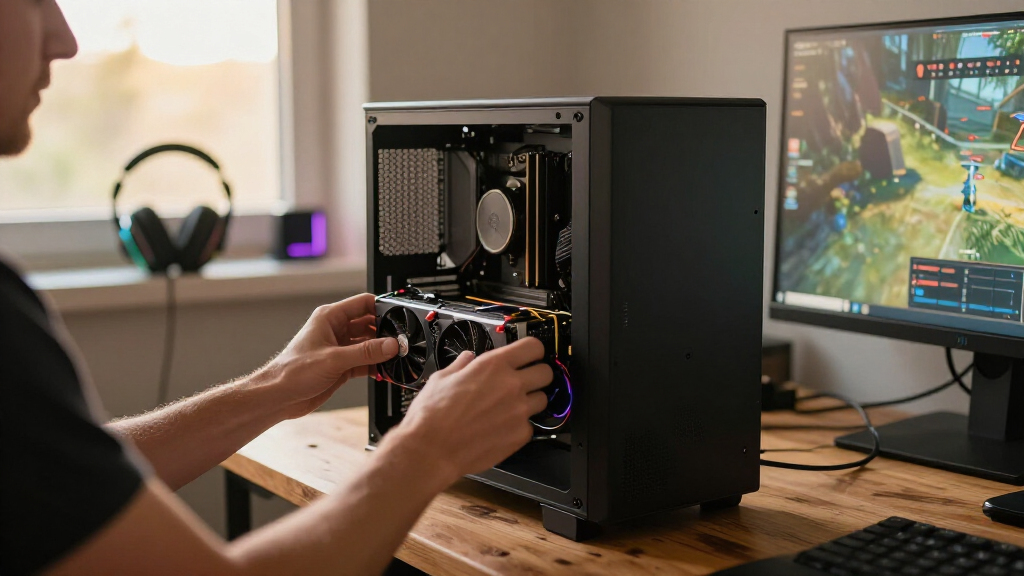
How We Picked
I ranked these systems around the needs implied by a budget gaming PC build: a graphics card that can handle games, a processor that is not an obvious mismatch, and enough memory and storage to make the machine practical. I also considered the tradeoff between newer platforms and stronger gaming hardware at lower tiers. A dedicated GPU generally carries more weight for gaming than a fast-sounding processor name alone, while capacity and upgrade details affect how soon a buyer may need to add or replace parts.
The order favors balanced gaming configurations first, then systems that make a clearer compromise for a lower-demand or more specialized buyer. The Ryzen 7 5700X and RTX 3060 Ti combination ranks ahead of the Ryzen 5 5500 version because its processor pairing is stronger; the Skytech Crystal earns the premium position through its newer platform, RTX 5060 Ti, and 32GB DDR5 rather than budget value. RX 580 and RX 6500 XT options follow as more limited dedicated-graphics choices, while integrated-graphics desktops rank lower for gaming because they do not offer the same GPU capability. Where key details are absent from the supplied product information, I avoid assuming them and recommend checking the exact configuration before buying.
| budget gaming pc build | Operating system |
|---|---|
| Olialia Gaming Desktop PC with | Windows 11 Home |
| Gaming PC Desktop Computer wit | — |
| STGAubron Gaming Desktop PC wi | Windows 11 Home 64-bit |
| Gaming PC with RTX 3060 Ti and | Windows 11 Home |
| KOTIN Gaming PC Desktop | Windows 11 Home |
| ZYNEEX S5 Gaming Desktop PC wi | Windows 11 Home |
| Skytech Gaming Crystal Gaming | Windows 11 Home 64-bit |
| LXZ Gaming PC Desktop Computer | Windows |
| OKAMUS Pre-Built Desktop PC wi | Windows 11 Home |
| STGAubron Gaming PC Desktop | Windows 11 Home |
| YAWYORE Gaming Desktop PC with | — |
| STGAubron Gaming Desktop PC wi | Windows 11 Home 64-bit |
| Olialia Gaming Desktop PC with | Windows 11 Home |
| YAWYORE Gaming PC with AMD Ryz | Windows 11 |
| WIWB Gaming Desktop PC with Ry | Windows |
Factors to Consider When Choosing Budget Gaming Pc Build
Choosing among these desktops is less about finding one universal winner and more about deciding which compromises you can live with. I’d set a target for the games you play, then compare the graphics hardware, platform, memory, storage, and upgrade path as a complete system.
Match the Graphics Card to Your Games
For most PC games, the graphics card has the greatest effect on visual quality and smoothness, so start there rather than choosing by CPU label. A dedicated GPU such as the RTX 3060 Ti or RTX 5060 Ti is a different class of gaming option from integrated graphics. RX 580 and RX 6500 XT systems may fit lighter or older games, but performance varies by title, resolution, and settings. Look up requirements for the games you actually play and compare independent performance data for those specific titles. A common mistake is assuming that any desktop called a gaming PC will run new, demanding games well. If a listing does not identify the GPU clearly, treat that missing information as a reason to pause.
Balance the Processor and Graphics Hardware
A strong processor cannot make up for a graphics card that falls short of your gaming needs. The opposite mismatch can matter too: a weaker processor may limit how well a powerful GPU performs in CPU-heavy games or at high frame rates. For a general-purpose gaming desktop, look for a sensible pairing rather than choosing the highest number in either component name. Compare the Ryzen 7 5700X and RTX 3060 Ti system with the Ryzen 5 5500 version as an example of why the processor can distinguish two PCs with the same GPU. For competitive games, processor performance may matter more than it does in graphically demanding single-player games. The right balance depends on your titles, display, and plans to upgrade.
Check Memory and Storage Before You Buy
Memory and storage affect how convenient a PC is after setup, even though neither replaces a capable graphics card. A system with 8GB of RAM and a 256GB SSD, such as the listed OKAMUS desktop, leaves less room for multitasking and a game library than configurations with 16GB and larger drives. Check whether memory is installed as one stick or two, since that can affect performance and the ease of adding more. Also confirm whether the storage drive can be expanded and whether the case has room for additional drives. A small SSD can fill quickly once games and updates accumulate. Do not count on an upgrade being easy until you have checked the motherboard, available slots, and case layout.
Treat Integrated Graphics as a Different Use Case
Integrated graphics use the processor’s graphics capability rather than a separate graphics card, so they usually suit everyday computing better than demanding PC games. The Ryzen 5 5600GT desktops may appeal if you want a general-use machine and plan to add a graphics card later, but the listing’s exact configuration and upgrade support matter. The OKAMUS system is an even more limited gaming prospect because its description lists integrated graphics alongside 8GB RAM and a 256GB SSD. Before choosing this route, confirm that the motherboard has a suitable expansion slot, the power supply can support a future GPU, and the case has enough room. A low initial component count can become a costly project if several parts need replacing. Choose integrated graphics only when your present games and upgrade plan make that compromise workable.
Look Beyond the Component Names to Upgradeability
Prebuilt PCs can differ in power supplies, motherboards, cooling, case dimensions, and access to standard replacement parts, even when their headline processors and graphics cards are similar. Those details affect noise, reliability, and whether a later GPU or storage upgrade is realistic. Ask for the exact power supply model and wattage rather than relying on a broad listing description. Check whether the system uses standard components or parts that may be harder to replace. A newer platform such as the Skytech Crystal’s Ryzen 7 7700 and DDR5 may offer a more current foundation, while older configurations can still be sensible if their gaming performance fits your needs. Do not pay extra for upgrade potential unless you expect to use it.
Compare the Complete Configuration, Not Just the Headline GPU
Listings with similar GPU names can still differ in processor, memory, storage, wireless support, operating system, and included accessories. The RTX 3060 Ti systems in this roundup, for example, do not use the same processor, so they should not be treated as interchangeable. Similarly, the LXZ and WIWB systems share a Ryzen 5 4500 and RX 6500 XT pairing, but the supplied descriptions do not provide the same level of detail about every component. Check the exact model number and full parts list before ordering. Confirm the included Wi-Fi, ports, and operating system if those affect your setup. When a spec is missing, make the seller clarify it rather than filling in the blank with an assumption.
Frequently Asked Questions
Which PC in this roundup makes the most sense for demanding games?
I’d begin with the Gaming PC with Ryzen 7 5700X and RTX 3060 Ti for a balanced dedicated-GPU configuration. The Skytech Crystal has newer headline components, including an RTX 5060 Ti and 32GB DDR5, so it is the stronger premium direction if its full configuration and cost fit your plans. The RTX 3060 Ti system with a Ryzen 5 5500 is another gaming-focused choice, but its processor pairing is less compelling than the Ryzen 7 version. Actual performance depends on the game, resolution, cooling, and power limits. Check benchmarks for your specific titles before deciding.
Can I use an integrated-graphics desktop for PC gaming?
Yes, but the games and settings you expect matter. Integrated graphics can suit lighter games, older titles, and basic play, but they are not a substitute for a dedicated GPU when a game demands more graphics performance. The OKAMUS listing is particularly constrained by its 8GB RAM and 256GB SSD in addition to integrated graphics. The Ryzen 5 5600GT options may be more appealing as general-use PCs with a possible GPU upgrade later, provided their motherboard and power supply support one. Confirm those parts before treating an upgrade as part of the plan.
Is an RX 580 desktop still a sensible gaming PC build?
An RX 580 system can make sense for a buyer focused on older or less demanding games, especially if expectations are set around suitable settings and resolution. It sits below the RTX 3060 Ti and RTX 5060 Ti choices in this lineup, so it is not the pick I’d favor for a demanding new-game library. The STGAubron RX 580 model lists 16GB RAM and a 1TB SSD, while the Ryzen 5 5500 RX 580 listing has less configuration detail provided here. Check the exact graphics card, power supply, and performance reports for your games before choosing either one.
Should I choose the Skytech Crystal over the RTX 3060 Ti systems?
Choose the Skytech Crystal if you value its Ryzen 7 7700 platform, RTX 5060 Ti, and 32GB DDR5 and expect to use that extra capability. The RTX 3060 Ti desktops are more restrained choices, with the Ryzen 7 5700X version offering a stronger processor pairing than the Ryzen 5 5500 version. The Skytech’s newer parts do not automatically make it the better fit for every buyer; your games, monitor, and upgrade plans should justify the additional hardware. Confirm the full specifications, cooling, and power supply for any model before purchasing. If your games run well on a more modest configuration, the premium system may offer capacity you do not need.
What should I check when two PCs have the same graphics card?
Compare the processor first, then check memory capacity and configuration, storage size, cooling, power supply, and motherboard expansion options. The two RTX 3060 Ti PCs here show why the GPU alone does not tell the whole story: one pairs it with a Ryzen 5 5500, while the other lists a Ryzen 7 5700X. Check whether each seller identifies the exact components rather than using broad labels that can hide substitutions. Also verify Wi-Fi, ports, case clearance, and warranty details if they matter to your setup. Missing specifications are a reason to ask questions, not a reason to assume the systems are equal.
Conclusion
For the best overall balance in this roundup, I’d choose the Ryzen 7 5700X and RTX 3060 Ti PC; it pairs a dedicated gaming GPU with the stronger processor of the two RTX 3060 Ti configurations. The best premium option is the Skytech Crystal, with its RTX 5060 Ti, Ryzen 7 7700, and 32GB DDR5. For a more value-minded dedicated-GPU pick, compare the Olialia RTX 3060 Ti system with the RX 580 and RX 6500 XT choices against the games you play rather than buying by product label alone. Beginners should favor a clearly documented configuration with enough memory and storage, and confirm the return and support terms before ordering. For basic gaming or a planned GPU upgrade, a Ryzen 5 5600GT desktop may fit, while the OKAMUS integrated-graphics model is best kept to lighter gaming and everyday tasks. My final recommendation is to choose by actual game demands, then verify every component that the listing leaves unspecified.