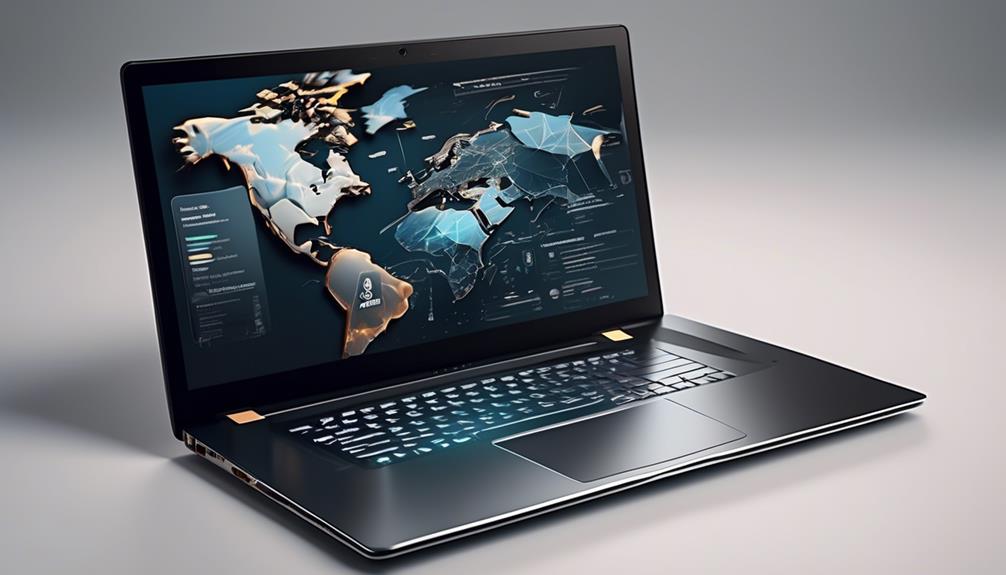

The ASUS Vivobook Go 15.6-inch is my best overall budget laptop because its Ryzen 3 processor, 8GB of RAM, Full HD display, and 256GB SSD form the most balanced configuration in this lineup. Buyers seeking higher performance should choose the HP 17.3-inch Core Ultra 5, while the HP Chromebook 14 is a simpler choice for browsing, schoolwork, and cloud-based tasks. The main tradeoffs are operating system flexibility, memory capacity, storage speed, screen size, and portability. Several cheaper models rely on 4GB of RAM or limited flash storage, which can restrict multitasking and long-term usefulness. Continue reading for my full breakdown of which configuration fits each buyer type.

Get audio and creator gear delivered free — and shop member deals
- Fast, free delivery on millions of items
- Access to Prime Big Deal Days deals on October 6–7
- Prime Video, Amazon Music and more included
Complete the kit


Key Takeaways
- The ASUS Vivobook Go 15.6-inch earns the top position because its Ryzen 3 processor, 8GB of RAM, Full HD screen, and SSD avoid the biggest compromises found in cheaper entries.
- The HP 17.3-inch Core Ultra 5 offers the strongest listed performance, but its larger body and higher expected price make it a premium alternative rather than the default budget choice.
- Models with 4GB of RAM make more sense as single-purpose browsing or school machines; the 8GB and 16GB configurations provide far more room for multitasking.
- The Chromebook choices split by use case: the HP Chromebook 14 balances portability and battery life, while the Acer Chromebook 315 prioritizes a larger Full HD workspace.
- Vague specifications and renewed condition lowered several models in my ranking because configuration certainty, warranty coverage, and battery health affect value as much as the headline price.
| ASUS Vivobook Go 15.6-inch FHD Slim Laptop |  | Best Overall | Processor: AMD Ryzen 3 7320U quad-core | RAM: 8GB DDR5 | Storage: 256GB SSD | VIEW ON AMAZON | See Our Full Breakdown |
| HP Chromebook 14 |  | Best Battery-Life Pick | Processor: Intel Celeron N4120 | RAM: 4GB | Storage: 64GB eMMC | VIEW ON AMAZON | See Our Full Breakdown |
| HP Laptop with Intel N150 |  | Best Starter Windows Laptop | Processor: Intel N150 | RAM: 4GB DDR5 | Storage: 128GB SSD | VIEW ON AMAZON | See Our Full Breakdown |
| ASUS 15.5-inch Full HD Laptop with Windows 11 Home (Renewed) |  | Best Renewed Display Value | Processor: Intel Celeron, up to 2.76GHz | RAM: 4GB LPDDR4 | Storage: 128GB SSD | VIEW ON AMAZON | See Our Full Breakdown |
| 2026 15.6-inch Windows 11 Pro Laptop with Office 365 |  | Best Budget Business Bundle | Processor: Intel Pentium | RAM: 8GB | Storage: 256GB SSD | VIEW ON AMAZON | See Our Full Breakdown |
| HP 17.3-inch FHD Touchscreen Laptop |  | Best Overall for High Performance | Processor: Intel Core Ultra 5 226V, 8-core | Display: 17.3-inch FHD IPS touchscreen, 1920 x 1080 | RAM: 16GB | VIEW ON AMAZON | See Our Full Breakdown |
| Dell Latitude 3190 11.6-inch 2-in-1 |  | Best Budget 2-in-1 | Processor: Intel Celeron N5030, 1.1GHz up to 2.4GHz | Display: 11.6-inch HD touchscreen, 1366 x 768 | Form Factor: 2-in-1 convertible | VIEW ON AMAZON | See Our Full Breakdown |
| Dell Chromebook 11 3100 |  | Best for Web Basics | Processor: Intel Celeron N4020 | Display: 11.6-inch, 1366 x 768 | RAM: 4GB | VIEW ON AMAZON | See Our Full Breakdown |
| 15.6-inch Windows 11 Laptop with Office 365 |  | Best Office Bundle | Processor: Intel 5205U, 1.9GHz | Display: 15.6-inch FHD | RAM: 4GB | VIEW ON AMAZON | See Our Full Breakdown |
| HP Ultrabook 14 Laptop |  | Best Portable Windows Pick | Processor: 13th Gen Intel N150 quad-core, up to 3.6GHz | Display: 14-inch | RAM: 4GB | VIEW ON AMAZON | See Our Full Breakdown |
| HP 14-Inch Laptop 2026 Edition |  | Best Portable Windows Pick | Processor: Intel N150 quad-core | Display: 14-inch HD anti-glare, 1366 x 768 | RAM: 8GB DDR4 | VIEW ON AMAZON | See Our Full Breakdown |
| HP 17.3-Inch FHD Business Laptop |  | Best High-Performance Value | Processor: AMD Ryzen 5 7430U six-core | Display: 17.3-inch Full HD IPS anti-glare, 1920 x 1080 | RAM: 8GB | VIEW ON AMAZON | See Our Full Breakdown |
| Acer Chromebook 315 |  | Best Budget Chromebook for Streaming | Processor: Intel Celeron N4500 dual-core, up to 2.8GHz | Display: 15.6-inch Full HD IPS, 1920 x 1080 | Memory: 4GB LPDDR4X | VIEW ON AMAZON | See Our Full Breakdown |
| budget laptop | Processor | Storage | RAM | Display |
|---|---|---|---|---|
| ASUS Vivobook Go 15.6-inch FHD | AMD Ryzen 3 7320U quad-core | 256GB SSD | 8GB DDR5 | 15.6-inch Full HD |
| HP Chromebook 14 | Intel Celeron N4120 | 64GB eMMC | 4GB | 14-inch HD, 1366 x 768 |
| HP Laptop with Intel N150 | Intel N150 | 128GB SSD | 4GB DDR5 | — |
| ASUS 15.5-inch Full HD Laptop | Intel Celeron, up to 2.76GHz | 128GB SSD | 4GB LPDDR4 | 15.5-inch Full HD, 1920 x 1080 |
| 2026 15.6-inch Windows 11 Pro | Intel Pentium | 256GB SSD | 8GB | 15.6-inch Full HD IPS, 1920 x 1080 |
| HP 17.3-inch FHD Touchscreen L | Intel Core Ultra 5 226V, 8-core | 512GB SSD | 16GB | 17.3-inch FHD IPS touchscreen, 1920 x 1080 |
| Dell Latitude 3190 11.6-inch 2 | Intel Celeron N5030, 1.1GHz up to 2.4GHz | 128GB SSD | 4GB DDR4 | 11.6-inch HD touchscreen, 1366 x 768 |
| Dell Chromebook 11 3100 | Intel Celeron N4020 | 16GB flash memory | 4GB | 11.6-inch, 1366 x 768 |
| 15.6-inch Windows 11 Laptop wi | Intel 5205U, 1.9GHz | 128GB SSD, expandable to 512GB | 4GB | 15.6-inch FHD |
| HP Ultrabook 14 Laptop | 13th Gen Intel N150 quad-core, up to 3.6GHz | 128GB SSD | 4GB | 14-inch |
| HP 14-Inch Laptop 2026 Edition | Intel N150 quad-core | 256GB SSD plus 128GB UFS | 8GB DDR4 | 14-inch HD anti-glare, 1366 x 768 |
| HP 17.3-Inch FHD Business Lapt | AMD Ryzen 5 7430U six-core | 256GB SSD | 8GB | 17.3-inch Full HD IPS anti-glare, 1920 x 1080 |
| Acer Chromebook 315 | Intel Celeron N4500 dual-core, up to 2.8GHz | 64GB eMMC | — | 15.6-inch Full HD IPS, 1920 x 1080 |
More Details on Our Top Picks
ASUS Vivobook Go 15.6-inch FHD Slim Laptop
I rank the ASUS Vivobook Go first because its Ryzen 3 7320U, 8GB of DDR5 memory, and 256GB SSD form the strongest balanced package in this batch. That combination offers better everyday performance than the Intel Celeron-based ASUS Renewed model and leaves more room for browser tabs, office software, and video calls than either 4GB HP. Its 15.6-inch Full HD panel also gives documents and streaming video more detail than the HP Chromebook 14’s HD screen. Up to 11 hours of battery life and a durability-rated chassis broaden its appeal for commuting. The tradeoffs are integrated graphics that limit modern gaming and a screen that can struggle under strong outdoor light. For high-performance work on a tight budget, this is my lead pick, though demanding creators still need stronger hardware.
Pros:- Ryzen 3 7320U and 8GB DDR5 provide the strongest multitasking setup in this batch
- 15.6-inch Full HD screen offers more workspace and detail than basic HD panels
- Up to 11 hours of battery life suits a full school or workday
- Privacy shutter and durability-rated construction add practical value
Cons:- Integrated Radeon graphics are poorly suited to demanding games or GPU-heavy editing
- Display brightness may be inadequate in direct sunlight
- 256GB SSD can fill quickly with large media libraries
Best for: Students and home-office buyers who want the best high-performance balance for multitasking, video calls, documents, and streaming
Not ideal for: Serious gamers and media creators who need dedicated graphics, a brighter panel, or more than 256GB of local storage
- Processor:AMD Ryzen 3 7320U quad-core
- RAM:8GB DDR5
- Storage:256GB SSD
- Display:15.6-inch Full HD
- Graphics:AMD Radeon integrated graphics
- Battery Life:Up to 11 hours
- Operating System:Windows 11 Home
- Special Features:Webcam privacy shutter, fast charging, durability-rated construction
Our verdict“I recommend the ASUS Vivobook Go as the best budget laptop here for buyers seeking high everyday performance without paying for premium hardware.”
HP Chromebook 14
The HP Chromebook 14 earns its place through up to 14 hours of battery life, easy portability, and the low-maintenance nature of Chrome OS. I would choose it over the ASUS Vivobook Go for a school day spent mainly in Google Docs, web apps, and streaming, especially when access to an outlet is uncertain. Fast charging adds useful mobile flexibility, while support for 4K video output makes compatible external screens more useful. It is less capable as an all-purpose computer: 4GB of memory restricts heavier multitasking, 64GB eMMC offers little local space, and the 1366-by-768 display is less detailed than the Full HD panels in this group. Chrome OS also rules out some Windows-only programs. This is a focused cloud-first bargain, not my choice for high-performance workloads.
Pros:- Up to 14 hours of battery life leads this five-product group
- Lightweight design is convenient for school and commuting
- Fast charging reaches 50% in about 45 minutes
- Supports 4K video output for compatible external displays
Cons:- 4GB RAM limits demanding browser sessions and multitasking
- 64GB eMMC provides little local storage and is slower than an SSD
- 1366-by-768 display lacks the sharpness of Full HD alternatives
Best for: Cloud-first students and frequent commuters who prioritize all-day battery life, web apps, and a lightweight design
Not ideal for: Windows-software users, heavy multitaskers, and buyers who keep large files locally
- Processor:Intel Celeron N4120
- RAM:4GB
- Storage:64GB eMMC
- Display:14-inch HD, 1366 x 768
- Graphics:Intel UHD Graphics 600
- Battery Life:Up to 14 hours
- Operating System:Chrome OS
- Wireless:Wi-Fi 802.11a/b/g/n/ac (2×2), Bluetooth
- Warranty:1-year limited hardware warranty
Our verdict“I recommend the HP Chromebook 14 for mobile, browser-based work where battery endurance matters more than Windows compatibility or high performance.”
HP Laptop with Intel N150
I see the HP Laptop with Intel N150 as the practical starter choice for someone who needs Windows rather than Chrome OS. Its 128GB SSD gives it faster, more useful local storage than the HP Chromebook 14’s 64GB eMMC, and the included Microsoft 365 subscription plus 1TB of cloud storage adds value for coursework and basic office tasks. A useful selection of USB-C, USB-A, and HDMI connections also makes it easier to build a desk setup. Yet the 4GB memory ceiling is a firm limitation: multiple demanding apps or a crowded browser can cause slowdowns, making the 8GB ASUS Vivobook Go a better high-performance option. The listed data also lacks a specific display size, resolution, and battery estimate. I place this below the leaders because convenience and bundled software outweigh raw speed here.
Pros:- 128GB SSD is more responsive than eMMC storage in basic alternatives
- Microsoft 365 subscription and 1TB cloud storage add immediate productivity value
- USB-C, USB-A, and HDMI support common accessories and monitors
- Lightweight design suits routine travel
Cons:- 4GB RAM creates a low ceiling for multitasking
- 128GB local storage is restrictive for large applications and media
- Product data does not state exact display or battery specifications
Best for: First-time Windows buyers who need Microsoft 365, cloud storage, and varied ports for basic school or home-office tasks
Not ideal for: Power users who run many applications at once or buyers who need confirmed display and battery specifications before purchase
- Processor:Intel N150
- RAM:4GB DDR5
- Storage:128GB SSD
- Cloud Storage:1TB
- Operating System:Windows 11
- Included Software:One-year Microsoft 365 subscription
- Ports:USB 3.0 Type-C, USB 3.0 Type-A, HDMI, headphone/microphone jack
- Wireless:Wi-Fi and Bluetooth
Our verdict“I would pick this HP for basic Windows schoolwork and office use, but not when sustained multitasking or high performance is the priority.”
ASUS 15.5-inch Full HD Laptop with Windows 11 Home (Renewed)
The renewed ASUS 15.5-inch laptop makes sense when screen clarity matters more than processing headroom. Its 1920-by-1080 display is a clear step up from the HP Chromebook 14’s 1366-by-768 panel, giving spreadsheets, text, and video a sharper appearance. A backlit keyboard is also uncommon at this level and provides better low-light usability. I rank it behind the ASUS Vivobook Go because its Celeron processor and 4GB of memory are far less suited to multitasking, while both machines offer a large Full HD workspace. The 128GB SSD is adequate for documents but modest for media collections. Renewed condition introduces another compromise: cosmetic wear may vary between units. Buyers should view this as an inexpensive Windows screen-and-keyboard package for light duties, not a shortcut to high performance or new-product consistency.
Pros:- 15.5-inch Full HD display gives text and video better clarity than an HD panel
- Backlit keyboard improves typing visibility in dim rooms
- 128GB SSD offers quicker access than basic flash or eMMC storage
- USB-C and two USB-A ports support varied peripherals
Cons:- Celeron processor and 4GB RAM limit responsiveness under heavier workloads
- Renewed units may show cosmetic imperfections
- 128GB storage leaves limited room for applications and media
Best for: Budget buyers comfortable with renewed hardware who want a large, sharp screen and backlit keyboard for light evening work
Not ideal for: Heavy multitaskers and buyers who want new-condition cosmetics, predictable wear, or strong processing speed
- Processor:Intel Celeron, up to 2.76GHz
- RAM:4GB LPDDR4
- Storage:128GB SSD
- Display:15.5-inch Full HD, 1920 x 1080
- Graphics:Intel integrated graphics
- Operating System:Windows 11 Home
- Ports:1 USB-C, 2 USB-A, headphone/microphone jack
- Keyboard:Backlit
- Color:Dark gray
Our verdict“I recommend this renewed ASUS only when Full HD clarity and a backlit keyboard matter more than condition consistency or high performance.”
2026 15.6-inch Windows 11 Pro Laptop with Office 365
I assign this 15.6-inch Windows 11 Pro laptop the business-bundle role because it combines Office 365, 8GB of memory, a 256GB SSD, and a Full HD IPS screen in one ready-to-work package. Compared with the HP Intel N150 laptop, it offers twice the RAM and storage, giving everyday office multitasking more breathing room. Its IPS panel also supplies wider viewing angles, while the 180-degree hinge can help when sharing material across a table. At 3.53 pounds, it remains reasonably portable. The Pentium processor keeps expectations grounded, though; the ASUS Vivobook Go’s Ryzen 3 is the stronger choice for high-performance workloads. Up to six hours of battery life also trails both the Vivobook and HP Chromebook 14. I favor this model for bundled workplace features, but its unspecified manufacturer and exact Pentium model make performance harder to judge.
Pros:- 8GB RAM and 256GB SSD support smoother office multitasking than 4GB alternatives
- 15.6-inch Full HD IPS display provides wide viewing angles
- Windows 11 Pro and Office 365 create a work-ready software bundle
- 3.53-pound chassis and 180-degree hinge improve portability and sharing
Cons:- Up to six hours of battery life is well behind the leading options
- Intel Pentium processor is not suited to intensive workloads
- Exact processor model is unspecified, making speed comparisons less certain
Best for: Cost-conscious remote workers and students who want Windows 11 Pro, Office 365, an IPS screen, and 8GB RAM in one package
Not ideal for: All-day commuters, demanding creators, and buyers who want a clearly identified modern processor
- Processor:Intel Pentium
- RAM:8GB
- Storage:256GB SSD
- Display:15.6-inch Full HD IPS, 1920 x 1080
- Battery Life:Up to 6 hours
- Operating System:Windows 11 Pro
- Weight:3.53 pounds
- Ports:2 USB 3.0, Mini HDMI, headphone/microphone jack, Micro TF slot
- Hinge:180 degrees
Our verdict“I would choose this model for an affordable work-ready bundle, while performance-focused buyers should spend their budget on the Ryzen-powered ASUS Vivobook Go.”
HP 17.3-inch FHD Touchscreen Laptop
I rank the HP 17.3-inch FHD Touchscreen Laptop first because its Core Ultra 5 processor, 16GB of RAM, and Intel Arc graphics form the strongest high-performance package in this group. That extra power matters for large spreadsheets, frequent multitasking, creative applications, and heavier browser workloads. Compared with the HP 17.3-inch Ryzen 5 business laptop, this model adds a touchscreen, twice the listed memory, and more advanced connectivity, including Thunderbolt. It also leaves the 4GB HP Ultrabook 14 far behind when several applications are open. The tradeoff is mobility: the large 17.3-inch chassis is better suited to a desk than a crowded commute. I would also expect its premium components to push the price above simpler budget models, while the missing battery-runtime figure makes unplugged use harder to judge.
Pros:- Core Ultra 5 processor and 16GB RAM suit demanding multitasking
- Large FHD IPS touchscreen provides ample workspace
- Intel Arc 130V graphics are stronger than basic integrated graphics
- Thunderbolt, HDMI 2.1, USB-C, and three USB-A ports support varied accessories
Cons:- Large 17.3-inch design is cumbersome for daily travel
- Likely costs more than entry-level budget laptops
- No full battery-runtime estimate is provided
Best for: Home-office users and budget-conscious power users who want strong multitasking performance on a large touchscreen
Not ideal for: Frequent commuters who need a light laptop with clearly documented all-day battery life
- Processor:Intel Core Ultra 5 226V, 8-core
- Display:17.3-inch FHD IPS touchscreen, 1920 x 1080
- RAM:16GB
- Storage:512GB SSD
- Graphics:Intel Arc 130V
- Ports:Thunderbolt, USB-C, three USB-A, HDMI 2.1, audio jack
- Wireless:Wi-Fi 6E and Bluetooth 5.3
- Charging:Fast charge supports 50% capacity in 45 minutes
Our verdict“This is my lead pick for buyers seeking high performance on a budget and willing to trade portability for power and screen space.”
Dell Latitude 3190 11.6-inch 2-in-1
The Dell Latitude 3190 earns its place through flexibility rather than raw speed. Its folding touchscreen supports laptop and tablet-style use, which makes it more adaptable for note-taking, presentations, or children’s learning than the standard Dell Chromebook 11 3100. Windows 11 Pro also accommodates desktop software that Chrome OS cannot run. I see the compact 11.6-inch body as the main reason to buy it, though that portability comes with a cramped 1366 x 768 workspace. The Celeron N5030, 4GB of RAM, and 128GB SSD are adequate for documents and light browsing, but they fall well short of the HP 17.3-inch Core Ultra 5 model for high-performance work. Because this is a renewed machine, cosmetic condition and remaining battery capacity may vary. It is a practical secondary computer, not a demanding user’s primary system.
Pros:- Convertible touchscreen supports laptop and tablet-style use
- Small 11.6-inch format is easy to carry
- 128GB SSD offers more local space than the Dell Chromebook 11 3100
- Windows 11 Pro supports a broad range of desktop applications
Cons:- 4GB RAM restricts multitasking
- Low-resolution 11.6-inch display provides limited workspace
- Renewed condition may bring cosmetic wear or reduced battery capacity
Best for: Students, young learners, and mobile workers who need an inexpensive convertible for notes, browsing, and basic Windows software
Not ideal for: Power users or visual creators who need fast multitasking, a spacious display, or dependable battery condition
- Processor:Intel Celeron N5030, 1.1GHz up to 2.4GHz
- Display:11.6-inch HD touchscreen, 1366 x 768
- Form Factor:2-in-1 convertible
- RAM:4GB DDR4
- Storage:128GB SSD
- Operating System:Windows 11 Pro
- Ports:HDMI, two USB 3.1 Gen 1, combination audio jack
- Security:Noble Wedge Lock slot
Our verdict“I recommend this as a low-cost convertible for light Windows tasks, provided buyers accept modest speed and renewed-hardware uncertainty.”
Dell Chromebook 11 3100
I place the Dell Chromebook 11 3100 in the web-basics slot because Chrome OS starts quickly and keeps everyday browsing, email, and cloud documents simple. Compared with the Dell Latitude 3190, it offers a similarly portable 11.6-inch format but lacks the Latitude’s convertible touchscreen, Windows software support, and larger SSD. Its focused operating system can feel smoother than a low-end Windows machine with the same 4GB of RAM, making it a sensible choice for browser-centered schoolwork. The limitations are substantial: 16GB of flash storage leaves little room for offline files, while the 1366 x 768 screen is tight for split-screen work. It also cannot approach the ASUS Vivobook Go 15.6-inch for processing power, memory, or display space. I view this as an inexpensive cloud terminal or secondary laptop rather than a high-performance computer.
Pros:- Chrome OS offers quick startup and straightforward web access
- Compact design is convenient for school bags and travel
- 4GB RAM is workable for a small number of browser-based tasks
- Bluetooth supports wireless accessories
Cons:- 16GB flash storage is highly restrictive for offline use
- 1366 x 768 display limits detail and working space
- Renewed status may mean limited warranty coverage or variable wear
Best for: School-age users and cloud-first buyers who mainly work in a browser and store files online
Not ideal for: Buyers who need Windows applications, substantial offline storage, or high-performance multitasking
- Processor:Intel Celeron N4020
- Display:11.6-inch, 1366 x 768
- RAM:4GB
- Storage:16GB flash memory
- Operating System:Chrome OS
- Graphics:Intel HD Graphics
- Keyboard:English US layout
- Wireless:Bluetooth supported
Our verdict“This is my pick for low-cost, browser-only computing, but its tiny storage and basic hardware rule out heavier workloads.”
15.6-inch Windows 11 Laptop with Office 365
The main appeal of this 15.6-inch Windows 11 laptop is the included one-year Office 365 subscription, which can reduce the initial cost for students or home workers who already need Word and Excel. Its FHD panel provides a larger, sharper workspace than the Dell Latitude 3190, while the 3.6-pound weight remains manageable for occasional travel. Storage can expand from 128GB to 512GB, giving it more room to grow than the Dell Chromebook 11 3100. I would still rank it behind the ASUS Vivobook Go 15.6-inch for speed and long-term value: the Intel 5205U and 4GB of RAM are suited to light documents, not demanding multitasking or high-performance applications. Older Wi-Fi 5 and Bluetooth 4.2 also make the connectivity package feel dated. This is a software-led bargain, with processing power as the clear compromise.
Pros:- One-year Office 365 subscription adds practical bundle value
- 15.6-inch FHD display offers useful document workspace
- Storage can expand from 128GB to 512GB
- Type-C, HDMI, and an SD card reader provide flexible connectivity
Cons:- 4GB RAM can become a bottleneck with multiple applications open
- Intel 5205U processor is poorly suited to demanding workloads
- Wi-Fi 5 and Bluetooth 4.2 trail newer connectivity standards
Best for: Students and home-office buyers who need a full-size FHD Windows laptop with a year of Office 365 included
Not ideal for: Heavy multitaskers, creators, and buyers seeking strong high-performance capability from their main computer
- Processor:Intel 5205U, 1.9GHz
- Display:15.6-inch FHD
- RAM:4GB
- Storage:128GB SSD, expandable to 512GB
- Operating System:Windows 11
- Productivity Software:One-year Office 365 subscription
- Weight:3.6 pounds
- Ports:Type-C, HDMI, SD card reader
- Wireless:Wi-Fi 5 and Bluetooth 4.2
Our verdict“I would choose this for affordable Office-based study or home administration, not for speed-intensive work.”
HP Ultrabook 14 Laptop
The HP Ultrabook 14 occupies the middle ground between tiny 11.6-inch machines and bulkier full-size laptops. I favor it over the Dell Latitude 3190 for conventional desk work because its 14-inch screen gives documents and websites more breathing room, while the portable design remains better suited to commuting than the 17.3-inch HP OmniBook. The Intel N150 can handle routine browsing, video calls, and school assignments, and Wi-Fi 6 is a welcome advantage over the older wireless hardware in the 15.6-inch Office 365 laptop. Still, 4GB of RAM and a 128GB SSD impose firm limits: several busy browser tabs can slow the system, and large media libraries will fill the drive quickly. MS Office for the Web helps with basic productivity, but it is not the same as a full desktop subscription. I see this as a balanced everyday carry, not a high-performance bargain.
Pros:- 14-inch format balances portability and usable screen space
- Intel N150 reaches speeds up to 3.6GHz for routine tasks
- Wi-Fi 6 supports faster modern wireless connections
- MS Office for the Web covers basic browser-based productivity
Cons:- 4GB RAM limits heavier multitasking
- 128GB SSD offers little room for large local libraries
- Office for the Web lacks capabilities found in full desktop Office applications
Best for: Commuting students and light-duty home workers who want a compact Windows laptop for browser-based productivity
Not ideal for: Users who keep many programs open, store large local file collections, or run processor-heavy software
- Processor:13th Gen Intel N150 quad-core, up to 3.6GHz
- Display:14-inch
- RAM:4GB
- Storage:128GB SSD
- Wireless:Wi-Fi 6
- Included Software:MS Office for the Web
Our verdict“This is my compact Windows choice for everyday browsing and study, but buyers needing high performance should move up to the Core Ultra 5 HP.”
HP 14-Inch Laptop 2026 Edition
I rank the HP 14-Inch Laptop 2026 Edition as the portable Windows choice because its 3.11-pound design, 8GB of memory, and combined 384GB storage suit students moving between classes. The Intel N150 is built for documents, browsing, and video calls rather than demanding creative work, so the ASUS Vivobook Go 15.6-inch with Ryzen 3 is a better match for heavier multitasking. This HP offers more memory and storage than the Acer Chromebook 315 while retaining access to Windows software. Its Microsoft 365 subscription adds immediate value, although renewal costs may follow after one year. I would also weigh the soft 1366-by-768 display and restrictive Windows 11 S Mode against its portability. The pink finish is distinctive, but buyers wanting a neutral business design may prefer the silver HP 17.3-inch model.
Pros:- Light 3.11-pound chassis is easy to carry between classes or meetings
- 8GB RAM provides better everyday multitasking than entry-level 4GB laptops
- 256GB SSD plus 128GB UFS supplies more storage than most basic Chromebooks
- One year of Microsoft 365 Personal adds useful productivity value
Cons:- 1366 x 768 display is visibly less detailed than Full HD alternatives
- Windows 11 S Mode limits installations to approved Microsoft Store apps unless disabled
- Intel N150 is not suited to demanding creative software or sustained high-performance workloads
Best for: Students and mobile office users who need a lightweight Windows laptop for documents, research, video calls, and cloud-based coursework
Not ideal for: Photo editors, demanding multitaskers, and buyers who want a sharp Full HD screen or unrestricted software installation from day one
- Processor:Intel N150 quad-core
- Display:14-inch HD anti-glare, 1366 x 768
- RAM:8GB DDR4
- Storage:256GB SSD plus 128GB UFS
- Graphics:Intel UHD Graphics
- Wireless:Wi-Fi 6 and Bluetooth 5.4
- Ports:USB-C 3.2 Gen 1, USB-A 3.2 Gen 1, HDMI 1.4
- Weight:3.11 lbs
- Operating System:Windows 11 Home in S Mode
Our verdict“I recommend this HP to mobile students who value portability and Windows productivity more than Full HD sharpness or high-performance computing.”
HP 17.3-Inch FHD Business Laptop
I place the HP 17.3-Inch FHD Business Laptop ahead of these three for buyers chasing high performance on a budget. Its six-core Ryzen 5 7430U has far more processing headroom than the Intel N150 in the HP 14-inch model or the dual-core Celeron in the Acer Chromebook 315, making it better suited to large spreadsheets, frequent multitasking, and sustained office work. The spacious Full HD IPS panel also gives documents and split-screen windows more room than either smaller alternative. It does not replace the HP 17.3-inch Core Ultra 5 model for intensive workloads, but its simpler configuration should appeal to price-conscious buyers. My main reservations are the modest 8GB RAM and 256GB SSD, which can constrain heavier use, plus a large chassis that favors desk work over commuting. Integrated Radeon graphics are suitable for media, not demanding games or 3D production.
Pros:- Six-core Ryzen 5 processor delivers the strongest high-performance potential of these three picks
- Large 17.3-inch Full HD IPS display supports comfortable split-screen work
- Anti-glare panel is practical for extended office or study sessions
- USB-C, dual USB-A, and HDMI cover common desk accessories
Cons:- 8GB RAM can become restrictive during memory-heavy multitasking
- 256GB SSD may fill quickly with large media or project files
- Large 17.3-inch format is less convenient for daily travel
Best for: Home-office users, spreadsheet-heavy workers, and students seeking strong processor performance with a large desktop-style screen
Not ideal for: Frequent commuters, serious gamers, and creators whose projects need more than 8GB RAM, 256GB storage, or dedicated graphics
- Processor:AMD Ryzen 5 7430U six-core
- Display:17.3-inch Full HD IPS anti-glare, 1920 x 1080
- RAM:8GB
- Storage:256GB SSD
- Graphics:AMD Radeon Graphics
- Ports:1 USB-C, 2 USB-A, HDMI 1.4b, audio combo jack
- Operating System:Windows 11 Home
- Color:Natural Silver
Our verdict“I recommend this model as the high-performance budget pick for desk-based buyers who can accept limited memory, storage, and portability.”
Acer Chromebook 315
I chose the Acer Chromebook 315 for buyers who want an inexpensive laptop centered on streaming, browsing, and web apps. Its 15.6-inch Full HD IPS display is a meaningful upgrade over the HD panels on the HP Chromebook 14 and HP 14-inch Windows model, producing a roomier, sharper view for video and documents. Up to 10 hours of battery life also makes it more appealing away from an outlet than options with unspecified endurance. The compromise is limited computing headroom: 4GB of RAM, a dual-core Celeron N4500, and 64GB eMMC storage place it well behind the Ryzen-powered HP 17.3-inch laptop for multitasking and high-performance work. Chrome OS starts quickly and handles automatic updates, but it cannot run every Windows application. I see this as a simple cloud-first machine, not a low-cost substitute for a full work laptop.
Pros:- 15.6-inch Full HD IPS screen is sharper than common HD budget displays
- Up to 10 hours of battery life supports school days and casual travel
- Wi-Fi 6 provides modern wireless connectivity
- Two USB-C and two USB-A ports offer useful accessory flexibility
Cons:- 4GB RAM limits comfortable multitasking across numerous browser tabs
- 64GB eMMC provides little local space and is slower than an SSD
- Chrome OS cannot run many Windows desktop applications
Best for: Cloud-first students, casual streamers, and home users who mainly work in browser tabs, Google Workspace, and web services
Not ideal for: Windows-software users, offline file collectors, and heavy multitaskers who need ample local storage or high-performance processing
- Processor:Intel Celeron N4500 dual-core, up to 2.8GHz
- Display:15.6-inch Full HD IPS, 1920 x 1080
- Memory:4GB LPDDR4X
- Storage:64GB eMMC
- Wireless:Wi-Fi 6 AX201
- Bluetooth:Bluetooth 5.1
- Battery Life:Up to 10 hours
- Ports:2 USB-C 3.2 Gen 2 and 2 USB 3.2 Gen 1
- Audio:DTS Audio with stereo speakers
Our verdict“I recommend the Acer Chromebook 315 for affordable streaming and browser-based work, but not for buyers seeking Windows compatibility or high performance.”

How We Picked
I ranked these laptops by comparing their listed processor capability, memory, storage type, display, operating system, portability, and condition. Performance received extra weight because the query favors a budget laptop that can stay responsive during multitasking, yet I did not treat raw speed as the only measure of value. A model earned a higher position when its components formed a balanced configuration without an obvious bottleneck, such as 4GB of RAM paired with Windows 11 or very limited flash storage. I also rewarded clear specifications because configuration transparency helps a buyer know what will arrive.
My ranking separates everyday speed from specialized benefits. The ASUS Vivobook Go leads because it combines capable hardware with a practical size, while the HP Core Ultra 5 model ranks as the performance leader for buyers willing to spend more. Chromebooks receive credit for efficient basic computing, but they rank below versatile Windows models when software compatibility matters. Renewed devices were judged partly on their potential savings and partly on battery and warranty risk. This approach favors the laptop that delivers the strongest buyer outcome for its role, not the machine with the longest feature list.
| budget laptop | Operating System |
|---|---|
| ASUS Vivobook Go 15.6-inch FHD | Windows 11 Home |
| HP Chromebook 14 | Chrome OS |
| HP Laptop with Intel N150 | Windows 11 |
| ASUS 15.5-inch Full HD Laptop | Windows 11 Home |
| 2026 15.6-inch Windows 11 Pro | Windows 11 Pro |
| HP 17.3-inch FHD Touchscreen L | — |
| Dell Latitude 3190 11.6-inch 2 | Windows 11 Pro |
| Dell Chromebook 11 3100 | Chrome OS |
| 15.6-inch Windows 11 Laptop wi | Windows 11 |
| HP Ultrabook 14 Laptop | — |
| HP 14-Inch Laptop 2026 Edition | Windows 11 Home in S Mode |
| HP 17.3-Inch FHD Business Lapt | Windows 11 Home |
| Acer Chromebook 315 | — |
Factors to Consider When Choosing Budget Laptop
A useful budget laptop is defined by how well its parts work together, not by one eye-catching specification. I suggest starting with the applications the laptop must run, then setting minimum requirements for memory, storage, and processor class. Screen quality and portability shape daily comfort, while repair coverage affects the real cost of ownership. The sections below explain how I would separate a genuine bargain from a low price attached to short-lived hardware.
Choose Chrome OS or Windows Around Your Workload
Chrome OS fits buyers who spend most of their time in a browser, Google Workspace, streaming services, and web-based school platforms. Its lighter system demands make 4GB Chromebooks more usable than similarly equipped Windows laptops. Windows 11 provides broader support for desktop applications, peripherals, local file management, and many workplace tools. A common mistake is buying a Chromebook for a required Windows program and assuming a browser substitute will behave the same way. Buyers should check school, employer, printer, and specialist software requirements before choosing an operating system. When software flexibility matters, I would pay more for a Windows model with at least 8GB of RAM.
Treat 8GB of RAM as the Practical Windows Baseline
Memory controls how comfortably a laptop can keep browser tabs, calls, documents, and background applications open together. Although 4GB can run Windows 11, it leaves little headroom and may cause frequent slowdowns as workloads grow. For that reason, I view 8GB as the sensible baseline for a new everyday Windows laptop. A 16GB configuration is worthwhile for heavier spreadsheets, creative applications, development tools, or several years of use. Buyers should also check whether the memory is soldered, since a low initial capacity may be impossible to upgrade. Spending slightly more on RAM often improves daily responsiveness more than paying for cosmetic extras or bundled accessories.
Separate Fast SSD Storage From Basic Flash Storage
A storage figure does not reveal how quickly the laptop will start, open files, or install updates. A 256GB SSD offers a better mix of speed and usable space than 64GB eMMC or 16GB flash storage. Small capacities can work on a Chromebook built around cloud storage, but they are restrictive on Windows once system files and updates take their share. Expandable storage is helpful for documents and media, yet a memory card rarely matches an internal SSD for applications. Buyers should also distinguish between total advertised capacity and the space available after the operating system and bundled software are installed. I would choose a modest SSD over a larger but slower storage format for most everyday work.
Read Processor Names Alongside Memory and Cooling
Processor branding can obscure large differences between entry-level chips and current mainstream designs. Intel Celeron, Pentium, and N-series processors suit light work, while Ryzen 3, Ryzen 5, and Core Ultra chips provide more room for demanding multitasking. The processor cannot compensate fully for inadequate RAM, so a fast chip paired with 4GB may still feel constrained. Thin budget laptops can also reduce speed during long workloads when cooling capacity is limited. For high-performance value, I favor a balanced Ryzen or Core configuration with 8GB or more of memory and SSD storage. Buyers focused only on email and browsing can save money with an entry-level processor without paying for speed they will rarely use.
Balance Screen Size Against Portability
An 11.6-inch laptop travels easily, but its compact keyboard and workspace can feel cramped during long writing or spreadsheet sessions. A 14-inch screen is the middle ground I favor for commuting, study, and general household use. A 15.6-inch Full HD panel gives documents and media more room, while a 17.3-inch model can replace a small desktop setup. Larger laptops usually demand more bag space and may deliver shorter unplugged use, even when their listed battery capacity appears competitive. Resolution matters alongside size because Full HD produces a sharper workspace than basic HD at 15 inches or more. Buyers should avoid paying extra for touch input unless tablet-style interaction or direct screen control has a clear role in their routine.
Compare Renewed Savings With Ownership Risk
A renewed business laptop can provide sturdier construction and more ports than a new consumer model at the same price. The tradeoff is uncertainty around battery wear, cosmetic condition, and component history. I would check the return window, warranty provider, battery guarantee, charger inclusion, and exact configuration before ordering. Generic listings with incomplete processor or display details deserve extra caution because several hardware variants may share one product name. A cheap renewed laptop becomes poor value if it soon needs a battery, storage upgrade, or replacement power adapter. New models offer more predictable condition, while a renewed machine makes sense when the discount comfortably covers that added risk.
Frequently Asked Questions
Is a Chromebook or Windows laptop better on a tight budget?
A Chromebook usually delivers smoother basic use at the lowest prices because Chrome OS places fewer demands on entry-level hardware. It suits browser-based schoolwork, email, streaming, and cloud documents, but it may not run required Windows applications. A Windows laptop provides broader software and accessory support, making it the safer choice for mixed home, work, and study needs. I would choose a Chromebook only after confirming that every required application has a suitable web or Android version. For Windows, I would target 8GB of RAM and SSD storage rather than buying the cheapest available configuration.
Is 4GB of RAM enough for a budget laptop in 2026?
Four gigabytes is workable for focused, light use, especially on a Chromebook running a few browser tabs. On Windows 11, that capacity can become restrictive when video calls, updates, security software, and multiple applications run together. Buyers who keep laptops for several years should treat 8GB as the better minimum. Sixteen gigabytes makes sense for frequent multitasking, large spreadsheets, coding environments, or basic creative work. If a 4GB model has soldered memory, I would regard its low capacity as a permanent limitation rather than a future upgrade opportunity.
How much storage should a budget laptop have?
For Windows, 256GB of SSD storage is a practical starting point for applications, updates, documents, and a modest media library. A 128GB drive can work when files live mainly in the cloud, but free space may disappear quickly. Chromebook buyers can manage with 64GB because the platform emphasizes online storage, while 16GB is highly restrictive even for basic use. External drives and memory cards add capacity but create another item to carry and manage. I would prioritize a faster internal SSD before paying for a large advertised capacity built from slower flash storage.
Is a renewed budget laptop a better deal than a new one?
A renewed laptop can be the better deal when it offers stronger construction or higher-grade hardware at a clear discount. Its value depends on battery health, seller standards, warranty coverage, and the accuracy of the configuration listing. New laptops provide a more predictable battery and longer manufacturer support, which can justify a modest price gap. I would avoid renewed listings that omit the exact processor, screen resolution, or warranty terms. A generous return period makes the risk easier to accept, particularly for older compact models such as the Dell Latitude 3190.
Which specifications matter most for high-performance use on a budget?
For demanding everyday work, I would prioritize a current Ryzen, Core, or Core Ultra processor, at least 8GB of RAM, and an SSD. These three components influence responsiveness more directly than touchscreens, software bundles, or decorative features. Sixteen gigabytes of memory provides extra room for heavy multitasking, while 512GB of storage reduces dependence on external drives. Integrated graphics can handle office work, media, and light creative tasks, but serious gaming or professional video production usually calls for a dedicated GPU outside this lineup. Among these options, the HP 17.3-inch Core Ultra 5 has the strongest listed performance configuration.
What are the best affordable high performance laptops?
The best affordable high performance laptops balance responsive everyday performance, sufficient memory, fast storage, a clear display, practical battery life, and dependable build quality. The picks above highlight options suited to different needs, including general productivity, schoolwork, creative tasks, multitasking, and light gaming. To choose the right model, consider the software you use most, whether portability or screen size matters more, and which ports you need. For longer-term value, prioritize upgradeable storage or memory where available, along with a comfortable keyboard and reliable connectivity. Comparing these factors will help you find a capable laptop without paying for unnecessary features.
Conclusion
For most buyers, I recommend the ASUS Vivobook Go 15.6-inch as the best overall because its Ryzen 3 processor, 8GB of RAM, Full HD display, and 256GB SSD form the most balanced budget package. The HP 14-inch 2026 Edition is my value choice for buyers who want more storage flexibility and bundled productivity access, while the HP Chromebook 14 is the easiest starting point for beginners focused on web-based tasks. Buyers willing to pay more for the strongest performance should choose the HP 17.3-inch Core Ultra 5, provided its size suits their setup. The HP 17.3-inch Ryzen 5 is the better large-screen middle ground, and the Dell Latitude 3190 fits buyers who need a compact 2-in-1 at a renewed-device price. For a large Chromebook display, I would choose the Acer Chromebook 315; for broad everyday flexibility without premium pricing, the ASUS remains the clearest recommendation.
Halloween Picks
halloween
As an affiliate, we earn on qualifying purchases.