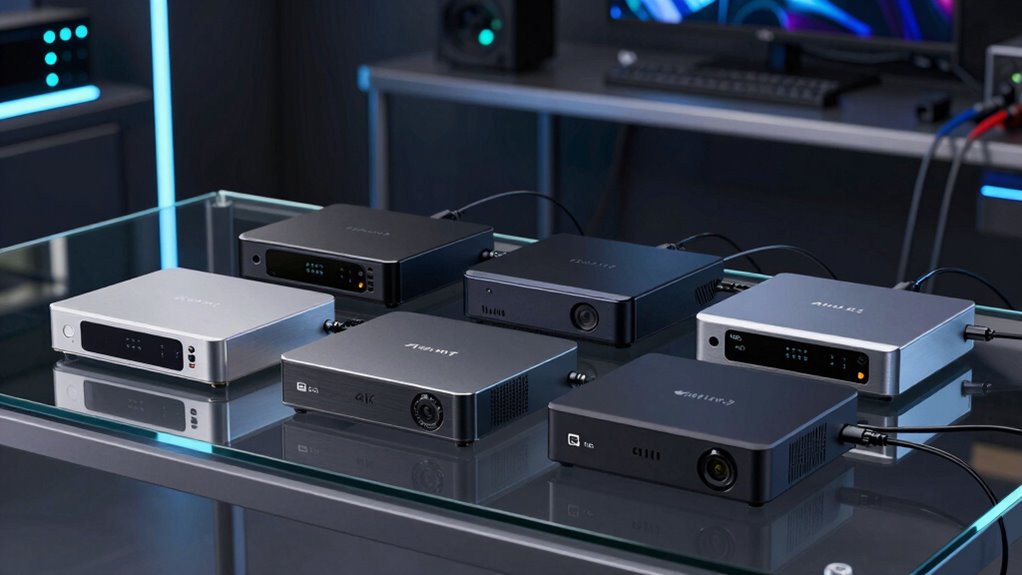

Choosing the right 4K 60 capture card in 2026 means balancing performance, compatibility, and price. For high-end streaming, the Elgato 4K S stands out with its HDR10 support and cross-platform versatility, but it’s pricier and Windows-only for some features. The BlueAVS 4K HDMI offers a seamless plug-and-play experience with high refresh rates, ideal for professional streamers, though it requires a USB 3.0 port and lacks bundled software. For portability and broad device compatibility, the Guermok USB-C provides solid 4K input support in a compact form, but it needs capture software for recording. This guide compares these options and more, helping you pick the best fit based on your setup and goals.

Get audio and creator gear delivered free with Prime
- Fast, free delivery on millions of items
- Prime Video, Amazon Music and more included
- Member-only deals all year
Complete the kit



Key Takeaways
- The Elgato 4K S offers the best overall quality with HDR support, but is more expensive and Windows-centric.
- BlueAVS excels for users seeking plug-and-play simplicity with high refresh rates and broad OS compatibility.
- Guermok‘s portable design suits outdoor streaming and versatile device support, though it needs additional software.
- Limited options exist for true 4K60 capture at a mid-range price, often requiring tradeoffs in features or compatibility.
- Understanding your setup—console, PC, or mobile—determines which capture card provides the best value and performance.
| Elgato 4K S Capture Card for PS5, Xbox Series X/S, Switch 2 |  | Best Overall for High-Quality Streaming | Hardware Interface: USB 3.0 Type C | Video Capture Resolution: 1080p | Operating System: Windows 11, macOS 13 or later, iPadOS | VIEW ON AMAZON | See Our Full Breakdown |
| BlueAVS 4K HDMI Video Capture Card for Streaming |  | Best for Plug-and-Play High-Refresh-Rate Streaming | Resolution Support: Up to 4K60, 144Hz, 240Hz | HDR: Yes | VRR: Yes | VIEW ON AMAZON | See Our Full Breakdown |
| Guermok 4K USB3.0 HDMI to USB-C Video Capture Card, 1080P 60FPS & 2K 30FPS |  | Best for Portability and Broad Compatibility | Hardware Interface: HDMI, USB 2.0, USB 3.0, USB 3.0 Type C | Video Capture Resolution: 1080p, 4K | Operating System: Mac OS, Windows 10/11 | VIEW ON AMAZON | See Our Full Breakdown |
| 4K HDMI Video Capture Card, 1080P 60FPS for Gaming |  | Best Basic 4K60 Capture for Budget Buyers | Capture Resolution: 1080p at 60FPS | Input Support: 4K30/60Hz | Output Support: up to 2K30Hz | VIEW ON AMAZON | See Our Full Breakdown |
| Guermok HDMI Capture Card, USB 3.0 HDMI to USBC Video Capture |  | Best for High-Quality 4K60 Streaming & Compatibility | Hardware Interface: HDMI, USB 3.0, USB-C | Video Capture Resolution: 4K60 | Operating System: Windows 10/11, macOS | VIEW ON AMAZON | See Our Full Breakdown |
| capture card 4k 60 | Hardware Interface | Video Capture Resolution | Operating System |
|---|---|---|---|
| Elgato 4K S Capture Card for P | USB 3.0 Type C | 1080p | Windows 11, macOS 13 or later, iPadOS |
| BlueAVS 4K HDMI Video Capture | — | — | — |
| Guermok 4K USB3.0 HDMI to USB- | HDMI, USB 2.0, USB 3.0, USB 3.0 Type C | 1080p, 4K | Mac OS, Windows 10/11 |
| 4K HDMI Video Capture Card | — | — | — |
| Guermok HDMI Capture Card | HDMI, USB 3.0, USB-C | 4K60 | Windows 10/11, macOS |
More Details on Our Top Picks
Elgato 4K S Capture Card for PS5, Xbox Series X/S, Switch 2
This pick stands out for its support of 4K60 recording and HDR10, making it ideal for high-end streamers aiming for professional-quality output. Its cross-platform compatibility with consoles and computers, combined with near-zero latency, makes it a versatile choice. However, its HDR10 capture is limited to Windows, which could be a drawback for Mac users, and system specs must be adequate for smooth operation. Compared with simpler options, this card offers advanced features that justify its higher price, especially if your setup supports HDR workflows.
Pros:- Supports 4K60 and high frame rate capture
- HDR10 support enhances video quality
- Cross-platform compatibility (Windows, macOS, iPadOS)
- Supports VRR passthrough for smoother gameplay
Cons:- HDR10 capture limited to Windows systems
- Requires compatible hardware for optimal performance
- Higher price point compared to basic models
Best for: High-end streamers and content creators seeking top-tier video quality and broad compatibility
Not ideal for: Casual streamers or users on a tight budget who only need basic 1080p capture
- Hardware Interface:USB 3.0 Type C
- Video Capture Resolution:1080p
- Operating System:Windows 11, macOS 13 or later, iPadOS
- Input:HDMI 2.0, 3.5 mm analog audio in
- Output:HDMI 2.0 passthrough
- Passthrough Resolutions:Up to 2160p60
Our verdict“A robust choice for serious gamers and streamers who want high-quality, versatile capture with advanced features.”
BlueAVS 4K HDMI Video Capture Card for Streaming
This device makes the most sense for streamers who prioritize effortless setup and high refresh rates, supporting up to 4K60 passthrough and 144Hz or 240Hz capture. Its plug-and-play nature means no drivers are needed, and it works across Windows, macOS, Linux, and OBS, making it highly flexible. The dedicated audio port benefits professional content creation, but it requires a USB 3.0 port for optimal performance. While it excels in simplicity and high refresh rates, it lacks bundled software and doesn’t support analog sources, limiting its versatility slightly.
Pros:- Supports 4K60 passthrough
- No drivers needed—plug-and-play
- High refresh rates for competitive gaming
- Dedicated audio port for professional use
Cons:- Requires USB 3.0 port
- Limited to HDMI devices, no analog input
- No bundled recording or streaming software
Best for: Streamers and gamers who want quick setup and high refresh rate support without complex software
Not ideal for: Users needing advanced recording features or working with analog inputs
- Resolution Support:Up to 4K60, 144Hz, 240Hz
- HDR:Yes
- VRR:Yes
- Input/Output:HDMI, 3.5mm audio
- Connectivity:USB-C, USB 3.0
Our verdict“Ideal for streamers who value simplicity and high refresh rates over advanced editing features.”
Guermok 4K USB3.0 HDMI to USB-C Video Capture Card, 1080P 60FPS & 2K 30FPS
This model is well-suited for users who need a portable option that supports 4K input with reliable 1080p60 output. Its broad device compatibility spans Android, Mac, Steam Deck, Switch, PlayStation, Xbox, and more, making it versatile for on-the-go streaming or recording. The plug-and-play design simplifies setup, but it requires capture software and may experience signal loss if cables aren’t properly managed. This card’s low latency and compatibility make it a good choice for outdoor streaming, but it doesn’t support bidirectional HDMI transmission, limiting its use in some scenarios.
Pros:- Supports 4K input and 1080p60 output
- Compact, portable design
- Broad device compatibility including mobile devices
- Low latency for real-time streaming
Cons:- Requires capture software for recording
- Signal loss possible with improper cables
- Limited to HDMI to USB-C transmission
Best for: Content creators who need mobility and compatibility across many devices
Not ideal for: High-end streamers seeking HDR support or extensive software features
- Hardware Interface:HDMI, USB 2.0, USB 3.0, USB 3.0 Type C
- Video Capture Resolution:1080p, 4K
- Operating System:Mac OS, Windows 10/11
- Features:4K30 HDMI input, 1080p60, 2K30
- Platform Compatibility:Android, Mac, Meta Quest, Switch, PS4/5, Xbox
Our verdict“Best for users who prioritize portability and wide device support over advanced features.”
4K HDMI Video Capture Card, 1080P 60FPS for Gaming
This device offers reliable 1080p60 capture at a competitive price, supporting input resolutions up to 4K30/60Hz. It’s a straightforward, plug-and-play option suitable for users who mainly need 1080p streaming or recording. Its HDMI loop-out ensures smooth gameplay while streaming, but it does not support 4K120Hz or higher refresh rates, limiting future-proofing. Additionally, the limited output resolution to 2K30Hz means it’s best for casual or entry-level streaming setups rather than professional production.
Pros:- Supports 1080p at 60FPS
- Simple setup, no drivers needed
- HDMI loop-out for real-time gameplay
- Affordable price
Cons:- Limited to 2K30Hz output resolution
- No advanced features like HDR or VRR
- Doesn’t support 4K120Hz input
Best for: Budget-conscious gamers or streamers seeking basic 4K60 support
Not ideal for: Professional streamers or those who require 4K120Hz or advanced features
- Capture Resolution:1080p at 60FPS
- Input Support:4K30/60Hz
- Output Support:up to 2K30Hz
- Connection:USB 3.0
- Compatibility:Windows, Mac OS
Our verdict“A solid entry-level device for casual gamers and streamers on a budget.”
Guermok HDMI Capture Card, USB 3.0 HDMI to USBC Video Capture
This pick offers full 4K60 input and output support via USB 3.0, making it suitable for serious streamers, gamers, and broadcasters. Its compatibility with numerous devices and OS options, including iOS and gaming consoles, broadens its appeal. The plug-and-play design simplifies setup, but it requires capture software for recording and may encounter signal issues if cables or connections aren’t properly managed. This model is well-suited for those who want high-quality visuals without complex configuration.
Pros:- Supports 4K60 input and output
- Plug-and-play, no drivers required
- Compatible with a wide range of devices and OS
- Includes USB-C adapter for flexible connections
Cons:- Requires capture software for recording
- Signal loss if cables are improperly managed
- Limited to one-way HDMI to USB-C transmission
Best for: Content creators seeking high-quality 4K60 capture with broad device support
Not ideal for: Users needing built-in editing or advanced features without additional software
- Hardware Interface:HDMI, USB 3.0, USB-C
- Video Capture Resolution:4K60
- Operating System:Windows 10/11, macOS
- Video Formats:MJPEG, YUY2, NV12, XRGB
- Minimum System Requirements:Windows 10/11 (64-bit), macOS 10.15+, Intel Core i5
Our verdict“A versatile, high-quality card suited for serious content creators and streamers.”
How We Picked
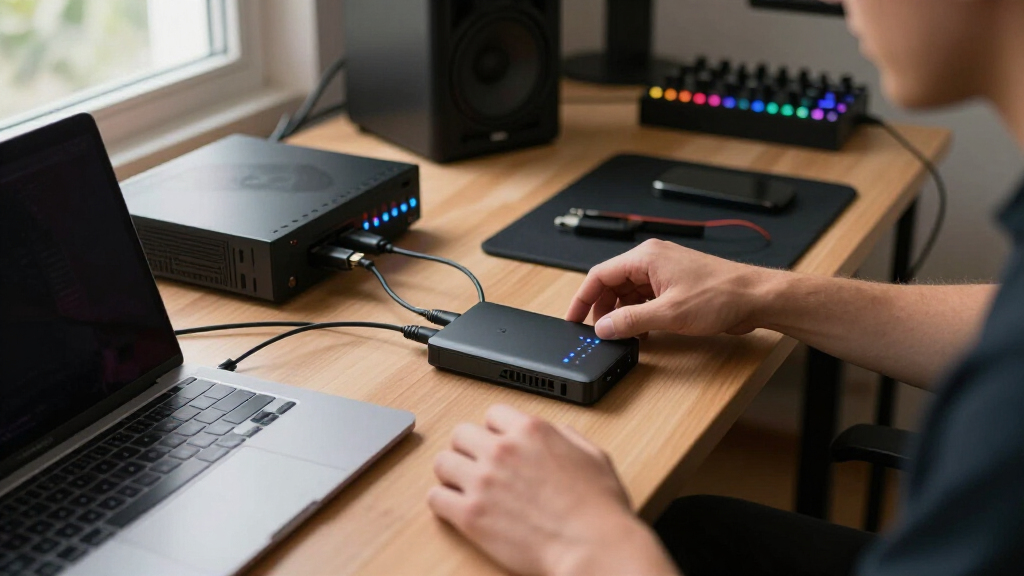
Our selection process focused on models that support native 4K60 input and output, prioritizing high frame rate capture, broad device compatibility, and ease of use. We compared hardware interfaces, software requirements, and additional features like HDR and VRR support. Cost was considered alongside performance tradeoffs, aiming to identify options suitable for gamers, streamers, and content creators at different levels. Each product was evaluated for real-world applicability, ensuring the recommended picks meet common user needs without overpromising capabilities that hardware can’t deliver reliably.
| capture card 4k 60 | Hardware Interface | Operating System |
|---|---|---|
| Elgato 4K S Capture Card for P | USB 3.0 Type C | Windows 11, macOS 13 or later, iPadOS |
| BlueAVS 4K HDMI Video Capture | — | — |
| Guermok 4K USB3.0 HDMI to USB- | HDMI, USB 2.0, USB 3.0, USB 3.0 Type C | Mac OS, Windows 10/11 |
| 4K HDMI Video Capture Card | — | — |
| Guermok HDMI Capture Card | HDMI, USB 3.0, USB-C | Windows 10/11, macOS |
Factors to Consider When Choosing Capture Card 4k 60
When selecting a 4K 60 capture card, it’s vital to consider your specific streaming or recording setup. First, assess whether you need passthrough support for live gameplay or just high-quality recording. Next, evaluate compatibility with your devices—gaming consoles, PCs, or mobile. Then, look at features like HDR, VRR, and refresh rates, which enhance visual fidelity and smoothness. Price often correlates with capabilities, so clarify your budget and future-proofing needs to choose the right balance of features.
Performance and Resolution
Ensure the capture card can handle 4K60 natively for both input and output if you want the highest quality. Some models support 4K input but output only at lower resolutions, which limits their usefulness for high-end streaming. High refresh rates, HDR support, and VRR are additional features that improve gameplay visuals, especially for competitive gaming or professional streaming. Keep in mind that not all cards support HDR recording, so verify what’s necessary for your content quality goals.
Compatibility and Connectivity
Match the capture card with your device ecosystem. If you use a gaming console like PS5 or Xbox Series X, verify that the device supports 4K60 passthrough and that your PC or Mac can handle high data transfer via USB 3.0 or USB-C. For portable use, look for lightweight, plug-and-play options that support multiple OS. Remember, some cards require capture software, which could add complexity or performance overhead, so check compatibility beforehand.
Features and Software
Advanced features like HDR10, VRR, and high refresh rates add to the visual quality but may come with higher costs or system requirements. Software support varies; some cards come with dedicated recording or streaming software, while others require third-party tools. Consider your workflow—if you need seamless integration with OBS, Streamlabs, or other platforms—and whether additional features justify the price premium. Also, check if the card offers HDMI loop-out for real-time gameplay without lag.
Frequently Asked Questions
Can I use a 4K 60 capture card with my console?
Yes, most 4K60 capture cards are designed to work with popular gaming consoles like PS5, Xbox Series X/S, and Nintendo Switch, provided they support HDMI 2.0 or higher. The key is ensuring the device supports 4K60 passthrough if you want to play in 4K while capturing. Compatibility is usually straightforward, but verifying the specs and your console’s HDMI port version can prevent potential issues.
Is HDR support necessary for streaming or recording?
HDR support enhances color depth and contrast, providing a more vibrant and dynamic image. If your content benefits from HDR, especially for high-quality gaming or cinematic recordings, choosing a capture card with HDR10 support makes sense. However, HDR recording often requires a compatible system and software, and not all platforms support HDR playback. For casual streaming, 1080p60 without HDR may suffice.
Do I need special software to use these capture cards?
Many capture cards are plug-and-play and work with popular streaming software like OBS, Streamlabs, or XSplit without additional drivers. However, some models may include proprietary software for configuration or recording. It’s important to check if your preferred platform is compatible and whether additional software is needed, especially for advanced features like overlays, multi-source recording, or live editing.
Can I record at higher than 1080p with these cards?
While most of these cards support 4K input, their recording resolution often defaults to 1080p at 60FPS or lower, depending on the model. If you need native 4K recording, verify that the specific card supports 4K60 recording, not just passthrough. Many models are optimized for streaming at 1080p but can handle 4K input for playback or secondary recording via compatible software.
What should I consider regarding system requirements?
To get the best performance from a 4K 60 capture card, your PC or Mac needs a USB 3.0 or USB-C port, a capable processor, and sufficient RAM. Some high-end models specify specific OS versions and hardware specifications. Check the manufacturer’s minimum system requirements to ensure smooth operation and avoid issues like lag or dropped frames during recording or streaming.
Conclusion
If you’re a professional streamer or serious content creator with high-end hardware and want the best quality, the Elgato 4K S is the most suitable choice. For those seeking quick setup and high refresh rates on a wide range of devices, BlueAVS delivers excellent plug-and-play convenience. If portability and device versatility are your priorities, especially for outdoor streaming, the Guermok USB-C fits well. Budget-conscious users who mainly need 1080p60 should consider the basic Guermok HDMI, which provides reliable performance at a lower cost. Your ideal pick depends on your setup, budget, and performance demands.
Halloween Picks
halloween
As an affiliate, we earn on qualifying purchases.