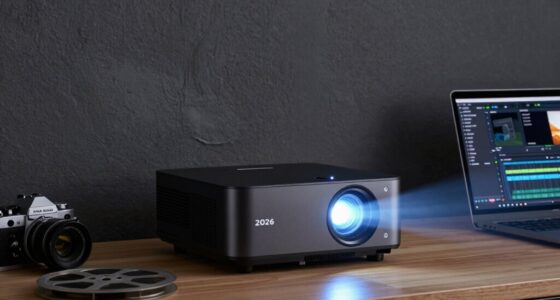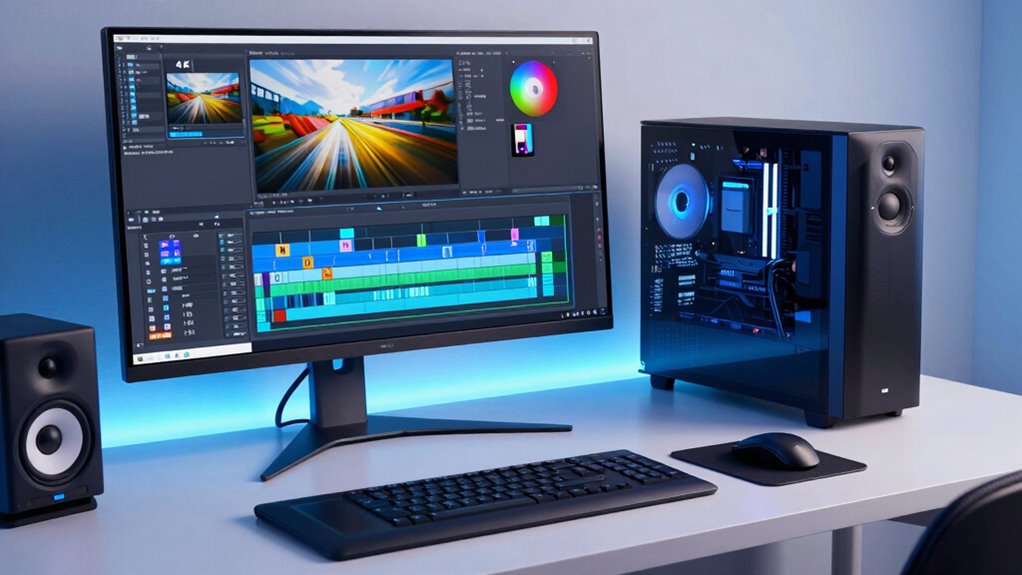

Choosing the right computer for 4K video editing in 2026 involves balancing powerful hardware with budget considerations. The best overall pick is the CPU Solutions VidCore Core Ultra 9, thanks to its robust multi-core CPU, ample RAM, and professional-grade GPU. For those prioritizing raw performance, the Dell Precision 7760 Workstation Laptop offers a mobile solution with high-end specs, while the Sentinel RTX PRO 6000 Tower stands out for demanding professional workflows. These options reflect the key tradeoffs: cost versus power, portability versus expandability. Keep reading for a detailed breakdown of each choice so you can find the perfect fit for your editing setup.

Get audio and creator gear delivered free with Prime
- Fast, free delivery on millions of items
- Prime Video, Amazon Music and more included
- Member-only deals all year
Complete the kit


Key Takeaways
- High-core count CPUs and professional GPUs are essential for smooth 4K editing, especially for complex projects.
- Balance between RAM capacity and storage speed significantly impacts editing performance and workflow fluidity.
- Workstation-class models excel in rendering and multitasking but come at a premium cost, while mini PCs offer compactness with decent power.
- Portability matters for editors on the go, which makes high-spec laptops a valuable alternative to desktops.
- Pricing varies widely; understanding your editing needs helps determine whether to prioritize raw power or value.
| CPU Solutions VidCore Core Ultra 9 Video Editing PC, 4K/8K, 24-Core, 64GB RAM, 2TB NVMe SSD, Quadro RTX 2000 ADA |  | Best Overall for Professional 4K and 8K Editing | Processor: Intel Core Ultra 9 24-core 5.7 GHz | Memory: 64GB RAM | Storage: 2TB NVMe SSD | VIEW ON AMAZON | See Our Full Breakdown |
| Sentinel Non-RGB RTX PRO 6000 Tower AI Workstation Desktop PC with Windows 11 Pro |  | Best for Heavy Multitasking and Content Creation | CPU: Intel Ultra 7 270K Plus, 24 cores, 3.2 GHz | GPU: NVIDIA RTX PRO 6000, 96GB GDDR7 | RAM: 128GB DDR5 5600 MHz | VIEW ON AMAZON | See Our Full Breakdown |
| MINISFORUM G1 Pro Mini PC with Ryzen 9 8945HX and RTX 5060 |  | Best Compact Power for Professional and Gaming Use | Processor: Ryzen 9 8945HX, 16 cores/32 threads, up to 5.4GHz | Graphics: GeForce RTX 5060 8GB GDDR7 | Memory: 32GB DDR5 | VIEW ON AMAZON | See Our Full Breakdown |
| HP Z6 G4 Bronze Workstation, Intel Xeon 3106 8-Core 1.7GHz, 32GB RAM, 1TB NVMe SSD, 2TB HDD, WX 4100 Graphics, Windows 11 (Renewed) |  | Best Value for Budget-Conscious Professionals | Processor: Intel Xeon 3106 8-core 1.7GHz | RAM: 32GB | Storage: 1TB NVMe SSD, 2TB HDD | VIEW ON AMAZON | See Our Full Breakdown |
| HP Mini Desktop PC Computer for Office Work, Data Processing, Accounting, Video Editing, Intel i7-12700T, 32GB RAM, 1TB SSD, 3x 4K Output, Windows 11 Pro | 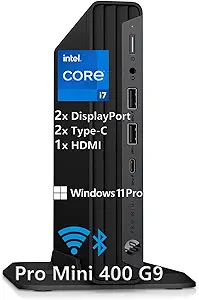 | Best Compact All-in-One for Versatile 4K Editing | Processor: Intel i7-12700T | RAM: 32GB DDR4 | Storage: 1TB SSD | VIEW ON AMAZON | See Our Full Breakdown |
| Dell Desktop Tower with Intel Core i7-12700K, 32GB DDR5 RAM, 1TB PCIe SSD, Dual 4K Monitor Support, Windows 11 Pro |  | Best Overall for High-Performance 4K Video Editing | Processor: Intel Core i7-12700K (12 cores, 20 threads, up to 5.0GHz) | RAM: 32GB DDR5 | Storage: 1TB PCIe SSD | VIEW ON AMAZON | See Our Full Breakdown |
| HP Z6 G4 Workstation – 2x Bronze 3106 8C 1.7GHz, 64GB RAM, 1TB NVMe SSD, 2TB HDD, WX 7100 Graphics, Windows 11 (Renewed) | | Best for Heavy-Duty Professional 4K Editing | Processor: 2x Bronze 3106 8C 1.7GHz | RAM: 64GB | Storage: 1TB NVMe SSD, 2TB HDD | VIEW ON AMAZON | See Our Full Breakdown |
| Dell Tower Desktop Computer Ultra 7 RTX 5060 32GB DDR5 1TB SSD |  | Best for GPU-Accelerated 4K Video Editing and Gaming | Graphics Card: NVIDIA GeForce RTX 5060 (8GB GDDR7) | Processor: Intel Ultra 7 265F 20-core | RAM: 32GB DDR5 | VIEW ON AMAZON | See Our Full Breakdown |
| Dell Precision T7820 Workstation Desktop with Xeon Silver 4210, 32GB RAM, 512GB SSD, Nvidia Quadro RTX 4000, Windows 11 Pro (Renewed) |  | Best for Professional Creative Work with Focus on Stability and Accuracy | Processor: Intel Xeon Silver-4210, 10 cores @ 3.2 GHz | RAM: 32GB DDR4 3200MHz | Storage: 512GB PCIe NVMe SSD | VIEW ON AMAZON | See Our Full Breakdown |
| Dell Precision 7760 Workstation Laptop, 17.3″ 4K, Xeon W-11955M, 128GB RAM, 2TB SSD + 2TB HDD, Nvidia RTX A5000, Windows 11 Pro |  | Best for High-End Mobile 4K Editing and Complex Projects | Display: 17.3″ 4K | Processor: Intel Xeon W-11955M, 8 cores @ 5 GHz | RAM: 128GB | VIEW ON AMAZON | See Our Full Breakdown |
| BOSGAME P5 Pro Mini PC, AMD Ryzen 7 6800H, 32GB DDR5, 1TB PCIe SSD |  | Best Compact Powerhouse for 4K Video Editing | Processor: AMD Ryzen 7 6800H (8C/16T, up to 4.7GHz) | RAM: 32GB DDR5 4800MHz (expandable to 64GB) | Storage: 1TB PCIe SSD (expandable to 4TB) | VIEW ON AMAZON | See Our Full Breakdown |
| HP Z6 G4 Bronze Workstation, Intel Xeon 3106 1.7GHz, 24GB RAM, 1TB NVMe SSD, 2TB HDD, Windows 11 (Renewed) | | Best Professional Workstation for Intensive 4K Editing | Processor: Intel Xeon 3106 1.7GHz | RAM: 24GB | Storage: 1TB NVMe SSD, 2TB HDD | VIEW ON AMAZON | See Our Full Breakdown |
| computers for 4k video editing | Storage | Processor | RAM | Graphics |
|---|---|---|---|---|
| CPU Solutions VidCore Core Ult | 2TB NVMe SSD | Intel Core Ultra 9 24-core 5.7 GHz | — | — |
| Sentinel Non-RGB RTX PRO 6000 | 2x4TB PCIe NVMe SSDs | — | 128GB DDR5 5600 MHz | — |
| MINISFORUM G1 Pro Mini PC with | 1TB SSD, expandable up to 8TB | Ryzen 9 8945HX, 16 cores/32 threads, up to 5.4GHz | — | GeForce RTX 5060 8GB GDDR7 |
| HP Z6 G4 Bronze Workstation | 1TB NVMe SSD, 2TB HDD | Intel Xeon 3106 8-core 1.7GHz | 32GB | WX 4100 |
| HP Mini Desktop PC Computer fo | 1TB SSD | Intel i7-12700T | 32GB DDR4 | Intel UHD 770 |
| Dell Desktop Tower with Intel | 1TB PCIe SSD | Intel Core i7-12700K (12 cores, 20 threads, up to 5.0GHz) | 32GB DDR5 | Intel UHD Graphics 770 |
| HP Z6 G4 Workstation | 1TB NVMe SSD, 2TB HDD | 2x Bronze 3106 8C 1.7GHz | 64GB | WX 7100 |
| Dell Tower Desktop Computer Ul | 1TB SSD | Intel Ultra 7 265F 20-core | 32GB DDR5 | — |
| Dell Precision T7820 Workstati | 512GB PCIe NVMe SSD | Intel Xeon Silver-4210, 10 cores @ 3.2 GHz | 32GB DDR4 3200MHz | Nvidia Quadro RTX 4000 |
| Dell Precision 7760 Workstatio | 2TB SSD + 2TB HDD | Intel Xeon W-11955M, 8 cores @ 5 GHz | 128GB | Nvidia RTX A5000 |
| BOSGAME P5 Pro Mini PC | 1TB PCIe SSD (expandable to 4TB) | AMD Ryzen 7 6800H (8C/16T, up to 4.7GHz) | 32GB DDR5 4800MHz (expandable to 64GB) | Radeon 680M iGPU |
| HP Z6 G4 Bronze Workstation | 1TB NVMe SSD, 2TB HDD | Intel Xeon 3106 1.7GHz | 24GB | — |
More Details on Our Top Picks
CPU Solutions VidCore Core Ultra 9 Video Editing PC, 4K/8K, 24-Core, 64GB RAM, 2TB NVMe SSD, Quadro RTX 2000 ADA
This workstation stands out for its powerhouse 24-core Intel Core Ultra 9 processor, ideal for handling intensive editing workflows and rendering in 4K and 8K resolutions. Compared with the Dell Precision T7820, the VidCore offers a more modern CPU with higher clock speeds, making it better suited for real-time editing and complex effects. Its professional Quadro RTX 2000 ADA graphics card provides excellent GPU acceleration for 3D modeling and post-production tasks, though it comes at a premium price. The 64GB RAM and 2TB NVMe SSD ensure rapid data access and smooth multitasking, crucial for seamless editing sessions. The cooling system is effective, but the large tower design may be less suitable for small studios. Limited upgrade info could be a concern for future-proofing.
Pros:- Exceptional 24-core processor for demanding workflows
- Professional-grade Quadro RTX 2000 ADA GPU with extensive connectivity
- Fast 2TB NVMe SSD for quick data access
- Effective liquid cooling for extended use
Cons:- High price point may be prohibitive for some users
- Large, bulky tower limits placement options
Best for: Pro video editors working on high-resolution projects needing reliable, high-performance hardware
Not ideal for: Home hobbyists with light editing needs or tight budgets, due to its high cost and size
- Processor:Intel Core Ultra 9 24-core 5.7 GHz
- Memory:64GB RAM
- Storage:2TB NVMe SSD
- Graphics Card:Quadro RTX 2000 ADA with 16GB VRAM
- Power Supply:650W
- Cooling System:All-in-one liquid cooler
Our verdict“This PC is best suited for professionals who need raw power and reliability for 4K and 8K editing.”
Sentinel Non-RGB RTX PRO 6000 Tower AI Workstation Desktop PC with Windows 11 Pro
This workstation excels with its massive 128GB DDR5 RAM and NVIDIA RTX PRO 6000 GPU, making it ideal for complex 3D rendering, AI workloads, and multitasking in 4K environments. Unlike the CPU in the CPU Solutions VidCore, the Sentinel’s 24-core Intel Ultra 7 270K Plus provides solid performance but may lag behind in single-threaded tasks, which could impact real-time editing speed. Its dual 4TB SSDs ensure rapid data access, but the machine’s weight of nearly 50 pounds makes it less portable for mobile workflows. The stylish brushed aluminum case offers durability and aesthetics, though the high cost might deter budget-conscious users. Overall, this system is better for users prioritizing raw processing power and multitasking capacity over mobility.
Pros:- Massive 128GB DDR5 RAM for seamless multitasking
- NVIDIA RTX PRO 6000 with 96GB GDDR7 for demanding rendering
- Fast dual 4TB SSDs for data transfer
- Stylish, durable case with premium build quality
Cons:- Heavy and less portable for mobile editing
- Premium price limits accessibility for hobbyists
Best for: Content creators and 3D artists who need extensive RAM and GPU power for multitasking in 4K projects
Not ideal for: Editors seeking a lightweight or budget-friendly setup, as its size and cost are substantial
- CPU:Intel Ultra 7 270K Plus, 24 cores, 3.2 GHz
- GPU:NVIDIA RTX PRO 6000, 96GB GDDR7
- RAM:128GB DDR5 5600 MHz
- Storage:2x4TB PCIe NVMe SSDs
- Weight:49.8 pounds
- Motherboard:LGA 1851 socket
Our verdict“This model is best for users who need maximum RAM and GPU performance for complex, multi-layered workflows.”
MINISFORUM G1 Pro Mini PC with Ryzen 9 8945HX and RTX 5060
This mini PC packs a punch with a Ryzen 9 8945HX and NVIDIA GeForce RTX 5060 GPU, capable of handling 4K editing, gaming, and demanding creative tasks within a compact form. Compared to the larger tower options like the Sentinel, the G1 Pro offers portability and space-saving benefits, making it suitable for small studios or mobile editing setups. Its support for up to three 4K displays enhances productivity, but the high power consumption and potentially limited upgrade paths may challenge future-proofing. Its price reflects the high-end specs, which might be excessive for casual users. This device is a smart choice for those needing high performance in tight spaces without sacrificing capabilities.
Pros:- Powerful Ryzen 9 CPU with 16 cores for multitasking
- RTX 5060 GPU suitable for 4K editing and gaming
- Supports multiple 4K outputs for productivity
- Compact size for space-constrained environments
Cons:- High power consumption and heat output
- Limited upgrade options in small chassis
Best for: Creative professionals who need portable yet powerful hardware for 4K editing and gaming
Not ideal for: Users requiring extensive upgradeability or planning future hardware expansions, due to size constraints
- Processor:Ryzen 9 8945HX, 16 cores/32 threads, up to 5.4GHz
- Graphics:GeForce RTX 5060 8GB GDDR7
- Memory:32GB DDR5
- Storage:1TB SSD, expandable up to 8TB
- Connectivity:5GbE, Wi-Fi 7
- Display Outputs:Quad 4K (3×DP, 2×HDMI)
Our verdict“This mini PC is ideal for professionals who need high performance in a portable form factor for 4K editing and gaming.”
HP Z6 G4 Bronze Workstation, Intel Xeon 3106 8-Core 1.7GHz, 32GB RAM, 1TB NVMe SSD, 2TB HDD, WX 4100 Graphics, Windows 11 (Renewed)
This renewed workstation offers solid performance with an Intel Xeon 3106 8-core processor, 32GB RAM, and dual storage options, making it a practical choice for professional 4K editing on a budget. While it doesn’t match the latest tech of the Sentinel or VidCore in raw processing power, it provides reliable workstation capabilities suitable for moderate 4K workflows. The dual storage setup benefits large project archives, and the WX 4100 GPU handles GPU acceleration modestly. However, being a renewed device, warranty and longevity are considerations, and the older CPU may limit performance in highly demanding tasks. It’s a sensible pick for those who want a dependable workstation without paying premium prices.
Pros:- Cost-effective renewed device with solid specs
- Dual storage offers flexibility and large capacity
- Reliable Xeon processor for stable performance
- Decent GPU for GPU-accelerated editing
Cons:- Older CPU may limit performance in intensive tasks
- Potential warranty and longevity concerns with renewed units
Best for: Budget-conscious professionals needing a reliable workstation for 4K editing and moderate workloads
Not ideal for: Power users requiring top-tier GPU acceleration or the latest hardware, as it may struggle with very complex projects
- Processor:Intel Xeon 3106 8-core 1.7GHz
- RAM:32GB
- Storage:1TB NVMe SSD, 2TB HDD
- Graphics:WX 4100
- Operating System:Windows 11
- Condition:Renewed
Our verdict“This workstation provides a balanced option for professionals who need dependable 4K editing capabilities on a budget.”
HP Mini Desktop PC Computer for Office Work, Data Processing, Accounting, Video Editing, Intel i7-12700T, 32GB RAM, 1TB SSD, 3x 4K Output, Windows 11 Pro
This mini desktop combines office productivity with capable 4K video editing features, thanks to its Intel i7-12700T and 32GB RAM. It supports three 4K outputs simultaneously, making it suitable for multi-monitor workflows, and its small form factor fits in tight spaces. Unlike larger towers, this device is limited in upgrade options, and its integrated graphics, while sufficient for many editing tasks, are less suited for GPU-intensive effects compared to dedicated cards like the RTX series. It’s perfect for users who need a space-efficient solution that can handle moderate 4K editing alongside everyday tasks but may fall short for very high-end production or heavy 3D work.
Pros:- Compact, lightweight design fitting anywhere
- Supports three 4K monitors for enhanced multitasking
- Includes peripherals for immediate setup
- Quiet operation with efficient cooling
Cons:- Limited upgradeability in small form factor
- Lacks dedicated GPU for advanced 3D work
Best for: Small office setups and professionals who need capable 4K editing in a compact, ready-to-go package
Not ideal for: Users planning intensive 3D rendering or heavy GPU workloads, due to limited graphics capability
- Processor:Intel i7-12700T
- RAM:32GB DDR4
- Storage:1TB SSD
- Graphics:Intel UHD 770
- Display Outputs:3x DisplayPort 1.4, 1x HDMI 2.1
- Dimensions:6.97 x 6.89 x 1.34 inches
Our verdict“This mini PC makes the most sense for space-constrained professionals needing reliable 4K editing and multitasking capabilities.”
Dell Desktop Tower with Intel Core i7-12700K, 32GB DDR5 RAM, 1TB PCIe SSD, Dual 4K Monitor Support, Windows 11 Pro
This Dell desktop shines for those who need a powerful, reliable machine capable of handling demanding 4K editing workflows. Its high-end Intel Core i7-12700K processor with 12 cores and 20 threads ensures smooth multitasking, surpassing the performance of more modest setups like the HP Z6 G4 Renewed. The 32GB DDR5 RAM offers ample headroom for complex timelines and multiple apps, while the 1TB PCIe SSD guarantees swift boot and load times. Its support for dual 4K monitors makes it ideal for a multi-display editing environment. However, the absence of a dedicated graphics card might limit performance in GPU-accelerated rendering, and storage is limited to 1TB unless upgraded. Overall, this pick suits professionals who want a balanced, high-performance desktop without stepping into premium workstation territory.
Pros:- Powerful 12-core Intel Core i7-12700K processor for heavy multitasking
- Fast 32GB DDR5 RAM supports complex editing workflows
- Quick 1TB PCIe SSD for rapid data access and system responsiveness
- Supports dual 4K monitors for expanded workspace
Cons:- No dedicated GPU may hinder GPU-intensive rendering tasks
- Limited storage capacity without upgrades
- Wired peripherals reduce portability
Best for: Editors and creatives who prioritize raw CPU power and multitasking capacity in a desktop setup.
Not ideal for: Those needing dedicated graphics for GPU-accelerated effects or extensive storage without upgrades.
- Processor:Intel Core i7-12700K (12 cores, 20 threads, up to 5.0GHz)
- RAM:32GB DDR5
- Storage:1TB PCIe SSD
- Graphics:Intel UHD Graphics 770
- Operating System:Windows 11 Pro
- Dimensions:11.95 in (H) × 3.74 in (W) × 9.45 in (D)
Our verdict“This desktop is best suited for professionals who need a balanced mix of processing power and display flexibility for 4K editing.”
HP Z6 G4 Workstation – 2x Bronze 3106 8C 1.7GHz, 64GB RAM, 1TB NVMe SSD, 2TB HDD, WX 7100 Graphics, Windows 11 (Renewed)
This renewed HP Z6 G4 excels for users who need serious processing and multitasking capacity, especially in professional environments. Its dual Bronze 3106 processors with 8 cores each provide substantial CPU power, outperforming the single-core focus of many consumer desktops. The generous 64GB RAM makes handling large 4K video files and complex effects seamless, outperforming systems like the Dell Desktop Tower with 32GB. The 1TB NVMe SSD ensures fast workflows, while the 2TB HDD offers additional storage flexibility. The included WX 7100 graphics caters to GPU-accelerated tasks, unlike the integrated graphics in less capable setups. The main tradeoff is its bulkier, less upgrade-friendly design and potential warranty limitations on the renewed model. This station prioritizes raw power and expandability for demanding professional editors.
Pros:- Dual 8-core Bronze 3106 processors for intensive multitasking
- Large 64GB RAM supports large files and complex effects
- High-performance 1TB NVMe SSD speeds up workflows
- Professional-grade WX 7100 GPU accelerates rendering
Cons:- Bulkier and less upgradeable than consumer desktops
- Renewed product may have limited warranty
- Higher power consumption
Best for: Professional editors working with large projects requiring maximum CPU, RAM, and GPU resources.
Not ideal for: Casual users or those needing a portable solution, due to its size and complexity.
- Processor:2x Bronze 3106 8C 1.7GHz
- RAM:64GB
- Storage:1TB NVMe SSD, 2TB HDD
- Graphics:WX 7100
- Operating System:Windows 11
- Condition:Renewed
Our verdict“This workstation is ideal for professionals requiring maximum processing, memory, and GPU power for demanding 4K editing tasks.”
Dell Tower Desktop Computer Ultra 7 RTX 5060 32GB DDR5 1TB SSD
This Dell Ultra 7 with the NVIDIA GeForce RTX 5060 offers a compelling option for users who need strong GPU performance for 4K video editing and gaming. Its Intel Ultra 7 20-core processor ensures fast processing, but compared to the Xeon W-11955M in the Dell Precision 7760, it provides better raw power for multitasking and rendering. The 32GB DDR5 RAM supports heavy multitasking, while the 1TB SSD allows quick access to large media files. The inclusion of the RTX 5060 graphics card, with 8GB GDDR7, makes it highly suitable for GPU-accelerated effects, unlike the other options with integrated or lower-end graphics. Potential downsides include its high power draw with a 360W PSU and limited upgradeability details. This PC is best for users who prioritize GPU speed for professional and enthusiast workflows.
Pros:- Powerful 20-core Intel Ultra 7 processor for demanding tasks
- High-end RTX 5060 GPU with 8GB GDDR7 for accelerated rendering
- Fast 32GB DDR5 RAM supports intensive multitasking
- Versatile connectivity including HDMI 2.1 and multiple USB ports
Cons:- Potentially high power consumption with 360W PSU
- Limited details on upgrade paths
- Price may be prohibitive for some users
Best for: Creative professionals and gamers needing GPU acceleration for 4K editing and rendering.
Not ideal for: Users seeking a budget-friendly or highly upgradeable desktop, due to power and upgrade limitations.
- Graphics Card:NVIDIA GeForce RTX 5060 (8GB GDDR7)
- Processor:Intel Ultra 7 265F 20-core
- RAM:32GB DDR5
- Storage:1TB SSD
- Connectivity:Wi-Fi 6, Bluetooth 5.4
- Ports:8 USB including USB-C, HDMI 2.1, DisplayPort 1.4a
Our verdict“This desktop is ideal for users needing serious GPU power combined with high processing speed for 4K editing and gaming.”
Dell Precision T7820 Workstation Desktop with Xeon Silver 4210, 32GB RAM, 512GB SSD, Nvidia Quadro RTX 4000, Windows 11 Pro (Renewed)
The Dell Precision T7820 is tailored for professionals who need precise, stable performance in 4K editing environments. Its Xeon Silver 4210 processor with 10 cores offers reliable multitasking, though it may lag behind the newer Core i7 or Xeon W-11955M in raw speed. The 32GB RAM supports large projects, but compared to the 64GB in the HP Z6 G4, it may be limiting in very large workflows. The 512GB SSD provides fast storage, but the limited capacity could be a bottleneck unless supplemented. The Nvidia Quadro RTX 4000 is a solid choice for GPU-accelerated tasks, matching the professional focus of this build. Its no-Wi-Fi design and potentially limited warranty on the renewed unit might be downsides for some users. This workstation is best for those prioritizing stability, compatibility, and professional-grade graphics.
Pros:- Reliable 10-core Xeon Silver processor for multitasking
- Professional Nvidia Quadro RTX 4000 GPU for GPU-accelerated workflows
- Decent 32GB RAM supports complex projects
- Fast 512GB SSD for quick data access
Cons:- Limited storage capacity without expansion
- No Wi-Fi or Bluetooth modules included
- Renewed product may have limited warranty
Best for: Creative professionals who value stability, accuracy, and professional-grade graphics over raw speed or portability.
Not ideal for: Enthusiasts seeking the latest CPU tech or those who need extensive local storage without external solutions.
- Processor:Intel Xeon Silver-4210, 10 cores @ 3.2 GHz
- RAM:32GB DDR4 3200MHz
- Storage:512GB PCIe NVMe SSD
- Graphics:Nvidia Quadro RTX 4000
- Operating System:Windows 11 Pro
- Condition:Renewed
Our verdict“This workstation is best suited for professionals needing stability, professional graphics, and reliable multitasking for 4K editing.”
Dell Precision 7760 Workstation Laptop, 17.3″ 4K, Xeon W-11955M, 128GB RAM, 2TB SSD + 2TB HDD, Nvidia RTX A5000, Windows 11 Pro
The Dell Precision 7760 stands out for mobile professionals who need desktop-level power on the go. Its Xeon W-11955M processor with 8 cores and high clock speeds delivers exceptional performance, especially compared to typical mobile chips. The massive 128GB RAM allows smooth handling of multi-layered 4K projects and multitasking, surpassing most desktop options in capacity. Dual storage options, including a 2TB SSD and HDD, provide extensive space and speed. The Nvidia RTX A5000 GPU is designed for demanding creative workloads, making it a perfect choice for GPU-accelerated editing, unlike the other desktops with more consumer-focused GPUs. Its weight and cost are notable tradeoffs, limiting portability and affordability. This laptop is ideal for professionals requiring power and mobility for high-end 4K editing workflows.
Pros:- Powerful Xeon W-11955M processor with high clock speeds
- Exceptional 128GB RAM supports complex projects and multitasking
- Large 17.3″ 4K display provides sharp visuals
- Nvidia RTX A5000 GPU for GPU-intensive tasks
Cons:- Heavy and expensive, limiting portability
- Potentially limited battery life under heavy workloads
- High cost may be prohibitive for some users
Best for: High-end mobile editors who need desktop-class performance in a portable form factor.
Not ideal for: Budget-conscious users or those who prefer stationary setups, due to cost and weight.
- Display:17.3″ 4K
- Processor:Intel Xeon W-11955M, 8 cores @ 5 GHz
- RAM:128GB
- Storage:2TB SSD + 2TB HDD
- Graphics:Nvidia RTX A5000
- Operating System:Windows 11 Pro
Our verdict“This mobile workstation is best for professionals who need desktop-level power and large memory capacity on the move for 4K editing.”
BOSGAME P5 Pro Mini PC, AMD Ryzen 7 6800H, 32GB DDR5, 1TB PCIe SSD
This mini PC stands out for delivering desktop-class performance in a remarkably small form factor, making it ideal for those who need a powerful editing station without occupying much space. Compared to larger workstations like the HP Z6 G4 Bronze, the BOSGAME P5 Pro offers comparable processing power and memory capacity but in a more versatile, portable design. Its AMD Ryzen 7 6800H combined with 32GB DDR5 RAM ensures smooth handling of 4K editing workflows, while the quad display outputs support multi-monitor setups—a key feature for professionals managing complex timelines. However, its compact size comes with some tradeoffs: expandable storage requires additional setup, and it may be overkill for casual or light editing. This pick makes the most sense for editors who need high performance in a space-efficient package, especially if they also work on multiple screens or require fast connectivity.
Pros:- Powerful AMD Ryzen 7 6800H processor for demanding tasks
- Large 32GB DDR5 RAM ensures smooth multitasking
- Supports quad display outputs for complex workflows
- Fast connectivity with WiFi 6E and dual 2.5GbE LAN
Cons:- Expandable storage options require additional effort and investment
- Limited pre-installed software details could affect out-of-the-box experience
Best for: Professional video editors working in small studios or on location who need powerful specs in a portable device.
Not ideal for: Beginners or casual users who don’t require multi-monitor support or the latest connectivity options, as the compact design may limit future upgrades.
- Processor:AMD Ryzen 7 6800H (8C/16T, up to 4.7GHz)
- RAM:32GB DDR5 4800MHz (expandable to 64GB)
- Storage:1TB PCIe SSD (expandable to 4TB)
- Graphics:Radeon 680M iGPU
- Display Outputs:2 x HDMI2.0, 2 x USB4 8K@60Hz
- Network:2.5GbE LAN, WiFi 6E, Bluetooth 5.2
Our verdict“This mini PC is ideal for professionals needing a compact yet powerful editing station with multiple display support.”
HP Z6 G4 Bronze Workstation, Intel Xeon 3106 1.7GHz, 24GB RAM, 1TB NVMe SSD, 2TB HDD, Windows 11 (Renewed)
The HP Z6 G4 Bronze excels at handling heavy-duty editing tasks thanks to its Xeon 3106 processor and large RAM capacity, making it suitable for professional workflows that demand reliability and processing power. Compared with the CPU Solutions VidCore Core Ultra 9, which boasts a higher core count and more RAM, the Z6 G4 offers a more balanced configuration for sustained workloads, especially if stability and compatibility are priorities. Its fast NVMe SSD guarantees quick access to large media files, while the 2TB HDD provides ample space for project storage. The bulkier, tower design may be less appealing for on-the-go editing, and as a renewed product, it could have limited warranty coverage. This workstation is best suited for editors who prioritize raw power and storage capacity over portability, particularly in a fixed studio environment.
Pros:- Robust Xeon 3106 processor for demanding editing tasks
- Large 24GB RAM supports extensive multitasking
- Fast 1TB NVMe SSD for quick media access
- Ample storage with 2TB HDD for large project files
Cons:- Renewed status may limit warranty and support options
- Bulkier tower form factor is less convenient for mobile workflows
Best for: Professional video editors working in dedicated studios requiring high reliability, large storage, and heavy multitasking capabilities.
Not ideal for: Editors needing a lightweight or portable setup, or those on a tight budget, since the workstation’s size and renewal condition may be drawbacks.
- Processor:Intel Xeon 3106 1.7GHz
- RAM:24GB
- Storage:1TB NVMe SSD, 2TB HDD
- Operating System:Windows 11
- Condition:Renewed
Our verdict“This workstation is best for professionals who need a durable, high-performance machine in a fixed studio setup for intensive 4K editing.”
How We Picked
I evaluated each computer based on core performance metrics such as CPU and GPU power, RAM capacity, and storage speed, which directly influence 4K editing efficiency. Durability, expandability, and future-proofing also played roles, ensuring that chosen systems can handle evolving editing demands. Cost was a factor, but not at the expense of essential performance features. The ranking reflects a mix of raw power, usability, and value for different types of users, from hobbyists to professionals needing intensive workflows.| computers for 4k video editing | Operating System |
|---|---|
| CPU Solutions VidCore Core Ult | — |
| Sentinel Non-RGB RTX PRO 6000 | — |
| MINISFORUM G1 Pro Mini PC with | — |
| HP Z6 G4 Bronze Workstation | Windows 11 |
| HP Mini Desktop PC Computer fo | — |
| Dell Desktop Tower with Intel | Windows 11 Pro |
| HP Z6 G4 Workstation | Windows 11 |
| Dell Tower Desktop Computer Ul | — |
| Dell Precision T7820 Workstati | Windows 11 Pro |
| Dell Precision 7760 Workstatio | Windows 11 Pro |
| BOSGAME P5 Pro Mini PC | — |
| HP Z6 G4 Bronze Workstation | Windows 11 |
Factors to Consider When Choosing Computers For 4k Video Editing
When selecting a computer for 4K video editing, it’s important to consider more than just raw specs. The right machine depends on your workflow, budget, and portability needs. Understanding key factors can help you avoid common pitfalls and get the best value for your investment.Processor Power and Core Count
The CPU is the heart of any editing machine, especially for 4K workflows that demand fast rendering and encoding. Look for at least an 8-core processor; higher core counts reduce rendering times significantly. Professionals editing complex projects should consider high-end CPUs like Xeon or Ryzen Threadripper for maximum efficiency, but for lighter work, a high-quality i7 or i9 can suffice without overspending.
Graphics Card Importance
A dedicated GPU accelerates tasks such as real-time playback, effects rendering, and exporting. Professional-grade cards like Nvidia Quadro or RTX series offer better stability and feature support for editing software. However, gamers’ GPUs like the RTX 5060 provide excellent performance at a lower price point, making them suitable for enthusiasts or semi-professionals.
Memory and Storage
Ample RAM—ideally 32GB or more—is essential for multitasking and handling large 4K files smoothly. Storage speed impacts how quickly files load and save; NVMe SSDs are a must-have for fast access and reduced bottlenecks. Consider a combination of fast SSDs for active projects and larger HDDs for archival storage to balance speed and capacity.
Expandability and Future-Proofing
Opt for systems with room for upgrades—additional RAM slots, extra M.2 slots, and PCIe expansion. This flexibility can extend the lifespan of your computer as software and project demands grow. Be cautious with compact mini PCs if you anticipate needing more hardware upgrades later, as they often limit expandability.
Portability and Form Factor
If you work on the move or in multiple locations, a high-performance laptop could be more practical despite generally being more expensive than desktops. Conversely, desktops tend to offer better upgrade options and raw performance for the price. Evaluate your workflow—if portability isn’t a concern, a desktop will typically offer more power for less money.
Frequently Asked Questions
Is a high-end GPU necessary for 4K video editing?
While not strictly required, a dedicated GPU significantly improves editing speed, real-time playback, and rendering times, especially for complex effects. Professional GPUs like Nvidia Quadro or RTX series provide stability and compatibility benefits, but high-quality gaming GPUs such as the RTX 5060 can deliver excellent performance at a lower cost for most 4K editing tasks.
How much RAM do I need for 4K video editing?
For smooth 4K editing, 32GB of RAM is generally recommended, allowing you to work with large files and multiple applications simultaneously. If you handle very complex projects or plan to multitask heavily, upgrading to 64GB or more can prevent bottlenecks and improve overall efficiency.
Should I prioritize a desktop or a laptop for 4K editing?
The choice depends on your mobility needs. Desktops typically provide more power, better expandability, and a better price-to-performance ratio. Laptops offer portability, which is ideal if you need to edit on the go, but high-end models tend to be more expensive and have limited upgrade options.
Is an NVMe SSD worth the extra cost for video editing?
Yes, NVMe SSDs drastically reduce load and transfer times compared to SATA SSDs and HDDs. This speed boost is especially noticeable when working with large 4K files, speeding up your workflow and reducing waiting times during editing, rendering, and exporting.
What features should I look for in a workstation for 4K editing?
Focus on a powerful multi-core CPU, a professional-grade GPU, at least 32GB of RAM, and fast NVMe SSD storage. Additionally, look for expandability options, reliable build quality, and sufficient ports for external drives and accessories. These features collectively ensure your workstation remains capable and adaptable as your editing needs evolve.
Conclusion
For casual editors or those on a budget, a well-balanced mid-range desktop or laptop with a decent CPU, GPU, and 32GB RAM can handle 4K workflows effectively. Professionals with demanding projects should consider high-end workstations like the Sentinel RTX PRO 6000 Tower or the Dell Precision 7760 for maximum performance and future-proofing. Beginners or hobbyists will benefit from simpler, more affordable options, while power users should prioritize systems with the latest CPUs and professional GPUs to streamline their editing process. Carefully match your choice to your workflow, budget, and mobility needs for the best results.
As an affiliate, we earn on qualifying purchases.Halloween Picks

11.2-Foot Halloween Inflatable Pumpkin with LED Lights

Kalolary 11 ft Halloween Inflatable Archway Ghost House Tunnel

Spirit Halloween 54-Inch Sitting Scarecrow Animatronic