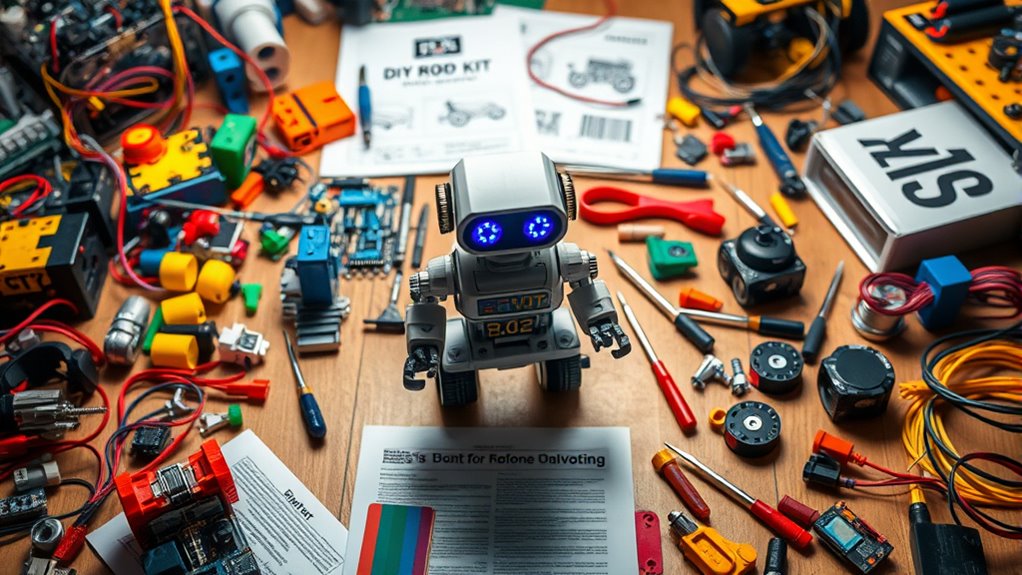

DIY robot kits range from simple build-and-play sets to programmable cars that introduce sensors and coding. My best overall pick is the Makeblock mBot for its mix of hands-on assembly and Scratch and Arduino learning, while the ELEGOO UNO R3 Smart Robot Car Kit stands out for learners ready to explore sensors and camera features. For younger builders, the Sillbird 12-in-1 Solar Robot Building Kit offers varied models without making coding the focus. The main tradeoffs are age fit, assembly complexity, and whether you want a toy to build or a platform to program. Read on for the full breakdown and guidance on matching a kit to the builder.
Complete the kit


Key Takeaways
- The Makeblock mBot is the most balanced learning pick: Scratch and Arduino support make it a stronger bridge from assembly to coding than kits focused mainly on building.
- ELEGOO kits suit different stages of technical interest: the UNO R3 car emphasizes sensors and camera-equipped robot-car projects, while the Conqueror tank offers a distinct tracked-robot build.
- Solar and multi-model kits prioritize variety over programming: Sillbird‘s 12-in-1 options and the 5-in-1 kit are better matches for younger builders who want to assemble multiple forms.
- Age labels do not tell the whole story: soldering, wiring, programming, and fine assembly skills can matter more than the suggested age range.
- Robot arms, line followers, and bulk craft sets solve different needs: they focus on manipulation, soldering practice, and group activities rather than serving as all-purpose coding platforms.
| Sillbird STEM Solar Robot Building Kit, 12-in-1 Gift for Boys Ages 8-13 |  | Best for Solar-Powered Variety | Brand: Sillbird | Age range: 8–12 years | Build options: 12 | VIEW ON AMAZON | See Our Full Breakdown |
| okk Robot Building Toys for Boys, STEM Projects for Kids Ages 6-12, Remote & APP Controlled Engineering Learning Educational Coding DIY Building Kit Rechargeable Robot Toy Gifts for Girls |  | Best for App-Controlled Play | Brand: okk | Set size: 635 pieces | Age guidance: Product listing describes ages 6–12; manufacturer age range listed as 6–12 years | VIEW ON AMAZON | See Our Full Breakdown |
| LAFVIN 2WD Smart Robot Car Kit with R3 Board, Ultrasonic Sensor, L298N Motor Driver, IR Remote Control, Obstacle Avoidance STEM Educational DIY Kit for Beginners |  | Best for Arduino Learning | Board: LAFVIN R3 CH340 | Expansion board: V5 | Motor driver: L298N | VIEW ON AMAZON | See Our Full Breakdown |
| Robot Arm Kit for Kids and Teens – STEM Educational Building Engineering Toy |  | Best for Learning Mechanical Motion | Brand: ANNISOKA | Age guidance: 8 years and up | Materials: Wood and electronic components | VIEW ON AMAZON | See Our Full Breakdown |
| MiOYOOW Line Following Robot Car Kit for STEM Education and Soldering Practice |  | Best for Soldering Practice | Brand: MiOYOOW | Recommended age: 13 years and up | Educational focus: Electronic skills and mechanical skills | VIEW ON AMAZON | See Our Full Breakdown |
| Sillbird STEM Robot Building Kit with Remote Control for Boys 8-13 |  | Best for Multi-Model Remote-Control Play | Number of pieces: 488 | Age range: 8–13 years | Control modes: Bluetooth app and remote | VIEW ON AMAZON | See Our Full Breakdown |
| STEM Robotics Kit for Kids 8-12, DIY Voice-Control Interactive Robot Building Science Kit |  | Best for Sound-Triggered Robot Builds | Age range: 8–12 years | Material: Natural wood | Control input: Sound sensor responds to claps, voice, or other sounds | VIEW ON AMAZON | See Our Full Breakdown |
| STEM Kits for Kids Ages 6-12, 5-in-1 Robot Building Science Kit |  | Best for Younger First-Time Builders | Age range: Designed for ages 6–13; described for age groups 6–8, 8–10, and 10–12 | Number of projects: 5 | Build options: Crawler, obstacle-avoiding car, delivery bot, doodle robot, and single-engine flyer | VIEW ON AMAZON | See Our Full Breakdown |
| Sillbird 12-in-1 Solar Robot Building Kit STEM Gift for Boys Ages 8-13 |  | Best for Solar-Powered Model Variety | Brand: Sillbird | Age range: 10 years and up | Number of parts: 190 | VIEW ON AMAZON | See Our Full Breakdown |
| ELEGOO UNO R3 Smart Robot Car Kit V4 with Camera, Compatible with Arduino |  | Best for Arduino and Sensor Learning | Brand: ELEGOO | Age range: 12 years and up | Platform: UNO R3; compatible with Arduino | VIEW ON AMAZON | See Our Full Breakdown |
| VANLINNY 4-DOF Robotic Arm Kit |  | Best for Hands-On Manipulation | Robot type: Robotic arm | Degrees of freedom: 4 | Recommended age: 8+ | VIEW ON AMAZON | See Our Full Breakdown |
| ELEGOO Conqueror Robot Tank Kit with UNO R3 |  | Best for Advanced Coding Progression | Controller: UNO R3 | Recommended age: 8+; adult guidance recommended | Interactive modes: 5 | VIEW ON AMAZON | See Our Full Breakdown |
| BeAndge 4 Set Bulk Craft Robot Kits |  | Best for Group Activities | Brand: BeAndge | Model number: BA1011 | Number of kits: 4 | VIEW ON AMAZON | See Our Full Breakdown |
| Makeblock mBot Robot Kit |  | Best for First-Time Coders | Recommended age: 8–12 years | Programming: Scratch and Arduino | Build time: About 15 minutes | VIEW ON AMAZON | See Our Full Breakdown |
| Five-Set STEM Robot and Vehicle Kit |  | Best for Project Variety | Number of projects: 5 | Included builds: Solar-powered car, wind-powered car, obstacle-avoidance robot, transmission tank, glider | Recommended age stated: 8–12 years | VIEW ON AMAZON | See Our Full Breakdown |
More Details on Our Top Picks
Sillbird STEM Solar Robot Building Kit, 12-in-1 Gift for Boys Ages 8-13
The 12-in-1 build range gives this kit a different emphasis from the programmable car kits in this roundup: children can assemble robots, cars, and boats while exploring how light can power a build. Its 190 plastic parts and clear instructions suit younger builders who want several construction projects without starting with coding or electronics programming. Compared with the okk 635-piece robot kit, the Sillbird is much simpler and lighter on features, but its solar-power theme makes energy the lesson rather than app control. That simplicity also narrows what it can do: it needs strong light or a flashlight to run, and it does not offer the same remote or programming options as the LAFVIN Arduino-compatible car. I’d choose it for creative assembly and basic renewable-energy exploration, not for a child ready to study sensors or code.
Pros:- Offers 12 different robot, car, and boat build options
- Introduces solar power through hands-on play
- 190 pieces provide varied builds without an especially large parts count
- Clear instructions support younger builders
Cons:- Solar operation depends on sunlight or a suitable flashlight
- Does not provide app control, remote control, or programming features
- The age range and assembly demands may not fit very young children or experienced teen builders
Best for: Children around ages 8–12 who want multiple straightforward robot and vehicle builds and an introduction to solar power.
Not ideal for: Older learners seeking coding, sensor projects, or reliable operation indoors without a bright light source.
- Brand:Sillbird
- Age range:8–12 years
- Build options:12
- Number of pieces:190
- Material:Plastic
- Dimensions:7 x 6 x 11 inches
- Weight:0.53 kg
- Theme:Robotics
Our verdict“Choose this Sillbird kit for younger builders who value multiple builds and a simple solar-energy lesson over coding and remote control.”
okk Robot Building Toys for Boys, STEM Projects for Kids Ages 6-12, Remote & APP Controlled Engineering Learning Educational Coding DIY Building Kit Rechargeable Robot Toy Gifts for Girls
The 635-piece construction set pairs a substantial building project with several ways to control the finished robot, including a handheld remote and Bluetooth app modes for path, voice, motion, and basic programming. That makes it more interactive than the Sillbird solar kit, which centers on assembly and light-powered motion rather than controlling a character. The robot’s movable joints and expressive features also make the result feel more like a play companion than the LAFVIN 2WD Smart Robot Car, which is better suited to learning about sensors and Arduino-style projects. The tradeoff is a busier setup: the app depends on a compatible phone, assembly takes time, and the remote needs two AAA batteries. The product information also gives differing age guidance, so I’d check the builder’s ability to follow a picture guide rather than rely on the broadest age claim.
Pros:- 635 pieces make for an involved building project
- Offers both remote control and Bluetooth app control
- App modes include path, voice, motion, and programming functions
- Movable joints and expressive features add play options after assembly
Cons:- The large piece count can make assembly a lengthy project
- App features require a compatible phone and Bluetooth connection
- Remote control needs two AAA batteries, which are not included
Best for: Families with children who enjoy building a large robot and want app or remote control modes for continued play.
Not ideal for: Buyers focused on Arduino electronics, sensor experiments, or a simple kit that does not depend on a phone app.
- Brand:okk
- Set size:635 pieces
- Age guidance:Product listing describes ages 6–12; manufacturer age range listed as 6–12 years
- Control:2.4 GHz remote and Bluetooth app
- App modes:Remote, path, voice, motion-sensor, and programming modes
- Robot power:Rechargeable lithium battery; USB charging
- Remote batteries:Two AAA batteries required; not included
- Dimensions:11 x 10 x 2 inches
Our verdict“Pick the okk kit for a child who wants a buildable robot with varied app and remote play, rather than a focused electronics-learning platform.”
LAFVIN 2WD Smart Robot Car Kit with R3 Board, Ultrasonic Sensor, L298N Motor Driver, IR Remote Control, Obstacle Avoidance STEM Educational DIY Kit for Beginners
For a buyer who wants a robot kit to become an electronics project, the LAFVIN 2WD car offers a clearer learning path than the play-focused okk or Sillbird builds. Its R3 board, motor driver, ultrasonic sensor, and IR receiver let beginners explore how components work together, while Arduino IDE compatibility leaves room to modify behavior after assembly. Obstacle avoidance gives the car a practical first programming goal; the IR remote adds a separate way to control it. This is less about building a character or choosing among many models and more about understanding a working robot system. The tradeoff is a steeper start: assembly and programming may frustrate someone seeking a ready-to-play result, and the supplied description flags limited instruction detail. Compared with the MiOYOOW line-following kit, it offers more varied control and sensing, but less emphasis on soldering practice.
Pros:- Includes an R3-compatible board, motor driver, ultrasonic sensor, and IR receiver
- Obstacle avoidance creates a concrete first programming project
- Arduino IDE compatibility supports customization and further learning
- Combines autonomous behavior with IR remote control
Cons:- Assembly and programming may be difficult for absolute beginners
- Instructions may not provide enough detail for learners who need close guidance
- Its electronics focus offers less open-ended character or vehicle building than larger block kits
Best for: Teen or adult beginners who want to assemble a small robot car and learn Arduino-compatible programming, sensors, and motor control.
Not ideal for: Younger children seeking a quick, largely play-led build or learners who need highly detailed step-by-step guidance.
- Board:LAFVIN R3 CH340
- Expansion board:V5
- Motor driver:L298N
- Sensors:Ultrasonic sensor and IR receiver
- Servo:SG90
- Motors:DC motors
- Remote control:IR remote
- Programming compatibility:Arduino IDE
Our verdict“Choose the LAFVIN when learning Arduino-compatible robotics matters more than easy assembly or varied toy-style builds.”
Robot Arm Kit for Kids and Teens – STEM Educational Building Engineering Toy
This compact robot arm is the most focused mechanical build in this group: instead of driving a car around, builders assemble an arm and work with its motors, circuit board, and wiring. That gives it a different kind of payoff from the LAFVIN car, whose sensors and Arduino compatibility suit learners interested in mobile robots and code. The ANNISOKA kit is a better fit for someone curious about how electrical parts produce mechanical movement, and its wood construction separates it from the plastic block-based okk robot. The listing says soldering is not required, which lowers one barrier, but the project still calls for careful assembly and may need adult help for younger builders. I’d also plan for the six AA batteries, which are not included, and avoid expecting extensive programming features from the information provided.
Pros:- Combines mechanical assembly with motors, wiring, and a PCB microcontroller
- Wood construction offers a different build experience from plastic block kits
- No soldering is required
- Compact size suits a small workspace
Cons:- Requires six AA batteries, which are not included
- Assembly may call for adult supervision, especially for younger builders
- Available product details do not establish extensive coding or sensor features
Best for: Children aged 8 and up, teens, or adults who want a compact hands-on introduction to assembling a powered mechanical arm.
Not ideal for: Buyers seeking a sensor-rich programmable robot, a large multi-model building set, or a battery-ready kit.
- Brand:ANNISOKA
- Age guidance:8 years and up
- Materials:Wood and electronic components
- Dimensions:4.48 x 6.8 x 4.3 inches
- Included components:Robot arm kit, motors, PCB microcontroller, and wires
- Power requirement:Six AA batteries; not included
- Soldering:Not required
- Number of items:1
Our verdict“Pick this kit for a focused, compact robot-arm assembly project, not for driving, sensing, or advanced coding activities.”
MiOYOOW Line Following Robot Car Kit for STEM Education and Soldering Practice
The MiOYOOW line-following car is the hands-on choice for learners who want to practice soldering as part of building a robot, not just assemble snap-together parts. Its reflectivity-based tracking system gives the finished car one clear job: follow a black line. That narrower goal makes it more targeted than the LAFVIN 2WD car, which adds ultrasonic obstacle avoidance, IR control, and Arduino IDE compatibility. In return, the MiOYOOW kit keeps the project centered on basic circuits, mechanical structure, and sensor principles, with an English manual and QR-linked PDF instructions. The limitation is also the point: it does not provide the same range of remote-control or programming activities as the LAFVIN, and soldering may be a poor match for someone’s first electronics project without adult support. The battery type is not specified in the provided details.
Pros:- Provides soldering practice alongside mechanical assembly
- Line tracking introduces reflectivity-based sensor principles
- Includes an English manual and QR code for PDF instructions
- Focused behavior makes it a defined beginner electronics project
Cons:- Soldering may be challenging for complete beginners
- Tracking is limited to following lines using light reflectivity
- Battery type is not specified in the supplied product information
Best for: Students aged 13 and up or hobbyists who want to practice soldering while building a basic line-following robot.
Not ideal for: Younger children, buyers avoiding soldering, or learners who want a programmable car with several sensor and control modes.
- Brand:MiOYOOW
- Recommended age:13 years and up
- Educational focus:Electronic skills and mechanical skills
- Tracking method:Light-reflectivity-based line following
- Instructions:English manual and QR code for PDF instructions
- Material:Fiberglass
- Power source:Alkaline batteries; battery type not specified
- Item weight:2.4 ounces
Our verdict“Choose MiOYOOW if soldering practice and a focused line-following project matter more than remote control or broader programming options.”
Sillbird STEM Robot Building Kit with Remote Control for Boys 8-13
I’d choose this Sillbird kit for a child who wants to rebuild and drive different creations rather than focus on one robot. Its 488 pieces support five build styles, including a robot, dinosaur, car, and tank, while app and remote control add two ways to operate the finished model. Compared with the solar-powered Sillbird 12-in-1 kit, this one trades a larger number of models and energy experimentation for rechargeable, interactive control.
The illustrated instructions and 8–13 age range make it a more approachable choice than the programming-focused ELEGOO UNO R3 car, but assembly still takes patience, especially for younger builders. Runtime is listed at up to 40 minutes, so sessions may need a recharge. I’d skip it for teens seeking substantial coding practice or buyers who want a ready-to-run toy.
Pros:- Five build options give the kit replay value beyond a single robot.
- App and remote control let builders operate models in different ways.
- Clear instructions support independent assembly for many children in its age range.
- Rechargeable battery is specified for up to 40 minutes of play.
Cons:- Assembly may challenge younger children without adult support.
- Up to 40 minutes of battery life can limit longer play sessions.
- Its control-focused play offers less explicit programming depth than the ELEGOO UNO R3 kit.
Best for: Children ages 8–13 who enjoy rebuilding vehicles and creatures and want app or remote control after assembly.
Not ideal for: Older teens seeking deeper programming projects, or younger children who need a very simple build with little adult help.
- Number of pieces:488
- Age range:8–13 years
- Control modes:Bluetooth app and remote
- Build options:Robot, dinosaur, car, tank, and other models
- Battery life:Up to 40 minutes
- Dimensions:8.7 × 5.9 × 12.2 inches
- Weight:1.8 pounds
Our verdict“Choose this Sillbird kit for school-age builders who value varied models and hands-on remote control more than advanced coding.”
STEM Robotics Kit for Kids 8-12, DIY Voice-Control Interactive Robot Building Science Kit
This wooden kit has a distinct purpose: it gives a young builder a robot that responds to claps, voice, and other sounds. The sound sensor and delay module offer a concrete way to explore input, processing, and movement without making screen-based coding the center of the project. Compared with the Sillbird 5-in-1 kit, it offers less variety in finished builds and no stated app or remote control, but its sound-triggered behavior makes the interaction itself the lesson.
The laser-cut wooden parts and printed graphics give the project a craft-like character, while assembly calls for patience and basic hands-on skills. The product description warns that it is not prebuilt and may challenge beginners, so I’d pair it with an interested adult or a child who already likes careful projects. The listing does not provide piece count, dimensions, or battery details, which makes planning around the build harder.
Pros:- Sound sensor gives the finished robot a clear interactive function.
- Introduces input-processing-output concepts through a physical build.
- Laser-cut wooden pieces are described as smooth and precisely cut.
- Printed graphics are applied directly to the wood rather than supplied as stickers.
Cons:- The maker warns that assembly may be challenging for beginners.
- Only one sound-reactive project is described, offering less rebuild variety than the Sillbird 5-in-1 kit.
- Piece count, dimensions, and battery information are not provided.
Best for: Ages 8–12 who enjoy hands-on construction and want to explore how sound can trigger a robot’s movement.
Not ideal for: First-time builders looking for a quick, guided toy, or buyers who need confirmed dimensions, piece count, or power details before choosing.
- Age range:8–12 years
- Material:Natural wood
- Control input:Sound sensor responds to claps, voice, or other sounds
- Electronic components:Sound sensor module, voice delay module, electric motor, and other materials
- Wood cutting:Laser-cut parts
- Assembly type:DIY assembly; not prebuilt
Our verdict“Pick this wooden kit for a patient young maker interested in sound-triggered robotics, not for a beginner who wants an easy multi-model set.”
STEM Kits for Kids Ages 6-12, 5-in-1 Robot Building Science Kit
Among these five, this kit is the clearest fit for a younger child who wants several different projects in one box. Its five builds include a crawler, obstacle-avoiding car, delivery bot, doodle robot, and single-engine flyer, giving the child different mechanisms to assemble rather than simply changing a robot’s appearance. Compared with the Sillbird 5-in-1 kit, the emphasis here is on varied project types and illustrated, step-by-step assembly, not app and remote control.
The supplied screwdriver and rounded-edge parts can make a family building session easier to organize, and the described age span reaches down to six. Still, no piece count, dimensions, battery details, or control method are provided, so I would not choose it when those specifics matter. The broad age range also means some builds may need adult help for younger children, while experienced builders may want more electronics detail than the listing gives.
Pros:- Five distinct project types offer more mechanical variety than a single-model kit.
- Step-by-step instructions use colorful illustrations to guide assembly.
- A screwdriver is included for building.
- Rounded edges and durable materials are described as suited to handling by children.
Cons:- Piece count, dimensions, power source, and control method are not specified.
- Younger builders may need adult assistance with assembly.
- The listing does not establish programming features comparable to the ELEGOO UNO R3 kit.
Best for: Families with children around ages 6–10 who want several guided, hands-on robot projects for shared building time.
Not ideal for: Older or technically experienced builders who want documented electronics, app control, or clear programming capabilities.
- Age range:Designed for ages 6–13; described for age groups 6–8, 8–10, and 10–12
- Number of projects:5
- Build options:Crawler, obstacle-avoiding car, delivery bot, doodle robot, and single-engine flyer
- Included tool:Screwdriver
- Instructions:Step-by-step instructions with colorful illustrations
- Materials:Described as durable, non-toxic materials with smooth rounded edges
Our verdict“Choose this set for a younger child who wants illustrated, varied builds, but look elsewhere if you need detailed electronics or coding specifications.”
Sillbird 12-in-1 Solar Robot Building Kit STEM Gift for Boys Ages 8-13
This Sillbird kit makes the most sense for a builder who wants to explore how light can power a moving model. Its 12 builds from 190 parts offer more configuration choices than either of the 5-in-1 kits in this batch, and the solar panel turns power into part of the project rather than relying on the rechargeable battery used by the remote-control Sillbird. That tradeoff gives the activity a renewable-energy angle, but it also makes play dependent on available light.
Clear instructions help with the many configurations, though the listed age guidance is 10 years and up, making it a less obvious pick for younger children than the 6–13 kit. The product description mentions indoor or outdoor use, but operation still needs sunlight or artificial light. I’d choose it for model-building and basic solar learning, not for dependable movement on demand or app-controlled play.
Pros:- Twelve model options offer more rebuild variety than the 5-in-1 kits.
- Solar power makes energy use part of the building activity.
- Large solar panel is intended to improve power output.
- Clear instructions support assembly across multiple configurations.
Cons:- Operation depends on sunlight or artificial light.
- The 10+ age guidance may make it less suitable for younger builders.
- Small parts may be difficult for younger children to handle.
Best for: Builders around age 10 and up who want many mechanical models and a hands-on introduction to solar power.
Not ideal for: Younger children who need simpler assembly, or families who want a robot that runs reliably without a suitable light source.
- Brand:Sillbird
- Age range:10 years and up
- Number of parts:190
- Number of models:12
- Power source:Solar
- Material:ABS
- Item dimensions:10.24 × 7.87 × 2.56 inches
Our verdict“Pick this Sillbird set if solar-powered experimentation and numerous rebuilds matter more than app control or play in any lighting.”
ELEGOO UNO R3 Smart Robot Car Kit V4 with Camera, Compatible with Arduino
I’d rank the ELEGOO as the strongest choice here for a learner ready to move beyond assembling a toy and into programming and electronics. Its Arduino-compatible UNO R3 platform, sensors, and guided tutorials support functions such as line tracking and obstacle avoidance; the camera adds FPV video, while app and IR control give several ways to operate the car. Compared with the Sillbird remote-control kit, it offers more explicit technical learning but less emphasis on rebuilding the vehicle into different forms.
The 12+ age guidance reflects a real tradeoff: wiring and programming can be a steeper start for younger children or anyone seeking instant play. It is better suited to a classroom, mentor-supported project, or motivated beginner than a simple family build. The listing specifies a half-year warranty, a detail buyers may want to weigh when choosing a more electronics-focused kit.
Pros:- Arduino-compatible platform supports hands-on programming and electronics learning.
- Sensors enable line tracking, obstacle avoidance, and auto-follow functions.
- FPV camera adds a video-control feature not described for the other kits in this batch.
- App and IR control offer multiple ways to operate the car.
Cons:- Assembly and programming may be too demanding for younger or inexperienced builders.
- A single robot-car format offers less model variety than the Sillbird multi-build kits.
- The listed warranty period is half a year.
Best for: Teens, adult beginners, or classroom learners who want an Arduino-compatible robot car with sensors, camera features, and tutorials.
Not ideal for: Young children or buyers looking for a quick, mostly preassembled play experience without wiring and programming.
- Brand:ELEGOO
- Age range:12 years and up
- Platform:UNO R3; compatible with Arduino
- Highlighted functions:FPV video, line tracking, obstacle avoidance, and auto follow
- Control methods:App and IR remote
- Item dimensions:8 × 7 × 6 inches
- Item weight:1.23 kg
- Warranty:Half a year
Our verdict“Choose the ELEGOO for a motivated learner who wants Arduino, sensors, and camera functions, rather than a simple multi-model building toy.”
VANLINNY 4-DOF Robotic Arm Kit
The VANLINNY kit makes the most sense for a child more interested in grabbing and moving objects than driving a robot around. Its four degrees of freedom let the arm move at multiple angles, while the gripper and lifting motion introduce mechanical control in a tangible way. Simple programming adds an early coding element, and simulated sound effects make the activity feel more like a toy than a bare engineering exercise. Compared with the Makeblock mBot, this kit focuses on arm movement rather than a broader set of driving and coding activities; the mBot is the stronger choice for a guided path from Scratch toward Arduino. The tradeoff is that the VANLINNY description gives little detail about its programming tools or project depth, so it may offer less direction for continued learning.
Pros:- Four degrees of freedom provide several kinds of arm movement.
- Gripper and lifting functions make mechanical control easy to see.
- Simple programming connects the build with introductory robotics concepts.
- Metal construction is specified for the structure.
Cons:- The programming platform and learning materials are not described in detail.
- The focused arm design offers less variety than mobile kits such as the Makeblock mBot.
- No battery or power requirements are provided in the supplied product details.
Best for: Children aged eight and up who want to build and program a movable arm for basic object-grabbing activities.
Not ideal for: Families seeking a clearly documented coding curriculum, sensor-based driving modes, or detailed software support.
- Robot type:Robotic arm
- Degrees of freedom:4
- Recommended age:8+
- Programming:Simple programming supported
- Functions:Multi-angle movement, arm and excavator lifting, object grabbing
- Sound:Simulated sound effects
- Structure:Metal
- Support period:18 months
Our verdict“Choose this kit for a child drawn to a programmable grabbing arm, but pick the Makeblock mBot for a more clearly supported coding progression.”
ELEGOO Conqueror Robot Tank Kit with UNO R3
The ELEGOO Conqueror stands out for pairing a substantial tracked-robot build with a route from block-based app programming to Arduino IDE projects. Its five modes—FPV driving, IR remote control, obstacle avoidance, line tracking, and auto-follow—give learners different ways to explore sensors and motion rather than repeating one driving task. The camera and Wi-Fi module add first-person control, while the stainless-steel chassis and plug-in wiring make assembly a hands-on project without soldering. Compared with the Makeblock mBot, the Conqueror offers a more involved platform and camera-based driving, but the mBot is presented as quicker to assemble and more beginner-oriented. The Conqueror’s larger collection of parts and functions brings more setup and adult-guidance demands, especially for younger builders.
Pros:- Supports a progression from block-based programming to Arduino IDE.
- Five modes cover remote driving, tracking, avoidance, and follow behavior.
- Camera and Wi-Fi module enable phone-based first-person viewing.
- Metal chassis and plug-in wiring create a substantial build without soldering.
Cons:- The multi-part assembly and electronics are more demanding than the Makeblock mBot.
- The product recommends adult guidance for builders aged eight and up.
- Its camera, modules, and multiple modes add setup complexity for casual use.
Best for: Ages eight and up with adult help, especially learners ready to move from app-based coding toward Arduino projects and sensor experiments.
Not ideal for: First-time builders who want a short, low-complexity assembly or a robot with minimal setup and guidance.
- Controller:UNO R3
- Recommended age:8+; adult guidance recommended
- Interactive modes:5
- Programming:ELEGOO app block-based programming and Arduino IDE
- Camera:OV2640
- Wireless module:ESP32-WROVER Wi-Fi
- Chassis:Stainless steel with tracked drive system
- Power pack:7.4 V battery pack included
- Assembly:Plug-in wiring; no soldering required
Our verdict“Pick the Conqueror for a guided, feature-rich route into Arduino and sensor robotics, and choose the mBot for a simpler first coding robot.”
BeAndge 4 Set Bulk Craft Robot Kits
BeAndge’s main advantage is quantity: four separate kits make it easier to run a classroom activity, family build session, or small STEM competition without sharing one robot between participants. The kits use motors and simple circuit-building ideas, with googly eyes adding a playful finish. That makes this a more group-oriented choice than the VANLINNY 4-DOF Robotic Arm Kit, which gives one builder a more focused mechanical project. BeAndge’s low piece count per kit may help keep the activity approachable, but it also limits how much each child can customize or extend the design. The supplied age guidance varies: the title says ages 6–13 while the listed recommendation is 8–13, so I would follow the more specific spec and plan for adult help during assembly.
Pros:- Four kits support simultaneous building by a small group.
- Motorized movement connects assembly with basic electrical and robotics concepts.
- Playful googly-eye design can make a first STEM activity more inviting.
- Compact package dimensions make the set practical for group activity storage.
Cons:- Four pieces per kit leave limited room for complex builds or customization.
- No programming features or coding platform are specified.
- Assembly may need adult assistance, and the listed age guidance is inconsistent.
Best for: Teachers, activity leaders, and families who want several simple motor-and-circuit builds for children aged 8–13 to assemble together.
Not ideal for: A solo learner seeking a detailed programming path, a complex robot build, or a kit with extensive expansion options.
- Brand:BeAndge
- Model number:BA1011
- Number of kits:4
- Pieces per kit:4
- Recommended age:8–13 years
- Item weight:0.34 kg
- Dimensions:8.46 × 5.7 × 2.16 inches
- Build features:Motors, circuit-building activities, googly eyes
Our verdict“Choose BeAndge when the priority is giving several children a simple robot-building activity, not a deep or programmable robotics project.”
Makeblock mBot Robot Kit
The Makeblock mBot is the clearest starting point here for a child who wants to connect a build with coding. Its step-by-step resources and support for Scratch-style learning followed by Arduino give beginners a more explicit learning path than the VANLINNY arm, whose programming tools are not specified. Assembly is described as taking about 15 minutes, and line-following and obstacle-avoidance functions give the robot useful tasks beyond remote-controlled driving. Open-system compatibility with Makeblock modules and LEGO parts also leaves room to add projects later. Compared with the more elaborate ELEGOO Conqueror, the mBot is simpler and more approachable, but it does not offer the Conqueror’s camera-based FPV experience or five operating modes. Families need to supply four AA batteries and a CR2025 battery for the remote.
Pros:- Provides learning resources that progress from Scratch to Arduino.
- Short stated assembly time makes it approachable for new builders.
- Line-following and obstacle-avoidance functions add interactive tasks.
- Compatible with more than 100 electronic modules and 500 parts in the Makeblock platform, plus LEGO parts.
Cons:- Four AA batteries and a CR2025 remote battery are not included.
- Its feature set is less extensive than the ELEGOO Conqueror’s camera and five modes.
- The learning experience depends on using the included software and tutorials.
Best for: Children aged 8–12 who are new to robotics and want clear coding lessons, a quick build, and room to expand later.
Not ideal for: Buyers who want batteries included, a camera-equipped robot, or a more advanced multi-sensor platform from the outset.
- Recommended age:8–12 years
- Programming:Scratch and Arduino
- Build time:About 15 minutes
- Robot functions:Remote control, line following, obstacle avoidance
- Software:Three Makeblock apps and mBlock software
- Expansion compatibility:More than 100 electronic modules and 500 parts in the Makeblock platform
- Other compatibility:LEGO parts
- Robot batteries:4 AA batteries required; not included
- Remote battery:CR2025 required; not included
Our verdict“Choose the mBot for a beginner-friendly build with a clear coding progression, unless camera control and more advanced modes matter more.”
Five-Set STEM Robot and Vehicle Kit
This five-project set is a fit for households or classrooms that want several different build experiences rather than one robot to program over time. The assortment includes a solar-powered car, wind-powered car, obstacle-avoidance robot, transmission tank, and glider, so children can compare different ways of producing movement and explore a mix of mechanical and simple electronic ideas. That variety contrasts with the Makeblock mBot, which centers on one reusable robot and a more defined Scratch-to-Arduino learning path. Here, the appeal is moving between projects; the tradeoff is that the description gives little detail about coding or expansion. AA batteries are required but not included, and younger builders may benefit from the supplied step-by-step manuals and adult support.
Pros:- Five different projects provide variety across cars, a robot, a tank, and a glider.
- Solar and wind-powered builds introduce alternative ways to produce motion.
- Obstacle avoidance adds an interactive robotics project to the assortment.
- Step-by-step manuals and a mini screwdriver are included.
Cons:- AA batteries are required but not included.
- The product description does not specify a coding platform or expansion system.
- Several separate projects may offer less ongoing depth than the Makeblock mBot’s reusable platform.
Best for: Families, teachers, and science-fair mentors who want multiple build styles for children around ages 8–12 to explore together.
Not ideal for: A learner seeking one durable, expandable robot with a clear programming curriculum or advanced coding progression.
- Number of projects:5
- Included builds:Solar-powered car, wind-powered car, obstacle-avoidance robot, transmission tank, glider
- Recommended age stated:8–12 years
- Power requirement:AA batteries required; not included
- Included tool:Mini screwdriver
- Instructions:Step-by-step manuals
- Intended activities:Family STEM activities, classroom projects, science fairs
Our verdict“Choose this set for varied family or classroom building sessions, but favor the Makeblock mBot if coding progression is the main goal.”

How We Picked
I compared the 15 kits by the kind of learning and building they support: basic mechanical assembly, interactive play, electronics, soldering, sensor use, or coding. I gave more weight to kits that offer a clear next step after the first build, while also considering whether the stated project and controls appear suited to the intended age and experience level. Build variety mattered for younger users; programming options, component complexity, and room to experiment mattered more for older or technically curious learners.
The ranking reflects fit and versatility, not a claim that one kit is right for every household. The Makeblock mBot leads for balancing construction with coding, while the ELEGOO kits rank well for more electronics-focused projects but ask more of the builder. Simpler Sillbird and multi-project kits suit first builds, though they offer less depth in programming. Specialized arms, line followers, and bulk craft kits rank by how well they serve their narrower purpose, with assembly demands and learning progression counted as tradeoffs.
Factors to Consider When Choosing Diy Robot Kits
Before choosing among DIY robot kits, decide what you want the builder to do after opening the box. A kit can be a short construction activity, a reusable coding platform, or an introduction to electronics—and those goals call for different parts and adult support.
Choose the Learning Goal Before the Robot Shape
A car, tank, arm, or walking model can look exciting, but the form does not reveal what the builder will learn. Look for the activity behind the build: mechanical assembly, line tracking, obstacle sensing, programming, or soldering. A kit with motors and sensors may still offer limited coding depth, while a simple-looking controller-based model can provide a useful first electronics lesson. A common mistake is buying for the finished robot rather than the process the child enjoys. If the aim is sustained learning, choose a kit with a clear path from assembling parts to changing how the robot behaves. If the goal is a shared weekend project, a simpler multi-model set may be a better fit.
Match Complexity to Skill, Not Just Age
Age ranges are a rough guide, not a measure of experience with small parts, instructions, wiring, or software. Younger builders may manage a complex kit with an adult beside them, while an older beginner can find soldering or code setup frustrating without prior practice. Check whether the project expects independent assembly, adult help, or computer access. Also think about attention span: a long build can be rewarding for a patient maker but discouraging as a first robot project. For a first kit, favor clear assembly steps and a modest early success before adding harder tasks. Choose a more demanding set when the builder already enjoys troubleshooting rather than only following instructions.
Check What Coding and Control Actually Mean
Remote control, app control, and programming are different experiences, even when product names group them together. Remote or voice control can make a robot interactive quickly, but it does not necessarily teach the builder how to change its behavior. Scratch-style coding can offer a gentle entry point, while Arduino-compatible projects may require more comfort with code, wiring, and debugging. Before buying, check which devices or software are needed and whether the intended user can access them. Do not assume that a programmable kit includes guided lessons or that an app-controlled toy supports open-ended coding. Pick control features that match the learning goal, not just the most technical-sounding label.
Plan for Tools, Soldering, and Ongoing Setup
Assembly demands can change the whole experience: some builds rely on snapping parts together, while others involve small fasteners, wiring, or soldering practice. Find out whether tools, batteries, or a compatible computer are needed before the project begins. Soldering can be a valuable skill, but it calls for supervision and a workspace suited to the task, so it is not a casual substitute for a no-tools kit. Electronic kits also bring setup and troubleshooting that can extend well beyond the first build. A useful purchase is one the household can actually support, including time for software installation and testing. When uncertain, prioritize a simpler first project over a kit whose complexity depends on equipment you do not have.
Balance Rebuildability Against One-Time Variety
Multi-model kits offer a reason to take the robot apart and build something else, which can keep younger makers engaged. A programmable platform may offer fewer physical forms but more ways to change movement and behavior. Neither kind of variety is automatically better: rebuilding suits users who enjoy construction, while code changes appeal to those who like experiments and iteration. Consider whether the instructions support repeated builds and whether parts are likely to be reused across projects. For classrooms or siblings, a bulk craft set can serve a different purpose from a single robot that one person programs over time. Choose the kind of repeat play the user is most likely to return to.
Spend More for a Clear Next Step
A more involved electronics kit makes sense when the builder is ready to learn from sensors, code, or mechanical systems rather than simply complete an assembly. Extra components matter only if they support projects the user can understand and extend. For a first-time builder, a complex controller or camera feature may add setup work without adding much enjoyment. On the other hand, a very basic craft kit can feel limiting to someone already comfortable with coding and wiring. Think about the next project the user might want to attempt, not just the first day with the kit. The best fit leaves room to grow without making the opening build feel like a hurdle.
Frequently Asked Questions
Should I choose a robot kit with coding or one that only needs assembly?
Choose based on the activity the builder wants to repeat. Assembly-focused options such as multi-model kits can be a good start for someone who likes making objects but is not ready for software. A coding-oriented platform makes more sense when the user wants to change movement, respond to sensors, or learn programming. Remote and app controls can make a robot interactive, but they do not automatically provide programmable lessons. If you are unsure, start with a kit that offers a successful basic build and a clear route to more advanced tasks.
Is an Arduino-compatible robot kit a good first project?
It can be, but the builder should be prepared for more than fitting parts together. Arduino-compatible kits may involve wiring, software setup, and debugging, all of which can be part of the learning experience. A younger or completely new builder may benefit from an adult who can help when the robot does not respond as expected. If the user wants a quick build with little troubleshooting, a simpler construction kit may be a better opening choice. Pick Arduino compatibility for the chance to experiment, not just because it sounds advanced.
Do solar robot kits need direct sunlight to work?
Solar-powered builds depend on light reaching their panel, so the setting and available light affect the activity. Before choosing one, check the product instructions for how the model is powered and what conditions its solar component needs. This type of kit can be appealing when the goal is to connect building with a basic energy concept, but it may not offer the same control or coding activities as an electronic robot car. If consistent interactive movement is the priority, compare the power and control approach with other kit types. An adult may need to help younger builders understand why performance can vary with the light source.
What should I check before buying a robot kit as a group or classroom activity?
Start by checking how many complete projects the set supports and whether the build is designed for one person or a team. A bulk craft set may suit a group activity better than a single programmable robot that needs turns at a computer. For electronics-based projects, check tool and supervision needs, especially if soldering or small wiring tasks are involved. Think about cleanup and storage too, since loose parts can make repeated classroom use harder. If the learning goal includes coding, confirm that the software and devices can support the whole group rather than just the initial assembly.
When is a robot arm a better choice than a robot car?
A robot arm makes more sense when the learner is curious about joints, controlled movement, and how a mechanism can manipulate objects. A car or tank is a better fit for exploring travel, steering, sensors, or obstacle response. Arms can be more sensitive to assembly and control setup, so they may call for greater patience than a basic rolling robot. Consider whether the builder wants to solve movement problems across a space or make a mechanism perform a specific motion. The intended project matters more than which robot form looks more impressive on the box.
Conclusion
For the best all-around learning path, I recommend the Makeblock mBot, especially for a builder ready to move from assembly into Scratch or Arduino. The best value in project variety is a multi-model Sillbird solar kit for younger makers who want to build different forms, while the Sillbird remote-control robot is a straightforward pick for an interactive first build. For a more technical, premium-style project, choose the ELEGOO UNO R3 Smart Robot Car Kit if sensors and camera-equipped experimentation appeal, or the Conqueror tank for a tracked-robot build. Beginners who need a gentler construction experience should look at the simpler building kits before tackling soldering or controller setup. For specific needs, choose the MiOYOOW line follower for soldering practice, a robot arm for mechanism-focused projects, or the four-set craft kit for group activities. Match the kit to the activity the builder wants to repeat, and the choice becomes much clearer.