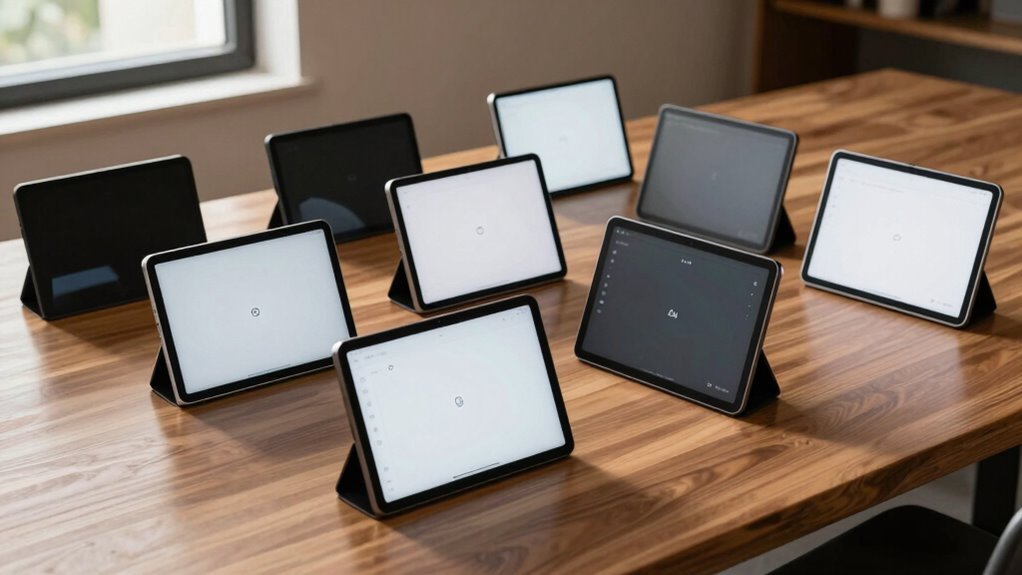

For anyone seeking a dedicated device to write, sketch, or annotate digitally, an e ink tablet for writing offers a paper-like experience that reduces eye strain and mimics traditional pen and paper. The BOOX Tablet Go Color 7 Gen II stands out as the overall best thanks to its versatile color display and active stylus support, making it ideal for both note-taking and creative projects. The reMarkable Paper Pro impresses with its paper-like feel and premium build, suited for serious writers and professionals. Meanwhile, the Amazon Kindle Scribe offers a more budget-friendly option with a large screen and a good stylus experience, perfect for casual users. These options highlight the key tradeoffs in this category: performance versus affordability, color versus monochrome, and simplicity versus feature-rich devices. Keep reading for a detailed breakdown of each device to find the best fit for your writing needs.

Get audio and creator gear delivered free with Prime
- Fast, free delivery on millions of items
- Prime Video, Amazon Music and more included
- Member-only deals all year
Complete the kit


Key Takeaways
- The best e ink tablets balance writing experience with features like color support, storage, and stylus precision.
- Premium models like amazon.com/dp/B0DG9ZXWMK?tag=strongmocha04-20&ascsubtag=dc-841119″ target=”_blank” rel=”nofollow sponsored noopener”>reMarkable offer paper-like feel but come at a higher price, while budget options like Kindle Scribe provide solid performance for casual use.
- Color display enhances note-taking and creativity, but may consume more battery and increase cost.
- Stylus support varies; active styluses with pressure sensitivity provide the best writing experience, but may add to device complexity.
- Battery life and durability are key factors that influence long-term usability across different models.
| BOOX Tablet Go Color 7 Gen II E Ink Tablet Support Active Stylus InkSense (Black) |  | Best for Color E Ink Enthusiasts | Display: 7-inch Kaleido 3 color E Ink, 1680 x 1264 | Processor: Octa-core | RAM: 4GB | VIEW ON AMAZON | See Our Full Breakdown |
| reMarkable Paper Pro with Marker Plus |  | Best for Large-Format Digital Note-Taking | Display: 11.8-inch Canvas Color | Included Items: Marker Plus, 6 spare tips | Features: Color display, adjustable light | VIEW ON AMAZON | See Our Full Breakdown |
| reMarkable Paper Pure with Marker Plus and Ocean Blue Sleeve Folio |  | Best for Fast, Precise Black-and-White Notes | Display: 10.3-inch e-ink | Color: Black and white | Response Time: 21 ms | VIEW ON AMAZON | See Our Full Breakdown |
| Amazon Kindle Scribe Colorsoft 64GB (Newest Model) – 11″ Paper-Like Color Display with Pen |  | Best for Reading and Distraction-Free Writing | Storage: 64GB | Display: 11-inch Colorsoft | Weight: 400g | VIEW ON AMAZON | See Our Full Breakdown |
| XPPen 3-in-1 Color Digital Notebook 10.95” Paper Note Taking Tablet with 16,384 Pressure Levels, Battery-Free X3 Pro Pencil, 128GB Storage |  | Best for Precise, High-Pressure Sensitivity | Display Size: 10.95 inches | Display Technology: AG nano-etched LCD | Refresh Rate: 90Hz | VIEW ON AMAZON | See Our Full Breakdown |
| reMarkable Paper Pure with Marker Plus and Mist Green Sleeve Folio |  | Best for Focused Digital Note-Taking and Document Review | Display Size: 10.3 inches | Display Type: E-Ink | Target Audience: Teacher, Women | VIEW ON AMAZON | See Our Full Breakdown |
| Kindle Scribe 32GB (Newest Model) – 11″ Paper-Like Display with Premium Pen |  | Best for Extended Reading and Note-Taking with Long Battery Life | Storage: 32GB | Display: 11-inch glare-free, paper-like display | Weight: 400g | VIEW ON AMAZON | See Our Full Breakdown |
| Like-New Amazon Kindle Scribe (32GB) with Premium Pen |  | Best for Budget-Conscious Users Wanting a Refurbished High-Quality Device | Storage: 32GB | Display: 10.2-inch glare-free, 300 ppi front-lit | Includes: Premium Pen | VIEW ON AMAZON | See Our Full Breakdown |
| e ink tablet for writing | Display | Storage |
|---|---|---|
| BOOX Tablet Go Color 7 Gen II | 7-inch Kaleido 3 color E Ink, 1680 x 1264 | 64GB |
| reMarkable Paper Pro with Mark | 11.8-inch Canvas Color | — |
| reMarkable Paper Pure with Mar | 10.3-inch e-ink | — |
| Amazon Kindle Scribe Colorsoft | 11-inch Colorsoft | 64GB |
| XPPen 3-in-1 Color Digital Not | — | 128GB |
| reMarkable Paper Pure with Mar | — | — |
| Kindle Scribe 32GB | 11-inch glare-free, paper-like display | 32GB |
| Like-New Amazon Kindle Scribe | 10.2-inch glare-free, 300 ppi front-lit | 32GB |
More Details on Our Top Picks
BOOX Tablet Go Color 7 Gen II E Ink Tablet Support Active Stylus InkSense (Black)
This device stands out for offering a 7-inch Kaleido 3 color display with 4096 colors, making it ideal for users who want to combine writing with colorful content. Compared to the Kindle Scribe, which excels in high-contrast black-and-white reading, the BOOX Color supports vibrant visuals but struggles with the inherent limitations of color E Ink, such as darker tones and less vibrancy. Its Android 13 system and 64GB storage provide versatility for light media use and document management, though it lacks the sharpness and speed of traditional LCD tablets like the XPPen. The stylus support (though not included) allows for precise annotations, but the display’s color quality may appear dull for some. This pick makes the most sense for digital artists or note-takers who want color without sacrificing e-paper benefits.
Pros:- Vivid 4096-color Kaleido 3 display for colorful content
- Supports a wide range of document and image formats
- Lightweight and portable design
Cons:- Color E Ink technology results in darker or grayer screens compared to LCD displays
- Stylus is not included in the box
Best for: Color-centric note-takers and casual readers who want a portable device for light multimedia and annotations
Not ideal for: Heavy multimedia creators or those needing bright, vibrant screens for professional graphics work
- Display:7-inch Kaleido 3 color E Ink, 1680 x 1264
- Processor:Octa-core
- RAM:4GB
- Storage:64GB
- Connectivity:Wi-Fi, Bluetooth 5.1
- Battery:2,300mAh Li-ion
Our verdict“This device is best suited for users who want a portable, color-enhanced e-ink experience but can accept some display limitations.”
reMarkable Paper Pro with Marker Plus
This model makes sense for users seeking a big, 11.8-inch color display that mimics paper for writing, sketching, and reading. Its large size offers more space than the reMarkable Paper Pure, making it better suited for detailed notes or complex sketches. Unlike the reMarkable Paper Pure, which is more compact and monochrome, the Paper Pro’s color screen adds versatility, but it also increases the weight and price. Its adjustable lighting and organizational tools excel in indoor environments but are less effective outdoors compared to traditional e-ink devices. The device’s reliance on a color display introduces typical LCD drawbacks such as glare and eye strain after extended use. This pick suits creative professionals or students who prefer a larger, colorful digital workspace over portability.
Pros:- Large 11.8-inch color display enhances versatility
- Paper-like writing experience with Marker Plus
- Adjustable reading light for comfortable use
Cons:- Limited to compatible digital notebooks and apps
- Potentially high cost for premium features
Best for: Professionals and students who need a large, color-display device for detailed notes and visual work
Not ideal for: Travelers seeking a lightweight, portable device or those prioritizing battery life over display size
- Display:11.8-inch Canvas Color
- Included Items:Marker Plus, 6 spare tips
- Features:Color display, adjustable light
Our verdict“Ideal for users who want a sizable, colorful digital paper for detailed note-taking and sketching in a stationary setting.”
reMarkable Paper Pure with Marker Plus and Ocean Blue Sleeve Folio
This device is perfect for users who prioritize a fast digital ink response and a compact size for note-taking, review, and sketching. Its 10.3-inch black-and-white e-ink display offers a more traditional paper feel, similar to the reMarkable Paper, but with quicker response times at 21 ms, making handwriting smoother than several competitors. It integrates well with cloud services and productivity apps, though it lacks color, unlike the reMarkable Paper Pro. While it shares the same core strengths, its simpler design and subscription requirement for extensive cloud storage could be drawbacks. Compared with the XPPen, which offers more app flexibility and color, this device emphasizes speed and simplicity for focused note management.
Pros:- Fast digital ink response for natural writing
- Organized note management with tags and folders
- Supports handwriting-to-text conversion
Cons:- Limited to black-and-white display
- Requires subscription for unlimited cloud storage
Best for: Students and professionals seeking quick, natural black-and-white note-taking with seamless cloud integration
Not ideal for: Creative users who need color or multimedia capabilities in their digital notes
- Display:10.3-inch e-ink
- Color:Black and white
- Response Time:21 ms
- Included Accessories:Marker Plus, Ocean Blue Sleeve Folio
Our verdict“This is a perfect choice for those who want fast, organized black-and-white notes without multimedia distractions.”
Amazon Kindle Scribe Colorsoft 64GB (Newest Model) – 11″ Paper-Like Color Display with Pen
This device makes the list for offering a large 11-inch high-contrast color display with a built-in notebook and AI tools, blending reading and writing seamlessly. Its textured surface mimics paper for a natural pen-on-paper feel, and the included pen offers eraser and shortcut functions, making it a versatile tool for both reading and note-taking. Compared with the XPPen, which supports a wider range of apps and stylus options, the Kindle Scribe emphasizes simplicity and long battery life, lasting weeks on a single charge. However, it leans toward a dedicated reading and writing device rather than a full creative tablet, and its higher price may deter casual users. This makes sense for readers who want to annotate documents or jot down notes without the distractions of a full tablet experience.
Pros:- Large, high-contrast, paper-like display
- Includes a responsive pen with eraser and shortcut buttons
- Exceptional battery life lasting weeks
Cons:- Limited to reading and writing functions
- Requires a separate pen, which may be lost
Best for: Readers and writers who want a large, paper-like device for annotation and note-taking without multimedia features
Not ideal for: Users seeking advanced drawing or multi-app functionality, or those on a tight budget
- Storage:64GB
- Display:11-inch Colorsoft
- Weight:400g
- Thickness:5.4mm
- Features:Built-in notebook, AI tools
Our verdict“This device is ideal for users who prioritize a large, natural writing experience combined with long-lasting battery life for reading and note-taking.”
XPPen 3-in-1 Color Digital Notebook 10.95” Paper Note Taking Tablet with 16,384 Pressure Levels, Battery-Free X3 Pro Pencil, 128GB Storage
The XPPen digital notebook distinguishes itself with a 10.95-inch LCD screen supporting 16,384 pressure levels and a battery-free stylus, making it ideal for users who require detailed annotation or drawing capabilities. Its TCL NXTpaper 3.0 technology offers a paper-like texture that reduces eye strain, similar to traditional e-ink devices but with the color and responsiveness of LCD. Compared to the monochrome reMarkable models, the XPPen’s color support and high refresh rate (90Hz) enable more dynamic visuals and smoother strokes. Still, its narrower viewing angles and the fact that it’s not a true E-Ink display mean it doesn’t deliver the same eye-friendly experience over long sessions. It’s best for remote workers or artists needing precise control and vivid color support.
Pros:- High 16,384 pressure sensitivity for detailed annotation
- Paper-like display reduces eye strain
- Supports Android apps and cloud storage
Cons:- Limited viewing angles may affect visibility
- Not an E-Ink display, so visual comfort differs from traditional e-readers
Best for: Creative professionals and note-takers who need high sensitivity and color for detailed work
Not ideal for: Users who prefer traditional e-ink for prolonged reading or are sensitive to LCD glare
- Display Size:10.95 inches
- Display Technology:AG nano-etched LCD
- Refresh Rate:90Hz
- Pressure Levels:16,384
- Storage:128GB
- Battery:8000mAh
Our verdict“This device suits users who want a colorful, highly sensitive note-taking tablet with precise control, at the expense of some eye comfort qualities.”
reMarkable Paper Pure with Marker Plus and Mist Green Sleeve Folio
The reMarkable Paper Pure stands out for its high-contrast, fast-refresh black-and-white e-ink display, making it excellent for lengthy reading, note-taking, and reviewing documents. Compared with the Kindle Scribe models, it offers a more streamlined experience tailored specifically for digital notebooks, though it lacks color and multimedia support. Its support for handwriting-to-text conversion and cloud syncing makes it a favorite for teachers and writers who prioritize organized workflows. However, its higher price and limited to monochrome content might deter casual users or those seeking multimedia features. This device makes the most sense for users focused on distraction-free writing and document management without the need for color or app versatility.
Pros:- High-contrast, fast-refresh e-ink display ideal for reading and note-taking
- Supports handwriting conversion and document organization
- Seamless cloud integration for easy sharing and storage
Cons:- Limited to black-and-white display, not suitable for color content
- Requires familiarity with digital workflows, which could be a learning curve
Best for: Teachers, students, and writers who need a dedicated, high-contrast note-taking device with seamless cloud integration
Not ideal for: Casual users looking for a multimedia tablet or those wanting color content, as the device is strictly monochrome and lacks app support
- Display Size:10.3 inches
- Display Type:E-Ink
- Target Audience:Teacher, Women
- Number of Items:1
- Warranty:1-year limited warranty
- Model Number:RM95A-1002NW
Our verdict“This pick is best suited for educators and professionals who need a dedicated, distraction-free digital notebook.”
Kindle Scribe 32GB (Newest Model) – 11″ Paper-Like Display with Premium Pen
The Kindle Scribe 32GB offers a large 11-inch glare-free, paper-like display, making it ideal for both reading and writing. Its included pen, which never needs charging, provides a responsive experience similar to pen-on-paper, surpassing the reMarkable Paper Pure’s basic stylus in convenience and usability. Compared to the Like-New Kindle Scribe, this model’s bigger screen enhances note-taking and document markup, although it remains limited to reading and writing without app support or multimedia features. Its long battery life—lasting weeks—supports extended sessions, but the premium pen can be misplaced or damaged. This device makes the most sense for users who want a large, dedicated e-ink device for reading and handwritten notes without the distraction of apps or multimedia.
Pros:- Large, paper-like 11-inch display for comfortable reading and writing
- Includes a pen that never needs charging with useful features
- Weeks-long battery life supports extended use
Cons:- Limited to reading and writing; no app or multimedia support
- Premium pen may be lost or damaged, adding potential extra cost
Best for: Readers and note-takers who prioritize a large, paper-like LCD for extended sessions and value a long-lasting, dedicated device
Not ideal for: Users seeking a full tablet experience with apps and media, or those wanting color or multimedia support
- Storage:32GB
- Display:11-inch glare-free, paper-like display
- Weight:400g
- Thickness:5.4mm
- Included Pen:Premium graphite pen with eraser and shortcut button
- Battery Life:Weeks of use
Our verdict“This device is perfect for users who need a large, dedicated, long-lasting e-ink device for reading and handwritten notes, without extra distractions.”
Like-New Amazon Kindle Scribe (32GB) with Premium Pen
The Like-New Kindle Scribe provides a cost-effective way to access a high-quality e-ink device, with a 10.2-inch glare-free display that mimics paper. Its AI-powered tools, including note summarization, add a layer of productivity not found in the other models. While it’s a great option for casual writers or readers, the device’s refurbished status might concern users seeking pristine new hardware, and the limited storage could be a bottleneck for extensive notes or large files. The absence of setup or charging requirements at startup offers immediate usability but reduces control over initial configuration. Compared with the newer Kindle Scribe, it’s a balanced choice for budget-minded users who prioritize essential note-taking and long battery life, but it sacrifices some features and flexibility.
Pros:- Refurbished device with like-new quality and warranty
- AI tools for note summarization and editing
- High-quality, glare-free display suitable for indoor and outdoor use
Cons:- Refurbished condition may not appeal to all users
- Limited storage capacity for large files or extensive notes
- No setup or charging required at start may limit initial control
Best for: Budget-conscious students or casual users who want a reliable, glare-free e-ink device with AI tools for note management
Not ideal for: Power users or professionals needing extensive storage, multimedia, or advanced customization options
- Storage:32GB
- Display:10.2-inch glare-free, 300 ppi front-lit
- Includes:Premium Pen
- Battery Life:Months of reading, weeks of writing
Our verdict“This device offers a solid, affordable option for casual note-taking and reading, especially for those on a budget or seeking a quick-start device.”

How We Picked
This selection process focused on evaluating each e ink tablet for writing based on performance, display quality, stylus support, build quality, and value for money. We prioritized devices that deliver a natural writing experience, comparable to paper, and considered user feedback on usability and durability. Devices were ranked by how well they balance these factors, with particular attention to their suitability for different types of writers—whether casual note-takers or professional authors. We aimed to highlight options that cater to various budgets and needs, from entry-level to premium models, ensuring each product offers a meaningful advantage in its category.Factors to Consider When Choosing E Ink Tablet For Writing
Choosing the right e ink tablet for writing involves balancing several factors. Beyond basic features, it’s important to consider how the device feels in hand, its compatibility with styluses, and its display capabilities. Making the wrong choice can mean sacrificing comfort, accuracy, or battery life. This guide covers key considerations to help you identify what matters most for your specific writing needs and avoid common pitfalls.Display Quality and Size
The display size and resolution directly impact your writing comfort and clarity. Larger screens, such as 10.3 inches or more, provide ample space for extensive notes or sketches, but may be bulkier to carry around. Resolution matters less than in color tablets, but a high-contrast, paper-like display significantly enhances readability and reduces eye strain. Consider whether your priority is portability or a larger workspace, and choose a device that offers a balance suitable for your typical writing sessions.
Stylus Support and Precision
A responsive, pressure-sensitive stylus is vital for mimicking the natural feel of pen and paper. Active styluses with low latency and high pressure levels enable nuanced strokes, shading, and annotations. Some devices support tilt sensitivity for more advanced drawing, which is beneficial if you plan to sketch or color. Be aware that stylus compatibility varies; some come bundled, while others are sold separately, and not all styluses offer the same quality of experience. Investing in a device with a high-quality stylus can dramatically improve your writing accuracy and overall satisfaction.
Color vs Monochrome Displays
Color e ink screens expand creative possibilities, especially for note-taking with diagrams or highlighting. However, they often consume more power and tend to be more expensive. Monochrome displays excel in battery life and simplicity, making them ideal for long writing sessions. Think about whether color is a necessity for your work or if a high-contrast black-and-white display suffices. The decision impacts both device cost and usability in different environments, especially outdoors or in bright light.
Battery Life and Durability
Long battery life is a hallmark of e ink devices, but actual runtime depends on screen size, color support, and usage patterns. Devices designed for daily use should comfortably last multiple days without recharging. Durability, including build quality and screen protection, influences longevity and portability. If you travel frequently or work outdoors, prioritize robust models with sturdy casings and scratch-resistant screens. Consider these factors carefully to avoid frustration from frequent recharging or damage.
Storage and Connectivity Options
More storage allows for saving extensive notes, sketches, and files locally, which is useful if you prefer offline work. Cloud connectivity enhances flexibility, enabling backups and syncing across devices. Some models offer expandable storage via microSD cards, a practical feature for heavy users. Evaluate your typical data needs and connectivity preferences to ensure the device supports your workflow without unnecessary limitations or extra costs.
Frequently Asked Questions
Can I use a regular stylus with these e ink tablets?
Most e ink tablets designed for writing support specific styluses that are either included or sold separately. Regular passive styluses generally won’t work effectively as they lack the pressure sensitivity and responsiveness needed for a natural writing experience. Active styluses with pressure and tilt support are recommended, as they provide better control and mimic traditional pen strokes. Always check compatibility before purchasing a stylus to ensure it functions correctly with your chosen device.
Are color e ink tablets suitable for professional note-taking?
Color e ink tablets are increasingly capable for professional use, especially when visual clarity and the ability to add diagrams or highlights matter. However, they may have limitations in color accuracy and refresh rates compared to LCD tablets, which affects certain tasks like detailed graphic design. For most writers and annotators, monochrome models provide a more paper-like experience and longer battery life, making them better suited for daily extensive note-taking. The choice depends on whether your work benefits from color or if simplicity and endurance are more critical.
How significant is the difference in writing feel between e ink and traditional paper?
The writing experience on e ink tablets varies depending on the device’s screen technology and stylus support. Premium models with high-pressure sensitivity and low latency can closely mimic the feel of paper, with some even offering textured surfaces. Cheaper devices or those with basic styluses may feel less natural, with noticeable lag or a less responsive surface. If a natural, tactile experience is essential, investing in higher-end options that prioritize screen quality and stylus precision will provide the most satisfaction.
Do I need to buy a separate stylus or is one included?
Many e ink tablets include a basic stylus in the box, but the quality and features of these styluses can vary widely. For a truly satisfying writing experience, especially if you plan to do detailed work or sketches, a high-quality, pressure-sensitive stylus is often worth purchasing separately. Devices that support active styluses tend to deliver better control and responsiveness, making the extra investment beneficial. Always verify what comes with the device and consider whether upgrading to a dedicated stylus suits your writing style.
Are these devices suitable for long-term daily use?
Yes, most e ink tablets are designed for extended use, thanks to their low power consumption and glare-free screens. Their long battery life allows for multiple days of writing without frequent recharges, which is ideal for daily note-taking or journaling. Durability varies, so selecting a model with sturdy construction and scratch-resistant screens enhances longevity. However, frequent use of color screens or backlit displays may reduce battery life, so consider your typical workload and environment when choosing a device for daily use.
Conclusion
For users seeking the best overall experience, the BOOX Tablet Go Color 7 Gen II offers excellent versatility and a vibrant display. Those on a budget or new to digital writing might find the Kindle Scribe 32GB to be a practical, straightforward choice. Professionals or serious writers should consider the reMarkable Paper Pro for its paper-like feel and premium build, despite its higher price. Casual users or students aiming for simplicity and long battery life will appreciate devices like the Kindle Scribe or similar models. Ultimately, your choice depends on your specific needs, whether it’s color support, stylus quality, portability, or affordability.
Halloween Picks

Vexalify 11-Inch Halloween Pumpkin Fog Machine with 12-Color Lights

Gemmy Bluey Family Halloween Inflatable Scene, 5.5 ft Lighted Yard Decoration

Fun Costumes 5.5ft Mary the Unhappily Ever After Bride Animatronic Halloween Decoration
As an affiliate, we earn on qualifying purchases.