The best ergonomic keyboards for a home office balance a more comfortable typing position with a layout you can learn and a connection that fits your setup. Logitech Wave Keys is my best overall pick for its curved layout and palm rest, while the Logitech Ergo K860 stands out for a more pronounced split design and Nulea’s wired split keyboard suits shoppers who prefer a direct USB-C connection. The main tradeoff is how much adjustment you are willing to make: curved keyboards are familiar, while split models can take longer to learn and position. Wireless models reduce desk cable clutter, but wired keyboards avoid charging and wireless setup. Read on for the full comparison and advice on choosing a keyboard that fits your work habits.

Get audio and creator gear delivered free with Prime
- Fast, free delivery on millions of items
- Prime Video, Amazon Music and more included
- Member-only deals all year
Complete the kit


Key Takeaways
- Logitech Wave Keys is the clearest all-rounder in this group: its curved layout and palm rest offer an ergonomic change without requiring the wide hand separation of a split keyboard.
- Logitech Ergo K860 is the more substantial step toward a split layout, making it a better match for buyers who want greater separation and are ready to adapt their typing habits.
- Several picks bundle a mouse, but the keyboard layouts differ more than the bundle contents: compare the SABLUTE combos and Logitech Wave Keys & Lift package by how each keyboard fits your hands.
- Wired models from Nulea, Kensington, Arteck, and Perixx trade cable-free placement for a direct connection and no keyboard charging routine.
- The roundup spans basic split keyboards, wireless curved designs, and feature-rich options with backlighting or phone holders; buyers should pay for useful fit and workflow features rather than extras alone.
| SABLUTE Wireless Keyboard and Mouse with Leather Wrist Rest |  | Best for a Lit-Up Wireless Workstation | Connectivity: 2.4GHz wireless | Keyboard layout: QWERTY | Backlighting: 7 adjustable colors | VIEW ON AMAZON | See Our Full Breakdown |
| Nulea Ergonomic Split Keyboard Wired with Wrist Rest and USB-C Connection |  | Best Wired Split Pick for Posture Adjustment | Connectivity: USB wired via USB-C | Layout: QWERTZ | Key count: 101 | VIEW ON AMAZON | See Our Full Breakdown |
| TECKNET Wireless Ergonomic Keyboard Rechargeable, 2.4G+Bluetooth, Cordless USB Computer Keyboard with Wrist Rest |  | Best for Multi-Device Wireless Flexibility | Connectivity: Bluetooth 5.0 and 2.4GHz wireless | Key count: 104 | Battery: Rechargeable 500mAh lithium battery | VIEW ON AMAZON | See Our Full Breakdown |
| Arteck Split Ergonomic Keyboard with Palm Rest, 2.4G USB Wireless |  | Best for Simple, Long-Running Wireless Use | Connectivity: 2.4G USB wireless | Layout: QWERTY | Key count: 102 | VIEW ON AMAZON | See Our Full Breakdown |
| Logitech Wave Keys & Lift Vertical Mouse Ergonomic Wireless Combo, Graphite |  | Best Premium Keyboard-and-Mouse Ergonomic Pair | Connectivity: Bluetooth Low Energy and Logi Bolt USB receiver | Mouse orientation: Right-handed | Mouse buttons: 6 | VIEW ON AMAZON | See Our Full Breakdown |
| SABLUTE Ergonomic Wireless Keyboard and Mouse, Rechargeable, Split, Win/Mac |  | Best Rechargeable Split Combo | Connectivity: 2.4GHz wireless | Layout: QWERTY, full-size split | Compatible operating systems: Windows and macOS | VIEW ON AMAZON | See Our Full Breakdown |
| EAYBLLY 2.4G Wireless Ergonomic Keyboard with Memory Foam Wrist Rest and Phone Holder |  | Best for Desk-Based Multitasking | Connectivity: 2.4GHz wireless with USB-C adapter | Wireless range: Up to 33 feet | Layout: QWERTY, full-size | VIEW ON AMAZON | See Our Full Breakdown |
| Wireless Keyboard and Mouse Combo Silent Ergonomic Curved Design for Office |  | Best for Quiet Shared Workspaces | Connectivity: Radio frequency wireless | Wireless range: Up to 10 meters | Layout: QWERTY | VIEW ON AMAZON | See Our Full Breakdown |
| Logitech Wave Keys Ergonomic Wireless Keyboard with Palm Rest – Graphite |  | Best Compact Wireless Pick | Connectivity: Bluetooth and Logi Bolt receiver | Battery life: Up to three years | Key count: 101 | VIEW ON AMAZON | See Our Full Breakdown |
| Wired Ergonomic Split Keyboard with RGB Backlight and Numpad – Black |  | Best Wired Productivity and Backlighting | Connectivity: 5.6-foot USB-A cable with USB-C adapter | Dimensions: 17.1 × 9.4 × 1.1 inches | Key count: 120 | VIEW ON AMAZON | See Our Full Breakdown |
| Kensington Pro Fit Ergonomic Wireless Keyboard, Bluetooth, Black |  | Best for Multi-Device Flexibility | Connectivity: 2.4 GHz wireless and Bluetooth 4.0 LE | Layout: QWERTY | Number of keys: 104 | VIEW ON AMAZON | See Our Full Breakdown |
| Kensington Pro Fit Ergonomic Wired Keyboard – Black |  | Best for a Reliable Wired Setup | Connectivity: Wired USB | Layout: QWERTY | Number of keys: 104 | VIEW ON AMAZON | See Our Full Breakdown |
| Arteck Split Ergonomic Keyboard with Palm Rest, USB Wired Backlit Keyboard | 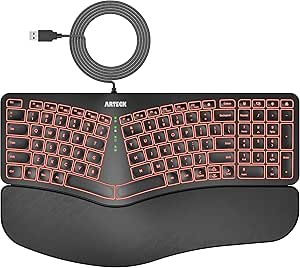 | Best for Low-Light Windows Desks | Connectivity: USB wired | Layout: QWERTY | Number of keys: 101 | VIEW ON AMAZON | See Our Full Breakdown |
| Logitech Ergo K860 Wireless Ergonomic Split Keyboard with Wrist Rest |  | Best Overall for Adjustable Ergonomics | Connectivity: Bluetooth and USB | Layout: QWERTY | Number of keys: 105 | VIEW ON AMAZON | See Our Full Breakdown |
| Perixx PERIBOARD-512B Wired Ergonomic Keyboard – Split Design with Wrist Rest |  | Best for Tactile Typing Feedback | Connectivity: Wired | Keyboard layout: AZERTY | Language: English | VIEW ON AMAZON | See Our Full Breakdown |
| ergonomic keyboards for home office | Connectivity | Layout |
|---|---|---|
| SABLUTE Wireless Keyboard and | 2.4GHz wireless | — |
| Nulea Ergonomic Split Keyboard | USB wired via USB-C | QWERTZ |
| TECKNET Wireless Ergonomic Key | Bluetooth 5.0 and 2.4GHz wireless | — |
| Arteck Split Ergonomic Keyboar | 2.4G USB wireless | QWERTY |
| Logitech Wave Keys & Lift Vert | Bluetooth Low Energy and Logi Bolt USB receiver | — |
| SABLUTE Ergonomic Wireless Key | 2.4GHz wireless | QWERTY, full-size split |
| EAYBLLY 2.4G Wireless Ergonomi | 2.4GHz wireless with USB-C adapter | QWERTY, full-size |
| Wireless Keyboard and Mouse Co | Radio frequency wireless | QWERTY |
| Logitech Wave Keys Ergonomic W | Bluetooth and Logi Bolt receiver | — |
| Wired Ergonomic Split Keyboard | 5.6-foot USB-A cable with USB-C adapter | QWERTY, full size with numpad |
| Kensington Pro Fit Ergonomic W | 2.4 GHz wireless and Bluetooth 4.0 LE | QWERTY |
| Kensington Pro Fit Ergonomic W | Wired USB | QWERTY |
| Arteck Split Ergonomic Keyboar | USB wired | QWERTY |
| Logitech Ergo K860 Wireless Er | Bluetooth and USB | QWERTY |
| Perixx PERIBOARD-512B Wired Er | Wired | — |
More Details on Our Top Picks
SABLUTE Wireless Keyboard and Mouse with Leather Wrist Rest
The SABLUTE is a strong fit for a home office where a cushioned typing area and an included mouse matter as much as the keyboard. Its wave-shaped layout and leather wrist rest add support, while seven adjustable backlight colors make keys easier to see in dim rooms. The rechargeable battery is rated for up to 400 hours, reducing how often you need to plug in. Compared with the Arteck Split Ergonomic Keyboard, this combo adds lighting and a mouse, but relies on a 2.4GHz USB receiver rather than offering Bluetooth. Its standard QWERTY layout may also feel less posture-oriented than the Nulea or TECKNET split designs. Choose it for an all-in-one desk setup; skip it if you want a cleaner, receiver-free connection or a more restrained look.
Pros:- Seven adjustable backlight colors help with key visibility in dim workspaces.
- Cushioned leather wrist rest supports the hands during longer typing sessions.
- Rechargeable battery is rated for up to 400 hours.
- Included mouse offers adjustable DPI and a side scroll wheel.
Cons:- Wireless connection depends on a USB receiver and is limited to 2.4GHz.
- The wave design may not provide the hand separation of a true split keyboard.
- Black styling and colored lighting may not suit every home-office setup.
Best for: Home-office workers who want a backlit keyboard, cushioned wrist support, and a matching adjustable-DPI mouse in one wireless setup.
Not ideal for: People who prefer Bluetooth or a receiver-free desk, or who want a pronounced split layout to change hand position.
- Connectivity:2.4GHz wireless
- Keyboard layout:QWERTY
- Backlighting:7 adjustable colors
- Battery:Rechargeable; up to 400 hours
- Mouse DPI:800 / 1200 / 2400 / 3200 / 4000
- Compatible devices:Laptops, PCs, and desktops
- Weight:2.7 pounds
Our verdict“Choose the SABLUTE if you want a lit wireless keyboard-and-mouse set with built-in wrist cushioning, but not if Bluetooth or a distinct split layout is a priority.”
Nulea Ergonomic Split Keyboard Wired with Wrist Rest and USB-C Connection
The Nulea puts its ergonomic priorities up front: a two-section split layout, oversized leatherette wrist rest, and three tilt settings give home-office typists several ways to adjust their position. Its wired USB-C connection keeps the setup dependable without batteries or a wireless receiver, a useful contrast with the TECKNET Wireless Ergonomic Keyboard. The tradeoff is desk freedom: the braided cable tethers the keyboard, and the Nulea has no backlighting for dim rooms. Its listed QWERTZ layout also differs from the QWERTY format used by the Arteck model, so buyers should check key placement before choosing. This is the more adjustable, split-focused option for a fixed workstation, not the better match for frequent device switching or uncluttered desks.
Pros:- Split construction encourages a more separated hand position than a conventional keyboard.
- Oversized leatherette wrist rest provides broad support across both hands.
- Three tilt options allow some adjustment to the typing angle.
- Braided USB-C cable provides a stable wired connection without battery upkeep.
Cons:- Wired connection limits placement flexibility around a home office.
- No backlighting can make keys harder to see in low-light conditions.
- QWERTZ layout may require adjustment for buyers accustomed to QWERTY.
Best for: Home-office typists who want a wired split keyboard, substantial wrist cushioning, and multiple tilt angles for a dedicated desk.
Not ideal for: People who move between devices or workspaces, need backlit keys, or rely on a QWERTY layout.
- Connectivity:USB wired via USB-C
- Layout:QWERTZ
- Key count:101
- Sections:2
- Tilt adjustment:3 angles
- Wrist rest:Oversized leatherette
- Compatibility:Windows, macOS, and Linux
- Cable:Braided nylon
Our verdict“Pick the Nulea for a stationary workstation where split positioning and a large wrist rest matter more than wireless freedom or backlighting.”
TECKNET Wireless Ergonomic Keyboard Rechargeable, 2.4G+Bluetooth, Cordless USB Computer Keyboard with Wrist Rest
The TECKNET stands out for combining a curved split keyset and memory-foam wrist rest with both Bluetooth 5.0 and 2.4GHz wireless. That makes it more flexible than the receiver-only Arteck Split Ergonomic Keyboard when a home-office setup includes several compatible devices. Four tilt positions let you adjust the keyboard angle, and its rechargeable battery is rated for up to 200 hours. The main limitation is compatibility: the supplied data specifies Windows 10 and above, despite listing a range of device types, so buyers using macOS or Linux should verify support before choosing it. Unlike the wired Nulea, it avoids a cable across the desk, but it also needs periodic charging and lacks the Nulea’s three-angle wired simplicity.
Pros:- Bluetooth 5.0 and 2.4GHz wireless provide two connection options.
- Curved split keys are shaped to follow the fingers’ natural arc.
- Built-in dual-density memory-foam wrist rest adds cushioning.
- Four tilt settings and USB-C charging support adjustable positioning and recharging.
Cons:- Compatibility information specifies Windows 10 and above, limiting confidence for other operating systems.
- Up to 200 hours of battery life means charging is still part of upkeep.
- Wireless operation can involve a receiver when Bluetooth is not being used.
Best for: Windows-based home-office workers who want a split ergonomic layout and the option to connect through Bluetooth or a 2.4GHz receiver.
Not ideal for: Mac or Linux users who need clearly supported compatibility, and workers who prefer a keyboard that never needs charging.
- Connectivity:Bluetooth 5.0 and 2.4GHz wireless
- Key count:104
- Battery:Rechargeable 500mAh lithium battery
- Battery life:Up to 200 hours
- Charging port:USB-C
- Tilt adjustment:4 stages: 0°, 1.2°, 3°, and 6.2°
- Operating system:Windows 10 and above
- Wrist rest:Built-in dual-density memory foam with stain-resistant fabric
Our verdict“Choose the TECKNET if you work on Windows and want a cushioned split keyboard with two wireless connection methods, but check compatibility carefully outside Windows.”
Arteck Split Ergonomic Keyboard with Palm Rest, 2.4G USB Wireless
The Arteck is the straightforward choice for a home-office buyer who wants split positioning without a charging cable. Its 102-key QWERTY layout includes a cushioned palm rest, hotkeys, and media keys, while the battery is rated for up to six months. Compared with the more feature-rich TECKNET Wireless Ergonomic Keyboard, it forgoes Bluetooth, USB-C charging, and adjustable tilt; in return, its setup is simpler if a USB receiver suits your desk. The standard layout may also be easier to approach than the Nulea’s QWERTZ arrangement. The limits are clear: it is specified for Windows desktops and laptops, needs a USB receiver, and has no backlighting. It makes sense for a fixed PC workstation, not a mixed-device or low-light setup.
Pros:- Split keyset encourages a more separated hand position.
- Cushioned wrist and palm rest adds support at the keyboard edge.
- Battery life is rated for up to six months.
- QWERTY layout includes hotkeys and media keys.
Cons:- Wireless connection requires a 2.4G USB receiver.
- Compatibility is listed for Windows desktops and laptops.
- No backlighting or adjustable tilt is specified.
Best for: Windows desktop and laptop users who want a split keyboard with a palm rest and long stated battery life without a wired connection.
Not ideal for: People who need Bluetooth, macOS compatibility, backlit keys, or adjustable tilt for fine-tuning keyboard position.
- Connectivity:2.4G USB wireless
- Layout:QWERTY
- Key count:102
- Battery life:Up to 6 months
- Dimensions:16.5 × 9.6 × 1.02 inches
- Compatible devices:Windows desktops and laptops
- Additional controls:Hotkeys and media keys
- Wrist support:Cushioned palm rest
Our verdict“Pick the Arteck for a Windows workstation where a receiver-based split keyboard and long stated battery life beat extra connection and adjustment options.”
Logitech Wave Keys & Lift Vertical Mouse Ergonomic Wireless Combo, Graphite
Logitech’s combo is the most complete ergonomic pairing here: the wave-shaped Wave Keys keyboard comes with a right-handed Lift vertical mouse, which addresses forearm position as well as typing posture. That gives it a different focus from the SABLUTE, whose included mouse offers adjustable DPI and a side scroll wheel but does not have the Lift’s vertical form. Bluetooth Low Energy and a Logi Bolt receiver provide connection choices, and broad operating-system support suits mixed-device home offices. The tradeoff is fit and upkeep: the mouse is explicitly right-handed, and the keyboard and mouse use included AAA batteries rather than a rechargeable keyboard battery like the SABLUTE or TECKNET. Choose this set for a coordinated keyboard-and-mouse setup, not if you need a left-handed mouse or rechargeable power.
Pros:- Wave-shaped keyboard and vertical mouse address comfort across both typing and mouse use.
- Bluetooth Low Energy and Logi Bolt receiver offer connection flexibility.
- Compatibility covers Windows, macOS, ChromeOS, Linux, and iPadOS versions listed.
- Made with recycled plastic.
Cons:- Lift mouse is designed for right-handed use.
- Included two AAA batteries may need replacement.
- Unlike the SABLUTE combo, no adjustable mouse DPI or side scroll wheel is specified.
Best for: Right-handed home-office workers who want a coordinated ergonomic keyboard and vertical mouse with support for several operating systems.
Not ideal for: Left-handed users, or buyers who prefer rechargeable devices over replacing AAA batteries.
- Connectivity:Bluetooth Low Energy and Logi Bolt USB receiver
- Mouse orientation:Right-handed
- Mouse buttons:6
- Compatible operating systems:ChromeOS, Linux, Windows 10/11, iPadOS 15+, and macOS 12+
- Batteries:2 AAA batteries included
- Materials:Recycled plastic
- Color:Graphite
Our verdict“Choose the Logitech set if you are right-handed and want a coordinated wave keyboard and vertical mouse, but skip it if you need left-handed fit or rechargeable power.”
SABLUTE Ergonomic Wireless Keyboard and Mouse, Rechargeable, Split, Win/Mac
For a home office buyer who wants a split keyboard and mouse together, the SABLUTE combo is a more complete desk setup than the keyboard-only Logitech Wave Keys. Its full-size curved layout, cushioned wrist rest, and four tilt legs give you several ways to shape your typing position, while the rechargeable power avoids routine battery replacement. Dedicated shortcuts and an emoji key add convenience, though they matter less to ergonomics than the split layout and wrist support.
The tradeoff is space: at 3.4 pounds and full size, it asks for more desk room than the Wave Keys. A split layout can also take adjustment, and there is no stated backlighting for dim work areas. I’d choose it when the bundled mouse and adjustable typing angle matter more than a compact footprint.
Pros:- Split, curved layout is designed to support a more natural hand position.
- Cushioned wrist rest and four tilt legs allow some adjustment to the typing setup.
- Rechargeable batteries avoid disposable battery replacement.
- Includes a wireless mouse and supports both Windows and macOS.
Cons:- Full-size keyboard and included mouse require more desk space than a keyboard-only option such as Logitech Wave Keys.
- Split layout may feel unfamiliar during an adjustment period.
- No backlit keys are specified for low-light work.
Best for: Home-office users who want a rechargeable keyboard-and-mouse set, a cushioned wrist rest, and adjustable typing angle in one full-size setup.
Not ideal for: People with narrow desks, frequent travel needs, or little patience for adapting to a split layout; the full-size design takes space and the keys are not described as backlit.
- Connectivity:2.4GHz wireless
- Layout:QWERTY, full-size split
- Compatible operating systems:Windows and macOS
- Wrist support:Memory foam cushioned wrist support
- Typing angle:Adjustable with four tilt legs
- Additional features:Shortcut keys and dedicated emoji key
- Weight:3.4 pounds
- Color:Black and gray
Our verdict“Choose the SABLUTE if you want a rechargeable split keyboard-and-mouse set with wrist support and have room for a full-size setup.”
EAYBLLY 2.4G Wireless Ergonomic Keyboard with Memory Foam Wrist Rest and Phone Holder
The EAYBLLY suits a home office where a phone stays in view: its built-in holder keeps a second screen within reach, while wave-shaped keys and memory foam wrist support focus the design on extended typing. Compared with the Logitech Wave Keys, it adds that phone perch and a full-size layout, making it more useful for people who refer to messages or calls while working. Its stated wireless range of up to 33 feet also gives more placement freedom than a short wired connection.
That extra desk utility comes with a larger footprint, and it runs on an AA battery that is not included. The listing describes the switch as linear and also references Cherry MX Silent Red, so buyers seeking a clearly specified mechanical feel may want to check the exact version. I’d favor it over the more streamlined Wave Keys when phone visibility is part of the daily workflow.
Pros:- Built-in phone holder keeps a mobile screen visible while typing.
- Wave-shaped keys and memory foam wrist rest are geared toward long work sessions.
- Wireless connection is specified up to 33 feet and requires no driver.
- Full-size layout includes shortcut keys.
Cons:- Requires one AA battery, which is not included.
- At 16.57 inches long and 9.01 inches wide, it takes substantial desk space.
- Switch details are not fully clear, which may disappoint buyers choosing by typing feel.
Best for: Home-office workers who keep a phone beside their computer for calls, messages, or reference and want a full-size wireless keyboard with wrist cushioning.
Not ideal for: Buyers who need macOS support clearly confirmed, want a compact keyboard, or prefer a well-defined tactile mechanical switch feel.
- Connectivity:2.4GHz wireless with USB-C adapter
- Wireless range:Up to 33 feet
- Layout:QWERTY, full-size
- Key count:104 keys; listing also specifies 107 buttons
- Dimensions:16.57 × 9.01 × 1.37 inches
- Power:One AA battery, not included
- Wrist support:Memory foam cushioned wrist rest
- Additional features:Phone holder, wave keys, shortcut keys
Our verdict“Pick the EAYBLLY if you regularly work from a phone at your desk and can accommodate a large, battery-powered keyboard.”
Wireless Keyboard and Mouse Combo Silent Ergonomic Curved Design for Office
For a home office shared with family or a video-call-heavy routine, this silent keyboard-and-mouse combo prioritizes reduced noise over fine-grained ergonomic adjustment. The curved keyboard design and tilt legs provide a comfort-minded setup, while the single nano receiver keeps wireless connection simple. Compared with the SABLUTE rechargeable split combo, this option has a quieter-use emphasis and adjustable mouse DPI, but SABLUTE gives clearer wrist-rest details, a split layout, and rechargeable power.
The main compromise is that the product data does not specify a cushioned wrist rest or a rechargeable battery, and the set requires two AA batteries. It also lists Windows and Linux compatibility, so Mac users should not assume support from the broader description. There is no backlighting either. I’d pick it for quiet typing and mouse use, not for the most adjustable or clearly supported ergonomic setup in this group.
Pros:- Quiet keyboard and mouse are suited to shared rooms and calls.
- One nano receiver connects both devices through a plug-and-play setup.
- Adjustable tilt legs and mouse DPI offer basic setup customization.
- Wireless range is stated as up to 10 meters.
Cons:- Requires two AA batteries, which are not included.
- No wrist rest or split design is specified, unlike the SABLUTE combo.
- No backlighting is specified, and listed operating-system support is limited to Windows and Linux.
Best for: People working from a shared home office who want a quiet wireless keyboard-and-mouse set with basic tilt and mouse sensitivity adjustment.
Not ideal for: Mac users, buyers who want a documented cushioned wrist rest or split layout, and anyone who prefers rechargeable devices or backlit keys.
- Connectivity:Radio frequency wireless
- Wireless range:Up to 10 meters
- Layout:QWERTY
- Compatible operating systems:Windows and Linux
- Power:Two AA batteries required
- Keyboard features:Curved ergonomic design and adjustable tilt legs
- Mouse features:Optical movement detection and adjustable DPI
- Color:Avocado green
Our verdict“Choose this combo when quiet operation matters most and its limited compatibility and battery requirements fit your desk.”
Logitech Wave Keys Ergonomic Wireless Keyboard with Palm Rest – Graphite
The Logitech Wave Keys is the most desk-friendly keyboard in this batch: its 14.8-inch length is shorter than the full-size EAYBLLY, yet the wave-shaped layout and cushioned palm rest keep ergonomic support central. Bluetooth and Logi Bolt receiver connectivity, plus multi-device switching, make it a stronger fit for people moving between a work laptop and another computer. The stated battery life of up to three years also means less routine power maintenance than the AA-powered EAYBLLY.
Its compactness comes with limits: this is a keyboard-only option, not a mouse bundle, and its membrane switches will not suit buyers seeking a mechanical feel. The product data calls for two batteries but says they are not included. Compared with SABLUTE’s split combo, Logitech is easier to fit into a smaller workspace, while SABLUTE offers a more distinctly split design and a bundled mouse. I’d choose Wave Keys for a tidy, multi-device desk rather than maximum adjustability.
Pros:- Compact 14.8-inch length uses less desk space than the full-size EAYBLLY.
- Bluetooth and Logi Bolt receiver support multiple connection options.
- Multi-device switching suits a desk shared by a work computer and another device.
- Battery life is specified as up to three years.
Cons:- Keyboard-only purchase does not provide the mouse included with the SABLUTE combo.
- Membrane switches lack a mechanical typing feel.
- Requires two batteries, listed as not included.
Best for: Home-office users with limited desk space who switch between devices and want a wireless keyboard with a cushioned palm rest.
Not ideal for: Buyers who need an included mouse, a separate split-keyboard layout, or mechanical switches; battery inclusion should also be checked before setup.
- Connectivity:Bluetooth and Logi Bolt receiver
- Battery life:Up to three years
- Key count:101
- Dimensions:14.8 × 8.62 × 1.18 inches
- Switch type:Membrane
- Wrist support:Cushioned palm rest
- Compatible operating systems:Windows and macOS
- Material:Plastic with recycled plastic content
Our verdict“Choose Wave Keys for a compact, multi-device wireless desk; choose a split combo instead if you want a mouse included or a more separated layout.”
Wired Ergonomic Split Keyboard with RGB Backlight and Numpad – Black
This wired split keyboard is the practical pick for a home office where a numpad, shortcut access, and visibility after dark matter more than wireless freedom. Its integrated wrist rest and three-angle tilt adjustment give it more explicit setup options than the Logitech Wave Keys, while the 120-key layout and numeric keypad suit spreadsheet-heavy work. The 17 RGB effects and five brightness levels are useful for seeing keys in dim rooms, a feature none of the other four options specifies.
The tradeoff is footprint and cable dependence: at 17.1 by 9.4 inches, it needs a generous desk, and the 5.6-foot USB cable ties it to the computer. Its membrane switches will not deliver the tactile response of mechanical models, and the listed water resistance should not be read as waterproofing. Compared with the wireless SABLUTE combo, it gives up a mouse and rechargeable convenience for backlighting, a numpad, and direct wired connection.
Pros:- Split layout, integrated wrist rest, and three tilt angles support a more adjustable typing setup.
- Full-size 120-key layout includes a numpad and dedicated media shortcuts.
- RGB backlighting offers 17 effects and five brightness levels for dim workspaces.
- Wired USB-A connection includes a USB-C adapter and supports several desktop operating systems.
Cons:- Large 17.1-by-9.4-inch footprint may crowd a compact desk.
- Wired connection limits placement and easy movement around the workspace.
- Membrane switches lack the tactile feel of mechanical keyboards.
Best for: Home-office users who enter numbers regularly, work in dim lighting, and prefer a stable wired setup with an integrated wrist rest.
Not ideal for: People with limited desk space, anyone who needs wireless mobility, or buyers seeking mechanical switches or console compatibility.
- Connectivity:5.6-foot USB-A cable with USB-C adapter
- Dimensions:17.1 × 9.4 × 1.1 inches
- Key count:120
- Layout:QWERTY, full size with numpad
- Switch type:Membrane
- Backlighting:RGB, 17 effects and five brightness levels
- Adjustable tilt:Three angles
- Compatibility:Windows, macOS, Chrome OS, and Linux
Our verdict“Pick this model if a numpad, visible keys, and a wired split layout matter more than a compact or wireless desk.”
Kensington Pro Fit Ergonomic Wireless Keyboard, Bluetooth, Black
The Kensington Pro Fit is a practical choice for a home office where the keyboard needs to move between computers or connect without a cable. Its split, sloped shape, adjustable tilt, and built-in wrist rest prioritize a supported typing position, while Bluetooth and 2.4 GHz wireless give it more connection options than the wired Kensington Pro Fit. Spill-resistant keys add useful protection around drinks or busy desks. The tradeoff is that it runs on two batteries and has no backlighting, so it is less suited to low-light work or buyers who want a rechargeable setup. Compared with the Logitech Ergo K860, this Kensington offers dual wireless modes but a less fully specified ergonomic adjustment system. I’d choose it for adaptable everyday use, not for extensive posture customization.
Pros:- Split, sloped design with adjustable tilt and a built-in wrist rest
- Bluetooth and 2.4 GHz wireless connectivity
- Spill-resistant keys suit a busy desk
- Works with Windows, macOS, and Chrome OS
Cons:- Requires two batteries rather than a rechargeable power source
- No backlighting for low-light typing
- Offers fewer stated posture adjustments than the Logitech Ergo K860
Best for: Home-office workers who switch between compatible Windows, macOS, or Chrome OS devices and want a split keyboard without a cable.
Not ideal for: People who type in dim rooms, want a rechargeable keyboard, or need compatibility beyond the listed operating systems and devices.
- Connectivity:2.4 GHz wireless and Bluetooth 4.0 LE
- Layout:QWERTY
- Number of keys:104
- Compatible operating systems:Chrome OS, macOS, Windows
- Design:Two-section split and sloped keyboard
- Power:Two batteries required
- Water resistance:Water resistant
Our verdict“Choose this Kensington if you want a spill-resistant ergonomic keyboard with two wireless connection options and do not need backlighting.”
Kensington Pro Fit Ergonomic Wired Keyboard – Black
If your home-office keyboard stays at one desk, this wired Kensington keeps setup simple: plug it into USB and type, without pairing or battery changes. The split, sloped layout and cushioned wrist rest make it a comfort-focused alternative to a conventional flat keyboard, while adjustable reverse tilt lets you change the typing angle. Its quiet, spill-resistant keys are well suited to shared rooms and everyday office work. Compared with the wireless Kensington Pro Fit, it gives up cable-free placement in exchange for a direct connection; compared with the Logitech Ergo K860, it has a more basic adjustment and connection setup. The listed single-color backlighting support does not make it a strong pick for users seeking customizable lighting, and its plastic construction is functional rather than premium.
Pros:- USB plug-and-play connection avoids wireless pairing and battery replacement
- Split, sloped design with adjustable reverse tilt
- Cushioned wrist rest supports the hands during desk work
- Quiet, spill-resistant keys suit shared workspaces
Cons:- Cable limits placement and mobility compared with wireless alternatives
- Plastic enclosure and linear switches may not appeal to buyers seeking a more substantial typing feel
- Backlighting is limited to single-color support
Best for: Desk-based workers who want a no-pairing USB keyboard, quiet keys, and a wrist rest for regular office typing.
Not ideal for: People who need to move their keyboard around, use multiple devices wirelessly, or prefer mechanical switches.
- Connectivity:Wired USB
- Layout:QWERTY
- Number of keys:104
- Dimensions:1.5 × 18.98 × 9.92 inches
- Compatible devices:PC
- Features:Wrist rest, adjustable reverse tilt, quiet and spill-resistant keys
- Enclosure material:Plastic
- Backlighting:Single-color support
Our verdict“Pick this model for a stationary home-office desk where simple USB setup and quiet, ergonomic typing matter more than wireless freedom.”
Arteck Split Ergonomic Keyboard with Palm Rest, USB Wired Backlit Keyboard
The Arteck is the clearest fit here for a Windows user who wants an ergonomic shape and illuminated keys without adding wireless setup. Its split layout and cushioned palm rest are intended to make long typing sessions more comfortable, while adjustable brightness helps keep the keys visible in a dim home office. The scissor-switch keys distinguish it from the tactile, long-travel Perixx PERIBOARD-512B: Arteck is the more restrained choice for someone who prefers a flatter, quieter-feeling style over pronounced feedback. That comes with limits. This model connects by USB, supports only Windows 10 or later, and offers a single backlight color. I’d favor it over the wired Kensington Pro Fit when key visibility matters, but not for a Mac setup or cable-free desk.
Pros:- Split design and cushioned palm rest support an ergonomic typing setup
- Backlit keys with adjustable brightness help in dim rooms
- Scissor-switch keys offer an alternative to the Perixx’s longer-travel tactile feel
- USB connection supports straightforward plug-and-play use
Cons:- Wired connection restricts placement flexibility
- Compatibility is listed for Windows 10 and later
- Backlighting is single-color only
Best for: Windows desktop and laptop users who work in low light and want a wired ergonomic keyboard with adjustable backlight brightness.
Not ideal for: Mac users or anyone seeking wireless placement, multiple lighting colors, or the longer tactile key travel of the Perixx PERIBOARD-512B.
- Connectivity:USB wired
- Layout:QWERTY
- Number of keys:101
- Compatible operating system:Windows 10 or later
- Switch type:Scissor-switch
- Backlighting:Single color with adjustable brightness
- Power source:Corded electric
Our verdict“Choose the Arteck if you use Windows and want an ergonomic wired keyboard whose backlight helps in a dim workspace.”
Logitech Ergo K860 Wireless Ergonomic Split Keyboard with Wrist Rest
The Logitech Ergo K860 earns the top spot for home-office buyers who want more than a split outline: its curved keyframe, pillowed wrist rest, and adjustable palm lift work together to support a more tailored typing position. That adjustment range gives it an edge over the Kensington Pro Fit models, which offer tilt but less extensive palm-lift customization in the provided details. Bluetooth and USB connectivity also make it easier to fit into different desk setups, and compatibility spans Windows, macOS, Linux, and Chrome OS. The tradeoff is its broad, full-size footprint, which can crowd a compact desk; it also needs two batteries. Compared with the Arteck, it gives up backlighting but offers broader platform compatibility and more stated posture adjustment. This is my strongest all-round pick for comfort-focused daily work.
Pros:- Curved split keyframe supports a more natural hand position
- Pillowed wrist rest and adjustable palm lift allow posture customization
- Bluetooth and USB connectivity support flexible desk setups
- Compatible with Windows, macOS, Linux, and Chrome OS
Cons:- Large full-size footprint can crowd a compact desk
- Requires two batteries
- No backlighting is listed
Best for: People who type for long stretches at home and want adjustable palm lift, a substantial wrist rest, and broad operating-system compatibility.
Not ideal for: Users with limited desk space, anyone who requires backlit keys, or buyers who prefer a traditional flat keyboard layout.
- Connectivity:Bluetooth and USB
- Layout:QWERTY
- Number of keys:105
- Dimensions:17.95 × 9.17 × 1.89 inches
- Compatible operating systems:Windows, macOS, Linux, Chrome OS
- Power:Two batteries required
- Color:Graphite
- Features:Curved split keyframe, pillowed wrist rest, adjustable palm lift
Our verdict“Choose the Ergo K860 if adjustable ergonomic support and broad compatibility matter more than compact size or illuminated keys.”
Perixx PERIBOARD-512B Wired Ergonomic Keyboard – Split Design with Wrist Rest
The Perixx PERIBOARD-512B is a strong match for typists who want to feel each keystroke rather than use the quieter, lighter approach of the Kensington Pro Fit wired model. Its curved split layout, wrist rest, and long-travel tactile keys make it distinct in this group: the key feel may suit deliberate, extended typing, while the curved rows call for an adjustment period if you are used to a flat board. It also has 111 keys, but the listed AZERTY layout is a meaningful buying constraint; check that it fits your preferred key arrangement before choosing it. Like the Arteck, it is wired, so desk placement stays fixed. Unlike the Arteck, it does not list backlighting as a low-light advantage. I’d select it for tactile feedback, not for portability or an immediately familiar layout.
Pros:- Split, curved design with an included wrist rest
- Tactile switches and long key travel provide distinct feedback
- 111 keys provide a full-size arrangement
- Durable membrane switches are rated for up to 20 million keystrokes
Cons:- Listed AZERTY layout may not suit buyers accustomed to QWERTY
- Wired connection limits desk placement flexibility
- Curved ergonomic shape can take time to adapt to
Best for: Home-office typists who prefer tactile, longer-travel keys and are comfortable with the listed AZERTY layout and a wired connection.
Not ideal for: Buyers who require QWERTY, wireless freedom, a compact keyboard, or a short adjustment period from a standard flat layout.
- Connectivity:Wired
- Keyboard layout:AZERTY
- Language:English
- Number of keys:111
- Switch type:Tactile
- Dimensions:19.09 × 9.29 × 1.73 inches
- Material:ABS plastic
- Power source:Corded electric
Our verdict“Pick the Perixx if tactile, long-travel typing is your priority and the AZERTY layout works for your home-office setup.”

How We Picked
I compared these keyboards for the needs of a home-office setup: everyday typing comfort, how much the layout changes hand position, connection type, and the practical features included with each model. I also weighed wrist-rest design, bundled peripherals, backlighting, charging or cable needs, and whether the keyboard seemed suited to a first ergonomic purchase or a more committed switch to a split layout.
The ranking favors adaptable everyday options first, then models with a clear strength for a particular user. That puts Logitech Wave Keys ahead as a familiar curved-style choice, while the Ergo K860 is a stronger fit for buyers specifically seeking a more separated layout. Wired and lower-frills options rank well for straightforward setup and fewer power concerns, but less highly when they offer fewer placement or workflow choices. I do not treat bundled accessories or extra features as substitutes for a layout that suits the buyer.
| ergonomic keyboards for home office | Layout |
|---|---|
| SABLUTE Wireless Keyboard and | — |
| Nulea Ergonomic Split Keyboard | QWERTZ |
| TECKNET Wireless Ergonomic Key | — |
| Arteck Split Ergonomic Keyboar | QWERTY |
| Logitech Wave Keys & Lift Vert | — |
| SABLUTE Ergonomic Wireless Key | QWERTY, full-size split |
| EAYBLLY 2.4G Wireless Ergonomi | QWERTY, full-size |
| Wireless Keyboard and Mouse Co | QWERTY |
| Logitech Wave Keys Ergonomic W | — |
| Wired Ergonomic Split Keyboard | QWERTY, full size with numpad |
| Kensington Pro Fit Ergonomic W | QWERTY |
| Kensington Pro Fit Ergonomic W | QWERTY |
| Arteck Split Ergonomic Keyboar | QWERTY |
| Logitech Ergo K860 Wireless Er | QWERTY |
| Perixx PERIBOARD-512B Wired Er | — |
Factors to Consider When Choosing Ergonomic Keyboards For Home Office
Choosing an ergonomic keyboard is less about picking the most unusual shape and more about finding a layout you can use comfortably throughout a workday. These broader factors can help narrow the field before you focus on individual models.
Choose How Much Layout Change You Can Handle
A curved keyboard keeps both hands on one board while changing the key arrangement, so it may feel like a gentler first step than a split design. A split layout creates more separation between the hands, but that only helps if the desk has enough room and you can position the halves comfortably. Buyers often underestimate the time it takes to regain typing speed after changing layouts. If your work involves frequent deadlines or you rely on fast touch typing, plan for a gradual adjustment period. A smaller layout change can be the better choice if comfort and uninterrupted work both matter.
Match the Keyboard to Your Desk and Mouse Position
An ergonomic keyboard cannot fix a setup where the mouse sits far away or the keyboard pushes your arms into an awkward reach. Measure the usable width of your desk, including space for a mouse, notebook, and monitor stand. Split models can offer more placement flexibility, but they may occupy more space than a conventional board. Bundled mouse options can simplify buying, yet a combo is not automatically a better fit if the included mouse does not suit your grip. Think about the full typing-and-pointing area before choosing based on the keyboard alone.
Treat the Palm Rest as a Fit Detail, Not a Cure
A palm rest can give your hands a place to pause between typing, but resting weight on it while actively typing may not suit everyone. Check whether its height and material feel compatible with your desk and the way you hold your hands. Memory foam and padded rests can feel different from firmer integrated surfaces, and a surface that feels comfortable briefly may not suit a long work session. Buyers should also check whether the rest is fixed or removable if they prefer to position the keyboard independently. A rest is a useful design feature, not a replacement for adjusting chair, desk, and typing posture.
Pick Wired or Wireless Around Your Work Routine
Wireless keyboards give a cleaner-looking desk and make it easier to reposition a board, but they add pairing, receiver, and charging or battery questions. Models with multiple connection modes may be convenient if you move between a computer and another device, though they add setup choices. Wired keyboards avoid keyboard charging and can make a simple, dependable home-office connection. The tradeoff is a cable that limits placement and adds to desk clutter. Consider where your computer sits and whether you already keep charging cables within reach before choosing.
Separate Helpful Extras From Daily Needs
Backlighting can help when your workspace is dim, but it may matter little in a bright room and can add another power consideration on wireless models. A phone holder is useful only if you regularly refer to a phone while working and can place it where it does not distract. Bundled mice may save setup effort, while a keyboard-only model leaves you free to choose a mouse that better matches your hand. Number-pad users should check the layout before choosing a compact or split option, since changing number-entry habits can slow routine tasks. Prioritize features tied to daily work rather than a long list of extras.
Give Your Body and Typing Habits Time to Adjust
Changing keyboard shape can alter where your fingers travel, so a short initial trial may not reveal whether a layout will work for you. Start with shorter practice sessions and increase use as your comfort and accuracy allow. Avoid changing your keyboard, mouse, chair, and desk height all at once; too many changes make it hard to tell what is helping. If a layout causes persistent discomfort, stop and reassess the placement rather than assuming you need to push through. The best choice is one you can use consistently without disrupting your work.
Frequently Asked Questions
Should I start with a curved keyboard or a split keyboard?
A curved model is usually the gentler starting point because both hands remain on one board and the key arrangement may feel more familiar. A split keyboard makes more sense if you specifically want greater separation between your hands and have room to arrange it. The adjustment period can be longer with a pronounced split, particularly if you touch-type. Consider your current comfort, desk width, and tolerance for a temporary drop in typing speed. If you are unsure, a less dramatic layout change can make it easier to evaluate whether an ergonomic keyboard suits you.
Is a bundled keyboard-and-mouse set a better choice for a home office?
A bundle can be convenient if you need both peripherals and want fewer separate setup decisions. It is not automatically the best ergonomic choice, because the included mouse may not suit your hand or preferred grip. Compare the keyboard layout first, then judge whether the mouse adds real value to your workstation. The SABLUTE and Logitech Wave Keys & Lift sets offer different keyboard approaches, so the bundle label alone does not make them interchangeable. If you already own a comfortable mouse, a keyboard-only pick may be the more sensible fit.
Do I need a wireless ergonomic keyboard for working from home?
No. Wireless is useful if you want a cleaner desk, need to move the keyboard often, or connect it to more than one device. A wired model can be a better match if you prefer a direct connection and do not want to manage charging or batteries. Check the distance between your keyboard and computer, since cable routing can matter more than the wireless feature itself. Also look at the specific connection options if switching between devices is part of your routine. Choose for your workspace, not simply because one connection type sounds more modern.
Will an ergonomic keyboard fix wrist discomfort on its own?
A keyboard can change hand placement and wrist support, but it cannot correct every cause of discomfort. Desk height, chair position, mouse reach, typing force, and how often you pause all affect the way your hands feel at work. A palm rest should not be treated as a place to bear weight while actively typing. Adjust one part of your setup at a time so you can tell whether it helps. If discomfort persists or worsens, consider getting advice from a qualified health professional rather than relying on a peripheral change alone.
Is backlighting worth choosing for a home-office keyboard?
Backlighting is most useful when you often work in a dim room or need to see the keys without adding a desk lamp. In a well-lit office, it may have little practical effect on typing comfort or productivity. On a wireless keyboard, check how lighting affects its power routine and whether you can adjust or turn it off. A backlit model may also be a less useful purchase if your main goal is a better hand position. Put layout and fit ahead of lighting unless low-light work is part of your normal schedule.
Conclusion
Best overall: I recommend Logitech Wave Keys for buyers who want a curved, palm-rest design without committing to a more pronounced split. Best premium-style choice: Logitech Ergo K860 is the pick for people seeking greater separation and a dedicated ergonomic layout. Best value: Nulea’s wired split keyboard is a practical fit for shoppers who want a split design with USB-C and can live with a cable. Best for beginners: Logitech Wave Keys offers a more approachable starting point than the more distinctly split options. For specific needs, choose Kensington or Arteck wired models to avoid keyboard charging, and look at the backlit Arteck or RGB split keyboard if lighting matters to your workspace. Match the layout to your comfort, desk space, and daily routine rather than choosing by accessories alone.
Halloween Picks
halloween
As an affiliate, we earn on qualifying purchases.