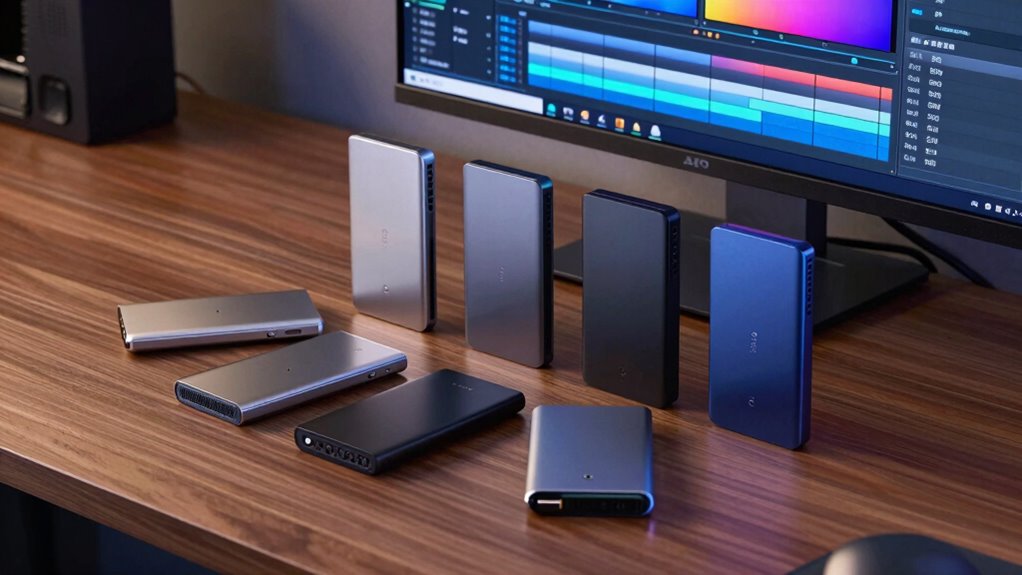

When selecting external SSDs for 4K video editing, speed and reliability are non-negotiable. The Samsung T9 Portable SSD 1TB stands out for its blazing fast transfer speeds and compact design, making it a top overall choice. The SanDisk Professional 4TB PRO-G40 offers massive storage for large projects, ideal for professional workflows. Meanwhile, the Sabrent Rocket Nano XTRM 2TB combines Thunderbolt 3 and USB 3.2 Gen 2 interfaces for versatile connectivity. Buyers often face tradeoffs between speed, capacity, and portability — continue reading for a detailed breakdown of these options and how they compare.

Get audio and creator gear delivered free with Prime
- Fast, free delivery on millions of items
- Prime Video, Amazon Music and more included
- Member-only deals all year
Complete the kit


Key Takeaways
- The fastest SSDs, like the Samsung T9, excel at editing 4K footage smoothly but tend to be pricier and less portable.
- Larger capacity drives such as the SanDisk Professional PRO-G40 are better suited for extensive projects but may compromise on portability and speed.
- Versatile connectivity options, like Thunderbolt 3, provide higher transfer speeds but come at a premium cost.
- Entry-level options like SSK 1TB offer good value but may fall short on sustained performance during intensive editing.
- Build quality and durability vary; professional-grade drives often have rugged features that protect against drops and dust.
| Samsung T9 Portable SSD 1TB USB 3.2 Gen 2×2 External SSD |  | Best Overall for High-Speed Versatility | Brand: Samsung | Model: T9 Portable SSD | Capacity: 1TB | VIEW ON AMAZON | See Our Full Breakdown |
| SanDisk Professional 4TB PRO-G40 External SSD |  | Best for Rugged, Large-Capacity Workflows | Capacity: 4TB | Read Speed: Up to 3000MB/s | Write Speed: Up to 2500MB/s | VIEW ON AMAZON | See Our Full Breakdown |
| Sabrent Rocket Nano XTRM 2TB External SSD (Thunderbolt 3, USB 3.2 Gen 2) |  | Best for Compact, High-Speed On-the-Go Editing | Capacity: 2TB | Interface: Thunderbolt 3, USB 3.2 Gen 2 | Read Speed: 2700 MB/s | VIEW ON AMAZON | See Our Full Breakdown |
| SanDisk 2TB Extreme Portable SSD (SDSSDE61-2T00-G25) |  | Best for Active Creators on the Move | Capacity: 2TB | Read Speed: Up to 1050MB/s | Write Speed: Up to 1000MB/s | VIEW ON AMAZON | See Our Full Breakdown |
| SanDisk 2TB Creator PRO Portable SSD, Up to 2000MB/s Read Speeds, Blue |  | Best for Creatives Needing High-Speed Data Access | Capacity: 2TB | Read Speed: 2000MB/s | Drop Resistance: 3 meters | VIEW ON AMAZON | See Our Full Breakdown |
| SSK 1TB Portable External SSD, USB-C, up to 1050MB/s |  | Best for Mobile 4K HDR Capture and Cross-Platform Compatibility | Capacity: 1TB (approximately 931GB shown in Windows) | Interface: USB-C and USB-A, USB 3.2 Gen2 | Read Speed: Up to 1050 MB/s | VIEW ON AMAZON | See Our Full Breakdown |
| Samsung T7 Portable SSD 1TB Titan Gray, USB 3.2 Gen 2, Up to 1,050MB/s |  | Best for Durable Speed and On-the-Go Data Transfer | Capacity: 1TB | Interface: USB 3.2 Gen 2 | Max Speed: 1,050MB/s | VIEW ON AMAZON | See Our Full Breakdown |
| external ssds for 4k video editing | Capacity | Interface | Read Speed |
|---|---|---|---|
| Samsung T9 Portable SSD 1TB US | 1TB | USB 3.2 Gen 2×2 | — |
| SanDisk Professional 4TB PRO-G | 4TB | — | Up to 3000MB/s |
| Sabrent Rocket Nano XTRM 2TB E | 2TB | Thunderbolt 3, USB 3.2 Gen 2 | 2700 MB/s |
| SanDisk 2TB Extreme Portable S | 2TB | USB-C, USB 3.2 Gen 2 | Up to 1050MB/s |
| SanDisk 2TB Creator PRO Portab | 2TB | — | 2000MB/s |
| SSK 1TB Portable External SSD | 1TB (approximately 931GB shown in Windows) | USB-C and USB-A, USB 3.2 Gen2 | Up to 1050 MB/s |
| Samsung T7 Portable SSD 1TB Ti | 1TB | USB 3.2 Gen 2 | — |
More Details on Our Top Picks
Samsung T9 Portable SSD 1TB USB 3.2 Gen 2×2 External SSD
The Samsung T9 Portable SSD stands out for its blistering sustained speeds up to 2,000 MB/s, making it a top choice for 4K video editing where transfer time matters. Compared to the SanDisk Extreme, it offers significantly faster write speeds, though it requires a compatible USB 3.2 Gen 2×2 port to reach peak performance. Its Dynamic Thermal Guard helps mitigate heat during prolonged transfers, which is crucial when working with large 4K files. While it boasts broad device compatibility, including iPhone 15 Pro, achieving maximum speeds depends on host hardware. This drive makes the most sense for professionals who need rapid data access and have the supporting ports, but less so for casual users or those with older hardware. Pros: Unmatched 2,000 MB/s transfer speeds; effective thermal management; wide compatibility including mobile devices; Samsung Magician software for maintenance. Cons: Full speed requires a specific USB 3.2 Gen 2×2 port; iPhone support may need an extra cable.
Verdict: This is ideal for high-end creators with compatible hardware seeking maximum speed and reliability in demanding workflows.- Brand:Samsung
- Model:T9 Portable SSD
- Capacity:1TB
- Interface:USB 3.2 Gen 2×2
- Sustained Read Speed:Up to 2,000 MB/s
- Sustained Write Speed:Up to 2,000 MB/s
- Thermal Management:Dynamic Thermal Guard
- Software:Samsung Magician
- Compatibility:Desktops, cameras, gaming consoles, iPhone 15 Pro
Our verdict“Best Overall for High-Speed Versatility — a strong pick in this lineup.”
SanDisk Professional 4TB PRO-G40 External SSD
The SanDisk Professional 4TB PRO-G40 offers immense storage paired with durability, supporting Thunderbolt 3 speeds up to 3000MB/s that are ideal for large 4K or even 6K video projects. Compared with the Sabrent Rocket Nano XTRM, its larger capacity and rugged build make it better suited for on-site editing or field work where durability matters most. Its IP68 rating, crush resistance, and drop protection ensure reliability under tough conditions, but these features come with a higher price and bulkier design. The drive’s large capacity is perfect for editors with massive footage libraries, but it may be overkill for those working primarily in smaller, controlled environments. Pros: Exceptional Thunderbolt 3 speeds; rugged, durable design; large 4TB capacity; Mac-ready with APFS formatting. Cons: High cost and bulk compared to portable options; may need reformatting for Windows/Linux.
Verdict: This drive suits professionals needing high-capacity, reliable storage in demanding environments, but is less ideal for casual or mobile users.- Capacity:4TB
- Read Speed:Up to 3000MB/s
- Write Speed:Up to 2500MB/s
- Interfaces:Thunderbolt 3, USB-C
- Durability:IP68 dust/water, crush, drop resistance
- Drive Format:APFS
Our verdict“Best for Rugged, Large-Capacity Workflows — a strong pick in this lineup.”
Sabrent Rocket Nano XTRM 2TB External SSD (Thunderbolt 3, USB 3.2 Gen 2)
The Sabrent Rocket Nano XTRM packs impressive performance into a tiny package—delivering up to 2700 MB/s over Thunderbolt 3, making it a prime choice for quick 4K editing sessions. Its compact aluminum chassis with silicone sleeve provides effective heat dissipation and drop protection, outperforming bulkier drives like the SanDisk Extreme in portability. While its Thunderbolt 3 speeds are exceptional, they rely on compatible hardware; on USB 3.2 Gen 2, speeds drop to 900 MB/s, which is still decent but less ideal for the most demanding tasks. This drive caters well to mobile professionals who need speed and portability but may not be suitable for users without Thunderbolt support. Pros: Exceptionally fast Thunderbolt 3 speeds; ultra-lightweight and portable; included Thunderbolt and USB-C cables; durable aluminum housing with drop protection; extended warranty with registration. Cons: Reduced speeds on non-Thunderbolt ports; requires compatible hardware for peak performance.
Verdict: This is best suited for mobile editors who prioritize speed and portability but have the hardware to support Thunderbolt 3.- Capacity:2TB
- Interface:Thunderbolt 3, USB 3.2 Gen 2
- Read Speed:2700 MB/s
- USB Speed:900 MB/s
- Dimensions:2.95″ × 1.34″ × 0.71″
- Weight:1.69 oz
- Housing:Aluminum with silicone sleeve
Our verdict“Best for Compact, High-Speed On-the-Go Editing — a strong pick in this lineup.”
SanDisk 2TB Extreme Portable SSD (SDSSDE61-2T00-G25)
The SanDisk Extreme Portable SSD balances speed and durability, with up to 1050MB/s read and 1000MB/s write speeds that support real-time 4K editing. Its rugged build, including drop resistance up to 3 meters and IP65 water/dust resistance, makes it a dependable companion for outdoor shoots or on-location editing. Compared to the SanDisk Creator PRO, it’s lighter and more portable but offers slightly lower transfer speeds. Its encryption features add security, but the performance can vary depending on the host device, and some users might find the software setup for password protection less straightforward. This drive is ideal for active creators who need reliable, portable speed but do not require the absolute fastest transfers. Pros: Solid NVMe speeds up to 1050MB/s; rugged, weather-resistant design; portable with carabiner loop; hardware encryption for data security. Cons: Performance depends on host device; software for encryption might be cumbersome.
Verdict: Perfect for creators needing tough, portable storage for active workflows, with moderate speed requirements.- Capacity:2TB
- Read Speed:Up to 1050MB/s
- Write Speed:Up to 1000MB/s
- Interface:USB-C, USB 3.2 Gen 2
- Drop Resistance:Up to 3 meters
- Water/Dust Resistance:IP65
- Encryption:256-bit AES hardware
Our verdict“Best for Active Creators on the Move — a strong pick in this lineup.”
SanDisk 2TB Creator PRO Portable SSD, Up to 2000MB/s Read Speeds, Blue
The SanDisk Creator PRO offers impressive read speeds up to 2000MB/s, making it well-suited for rapid backups and editing of 4K files. Its durable design, with drop resistance up to three meters and IP65 water and dust resistance, supports active workflows outdoors or on the move. Compared to the SanDisk Extreme, it provides faster read speeds but lacks the same level of ruggedness, making it slightly more fragile in harsh environments. Its focus on speed makes it perfect for creators who need quick access to large files but may be limited by its 2TB capacity, which could be restrictive for very large projects. Pros: Fast read speeds up to 2000MB/s; durable and portable; water and dust resistant; suitable for on-the-go editing. Cons: Capacity limited to 2TB; performance depends on host device.
Verdict: This drive is best for creators who prioritize speed and portability over massive storage capacity and durability in extreme conditions.- Capacity:2TB
- Read Speed:2000MB/s
- Drop Resistance:3 meters
- Water/Dust Resistance:IP65
- Design Color:Blue
- Form Factor:Portable
Our verdict“Best for Creatives Needing High-Speed Data Access — a strong pick in this lineup.”
SSK 1TB Portable External SSD, USB-C, up to 1050MB/s
The SSK 1TB Portable External SSD stands out for its versatile connectivity options, supporting both USB-C and USB-A, which makes it ideal for users who need flexible device compatibility. Its impressive read and write speeds—up to 1050MB/s and 1000MB/s respectively—are well-suited for quick transfers of large 4K video files, especially when compared to less capable drives that struggle with sustained data rates. Unlike the Samsung T7, which offers similar speeds, the SSK’s inclusion of S.M.A.R.T. diagnostics and adaptive TRIM enhances long-term performance and drive health. However, its performance can slow when large transfers exceed the SLC cache, and the case temperature reaching over 105°F during intensive use is a concern for prolonged editing sessions. This pick makes the most sense for mobile editors who need fast, reliable storage on the go, especially for capturing and editing 4K HDR video directly on their iPhone or tablet.
Pros:- Fast read and write speeds for quick file transfers
- Includes both USB-C and USB-A cables for broad device compatibility
- Lightweight aluminum alloy design improves portability and heat dissipation
- Supports 4K60Hz ProRes HDR video capture on iPhone
Cons:- Windows may recognize only around 931GB of the 1TB capacity
- Performance can decline when transfer sizes exceed SLC cache limits
- Case temperature can reach 105.58°F under heavy workload
Best for: Content creators needing high-speed, portable storage for 4K HDR video capture and editing on mobile devices.
Not ideal for: Desktop editors or users who prioritize maximum capacity over portability, as the compact size offers limited space for expansion.
- Capacity:1TB (approximately 931GB shown in Windows)
- Interface:USB-C and USB-A, USB 3.2 Gen2
- Read Speed:Up to 1050 MB/s
- Write Speed:Up to 1000 MB/s
- Cache:SLC caching, up to 25% of available capacity
- Compatibility:Computers, smartphones, tablets, iPhone
- Video Support:4K60Hz ProRes HDR with iPhone
- Power Consumption:Less than 2.4 W
- Material:Aluminum alloy
Our verdict“This drive is best suited for mobile video editors who need fast, versatile, and portable storage for 4K HDR workflows, accepting some thermal and cache limitations.”
Samsung T7 Portable SSD 1TB Titan Gray, USB 3.2 Gen 2, Up to 1,050MB/s
The Samsung T7 Portable SSD offers a sleek, shock-resistant design that makes it highly suitable for demanding field work or frequent travel, where durability matters more than raw expansion. Its maximum speed of 1,050MB/s matches the SSK, but unlike the SSK, it emphasizes ruggedness, with a shock resistance that withstands falls up to 6 feet—an advantage over more fragile drives like the Sabrent Rocket Nano. The T7’s compact, unibody aluminum design ensures it stays cool under load, which benefits sustained 4K editing sessions. Its main drawback involves higher costs for larger capacities and the absence of built-in hardware encryption, which might be a concern for sensitive data. Compared to the SanDisk Extreme Portable SSD, the T7 offers a more refined build but without the same level of ruggedization. It’s ideal for mobile professionals who need fast, reliable storage that can withstand rough handling during busy shoots or editing in the field.
Pros:- Consistent transfer speeds up to 1,050MB/s
- Shock-resistant and fall-protected up to 6 feet
- Sleek, portable, and lightweight design
- Compatible with a wide range of devices including smartphones
Cons:- Higher price point for larger capacities
- Limited to USB 3.2 Gen 2, not the latest USB standards
- Lacks hardware encryption features for data security
Best for: Traveling video editors or field producers requiring a durable and fast external SSD for 4K workflows.
Not ideal for: Stationary editors working primarily indoors, who might prefer drives with larger capacities or integrated security features.
- Capacity:1TB
- Interface:USB 3.2 Gen 2
- Max Speed:1,050MB/s
- Durability:Shock resistant, fall protection up to 6 feet
- Compatibility:PC, mobile phones, iPhone 15 Pro Res 4K at 60fps
- Material:Unibody aluminum
- Size:Compact and portable
- Power:Low power consumption
Our verdict“This drive fits well for users who need a tough, fast, and portable SSD that can handle the rigors of outdoor or on-location 4K editing, with some limitations on capacity and security.”
How We Picked
I evaluated these external SSDs based on their performance in handling 4K video workflows, focusing on transfer speeds, capacity options, and interface options like USB-C and Thunderbolt 3. Reliability and build quality were also key, especially for portable use in different environments. Value was considered by weighing performance against price, ensuring each pick offers distinct benefits for different user needs. The ranking reflects a balance of speed, capacity, connectivity, and overall user experience tailored to professional and enthusiast video editors.| external ssds for 4k video editing | Interface |
|---|---|
| Samsung T9 Portable SSD 1TB US | USB 3.2 Gen 2×2 |
| SanDisk Professional 4TB PRO-G | — |
| Sabrent Rocket Nano XTRM 2TB E | Thunderbolt 3, USB 3.2 Gen 2 |
| SanDisk 2TB Extreme Portable S | USB-C, USB 3.2 Gen 2 |
| SanDisk 2TB Creator PRO Portab | — |
| SSK 1TB Portable External SSD | USB-C and USB-A, USB 3.2 Gen2 |
| Samsung T7 Portable SSD 1TB Ti | USB 3.2 Gen 2 |
Factors to Consider When Choosing External Ssds For 4k Video Editing
Choosing the right external SSD for 4K video editing involves more than just looking at raw speed. Consider your workflow, project size, and portability needs to find a drive that balances these factors effectively. Understanding key features and common tradeoffs can help avoid costly mistakes and ensure smooth editing sessions.Performance and Speed
Speed is critical when working with 4K footage. Look for SSDs with high sequential read/write speeds, ideally above 1000MB/s, to minimize lag during editing and rendering. However, remember that real-world performance also depends on your computer’s interface—Thunderbolt 3 or USB 3.2 Gen 2 connections deliver faster transfer rates, which are essential for large file handling. Don’t assume that a higher advertised speed will always translate into better performance; factors like thermal throttling and sustained speeds matter too.
Capacity and Storage Needs
4K video files can be enormous, so a larger capacity drive—4TB or more—reduces the need for constant swapping or external storage management. Smaller drives may be sufficient for short projects or editing proxies, but for professional workflows, investing in higher capacity drives prevents bottlenecks. Keep in mind that larger drives tend to be more expensive and may be heavier, impacting portability. Balance your storage needs with budget constraints to avoid overpaying for unused capacity or underestimating your space requirements.
Connectivity Options
Most high-performance external SSDs utilize USB-C, but Thunderbolt 3 or 4 interfaces are increasingly common for demanding editing tasks. Thunderbolt offers higher transfer speeds, which can significantly reduce wait times during large file transfers. However, Thunderbolt-compatible devices and cables tend to be pricier, and not all computers support these interfaces. Consider your existing hardware and future upgrade plans—sometimes investing in Thunderbolt can be worthwhile for long-term efficiency, but for casual editing, USB-C may suffice.
Build Quality and Durability
Video editing often involves working on the go, so ruggedness and build quality matter. Look for drives with water and dust resistance, shock-proof designs, and sturdy enclosures if you plan to carry them frequently. Cheaper drives may save money initially but can be more vulnerable to damage, risking data loss. Professional-grade drives generally offer better longevity and reliability, which are essential for critical projects and long-term storage.
Price and Value
Balancing cost with performance is key. High-speed drives with large capacities command higher prices, but investing in quality can save time and prevent frustration during editing. Conversely, budget options may suffice for light or occasional use but could hinder performance during intensive tasks. Focus on what features align with your workflow—if you edit daily or handle large files, paying more for a premium drive makes sense. For hobbyists or light users, more affordable options can still deliver satisfactory results.
Frequently Asked Questions
Do I need a Thunderbolt SSD for 4K editing?
While Thunderbolt SSDs offer higher transfer speeds, they are not strictly necessary for all 4K editing workflows. If your computer supports Thunderbolt 3 or 4 and you regularly work with large files, investing in a Thunderbolt SSD can significantly reduce transfer times and improve overall efficiency. However, USB 3.2 Gen 2 drives can still deliver excellent performance for many editing tasks, especially if your budget is limited. Assess your workflow and hardware compatibility to decide whether the speed premium is justified.
How much capacity do I need for 4K video editing?
The ideal capacity depends on your project size and storage habits. For most professional editors, starting with at least 2TB is advisable, especially if working with raw 4K footage. Larger capacity drives, such as 4TB or more, reduce the need for frequent data transfers and allow for multiple projects to be stored simultaneously. Keep in mind that larger drives tend to be more expensive, so consider how much space your current projects require and whether external or additional drives are part of your setup.
Is it better to get an external SSD or an internal SSD for editing?
External SSDs offer the convenience of portability, making them ideal for on-the-go editing or sharing projects between devices. Internal SSDs typically provide slightly faster speeds and lower latency, which can benefit high-end professional workflows. However, internal drives require installation and are fixed within your system, limiting flexibility. For most users needing mobility and ease of use, a high-quality external SSD balances performance with convenience, especially when choosing models with Thunderbolt or USB-C interfaces.
What interface should I prioritize for 4K editing?
Prioritizing interfaces like Thunderbolt 3 or 4 and USB 3.2 Gen 2 is essential for high-speed data transfers during 4K editing. Thunderbolt 3 provides the fastest options currently available, supporting transfer speeds up to 40Gbps, which dramatically cuts down on wait times. USB-C, while slightly slower, still offers impressive performance at a lower cost and broader compatibility. Your choice should depend on your existing hardware and future-proofing plans, but generally, higher interface speeds translate into more efficient editing workflows.
How important is durability for external SSDs used in video editing?
Durability is a significant factor if you frequently work outside a controlled environment or move your drives between locations. Rugged, shock-resistant designs protect against drops and impacts that could corrupt data or damage the drive. For professional editors who travel or shoot on location, investing in a rugged SSD can help safeguard valuable footage. On the other hand, if your workflow remains mostly stationary, standard drives with good build quality may suffice, but durability should still be a consideration for long-term reliability.
Conclusion
For most users, the Samsung T9 Portable SSD offers the best blend of speed, portability, and reliability, making it ideal as the best overall pick. Professionals handling large projects on a regular basis will benefit from the SanDisk Professional 4TB PRO-G40 for its massive capacity, serving as the best for high-volume editing. For those prioritizing speed and connectivity, the Sabrent Rocket Nano XTRM with Thunderbolt 3 stands out as the best premium choice. Beginners or casual editors should consider more affordable options like the SSK 1TB Portable SSD, which still offers decent performance without breaking the bank. Ultimately, your choice should align with your workflow demands, budget, and portability needs.
As an affiliate, we earn on qualifying purchases.Halloween Picks
halloween