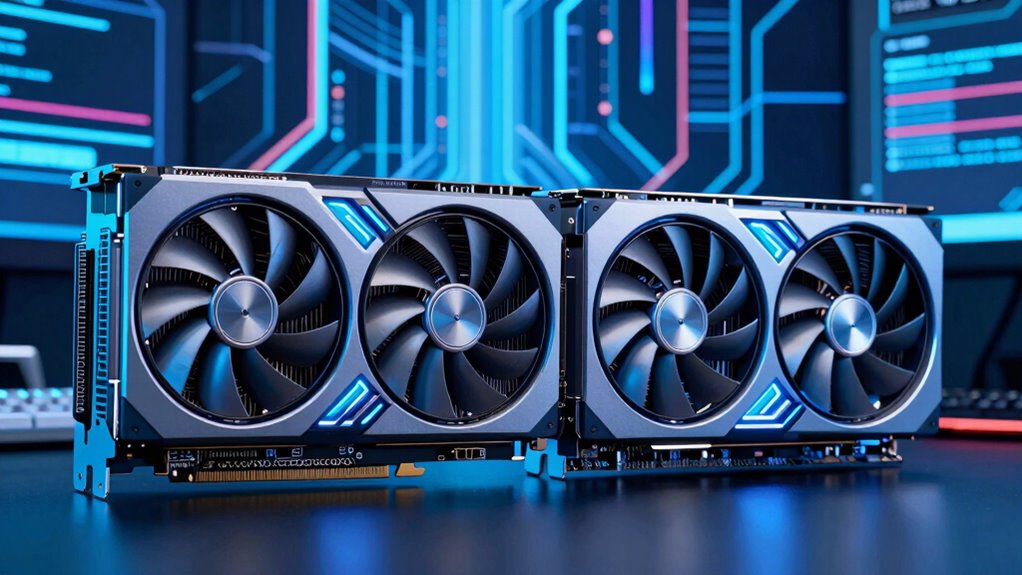

Choosing the right graphics card for creative work in 2026 means balancing power, compatibility, and budget. The ASUS ProArt GeForce RTX 5080 stands out for its large VRAM and cooling system, ideal for intensive rendering. Meanwhile, the AMD Radeon™ PRO W6600 offers solid performance for professional workflows at a lower price point. The ASRock Radeon AI PRO R9700 excels in AI and large data models, but its enterprise focus might be overkill for casual creators. Each of these options targets different priorities, with tradeoffs around size, cost, and specialization.
Complete the kit



Key Takeaways
- The NVIDIA RTX 5080 provides the best performance for demanding creative tasks but at a higher cost and size.
- The AMD Radeon PRO W6600 offers a balanced professional-grade experience with hardware ray tracing for realistic visuals.
- The ASRock Radeon AI PRO R9700 is ideal for AI and large-scale data workflows, but may be overkill for typical content creators.
- Size and power requirements vary significantly, impacting compatibility with existing setups.
- Premium features like advanced cooling and high VRAM come with a price premium, requiring careful consideration of your specific workflow needs.
| AMD Radeon™ PRO W6600 8GB Graphics Card |  | Best for Professional Workflows | Memory: 8 GB | Ray Tracing: Hardware accelerated | Interface: PCIe 4.0 | VIEW ON AMAZON | See Our Full Breakdown |
| ASUS ProArt GeForce RTX 5080 16GB GDDR7 OC Edition Graphics Card |  | Best for High-Performance Creators | Memory: 16GB GDDR7 | Boost Clock: 2730 MHz | Features: USB Type-C, vapor chamber, phase-change thermal pad | VIEW ON AMAZON | See Our Full Breakdown |
| ASRock Radeon AI PRO R9700 Creator 32GB Professional Graphics Card |  | Best for AI & Data-Intensive Work | Memory: 32 GB | GPU Clock Speed: 2920 MHz | Cooling: Blower | VIEW ON AMAZON | See Our Full Breakdown |
| ASRock Radeon RX 9060 XT Challenger 16GB OC Graphics Card |  | Best for Gaming & Creative Work | GPU Architecture: RDNA 4 | Memory: 16GB GDDR6 | Boost Clock: 3290 MHz | VIEW ON AMAZON | See Our Full Breakdown |
| GIGABYTE GeForce RTX 5080 Gaming OC 16G Graphics Card |  | Best for Cutting-Edge Creative Performance | Graphics Coprocessor: NVIDIA GeForce RTX 5080 | Memory: 16 GB GDDR7 | GPU Clock Speed: 2.73 GHz | VIEW ON AMAZON | See Our Full Breakdown |
| graphics card for creator | Memory |
|---|---|
| AMD Radeon™ PRO W6600 8GB Grap | 8 GB |
| ASUS ProArt GeForce RTX 5080 1 | 16GB GDDR7 |
| ASRock Radeon AI PRO R9700 Cre | 32 GB |
| ASRock Radeon RX 9060 XT Chall | 16GB GDDR6 |
| GIGABYTE GeForce RTX 5080 Gami | 16 GB GDDR7 |
More Details on Our Top Picks
AMD Radeon™ PRO W6600 8GB Graphics Card
This card shines for creators focused on professional-grade rendering and CAD workflows, thanks to its 8 GB of high-speed memory and hardware-accelerated ray tracing. It supports PCIe 4.0, ensuring fast data transfer, but its primary design for workstation environments makes it less suited for casual or gaming setups. Compared with more gaming-oriented options, it offers predictable performance in professional applications, though the cooling solutions are less detailed and could impact long-term stability under heavy loads. This pick makes the most sense for users who need certified reliability and are less concerned about gaming or overclocking.
Pros:- Reliable performance with 8 GB high-speed memory
- Supports hardware ray tracing for realistic rendering
- PCIe 4.0 interface ensures fast data throughput
Cons:- Limited cooling detail may affect thermal stability in heavy workloads
- Designed primarily for professional use, overkill for casual creators
- Lacks gaming-oriented features
Best for: Creative professionals in CAD, 3D modeling, and rendering
Not ideal for: Casual gamers or users seeking high-end gaming performance
- Memory:8 GB
- Ray Tracing:Hardware accelerated
- Interface:PCIe 4.0
Our verdict“A dependable choice for professional environments, providing reliable rendering and CAD performance over gaming prowess.”
ASUS ProArt GeForce RTX 5080 16GB GDDR7 OC Edition Graphics Card
The ASUS ProArt RTX 5080 OC Edition offers an impressive 16 GB of GDDR7 memory, making it ideal for demanding creative tasks such as 8K video editing, complex 3D rendering, and multi-layer compositing. Its advanced cooling system, featuring MaxContact heatsink and vapor chamber, helps maintain performance under sustained loads, making it suitable for long creative sessions. Its connectivity options, including USB Type-C, enhance versatility for modern workflows. However, its size and premium features come at a higher price, and less experienced users may find setup and configuration complex. Compared with smaller or less feature-rich cards, this model prioritizes thermal efficiency and VRAM, sacrificing some affordability and size flexibility.
Pros:- Large 16 GB GDDR7 VRAM for intensive projects
- Advanced cooling system improves thermal stability
- Versatile connectivity including USB Type-C
Cons:- Size may require a spacious case
- Premium price point limits accessibility
- Setup complexity for non-technical users
Best for: Professional creators needing large VRAM and reliable thermal management
Not ideal for: Budget-conscious hobbyists or small-form-factor builds
- Memory:16GB GDDR7
- Boost Clock:2730 MHz
- Features:USB Type-C, vapor chamber, phase-change thermal pad
Our verdict“An excellent high-end option for creators demanding large VRAM and robust cooling, with tradeoffs in size and cost.”
ASRock Radeon AI PRO R9700 Creator 32GB Professional Graphics Card
This card is tailored for AI development, large-scale data processing, and high-resolution video editing, thanks to its massive 32 GB of GDDR6 memory and AMD RDNA 4 architecture with AI accelerators. Its blower cooling system suits multi-GPU setups or server environments, ensuring stability during continuous workloads. While perfect for enterprise or research settings, it might be excessive for typical creative tasks like photo editing or standard 3D rendering. Compatibility considerations are important, as this card is primarily aimed at professional and enterprise users, which could pose barriers for casual creators. Its high VRAM and AI features deliver unmatched performance for specific workflows but at a premium complexity and cost.
Pros:- Massive 32 GB GDDR6 memory for large AI models
- AI accelerators boost compute-heavy tasks
- Supports PCIe 5.0 and 8K resolutions
Cons:- Designed mainly for enterprise use, not for casual creators
- Single blower fan might limit cooling in hot environments
- Limited software support info available
Best for: AI research, large-scale 3D rendering, high-end video editing
Not ideal for: Casual creators and small project workflows
- Memory:32 GB
- GPU Clock Speed:2920 MHz
- Cooling:Blower
- Interface:PCI-Express x16
Our verdict“A powerhouse for AI and enterprise workloads, but overkill for most standard creative workflows.”
ASRock Radeon RX 9060 XT Challenger 16GB OC Graphics Card
The ASRock Radeon RX 9060 XT Challenger delivers strong gaming and creative performance with a boost clock of 3290 MHz, supported by 16 GB of GDDR6 memory. Its RDNA 4 architecture enables efficient ray tracing, making it suitable for video editing, 3D work, and gaming at 1440p. The card’s two-slot design requires adequate space and a 550W power supply, which could limit compatibility in smaller builds. Compared with higher-end models, it offers a compelling mix of speed and VRAM at a more approachable price point but sacrifices some advanced cooling features and overclocking headroom. This card is a solid choice for creators who want a balance of gaming prowess and creative performance.
Pros:- High boost clock of 3290 MHz
- 16 GB GDDR6 VRAM suitable for modern creative tasks
- Supports advanced ray tracing features
Cons:- Requires a larger case and 550W power supply
- Two-slot design may limit compatibility
- Less cooling optimization compared to premium models
Best for: Creators who need gaming and creative performance in a single card
Not ideal for: Small cases or users with limited power supplies
- GPU Architecture:RDNA 4
- Memory:16GB GDDR6
- Boost Clock:3290 MHz
- Display Outputs:DisplayPort 2.1a, HDMI 2.1b
Our verdict“A versatile card balancing gaming and creative needs, ideal for mid-range builds with adequate space and power.”
GIGABYTE GeForce RTX 5080 Gaming OC 16G Graphics Card
The GIGABYTE RTX 5080 Gaming OC features NVIDIA’s latest architecture, combining 16 GB of GDDR7 memory with a powerful GPU clock of 2.73 GHz. Its WINDFORCE cooling system with three fans ensures that high workloads remain stable, making it well-suited for 4K video editing, complex 3D rendering, and AI tasks. The large size and high power consumption mean it requires a spacious case and a robust power supply, but its performance gains often justify the investment. Compared to other high-end options, it offers a blend of raw power, cooling efficiency, and advanced RT and Tensor cores for real-time ray tracing and AI acceleration. It’s a premium choice for creators demanding the best possible performance.
Pros:- NVIDIA RTX 5080 architecture with RT and Tensor cores
- Large 16 GB GDDR7 VRAM for high-res and AI workloads
- Effective WINDFORCE cooling system with three fans
Cons:- High power consumption and potential size constraints
- Premium price point not specified but implied
- Requires a spacious case and high-capacity PSU
Best for: Power users needing the highest performance for demanding creative workflows
Not ideal for: Small cases, budget builds, or less demanding workloads
- Graphics Coprocessor:NVIDIA GeForce RTX 5080
- Memory:16 GB GDDR7
- GPU Clock Speed:2.73 GHz
- Cooling:WINDFORCE with 3 fans
Our verdict“The top-tier choice for creators who need maximum performance, despite size and power considerations.”

How We Picked
Our selection process focused on identifying graphics cards that balance raw power, reliability, and features tailored to creative professionals. We evaluated specifications such as VRAM, GPU architecture, and connectivity options, emphasizing those optimized for creative workloads like 3D rendering, video editing, AI, and multi-monitor setups. We also considered price-to-performance ratios, cooling solutions, and size, ensuring each pick offers a distinct role and value for different creator profiles.
Factors to Consider When Choosing Graphics Card For Creator
Choosing the right graphics card for your creative needs in 2026 involves understanding your workload, system compatibility, and budget. Key factors include VRAM capacity for large files or complex scenes, GPU architecture for AI and rendering efficiency, cooling solutions to sustain performance, and connectivity options for modern peripherals. This guide breaks down these considerations to help you match a card with your specific workflow and workspace constraints.
Performance and VRAM
For demanding creative tasks like 8K video editing or 3D rendering, higher VRAM—such as 16 or 32 GB—is often necessary to prevent bottlenecks. Cards like the ASRock Radeon AI PRO R9700 with 32 GB excel here, but for most creators, 8-16 GB provides ample capacity. Consider your workload size and future-proofing when choosing VRAM, balancing it against your budget and system limits.
Architecture and Specialized Features
Modern architectures like NVIDIA’s RTX series and AMD’s RDNA 4 bring efficiencies and features such as hardware ray tracing, AI accelerators, and support for PCIe 5.0. These features enhance rendering speed and visual fidelity, especially in real-time workflows. The RTX 5080 offers cutting-edge RT and Tensor cores, ideal for real-time ray tracing and AI-driven tasks, whereas professional cards like the W6600 prioritize stability and certified drivers for CAD and design work.
Cooling and Size
Effective cooling prevents thermal throttling during long sessions. Larger cards like the GIGABYTE RTX 5080 with multiple fans are better suited for sustained workloads but require spacious cases. Smaller or blower-style cooling cards, such as the ASRock Radeon AI PRO R9700, fit into tighter spaces but may run hotter under load. Always match your case size and airflow capabilities with your chosen GPU’s cooling design.
Power and Connectivity
High-performance cards often demand substantial power supplies and specific connectors. For example, the ASRock Radeon RX 9060 XT Challenger requires a 550W PSU and a dedicated 8-pin power connector. Connectivity options like USB Type-C on the ASUS ProArt RTX 5080 facilitate modern workflows involving external devices. Ensure your system can support these requirements before purchase.
Frequently Asked Questions
Is more VRAM always better for creators?
While larger VRAM like 16 GB or more can handle complex files, large textures, and high-resolution renders more smoothly, it isn’t always necessary for every workflow. For typical photo editing or 4K video editing, 8 GB may suffice, but demanding tasks such as 8K editing or large 3D scenes benefit significantly from higher VRAM.
Should I prioritize GPU architecture over other features?
GPU architecture impacts rendering efficiency, AI acceleration, and feature set. Modern architectures like NVIDIA’s RTX series or AMD’s RDNA 4 offer hardware-accelerated ray tracing and AI cores that can drastically improve workflow speed. For creative professionals relying on real-time rendering or AI tools, architecture is a key factor, but balance it with VRAM, cooling, and system compatibility.
Are professional-grade cards necessary for creative work?
Professional cards like the AMD Radeon PRO W6600 or ASRock Radeon AI PRO R9700 excel in stability, certified drivers, and specific features for CAD, AI, or large-scale rendering. However, for most creators, high-end gaming or workstation cards provide sufficient performance at a lower cost. Consider your workload’s specificity before opting for enterprise-grade hardware.
How important are cooling solutions in choosing a GPU?
Cooling determines how well a GPU maintains performance during prolonged workloads. Larger, multi-fan cooling solutions like those on the GIGABYTE RTX 5080 manage heat better in demanding tasks, but they require more space. Smaller blower-style coolers are suitable for tight spaces but may run hotter and quieter. Match your cooling needs to your workspace and workload demands.
What should I consider regarding power supply requirements?
High-performance cards often need a robust power supply, with some models requiring 550W or higher and dedicated connectors like 8-pin or 6+2-pin. Check your existing PSU’s wattage and connector compatibility before purchasing, as inadequate power can lead to instability or hardware damage.
Conclusion
If you are a professional creator working on large projects, the ASRock Radeon AI PRO R9700 offers unmatched VRAM and AI features, but it might be overkill for typical workflows. For those seeking a blend of high performance and versatility, the GIGABYTE RTX 5080 provides top-tier capabilities, albeit with size and power considerations. Creators focused on high-resolution video editing, 3D rendering, or AI will benefit most from the ASUS ProArt RTX 5080 or the GIGABYTE RTX 5080. Budget-conscious users or those with smaller cases may prefer the AMD Radeon PRO W6600 for reliable performance in a professional context. Ultimately, matching your workload, system compatibility, and workspace constraints will lead to the best choice.