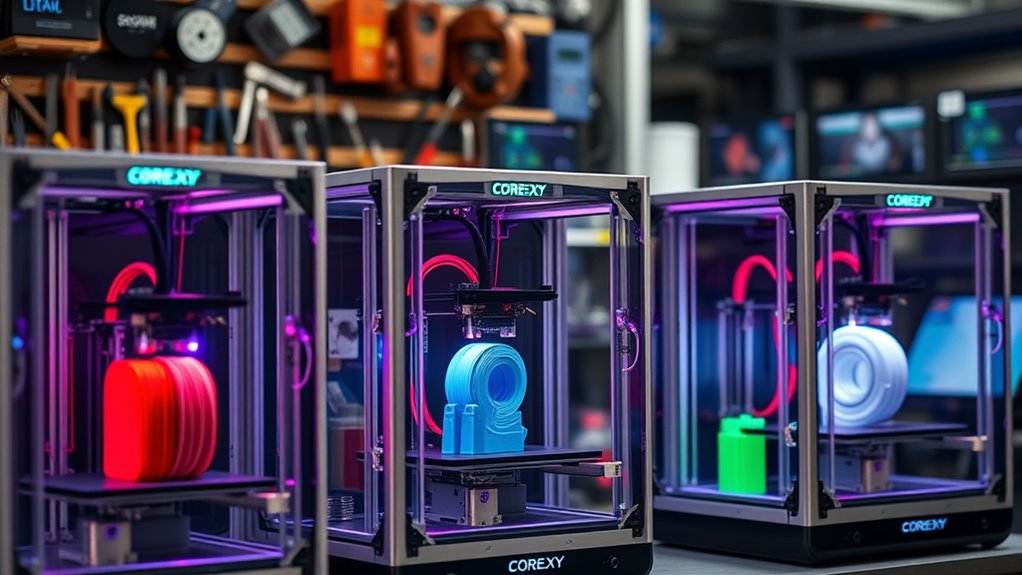

For those seeking rapid 3D printing without sacrificing quality, highspeed CoreXY printers stand out as a compelling choice. The Original Prusa CORE One+ makes a strong case for overall reliability and precision, while models like the Creality K1C and Sovol SV08 MAX emphasize blazing speeds and larger build volumes. The main challenge is balancing speed with print quality and ease of use—higher speeds often introduce vibration, compromise detail, or demand more advanced calibration. Keep reading for a detailed breakdown of the best options in 2026, with insights on what each model offers and where they fall short.

Get audio and creator gear delivered free with Prime
- Fast, free delivery on millions of items
- Prime Video, Amazon Music and more included
- Member-only deals all year
Complete the kit


Key Takeaways
- Highspeed CoreXY printers prioritize rapid print times, but often require more frequent maintenance and calibration.
- Larger build volumes are available but may come at the expense of increased machine complexity and cost.
- Multi-color and auto-leveling features significantly enhance usability but can add to the overall price and setup complexity.
- Build quality varies widely; premium models tend to offer more stable frames that better handle high speeds without vibration artifacts.
- Most top models balance speed with print quality, but some are optimized for speed at the cost of ultra-fine detail.
| Original Prusa CORE One+ Fully Enclosed High-Speed CoreXY 3D Printer |  | Best Overall for Precision and Reliability | Motion System: CoreXY | Build Volume: 9.8 × 8.6 × 10.6 in (250 × 220 × 270 mm) | Material Compatibility: PLA, PETG, ASA, PC, Nylon | VIEW ON AMAZON | See Our Full Breakdown |
| FLASHFORGE AD5X Multi-Color 3D Printer, CoreXY, 600mm/s High-Speed, Auto Leveling, 300°C Extruder, 220x220x220mm |  | Best for Rapid Prototyping and Multi-Color Creativity | Print Speed: 600mm/s | Build Volume: 220x220x220mm | Max Extruder Temperature: 300°C | VIEW ON AMAZON | See Our Full Breakdown |
| Creality K1C 3D Printer |  | Best for High-Speed Home or Office Use with Advanced Features | Maximum Printing Speed: 600mm/s | Build Volume: 220 x 220 x 250 mm | Auto Leveling: Yes | VIEW ON AMAZON | See Our Full Breakdown |
| Bambu Lab P1S Combo 3D Printer with Multi-Color Printing and Auto Bed Leveling |  | Best for Creative Multi-Material Projects in a Compact Enclosure | Maximum Printing Speed: 500mm/s | Build Volume: 220x220x220mm | Auto Bed Leveling: Yes | VIEW ON AMAZON | See Our Full Breakdown |
| FLASHFORGE Adventurer 5M 3D Printer, 600mm/s High-Speed, Fully Auto Leveling, Upgraded Direct Extruder, 280°C Nozzle, Dual-Sided PEI Coating Plate, 220x220x220mm Print Size |  | Best for Fast, Reliable Printing with Easy Setup | Print Size: 220x220x220mm | Max Speed: 600mm/s | Nozzle Temperature: 280°C | VIEW ON AMAZON | See Our Full Breakdown |
| Anycubic Kobra S1 ACE 2 Pro Multicolor 3D Printer |  | Best Overall for Versatile Multicolor High-Speed Printing | Color Printing: 4-color built-in, expandable to 16 colors | Print Speed: up to 600 mm/s | Hotend Temperature: 320°C | VIEW ON AMAZON | See Our Full Breakdown |
| Snapmaker U1 3D Printer, 4-Toolhead with 5s Toolchanger, Multi-Color Printing |  | Best for Rapid Multi-Tool Multi-Color Production | Build Volume: 270 x 270 x 270 mm | Number of Toolheads: 4 | Toolchanger Speed: 5 seconds | VIEW ON AMAZON | See Our Full Breakdown |
| Anycubic Kobra S1 ACE 2 Pro Combo FDM 3D Printer, 250×250×250 mm³ |  | Best for Quiet, High-Speed Multicolor FDM Printing | Build Volume: 250×250×250 mm³ | Color Printing: Up to 16 colors | Noise Level: 44dB | VIEW ON AMAZON | See Our Full Breakdown |
| Creality K2 SE 3D Printer, 500mm/s High-Speed, Multi-Color Support, Auto Leveling, Solid Metal Build, 220×215×245mm |  | Best for Ultra-High-Speed Multi-Color Production | Print Speed: up to 500 mm/s | Build Volume: 220×215×245 mm | Color Support: Supports multi-color via optional CFS | VIEW ON AMAZON | See Our Full Breakdown |
| Bambu Lab A1 3D Printer, Ready-to-Use FDM 3D Printer for Beginners and Kids |  | Best for Easy, Quiet Multi-Color Printing for Beginners | Product Dimensions: 21.76 x 20.83 x 12.87 inches | Item Weight: 22 pounds | Color Printing: Supports multi-color via AMS lite | VIEW ON AMAZON | See Our Full Breakdown |
| SainSmart WonderMaker ZR CoreXY Multicolor 3D Printer |  | Best Overall for Advanced Multi-Color High-Speed Printing | Product Dimensions: 17.72 x 17.72 x 20.48 inches | Item Weight: 50.6 pounds | Build Volume: 300×300×300mm | VIEW ON AMAZON | See Our Full Breakdown |
| Sovol SV08 MAX CoreXY 3D Printer |  | Best for Large-Scale High-Speed Industrial-Grade Printing | Print Volume: 500×500×500mm | Max Hotend Temperature: 300°C | Nozzle Sizes: 0.4mm, optional 0.6mm and 0.8mm | VIEW ON AMAZON | See Our Full Breakdown |
| Anycubic Kobra S1 Max Combo 3D Printer |  | Best for Large, Multi-Color, High-Speed Prototyping | Build Volume: 350x350x350 mm | Max Print Speed: 600mm/s | Auto-Leveling: LeviQ 3.0, 49-point | VIEW ON AMAZON | See Our Full Breakdown |
| Creality K1C with AI Camera and Auto Leveling |  | Best for Speed, Ease of Monitoring, and Advanced Features | Printing Speed: 600mm/s | Acceleration: 20000mm/s² | Extruder Type: Direct, tri-metal nozzle | VIEW ON AMAZON | See Our Full Breakdown |
| Creality K1C with Clog-Free Direct Extruder & AI Camera |  | Best for High-Temperature, Advanced Material Support, and Quiet Operation | Print Speed: 600mm/s | Max Temperature: 300°C | Extruder Type: Clog-free direct | VIEW ON AMAZON | See Our Full Breakdown |
| highspeed corexy printer | Build Volume | Print Speed |
|---|---|---|
| Original Prusa CORE One+ Fully | 9.8 × 8.6 × 10.6 in (250 × 220 × 270 mm) | — |
| FLASHFORGE AD5X Multi-Color 3D | 220x220x220mm | 600mm/s |
| Creality K1C 3D Printer | 220 x 220 x 250 mm | — |
| Bambu Lab P1S Combo 3D Printer | 220x220x220mm | — |
| FLASHFORGE Adventurer 5M 3D Pr | — | — |
| Anycubic Kobra S1 ACE 2 Pro Mu | — | up to 600 mm/s |
| Snapmaker U1 3D Printer | 270 x 270 x 270 mm | — |
| Anycubic Kobra S1 ACE 2 Pro Co | 250×250×250 mm³ | 600mm/s |
| Creality K2 SE 3D Printer | 220×215×245 mm | up to 500 mm/s |
| Bambu Lab A1 3D Printer | — | High-speed (unspecified) |
| SainSmart WonderMaker ZR CoreX | 300×300×300mm | 600 mm/s |
| Sovol SV08 MAX CoreXY 3D Print | — | 700mm/s |
| Anycubic Kobra S1 Max Combo 3D | 350x350x350 mm | — |
| Creality K1C with AI Camera an | — | — |
| Creality K1C with Clog-Free Di | — | 600mm/s |
More Details on Our Top Picks
Original Prusa CORE One+ Fully Enclosed High-Speed CoreXY 3D Printer
This model stands out as the most balanced choice for users demanding both speed and quality in a fully enclosed environment. Compared with the Creality K1C, the Prusa CORE One+ offers a larger build volume and a more refined filament handling system, making it ideal for professional prototyping. Its fully enclosed heated chamber minimizes warping, especially with demanding materials like Nylon or PC, a feature that open-frame printers cannot match. However, its higher price and more complex setup might deter beginners who prefer a plug-and-play experience. The all-steel frame and automatic calibration translate into consistent results over many prints, though the enclosure adds cost and setup complexity. Overall, this printer is best suited for serious hobbyists or small production runs needing high precision and reliable operation.
Pros:- High-speed, precise printing with excellent surface finish
- Fully enclosed heated chamber reduces warping and improves layer adhesion
- Automatic calibration and easy filament loading enhance user convenience
- Large build volume suitable for various project sizes
Cons:- Higher purchase cost compared to open-frame printers
- Complex setup might challenge new users
- Limited to specific filament types compatible with enclosed chamber
Best for: Experienced makers and small-scale manufacturers seeking high-speed, precise, enclosed printing with reliable results.
Not ideal for: Beginners or budget-conscious users who prefer open-frame designs and simpler setups due to cost and complexity.
- Motion System:CoreXY
- Build Volume:9.8 × 8.6 × 10.6 in (250 × 220 × 270 mm)
- Material Compatibility:PLA, PETG, ASA, PC, Nylon
- Enclosure:Fully enclosed with active heated chamber
- Loading System:Easy Flex Loading
- Frame:All-steel exoskeleton
Our verdict“This printer makes the most sense for experienced users needing speed, precision, and a controlled environment for demanding materials.”
FLASHFORGE AD5X Multi-Color 3D Printer, CoreXY, 600mm/s High-Speed, Auto Leveling, 300°C Extruder, 220x220x220mm
The FLASHFORGE AD5X excels at delivering high-speed multi-color prints, making it particularly appealing for vibrant prototypes and detailed artistic projects. Its 600mm/s speed surpasses most competitors, including the Creality K1C, which prioritizes speed but with more focus on advanced features like AI monitoring. The AD5X’s auto leveling and remote control ease setup and operation, although the high speed can sometimes compromise detail accuracy for very fine features. Its relatively small build volume limits large projects, but for quick, colorful results, this tradeoff is acceptable. The machine’s support for up to four colors simultaneously offers creative flexibility that many high-speed printers lack, especially in a user-friendly package. It is ideal for creative professionals who need rapid, multi-color prototypes with minimal fuss.
Pros:- Supports multi-color and multi-material printing for vibrant, detailed outputs
- Very high print speeds increase productivity
- Auto leveling simplifies setup, reducing manual calibration time
- Remote monitoring and user-friendly interface improve workflow
Cons:- High speed may reduce fine detail resolution
- Limited build volume restricts large models
- Requires multi-color filament management, adding complexity
Best for: Artists, designers, and rapid prototyping teams who want quick, colorful, multi-material prints without complex manual setups.
Not ideal for: Users needing large build volumes or working with high-temperature, abrasive, or specialized filaments that require more robust systems.
- Print Speed:600mm/s
- Build Volume:220x220x220mm
- Max Extruder Temperature:300°C
- Color Support:Up to 4 colors
- Auto Leveling:Yes
- Connectivity:Mobile app control
Our verdict“This printer is perfect for creative workflows that prioritize speed and multi-color capabilities over large-scale builds.”
Creality K1C 3D Printer
The Creality K1C pushes the envelope with a blazing 600mm/s speed, combined with auto-leveling and AI camera monitoring, making it ideal for continuous use in home or office settings. It’s a step above the Bambu Lab P1S in speed but offers more traditional features like a quiet operation and an air purifier, which are valuable for shared environments. Its support for carbon fiber and other advanced filaments broadens application scope, but the weight and size—over 27 pounds—can make relocation cumbersome. The AI camera and silent mode simplify operation, yet the setup complexity might challenge less experienced users. If speed and smart features are your priority, this model offers a compelling package; however, it comes at a higher price point and requires some technical familiarity.
Pros:- Extremely high print speed of up to 600mm/s
- Auto-leveling and AI camera for ease of use and monitoring
- Supports advanced filaments like carbon fiber
- Quiet operation with built-in air purifier
Cons:- Heavy and less portable at 27.5 pounds
- Complex setup requiring technical skills
- Higher investment cost for advanced features
Best for: Small business owners or serious hobbyists who need fast, reliable, and smart operation in a semi-permanent setup.
Not ideal for: Beginners or users with limited space or budget, as setup and weight may pose challenges.
- Maximum Printing Speed:600mm/s
- Build Volume:220 x 220 x 250 mm
- Auto Leveling:Yes
- Supported Materials:CF, PLA, ASA, PETG, TPU
- Nozzle Type:Hardened steel
- Noise Level:≤45dB
Our verdict“This printer is suited for users needing high-speed, smart operation with support for demanding filaments, willing to handle a setup complexity.”
Bambu Lab P1S Combo 3D Printer with Multi-Color Printing and Auto Bed Leveling
The Bambu Lab P1S Combo excels at multi-color, multi-material printing within a compact, enclosed frame. Its 500mm/s speed outpaces many competitors like the FLASHFORGE Adventurer 5M, offering a quick turnaround for complex projects. The auto bed leveling and automatic filament feeding streamline setup, making it accessible to both beginners and experienced users. However, reliance on the Bambu Lab AMS for multi-color printing requires additional investments and can complicate filament management. Its weight of nearly 48 pounds makes it less portable, and it doesn’t support high-temperature or fiber-reinforced filaments, limiting some advanced applications. This printer is best suited for artists and designers working on multi-color prototypes with moderate size and complexity.
Pros:- Supports multi-color and multi-material printing for complex designs
- Fast print speeds shorten project timelines
- Automatic bed leveling and filament feeding simplify operation
- Enclosed design improves print quality and safety
Cons:- Requires Bambu Lab AMS for multi-color functions, adding cost
- Heavy and less portable at 47.5 pounds
- Limited compatibility with high-temperature or fiber-reinforced filaments
Best for: Creative professionals and small teams needing multi-material, multi-color prints with minimal manual intervention.
Not ideal for: Users requiring large build volumes or working with high-temperature, fiber-reinforced filaments.
- Maximum Printing Speed:500mm/s
- Build Volume:220x220x220mm
- Auto Bed Leveling:Yes
- Supported Filaments:PLA, PETG, TPU, PVA, PET ABS, ASA; Capable: PA, PC
- Enclosure:Yes
- Weight:47.5 pounds
Our verdict“Ideal for creative workflows focused on multi-material, multi-color projects that benefit from automation and enclosure benefits.”
FLASHFORGE Adventurer 5M 3D Printer, 600mm/s High-Speed, Fully Auto Leveling, Upgraded Direct Extruder, 280°C Nozzle, Dual-Sided PEI Coating Plate, 220x220x220mm Print Size
The FLASHFORGE Adventurer 5M offers a compelling package for those needing rapid, straightforward printing. Its 600mm/s speed rivals the Creality K1C, and the fully automatic leveling with one-click setup makes it accessible for beginners and busy users alike. The upgraded direct extruder and dual-sided PEI plate support a variety of filaments, including flexible options, with a heated bed that reaches 200°C in about 35 seconds. Its open design, however, means it may need additional enclosure or dust protection for cleaner operation. While features like filament run-out detection add to reliability, the maximum nozzle temperature of 280°C limits some high-performance filaments, and the learning curve may challenge absolute newcomers. This printer is best for users seeking fast, dependable prints with minimal manual effort.
Pros:- Fast print speeds up to 600mm/s for efficiency
- Fully automatic bed leveling with one-click setup
- Supports various filament types including flexible materials
- Removable PEI plates simplify print removal and maintenance
Cons:- Open design may require additional enclosure for dust/noise control
- Maximum nozzle temperature limits some high-temp filaments
- Features might be overwhelming for absolute beginners
Best for: Hobbyists and professionals wanting quick, reliable prints with easy setup and flexible filament options.
Not ideal for: Users working with very high-temperature or fiber-reinforced filaments or those needing a fully enclosed environment.
- Print Size:220x220x220mm
- Max Speed:600mm/s
- Nozzle Temperature:280°C
- Heating Time:35 seconds to 200°C
- Extruder:Upgraded direct extruder
- Plate:Dual-sided PEI coating
Our verdict“This model is ideal for users who prioritize speed and ease of use in a reliable, fast 3D printer.”
Anycubic Kobra S1 ACE 2 Pro Multicolor 3D Printer
This model stands out for its ability to support up to 16 colors with a high-speed CoreXY setup, making it ideal for complex multicolor projects. Compared with the Bambu Lab A1, it offers greater color expansion, but it involves a more complex setup and potentially higher costs for multi-unit configurations. Its smart filament management simplifies multi-material workflows, and the 320°C hotend supports a wide range of materials, enhancing versatility. However, combining multiple ACE Pro units isn’t possible simultaneously, and the initial setup can be daunting for newcomers. This pick makes the most sense for experienced users needing multi-color capability and high speed, willing to handle a more complex setup.
Pros:- Supports multicolor printing with up to 16 colors for detailed projects
- High-speed, stable CoreXY performance up to 600 mm/s
- Smart filament management reduces setup time and waste
Cons:- ACE Pro and ACE 2 Pro units cannot be used simultaneously, limiting multi-unit flexibility
- Complex setup process may challenge users unfamiliar with multi-unit systems
Best for: Advanced hobbyists or small studios requiring detailed multicolor, high-speed prints with broad material compatibility
Not ideal for: Beginners or those with limited space due to complex setup and high initial cost
- Color Printing:4-color built-in, expandable to 16 colors
- Print Speed:up to 600 mm/s
- Hotend Temperature:320°C
- Auto Leveling:LeviQ 3.0
- Supported Materials:PLA, PETG, ABS, ASA
- Size:Not specified
Our verdict“This printer suits experienced users seeking high-speed, multi-color, multi-material printing with broad versatility.”
Snapmaker U1 3D Printer, 4-Toolhead with 5s Toolchanger, Multi-Color Printing
The Snapmaker U1 excels with its four independent toolheads and a 5-second automatic tool changer, making it ideal for multi-material, multi-color projects with rapid turnaround. Compared to the Anycubic Kobra S1 ACE 2 Pro, it offers quicker tool changes, which reduces total print time for complex jobs. Its high-speed CoreXY system ensures accurate large-volume prints, but the heavy build (59 pounds) can make relocation difficult. The user-friendly interface and smart calibration streamline setup, yet the complex multi-tool system might be overwhelming for beginners. This printer is best suited for advanced users or makers focused on multi-color, multi-material prototyping and production.
Pros:- Rapid 5-second automatic tool changer accelerates multi-material workflows
- Supports a wide range of materials and multi-color printing with minimal waste
- High-speed CoreXY ensures precise, large-volume outputs
Cons:- Heavy weight may hinder frequent movement or repositioning
- Setup complexity could challenge less experienced users
Best for: Prototypers or small workshops needing fast, multi-material, multi-color multi-tool printing
Not ideal for: Casual hobbyists or those with limited space due to weight and complexity
- Build Volume:270 x 270 x 270 mm
- Number of Toolheads:4
- Toolchanger Speed:5 seconds
- Max Printing Speed:500 mm/s
- Supported Materials:PLA, PVA, TPU, PETG, PCTG, ABS, ASA, PA, PC
- Weight:59 pounds
Our verdict“This setup is ideal for professionals seeking fast, multi-tool, multi-color production with high accuracy.”
Anycubic Kobra S1 ACE 2 Pro Combo FDM 3D Printer, 250×250×250 mm³
The Anycubic Kobra S1 ACE 2 Pro Combo stands out for its quiet operation at 44dB and high-speed capabilities, reaching 600mm/s, making it suitable for fast, multicolor FDM printing. Compared to the Creality K2 SE, it offers comparable speeds but with added quietness and integrated filament drying, enhancing user experience. Its smart sensors improve reliability during lengthy prints, but the setup can be complex for new users, and it supports only specific filaments. This makes it a strong choice for those prioritizing speed and quiet operation in multi-color projects but not for users seeking a plug-and-play experience.
Pros:- Supports up to 16 colors for multicolor projects
- Quiet operation at 44dB suits shared spaces
- High-speed printing up to 600mm/s with smart filament drying system
Cons:- Cannot use ACE Pro and ACE 2 Pro simultaneously, limiting multi-unit expansion
- Setup complexity may challenge new users
Best for: Small studios or home users who need quiet, fast, multi-color FDM printing with reliable filament management
Not ideal for: Beginners or those wanting a simple, straightforward setup due to complexity and filament restrictions
- Build Volume:250×250×250 mm³
- Color Printing:Up to 16 colors
- Noise Level:44dB
- Print Speed:600mm/s
- Supported Filaments:PLA, PETG, ABS, ASA
- Hotend Temperature:320°C
Our verdict“Ideal for advanced users needing quiet, rapid, multi-color FDM printing with integrated filament drying.”
Creality K2 SE 3D Printer, 500mm/s High-Speed, Multi-Color Support, Auto Leveling, Solid Metal Build, 220×215×245mm
The Creality K2 SE is designed for rapid, multi-color printing with speeds up to 500mm/s, featuring a sturdy metal frame that ensures stability and high precision. It supports multi-color printing via the optional CFS system, offering a scalable solution for fast production. Compared with the Bambu Lab A1, it provides slightly higher speeds but requires additional investment for the CFS system to enable multi-color. Its smaller build volume suits detailed parts rather than large models, and the advanced features may have a learning curve for new users. This printer is best for those who prioritize speed and stability but are prepared to handle added setup complexity for multi-color capabilities.
Pros:- Exceptional print speed of up to 500mm/s for fast output
- Solid metal frame provides stability and high accuracy
- Automatic bed leveling simplifies setup for experienced users
Cons:- Requires additional purchase of CFS system for multi-color support
- Limited build volume and a learning curve for advanced features
Best for: Production environments or advanced hobbyists needing rapid, multi-color, high-precision parts
Not ideal for: Beginners or those with limited space, due to small build volume and setup complexity
- Print Speed:up to 500 mm/s
- Build Volume:220×215×245 mm
- Color Support:Supports multi-color via optional CFS
- Frame Material:Die-cast aluminum alloy
- Auto Leveling:Yes
- Supported Filaments:Multi-material compatible
Our verdict“Best suited for high-speed production environments or experienced users needing rapid, multi-color, detailed printing.”
Bambu Lab A1 3D Printer, Ready-to-Use FDM 3D Printer for Beginners and Kids
The Bambu Lab A1 offers high-speed, precise printing with a focus on ease of use, featuring automatic calibration and active flow rate compensation. It supports multi-color printing through the AMS lite system, making it suitable for beginners or educational environments. Compared to the other high-speed models, it emphasizes simplicity and quiet operation but requires an additional purchase for multi-color capabilities. Its relatively larger footprint and complex setup might challenge users new to 3D printing. This printer makes the most sense for newcomers or families seeking straightforward, multi-color printing with minimal fuss.
Pros:- Automatic calibration and active flow compensation improve print reliability
- Supports multi-color printing with optional AMS lite
- Quiet operation and user-friendly touchscreen interface
Cons:- Requires additional purchase of AMS lite for multi-color printing
- Relatively large and heavy, less portable
Best for: Beginners, educators, or families wanting a quiet, reliable, multi-color printer with ease of use
Not ideal for: Advanced users or those seeking maximum speed or large build volumes, due to its focus on simplicity and size
- Product Dimensions:21.76 x 20.83 x 12.87 inches
- Item Weight:22 pounds
- Color Printing:Supports multi-color via AMS lite
- Print Speed:High-speed (unspecified)
- Supported Materials:Various filaments
Our verdict“Best for beginners and families looking for an easy, quiet, multi-color printing experience with automatic features.”
SainSmart WonderMaker ZR CoreXY Multicolor 3D Printer
The WonderMaker ZR stands out for its incredible 600mm/s printing speed combined with multi-color capabilities through its intelligent 4-color MIFS system, making it ideal for complex, multi-material projects. Its large 300×300×300mm build volume surpasses many competitors like the Anycubic Kobra S1 Max, which offers similar speed but smaller capacity. While the auto-leveling and real-time calibration help maintain print quality at high speeds, the setup and management complexity may require a technically skilled user. Its heavy weight and moderate customer ratings suggest it’s better suited for dedicated makers rather than casual hobbyists. Tradeoffs include a steep learning curve and weight that hampers portability.
Pros:- Supports seamless 4-color multi-material printing with smart filament management
- Unmatched print speed of 600mm/s without sacrificing precision
- Generous build volume ideal for complex models and multi-part assemblies
- Auto-leveling and real-time calibration for consistent quality
Cons:- Customer reviews are moderate, indicating potential setup or reliability issues
- Heavy frame at over 50 pounds makes relocation difficult
- Complex initial setup and operation require technical expertise
Best for: Professionals or advanced hobbyists looking for multi-color, high-speed large-scale projects
Not ideal for: Beginners or users seeking a lightweight, plug-and-play solution
- Product Dimensions:17.72 x 17.72 x 20.48 inches
- Item Weight:50.6 pounds
- Build Volume:300×300×300mm
- Nozzle Temperature:300°C
- Print Speed:600 mm/s
- Filament System:4-Color MIFS
Our verdict“This printer is perfect for experienced users needing rapid, multi-color, large-format printing but not ideal for beginners or those prioritizing portability.”
Sovol SV08 MAX CoreXY 3D Printer
The Sovol SV08 MAX offers a massive 500×500×500mm build volume combined with a blazing 700mm/s print speed, making it well-suited for large, high-precision projects. Its high-speed motion control exceeds the performance of smaller printers like the Creality K1C, which also supports 600mm/s but with a more limited 350×350×350mm build. The advanced bed leveling with a contactless sensor and HD remote camera enhance usability for large prints, though the need for a separate heated chamber upgrade adds to the cost. The high acceleration of 40,000 mm/s² ensures quick, accurate layer deposition but demands careful calibration. Compared to the Anycubic Kobra S1 Max, it prioritizes size and speed over user-friendliness, making it a dedicated choice for demanding users.
Pros:- Enormous 500×500×500mm build volume for large or multiple objects
- Exceptional speed of 700mm/s for rapid prototyping
- Advanced contactless bed leveling for consistent large prints
- HD camera for remote monitoring and control
Cons:- Separate heated chamber purchase increases overall cost
- Additional nozzles are sold separately, adding complexity
- Requires significant space and power setup
Best for: Industrial or large-scale project makers needing speed and size without sacrificing precision
Not ideal for: Hobbyists or small workshop users with limited space or budget
- Print Volume:500×500×500mm
- Max Hotend Temperature:300°C
- Nozzle Sizes:0.4mm, optional 0.6mm and 0.8mm
- Camera Resolution:1280×720 HD
- Acceleration:40,000 mm/s²
- Print Speed:700mm/s
Our verdict“This printer excels for high-speed, large-format production but demands technical skill and space, making it less suitable for casual or small-scale users.”
Anycubic Kobra S1 Max Combo 3D Printer
The Kobra S1 Max Combo balances a sizeable 350×350×350mm build volume with high-speed capabilities up to 600mm/s, offering a versatile platform for full-scale prototypes and large models. Its fully enclosed, all-metal CoreXY frame provides stability and safety, similar to the Creality K1C, but with the added advantage of multi-color support—expandable from native 4 colors to 16, enabling more vivid, multi-material prints. Automatic bed leveling with LeviQ 3.0 improves first-layer success, yet the complex setup might challenge newcomers. While its speed is impressive, managing high speeds on a large build can affect print quality if not carefully calibrated. It’s a solid choice for users prioritizing large, colorful projects with minimal fuss, provided they’re comfortable with some technical setup.
Pros:- Large 350×350×350mm build volume suitable for big models
- High-speed printing at 600mm/s for efficient production
- Multi-color capability expandable to 16 colors for vivid models
- Automatic leveling for consistent first layers
Cons:- Complex initial setup may be daunting for beginners
- High speeds require careful calibration to avoid quality loss
- Some features, like filament upgrades, involve additional costs
Best for: Prototypers or educators needing large, colorful, high-speed prints with user-friendly automation
Not ideal for: Beginners or hobbyists seeking small, simple, or budget-friendly printers
- Build Volume:350x350x350 mm
- Max Print Speed:600mm/s
- Auto-Leveling:LeviQ 3.0, 49-point
- Hotend Temperature:350°C
- Color Capabilities:Native 4-color, expandable to 16
- Frame:All-metal, fully enclosed
Our verdict“Ideal for users needing large, multi-color, fast printing with automation, but not suited for complete beginners or small projects.”
Creality K1C with AI Camera and Auto Leveling
The Creality K1C combines high-speed 600mm/s printing with advanced features like auto bed calibration and an AI camera for real-time monitoring. Its CoreXY architecture ensures rapid, precise movements, comparable to the SainSmart WonderMaker ZR, but with a focus on ease of use. The auto leveling system simplifies setup, while the AI camera allows remote oversight, making it an excellent choice for busy makers or educational environments. However, maintaining quality at such high speeds can demand meticulous calibration, and the feature-rich setup may present a learning curve for newcomers. Despite its high price, the K1C offers a balanced blend of speed, automation, and monitoring capabilities, making it suitable for demanding workflows.
Pros:- Exceptional 600mm/s speed with CoreXY precision
- Auto bed leveling for quick, hassle-free setup
- AI camera for real-time operation monitoring
- Quiet operation at ≤45dB
Cons:- High-speed operation requires precise calibration
- Complex feature set may challenge beginners
- Higher price point limits accessibility
Best for: Fast-paced makers or educational labs needing reliable high-speed operation with remote monitoring
Not ideal for: Casual hobbyists or those with limited technical skills seeking straightforward operation
- Printing Speed:600mm/s
- Acceleration:20000mm/s²
- Extruder Type:Direct, tri-metal nozzle
- Auto Calibration:Yes
- Camera:AI real-time monitoring
- Noise Level:≤45dB
Our verdict“Best suited for users who need rapid, automated printing with real-time monitoring but are comfortable with complex features.”
Creality K1C with Clog-Free Direct Extruder & AI Camera
The Creality K1C here emphasizes versatility with a clog-free direct extruder supporting high-temp printing up to 300°C, including carbon fiber filaments, while maintaining the high-speed 600mm/s. Its enclosed chamber and AI camera facilitate precision and convenience for advanced projects, similar to the SainSmart WonderMaker ZR but with a focus on unsupported materials like carbon fiber. The auto leveling and quiet operation make it suitable for busy workshops, yet the setup complexity and higher price point may challenge less experienced users. The support for high-temp, abrasive filaments combined with real-time monitoring makes it a strong candidate for advanced users needing speed and material flexibility.
Pros:- High-speed 600mm/s with reliable quality
- Supports high-temp and carbon fiber filaments
- Auto calibration and intelligent balancing reduce vibration
- AI camera for continuous monitoring
Cons:- Setup complexity and higher cost limit accessibility
- Limited user reviews make reliability less certain
- Advanced features require technical knowledge
Best for: Advanced users working with high-temperature or abrasive filaments who value quiet operation and monitoring
Not ideal for: Beginners or casual users lacking technical expertise or seeking budget options
- Print Speed:600mm/s
- Max Temperature:300°C
- Extruder Type:Clog-free direct
- Nozzle:Steel-tipped copper
- Filament Support:Carbon fiber, high-temp materials
- Noise Level:≤45dB
Our verdict“This printer is tailored for experienced, high-demand users needing speed, high-temperature support, and quiet operation, but is less suitable for novices.”

How We Picked
Our evaluation focused on key factors that matter for highspeed CoreXY printers: maximum achievable speeds, print consistency at high velocities, build quality, ease of calibration, and feature set. We compared specifications, read user feedback, and considered the value each model offers relative to its speed capabilities. Models with advanced auto-leveling, multi-color support, and sturdy frames ranked higher, as these features contribute to smoother, more reliable high-speed printing. The ranking reflects a balance between raw speed, print quality, usability, and longevity, ensuring choices suit both enthusiast and professional workflows.
Factors to Consider When Choosing Highspeed Corexy Printers
When selecting a highspeed CoreXY printer, focusing on a few critical factors can help avoid common pitfalls. Speed alone isn’t enough; stability, print quality, and ease of maintenance are equally important. Understanding these factors can prevent buyers from overspending on features they won’t use or ending up with a machine that struggles with high velocities.
Print Speed and Stability
High speeds can dramatically reduce print times but often introduce vibrations that harm print quality. Look for models with rigid frames, such as metal or reinforced structures, which better dampen vibrations. Ensure the printer’s firmware and mechanics are designed for high-speed operation without sacrificing layer adhesion or detail. Keep in mind that extremely fast speeds may require advanced stepper drivers and firmware tuning, adding complexity.
Build Volume and Footprint
Faster printers tend to be larger, especially if they incorporate features like multi-color or multi-material capabilities. Consider your workspace and whether a larger build volume aligns with your project needs. Remember, bigger machines can be more challenging to calibrate and maintain, so balance size with your technical comfort level. Smaller footprints are easier to fit in limited spaces but might limit your print size options.
Features and Ease of Use
Features such as auto bed leveling, filament sensors, and multi-color support significantly improve high-speed printing workflows. However, these add complexity and potential points of failure. Opt for models with intuitive interfaces and reliable calibration routines if you’re new to high-speed 3D printing. Advanced features tend to push costs higher but can save time and frustration in the long run.
Material Compatibility and Extrusion System
Speed-friendly extruders must handle various filaments without clogging or skipping. Direct drive systems generally perform better at high speeds for flexible filaments, while Bowden setups are lighter and faster but less versatile. Consider your material needs—if working with high-temperature or specialty filaments, verify the extruder’s temperature range and reliability at those speeds.
Price and Long-Term Value
Highspeed CoreXY printers range from mid-tier to premium prices. Investing in a more expensive model often means better stability, faster speeds, and higher quality, but not always. Be wary of overly cheap options that claim high speeds without proven stability or robust construction. Consider the total cost of ownership, including potential upgrades, maintenance, and repair parts.
Frequently Asked Questions
Can highspeed CoreXY printers maintain quality at maximum speeds?
Achieving high-quality prints at maximum speeds depends on several factors, including the rigidity of the frame, vibration damping, and firmware tuning. While many highspeed models are designed to handle faster velocities, there is always a tradeoff—extremely high speeds can lead to minor artifacts or layer inconsistencies. Proper calibration and sometimes hardware upgrades can help maintain quality even at the top speeds.
Are highspeed CoreXY printers suitable for detailed miniature printing?
Highspeed CoreXY printers excel at rapid prototyping and larger prints, but they may struggle with miniature details if pushed to maximum speeds. For intricate models, it’s best to reduce the speed and focus on stability. Some models offer adjustable speed settings, allowing you to optimize for detail when needed, but overall, ultra-fine detail is better achieved at moderate speeds with precise calibration.
What maintenance is required for highspeed CoreXY printers?
Maintaining highspeed CoreXY printers involves regular checks of belts, pulleys, and linear rails to prevent slop or misalignment. Lubrication, tightening of belts, and firmware updates are common maintenance tasks. Because higher speeds can stress mechanical parts more quickly, proactive maintenance helps prevent issues like skipped steps or vibrations that degrade print quality.
Is a larger build volume worth the extra cost in highspeed printers?
A larger build volume offers versatility but often requires a more substantial, complex frame capable of handling faster movements without wobble. If your projects demand big parts or multi-color printing at high speeds, investing in a larger volume makes sense. However, for smaller, rapid prototypes, a more compact model may offer better stability and easier calibration, saving both money and setup time.
How important are auto-leveling and multi-color features in highspeed printing?
Auto-leveling and multi-color support greatly enhance the efficiency of highspeed printing by reducing manual setup and allowing for more complex prints without switching machines. These features can streamline workflows, especially for multi-material or multi-color projects, but they also add to the cost and potential points of failure. For consistent high-speed production, reliable auto-leveling is almost essential to minimize calibration time and maximize uptime.
Conclusion
For most users, the Original Prusa CORE One+ offers a balanced mix of reliability and speed, making it the best overall choice. If pure speed and large build volumes are your priority, the Sovol SV08 MAX stands out, though it may require more calibration effort. Beginners will appreciate the user-friendly setup of models like the Bambu Lab P1S, while professionals seeking premium features and maximum speed should consider the Creality K1C with AI Camera. Ultimately, your selection depends on your specific needs—whether you want speed, precision, ease of use, or a combination of these factors.
Evergreen bestsellers Picks

Dyson Ball Animal 3 Upright Vacuum – Corded, 290 AW, De‑tangling Motorbar Cleaner Head, 3 Suction Modes

Shark AV2501AE AI Robot Vacuum with XL HEPA Self-Empty Base

Hisense 55-Inch E6SR Series Hi-QLED 4K UHD Smart Roku TV (2026 Model)
As an affiliate, we earn on qualifying purchases.